Protecting Microsoft Teams
from Cyber Security Threats
- a Practical Guide
Speaker: Ben Menesi, CEH
Speaker
@BenMenesi
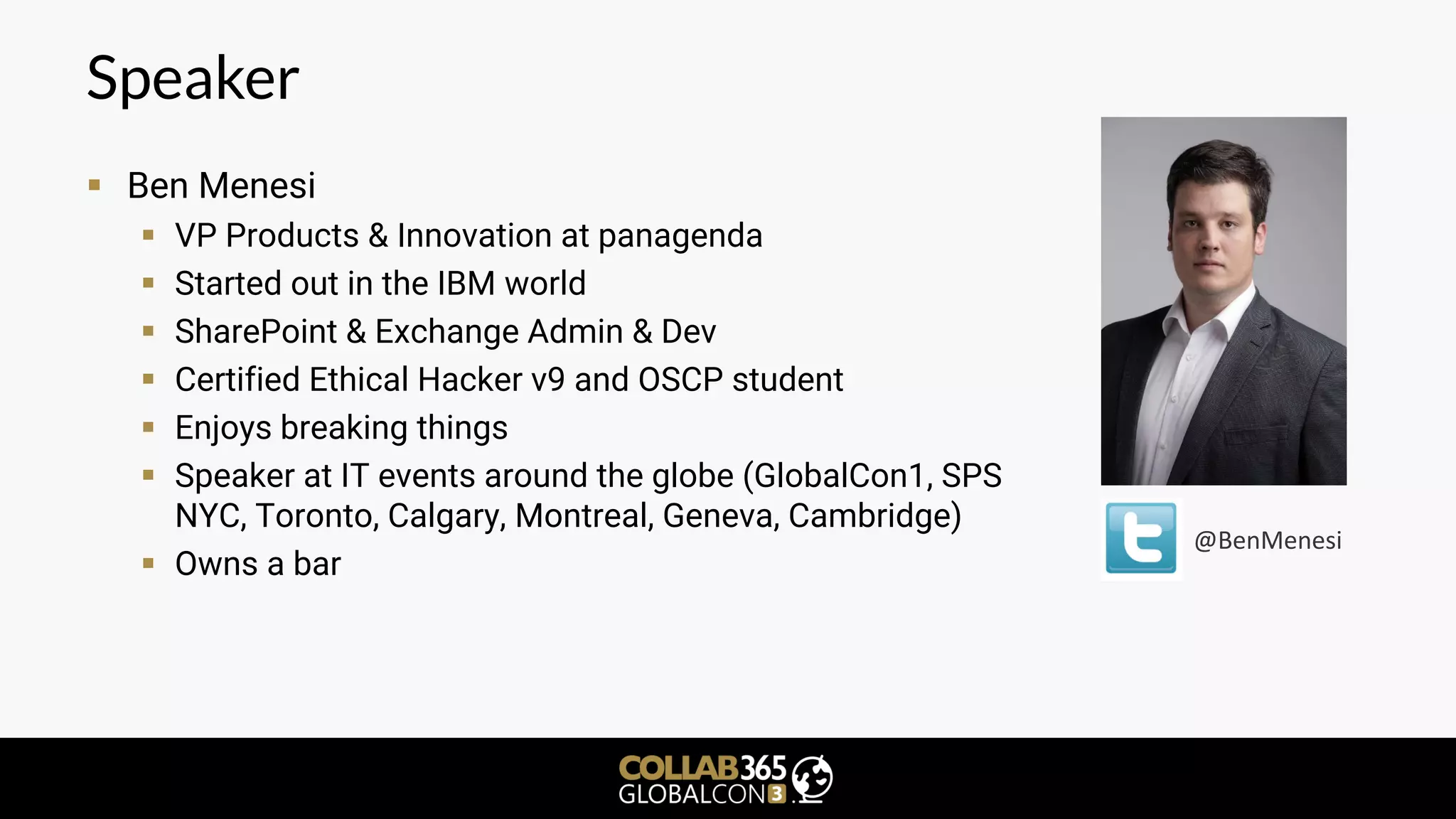
▪ Ben Menesi
▪ VP Products & Innovation at panagenda
▪ Started out in the IBM world
▪ SharePoint & Exchange Admin & Dev
▪ Certified Ethical Hacker v9 and OSCP student
▪ Enjoys breaking things
▪ Speaker at IT events around the globe (GlobalCon1, SPS
NYC, Toronto, Calgary, Montreal, Geneva, Cambridge)
▪ Owns a bar
About panagenda
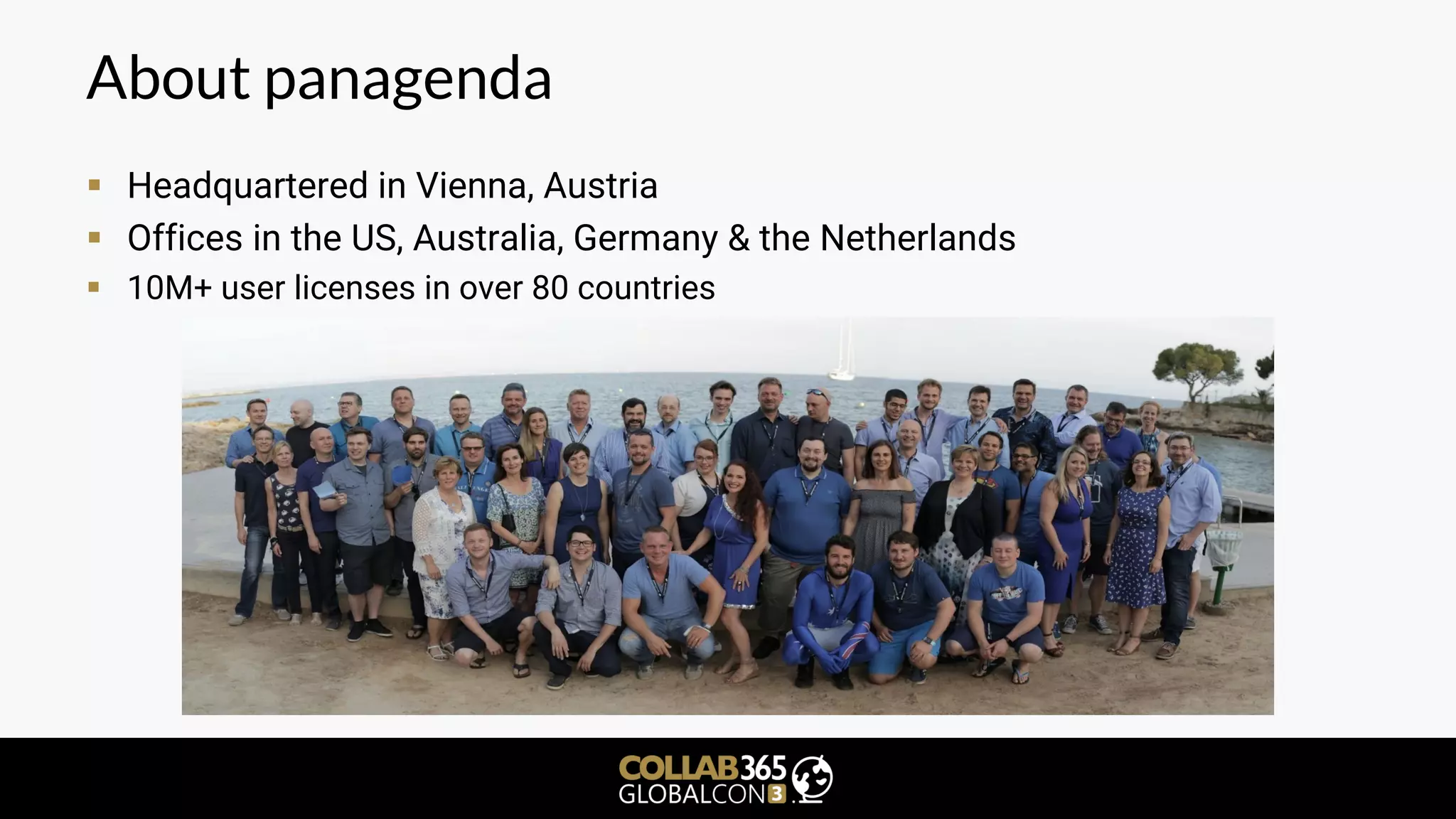
▪ Headquartered in Vienna, Austria
▪ Offices in the US, Australia, Germany & the Netherlands
▪ 10M+ user licenses in over 80 countries
Our product: OfficeExpert
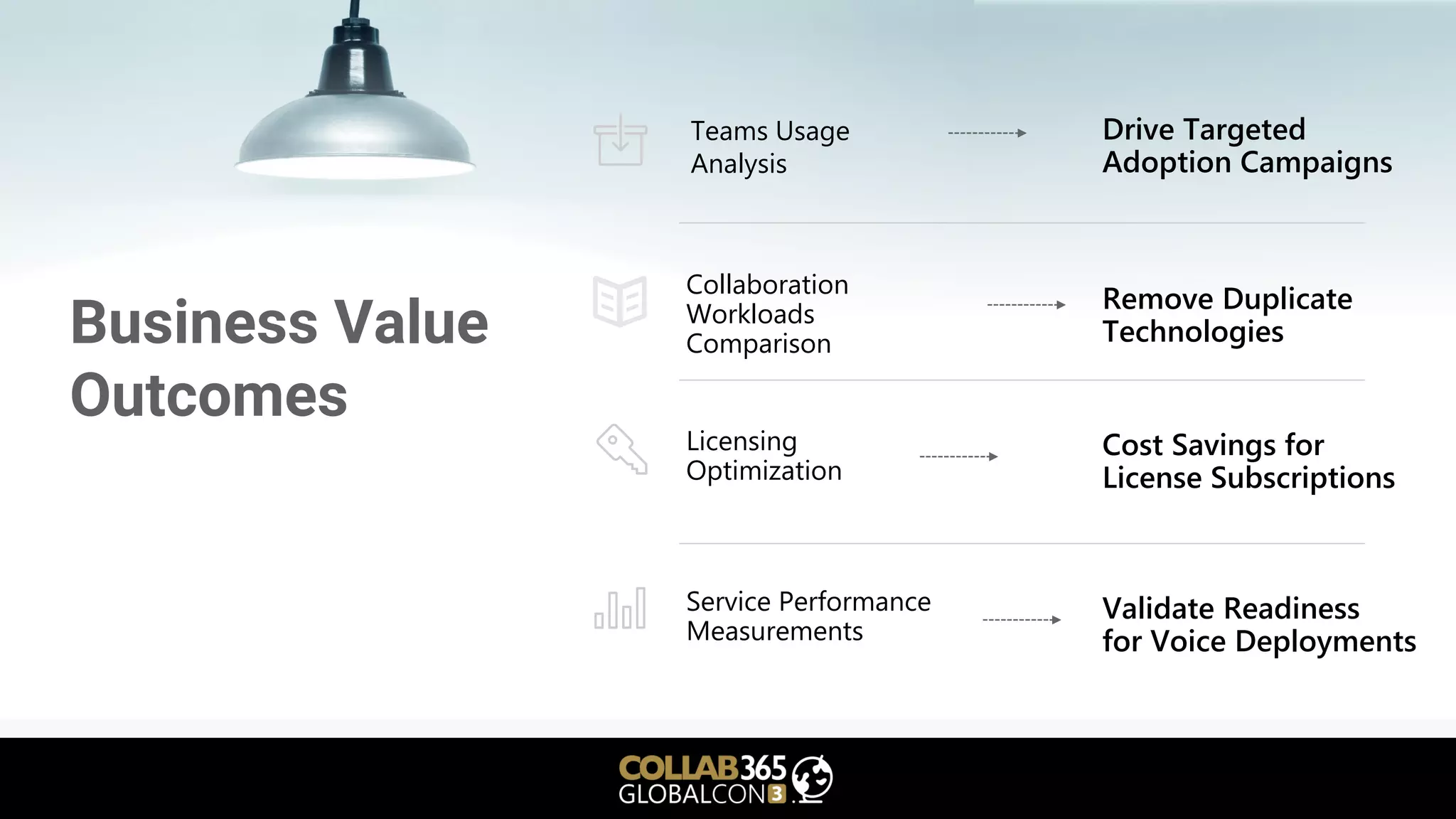
Business Value Outcomes
Service Performance
Measurements
Teams Usage
Analysis
Collaboration
Workloads
Comparison
Licensing
Optimization
Our Product: OfficeExpert
Service Performance
Measurements
Teams Usage
Analysis
Collaboration
Workloads
Comparison
Licensing
Optimization
Validate Readiness
for Voice Deployments
Drive Targeted
Adoption Campaigns
Remove Duplicate
Technologies
Cost Savings for
License Subscriptions
Business Value
Outcomes
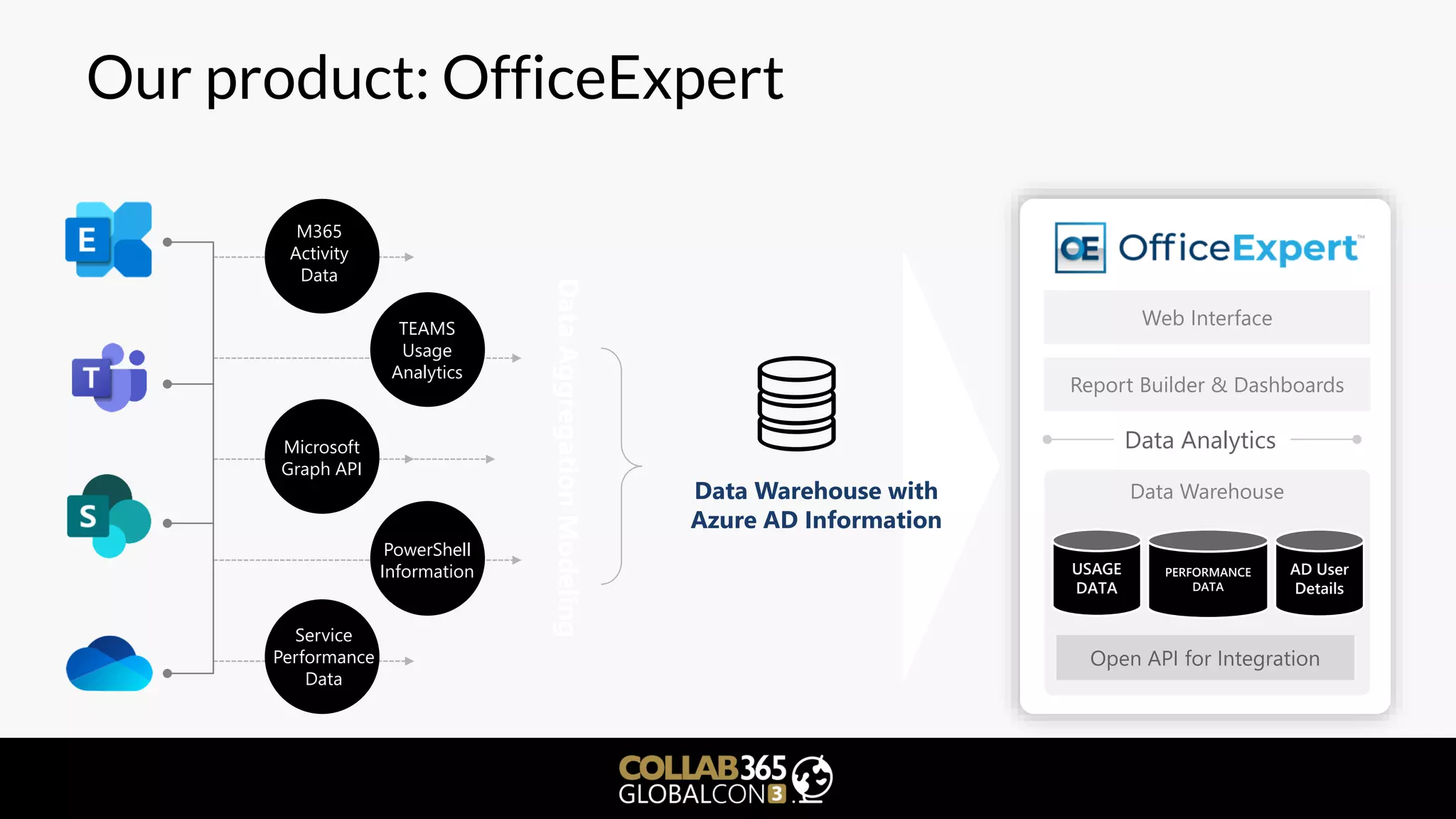
Our product: OfficeExpert
Data Warehouse with
Azure AD Information
DataAggregationModeling
M365
Activity
Data
TEAMS
Usage
Analytics
PowerShell
Information
Microsoft
Graph API
Service
Performance
Data
Web Interface
Report Builder & Dashboards
Data Warehouse
USAGE
DATA
PERFORMANCE
DATA
AD User
Details
Open API for Integration
Data Analytics
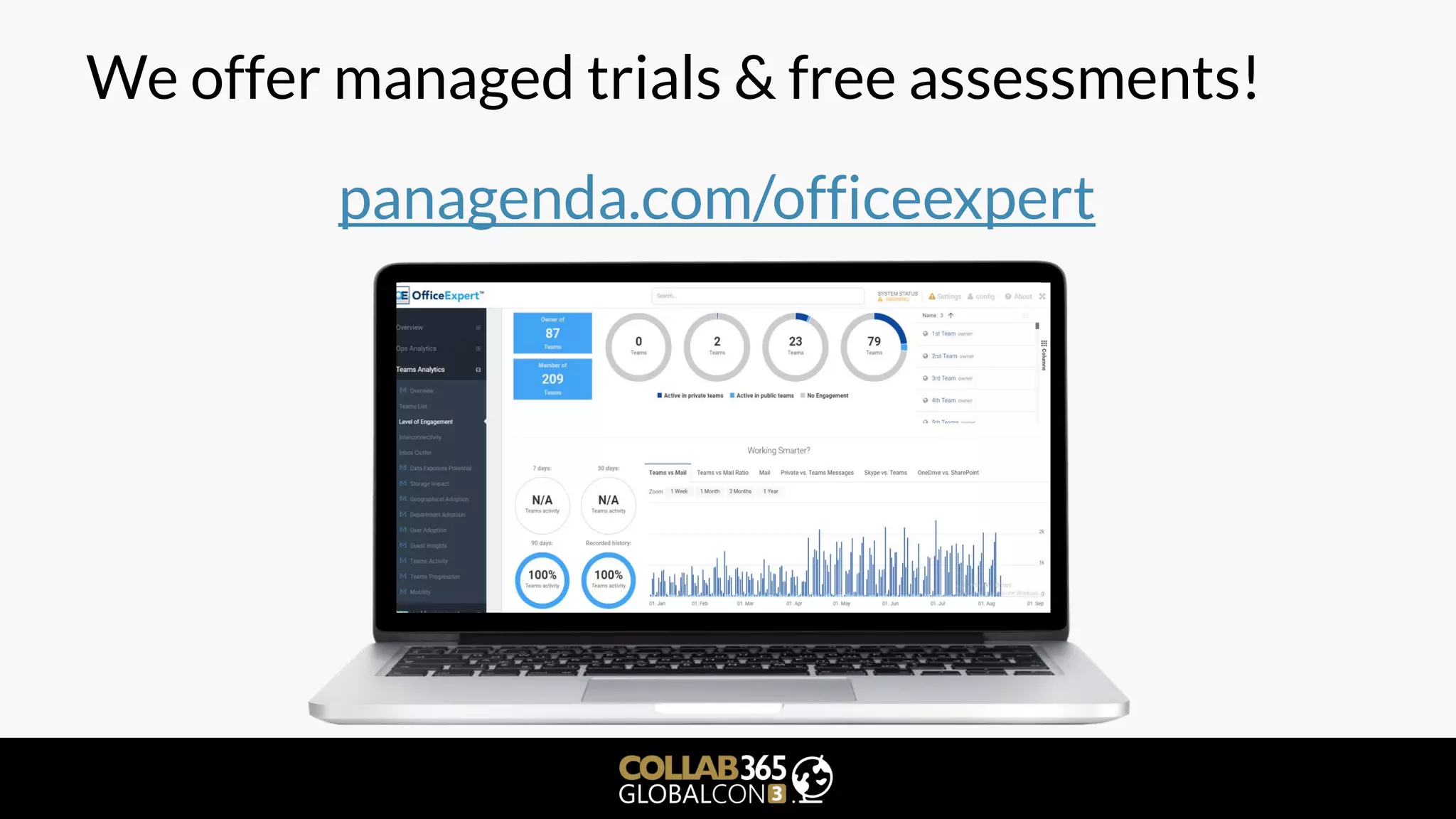
We offer managed trials & free assessments!
panagenda.com/officeexpert
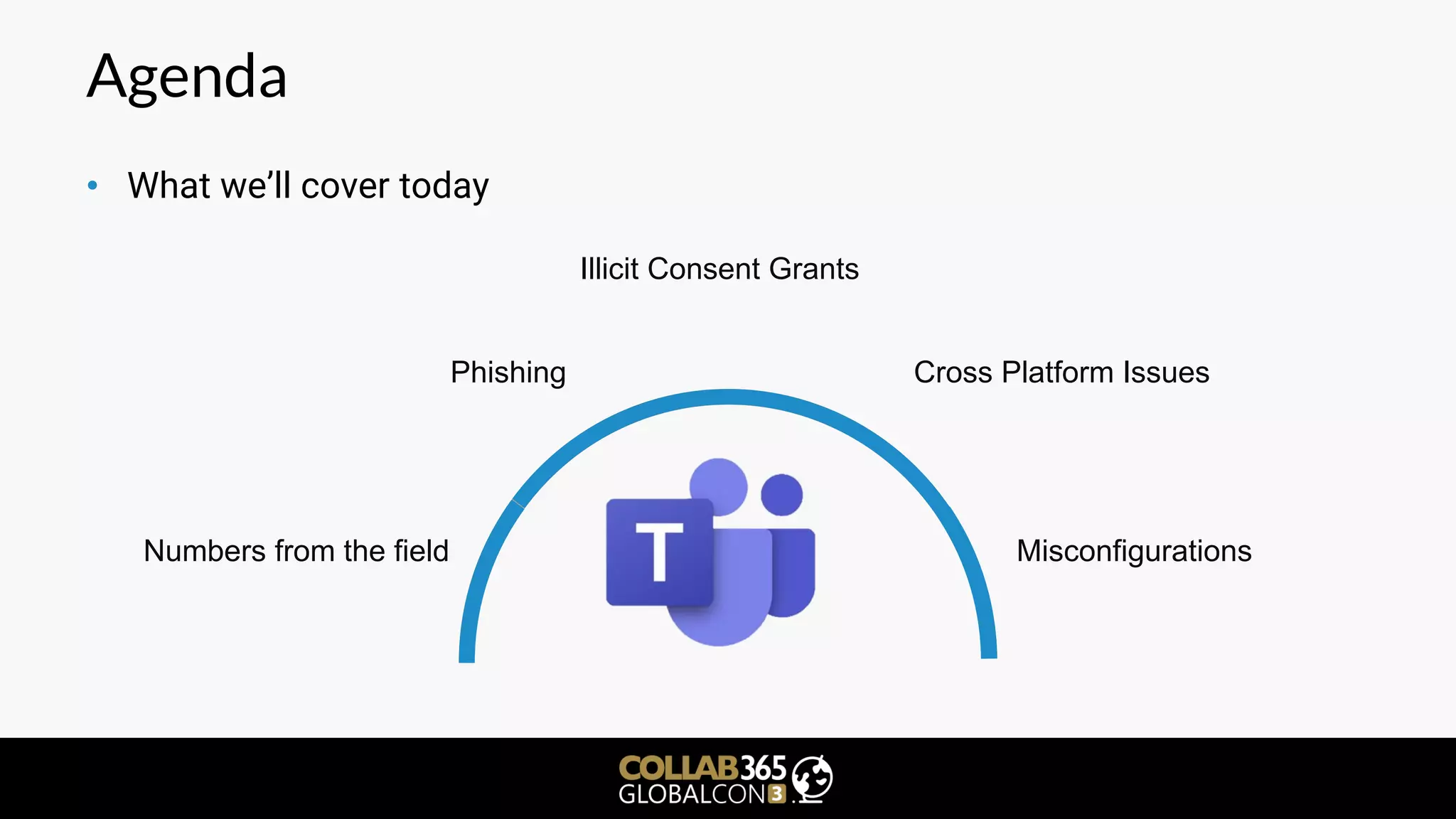
Agenda
Agenda
• What we’ll cover today
Numbers from the field Misconfigurations
Phishing Cross Platform Issues
Illicit Consent Grants
Numbers from the field
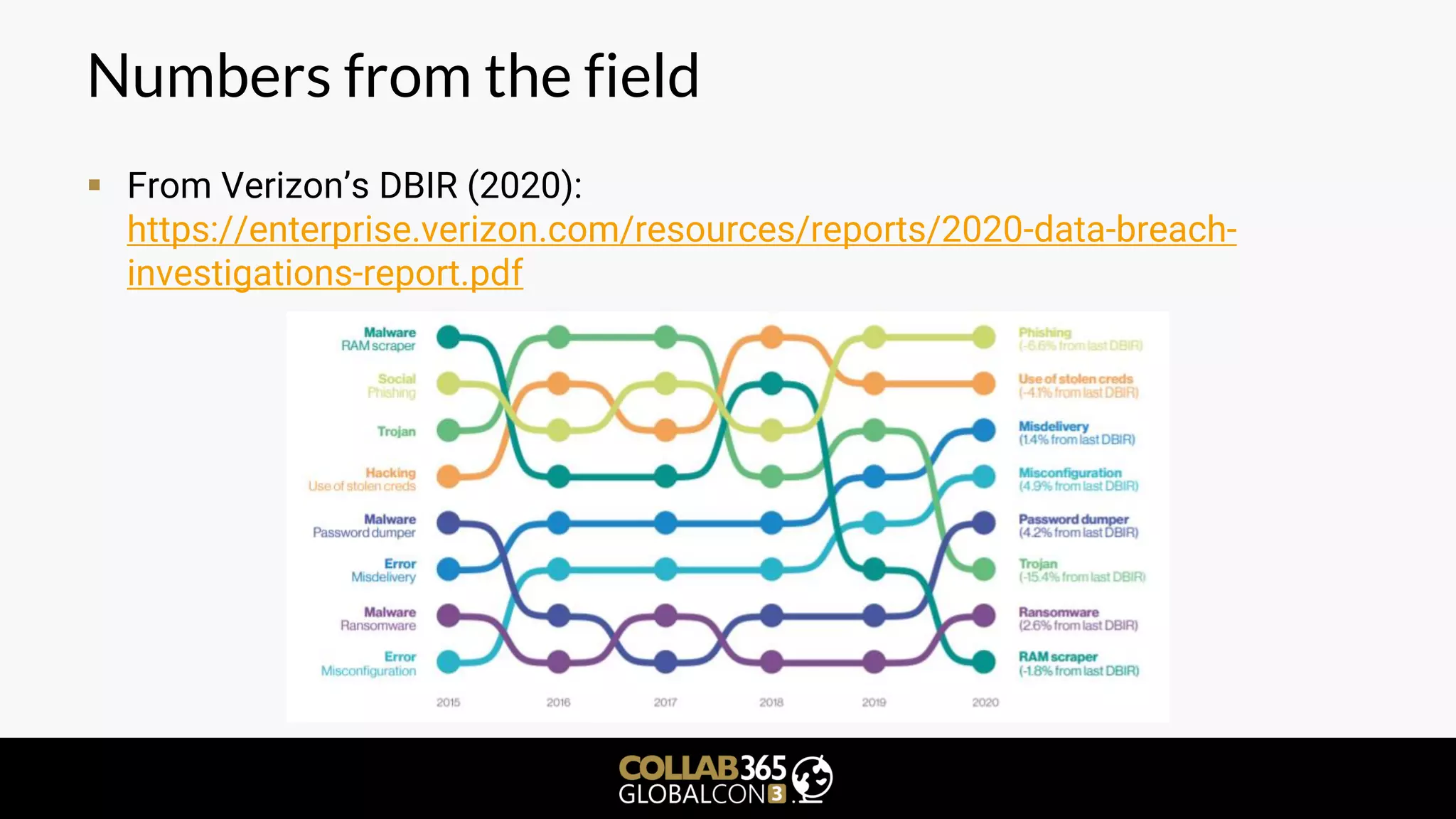
▪ From Verizon’s DBIR (2020):
https://enterprise.verizon.com/resources/reports/2020-data-breach-
investigations-report.pdf
Numbers from the field
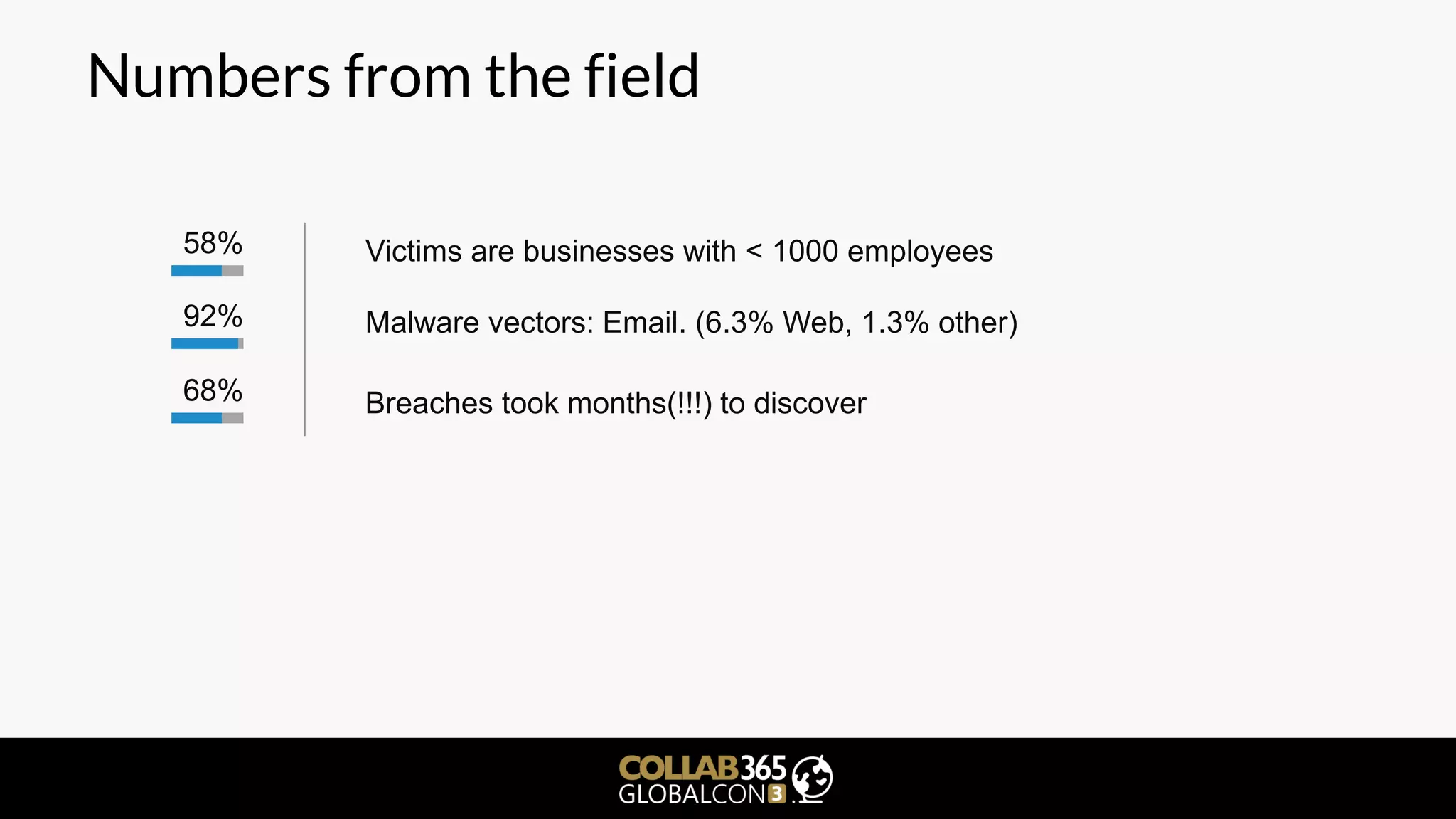
58% Victims are businesses with < 1000 employees
92%
68% Breaches took months(!!!) to discover
Malware vectors: Email. (6.3% Web, 1.3% other)
Numbers from the field
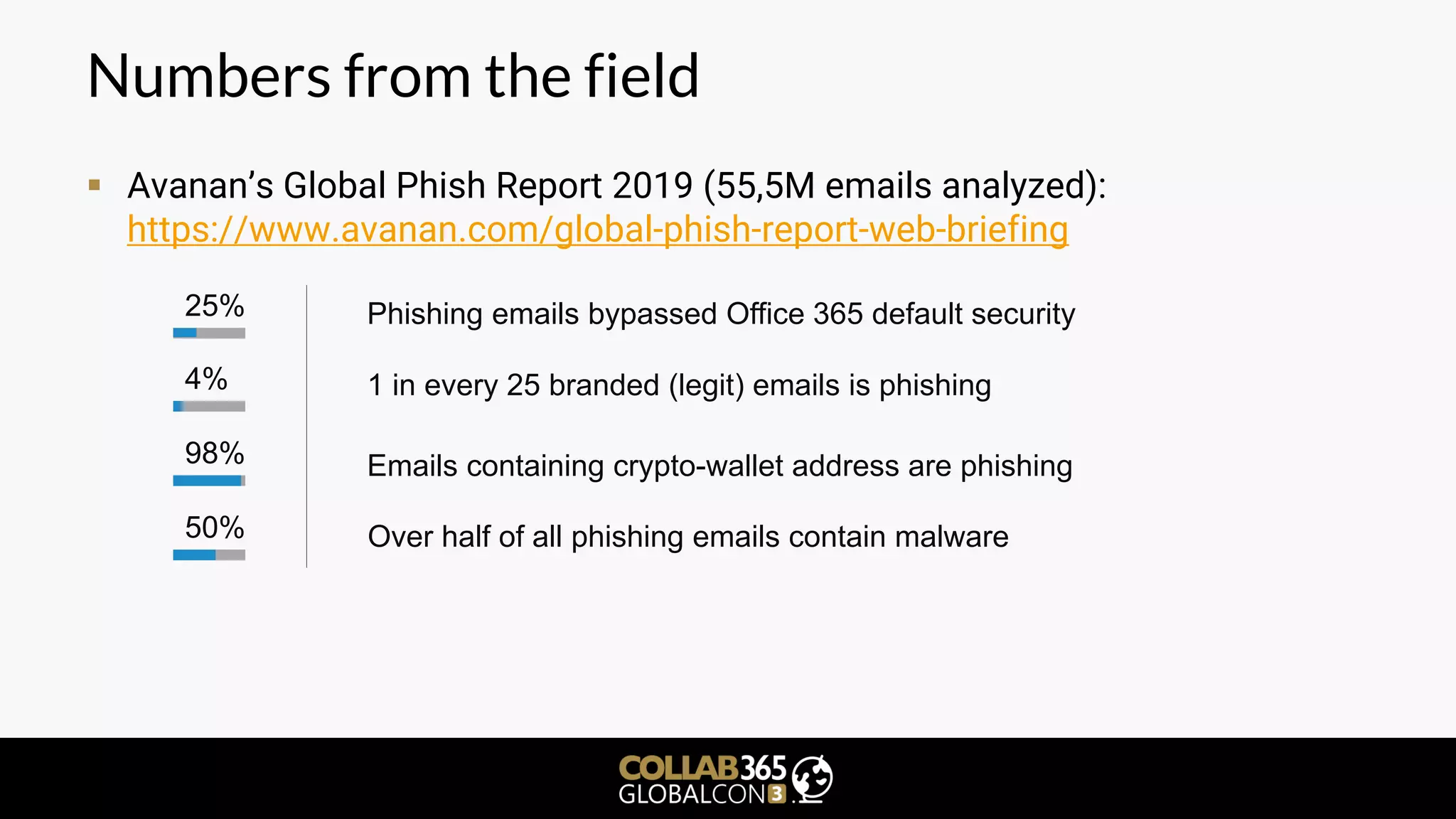
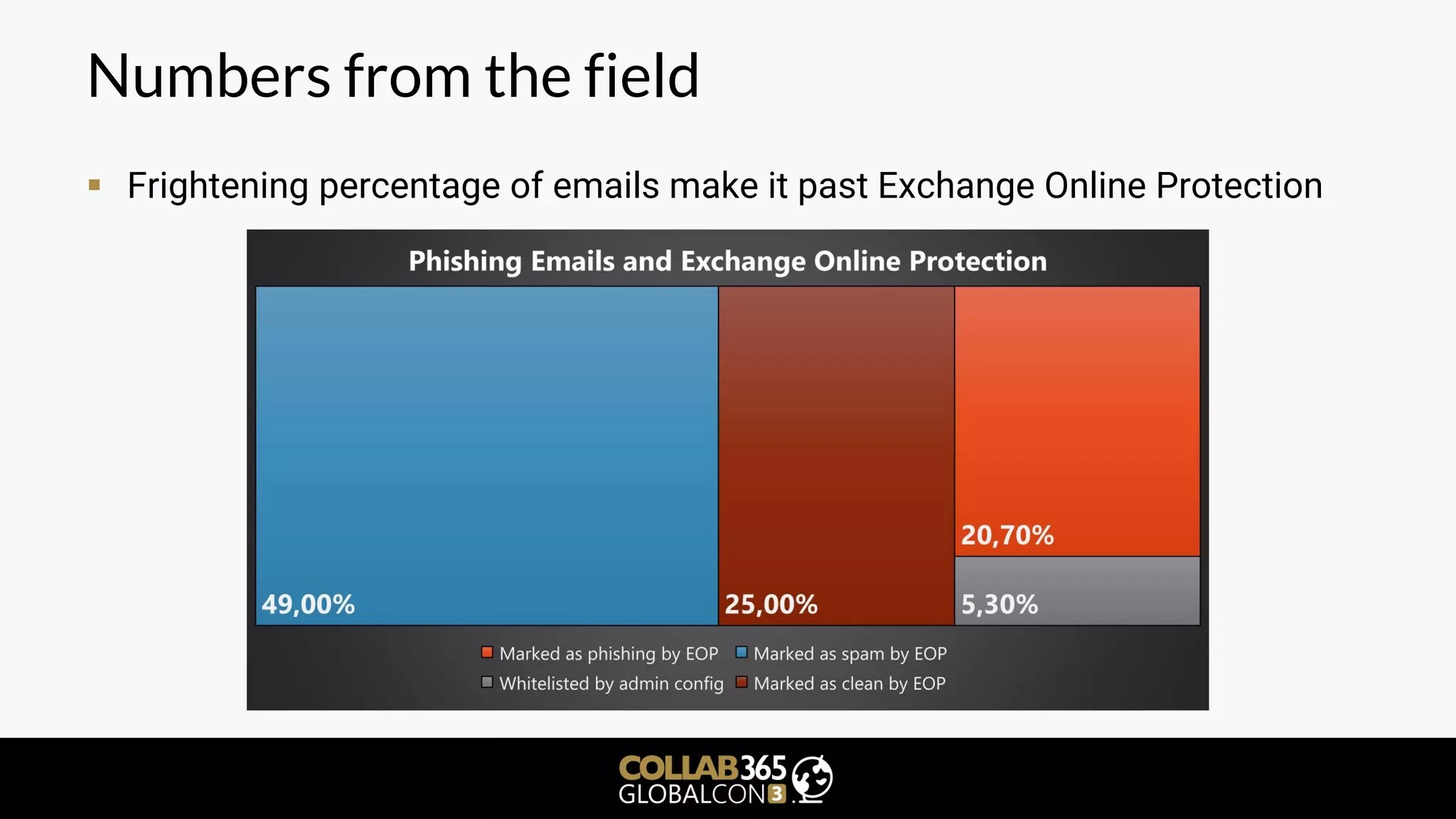
25% Phishing emails bypassed Office 365 default security
4%
98% Emails containing crypto-wallet address are phishing
1 in every 25 branded (legit) emails is phishing
▪ Avanan’s Global Phish Report 2019 (55,5M emails analyzed):
https://www.avanan.com/global-phish-report-web-briefing
50% Over half of all phishing emails contain malware
Phishing
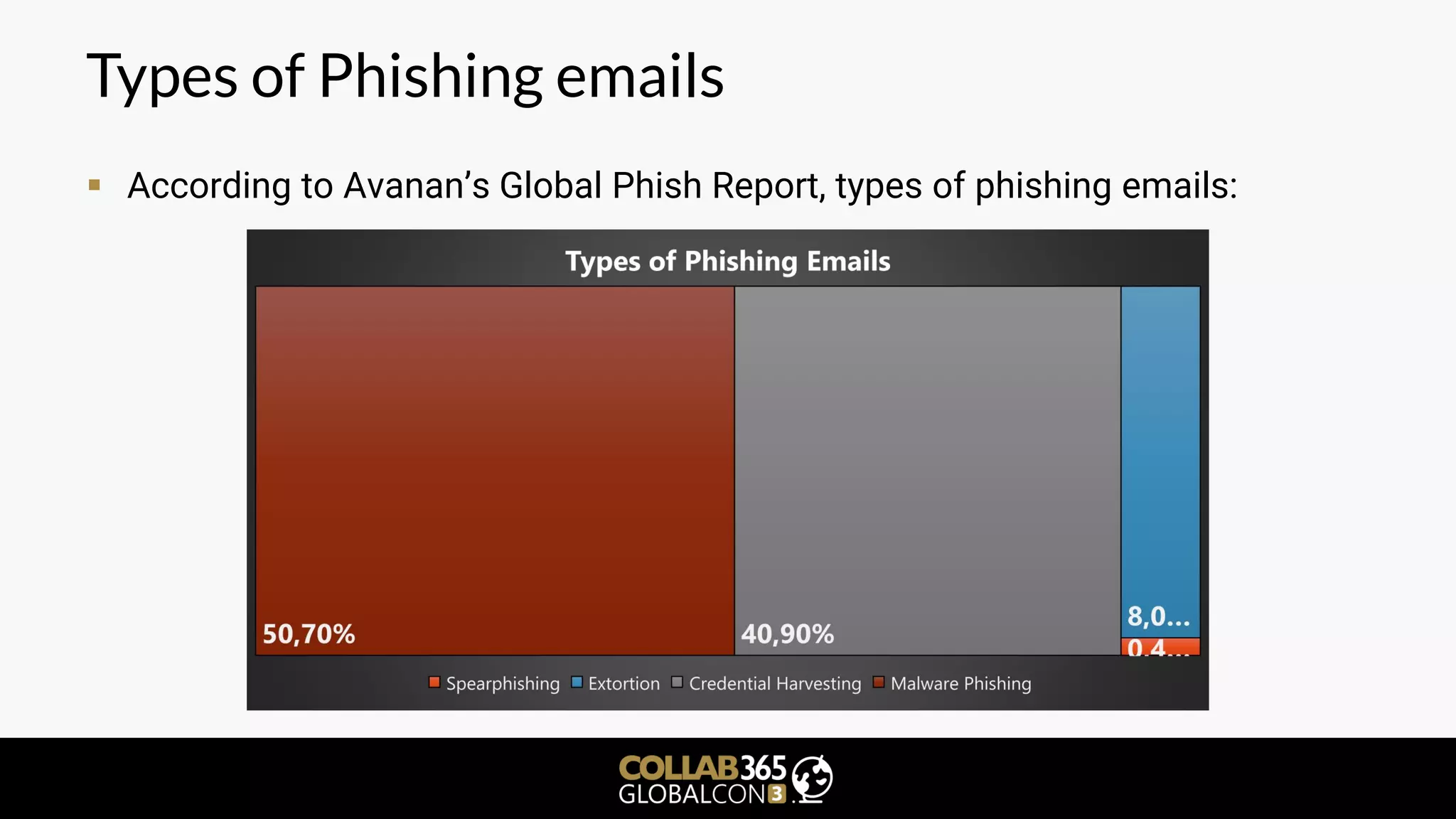
Types of Phishing emails
▪ According to Avanan’s Global Phish Report, types of phishing emails:
Numbers from the field
▪ Frightening percentage of emails make it past Exchange Online Protection
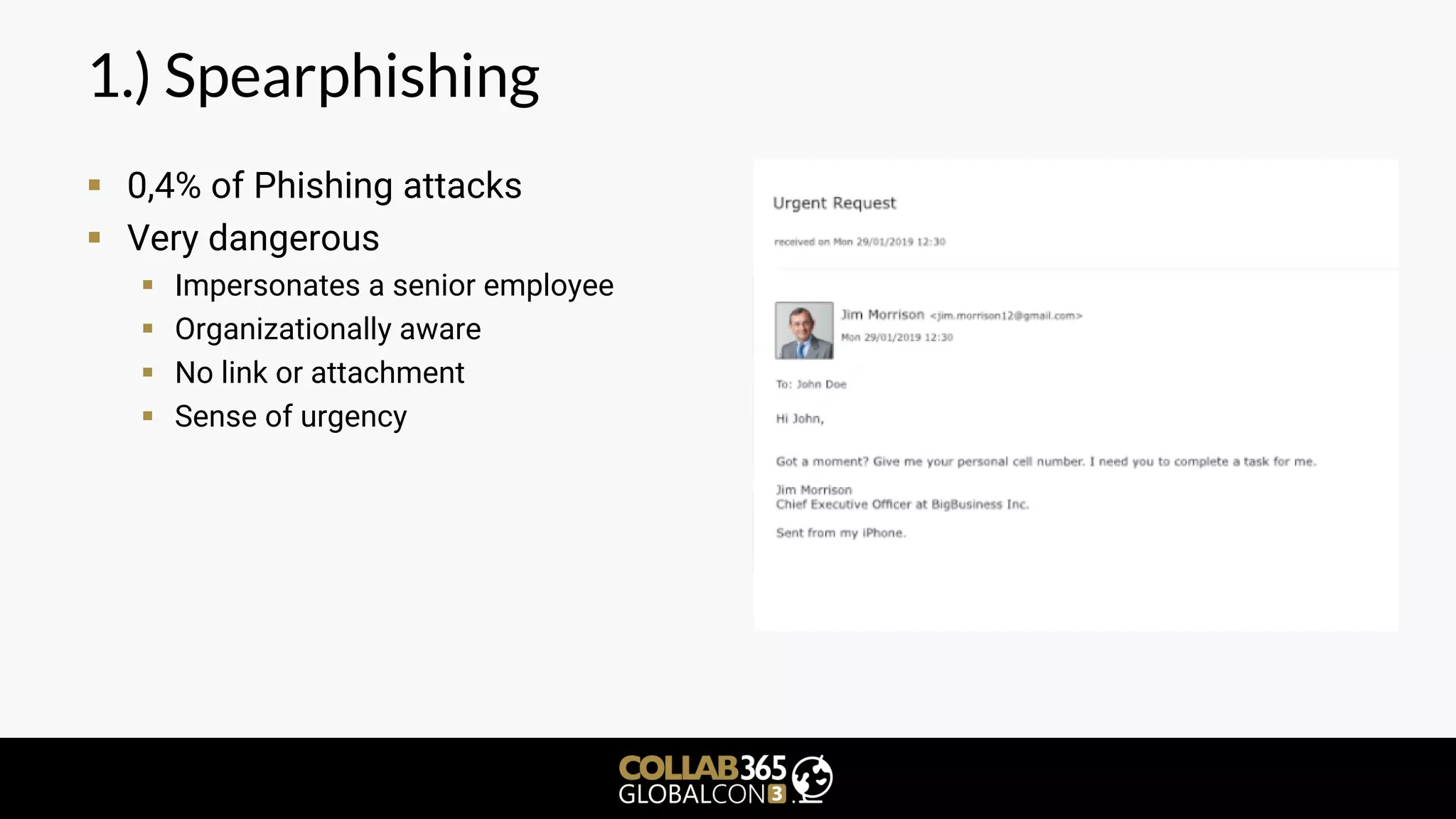
1.) Spearphishing
▪ 0,4% of Phishing attacks
▪ Very dangerous
▪ Impersonates a senior employee
▪ Organizationally aware
▪ No link or attachment
▪ Sense of urgency
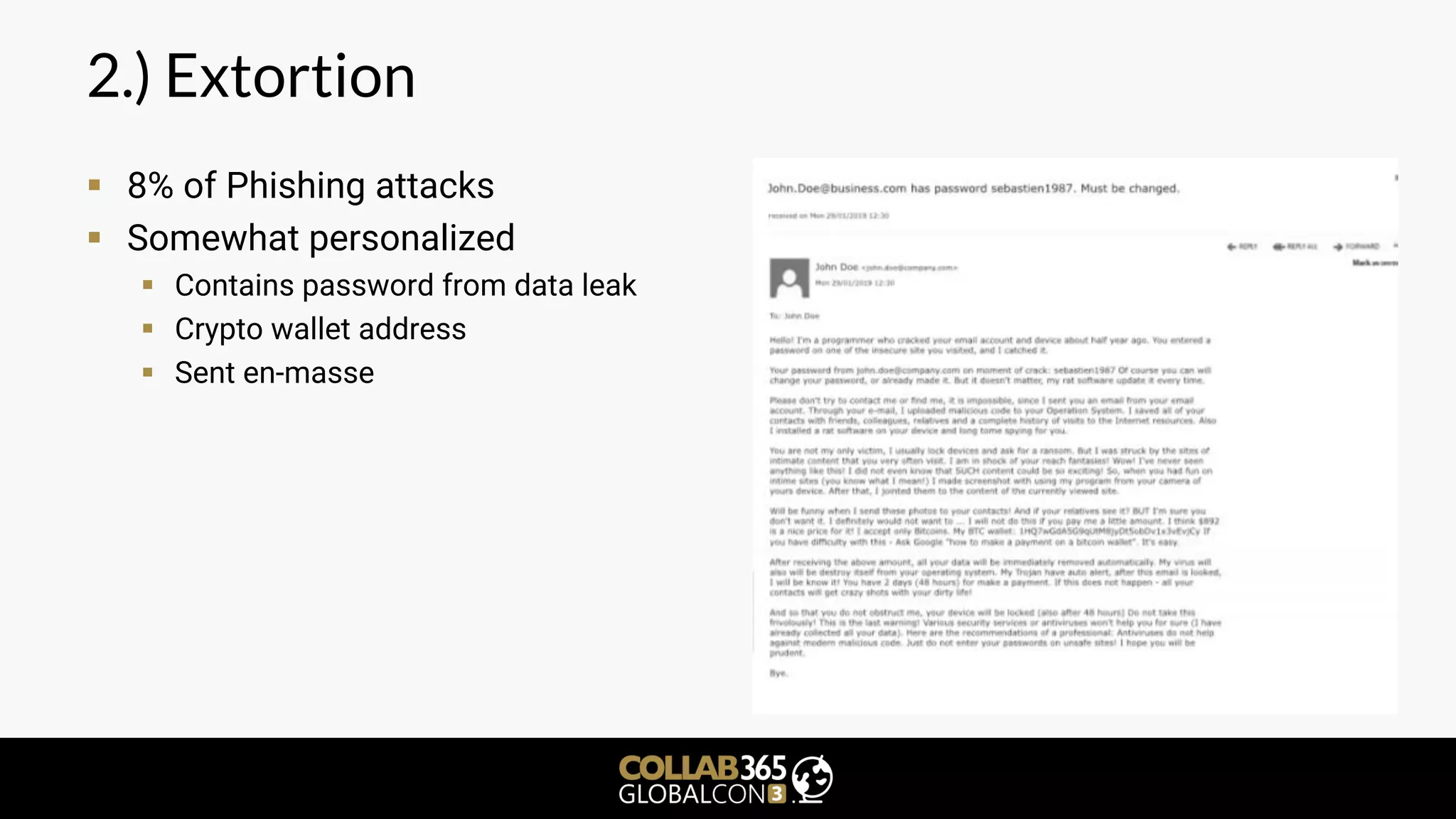
2.) Extortion
▪ 8% of Phishing attacks
▪ Somewhat personalized
▪ Contains password from data leak
▪ Crypto wallet address
▪ Sent en-masse
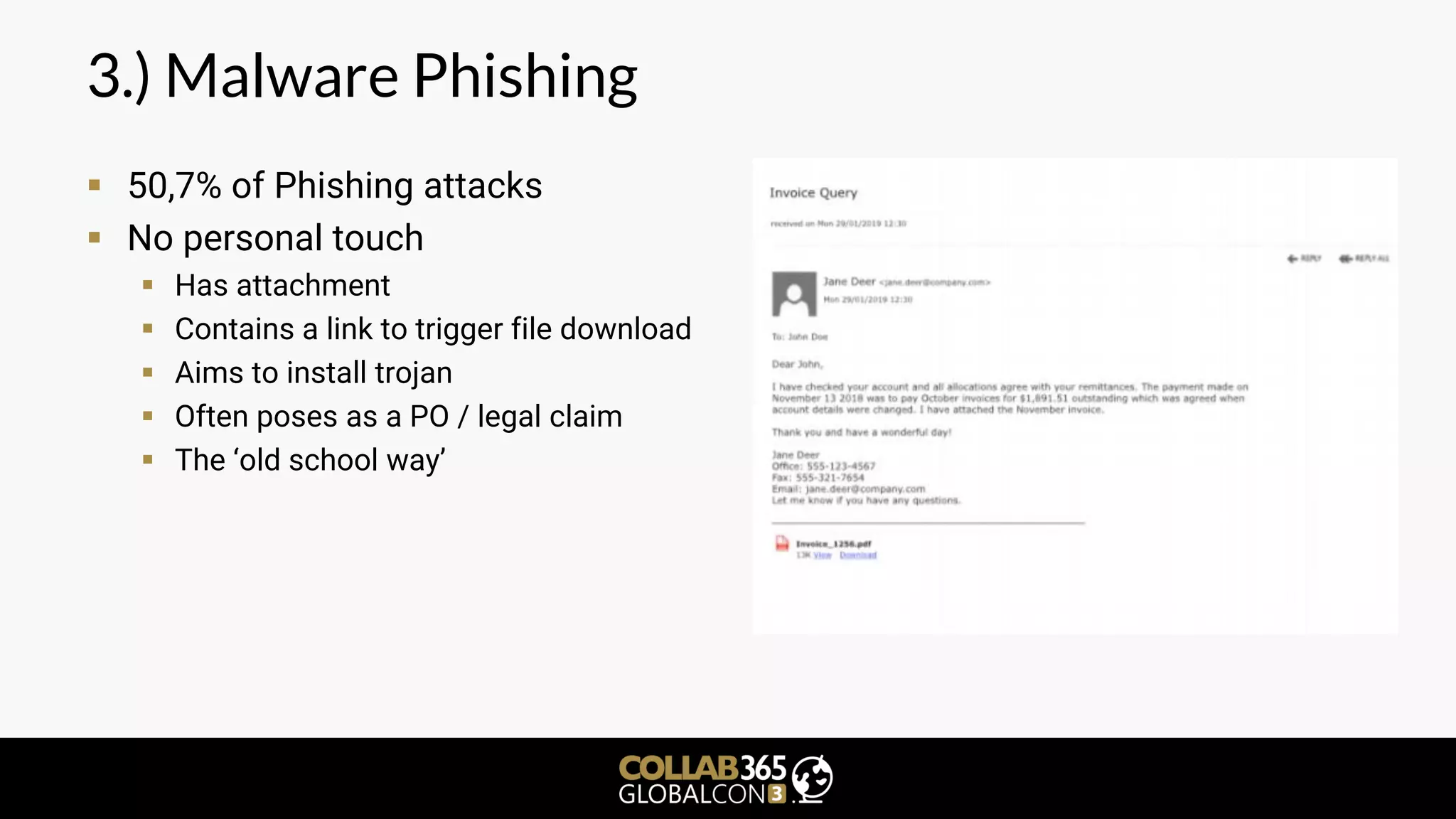
3.) Malware Phishing
▪ 50,7% of Phishing attacks
▪ No personal touch
▪ Has attachment
▪ Contains a link to trigger file download
▪ Aims to install trojan
▪ Often poses as a PO / legal claim
▪ The ‘old school way’
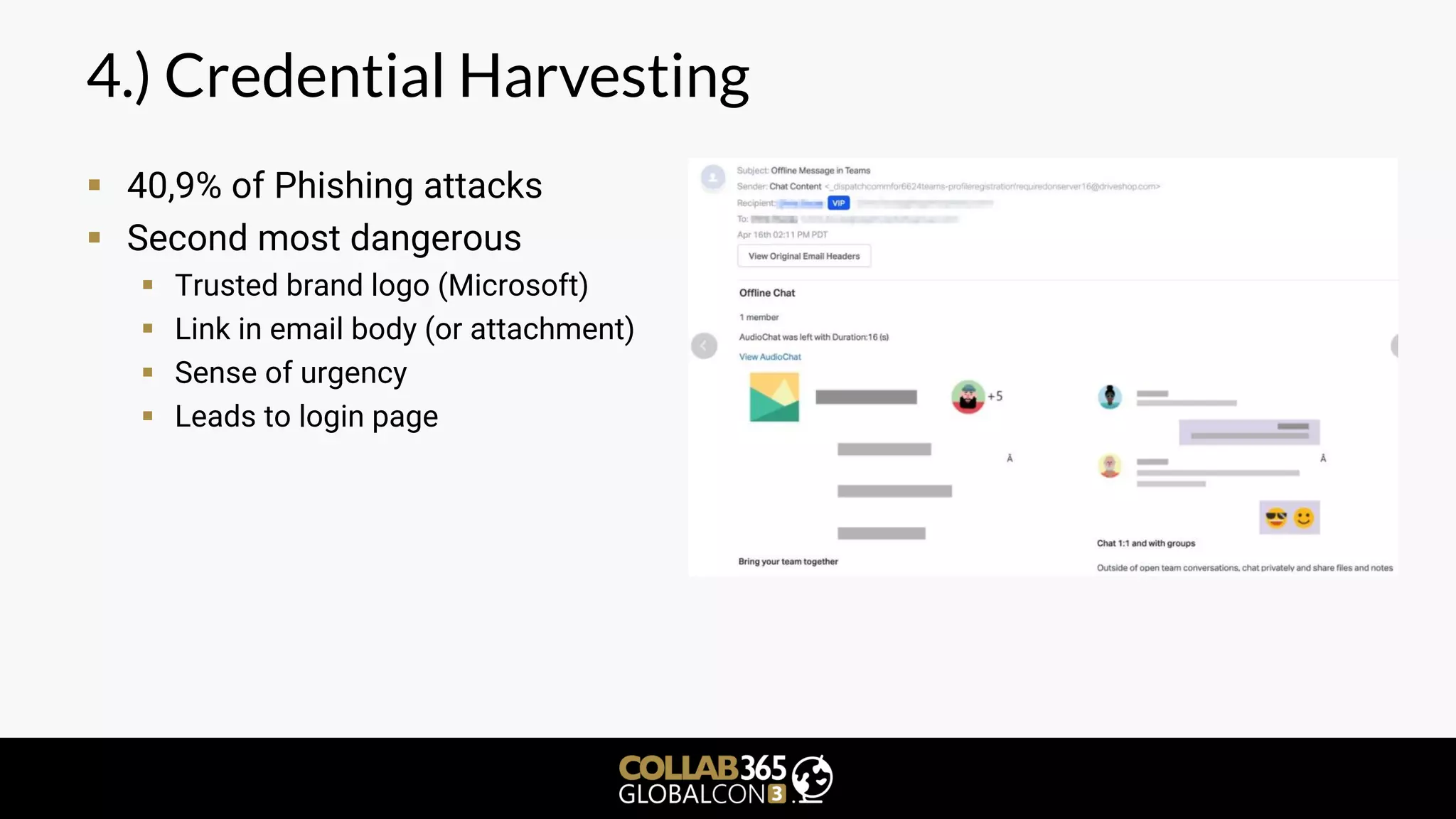
4.) Credential Harvesting
▪ 40,9% of Phishing attacks
▪ Second most dangerous
▪ Trusted brand logo (Microsoft)
▪ Link in email body (or attachment)
▪ Sense of urgency
▪ Leads to login page
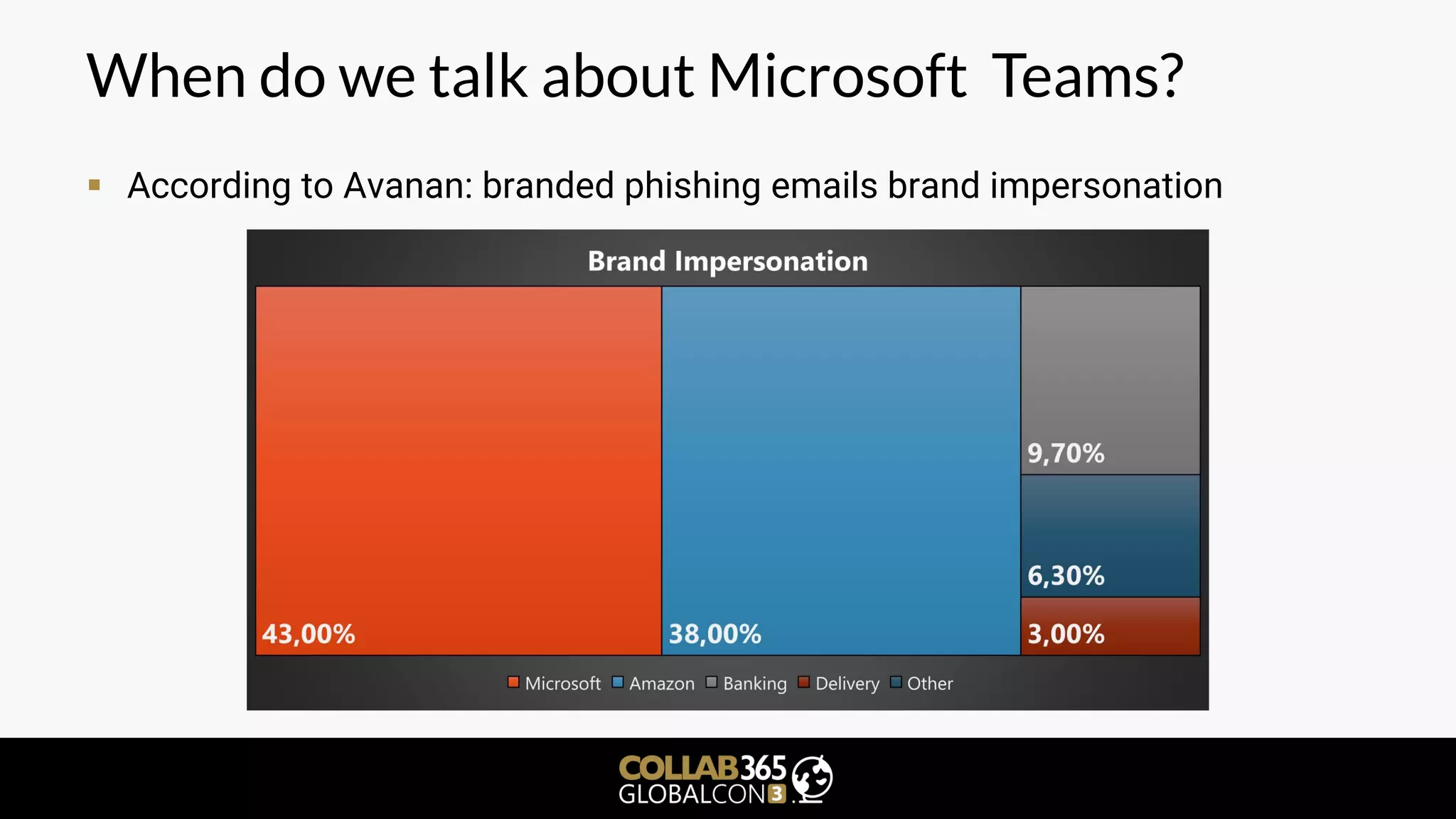
When do we talk about Microsoft Teams?
▪ According to Avanan: branded phishing emails brand impersonation
Teams Impersonation Attacks
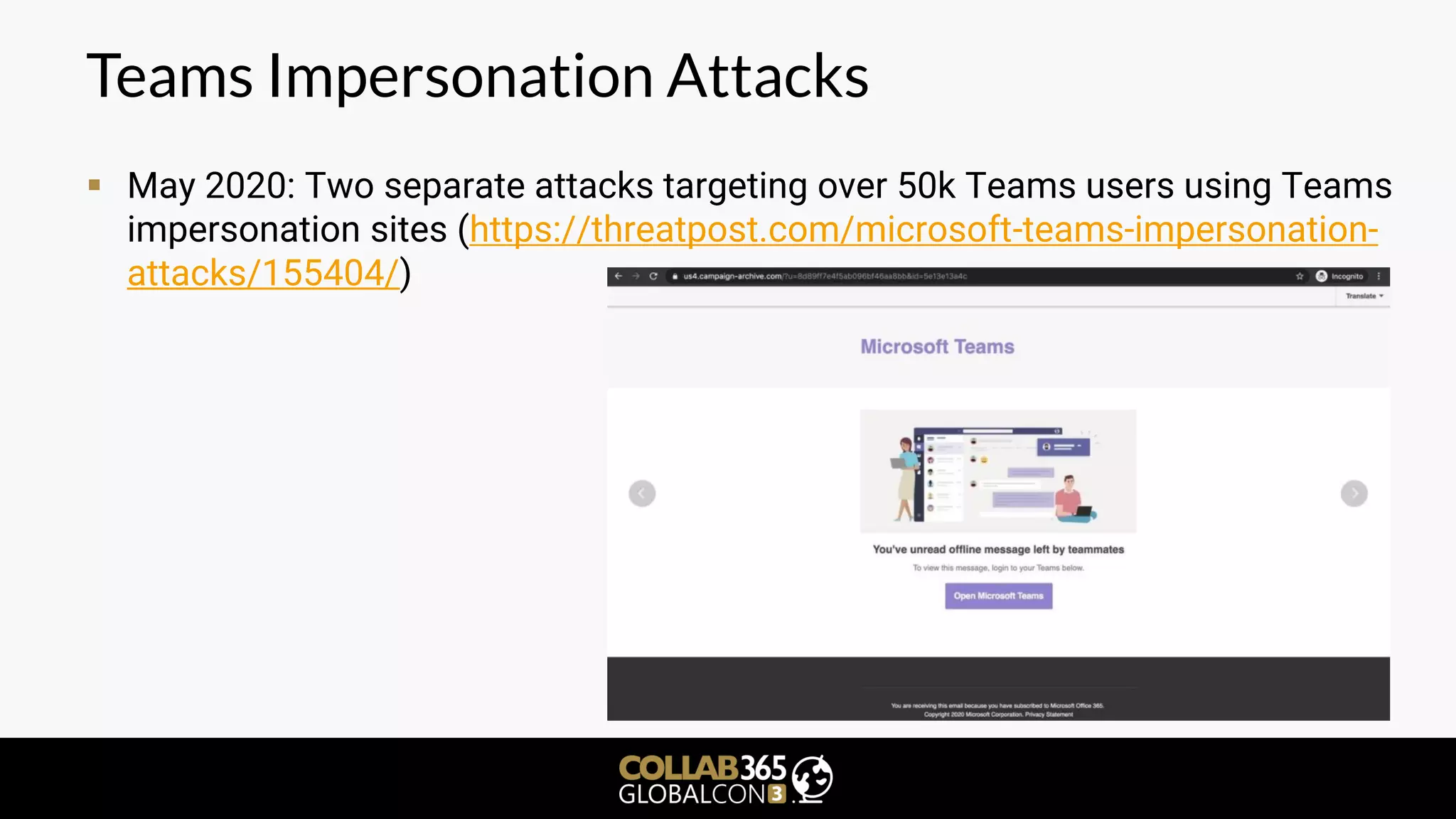
▪ May 2020: Two separate attacks targeting over 50k Teams users using Teams
impersonation sites (https://threatpost.com/microsoft-teams-impersonation-
attacks/155404/)
What can you do?
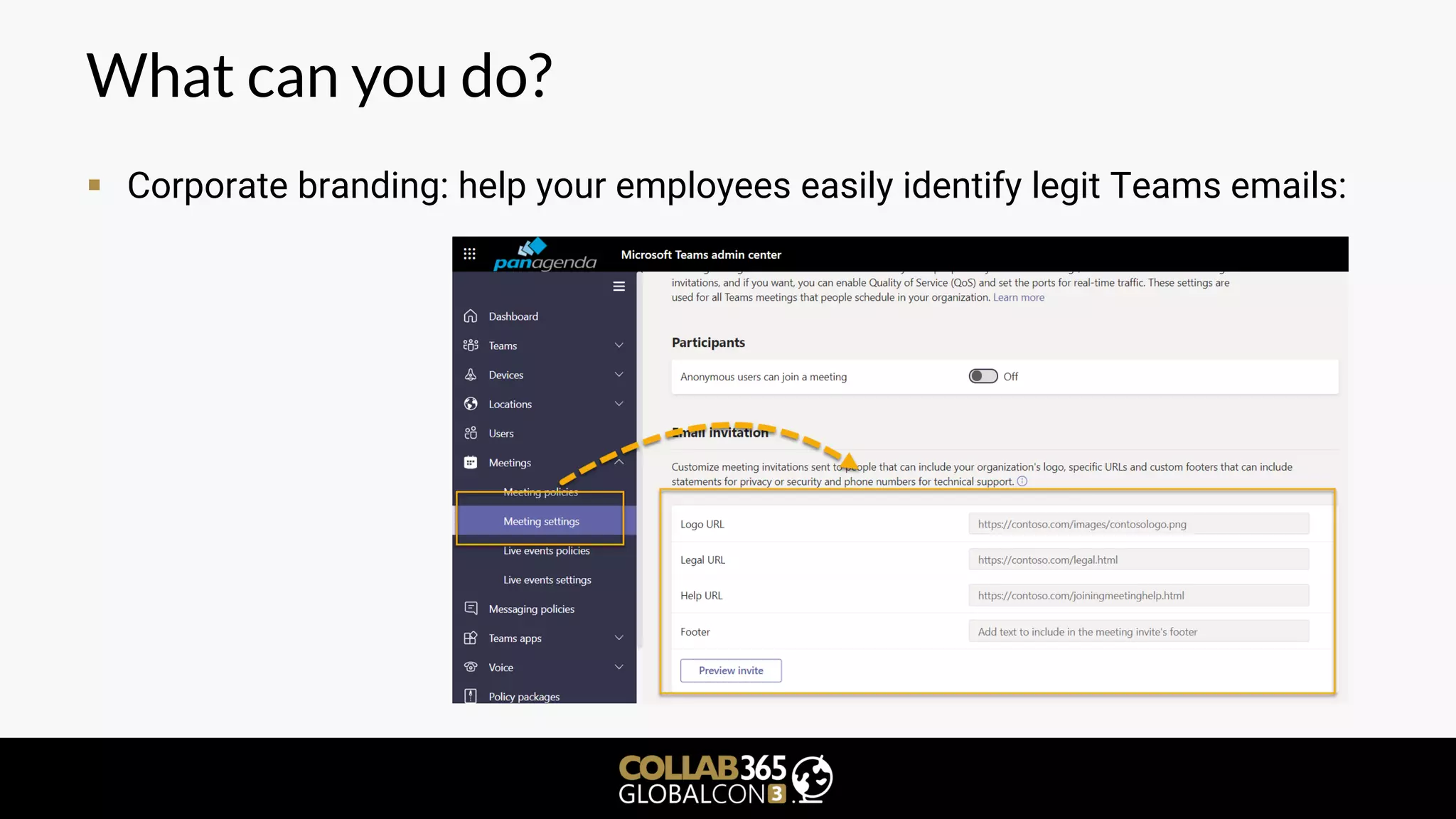
▪ Corporate branding: help your employees easily identify legit Teams emails:
What can you do?
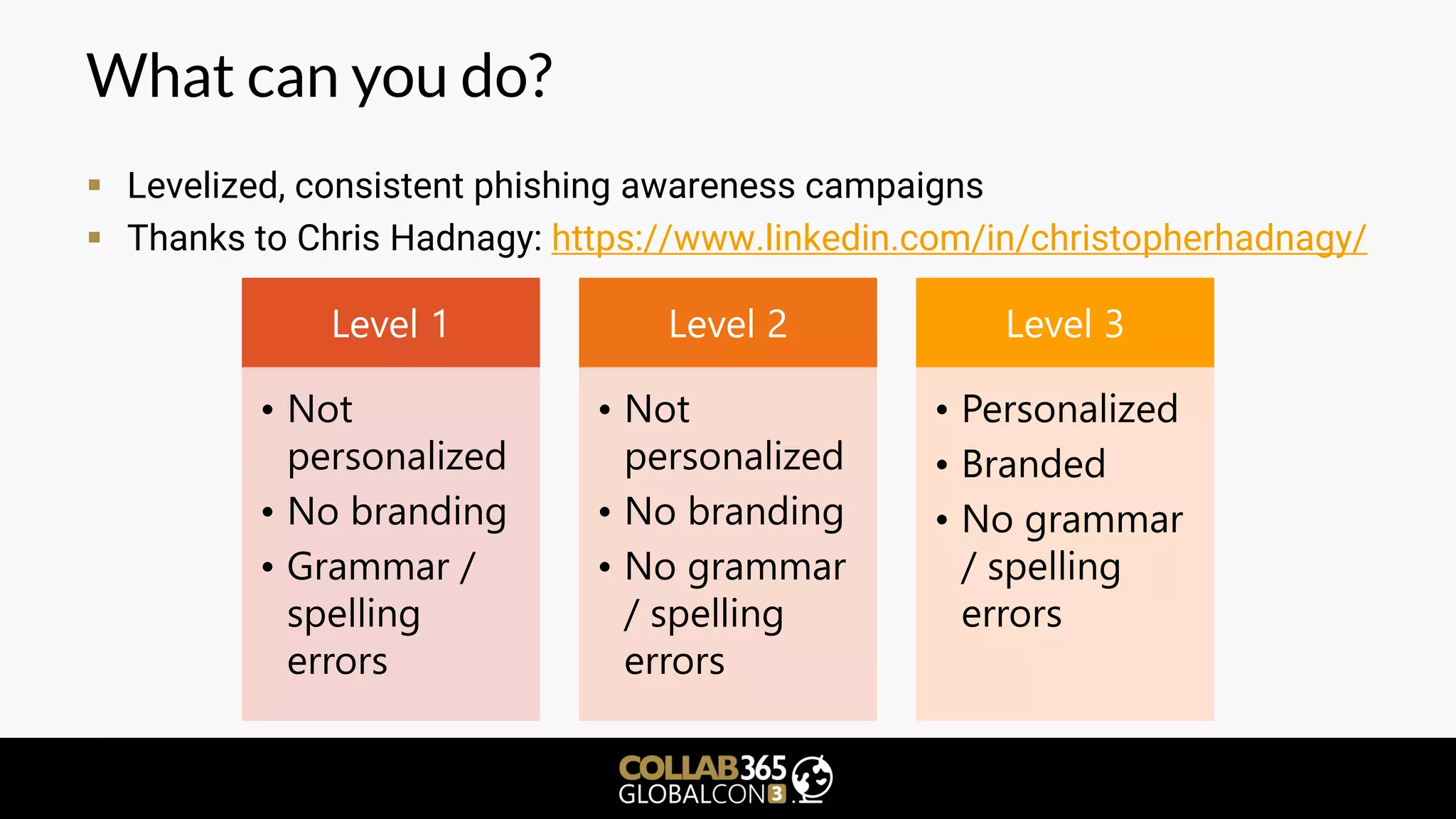
▪ Levelized, consistent phishing awareness campaigns
▪ Thanks to Chris Hadnagy: https://www.linkedin.com/in/christopherhadnagy/
Level 1
• Not
personalized
• No branding
• Grammar /
spelling
errors
Level 2
• Not
personalized
• No branding
• No grammar
/ spelling
errors
Level 3
• Personalized
• Branded
• No grammar
/ spelling
errors
What can you do?
▪ Key Performance Indicators:
▪ Did employees catch the phish, and if so – did they report it?
▪ If not, did they click the link and digest the CBT message?
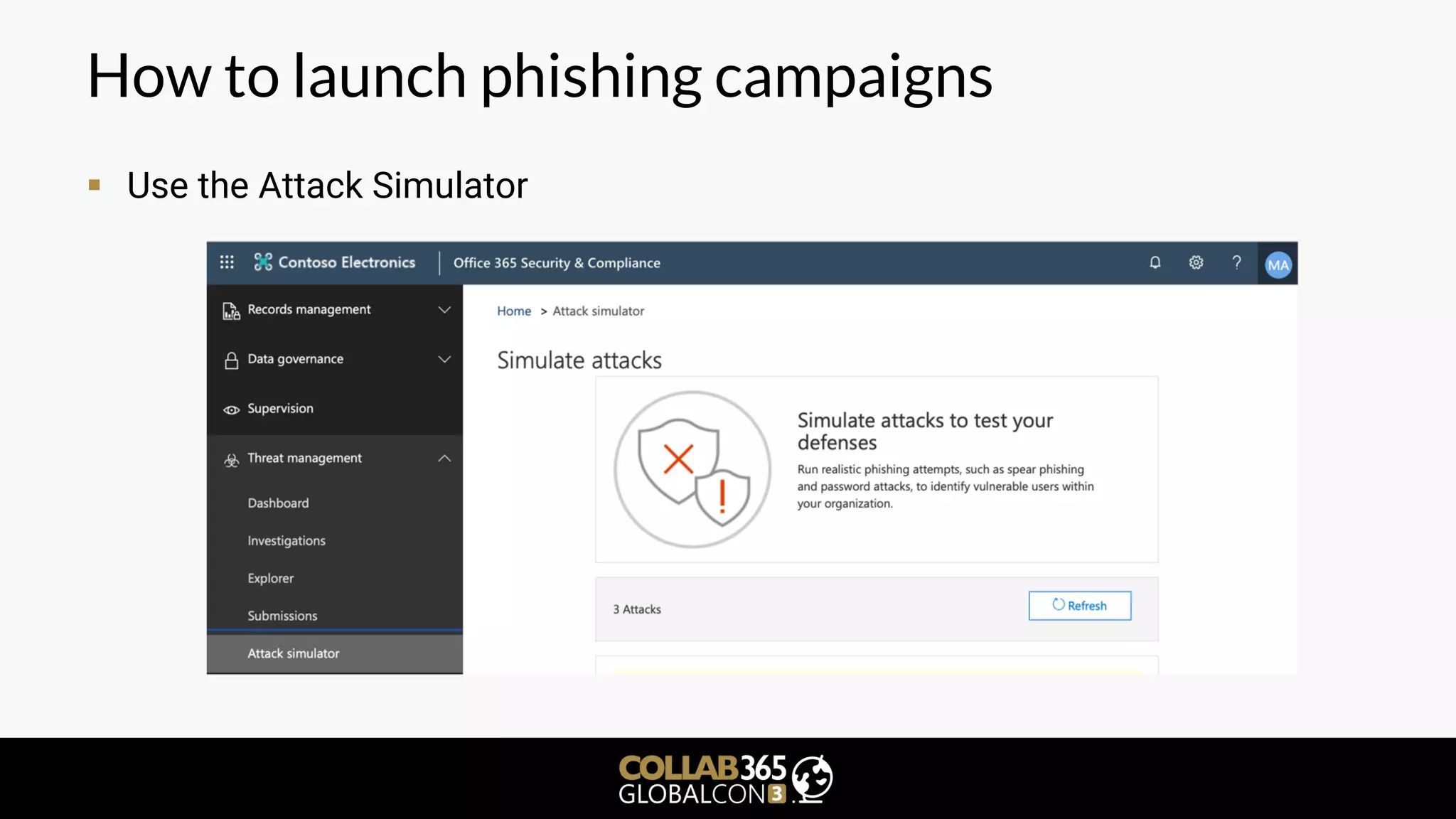
How to launch phishing campaigns
▪ Use the Attack Simulator
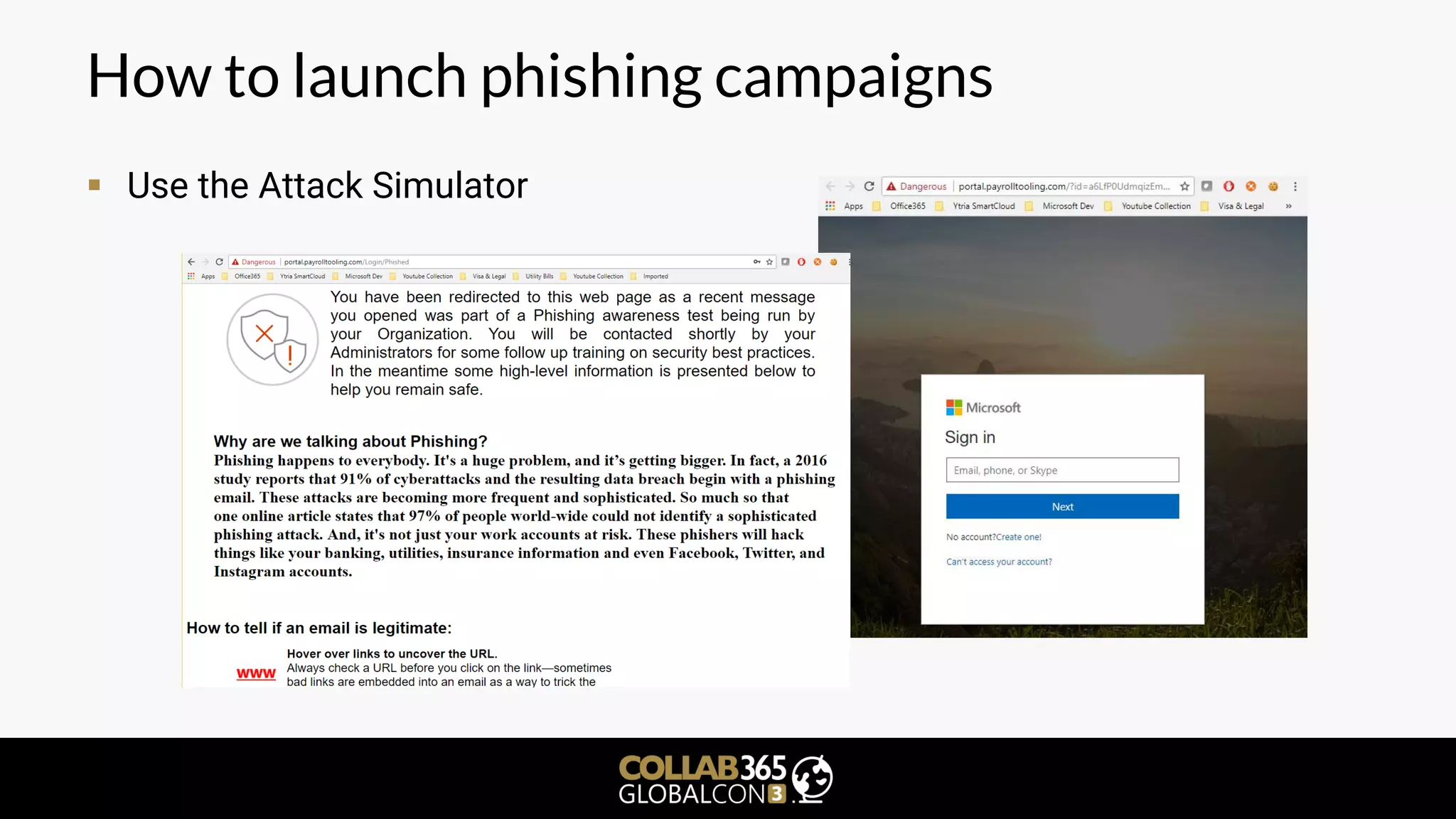
How to launch phishing campaigns
▪ Use the Attack Simulator
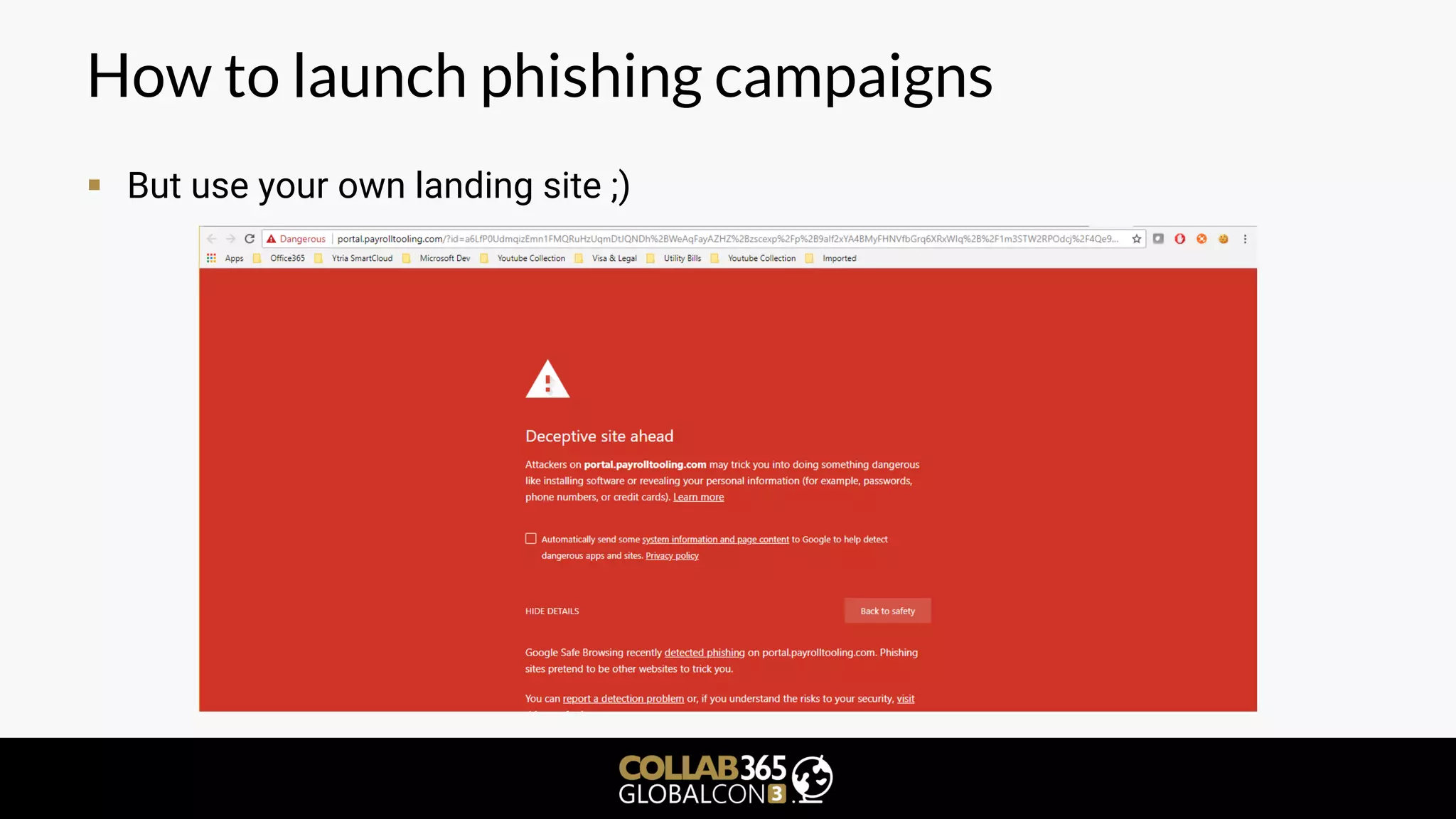
How to launch phishing campaigns
▪ But use your own landing site ;)
Illicit Consent Grants
▪ While these haven’t made their way into the phishing top 4 categories…
▪ Phishing campaigns could trick users into granting access to applications
▪ https://blogs.technet.microsoft.com/office365security/defending-against-illicit-consent-
grants/
▪ Exploit first demonstrated by Kevin Mitnick
Illicit Consent Grants
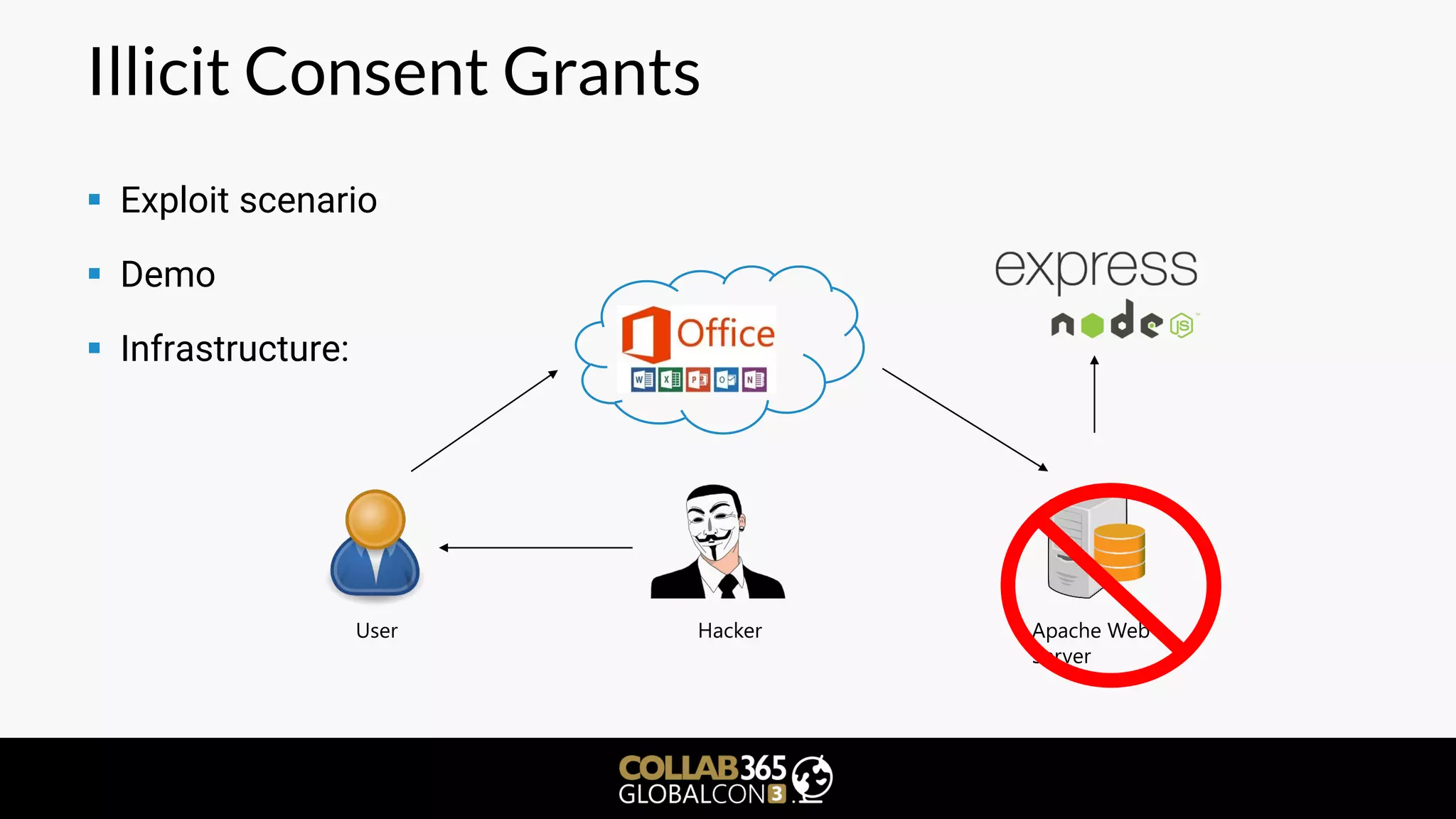
▪ Exploit scenario
▪ Demo
▪ Infrastructure:
User Apache Web
Server
Hacker
Illicit Consent Grants
▪ Exploit scenario: Let’s dive in!
Illicit Consent Grants
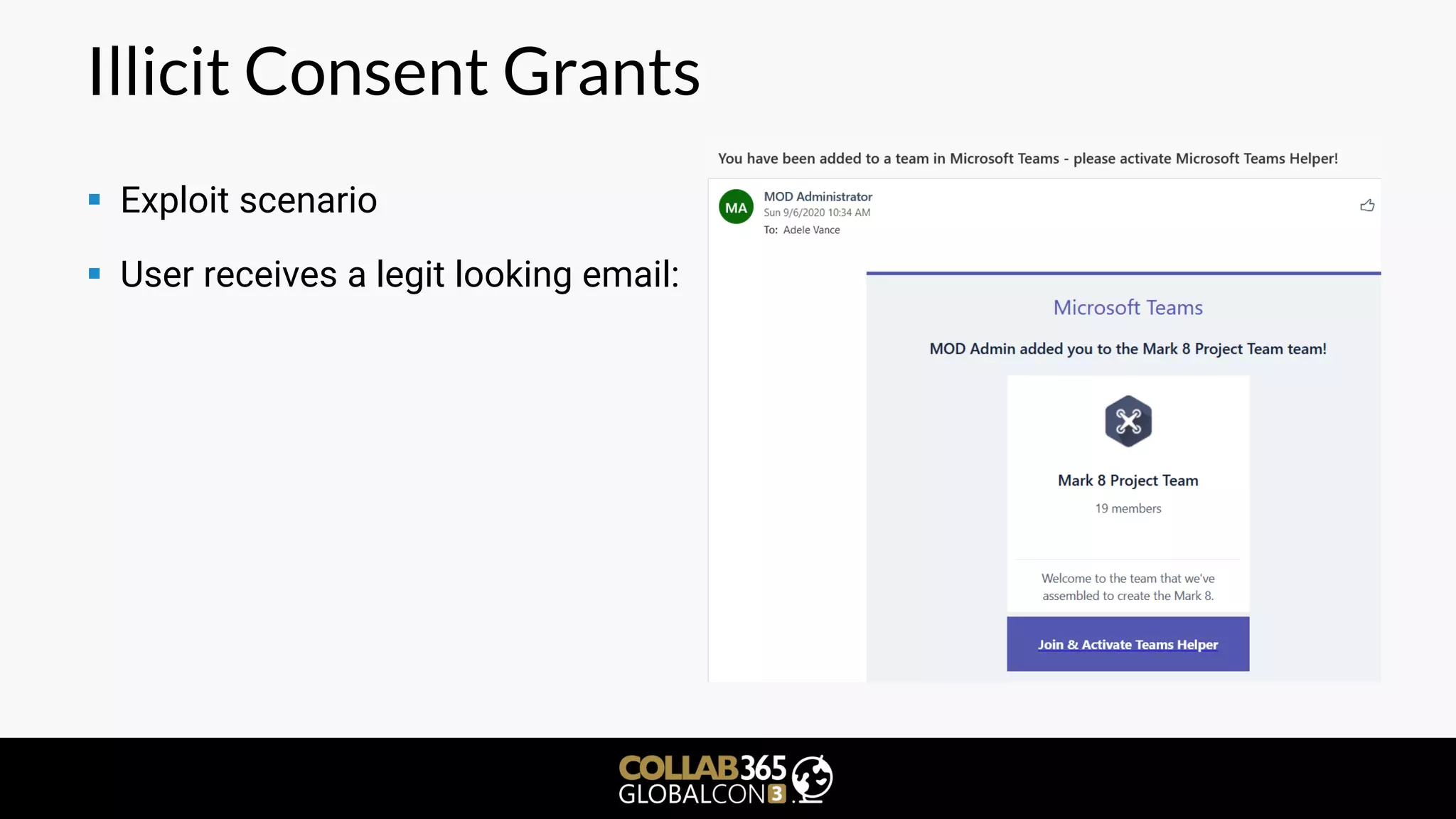
▪ Exploit scenario
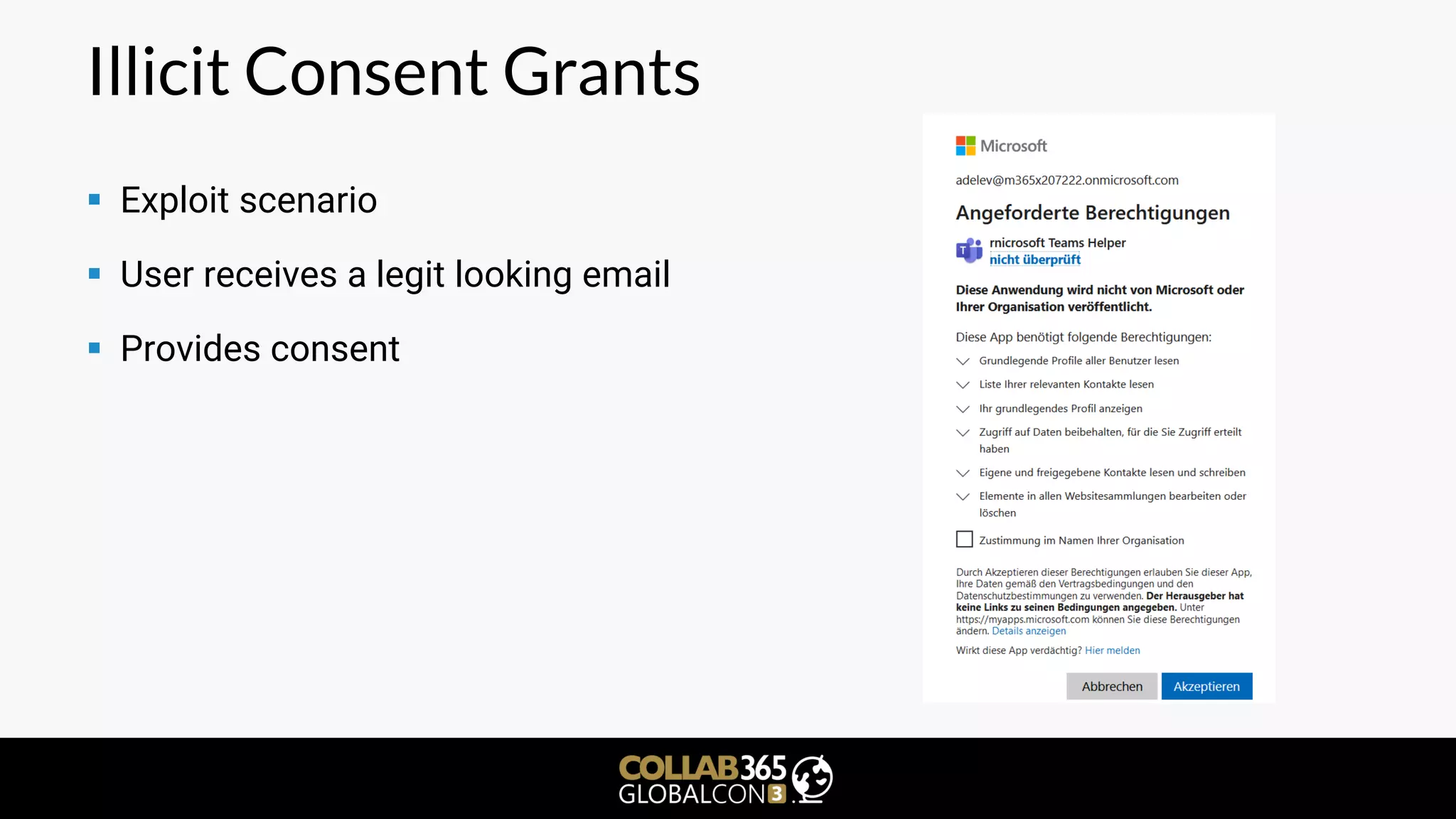
▪ User receives a legit looking email:
Illicit Consent Grants
▪ Exploit scenario
▪ User receives a legit looking email
▪ Provides consent
Illicit Consent Grants
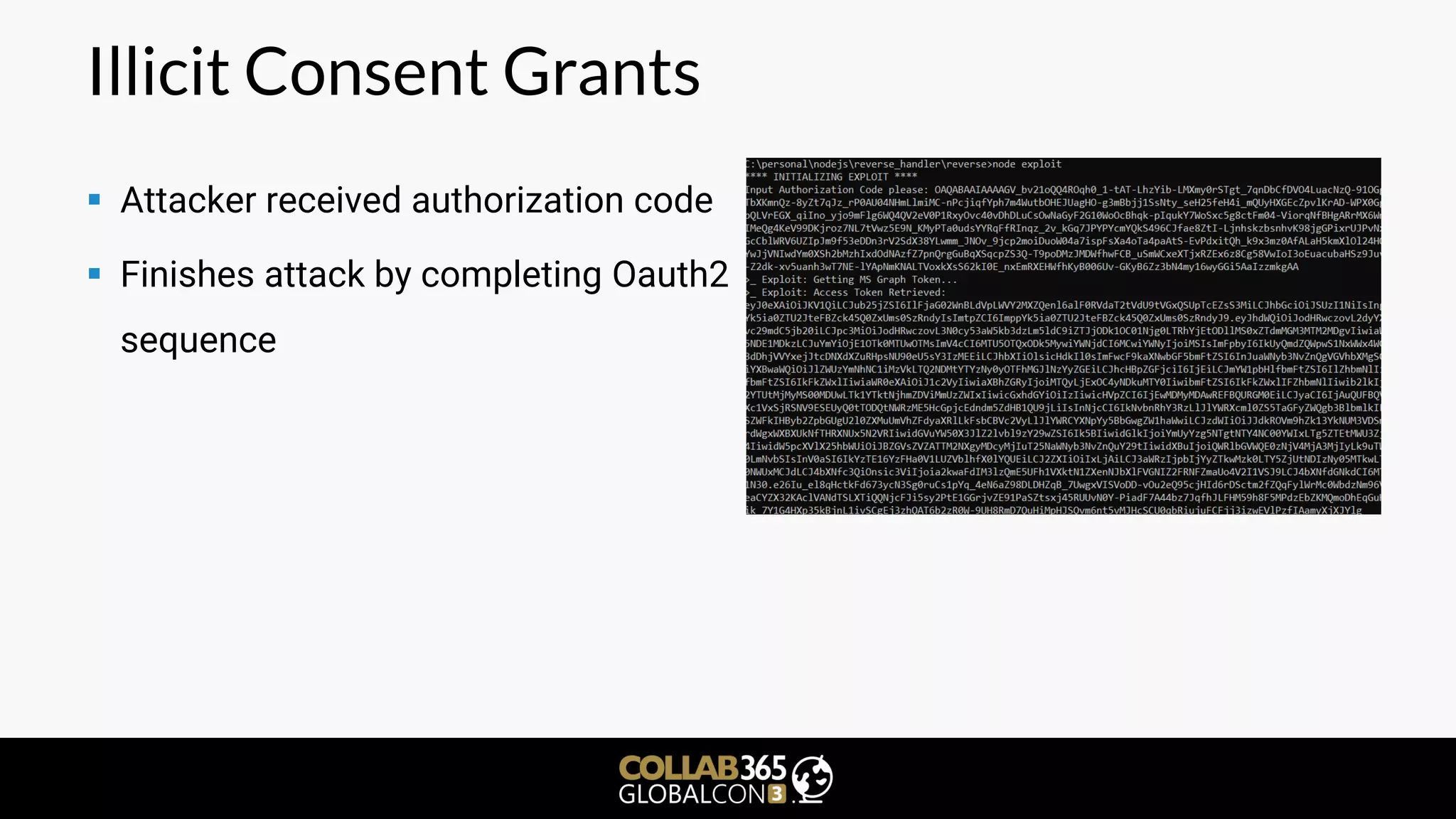
▪ Attacker received authorization code
▪ Finishes attack by completing Oauth2
sequence
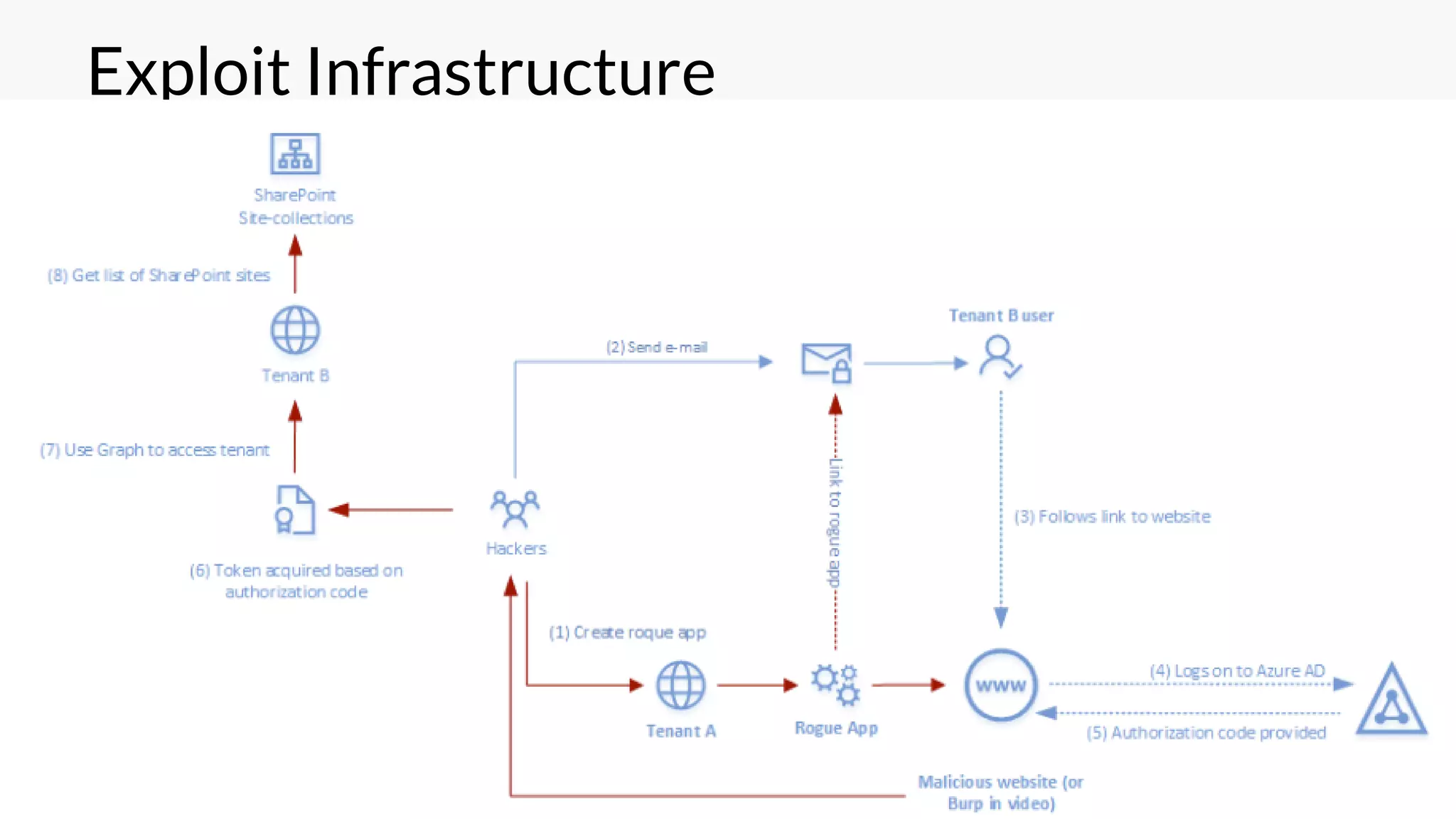
Exploit Infrastructure
Can we Pivot in the M365 environment?
▪ Let’s take a look!
Digital #metoo era
▪ Consent is key
▪ Integrated apps: Using various APIs, you can grant apps access to your tenant data:
▪ Mail, calendars, contacts, conversations
▪ Users, groups, files and folders
▪ SharePoint sites, lists, list items
▪ OneDrive items, permissions and more
▪ Integration: Azure AD provides secure sign-in and authorization
▪ Developer registers the application with Azure AD
▪ Assign permissions to the application
▪ Tenant administrator / user must consent to permissions
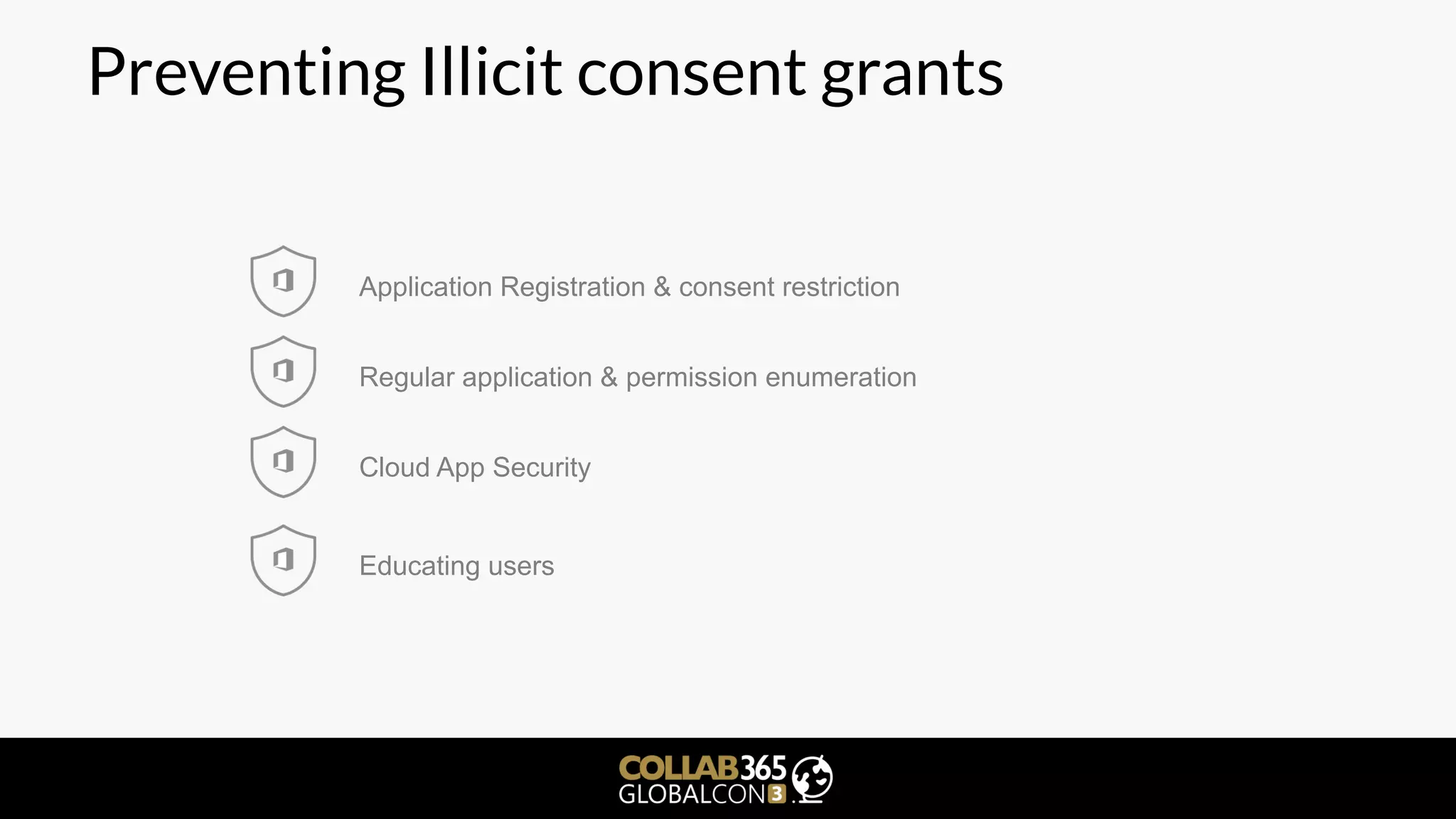
Preventing Illicit consent grants
Regular application & permission enumeration
Cloud App Security
Educating users
Application Registration & consent restriction
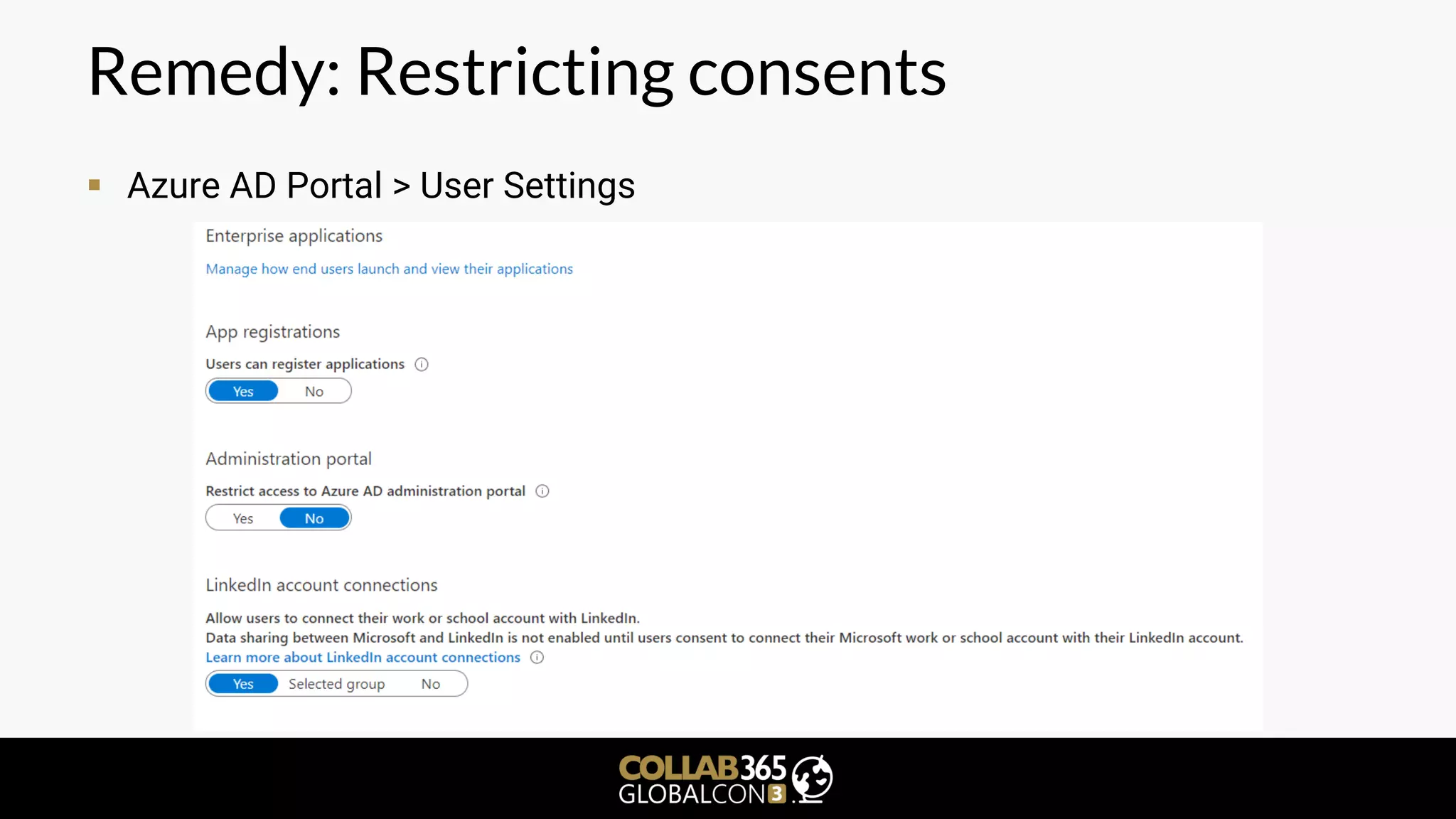
Remedy: Restricting consents
▪ Azure AD Portal > User Settings
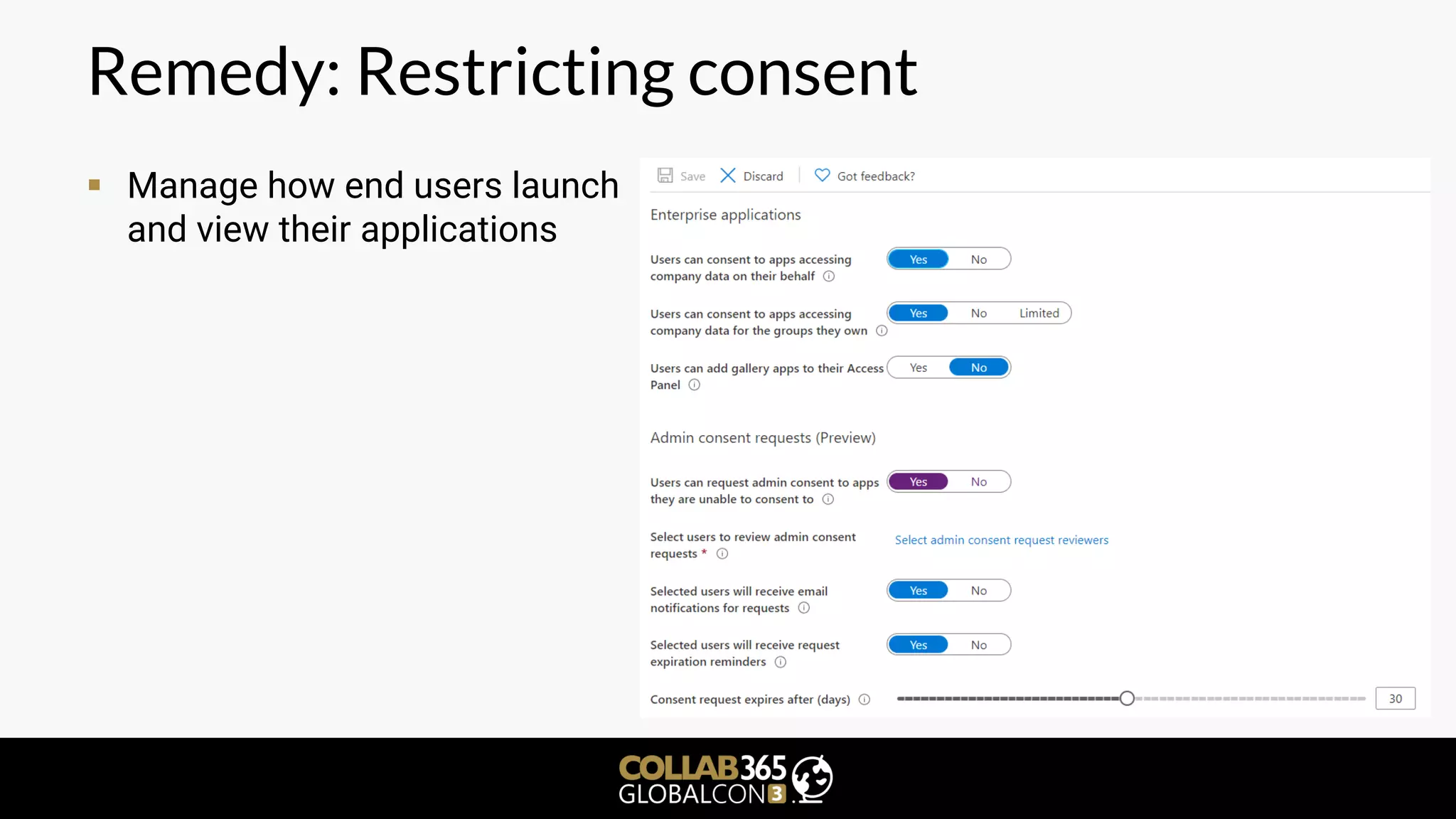
Remedy: Restricting consent
▪ Manage how end users launch
and view their applications
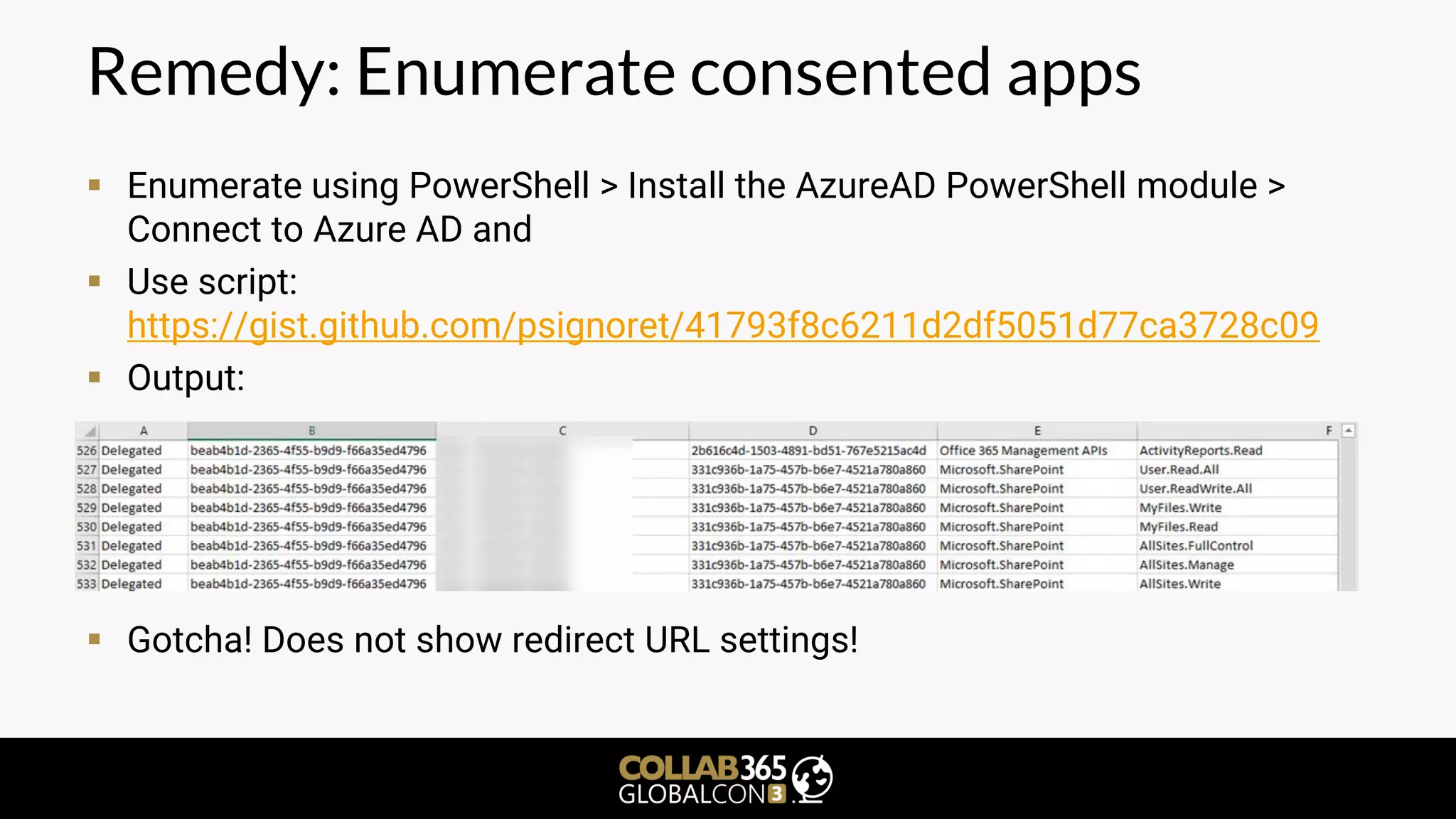
Remedy: Enumerate consented apps
▪ Enumerate using PowerShell > Install the AzureAD PowerShell module >
Connect to Azure AD and
▪ Use script:
https://gist.github.com/psignoret/41793f8c6211d2df5051d77ca3728c09
▪ Output:
▪ Gotcha! Does not show redirect URL settings!
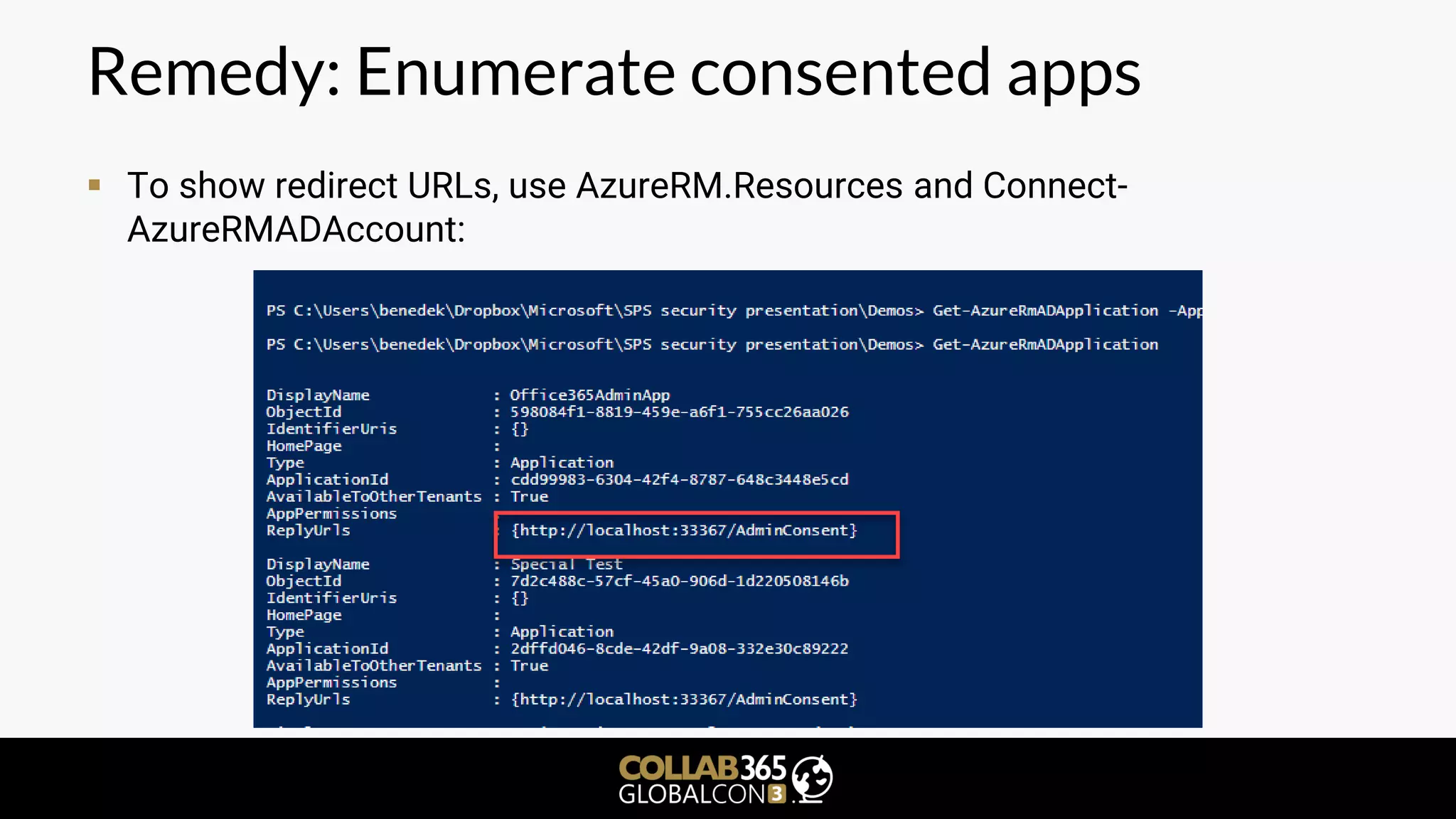
Remedy: Enumerate consented apps
▪ To show redirect URLs, use AzureRM.Resources and Connect-
AzureRMADAccount:
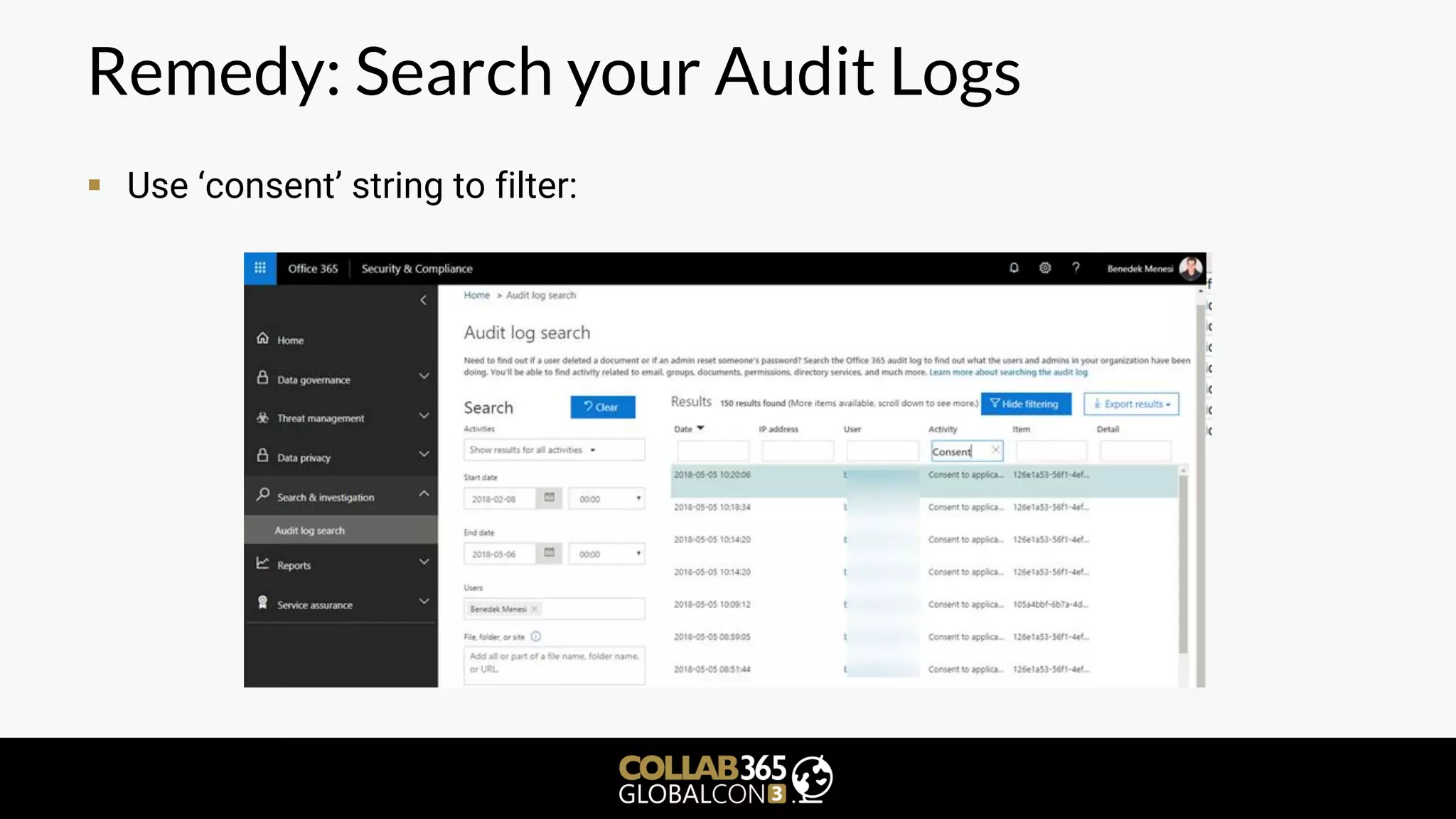
Remedy: Search your Audit Logs
▪ Use ‘consent’ string to filter:
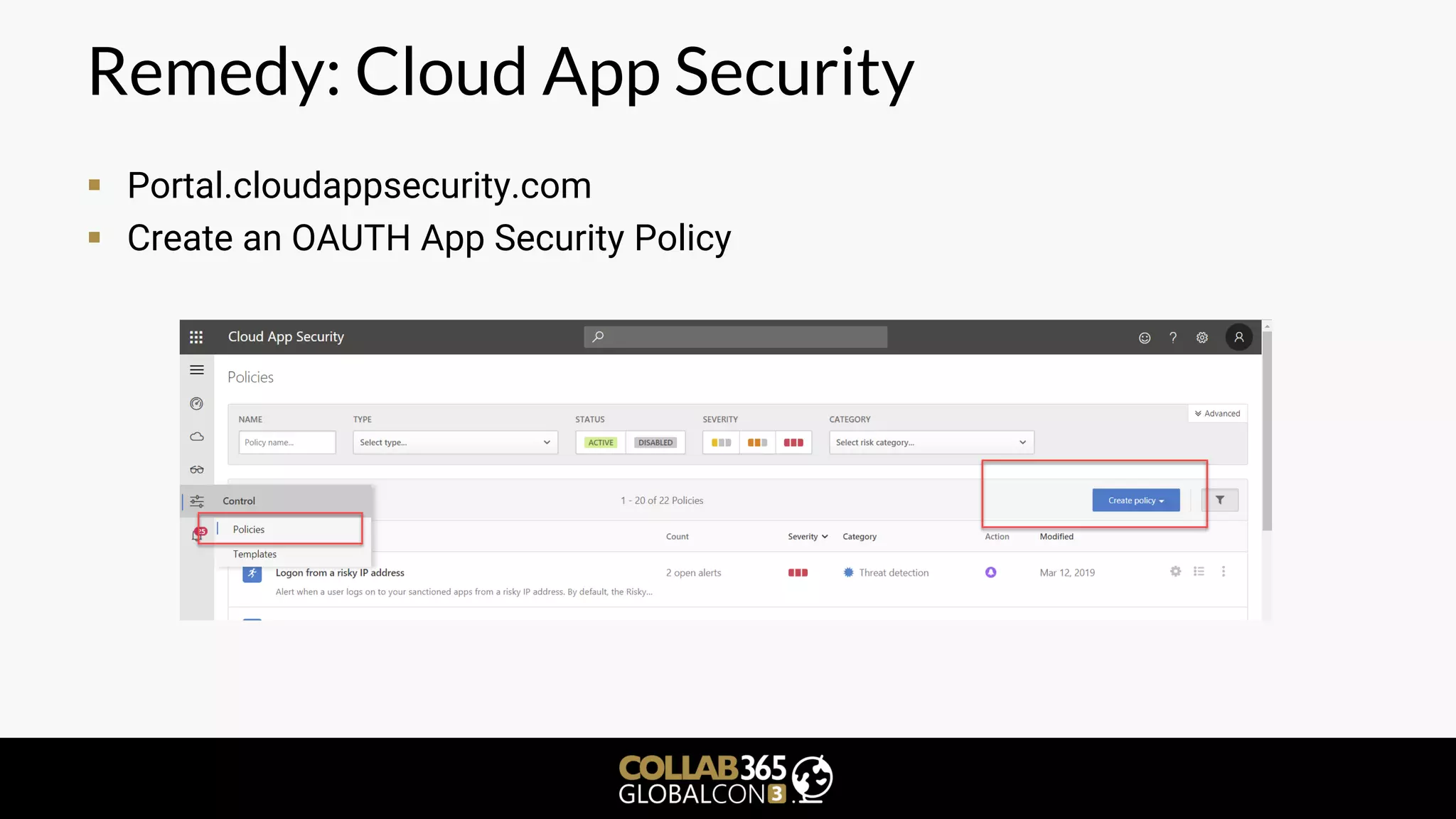
Remedy: Cloud App Security
▪ Portal.cloudappsecurity.com
▪ Create an OAUTH App Security Policy
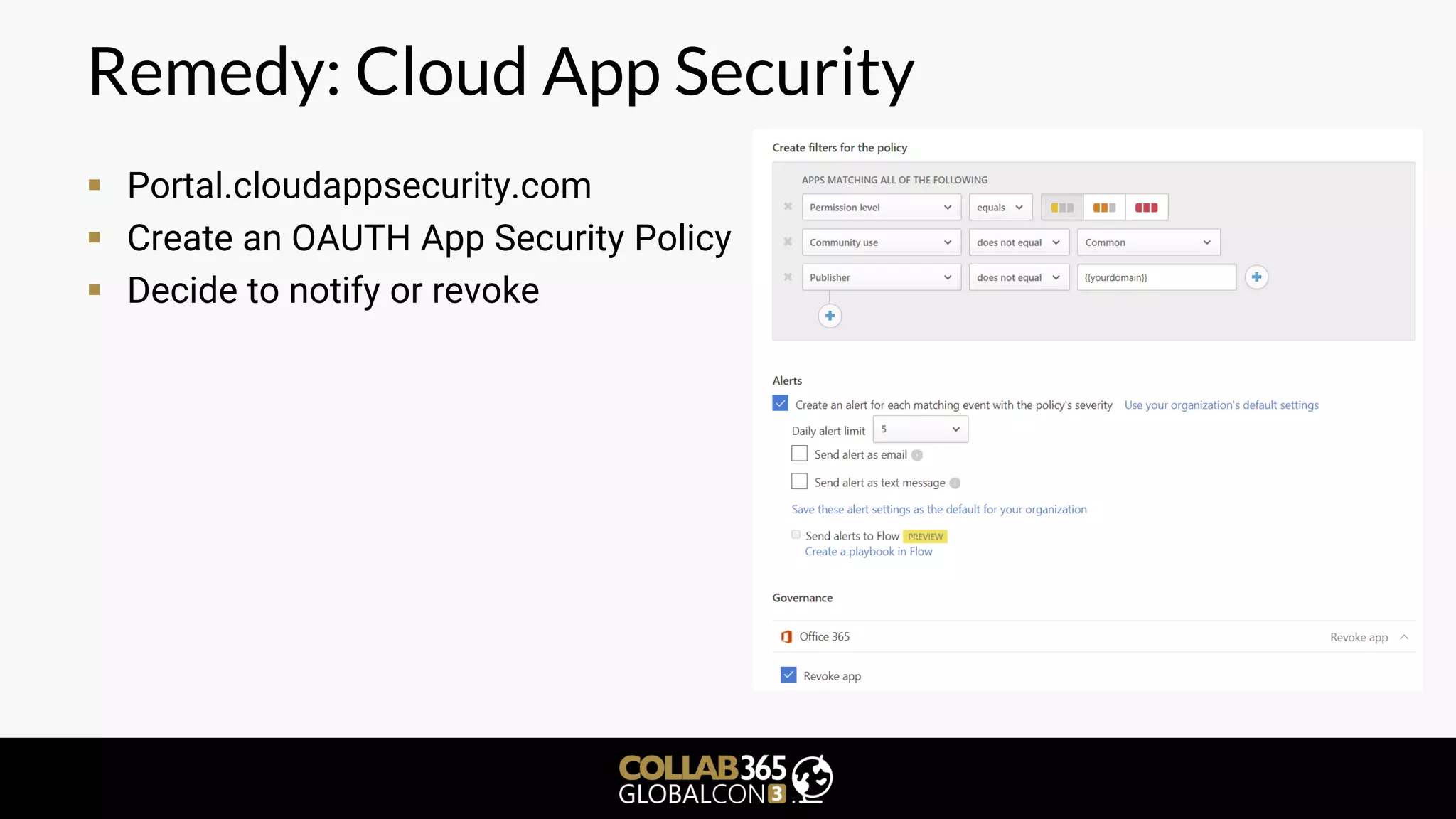
Remedy: Cloud App Security
▪ Portal.cloudappsecurity.com
▪ Create an OAUTH App Security Policy
▪ Decide to notify or revoke
Remedy: Educate users!
▪ Remember the levelized phishing awareness campaign approach?
▪ Create your own bogus application and send links that prompt for consent
▪ Redirect users to education site
▪ Reach out to me for details
@BenMenesi
ben.menesi@panagenda.com
Cross-platform issues
Teams vs. Zoom vs. Webex
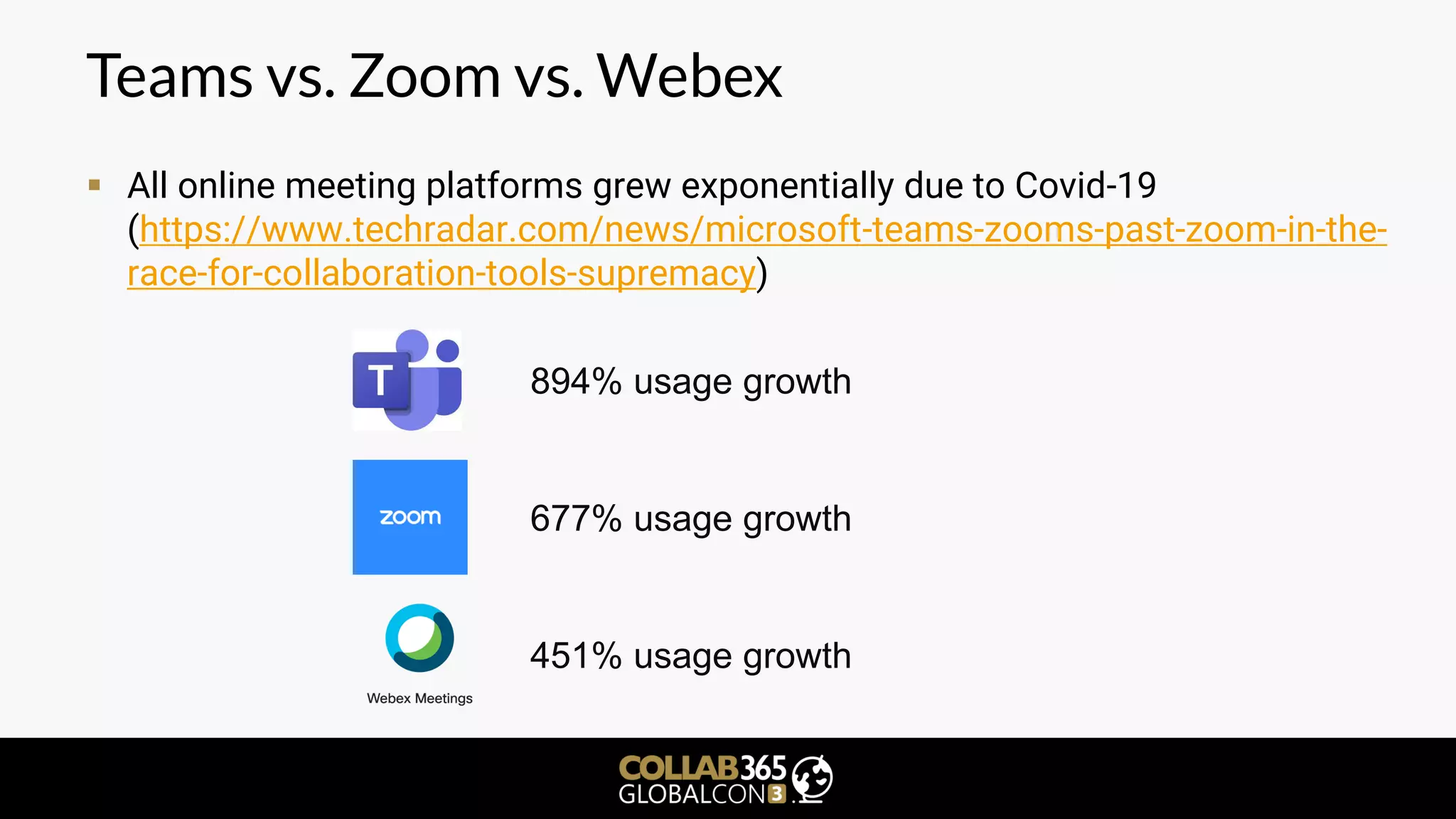
▪ All online meeting platforms grew exponentially due to Covid-19
(https://www.techradar.com/news/microsoft-teams-zooms-past-zoom-in-the-
race-for-collaboration-tools-supremacy)
894% usage growth
677% usage growth
451% usage growth
Zoom-bombing
▪ Zoom has exploded since the beginning of Covid-19 and so did its bad press:
▪ Zoom-bombing
▪ Vulnerabilities
▪ What is zoom-bombing?
▪ Zoom meeting URL:
▪ April 2020: password protected
▪ https://thehackernews.com/2020/07/zoom-meeting-password-hacking.html
▪ Bonus: did you know? You can use waiting rooms in zoom, too (think: lobby in Teams!):
https://blog.zoom.us/secure-your-meetings-zoom-waiting-rooms/
Zoom meeting security
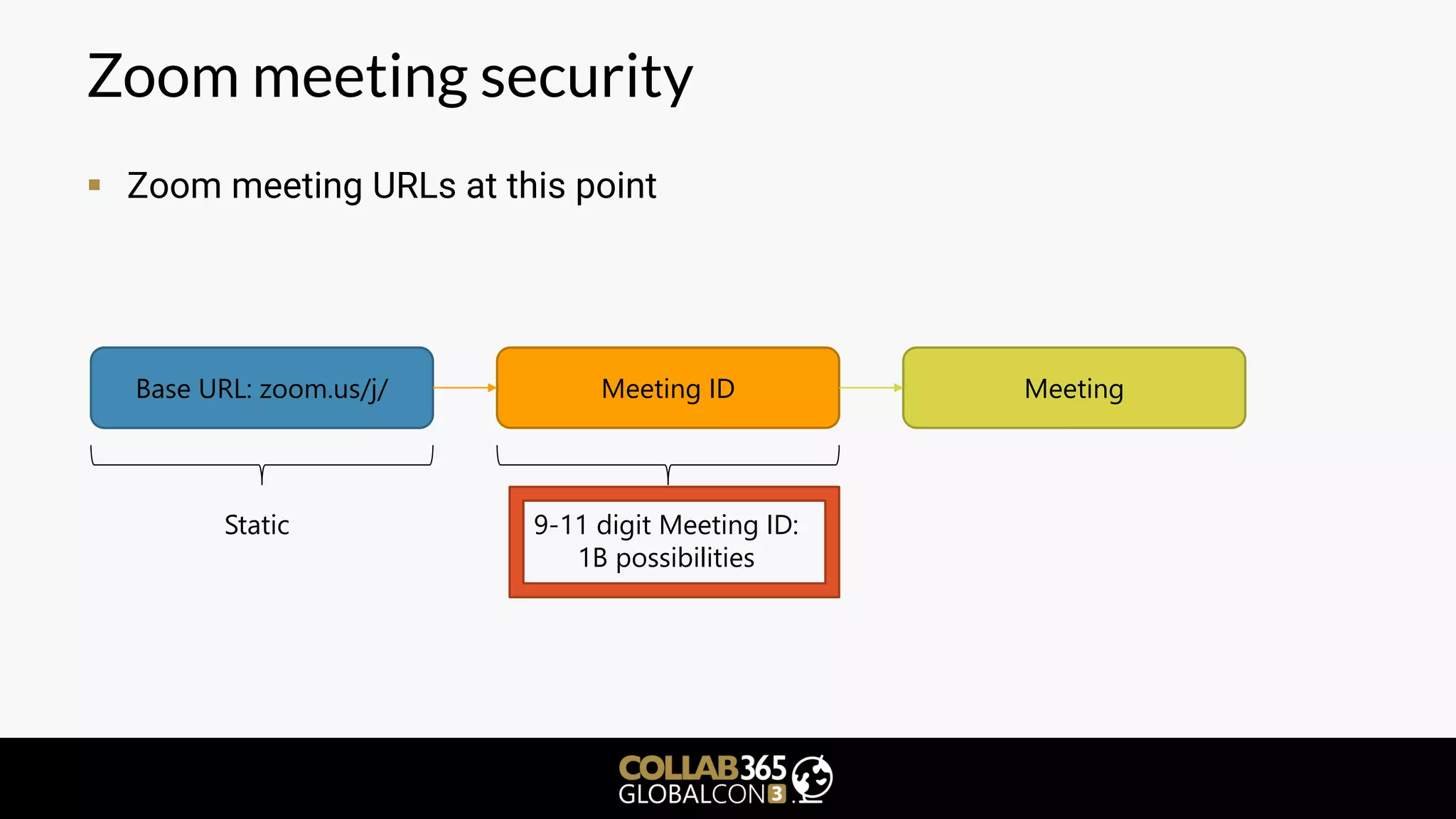
▪ Zoom meeting URLs at this point
Base URL: zoom.us/j/
Static
Meeting ID
9-11 digit Meeting ID:
1B possibilities
Meeting
Zoom meeting security
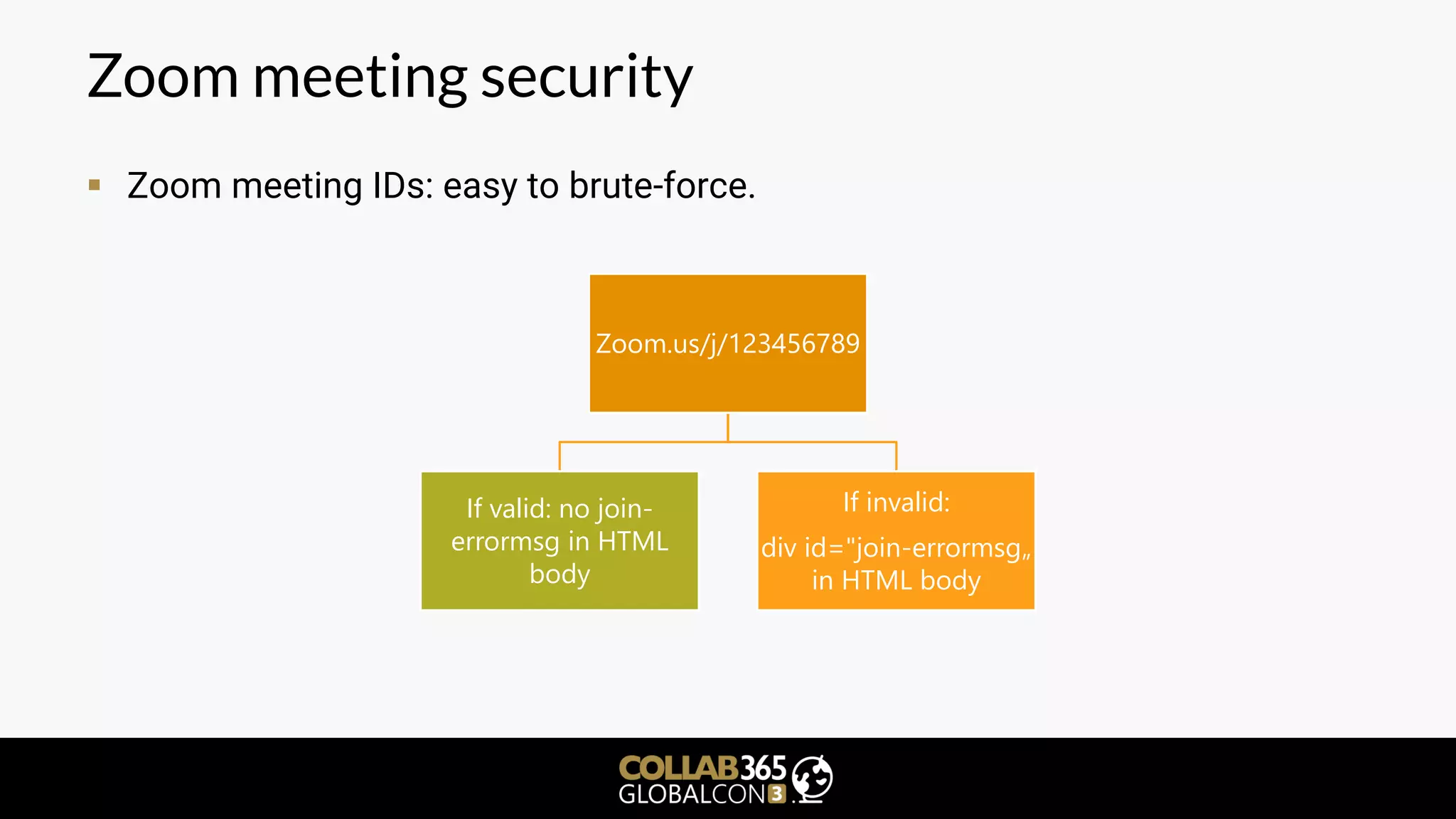
▪ Zoom meeting IDs: easy to brute-force.
Zoom.us/j/123456789
If valid: no join-
errormsg in HTML
body
If invalid:
div id="join-errormsg„
in HTML body
Zoom-bombing
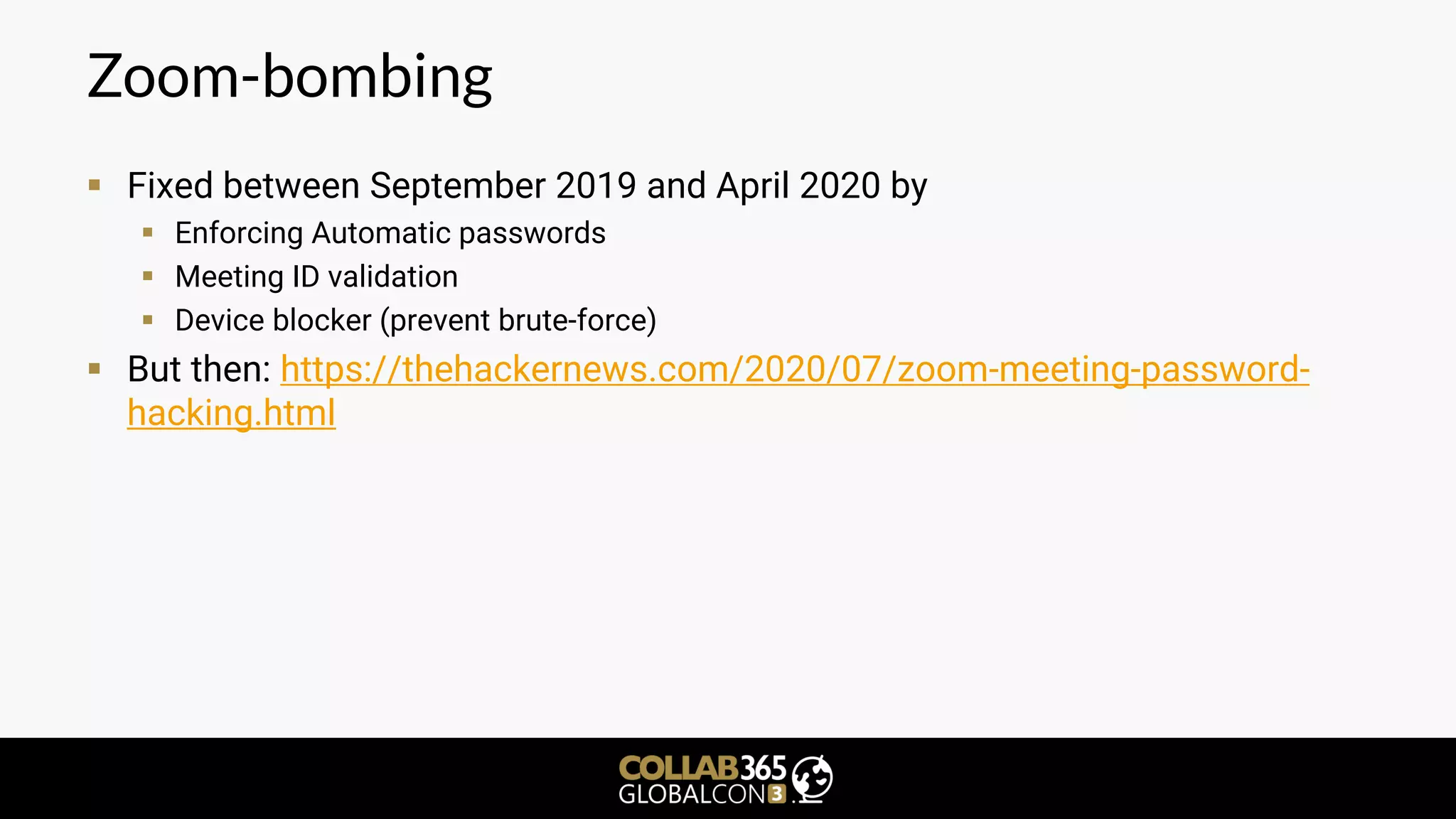
▪ Fixed between September 2019 and April 2020 by
▪ Enforcing Automatic passwords
▪ Meeting ID validation
▪ Device blocker (prevent brute-force)
▪ But then: https://thehackernews.com/2020/07/zoom-meeting-password-
hacking.html
Zoom meeting security
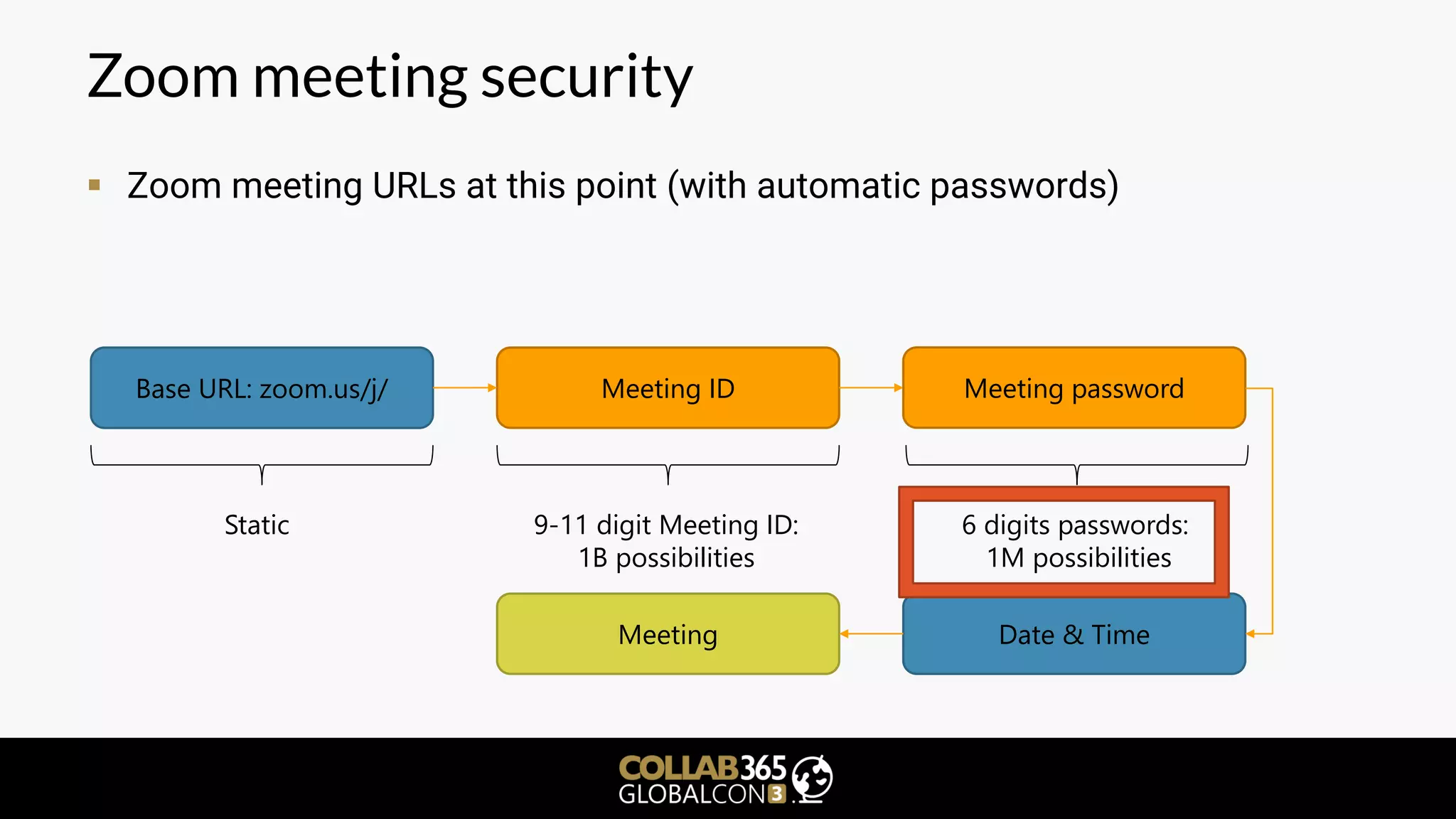
▪ Zoom meeting URLs at this point (with automatic passwords)
Base URL: zoom.us/j/
Static
Meeting ID
9-11 digit Meeting ID:
1B possibilities
Meeting password
6 digits passwords:
1M possibilities
Date & TimeMeeting
Zoom issues
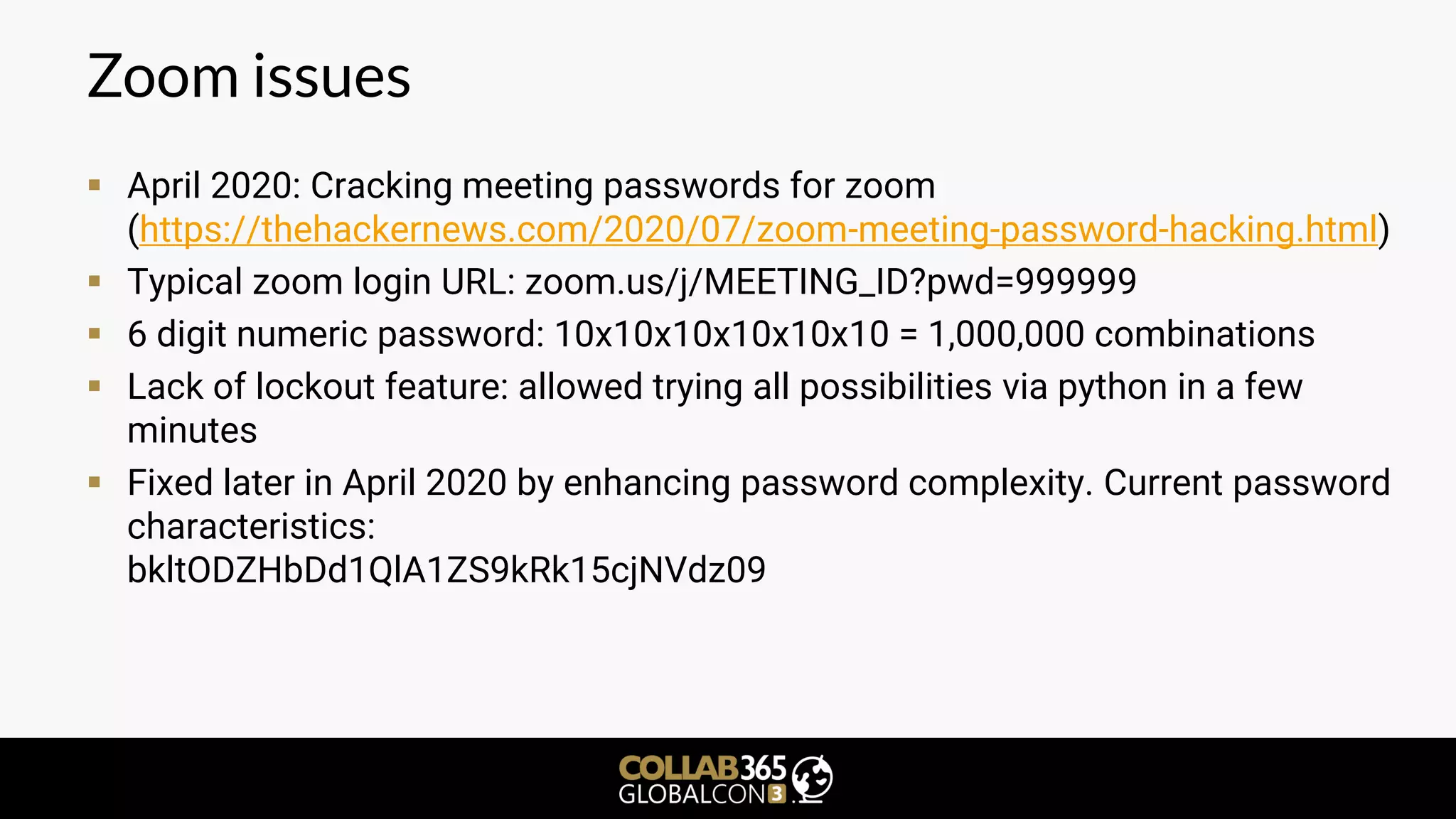
▪ April 2020: Cracking meeting passwords for zoom
(https://thehackernews.com/2020/07/zoom-meeting-password-hacking.html)
▪ Typical zoom login URL: zoom.us/j/MEETING_ID?pwd=999999
▪ 6 digit numeric password: 10x10x10x10x10x10 = 1,000,000 combinations
▪ Lack of lockout feature: allowed trying all possibilities via python in a few
minutes
▪ Fixed later in April 2020 by enhancing password complexity. Current password
characteristics:
bkltODZHbDd1QlA1ZS9kRk15cjNVdz09
Zoom issues
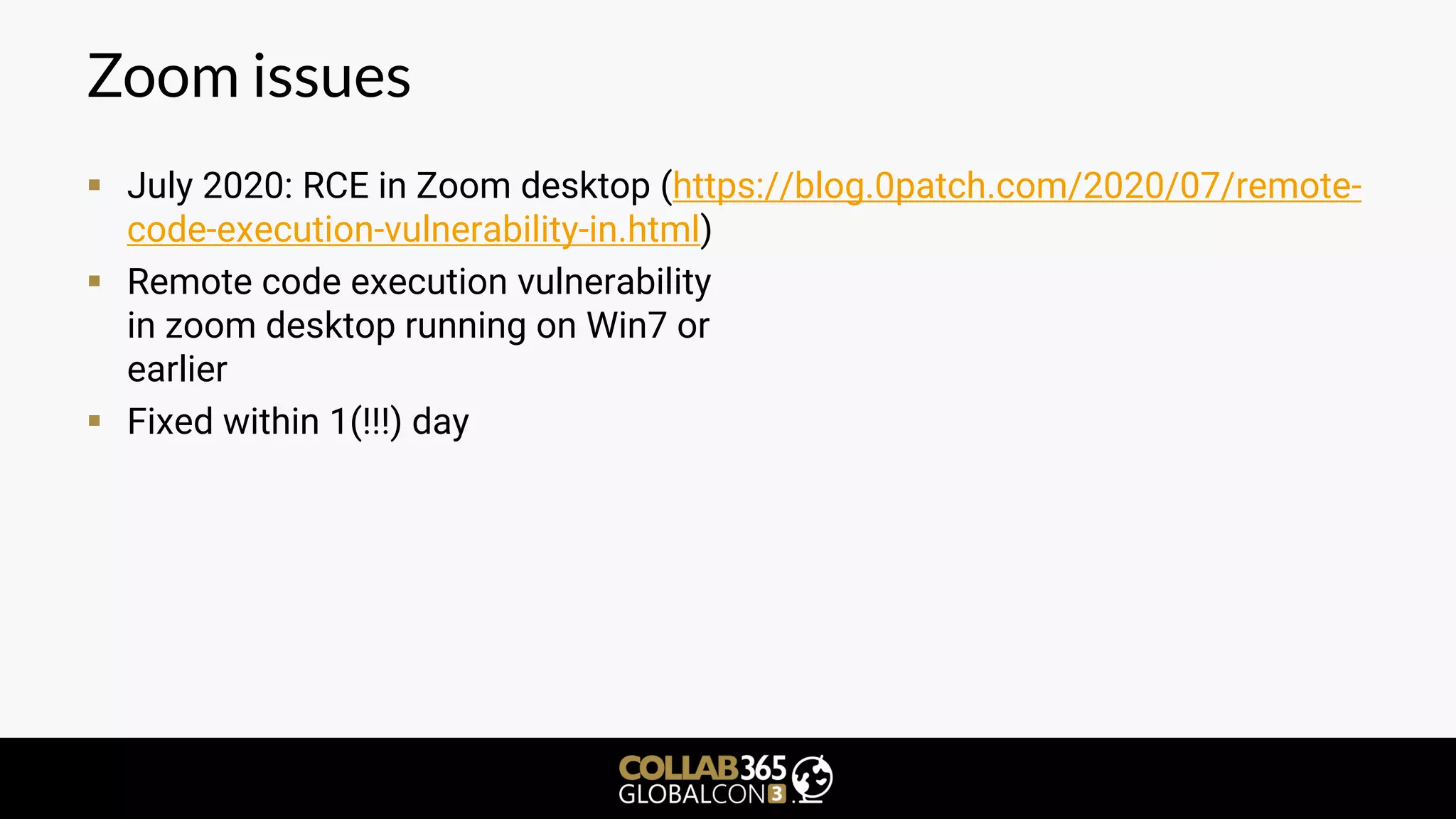
▪ July 2020: RCE in Zoom desktop (https://blog.0patch.com/2020/07/remote-
code-execution-vulnerability-in.html)
▪ Remote code execution vulnerability
in zoom desktop running on Win7 or
earlier
▪ Fixed within 1(!!!) day
Decoding Teams Meeting URLs
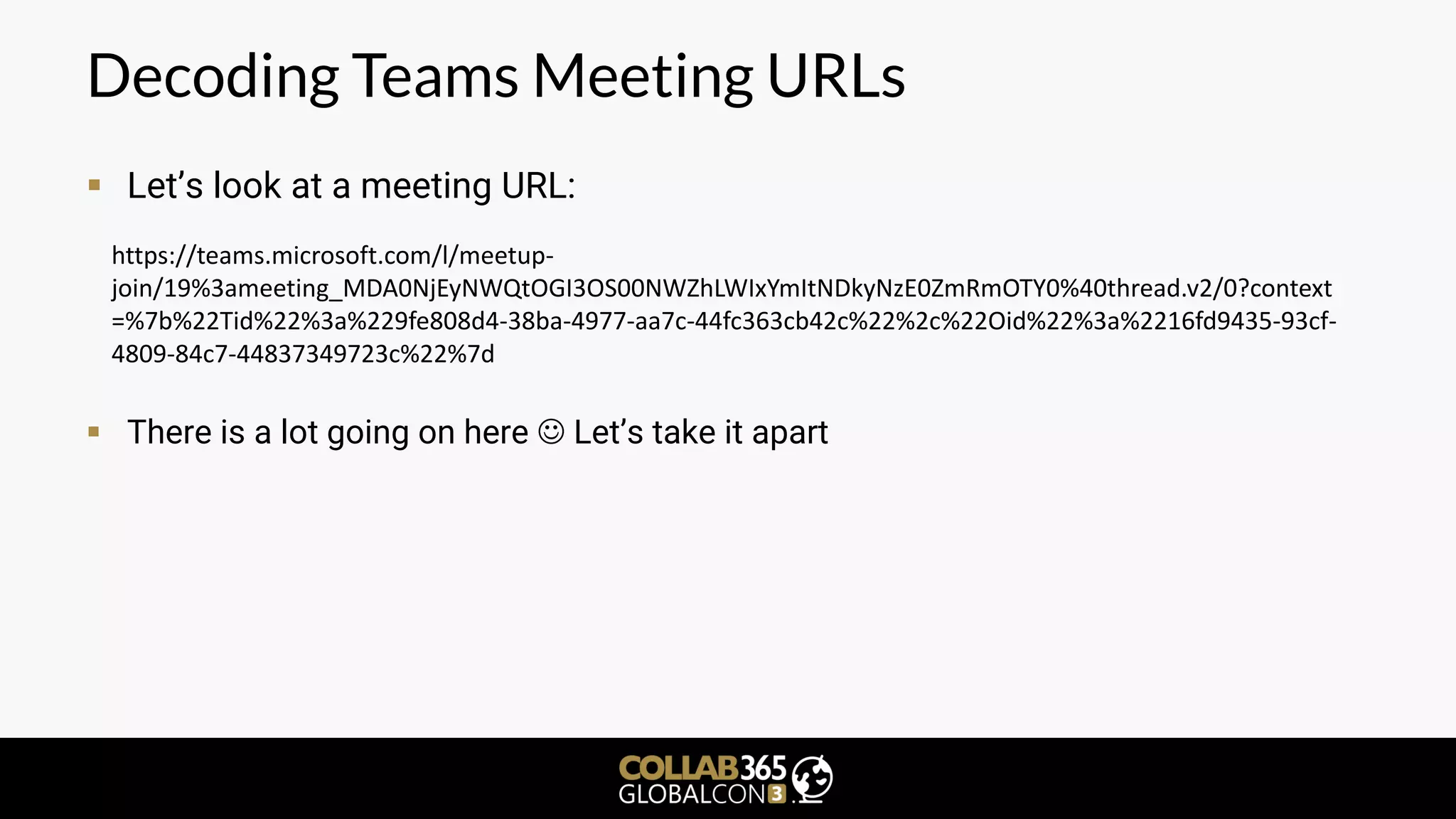
▪ Let’s look at a meeting URL:
▪ There is a lot going on here ☺ Let’s take it apart
https://teams.microsoft.com/l/meetup-
join/19%3ameeting_MDA0NjEyNWQtOGI3OS00NWZhLWIxYmItNDkyNzE0ZmRmOTY0%40thread.v2/0?context
=%7b%22Tid%22%3a%229fe808d4-38ba-4977-aa7c-44fc363cb42c%22%2c%22Oid%22%3a%2216fd9435-93cf-
4809-84c7-44837349723c%22%7d
Decoding Teams Meeting URLs
▪ What is a meeting join URL made of?
▪ Points 1 and 3 always appear to be the same
▪ Point 2: meeting resource ID (Base64 encoded): 3c9462ca-c7a4-42b7-9ad2-
e2a22e466cf0
▪ Point 3: static values
▪ Point 4: Organizer context (TiD: TenantID [GUID], OiD: Organizer ID [GUID])
1.) Base: https://teams.microsoft.com/l/meetup-join/19%3
2.) Meeting ID: ameeting_MDA0NjEyNWQtOGI3OS00NWZhLWIxYmItNDkyNzE0ZmRmOTY0%40
3.) Thread version: thread.v2/0?
4.) Context: context=%7b%22Tid%22%3a%229fe808d4-38ba-4977-aa7c-
44fc363cb42c%22%2c%22Oid%22%3a%2216fd9435-93cf-4809-84c7-44837349723c%22%7d
Real security of a Teams Meeting
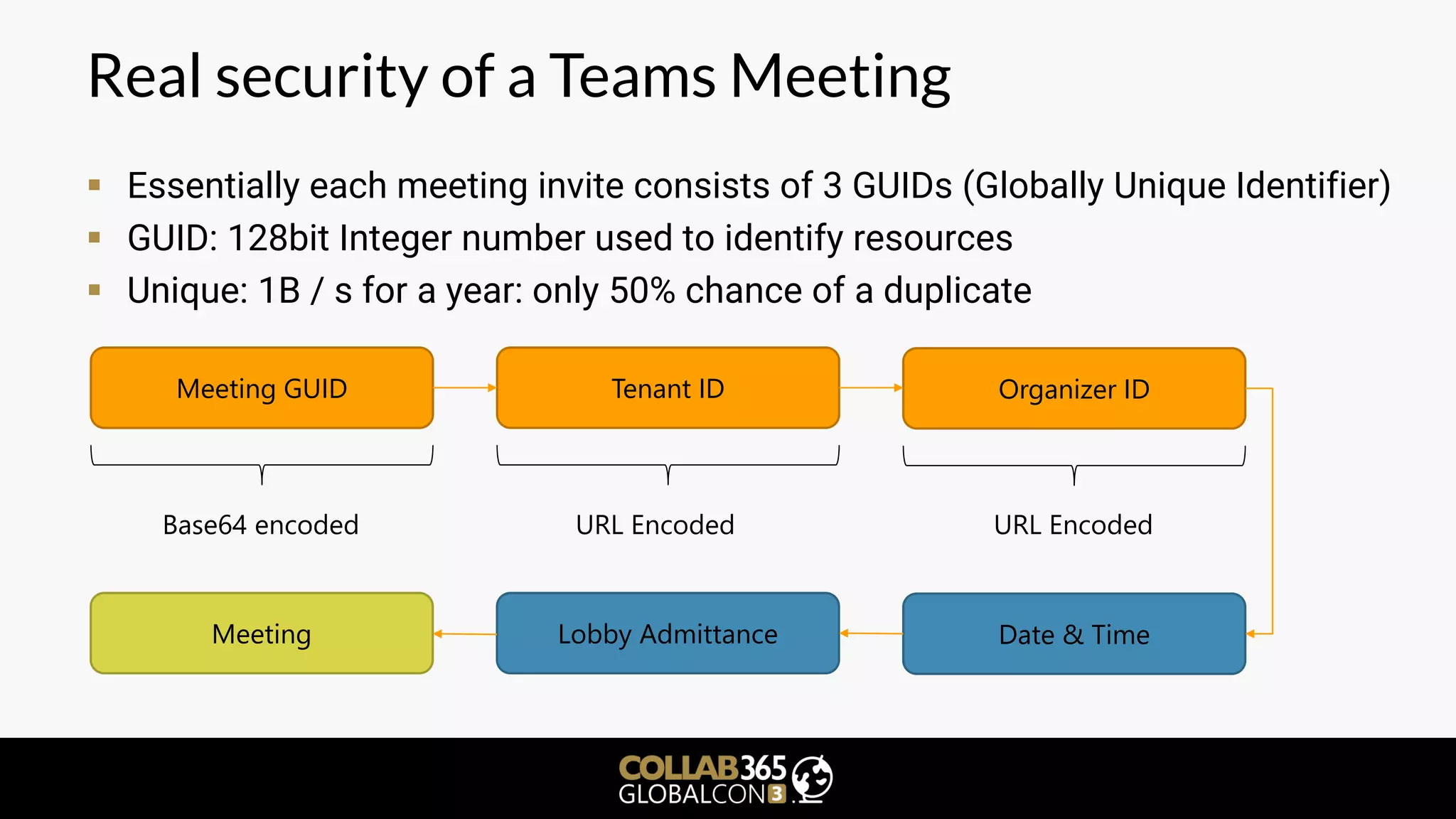
▪ Essentially each meeting invite consists of 3 GUIDs (Globally Unique Identifier)
▪ GUID: 128bit Integer number used to identify resources
▪ Unique: 1B / s for a year: only 50% chance of a duplicate
Meeting GUID Tenant ID Organizer ID
Base64 encoded URL Encoded URL Encoded
Date & TimeLobby AdmittanceMeeting
Teams-bombing: findings
1.) Can not bypass any of the 3 GUID components
2.) Since TiD is somewhat public information, susceptible to Google-hacking
3.) Teams meeting ID is extremely secure and there is no link to Meeting
calendar entry or calendar ID whatsoever.
Configuration Issues
Avoiding Teams issues (especially education)
What the little rascals like to do:
▪ 1.) Muting the teacher (presenter)
▪ 2.) Mute other participants
▪ 3.) Kick other attendees from meetings
▪ 4.) Start sharing screen (overtake equal presenters)
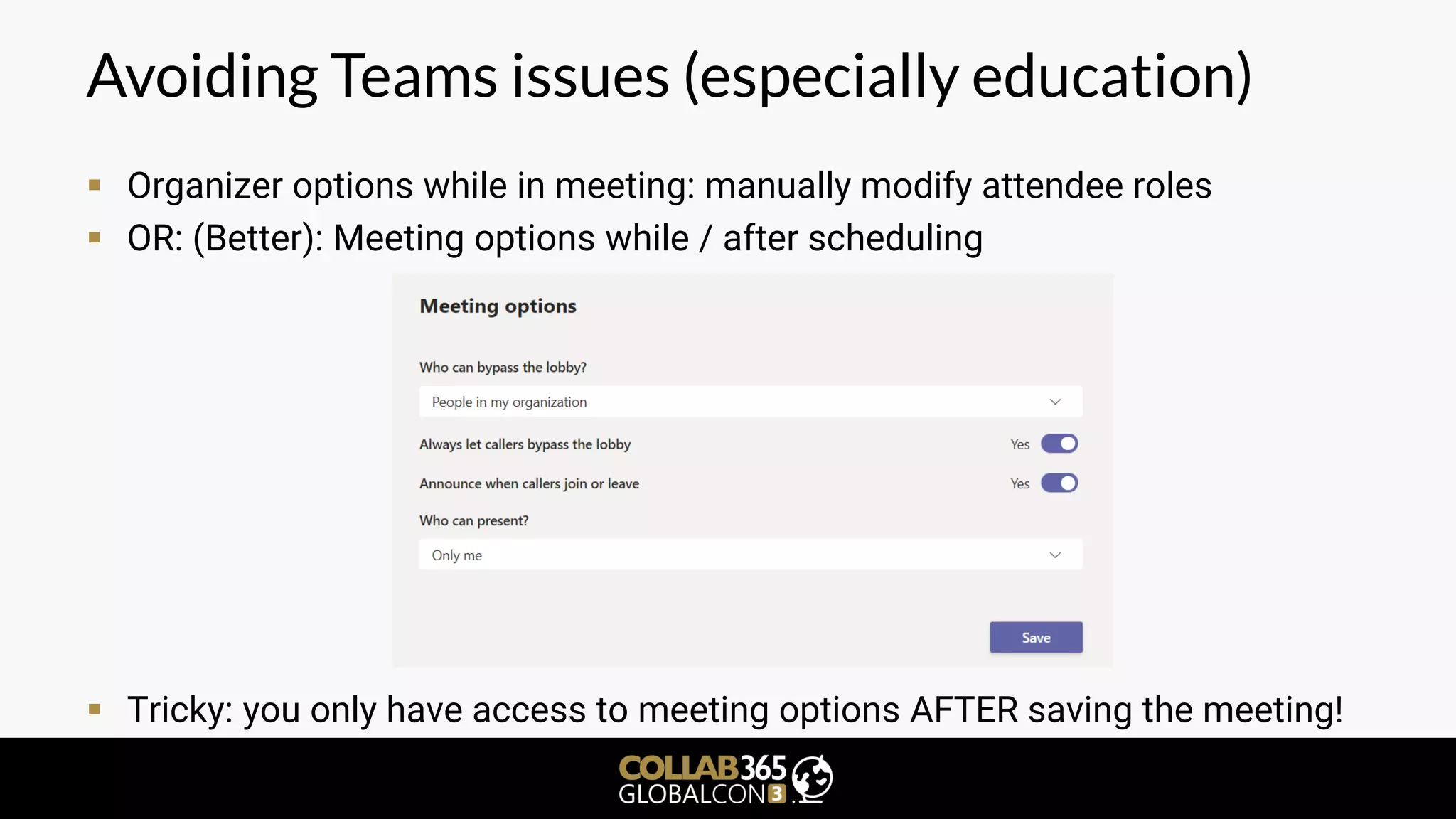
Avoiding Teams issues (especially education)
▪ Organizer options while in meeting: manually modify attendee roles
▪ OR: (Better): Meeting options while / after scheduling
▪ Tricky: you only have access to meeting options AFTER saving the meeting!
Meeting chats & resources
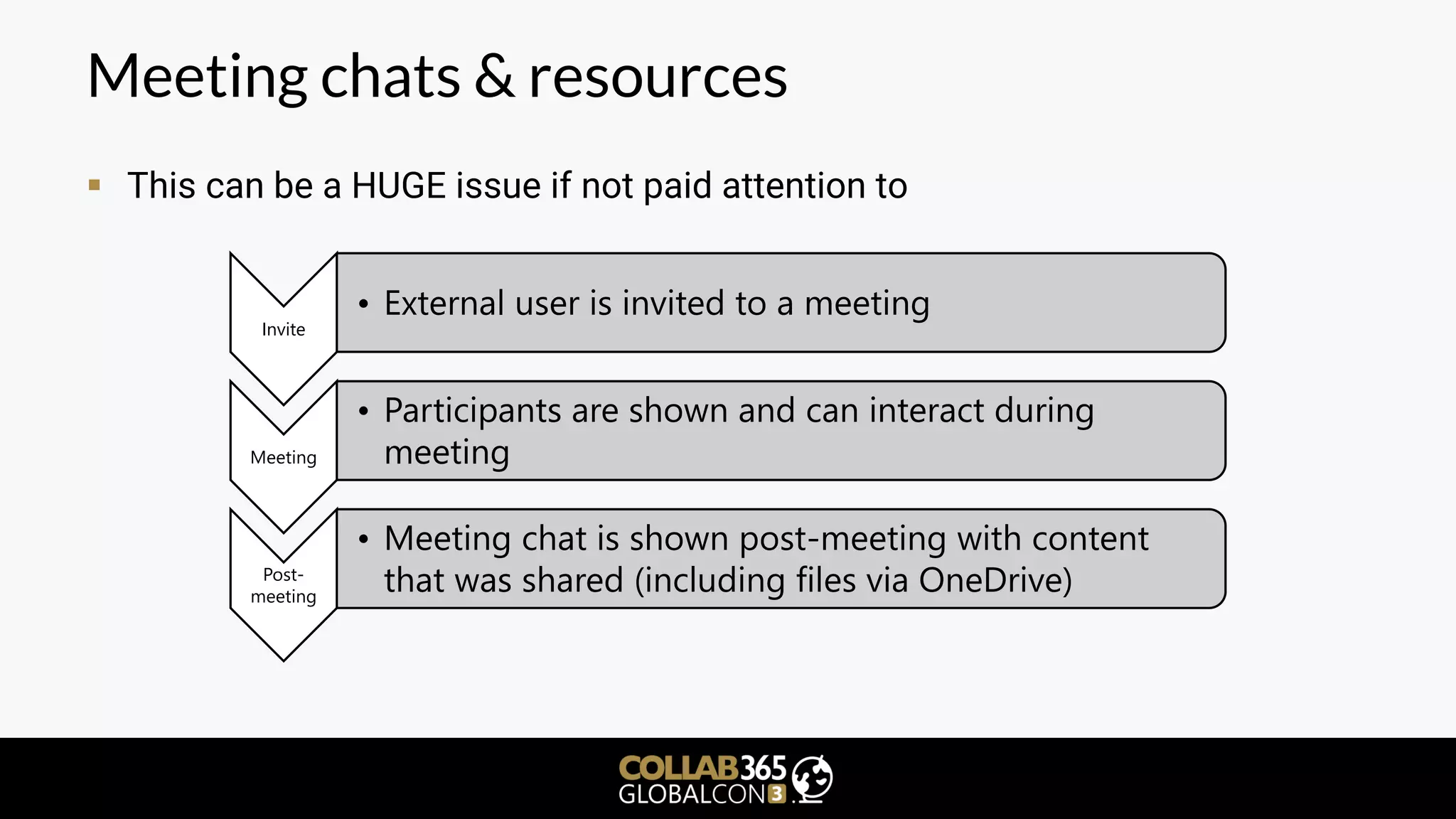
▪ This can be a HUGE issue if not paid attention to
Invite
• External user is invited to a meeting
Meeting
• Participants are shown and can interact during
meeting
Post-
meeting
• Meeting chat is shown post-meeting with content
that was shared (including files via OneDrive)
Meeting chats & resources
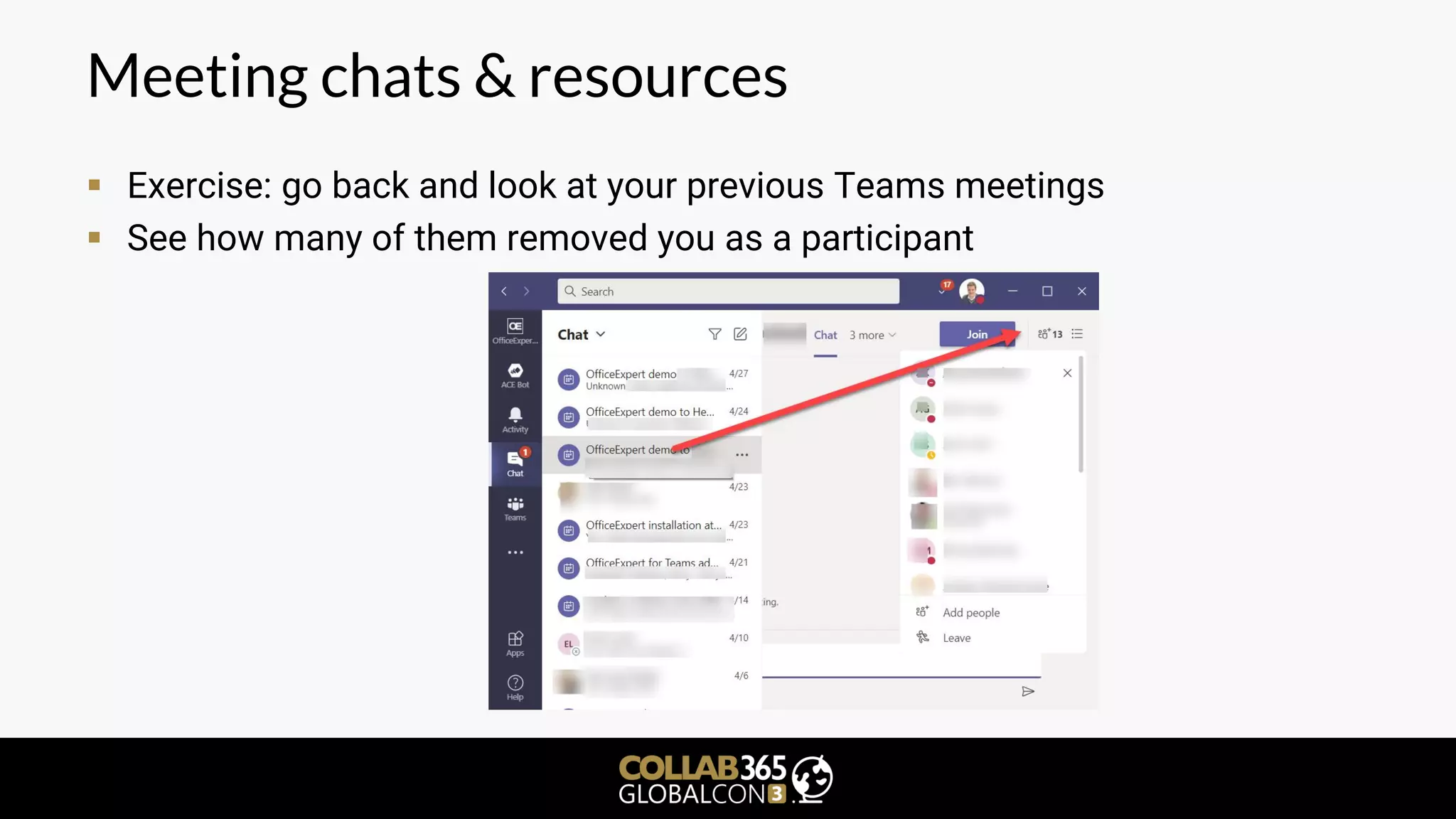
▪ Exercise: go back and look at your previous Teams meetings
▪ See how many of them removed you as a participant
Meeting chats & resources
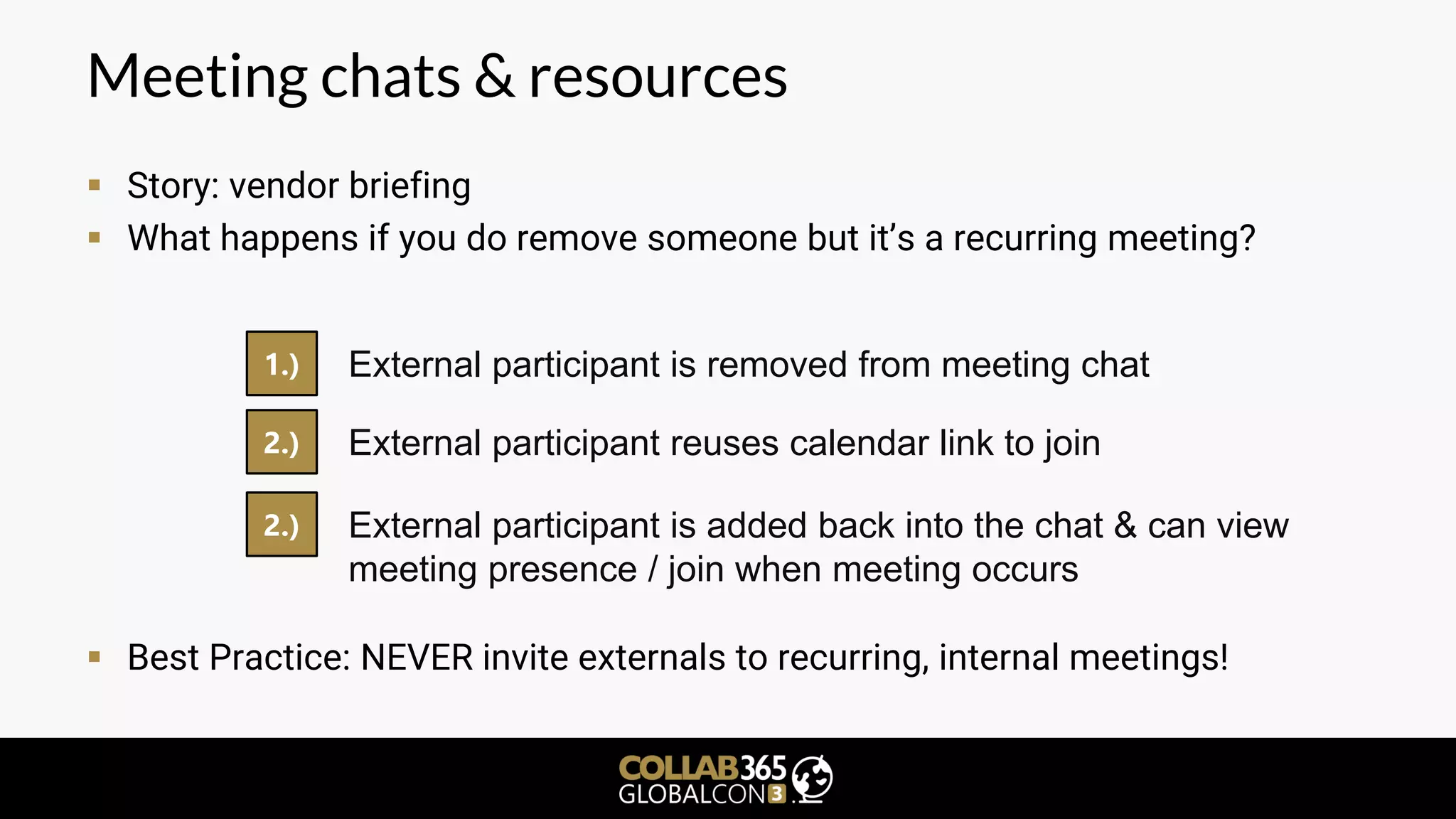
▪ Story: vendor briefing
▪ What happens if you do remove someone but it’s a recurring meeting?
▪ Best Practice: NEVER invite externals to recurring, internal meetings!
1.) External participant is removed from meeting chat
2.) External participant reuses calendar link to join
2.) External participant is added back into the chat & can view
meeting presence / join when meeting occurs
Anonymous Meeting Attendees
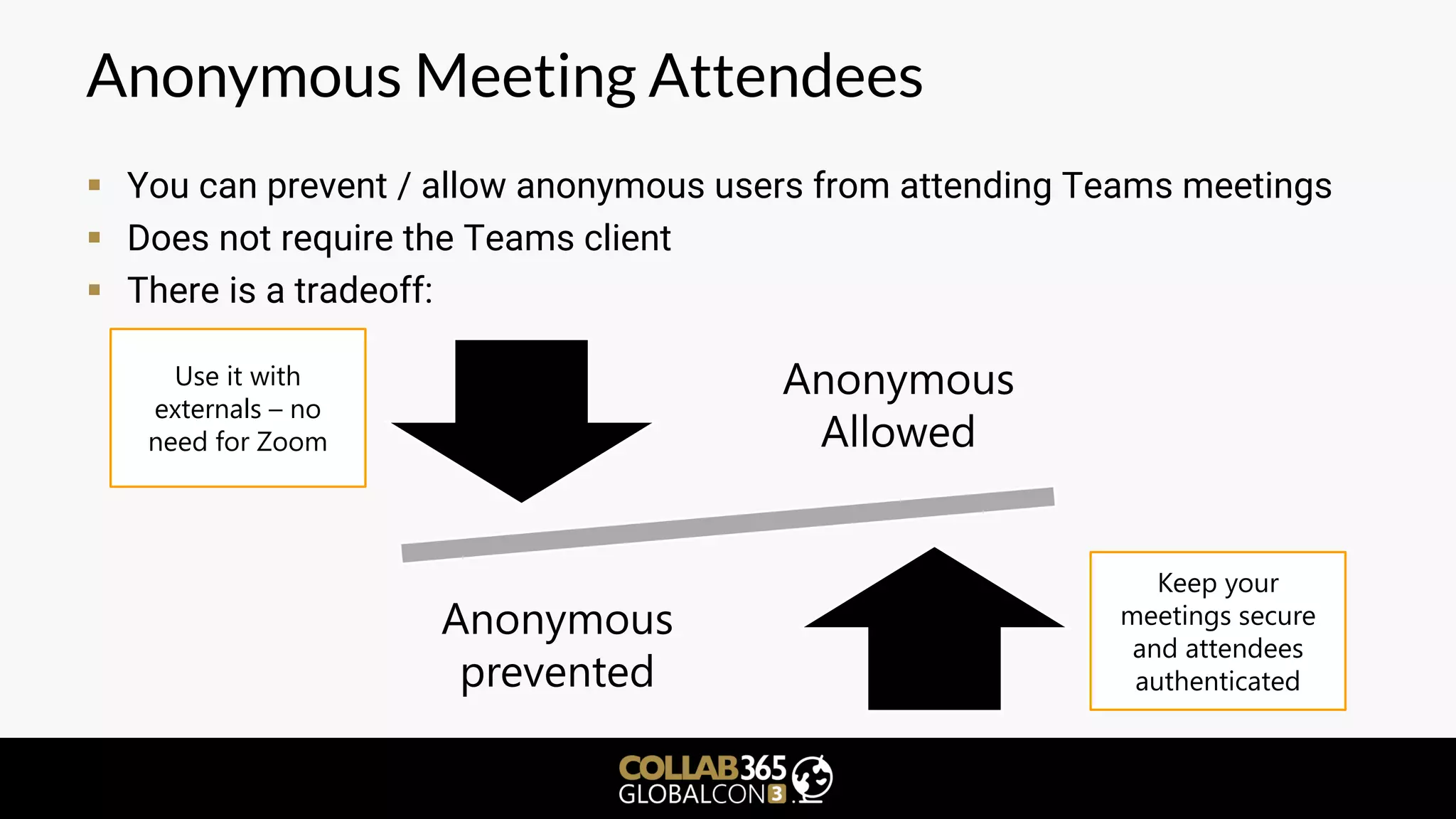
▪ You can prevent / allow anonymous users from attending Teams meetings
▪ Does not require the Teams client
▪ There is a tradeoff:
Anonymous
Allowed
Anonymous
prevented
Use it with
externals – no
need for Zoom
Keep your
meetings secure
and attendees
authenticated
Anonymous Meeting Attendees
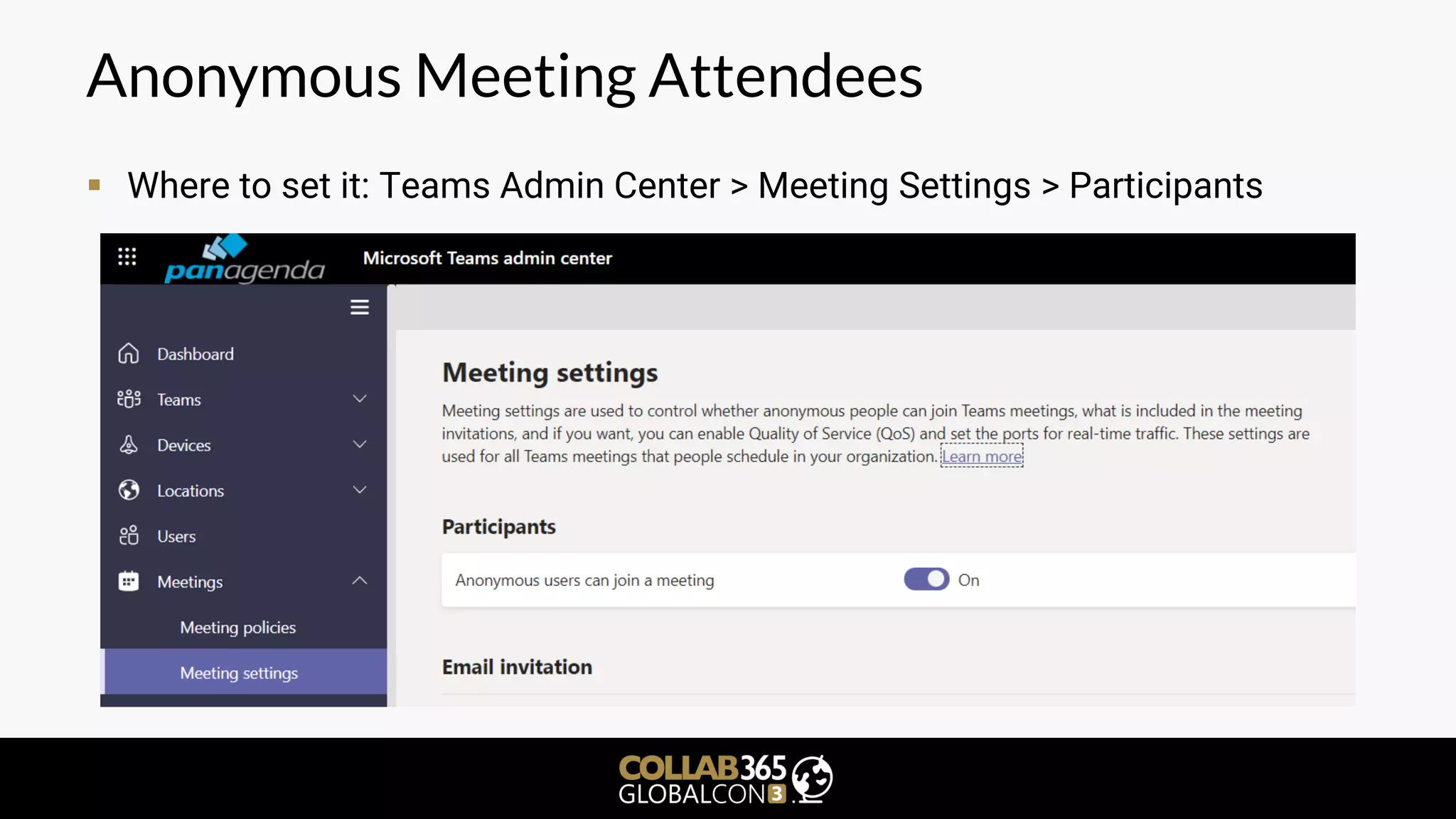
▪ Where to set it: Teams Admin Center > Meeting Settings > Participants
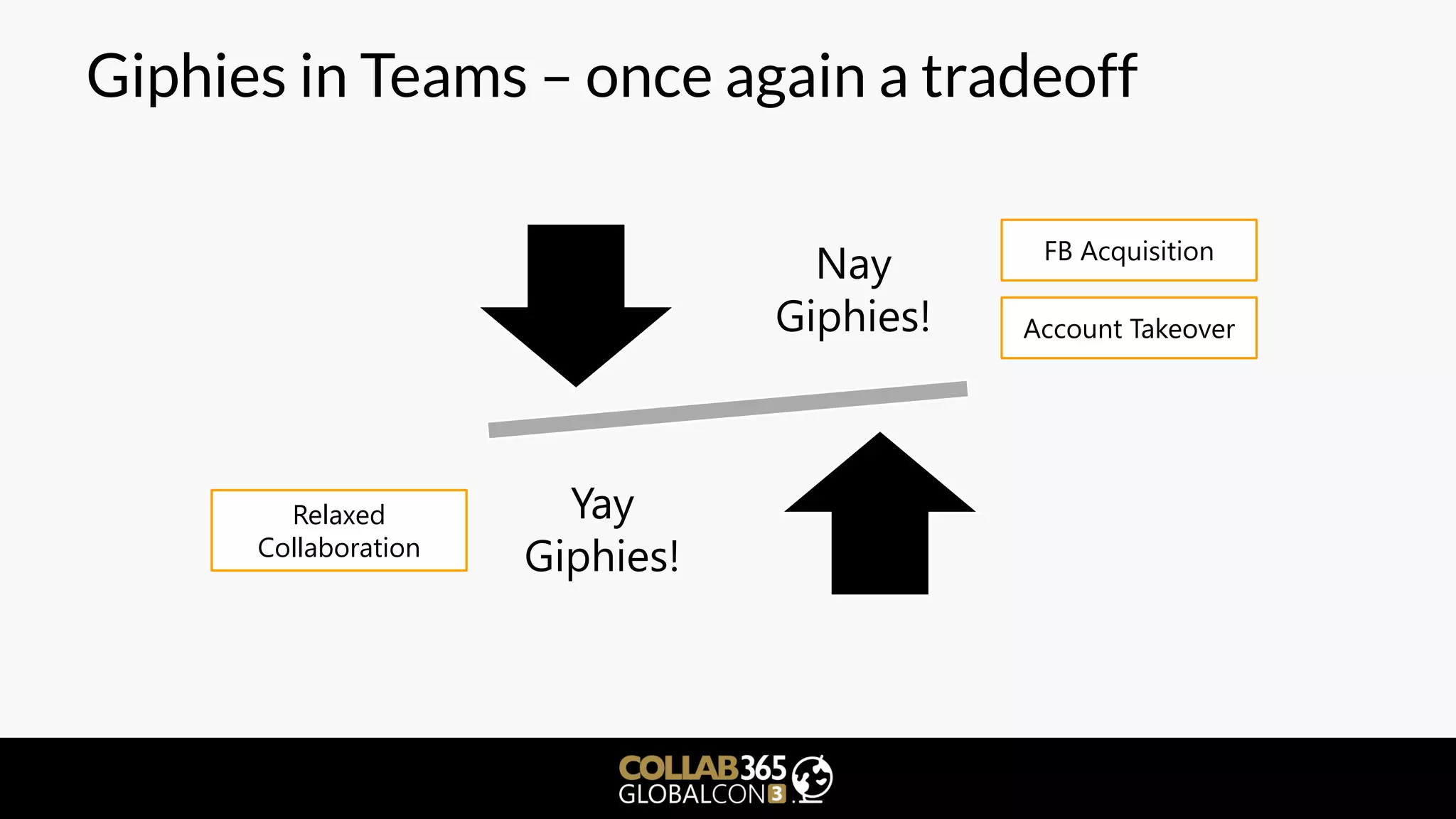
Giphies in Teams – once again a tradeoff
Nay
Giphies!
Yay
Giphies!
FB Acquisition
Account Takeover
Relaxed
Collaboration
Giphies in Teams
▪ Facebook acquisition: tons of data collected
▪ Account takeover possibility via Giphy:
https://www.cyberark.com/resources/threat-research-blog/beware-of-the-gif-
account-takeover-vulnerability-in-microsoft-teams
▪ Note: this was NOT due to Giphy being Giphy, it was due to a subdomain takeover
vulnerability that has since been fixed!
▪ Disable Giphys org-wide (Messaging Policies): https://docs.microsoft.com/en-
us/microsoftteams/messaging-policies-in-teams
▪ Disable Giphys per Team (PowerShell): https://hochwald.net/facebook-
acquired-giphy-how-to-disable-it-in-microsoft-teams
Conclusion
Conclusion
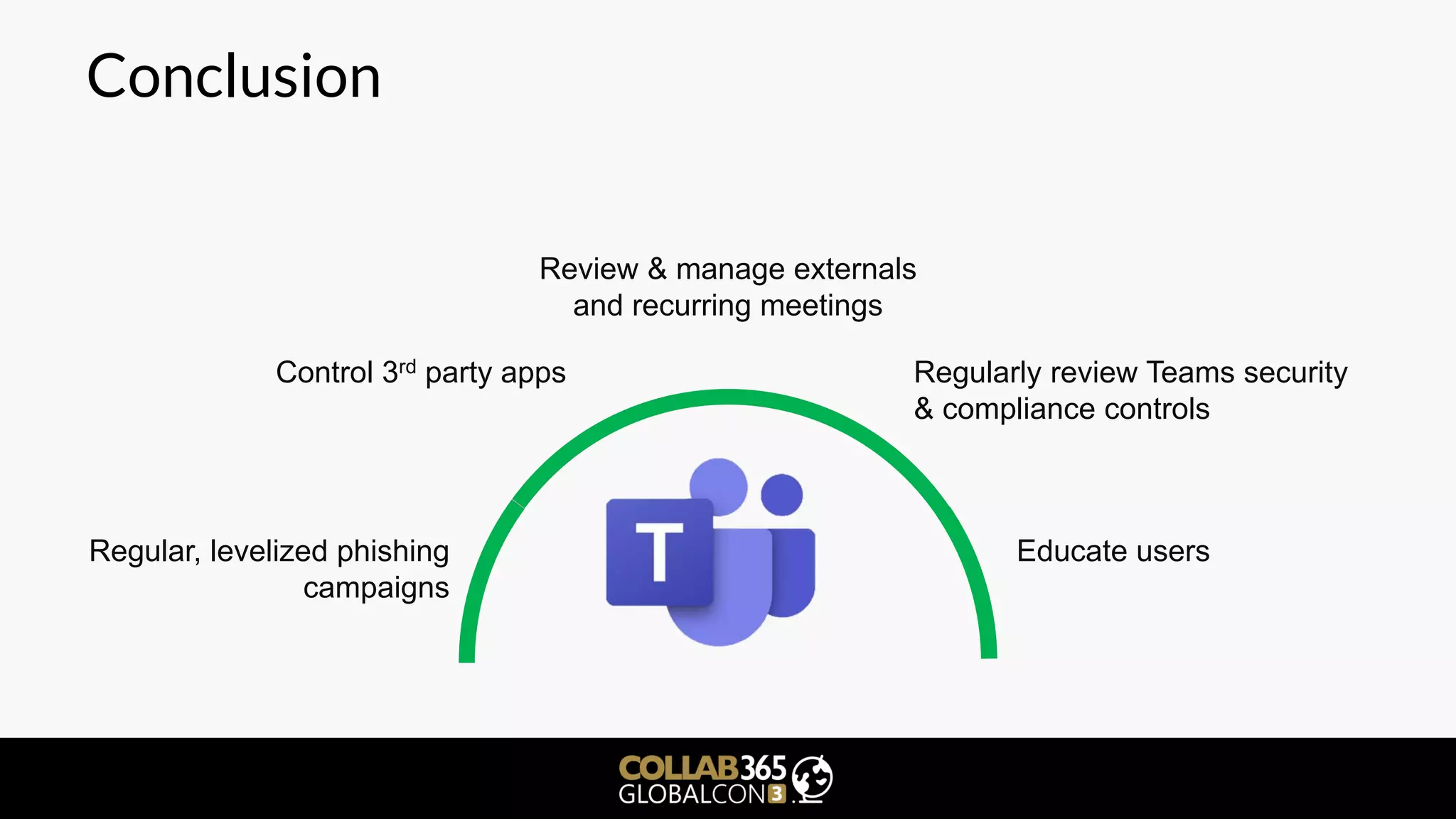
Regular, levelized phishing
campaigns
Educate users
Control 3rd party apps Regularly review Teams security
& compliance controls
Review & manage externals
and recurring meetings
List of Resources
▪ Information Barriers: https://docs.microsoft.com/en-us/microsoft-
365/compliance/information-barriers?view=o365-worldwide
▪ Teams Security & Compliance Overview: https://docs.microsoft.com/en-
us/microsoftteams/security-compliance-overview
▪ Settings and Security issues in Microsoft Teams:
https://www.meetimeapps.com/blog/settings-and-security-issues-in-microsoft-
teams
▪ Decoding Teams meeting URLs:
http://imaucblog.com/archive/2018/01/16/decoding-a-microsoft-teams-
meeting-url/
▪ Teams messaging policies: https://docs.microsoft.com/en-
us/microsoftteams/messaging-policies-in-teams
Thank you!
@BenMenesi
ben.menesi@panagenda.com
/in/benedekmenesi/
slideshare.net/benedekmenesi
Purchase an “All-Access Pass” today and get all
of the sessions from GlobalCon3 on-demand,
10 eBooks plus other goodies.
THANKS FOR ATTENDING ...

Protecting Microsoft Teams from Cyber Security Threats - a Practical Guide

  • 1.
    Protecting Microsoft Teams fromCyber Security Threats - a Practical Guide Speaker: Ben Menesi, CEH
  • 2.
    Speaker @BenMenesi ▪ Ben Menesi ▪VP Products & Innovation at panagenda ▪ Started out in the IBM world ▪ SharePoint & Exchange Admin & Dev ▪ Certified Ethical Hacker v9 and OSCP student ▪ Enjoys breaking things ▪ Speaker at IT events around the globe (GlobalCon1, SPS NYC, Toronto, Calgary, Montreal, Geneva, Cambridge) ▪ Owns a bar
  • 3.
    About panagenda ▪ Headquarteredin Vienna, Austria ▪ Offices in the US, Australia, Germany & the Netherlands ▪ 10M+ user licenses in over 80 countries
  • 4.
    Our product: OfficeExpert BusinessValue Outcomes Service Performance Measurements Teams Usage Analysis Collaboration Workloads Comparison Licensing Optimization Our Product: OfficeExpert
  • 5.
    Service Performance Measurements Teams Usage Analysis Collaboration Workloads Comparison Licensing Optimization ValidateReadiness for Voice Deployments Drive Targeted Adoption Campaigns Remove Duplicate Technologies Cost Savings for License Subscriptions Business Value Outcomes
  • 6.
    Our product: OfficeExpert DataWarehouse with Azure AD Information DataAggregationModeling M365 Activity Data TEAMS Usage Analytics PowerShell Information Microsoft Graph API Service Performance Data Web Interface Report Builder & Dashboards Data Warehouse USAGE DATA PERFORMANCE DATA AD User Details Open API for Integration Data Analytics
  • 7.
    We offer managedtrials & free assessments! panagenda.com/officeexpert
  • 8.
  • 9.
    Agenda • What we’llcover today Numbers from the field Misconfigurations Phishing Cross Platform Issues Illicit Consent Grants
  • 10.
    Numbers from thefield ▪ From Verizon’s DBIR (2020): https://enterprise.verizon.com/resources/reports/2020-data-breach- investigations-report.pdf
  • 11.
    Numbers from thefield 58% Victims are businesses with < 1000 employees 92% 68% Breaches took months(!!!) to discover Malware vectors: Email. (6.3% Web, 1.3% other)
  • 12.
    Numbers from thefield 25% Phishing emails bypassed Office 365 default security 4% 98% Emails containing crypto-wallet address are phishing 1 in every 25 branded (legit) emails is phishing ▪ Avanan’s Global Phish Report 2019 (55,5M emails analyzed): https://www.avanan.com/global-phish-report-web-briefing 50% Over half of all phishing emails contain malware
  • 13.
  • 14.
    Types of Phishingemails ▪ According to Avanan’s Global Phish Report, types of phishing emails:
  • 15.
    Numbers from thefield ▪ Frightening percentage of emails make it past Exchange Online Protection
  • 16.
    1.) Spearphishing ▪ 0,4%of Phishing attacks ▪ Very dangerous ▪ Impersonates a senior employee ▪ Organizationally aware ▪ No link or attachment ▪ Sense of urgency
  • 17.
    2.) Extortion ▪ 8%of Phishing attacks ▪ Somewhat personalized ▪ Contains password from data leak ▪ Crypto wallet address ▪ Sent en-masse
  • 18.
    3.) Malware Phishing ▪50,7% of Phishing attacks ▪ No personal touch ▪ Has attachment ▪ Contains a link to trigger file download ▪ Aims to install trojan ▪ Often poses as a PO / legal claim ▪ The ‘old school way’
  • 19.
    4.) Credential Harvesting ▪40,9% of Phishing attacks ▪ Second most dangerous ▪ Trusted brand logo (Microsoft) ▪ Link in email body (or attachment) ▪ Sense of urgency ▪ Leads to login page
  • 20.
    When do wetalk about Microsoft Teams? ▪ According to Avanan: branded phishing emails brand impersonation
  • 21.
    Teams Impersonation Attacks ▪May 2020: Two separate attacks targeting over 50k Teams users using Teams impersonation sites (https://threatpost.com/microsoft-teams-impersonation- attacks/155404/)
  • 22.
    What can youdo? ▪ Corporate branding: help your employees easily identify legit Teams emails:
  • 23.
    What can youdo? ▪ Levelized, consistent phishing awareness campaigns ▪ Thanks to Chris Hadnagy: https://www.linkedin.com/in/christopherhadnagy/ Level 1 • Not personalized • No branding • Grammar / spelling errors Level 2 • Not personalized • No branding • No grammar / spelling errors Level 3 • Personalized • Branded • No grammar / spelling errors
  • 24.
    What can youdo? ▪ Key Performance Indicators: ▪ Did employees catch the phish, and if so – did they report it? ▪ If not, did they click the link and digest the CBT message?
  • 25.
    How to launchphishing campaigns ▪ Use the Attack Simulator
  • 26.
    How to launchphishing campaigns ▪ Use the Attack Simulator
  • 27.
    How to launchphishing campaigns ▪ But use your own landing site ;)
  • 28.
  • 29.
    Illicit Consent Grants ▪While these haven’t made their way into the phishing top 4 categories… ▪ Phishing campaigns could trick users into granting access to applications ▪ https://blogs.technet.microsoft.com/office365security/defending-against-illicit-consent- grants/ ▪ Exploit first demonstrated by Kevin Mitnick
  • 30.
    Illicit Consent Grants ▪Exploit scenario ▪ Demo ▪ Infrastructure: User Apache Web Server Hacker
  • 31.
    Illicit Consent Grants ▪Exploit scenario: Let’s dive in!
  • 32.
    Illicit Consent Grants ▪Exploit scenario ▪ User receives a legit looking email:
  • 33.
    Illicit Consent Grants ▪Exploit scenario ▪ User receives a legit looking email ▪ Provides consent
  • 34.
    Illicit Consent Grants ▪Attacker received authorization code ▪ Finishes attack by completing Oauth2 sequence
  • 35.
  • 36.
    Can we Pivotin the M365 environment? ▪ Let’s take a look!
  • 37.
    Digital #metoo era ▪Consent is key ▪ Integrated apps: Using various APIs, you can grant apps access to your tenant data: ▪ Mail, calendars, contacts, conversations ▪ Users, groups, files and folders ▪ SharePoint sites, lists, list items ▪ OneDrive items, permissions and more ▪ Integration: Azure AD provides secure sign-in and authorization ▪ Developer registers the application with Azure AD ▪ Assign permissions to the application ▪ Tenant administrator / user must consent to permissions
  • 38.
    Preventing Illicit consentgrants Regular application & permission enumeration Cloud App Security Educating users Application Registration & consent restriction
  • 39.
    Remedy: Restricting consents ▪Azure AD Portal > User Settings
  • 40.
    Remedy: Restricting consent ▪Manage how end users launch and view their applications
  • 41.
    Remedy: Enumerate consentedapps ▪ Enumerate using PowerShell > Install the AzureAD PowerShell module > Connect to Azure AD and ▪ Use script: https://gist.github.com/psignoret/41793f8c6211d2df5051d77ca3728c09 ▪ Output: ▪ Gotcha! Does not show redirect URL settings!
  • 42.
    Remedy: Enumerate consentedapps ▪ To show redirect URLs, use AzureRM.Resources and Connect- AzureRMADAccount:
  • 43.
    Remedy: Search yourAudit Logs ▪ Use ‘consent’ string to filter:
  • 44.
    Remedy: Cloud AppSecurity ▪ Portal.cloudappsecurity.com ▪ Create an OAUTH App Security Policy
  • 45.
    Remedy: Cloud AppSecurity ▪ Portal.cloudappsecurity.com ▪ Create an OAUTH App Security Policy ▪ Decide to notify or revoke
  • 46.
    Remedy: Educate users! ▪Remember the levelized phishing awareness campaign approach? ▪ Create your own bogus application and send links that prompt for consent ▪ Redirect users to education site ▪ Reach out to me for details @BenMenesi ben.menesi@panagenda.com
  • 47.
  • 48.
    Teams vs. Zoomvs. Webex ▪ All online meeting platforms grew exponentially due to Covid-19 (https://www.techradar.com/news/microsoft-teams-zooms-past-zoom-in-the- race-for-collaboration-tools-supremacy) 894% usage growth 677% usage growth 451% usage growth
  • 49.
    Zoom-bombing ▪ Zoom hasexploded since the beginning of Covid-19 and so did its bad press: ▪ Zoom-bombing ▪ Vulnerabilities ▪ What is zoom-bombing? ▪ Zoom meeting URL: ▪ April 2020: password protected ▪ https://thehackernews.com/2020/07/zoom-meeting-password-hacking.html ▪ Bonus: did you know? You can use waiting rooms in zoom, too (think: lobby in Teams!): https://blog.zoom.us/secure-your-meetings-zoom-waiting-rooms/
  • 50.
    Zoom meeting security ▪Zoom meeting URLs at this point Base URL: zoom.us/j/ Static Meeting ID 9-11 digit Meeting ID: 1B possibilities Meeting
  • 51.
    Zoom meeting security ▪Zoom meeting IDs: easy to brute-force. Zoom.us/j/123456789 If valid: no join- errormsg in HTML body If invalid: div id="join-errormsg„ in HTML body
  • 52.
    Zoom-bombing ▪ Fixed betweenSeptember 2019 and April 2020 by ▪ Enforcing Automatic passwords ▪ Meeting ID validation ▪ Device blocker (prevent brute-force) ▪ But then: https://thehackernews.com/2020/07/zoom-meeting-password- hacking.html
  • 53.
    Zoom meeting security ▪Zoom meeting URLs at this point (with automatic passwords) Base URL: zoom.us/j/ Static Meeting ID 9-11 digit Meeting ID: 1B possibilities Meeting password 6 digits passwords: 1M possibilities Date & TimeMeeting
  • 54.
    Zoom issues ▪ April2020: Cracking meeting passwords for zoom (https://thehackernews.com/2020/07/zoom-meeting-password-hacking.html) ▪ Typical zoom login URL: zoom.us/j/MEETING_ID?pwd=999999 ▪ 6 digit numeric password: 10x10x10x10x10x10 = 1,000,000 combinations ▪ Lack of lockout feature: allowed trying all possibilities via python in a few minutes ▪ Fixed later in April 2020 by enhancing password complexity. Current password characteristics: bkltODZHbDd1QlA1ZS9kRk15cjNVdz09
  • 55.
    Zoom issues ▪ July2020: RCE in Zoom desktop (https://blog.0patch.com/2020/07/remote- code-execution-vulnerability-in.html) ▪ Remote code execution vulnerability in zoom desktop running on Win7 or earlier ▪ Fixed within 1(!!!) day
  • 57.
    Decoding Teams MeetingURLs ▪ Let’s look at a meeting URL: ▪ There is a lot going on here ☺ Let’s take it apart https://teams.microsoft.com/l/meetup- join/19%3ameeting_MDA0NjEyNWQtOGI3OS00NWZhLWIxYmItNDkyNzE0ZmRmOTY0%40thread.v2/0?context =%7b%22Tid%22%3a%229fe808d4-38ba-4977-aa7c-44fc363cb42c%22%2c%22Oid%22%3a%2216fd9435-93cf- 4809-84c7-44837349723c%22%7d
  • 58.
    Decoding Teams MeetingURLs ▪ What is a meeting join URL made of? ▪ Points 1 and 3 always appear to be the same ▪ Point 2: meeting resource ID (Base64 encoded): 3c9462ca-c7a4-42b7-9ad2- e2a22e466cf0 ▪ Point 3: static values ▪ Point 4: Organizer context (TiD: TenantID [GUID], OiD: Organizer ID [GUID]) 1.) Base: https://teams.microsoft.com/l/meetup-join/19%3 2.) Meeting ID: ameeting_MDA0NjEyNWQtOGI3OS00NWZhLWIxYmItNDkyNzE0ZmRmOTY0%40 3.) Thread version: thread.v2/0? 4.) Context: context=%7b%22Tid%22%3a%229fe808d4-38ba-4977-aa7c- 44fc363cb42c%22%2c%22Oid%22%3a%2216fd9435-93cf-4809-84c7-44837349723c%22%7d
  • 59.
    Real security ofa Teams Meeting ▪ Essentially each meeting invite consists of 3 GUIDs (Globally Unique Identifier) ▪ GUID: 128bit Integer number used to identify resources ▪ Unique: 1B / s for a year: only 50% chance of a duplicate Meeting GUID Tenant ID Organizer ID Base64 encoded URL Encoded URL Encoded Date & TimeLobby AdmittanceMeeting
  • 60.
    Teams-bombing: findings 1.) Cannot bypass any of the 3 GUID components 2.) Since TiD is somewhat public information, susceptible to Google-hacking 3.) Teams meeting ID is extremely secure and there is no link to Meeting calendar entry or calendar ID whatsoever.
  • 61.
  • 62.
    Avoiding Teams issues(especially education) What the little rascals like to do: ▪ 1.) Muting the teacher (presenter) ▪ 2.) Mute other participants ▪ 3.) Kick other attendees from meetings ▪ 4.) Start sharing screen (overtake equal presenters)
  • 63.
    Avoiding Teams issues(especially education) ▪ Organizer options while in meeting: manually modify attendee roles ▪ OR: (Better): Meeting options while / after scheduling ▪ Tricky: you only have access to meeting options AFTER saving the meeting!
  • 64.
    Meeting chats &resources ▪ This can be a HUGE issue if not paid attention to Invite • External user is invited to a meeting Meeting • Participants are shown and can interact during meeting Post- meeting • Meeting chat is shown post-meeting with content that was shared (including files via OneDrive)
  • 65.
    Meeting chats &resources ▪ Exercise: go back and look at your previous Teams meetings ▪ See how many of them removed you as a participant
  • 66.
    Meeting chats &resources ▪ Story: vendor briefing ▪ What happens if you do remove someone but it’s a recurring meeting? ▪ Best Practice: NEVER invite externals to recurring, internal meetings! 1.) External participant is removed from meeting chat 2.) External participant reuses calendar link to join 2.) External participant is added back into the chat & can view meeting presence / join when meeting occurs
  • 67.
    Anonymous Meeting Attendees ▪You can prevent / allow anonymous users from attending Teams meetings ▪ Does not require the Teams client ▪ There is a tradeoff: Anonymous Allowed Anonymous prevented Use it with externals – no need for Zoom Keep your meetings secure and attendees authenticated
  • 68.
    Anonymous Meeting Attendees ▪Where to set it: Teams Admin Center > Meeting Settings > Participants
  • 69.
    Giphies in Teams– once again a tradeoff Nay Giphies! Yay Giphies! FB Acquisition Account Takeover Relaxed Collaboration
  • 70.
    Giphies in Teams ▪Facebook acquisition: tons of data collected ▪ Account takeover possibility via Giphy: https://www.cyberark.com/resources/threat-research-blog/beware-of-the-gif- account-takeover-vulnerability-in-microsoft-teams ▪ Note: this was NOT due to Giphy being Giphy, it was due to a subdomain takeover vulnerability that has since been fixed! ▪ Disable Giphys org-wide (Messaging Policies): https://docs.microsoft.com/en- us/microsoftteams/messaging-policies-in-teams ▪ Disable Giphys per Team (PowerShell): https://hochwald.net/facebook- acquired-giphy-how-to-disable-it-in-microsoft-teams
  • 71.
  • 72.
    Conclusion Regular, levelized phishing campaigns Educateusers Control 3rd party apps Regularly review Teams security & compliance controls Review & manage externals and recurring meetings
  • 73.
    List of Resources ▪Information Barriers: https://docs.microsoft.com/en-us/microsoft- 365/compliance/information-barriers?view=o365-worldwide ▪ Teams Security & Compliance Overview: https://docs.microsoft.com/en- us/microsoftteams/security-compliance-overview ▪ Settings and Security issues in Microsoft Teams: https://www.meetimeapps.com/blog/settings-and-security-issues-in-microsoft- teams ▪ Decoding Teams meeting URLs: http://imaucblog.com/archive/2018/01/16/decoding-a-microsoft-teams- meeting-url/ ▪ Teams messaging policies: https://docs.microsoft.com/en- us/microsoftteams/messaging-policies-in-teams
  • 74.
  • 75.
    Purchase an “All-AccessPass” today and get all of the sessions from GlobalCon3 on-demand, 10 eBooks plus other goodies. THANKS FOR ATTENDING ...