Office 365 from a hacker’s
perspective: threats, tactics and
remedies
Speaker: Ben Menesi, CEH
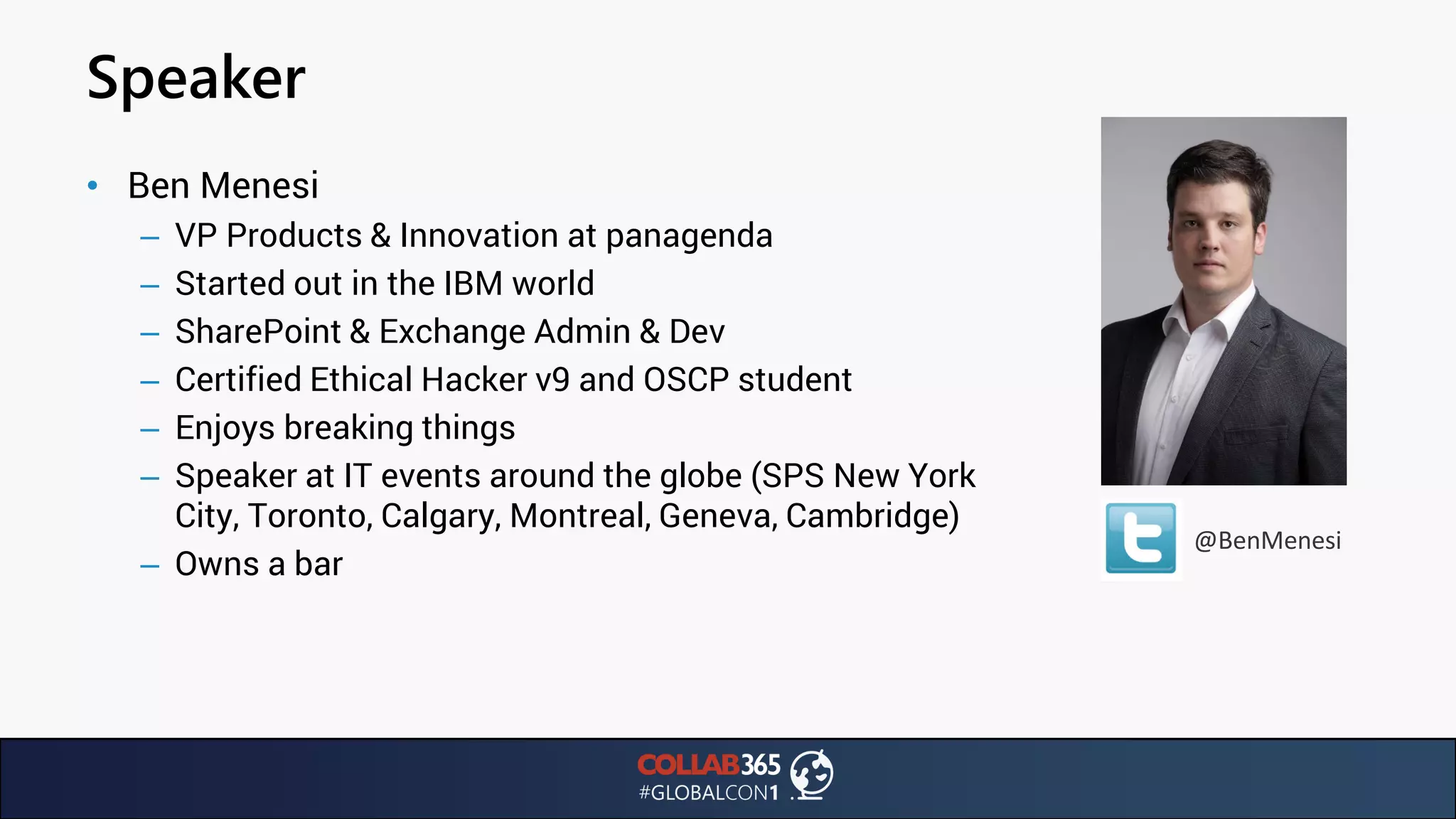
Speaker
@BenMenesi
• Ben Menesi
– VP Products & Innovation at panagenda
– Started out in the IBM world
– SharePoint & Exchange Admin & Dev
– Certified Ethical Hacker v9 and OSCP student
– Enjoys breaking things
– Speaker at IT events around the globe (SPS New York
City, Toronto, Calgary, Montreal, Geneva, Cambridge)
– Owns a bar
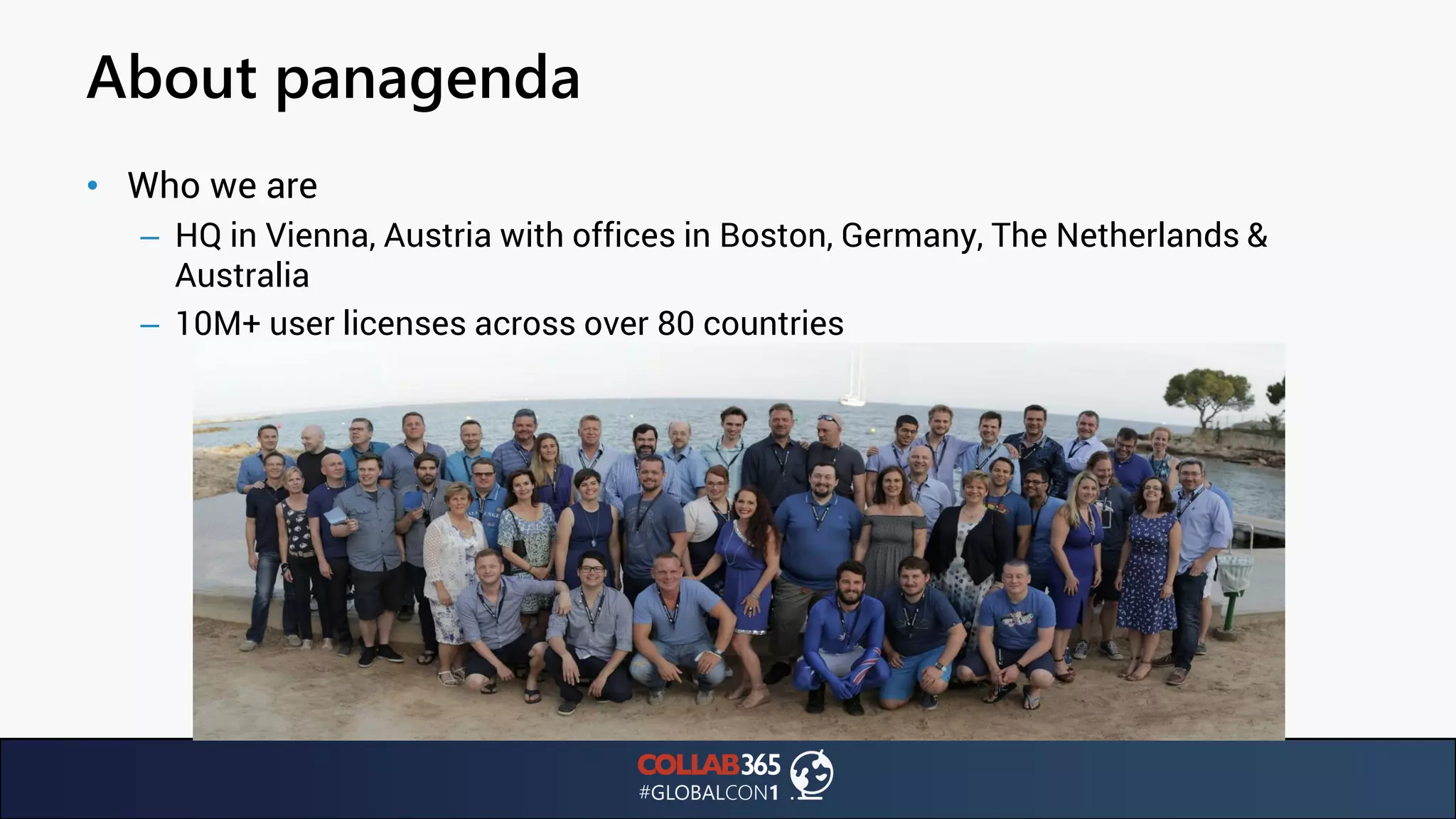
About panagenda
• Who we are
– HQ in Vienna, Austria with offices in Boston, Germany, The Netherlands &
Australia
– 10M+ user licenses across over 80 countries
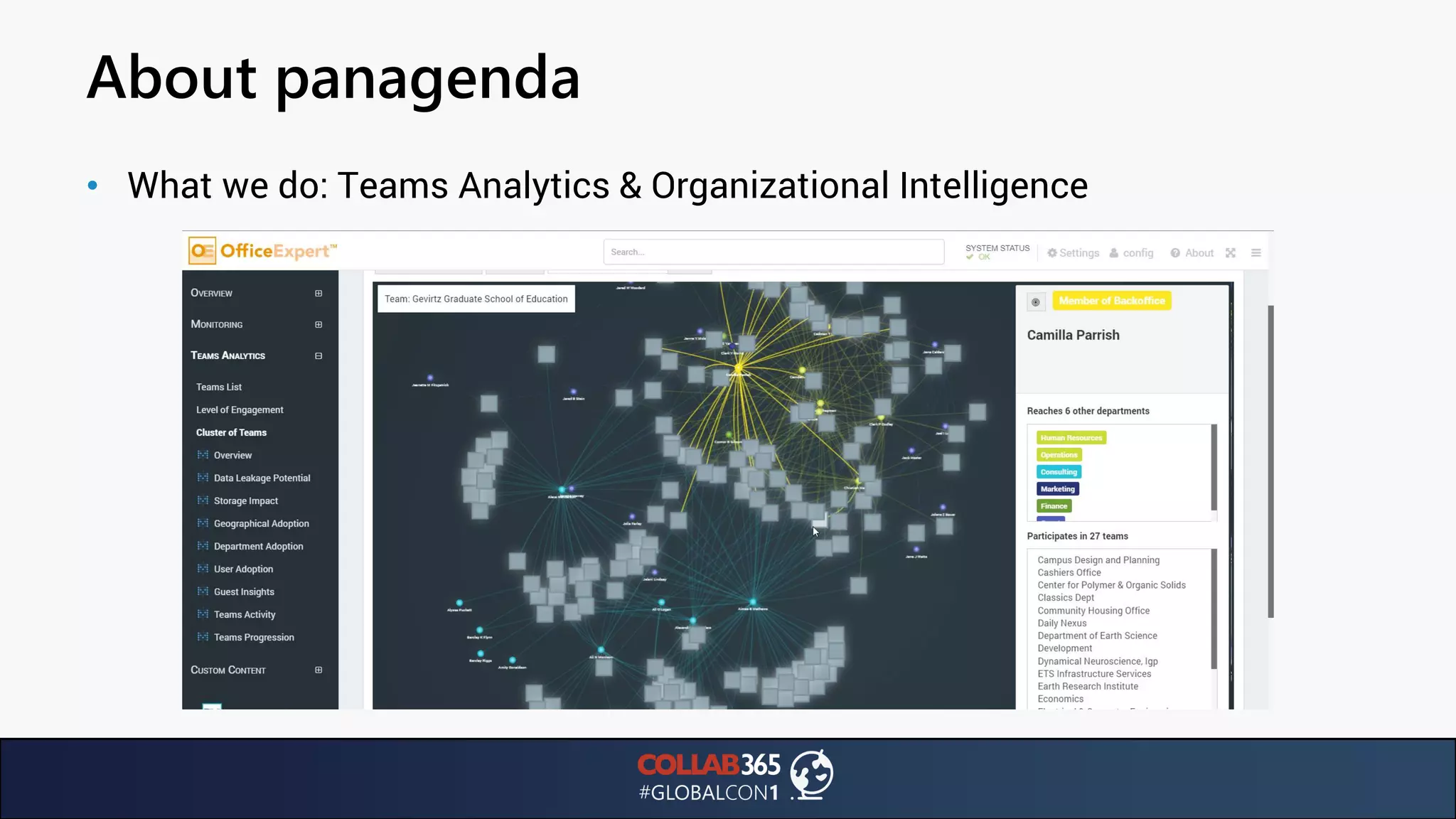
About panagenda
• What we do: Teams Analytics & Organizational Intelligence
About panagenda
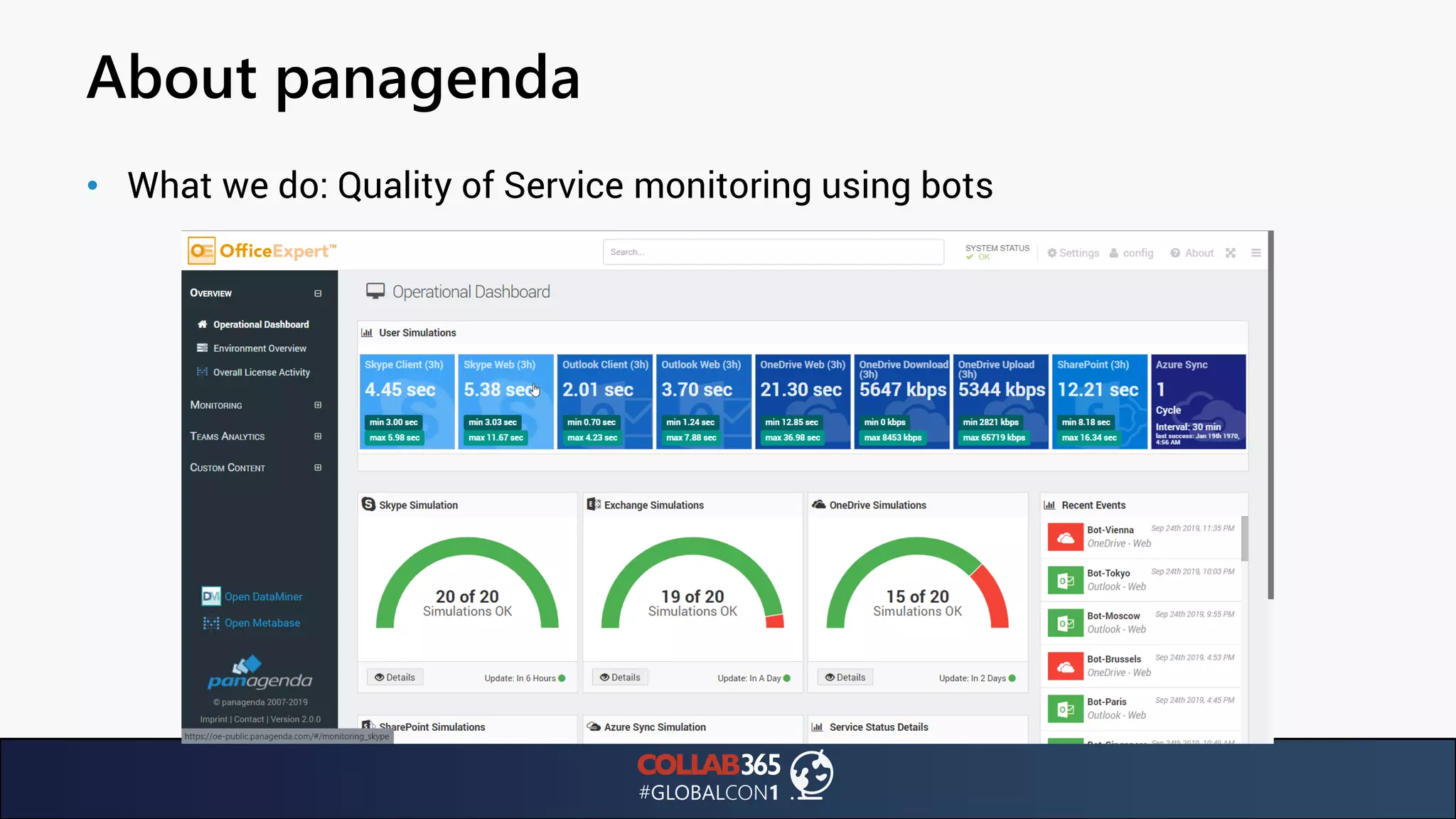
• What we do: Quality of Service monitoring using bots
Agenda
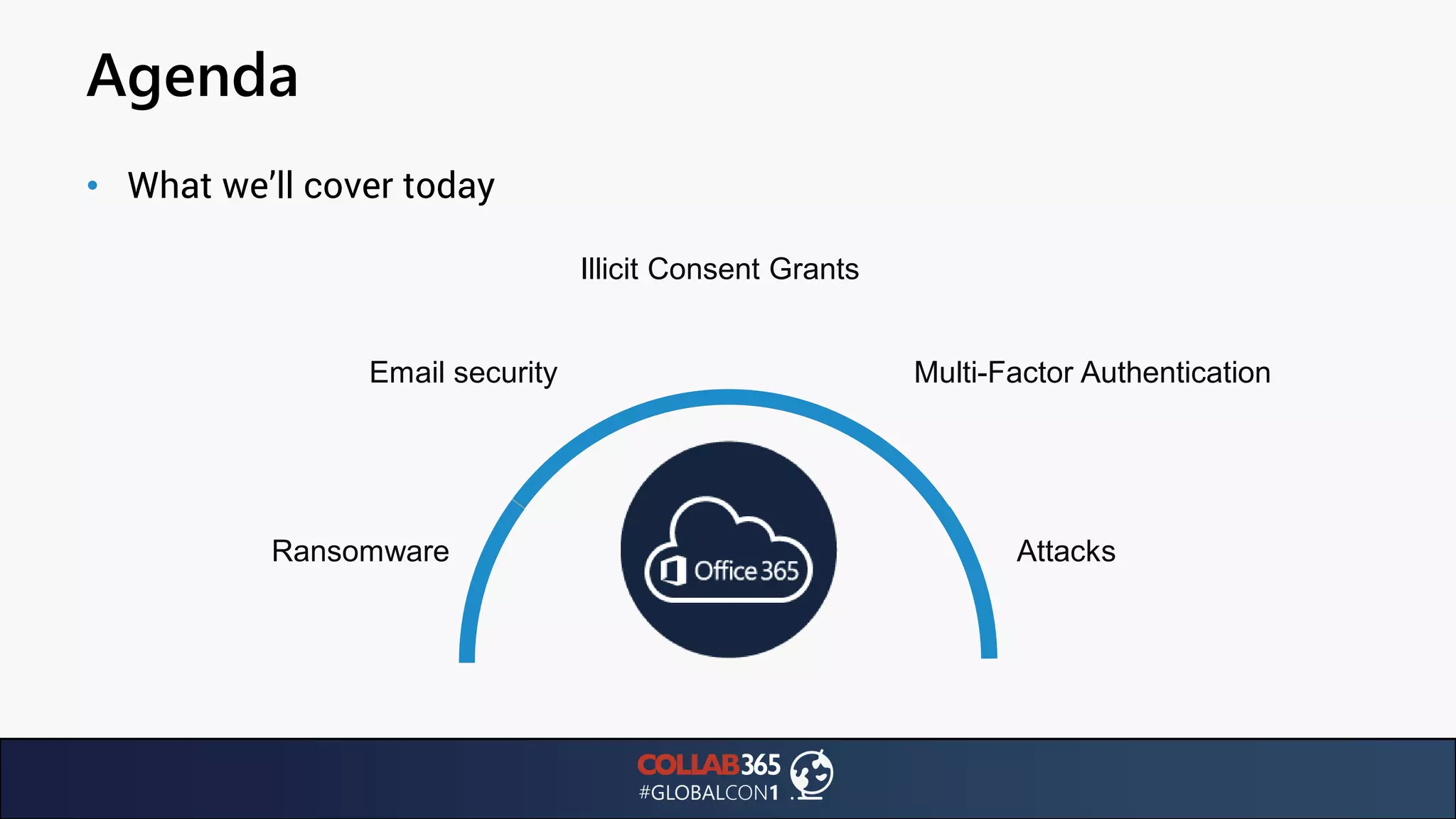
• What we’ll cover today
Ransomware Attacks
Email security Multi-Factor Authentication
Illicit Consent Grants
Statistics
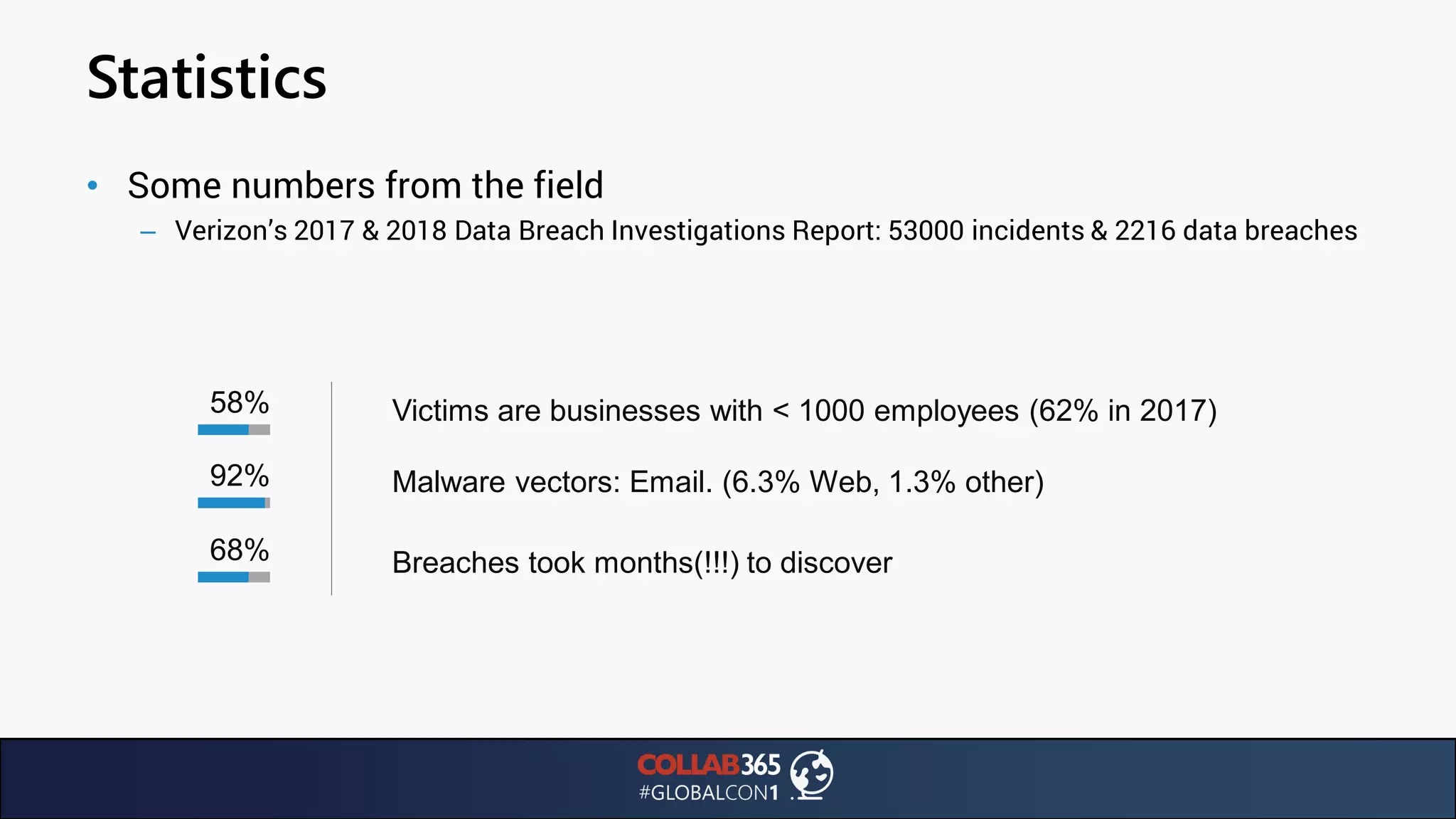
• Some numbers from the field
– Verizon’s 2017 & 2018 Data Breach Investigations Report: 53000 incidents & 2216 data breaches
58% Victims are businesses with < 1000 employees (62% in 2017)
92%
68% Breaches took months(!!!) to discover
Malware vectors: Email. (6.3% Web, 1.3% other)
Statistics
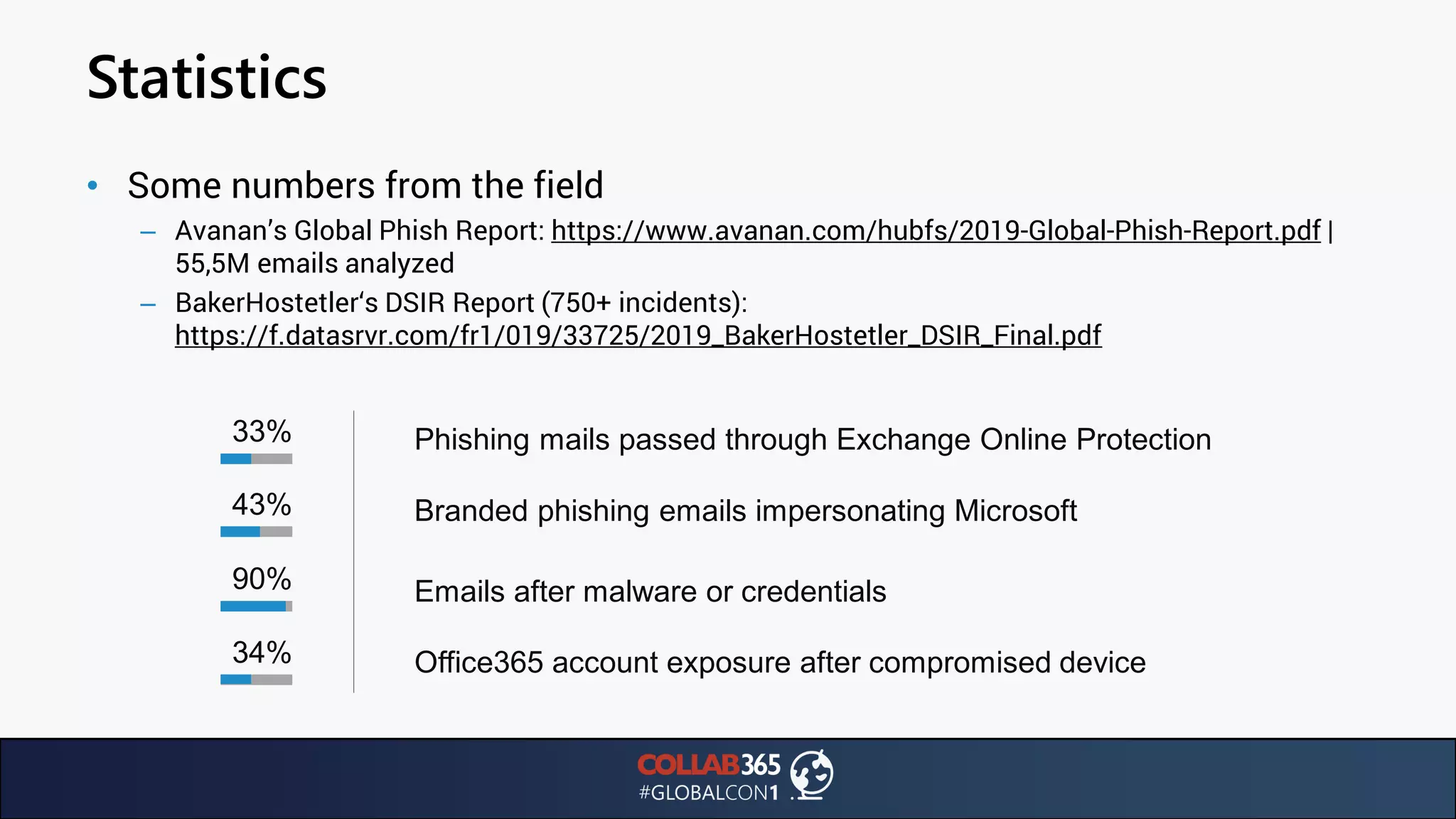
• Some numbers from the field
– Avanan’s Global Phish Report: https://www.avanan.com/hubfs/2019-Global-Phish-Report.pdf |
55,5M emails analyzed
– BakerHostetler‘s DSIR Report (750+ incidents):
https://f.datasrvr.com/fr1/019/33725/2019_BakerHostetler_DSIR_Final.pdf
33% Phishing mails passed through Exchange Online Protection
43%
90% Emails after malware or credentials
Branded phishing emails impersonating Microsoft
34% Office365 account exposure after compromised device
On-Prem. Vs. Cloud Security
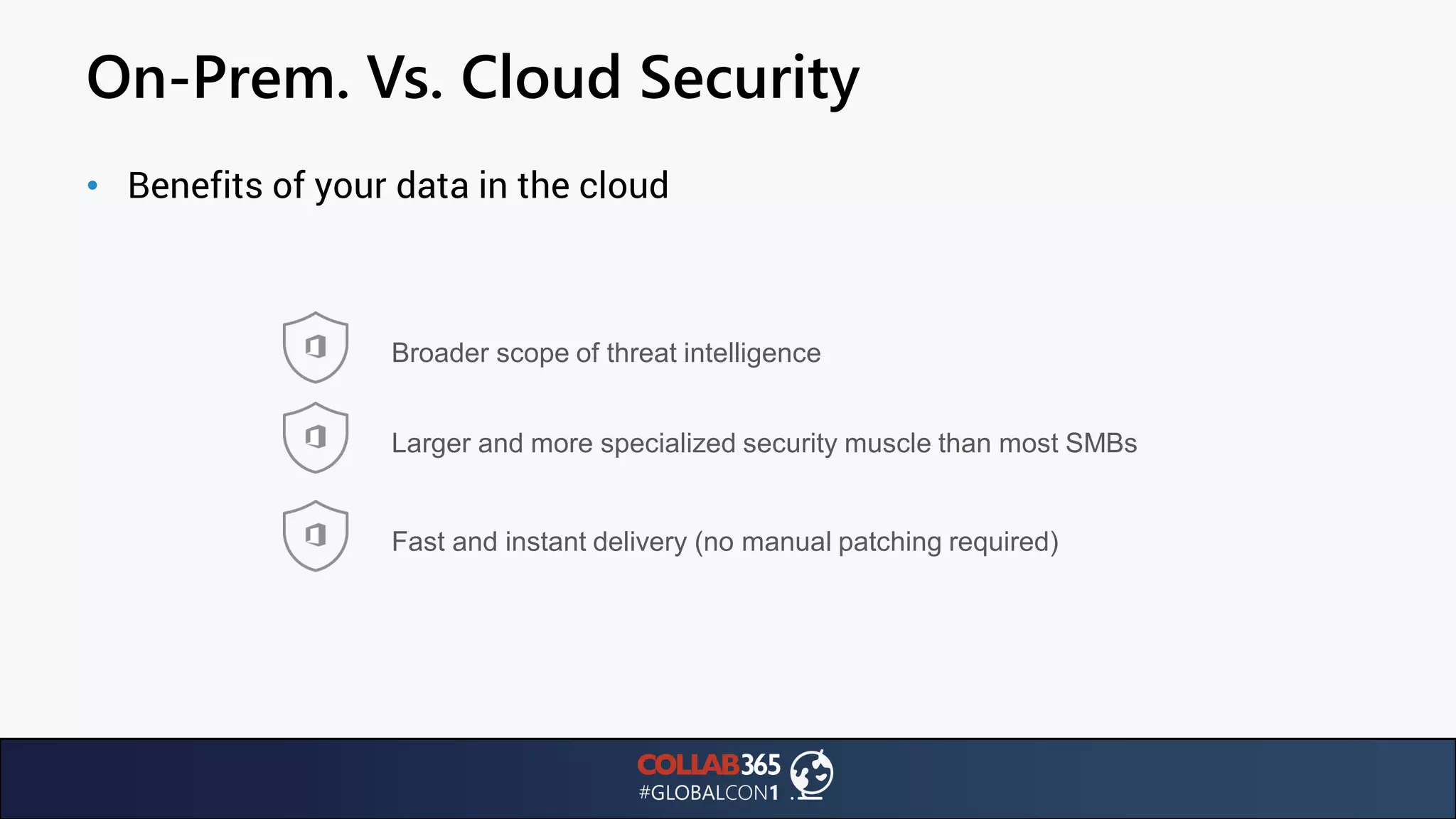
• Benefits of your data in the cloud
Broader scope of threat intelligence
Larger and more specialized security muscle than most SMBs
Fast and instant delivery (no manual patching required)
On-Prem. Vs. Cloud Security
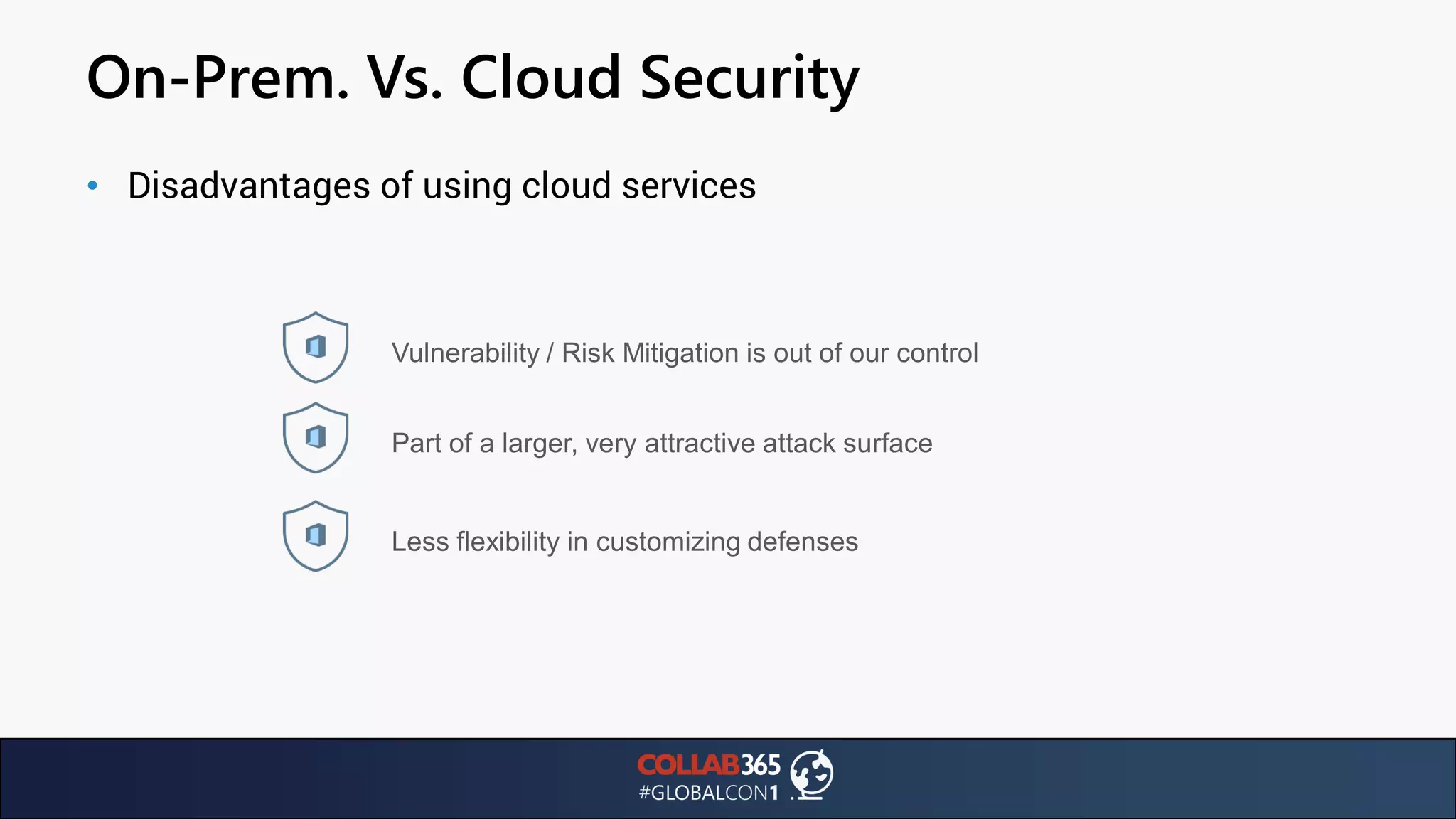
• Disadvantages of using cloud services
Vulnerability / Risk Mitigation is out of our control
Part of a larger, very attractive attack surface
Less flexibility in customizing defenses
Vulnerability Mitigation
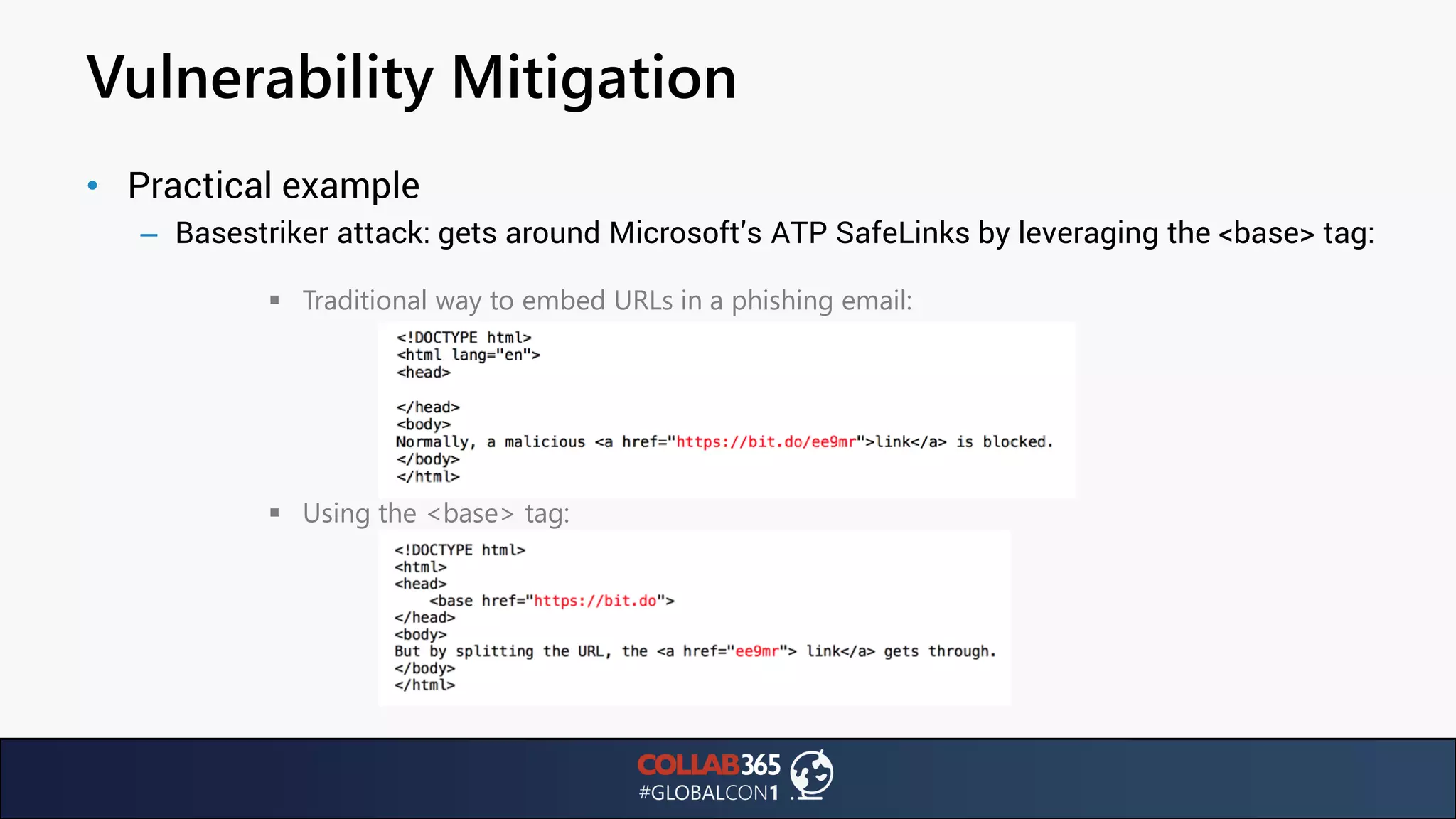
• Practical example
– Basestriker attack: gets around Microsoft’s ATP SafeLinks by leveraging the <base> tag:
▪ Traditional way to embed URLs in a phishing email:
▪ Using the <base> tag:
Vulnerability Mitigation
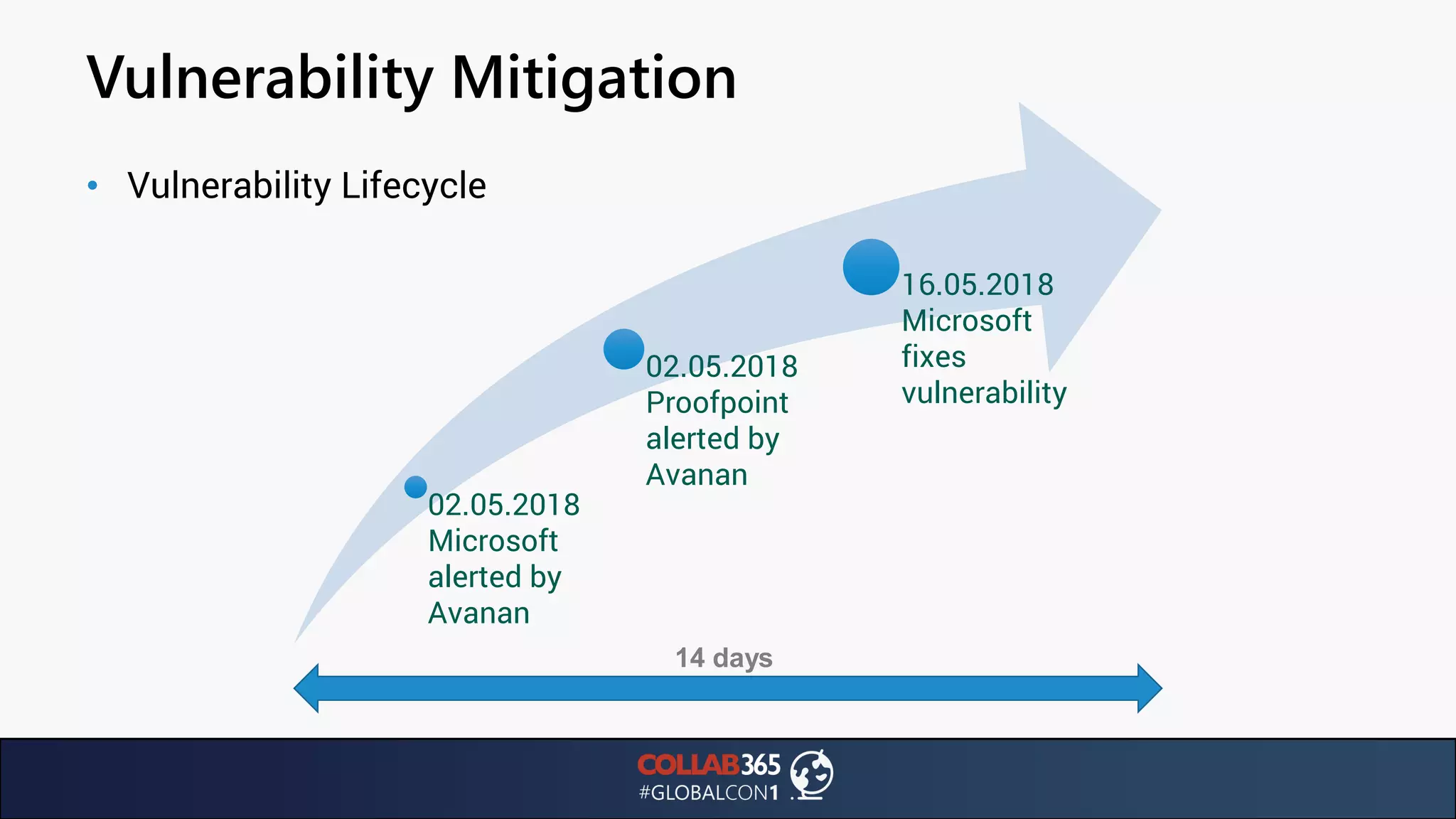
• Vulnerability Lifecycle
02.05.2018
Microsoft
alerted by
Avanan
02.05.2018
Proofpoint
alerted by
Avanan
16.05.2018
Microsoft
fixes
vulnerability
14 days
Ransomware
Ransomware Attacks
• Why are they so important?
• DOJ Statistics: 1000 attacks / day in 2015, 4000 attacks / day in 2017
– WannaCry: 150 countries, estimated at $4B
– NotPetya: $250-300M for Maersk alone, $1.2B in total revenue
– 54% of companies experienced one or more successful attacks
– Total cost of a successful cyber attack is over $5M or $301 / employee
Ransomware Attacks
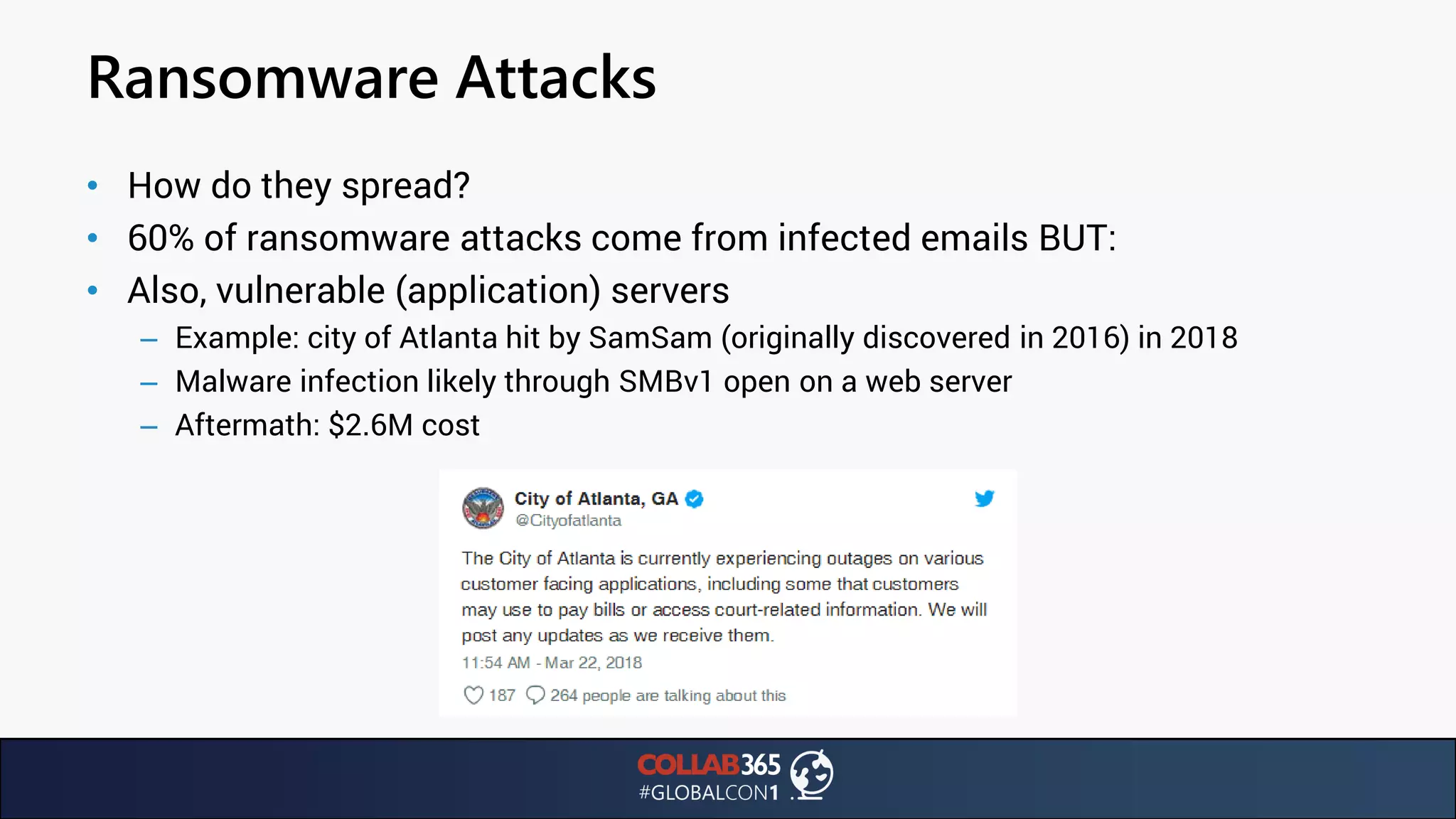
• How do they spread?
• 60% of ransomware attacks come from infected emails BUT:
• Also, vulnerable (application) servers
– Example: city of Atlanta hit by SamSam (originally discovered in 2016) in 2018
– Malware infection likely through SMBv1 open on a web server
– Aftermath: $2.6M cost
Decrypting Ransomware
• Cautionary tale: Herrington & Company gets ransomwared
– Engages Data Recovery company to retrieve data
– DR company quotes $6000 to recover data
– Data recovery is WAY too fast
– FBI confirms that PDR indeed paid ransom to decrypt victim’s files
• https://pbs.twimg.com/media/DbfP0G7WAAEWQIa.jpg:large
• How do we prevent ransomware?
Decrypting Ransomware
• Cautionary tale: Herrington & Company gets ransomwared
– Engages Data Recovery company to retrieve data
– DR company quotes $6000 to recover data
– Data recovery is WAY too fast
– FBI confirms that PDR indeed paid ransom to decrypt victim’s files
• https://pbs.twimg.com/media/DbfP0G7WAAEWQIa.jpg:large
• How do we prevent ransomware?
Ransomware Protection
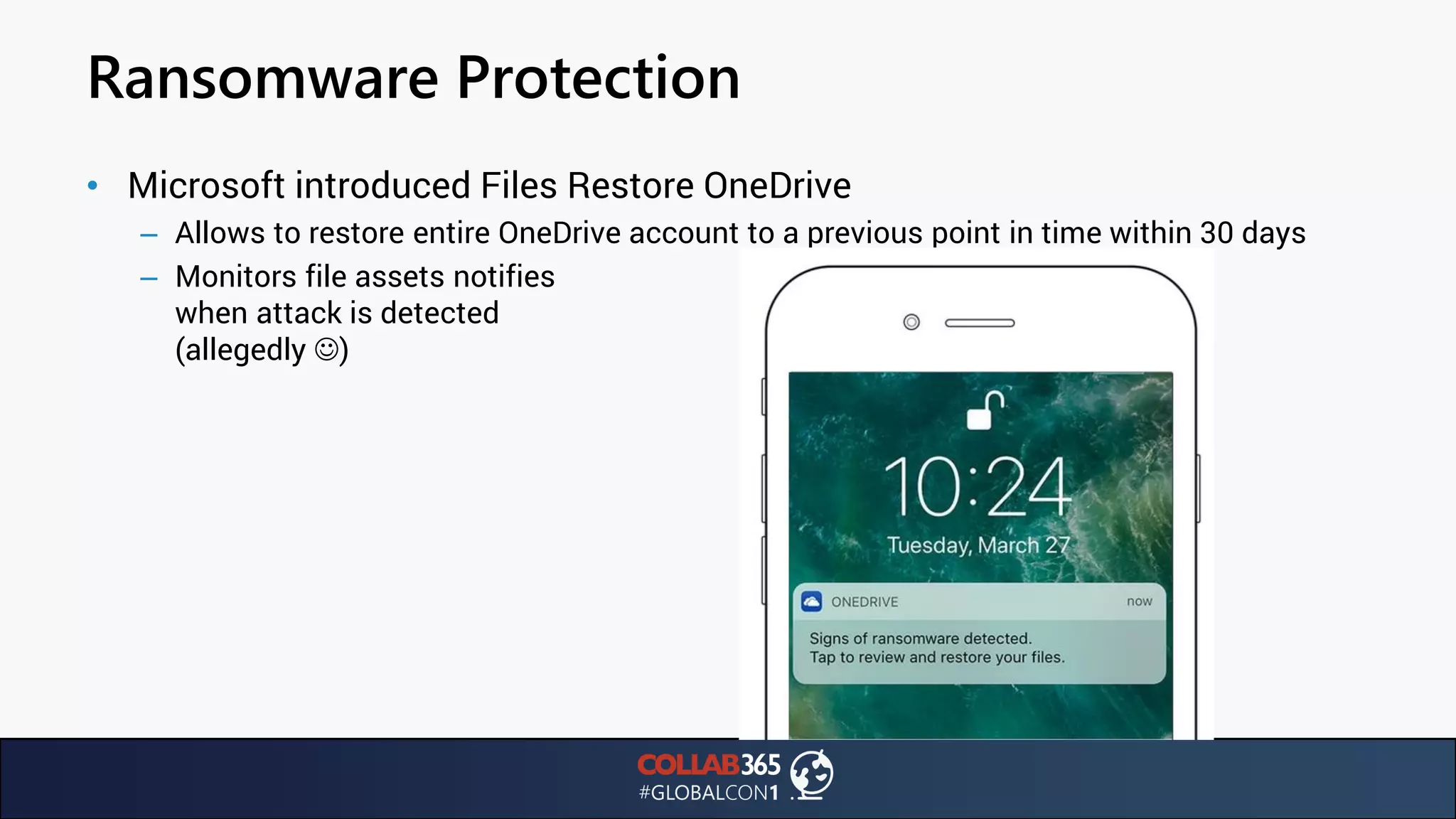
• Microsoft introduced Files Restore OneDrive
– Allows to restore entire OneDrive account to a previous point in time within 30 days
– Monitors file assets notifies
when attack is detected
(allegedly ☺)
Ransomware Protection
• Careful!
– Real time notification might not be as accurate as we think
– AxCrypt encryption on OneDrive files stays under the radar
• Ransomware prevention: have users store important data in OneDrive
Email & Sharing
Email Encryption
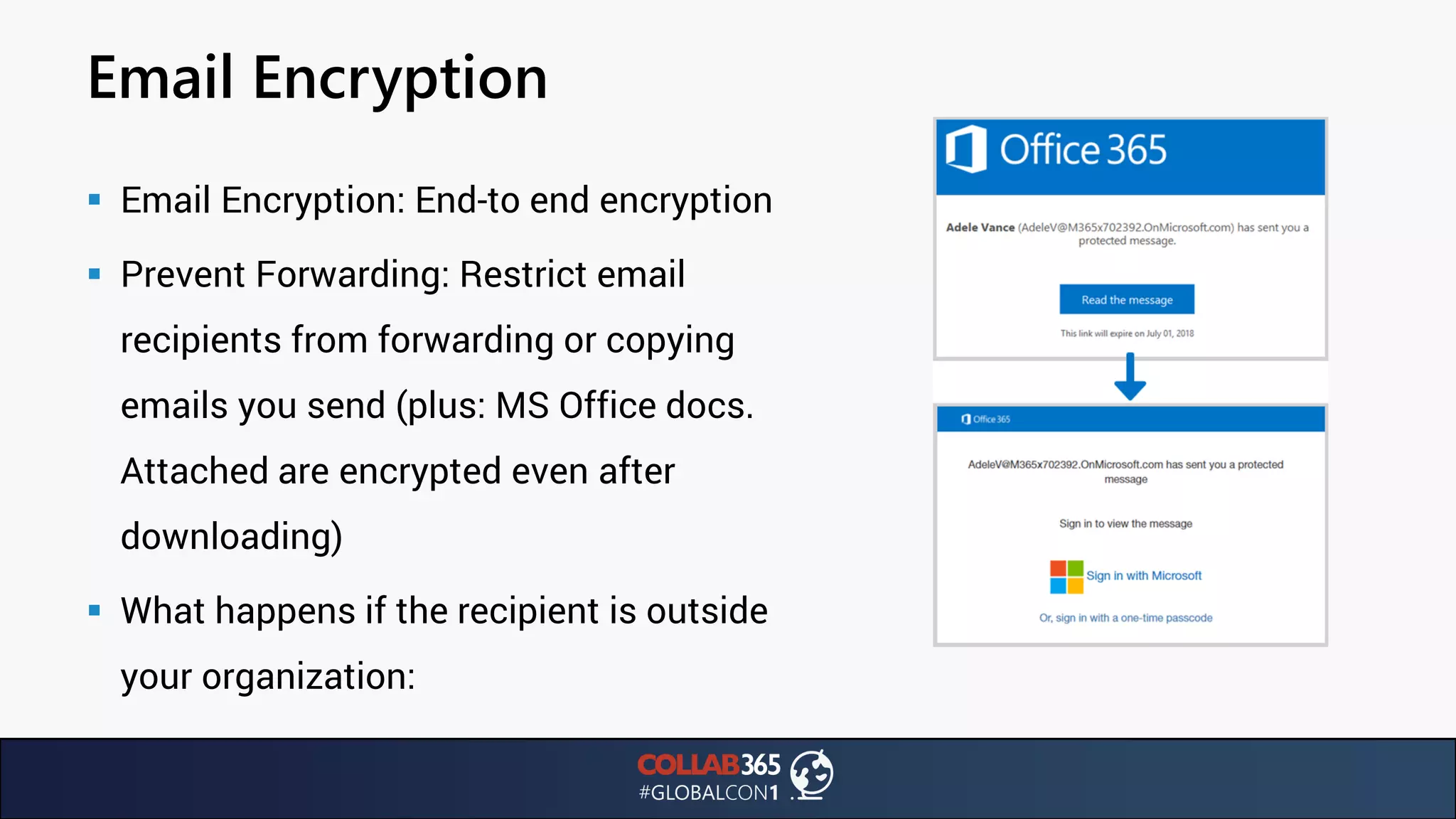
▪ Email Encryption: End-to end encryption
▪ Prevent Forwarding: Restrict email
recipients from forwarding or copying
emails you send (plus: MS Office docs.
Attached are encrypted even after
downloading)
▪ What happens if the recipient is outside
your organization:
Email Encryption
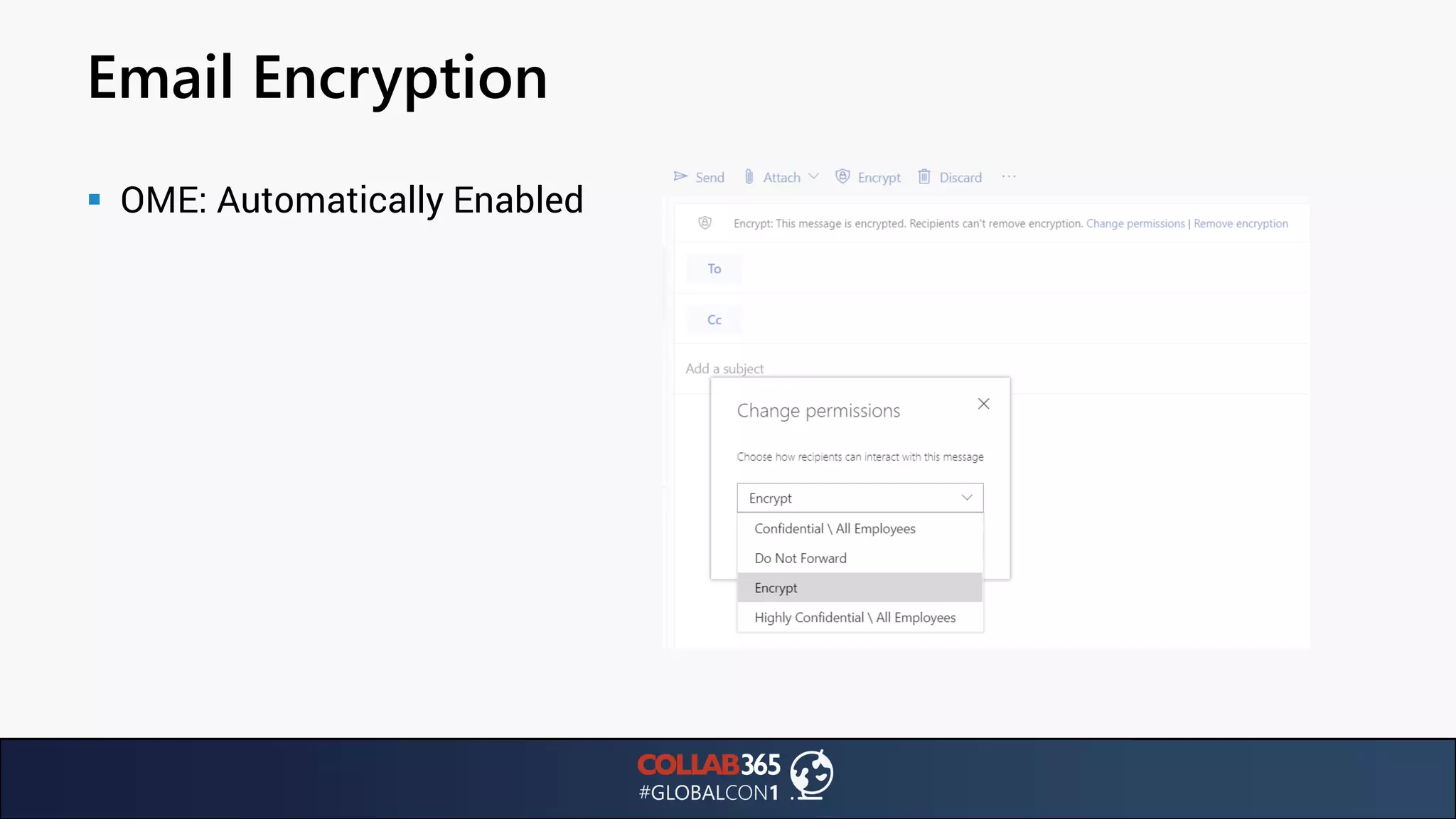
▪ OME: Automatically Enabled
Email Encryption
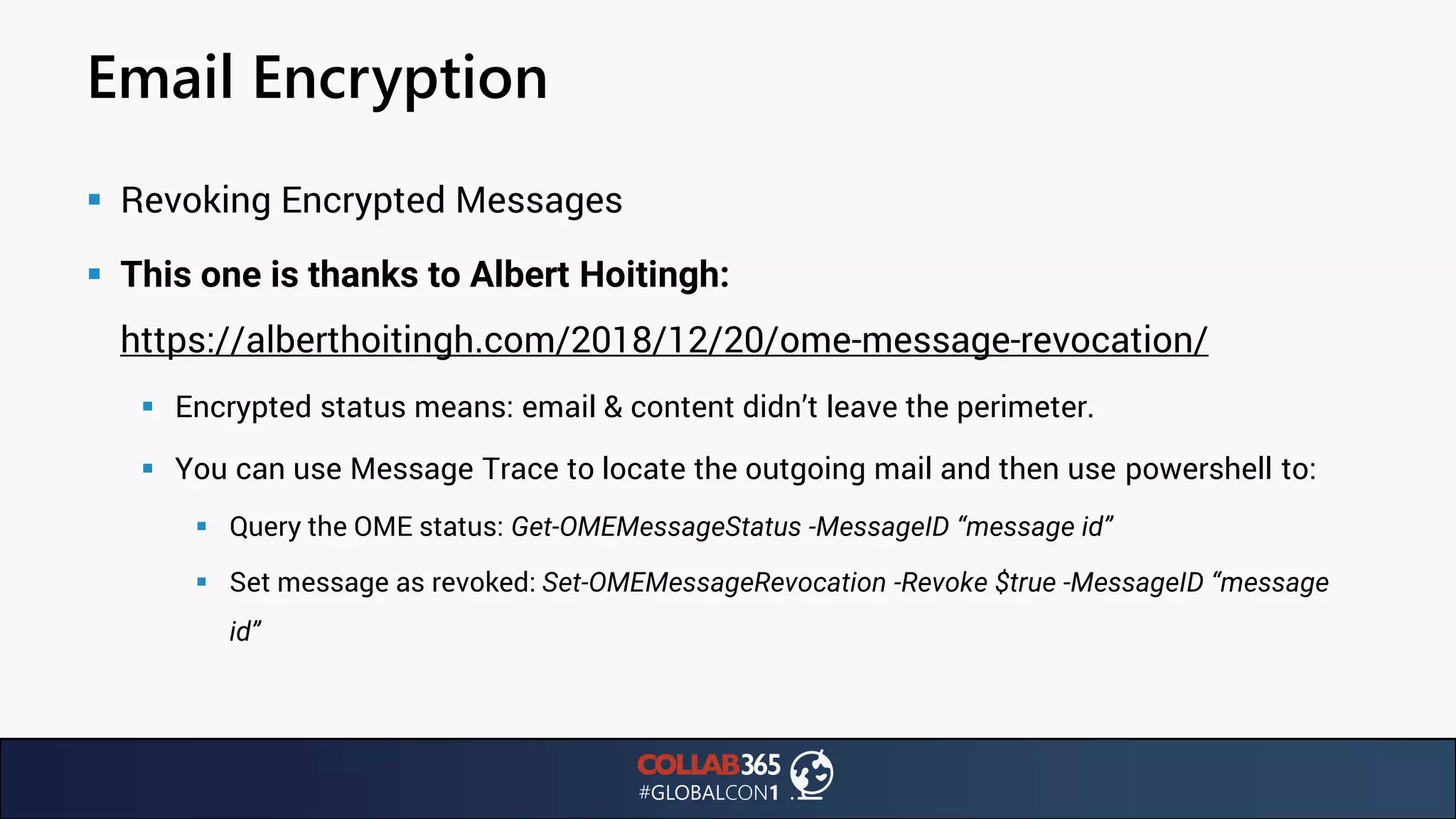
▪ Revoking Encrypted Messages
▪ This one is thanks to Albert Hoitingh:
https://alberthoitingh.com/2018/12/20/ome-message-revocation/
▪ Encrypted status means: email & content didn’t leave the perimeter.
▪ You can use Message Trace to locate the outgoing mail and then use powershell to:
▪ Query the OME status: Get-OMEMessageStatus -MessageID “message id”
▪ Set message as revoked: Set-OMEMessageRevocation -Revoke $true -MessageID “message
id”
Email Encryption
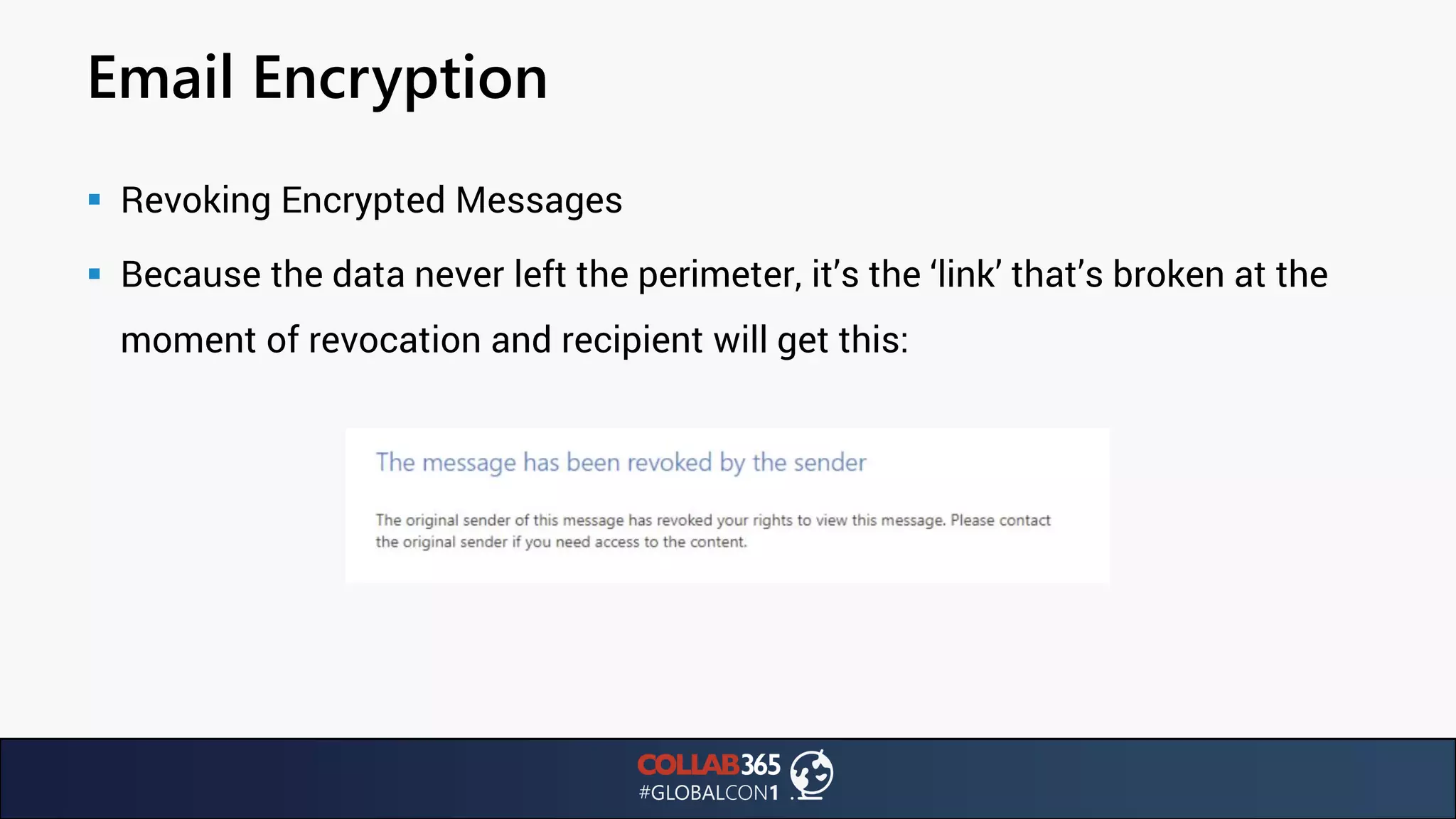
▪ Revoking Encrypted Messages
▪ Because the data never left the perimeter, it’s the ‘link’ that’s broken at the
moment of revocation and recipient will get this:
Illicit Consent Grants
▪ In the light of the Facebook Cambridge Analytica scandal, we should take
a look at Azure AD registered applications
▪ Phishing campaigns could trick users into granting access to applications
▪ https://blogs.technet.microsoft.com/office365security/defending-against-illicit-
consent-grants/
▪ Exploit first demonstrated by Kevin Mitnick
Illicit Consent Grants
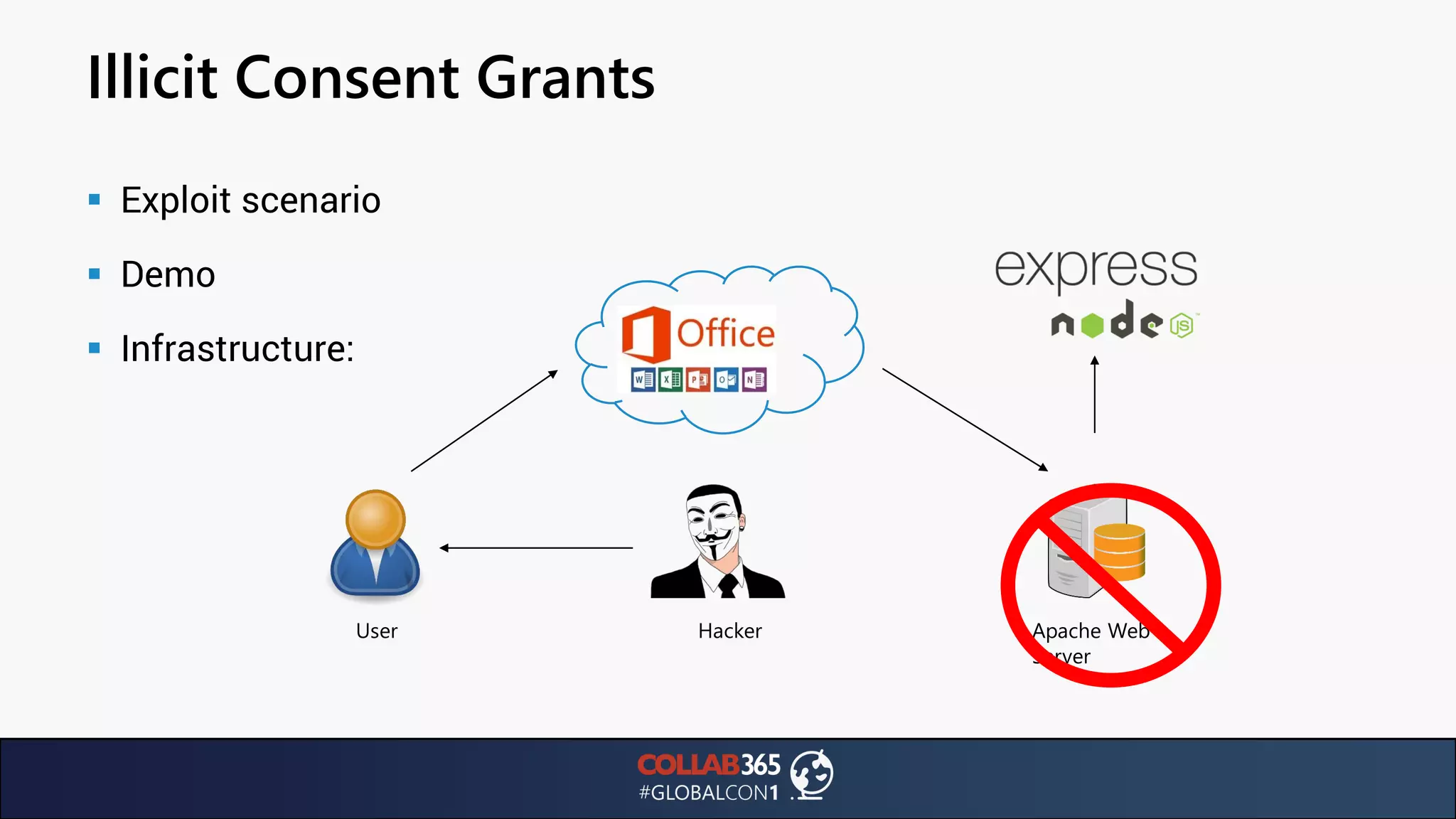
▪ Exploit scenario
▪ Demo
▪ Infrastructure:
User Apache Web
Server
Hacker
Illicit Consent Grants
▪ Exploit Scenario: Let’s dive in!
Illicit Consent Grants
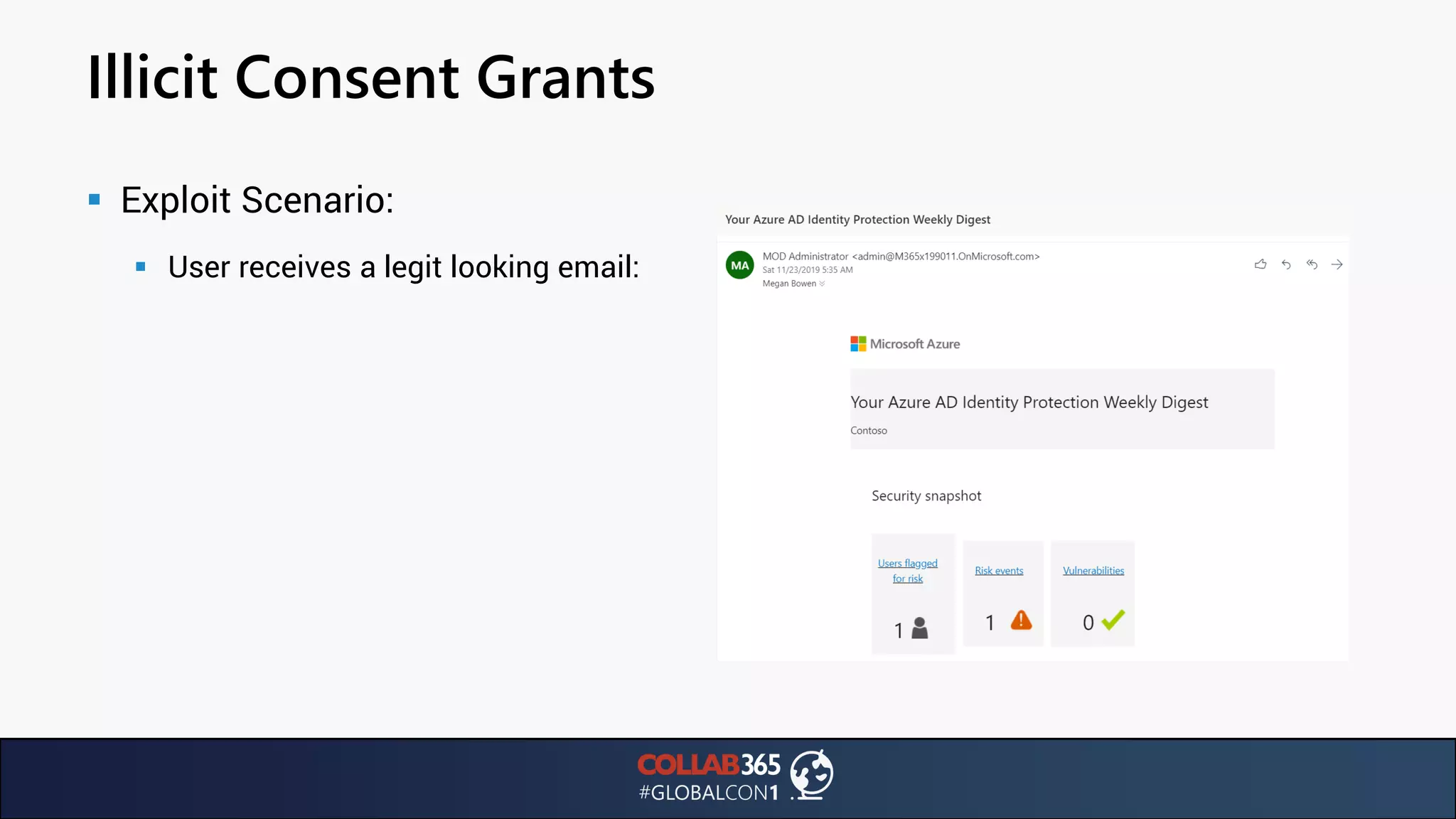
▪ Exploit Scenario:
▪ User receives a legit looking email:
Illicit Consent Grants
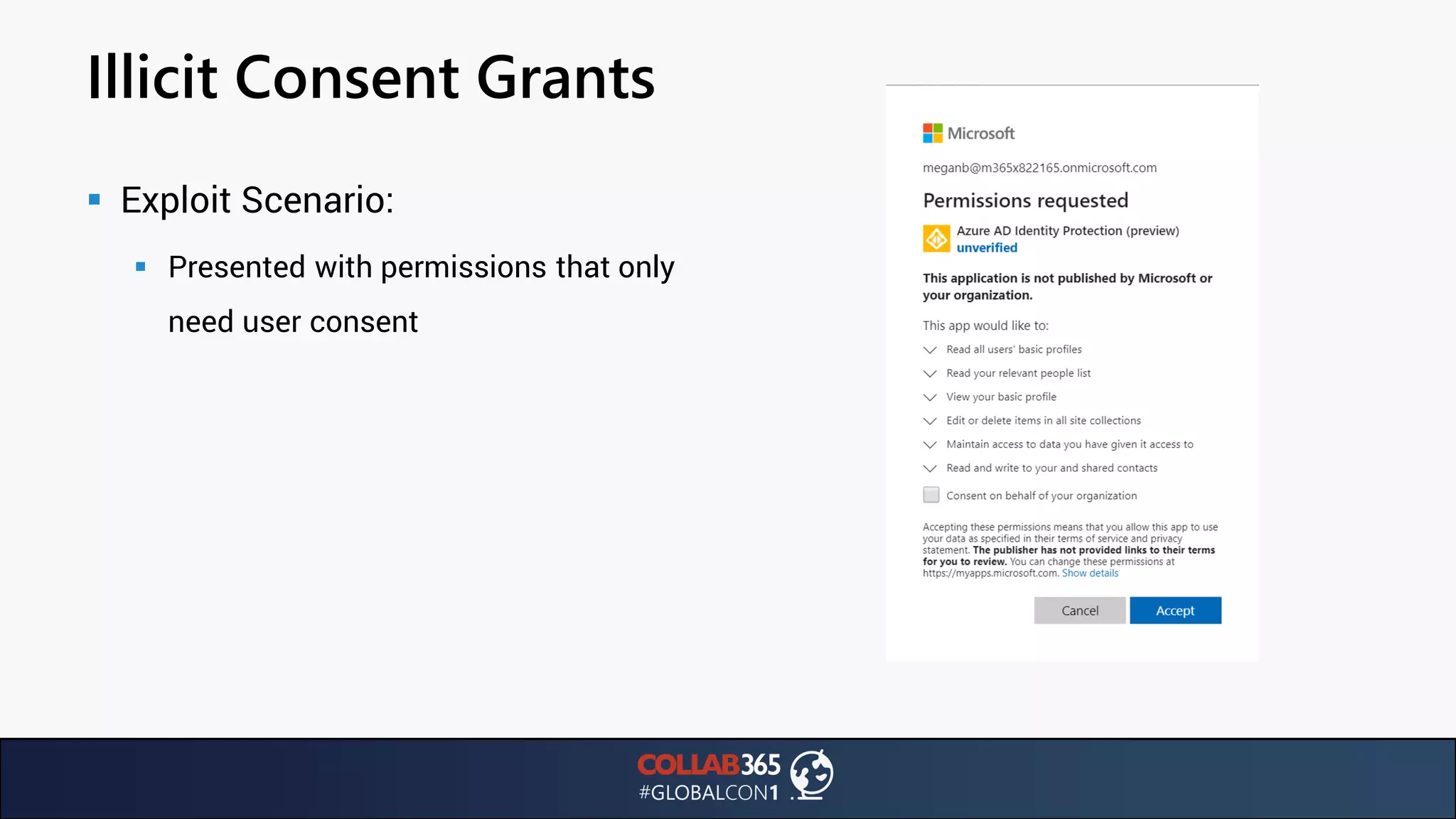
▪ Exploit Scenario:
▪ Presented with permissions that only
need user consent
Illicit Consent Grants
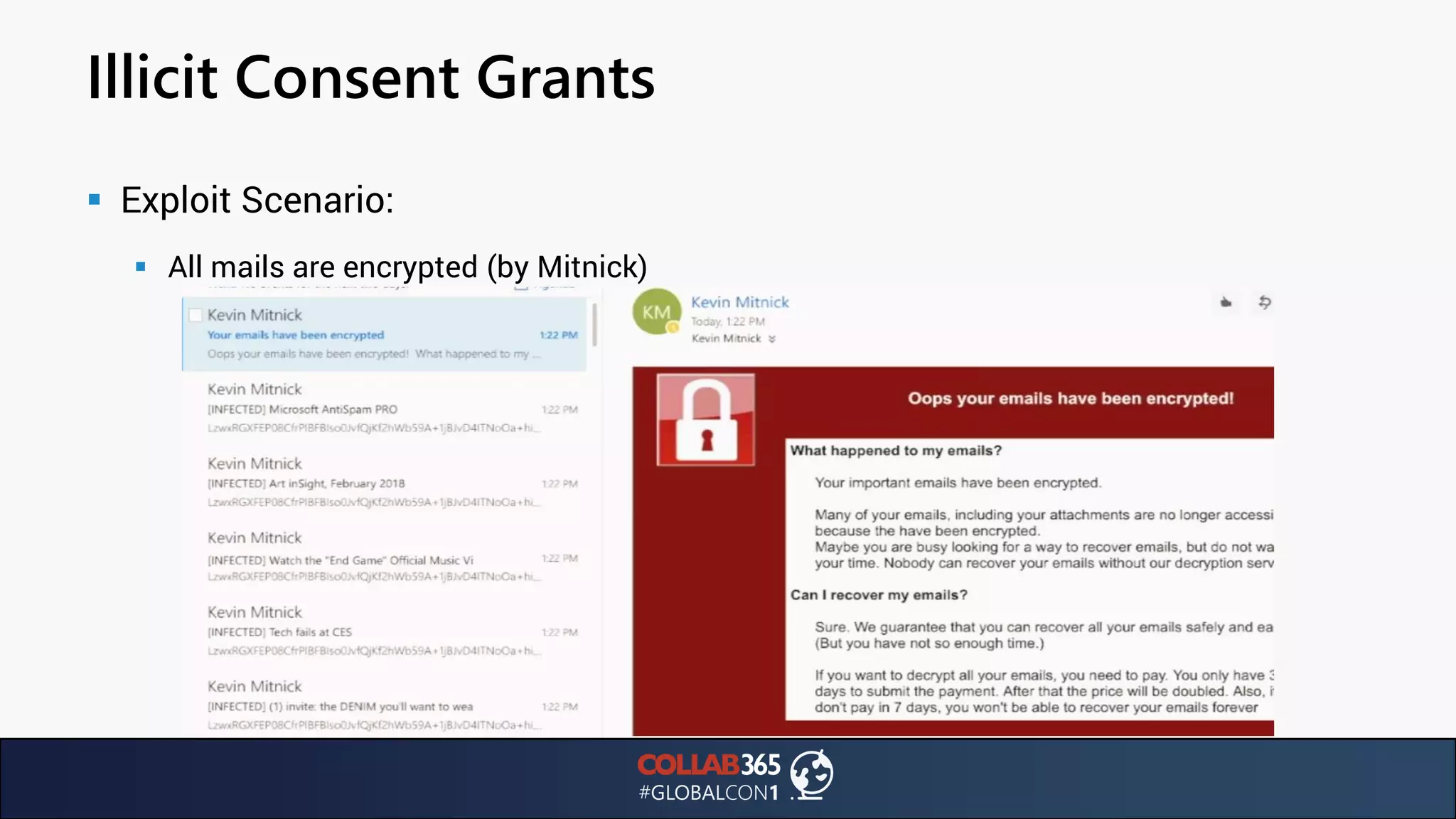
▪ Exploit Scenario:
▪ All mails are encrypted (by Mitnick)
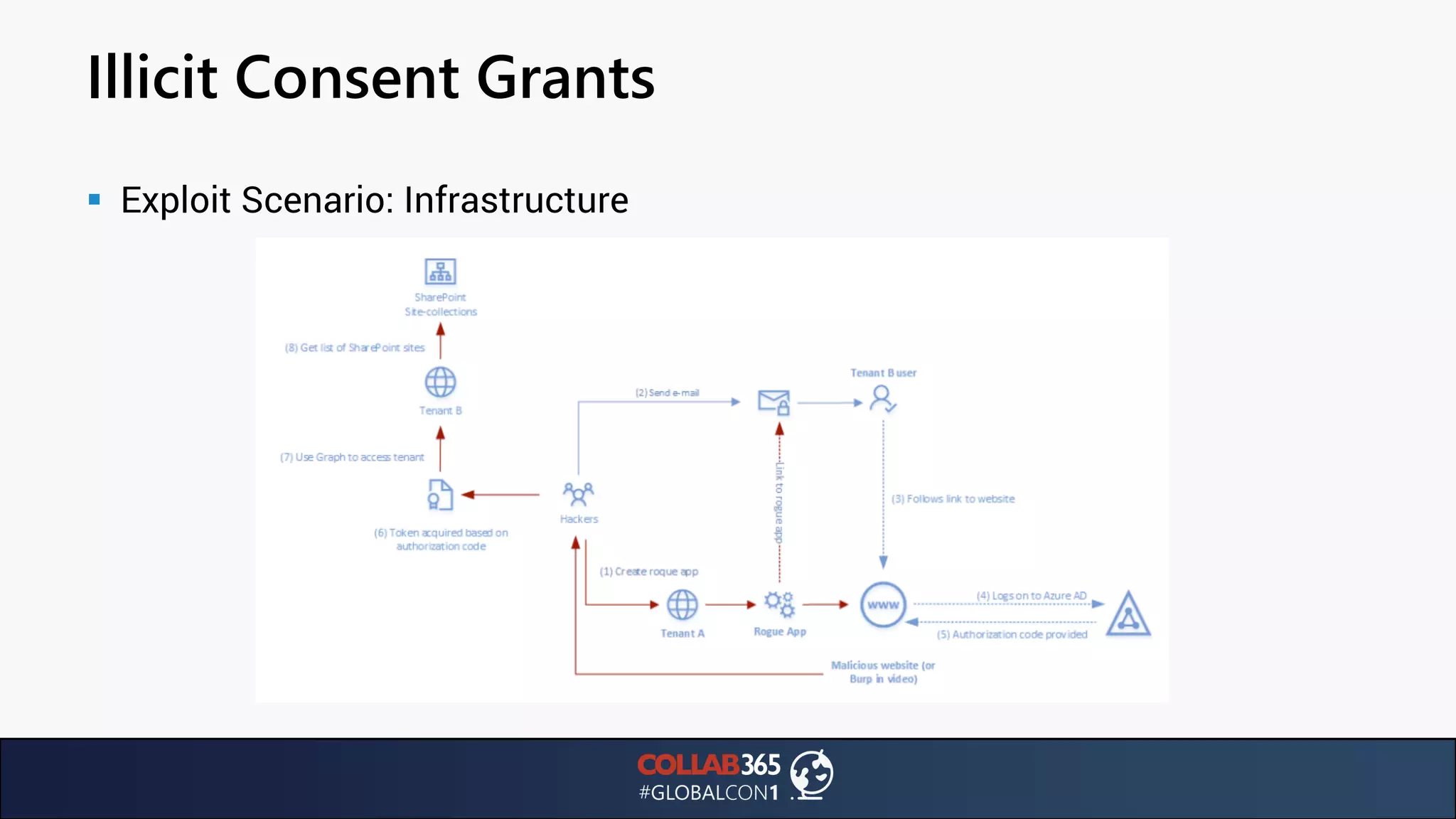
Illicit Consent Grants
▪ Exploit Scenario: Infrastructure
Digital #metoo era
▪ Consent is key
▪ Integrated apps: Using various APIs, you can grant apps access to your tenant data:
▪ Mail, calendars, contacts, conversations
▪ Users, groups, files and folders
▪ SharePoint sites, lists, list items
▪ OneDrive items, permissions and more
▪ Integration: Azure AD provides secure sign-in and authorization
▪ Developer registers the application with Azure AD
▪ Assign permissions to the application
▪ Tenant administrator / user must consent to permissions
Azure AD Applications
▪ Registering the application
▪ Who can register applications in your tenant?
▪ By default: any member! This can be a security issue
▪ Keep in mind: there is a record of what data was shared with which application. Also: when user
adds / allows application to access their data, event can be audited (Audit reports)
▪ See more: https://docs.microsoft.com/en-us/azure/active-directory/develop/active-
directory-how-applications-are-added#who-has-permission-to-add-applications-to-my-azure-
ad-instance
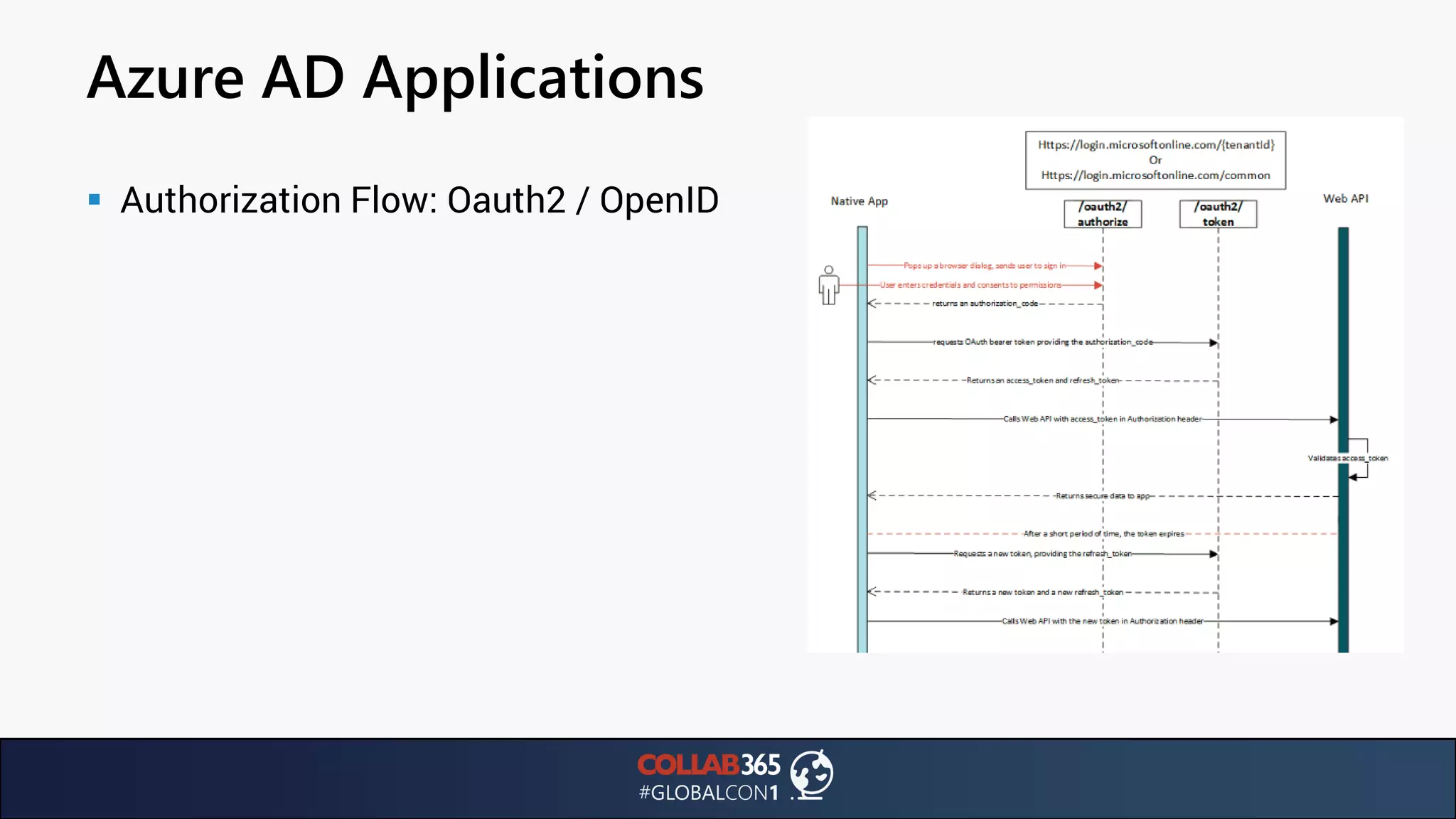
Azure AD Applications
▪ Authorization Flow: Oauth2 / OpenID
Azure AD Applications
▪ Authorization Flow: Let’s simplify
▪ User consents to permissions required by the app
▪ Application asks for authorization from the Azure AD
▪ Azure AD makes the user sign in and returns code to application
▪ Application uses code to retrieve JWT bearer token to use resource (Microsoft Graph API)
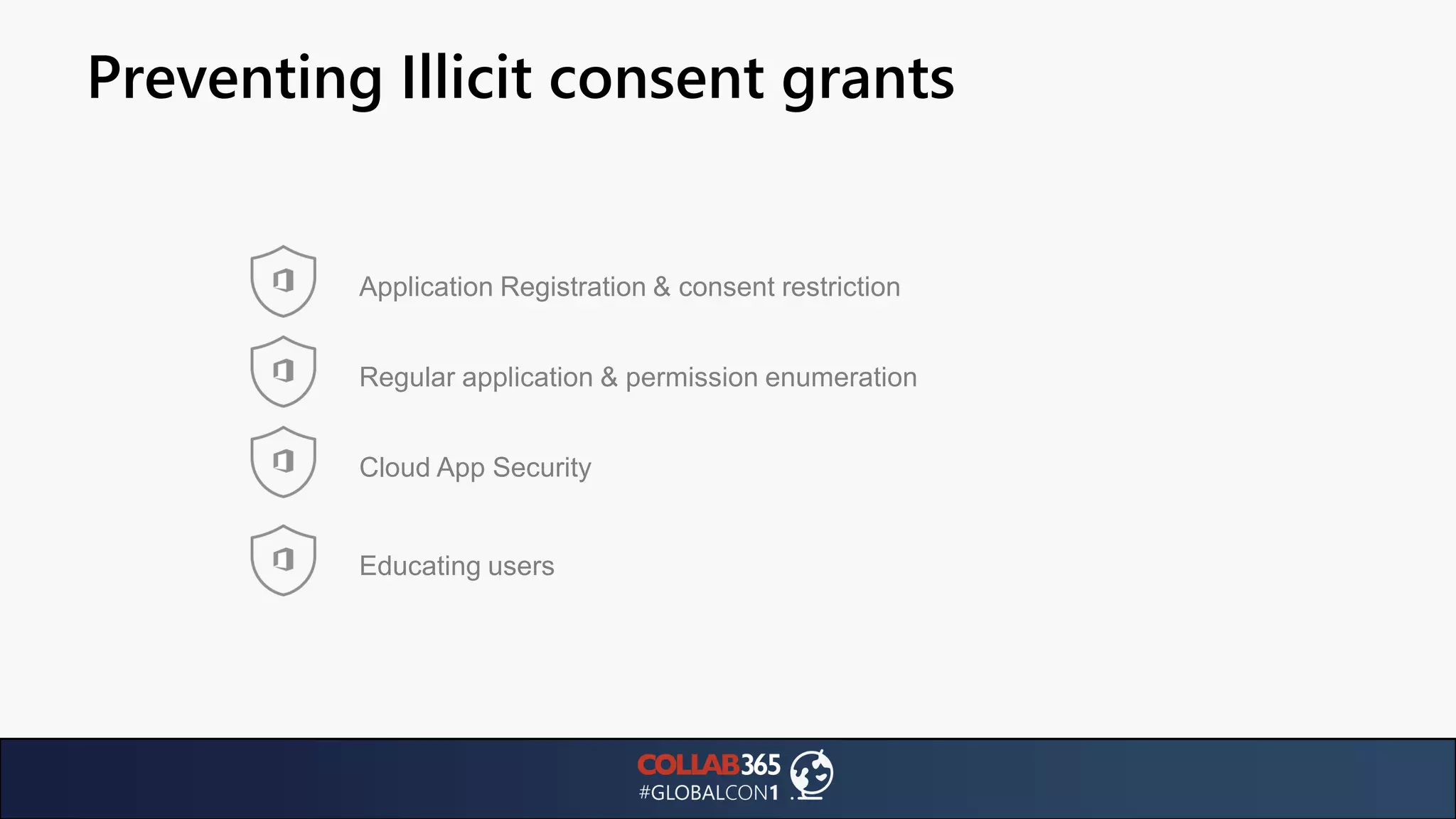
Preventing Illicit consent grants
Regular application & permission enumeration
Cloud App Security
Educating users
Application Registration & consent restriction
Azure AD Applications
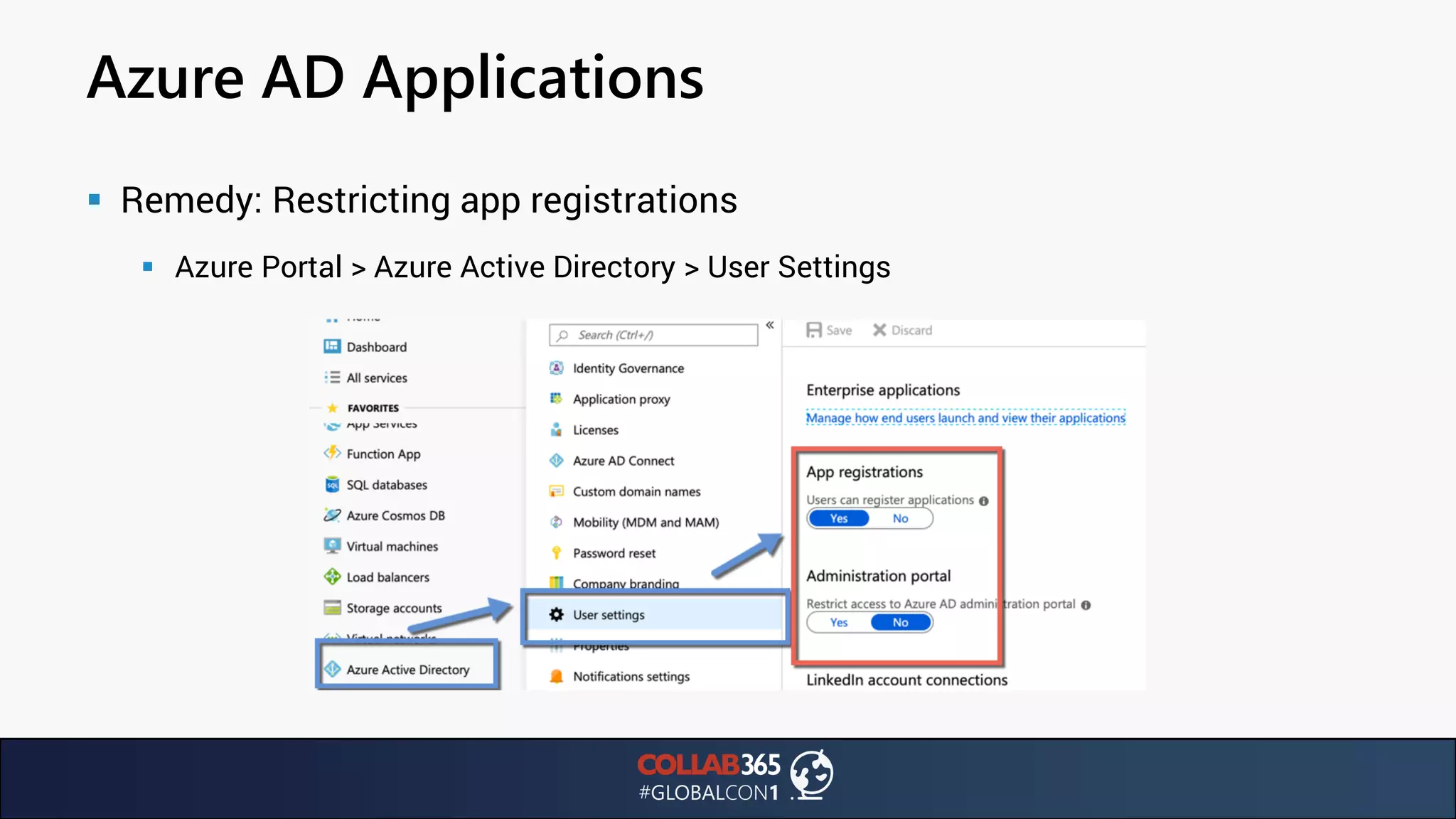
▪ Remedy: Restricting app registrations
▪ Azure Portal > Azure Active Directory > User Settings
Azure AD Applications
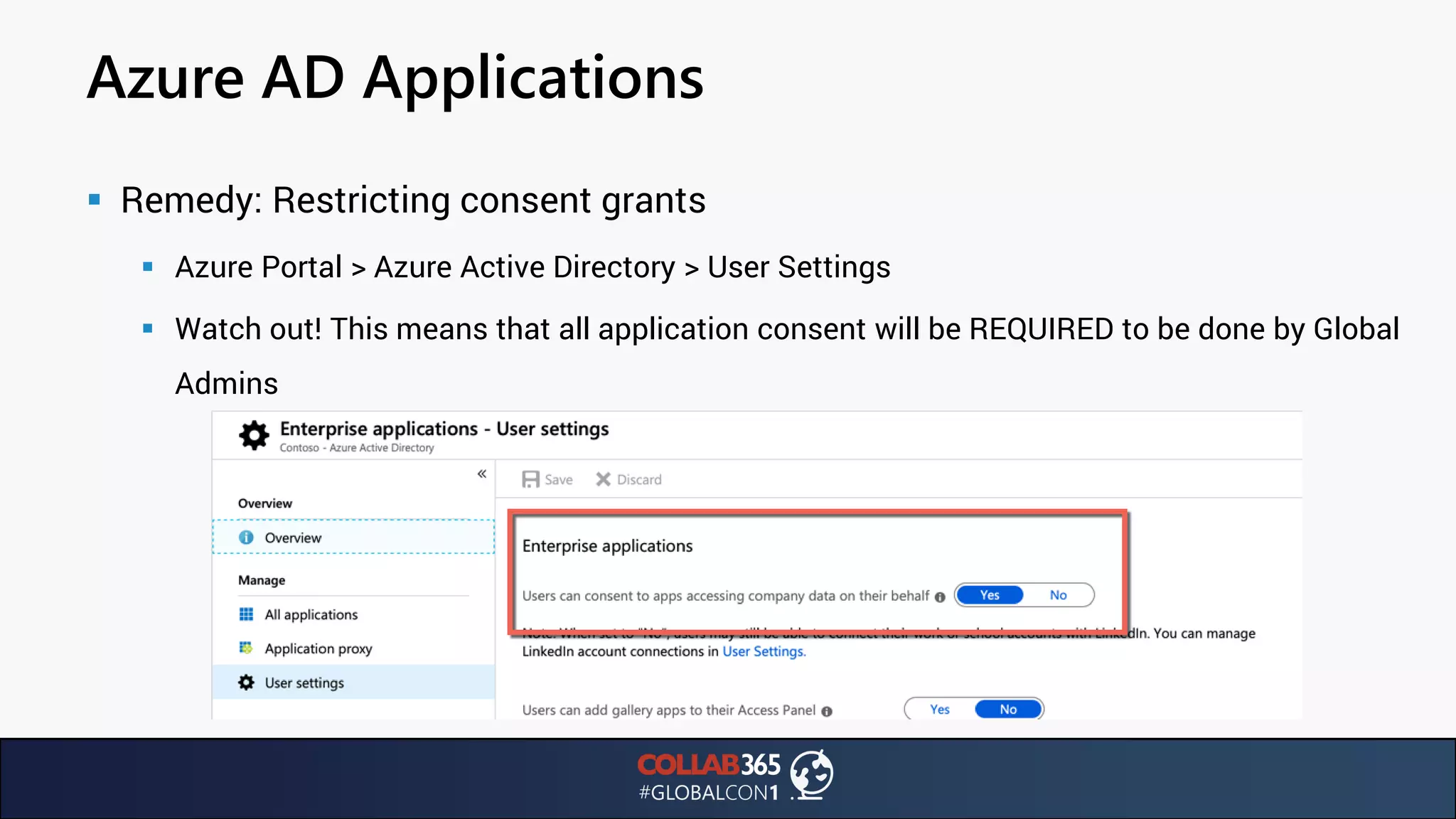
▪ Remedy: Restricting consent grants
▪ Azure Portal > Azure Active Directory > User Settings
▪ Watch out! This means that all application consent will be REQUIRED to be done by Global
Admins
Azure AD Applications
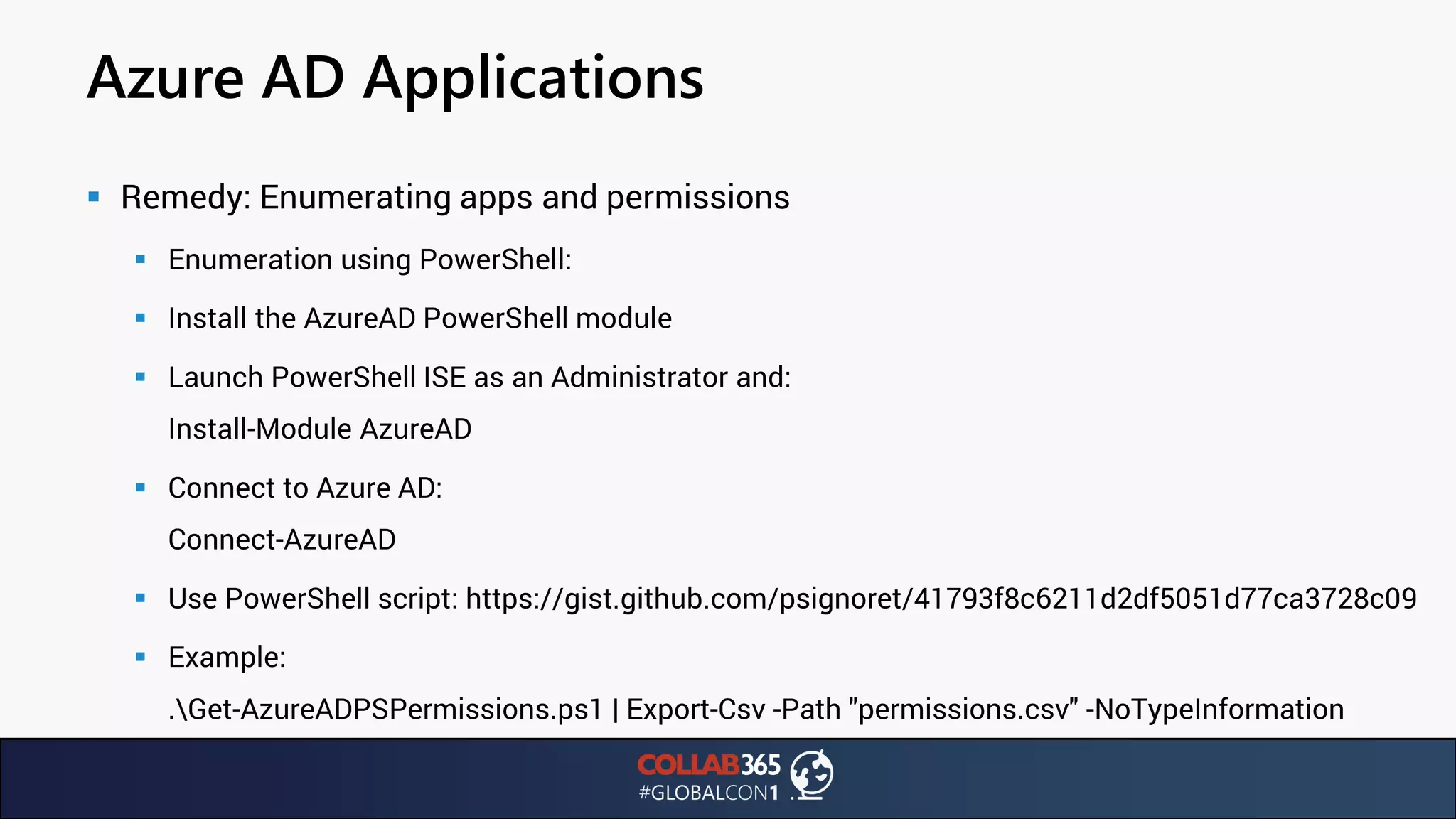
▪ Remedy: Enumerating apps and permissions
▪ Enumeration using PowerShell:
▪ Install the AzureAD PowerShell module
▪ Launch PowerShell ISE as an Administrator and:
Install-Module AzureAD
▪ Connect to Azure AD:
Connect-AzureAD
▪ Use PowerShell script: https://gist.github.com/psignoret/41793f8c6211d2df5051d77ca3728c09
▪ Example:
.Get-AzureADPSPermissions.ps1 | Export-Csv -Path "permissions.csv" -NoTypeInformation
Azure AD Applications
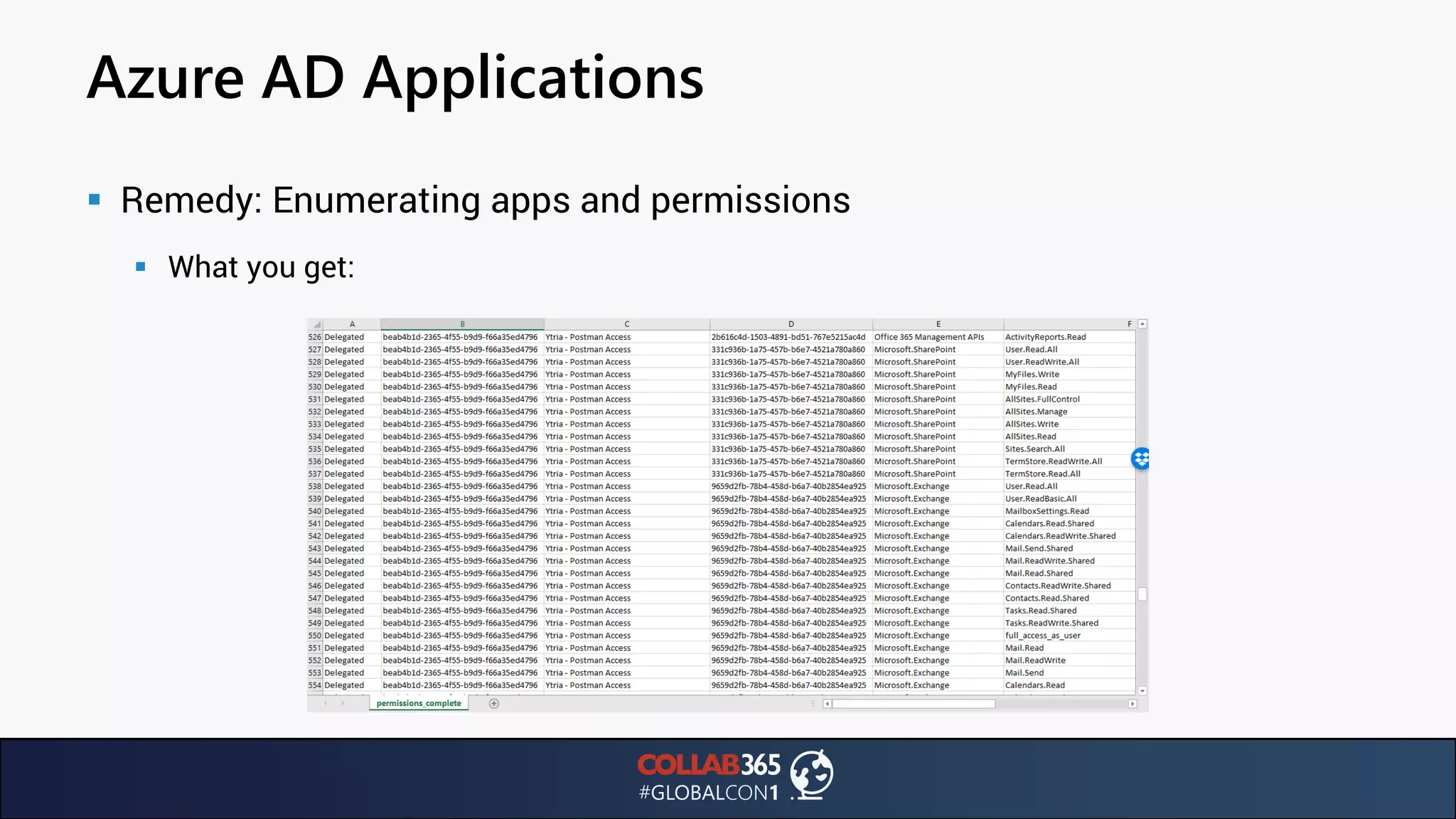
▪ Remedy: Enumerating apps and permissions
▪ What you get:
Azure AD Applications
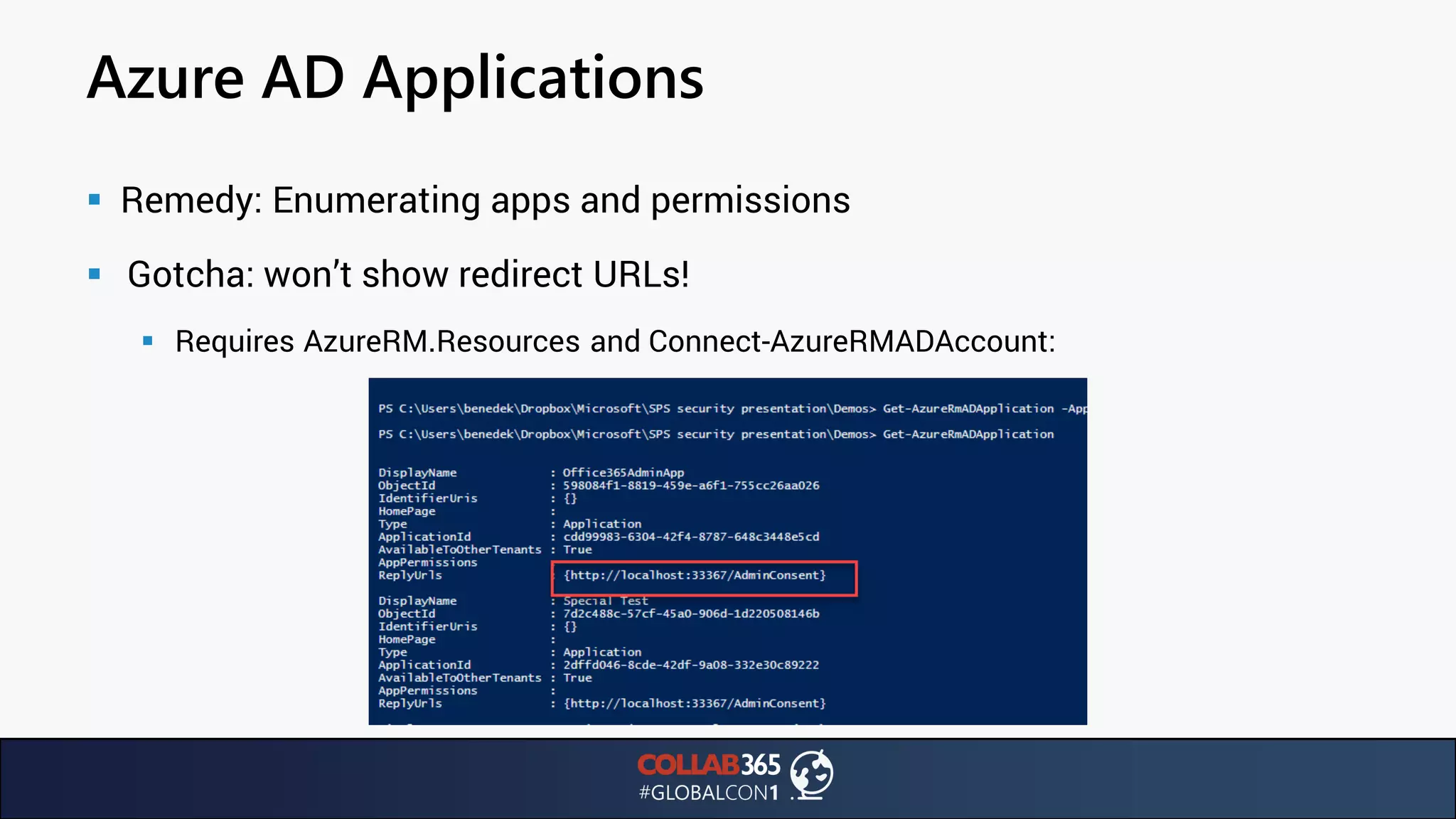
▪ Remedy: Enumerating apps and permissions
▪ Gotcha: won’t show redirect URLs!
▪ Requires AzureRM.Resources and Connect-AzureRMADAccount:
Azure AD Applications
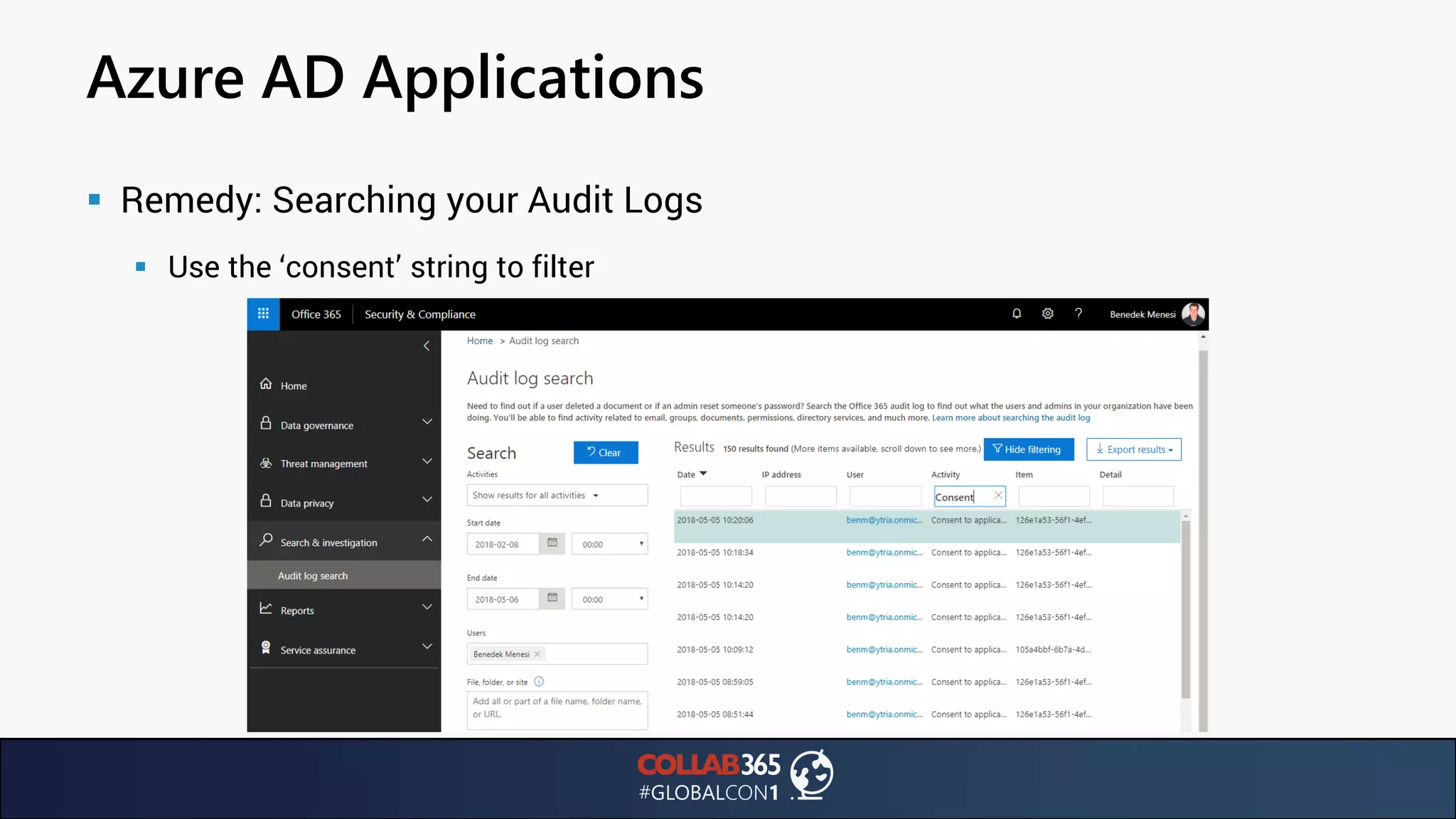
▪ Remedy: Searching your Audit Logs
▪ Use the ‘consent’ string to filter
Azure AD Applications
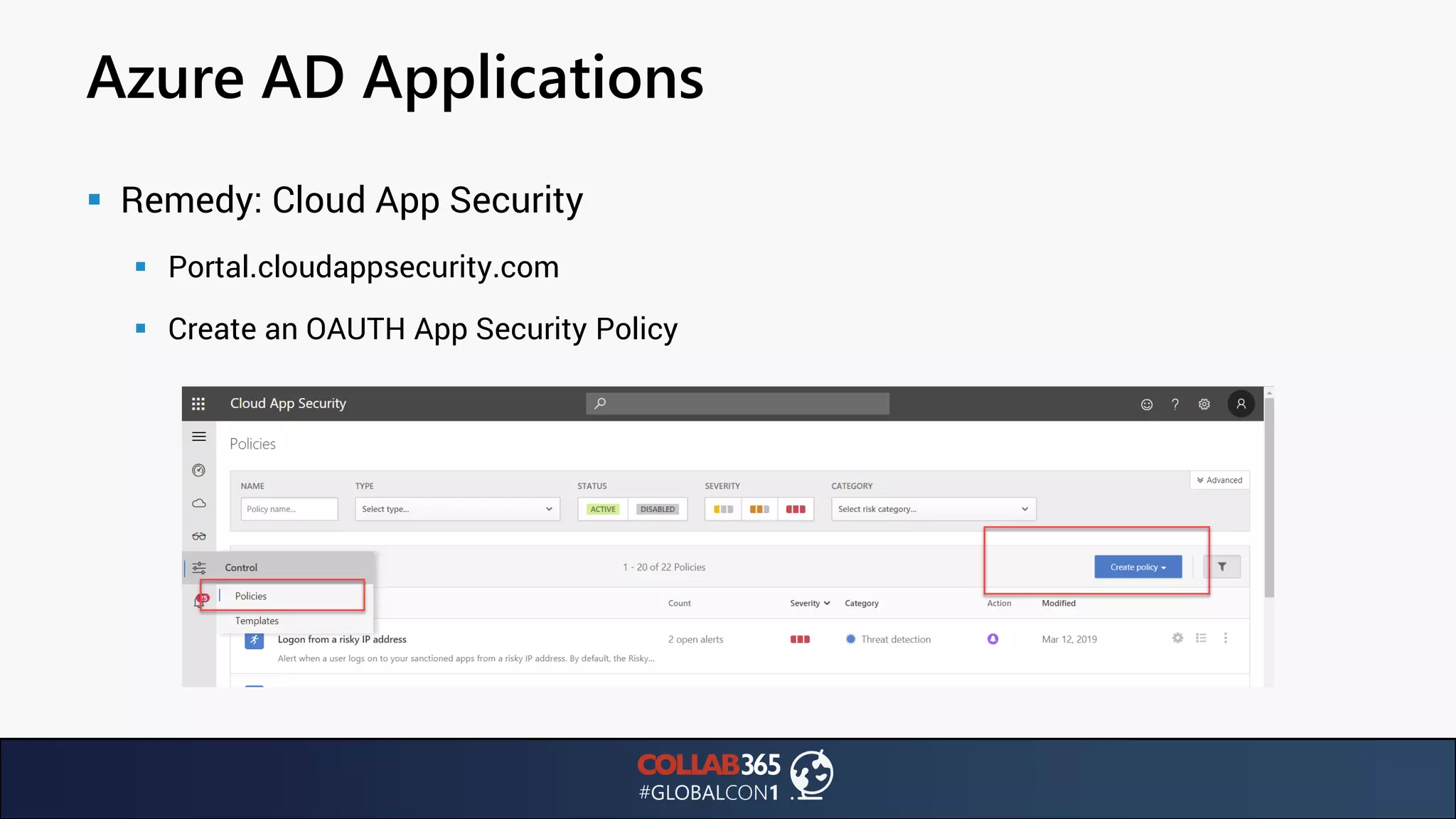
▪ Remedy: Cloud App Security
▪ Portal.cloudappsecurity.com
▪ Create an OAUTH App Security Policy
Azure AD Applications
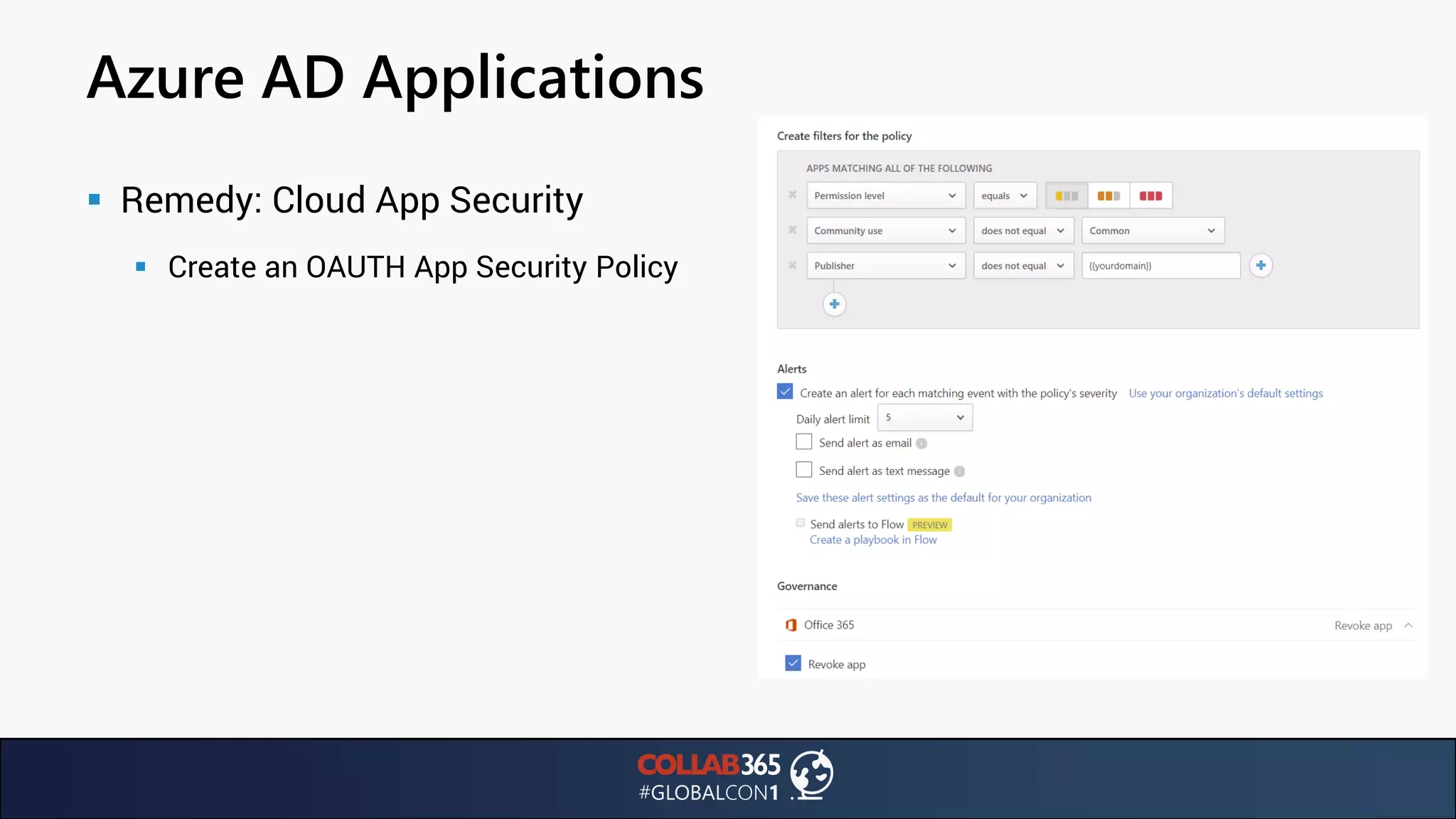
▪ Remedy: Cloud App Security
▪ Create an OAUTH App Security Policy
Azure AD Applications
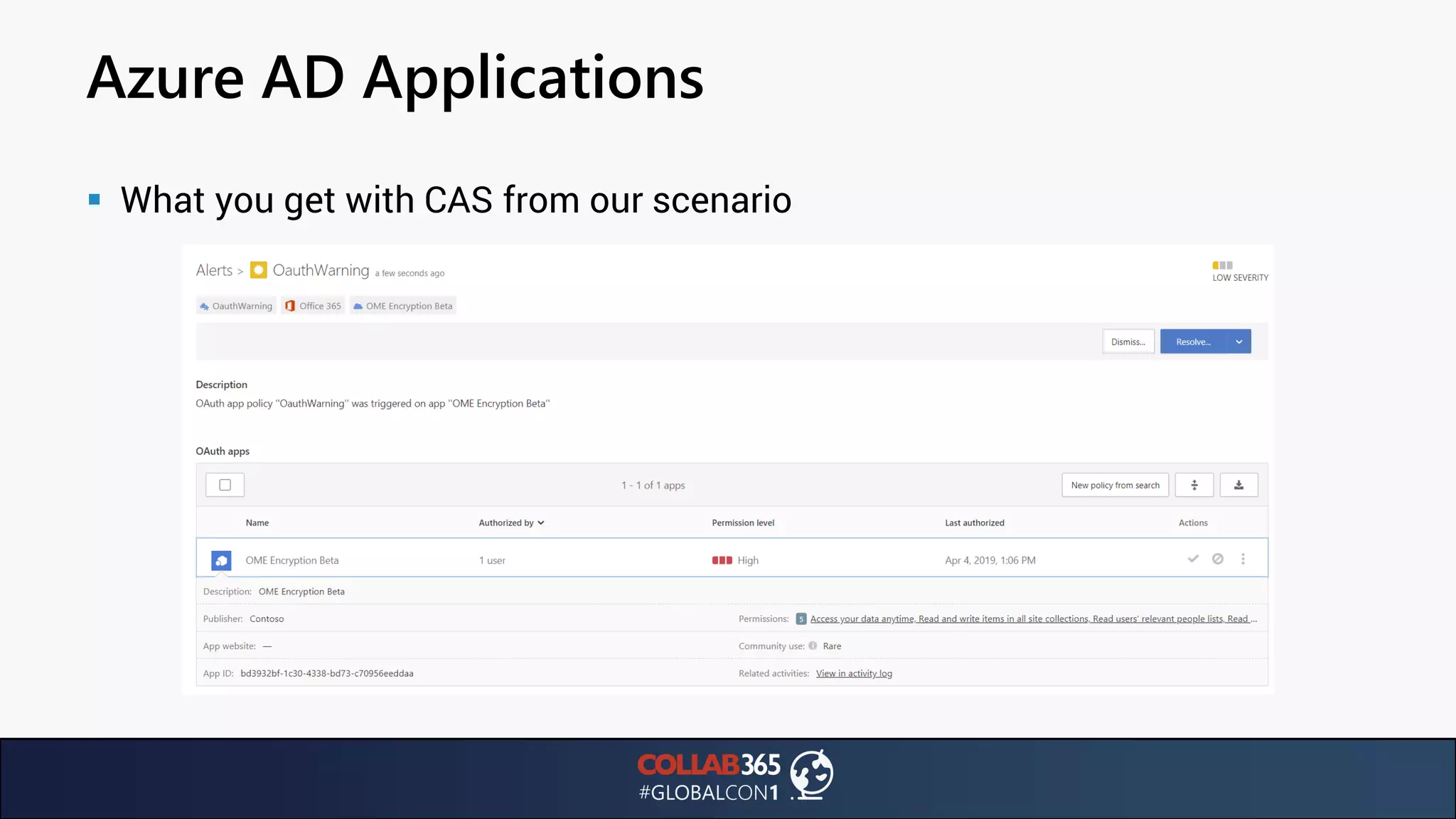
▪ What you get with CAS from our scenario
Password Attacks
Brute Force Attacks
▪ In the news in August 2017: sophisticated and coordinated attack against 48
Office365 customers
▪ Brute Force attack unique: targeting multiple cloud providers
▪ 100,000 failed login attempts from 67 Ips and 12 networks over 7 months
▪ Slow and low to avoid intrusion detection
▪ Users see unsuccessful login attempts using name up to 17 name variations
▪ Passwords likely the same (password spray attack)
▪ https://www.tripwire.com/state-of-security/featured/new-type-brute-force-
attack-office-365-accounts/
Brute Force Attacks
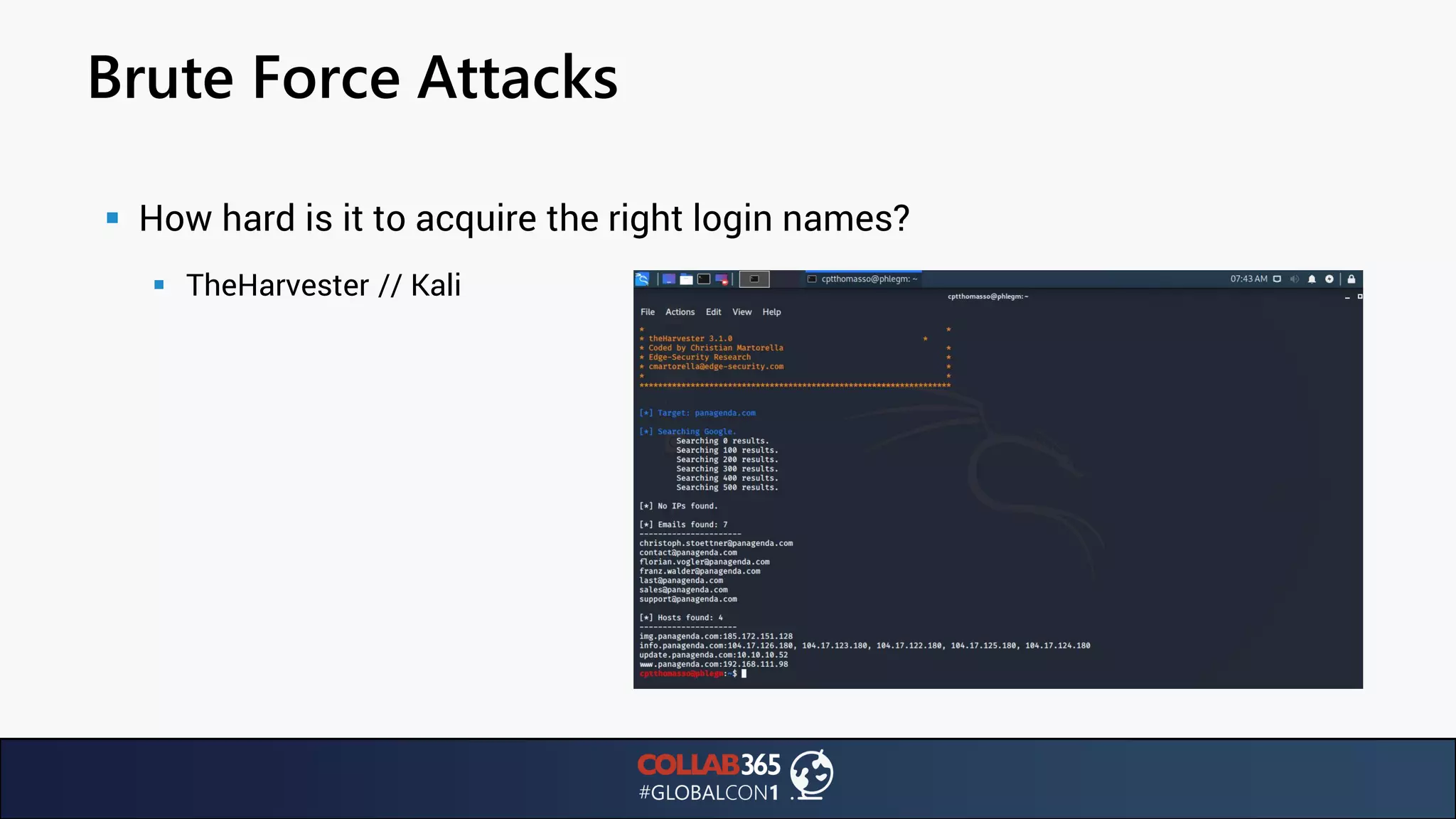
▪ How hard is it to acquire the right login names?
▪ TheHarvester // Kali
Brute Force Attacks
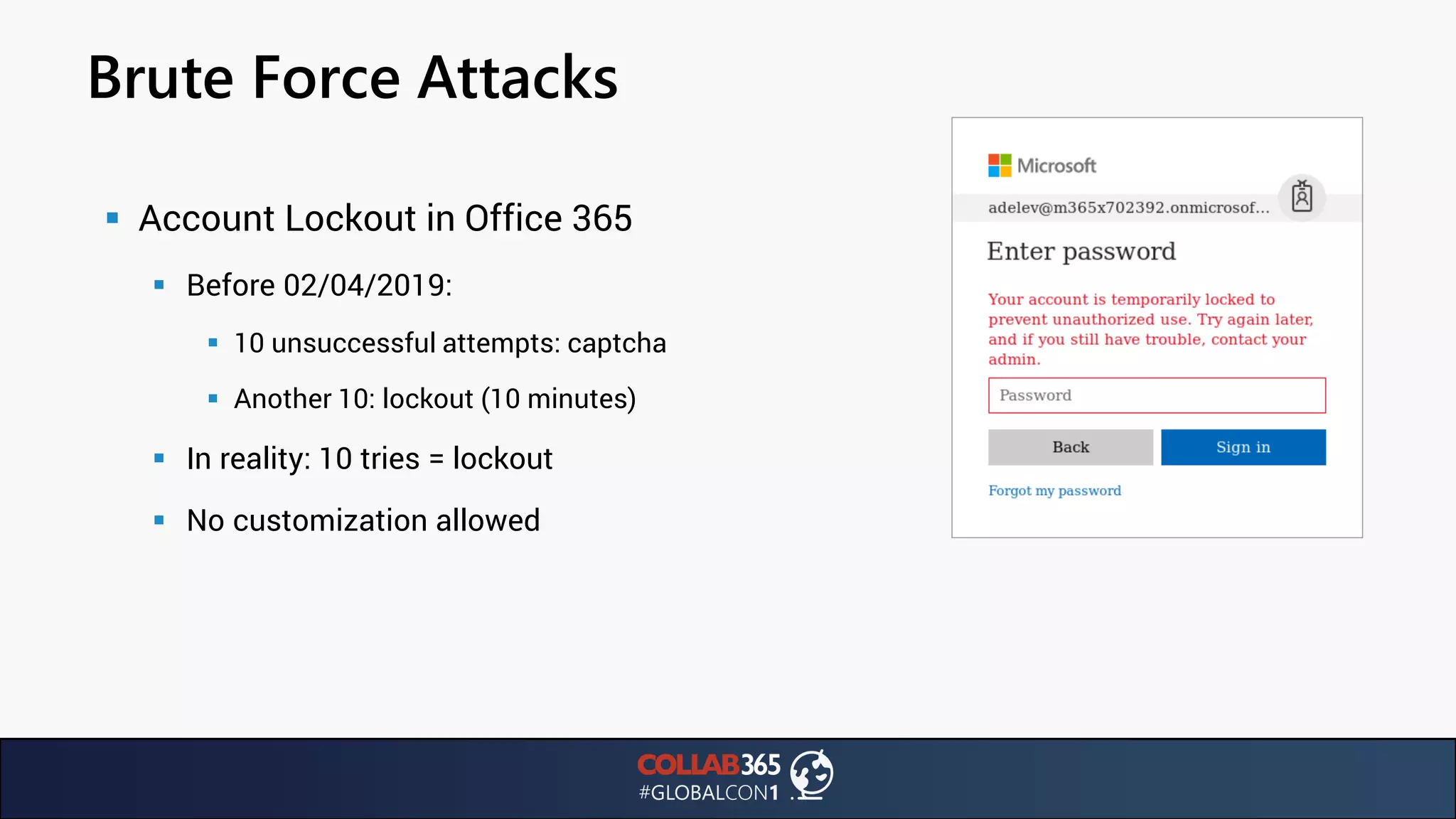
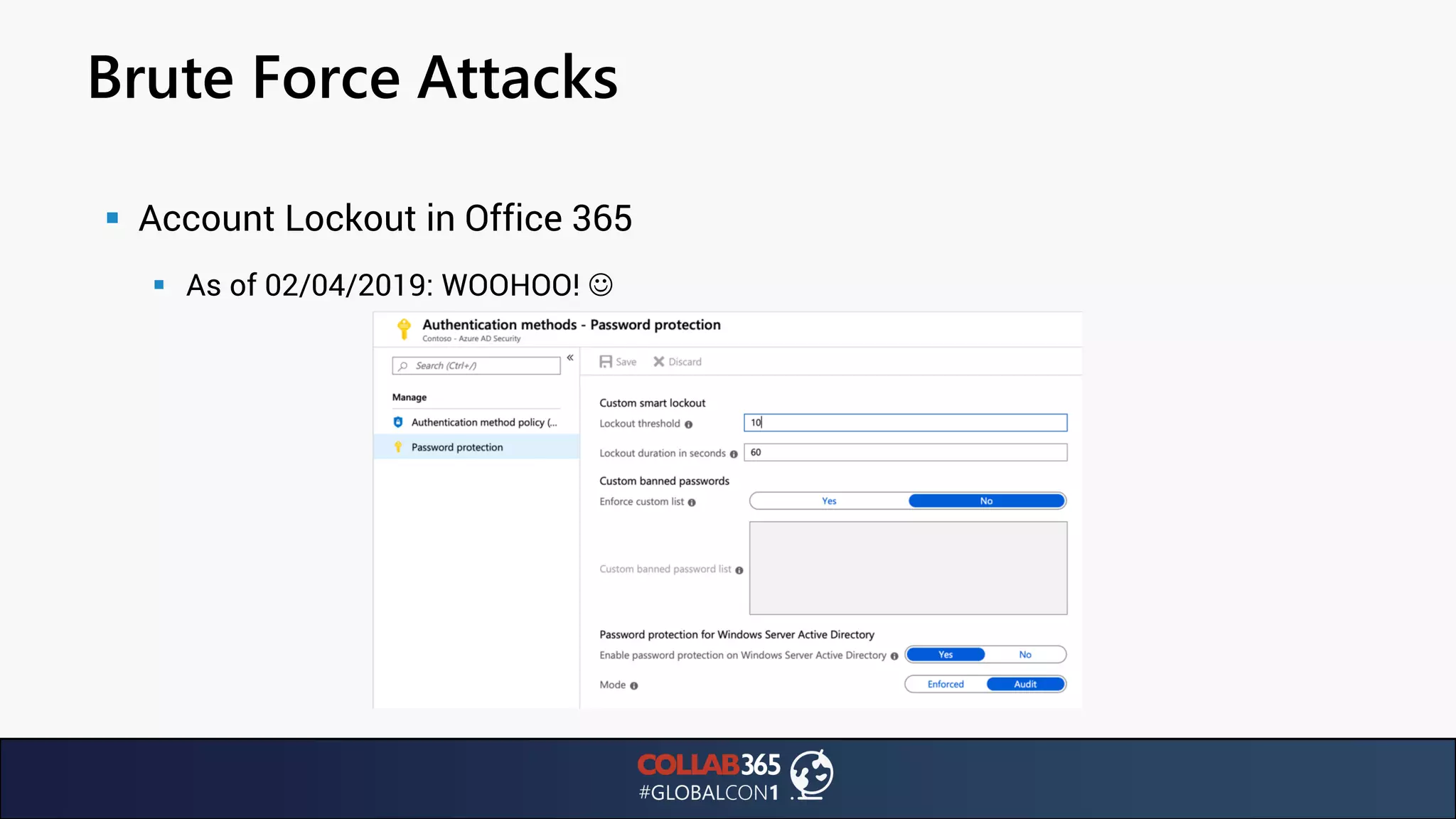
▪ Account Lockout in Office 365
▪ Before 02/04/2019:
▪ 10 unsuccessful attempts: captcha
▪ Another 10: lockout (10 minutes)
▪ In reality: 10 tries = lockout
▪ No customization allowed
Brute Force Attacks
▪ Account Lockout in Office 365
▪ As of 02/04/2019: WOOHOO! ☺
A new(ish) attack / vulnerability
▪ Credential stuffing: using login + password combos exposed in data breaches
against Office365
▪ About 85% of users reuse passwords
▪ Enforcing unique passwords for the enterprise is impossible
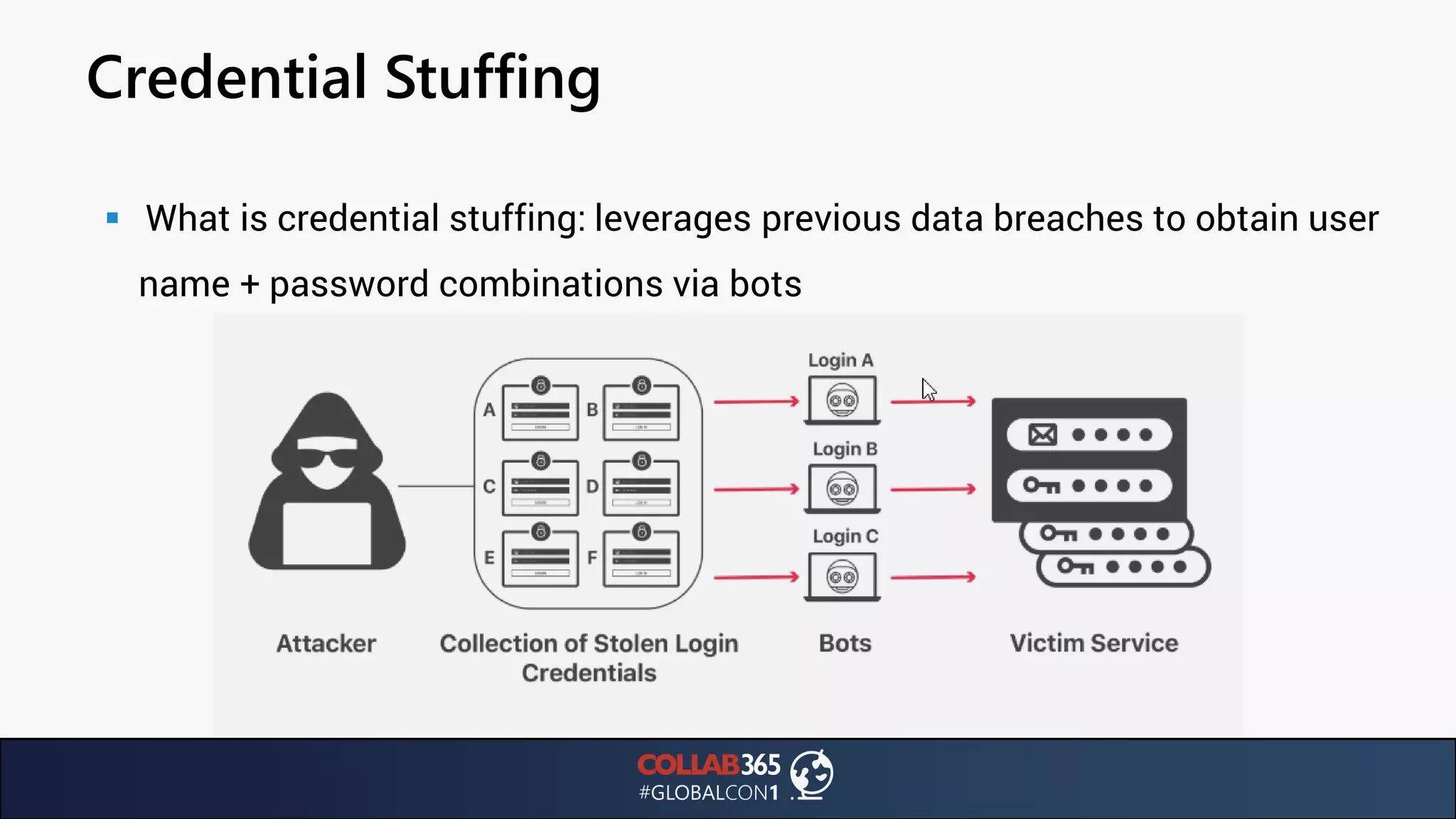
Credential Stuffing
▪ What is credential stuffing: leverages previous data breaches to obtain user
name + password combinations via bots
Credential Stuffing
▪ Problem: attacker might only need one single attempt for successful intrusion
▪ Cloudflare estimates success rate at 0.1% = weak
▪ 1M logins = 1k successful logins: still a major issue
▪ Prevention possibilities
▪ 1.) Multi Factor Authentication
▪ 2.) Bot management systems (IP Reputation database) to prevent bots from login attempts
▪ 3.) Due diligence in breached data
Credential Stuffing: Prevention
▪ Suggestion:
▪ Use MFA AND regularly scan for breached accounts
▪ How to scan breached accounts:
▪ Troy Hunt’s https://haveibeenpwned.com offers a $3,5/month subscription for using their
API
▪ Using the REST API, you can retrieve any and all accounts that have been exposed in data
breaches.
▪ Here‘s how:
Credential Stuffing: Prevention
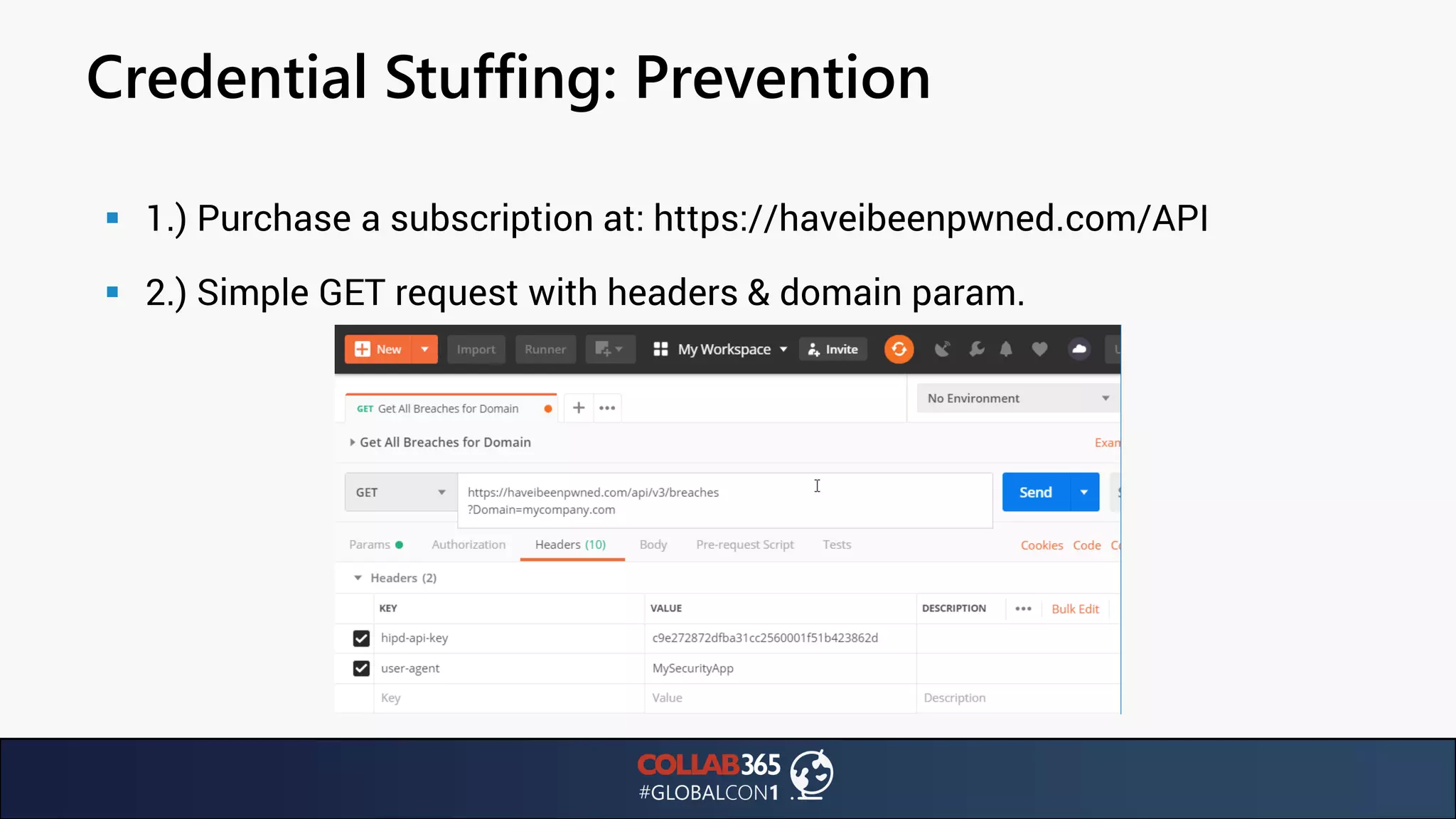
▪ 1.) Purchase a subscription at: https://haveibeenpwned.com/API
▪ 2.) Simple GET request with headers & domain param.
Credential Stuffing: Prevention
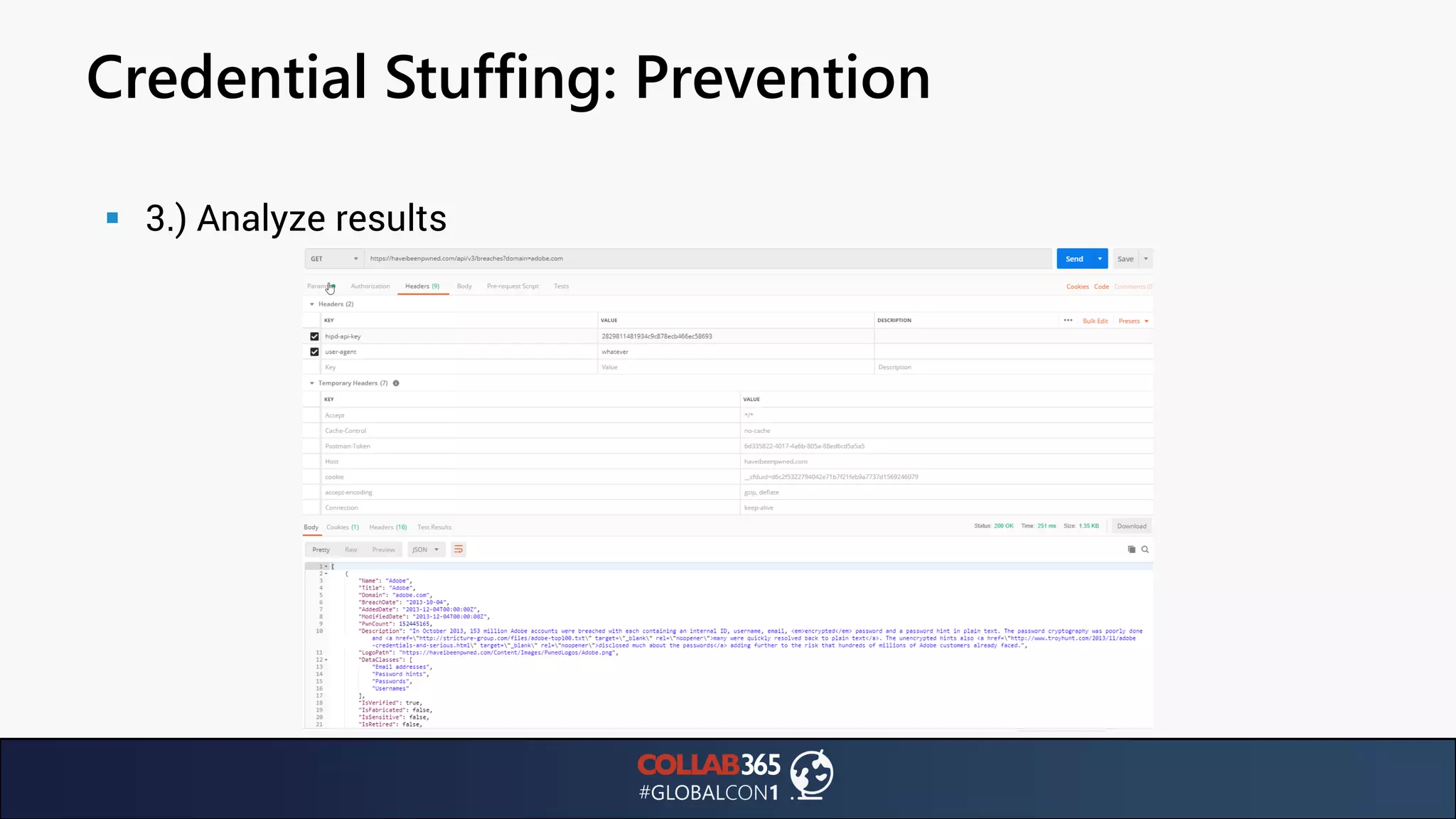
▪ 3.) Analyze results
Brute Force Attacks
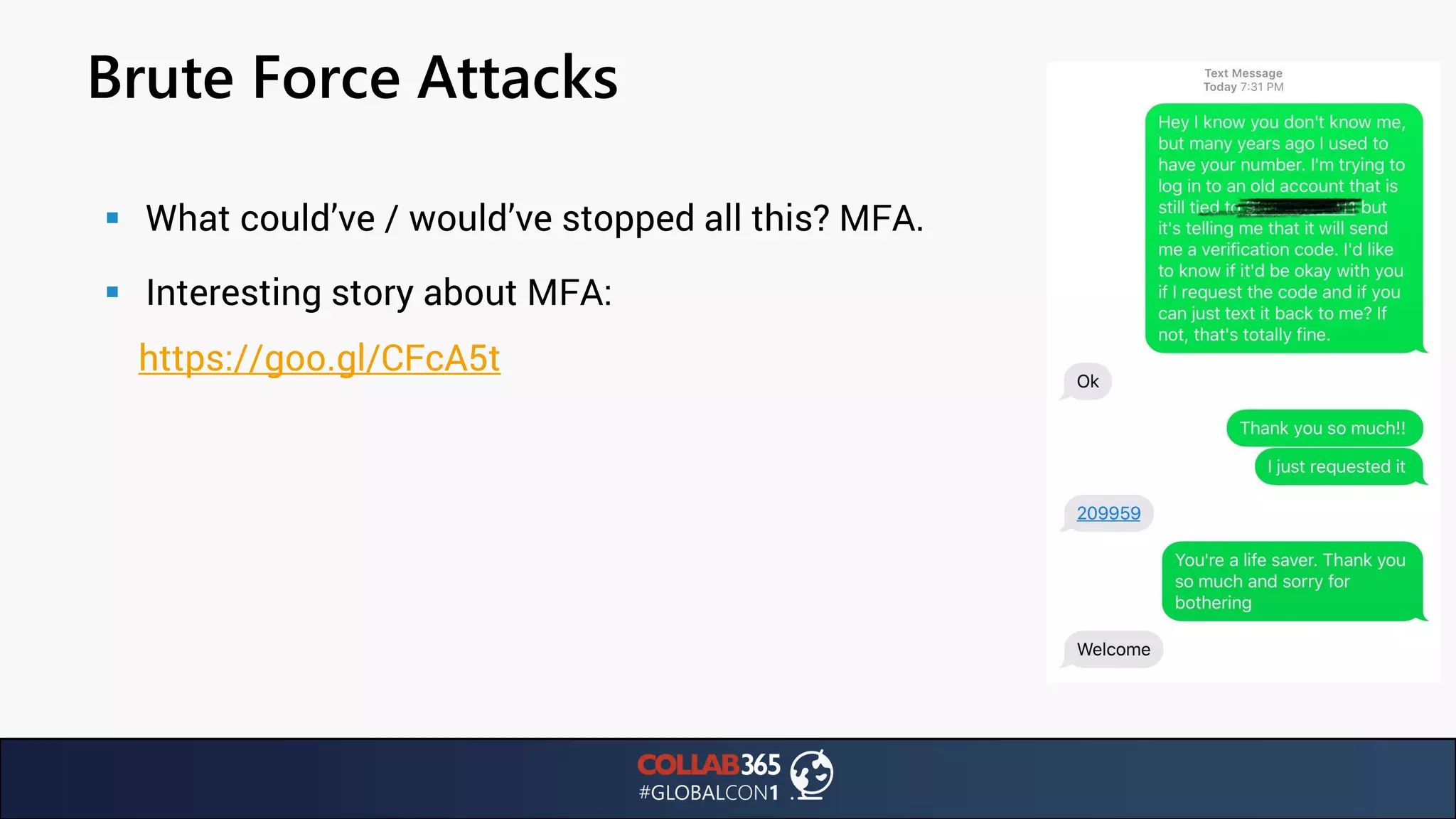
▪ What could’ve / would’ve stopped all this? MFA.
▪ Interesting story about MFA:
https://goo.gl/CFcA5t
Brute Force Attacks
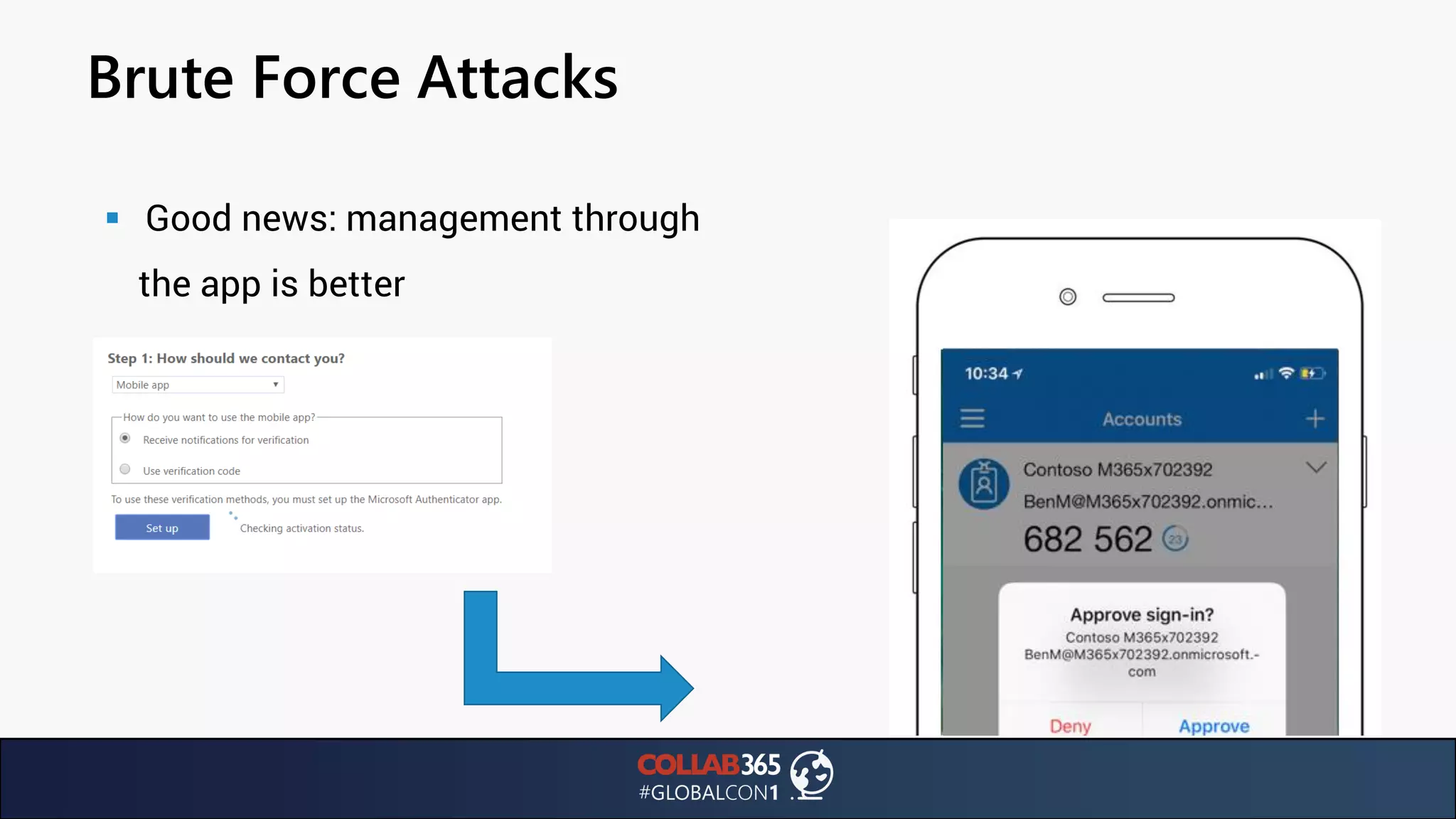
▪ Good news: management through
the app is better
Brute Force Attacks
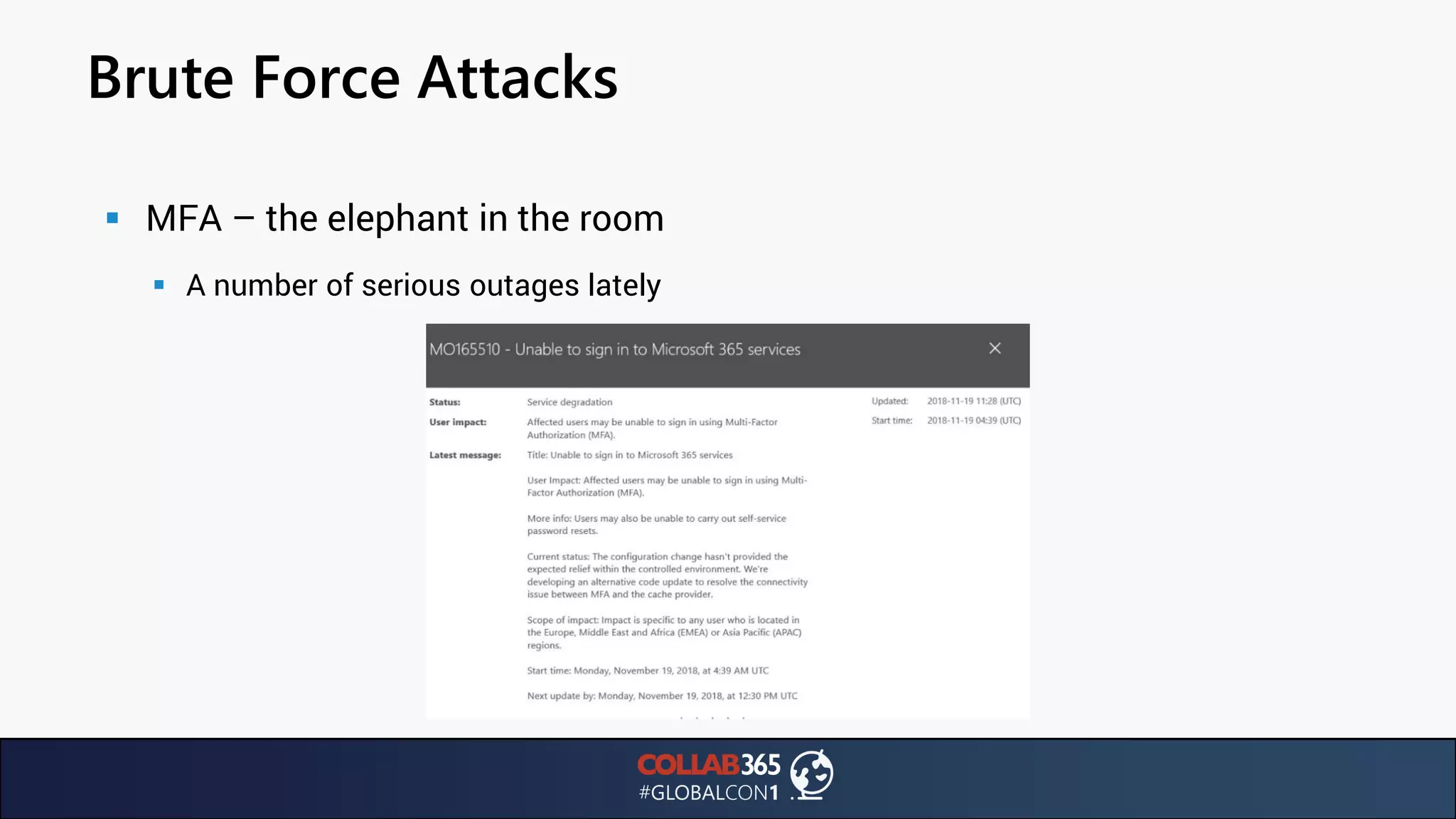
▪ MFA – the elephant in the room
▪ A number of serious outages lately
Brute Force Attacks
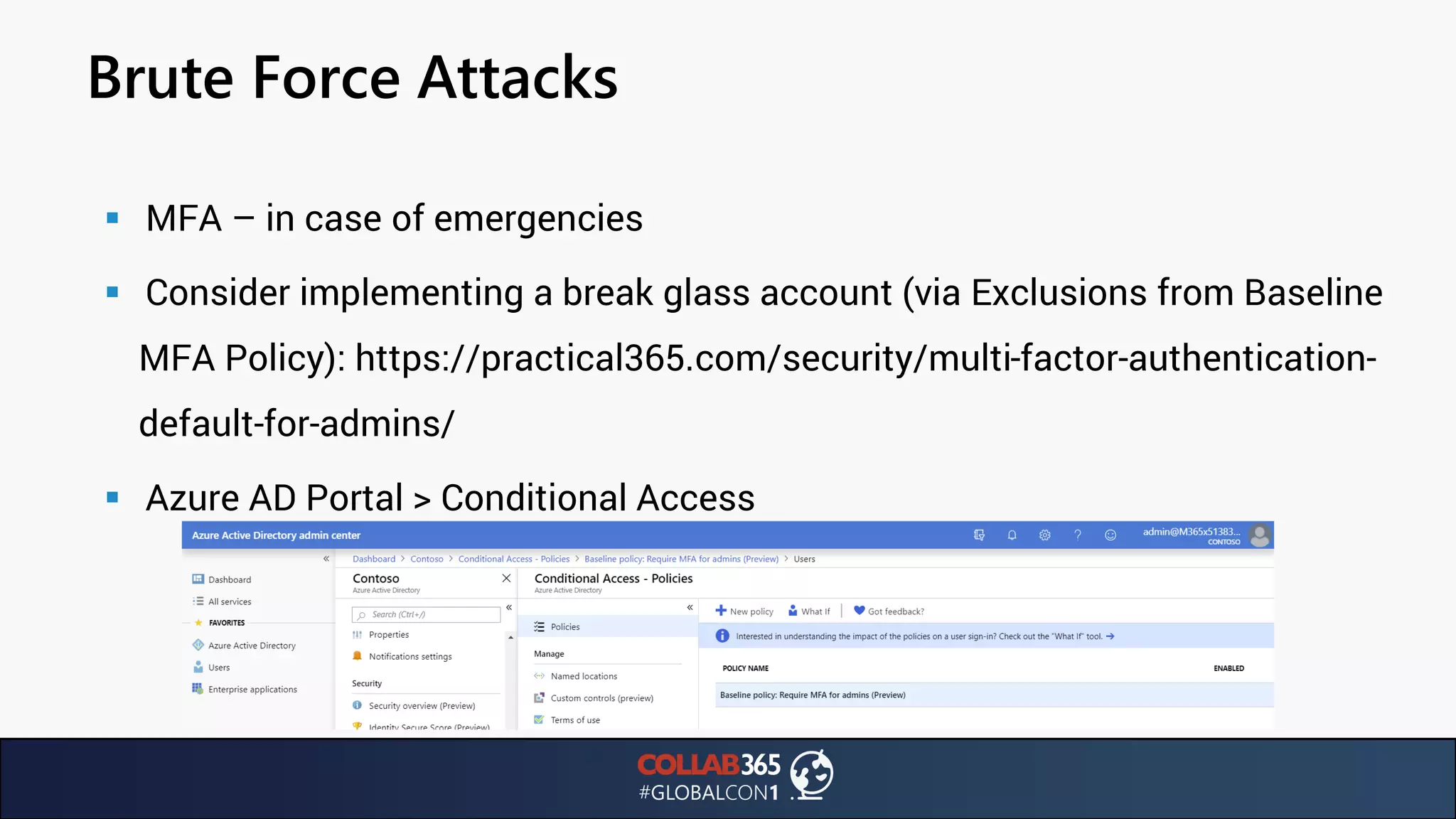
▪ MFA – in case of emergencies
▪ Consider implementing a break glass account (via Exclusions from Baseline
MFA Policy): https://practical365.com/security/multi-factor-authentication-
default-for-admins/
▪ Azure AD Portal > Conditional Access
Brute Force Attacks
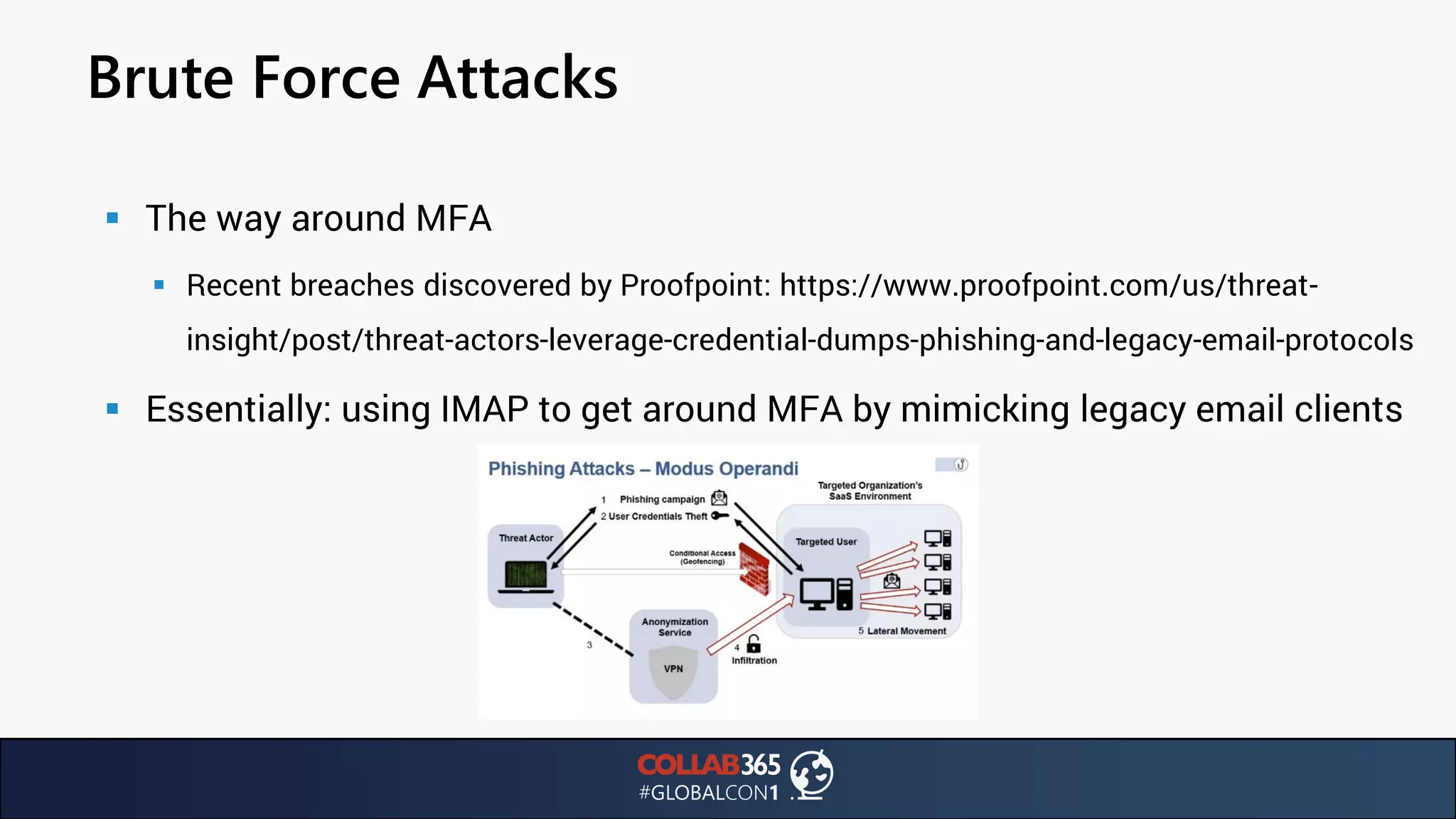
▪ The way around MFA
▪ Recent breaches discovered by Proofpoint: https://www.proofpoint.com/us/threat-
insight/post/threat-actors-leverage-credential-dumps-phishing-and-legacy-email-protocols
▪ Essentially: using IMAP to get around MFA by mimicking legacy email clients
MFA Exploit
Highlights
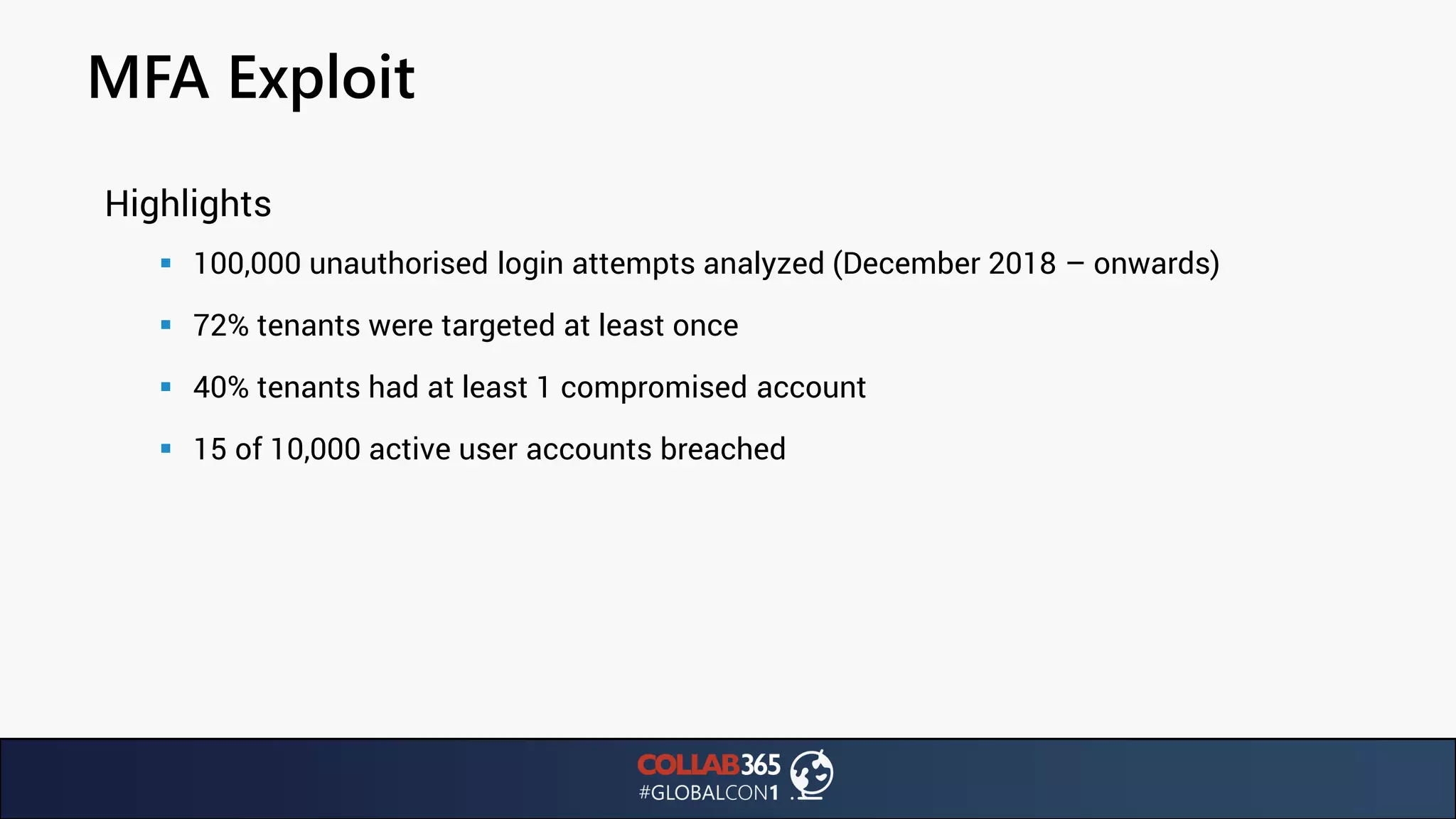
▪ 100,000 unauthorised login attempts analyzed (December 2018 – onwards)
▪ 72% tenants were targeted at least once
▪ 40% tenants had at least 1 compromised account
▪ 15 of 10,000 active user accounts breached
MFA Exploit
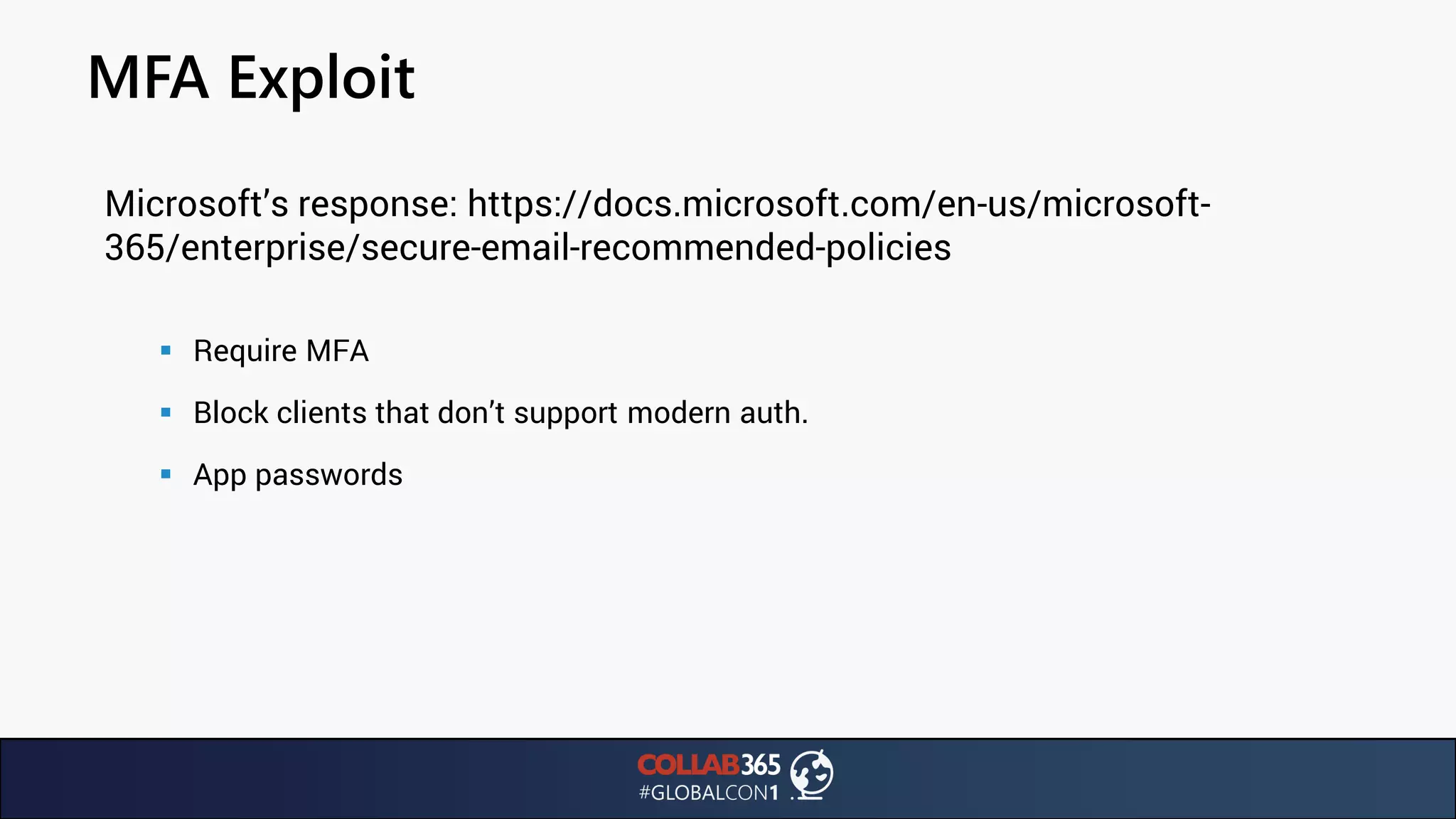
Microsoft’s response: https://docs.microsoft.com/en-us/microsoft-
365/enterprise/secure-email-recommended-policies
▪ Require MFA
▪ Block clients that don’t support modern auth.
▪ App passwords
MFA Exploit
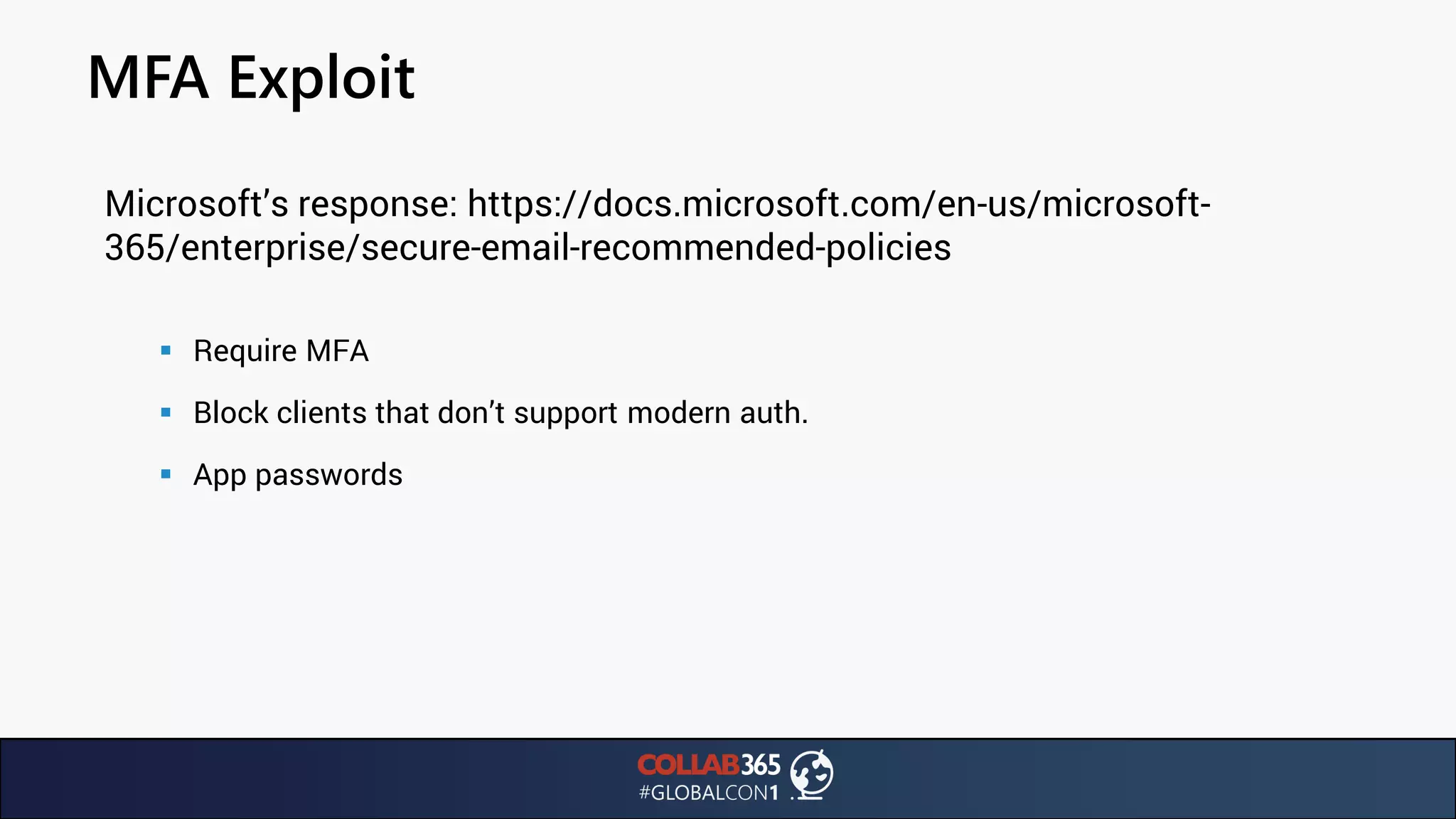
Microsoft’s response: https://docs.microsoft.com/en-us/microsoft-
365/enterprise/secure-email-recommended-policies
▪ Require MFA
▪ Block clients that don’t support modern auth.
▪ App passwords
Attack Simulator
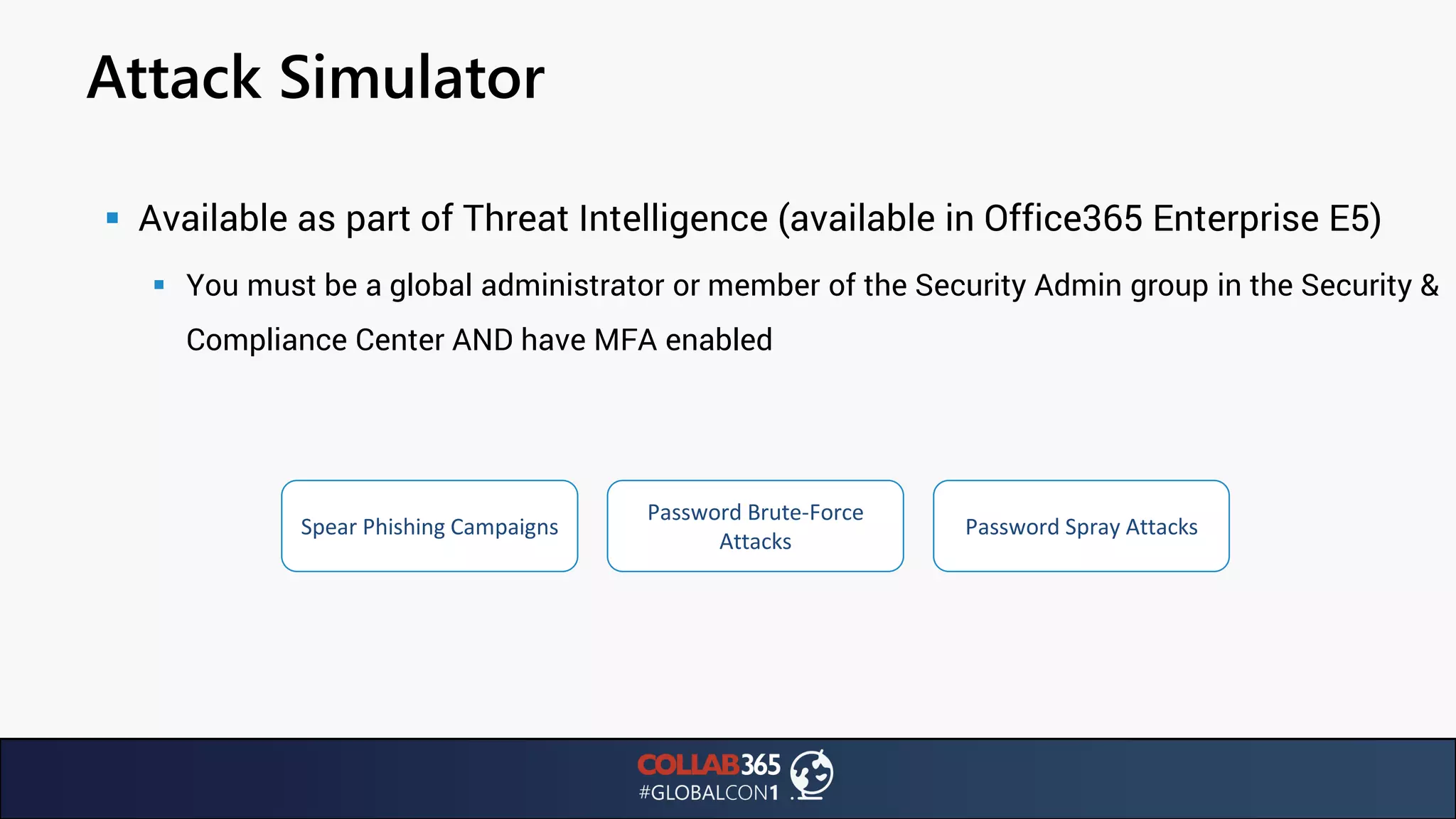
▪ Available as part of Threat Intelligence (available in Office365 Enterprise E5)
▪ You must be a global administrator or member of the Security Admin group in the Security &
Compliance Center AND have MFA enabled
Spear Phishing Campaigns
Password Brute-Force
Attacks
Password Spray Attacks
Attack Simulator
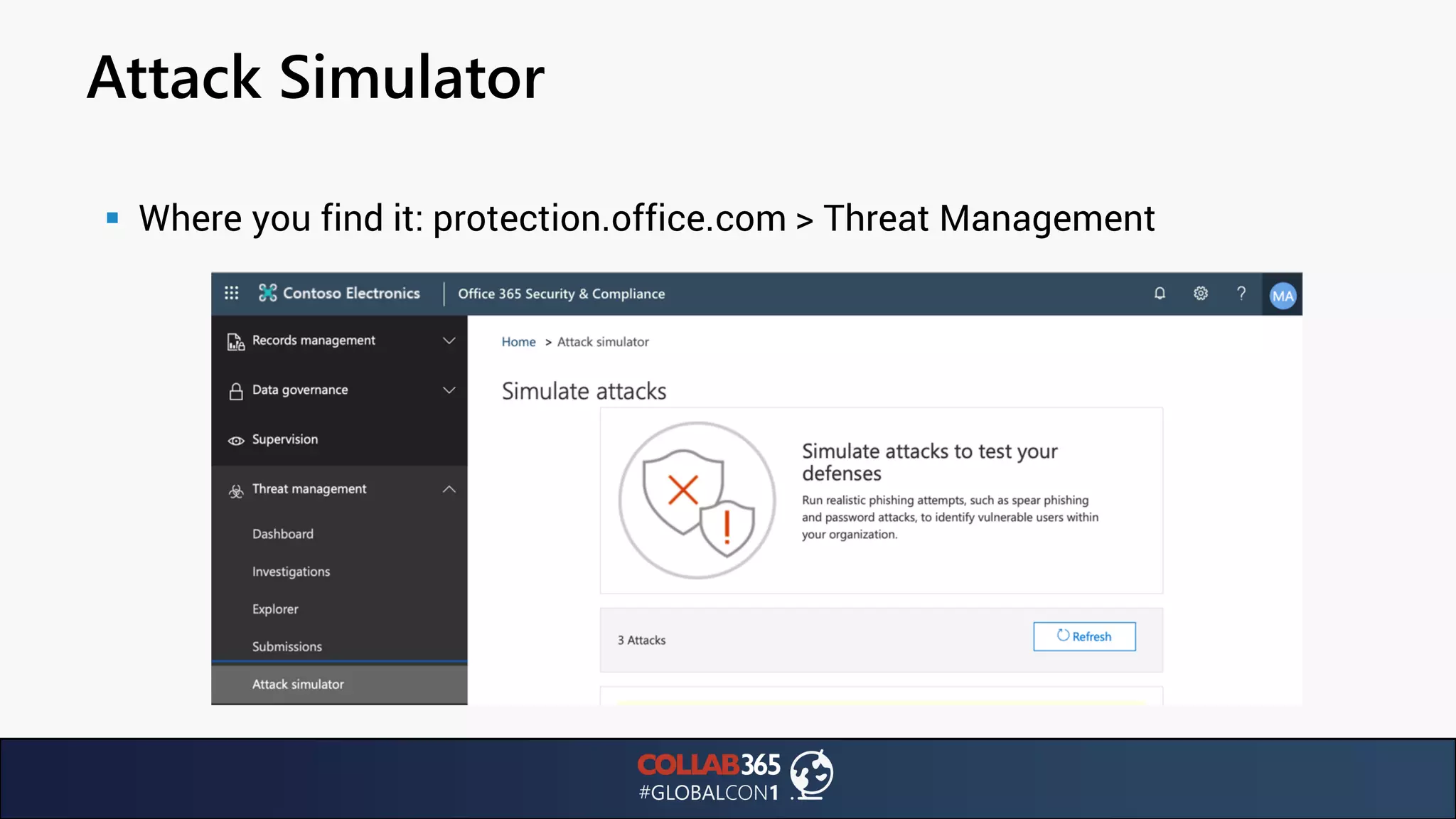
▪ Where you find it: protection.office.com > Threat Management
Attack Simulator
▪ Spear Phishing campaigns
▪ Tip: target users identified as top targeted in the Threat Management dashboard
▪ Tip2: You’ll need to enable Office Analytics
Attack Simulator
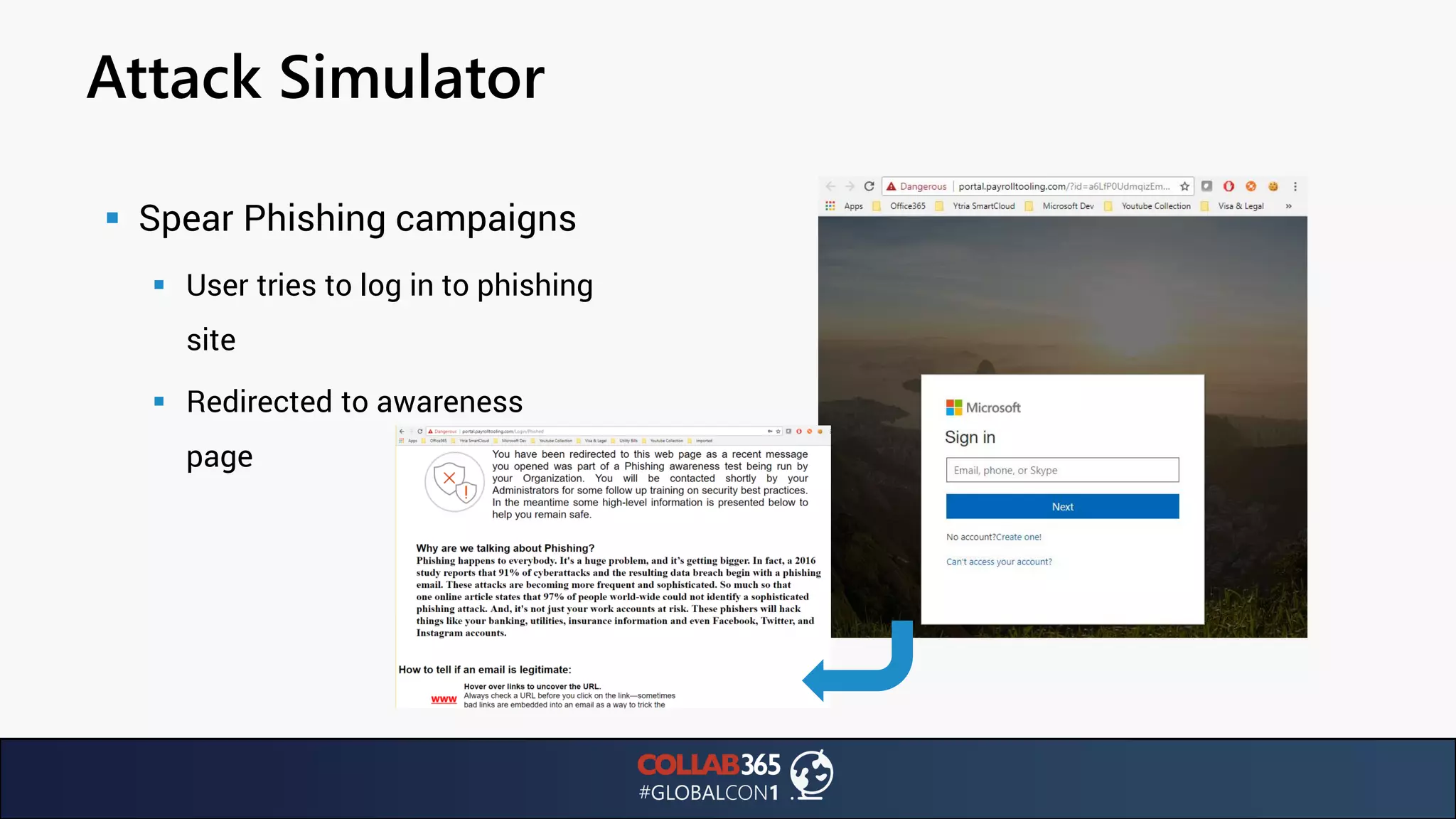
▪ Spear Phishing campaigns
▪ User tries to log in to phishing
site
▪ Redirected to awareness
page
Attack Simulator
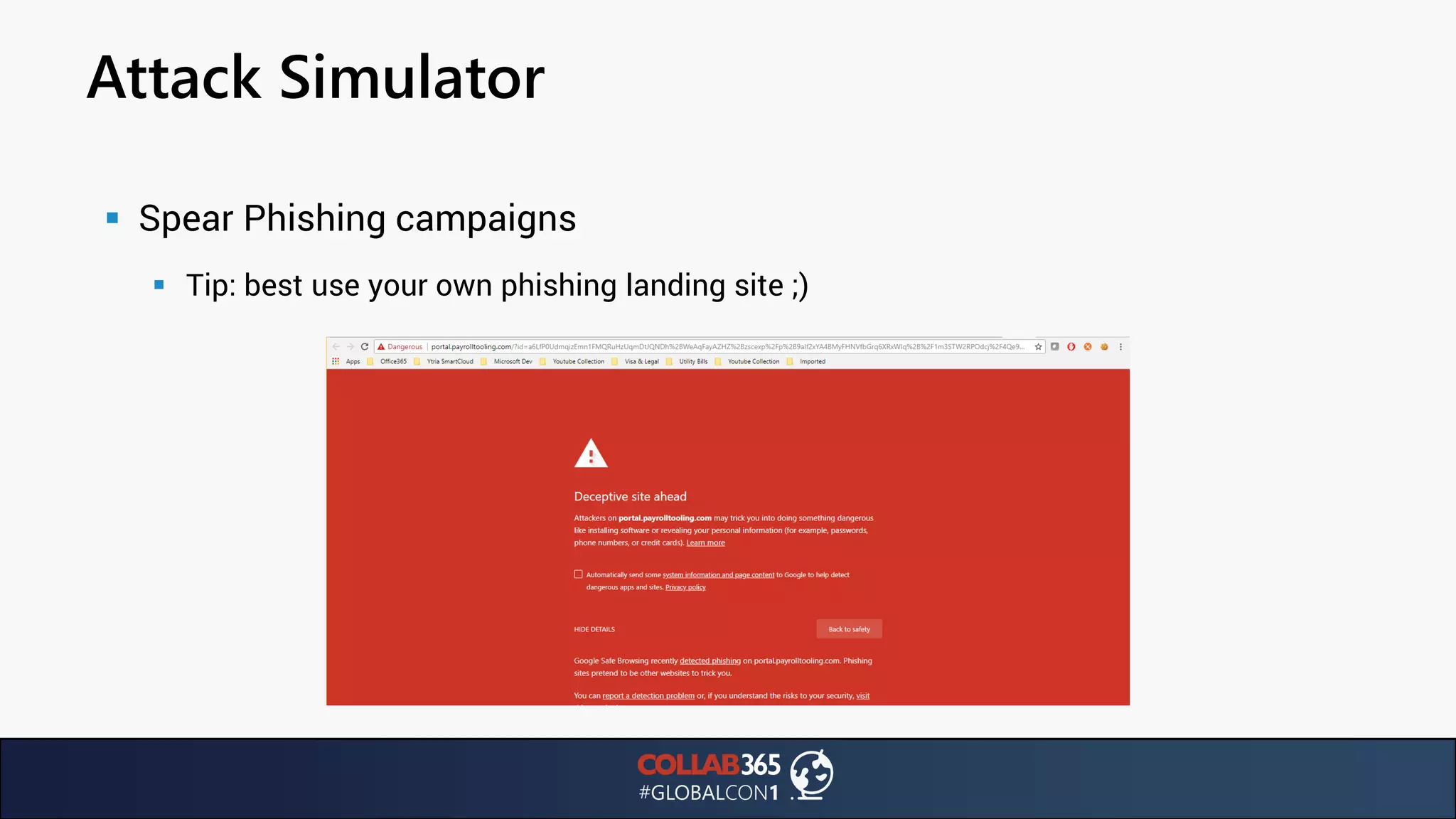
▪ Spear Phishing campaigns
▪ Tip: best use your own phishing landing site ;)
Attack Simulator
▪ Brute Force Password
▪ Use a pre-set word list against one or multiple user accounts
▪ Uses the same method an attacker would
▪ I mean literally: watch out! Currently this locks out the user account.
▪ Only supports very limited password lists (Internal server error at 10k passwords)
▪ Best online resources for common credentials:
https://github.com/danielmiessler/SecLists/tree/master/Passwords/Common-Credentials
Attack Simulator
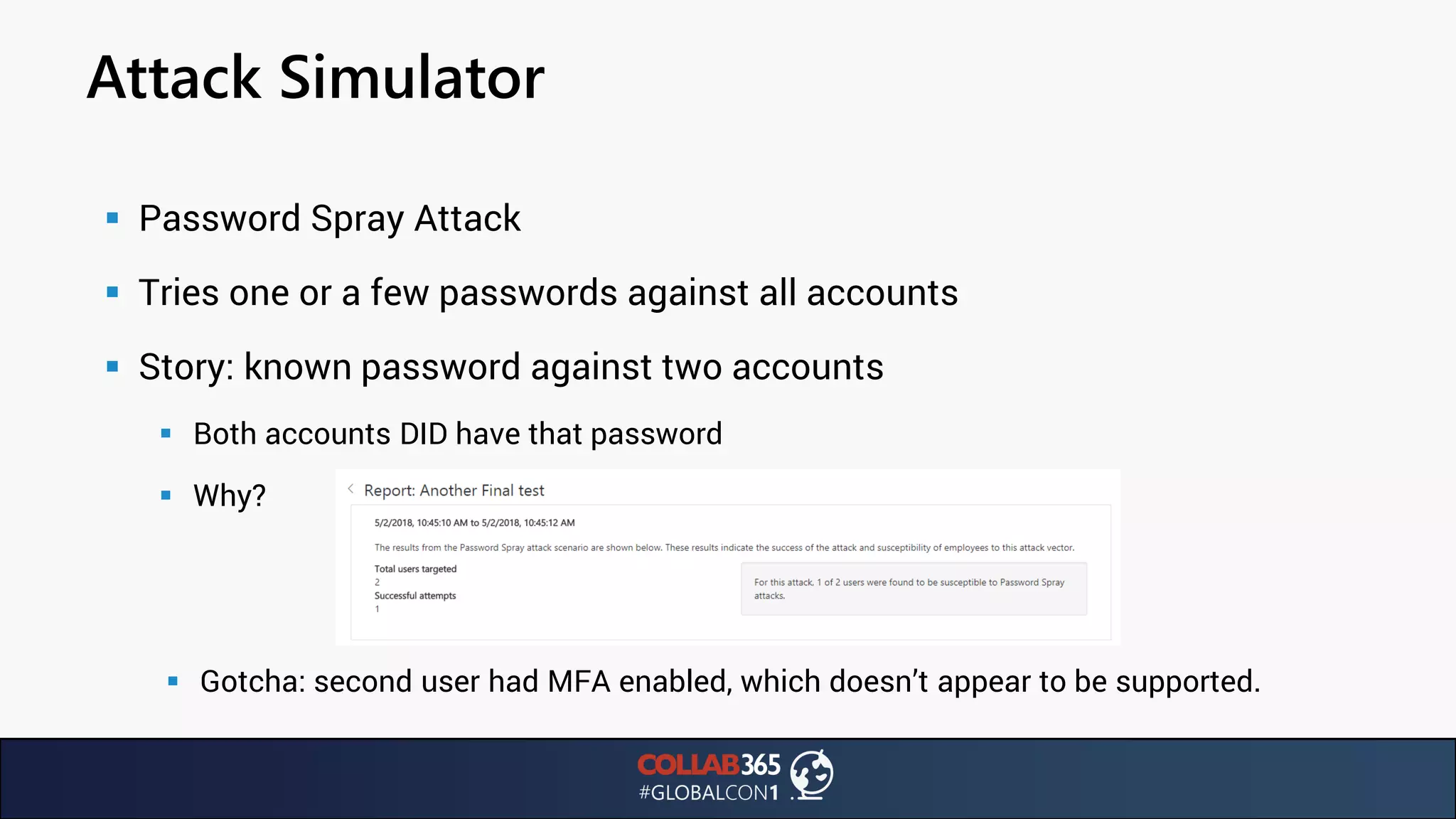
▪ Password Spray Attack
▪ Tries one or a few passwords against all accounts
▪ Story: known password against two accounts
▪ Both accounts DID have that password
▪ Why?
▪ Gotcha: second user had MFA enabled, which doesn’t appear to be supported.
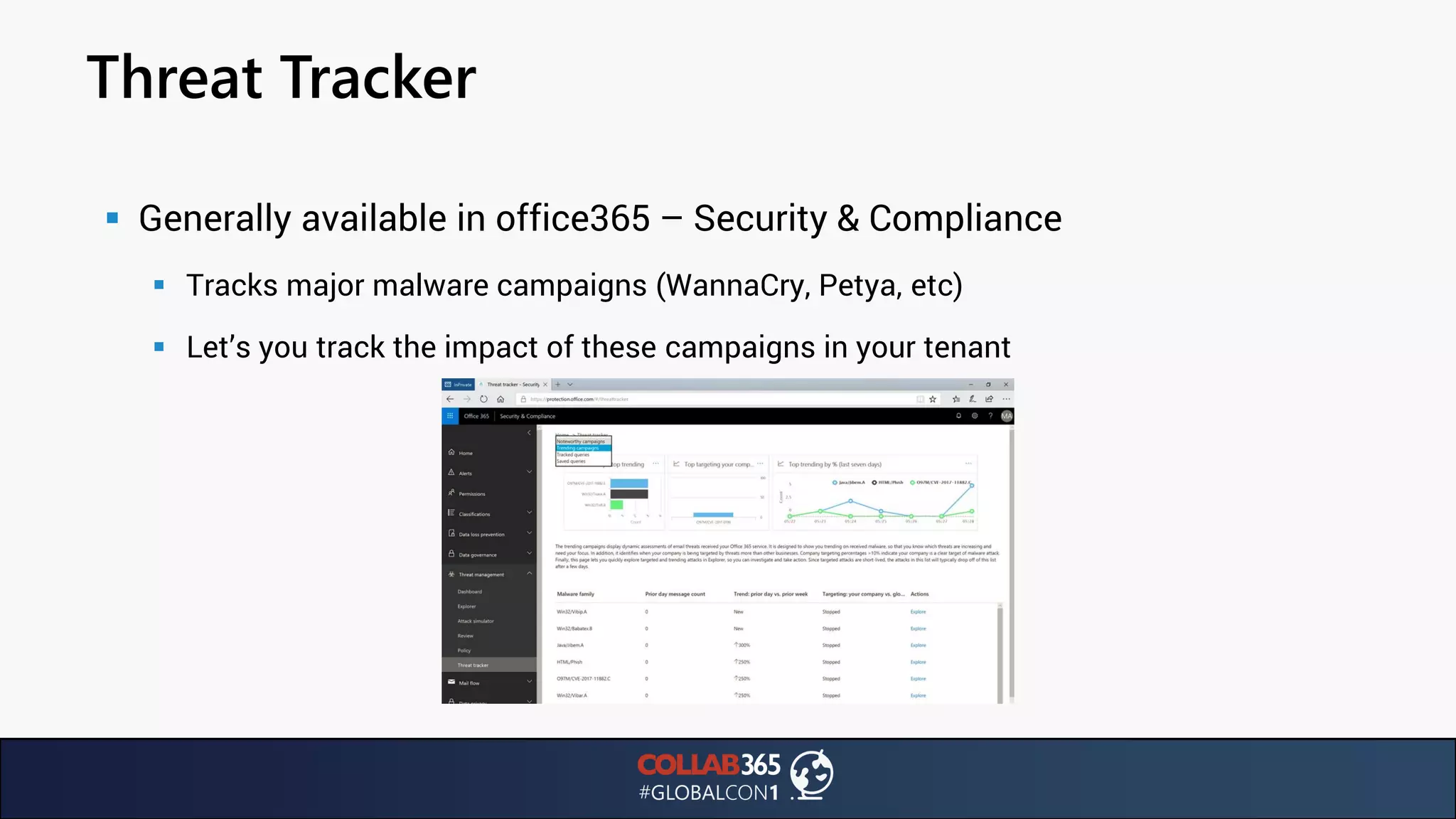
Threat Tracker
▪ Generally available in office365 – Security & Compliance
▪ Tracks major malware campaigns (WannaCry, Petya, etc)
▪ Let’s you track the impact of these campaigns in your tenant
Secure Score
▪ Security Analytics tool
▪ Applies numeric score to security settings
▪ Uses benchmarking to compare to other Office365 subscribers
▪ Access Secure Score here: https://securescore.office.com
Secure Score
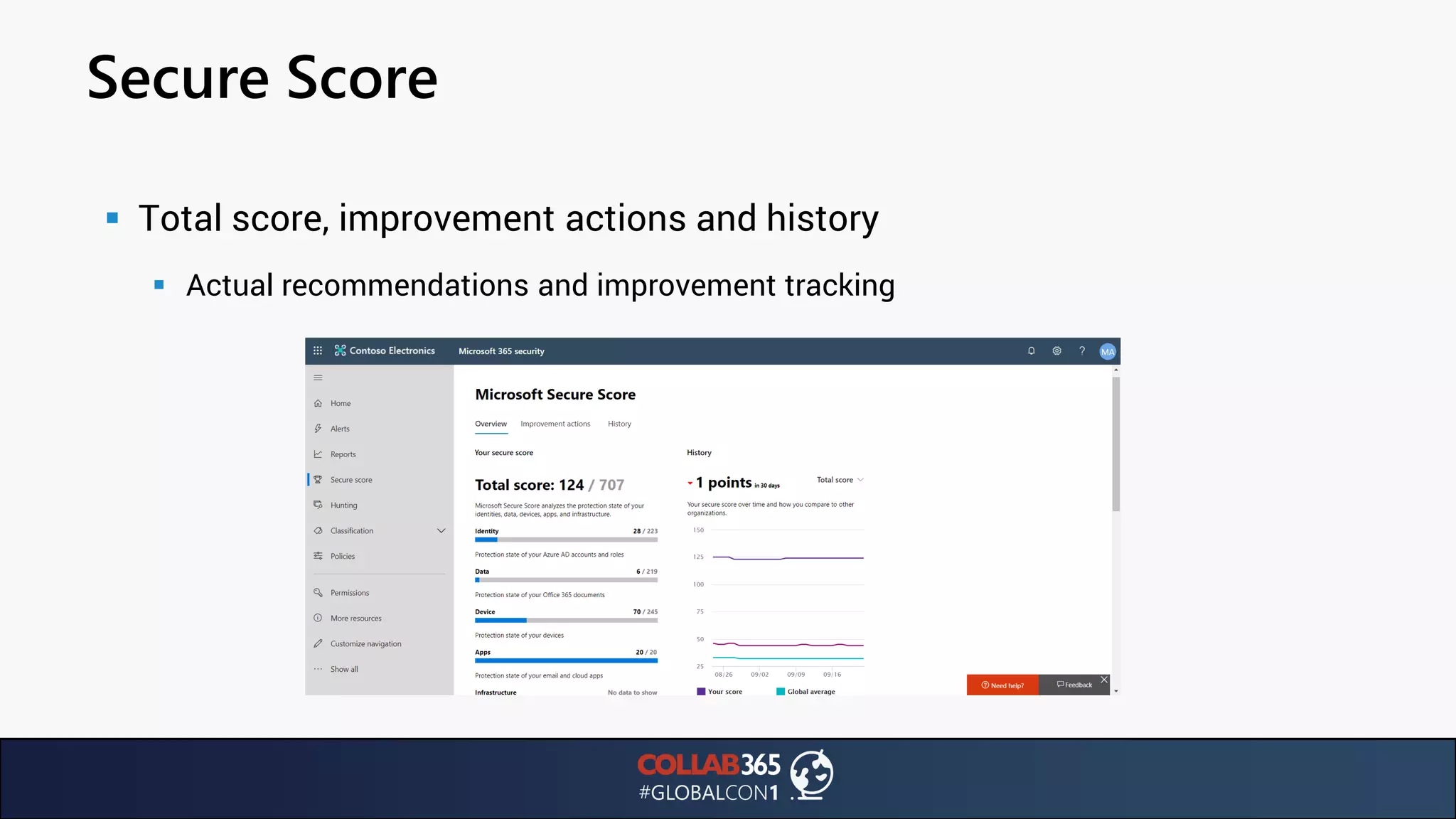
▪ Total score, improvement actions and history
▪ Actual recommendations and improvement tracking
Secure Score
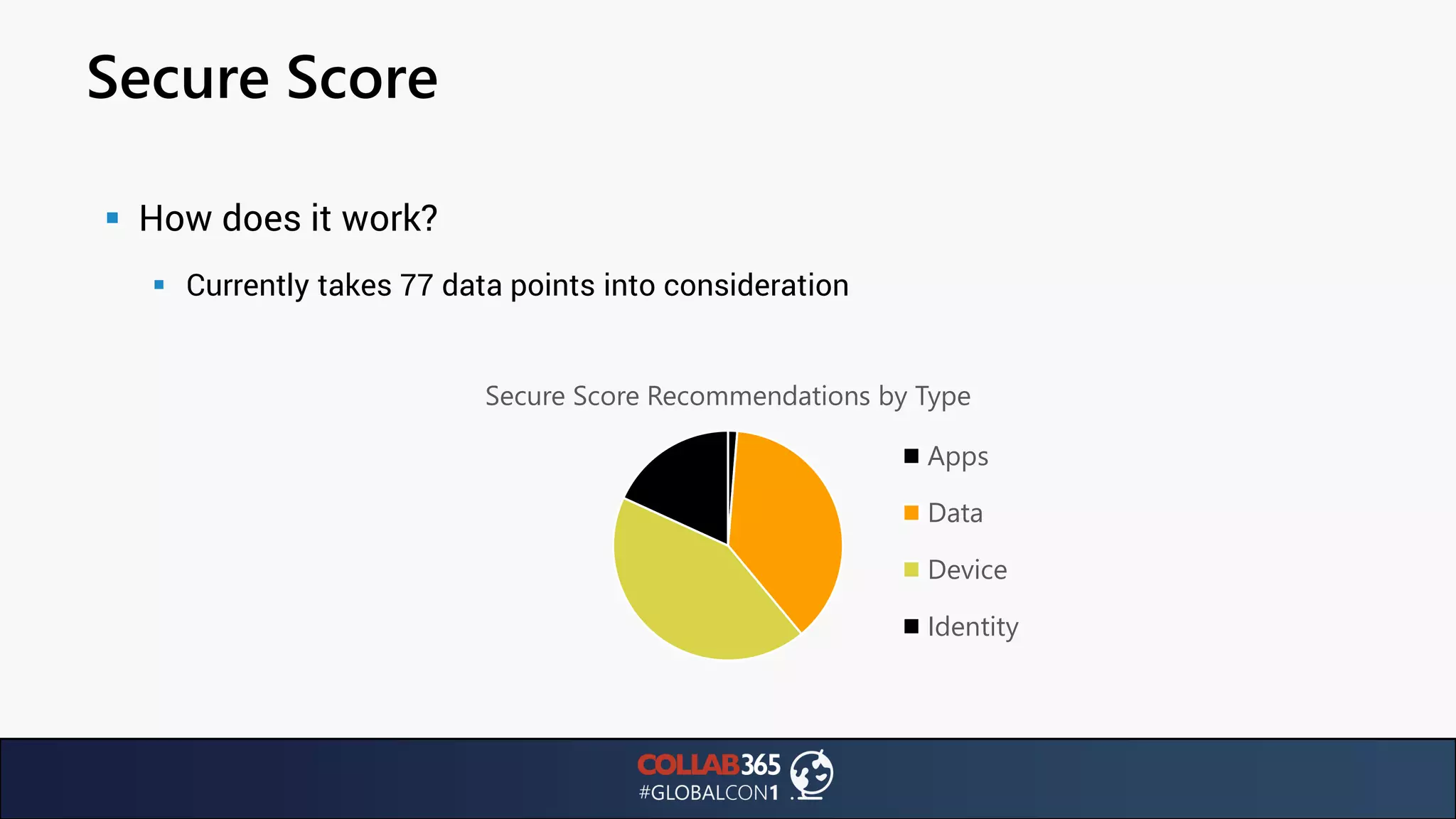
▪ How does it work?
▪ Currently takes 77 data points into consideration
Secure Score Recommendations by Type
Apps
Data
Device
Identity
Secure Score
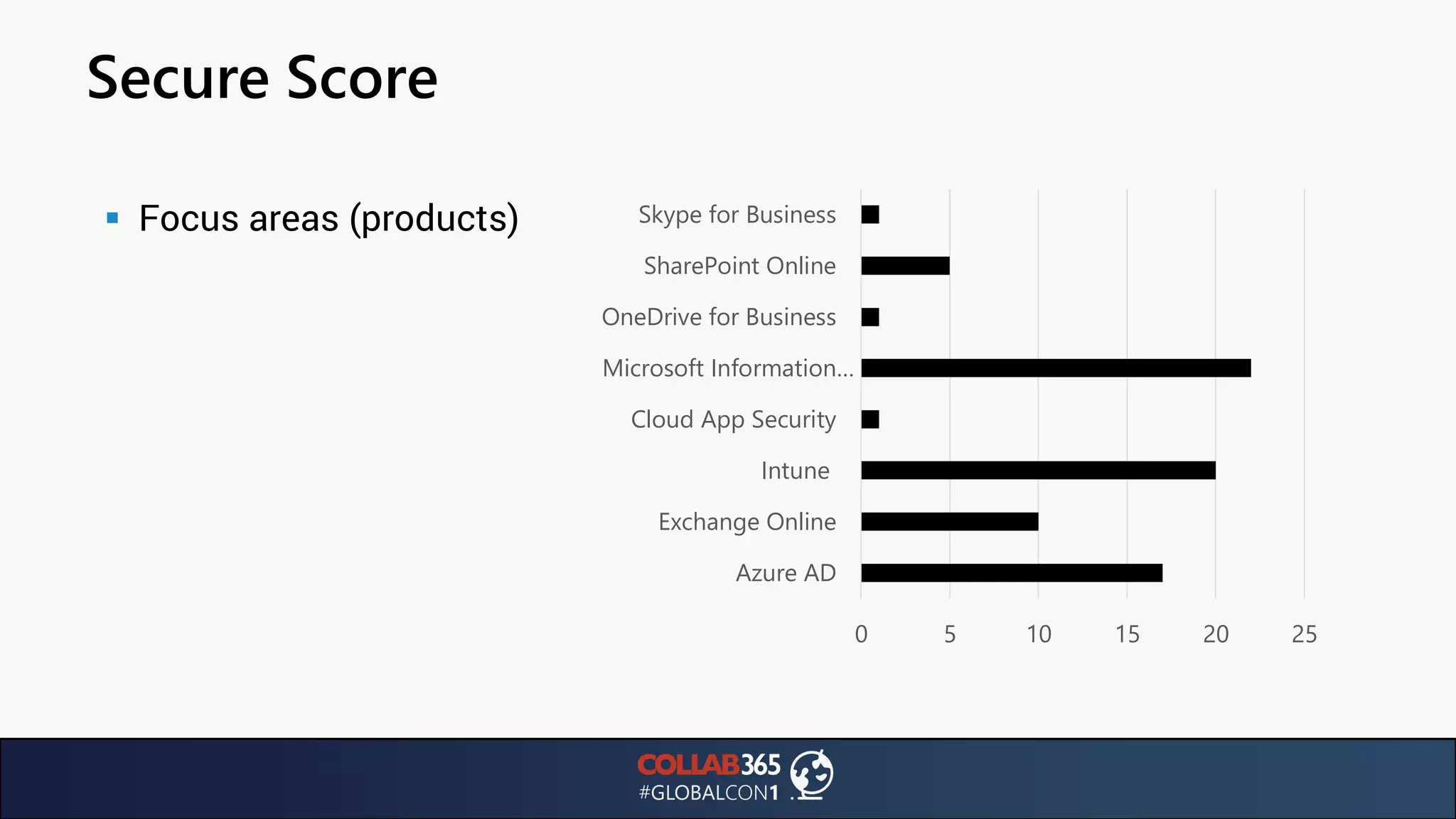
▪ Focus areas (products)
0 5 10 15 20 25
Azure AD
Exchange Online
Intune
Cloud App Security
Microsoft Information…
OneDrive for Business
SharePoint Online
Skype for Business
Secure Score
▪ Watch out!
▪ No Teams suggestions
▪ Quite a few recommendations require E5
▪ MFA for everyone: what if I want a break-glass account?
Office 365 passwords
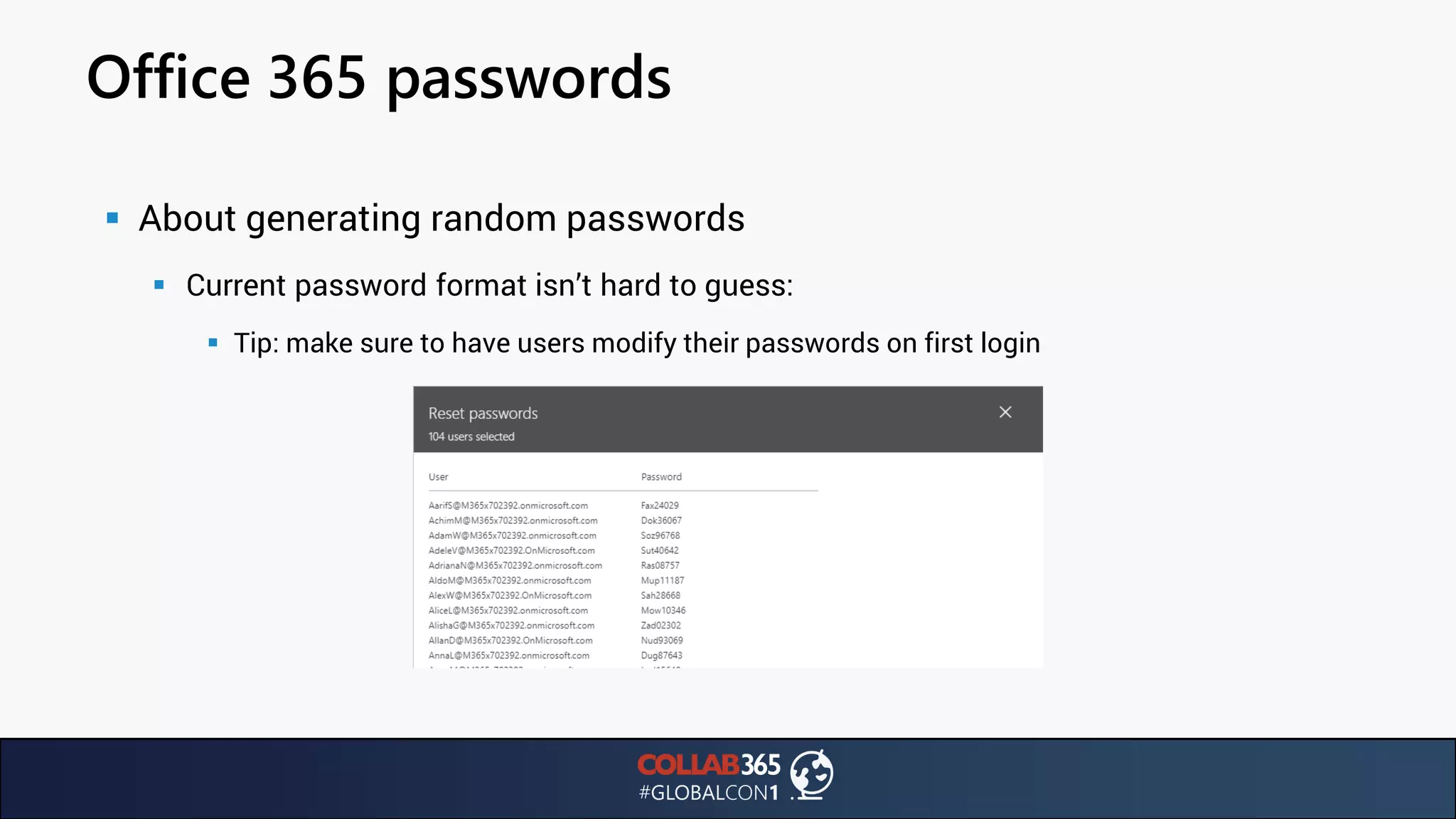
▪ About generating random passwords
▪ Current password format isn’t hard to guess:
▪ Tip: make sure to have users modify their passwords on first login
Office 365 passwords
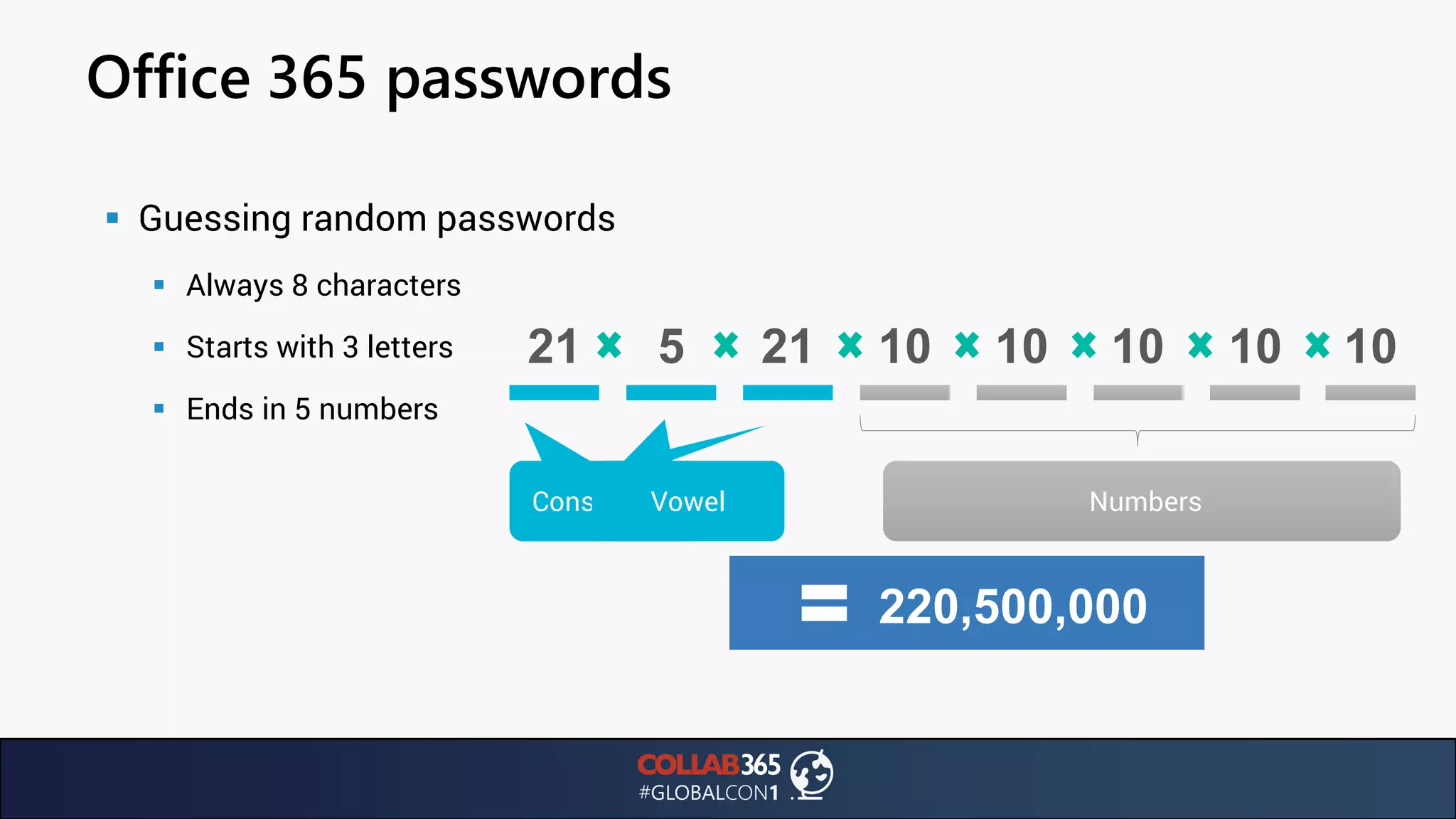
▪ Guessing random passwords
▪ Always 8 characters
▪ Starts with 3 letters
▪ Ends in 5 numbers
ConsonantConsonants
21 21
Vowel
5
Numbers
10 10 10 10 10
220,500,000
Office 365 passwords
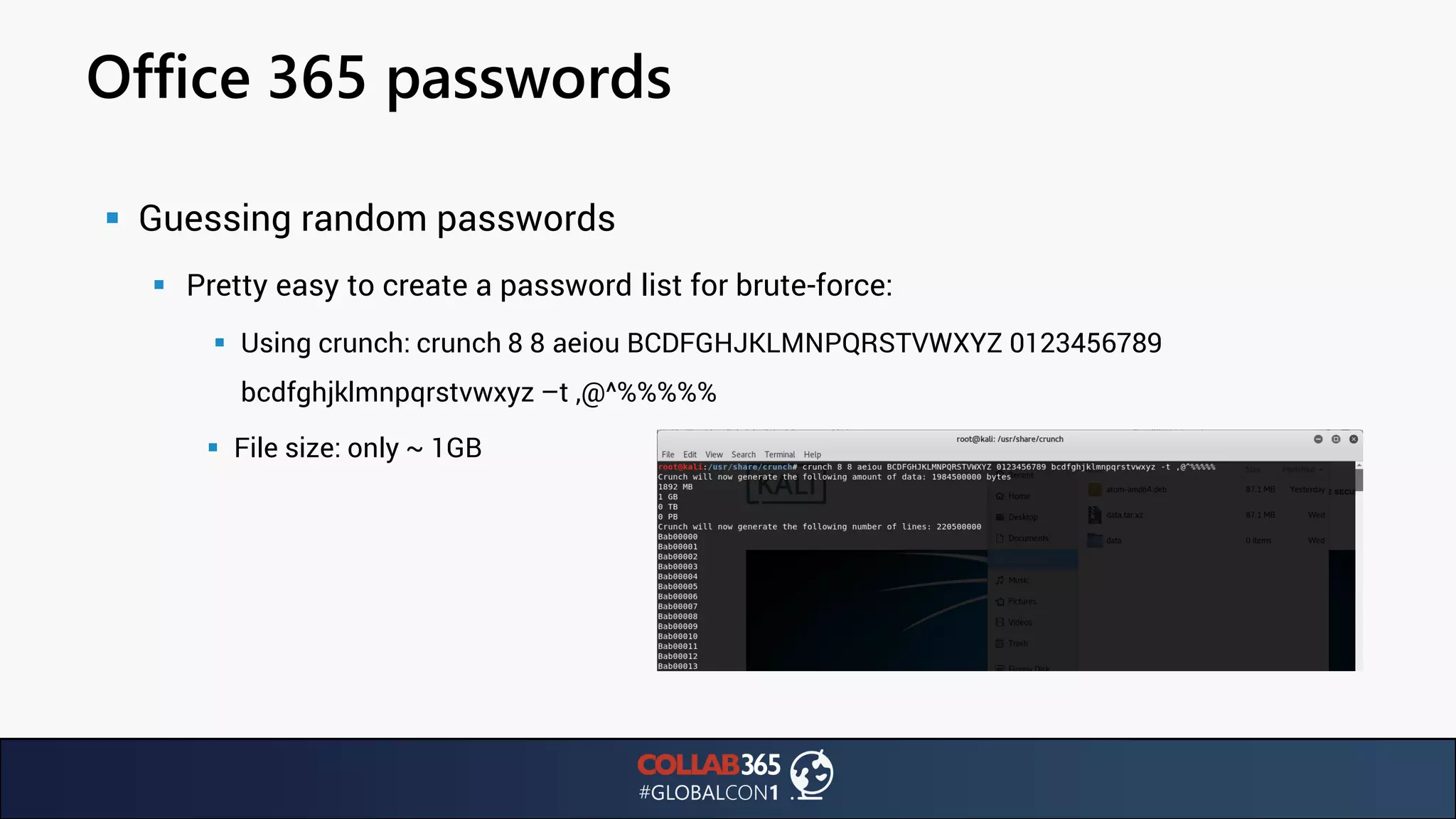
▪ Guessing random passwords
▪ Pretty easy to create a password list for brute-force:
▪ Using crunch: crunch 8 8 aeiou BCDFGHJKLMNPQRSTVWXYZ 0123456789
bcdfghjklmnpqrstvwxyz –t ,@^%%%%%
▪ File size: only ~ 1GB
Conclusion
▪ Simulate attacks against your own environment
▪ Keep an eye out for more attack simulation tools
▪ Use your own phishing tactics and word lists
▪ Educate users on strong passwords
Thank you
Questions & Feedback: LOVE IT
Get in touch: ben.menesi@panagenda.com
Presentation online:
slideshare.net/benedek.Menesi @BenMenesi
Linkedin.ca/in/benedekmenesi
Purchase an “All-Access Pass” and get:
• Minimum of 10 Companion Ebooks (value $59).
• All session Recordings from GlobalCon1 (value $129)
• 16 Recordings & 10 Ebooks (value $148)
• 14 Recordings & 10 Ebooks (value $148)
• 10 Recordings & Ebooks (value $148)
• SPFx Cheatsheet (value $10)
• Flow Expressions Guide (value $10)
• Teams Training Nuggets (value $119)
TOTAL COST: $139 (available for 7 days)
THANKS FOR ATTENDING ...

Wrong slides! Please check description for correct deck

  • 1.
    Office 365 froma hacker’s perspective: threats, tactics and remedies Speaker: Ben Menesi, CEH
  • 2.
    Speaker @BenMenesi • Ben Menesi –VP Products & Innovation at panagenda – Started out in the IBM world – SharePoint & Exchange Admin & Dev – Certified Ethical Hacker v9 and OSCP student – Enjoys breaking things – Speaker at IT events around the globe (SPS New York City, Toronto, Calgary, Montreal, Geneva, Cambridge) – Owns a bar
  • 3.
    About panagenda • Whowe are – HQ in Vienna, Austria with offices in Boston, Germany, The Netherlands & Australia – 10M+ user licenses across over 80 countries
  • 4.
    About panagenda • Whatwe do: Teams Analytics & Organizational Intelligence
  • 5.
    About panagenda • Whatwe do: Quality of Service monitoring using bots
  • 6.
    Agenda • What we’llcover today Ransomware Attacks Email security Multi-Factor Authentication Illicit Consent Grants
  • 7.
    Statistics • Some numbersfrom the field – Verizon’s 2017 & 2018 Data Breach Investigations Report: 53000 incidents & 2216 data breaches 58% Victims are businesses with < 1000 employees (62% in 2017) 92% 68% Breaches took months(!!!) to discover Malware vectors: Email. (6.3% Web, 1.3% other)
  • 8.
    Statistics • Some numbersfrom the field – Avanan’s Global Phish Report: https://www.avanan.com/hubfs/2019-Global-Phish-Report.pdf | 55,5M emails analyzed – BakerHostetler‘s DSIR Report (750+ incidents): https://f.datasrvr.com/fr1/019/33725/2019_BakerHostetler_DSIR_Final.pdf 33% Phishing mails passed through Exchange Online Protection 43% 90% Emails after malware or credentials Branded phishing emails impersonating Microsoft 34% Office365 account exposure after compromised device
  • 9.
    On-Prem. Vs. CloudSecurity • Benefits of your data in the cloud Broader scope of threat intelligence Larger and more specialized security muscle than most SMBs Fast and instant delivery (no manual patching required)
  • 10.
    On-Prem. Vs. CloudSecurity • Disadvantages of using cloud services Vulnerability / Risk Mitigation is out of our control Part of a larger, very attractive attack surface Less flexibility in customizing defenses
  • 11.
    Vulnerability Mitigation • Practicalexample – Basestriker attack: gets around Microsoft’s ATP SafeLinks by leveraging the <base> tag: ▪ Traditional way to embed URLs in a phishing email: ▪ Using the <base> tag:
  • 12.
    Vulnerability Mitigation • VulnerabilityLifecycle 02.05.2018 Microsoft alerted by Avanan 02.05.2018 Proofpoint alerted by Avanan 16.05.2018 Microsoft fixes vulnerability 14 days
  • 13.
  • 14.
    Ransomware Attacks • Whyare they so important? • DOJ Statistics: 1000 attacks / day in 2015, 4000 attacks / day in 2017 – WannaCry: 150 countries, estimated at $4B – NotPetya: $250-300M for Maersk alone, $1.2B in total revenue – 54% of companies experienced one or more successful attacks – Total cost of a successful cyber attack is over $5M or $301 / employee
  • 15.
    Ransomware Attacks • Howdo they spread? • 60% of ransomware attacks come from infected emails BUT: • Also, vulnerable (application) servers – Example: city of Atlanta hit by SamSam (originally discovered in 2016) in 2018 – Malware infection likely through SMBv1 open on a web server – Aftermath: $2.6M cost
  • 16.
    Decrypting Ransomware • Cautionarytale: Herrington & Company gets ransomwared – Engages Data Recovery company to retrieve data – DR company quotes $6000 to recover data – Data recovery is WAY too fast – FBI confirms that PDR indeed paid ransom to decrypt victim’s files • https://pbs.twimg.com/media/DbfP0G7WAAEWQIa.jpg:large • How do we prevent ransomware?
  • 17.
    Decrypting Ransomware • Cautionarytale: Herrington & Company gets ransomwared – Engages Data Recovery company to retrieve data – DR company quotes $6000 to recover data – Data recovery is WAY too fast – FBI confirms that PDR indeed paid ransom to decrypt victim’s files • https://pbs.twimg.com/media/DbfP0G7WAAEWQIa.jpg:large • How do we prevent ransomware?
  • 18.
    Ransomware Protection • Microsoftintroduced Files Restore OneDrive – Allows to restore entire OneDrive account to a previous point in time within 30 days – Monitors file assets notifies when attack is detected (allegedly ☺)
  • 19.
    Ransomware Protection • Careful! –Real time notification might not be as accurate as we think – AxCrypt encryption on OneDrive files stays under the radar • Ransomware prevention: have users store important data in OneDrive
  • 20.
  • 21.
    Email Encryption ▪ EmailEncryption: End-to end encryption ▪ Prevent Forwarding: Restrict email recipients from forwarding or copying emails you send (plus: MS Office docs. Attached are encrypted even after downloading) ▪ What happens if the recipient is outside your organization:
  • 22.
    Email Encryption ▪ OME:Automatically Enabled
  • 23.
    Email Encryption ▪ RevokingEncrypted Messages ▪ This one is thanks to Albert Hoitingh: https://alberthoitingh.com/2018/12/20/ome-message-revocation/ ▪ Encrypted status means: email & content didn’t leave the perimeter. ▪ You can use Message Trace to locate the outgoing mail and then use powershell to: ▪ Query the OME status: Get-OMEMessageStatus -MessageID “message id” ▪ Set message as revoked: Set-OMEMessageRevocation -Revoke $true -MessageID “message id”
  • 24.
    Email Encryption ▪ RevokingEncrypted Messages ▪ Because the data never left the perimeter, it’s the ‘link’ that’s broken at the moment of revocation and recipient will get this:
  • 25.
  • 26.
    Illicit Consent Grants ▪In the light of the Facebook Cambridge Analytica scandal, we should take a look at Azure AD registered applications ▪ Phishing campaigns could trick users into granting access to applications ▪ https://blogs.technet.microsoft.com/office365security/defending-against-illicit- consent-grants/ ▪ Exploit first demonstrated by Kevin Mitnick
  • 27.
    Illicit Consent Grants ▪Exploit scenario ▪ Demo ▪ Infrastructure: User Apache Web Server Hacker
  • 28.
    Illicit Consent Grants ▪Exploit Scenario: Let’s dive in!
  • 29.
    Illicit Consent Grants ▪Exploit Scenario: ▪ User receives a legit looking email:
  • 30.
    Illicit Consent Grants ▪Exploit Scenario: ▪ Presented with permissions that only need user consent
  • 31.
    Illicit Consent Grants ▪Exploit Scenario: ▪ All mails are encrypted (by Mitnick)
  • 32.
    Illicit Consent Grants ▪Exploit Scenario: Infrastructure
  • 33.
    Digital #metoo era ▪Consent is key ▪ Integrated apps: Using various APIs, you can grant apps access to your tenant data: ▪ Mail, calendars, contacts, conversations ▪ Users, groups, files and folders ▪ SharePoint sites, lists, list items ▪ OneDrive items, permissions and more ▪ Integration: Azure AD provides secure sign-in and authorization ▪ Developer registers the application with Azure AD ▪ Assign permissions to the application ▪ Tenant administrator / user must consent to permissions
  • 34.
    Azure AD Applications ▪Registering the application ▪ Who can register applications in your tenant? ▪ By default: any member! This can be a security issue ▪ Keep in mind: there is a record of what data was shared with which application. Also: when user adds / allows application to access their data, event can be audited (Audit reports) ▪ See more: https://docs.microsoft.com/en-us/azure/active-directory/develop/active- directory-how-applications-are-added#who-has-permission-to-add-applications-to-my-azure- ad-instance
  • 35.
    Azure AD Applications ▪Authorization Flow: Oauth2 / OpenID
  • 36.
    Azure AD Applications ▪Authorization Flow: Let’s simplify ▪ User consents to permissions required by the app ▪ Application asks for authorization from the Azure AD ▪ Azure AD makes the user sign in and returns code to application ▪ Application uses code to retrieve JWT bearer token to use resource (Microsoft Graph API)
  • 37.
    Preventing Illicit consentgrants Regular application & permission enumeration Cloud App Security Educating users Application Registration & consent restriction
  • 38.
    Azure AD Applications ▪Remedy: Restricting app registrations ▪ Azure Portal > Azure Active Directory > User Settings
  • 39.
    Azure AD Applications ▪Remedy: Restricting consent grants ▪ Azure Portal > Azure Active Directory > User Settings ▪ Watch out! This means that all application consent will be REQUIRED to be done by Global Admins
  • 40.
    Azure AD Applications ▪Remedy: Enumerating apps and permissions ▪ Enumeration using PowerShell: ▪ Install the AzureAD PowerShell module ▪ Launch PowerShell ISE as an Administrator and: Install-Module AzureAD ▪ Connect to Azure AD: Connect-AzureAD ▪ Use PowerShell script: https://gist.github.com/psignoret/41793f8c6211d2df5051d77ca3728c09 ▪ Example: .Get-AzureADPSPermissions.ps1 | Export-Csv -Path "permissions.csv" -NoTypeInformation
  • 41.
    Azure AD Applications ▪Remedy: Enumerating apps and permissions ▪ What you get:
  • 42.
    Azure AD Applications ▪Remedy: Enumerating apps and permissions ▪ Gotcha: won’t show redirect URLs! ▪ Requires AzureRM.Resources and Connect-AzureRMADAccount:
  • 43.
    Azure AD Applications ▪Remedy: Searching your Audit Logs ▪ Use the ‘consent’ string to filter
  • 44.
    Azure AD Applications ▪Remedy: Cloud App Security ▪ Portal.cloudappsecurity.com ▪ Create an OAUTH App Security Policy
  • 45.
    Azure AD Applications ▪Remedy: Cloud App Security ▪ Create an OAUTH App Security Policy
  • 46.
    Azure AD Applications ▪What you get with CAS from our scenario
  • 47.
  • 48.
    Brute Force Attacks ▪In the news in August 2017: sophisticated and coordinated attack against 48 Office365 customers ▪ Brute Force attack unique: targeting multiple cloud providers ▪ 100,000 failed login attempts from 67 Ips and 12 networks over 7 months ▪ Slow and low to avoid intrusion detection ▪ Users see unsuccessful login attempts using name up to 17 name variations ▪ Passwords likely the same (password spray attack) ▪ https://www.tripwire.com/state-of-security/featured/new-type-brute-force- attack-office-365-accounts/
  • 49.
    Brute Force Attacks ▪How hard is it to acquire the right login names? ▪ TheHarvester // Kali
  • 50.
    Brute Force Attacks ▪Account Lockout in Office 365 ▪ Before 02/04/2019: ▪ 10 unsuccessful attempts: captcha ▪ Another 10: lockout (10 minutes) ▪ In reality: 10 tries = lockout ▪ No customization allowed
  • 51.
    Brute Force Attacks ▪Account Lockout in Office 365 ▪ As of 02/04/2019: WOOHOO! ☺
  • 52.
    A new(ish) attack/ vulnerability ▪ Credential stuffing: using login + password combos exposed in data breaches against Office365 ▪ About 85% of users reuse passwords ▪ Enforcing unique passwords for the enterprise is impossible
  • 53.
    Credential Stuffing ▪ Whatis credential stuffing: leverages previous data breaches to obtain user name + password combinations via bots
  • 54.
    Credential Stuffing ▪ Problem:attacker might only need one single attempt for successful intrusion ▪ Cloudflare estimates success rate at 0.1% = weak ▪ 1M logins = 1k successful logins: still a major issue ▪ Prevention possibilities ▪ 1.) Multi Factor Authentication ▪ 2.) Bot management systems (IP Reputation database) to prevent bots from login attempts ▪ 3.) Due diligence in breached data
  • 55.
    Credential Stuffing: Prevention ▪Suggestion: ▪ Use MFA AND regularly scan for breached accounts ▪ How to scan breached accounts: ▪ Troy Hunt’s https://haveibeenpwned.com offers a $3,5/month subscription for using their API ▪ Using the REST API, you can retrieve any and all accounts that have been exposed in data breaches. ▪ Here‘s how:
  • 56.
    Credential Stuffing: Prevention ▪1.) Purchase a subscription at: https://haveibeenpwned.com/API ▪ 2.) Simple GET request with headers & domain param.
  • 57.
  • 58.
    Brute Force Attacks ▪What could’ve / would’ve stopped all this? MFA. ▪ Interesting story about MFA: https://goo.gl/CFcA5t
  • 59.
    Brute Force Attacks ▪Good news: management through the app is better
  • 60.
    Brute Force Attacks ▪MFA – the elephant in the room ▪ A number of serious outages lately
  • 61.
    Brute Force Attacks ▪MFA – in case of emergencies ▪ Consider implementing a break glass account (via Exclusions from Baseline MFA Policy): https://practical365.com/security/multi-factor-authentication- default-for-admins/ ▪ Azure AD Portal > Conditional Access
  • 62.
    Brute Force Attacks ▪The way around MFA ▪ Recent breaches discovered by Proofpoint: https://www.proofpoint.com/us/threat- insight/post/threat-actors-leverage-credential-dumps-phishing-and-legacy-email-protocols ▪ Essentially: using IMAP to get around MFA by mimicking legacy email clients
  • 63.
    MFA Exploit Highlights ▪ 100,000unauthorised login attempts analyzed (December 2018 – onwards) ▪ 72% tenants were targeted at least once ▪ 40% tenants had at least 1 compromised account ▪ 15 of 10,000 active user accounts breached
  • 64.
    MFA Exploit Microsoft’s response:https://docs.microsoft.com/en-us/microsoft- 365/enterprise/secure-email-recommended-policies ▪ Require MFA ▪ Block clients that don’t support modern auth. ▪ App passwords
  • 65.
    MFA Exploit Microsoft’s response:https://docs.microsoft.com/en-us/microsoft- 365/enterprise/secure-email-recommended-policies ▪ Require MFA ▪ Block clients that don’t support modern auth. ▪ App passwords
  • 66.
    Attack Simulator ▪ Availableas part of Threat Intelligence (available in Office365 Enterprise E5) ▪ You must be a global administrator or member of the Security Admin group in the Security & Compliance Center AND have MFA enabled Spear Phishing Campaigns Password Brute-Force Attacks Password Spray Attacks
  • 67.
    Attack Simulator ▪ Whereyou find it: protection.office.com > Threat Management
  • 68.
    Attack Simulator ▪ SpearPhishing campaigns ▪ Tip: target users identified as top targeted in the Threat Management dashboard ▪ Tip2: You’ll need to enable Office Analytics
  • 69.
    Attack Simulator ▪ SpearPhishing campaigns ▪ User tries to log in to phishing site ▪ Redirected to awareness page
  • 70.
    Attack Simulator ▪ SpearPhishing campaigns ▪ Tip: best use your own phishing landing site ;)
  • 71.
    Attack Simulator ▪ BruteForce Password ▪ Use a pre-set word list against one or multiple user accounts ▪ Uses the same method an attacker would ▪ I mean literally: watch out! Currently this locks out the user account. ▪ Only supports very limited password lists (Internal server error at 10k passwords) ▪ Best online resources for common credentials: https://github.com/danielmiessler/SecLists/tree/master/Passwords/Common-Credentials
  • 72.
    Attack Simulator ▪ PasswordSpray Attack ▪ Tries one or a few passwords against all accounts ▪ Story: known password against two accounts ▪ Both accounts DID have that password ▪ Why? ▪ Gotcha: second user had MFA enabled, which doesn’t appear to be supported.
  • 73.
    Threat Tracker ▪ Generallyavailable in office365 – Security & Compliance ▪ Tracks major malware campaigns (WannaCry, Petya, etc) ▪ Let’s you track the impact of these campaigns in your tenant
  • 74.
    Secure Score ▪ SecurityAnalytics tool ▪ Applies numeric score to security settings ▪ Uses benchmarking to compare to other Office365 subscribers ▪ Access Secure Score here: https://securescore.office.com
  • 75.
    Secure Score ▪ Totalscore, improvement actions and history ▪ Actual recommendations and improvement tracking
  • 76.
    Secure Score ▪ Howdoes it work? ▪ Currently takes 77 data points into consideration Secure Score Recommendations by Type Apps Data Device Identity
  • 77.
    Secure Score ▪ Focusareas (products) 0 5 10 15 20 25 Azure AD Exchange Online Intune Cloud App Security Microsoft Information… OneDrive for Business SharePoint Online Skype for Business
  • 78.
    Secure Score ▪ Watchout! ▪ No Teams suggestions ▪ Quite a few recommendations require E5 ▪ MFA for everyone: what if I want a break-glass account?
  • 79.
    Office 365 passwords ▪About generating random passwords ▪ Current password format isn’t hard to guess: ▪ Tip: make sure to have users modify their passwords on first login
  • 80.
    Office 365 passwords ▪Guessing random passwords ▪ Always 8 characters ▪ Starts with 3 letters ▪ Ends in 5 numbers ConsonantConsonants 21 21 Vowel 5 Numbers 10 10 10 10 10 220,500,000
  • 81.
    Office 365 passwords ▪Guessing random passwords ▪ Pretty easy to create a password list for brute-force: ▪ Using crunch: crunch 8 8 aeiou BCDFGHJKLMNPQRSTVWXYZ 0123456789 bcdfghjklmnpqrstvwxyz –t ,@^%%%%% ▪ File size: only ~ 1GB
  • 82.
    Conclusion ▪ Simulate attacksagainst your own environment ▪ Keep an eye out for more attack simulation tools ▪ Use your own phishing tactics and word lists ▪ Educate users on strong passwords
  • 83.
    Thank you Questions &Feedback: LOVE IT Get in touch: ben.menesi@panagenda.com Presentation online: slideshare.net/benedek.Menesi @BenMenesi Linkedin.ca/in/benedekmenesi
  • 84.
    Purchase an “All-AccessPass” and get: • Minimum of 10 Companion Ebooks (value $59). • All session Recordings from GlobalCon1 (value $129) • 16 Recordings & 10 Ebooks (value $148) • 14 Recordings & 10 Ebooks (value $148) • 10 Recordings & Ebooks (value $148) • SPFx Cheatsheet (value $10) • Flow Expressions Guide (value $10) • Teams Training Nuggets (value $119) TOTAL COST: $139 (available for 7 days) THANKS FOR ATTENDING ...