Projection
BY LEAH BUTTERWORTH
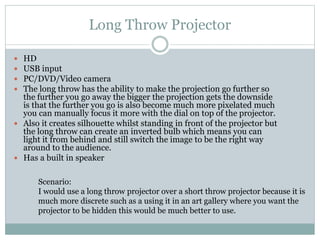
Long Throw Projector
HD
USB input
PC/DVD/Video camera
The long throw has the ability to make the projection go further so
the further you go away the bigger the projection gets the downside
is that the further you go is also become much more pixelated much
you can manually focus it more with the dial on top of the projector.
 Also it creates silhouette whilst standing in front of the projector but
the long throw can create an inverted bulb which means you can
light it from behind and still switch the image to be the right way
around to the audience.
 Has a built in speaker





Scenario:
I would use a long throw projector over a short throw projector because it is
much more discrete such as a using it in an art gallery where you want the
projector to be hidden this would be much better to use.
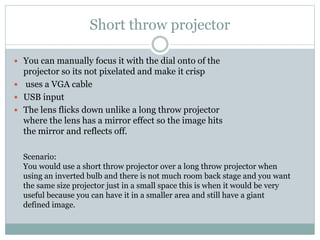
Short throw projector
 You can manually focus it with the dial onto of the

projector so its not pixelated and make it crisp
 uses a VGA cable
 USB input
 The lens flicks down unlike a long throw projector
where the lens has a mirror effect so the image hits
the mirror and reflects off.
Scenario:
You would use a short throw projector over a long throw projector when
using an inverted bulb and there is not much room back stage and you want
the same size projector just in a small space this is when it would be very
useful because you can have it in a smaller area and still have a giant
defined image.
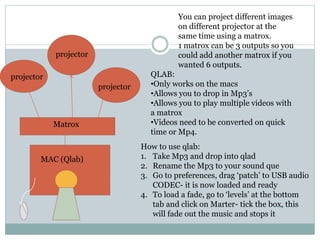
You can project different images
on different projector at the
same time using a matrox.
1 matrox can be 3 outputs so you
could add another matrox if you
wanted 6 outputs.

projector
projector
projector

Matrox

MAC (Qlab)

QLAB:
•Only works on the macs
•Allows you to drop in Mp3’s
•Allows you to play multiple videos with
a matrox
•Videos need to be converted on quick
time or Mp4.
How to use qlab:
1. Take Mp3 and drop into qlad
2. Rename the Mp3 to your sound que
3. Go to preferences, drag ‘patch’ to USB audio
CODEC- it is now loaded and ready
4. To load a fade, go to ‘levels’ at the bottom
tab and click on Marter- tick the box, this
will fade out the music and stops it

Projection powerpoint

  • 1.
  • 2.
    Long Throw Projector HD USBinput PC/DVD/Video camera The long throw has the ability to make the projection go further so the further you go away the bigger the projection gets the downside is that the further you go is also become much more pixelated much you can manually focus it more with the dial on top of the projector.  Also it creates silhouette whilst standing in front of the projector but the long throw can create an inverted bulb which means you can light it from behind and still switch the image to be the right way around to the audience.  Has a built in speaker     Scenario: I would use a long throw projector over a short throw projector because it is much more discrete such as a using it in an art gallery where you want the projector to be hidden this would be much better to use.
  • 3.
    Short throw projector You can manually focus it with the dial onto of the projector so its not pixelated and make it crisp  uses a VGA cable  USB input  The lens flicks down unlike a long throw projector where the lens has a mirror effect so the image hits the mirror and reflects off. Scenario: You would use a short throw projector over a long throw projector when using an inverted bulb and there is not much room back stage and you want the same size projector just in a small space this is when it would be very useful because you can have it in a smaller area and still have a giant defined image.
  • 4.
    You can projectdifferent images on different projector at the same time using a matrox. 1 matrox can be 3 outputs so you could add another matrox if you wanted 6 outputs. projector projector projector Matrox MAC (Qlab) QLAB: •Only works on the macs •Allows you to drop in Mp3’s •Allows you to play multiple videos with a matrox •Videos need to be converted on quick time or Mp4. How to use qlab: 1. Take Mp3 and drop into qlad 2. Rename the Mp3 to your sound que 3. Go to preferences, drag ‘patch’ to USB audio CODEC- it is now loaded and ready 4. To load a fade, go to ‘levels’ at the bottom tab and click on Marter- tick the box, this will fade out the music and stops it