Production Arts
Video
Projector
s
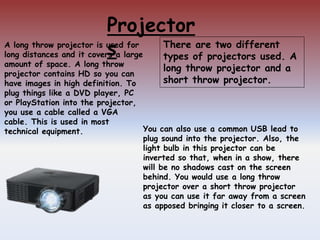
You can also use a common USB lead to
plug sound into the projector. Also, the
light bulb in this projector can be
inverted so that, when in a show, there
will be no shadows cast on the screen
behind. You would use a long throw
projector over a short throw projector
as you can use it far away from a screen
as apposed bringing it closer to a screen.
A long throw projector is used for
long distances and it covers a large
amount of space. A long throw
projector contains HD so you can
have images in high definition. To
plug things like a DVD player, PC
or PlayStation into the projector,
you use a cable called a VGA
cable. This is used in most
technical equipment.
There are two different
types of projectors used. A
long throw projector and a
short throw projector.
Projectors-Long
Throw
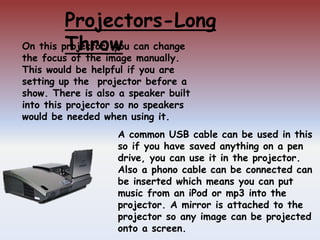
A common USB cable can be used in this
so if you have saved anything on a pen
drive, you can use it in the projector.
Also a phono cable can be connected can
be inserted which means you can put
music from an iPod or mp3 into the
projector. A mirror is attached to the
projector so any image can be projected
onto a screen.
On this projector, you can change
the focus of the image manually.
This would be helpful if you are
setting up the projector before a
show. There is also a speaker built
into this projector so no speakers
would be needed when using it.
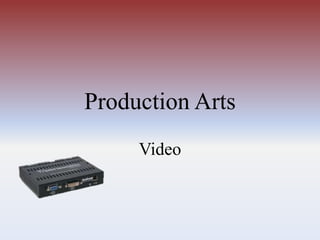
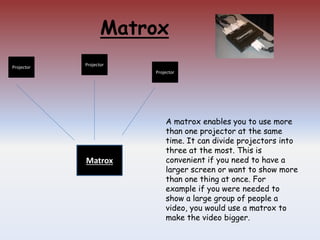
Matrox
Matrox
Projector
Projector
Projector
A matrox enables you to use more
than one projector at the same
time. It can divide projectors into
three at the most. This is
convenient if you need to have a
larger screen or want to show more
than one thing at once. For
example if you were needed to
show a large group of people a
video, you would use a matrox to
make the video bigger.
QLab
Qlab is a software used to upload videos and edit them. Using
Qlab, you can upload any video you want and edit them for
example, add music or to add effect. It is a very quick and easy
way to edit your video so it is convenient for people who are not
that well educated with computers.

Production arts 3

  • 1.
  • 2.
    Projector s You can alsouse a common USB lead to plug sound into the projector. Also, the light bulb in this projector can be inverted so that, when in a show, there will be no shadows cast on the screen behind. You would use a long throw projector over a short throw projector as you can use it far away from a screen as apposed bringing it closer to a screen. A long throw projector is used for long distances and it covers a large amount of space. A long throw projector contains HD so you can have images in high definition. To plug things like a DVD player, PC or PlayStation into the projector, you use a cable called a VGA cable. This is used in most technical equipment. There are two different types of projectors used. A long throw projector and a short throw projector.
  • 3.
    Projectors-Long Throw A common USBcable can be used in this so if you have saved anything on a pen drive, you can use it in the projector. Also a phono cable can be connected can be inserted which means you can put music from an iPod or mp3 into the projector. A mirror is attached to the projector so any image can be projected onto a screen. On this projector, you can change the focus of the image manually. This would be helpful if you are setting up the projector before a show. There is also a speaker built into this projector so no speakers would be needed when using it.
  • 4.
    Matrox Matrox Projector Projector Projector A matrox enablesyou to use more than one projector at the same time. It can divide projectors into three at the most. This is convenient if you need to have a larger screen or want to show more than one thing at once. For example if you were needed to show a large group of people a video, you would use a matrox to make the video bigger.
  • 5.
    QLab Qlab is asoftware used to upload videos and edit them. Using Qlab, you can upload any video you want and edit them for example, add music or to add effect. It is a very quick and easy way to edit your video so it is convenient for people who are not that well educated with computers.