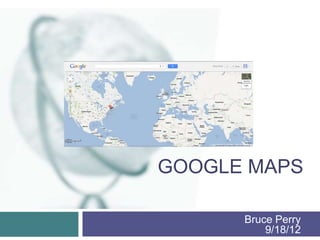
GOOGLE MAPS

      Bruce Perry
          9/18/12
What is Google Maps?
   Google maps is a web application that uses
    satellite imagery for many different purposes.
   High-resolution images of any location in the
    world (other than some secure facilities).
   Many device such as cell phones or IPods,
    and many other third party companies use
    Google maps for their own applications.
Different Uses
   Directions
   Google Moon
   Google Sky
   Biking Directions
   Google Street View
   Weather
   Mashups using Google Maps
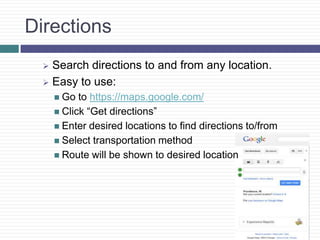
Directions
   Search directions to and from any location.
   Easy to use:
       Go  to https://maps.google.com/
       Click “Get directions”
       Enter desired locations to find directions to/from
       Select transportation method
       Route will be shown to desired location
Google Moon
   Google Moon allows you to observe images of
    Moon’s surface while using the Google Maps
    interface.
   Pinpoints the location of all the Apollo mission
    landings and other points of interest.
Google Sky
   As if looking at the night sky, Google Sky
    allows you to pan across space.
   Google Sky uses images from the Hubble
    telescope.
   There is also a feature that points out where
    the constellations are.
Biking Directions
   Google Maps now gives users the opportunity
    to search for bike paths and other bike friendly
    locations.
   Google’s Biking Directions also shows the
    terrain, elevation, length, etc. of desired path.
Google Street View
   Google Street View allows users to observe
    images, of most streets, as if driving down that
    street.
   Google has teamed up with NASA allowing
    users to take a tour of the Kennedy Space
    Center using Google Street View’s interface.
Weather
   While in still in Google Maps, by changing the
    view to weather you can observe the weather
    conditions of any location in the world.
Mashups using Google Maps
   Panoramio – a photo sharing website that
    shows location of photo through Google Maps.
   Globe Genie – with the use of Street View it
    brings you to a random location in the world.
Work Cited
   http://www.google.com/moon/
   http://www.google.com/sky/
   http://maps.google.com/
   http://www.panoramio.com/map/
   http://www.globegenie.com/

Project One- Google Maps

  • 1.
    GOOGLE MAPS Bruce Perry 9/18/12
  • 2.
    What is GoogleMaps?  Google maps is a web application that uses satellite imagery for many different purposes.  High-resolution images of any location in the world (other than some secure facilities).  Many device such as cell phones or IPods, and many other third party companies use Google maps for their own applications.
  • 3.
    Different Uses  Directions  Google Moon  Google Sky  Biking Directions  Google Street View  Weather  Mashups using Google Maps
  • 4.
    Directions Search directions to and from any location.  Easy to use:  Go to https://maps.google.com/  Click “Get directions”  Enter desired locations to find directions to/from  Select transportation method  Route will be shown to desired location
  • 5.
    Google Moon  Google Moon allows you to observe images of Moon’s surface while using the Google Maps interface.  Pinpoints the location of all the Apollo mission landings and other points of interest.
  • 6.
    Google Sky  As if looking at the night sky, Google Sky allows you to pan across space.  Google Sky uses images from the Hubble telescope.  There is also a feature that points out where the constellations are.
  • 7.
    Biking Directions  Google Maps now gives users the opportunity to search for bike paths and other bike friendly locations.  Google’s Biking Directions also shows the terrain, elevation, length, etc. of desired path.
  • 8.
    Google Street View  Google Street View allows users to observe images, of most streets, as if driving down that street.  Google has teamed up with NASA allowing users to take a tour of the Kennedy Space Center using Google Street View’s interface.
  • 9.
    Weather  While in still in Google Maps, by changing the view to weather you can observe the weather conditions of any location in the world.
  • 10.
    Mashups using GoogleMaps  Panoramio – a photo sharing website that shows location of photo through Google Maps.  Globe Genie – with the use of Street View it brings you to a random location in the world.
  • 11.
    Work Cited  http://www.google.com/moon/  http://www.google.com/sky/  http://maps.google.com/  http://www.panoramio.com/map/  http://www.globegenie.com/

Editor's Notes

  • #2 Presentation slide for courses, classes, lectures et al.
  • #3 A schedule design for optional periods of time/objectives.
  • #4 Beginning course details and/or books/materials needed for a class/project.
  • #5 Objectives for instruction and expected results and/or skills developed from learning.
  • #6 Relative vocabulary list.
  • #7 A list of procedures and steps, or a lecture slide with media.
  • #8 Example graph/chart.
  • #9 Example graph/chart.
  • #10 Conclusion to course, lecture, et al.
  • #11 An opportunity for questions and discussions.