PROGRAMMING
PRIMER AND
CONCEPTS OF
OBJECT ORIENTED
PROGRAMMING
THEORY SESSION
A Programme Under the Compumitra Education Series
OUTLINE
• Programming Concepts
• Programming Logic
• Program Running
• Components of a Program
• Programming Paradigms
• Structured Programming
• Object Oriented Programming.
• Inheritance.
• Encapsulation and Abstraction
• Polymorphism and Overloading
• Architectural model
Programming Concepts
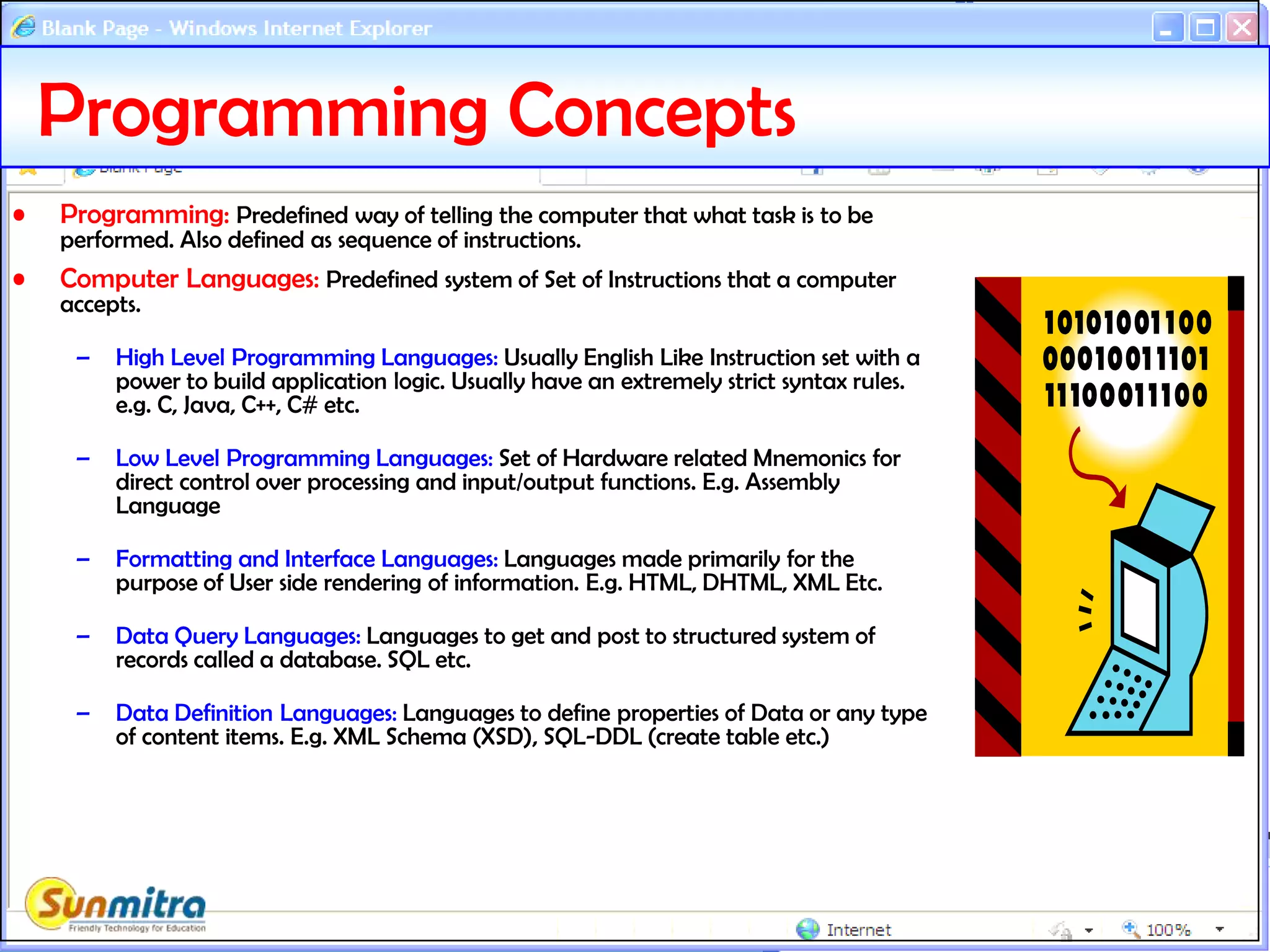
• Programming: Predefined way of telling the computer that what task is to be
performed. Also defined as sequence of instructions.
• Computer Languages: Predefined system of Set of Instructions that a computer
accepts.
– High Level Programming Languages: Usually English Like Instruction set with a
power to build application logic. Usually have an extremely strict syntax rules.
e.g. C, Java, C++, C# etc.
– Low Level Programming Languages: Set of Hardware related Mnemonics for
direct control over processing and input/output functions. E.g. Assembly
Language
– Formatting and Interface Languages: Languages made primarily for the
purpose of User side rendering of information. E.g. HTML, DHTML, XML Etc.
– Data Query Languages: Languages to get and post to structured system of
records called a database. SQL etc.
– Data Definition Languages: Languages to define properties of Data or any type
of content items. E.g. XML Schema (XSD), SQL-DDL (create table etc.)
Programming Logic
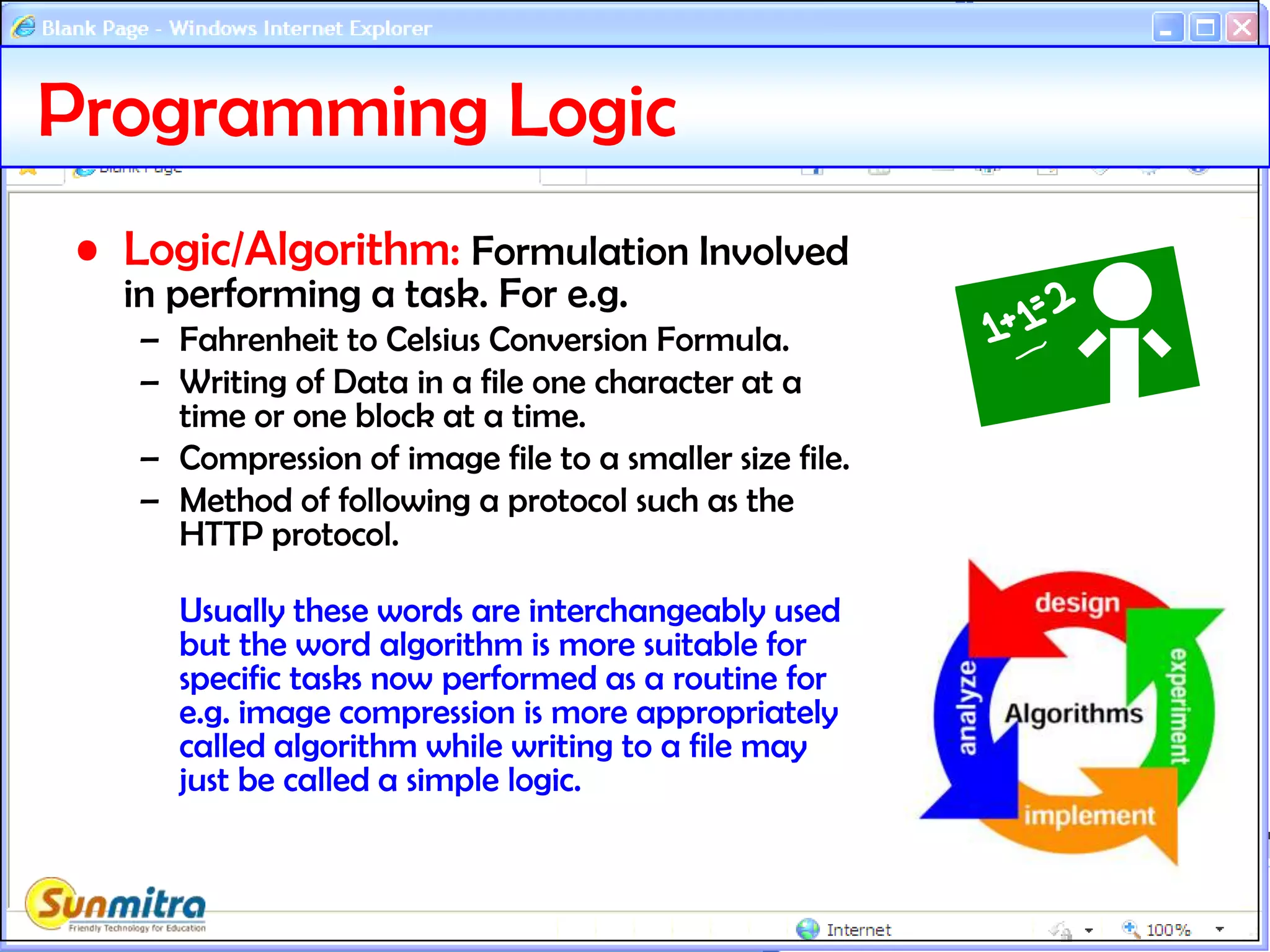
• Logic/Algorithm: Formulation Involved
in performing a task. For e.g.
– Fahrenheit to Celsius Conversion Formula.
– Writing of Data in a file one character at a
time or one block at a time.
– Compression of image file to a smaller size file.
– Method of following a protocol such as the
HTTP protocol.
Usually these words are interchangeably used
but the word algorithm is more suitable for
specific tasks now performed as a routine for
e.g. image compression is more appropriately
called algorithm while writing to a file may
just be called a simple logic.
Program Running
• Interpretation:
– Process of parsing the program instructions one by one
so that it directly produces the desired output.
– For e.g. Javascript is interpreted at the browser to run
the given functionality.
– Errors in the program code are caught at the time of
running the program and are likely hinder application
workflow.
• Compilation:
– Process of parsing the program instructions in one go
and produce an intermediate file that can be directly
run by the host system.
– Errors are required to be removed before compilation is
successfully completed.
– Application workflow is usually not hindered as basic
errors are removed initially. Only unexpected input
conditions produce errors.
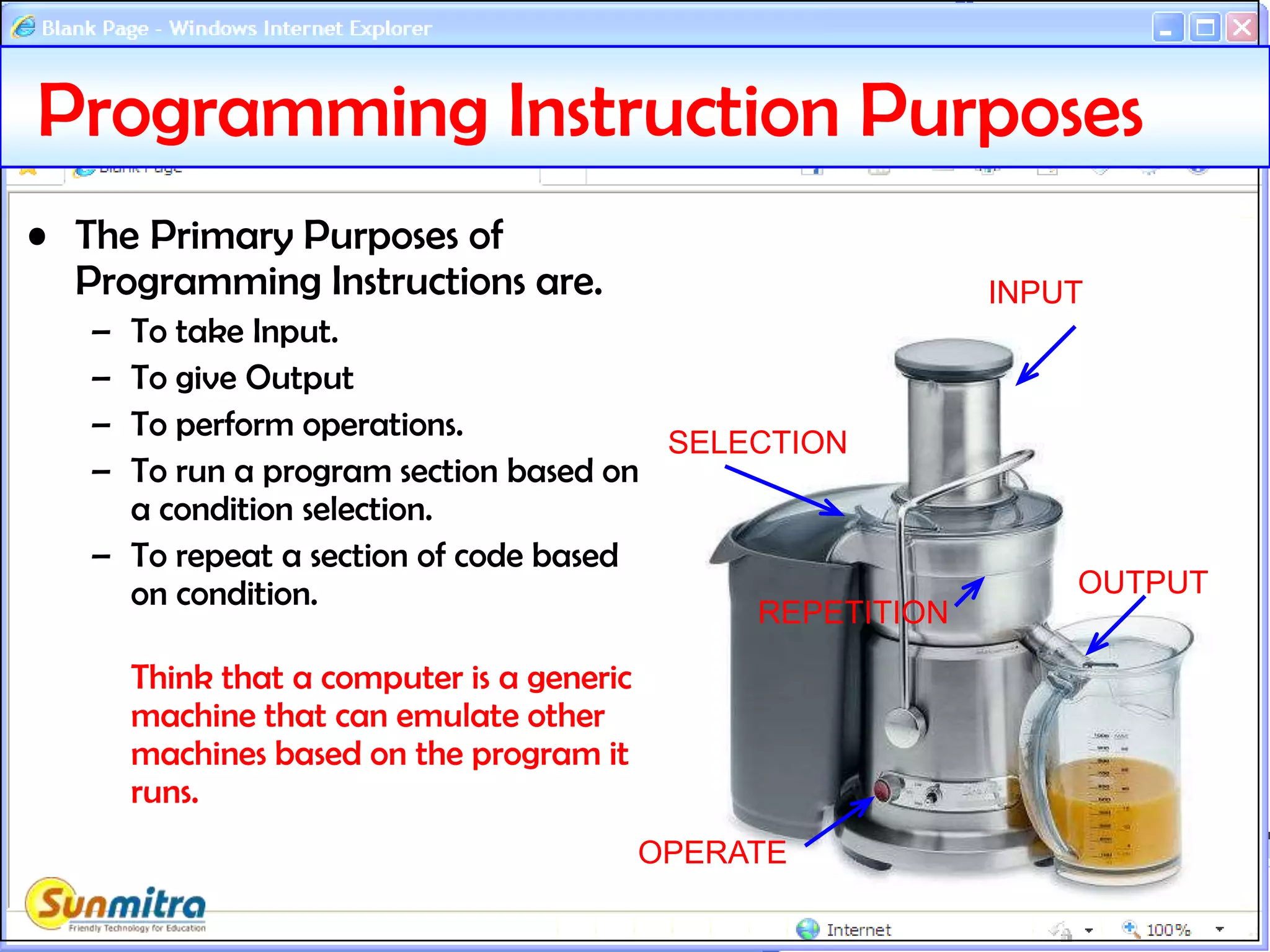
Programming Instruction Purposes
• The Primary Purposes of
Programming Instructions are.
– To take Input.
– To give Output
– To perform operations.
– To run a program section based on
a condition selection.
– To repeat a section of code based
on condition.
Think that a computer is a generic
machine that can emulate other
machines based on the program it
runs.
INPUT
OUTPUT
OPERATE
SELECTION
REPETITION
/* add.c simple C program */
#include <stdio.h>
#define LAST 10
int main()
{
int i, sum = 0;
for ( i = 1; i <= LAST; i++)
{
sum += i;
}
printf("sum = %dn", sum);
return 0;
}
Programming Components (Tokens)
Keywords: The instruction
words used in a certain
language. For eg. INT, IF, THEN,
DO, NEXT, RETURN etc.
Comments:Text not to be
processed.
Identifiers: User
defined data item or
function names.
Operators: Things like +,
-, OR, AND etc.
Separators: ( ), { }, [ ] ; etc
Literals: User provided
strings or numbers etc.
Whitespaces: Tabs, space etc.
Directives: Special instructions
for compiler only.
Programming Terms
• Statements: The actions that a program takes are
expressed as Statements.
– Declaration and Assignment (int a=0;)
– Expression (area = 3.14*(radius*radius) )
– Selection or Iteration (if, switch, do, for etc.)
– Jump (goto, break, continue, return etc.)
• Expressions: A sequence of one or more operands
and zero or more operators that can be evaluated
to a single output.
– ((x<10)&&(x>5))||((x > 20)&&(x < 25))
– System.Convert.ToInt32("35")
Programming Paradigms
• Declarative: What computation should be
performed and not how to compute it. HTML, CSS,
SQL (Select Query)
• Imperative (requiring attention): That define
sequence of tasks to control flow of computational
algorithm.
– Non-Structured: Allows Jumping randomly by line numbers
or labels. E.g. Basic, Assembly, Cobol, Batch Files.
– Structured: Use only sequence, selection(condition) or
iteration(loop) methods to provide instructions. E.g. C, C#,
Java etc.
Structured Programming Models
• Procedural: Grouping of series of instructions as a
procedure (routine, function, subroutine, method,
module) that can be called from multiple places to
undertake the same task again.
• Object Oriented: Allows to define templates generally
called classes, similar to real life definitions that
encapsulates various properties and methods. For. E.g.
real life template “CAR” would mean properties like:
Colour, Body Style, Fuel Type and Methods like:
Driving( ), Changing Gears( ), Opening( ) Doors etc.
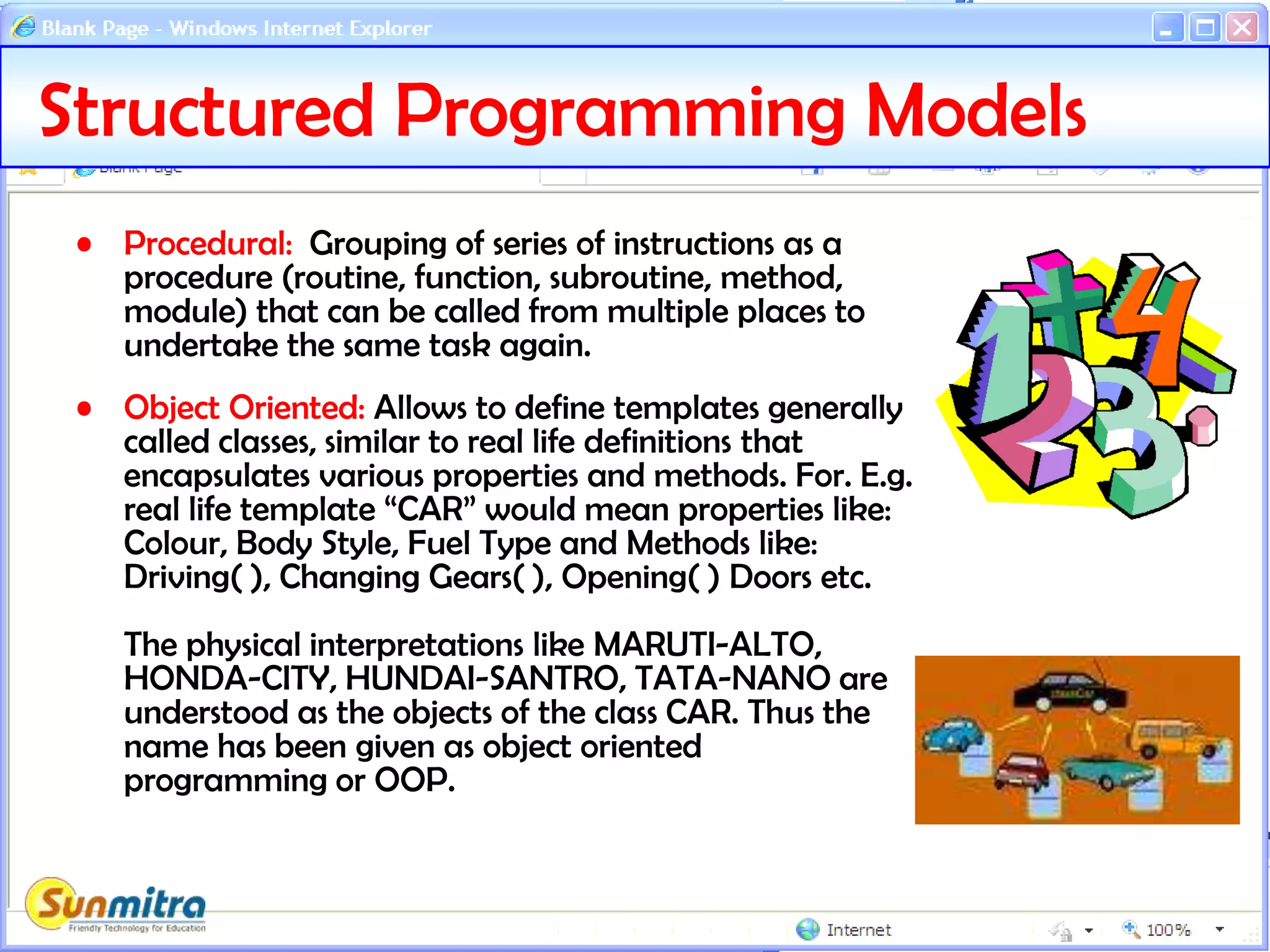
The physical interpretations like MARUTI-ALTO,
HONDA-CITY, HUNDAI-SANTRO, TATA-NANO are
understood as the objects of the class CAR. Thus the
name has been given as object oriented
programming or OOP.
Object Oriented Programming
• Class: A template definition of data items(properties)
and actions(Methods). For Example the Diagram of
CAR can be a real world metaphor to a class.
• Object: The physical item based on the class
definition is an object. For Example the real CAR
would be an Object. So one can say Objects are
instances of Class.
It is clear that one can have any number of instances
as the physical space permits.
OOPS - Inheritance
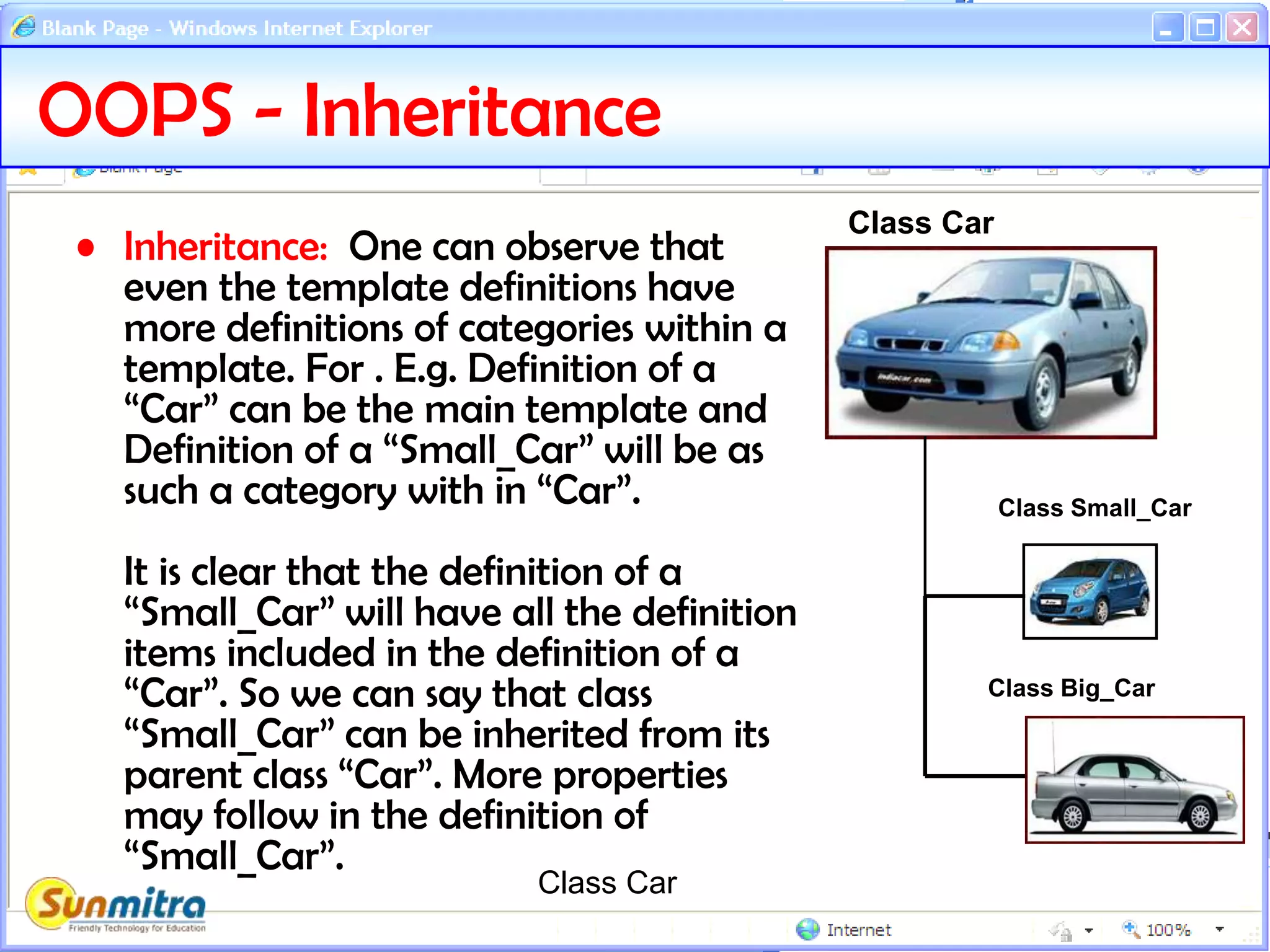
• Inheritance: One can observe that
even the template definitions have
more definitions of categories within a
template. For . E.g. Definition of a
“Car” can be the main template and
Definition of a “Small_Car” will be as
such a category with in “Car”.
It is clear that the definition of a
“Small_Car” will have all the definition
items included in the definition of a
“Car”. So we can say that class
“Small_Car” can be inherited from its
parent class “Car”. More properties
may follow in the definition of
“Small_Car”.
Class Car
Class Car
Class Small_Car
Class Big_Car
OOPS – Encapsulation & Abstraction
• Encapsulation: It is the way where actual methodology of achieving a result is hidden from
the external world users. For e.g. we can define a class CAR as follows.
Class CAR
{
property colour;
Method Steering(turn)
{
if turn is anticlockwise make the front wheel go left;
If turn is clockwise make the front wheel go right;
}
}
Here we see that method Steering( ) is actually hidden behind the class CAR and details of
the method are hidden to the external world and whenever the designer wants he can
change the design of achieving the goal of turning the steering handle. This is called
ENCAPSULATION.
• Abstraction: In above example we can see that user is only required to know about turning
the steering and he is not required to bother about internal system of turning a wheel. So
we can call the Method Steering is as such an ABSTRACT method and its purpose would be
distinctly different from any other method of the class CAR. The purpose we achieve out by
encapsulation is called ABSTRACTION.
OOPS: Polymorphism
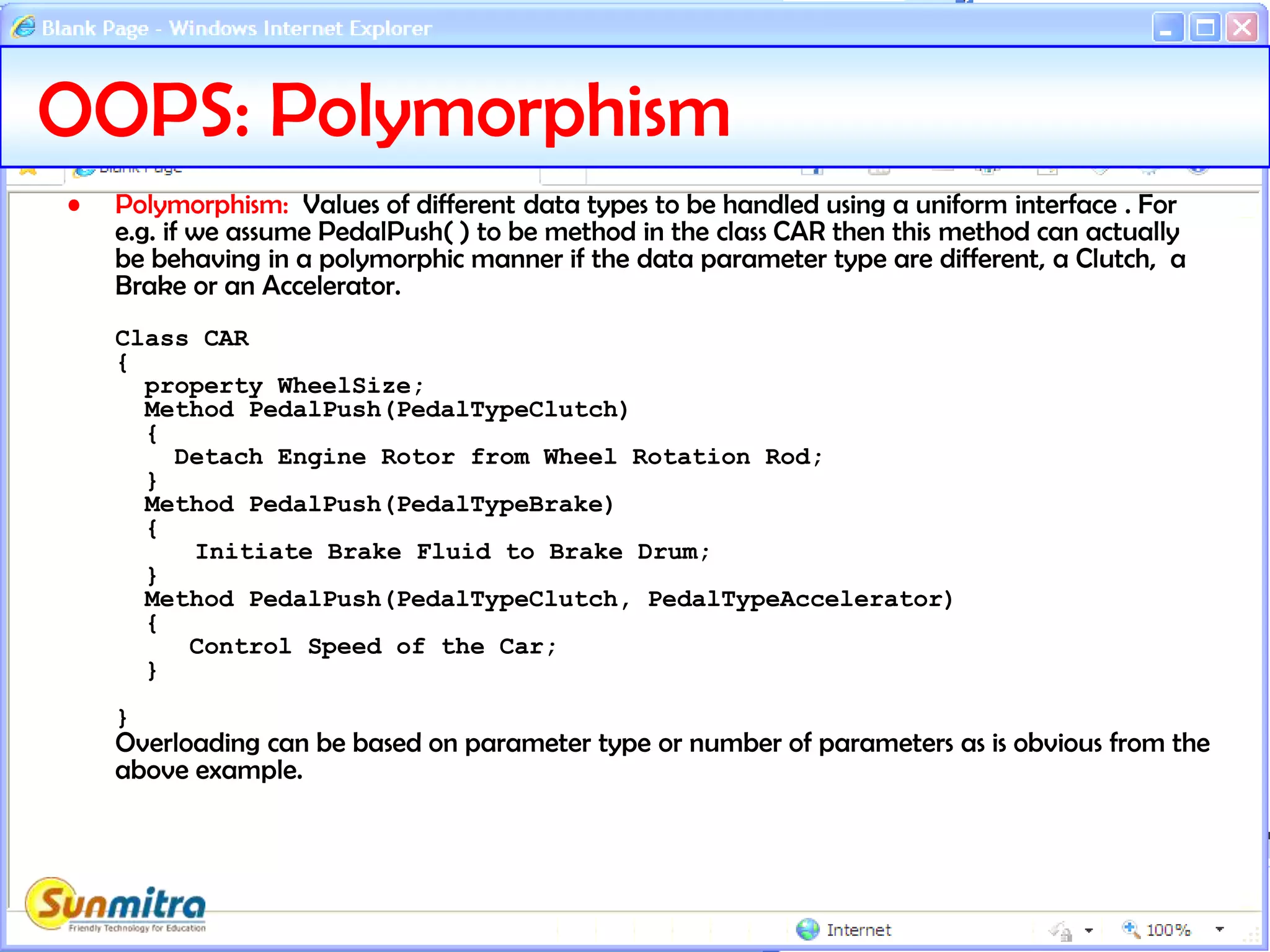
• Polymorphism: Values of different data types to be handled using a uniform interface . For
e.g. if we assume PedalPush( ) to be method in the class CAR then this method can actually
be behaving in a polymorphic manner if the data parameter type are different, a Clutch, a
Brake or an Accelerator.
Class CAR
{
property WheelSize;
Method PedalPush(PedalTypeClutch)
{
Detach Engine Rotor from Wheel Rotation Rod;
}
Method PedalPush(PedalTypeBrake)
{
Initiate Brake Fluid to Brake Drum;
}
Method PedalPush(PedalTypeClutch, PedalTypeAccelerator)
{
Control Speed of the Car;
}
}
Overloading can be based on parameter type or number of parameters as is obvious from the
above example.
OOPS: Operator Overloading
• Operator Overloading: Providing polymorphic behaviour to
operators is called Operator Overloading. While overloading
an operator different functionality is provided on operands
based on the type of operands. Consider following case of
action of + (addition) operator.
1) 1 + 2 = 3
2) 2.1 + 0.02 = 2.02
3) [1, 2, 3] + [4, 5, 6] = [1, 2, 3, 4, 5, 6]
4) “Girl" + “friend" = “Girlfriend“
Here case 1 is integer addition, case 2 is floating point addition,
case 3 is list consolidation and case 4 is string concatenation. So
the code call has to be based on types of operand that are
added.
One can also see that operators are a special case
implementation of functions only. For e.g. x + y*z can be
written as add(x, multiply(y,z))
Architectural Models – Client Server
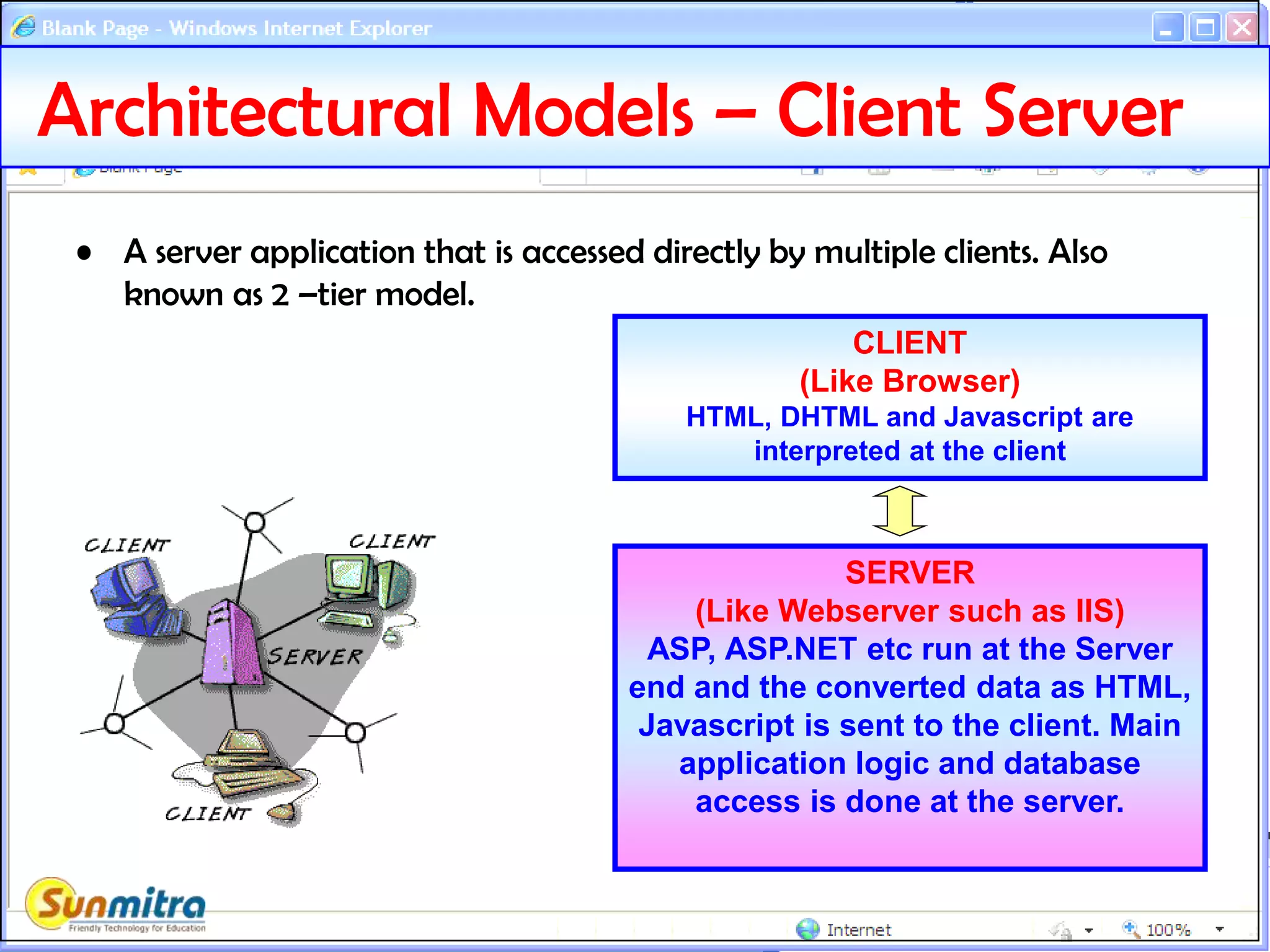
• A server application that is accessed directly by multiple clients. Also
known as 2 –tier model.
SERVER
(Like Webserver such as IIS)
ASP, ASP.NET etc run at the Server
end and the converted data as HTML,
Javascript is sent to the client. Main
application logic and database
access is done at the server.
CLIENT
(Like Browser)
HTML, DHTML and Javascript are
interpreted at the client
Architectural Models – 3 Tier
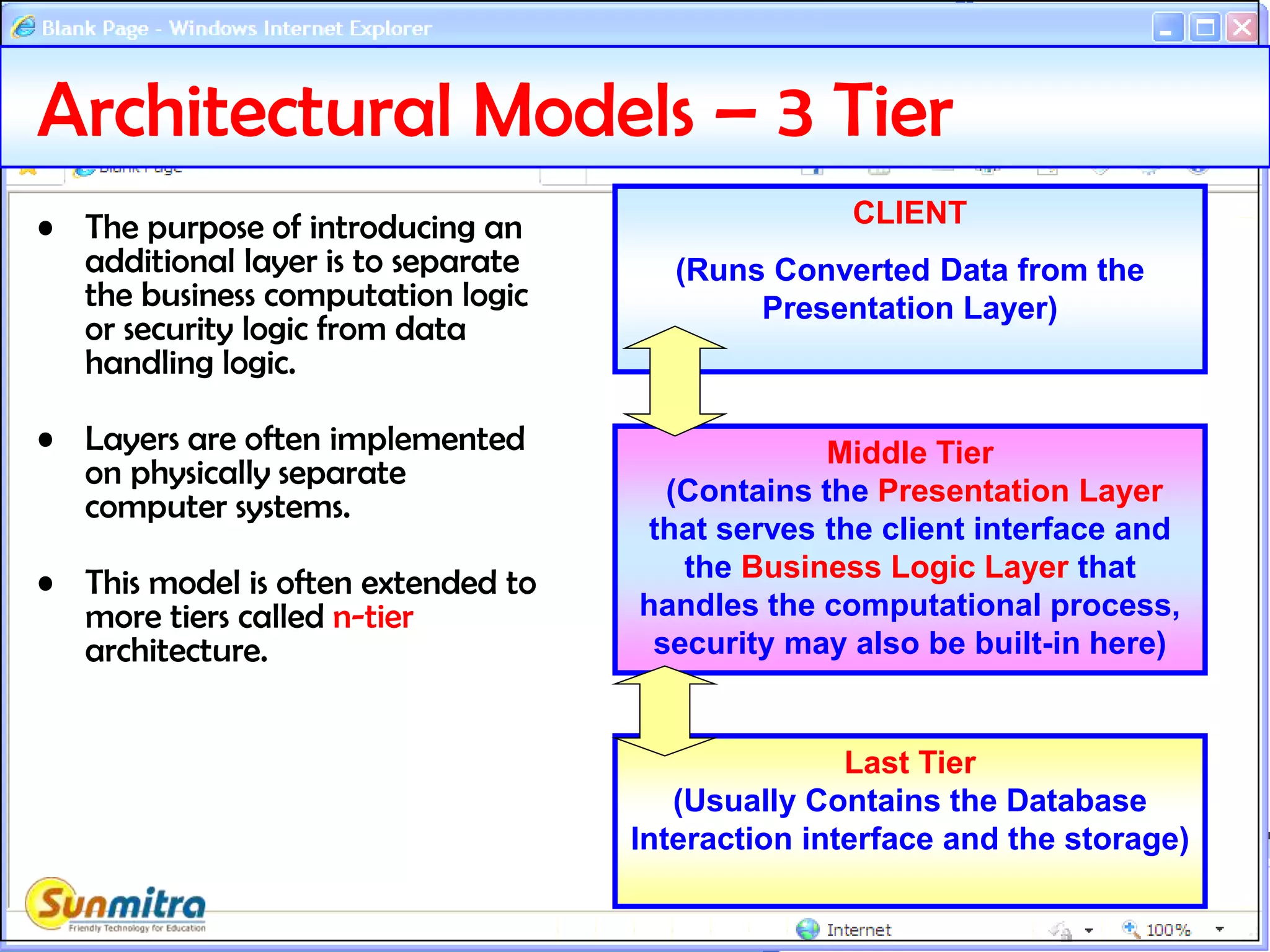
• The purpose of introducing an
additional layer is to separate
the business computation logic
or security logic from data
handling logic.
• Layers are often implemented
on physically separate
computer systems.
• This model is often extended to
more tiers called n-tier
architecture.
Middle Tier
(Contains the Presentation Layer
that serves the client interface and
the Business Logic Layer that
handles the computational process,
security may also be built-in here)
CLIENT
(Runs Converted Data from the
Presentation Layer)
Last Tier
(Usually Contains the Database
Interaction interface and the storage)
Bibliography
• http://en.wikipedia.org
• http://www.landofcode.com
• http://www.thescarms.com
• http://msdn.microsoft.com
• http://www.sum-it.nl/enoo.html
• Ask and guide me at
sunmitraeducation@gmail.com
• Share this information with as
many people as possible.
• Keep visiting www.sunmitra.com
for programme updates.

ProgrammingPrimerAndOOPS

  • 1.
    PROGRAMMING PRIMER AND CONCEPTS OF OBJECTORIENTED PROGRAMMING THEORY SESSION A Programme Under the Compumitra Education Series
  • 2.
    OUTLINE • Programming Concepts •Programming Logic • Program Running • Components of a Program • Programming Paradigms • Structured Programming • Object Oriented Programming. • Inheritance. • Encapsulation and Abstraction • Polymorphism and Overloading • Architectural model
  • 3.
    Programming Concepts • Programming:Predefined way of telling the computer that what task is to be performed. Also defined as sequence of instructions. • Computer Languages: Predefined system of Set of Instructions that a computer accepts. – High Level Programming Languages: Usually English Like Instruction set with a power to build application logic. Usually have an extremely strict syntax rules. e.g. C, Java, C++, C# etc. – Low Level Programming Languages: Set of Hardware related Mnemonics for direct control over processing and input/output functions. E.g. Assembly Language – Formatting and Interface Languages: Languages made primarily for the purpose of User side rendering of information. E.g. HTML, DHTML, XML Etc. – Data Query Languages: Languages to get and post to structured system of records called a database. SQL etc. – Data Definition Languages: Languages to define properties of Data or any type of content items. E.g. XML Schema (XSD), SQL-DDL (create table etc.)
  • 4.
    Programming Logic • Logic/Algorithm:Formulation Involved in performing a task. For e.g. – Fahrenheit to Celsius Conversion Formula. – Writing of Data in a file one character at a time or one block at a time. – Compression of image file to a smaller size file. – Method of following a protocol such as the HTTP protocol. Usually these words are interchangeably used but the word algorithm is more suitable for specific tasks now performed as a routine for e.g. image compression is more appropriately called algorithm while writing to a file may just be called a simple logic.
  • 5.
    Program Running • Interpretation: –Process of parsing the program instructions one by one so that it directly produces the desired output. – For e.g. Javascript is interpreted at the browser to run the given functionality. – Errors in the program code are caught at the time of running the program and are likely hinder application workflow. • Compilation: – Process of parsing the program instructions in one go and produce an intermediate file that can be directly run by the host system. – Errors are required to be removed before compilation is successfully completed. – Application workflow is usually not hindered as basic errors are removed initially. Only unexpected input conditions produce errors.
  • 6.
    Programming Instruction Purposes •The Primary Purposes of Programming Instructions are. – To take Input. – To give Output – To perform operations. – To run a program section based on a condition selection. – To repeat a section of code based on condition. Think that a computer is a generic machine that can emulate other machines based on the program it runs. INPUT OUTPUT OPERATE SELECTION REPETITION
  • 7.
    /* add.c simpleC program */ #include <stdio.h> #define LAST 10 int main() { int i, sum = 0; for ( i = 1; i <= LAST; i++) { sum += i; } printf("sum = %dn", sum); return 0; } Programming Components (Tokens) Keywords: The instruction words used in a certain language. For eg. INT, IF, THEN, DO, NEXT, RETURN etc. Comments:Text not to be processed. Identifiers: User defined data item or function names. Operators: Things like +, -, OR, AND etc. Separators: ( ), { }, [ ] ; etc Literals: User provided strings or numbers etc. Whitespaces: Tabs, space etc. Directives: Special instructions for compiler only.
  • 8.
    Programming Terms • Statements:The actions that a program takes are expressed as Statements. – Declaration and Assignment (int a=0;) – Expression (area = 3.14*(radius*radius) ) – Selection or Iteration (if, switch, do, for etc.) – Jump (goto, break, continue, return etc.) • Expressions: A sequence of one or more operands and zero or more operators that can be evaluated to a single output. – ((x<10)&&(x>5))||((x > 20)&&(x < 25)) – System.Convert.ToInt32("35")
  • 9.
    Programming Paradigms • Declarative:What computation should be performed and not how to compute it. HTML, CSS, SQL (Select Query) • Imperative (requiring attention): That define sequence of tasks to control flow of computational algorithm. – Non-Structured: Allows Jumping randomly by line numbers or labels. E.g. Basic, Assembly, Cobol, Batch Files. – Structured: Use only sequence, selection(condition) or iteration(loop) methods to provide instructions. E.g. C, C#, Java etc.
  • 10.
    Structured Programming Models •Procedural: Grouping of series of instructions as a procedure (routine, function, subroutine, method, module) that can be called from multiple places to undertake the same task again. • Object Oriented: Allows to define templates generally called classes, similar to real life definitions that encapsulates various properties and methods. For. E.g. real life template “CAR” would mean properties like: Colour, Body Style, Fuel Type and Methods like: Driving( ), Changing Gears( ), Opening( ) Doors etc. The physical interpretations like MARUTI-ALTO, HONDA-CITY, HUNDAI-SANTRO, TATA-NANO are understood as the objects of the class CAR. Thus the name has been given as object oriented programming or OOP.
  • 11.
    Object Oriented Programming •Class: A template definition of data items(properties) and actions(Methods). For Example the Diagram of CAR can be a real world metaphor to a class. • Object: The physical item based on the class definition is an object. For Example the real CAR would be an Object. So one can say Objects are instances of Class. It is clear that one can have any number of instances as the physical space permits.
  • 12.
    OOPS - Inheritance •Inheritance: One can observe that even the template definitions have more definitions of categories within a template. For . E.g. Definition of a “Car” can be the main template and Definition of a “Small_Car” will be as such a category with in “Car”. It is clear that the definition of a “Small_Car” will have all the definition items included in the definition of a “Car”. So we can say that class “Small_Car” can be inherited from its parent class “Car”. More properties may follow in the definition of “Small_Car”. Class Car Class Car Class Small_Car Class Big_Car
  • 13.
    OOPS – Encapsulation& Abstraction • Encapsulation: It is the way where actual methodology of achieving a result is hidden from the external world users. For e.g. we can define a class CAR as follows. Class CAR { property colour; Method Steering(turn) { if turn is anticlockwise make the front wheel go left; If turn is clockwise make the front wheel go right; } } Here we see that method Steering( ) is actually hidden behind the class CAR and details of the method are hidden to the external world and whenever the designer wants he can change the design of achieving the goal of turning the steering handle. This is called ENCAPSULATION. • Abstraction: In above example we can see that user is only required to know about turning the steering and he is not required to bother about internal system of turning a wheel. So we can call the Method Steering is as such an ABSTRACT method and its purpose would be distinctly different from any other method of the class CAR. The purpose we achieve out by encapsulation is called ABSTRACTION.
  • 14.
    OOPS: Polymorphism • Polymorphism:Values of different data types to be handled using a uniform interface . For e.g. if we assume PedalPush( ) to be method in the class CAR then this method can actually be behaving in a polymorphic manner if the data parameter type are different, a Clutch, a Brake or an Accelerator. Class CAR { property WheelSize; Method PedalPush(PedalTypeClutch) { Detach Engine Rotor from Wheel Rotation Rod; } Method PedalPush(PedalTypeBrake) { Initiate Brake Fluid to Brake Drum; } Method PedalPush(PedalTypeClutch, PedalTypeAccelerator) { Control Speed of the Car; } } Overloading can be based on parameter type or number of parameters as is obvious from the above example.
  • 15.
    OOPS: Operator Overloading •Operator Overloading: Providing polymorphic behaviour to operators is called Operator Overloading. While overloading an operator different functionality is provided on operands based on the type of operands. Consider following case of action of + (addition) operator. 1) 1 + 2 = 3 2) 2.1 + 0.02 = 2.02 3) [1, 2, 3] + [4, 5, 6] = [1, 2, 3, 4, 5, 6] 4) “Girl" + “friend" = “Girlfriend“ Here case 1 is integer addition, case 2 is floating point addition, case 3 is list consolidation and case 4 is string concatenation. So the code call has to be based on types of operand that are added. One can also see that operators are a special case implementation of functions only. For e.g. x + y*z can be written as add(x, multiply(y,z))
  • 16.
    Architectural Models –Client Server • A server application that is accessed directly by multiple clients. Also known as 2 –tier model. SERVER (Like Webserver such as IIS) ASP, ASP.NET etc run at the Server end and the converted data as HTML, Javascript is sent to the client. Main application logic and database access is done at the server. CLIENT (Like Browser) HTML, DHTML and Javascript are interpreted at the client
  • 17.
    Architectural Models –3 Tier • The purpose of introducing an additional layer is to separate the business computation logic or security logic from data handling logic. • Layers are often implemented on physically separate computer systems. • This model is often extended to more tiers called n-tier architecture. Middle Tier (Contains the Presentation Layer that serves the client interface and the Business Logic Layer that handles the computational process, security may also be built-in here) CLIENT (Runs Converted Data from the Presentation Layer) Last Tier (Usually Contains the Database Interaction interface and the storage)
  • 18.
    Bibliography • http://en.wikipedia.org • http://www.landofcode.com •http://www.thescarms.com • http://msdn.microsoft.com • http://www.sum-it.nl/enoo.html
  • 19.
    • Ask andguide me at sunmitraeducation@gmail.com • Share this information with as many people as possible. • Keep visiting www.sunmitra.com for programme updates.