PROBLEM SOLVING
Ben Dix
PRACTICAL AND
TECHNICAL PROBLEMS
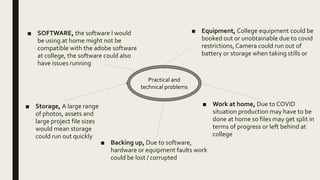
■ SOFTWARE, the software I would
be using at home might not be
compatible with the adobe software
at college, the software could also
have issues running
■ Equipment, College equipment could be
booked out or unobtainable due to covid
restrictions, Camera could run out of
battery or storage when taking stills or
■ Backing up, Due to software,
hardware or equipment faults work
could be lost / corrupted
■ Work at home, Due to COVID
situation production may have to be
done at home so files may get split in
terms of progress or left behind at
college
Practical and
technical problems
■ Storage, A large range
of photos, assets and
large project file sizes
would mean storage
could run out quickly
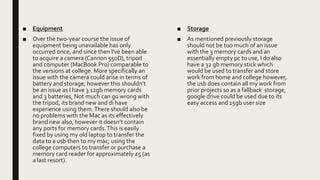
■ Equipment
■ Over the two-year course the issue of
equipment being unavailable has only
occurred once, and since then I've been able
to acquire a camera (Cannon 550D), tripod
and computer (MacBook Pro) comparable to
the versions at college. More specifically an
issue with the camera could arise in terms of
battery and storage, however this shouldn’t
be an issue as I have 3 12gb memory cards
and 3 batteries, Not much can go wrong with
the tripod, its brand new and di have
experience using them.There should also be
no problems with the Mac as its effectively
brand new also, however it doesn’t contain
any ports for memory cards.This is easily
fixed by using my old laptop to transfer the
data to a usb then to my mac; using the
college computers to transfer or purchase a
memory card reader for approximately £5 (as
a last resort).
■ Storage
■ As mentioned previously storage
should not be too much of an issue
with the 3 memory cards and an
essentially empty pc to use, I do also
have a 32 gb memory stick which
would be used to transfer and store
work from home and college however,
the usb does contain all my work from
prior projects so as a fallback storage,
google drive could be used due to its
easy access and 15gb user size
■ Working at home
■ The main issue that would arise for me is
having a split between the files at college
and home and being left with
outdated/incorrect files, Now in order to
avoid this a few things could be done,
firstly; backups can be saved and updated
onto a usb, another solution is to make
efforts to make sure that at the end of each
college day I have all the files I need to do
work from home
■ Software
■ Software shouldn’t be to much of an
issue In order to remove the risk of
loosing work due to software crashes
work will be saved after every 15
mins or a significant process is
complete, whichever occurs first.
■ Another potential issue is due to
covid a lockdown could occur and
then the regular adobe software
would be unavailable, in the event of
that a preprepared list of alternative
software gives me the best
alternatives

Problem solving

  • 1.
  • 2.
  • 3.
    ■ SOFTWARE, thesoftware I would be using at home might not be compatible with the adobe software at college, the software could also have issues running ■ Equipment, College equipment could be booked out or unobtainable due to covid restrictions, Camera could run out of battery or storage when taking stills or ■ Backing up, Due to software, hardware or equipment faults work could be lost / corrupted ■ Work at home, Due to COVID situation production may have to be done at home so files may get split in terms of progress or left behind at college Practical and technical problems ■ Storage, A large range of photos, assets and large project file sizes would mean storage could run out quickly
  • 4.
    ■ Equipment ■ Overthe two-year course the issue of equipment being unavailable has only occurred once, and since then I've been able to acquire a camera (Cannon 550D), tripod and computer (MacBook Pro) comparable to the versions at college. More specifically an issue with the camera could arise in terms of battery and storage, however this shouldn’t be an issue as I have 3 12gb memory cards and 3 batteries, Not much can go wrong with the tripod, its brand new and di have experience using them.There should also be no problems with the Mac as its effectively brand new also, however it doesn’t contain any ports for memory cards.This is easily fixed by using my old laptop to transfer the data to a usb then to my mac; using the college computers to transfer or purchase a memory card reader for approximately £5 (as a last resort). ■ Storage ■ As mentioned previously storage should not be too much of an issue with the 3 memory cards and an essentially empty pc to use, I do also have a 32 gb memory stick which would be used to transfer and store work from home and college however, the usb does contain all my work from prior projects so as a fallback storage, google drive could be used due to its easy access and 15gb user size
  • 5.
    ■ Working athome ■ The main issue that would arise for me is having a split between the files at college and home and being left with outdated/incorrect files, Now in order to avoid this a few things could be done, firstly; backups can be saved and updated onto a usb, another solution is to make efforts to make sure that at the end of each college day I have all the files I need to do work from home ■ Software ■ Software shouldn’t be to much of an issue In order to remove the risk of loosing work due to software crashes work will be saved after every 15 mins or a significant process is complete, whichever occurs first. ■ Another potential issue is due to covid a lockdown could occur and then the regular adobe software would be unavailable, in the event of that a preprepared list of alternative software gives me the best alternatives