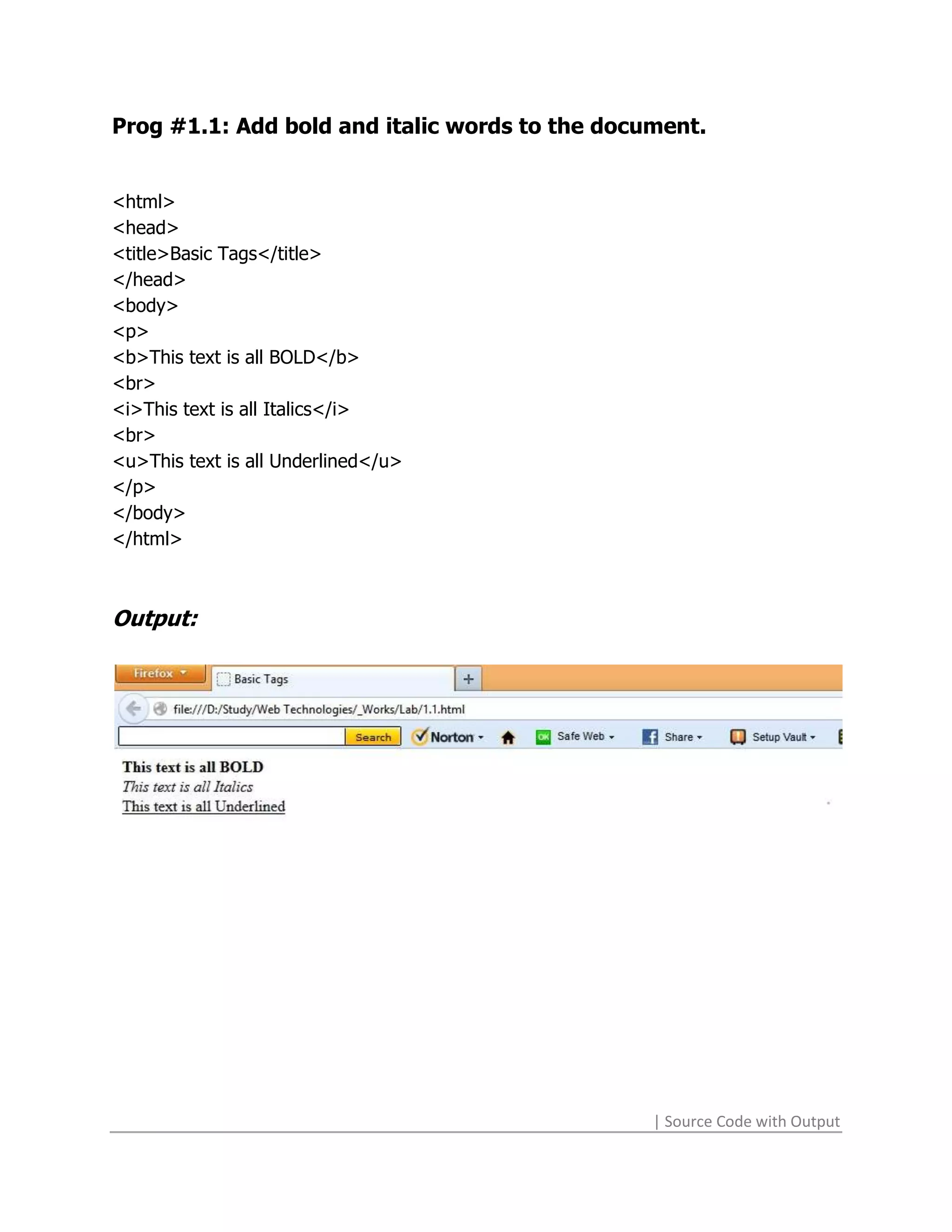
Prog #1.1: Add bold and italic words to the document.


<html>
<head>
<title>Basic Tags</title>
</head>
<body>
<p>
<b>This text is all BOLD</b>
<br>
<i>This text is all Italics</i>
<br>
<u>This text is all Underlined</u>
</p>
</body>
</html>


Output:


                                                | Source Code with Output
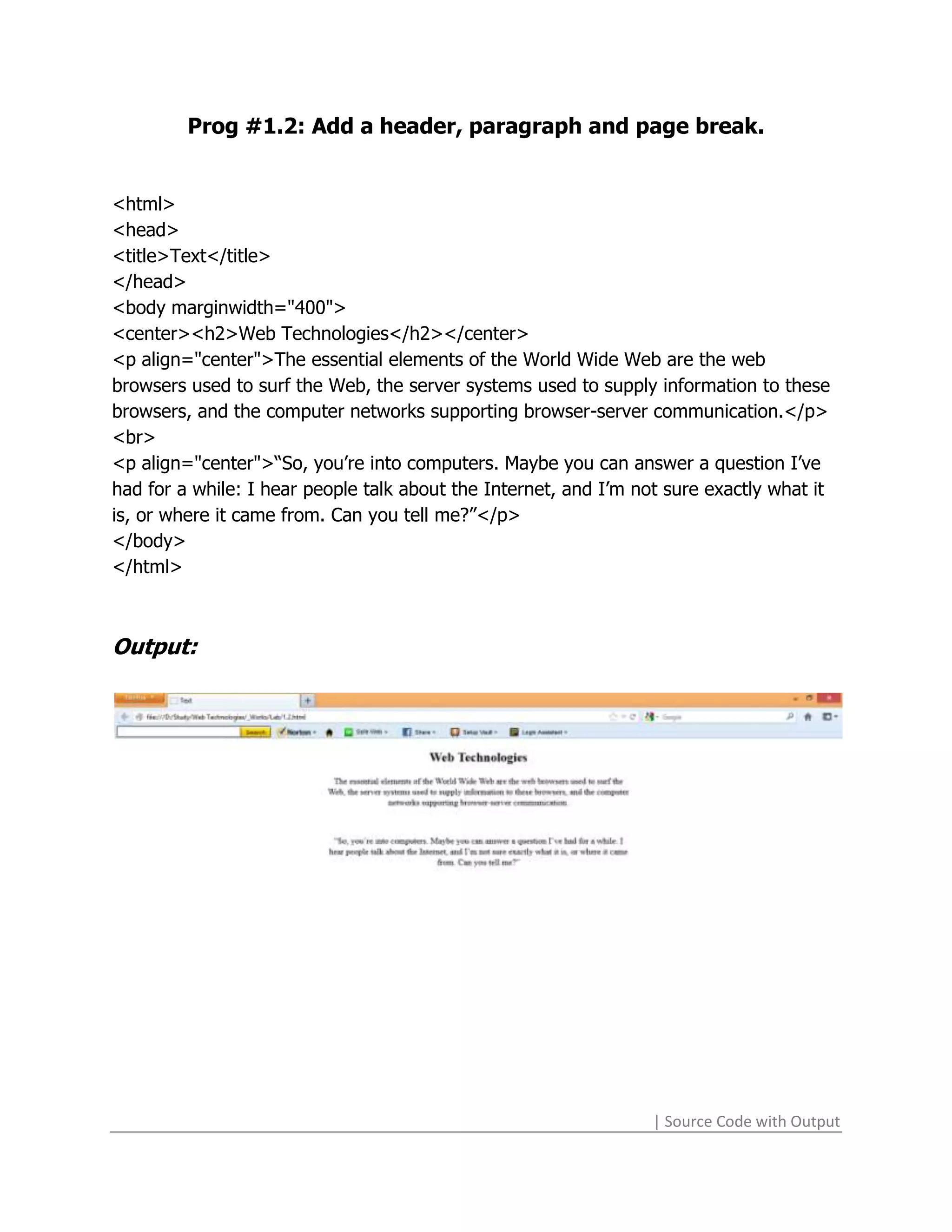
Prog #1.2: Add a header, paragraph and page break.


<html>
<head>
<title>Text</title>
</head>
<body marginwidth="400">
<center><h2>Web Technologies</h2></center>
<p align="center">The essential elements of the World Wide Web are the web
browsers used to surf the Web, the server systems used to supply information to these
browsers, and the computer networks supporting browser-server communication.</p>
<br>
<p align="center">“So, you’re into computers. Maybe you can answer a question I’ve
had for a while: I hear people talk about the Internet, and I’m not sure exactly what it
is, or where it came from. Can you tell me?”</p>
</body>
</html>


Output:


                                                                  | Source Code with Output
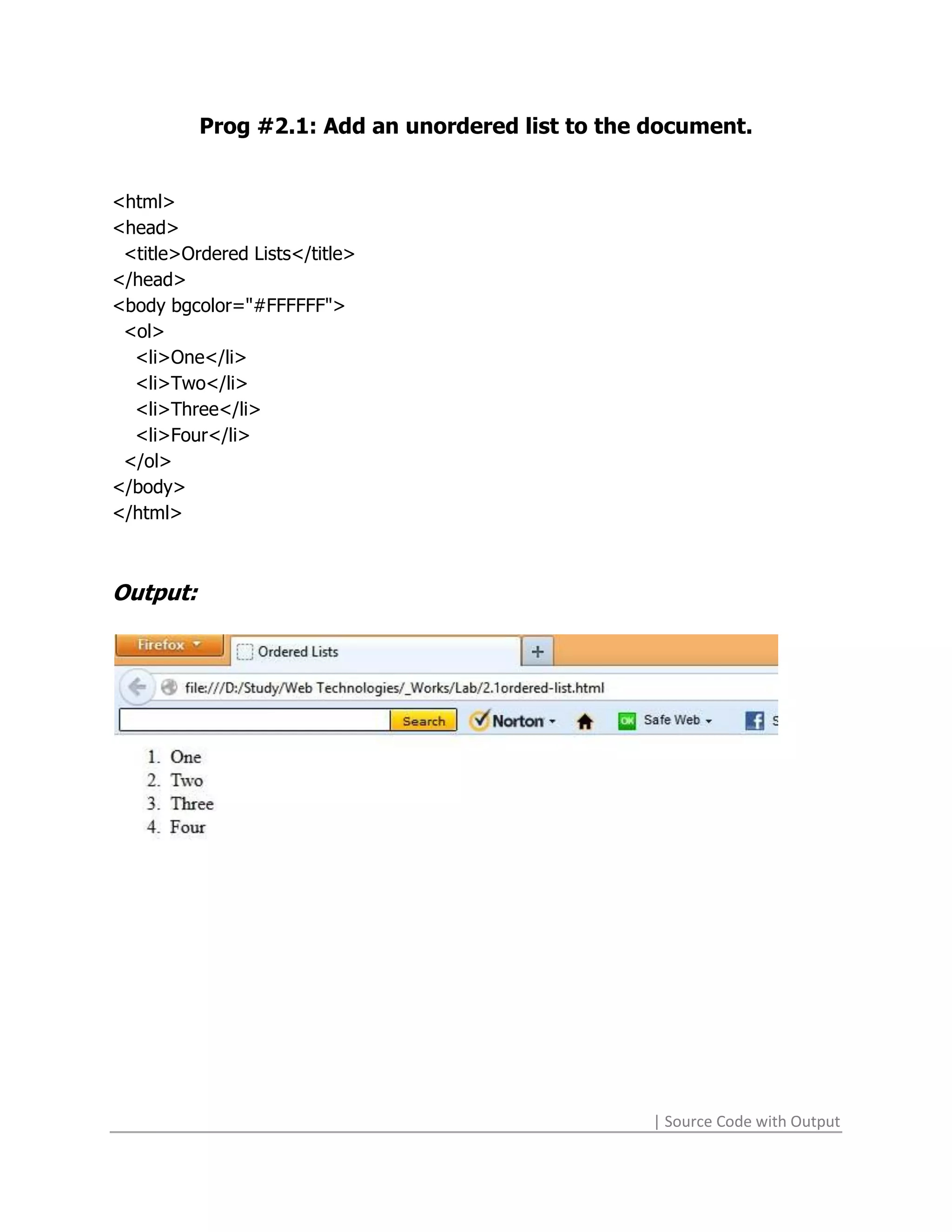
Prog #2.1: Add an unordered list to the document.


<html>
<head>
 <title>Ordered Lists</title>
</head>
<body bgcolor="#FFFFFF">
 <ol>
  <li>One</li>
  <li>Two</li>
  <li>Three</li>
  <li>Four</li>
 </ol>
</body>
</html>


Output:


                                                  | Source Code with Output
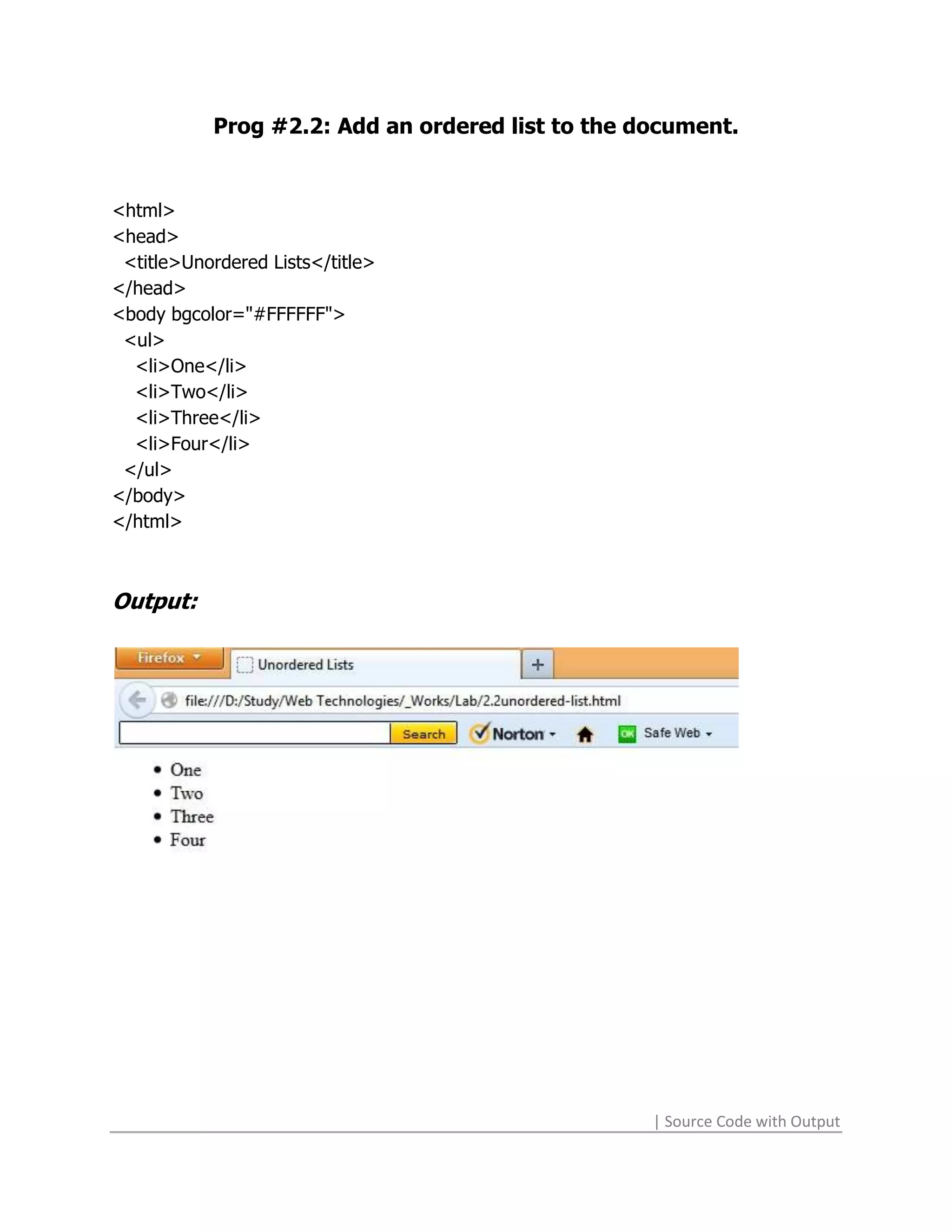
Prog #2.2: Add an ordered list to the document.


<html>
<head>
 <title>Unordered Lists</title>
</head>
<body bgcolor="#FFFFFF">
 <ul>
  <li>One</li>
  <li>Two</li>
  <li>Three</li>
  <li>Four</li>
 </ul>
</body>
</html>


Output:


                                                  | Source Code with Output
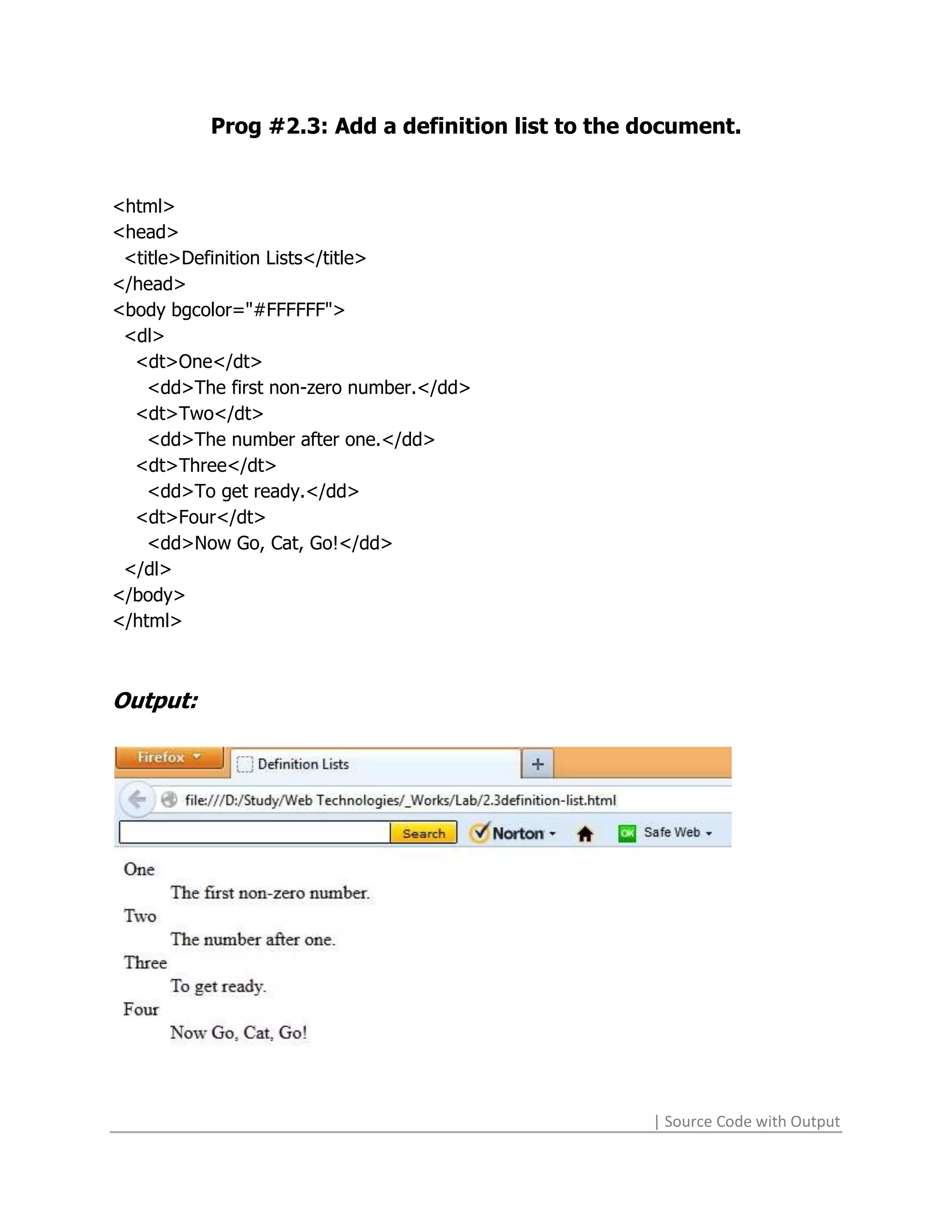
Prog #2.3: Add a definition list to the document.


<html>
<head>
 <title>Definition Lists</title>
</head>
<body bgcolor="#FFFFFF">
 <dl>
  <dt>One</dt>
    <dd>The first non-zero number.</dd>
  <dt>Two</dt>
    <dd>The number after one.</dd>
  <dt>Three</dt>
    <dd>To get ready.</dd>
  <dt>Four</dt>
    <dd>Now Go, Cat, Go!</dd>
 </dl>
</body>
</html>


Output:


                                                  | Source Code with Output
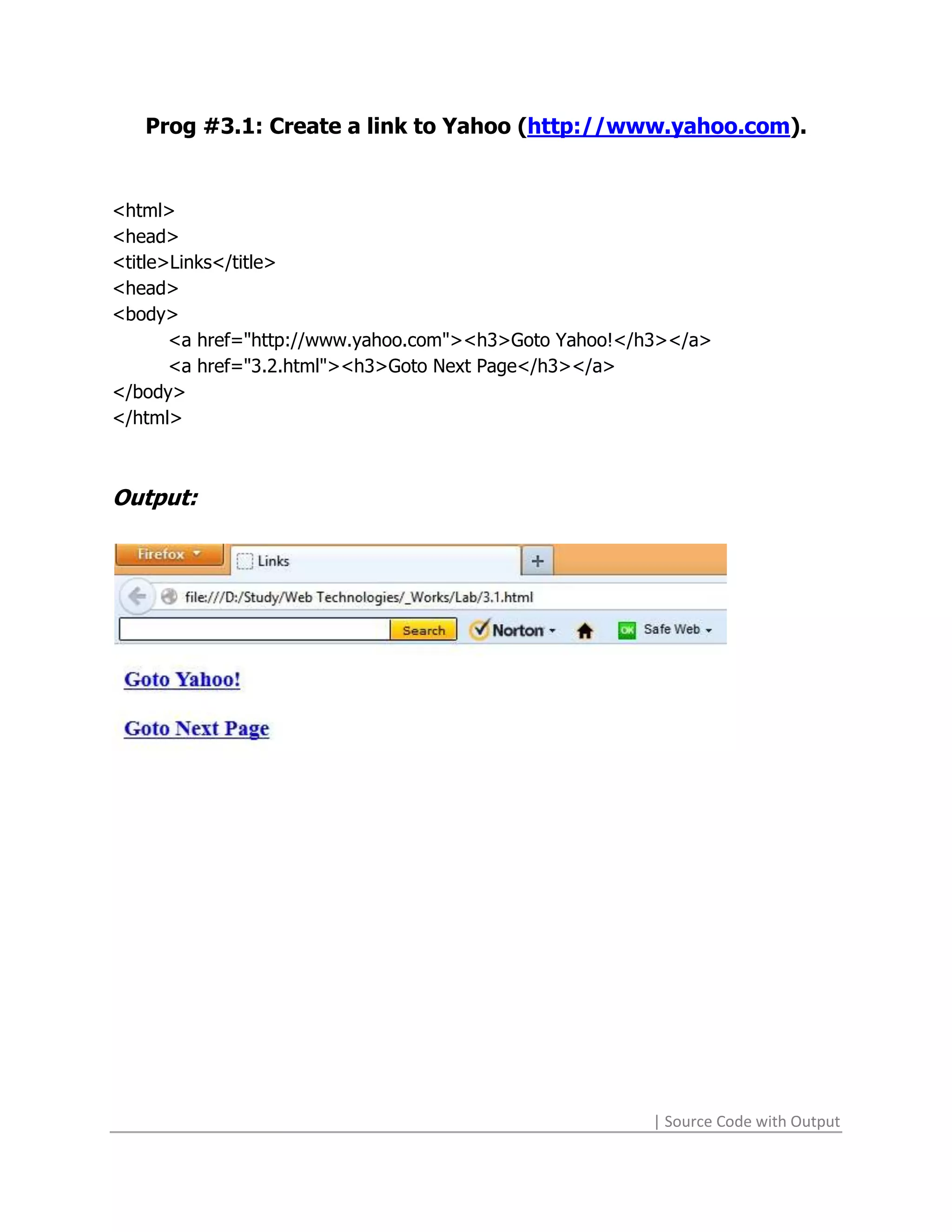
Prog #3.1: Create a link to Yahoo (http://www.yahoo.com).


<html>
<head>
<title>Links</title>
<head>
<body>
       <a href="http://www.yahoo.com"><h3>Goto Yahoo!</h3></a>
       <a href="3.2.html"><h3>Goto Next Page</h3></a>
</body>
</html>


Output:


                                                       | Source Code with Output
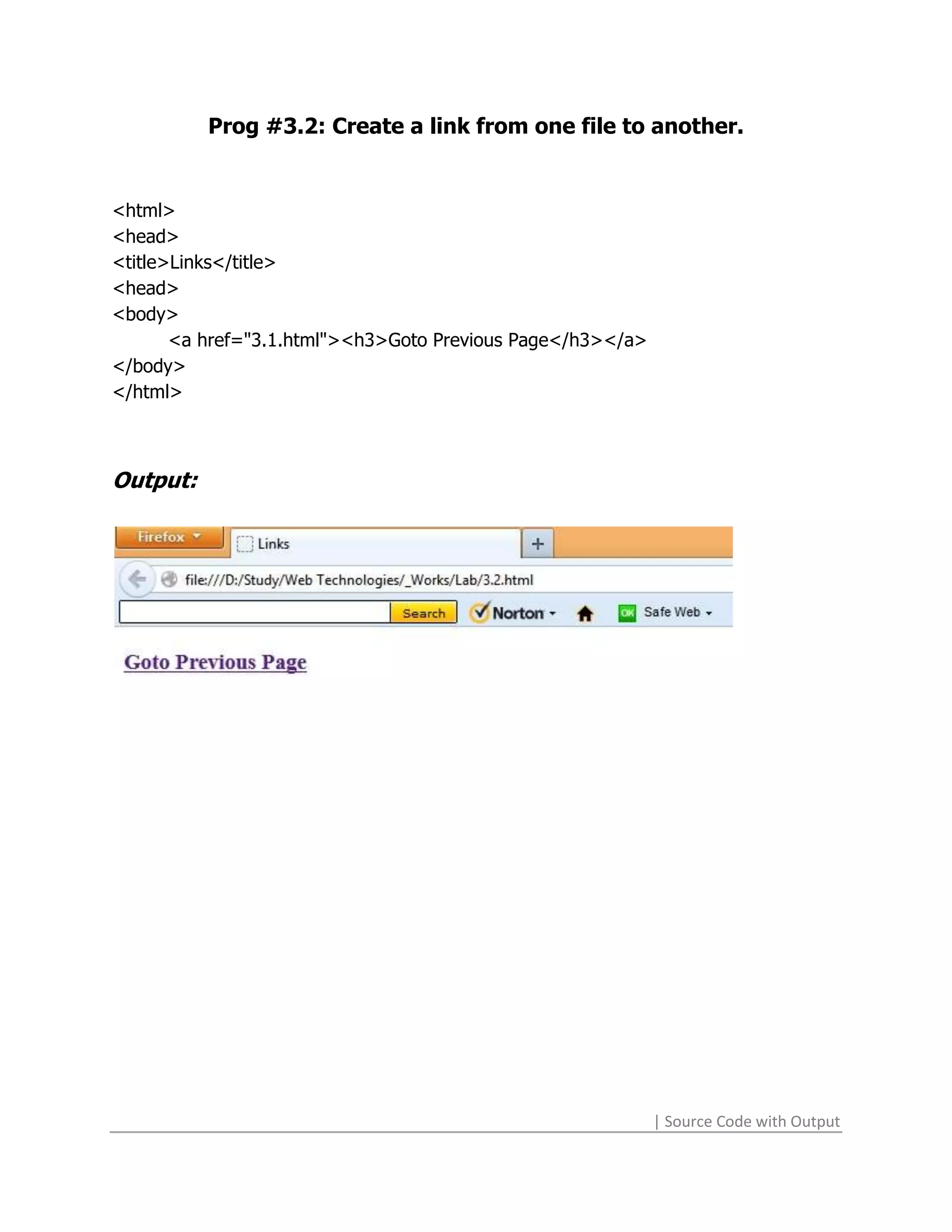
Prog #3.2: Create a link from one file to another.


<html>
<head>
<title>Links</title>
<head>
<body>
       <a href="3.1.html"><h3>Goto Previous Page</h3></a>
</body>
</html>


Output:


                                                            | Source Code with Output
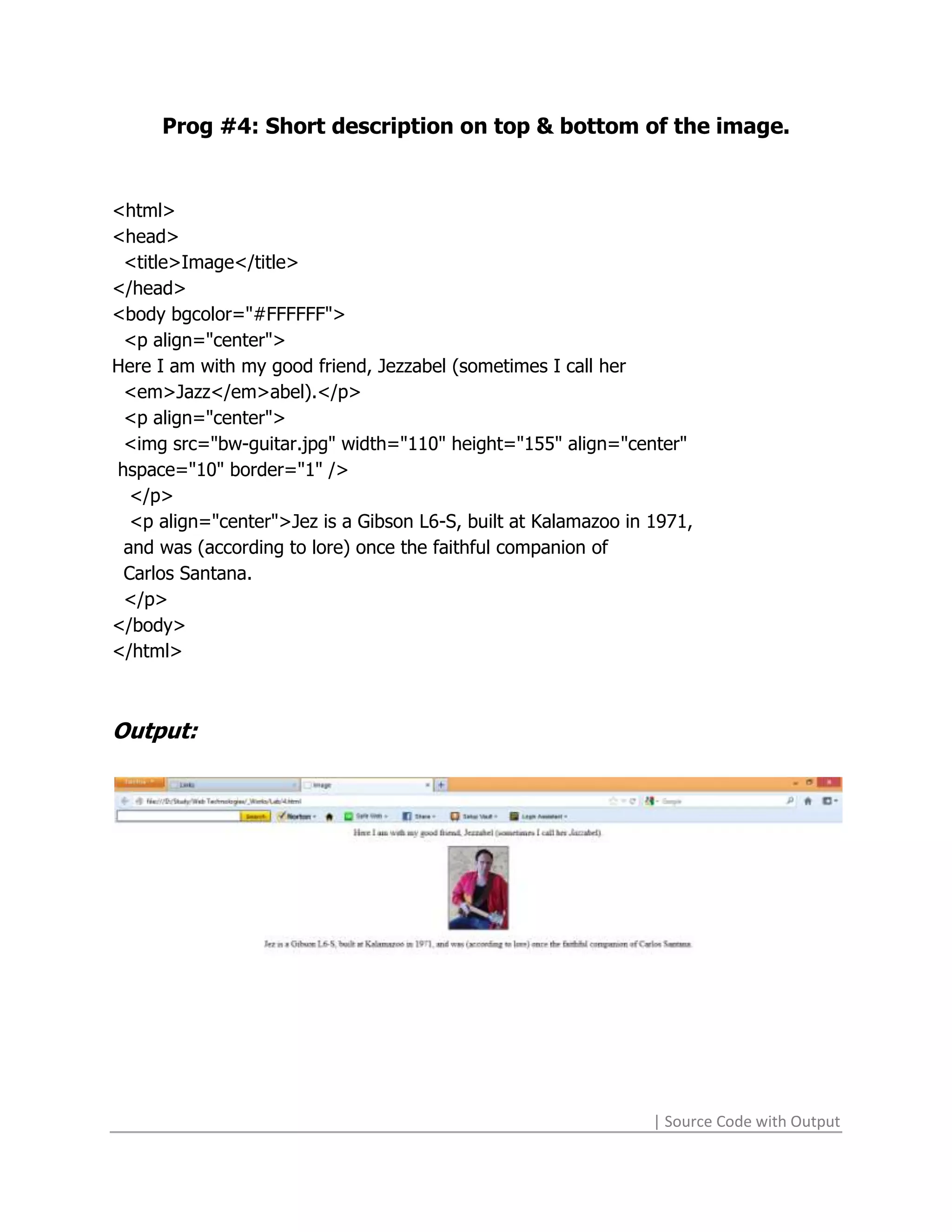
Prog #4: Short description on top & bottom of the image.


<html>
<head>
 <title>Image</title>
</head>
<body bgcolor="#FFFFFF">
 <p align="center">
Here I am with my good friend, Jezzabel (sometimes I call her
 <em>Jazz</em>abel).</p>
 <p align="center">
 <img src="bw-guitar.jpg" width="110" height="155" align="center"
hspace="10" border="1" />
  </p>
  <p align="center">Jez is a Gibson L6-S, built at Kalamazoo in 1971,
 and was (according to lore) once the faithful companion of
 Carlos Santana.
 </p>
</body>
</html>


Output:


                                                                | Source Code with Output
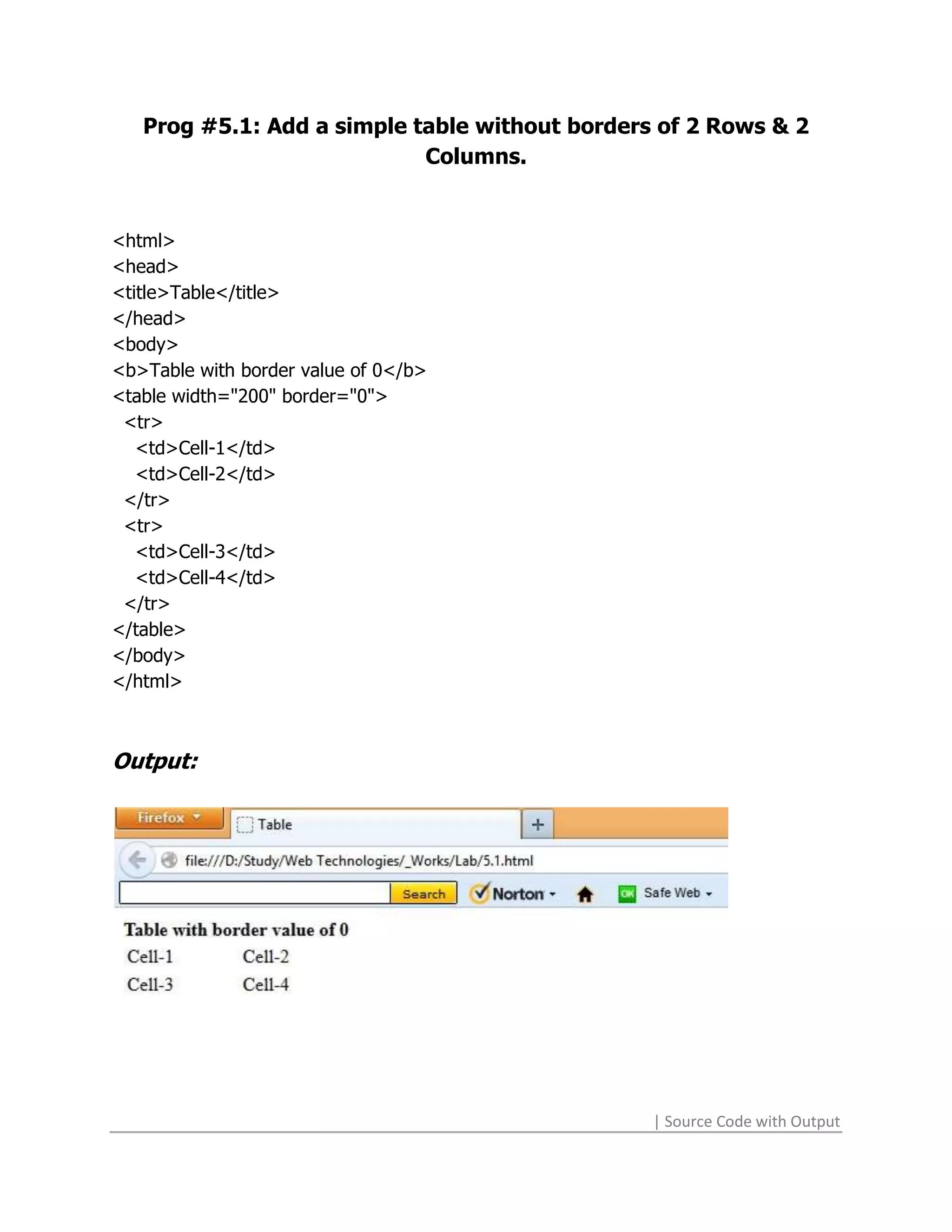
Prog #5.1: Add a simple table without borders of 2 Rows & 2
                            Columns.


<html>
<head>
<title>Table</title>
</head>
<body>
<b>Table with border value of 0</b>
<table width="200" border="0">
 <tr>
   <td>Cell-1</td>
   <td>Cell-2</td>
 </tr>
 <tr>
   <td>Cell-3</td>
   <td>Cell-4</td>
 </tr>
</table>
</body>
</html>


Output:


                                                | Source Code with Output
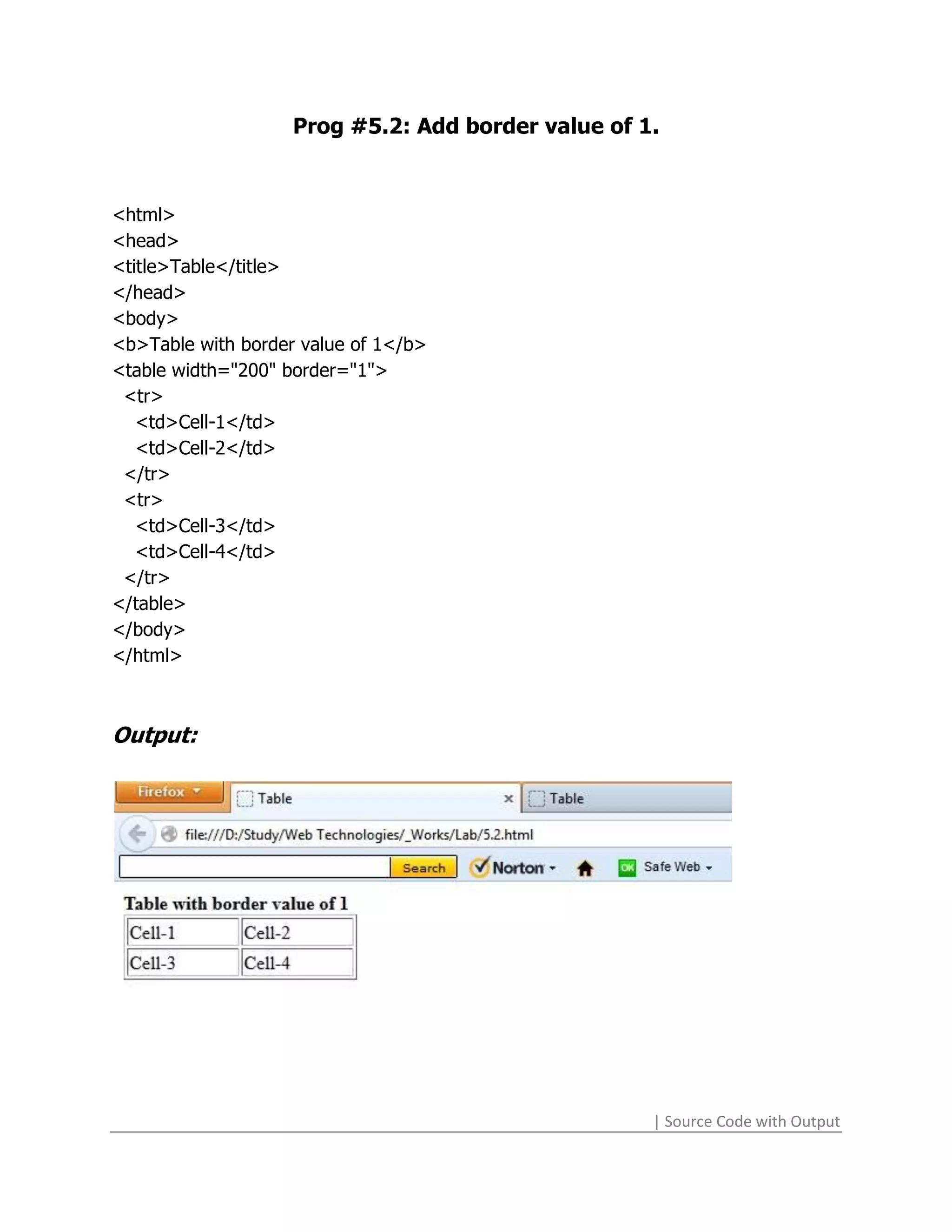
Prog #5.2: Add border value of 1.


<html>
<head>
<title>Table</title>
</head>
<body>
<b>Table with border value of 1</b>
<table width="200" border="1">
 <tr>
   <td>Cell-1</td>
   <td>Cell-2</td>
 </tr>
 <tr>
   <td>Cell-3</td>
   <td>Cell-4</td>
 </tr>
</table>
</body>
</html>


Output:


                                                    | Source Code with Output
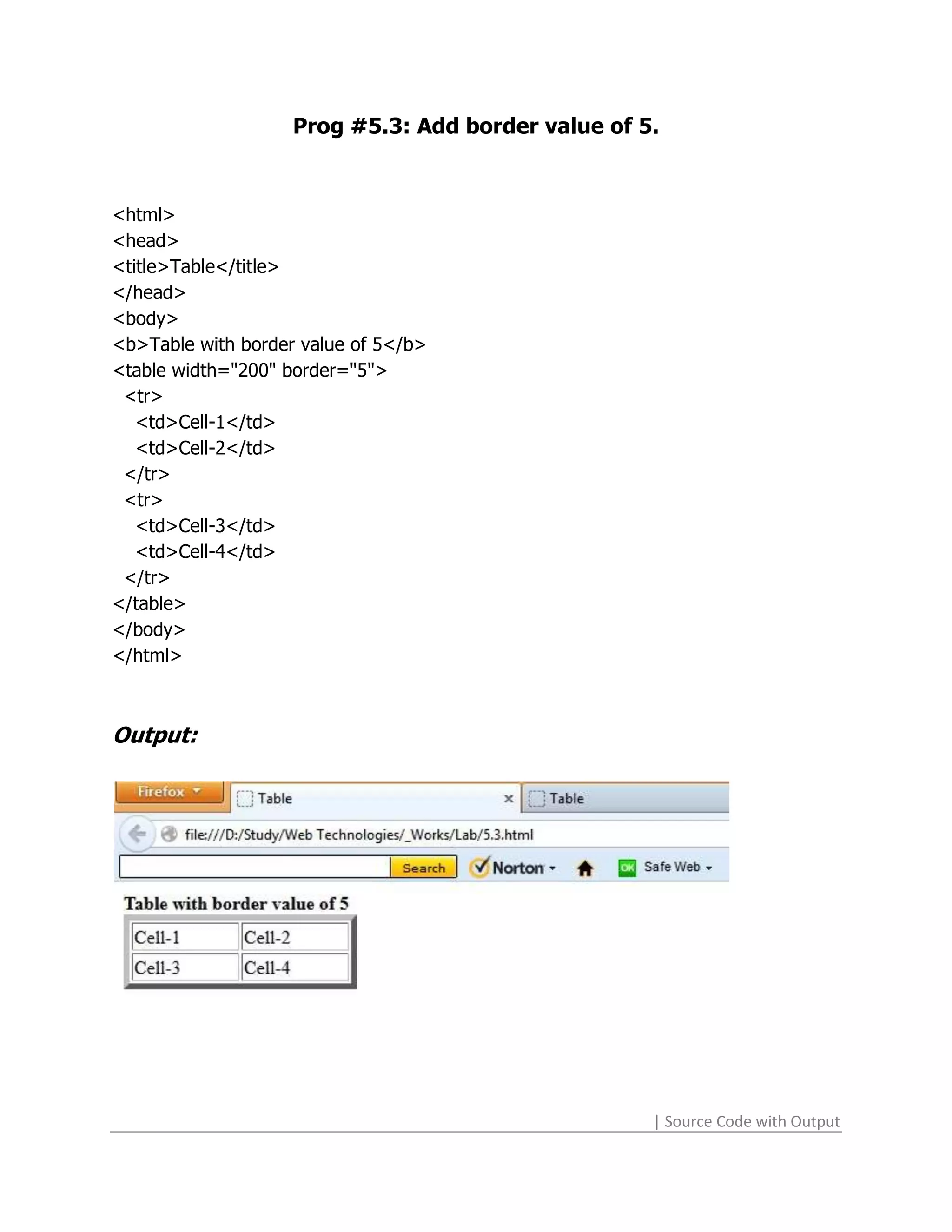
Prog #5.3: Add border value of 5.


<html>
<head>
<title>Table</title>
</head>
<body>
<b>Table with border value of 5</b>
<table width="200" border="5">
 <tr>
   <td>Cell-1</td>
   <td>Cell-2</td>
 </tr>
 <tr>
   <td>Cell-3</td>
   <td>Cell-4</td>
 </tr>
</table>
</body>
</html>


Output:


                                                    | Source Code with Output
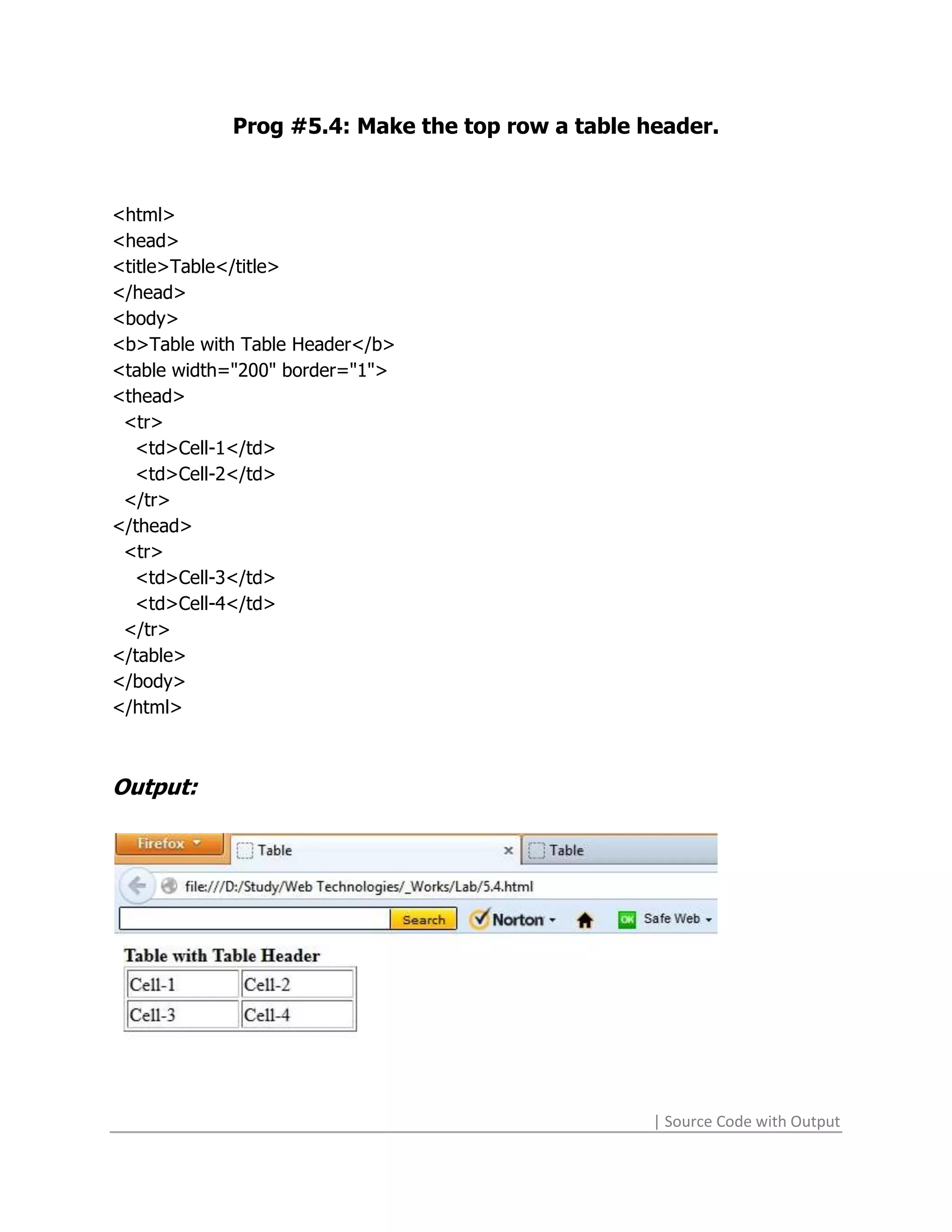
Prog #5.4: Make the top row a table header.


<html>
<head>
<title>Table</title>
</head>
<body>
<b>Table with Table Header</b>
<table width="200" border="1">
<thead>
 <tr>
   <td>Cell-1</td>
   <td>Cell-2</td>
 </tr>
</thead>
 <tr>
   <td>Cell-3</td>
   <td>Cell-4</td>
 </tr>
</table>
</body>
</html>


Output:


                                                 | Source Code with Output
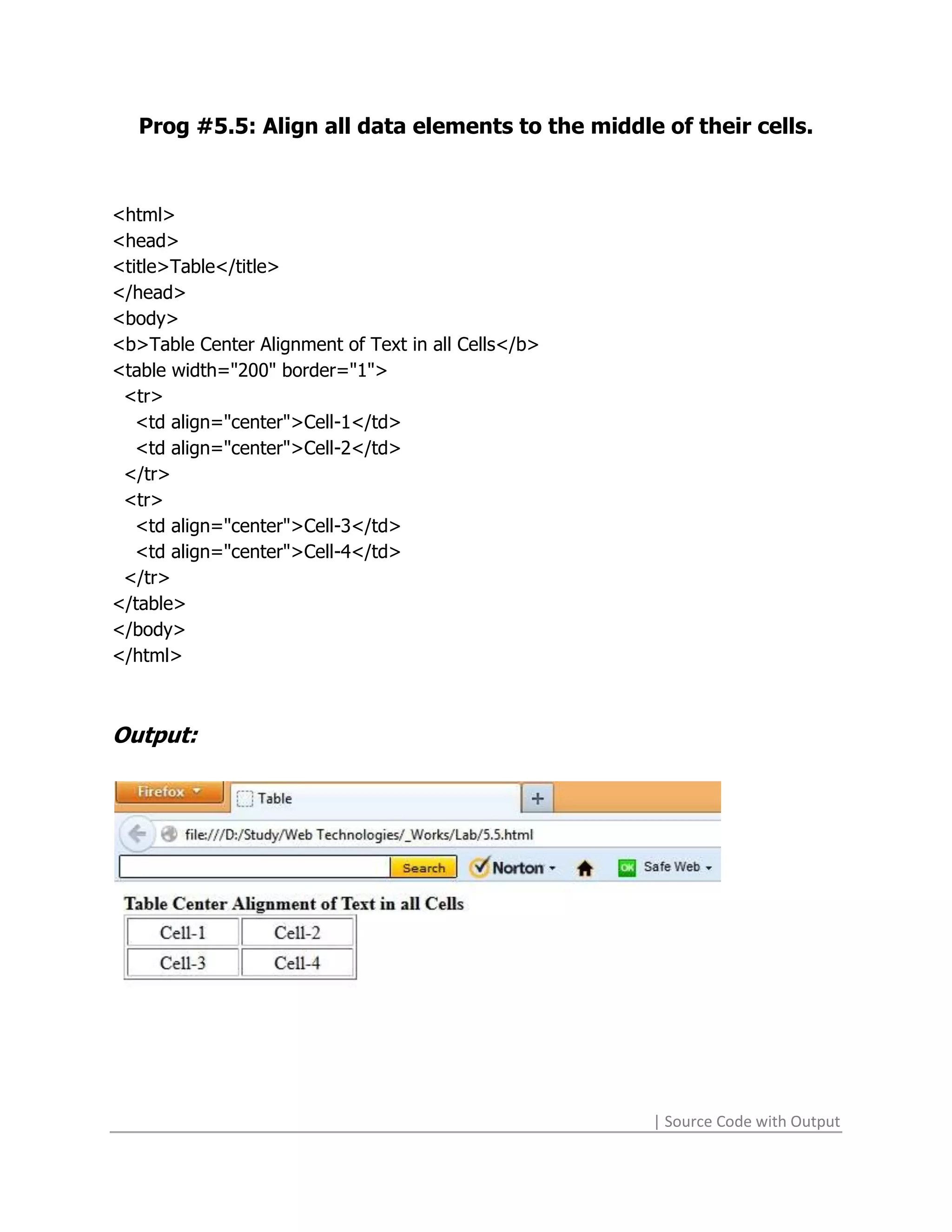
Prog #5.5: Align all data elements to the middle of their cells.


<html>
<head>
<title>Table</title>
</head>
<body>
<b>Table Center Alignment of Text in all Cells</b>
<table width="200" border="1">
 <tr>
   <td align="center">Cell-1</td>
   <td align="center">Cell-2</td>
 </tr>
 <tr>
   <td align="center">Cell-3</td>
   <td align="center">Cell-4</td>
 </tr>
</table>
</body>
</html>


Output:


                                                     | Source Code with Output
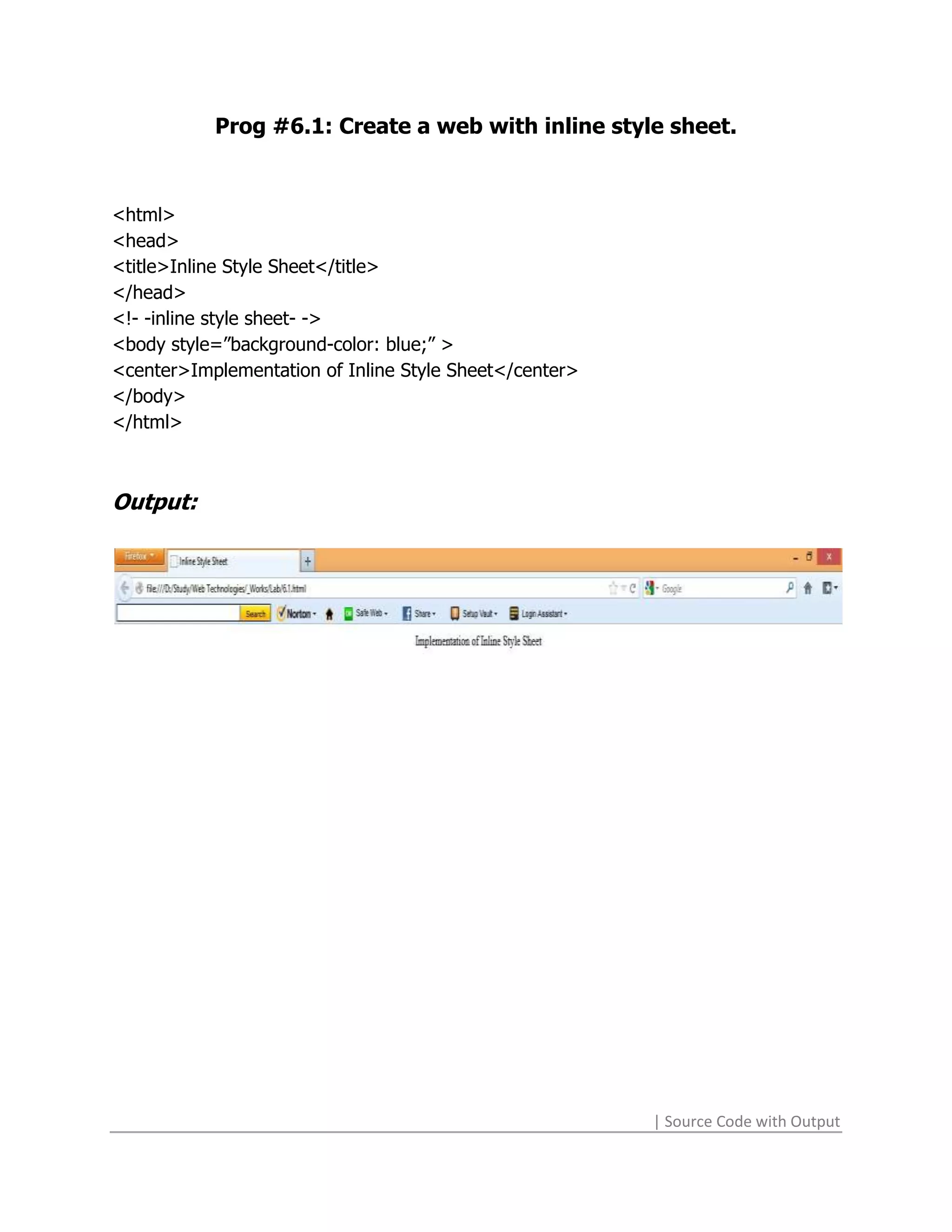
Prog #6.1: Create a web with inline style sheet.


<html>
<head>
<title>Inline Style Sheet</title>
</head>
<!- -inline style sheet- ->
<body style=”background-color: blue;” >
<center>Implementation of Inline Style Sheet</center>
</body>
</html>


Output:


                                                        | Source Code with Output
Prog #6.2: Create a web by embedding a style sheet.


<html>
<head>
<meta http-equiv="Content-Type" content="text/html; charset=ISO-8859-1">
<title>Embedded CSS</title>
</script>
<style rel="stylesheet" type="text/css">
input[type="text"]:hover
{
       color: blue;
}
</style>
</head>
<body>
<p align="center">It's a <b>Dynamic</b> HTML Page.<br></p>
<form name="form1">
<p align="center">It uses the CSS file by <b>Embedding</b></p>
<p align="center">
<input type="text" name="txt" size="40" maxlength="50" value="Type Here"
onFocus="if(this.value=='Type Here') this.value=''" onBlur="if(this.value=='')
this.value='Type Here'">
</p><p align="center">
<input type="submit" name="button" value="Click me!">
</p></form>
</body>
</html>

Output:


                                                                | Source Code with Output
Prog #6.3: Create a web to show linking its linking with the style
                              sheet.

<html>
<head>
<title>Linking CSS</title>
<script language="javascript">
function msg()
{
      alert(document.form1.txt.value);
}
</script>
<link href="8.2.css" rel="stylesheet" type="text/css">
</head>
<body>
<p align="center">It's a <b>Dynamic</b> HTML Page.<br>A message box will show
      by clicking the button.</p>
<form name="form1">
<p align="center">It uses the CSS file by <b>Linking</b></p>
<p align="center">
<input type="text" name="txt" size="40" maxlength="50" value="Type Here"
      onFocus="if(this.value=='Type Here') this.value=''" onBlur="if(this.value=='')
      this.value='Type Here'">
</p><p align="center">
<input type="submit" name="button" value="Click me!" onClick="msg()">
</p></form>
</body>
</html>

Output:


                                                               | Source Code with Output
Prog # 6.4: Create a web by importing a style sheet into it.


<html>
<head>
<meta http-equiv="Content-Type" content="text/html; charset=ISO-8859-1">
<title>Importing CSS</title>
<style type="text/css">
@import url("8.2.css");
</style>
</head>
<body>
<p align="center">It's a <b>Dynamic</b> HTML Page.<br></p>
<form name="form1">
<p align="center">It uses the CSS file by <b>Importing</b></p>
<p align="center">
<input type="text" name="txt" size="40" maxlength="50" value="Type Here"
onFocus="if(this.value=='Type Here') this.value=''" onBlur="if(this.value=='')
this.value='Type Here'">
</p>
<p align="center">
<input type="submit" name="button" value="Click me!">
</p>
</form>
</body>
</html>


Output:


                                                                | Source Code with Output
Prog #7.1: Make a web using a series of document.write()
                  methods using JavaScript.
<html>
<head>
<title>JS_write()</title>
<script type="text/javascript" language="JavaScript">
document.write("<b>Vijay Sharma</b>");
document.write("<br>Student of <i>MCA</i> 5<sup>th</sup>Sem");
</script>
</head>
<body>
</body>
</html>

Output:


                                                        | Source Code with Output
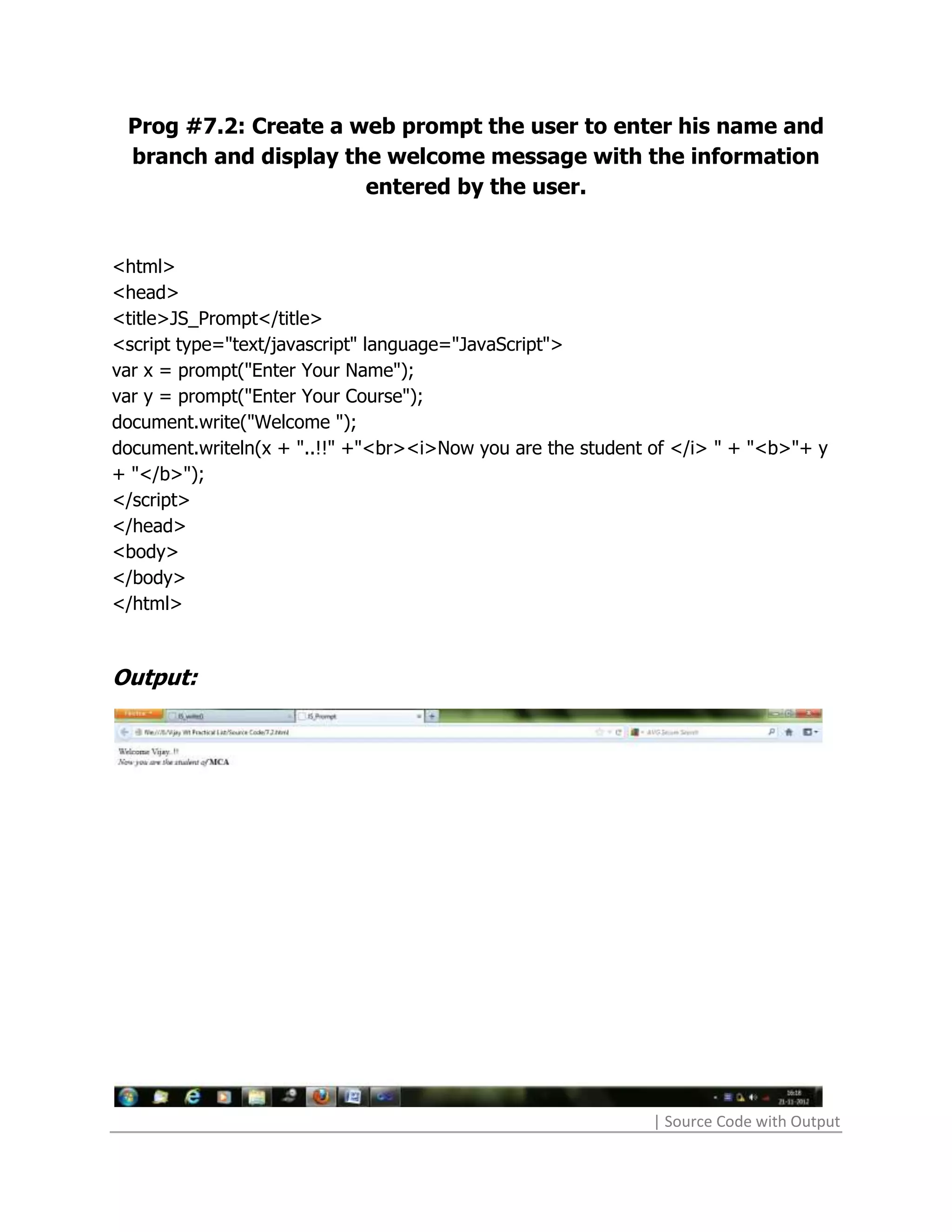
Prog #7.2: Create a web prompt the user to enter his name and
 branch and display the welcome message with the information
                      entered by the user.


<html>
<head>
<title>JS_Prompt</title>
<script type="text/javascript" language="JavaScript">
var x = prompt("Enter Your Name");
var y = prompt("Enter Your Course");
document.write("Welcome ");
document.writeln(x + "..!!" +"<br><i>Now you are the student of </i> " + "<b>"+ y
+ "</b>");
</script>
</head>
<body>
</body>
</html>


Output:


                                                             | Source Code with Output
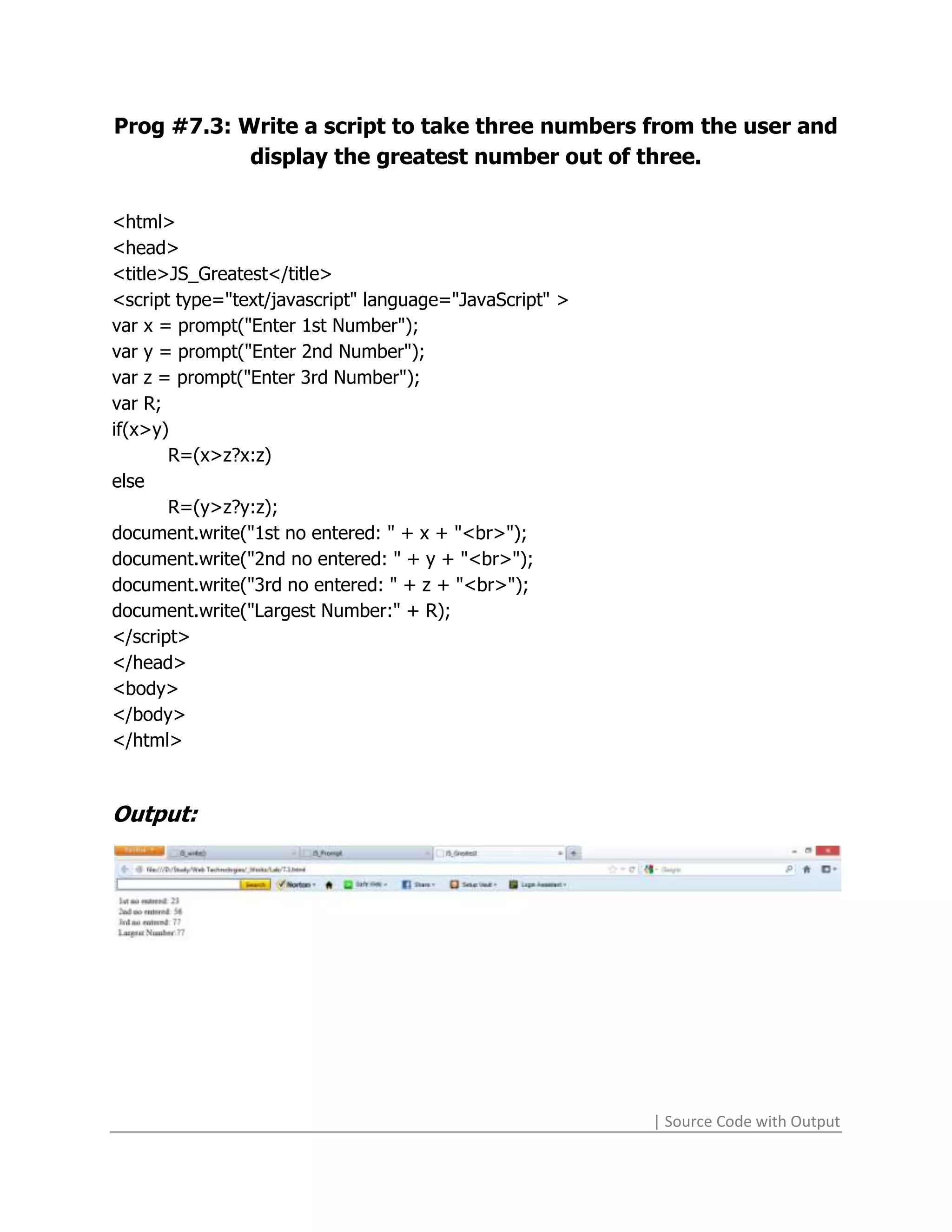
Prog #7.3: Write a script to take three numbers from the user and
            display the greatest number out of three.

<html>
<head>
<title>JS_Greatest</title>
<script type="text/javascript" language="JavaScript" >
var x = prompt("Enter 1st Number");
var y = prompt("Enter 2nd Number");
var z = prompt("Enter 3rd Number");
var R;
if(x>y)
       R=(x>z?x:z)
else
       R=(y>z?y:z);
document.write("1st no entered: " + x + "<br>");
document.write("2nd no entered: " + y + "<br>");
document.write("3rd no entered: " + z + "<br>");
document.write("Largest Number:" + R);
</script>
</head>
<body>
</body>
</html>


Output:


                                                         | Source Code with Output
Prog #7.4: Write a script to take an expression from the user and
                display the result on web-page.


<html>
<head>
<title>JavaScript</title>
</head>
<body>
<script>
function Res()
{
document.write(document.F.T.value);
}
</script>
<form name="F">
<input type="text" name="T">
<br>
<input type="button" value="Submit" onClick="Res()">
<br>
</form>
</body>
</html>


Output:


                                                       | Source Code with Output
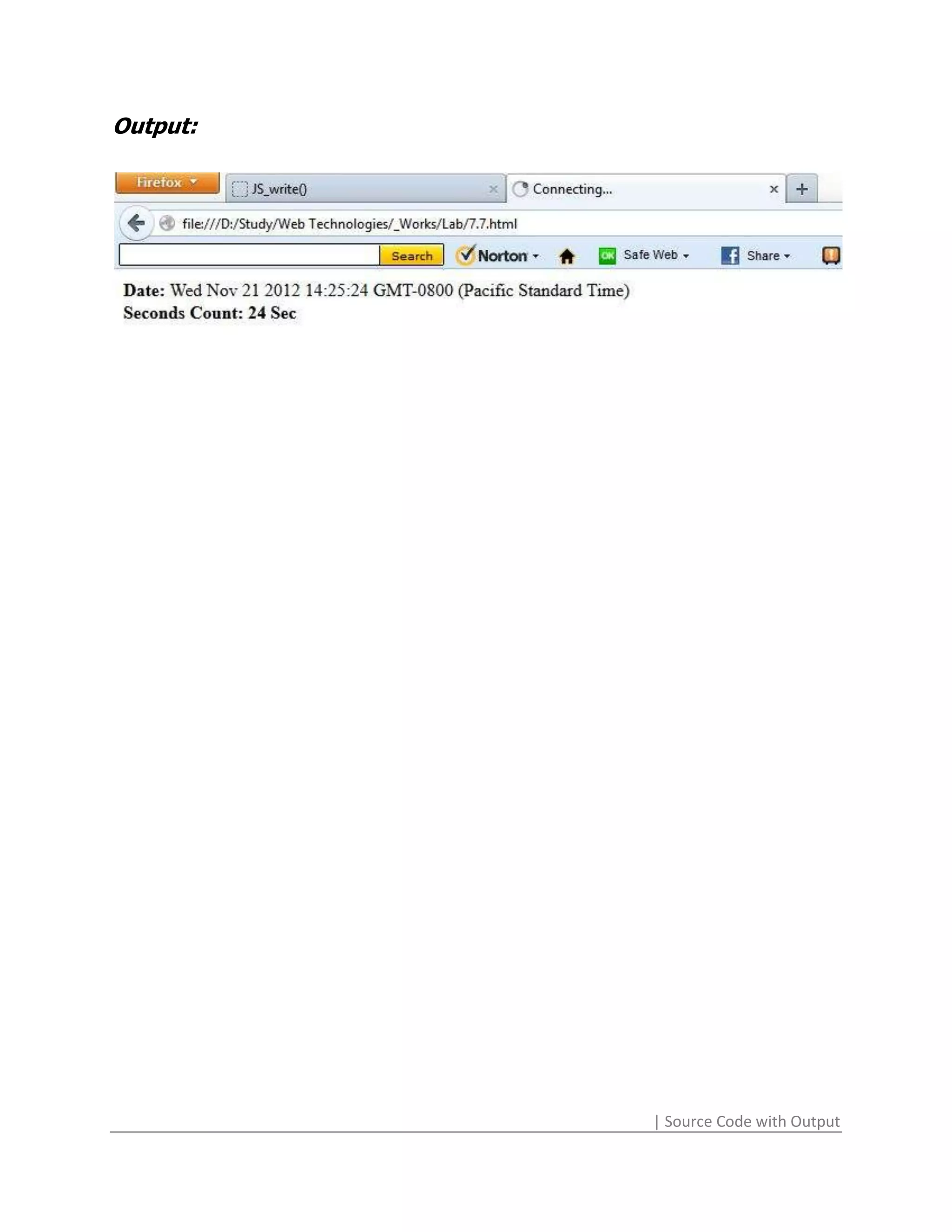
Prog #7.7: Create web containing a clock.

<html>
<head>
<title>JavaScript</title>
<script language="javascript">

function show_time()
{
var d=new Date();
var time=d.getSeconds();
var month=d.getMonth();
var day=d.getDay();
var t;
document.write("<b>Date: </b>"+d+"<br>");
if(1)
{
       document.write("<b>Seconds Count: "+time+" Sec</b><br>");
}
}
function a()
{
       alert("Are You Sure");
}
function b()
{
       alert("Welcome");
}
document.write("<b>Month: "+(month+1)+"</b><br>");
</script>
</head>
<body onload="b()" onunload="a()">
<br>
<input type="button" value="Show Time" onClick="show_time()">
<br>
</body>
</html>

                                                          | Source Code with Output
Output:


          | Source Code with Output
Prog #8.1: On click of a button a message box is displayed with
             the text entered by the user in the textbox.


<html>
<head>
<title>Msg_Box</title>
<script language="javascript">
function msg()
{
      alert(document.form1.txt.value);
}
</script>
</head>
<body>
<p align="center">It's a <b>Dynamic</b> HTML Page.<br>A message box will show
      by clicking the button.</p>
<form name="form1">
<p align="center">
<input type="text" name="txt" size="40" maxlength="50" value="Type Here"
      onfocus="if(this.value=='Type Here') this.value=''" onblur="if(this.value=='')
      this.value='Type Here'">
</p>
<p align="center">
<input type="submit" name="button" value="Click me!" onclick="msg()">
</p>
</form>
</body>
</html>


                                                               | Source Code with Output
Output:


          | Source Code with Output
Prog # 8.2: Change the color of the text on click of a button or on
                            mouse over.


<html>
<head>
<meta http-equiv="Content-Type" content="text/html; charset=ISO-8859-1">
<title>Color Play</title>
<script language="javascript">
function color()
{
      document.getElementById("txt").style.color=”red”;
}
</script>
<link href="8.2.css" rel="stylesheet" type="text/css" />
</head>
<body>
<p align="center">It's a <b>Dynamic</b> HTML Page.</p>
<p align="center">You can change the color of text by Clicking button or hovering
      mouse.</p>
<form name="form1">
<p align="center">
<input id="txt" type="text" name="txt" size="40" maxlength="50" value="Type Here"
      onfocus="if(this.value=='Type Here') this.value=''" onblur="if(this.value=='')
      this.value='Type Here'" >
</p>
<p align="center">
<input type="submit" name="button" value="Change Color" onclick="color()">
</p>
</form>
</body>
</html>


                                                               | Source Code with Output
CSS Code:
input[type="text"]:hover
{
     color: blue;
}


Output:


                           | Source Code with Output
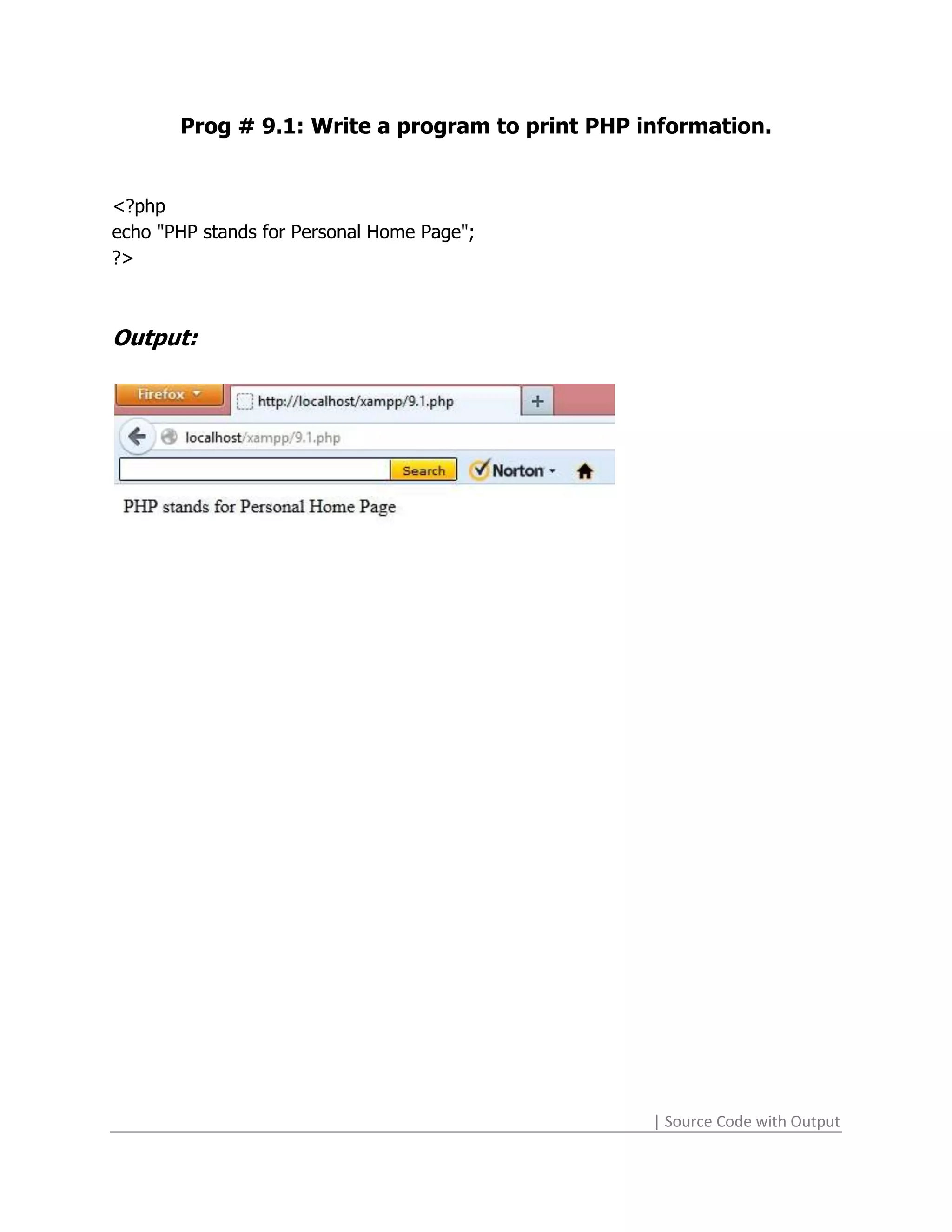
Prog # 9.1: Write a program to print PHP information.


<?php
echo "PHP stands for Personal Home Page";
?>


Output:


                                                 | Source Code with Output
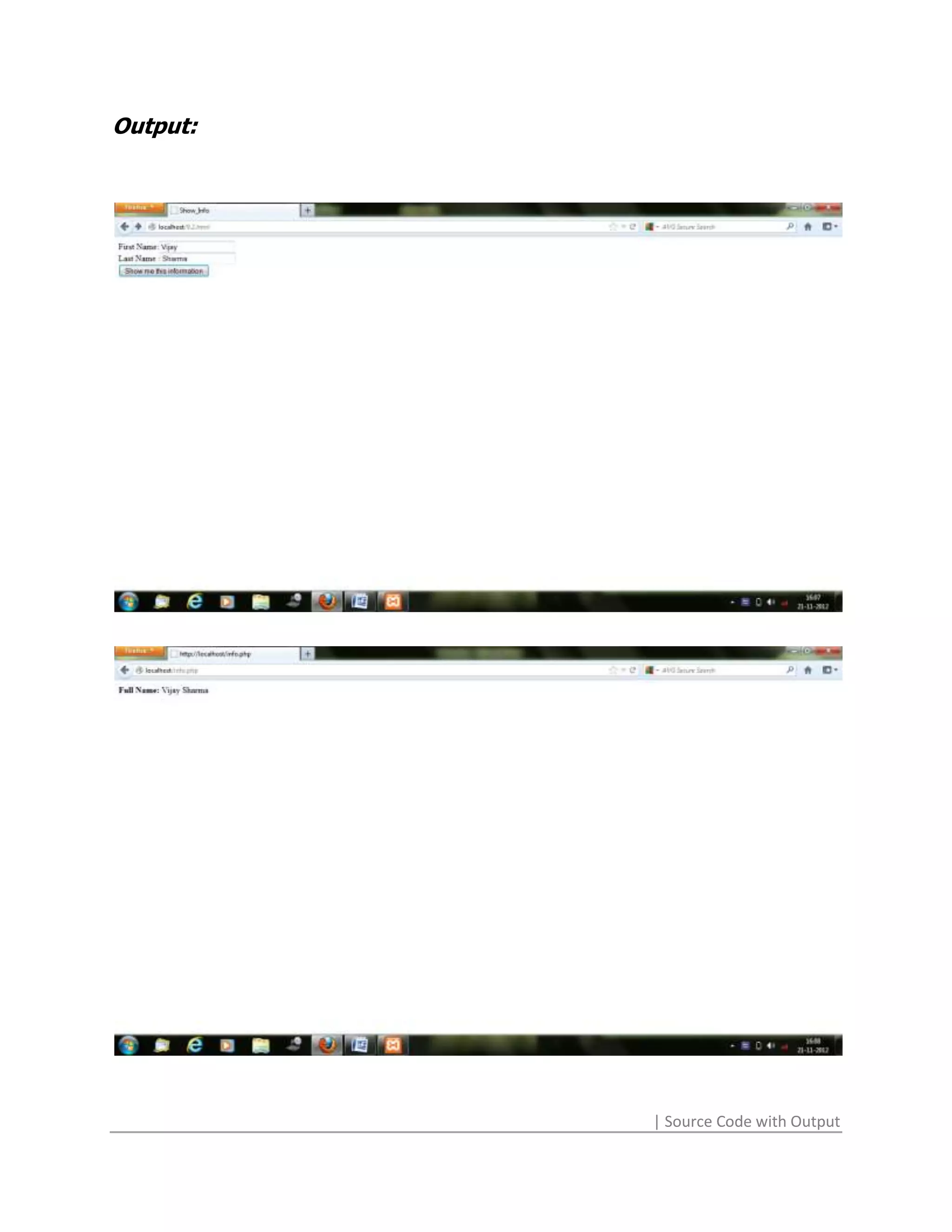
Prog # 9.2: Create a HTML form and execute a PHP file on
 submission of the HTML form and display the information using
                            PHP.


<html>
<head>
<title>Show_Info</title>
</head>
<body>
<form action="info.php" method="post">
First Name:<input type="text" name="f"><br>
Last Name :<input type="text" name="l"><br>
<input type="submit" name="s1" value="Show me this information">
</form>
</body>
</html>

PHP CODE: info.php
<?php
$n=$_REQUEST['f'];
$l=$_REQUEST['l'];
$s=" ";
$fn="<b>Full Name: </b>";
echo $fn.$n.$s.$l;
?>


                                                           | Source Code with Output
Output:


          | Source Code with Output
| Source Code with Output
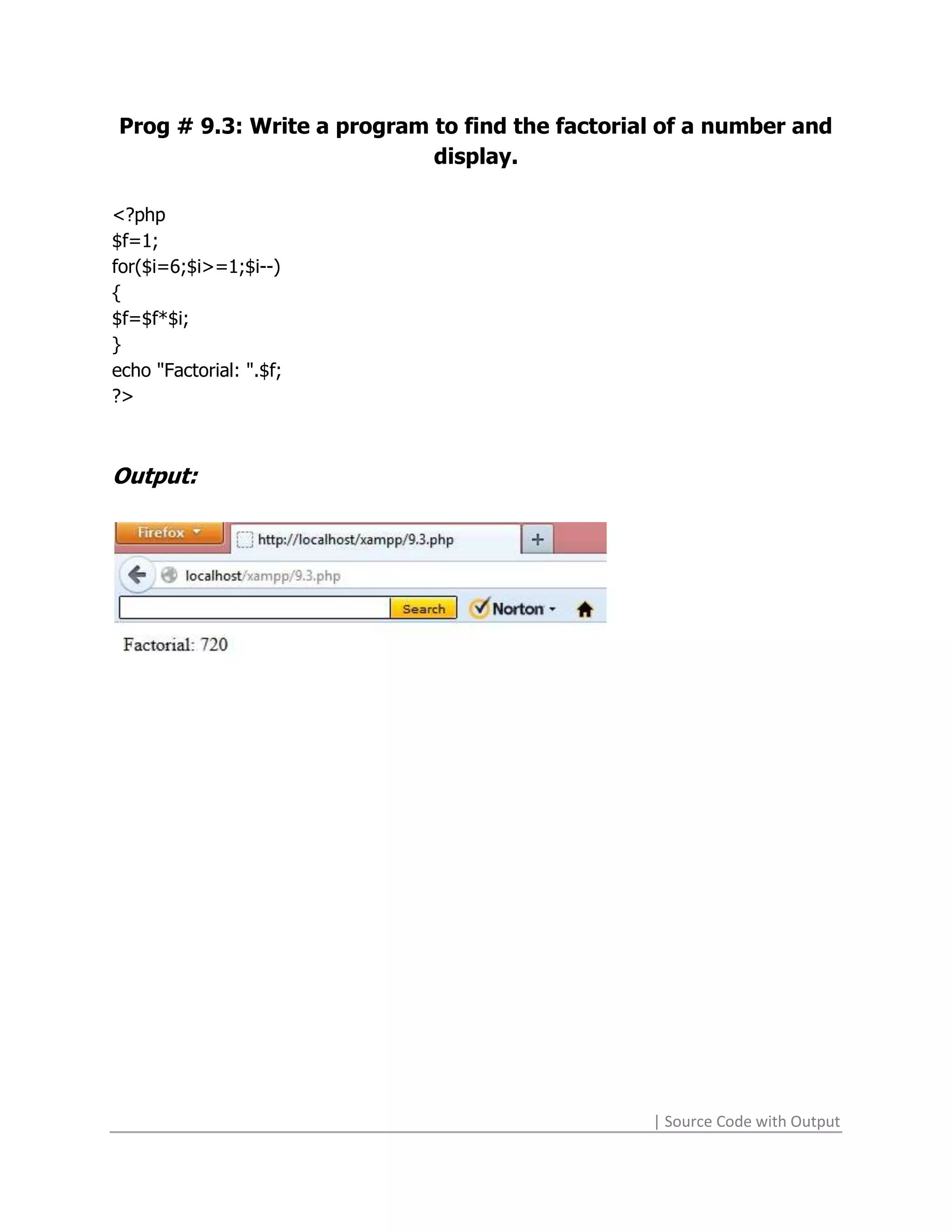
Prog # 9.3: Write a program to find the factorial of a number and
                            display.

<?php
$f=1;
for($i=6;$i>=1;$i--)
{
$f=$f*$i;
}
echo "Factorial: ".$f;
?>


Output:


                                                | Source Code with Output
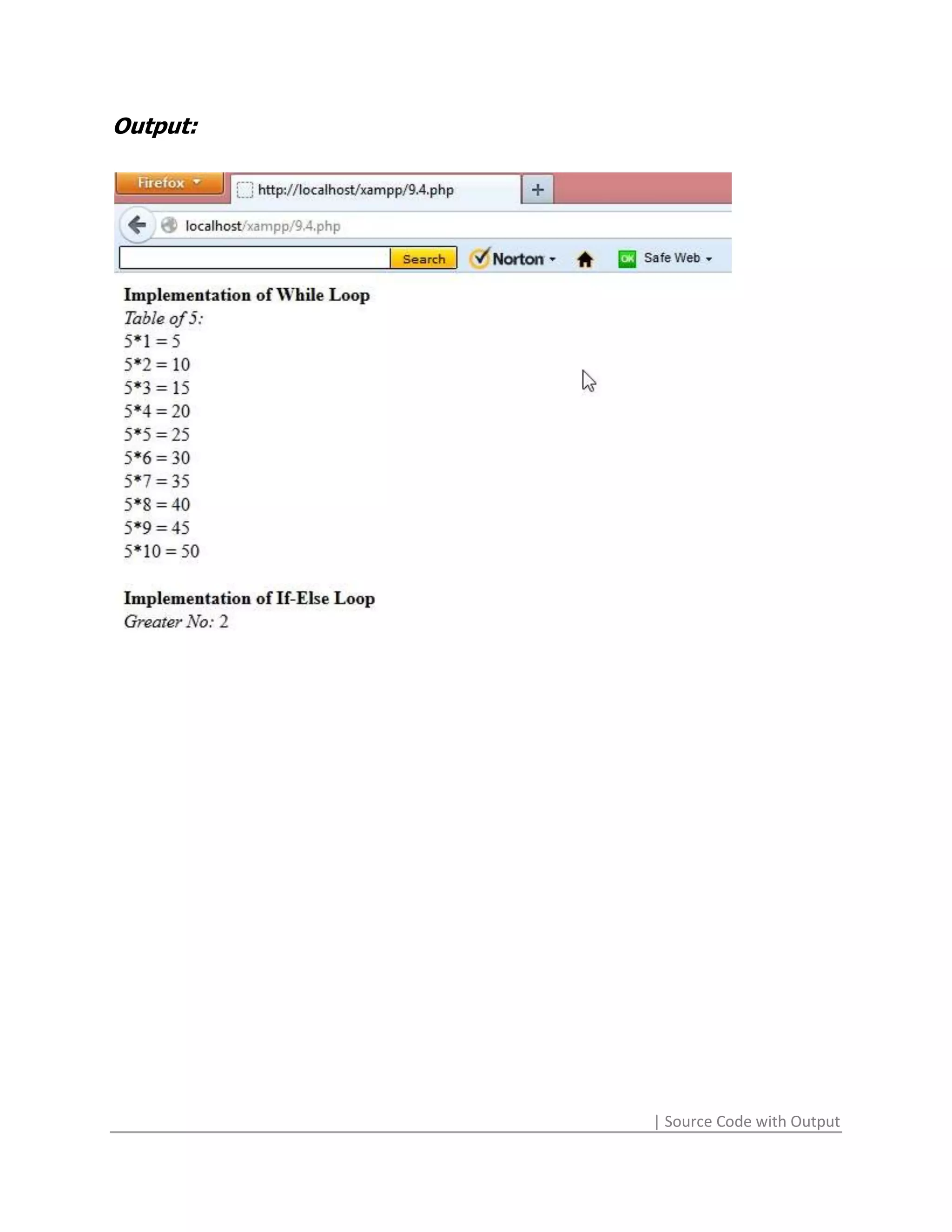
Prog # 9.4: Write a program to implement the concept of if-else
                         and while loop.


<?php
$n=1;
echo "<b>Implementation of While Loop</b><br>";
echo "<i>Table of 5:</i><br>";
while($n<11)
{
echo "5*".$n." = ".($n*5)."<br>";
$n++;
}
echo "<br><b>Implementation of If-Else Loop</b><br>";
$n1=1;
$n2=2;
If($n1>$n2)
{
echo "<i>Greater No: </i>".$n1;
}
else
{
echo "<i>Greater No: </i>".$n2;
}
?>


                                                        | Source Code with Output
Output:


          | Source Code with Output
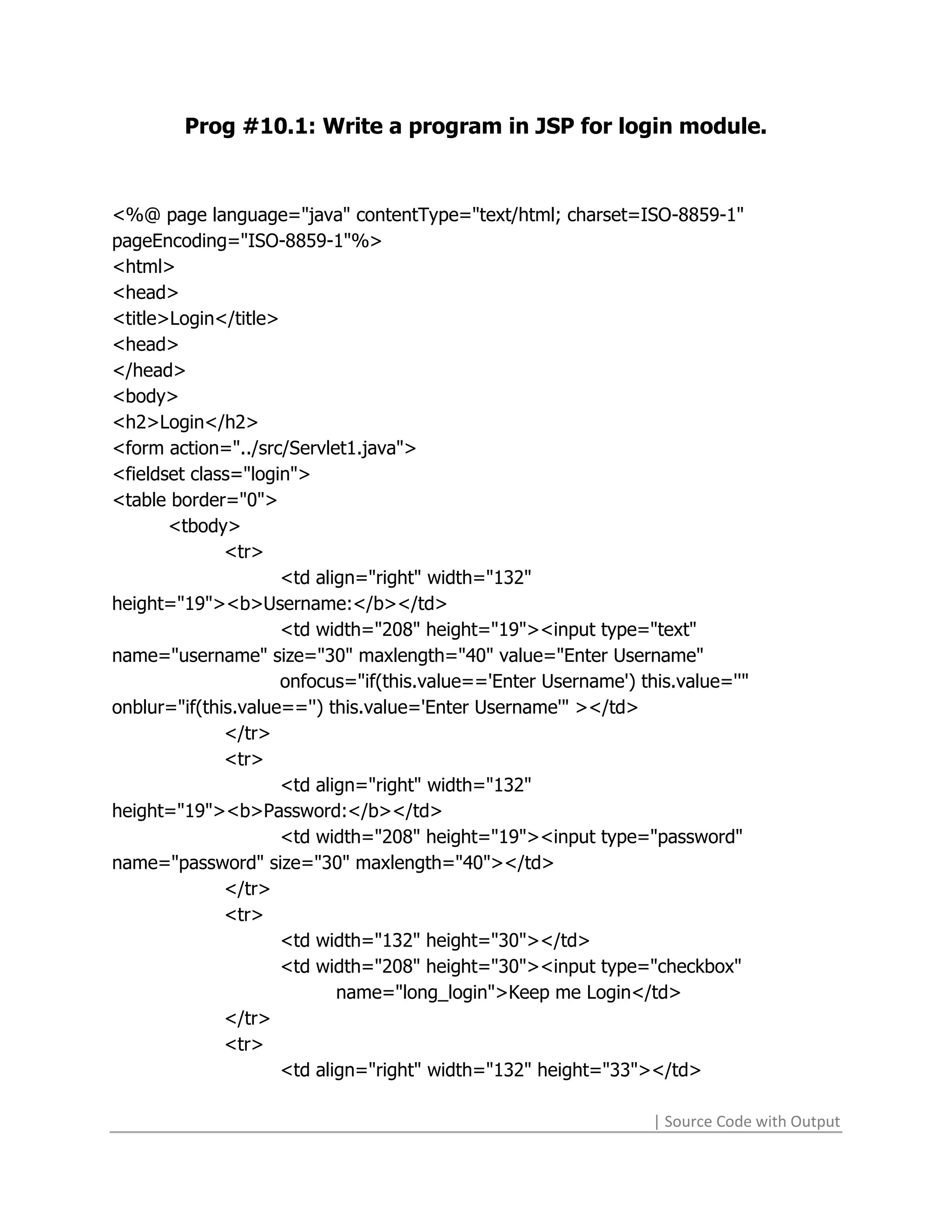
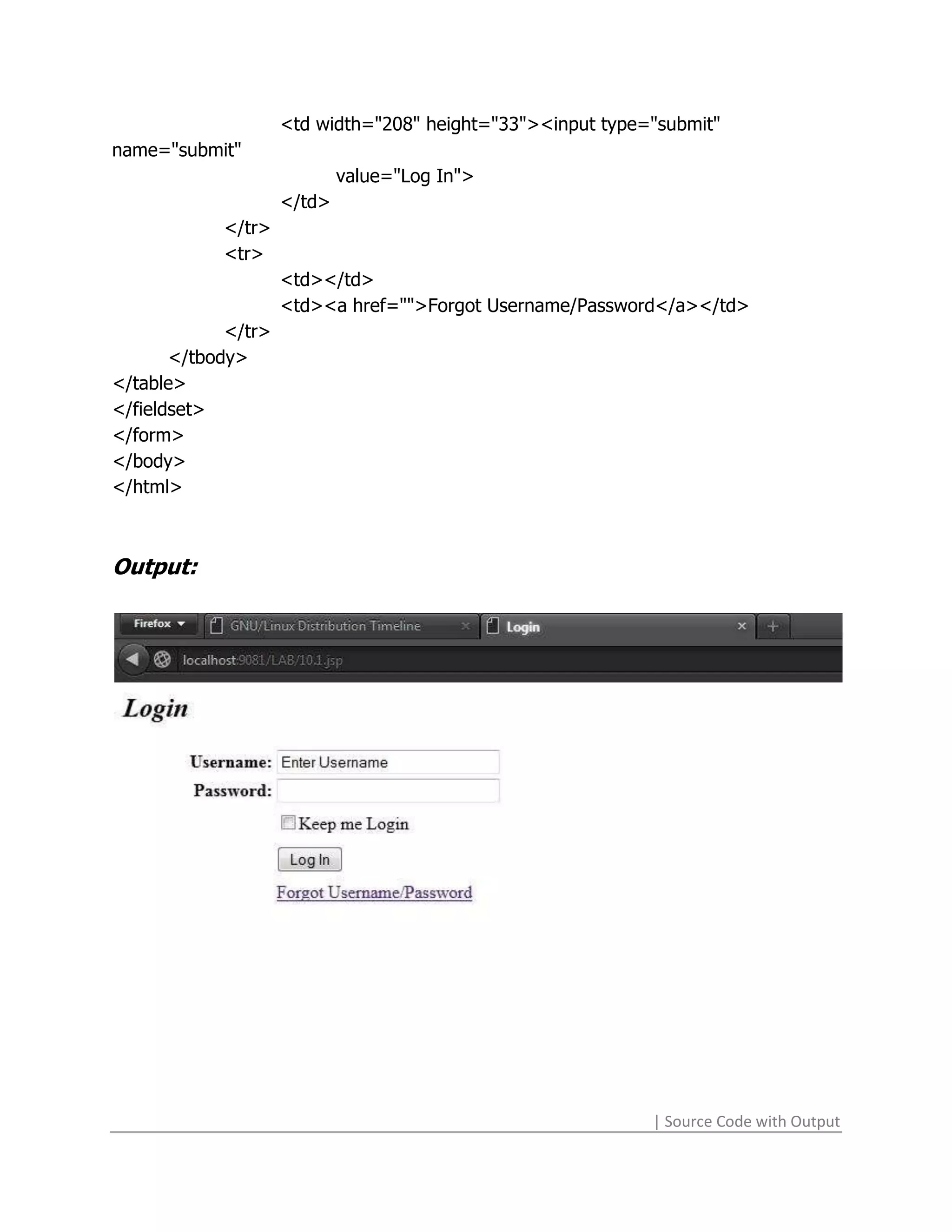
Prog #10.1: Write a program in JSP for login module.


<%@ page language="java" contentType="text/html; charset=ISO-8859-1"
pageEncoding="ISO-8859-1"%>
<html>
<head>
<title>Login</title>
<head>
</head>
<body>
<h2>Login</h2>
<form action="../src/Servlet1.java">
<fieldset class="login">
<table border="0">
       <tbody>
              <tr>
                     <td align="right" width="132"
height="19"><b>Username:</b></td>
                     <td width="208" height="19"><input type="text"
name="username" size="30" maxlength="40" value="Enter Username"
                     onfocus="if(this.value=='Enter Username') this.value=''"
onblur="if(this.value=='') this.value='Enter Username'" ></td>
              </tr>
              <tr>
                     <td align="right" width="132"
height="19"><b>Password:</b></td>
                     <td width="208" height="19"><input type="password"
name="password" size="30" maxlength="40"></td>
              </tr>
              <tr>
                     <td width="132" height="30"></td>
                     <td width="208" height="30"><input type="checkbox"
                            name="long_login">Keep me Login</td>
              </tr>
              <tr>
                     <td align="right" width="132" height="33"></td>

                                                                 | Source Code with Output
<td width="208" height="33"><input type="submit"
name="submit"
                             value="Log In">
                     </td>
            </tr>
            <tr>
                     <td></td>
                     <td><a href="">Forgot Username/Password</a></td>
             </tr>
       </tbody>
</table>
</fieldset>
</form>
</body>
</html>


Output:


                                                             | Source Code with Output
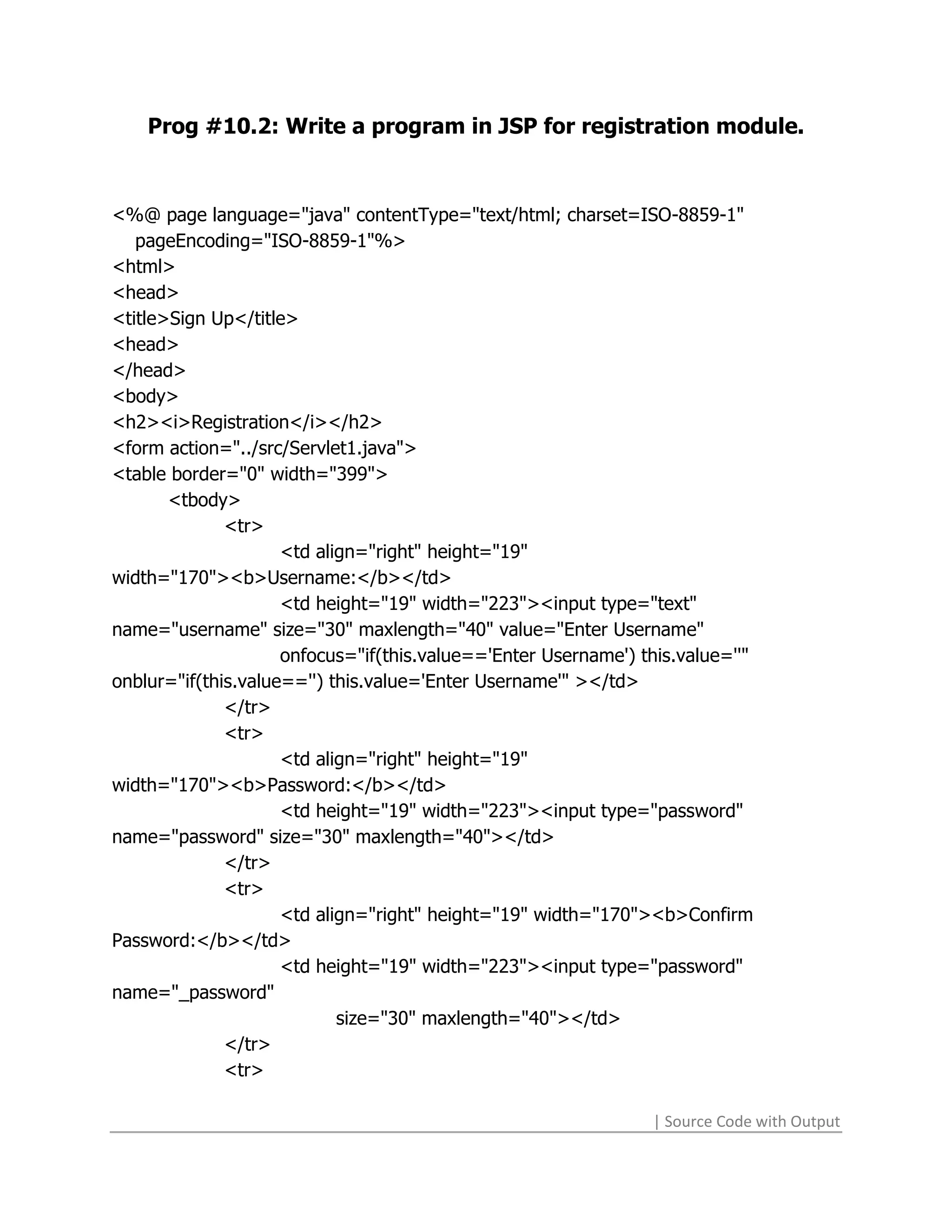
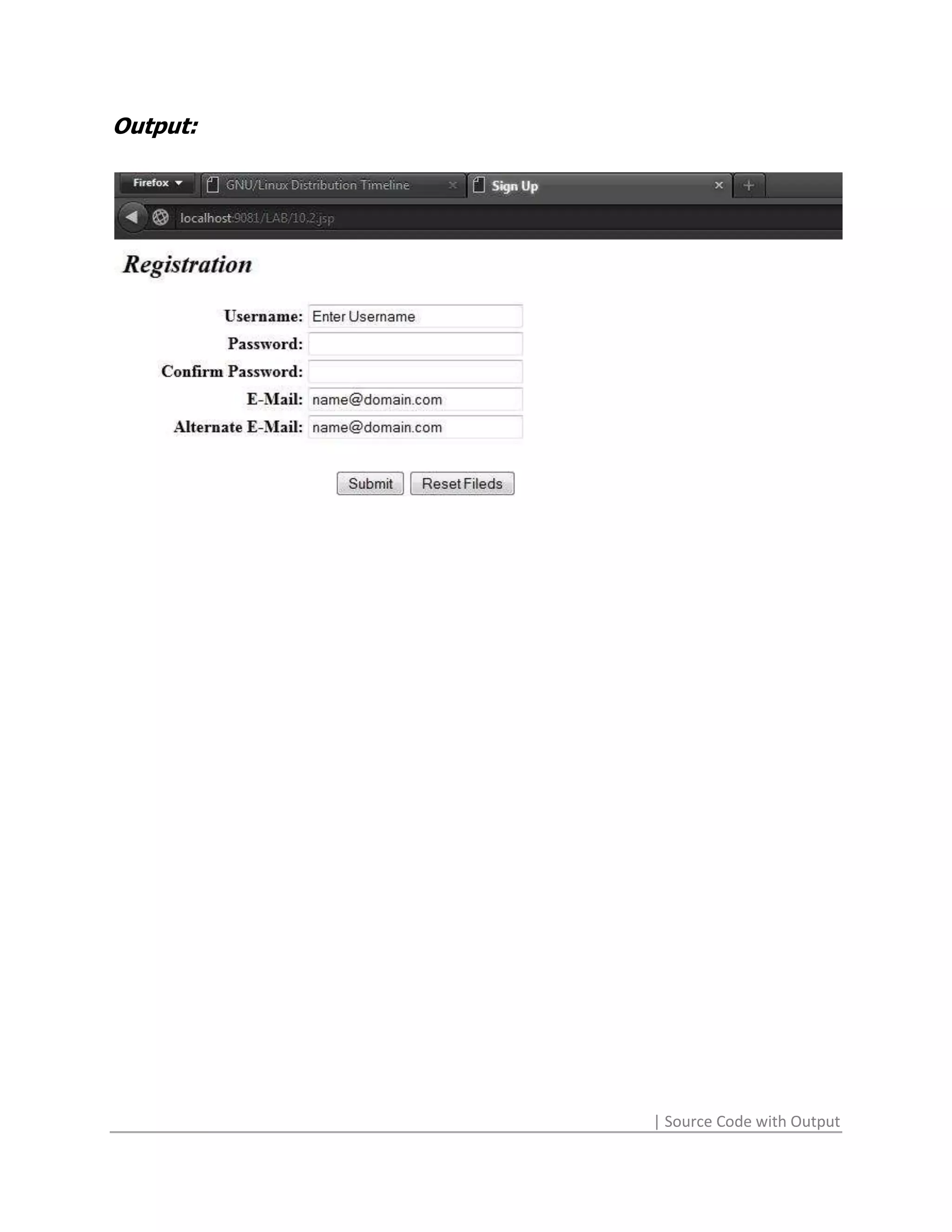
Prog #10.2: Write a program in JSP for registration module.


<%@ page language="java" contentType="text/html; charset=ISO-8859-1"
   pageEncoding="ISO-8859-1"%>
<html>
<head>
<title>Sign Up</title>
<head>
</head>
<body>
<h2><i>Registration</i></h2>
<form action="../src/Servlet1.java">
<table border="0" width="399">
       <tbody>
              <tr>
                     <td align="right" height="19"
width="170"><b>Username:</b></td>
                     <td height="19" width="223"><input type="text"
name="username" size="30" maxlength="40" value="Enter Username"
                     onfocus="if(this.value=='Enter Username') this.value=''"
onblur="if(this.value=='') this.value='Enter Username'" ></td>
              </tr>
              <tr>
                     <td align="right" height="19"
width="170"><b>Password:</b></td>
                     <td height="19" width="223"><input type="password"
name="password" size="30" maxlength="40"></td>
              </tr>
              <tr>
                     <td align="right" height="19" width="170"><b>Confirm
Password:</b></td>
                     <td height="19" width="223"><input type="password"
name="_password"
                            size="30" maxlength="40"></td>
              </tr>
              <tr>

                                                                | Source Code with Output
<td align="right" height="19" width="170"><b>E-
Mail:</b></td>
                   <td height="19" width="223"><input type="text" name="mail"
size="30"
                            maxlength="50" value="name@domain.com"
onfocus="if(this.value=='name@domain.com') this.value=''" onblur="if(this.value=='')
this.value='name@domain.com'"></td>
              </tr>
              <tr>
                     <td align="right" height="19" width="170"><b>Alternate E-
Mail:</b></td>
                     <td height="19" width="223"><input type="text" name="_mail"
size="30"
                            maxlength="50" value="name@domain.com"
onfocus="if(this.value=='name@domain.com') this.value=''" onblur="if(this.value=='')
this.value='name@domain.com'"></td>
              </tr>
              <tr>
                     <td><br></td>
                     <td><br></td>
              </tr>
              <tr>
                     <td height="30" width="170"></td>
                     <td height="30" align="center" width="223"><input
type="submit" name="submit" value="Submit"> <input
                            type="reset" value="Reset Fileds"></td>
              </tr>
       </tbody>
</table>
</form>
</body>
</html>


                                                               | Source Code with Output
Output:


          | Source Code with Output

Print this

  • 1.
    Prog #1.1: Addbold and italic words to the document. <html> <head> <title>Basic Tags</title> </head> <body> <p> <b>This text is all BOLD</b> <br> <i>This text is all Italics</i> <br> <u>This text is all Underlined</u> </p> </body> </html> Output: | Source Code with Output
  • 2.
    Prog #1.2: Adda header, paragraph and page break. <html> <head> <title>Text</title> </head> <body marginwidth="400"> <center><h2>Web Technologies</h2></center> <p align="center">The essential elements of the World Wide Web are the web browsers used to surf the Web, the server systems used to supply information to these browsers, and the computer networks supporting browser-server communication.</p> <br> <p align="center">“So, you’re into computers. Maybe you can answer a question I’ve had for a while: I hear people talk about the Internet, and I’m not sure exactly what it is, or where it came from. Can you tell me?”</p> </body> </html> Output: | Source Code with Output
  • 3.
    Prog #2.1: Addan unordered list to the document. <html> <head> <title>Ordered Lists</title> </head> <body bgcolor="#FFFFFF"> <ol> <li>One</li> <li>Two</li> <li>Three</li> <li>Four</li> </ol> </body> </html> Output: | Source Code with Output
  • 4.
    Prog #2.2: Addan ordered list to the document. <html> <head> <title>Unordered Lists</title> </head> <body bgcolor="#FFFFFF"> <ul> <li>One</li> <li>Two</li> <li>Three</li> <li>Four</li> </ul> </body> </html> Output: | Source Code with Output
  • 5.
    Prog #2.3: Adda definition list to the document. <html> <head> <title>Definition Lists</title> </head> <body bgcolor="#FFFFFF"> <dl> <dt>One</dt> <dd>The first non-zero number.</dd> <dt>Two</dt> <dd>The number after one.</dd> <dt>Three</dt> <dd>To get ready.</dd> <dt>Four</dt> <dd>Now Go, Cat, Go!</dd> </dl> </body> </html> Output: | Source Code with Output
  • 6.
    Prog #3.1: Createa link to Yahoo (http://www.yahoo.com). <html> <head> <title>Links</title> <head> <body> <a href="http://www.yahoo.com"><h3>Goto Yahoo!</h3></a> <a href="3.2.html"><h3>Goto Next Page</h3></a> </body> </html> Output: | Source Code with Output
  • 7.
    Prog #3.2: Createa link from one file to another. <html> <head> <title>Links</title> <head> <body> <a href="3.1.html"><h3>Goto Previous Page</h3></a> </body> </html> Output: | Source Code with Output
  • 8.
    Prog #4: Shortdescription on top & bottom of the image. <html> <head> <title>Image</title> </head> <body bgcolor="#FFFFFF"> <p align="center"> Here I am with my good friend, Jezzabel (sometimes I call her <em>Jazz</em>abel).</p> <p align="center"> <img src="bw-guitar.jpg" width="110" height="155" align="center" hspace="10" border="1" /> </p> <p align="center">Jez is a Gibson L6-S, built at Kalamazoo in 1971, and was (according to lore) once the faithful companion of Carlos Santana. </p> </body> </html> Output: | Source Code with Output
  • 9.
    Prog #5.1: Adda simple table without borders of 2 Rows & 2 Columns. <html> <head> <title>Table</title> </head> <body> <b>Table with border value of 0</b> <table width="200" border="0"> <tr> <td>Cell-1</td> <td>Cell-2</td> </tr> <tr> <td>Cell-3</td> <td>Cell-4</td> </tr> </table> </body> </html> Output: | Source Code with Output
  • 10.
    Prog #5.2: Addborder value of 1. <html> <head> <title>Table</title> </head> <body> <b>Table with border value of 1</b> <table width="200" border="1"> <tr> <td>Cell-1</td> <td>Cell-2</td> </tr> <tr> <td>Cell-3</td> <td>Cell-4</td> </tr> </table> </body> </html> Output: | Source Code with Output
  • 11.
    Prog #5.3: Addborder value of 5. <html> <head> <title>Table</title> </head> <body> <b>Table with border value of 5</b> <table width="200" border="5"> <tr> <td>Cell-1</td> <td>Cell-2</td> </tr> <tr> <td>Cell-3</td> <td>Cell-4</td> </tr> </table> </body> </html> Output: | Source Code with Output
  • 12.
    Prog #5.4: Makethe top row a table header. <html> <head> <title>Table</title> </head> <body> <b>Table with Table Header</b> <table width="200" border="1"> <thead> <tr> <td>Cell-1</td> <td>Cell-2</td> </tr> </thead> <tr> <td>Cell-3</td> <td>Cell-4</td> </tr> </table> </body> </html> Output: | Source Code with Output
  • 13.
    Prog #5.5: Alignall data elements to the middle of their cells. <html> <head> <title>Table</title> </head> <body> <b>Table Center Alignment of Text in all Cells</b> <table width="200" border="1"> <tr> <td align="center">Cell-1</td> <td align="center">Cell-2</td> </tr> <tr> <td align="center">Cell-3</td> <td align="center">Cell-4</td> </tr> </table> </body> </html> Output: | Source Code with Output
  • 14.
    Prog #6.1: Createa web with inline style sheet. <html> <head> <title>Inline Style Sheet</title> </head> <!- -inline style sheet- -> <body style=”background-color: blue;” > <center>Implementation of Inline Style Sheet</center> </body> </html> Output: | Source Code with Output
  • 15.
    Prog #6.2: Createa web by embedding a style sheet. <html> <head> <meta http-equiv="Content-Type" content="text/html; charset=ISO-8859-1"> <title>Embedded CSS</title> </script> <style rel="stylesheet" type="text/css"> input[type="text"]:hover { color: blue; } </style> </head> <body> <p align="center">It's a <b>Dynamic</b> HTML Page.<br></p> <form name="form1"> <p align="center">It uses the CSS file by <b>Embedding</b></p> <p align="center"> <input type="text" name="txt" size="40" maxlength="50" value="Type Here" onFocus="if(this.value=='Type Here') this.value=''" onBlur="if(this.value=='') this.value='Type Here'"> </p><p align="center"> <input type="submit" name="button" value="Click me!"> </p></form> </body> </html> Output: | Source Code with Output
  • 16.
    Prog #6.3: Createa web to show linking its linking with the style sheet. <html> <head> <title>Linking CSS</title> <script language="javascript"> function msg() { alert(document.form1.txt.value); } </script> <link href="8.2.css" rel="stylesheet" type="text/css"> </head> <body> <p align="center">It's a <b>Dynamic</b> HTML Page.<br>A message box will show by clicking the button.</p> <form name="form1"> <p align="center">It uses the CSS file by <b>Linking</b></p> <p align="center"> <input type="text" name="txt" size="40" maxlength="50" value="Type Here" onFocus="if(this.value=='Type Here') this.value=''" onBlur="if(this.value=='') this.value='Type Here'"> </p><p align="center"> <input type="submit" name="button" value="Click me!" onClick="msg()"> </p></form> </body> </html> Output: | Source Code with Output
  • 17.
    Prog # 6.4:Create a web by importing a style sheet into it. <html> <head> <meta http-equiv="Content-Type" content="text/html; charset=ISO-8859-1"> <title>Importing CSS</title> <style type="text/css"> @import url("8.2.css"); </style> </head> <body> <p align="center">It's a <b>Dynamic</b> HTML Page.<br></p> <form name="form1"> <p align="center">It uses the CSS file by <b>Importing</b></p> <p align="center"> <input type="text" name="txt" size="40" maxlength="50" value="Type Here" onFocus="if(this.value=='Type Here') this.value=''" onBlur="if(this.value=='') this.value='Type Here'"> </p> <p align="center"> <input type="submit" name="button" value="Click me!"> </p> </form> </body> </html> Output: | Source Code with Output
  • 18.
    Prog #7.1: Makea web using a series of document.write() methods using JavaScript. <html> <head> <title>JS_write()</title> <script type="text/javascript" language="JavaScript"> document.write("<b>Vijay Sharma</b>"); document.write("<br>Student of <i>MCA</i> 5<sup>th</sup>Sem"); </script> </head> <body> </body> </html> Output: | Source Code with Output
  • 19.
    Prog #7.2: Createa web prompt the user to enter his name and branch and display the welcome message with the information entered by the user. <html> <head> <title>JS_Prompt</title> <script type="text/javascript" language="JavaScript"> var x = prompt("Enter Your Name"); var y = prompt("Enter Your Course"); document.write("Welcome "); document.writeln(x + "..!!" +"<br><i>Now you are the student of </i> " + "<b>"+ y + "</b>"); </script> </head> <body> </body> </html> Output: | Source Code with Output
  • 20.
    Prog #7.3: Writea script to take three numbers from the user and display the greatest number out of three. <html> <head> <title>JS_Greatest</title> <script type="text/javascript" language="JavaScript" > var x = prompt("Enter 1st Number"); var y = prompt("Enter 2nd Number"); var z = prompt("Enter 3rd Number"); var R; if(x>y) R=(x>z?x:z) else R=(y>z?y:z); document.write("1st no entered: " + x + "<br>"); document.write("2nd no entered: " + y + "<br>"); document.write("3rd no entered: " + z + "<br>"); document.write("Largest Number:" + R); </script> </head> <body> </body> </html> Output: | Source Code with Output
  • 21.
    Prog #7.4: Writea script to take an expression from the user and display the result on web-page. <html> <head> <title>JavaScript</title> </head> <body> <script> function Res() { document.write(document.F.T.value); } </script> <form name="F"> <input type="text" name="T"> <br> <input type="button" value="Submit" onClick="Res()"> <br> </form> </body> </html> Output: | Source Code with Output
  • 22.
    Prog #7.7: Createweb containing a clock. <html> <head> <title>JavaScript</title> <script language="javascript"> function show_time() { var d=new Date(); var time=d.getSeconds(); var month=d.getMonth(); var day=d.getDay(); var t; document.write("<b>Date: </b>"+d+"<br>"); if(1) { document.write("<b>Seconds Count: "+time+" Sec</b><br>"); } } function a() { alert("Are You Sure"); } function b() { alert("Welcome"); } document.write("<b>Month: "+(month+1)+"</b><br>"); </script> </head> <body onload="b()" onunload="a()"> <br> <input type="button" value="Show Time" onClick="show_time()"> <br> </body> </html> | Source Code with Output
  • 23.
    Output: | Source Code with Output
  • 24.
    Prog #8.1: Onclick of a button a message box is displayed with the text entered by the user in the textbox. <html> <head> <title>Msg_Box</title> <script language="javascript"> function msg() { alert(document.form1.txt.value); } </script> </head> <body> <p align="center">It's a <b>Dynamic</b> HTML Page.<br>A message box will show by clicking the button.</p> <form name="form1"> <p align="center"> <input type="text" name="txt" size="40" maxlength="50" value="Type Here" onfocus="if(this.value=='Type Here') this.value=''" onblur="if(this.value=='') this.value='Type Here'"> </p> <p align="center"> <input type="submit" name="button" value="Click me!" onclick="msg()"> </p> </form> </body> </html> | Source Code with Output
  • 25.
    Output: | Source Code with Output
  • 26.
    Prog # 8.2:Change the color of the text on click of a button or on mouse over. <html> <head> <meta http-equiv="Content-Type" content="text/html; charset=ISO-8859-1"> <title>Color Play</title> <script language="javascript"> function color() { document.getElementById("txt").style.color=”red”; } </script> <link href="8.2.css" rel="stylesheet" type="text/css" /> </head> <body> <p align="center">It's a <b>Dynamic</b> HTML Page.</p> <p align="center">You can change the color of text by Clicking button or hovering mouse.</p> <form name="form1"> <p align="center"> <input id="txt" type="text" name="txt" size="40" maxlength="50" value="Type Here" onfocus="if(this.value=='Type Here') this.value=''" onblur="if(this.value=='') this.value='Type Here'" > </p> <p align="center"> <input type="submit" name="button" value="Change Color" onclick="color()"> </p> </form> </body> </html> | Source Code with Output
  • 27.
    CSS Code: input[type="text"]:hover { color: blue; } Output: | Source Code with Output
  • 28.
    Prog # 9.1:Write a program to print PHP information. <?php echo "PHP stands for Personal Home Page"; ?> Output: | Source Code with Output
  • 29.
    Prog # 9.2:Create a HTML form and execute a PHP file on submission of the HTML form and display the information using PHP. <html> <head> <title>Show_Info</title> </head> <body> <form action="info.php" method="post"> First Name:<input type="text" name="f"><br> Last Name :<input type="text" name="l"><br> <input type="submit" name="s1" value="Show me this information"> </form> </body> </html> PHP CODE: info.php <?php $n=$_REQUEST['f']; $l=$_REQUEST['l']; $s=" "; $fn="<b>Full Name: </b>"; echo $fn.$n.$s.$l; ?> | Source Code with Output
  • 30.
    Output: | Source Code with Output
  • 31.
    | Source Codewith Output
  • 32.
    Prog # 9.3:Write a program to find the factorial of a number and display. <?php $f=1; for($i=6;$i>=1;$i--) { $f=$f*$i; } echo "Factorial: ".$f; ?> Output: | Source Code with Output
  • 33.
    Prog # 9.4:Write a program to implement the concept of if-else and while loop. <?php $n=1; echo "<b>Implementation of While Loop</b><br>"; echo "<i>Table of 5:</i><br>"; while($n<11) { echo "5*".$n." = ".($n*5)."<br>"; $n++; } echo "<br><b>Implementation of If-Else Loop</b><br>"; $n1=1; $n2=2; If($n1>$n2) { echo "<i>Greater No: </i>".$n1; } else { echo "<i>Greater No: </i>".$n2; } ?> | Source Code with Output
  • 34.
    Output: | Source Code with Output
  • 35.
    Prog #10.1: Writea program in JSP for login module. <%@ page language="java" contentType="text/html; charset=ISO-8859-1" pageEncoding="ISO-8859-1"%> <html> <head> <title>Login</title> <head> </head> <body> <h2>Login</h2> <form action="../src/Servlet1.java"> <fieldset class="login"> <table border="0"> <tbody> <tr> <td align="right" width="132" height="19"><b>Username:</b></td> <td width="208" height="19"><input type="text" name="username" size="30" maxlength="40" value="Enter Username" onfocus="if(this.value=='Enter Username') this.value=''" onblur="if(this.value=='') this.value='Enter Username'" ></td> </tr> <tr> <td align="right" width="132" height="19"><b>Password:</b></td> <td width="208" height="19"><input type="password" name="password" size="30" maxlength="40"></td> </tr> <tr> <td width="132" height="30"></td> <td width="208" height="30"><input type="checkbox" name="long_login">Keep me Login</td> </tr> <tr> <td align="right" width="132" height="33"></td> | Source Code with Output
  • 36.
    <td width="208" height="33"><inputtype="submit" name="submit" value="Log In"> </td> </tr> <tr> <td></td> <td><a href="">Forgot Username/Password</a></td> </tr> </tbody> </table> </fieldset> </form> </body> </html> Output: | Source Code with Output
  • 37.
    Prog #10.2: Writea program in JSP for registration module. <%@ page language="java" contentType="text/html; charset=ISO-8859-1" pageEncoding="ISO-8859-1"%> <html> <head> <title>Sign Up</title> <head> </head> <body> <h2><i>Registration</i></h2> <form action="../src/Servlet1.java"> <table border="0" width="399"> <tbody> <tr> <td align="right" height="19" width="170"><b>Username:</b></td> <td height="19" width="223"><input type="text" name="username" size="30" maxlength="40" value="Enter Username" onfocus="if(this.value=='Enter Username') this.value=''" onblur="if(this.value=='') this.value='Enter Username'" ></td> </tr> <tr> <td align="right" height="19" width="170"><b>Password:</b></td> <td height="19" width="223"><input type="password" name="password" size="30" maxlength="40"></td> </tr> <tr> <td align="right" height="19" width="170"><b>Confirm Password:</b></td> <td height="19" width="223"><input type="password" name="_password" size="30" maxlength="40"></td> </tr> <tr> | Source Code with Output
  • 38.
    <td align="right" height="19"width="170"><b>E- Mail:</b></td> <td height="19" width="223"><input type="text" name="mail" size="30" maxlength="50" value="name@domain.com" onfocus="if(this.value=='name@domain.com') this.value=''" onblur="if(this.value=='') this.value='name@domain.com'"></td> </tr> <tr> <td align="right" height="19" width="170"><b>Alternate E- Mail:</b></td> <td height="19" width="223"><input type="text" name="_mail" size="30" maxlength="50" value="name@domain.com" onfocus="if(this.value=='name@domain.com') this.value=''" onblur="if(this.value=='') this.value='name@domain.com'"></td> </tr> <tr> <td><br></td> <td><br></td> </tr> <tr> <td height="30" width="170"></td> <td height="30" align="center" width="223"><input type="submit" name="submit" value="Submit"> <input type="reset" value="Reset Fileds"></td> </tr> </tbody> </table> </form> </body> </html> | Source Code with Output
  • 39.
    Output: | Source Code with Output