網路藝術基礎
CSS
李岳凌
Rio 在 recorderz 點 com
WEB 1.0 時代的網頁
http://www.chinenoire.com/persimmon/
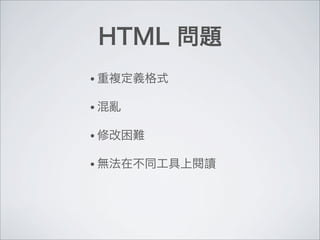
HTML 問題
• 重複定義格式
• 混亂
• 修改困難
• 無法在不同工具上閱讀
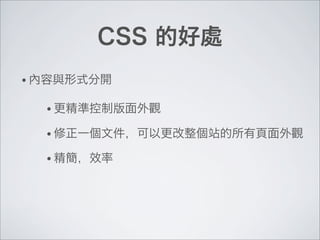
CSS 的好處
• 更精準控制版面外觀
• 修正一個文件,可以更改整個站的所有頁面外觀
• 精簡,效率
• 內容與形式分開
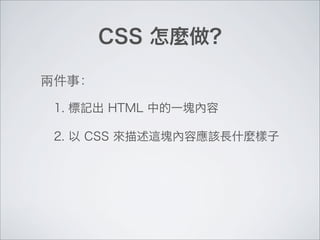
CSS 怎麼做?
1. 標記出 HTML 中的一塊內容
2. 以 CSS 來描述這塊內容應該長什麼樣子
兩件事:
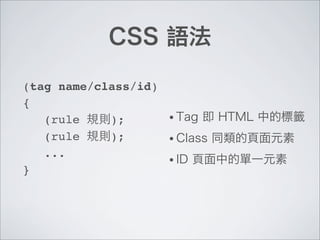
CSS 語法
(tag name/class/id)
{
! (rule 規則);
! (rule 規則);
! ...
}
• Tag 即 HTML 中的標籤
• Class 同類的頁面元素
• ID 頁面中的單一元素
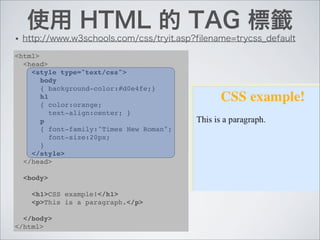
使用 HTML 的 TAG 標籤
• http://www.w3schools.com/css/tryit.asp?filename=trycss_default
<html>
<head>
<style type="text/css">
body
{ background-color:#d0e4fe;}
h1
{ color:orange;
text-align:center; }
p
{ font-family:"Times New Roman";
font-size:20px;
}
</style>
</head>
<body>
<h1>CSS example!</h1>
<p>This is a paragraph.</p>
</body>
</html>
<html>
<head>
<style type="text/css">
.center
{ text-align:center; }
</style>
</head>
<body>
<h1 class="center">Center-aligned heading</h1>
<p class="center">Center-aligned paragraph.</p>
</body>
</html>
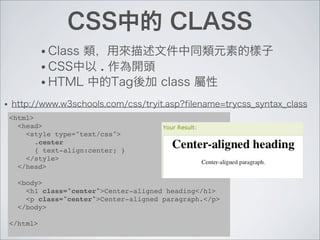
CSS中的 CLASS
• Class 類,用來描述文件中同類元素的樣子
• CSS中以 . 作為開頭
• HTML 中的Tag後加 class 屬性
• http://www.w3schools.com/css/tryit.asp?filename=trycss_syntax_class
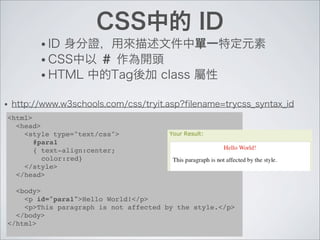
CSS中的 ID
• ID 身分證,用來描述文件中單一特定元素
• CSS中以 # 作為開頭
• HTML 中的Tag後加 class 屬性
• http://www.w3schools.com/css/tryit.asp?filename=trycss_syntax_id
<html>
<head>
<style type="text/css">
#para1
{ text-align:center;
color:red}
</style>
</head>
<body>
<p id="para1">Hello World!</p>
<p>This paragraph is not affected by the style.</p>
</body>
</html>
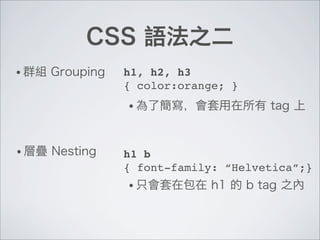
CSS 語法之二
• 群組 Grouping h1, h2, h3
{ color:orange; }
• 層疊 Nesting h1 b
{ font-family: “Helvetica”;}
• 為了簡寫,會套用在所有 tag 上
• 只會套在包在 h1 的 b tag 之內
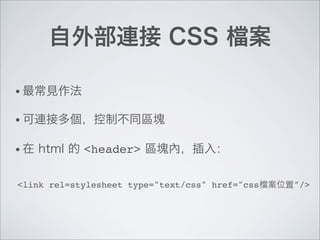
自外部連接 CSS 檔案
• 最常見作法
• 可連接多個,控制不同區塊
• 在 html 的 <header> 區塊內,插入:
<link rel=stylesheet type="text/css" href="css檔案位置"/>
CSS 描述區塊的方法
Box Model
內容
留白
邊框
邊界
• http://www.w3schools.com/css/tryit.asp?filename=trycss_boxmodel_width_doctype
DIV 與 SPAN 標籤
• HTML 的 Tag 不夠,標籤又重複,怎麼辦?
• <div> 定義出頁面上的一塊區塊,作為布局之用
• <span> 類似於div,但後面不會斷行,多用於文字內
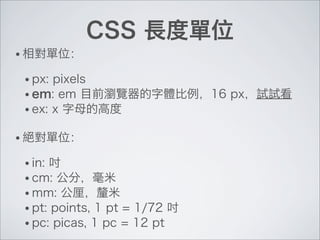
CSS 長度單位
• 相對單位:
• px: pixels
• em: em 目前瀏覽器的字體比例,16 px,試試看
• ex: x 字母的高度
• 絕對單位:
• in: 吋
• cm: 公分,毫米
• mm: 公厘,釐米
• pt: points, 1 pt = 1/72 吋
• pc: picas, 1 pc = 12 pt
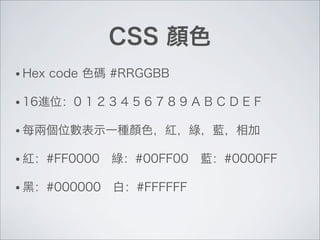
CSS 顏色
• Hex code 色碼 #RRGGBB
• 16進位:0 1 2 3 4 5 6 7 8 9 A B C D E F
• 每兩個位數表示一種顏色,紅,綠,藍,相加
• 紅:#FF0000 綠:#00FF00 藍:#0000FF
• 黑:#000000 白:#FFFFFF
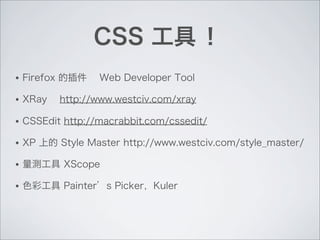
CSS 工具 !
• Firefox 的插件 Web Developer Tool
• XRay http://www.westciv.com/xray
• CSSEdit http://macrabbit.com/cssedit/
• XP 上的 Style Master http://www.westciv.com/style_master/
• 量測工具 XScope
• 色彩工具 Painter’s Picker,Kuler
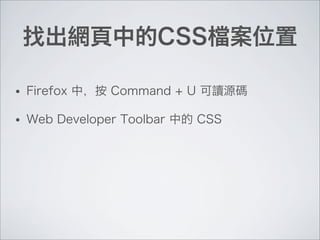
找出網頁中的CSS檔案位置
• Firefox 中,按 Command + U 可讀源碼
• Web Developer Toolbar 中的 CSS
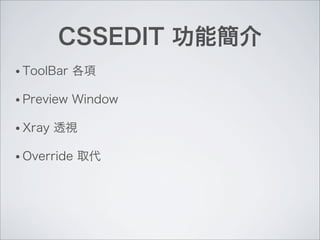
CSSEDIT 功能簡介
• ToolBar 各項
• Preview Window
• Xray 透視
• Override 取代
CSS EDIT 練習
1. 以 Transmit 連線到自己的站台
2. 到 /wp-content/themes/[你用的theme] 之下
3. 通常會有 style.css 這文件,按右鍵,以CSSEdit
直接編輯。
4. CSSEdit 中的上排按鈕,Preview 預覽,新增站台
5. Override 用現在開啟的 Style.css 取代
CSS 常見外觀調整
• 背景 background
• http://www.w3schools.com/css/css_background.asp
• 位置 Positioning
• http://www.w3schools.com/css/css_positioning.asp

6. CSS

  • 1.
  • 2.
  • 3.
    HTML 問題 • 重複定義格式 •混亂 • 修改困難 • 無法在不同工具上閱讀
  • 4.
    CSS 的好處 • 更精準控制版面外觀 •修正一個文件,可以更改整個站的所有頁面外觀 • 精簡,效率 • 內容與形式分開
  • 5.
    CSS 怎麼做? 1. 標記出HTML 中的一塊內容 2. 以 CSS 來描述這塊內容應該長什麼樣子 兩件事:
  • 6.
    CSS 語法 (tag name/class/id) { !(rule 規則); ! (rule 規則); ! ... } • Tag 即 HTML 中的標籤 • Class 同類的頁面元素 • ID 頁面中的單一元素
  • 7.
    使用 HTML 的TAG 標籤 • http://www.w3schools.com/css/tryit.asp?filename=trycss_default <html> <head> <style type="text/css"> body { background-color:#d0e4fe;} h1 { color:orange; text-align:center; } p { font-family:"Times New Roman"; font-size:20px; } </style> </head> <body> <h1>CSS example!</h1> <p>This is a paragraph.</p> </body> </html>
  • 8.
    <html> <head> <style type="text/css"> .center { text-align:center;} </style> </head> <body> <h1 class="center">Center-aligned heading</h1> <p class="center">Center-aligned paragraph.</p> </body> </html> CSS中的 CLASS • Class 類,用來描述文件中同類元素的樣子 • CSS中以 . 作為開頭 • HTML 中的Tag後加 class 屬性 • http://www.w3schools.com/css/tryit.asp?filename=trycss_syntax_class
  • 9.
    CSS中的 ID • ID身分證,用來描述文件中單一特定元素 • CSS中以 # 作為開頭 • HTML 中的Tag後加 class 屬性 • http://www.w3schools.com/css/tryit.asp?filename=trycss_syntax_id <html> <head> <style type="text/css"> #para1 { text-align:center; color:red} </style> </head> <body> <p id="para1">Hello World!</p> <p>This paragraph is not affected by the style.</p> </body> </html>
  • 10.
    CSS 語法之二 • 群組Grouping h1, h2, h3 { color:orange; } • 層疊 Nesting h1 b { font-family: “Helvetica”;} • 為了簡寫,會套用在所有 tag 上 • 只會套在包在 h1 的 b tag 之內
  • 11.
    自外部連接 CSS 檔案 •最常見作法 • 可連接多個,控制不同區塊 • 在 html 的 <header> 區塊內,插入: <link rel=stylesheet type="text/css" href="css檔案位置"/>
  • 12.
    CSS 描述區塊的方法 Box Model 內容 留白 邊框 邊界 •http://www.w3schools.com/css/tryit.asp?filename=trycss_boxmodel_width_doctype
  • 13.
    DIV 與 SPAN標籤 • HTML 的 Tag 不夠,標籤又重複,怎麼辦? • <div> 定義出頁面上的一塊區塊,作為布局之用 • <span> 類似於div,但後面不會斷行,多用於文字內
  • 14.
    CSS 長度單位 • 相對單位: •px: pixels • em: em 目前瀏覽器的字體比例,16 px,試試看 • ex: x 字母的高度 • 絕對單位: • in: 吋 • cm: 公分,毫米 • mm: 公厘,釐米 • pt: points, 1 pt = 1/72 吋 • pc: picas, 1 pc = 12 pt
  • 15.
    CSS 顏色 • Hexcode 色碼 #RRGGBB • 16進位:0 1 2 3 4 5 6 7 8 9 A B C D E F • 每兩個位數表示一種顏色,紅,綠,藍,相加 • 紅:#FF0000 綠:#00FF00 藍:#0000FF • 黑:#000000 白:#FFFFFF
  • 16.
    CSS 工具 ! •Firefox 的插件 Web Developer Tool • XRay http://www.westciv.com/xray • CSSEdit http://macrabbit.com/cssedit/ • XP 上的 Style Master http://www.westciv.com/style_master/ • 量測工具 XScope • 色彩工具 Painter’s Picker,Kuler
  • 17.
    找出網頁中的CSS檔案位置 • Firefox 中,按Command + U 可讀源碼 • Web Developer Toolbar 中的 CSS
  • 18.
    CSSEDIT 功能簡介 • ToolBar各項 • Preview Window • Xray 透視 • Override 取代
  • 19.
    CSS EDIT 練習 1.以 Transmit 連線到自己的站台 2. 到 /wp-content/themes/[你用的theme] 之下 3. 通常會有 style.css 這文件,按右鍵,以CSSEdit 直接編輯。 4. CSSEdit 中的上排按鈕,Preview 預覽,新增站台 5. Override 用現在開啟的 Style.css 取代
  • 20.
    CSS 常見外觀調整 • 背景background • http://www.w3schools.com/css/css_background.asp • 位置 Positioning • http://www.w3schools.com/css/css_positioning.asp