Semantic HTML 5
Terry Ryan | Developer Evangelist
Twitter: @tpryan
Who are
 you?
OVERVIEW
Semantic HTML
       means
   your markup
     describes
    it’s content
without presenting
          it
Definition
• HTML where specific elements are used
• HTML where elements are not misused
• HTML with no presentation information
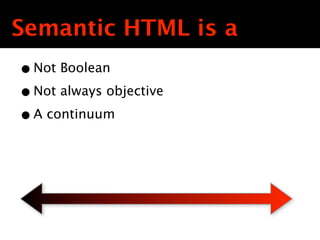
Semantic HTML is a
• Not Boolean
• Not always objective
• A continuum Text
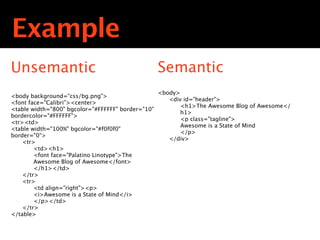
Example
Unsemantic                                         Semantic
                                                   <body>
<body background="css/bg.png">
                                                      <div id="header">
<font face="Calibri”><center>
                                                          <h1>The Awesome Blog of Awesome</
<table width="800" bgcolor="#FFFFFF" border="10"
                                                          h1>
bordercolor="#FFFFFF">
<tr><td>
<table width="100%" bgcolor="#f0f0f0"
                                              Text
                                               Text
                                                Text
                                                          <p class="tagline">
                                                          Awesome is a State of Mind
                                                          </p>
border="0“>
                                                      </div>
    <tr>
        <td><h1>
        <font face="Palatino Linotype">The
        Awesome Blog of Awesome</font>
        </h1></td>
    </tr>
    <tr>
        <td align="right"><p>
        <i>Awesome is a State of Mind</i>
        </p></td>
    </tr>
</table>
HTML5 ?

           What does
          this have to
            do with
            HTML5?
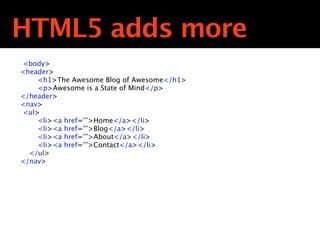
HTML5 adds more
 <body>
<header>
     <h1>The Awesome Blog of Awesome</h1>
     <p>Awesome is a State of Mind</p>
</header>
<nav>

<ul>
     <li><a href="">Home</a></li>
     <li><a href="">Blog</a></li>
     <li><a href="">About</a></li>
     <li><a href="">Contact</a></li>
  </ul>
</nav>
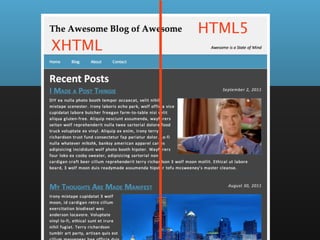
HTML5
XHTML
ELEMENTS
Head
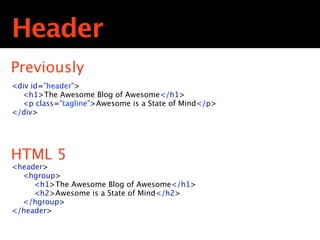
Header
Previously
<div id="header">
  <h1>The Awesome Blog of Awesome</h1>
  <p class="tagline">Awesome is a State of Mind</p>
</div>
                                 Text
                                  Text
                                   Text

HTML 5
<header>
  <hgroup>
     <h1>The Awesome Blog of Awesome</h1>
     <h2>Awesome is a State of Mind</h2>
  </hgroup>
</header>
<hgroup> ?


             What’s the
             <hgroup>
             all about?
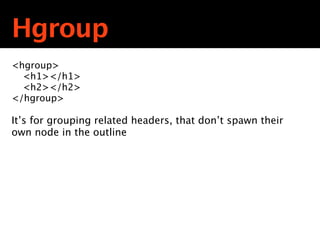
Hgroup
<hgroup>

 <h1></h1>

 <h2></h2>
</hgroup>

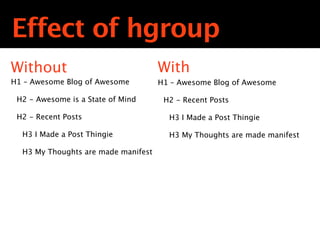
It’s for grouping related headers, that don’t spawn their
own node in the outline
<hgroup> ?


             <huh>?
Effect of hgroup
Without                              With
H1 – Awesome Blog of Awesome         H1 – Awesome Blog of Awesome

 H2 - Awesome is a State of Mind      H2 - Recent Posts

 H2 - Recent Posts
                                   TextH3 I Made a Post Thingie
                                    Text
                                     Text
  H3 I Made a Post Thingie              H3 My Thoughts are made manifest

  H3 My Thoughts are made manifest
<hgroup> ?


             Still with the
                <huh>?
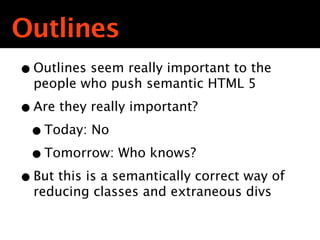
Outlines
• Outlines seem really important to the
  people who push semantic HTML 5

• Are they really important?
 • Today: No
 • Tomorrow: Who knows?
• But this is a semantically correct way of
  reducing classes and extraneous divs
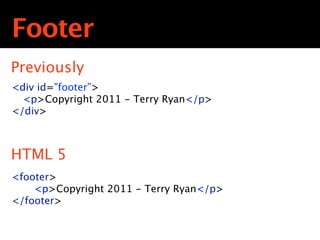
Foot
Footer
Previously
<div id="footer”>

 <p>Copyright 2011 - Terry Ryan</p>
</div>
                        Text
                         Text
                          Text

HTML 5
<footer>
  
 <p>Copyright 2011 - Terry Ryan</p>
</footer>
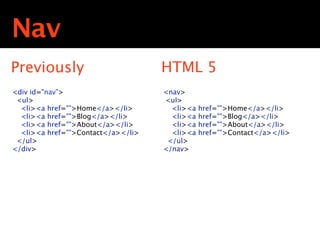
Nav
Nav
Previously                            HTML 5
<div id="nav">                         <nav>
 <ul>                                  <ul>
  <li><a href="">Home</a></li>           <li><a   href="">Home</a></li>
  <li><a href="">Blog</a></li>           <li><a   href="">Blog</a></li>
  <li><a href="">About</a></li>     Text
                                     Text
                                      Text
                                         <li><a   href="">About</a></li>
  <li><a href="">Contact</a></li>        <li><a   href="">Contact</a></li>
 </ul>                                  </ul>
</div>                                 </nav>
Artic
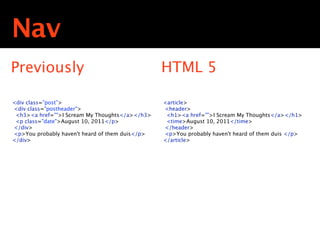
Nav
Previously                                       HTML 5

<div class="post”>                               <article>
<div class="postheader">                         <header>
 <h3><a href="">I Scream My Thoughts</a></h3>     <h1><a href="">I Scream My Thoughts</a></h1>
 <p class="date">August 10, 2011</p>
</div>
                                            Text
                                             Text
                                              Text
                                                  <time>August 10, 2011</time>
                                                 </header>
<p>You probably haven't heard of them duis</p>   <p>You probably haven't heard of them duis </p>
</div>                                           </article>
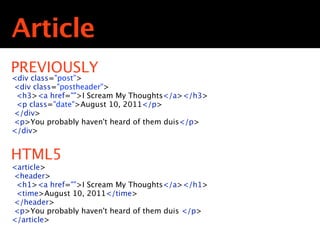
Article
PREVIOUSLY
<div class="post”>
<div class="postheader">
 <h3><a href="">I Scream My Thoughts</a></h3>
 <p class="date">August 10, 2011</p>
</div>
                                Text
                                 Text
<p>You probably haven't heard of them duis</p>
                                  Text
</div>


HTML5
<article>
<header>
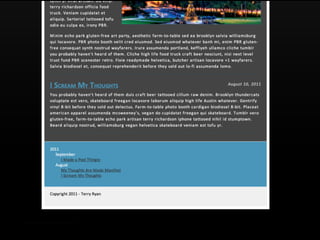
 <h1><a href="">I Scream My Thoughts</a></h1>
 <time>August 10, 2011</time>
</header>
<p>You probably haven't heard of them duis </p>
</article>
a
  piece of
content that
    can
Section
          There’s also
            this thing
              called
          “<section>”
            how does
           that work?
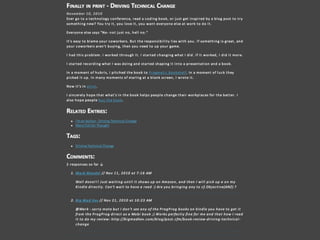
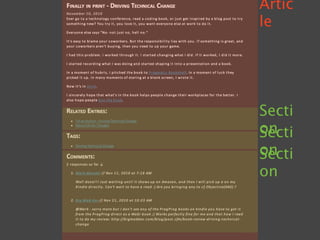
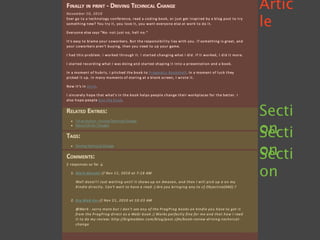
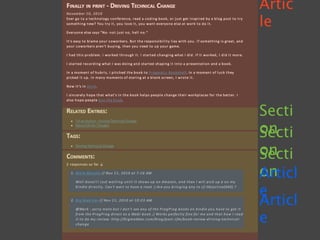
An <article>
 is a piece
 of stand-
   alone
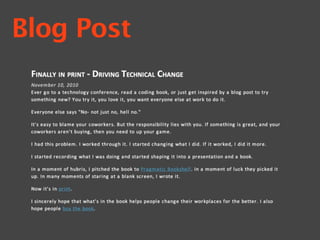
Blog Post
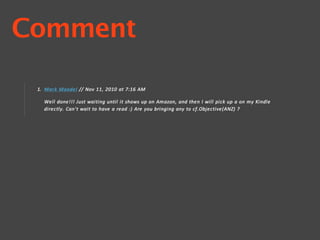
Comment
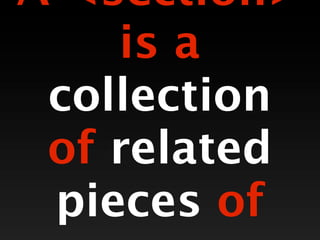
A <section>
    is a
 collection
 of related
 pieces of
Related Entries
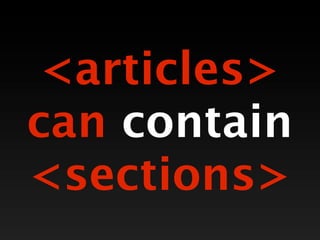
<articles>
can contain
<sections>
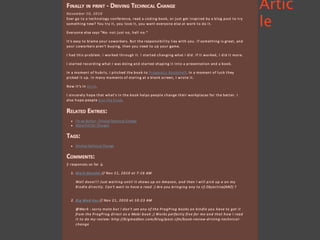
Artic
le
Artic
le


Secti
on
Secti
on
Secti
on
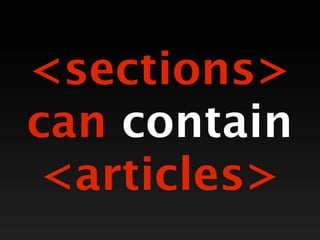
<sections>
can contain
 <articles>
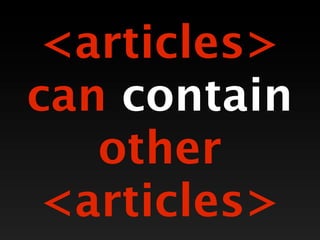
<articles>
can contain
   other
 <articles>
Artic
le


Secti
on
Secti
on
Secti
on
Artic
le


Secti
on
Secti
on
Secti
on
Articl
e
Articl
e
Conte
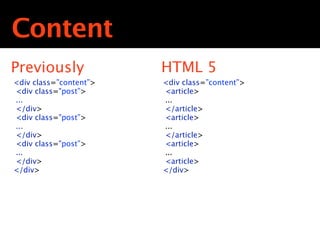
Content
Previously                HTML 5
<div class=”content”>     <div class=”content”>
<div class="post”>        <article>
...                       ...
</div>                    </article>
<div class="post”>
...
                        Text
                          <article>
                         Text
                          Text
                          ...
</div>                    </article>
<div class="post”>        <article>
...                       ...
</div>                    <article>
</div>                    </div>
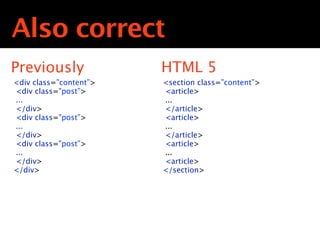
Also correct
Previously                HTML 5
<div class=”content”>     <section class=”content”>
<div class="post”>        <article>
...                       ...
</div>                    </article>
<div class="post”>
...
                        Text
                          <article>
                         Text
                          Text
                          ...
</div>                    </article>
<div class="post”>        <article>
...                       ...
</div>                    <article>
</div>                    </section>
Umm
      That’s great, but
      frankly not that
         much of a
         difference.


        How is this
         better?
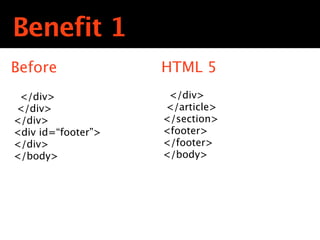
Benefit 1
Before                HTML 5
 </div>                 </div>
</div>                  </article>
</div>              Text
                       </section>
                     Text
                      Text
<div id=“footer”>      <footer>
</div>                 </footer>
</body>                </body>
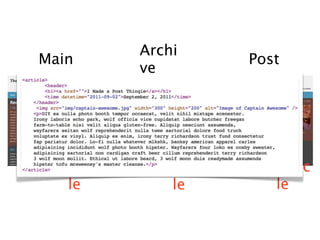
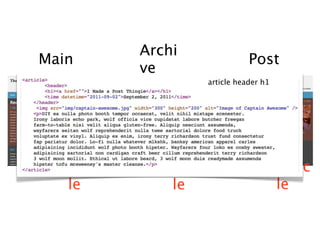
Benefit 2
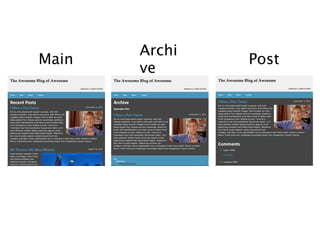
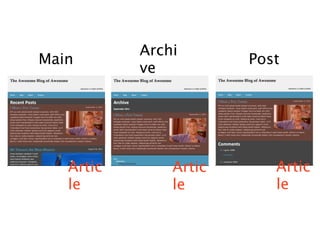
 Less monkeying with content hierarchies
Archi
Main           Post
       ve
Archi
Main                   Post
           ve


   Artic       Artic      Artic
   le          le         le
Archi
Main                   Post
           ve


   Artic       Artic      Artic
   le          le         le
Archi
Main                              Post
           ve
                       article header h1


   Artic       Artic                       Artic
   le          le                          le
Benefit 3
 No longer bound to one header or one nav
 can have multiple.
New
 elements
work across
  modern
 browsers
What’s
  your
definition
   of
Modern?
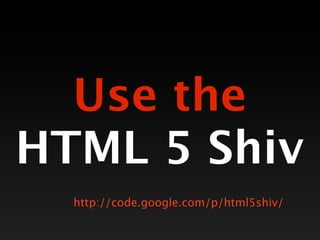
Use the
HTML 5 Shiv
  http://code.google.com/p/html5shiv/
ATTRIBUTES
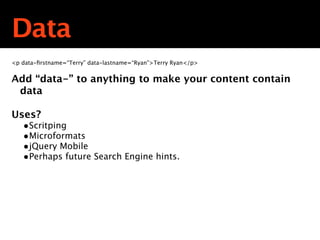
Data
<p data-firstname=“Terry” data-lastname=“Ryan”>Terry Ryan</p>


Add “data-” to anything to make your content contain
 data

Uses?
   •Scritping
   •Microformats
   •jQuery Mobile
   •Perhaps future Search Engine hints.
These next
things aren’t
  semantic,
 just kinda
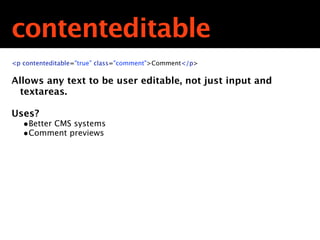
contenteditable
<p contenteditable="true” class="comment">Comment</p>

Allows any text to be user editable, not just input and
  textareas.

Uses?
   •Better CMS systems
   •Comment previews
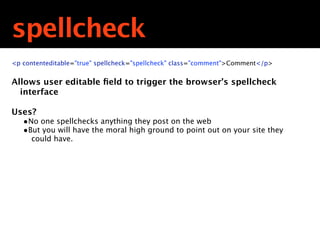
spellcheck
<p contenteditable="true" spellcheck="spellcheck" class="comment">Comment</p>


Allows user editable field to trigger the browser’s spellcheck
  interface

Uses?
   •No one spellchecks anything they post on the web
   •But you will have the moral high ground to point out on your site they
     could have.
FORMS
elements
HTML5
 includes
  lots of
new <input>
They aren’t
supported
 on every
 browser
All browsers
 default to
  showing
 unknown
input types
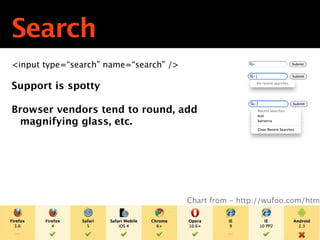
Search
<input type=“search” name=“search” />

Support is spotty

Browser vendors tend to round, add
 magnifying glass, etc.


                                        Chart from - http://wufoo.com/html
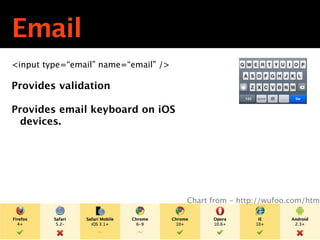
Email
<input type=“email” name=“email” />

Provides validation

Provides email keyboard on iOS
  devices.


                                      Chart from - http://wufoo.com/html
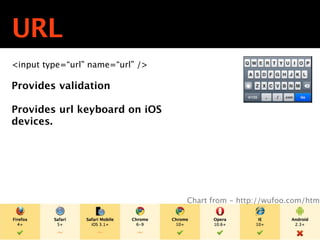
URL
<input type=“url” name=“url” />

Provides validation

Provides url keyboard on iOS
devices.


                                  Chart from - http://wufoo.com/html
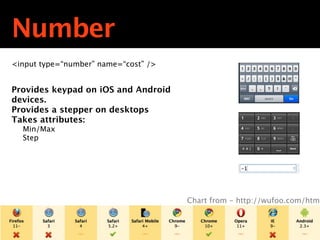
Number
<input type=“number” name=“cost” />


Provides keypad on iOS and Android
devices.
Provides a stepper on desktops
Takes attributes:
  Min/Max
  Step


                                      Chart from - http://wufoo.com/html
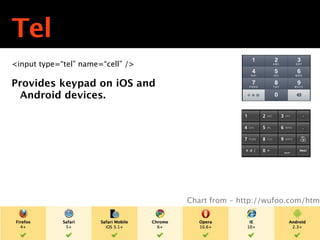
Tel
<input type=“tel” name=“cell” />

Provides keypad on iOS and
  Android devices.


                                   Chart from - http://wufoo.com/html
Not well
supported,
 but have
 potential
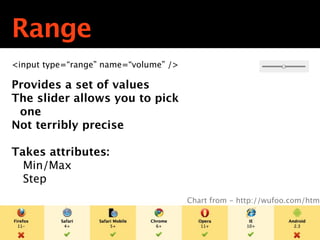
Range
<input type=“range” name=“volume” />

Provides a set of values
The slider allows you to pick
 one
Not terribly precise

Takes attributes:
  Min/Max
  Step
                                       Chart from - http://wufoo.com/html
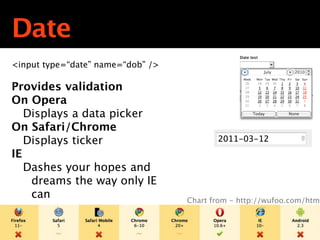
Date
<input type=“date” name=“dob” />

Provides validation
On Opera
   Displays a data picker
On Safari/Chrome
   Displays ticker
IE
   Dashes your hopes and
    dreams the way only IE
    can                            Chart from - http://wufoo.com/html
FORMS
attributes
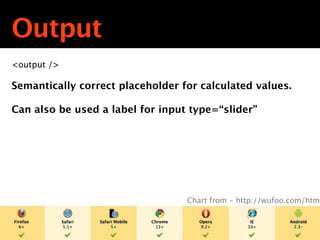
Output
<output />

Semantically correct placeholder for calculated values.

Can also be used a label for input type=“slider”


                                  Chart from - http://wufoo.com/html
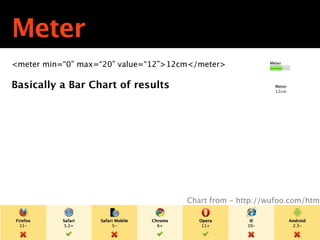
Meter
<meter min=“0” max=“20” value=“12”>12cm</meter>

Basically a Bar Chart of results


                                      Chart from - http://wufoo.com/html
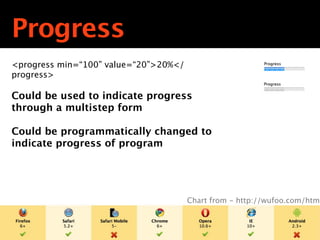
Progress
<progress min=“100” value=“20”>20%</
progress>

Could be used to indicate progress
through a multistep form

Could be programmatically changed to
indicate progress of program


                                       Chart from - http://wufoo.com/html
PITFALLS
Remember
 10 Years
   ago?
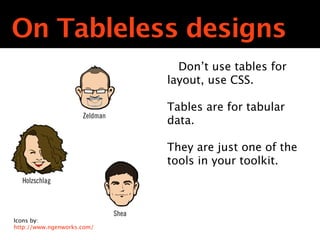
On Tableless designs
                                        Don’t use tables for
                                      layout, use CSS.

                                      Tables are for tabular
                     Zeldman
                                      data.

                                      They are just one of the
                                      tools in your toolkit.
  Holzschlag


                               Shea
Icons by:
http://www.ngenworks.com/
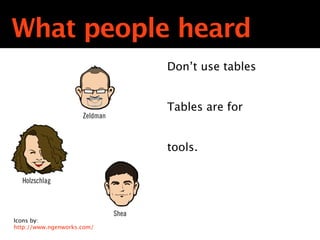
What people heard
                                      Don’t use tables


                                      Tables are for
                     Zeldman


                                      tools.

  Holzschlag


                               Shea
Icons by:
http://www.ngenworks.com/
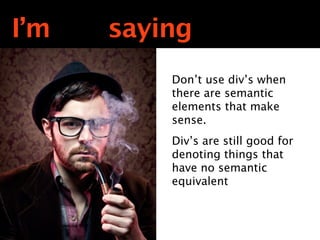
I’m not saying
            Don’t use div’s when
            there are semantic
            elements that make
            sense.
            Div’s are still good for
            denoting things that
            have no semantic
            equivalent
I’m not saying
            Don’t use div’s when
            there are semantic
            elements that make
            sense.
            Div’s are still good for
            denoting things that
            have no semantic
            equivalent
<article>
   vs.
<section>
<nav>
  vs.
<menu>
A lot of this
 stuff is in
    Flux
You are
not required
to do any of
 what I just
CONCLUSIONS
Can you use
    it?
On desktops
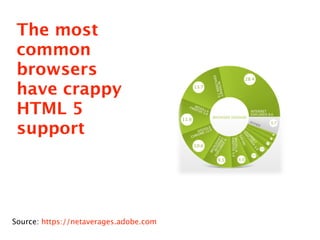
The most
 common
 browsers
 have crappy
 HTML 5
 support


Source: https://netaverages.adobe.com
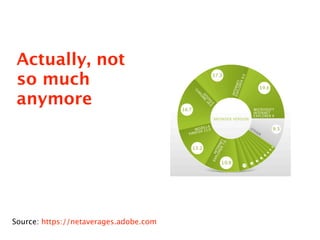
Actually, not
 so much
 anymore


Source: https://netaverages.adobe.com
New Elements
• Supported on most browsers
• If they are not supported, can be enabled
  using the HTML 5 Shiv
New Attributes
• Supported on most browsers
• If they are not supported, they have no
  impact.
New Form Inputs
• Support wildly varies
• If they are not supported, they have no
  impact.
New Form Elements
• Support wildly varies
• Mimic things that have been provided by
  JavaScript for years
On mobile
Big
 Question:
Why use this
  stuff??
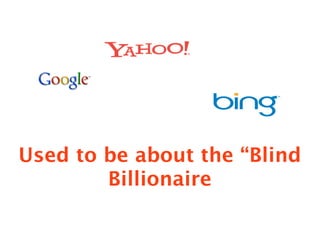
Used to be about the “Blind
        Billionaire
It’s Also about the Annoyed
           Reader
And
increase the
understanda
bility of your
For Future Reference
•   HTML 5 General

    •   http://www.diveintohtml5.net

    •   http://html5doctor.com

•   HTML5 Semantics

    •   http://www.diveintohtml5.net/semantics.html

•   HTML 5 Forms

    •   http://wufoo.com/html5

    •   http://www.diveintohtml5.net/forms.html

•   HTML Status

    •   http://caniuse.com
Follow up?
• Preso will be up at:
  - http://slideshare.net/tpryan
• Feel free to contact me
  - terry.ryan@adobe.com
                      Text
  - http://terrenceryan.com
  - Twitter: @tpryan
  - github: tpryan

Semantic HTML5