An Open MOOC
2
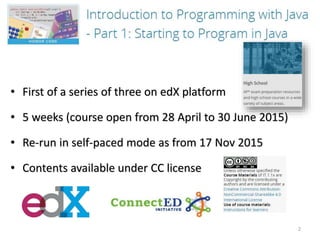
• First of a series of three on edX platform
• 5 weeks (course open from 28 April to 30 June 2015)
• Re-run in self-paced mode as from 17 Nov 2015
• Contents available under CC license
Teaching staff
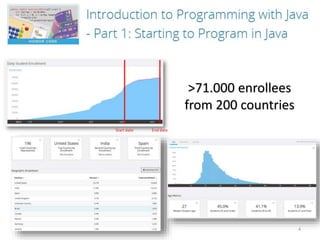
>71.000 enrollees
from 200 countries
4
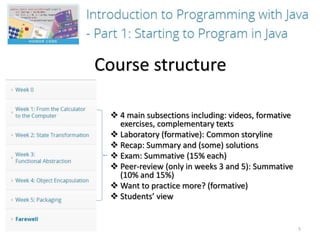
Course structure
 4 main subsections including: videos, formative
exercises, complementary texts
 Laboratory (formative): Common storyline
 Recap: Summary and (some) solutions
 Exam: Summative (15% each)
 Peer-review (only in weeks 3 and 5): Summative
(10% and 15%)
 Want to practice more? (formative)
 Students’ view
5
6
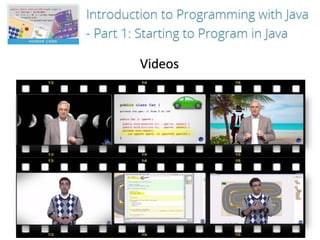
Videos
7
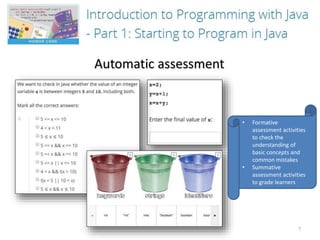
Automatic assessment
• Formative
assessment activities
to check the
understanding of
basic concepts and
common mistakes
• Summative
assessment activities
to grade learners
8
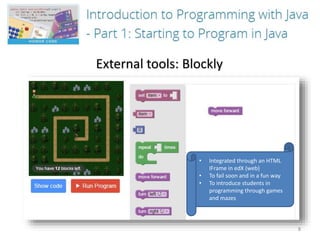
External tools: Blockly
• Integrated through an HTML
IFrame in edX (web)
• To fail soon and in a fun way
• To introduce students in
programming through games
and mazes
9
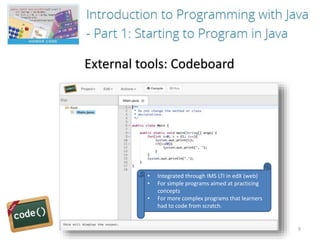
External tools: Codeboard
• Integrated through IMS LTI in edX (web)
• For simple programs aimed at practicing
concepts
• For more complex programs that learners
had to code from scratch.
10
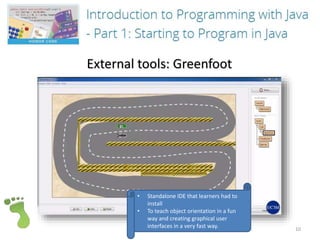
External tools: Greenfoot
• Standalone IDE that learners had to
install
• To teach object orientation in a fun
way and creating graphical user
interfaces in a very fast way.
11
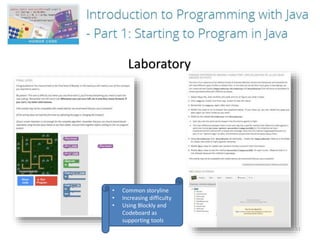
Laboratory
• Common storyline
• Increasing difficulty
• Using Blockly and
Codeboard as
supporting tools
12
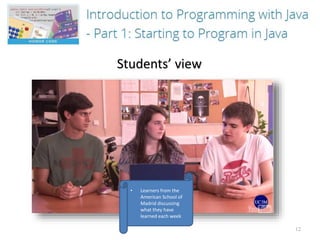
Students’ view
• Learners from the
American School of
Madrid discussing
what they have
learned each week
Summary of contents generated by teachers
13
 70 videos
 6h 20m (~5m 25s per video)
 578 exercises
 619 forum messages
496 with edX built-in tools
82 with external tools
(Blockly, Codeboard and Greenfoot)
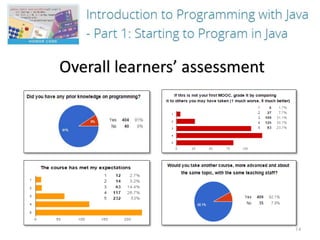
Overall learners’ assessment
14
15

Presentation video MOOC 'Introduction to Programming with Java: Part I'

  • 1.
  • 2.
    2 • First ofa series of three on edX platform • 5 weeks (course open from 28 April to 30 June 2015) • Re-run in self-paced mode as from 17 Nov 2015 • Contents available under CC license
  • 3.
  • 4.
  • 5.
    Course structure  4main subsections including: videos, formative exercises, complementary texts  Laboratory (formative): Common storyline  Recap: Summary and (some) solutions  Exam: Summative (15% each)  Peer-review (only in weeks 3 and 5): Summative (10% and 15%)  Want to practice more? (formative)  Students’ view 5
  • 6.
  • 7.
    7 Automatic assessment • Formative assessmentactivities to check the understanding of basic concepts and common mistakes • Summative assessment activities to grade learners
  • 8.
    8 External tools: Blockly •Integrated through an HTML IFrame in edX (web) • To fail soon and in a fun way • To introduce students in programming through games and mazes
  • 9.
    9 External tools: Codeboard •Integrated through IMS LTI in edX (web) • For simple programs aimed at practicing concepts • For more complex programs that learners had to code from scratch.
  • 10.
    10 External tools: Greenfoot •Standalone IDE that learners had to install • To teach object orientation in a fun way and creating graphical user interfaces in a very fast way.
  • 11.
    11 Laboratory • Common storyline •Increasing difficulty • Using Blockly and Codeboard as supporting tools
  • 12.
    12 Students’ view • Learnersfrom the American School of Madrid discussing what they have learned each week
  • 13.
    Summary of contentsgenerated by teachers 13  70 videos  6h 20m (~5m 25s per video)  578 exercises  619 forum messages 496 with edX built-in tools 82 with external tools (Blockly, Codeboard and Greenfoot)
  • 14.
  • 15.