Overview of Open edX
Overview
• Introduction to edX learning platform
• Learning Experience
• Content Creation
• Learning Analytics
Open edX Overview
Open edX Platform Overview > > > >
Open edX: Your own learning management platform
– Create multimedia course content
– Allow learners to take advanced course content
– Monitor learner progress
• Leverage a full-suite learning framework including online
course material (text, video, interactive), advanced
assessments, discussions, wikis, metrics and more
• Customize edX for your needs depending on your specific
use-case
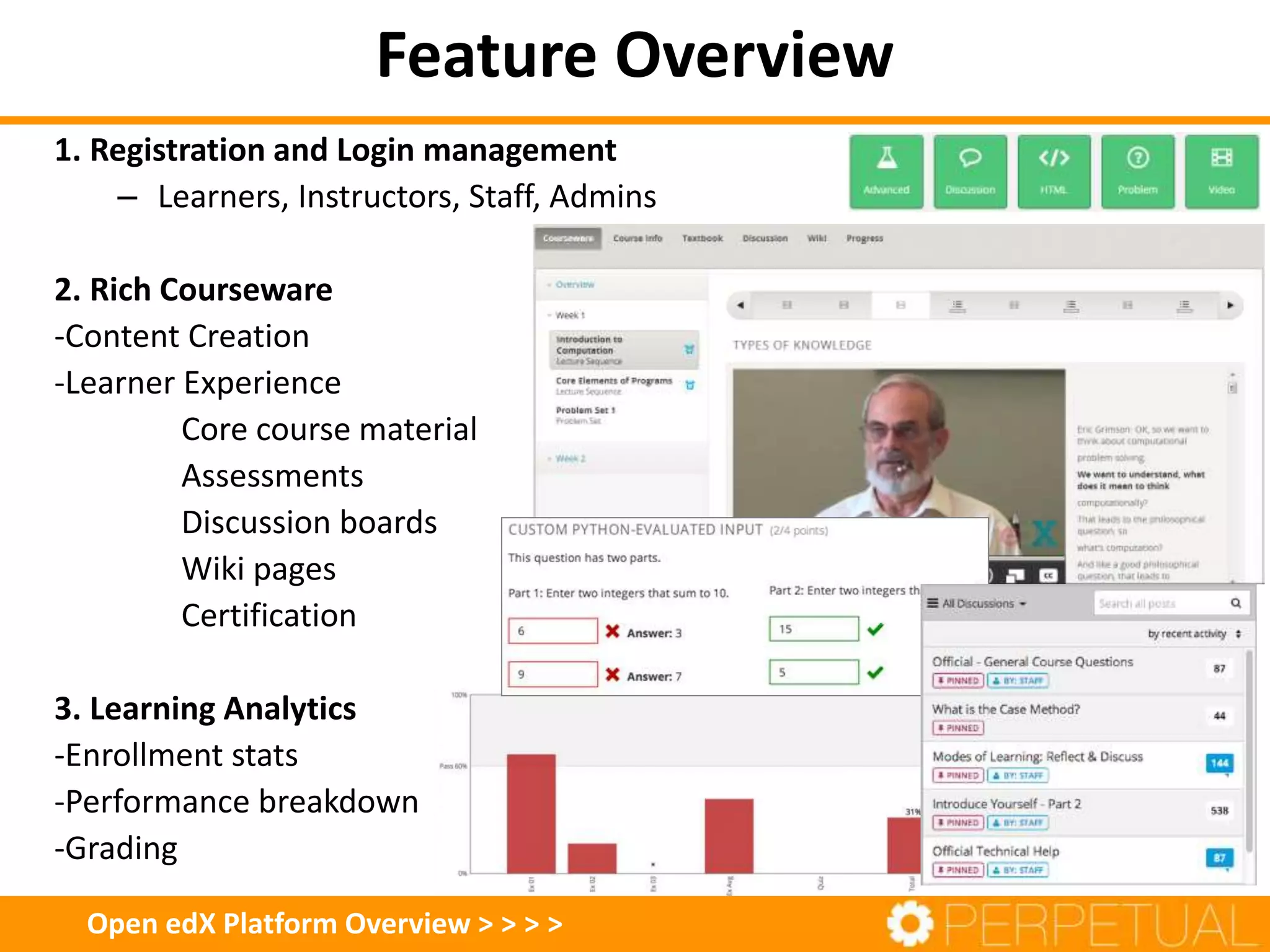
1. Registration and Login management
– Learners, Instructors, Staff, Admins
2. Rich Courseware
-Content Creation
-Learner Experience
Core course material
Assessments
Discussion boards
Wiki pages
Certification
3. Learning Analytics
-Enrollment stats
-Performance breakdown
-Grading
Vishal GandhiFeature Overview
Open edX Platform Overview > > > >
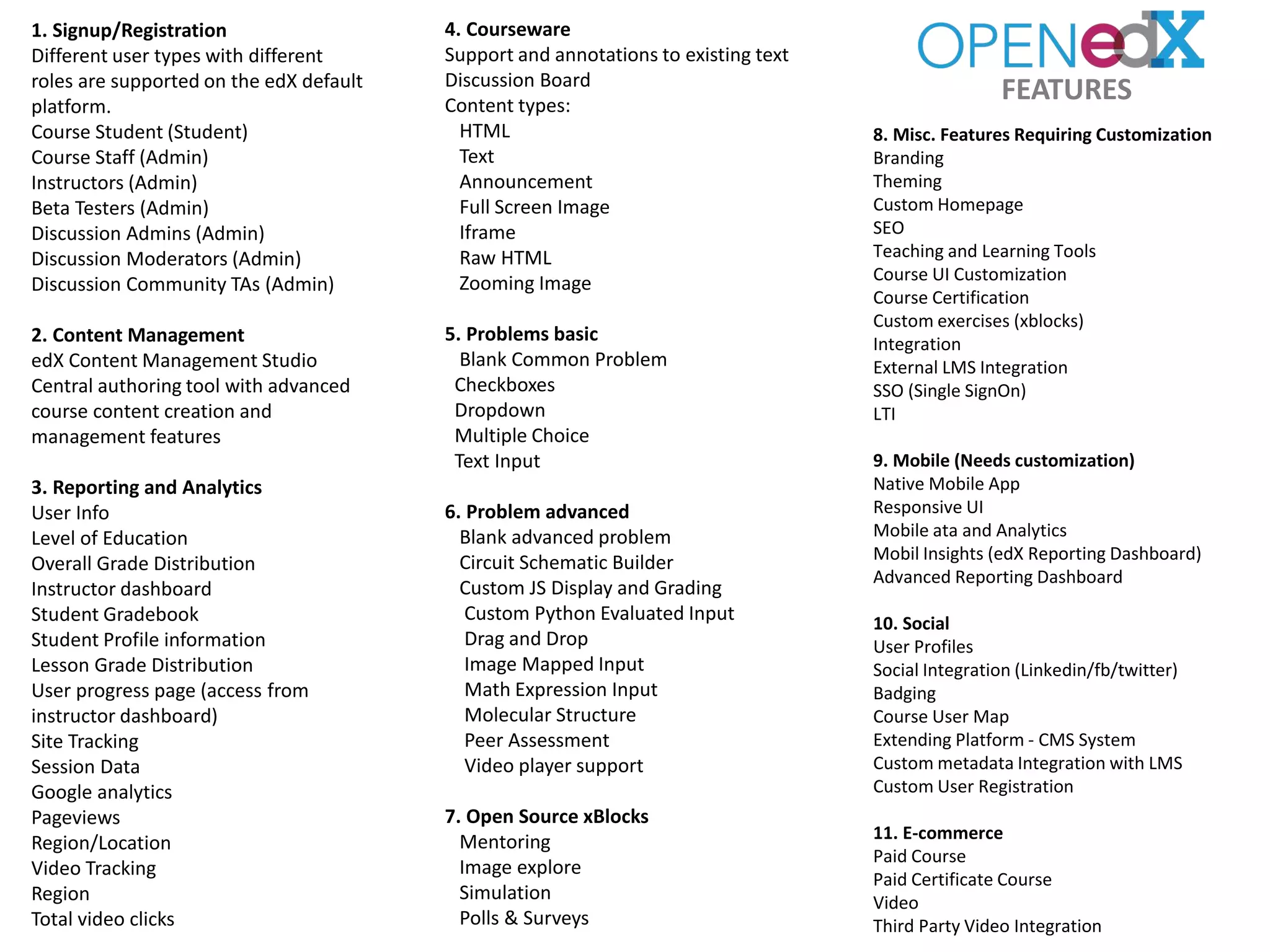
1. Signup/Registration
Different user types with different
roles are supported on the edX default
platform.
Course Student (Student)
Course Staff (Admin)
Instructors (Admin)
Beta Testers (Admin)
Discussion Admins (Admin)
Discussion Moderators (Admin)
Discussion Community TAs (Admin)
2. Content Management
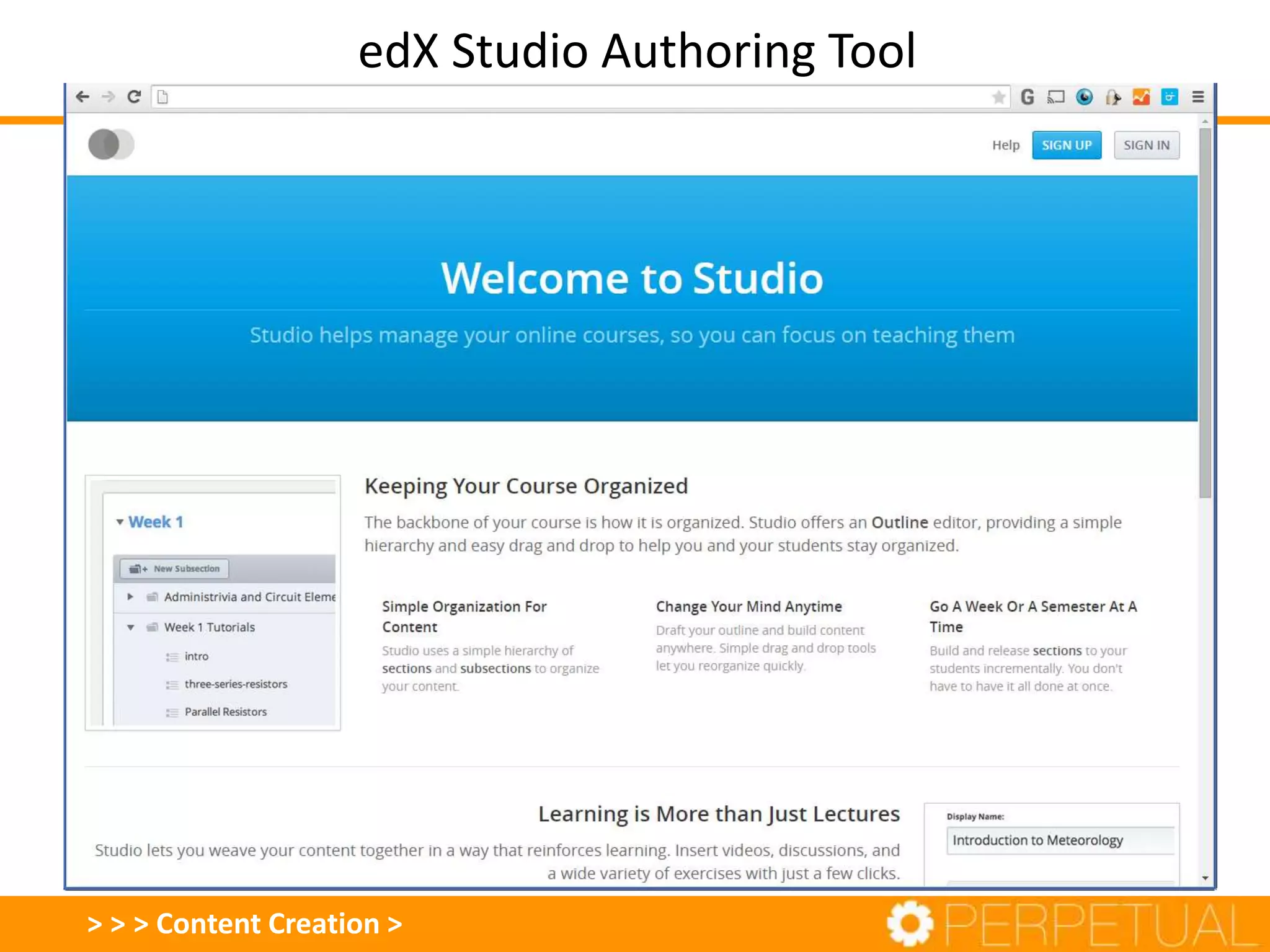
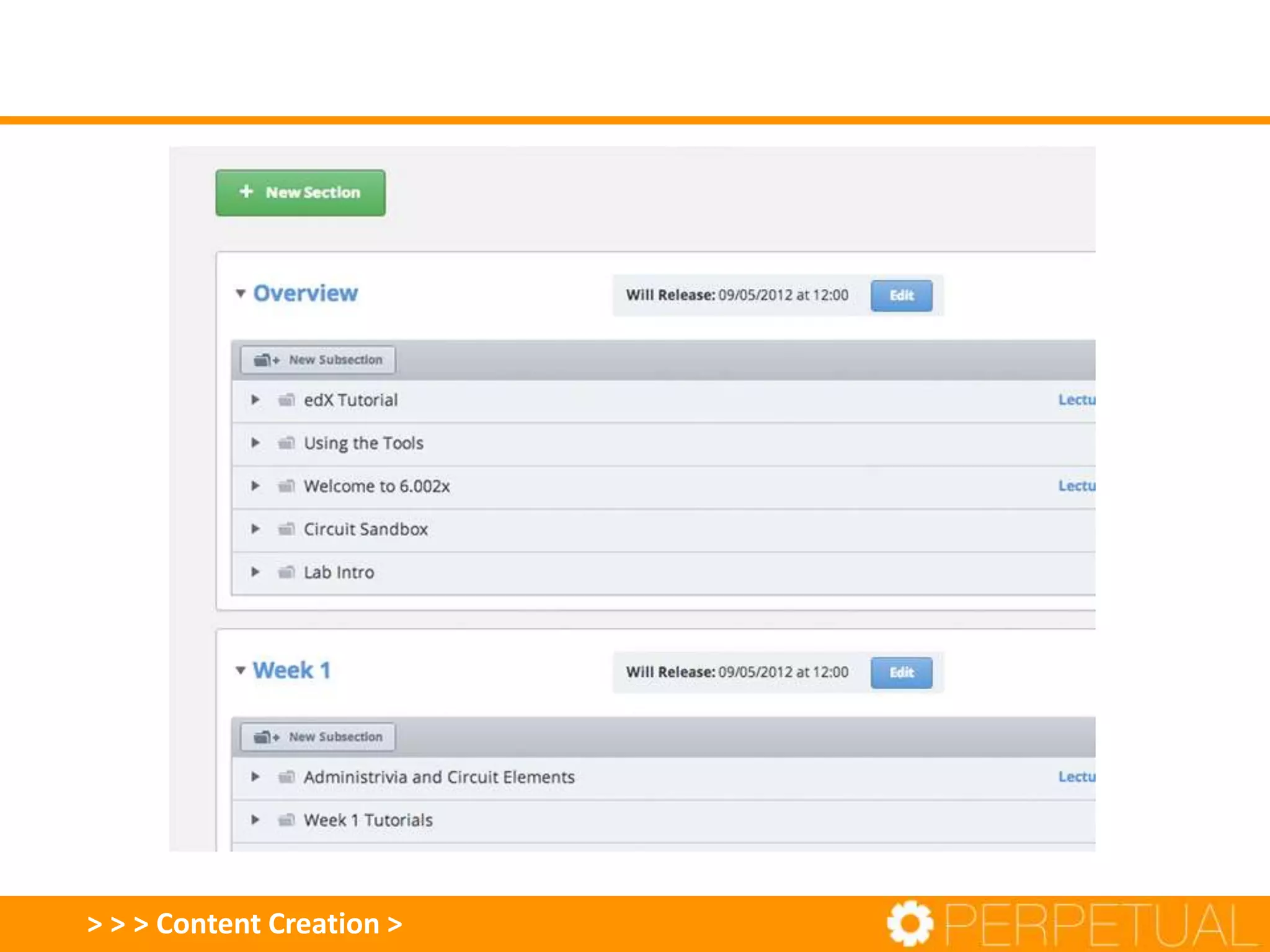
edX Content Management Studio
Central authoring tool with advanced
course content creation and
management features
3. Reporting and Analytics
User Info
Level of Education
Overall Grade Distribution
Instructor dashboard
Student Gradebook
Student Profile information
Lesson Grade Distribution
User progress page (access from
instructor dashboard)
Site Tracking
Session Data
Google analytics
Pageviews
Region/Location
Video Tracking
Region
Total video clicks
8. Misc. Features Requiring Customization
Branding
Theming
Custom Homepage
SEO
Teaching and Learning Tools
Course UI Customization
Course Certification
Custom exercises (xblocks)
Integration
External LMS Integration
SSO (Single SignOn)
LTI
9. Mobile (Needs customization)
Native Mobile App
Responsive UI
Mobile ata and Analytics
Mobil Insights (edX Reporting Dashboard)
Advanced Reporting Dashboard
10. Social
User Profiles
Social Integration (Linkedin/fb/twitter)
Badging
Course User Map
Extending Platform - CMS System
Custom metadata Integration with LMS
Custom User Registration
11. E-commerce
Paid Course
Paid Certificate Course
Video
Third Party Video Integration
4. Courseware
Support and annotations to existing text
Discussion Board
Content types:
HTML
Text
Announcement
Full Screen Image
Iframe
Raw HTML
Zooming Image
5. Problems basic
Blank Common Problem
Checkboxes
Dropdown
Multiple Choice
Text Input
6. Problem advanced
Blank advanced problem
Circuit Schematic Builder
Custom JS Display and Grading
Custom Python Evaluated Input
Drag and Drop
Image Mapped Input
Math Expression Input
Molecular Structure
Peer Assessment
Video player support
7. Open Source xBlocks
Mentoring
Image explore
Simulation
Polls & Surveys
Google Docs
FEATURES
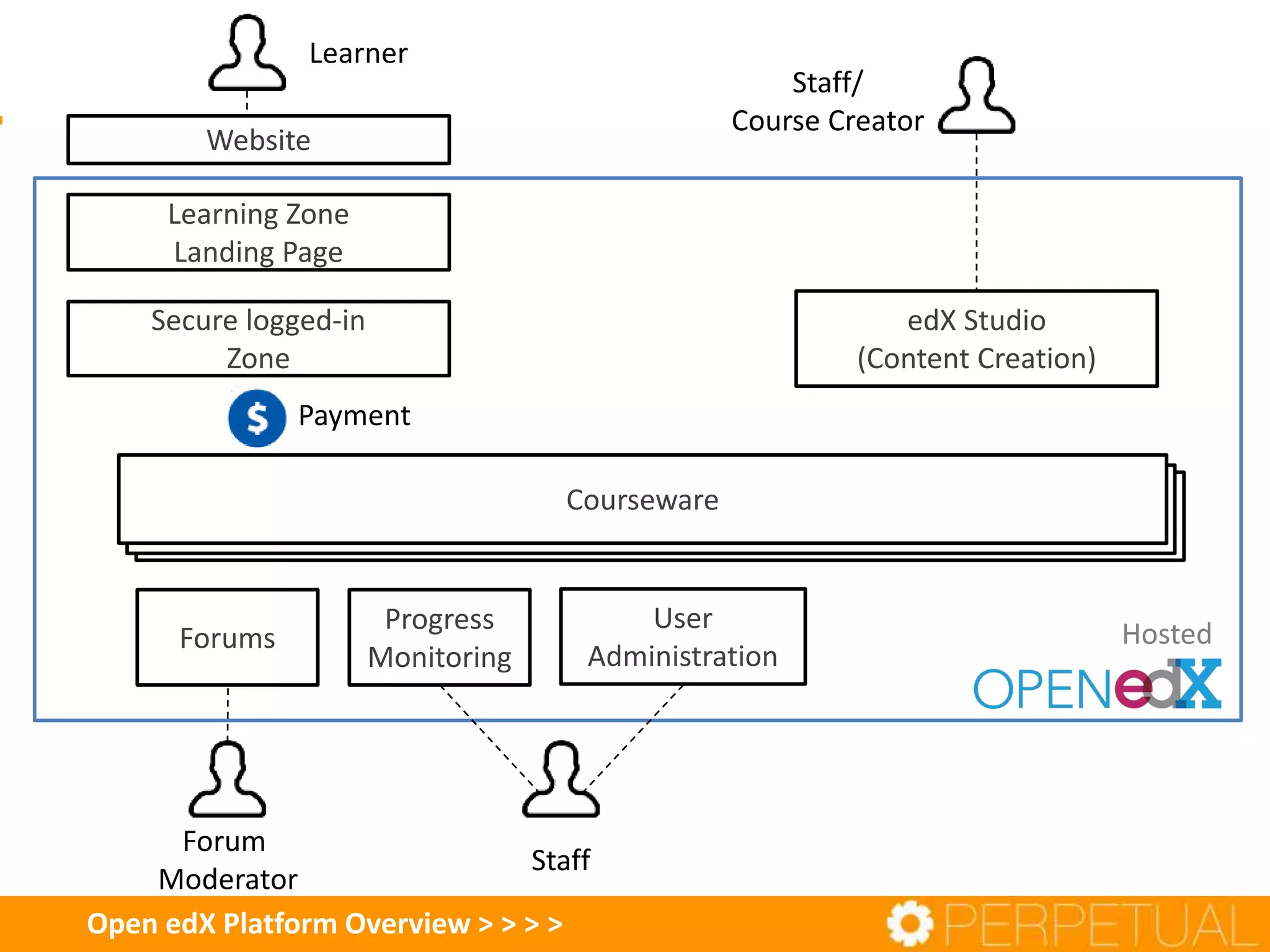
edX Studio
(Content Creation)
Learning Zone
Landing Page
Secure logged-in
Zone
Courseware
Website
Learner
Staff/
Course Creator
HostedProgress
Monitoring
Forums
User
Administration
Forum
Moderator
Staff
Payment
Open edX Platform Overview > > > >
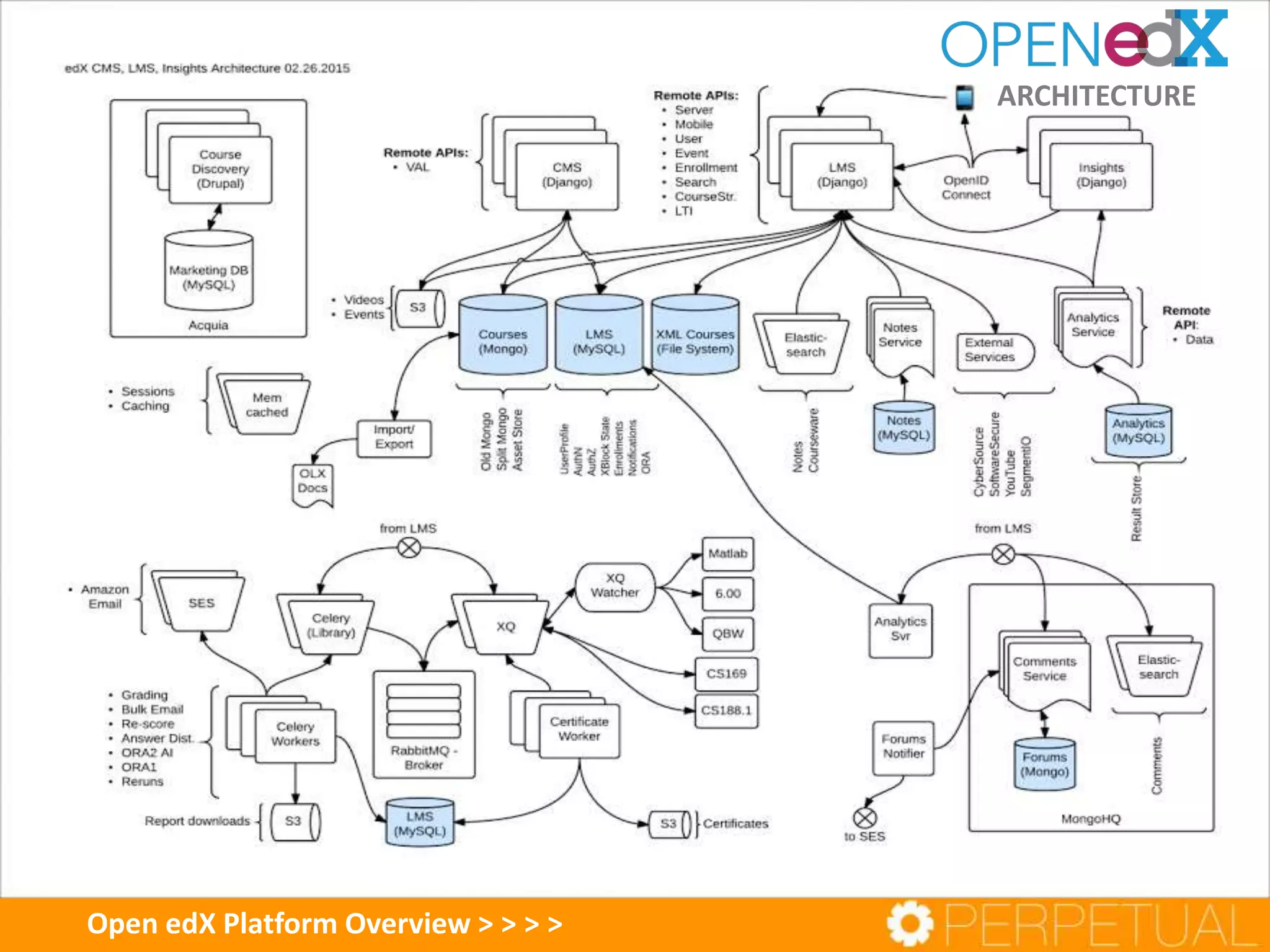
ARCHITECTURE
Open edX Platform Overview > > > >
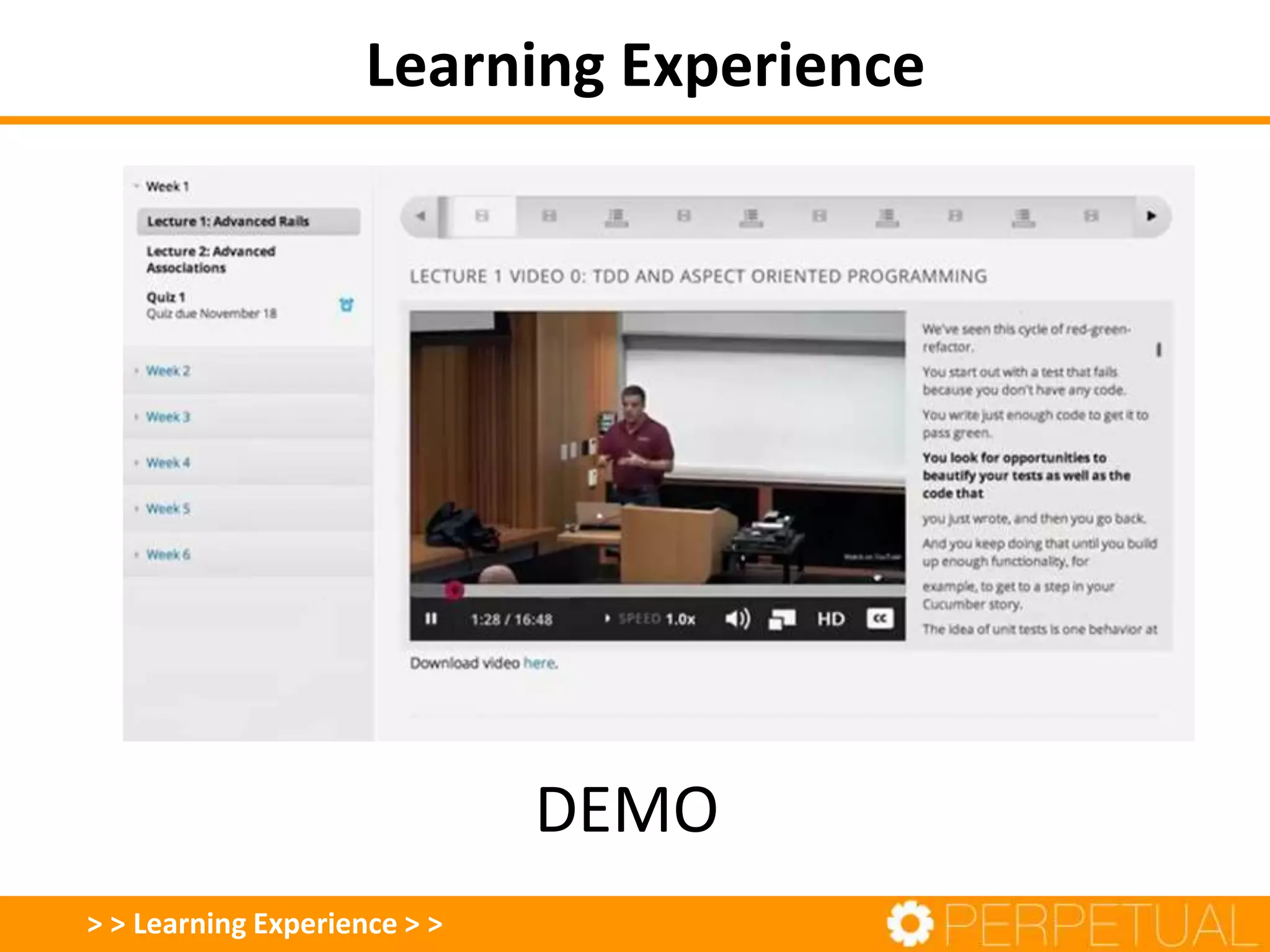
Learning Experience
Learning Experience
> > Learning Experience > >
Progress oriented, keep track of where you are navigation and workflow
Video with clickable transcripts
Interactive Animations
Essays
Assessments
Multimedia with Q&A
Infographics
Interactive Graphics Tutorials
Discussions
Wiki
Google Hangouts
Custom Content Cohorting
• Ability to organize content based on cohorts
Cohort specific:
– Discussions
– Interactive Exercises/Quizzes
– All courseware
Content Creation
> > > Content Creation >
edX Studio Authoring Tool
> > > Content Creation >
Ability to easily create different
Content/Assessment Types
And several other edX Modules
(xBlocks)
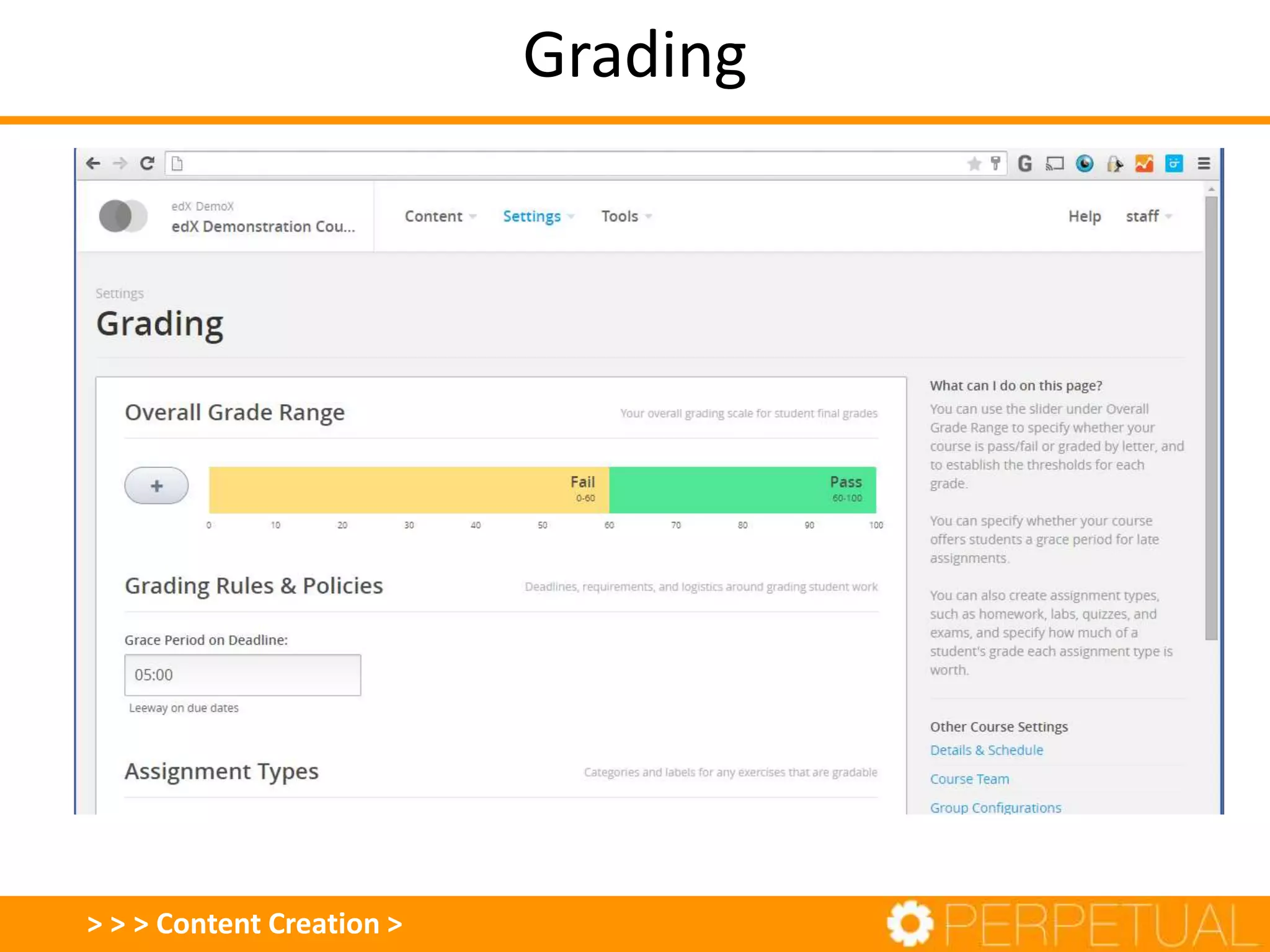
Grading
> > > Content Creation >
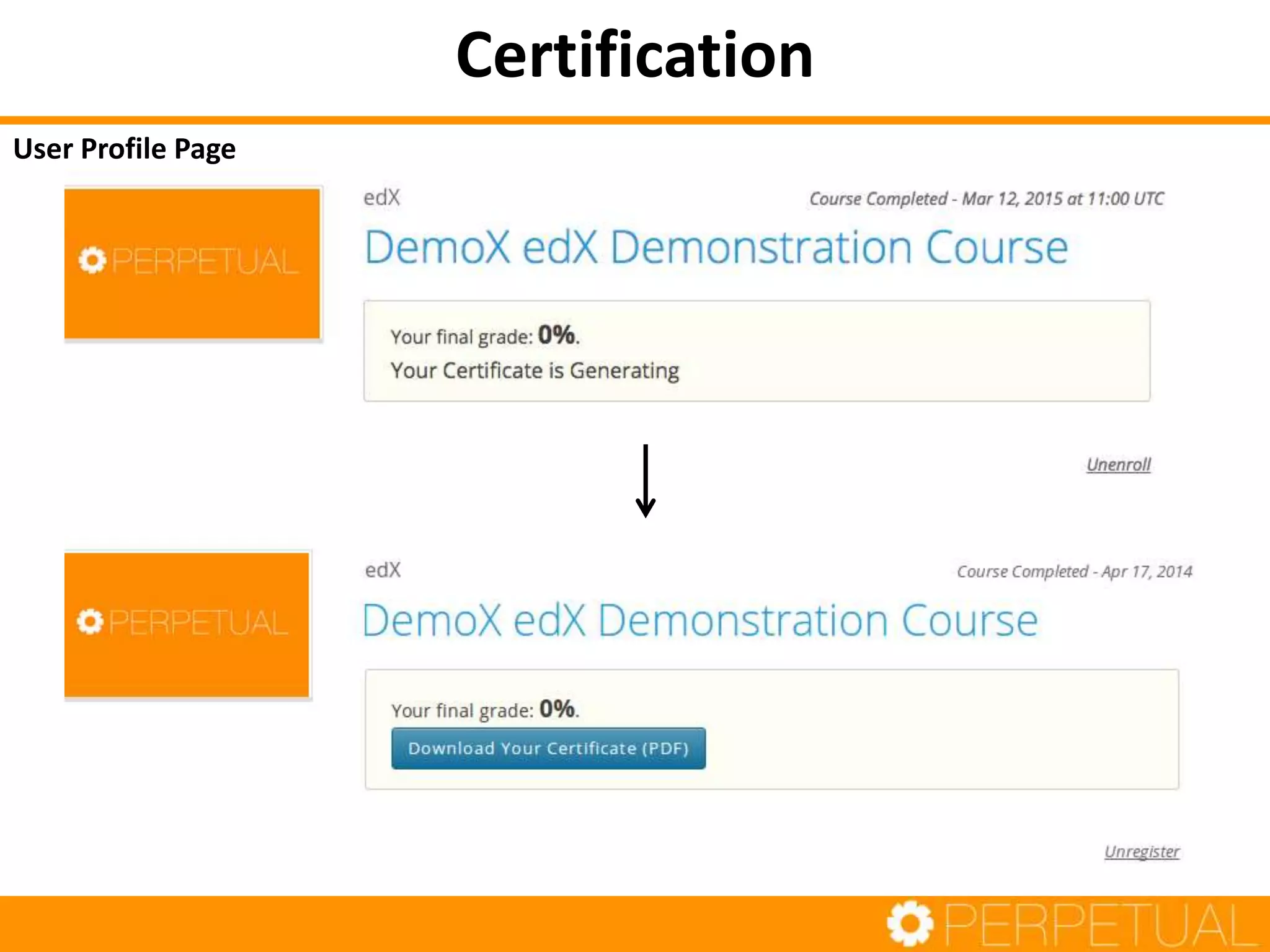
Certification
User Profile Page
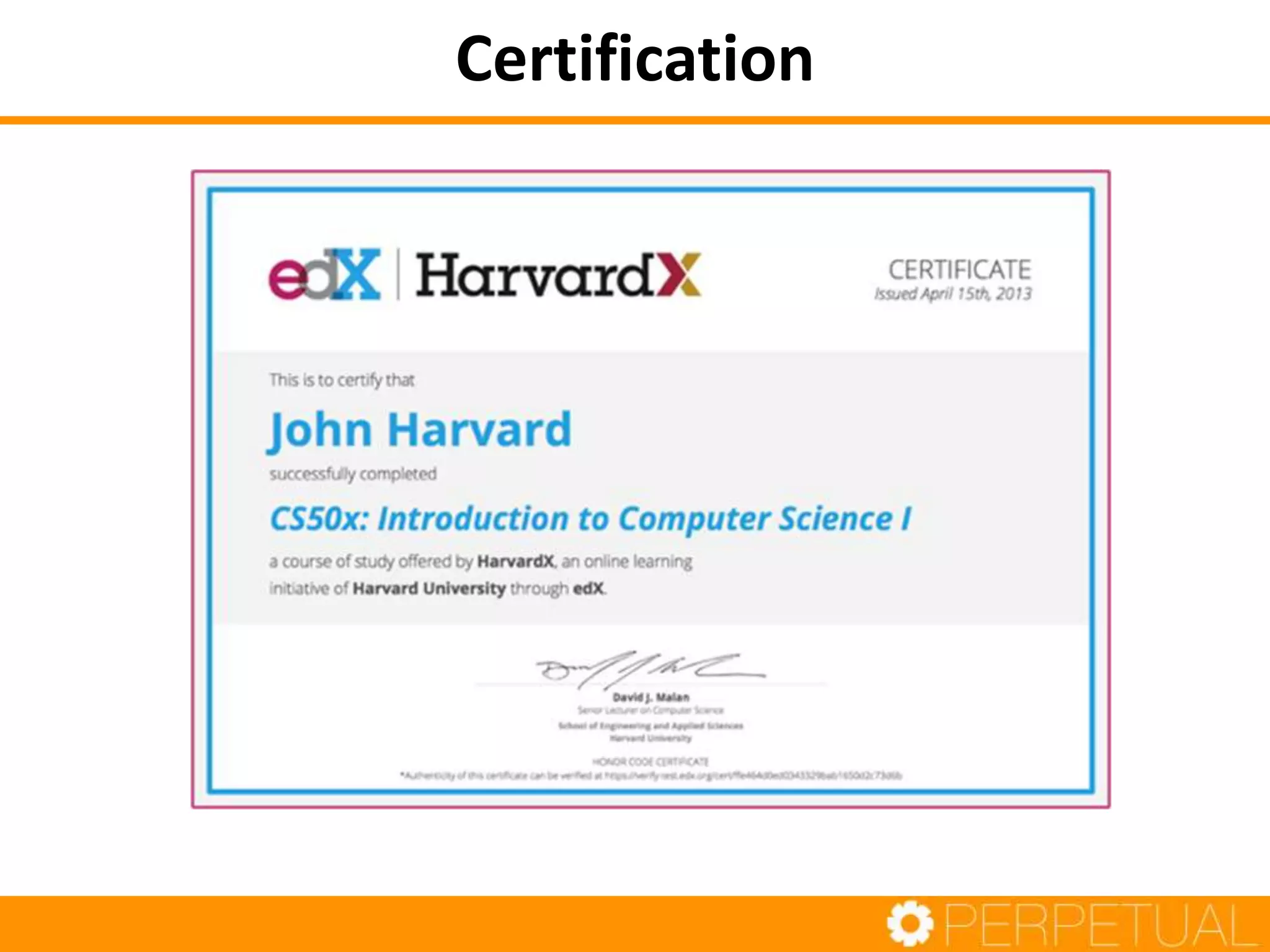
Certification
Learning Analytics
> > > > Learning Analytics
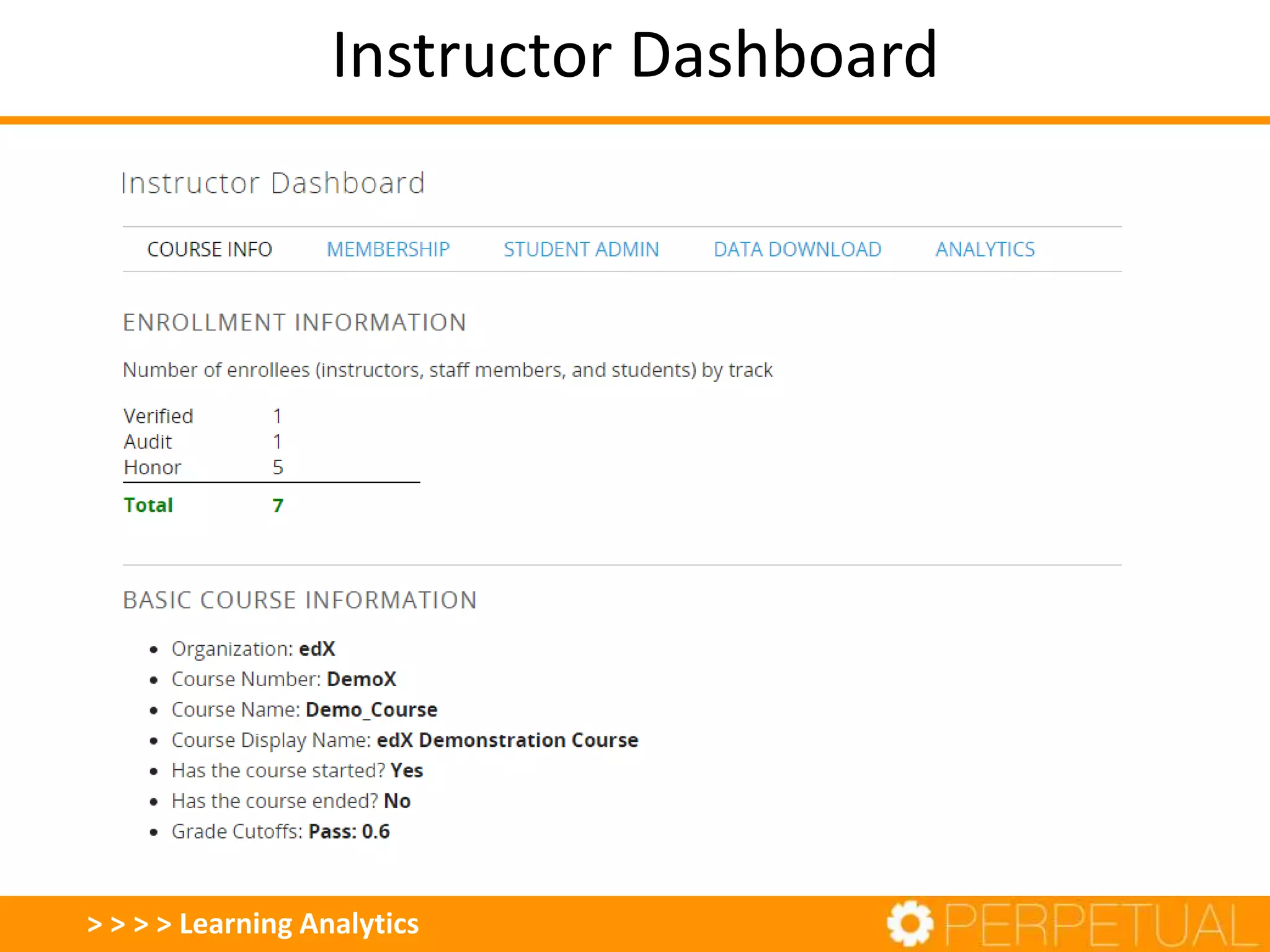
Instructor Dashboard
> > > > Learning Analytics
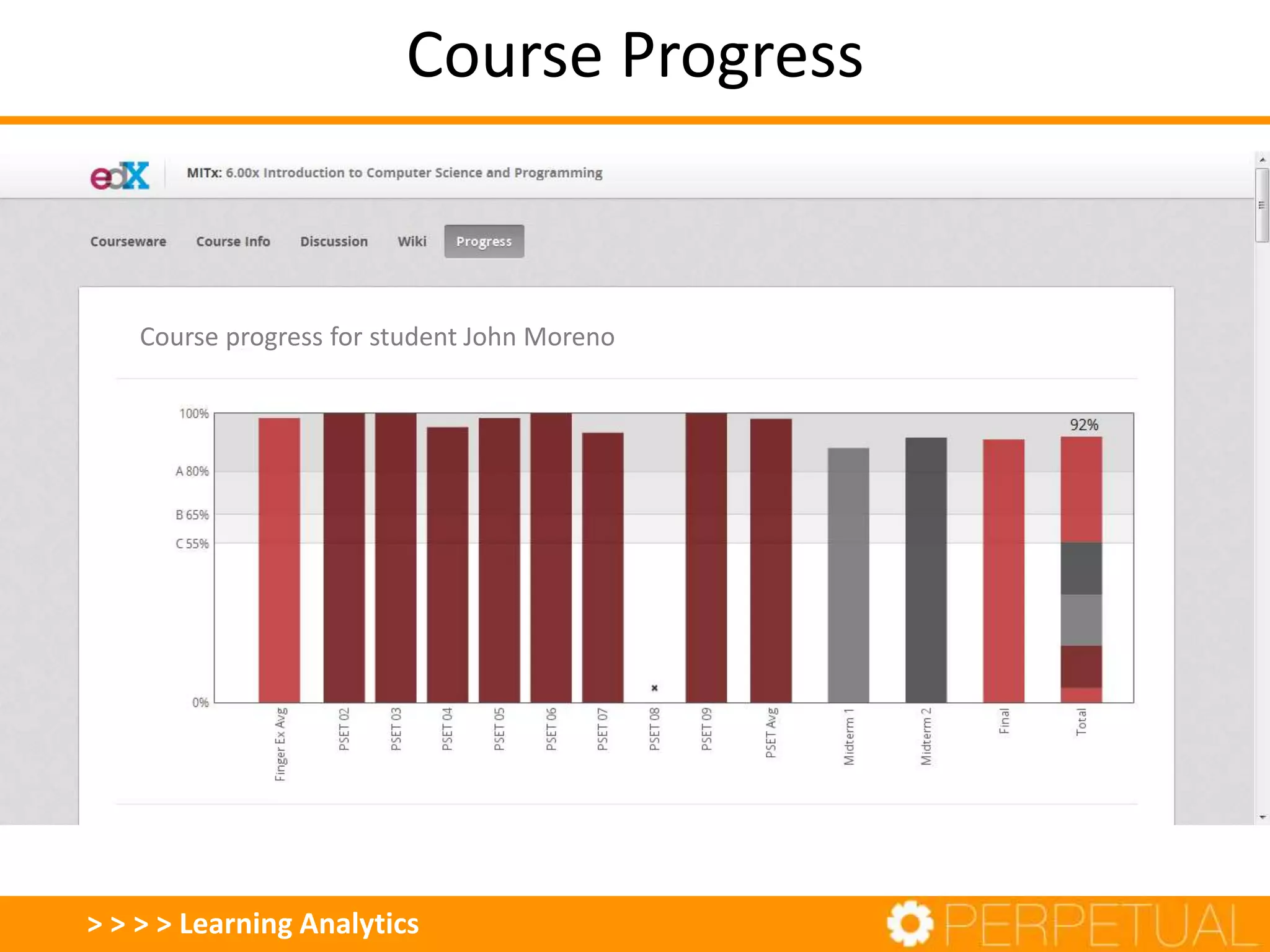
Course Progress
Course progress for student John Moreno
> > > > Learning Analytics
edX Insights
• EdX Insights provides data about student activity,
background, and performance throughout the
course.
• Using edX Insights can help you monitor how
students are doing, and validate the choices you
made in designing your course.
– Course enrollment analytics
– Student engagement analytics
– Student performance
– Several other customizable features from captured
data
Help installing and customizing your own Open edX
Instance:
Email info@perpetualny.com
Useful Links
Open edX Website:
https://open.edx.org
About the latest Open edX Birch Release
https://open.edx.org/blog/birch-released

Open edX Overview

  • 1.
  • 2.
    Overview • Introduction toedX learning platform • Learning Experience • Content Creation • Learning Analytics
  • 3.
    Open edX Overview OpenedX Platform Overview > > > > Open edX: Your own learning management platform – Create multimedia course content – Allow learners to take advanced course content – Monitor learner progress • Leverage a full-suite learning framework including online course material (text, video, interactive), advanced assessments, discussions, wikis, metrics and more • Customize edX for your needs depending on your specific use-case
  • 4.
    1. Registration andLogin management – Learners, Instructors, Staff, Admins 2. Rich Courseware -Content Creation -Learner Experience Core course material Assessments Discussion boards Wiki pages Certification 3. Learning Analytics -Enrollment stats -Performance breakdown -Grading Vishal GandhiFeature Overview Open edX Platform Overview > > > >
  • 5.
    1. Signup/Registration Different usertypes with different roles are supported on the edX default platform. Course Student (Student) Course Staff (Admin) Instructors (Admin) Beta Testers (Admin) Discussion Admins (Admin) Discussion Moderators (Admin) Discussion Community TAs (Admin) 2. Content Management edX Content Management Studio Central authoring tool with advanced course content creation and management features 3. Reporting and Analytics User Info Level of Education Overall Grade Distribution Instructor dashboard Student Gradebook Student Profile information Lesson Grade Distribution User progress page (access from instructor dashboard) Site Tracking Session Data Google analytics Pageviews Region/Location Video Tracking Region Total video clicks 8. Misc. Features Requiring Customization Branding Theming Custom Homepage SEO Teaching and Learning Tools Course UI Customization Course Certification Custom exercises (xblocks) Integration External LMS Integration SSO (Single SignOn) LTI 9. Mobile (Needs customization) Native Mobile App Responsive UI Mobile ata and Analytics Mobil Insights (edX Reporting Dashboard) Advanced Reporting Dashboard 10. Social User Profiles Social Integration (Linkedin/fb/twitter) Badging Course User Map Extending Platform - CMS System Custom metadata Integration with LMS Custom User Registration 11. E-commerce Paid Course Paid Certificate Course Video Third Party Video Integration 4. Courseware Support and annotations to existing text Discussion Board Content types: HTML Text Announcement Full Screen Image Iframe Raw HTML Zooming Image 5. Problems basic Blank Common Problem Checkboxes Dropdown Multiple Choice Text Input 6. Problem advanced Blank advanced problem Circuit Schematic Builder Custom JS Display and Grading Custom Python Evaluated Input Drag and Drop Image Mapped Input Math Expression Input Molecular Structure Peer Assessment Video player support 7. Open Source xBlocks Mentoring Image explore Simulation Polls & Surveys Google Docs FEATURES
  • 6.
    edX Studio (Content Creation) LearningZone Landing Page Secure logged-in Zone Courseware Website Learner Staff/ Course Creator HostedProgress Monitoring Forums User Administration Forum Moderator Staff Payment Open edX Platform Overview > > > >
  • 7.
  • 8.
  • 9.
    Learning Experience > >Learning Experience > > Progress oriented, keep track of where you are navigation and workflow
  • 10.
  • 11.
  • 12.
  • 13.
  • 14.
  • 15.
  • 16.
  • 17.
  • 18.
  • 19.
  • 20.
    Custom Content Cohorting •Ability to organize content based on cohorts Cohort specific: – Discussions – Interactive Exercises/Quizzes – All courseware
  • 21.
    Content Creation > >> Content Creation >
  • 22.
    edX Studio AuthoringTool > > > Content Creation >
  • 23.
    > > >Content Creation >
  • 24.
    Ability to easilycreate different Content/Assessment Types And several other edX Modules (xBlocks)
  • 25.
    Grading > > >Content Creation >
  • 26.
  • 27.
  • 28.
    Learning Analytics > >> > Learning Analytics
  • 29.
    Instructor Dashboard > >> > Learning Analytics
  • 30.
    Course Progress Course progressfor student John Moreno > > > > Learning Analytics
  • 31.
    edX Insights • EdXInsights provides data about student activity, background, and performance throughout the course. • Using edX Insights can help you monitor how students are doing, and validate the choices you made in designing your course. – Course enrollment analytics – Student engagement analytics – Student performance – Several other customizable features from captured data
  • 32.
    Help installing andcustomizing your own Open edX Instance: Email info@perpetualny.com Useful Links Open edX Website: https://open.edx.org About the latest Open edX Birch Release https://open.edx.org/blog/birch-released

Editor's Notes

  • #27 After the last assignment in a class has been due, you will see the entry in your student profile change to show progress toward generating your certificate. After the certificate generation process has completed, you will be able to download it from your profile page.
  • #28 Make foolproof: use verified link