Presentation

Elena Giraldo del Viejo
Fernando A. Blanco Cuéllar
Hardware
●

What is hardware?

●

Internal components

●

External components
–

Monitor

–

Keyboard

Hard disk drive

–

Mouse

–

CD-Rom drive

–

–

Power supply

Printer

–

Power cable

–

Computer casing

–

FAN

–

Graphics card

–

Solid state drive

–

The motherboard

–

The processor

–

RAM

–
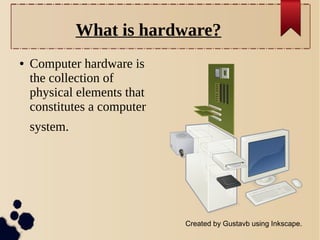
What is hardware?
●

Computer hardware is
the collection of
physical elements that
constitutes a computer
system.

Created by Gustavb using Inkscape.
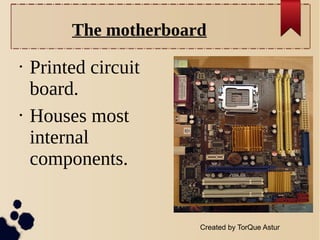
The motherboard
•

•

Printed circuit
board.
Houses most
internal
components.

Created by TorQue Astur
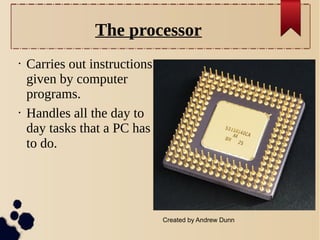
The processor
•

•

Carries out instructions
given by computer
programs.
Handles all the day to
day tasks that a PC has
to do.

Created by Andrew Dunn
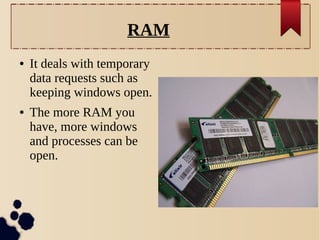
RAM
●

●

It deals with temporary
data requests such as
keeping windows open.
The more RAM you
have, more windows
and processes can be
open.
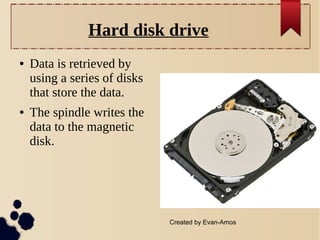
Hard disk drive
●

●

Data is retrieved by
using a series of disks
that store the data.
The spindle writes the
data to the magnetic
disk.

Created by Evan-Amos
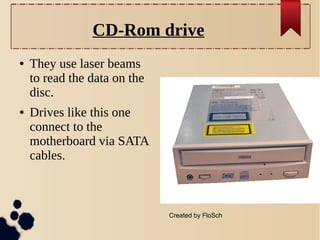
CD-Rom drive
●

●

They use laser beams
to read the data on the
disc.
Drives like this one
connect to the
motherboard via SATA
cables.

Created by FloSch
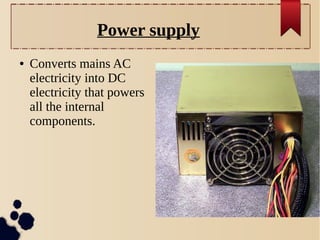
Power supply
●

Converts mains AC
electricity into DC
electricity that powers
all the internal
components.
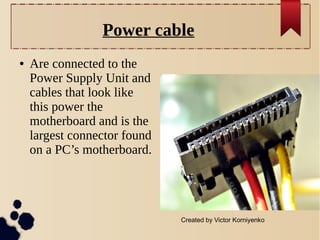
Power cable
●

Are connected to the
Power Supply Unit and
cables that look like
this power the
motherboard and is the
largest connector found
on a PC’s motherboard.

Created by Victor Korniyenko
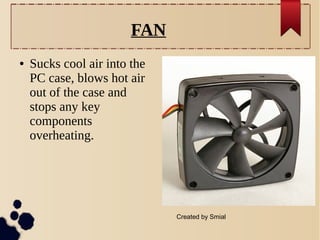
FAN
●

Sucks cool air into the
PC case, blows hot air
out of the case and
stops any key
components
overheating.

Created by Smial
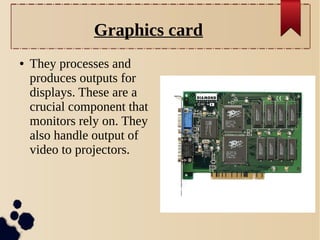
Graphics card
●

They processes and
produces outputs for
displays. These are a
crucial component that
monitors rely on. They
also handle output of
video to projectors.
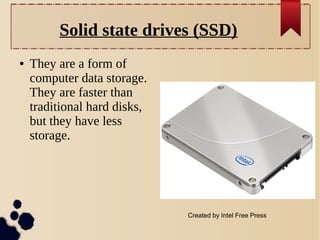
Solid state drives (SSD)
●

They are a form of
computer data storage.
They are faster than
traditional hard disks,
but they have less
storage.

Created by Intel Free Press
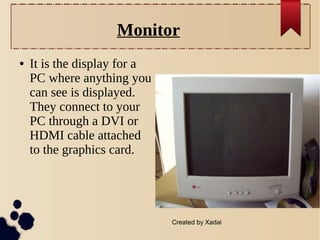
Monitor
●

It is the display for a
PC where anything you
can see is displayed.
They connect to your
PC through a DVI or
HDMI cable attached
to the graphics card.

Created by Xadai
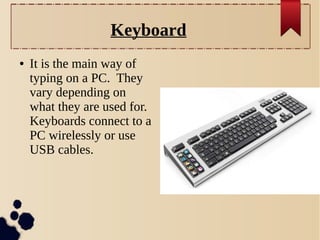
Keyboard
●

It is the main way of
typing on a PC. They
vary depending on
what they are used for.
Keyboards connect to a
PC wirelessly or use
USB cables.
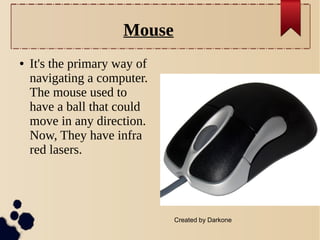
Mouse
●

It's the primary way of
navigating a computer.
The mouse used to
have a ball that could
move in any direction.
Now, They have infra
red lasers.

Created by Darkone
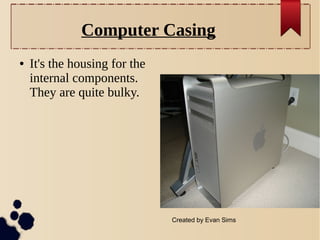
Computer Casing
●

It's the housing for the
internal components.
They are quite bulky.

Created by Evan Sims
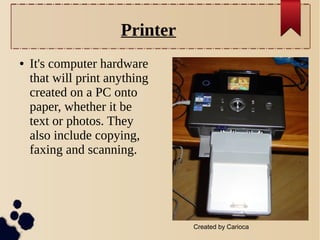
Printer
●

It's computer hardware
that will print anything
created on a PC onto
paper, whether it be
text or photos. They
also include copying,
faxing and scanning.

Created by Carioca
Bibliography

http://lawrencealbuquerque.wordpress.com/2013/02/2
•Wikipedia

•
Presentation about Hardware

Presentation about Hardware