Presented By:
Deepshikha Haritwal
Satya Prakash Ranjan
 Introduction to preprocessors
 Various preprocessors directives
 The IOSTREAM library
 The IOMANIP library
 Preprocessors are programs that processes the
source code before actual compilation of the
program.
 The preprocessors directives always begin with a ‘#’
symbol.
 The ‘#’ symbol at beginning of statement in a c++
program indicates that it is a preprocessor directive.
 The various kinds of preprocessor directives that
preprocessor looks for are:
 Macros
 File inclusion
 Conditional compilation
 Macros are the piece of code in program which is
given a name.
 Whenever this name is encountered in the program
the compiler replaces the name with the actual piece
of code.
 #define directive is used for this purpose.
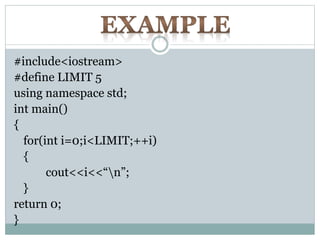
#include<iostream>
#define LIMIT 5
using namespace std;
int main()
{
for(int i=0;i<LIMIT;++i)
{
cout<<i<<“n”;
}
return 0;
}
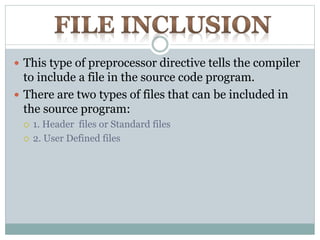
 This type of preprocessor directive tells the compiler
to include a file in the source code program.
 There are two types of files that can be included in
the source program:
 1. Header files or Standard files
 2. User Defined files
 To include header files we write:
 #include<filename>
The <> brackets both delimit the filename and indicate that the
file is to be found in one of the standard directories of system.
 To include user defined files we write:
 #include “filename”
Filename within “ ” indicate that it is a user defined file.
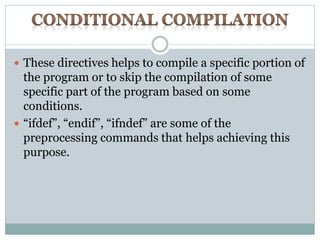
 These directives helps to compile a specific portion of
the program or to skip the compilation of some
specific part of the program based on some
conditions.
 “ifdef”, “endif”, “ifndef” are some of the
preprocessing commands that helps achieving this
purpose.
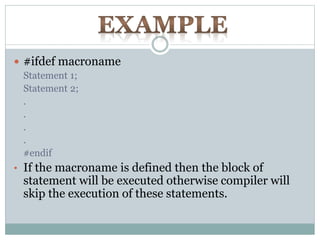
 #ifdef macroname
Statement 1;
Statement 2;
.
.
.
.
#endif
• If the macroname is defined then the block of
statement will be executed otherwise compiler will
skip the execution of these statements.
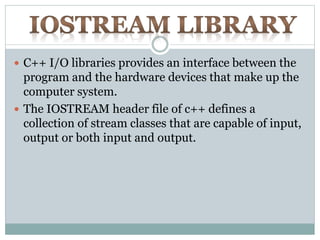
 C++ I/O libraries provides an interface between the
program and the hardware devices that make up the
computer system.
 The IOSTREAM header file of c++ defines a
collection of stream classes that are capable of input,
output or both input and output.
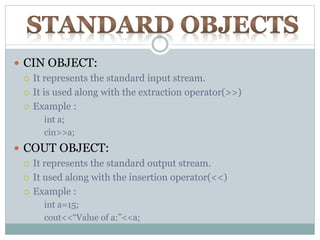
 CIN OBJECT:
 It represents the standard input stream.
 It is used along with the extraction operator(>>)
 Example :
int a;
cin>>a;
 COUT OBJECT:
 It represents the standard output stream.
 It used along with the insertion operator(<<)
 Example :
int a=15;
cout<<“Value of a:”<<a;
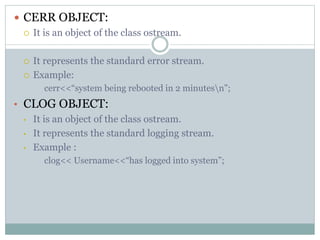
 CERR OBJECT:
 It is an object of the class ostream.
 It represents the standard error stream.
 Example:
cerr<<“system being rebooted in 2 minutesn”;
• CLOG OBJECT:
• It is an object of the class ostream.
• It represents the standard logging stream.
• Example :
clog<< Username<<“has logged into system”;
 The iomanip library defines a collection of I/O
stream manipulators to modify the behavior of
insertions and extractions.
 It is a library that is used to manipulate the output of
c++ program.
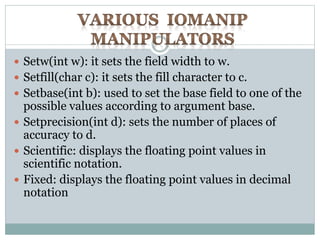
 Setw(int w): it sets the field width to w.
 Setfill(char c): it sets the fill character to c.
 Setbase(int b): used to set the base field to one of the
possible values according to argument base.
 Setprecision(int d): sets the number of places of
accuracy to d.
 Scientific: displays the floating point values in
scientific notation.
 Fixed: displays the floating point values in decimal
notation
 Showpos: positive numbers are
displayed with a leading + sign.
 Showbase: octal numbers are displayed
preceded with 0 and hexadecimal
numbers are displayed preceded with
0x.
 Boolalpha: displays logical values
symbolically as true and false.
 Noboolapha : displays logical values as 0
and 1.
Preprocessor , IOSTREAM Library,IOMANIP Library

Preprocessor , IOSTREAM Library,IOMANIP Library

  • 1.
  • 2.
     Introduction topreprocessors  Various preprocessors directives  The IOSTREAM library  The IOMANIP library
  • 3.
     Preprocessors areprograms that processes the source code before actual compilation of the program.  The preprocessors directives always begin with a ‘#’ symbol.  The ‘#’ symbol at beginning of statement in a c++ program indicates that it is a preprocessor directive.
  • 4.
     The variouskinds of preprocessor directives that preprocessor looks for are:  Macros  File inclusion  Conditional compilation
  • 5.
     Macros arethe piece of code in program which is given a name.  Whenever this name is encountered in the program the compiler replaces the name with the actual piece of code.  #define directive is used for this purpose.
  • 6.
    #include<iostream> #define LIMIT 5 usingnamespace std; int main() { for(int i=0;i<LIMIT;++i) { cout<<i<<“n”; } return 0; }
  • 7.
     This typeof preprocessor directive tells the compiler to include a file in the source code program.  There are two types of files that can be included in the source program:  1. Header files or Standard files  2. User Defined files
  • 8.
     To includeheader files we write:  #include<filename> The <> brackets both delimit the filename and indicate that the file is to be found in one of the standard directories of system.  To include user defined files we write:  #include “filename” Filename within “ ” indicate that it is a user defined file.
  • 9.
     These directiveshelps to compile a specific portion of the program or to skip the compilation of some specific part of the program based on some conditions.  “ifdef”, “endif”, “ifndef” are some of the preprocessing commands that helps achieving this purpose.
  • 10.
     #ifdef macroname Statement1; Statement 2; . . . . #endif • If the macroname is defined then the block of statement will be executed otherwise compiler will skip the execution of these statements.
  • 11.
     C++ I/Olibraries provides an interface between the program and the hardware devices that make up the computer system.  The IOSTREAM header file of c++ defines a collection of stream classes that are capable of input, output or both input and output.
  • 12.
     CIN OBJECT: It represents the standard input stream.  It is used along with the extraction operator(>>)  Example : int a; cin>>a;  COUT OBJECT:  It represents the standard output stream.  It used along with the insertion operator(<<)  Example : int a=15; cout<<“Value of a:”<<a;
  • 13.
     CERR OBJECT: It is an object of the class ostream.  It represents the standard error stream.  Example: cerr<<“system being rebooted in 2 minutesn”; • CLOG OBJECT: • It is an object of the class ostream. • It represents the standard logging stream. • Example : clog<< Username<<“has logged into system”;
  • 14.
     The iomaniplibrary defines a collection of I/O stream manipulators to modify the behavior of insertions and extractions.  It is a library that is used to manipulate the output of c++ program.
  • 15.
     Setw(int w):it sets the field width to w.  Setfill(char c): it sets the fill character to c.  Setbase(int b): used to set the base field to one of the possible values according to argument base.  Setprecision(int d): sets the number of places of accuracy to d.  Scientific: displays the floating point values in scientific notation.  Fixed: displays the floating point values in decimal notation
  • 16.
     Showpos: positivenumbers are displayed with a leading + sign.  Showbase: octal numbers are displayed preceded with 0 and hexadecimal numbers are displayed preceded with 0x.  Boolalpha: displays logical values symbolically as true and false.  Noboolapha : displays logical values as 0 and 1.