Bringing Home The Bacon
An Introduction to Windows PowerShell
Thomas Lee
Partner, PS Partnership
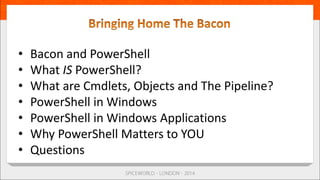
• Bacon and PowerShell
• What IS PowerShell?
• What are Cmdlets, Objects and The Pipeline?
• PowerShell in Windows
• PowerShell in Windows Applications
• Why PowerShell Matters to YOU
• Questions
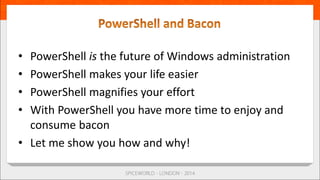
• PowerShell is the future of Windows administration
• PowerShell makes your life easier
• PowerShell magnifies your effort
• With PowerShell you have more time to enjoy and
consume bacon
• Let me show you how and why!
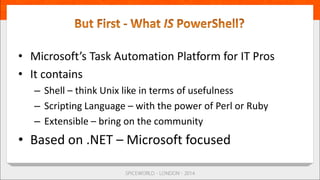
• Microsoft’s Task Automation Platform for IT Pros
• It contains
– Shell – think Unix like in terms of usefulness
– Scripting Language – with the power of Perl or Ruby
– Extensible – bring on the community
• Based on .NET – Microsoft focused
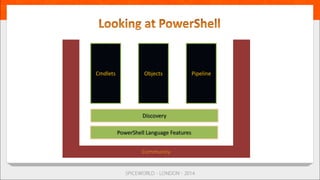
Cmdlets Objects Pipeline
• A unit of functionality
• Implemented as a .NET Class
– Get some with PowerShell/Windows
– Buy some – eg /n Software’s NetCmdlets
– Find some – leverage the community efforts
– Build your own – use C# and VS
• Cmdlets named with a Verb-Noun syntax
– Verbs are standard to aid discovery
• Cmdlets can have aliases
– Built in or add your own
– Aliases do NOT include parameter aliasing 
• Cmdlets come from PowerShell, Windows, apps
• Cmdlets take parameters
• All parameters have parameter names
– Begin with a ‘-’
• Some parameter names can be omitted
• Tab completion is your friend!
• Cmdlets are discoverable – Get-Help, Get-Command
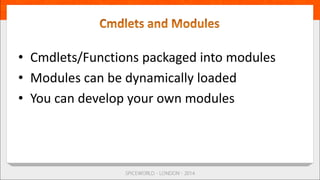
• Cmdlets/Functions packaged into modules
• Modules can be dynamically loaded
• You can develop your own modules
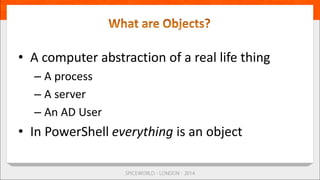
• A computer abstraction of a real life thing
– A process
– A server
– An AD User
• In PowerShell everything is an object
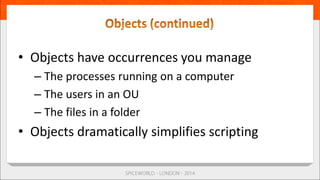
• Objects have occurrences you manage
– The processes running on a computer
– The users in an OU
– The files in a folder
• Objects dramatically simplifies scripting
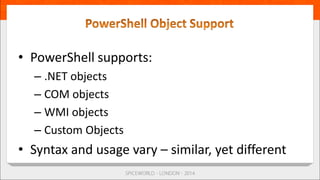
• PowerShell supports:
– .NET objects
– COM objects
– WMI objects
– Custom Objects
• Syntax and usage vary – similar, yet different
• Cmdlets produce and consume objects
– E.g. Get-Process produces objects of the type
System.Diagnostics.Process
• Objects are discoverable
– Get-Member tells you the what an object contains
• Refer to MSDN documentation for more detail
• The pipeline connects cmdlets
– One cmdlet outputs objects
– Next cmdlet uses them as input
• Pipeline is not a new concept
– Came From Unix/Linux
– PowerShell Pipes objects not text
• Simple to use – far easier to compose
• Powerful in operation - PowerShell (and .NET)
do the heavy lifting
• Improves integration of functionality stacks
– OS/Application/PowerShell base/Community
efforts/etc
• A key concept in PowerShell
• What you know helps you learn more
• PowerShell built to be discoverable
• Cmdlets
• Pipeline
• Objects
• You never walk alone => there is a HUGE PowerShell
ecosystem
– Spiceheads
– Product teams
– Vendors
• Various ways to engage with the community
– Spiceworks PowerShell Group
– Blogs
– Twitter
• PowerShell has a language
• This is used to create scripts, script cmdlets, etc.
• Syntax similar to C#, et al
• Language contains features from Unix/Linux
and a bunch of others
• You need to know the language to write scripts
• A richer environment
• Does colour coding of syntax
• Good editing features
• Extensible
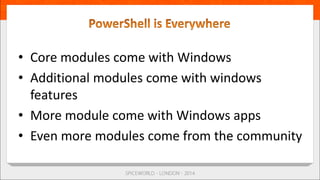
• Core modules come with Windows
• Additional modules come with windows
features
• More module come with Windows apps
• Even more modules come from the community
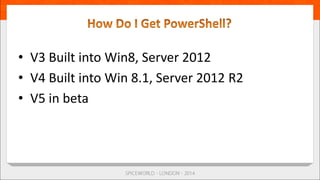
• V3 Built into Win8, Server 2012
• V4 Built into Win 8.1, Server 2012 R2
• V5 in beta
• Because it’s everywhere!
• It’s faster for repetitive tasks
• It’s repeatable and auditable
• Less prone to error
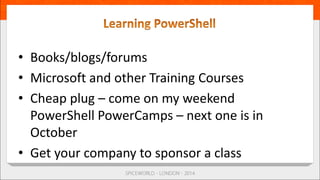
• Books/blogs/forums
• Microsoft and other Training Courses
• Cheap plug – come on my weekend
PowerShell PowerCamps – next one is in
October
• Get your company to sponsor a class
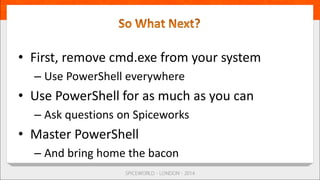
• First, remove cmd.exe from your system
– Use PowerShell everywhere
• Use PowerShell for as much as you can
– Ask questions on Spiceworks
• Master PowerShell
– And bring home the bacon
• If you are an IT Pro in the Windows space you
need to either
– Learn PowerShell
– Learn how to smile when you say ‘would you like
fries with that’
2014 SpiceWorld London Breakout

2014 SpiceWorld London Breakout

  • 1.
    Bringing Home TheBacon An Introduction to Windows PowerShell Thomas Lee Partner, PS Partnership
  • 2.
    • Bacon andPowerShell • What IS PowerShell? • What are Cmdlets, Objects and The Pipeline? • PowerShell in Windows • PowerShell in Windows Applications • Why PowerShell Matters to YOU • Questions
  • 3.
    • PowerShell isthe future of Windows administration • PowerShell makes your life easier • PowerShell magnifies your effort • With PowerShell you have more time to enjoy and consume bacon • Let me show you how and why!
  • 4.
    • Microsoft’s TaskAutomation Platform for IT Pros • It contains – Shell – think Unix like in terms of usefulness – Scripting Language – with the power of Perl or Ruby – Extensible – bring on the community • Based on .NET – Microsoft focused
  • 5.
  • 6.
    • A unitof functionality • Implemented as a .NET Class – Get some with PowerShell/Windows – Buy some – eg /n Software’s NetCmdlets – Find some – leverage the community efforts – Build your own – use C# and VS
  • 7.
    • Cmdlets namedwith a Verb-Noun syntax – Verbs are standard to aid discovery • Cmdlets can have aliases – Built in or add your own – Aliases do NOT include parameter aliasing  • Cmdlets come from PowerShell, Windows, apps
  • 8.
    • Cmdlets takeparameters • All parameters have parameter names – Begin with a ‘-’ • Some parameter names can be omitted • Tab completion is your friend! • Cmdlets are discoverable – Get-Help, Get-Command
  • 9.
    • Cmdlets/Functions packagedinto modules • Modules can be dynamically loaded • You can develop your own modules
  • 10.
    • A computerabstraction of a real life thing – A process – A server – An AD User • In PowerShell everything is an object
  • 11.
    • Objects haveoccurrences you manage – The processes running on a computer – The users in an OU – The files in a folder • Objects dramatically simplifies scripting
  • 12.
    • PowerShell supports: –.NET objects – COM objects – WMI objects – Custom Objects • Syntax and usage vary – similar, yet different
  • 13.
    • Cmdlets produceand consume objects – E.g. Get-Process produces objects of the type System.Diagnostics.Process • Objects are discoverable – Get-Member tells you the what an object contains • Refer to MSDN documentation for more detail
  • 14.
    • The pipelineconnects cmdlets – One cmdlet outputs objects – Next cmdlet uses them as input • Pipeline is not a new concept – Came From Unix/Linux – PowerShell Pipes objects not text
  • 15.
    • Simple touse – far easier to compose • Powerful in operation - PowerShell (and .NET) do the heavy lifting • Improves integration of functionality stacks – OS/Application/PowerShell base/Community efforts/etc
  • 16.
    • A keyconcept in PowerShell • What you know helps you learn more • PowerShell built to be discoverable
  • 17.
  • 18.
    • You neverwalk alone => there is a HUGE PowerShell ecosystem – Spiceheads – Product teams – Vendors • Various ways to engage with the community – Spiceworks PowerShell Group – Blogs – Twitter
  • 19.
    • PowerShell hasa language • This is used to create scripts, script cmdlets, etc. • Syntax similar to C#, et al • Language contains features from Unix/Linux and a bunch of others • You need to know the language to write scripts
  • 20.
    • A richerenvironment • Does colour coding of syntax • Good editing features • Extensible
  • 21.
    • Core modulescome with Windows • Additional modules come with windows features • More module come with Windows apps • Even more modules come from the community
  • 22.
    • V3 Builtinto Win8, Server 2012 • V4 Built into Win 8.1, Server 2012 R2 • V5 in beta
  • 23.
    • Because it’severywhere! • It’s faster for repetitive tasks • It’s repeatable and auditable • Less prone to error
  • 24.
    • Books/blogs/forums • Microsoftand other Training Courses • Cheap plug – come on my weekend PowerShell PowerCamps – next one is in October • Get your company to sponsor a class
  • 25.
    • First, removecmd.exe from your system – Use PowerShell everywhere • Use PowerShell for as much as you can – Ask questions on Spiceworks • Master PowerShell – And bring home the bacon
  • 26.
    • If youare an IT Pro in the Windows space you need to either – Learn PowerShell – Learn how to smile when you say ‘would you like fries with that’