WELCOME BACK MR. MESSERSMITH
INTRODUCTION About Me What’s New This Year? Courses Offered by Mr. Messersmith Grading Procedures Classroom Rules and Expectations Absences Lunch and Resource Computer Usage
ABOUT ME Graduated from Millersburg Area High School in 1995 Graduated from Millersville University in 2000 Began teaching here in January 2001 Interests include football, golf, the Redskins, shooting pool, football, computers, football, the Redskins, and the subject matter I teach Reach me at:  [email_address]
WHAT’S NEW THIS YEAR? Brand new version of AutoCAD Most widely used drafting program in business  today Upgrade from a previous version, will allow us to do 3D modeling New version of AutoDesk Revit New version of AutoDesk Inventor
COURSES OFFERED BY MR. MESSERSMITH Architecture I Engineering Design IT Essentials Introduction to Drafting Technology and Its Impacts on Humans
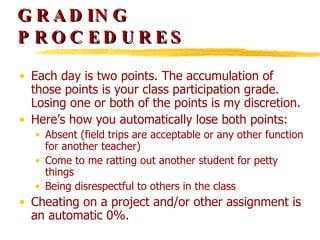
GRADING PROCEDURES Each day is two points. The accumulation of those points is your class participation grade. Losing one or both of the points is my discretion.  Here’s how you automatically lose both points: Absent (field trips are acceptable or any other function for another teacher) Come to me ratting out another student for petty things Being disrespectful to others in the class Cheating on a project and/or other assignment is an automatic 0%.
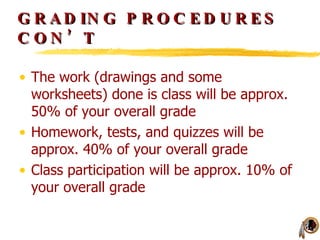
GRADING PROCEDURES CON’T The work (drawings and some worksheets) done is class will be approx. 50% of your overall grade Homework, tests, and quizzes will be approx. 40% of your overall grade Class participation will be approx. 10% of your overall grade
CLASSROOM RULES AND EXPECTATIONS Be in the room, seated in  your  seat when the bell rings Use the restroom and water fountain  before  class If you come to class late without a pass you will be put down on the attendance sheet that goes to the office at the end of the day Be prepared for class – this includes bringing a pen/pencil, notebook, and homework Don’t leave anything behind (notebooks, backpacks, other textbooks). This is not a locker room. I will throw stuff out that is in the way of others.
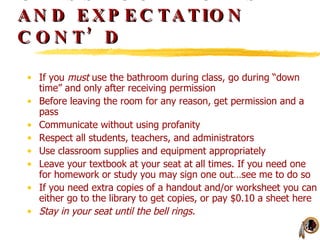
CLASSROOM RULES AND EXPECTATION CONT’D If you  must  use the bathroom during class, go during “down time” and only after receiving permission Before leaving the room for any reason, get permission and a pass Communicate without using profanity Respect all students, teachers, and administrators Use classroom supplies and equipment appropriately Leave your textbook at your seat at all times. If you need one for homework or study you may sign one out…see me to do so If you need extra copies of a handout and/or worksheet you can either go to the library to get copies, or pay $0.10 a sheet here Stay in your seat until the bell rings.
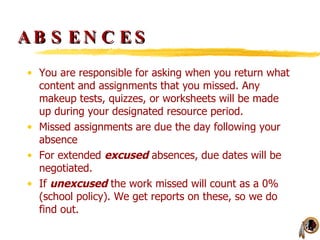
ABSENCES You are responsible for asking when you return what content and assignments that you missed. Any makeup tests, quizzes, or worksheets will be made up during your designated resource period. Missed assignments are due the day following your absence For extended  excused  absences, due dates will be negotiated.  If  unexcused  the work missed will count as a 0% (school policy). We get reports on these, so we do find out.
COMPUTER USAGE Don’t change the wallpaper/backgrounds!!!! You received a network and computer usage form. In order to use a computer in this room,  you must have it turned into the office! Don’t download and install anything. Don’t change backgrounds/wallpapers!!! No games! You will get a detention. You may use the Internet when you have my permission. Don’t unplug or swap anything around without my permission. Don’t change any of the network settings. You will get a detention if you do.
COMPUTER USAGE CONT’D You may use jump drives or flash drives, however: Content on them must be school appropriate. If not, I will erase the inappropriate stuff off of it. Please let me know when you are using one. That way I know if your work is on your network drive. Remember to back up your work occasionally. You may use my jump drive to do so. I’ll let you know where to save it.

Welcome Back

  • 1.
    WELCOME BACK MR.MESSERSMITH
  • 2.
    INTRODUCTION About MeWhat’s New This Year? Courses Offered by Mr. Messersmith Grading Procedures Classroom Rules and Expectations Absences Lunch and Resource Computer Usage
  • 3.
    ABOUT ME Graduatedfrom Millersburg Area High School in 1995 Graduated from Millersville University in 2000 Began teaching here in January 2001 Interests include football, golf, the Redskins, shooting pool, football, computers, football, the Redskins, and the subject matter I teach Reach me at: [email_address]
  • 4.
    WHAT’S NEW THISYEAR? Brand new version of AutoCAD Most widely used drafting program in business today Upgrade from a previous version, will allow us to do 3D modeling New version of AutoDesk Revit New version of AutoDesk Inventor
  • 5.
    COURSES OFFERED BYMR. MESSERSMITH Architecture I Engineering Design IT Essentials Introduction to Drafting Technology and Its Impacts on Humans
  • 6.
    GRADING PROCEDURES Eachday is two points. The accumulation of those points is your class participation grade. Losing one or both of the points is my discretion. Here’s how you automatically lose both points: Absent (field trips are acceptable or any other function for another teacher) Come to me ratting out another student for petty things Being disrespectful to others in the class Cheating on a project and/or other assignment is an automatic 0%.
  • 7.
    GRADING PROCEDURES CON’TThe work (drawings and some worksheets) done is class will be approx. 50% of your overall grade Homework, tests, and quizzes will be approx. 40% of your overall grade Class participation will be approx. 10% of your overall grade
  • 8.
    CLASSROOM RULES ANDEXPECTATIONS Be in the room, seated in your seat when the bell rings Use the restroom and water fountain before class If you come to class late without a pass you will be put down on the attendance sheet that goes to the office at the end of the day Be prepared for class – this includes bringing a pen/pencil, notebook, and homework Don’t leave anything behind (notebooks, backpacks, other textbooks). This is not a locker room. I will throw stuff out that is in the way of others.
  • 9.
    CLASSROOM RULES ANDEXPECTATION CONT’D If you must use the bathroom during class, go during “down time” and only after receiving permission Before leaving the room for any reason, get permission and a pass Communicate without using profanity Respect all students, teachers, and administrators Use classroom supplies and equipment appropriately Leave your textbook at your seat at all times. If you need one for homework or study you may sign one out…see me to do so If you need extra copies of a handout and/or worksheet you can either go to the library to get copies, or pay $0.10 a sheet here Stay in your seat until the bell rings.
  • 10.
    ABSENCES You areresponsible for asking when you return what content and assignments that you missed. Any makeup tests, quizzes, or worksheets will be made up during your designated resource period. Missed assignments are due the day following your absence For extended excused absences, due dates will be negotiated. If unexcused the work missed will count as a 0% (school policy). We get reports on these, so we do find out.
  • 11.
    COMPUTER USAGE Don’tchange the wallpaper/backgrounds!!!! You received a network and computer usage form. In order to use a computer in this room, you must have it turned into the office! Don’t download and install anything. Don’t change backgrounds/wallpapers!!! No games! You will get a detention. You may use the Internet when you have my permission. Don’t unplug or swap anything around without my permission. Don’t change any of the network settings. You will get a detention if you do.
  • 12.
    COMPUTER USAGE CONT’DYou may use jump drives or flash drives, however: Content on them must be school appropriate. If not, I will erase the inappropriate stuff off of it. Please let me know when you are using one. That way I know if your work is on your network drive. Remember to back up your work occasionally. You may use my jump drive to do so. I’ll let you know where to save it.