PO Vendor down Payment Process 
Vendor Down payment process through partial clearing 
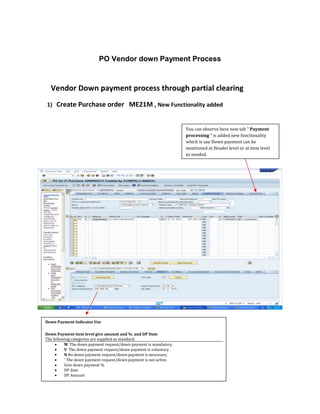
1) Create Purchase order ME21M , New Functionality added 
You can observe here new tab " Payment 
processing " is added new functionality 
which is use Down payment can be 
mentioned at Header level or at item level 
as needed. 
Down Payment Indicator Use 
Down Payment item level give amount and % and DP Date 
The following categories are supplied as standard: 
 M The down payment request/down payment is mandatory. 
 V The down payment request/down payment is voluntary. 
 N No down payment request/down payment is necessary. 
 ' The down payment request/down payment is not active. 
 Give down payment % 
 DP date 
 DP Amount 

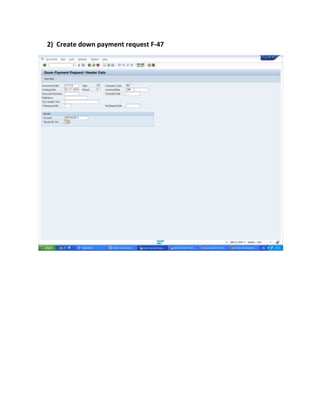
2) Create down payment request F-47
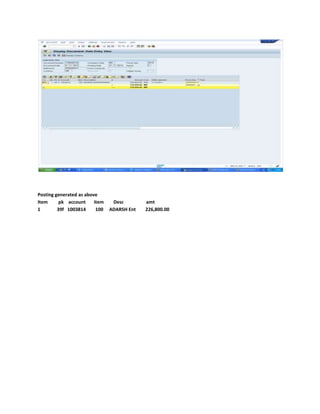
Posting generated as above 
Item pk account item Desc amt 
1 39f 1003814 100 ADARSH Ent 226,800.00
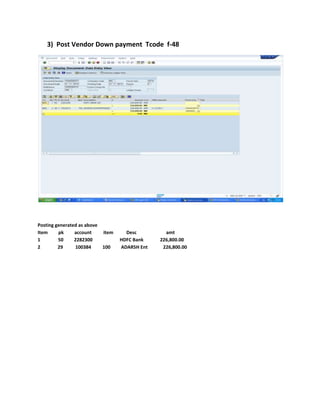
3) Post Vendor Down payment Tcode f-48 
Posting generated as above 
Item pk account item Desc amt 
1 50 2282300 HDFC Bank 226,800.00 
2 29 100384 100 ADARSH Ent 226,800.00
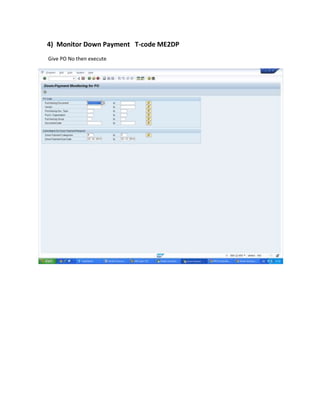
4) Monitor Down Payment T-code ME2DP 
Give PO No then execute
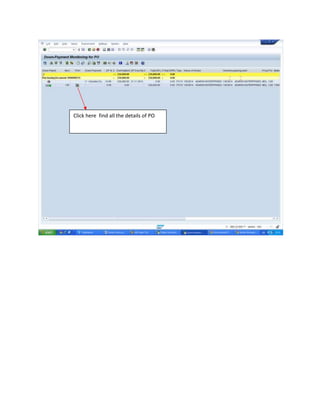
Click here find all the details of PO
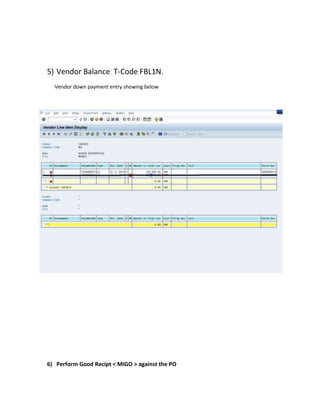
5) Vendor Balance T-Code FBL1N. 
Vendor down payment entry showing below 
6) Perform Good Recipt < MIGO > against the PO
7)Perform Invoice Receipt < MIRO > against PO & item 
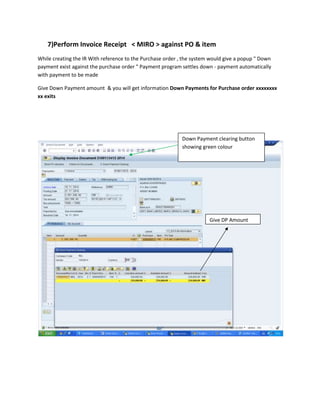
While creating the IR With reference to the Purchase order , the system would give a popup " Down 
payment exist against the purchase order " Payment program settles down - payment automatically 
with payment to be made 
Give Down Payment amount & you will get information Down Payments for Purchase order xxxxxxxx 
xx exits 
Down Payment clearing button 
showing green colour 
Give DP Amount
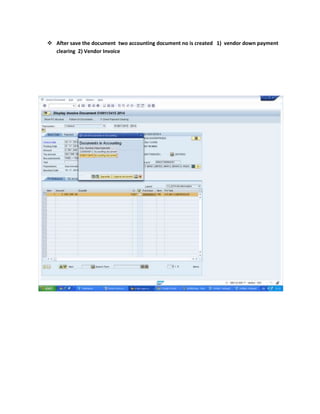
 After save the document two accounting document no is created 1) vendor down payment 
clearing 2) Vendor Invoice
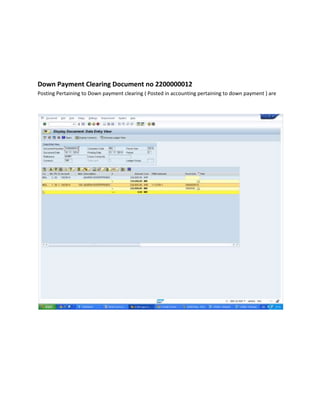
Down Payment Clearing Document no 2200000012 
Posting Pertaining to Down payment clearing ( Posted in accounting pertaining to down payment ) are
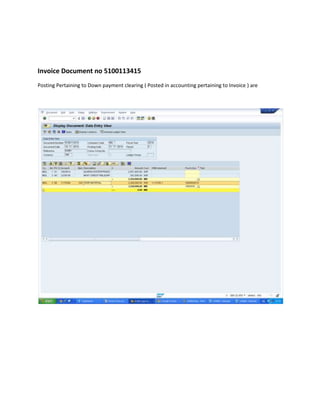
Invoice Document no 5100113415 
Posting Pertaining to Down payment clearing ( Posted in accounting pertaining to Invoice ) are
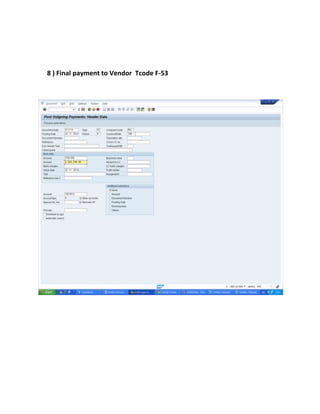
8 ) Final payment to Vendor Tcode F-53
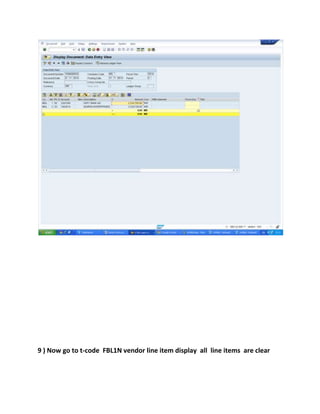
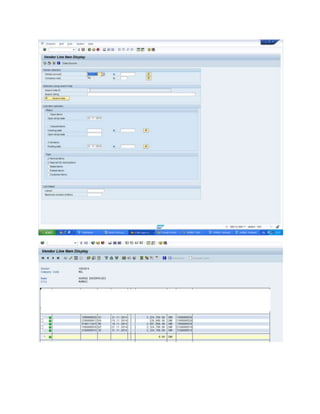
9 ) Now go to t-code FBL1N vendor line item display all line items are clear
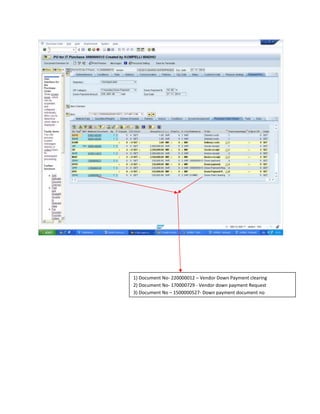
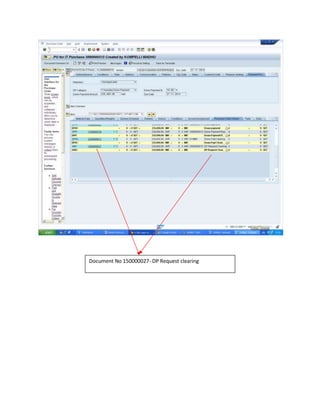
10 ) CHECK PO History T-Code ME23N
1) Document No- 220000012 – Vendor Down Payment clearing 
2) Document No- 170000729 - Vendor down payment Request 
3) Document No – 1500000527- Down payment document no 
3)
Document No 150000027- DP Request clearing
Po vendor down pay process SAP

Po vendor down pay process SAP

  • 1.
    PO Vendor downPayment Process Vendor Down payment process through partial clearing 1) Create Purchase order ME21M , New Functionality added You can observe here new tab " Payment processing " is added new functionality which is use Down payment can be mentioned at Header level or at item level as needed. Down Payment Indicator Use Down Payment item level give amount and % and DP Date The following categories are supplied as standard:  M The down payment request/down payment is mandatory.  V The down payment request/down payment is voluntary.  N No down payment request/down payment is necessary.  ' The down payment request/down payment is not active.  Give down payment %  DP date  DP Amount 
  • 2.
    2) Create downpayment request F-47
  • 3.
    Posting generated asabove Item pk account item Desc amt 1 39f 1003814 100 ADARSH Ent 226,800.00
  • 4.
    3) Post VendorDown payment Tcode f-48 Posting generated as above Item pk account item Desc amt 1 50 2282300 HDFC Bank 226,800.00 2 29 100384 100 ADARSH Ent 226,800.00
  • 5.
    4) Monitor DownPayment T-code ME2DP Give PO No then execute
  • 6.
    Click here findall the details of PO
  • 7.
    5) Vendor BalanceT-Code FBL1N. Vendor down payment entry showing below 6) Perform Good Recipt < MIGO > against the PO
  • 8.
    7)Perform Invoice Receipt< MIRO > against PO & item While creating the IR With reference to the Purchase order , the system would give a popup " Down payment exist against the purchase order " Payment program settles down - payment automatically with payment to be made Give Down Payment amount & you will get information Down Payments for Purchase order xxxxxxxx xx exits Down Payment clearing button showing green colour Give DP Amount
  • 9.
     After savethe document two accounting document no is created 1) vendor down payment clearing 2) Vendor Invoice
  • 10.
    Down Payment ClearingDocument no 2200000012 Posting Pertaining to Down payment clearing ( Posted in accounting pertaining to down payment ) are
  • 11.
    Invoice Document no5100113415 Posting Pertaining to Down payment clearing ( Posted in accounting pertaining to Invoice ) are
  • 12.
    8 ) Finalpayment to Vendor Tcode F-53
  • 13.
    9 ) Nowgo to t-code FBL1N vendor line item display all line items are clear
  • 15.
    10 ) CHECKPO History T-Code ME23N
  • 16.
    1) Document No-220000012 – Vendor Down Payment clearing 2) Document No- 170000729 - Vendor down payment Request 3) Document No – 1500000527- Down payment document no 3)
  • 17.
    Document No 150000027-DP Request clearing