Playing with camera preview
buffers on BlackBerry10
Agenda
- Who am I
- BlackBerry 10 & Camera
- Preview buffers
- Viewfinder raw format
Who am I?
- Mobile Software Engineering Manager
at Imagination Technologies (@imgtec)
- BlackBerry Elite
@rrafols
http://blog.rafols.org
BlackBerry10 & Camera
Multiple options
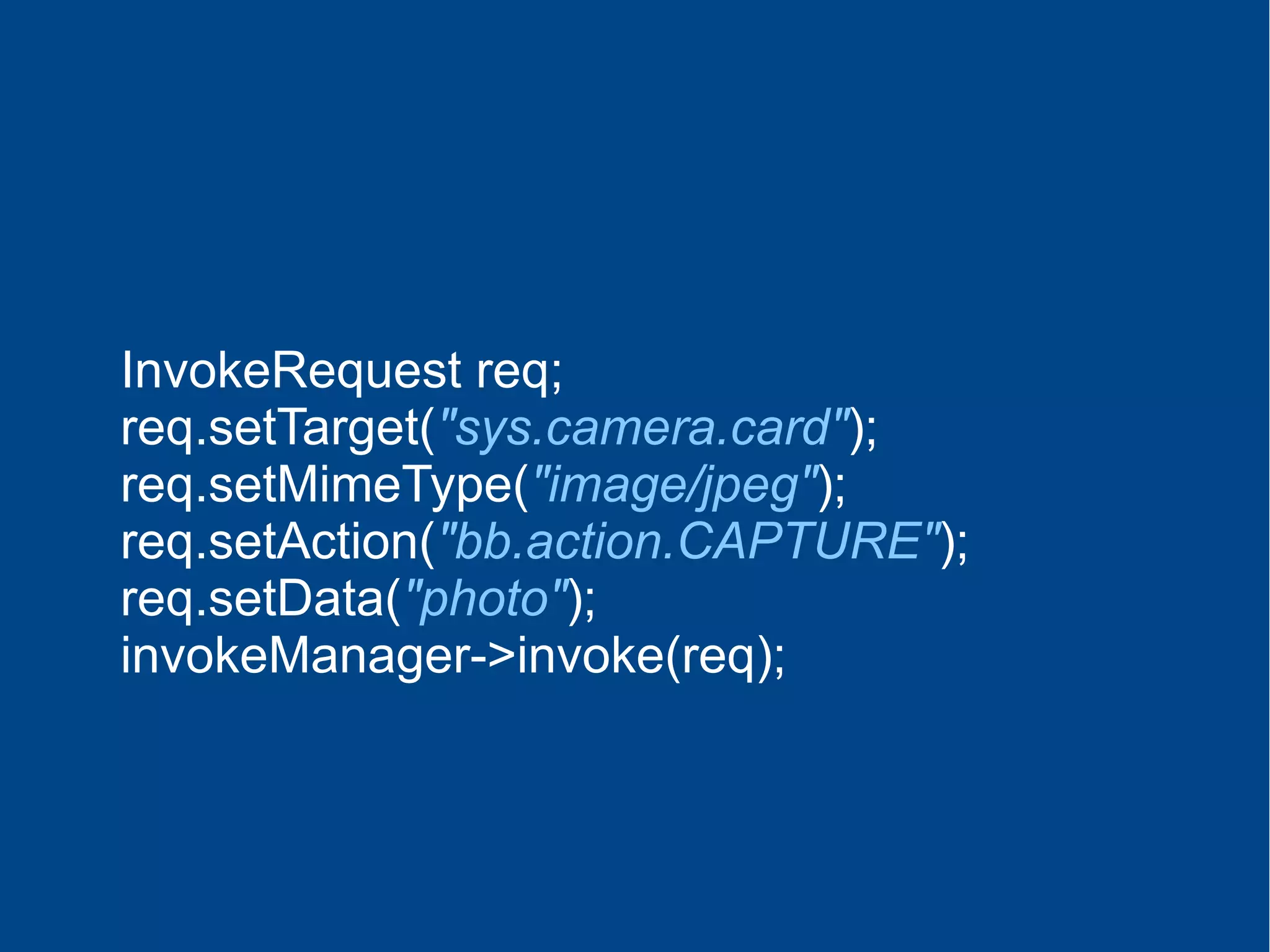
Invoke Camera Card
Trivial
InvokeRequest req;
req.setTarget("sys.camera.card");
req.setMimeType("image/jpeg");
req.setAction("bb.action.CAPTURE");
req.setData("photo");
invokeManager->invoke(req);
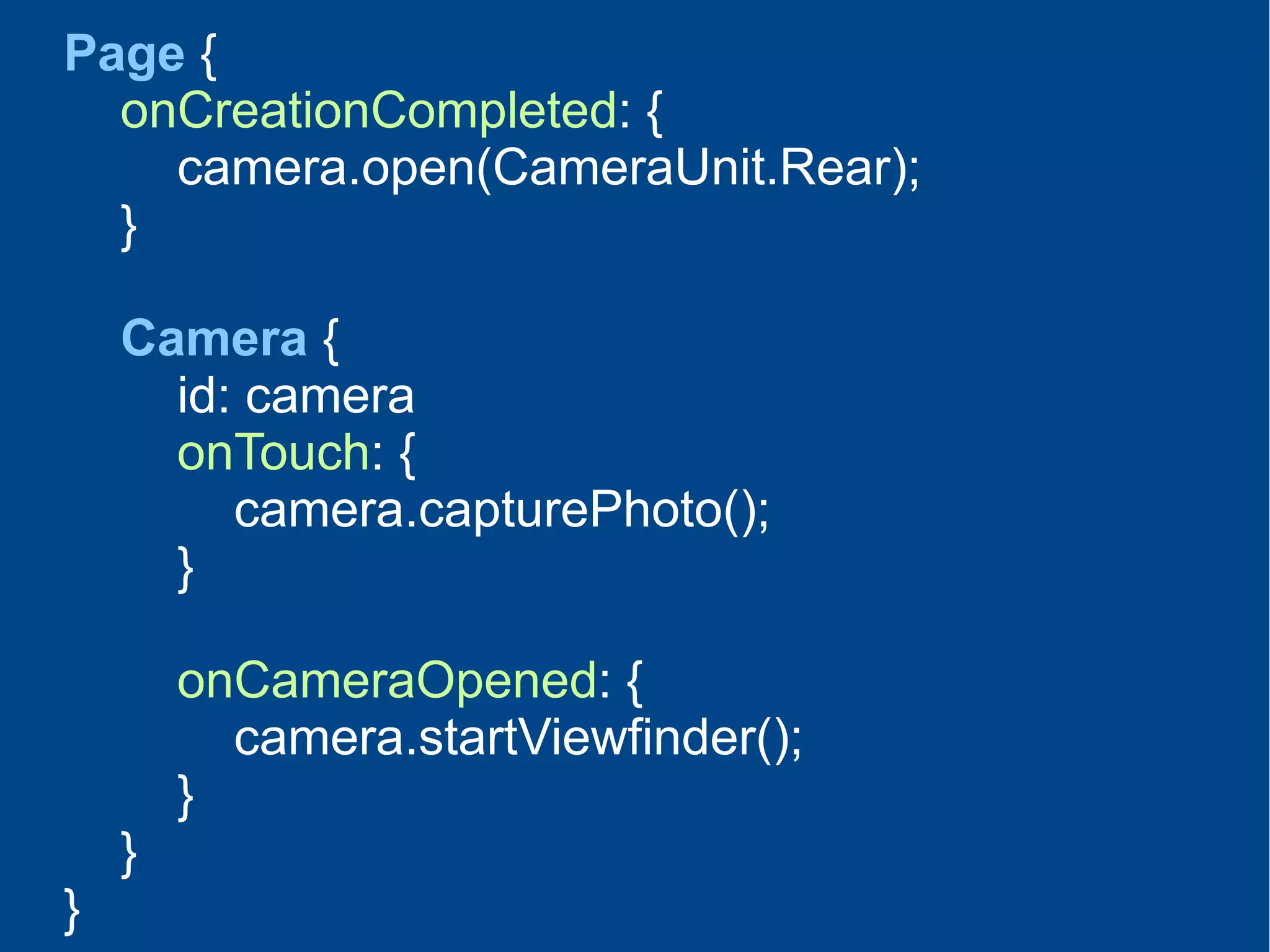
QML
Easy & Simple
Page {
onCreationCompleted: {
camera.open(CameraUnit.Rear);
}
Camera {
id: camera
onTouch: {
camera.capturePhoto();
}
onCameraOpened: {
camera.startViewfinder();
}
}
}
Qt / Cascades
Slightly more complex
Image work on Qt/C++
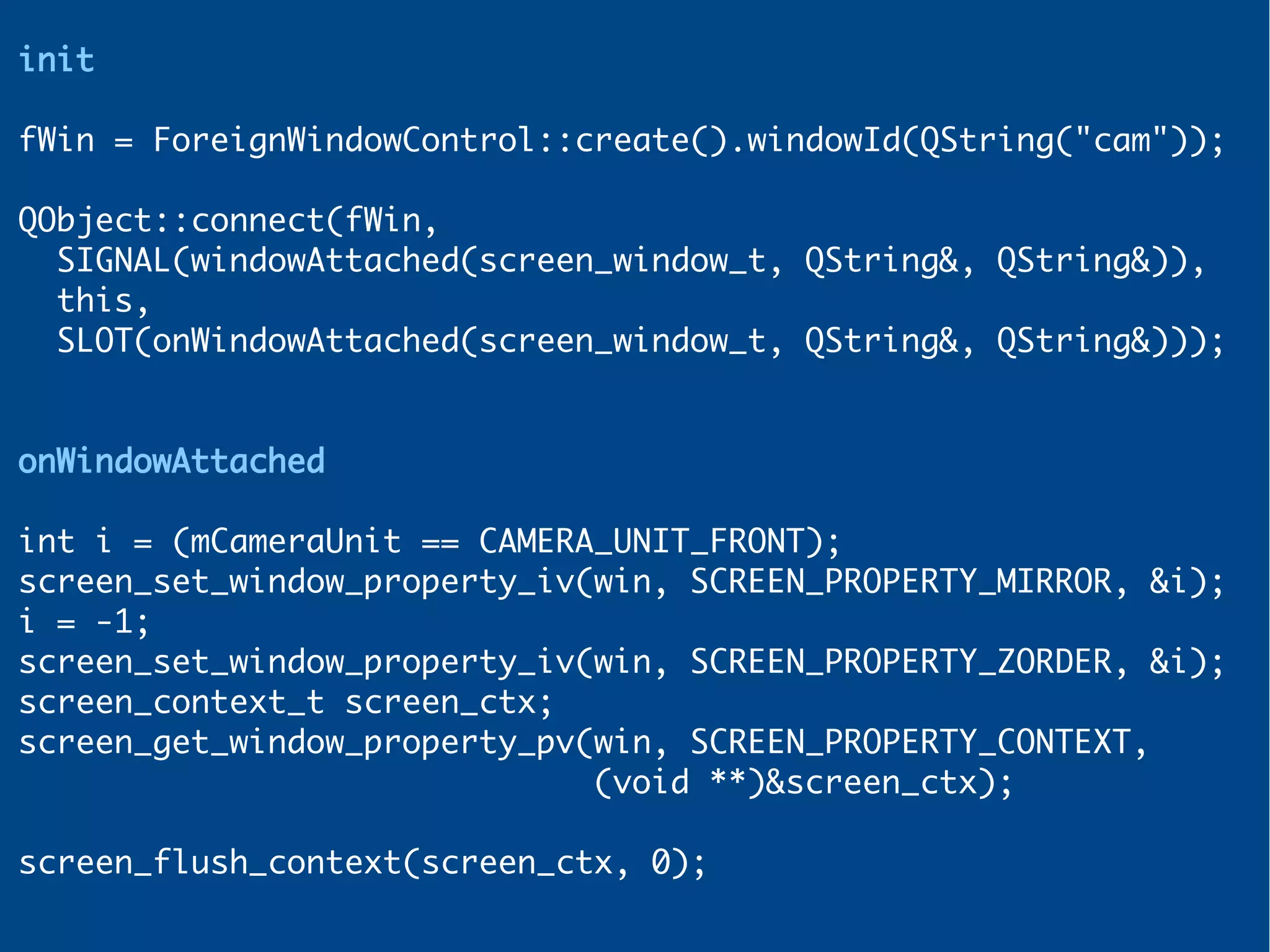
init
fWin = ForeignWindowControl::create().windowId(QString("cam"));
QObject::connect(fWin,
SIGNAL(windowAttached(screen_window_t, QString&, QString&)),
this,
SLOT(onWindowAttached(screen_window_t, QString&, QString&)));
onWindowAttached
int i = (mCameraUnit == CAMERA_UNIT_FRONT);
screen_set_window_property_iv(win, SCREEN_PROPERTY_MIRROR, &i);
i = -1;
screen_set_window_property_iv(win, SCREEN_PROPERTY_ZORDER, &i);
screen_context_t screen_ctx;
screen_get_window_property_pv(win, SCREEN_PROPERTY_CONTEXT,
(void **)&screen_ctx);
screen_flush_context(screen_ctx, 0);
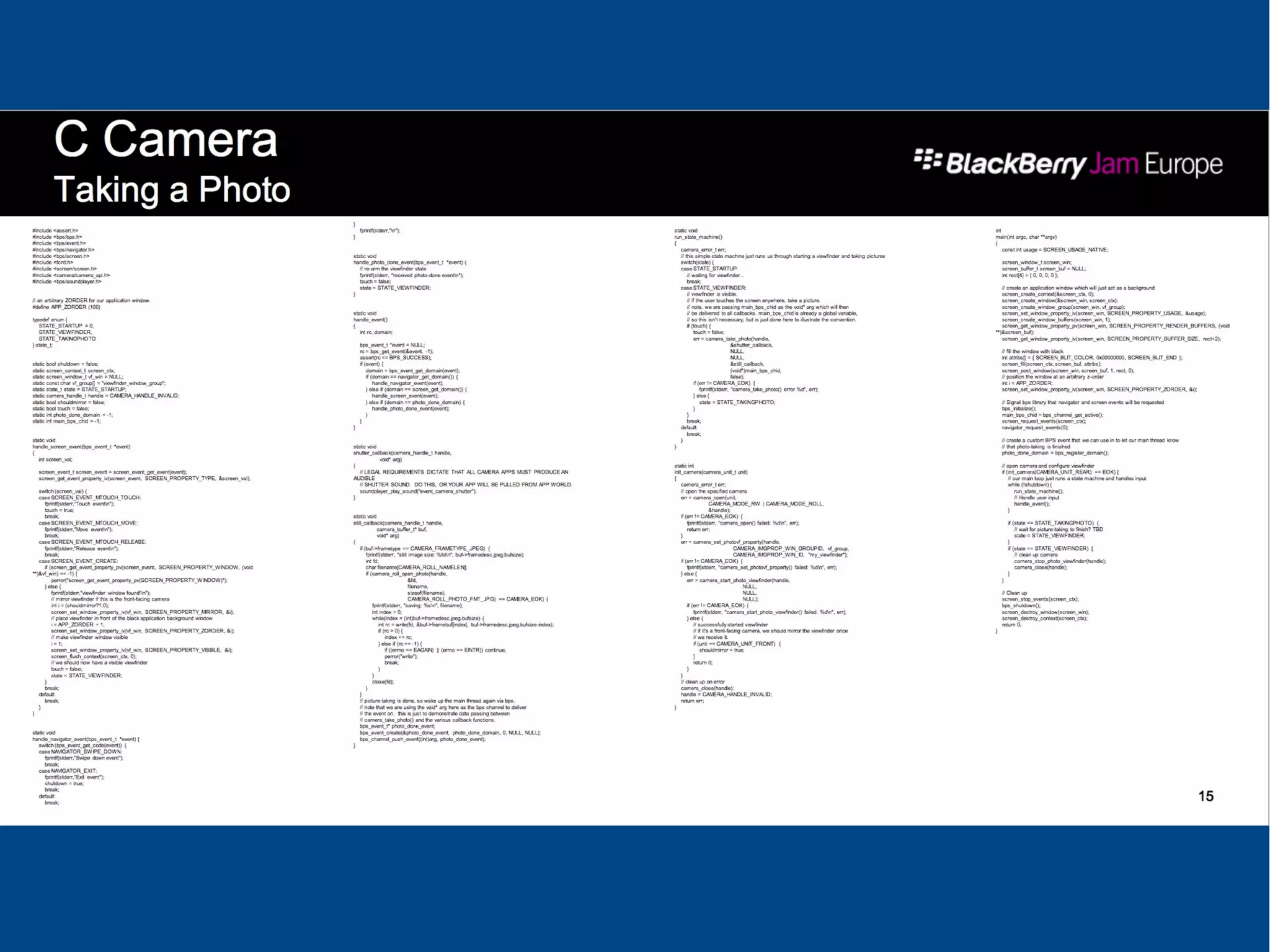
C APIs
With great power comes
great responsibility!
And lots of work to do...
What are preview buffers and
what can you do with them?
PreviewBuffers are
Viewfinder raw buffers
Can be used in read only mode
or read/write
Multiple options
again
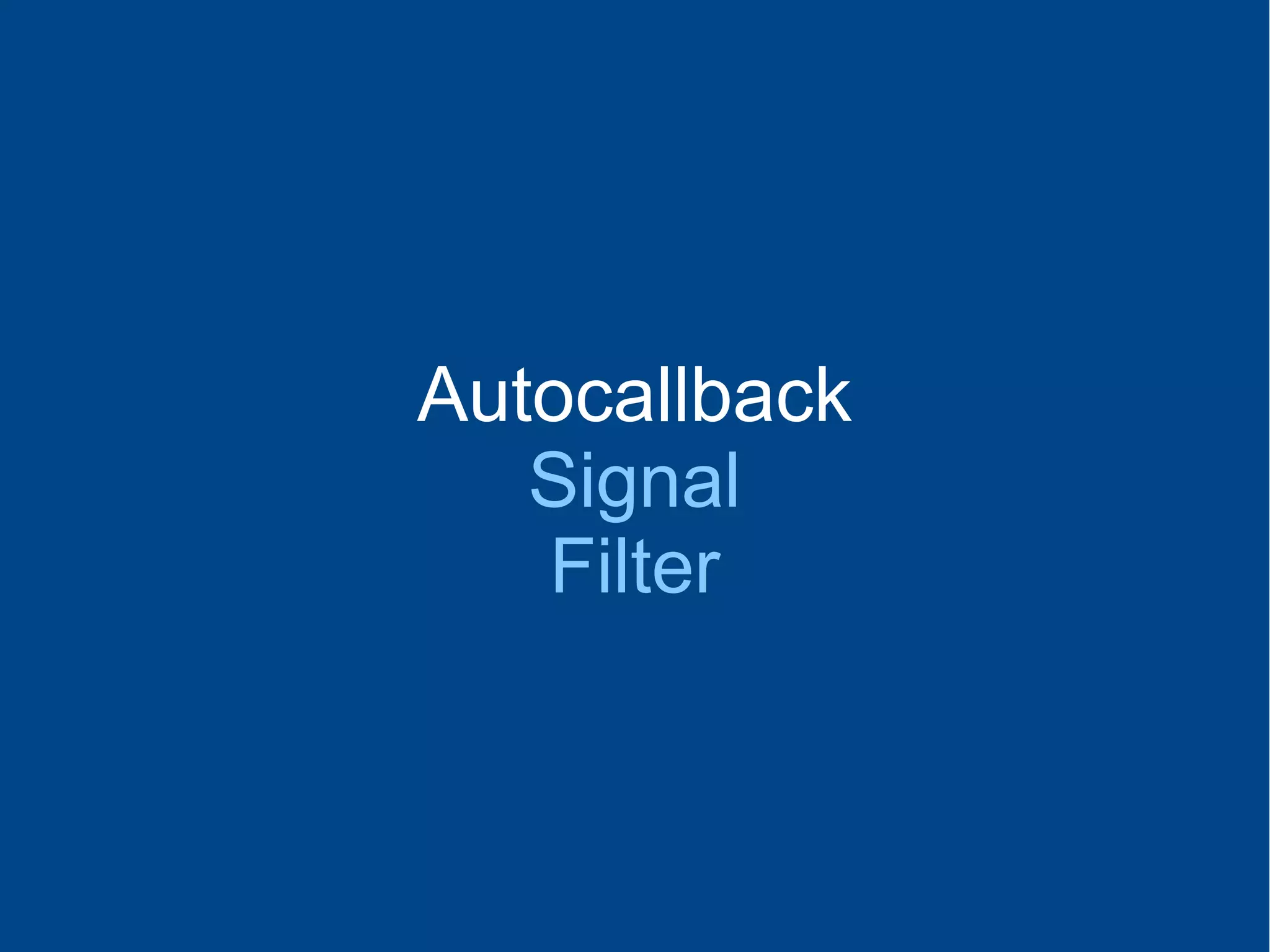
Autocallback
Signal
Filter
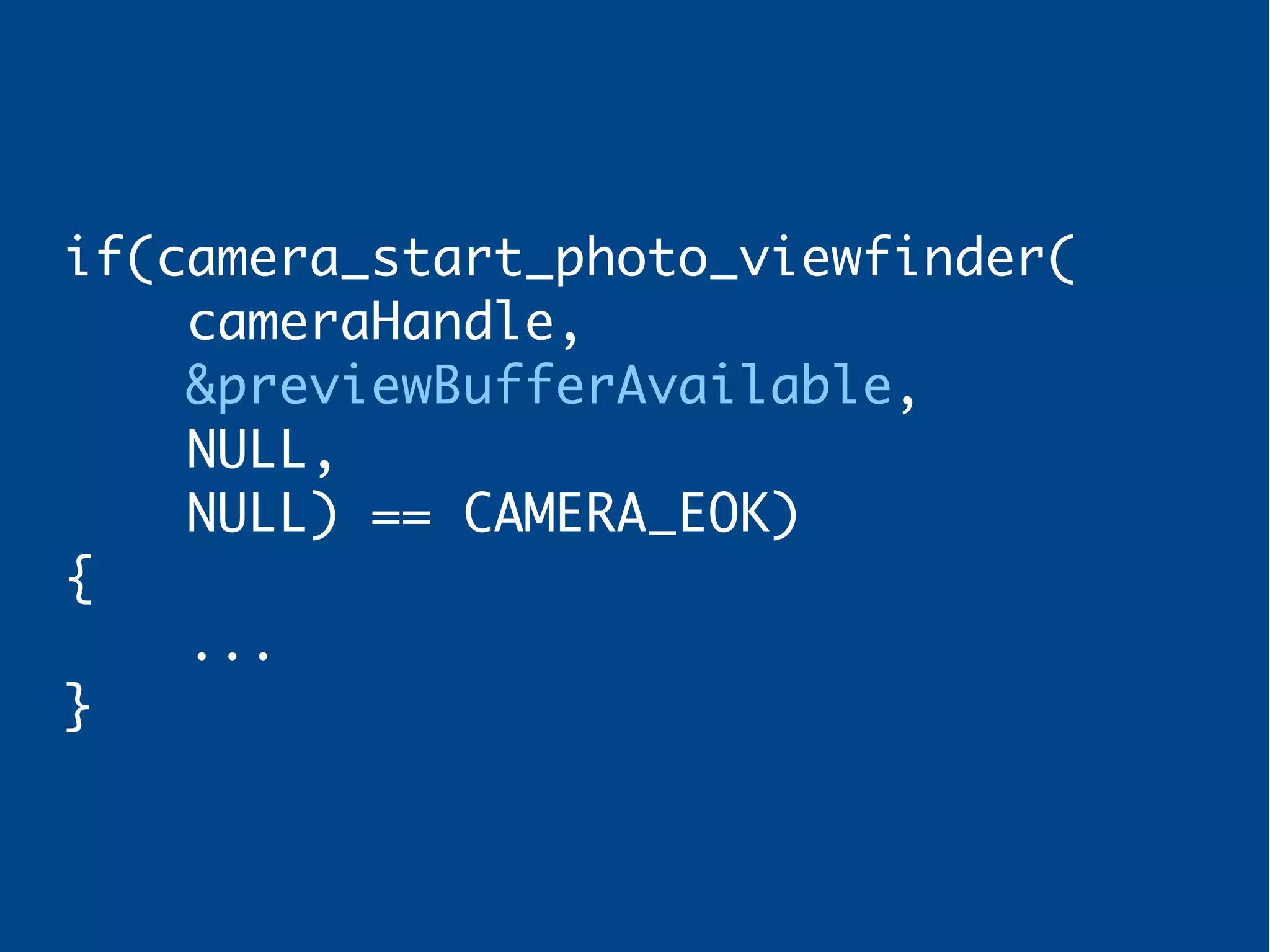
Autocallback
Callback when viewfinder
buffer is available
if(camera_start_photo_viewfinder(
cameraHandle,
&previewBufferAvailable,
NULL,
NULL) == CAMERA_EOK)
{
...
}
Autocallback
Signal
Filter
Signal
Register previewFrameAvailable
signal
Multiple buffers can be added
(max 16)
Developer is responsible for:
- Allocating buffers
- Adding buffers as available
- Freeing buffers
Steps
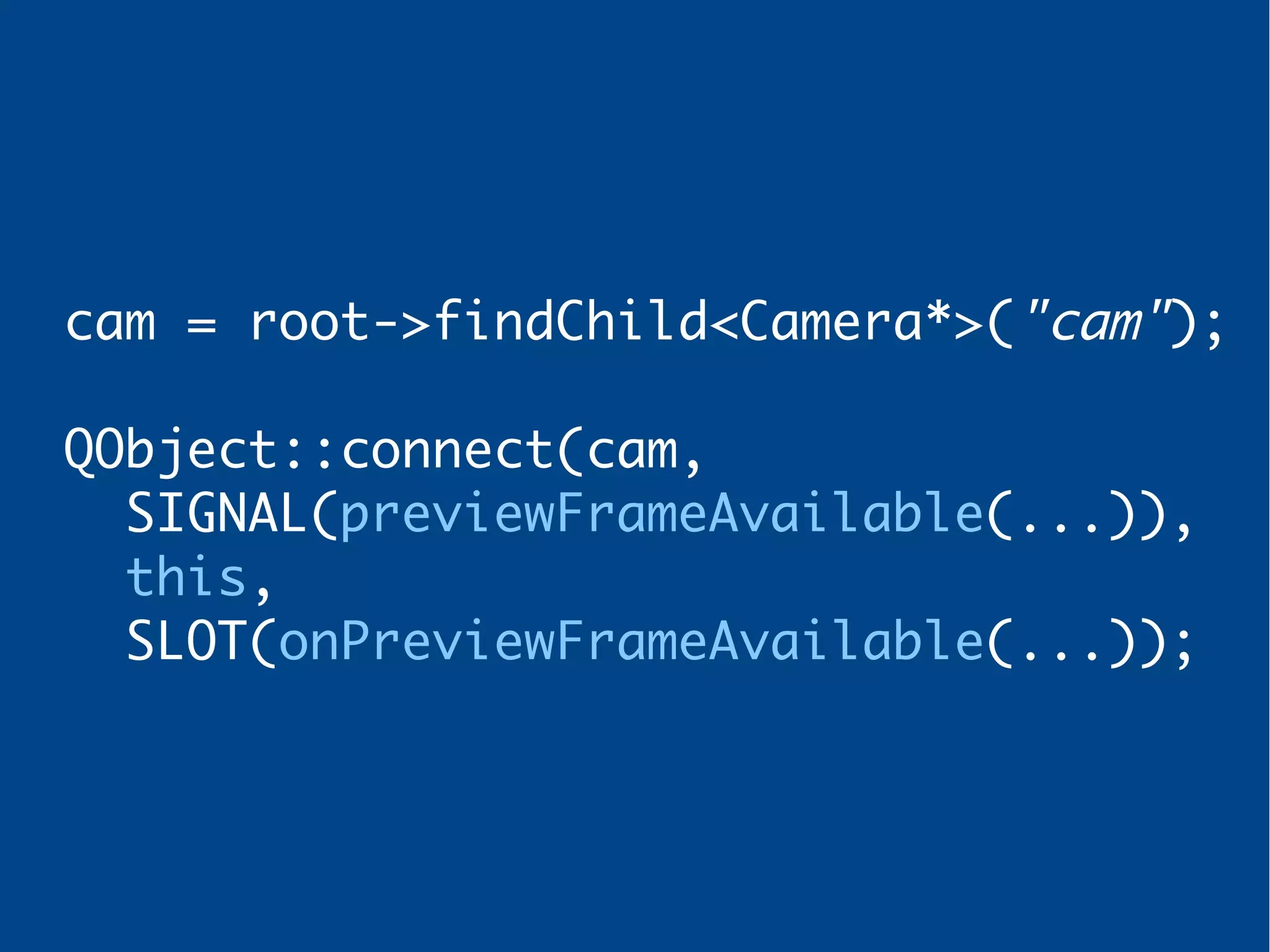
1 – Register signal
cam = root->findChild<Camera*>("cam");
QObject::connect(cam,
SIGNAL(previewFrameAvailable(...)),
this,
SLOT(onPreviewFrameAvailable(...));
Steps
2 – Allocate buffers &
add them as available
quint64 size = cam->previewBufferSize();
for(int i = 0; i < N_BUFS; i++)
{
buf[i] = malloc(size * sizeof(char));
QSharedPointer<unsigned char>b (buf[i]);
cam->addPreviewBuffer(b, size);
}
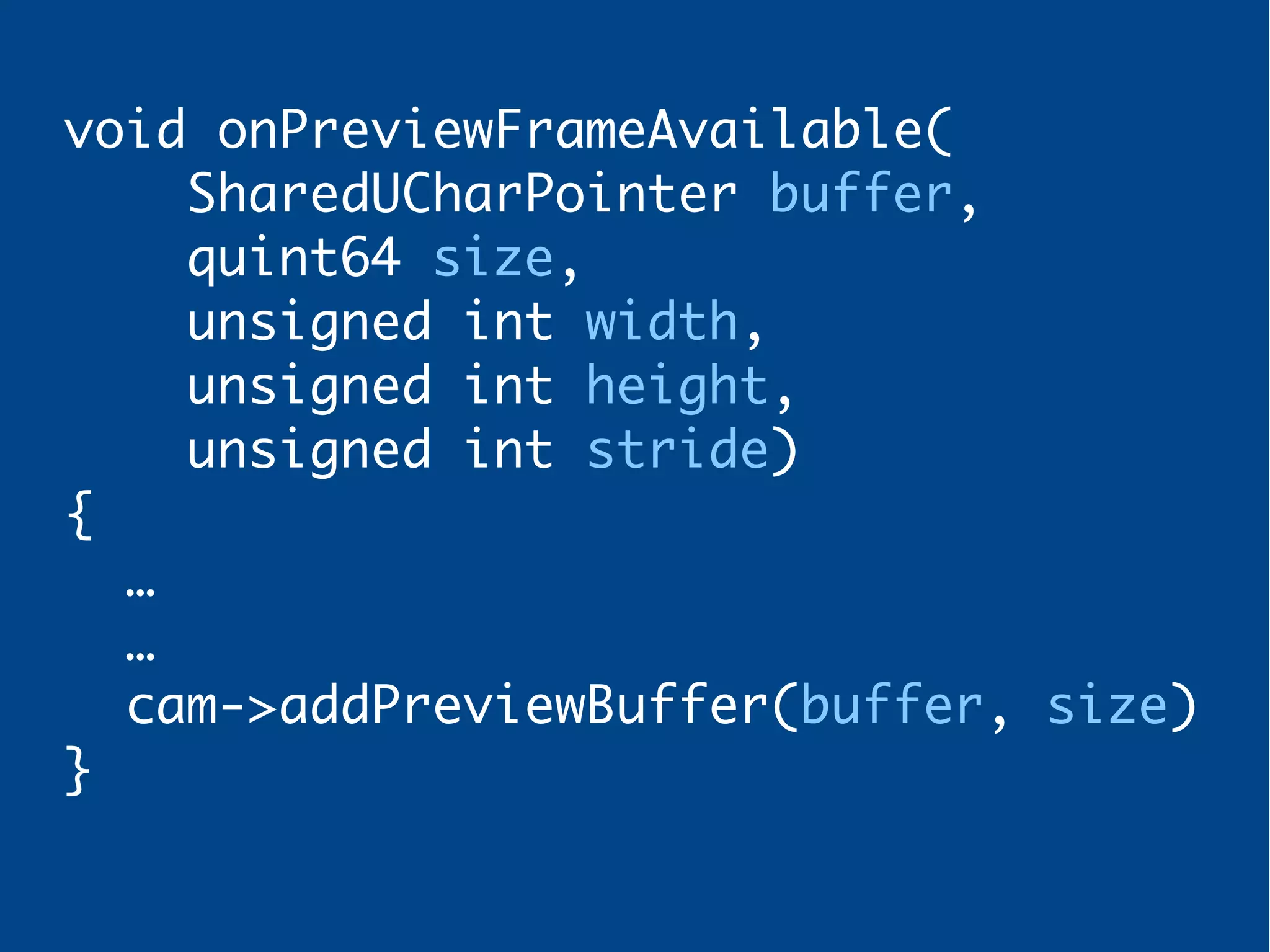
Steps
3 – Implement slot
void onPreviewFrameAvailable(
SharedUCharPointer buffer,
quint64 size,
unsigned int width,
unsigned int height,
unsigned int stride)
{
…
…
cam->addPreviewBuffer(buffer, size)
}
Autocallback
Signal
Filter
Filter
Applying a filter (r/w)
or processing data (r/o)
Filter
Slightly more complex
than other methods
Steps
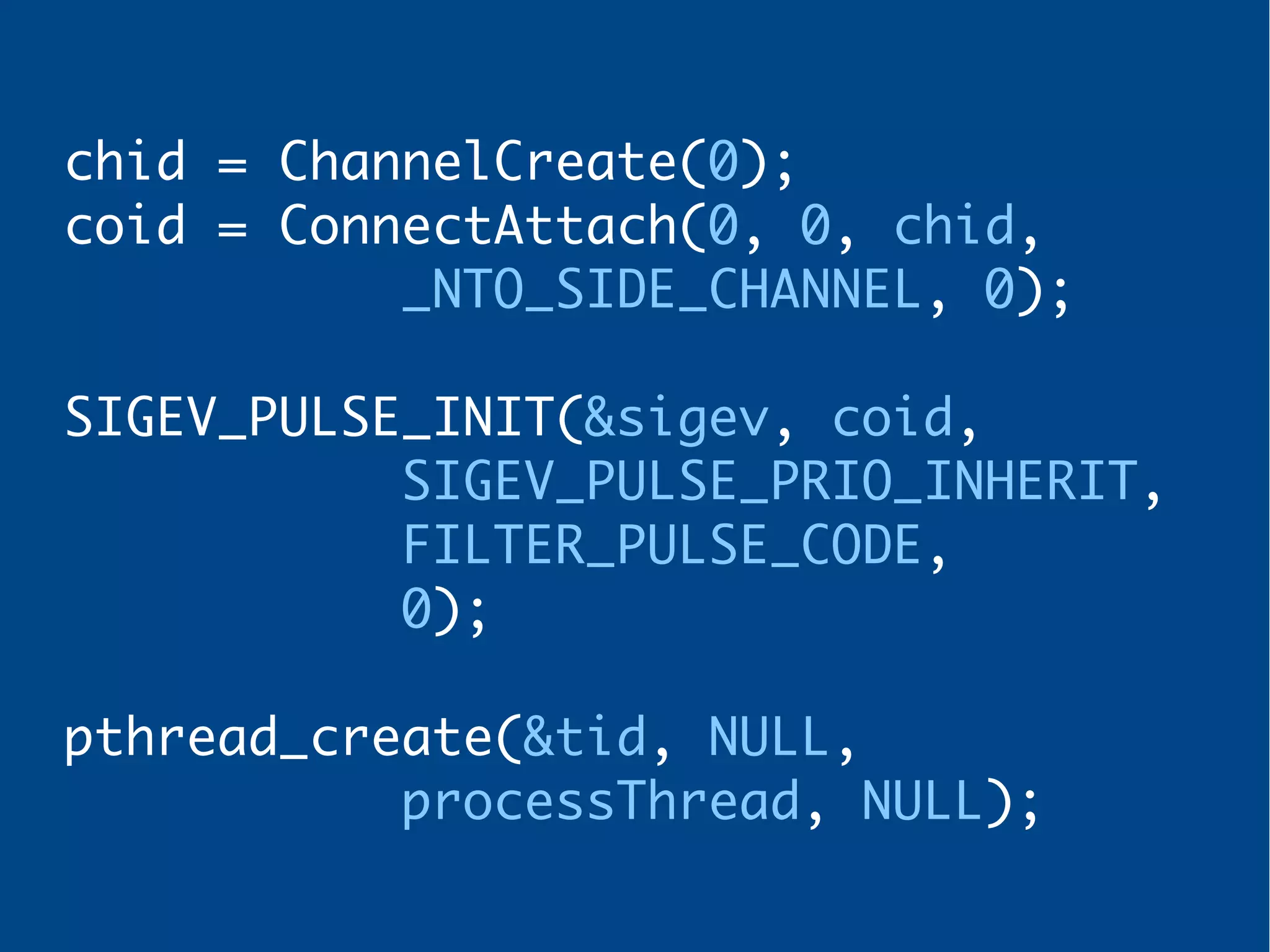
1 – Create image processor
thread
chid = ChannelCreate(0);
coid = ConnectAttach(0, 0, chid,
_NTO_SIDE_CHANNEL, 0);
SIGEV_PULSE_INIT(&sigev, coid,
SIGEV_PULSE_PRIO_INHERIT,
FILTER_PULSE_CODE,
0);
pthread_create(&tid, NULL,
processThread, NULL);
Steps
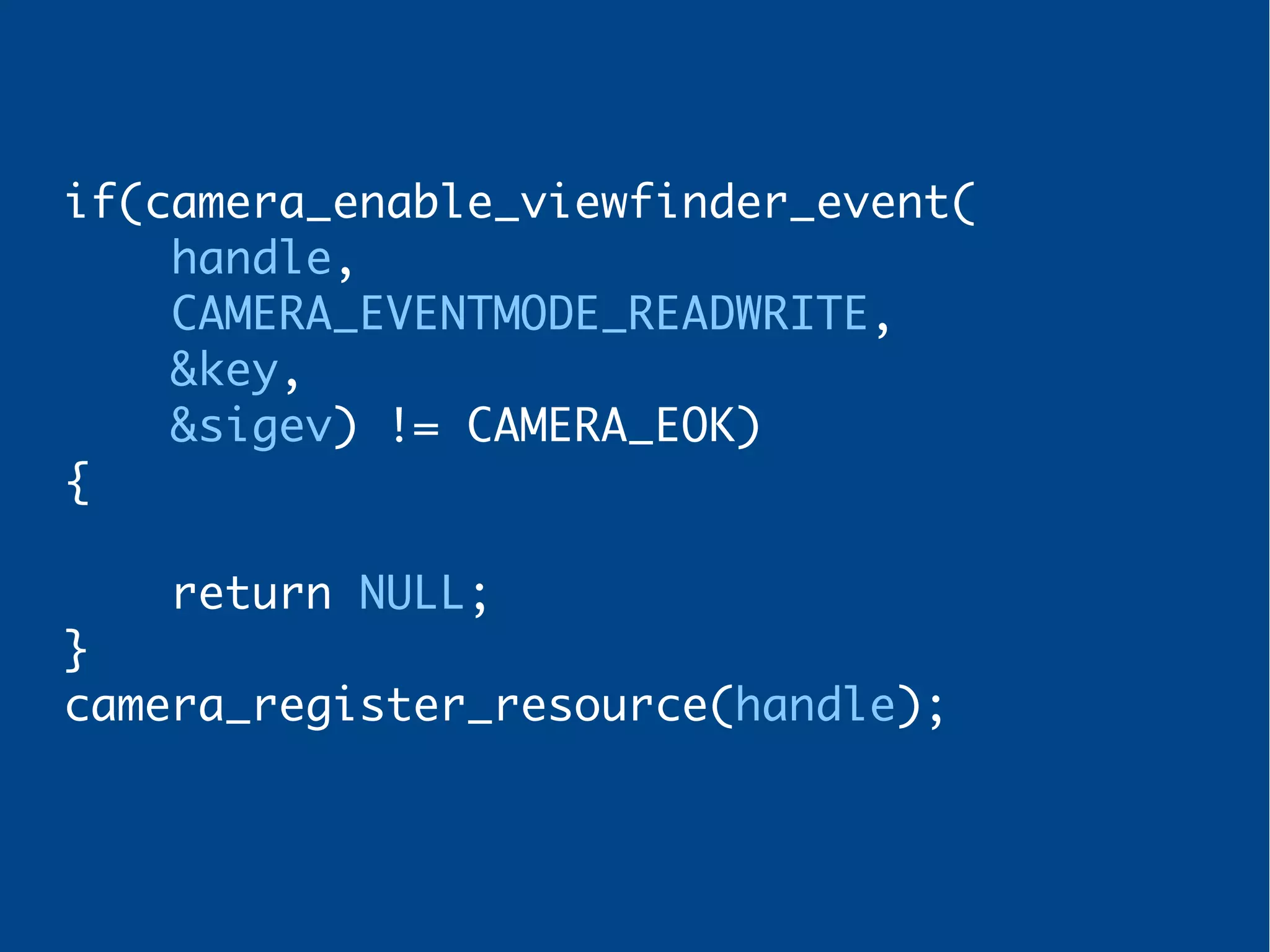
2 – Enable viewfinder and
register camera handle
if(camera_enable_viewfinder_event(
handle,
CAMERA_EVENTMODE_READWRITE,
&key,
&sigev) != CAMERA_EOK)
{
return NULL;
}
camera_register_resource(handle);
Steps
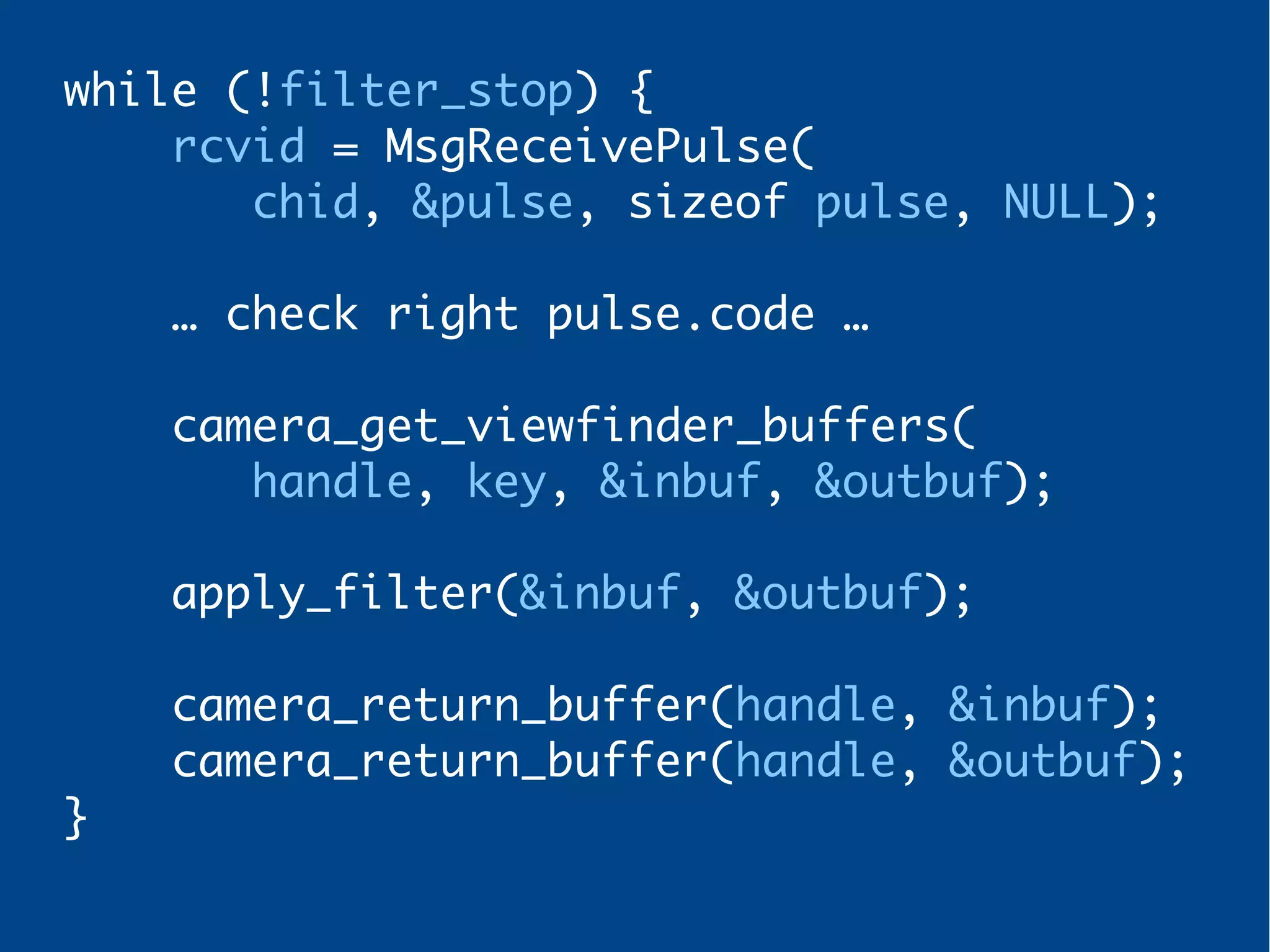
3 – Implement message loop
while (!filter_stop) {
rcvid = MsgReceivePulse(
chid, &pulse, sizeof pulse, NULL);
… check right pulse.code …
camera_get_viewfinder_buffers(
handle, key, &inbuf, &outbuf);
apply_filter(&inbuf, &outbuf);
camera_return_buffer(handle, &inbuf);
camera_return_buffer(handle, &outbuf);
}
Disclaimer
Those methods are
not mutually exclusive
Disclaimer - II
If user callbacks can not keep up,
frames will be dropped
Disclaimer - III
Viewfinder not impacted by frame
drops
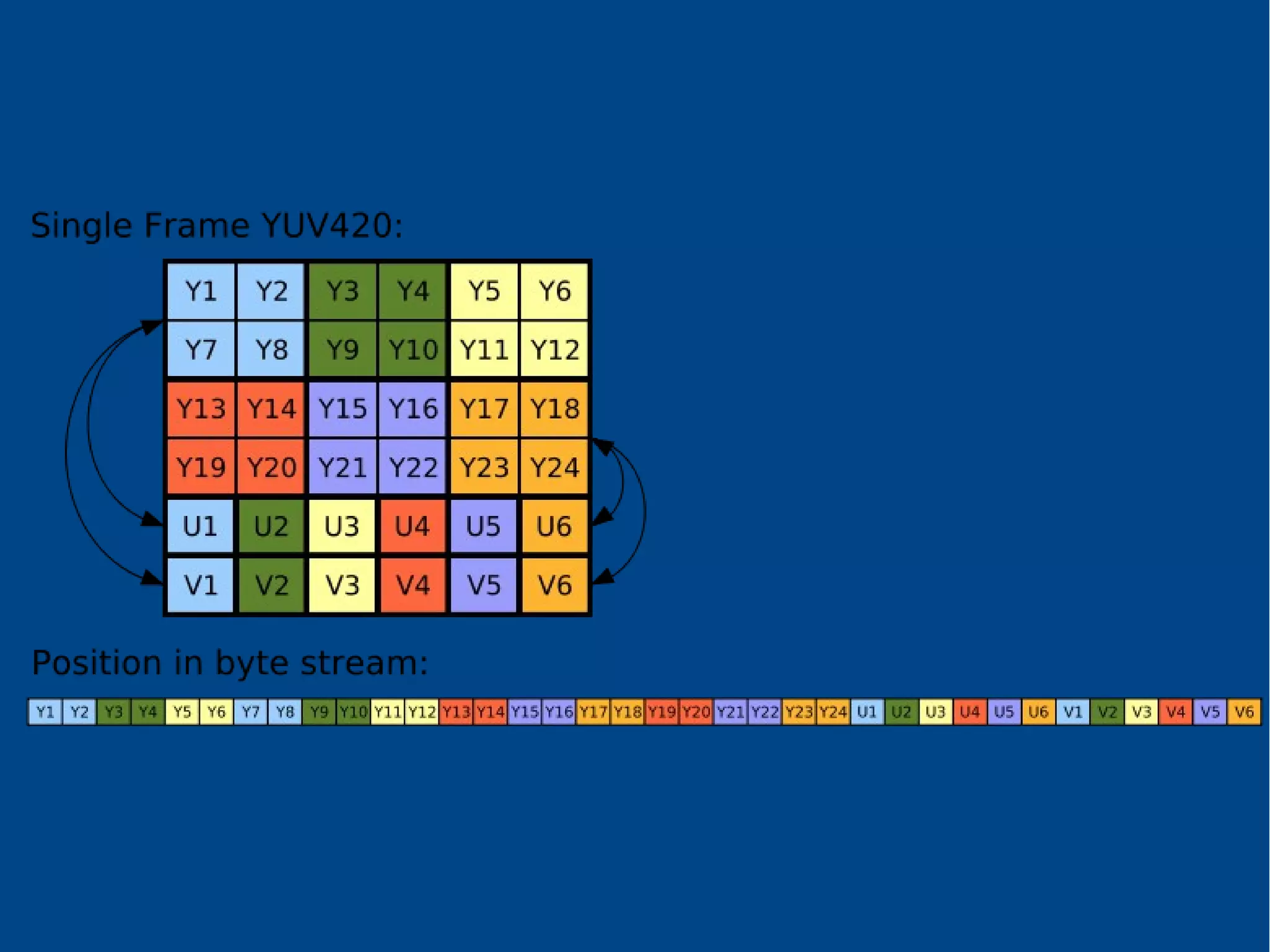
Viewfinder raw format
NV12
Ok, but.. what about our RGB?
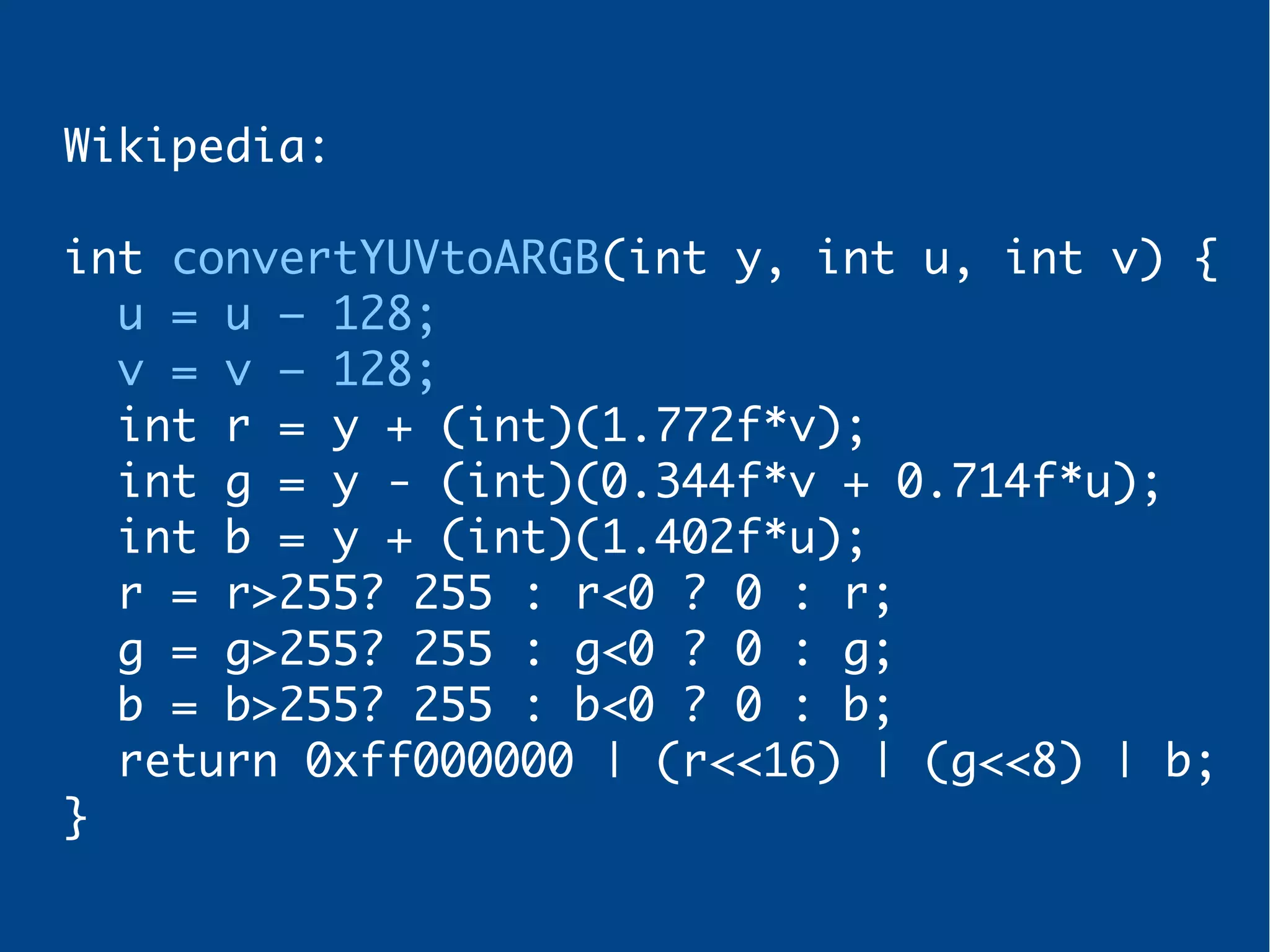
Wikipedia:
int convertYUVtoARGB(int y, int u, int v) {
u = u – 128;
v = v – 128;
int r = y + (int)(1.772f*v);
int g = y - (int)(0.344f*v + 0.714f*u);
int b = y + (int)(1.402f*u);
r = r>255? 255 : r<0 ? 0 : r;
g = g>255? 255 : g<0 ? 0 : g;
b = b>255? 255 : b<0 ? 0 : b;
return 0xff000000 | (r<<16) | (g<<8) | b;
}
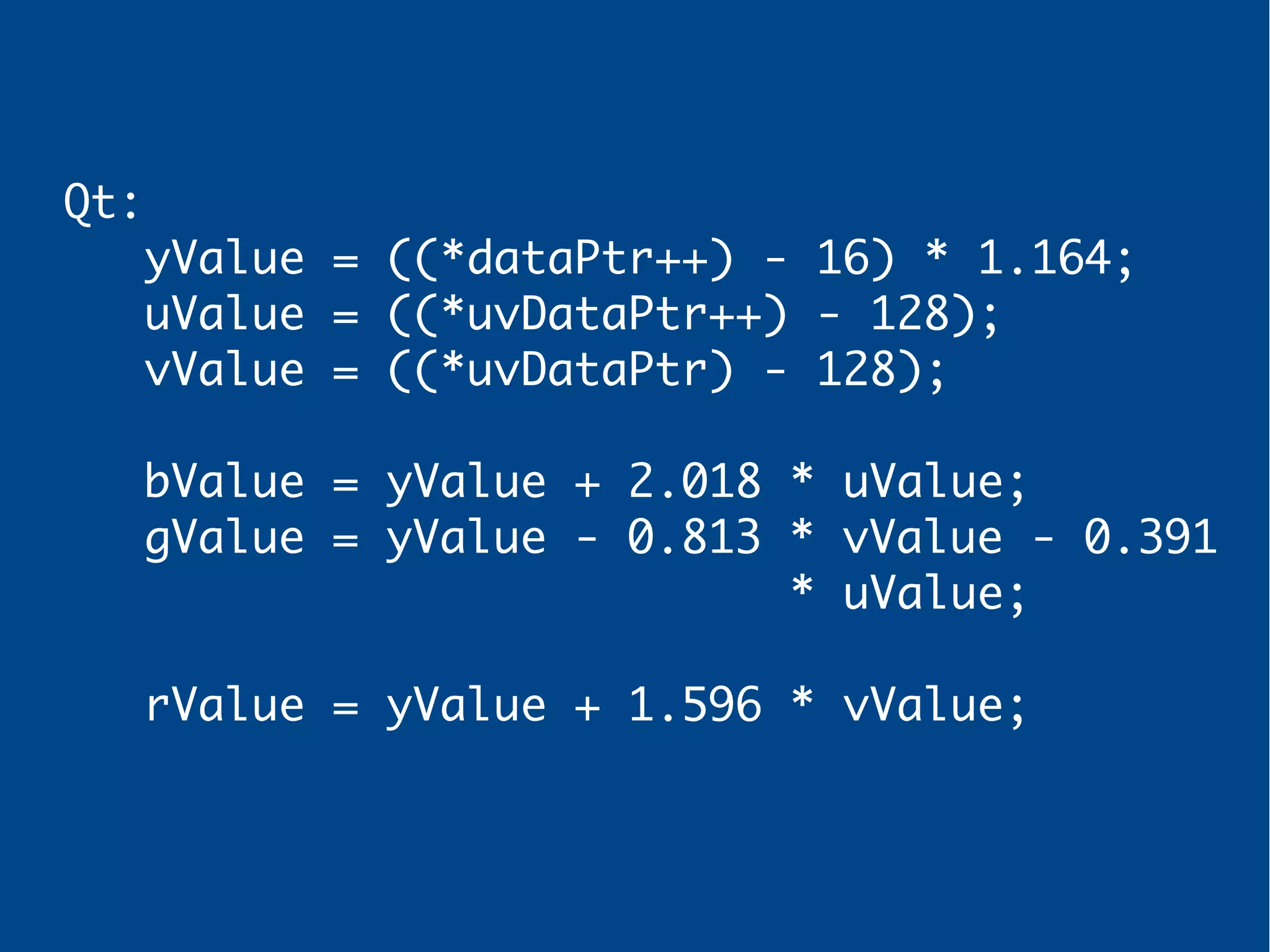
Qt:
yValue = ((*dataPtr++) - 16) * 1.164;
uValue = ((*uvDataPtr++) - 128);
vValue = ((*uvDataPtr) - 128);
bValue = yValue + 2.018 * uValue;
gValue = yValue - 0.813 * vValue - 0.391
* uValue;
rValue = yValue + 1.596 * vValue;
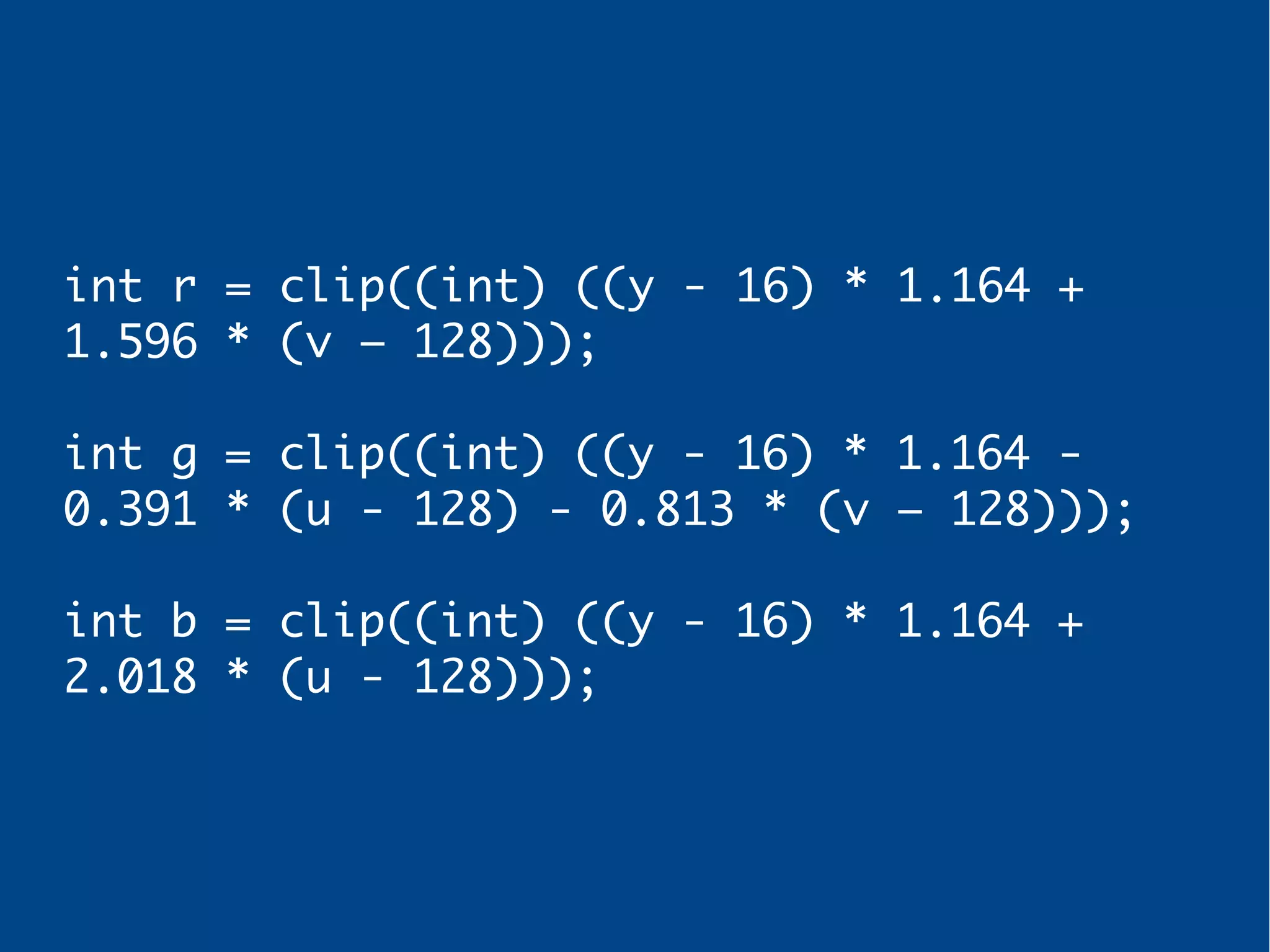
My implementation
int r = clip((int) ((y - 16) * 1.164 +
1.596 * (v – 128)));
int g = clip((int) ((y - 16) * 1.164 -
0.391 * (u - 128) - 0.813 * (v – 128)));
int b = clip((int) ((y - 16) * 1.164 +
2.018 * (u - 128)));
Optimization
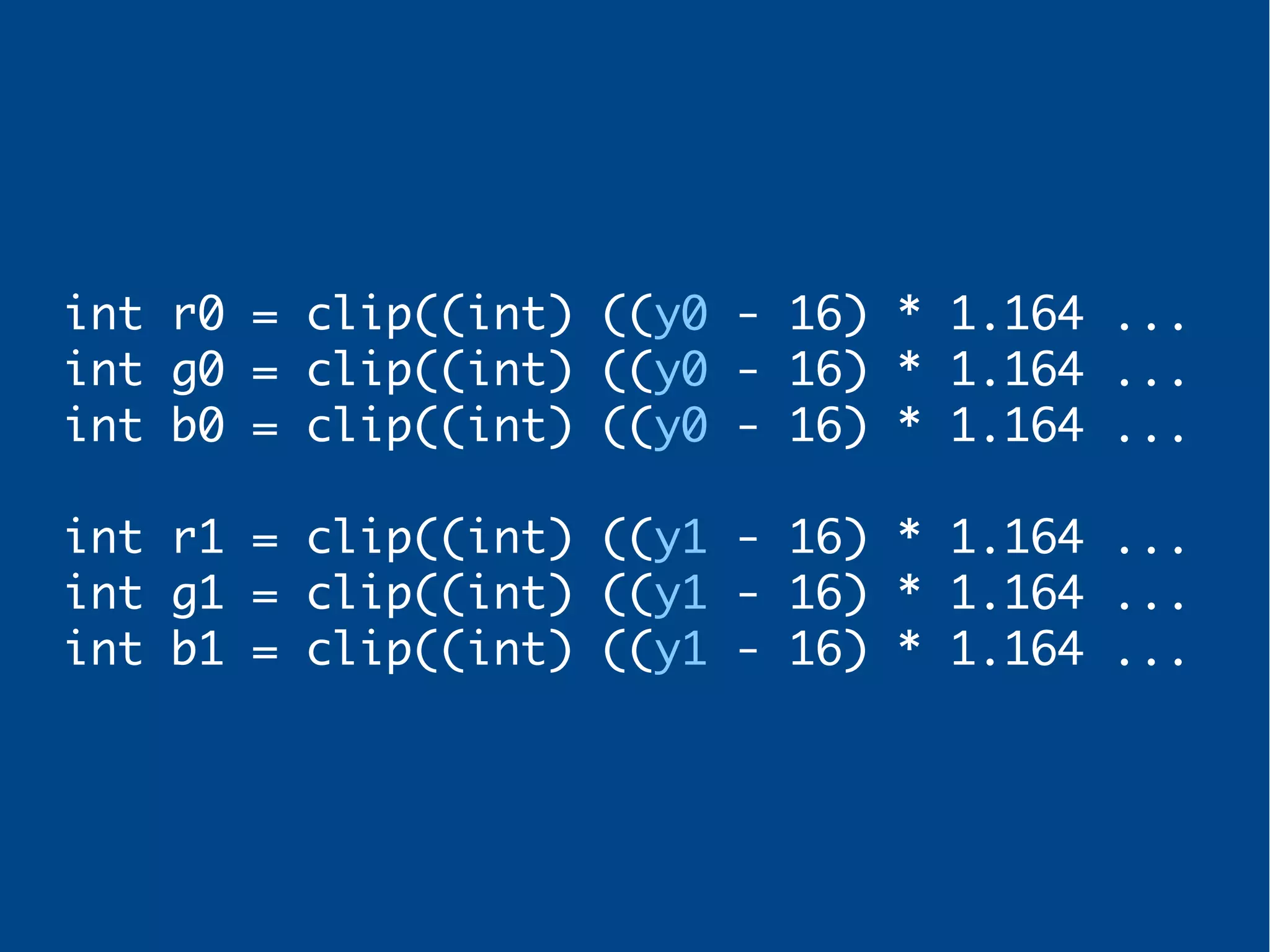
As Y values share UV we can
generate multiple RGB pixels
with a single UV pair.
int r0 = clip((int) ((y0 - 16) * 1.164 ...
int g0 = clip((int) ((y0 - 16) * 1.164 ...
int b0 = clip((int) ((y0 - 16) * 1.164 ...
int r1 = clip((int) ((y1 - 16) * 1.164 ...
int g1 = clip((int) ((y1 - 16) * 1.164 ...
int b1 = clip((int) ((y1 - 16) * 1.164 ...
Optimization
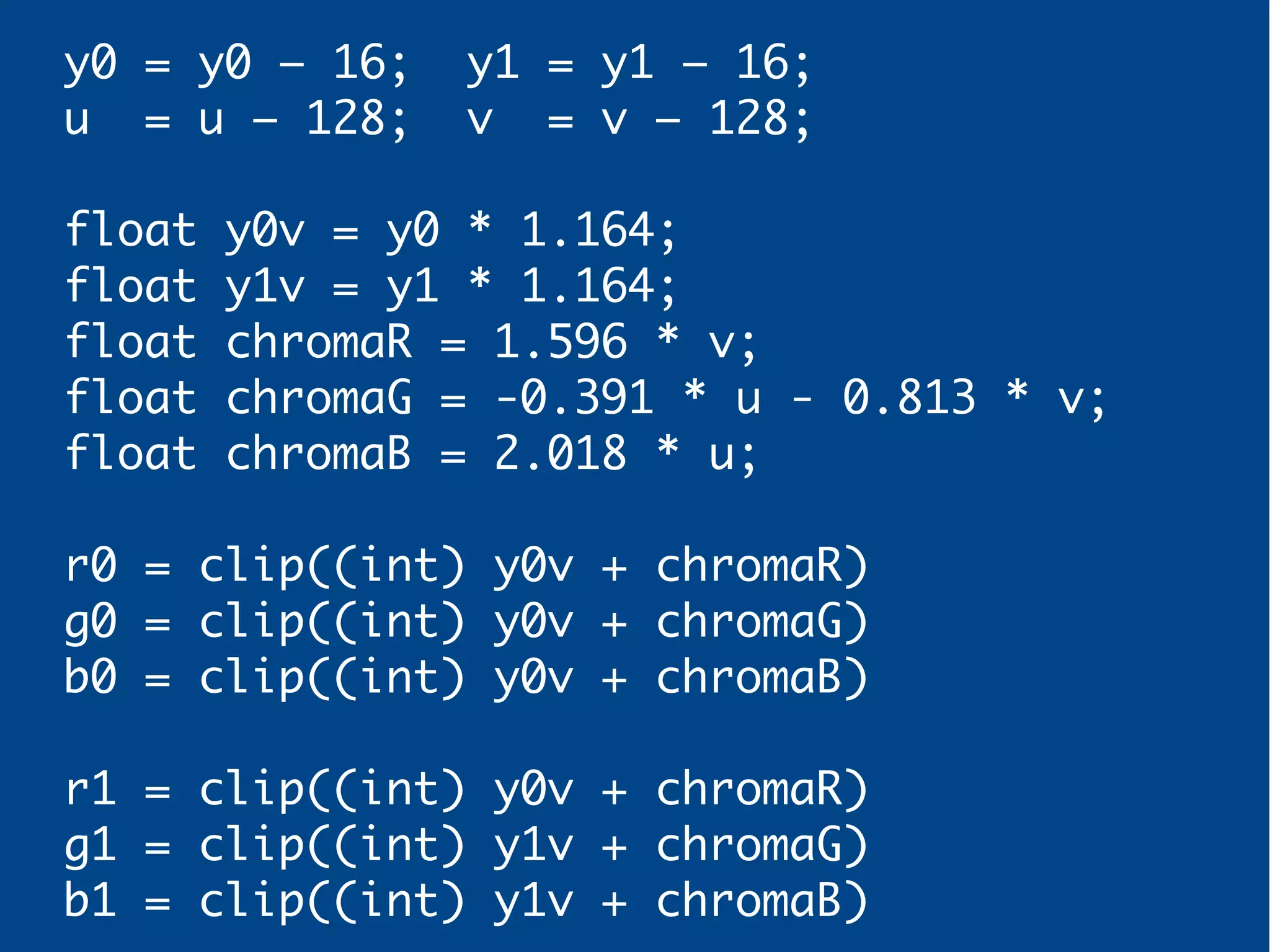
Do not calculate already
calculated values
y0 = y0 – 16; y1 = y1 – 16;
u = u – 128; v = v – 128;
float y0v = y0 * 1.164;
float y1v = y1 * 1.164;
float chromaR = 1.596 * v;
float chromaG = -0.391 * u - 0.813 * v;
float chromaB = 2.018 * u;
r0 = clip((int) y0v + chromaR)
g0 = clip((int) y0v + chromaG)
b0 = clip((int) y0v + chromaB)
r1 = clip((int) y0v + chromaR)
g1 = clip((int) y1v + chromaG)
b1 = clip((int) y1v + chromaB)
Optimization
Avoid floating point operations!
Use fixed point arithmetic
(8 bits precision)
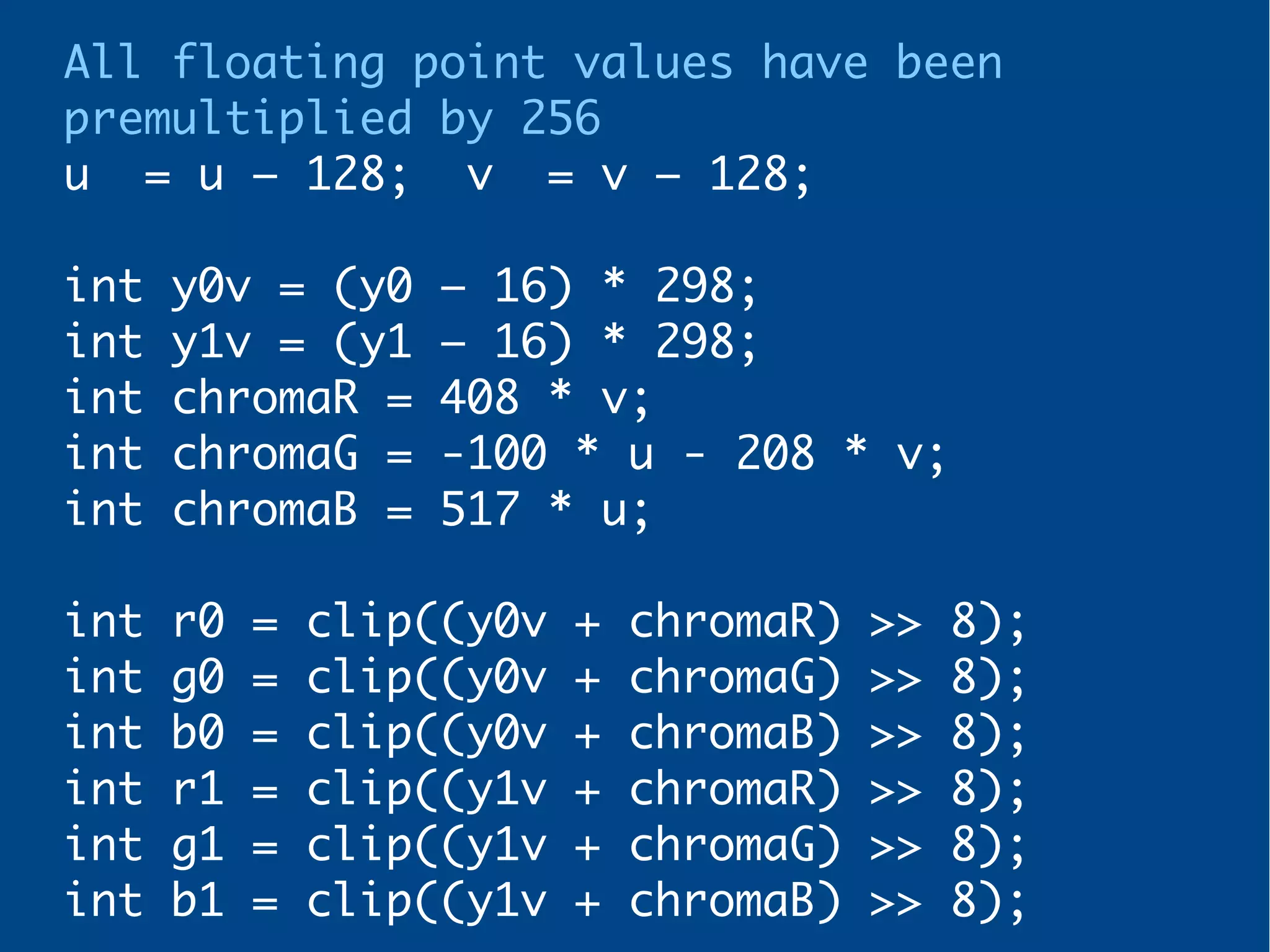
All floating point values have been
premultiplied by 256
u = u – 128; v = v – 128;
int y0v = (y0 – 16) * 298;
int y1v = (y1 – 16) * 298;
int chromaR = 408 * v;
int chromaG = -100 * u - 208 * v;
int chromaB = 517 * u;
int r0 = clip((y0v + chromaR) >> 8);
int g0 = clip((y0v + chromaG) >> 8);
int b0 = clip((y0v + chromaB) >> 8);
int r1 = clip((y1v + chromaR) >> 8);
int g1 = clip((y1v + chromaG) >> 8);
int b1 = clip((y1v + chromaB) >> 8);
Plain integer operations are
usually way faster!
Optimization
Precalculate!
void precalc() {
for(int i = 0; i < 256; i++) {
factorY[i] = ( 298 * (i - 16)) >> 8;
factorRV[i] = ( 408 * (i - 128)) >> 8;
factorGU[i] = (-100 * (i - 128)) >> 8;
factorGV[i] = (-208 * (i - 128)) >> 8;
factorBU[i] = ( 517 * (i - 128)) >> 8;
}
for(int i = 0; i < 256 + 300; i++) {
clipV[i] = min(max(i - 300, 0), 255);
}
}
We add 300 positions to clipping
values to avoid negative indexes
int chromaR = factorRV[v];
int chromaG = factorGU[u] + factorGV[v];
int chromaB = factorBU[v];
int r0 = clipV[y0 + chromaR + 300];
int g0 = clipV[y0 + chromaG + 300];
int b0 = clipV[y0 + chromaB + 300];
int r1 = clipV[y1 + chromaR + 300];
int g1 = clipV[y1 + chromaG + 300];
int b1 = clipV[y1 + chromaB + 300];
Optimization
Remove the +300
int *clipV_ = &clipV[300];
int chromaR = factorRV[v];
int chromaG = factorGU[u] + factorGV[v];
int chromaB = factorBU[v];
int r0 = clipV_[y0 + chromaR];
int g0 = clipV_[y0 + chromaG];
int b0 = clipV_[y0 + chromaB];
int r1 = clipV_[y1 + chromaR];
int g1 = clipV_[y1 + chromaG];
int b1 = clipV_[y1 + chromaB];
Optimization
Improve write operations
DON'T
out[wpos ] = b0;
out[wpos + 1] = g0;
out[wpos + 2] = r0;
out[wpos + 3] = 0xff;
out[wpos + 4] = b1;
out[wpos + 5] = g1;
out[wpos + 6] = r1;
out[wpos + 7] = 0xff;
wpos += 8;
Optimization
Precalc clip values with shift,
mask & alpha value
for(i = 0; i < 256 + 300; i++) {
int c = min(max(i - 300, 0), 255);
clipV[i] = c;
clipVR[i] = 0xFF000000 | c << 16);
clipVG[i] = c << 8;
clipVB[i] = c;
}
DO
out[wpos ] = clipVR_[y0 + chromaR] |
clipVG_[y0 + chromaG] |
clipVB_[y0 + chromaB];
out[wpos + 1] = clipVR_[y1 + chromaR] |
clipVG_[y1 + chromaG] |
clipVB_[y1 + chromaB];
wpos += 8;
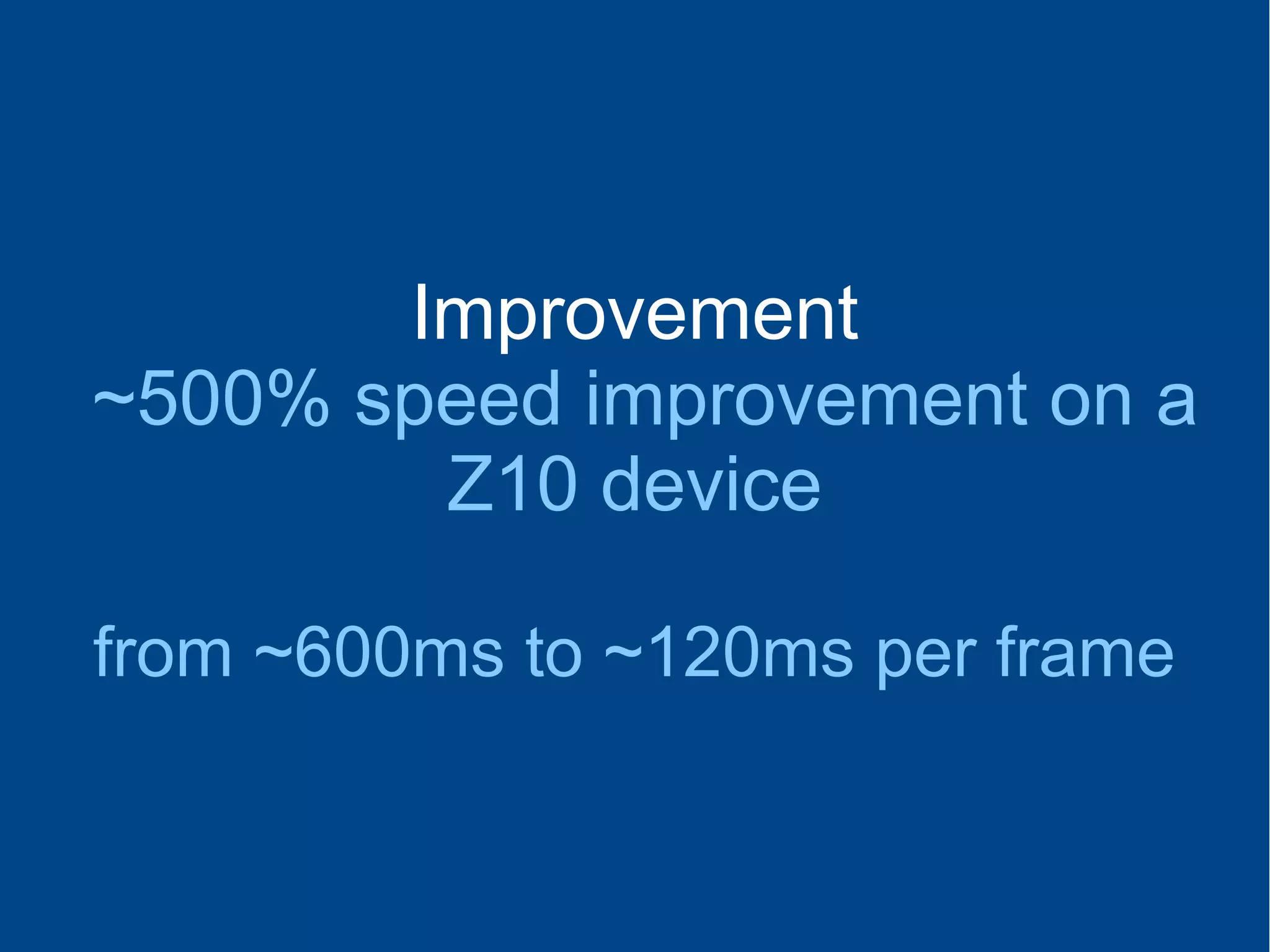
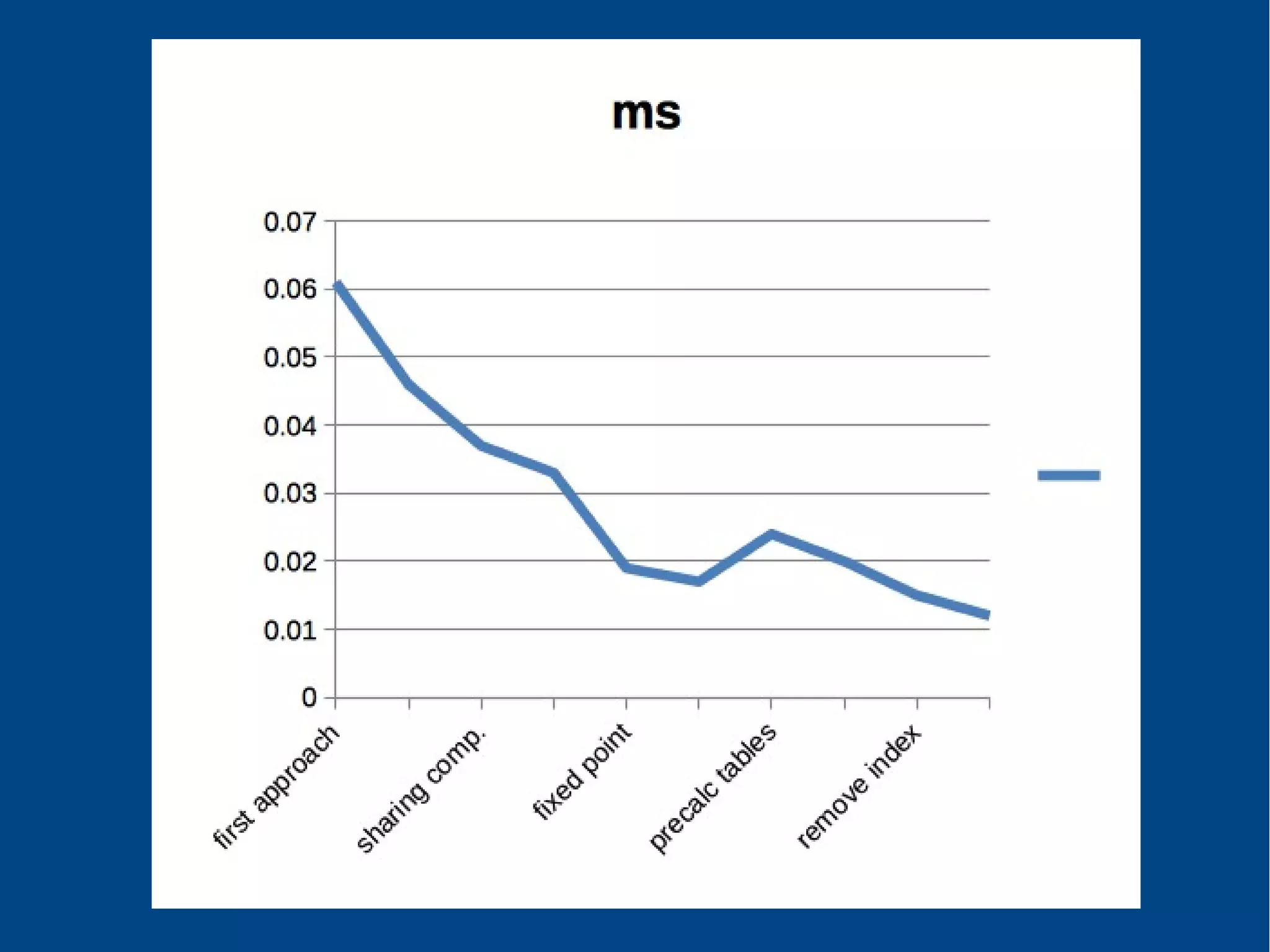
Improvement
~500% speed improvement on a
Z10 device
from ~600ms to ~120ms per frame
References
http://en.wikipedia.org/wiki/YUV
http://developer.blackberry.com/native/ref
erence/core/com.qnx.doc.camera.lib_ref/top
ic/overview.html
https://qt.gitorious.org/qt/qtmultimedia/c
ommit/31b454b8d6d27dec0fb39987eb315fe93de7
eda1?format=patch
Paul Bernhardt Presentations (@Pbernhardt)
Sean McVeigh Presentations (@sdlmcveigh)
Contact
http://blog.rafols.org
twitter: @rrafols

Playing with camera preview buffers on BlackBerry 10