Planning
Shotlistvideo1o1
Shot number Shot
1 Outside the minster- close up shots of the model and there
clothing items.
2 Outside the minster a shot above the model with him staring
at the camera close up shot.
3 Outside the minster multiple pictures taken of model in
different poses
4 Outside Sainsburys in Osbaldwick- model posting with an
undershot of them and the moon
5 Outside the petrol station- moving camera shot of the model's
outfit with coat on
6 Outside the petrol station- moving shot of the model's hoodie
(without coat)
7 Inside petrol station shop model walking through the shop
8 B&Q car park- model smacking the camera left
9 Osbaldwick- catching camera model smacking camera up
10 Outside petrol station catching and then smacking the camera
down
11 Outside minster – camera rolls down and moves in a fluid
motion to model standing in an archway
12 Close up shot of ring
Shotlist
video2
Shot number Shot
1 Studio- still shot of the model
standing in the studio
2 Photo shoot in studio
3 Studio/ viaduct/Clifford's
Tower- Panning up and down
the model's outfit slowly
4 Photo shoot at viaduct
5 Clifford's tower- Model looking
at flowers
6 Photo shoot at Clifford's
tower garden
Scheduleof production
Dates Shots
6/04/22- studio get photo and videos on that day for
light and dark videos/ posters
Video 2- 1,2
6/04/22 - 8/04/22- begin editing work from studio and
getting logo made as well as animatics.
12/04/22- get shots for the dark aesthetic videos
outside minster
Video 1- 1,2,3,11
14/04/22- get shots for the dark aesthetic video around
Osbaldwick and B&Q and the petrol station.
Video 1- 4,5,6,7,8,9,10,12
20/04/22- get shots for the lighter video at musem
gardens
Video 2- 6,7
21/04/22- get shots in Stamford bridge via duct (must
be a warm day)
Video 2- 3,4
27/04/22- end Editing together the videos mainly, then other projects
like the posters and social media done in videos
Scheduleof production
Weeks What I will be doing that week
week 1 This week I will be editing the video of Antony and will
begin putting effects into the video like the paper rip
effect.
Week 2 This week I will begin editing the video with Alfie
whilst finishing the video with Antony
Week 3
Week 4
Week 5
Equipment
Equipment on the shoot:
 Camera
 Phone camera
 Tripod
 Bag
 Charging cable
 Portable charger
 Clothing
 Spare battery
The reason why I am bringing this many pieces of equipment because I can use my phone as a
backup camera. I'm also bringing spare batteries and chargers just encase either of my
cameras run out of power.
Equipment for in college:
 Sd card
 Sd card adapter
 Memory stick
 One drive
I am using these storage devices in college, and I will save my footage to all of them so that
my work cis saved on multiple devices.
Locations
 Studio (college)
 York minster
 Osbaldwick
 Inner space station (petrol station)
 Via duct Stamford bridge
 Musem gardens
 College
I have chosen these locations because they are close to where
my models live and are easy for me to access in one bus ride.
Aswell as being like college places where we all area at the
same time. I have also chosen these locations because they
have the right look or aesthetic element to work with the
style I want to, for example York minster will match it the
dark aesthetic because of its gothic style building and will be
thematically appropriate.
Props
 Hoodies
 Coat
 Jumper
 Vest
 Trousers
 Shoes
 Mask
 Jewely
 Shoes
 Wind breaker
All my props are clothes since they are only thing that I need
to bring to the project and will be displayed in the project.
Me and my models all own these products individually and I
will have to remind my models what to bring on the day.
Personnel
 Alfie Horwell- model 1 he will do video 1
 Antony Sibanda- model 2 he will do video 2
 Matt Turley- camera man
Alfie Horwell, I have used him in my previous project as
a model and he did very well and enjoys to do modelling
as well and likes the dark aesthetic and clothing style he
is displaying.
Antony Sibanda, I have never used him before in any of
my projects before, but I know that he has done
modelling for other students and is comfortable being a
model.
Script1
 Slow Mo of actor moving and standing outside of the minster
 Beat drop fast shutter drop showing the model in a balaclava staring at
the camera
 Fast transition into actor standing then cuts to photos at that same
location (minster) with camera clicking sound
 Under shot of model standing with the moon in the background, then
head turn into transition of scrap book
 Model displaying clothes in order of shoes, trousers, coat, hoodie,
necklace and rings then balaclava with scrap book style
 Transition through the model's eye music slows down whilst the model
walks through the petrol station store then
 Model smacks camera making it roll to next shot, model catches
camera looks at it throws it up ward catches it again upside down then
pushes the camera down rea adjusting it to him stood in the arch way
of the minster and the camera quickly moves towards him in a fluid
motion showing him in a different outfit then scrap book cutting it out
and showing it then cut to his ring on his hand then zoom into ring
were
 Flexin a hunnid
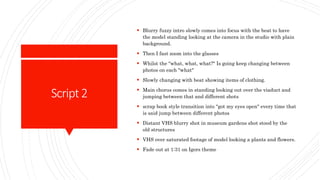
Script2
 Blurry fuzzy intro slowly comes into focus with the beat to have
the model standing looking at the camera in the studio with plain
background.
 Then I fast zoom into the glasses
 Whilst the "what, what, what?" Is going keep changing between
photos on each "what"
 Slowly changing with beat showing items of clothing.
 Main chorus comes in standing looking out over the viaduct and
jumping between that and different shots
 scrap book style transition into "got my eyes open" every time that
is said jump between different photos
 Distant VHS blurry shot in museum gardens shot stood by the
old structures
 VHS over saturated footage of model looking a plants and flowers.
 Fade out at 1:31 on Igors theme
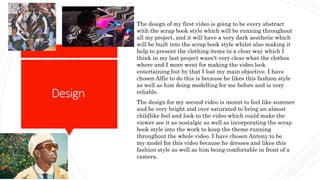
Design
The design of my first video is going to be every abstract
with the scrap book style which will be running throughout
all my project, and it will have a very dark aesthetic which
will be built into the scrap book style whilst also making it
help to present the clothing items in a clear way which I
think in my last project wasn't very clear what the clothes
where and I more went for making the video look
entertaining but by that I lost my main objective. I have
chosen Alfie to do this is because he likes this fashion style
as well as him doing modelling for me before and is very
reliable.
The design for my second video is meant to feel like summer
and be very bright and over saturated to bring an almost
childlike feel and look to the video which could make the
viewer see it as nostalgic as well as incorporating the scrap
book style into the work to keep the theme running
throughout the whole video. I have chosen Antony to be
my model for this video because he dresses and likes this
fashion style as well as him being comfortable in front of a
camera.
Camera
The style of camera framing I want to do is keep the
camera mostly moving and if the camera is still then it
will have a heavier effect over it so it will still be visually
engaging. I will also be clothes and any far away shots
will be done in a purely aesthetic purpose to keep the
product visually engaging for the viewer. Most of the
lighting in the first video will be provided by streetlights
and checking the view find to see if the lighting will work
and if not, we can use phone torches and an alternate
light source. I will also incorporate non-
conventional camera angles to create the abstract look of
the video.
Sound
Video 1:
The sound that I will include in the first video will be the
song Flex a Hunnid by Uno The Activist. I have chosen
this song because the beat and singing style match as
well as the beat being captivating to the target audience.
https://www.youtube.com/watch?v=D3wMnPJb59M
Video 2:
The sound I will use in the second video will be the song
Igor's theme by Tyler, the creator. I have chosen this song
because it matches the style of video, and the song makes
me feel like summer and gives me a summer vibe, as well
as it being a relevant song and will also be captivating
the audience's attention off the unique beat.
https://www.youtube.com/watch?v=CEVXcP3VC3Y
Postproduction
The software I will use in my postproduction will be
 Photoshop
 Premier pro
 Aftereffects
I will use premier to edit the footage together and make the
skeleton of the video, then I will use photoshop to create
effects like the scrapbook style I intend to use, I will then
export these and put them into premier and will then create
an animation. I will use aftereffects to create 3d logos and to
make a short animation. I will also use photoshop to create
my logos and edit posters and images.
For the first video I will slightly desaturate the footage to
make it look daker and gloomier. For the second video I will
increase the saturation to make the video feel like summer
and to look more no like summer and to look more nostalgic.
Manage
I'll manage my project by doing planning the dates to
shoot on as well as the potential problems as well as the
potential problems PowerPoint.

Planning.pptx

  • 1.
  • 2.
    Shotlistvideo1o1 Shot number Shot 1Outside the minster- close up shots of the model and there clothing items. 2 Outside the minster a shot above the model with him staring at the camera close up shot. 3 Outside the minster multiple pictures taken of model in different poses 4 Outside Sainsburys in Osbaldwick- model posting with an undershot of them and the moon 5 Outside the petrol station- moving camera shot of the model's outfit with coat on 6 Outside the petrol station- moving shot of the model's hoodie (without coat) 7 Inside petrol station shop model walking through the shop 8 B&Q car park- model smacking the camera left 9 Osbaldwick- catching camera model smacking camera up 10 Outside petrol station catching and then smacking the camera down 11 Outside minster – camera rolls down and moves in a fluid motion to model standing in an archway 12 Close up shot of ring
  • 3.
    Shotlist video2 Shot number Shot 1Studio- still shot of the model standing in the studio 2 Photo shoot in studio 3 Studio/ viaduct/Clifford's Tower- Panning up and down the model's outfit slowly 4 Photo shoot at viaduct 5 Clifford's tower- Model looking at flowers 6 Photo shoot at Clifford's tower garden
  • 4.
    Scheduleof production Dates Shots 6/04/22-studio get photo and videos on that day for light and dark videos/ posters Video 2- 1,2 6/04/22 - 8/04/22- begin editing work from studio and getting logo made as well as animatics. 12/04/22- get shots for the dark aesthetic videos outside minster Video 1- 1,2,3,11 14/04/22- get shots for the dark aesthetic video around Osbaldwick and B&Q and the petrol station. Video 1- 4,5,6,7,8,9,10,12 20/04/22- get shots for the lighter video at musem gardens Video 2- 6,7 21/04/22- get shots in Stamford bridge via duct (must be a warm day) Video 2- 3,4 27/04/22- end Editing together the videos mainly, then other projects like the posters and social media done in videos
  • 5.
    Scheduleof production Weeks WhatI will be doing that week week 1 This week I will be editing the video of Antony and will begin putting effects into the video like the paper rip effect. Week 2 This week I will begin editing the video with Alfie whilst finishing the video with Antony Week 3 Week 4 Week 5
  • 6.
    Equipment Equipment on theshoot:  Camera  Phone camera  Tripod  Bag  Charging cable  Portable charger  Clothing  Spare battery The reason why I am bringing this many pieces of equipment because I can use my phone as a backup camera. I'm also bringing spare batteries and chargers just encase either of my cameras run out of power. Equipment for in college:  Sd card  Sd card adapter  Memory stick  One drive I am using these storage devices in college, and I will save my footage to all of them so that my work cis saved on multiple devices.
  • 7.
    Locations  Studio (college) York minster  Osbaldwick  Inner space station (petrol station)  Via duct Stamford bridge  Musem gardens  College I have chosen these locations because they are close to where my models live and are easy for me to access in one bus ride. Aswell as being like college places where we all area at the same time. I have also chosen these locations because they have the right look or aesthetic element to work with the style I want to, for example York minster will match it the dark aesthetic because of its gothic style building and will be thematically appropriate.
  • 8.
    Props  Hoodies  Coat Jumper  Vest  Trousers  Shoes  Mask  Jewely  Shoes  Wind breaker All my props are clothes since they are only thing that I need to bring to the project and will be displayed in the project. Me and my models all own these products individually and I will have to remind my models what to bring on the day.
  • 9.
    Personnel  Alfie Horwell-model 1 he will do video 1  Antony Sibanda- model 2 he will do video 2  Matt Turley- camera man Alfie Horwell, I have used him in my previous project as a model and he did very well and enjoys to do modelling as well and likes the dark aesthetic and clothing style he is displaying. Antony Sibanda, I have never used him before in any of my projects before, but I know that he has done modelling for other students and is comfortable being a model.
  • 10.
    Script1  Slow Moof actor moving and standing outside of the minster  Beat drop fast shutter drop showing the model in a balaclava staring at the camera  Fast transition into actor standing then cuts to photos at that same location (minster) with camera clicking sound  Under shot of model standing with the moon in the background, then head turn into transition of scrap book  Model displaying clothes in order of shoes, trousers, coat, hoodie, necklace and rings then balaclava with scrap book style  Transition through the model's eye music slows down whilst the model walks through the petrol station store then  Model smacks camera making it roll to next shot, model catches camera looks at it throws it up ward catches it again upside down then pushes the camera down rea adjusting it to him stood in the arch way of the minster and the camera quickly moves towards him in a fluid motion showing him in a different outfit then scrap book cutting it out and showing it then cut to his ring on his hand then zoom into ring were  Flexin a hunnid
  • 11.
    Script2  Blurry fuzzyintro slowly comes into focus with the beat to have the model standing looking at the camera in the studio with plain background.  Then I fast zoom into the glasses  Whilst the "what, what, what?" Is going keep changing between photos on each "what"  Slowly changing with beat showing items of clothing.  Main chorus comes in standing looking out over the viaduct and jumping between that and different shots  scrap book style transition into "got my eyes open" every time that is said jump between different photos  Distant VHS blurry shot in museum gardens shot stood by the old structures  VHS over saturated footage of model looking a plants and flowers.  Fade out at 1:31 on Igors theme
  • 12.
    Design The design ofmy first video is going to be every abstract with the scrap book style which will be running throughout all my project, and it will have a very dark aesthetic which will be built into the scrap book style whilst also making it help to present the clothing items in a clear way which I think in my last project wasn't very clear what the clothes where and I more went for making the video look entertaining but by that I lost my main objective. I have chosen Alfie to do this is because he likes this fashion style as well as him doing modelling for me before and is very reliable. The design for my second video is meant to feel like summer and be very bright and over saturated to bring an almost childlike feel and look to the video which could make the viewer see it as nostalgic as well as incorporating the scrap book style into the work to keep the theme running throughout the whole video. I have chosen Antony to be my model for this video because he dresses and likes this fashion style as well as him being comfortable in front of a camera.
  • 13.
    Camera The style ofcamera framing I want to do is keep the camera mostly moving and if the camera is still then it will have a heavier effect over it so it will still be visually engaging. I will also be clothes and any far away shots will be done in a purely aesthetic purpose to keep the product visually engaging for the viewer. Most of the lighting in the first video will be provided by streetlights and checking the view find to see if the lighting will work and if not, we can use phone torches and an alternate light source. I will also incorporate non- conventional camera angles to create the abstract look of the video.
  • 14.
    Sound Video 1: The soundthat I will include in the first video will be the song Flex a Hunnid by Uno The Activist. I have chosen this song because the beat and singing style match as well as the beat being captivating to the target audience. https://www.youtube.com/watch?v=D3wMnPJb59M Video 2: The sound I will use in the second video will be the song Igor's theme by Tyler, the creator. I have chosen this song because it matches the style of video, and the song makes me feel like summer and gives me a summer vibe, as well as it being a relevant song and will also be captivating the audience's attention off the unique beat. https://www.youtube.com/watch?v=CEVXcP3VC3Y
  • 15.
    Postproduction The software Iwill use in my postproduction will be  Photoshop  Premier pro  Aftereffects I will use premier to edit the footage together and make the skeleton of the video, then I will use photoshop to create effects like the scrapbook style I intend to use, I will then export these and put them into premier and will then create an animation. I will use aftereffects to create 3d logos and to make a short animation. I will also use photoshop to create my logos and edit posters and images. For the first video I will slightly desaturate the footage to make it look daker and gloomier. For the second video I will increase the saturation to make the video feel like summer and to look more no like summer and to look more nostalgic.
  • 16.
    Manage I'll manage myproject by doing planning the dates to shoot on as well as the potential problems as well as the potential problems PowerPoint.