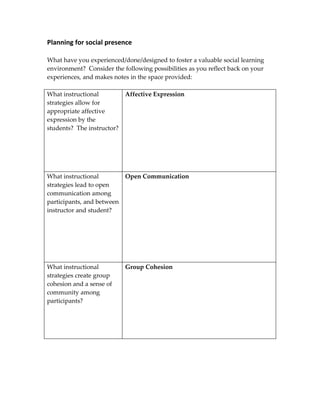
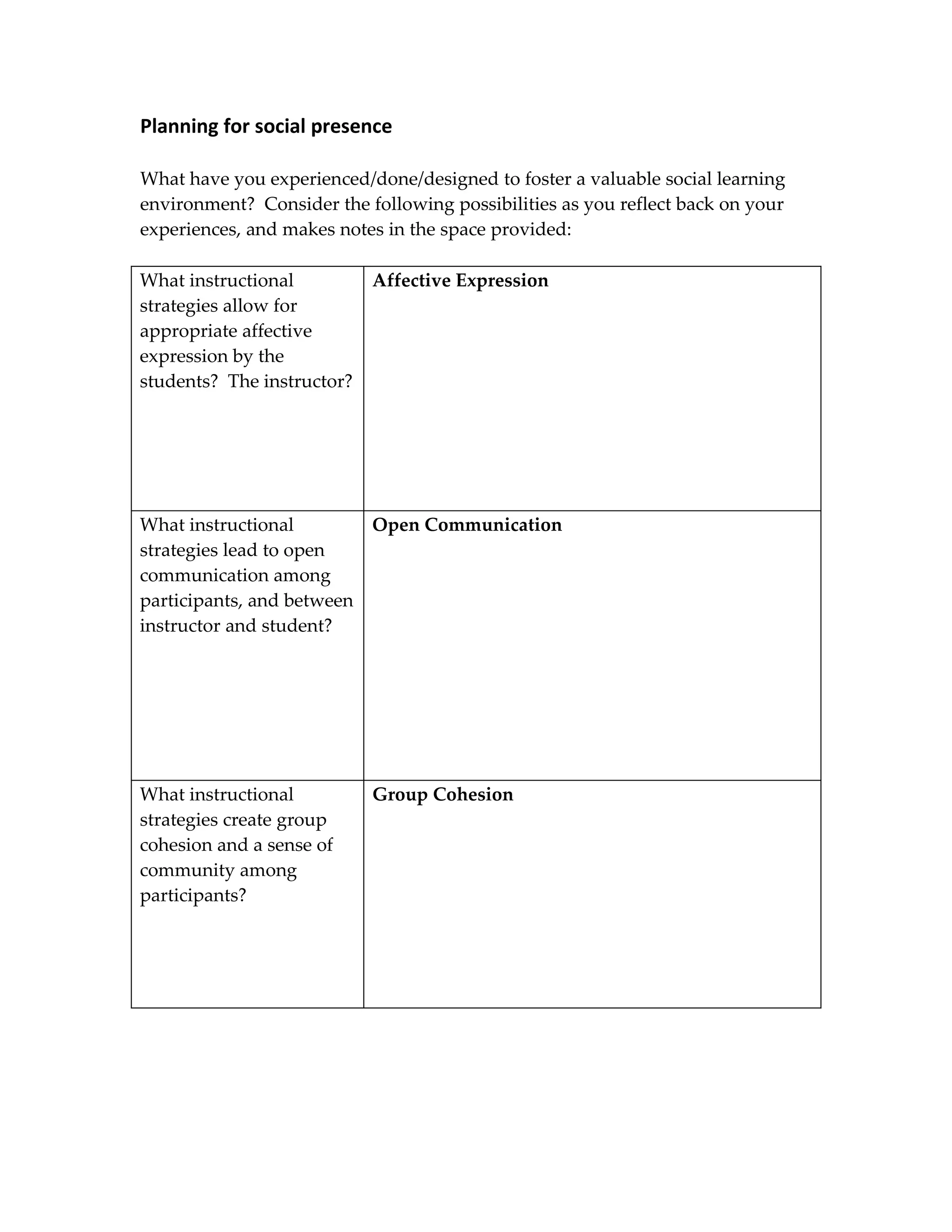
Planning for social presence

What have you experienced/done/designed to foster a valuable social learning
environment? Consider the following possibilities as you reflect back on your
experiences, and makes notes in the space provided:

What instructional          Affective Expression
strategies allow for
appropriate affective
expression by the
students? The instructor?


What instructional          Open Communication
strategies lead to open
communication among
participants, and between
instructor and student?


What instructional          Group Cohesion
strategies create group
cohesion and a sense of
community among
participants?
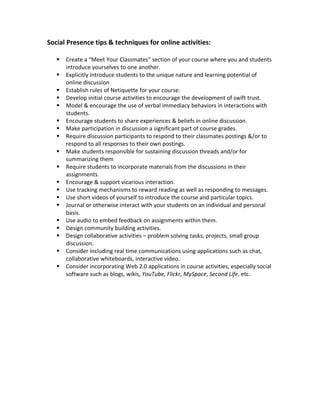
Social Presence tips & techniques for online activities:

      Create a “Meet Your Classmates” section of your course where you and students
       introduce yourselves to one another.
      Explicitly introduce students to the unique nature and learning potential of
       online discussion
      Establish rules of Netiquette for your course.
      Develop initial course activities to encourage the development of swift trust.
      Model & encourage the use of verbal immediacy behaviors in interactions with
       students.
      Encourage students to share experiences & beliefs in online discussion.
      Make participation in discussion a significant part of course grades.
      Require discussion participants to respond to their classmates postings &/or to
       respond to all responses to their own postings.
      Make students responsible for sustaining discussion threads and/or for
       summarizing them
      Require students to incorporate materials from the discussions in their
       assignments.
      Encourage & support vicarious interaction.
      Use tracking mechanisms to reward reading as well as responding to messages.
      Use short videos of yourself to introduce the course and particular topics.
      Journal or otherwise interact with your students on an individual and personal
       basis.
      Use audio to embed feedback on assignments within them.
      Design community building activities.
      Design collaborative activities – problem solving tasks, projects, small group
       discussion.
      Consider including real time communications using applications such as chat,
       collaborative whiteboards, interactive video.
      Consider incorporating Web 2.0 applications in course activities, especially social
       software such as blogs, wikis, YouTube, Flickr, MySpace, Second Life, etc.
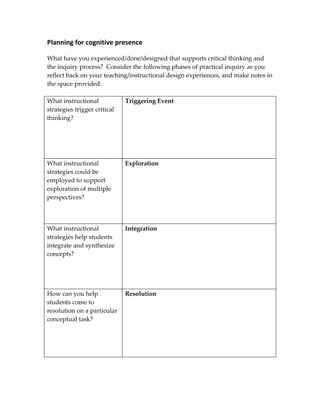
Planning for cognitive presence

What have you experienced/done/designed that supports critical thinking and
the inquiry process? Consider the following phases of practical inquiry as you
reflect back on your teaching/instructional design experiences, and make notes in
the space provided:

What instructional            Triggering Event
strategies trigger critical
thinking?


What instructional            Exploration
strategies could be
employed to support
exploration of multiple
perspectives?


What instructional            Integration
strategies help students
integrate and synthesize
concepts?


How can you help              Resolution
students come to
resolution on a particular
conceptual task?
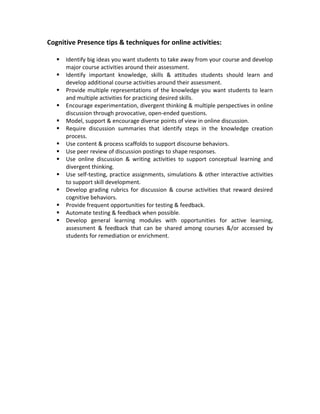
Cognitive Presence tips & techniques for online activities:

      Identify big ideas you want students to take away from your course and develop
       major course activities around their assessment.
      Identify important knowledge, skills & attitudes students should learn and
       develop additional course activities around their assessment.
      Provide multiple representations of the knowledge you want students to learn
       and multiple activities for practicing desired skills.
      Encourage experimentation, divergent thinking & multiple perspectives in online
       discussion through provocative, open-ended questions.
      Model, support & encourage diverse points of view in online discussion.
      Require discussion summaries that identify steps in the knowledge creation
       process.
      Use content & process scaffolds to support discourse behaviors.
      Use peer review of discussion postings to shape responses.
      Use online discussion & writing activities to support conceptual learning and
       divergent thinking.
      Use self-testing, practice assignments, simulations & other interactive activities
       to support skill development.
      Develop grading rubrics for discussion & course activities that reward desired
       cognitive behaviors.
      Provide frequent opportunities for testing & feedback.
      Automate testing & feedback when possible.
      Develop general learning modules with opportunities for active learning,
       assessment & feedback that can be shared among courses &/or accessed by
       students for remediation or enrichment.
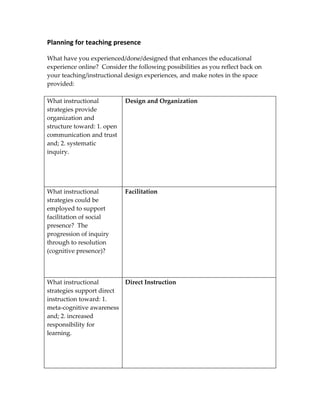
Planning for teaching presence

What have you experienced/done/designed that enhances the educational
experience online? Consider the following possibilities as you reflect back on
your teaching/instructional design experiences, and make notes in the space
provided:

What instructional          Design and Organization
strategies provide
organization and
structure toward: 1. open
communication and trust
and; 2. systematic
inquiry.


What instructional          Facilitation
strategies could be
employed to support
facilitation of social
presence? The
progression of inquiry
through to resolution
(cognitive presence)?


What instructional        Direct Instruction
strategies support direct
instruction toward: 1.
meta-cognitive awareness
and; 2. increased
responsibility for
learning.
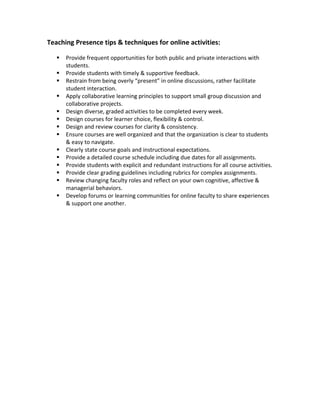
Teaching Presence tips & techniques for online activities:

      Provide frequent opportunities for both public and private interactions with
       students.
      Provide students with timely & supportive feedback.
      Restrain from being overly “present” in online discussions, rather facilitate
       student interaction.
      Apply collaborative learning principles to support small group discussion and
       collaborative projects.
      Design diverse, graded activities to be completed every week.
      Design courses for learner choice, flexibility & control.
      Design and review courses for clarity & consistency.
      Ensure courses are well organized and that the organization is clear to students
       & easy to navigate.
      Clearly state course goals and instructional expectations.
      Provide a detailed course schedule including due dates for all assignments.
      Provide students with explicit and redundant instructions for all course activities.
      Provide clear grading guidelines including rubrics for complex assignments.
      Review changing faculty roles and reflect on your own cognitive, affective &
       managerial behaviors.
      Develop forums or learning communities for online faculty to share experiences
       & support one another.

Planning For Presences Handout

  • 1.
    Planning for socialpresence What have you experienced/done/designed to foster a valuable social learning environment? Consider the following possibilities as you reflect back on your experiences, and makes notes in the space provided: What instructional Affective Expression strategies allow for appropriate affective expression by the students? The instructor? What instructional Open Communication strategies lead to open communication among participants, and between instructor and student? What instructional Group Cohesion strategies create group cohesion and a sense of community among participants?
  • 2.
    Social Presence tips& techniques for online activities:  Create a “Meet Your Classmates” section of your course where you and students introduce yourselves to one another.  Explicitly introduce students to the unique nature and learning potential of online discussion  Establish rules of Netiquette for your course.  Develop initial course activities to encourage the development of swift trust.  Model & encourage the use of verbal immediacy behaviors in interactions with students.  Encourage students to share experiences & beliefs in online discussion.  Make participation in discussion a significant part of course grades.  Require discussion participants to respond to their classmates postings &/or to respond to all responses to their own postings.  Make students responsible for sustaining discussion threads and/or for summarizing them  Require students to incorporate materials from the discussions in their assignments.  Encourage & support vicarious interaction.  Use tracking mechanisms to reward reading as well as responding to messages.  Use short videos of yourself to introduce the course and particular topics.  Journal or otherwise interact with your students on an individual and personal basis.  Use audio to embed feedback on assignments within them.  Design community building activities.  Design collaborative activities – problem solving tasks, projects, small group discussion.  Consider including real time communications using applications such as chat, collaborative whiteboards, interactive video.  Consider incorporating Web 2.0 applications in course activities, especially social software such as blogs, wikis, YouTube, Flickr, MySpace, Second Life, etc.
  • 3.
    Planning for cognitivepresence What have you experienced/done/designed that supports critical thinking and the inquiry process? Consider the following phases of practical inquiry as you reflect back on your teaching/instructional design experiences, and make notes in the space provided: What instructional Triggering Event strategies trigger critical thinking? What instructional Exploration strategies could be employed to support exploration of multiple perspectives? What instructional Integration strategies help students integrate and synthesize concepts? How can you help Resolution students come to resolution on a particular conceptual task?
  • 4.
    Cognitive Presence tips& techniques for online activities:  Identify big ideas you want students to take away from your course and develop major course activities around their assessment.  Identify important knowledge, skills & attitudes students should learn and develop additional course activities around their assessment.  Provide multiple representations of the knowledge you want students to learn and multiple activities for practicing desired skills.  Encourage experimentation, divergent thinking & multiple perspectives in online discussion through provocative, open-ended questions.  Model, support & encourage diverse points of view in online discussion.  Require discussion summaries that identify steps in the knowledge creation process.  Use content & process scaffolds to support discourse behaviors.  Use peer review of discussion postings to shape responses.  Use online discussion & writing activities to support conceptual learning and divergent thinking.  Use self-testing, practice assignments, simulations & other interactive activities to support skill development.  Develop grading rubrics for discussion & course activities that reward desired cognitive behaviors.  Provide frequent opportunities for testing & feedback.  Automate testing & feedback when possible.  Develop general learning modules with opportunities for active learning, assessment & feedback that can be shared among courses &/or accessed by students for remediation or enrichment.
  • 5.
    Planning for teachingpresence What have you experienced/done/designed that enhances the educational experience online? Consider the following possibilities as you reflect back on your teaching/instructional design experiences, and make notes in the space provided: What instructional Design and Organization strategies provide organization and structure toward: 1. open communication and trust and; 2. systematic inquiry. What instructional Facilitation strategies could be employed to support facilitation of social presence? The progression of inquiry through to resolution (cognitive presence)? What instructional Direct Instruction strategies support direct instruction toward: 1. meta-cognitive awareness and; 2. increased responsibility for learning.
  • 6.
    Teaching Presence tips& techniques for online activities:  Provide frequent opportunities for both public and private interactions with students.  Provide students with timely & supportive feedback.  Restrain from being overly “present” in online discussions, rather facilitate student interaction.  Apply collaborative learning principles to support small group discussion and collaborative projects.  Design diverse, graded activities to be completed every week.  Design courses for learner choice, flexibility & control.  Design and review courses for clarity & consistency.  Ensure courses are well organized and that the organization is clear to students & easy to navigate.  Clearly state course goals and instructional expectations.  Provide a detailed course schedule including due dates for all assignments.  Provide students with explicit and redundant instructions for all course activities.  Provide clear grading guidelines including rubrics for complex assignments.  Review changing faculty roles and reflect on your own cognitive, affective & managerial behaviors.  Develop forums or learning communities for online faculty to share experiences & support one another.