


Physical Security Primer 
Dr. Eric Vanderburg 
Director, Information Systems and Security 
JURINNOV LTD
Objectives 
• Explain physical security strategies 
• Describe physical security controls 
• Understand the role of physical security
3 
4 Key Strategies 
1. Territoriality 
2. Natural Surveillance 
3. Activity Support 
4. Access Control
4 
Territoriality 
Most people tend to protect area that 
they feel is their own, and have a 
certain amount of respect for 
other’s. Fences, pavement 
treatments, signs and landscaping all 
help to express ownership.
5 
Natural Surveillance 
• This is almost entirely based off of the fact that 
criminals do not want to be seen. 
• Place physical activities, features and people in a 
way that they can be observed 
• Remove trees, sheds, bushes and other sight 
obstructions
6 
Access Control 
• Properly located entrances/exits 
• Fencing 
• Lighting 
• Receptionist at a front desk 
• A neighbor sitting on their front porch
7 
An Overview of Physical Controls 
Concentric Zone Theory – based on the premise 
that the more valuable an asset is, the more 
protection it needs 
3 Basic Lines of Physical Defense: 
1. The perimeter of the facility 
2. The building exterior 
3. The interior
8 
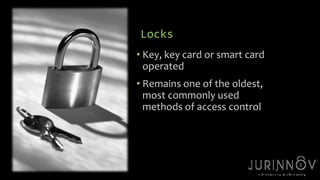
Locks 
• Key, key card or smart card 
operated 
• Remains one of the oldest, 
most commonly used 
methods of access control
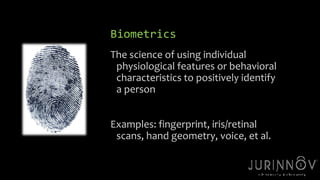
Biometrics 
The science of using individual 
physiological features or behavioral 
characteristics to positively identify 
a person 
9 
Examples: fingerprint, iris/retinal 
scans, hand geometry, voice, et al.
Lighting 
• Intruders want darkness to cover their actions 
• 3 out of 4 commercial burglaries are committed within 
buildings with little or no light 
• Types: 
10 
1. Continuous 
2. Standby 
3. Moveable 
4. Emergency
11 
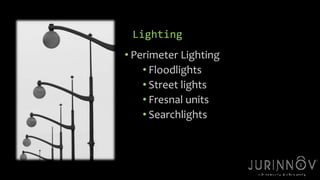
Lighting 
• Perimeter Lighting 
• Floodlights 
• Street lights 
• Fresnal units 
• Searchlights
12 
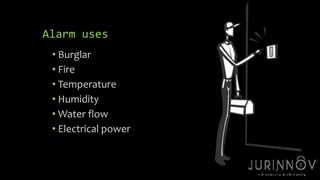
Alarm uses 
• Burglar 
• Fire 
• Temperature 
• Humidity 
•Water flow 
• Electrical power
13 
Alarm system types 
Local – sound on the premises only 
• Proprietary – a constantly-manned alarm 
panel operated by the owner 
• Central Station – similar to proprietary, 
except usually operated off premises by an 
alarm company 
• Police Connected – the alarm is directed via 
phone lines to the nearest police dept.
14 
Alarms – False Alarms 
• More than 90% of all intrusion alarms are false 
alarms, resulting in needless expense and risks 
on the part of responders. 
• Because of the high number of false alarms, 
many cities prohibit alarms connected directly 
to the police department.
15 
Closed Circuit Television (CCTV) 
• A generic term, generally meaning a system in 
which a number of video cameras are 
connected in a closed circuit or loop, where the 
images are sent to a central television monitor 
or recorded. 
• CCTV systems range from basic system to very 
complicated networks.
16 
Closed Circuit Television (CCTV) 
Cameras may be overt or covert, or semi-covert. 
• Overt – out in the open 
• Covert – hidden 
• Semi- Covert – cameras are in public view 
but behind a one-way transparent covering.
17 
CCTV other technology 
• Internet Protocol Video (IP) 
• Video can be sent across a company’s data network 
so that it can be viewed wherever the company 
chooses. 
• These can cause bandwidth and digital storage 
issues for a company’s network. 
• Thermal Imaging – operates on the principle that all 
objects emit infrared energy that can be seen using a 
thermal imager 
• Night Cameras – most popular kind use image 
intensification that amplifies available visible and near-infrared 
light to achieve better vision
Privacy concerns… 
• There is concern over the amount of, or rather lack 
of, privacy by private, non-criminal citizens 
through the extensive use of surveillance 
methods. 
• Some cities are passing legislation to govern these 
types of devices and their use. 
18
19 
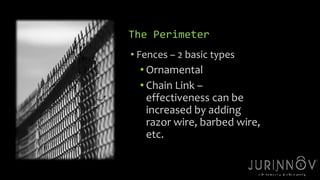
The Perimeter 
• Fences – 2 basic types 
• Ornamental 
• Chain Link – 
effectiveness can be 
increased by adding 
razor wire, barbed wire, 
etc.
20 
The Perimeter 
• Surveillance Cameras 
• Vehicle Barriers 
• Active – require some action by a person 
or equipment to be raised into place 
• Passive – a fixed device with no moving 
parts, such as guard rails, concrete poles, 
etc.
21 
The Perimeter 
• Patrols 
• Security Officers 
• Patrol or Guard Dog units – roam 
alone inside a perimeter or building 
to deter intruders
22 
The Perimeter 
• Signs 
• Physical Layout 
When possible, we should always try to 
maintain a clear zone of 20 feet on either 
side of the perimeter
23 
Building Exterior controls 
• For some facilities, the exterior is the first line of 
defense. 
• Panic or Crash Bars 
A device located on the inside of a door only. It 
allows the door to opened in case of a fire, but 
has no hardware on the outside that can be used 
to open the door.
24 
The Building Exterior 
• Keys for effective security: 
• Strong, locked doors 
• Limited number of entrances 
• Secured openings (>96 sq. inches) 
• Alarms 
• Surveillance 
• Lighting
The Building Interior 
• Internal physical controls are usually required 
along with external controls. 
• Secure areas should be separated from non-secure 
areas if possible. 
25
The Building Interior - Safeguards: 
• Locks 
• Alarms 
• Mirrors 
• Document 
shredders 
• Vaults/ safes 
• Bolt down large, 
moveable 
equipment 
• Lock down devices 
on office equipment 
• Surveillance systems 
26
27 
The Command Center 
• Should be linked to the security control 
center 
• Should be in a tightly controlled area 
• Can also monitor access 
• Increasingly, staff members of the command 
center can also handle computer network 
issues if need be.
28 
The Physical Security System 
• The goal is to provide the amount of security 
needed - neither too much nor too little. 
• This is a balancing act between aesthetic, 
operational, safety and security needs.
The Physical Security System 
• Physical Security Users: a group comprised of the 
people who own the property being protected, 
the people who work at or visit the facility, and the 
security forces themselves. 
• Physical security footprint – the mark left during or 
after a security action that the public sees and lets 
them know security is present. 
29
For assistance or additional information 
• Phone: 216-664-1100 
• Web: www.jurinnov.com 
• Email: Eric.Vanderburg@jurinnov.com 
JurInnov Ltd. 
The Idea Center 
1375 Euclid Avenue, Suite 400 
Cleveland, Ohio 44115

Physical security primer - JURINNOV - Eric Vanderburg

  • 1.
    Physical Security Primer Dr. Eric Vanderburg Director, Information Systems and Security JURINNOV LTD
  • 2.
    Objectives • Explainphysical security strategies • Describe physical security controls • Understand the role of physical security
  • 3.
    3 4 KeyStrategies 1. Territoriality 2. Natural Surveillance 3. Activity Support 4. Access Control
  • 4.
    4 Territoriality Mostpeople tend to protect area that they feel is their own, and have a certain amount of respect for other’s. Fences, pavement treatments, signs and landscaping all help to express ownership.
  • 5.
    5 Natural Surveillance • This is almost entirely based off of the fact that criminals do not want to be seen. • Place physical activities, features and people in a way that they can be observed • Remove trees, sheds, bushes and other sight obstructions
  • 6.
    6 Access Control • Properly located entrances/exits • Fencing • Lighting • Receptionist at a front desk • A neighbor sitting on their front porch
  • 7.
    7 An Overviewof Physical Controls Concentric Zone Theory – based on the premise that the more valuable an asset is, the more protection it needs 3 Basic Lines of Physical Defense: 1. The perimeter of the facility 2. The building exterior 3. The interior
  • 8.
    8 Locks •Key, key card or smart card operated • Remains one of the oldest, most commonly used methods of access control
  • 9.
    Biometrics The scienceof using individual physiological features or behavioral characteristics to positively identify a person 9 Examples: fingerprint, iris/retinal scans, hand geometry, voice, et al.
  • 10.
    Lighting • Intruderswant darkness to cover their actions • 3 out of 4 commercial burglaries are committed within buildings with little or no light • Types: 10 1. Continuous 2. Standby 3. Moveable 4. Emergency
  • 11.
    11 Lighting •Perimeter Lighting • Floodlights • Street lights • Fresnal units • Searchlights
  • 12.
    12 Alarm uses • Burglar • Fire • Temperature • Humidity •Water flow • Electrical power
  • 13.
    13 Alarm systemtypes Local – sound on the premises only • Proprietary – a constantly-manned alarm panel operated by the owner • Central Station – similar to proprietary, except usually operated off premises by an alarm company • Police Connected – the alarm is directed via phone lines to the nearest police dept.
  • 14.
    14 Alarms –False Alarms • More than 90% of all intrusion alarms are false alarms, resulting in needless expense and risks on the part of responders. • Because of the high number of false alarms, many cities prohibit alarms connected directly to the police department.
  • 15.
    15 Closed CircuitTelevision (CCTV) • A generic term, generally meaning a system in which a number of video cameras are connected in a closed circuit or loop, where the images are sent to a central television monitor or recorded. • CCTV systems range from basic system to very complicated networks.
  • 16.
    16 Closed CircuitTelevision (CCTV) Cameras may be overt or covert, or semi-covert. • Overt – out in the open • Covert – hidden • Semi- Covert – cameras are in public view but behind a one-way transparent covering.
  • 17.
    17 CCTV othertechnology • Internet Protocol Video (IP) • Video can be sent across a company’s data network so that it can be viewed wherever the company chooses. • These can cause bandwidth and digital storage issues for a company’s network. • Thermal Imaging – operates on the principle that all objects emit infrared energy that can be seen using a thermal imager • Night Cameras – most popular kind use image intensification that amplifies available visible and near-infrared light to achieve better vision
  • 18.
    Privacy concerns… •There is concern over the amount of, or rather lack of, privacy by private, non-criminal citizens through the extensive use of surveillance methods. • Some cities are passing legislation to govern these types of devices and their use. 18
  • 19.
    19 The Perimeter • Fences – 2 basic types • Ornamental • Chain Link – effectiveness can be increased by adding razor wire, barbed wire, etc.
  • 20.
    20 The Perimeter • Surveillance Cameras • Vehicle Barriers • Active – require some action by a person or equipment to be raised into place • Passive – a fixed device with no moving parts, such as guard rails, concrete poles, etc.
  • 21.
    21 The Perimeter • Patrols • Security Officers • Patrol or Guard Dog units – roam alone inside a perimeter or building to deter intruders
  • 22.
    22 The Perimeter • Signs • Physical Layout When possible, we should always try to maintain a clear zone of 20 feet on either side of the perimeter
  • 23.
    23 Building Exteriorcontrols • For some facilities, the exterior is the first line of defense. • Panic or Crash Bars A device located on the inside of a door only. It allows the door to opened in case of a fire, but has no hardware on the outside that can be used to open the door.
  • 24.
    24 The BuildingExterior • Keys for effective security: • Strong, locked doors • Limited number of entrances • Secured openings (>96 sq. inches) • Alarms • Surveillance • Lighting
  • 25.
    The Building Interior • Internal physical controls are usually required along with external controls. • Secure areas should be separated from non-secure areas if possible. 25
  • 26.
    The Building Interior- Safeguards: • Locks • Alarms • Mirrors • Document shredders • Vaults/ safes • Bolt down large, moveable equipment • Lock down devices on office equipment • Surveillance systems 26
  • 27.
    27 The CommandCenter • Should be linked to the security control center • Should be in a tightly controlled area • Can also monitor access • Increasingly, staff members of the command center can also handle computer network issues if need be.
  • 28.
    28 The PhysicalSecurity System • The goal is to provide the amount of security needed - neither too much nor too little. • This is a balancing act between aesthetic, operational, safety and security needs.
  • 29.
    The Physical SecuritySystem • Physical Security Users: a group comprised of the people who own the property being protected, the people who work at or visit the facility, and the security forces themselves. • Physical security footprint – the mark left during or after a security action that the public sees and lets them know security is present. 29
  • 30.
    For assistance oradditional information • Phone: 216-664-1100 • Web: www.jurinnov.com • Email: Eric.Vanderburg@jurinnov.com JurInnov Ltd. The Idea Center 1375 Euclid Avenue, Suite 400 Cleveland, Ohio 44115