P R E S E N T E D B Y
Sandia National Laboratories is a multimission
laboratory managed and operated by National
Technology & Engineering Solutions of Sandia,
LLC, a wholly owned subsidiary of Honeywell
International Inc., for the U.S. Department of
Energy’s National Nuclear Security
Administration under contract DE-NA0003525.
Configuring
Recommendations for
Personalized Search at
Sandia National Laboratories
Clay Pryor and Ryan Cooper
SAND2019-10363 C
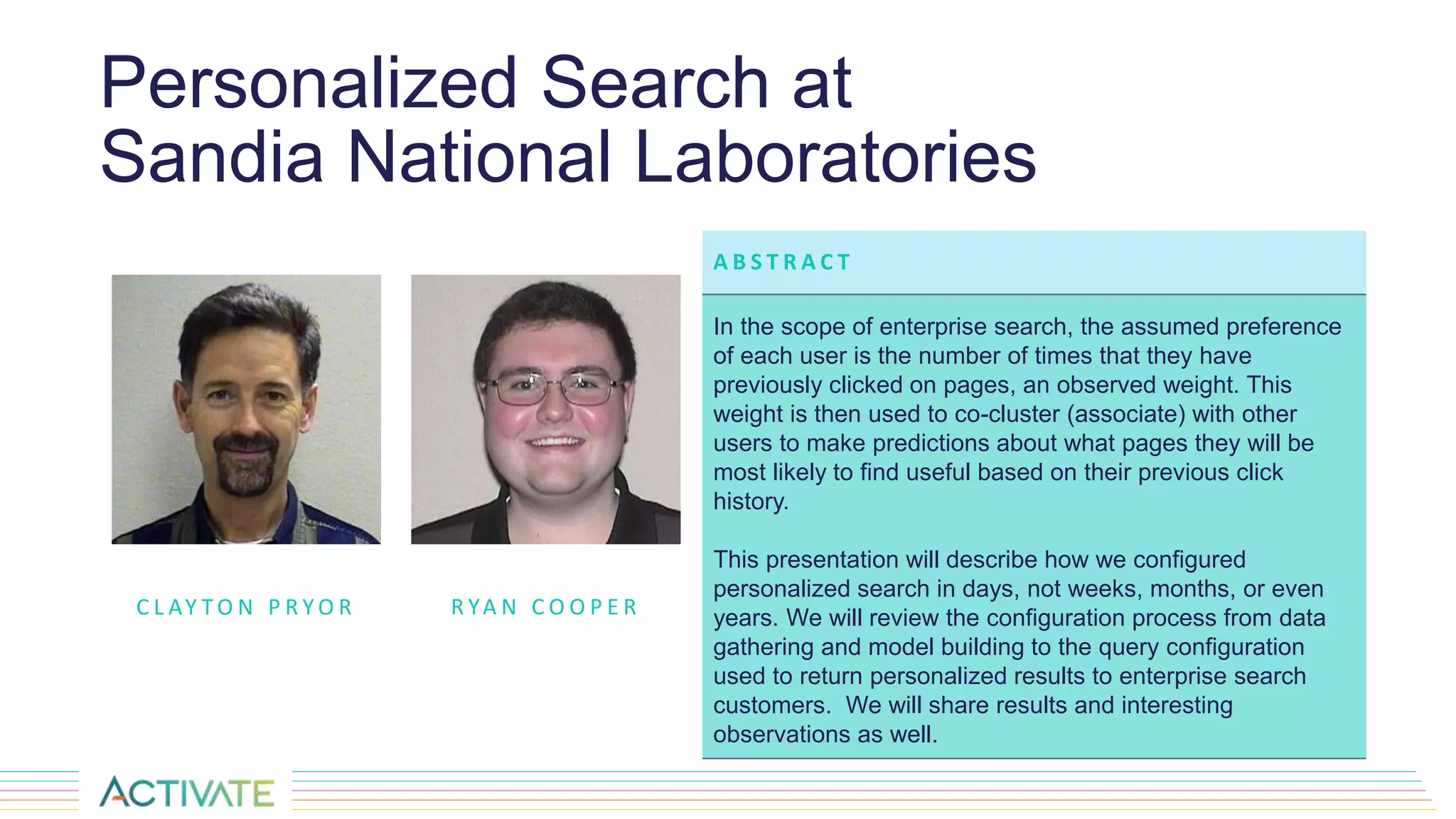
Personalized Search at
Sandia National Laboratories
C L AY T O N P R Y O R
A B S T R A C T
In the scope of enterprise search, the assumed preference
of each user is the number of times that they have
previously clicked on pages, an observed weight. This
weight is then used to co-cluster (associate) with other
users to make predictions about what pages they will be
most likely to find useful based on their previous click
history.
This presentation will describe how we configured
personalized search in days, not weeks, months, or even
years. We will review the configuration process from data
gathering and model building to the query configuration
used to return personalized results to enterprise search
customers. We will share results and interesting
observations as well.
R YA N C O O P E R
Agenda
• What is Personalization?
• What is Personalized Search?
• Why does it matter in an Enterprise Search environment?
• How we accomplished data-driven personalization natively within Fusion
• Fusion configurations
• Examples
• Observations and Considerations
• Next steps
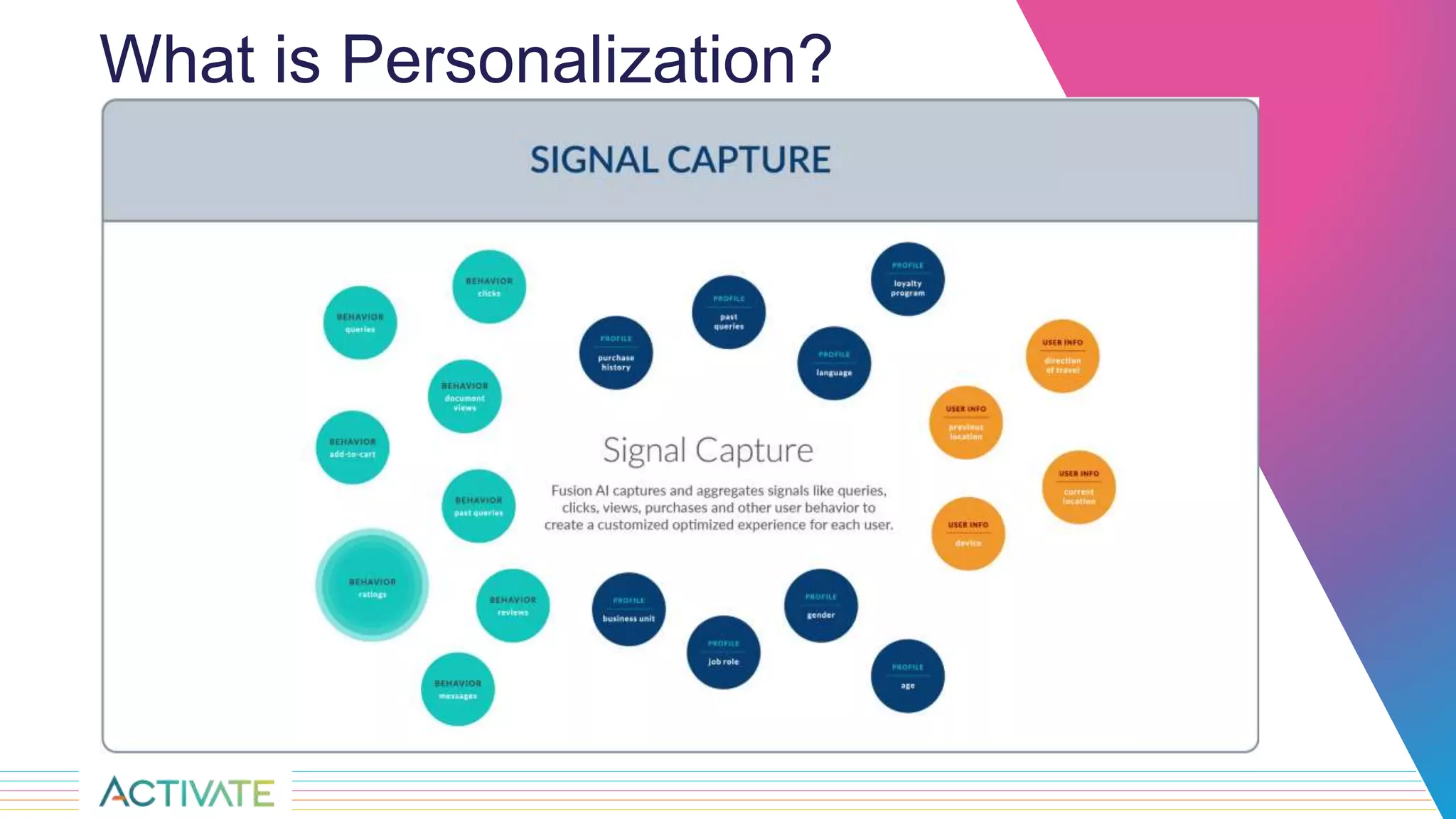
What is Personalization?
What is Personalized Search?
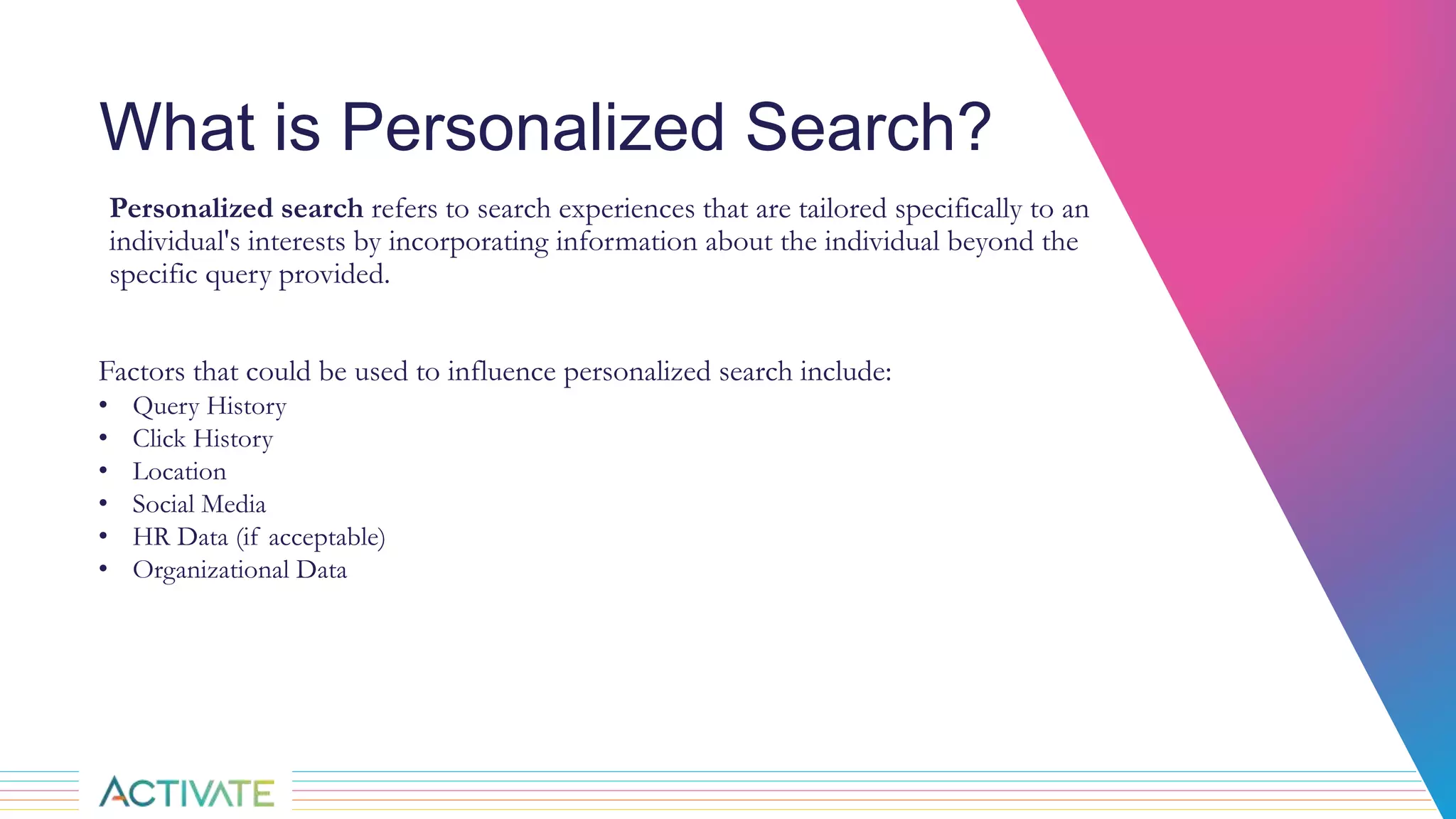
Personalized search refers to search experiences that are tailored specifically to an
individual's interests by incorporating information about the individual beyond the
specific query provided.
Factors that could be used to influence personalized search include:
• Query History
• Click History
• Location
• Social Media
• HR Data (if acceptable)
• Organizational Data
Why does it matter in an
Enterprise Search environment?
Google does it – personally, I don’t like this answer 
We can provide you with results that are more useful to you than the standard results
We can predict what you might be interested in without you even asking
Perhaps we can improve your safety and security
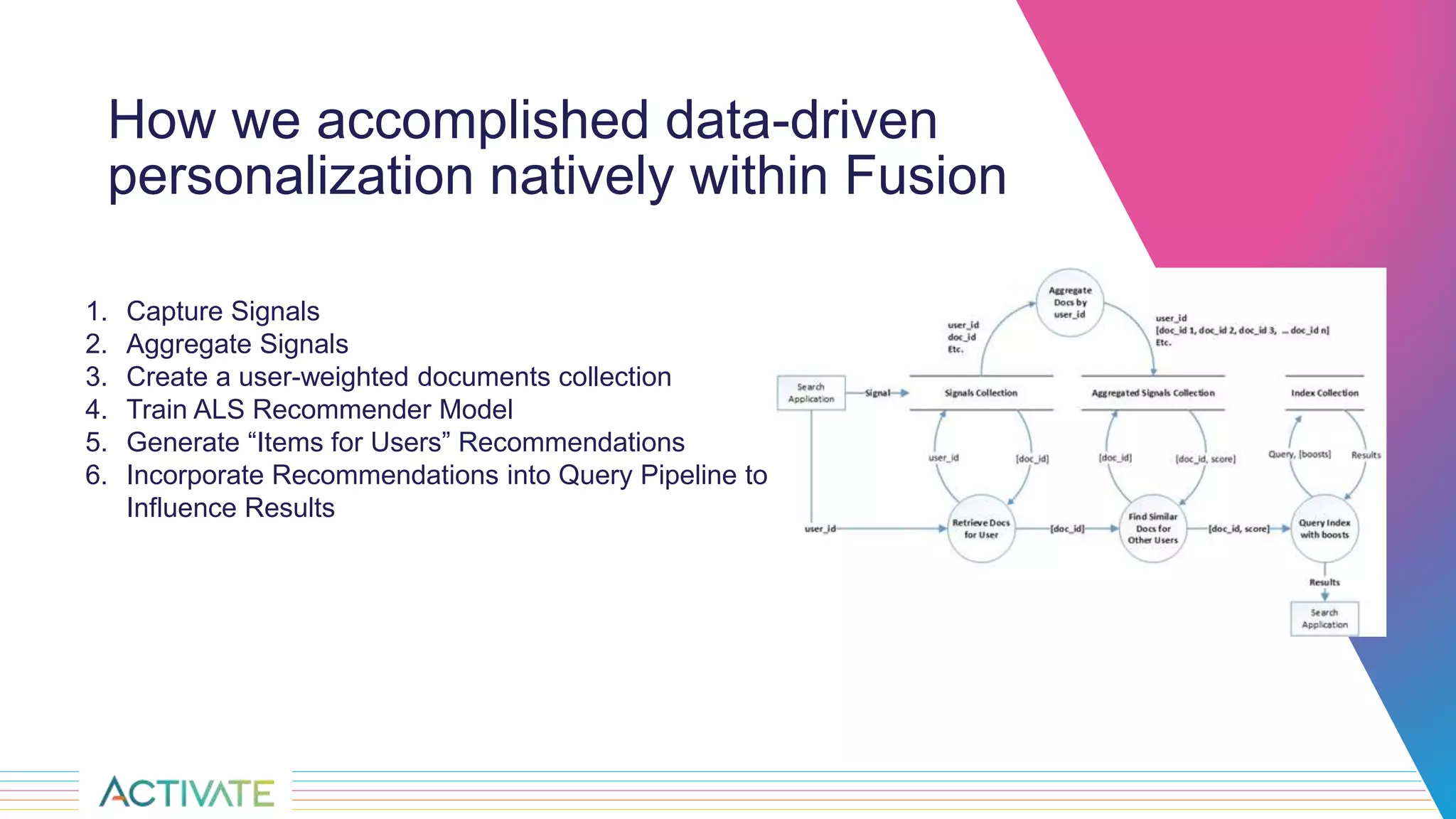
How we accomplished data-driven
personalization natively within Fusion
1. Capture Signals
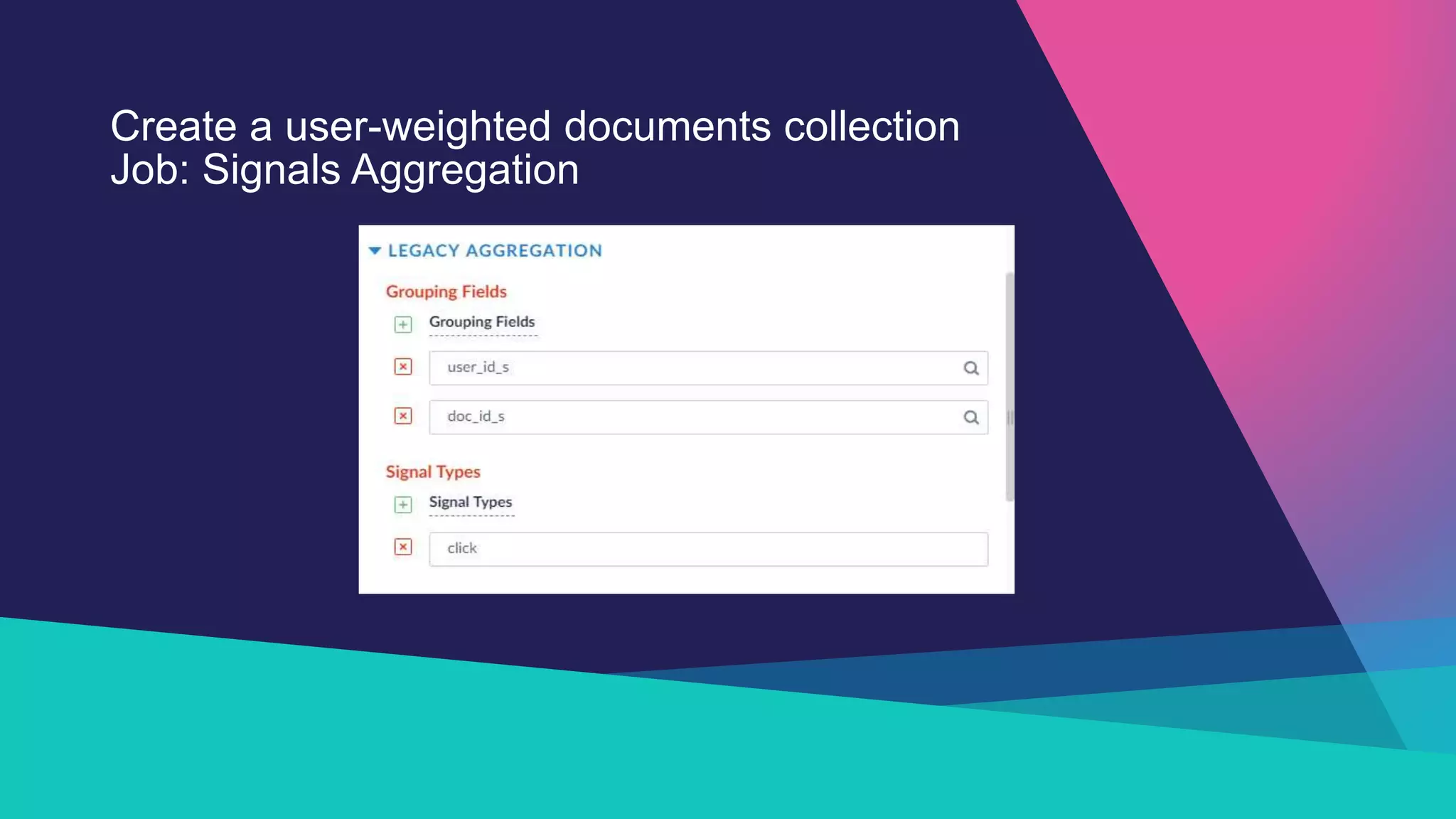
2. Aggregate Signals
3. Create a user-weighted documents collection
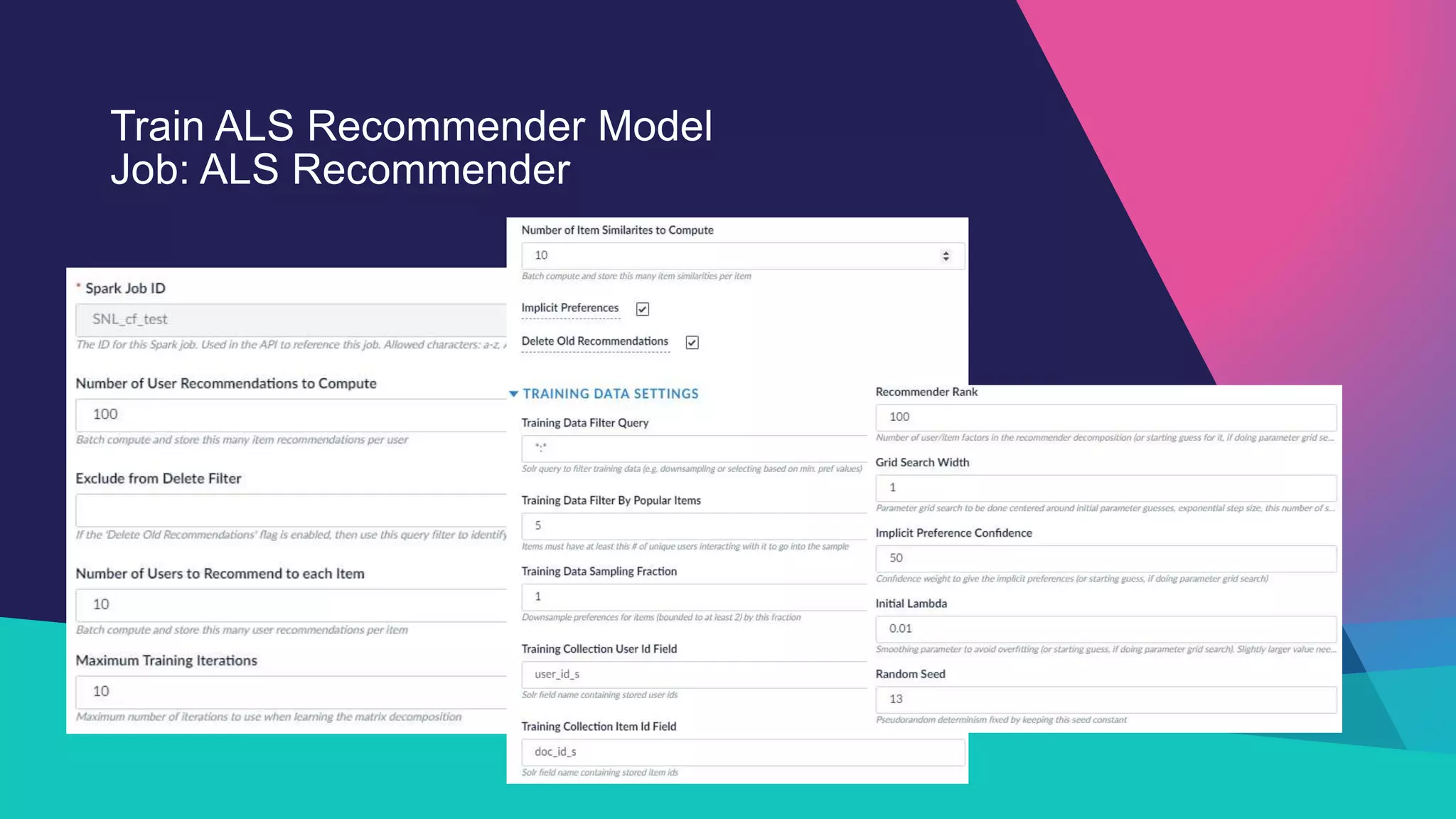
4. Train ALS Recommender Model
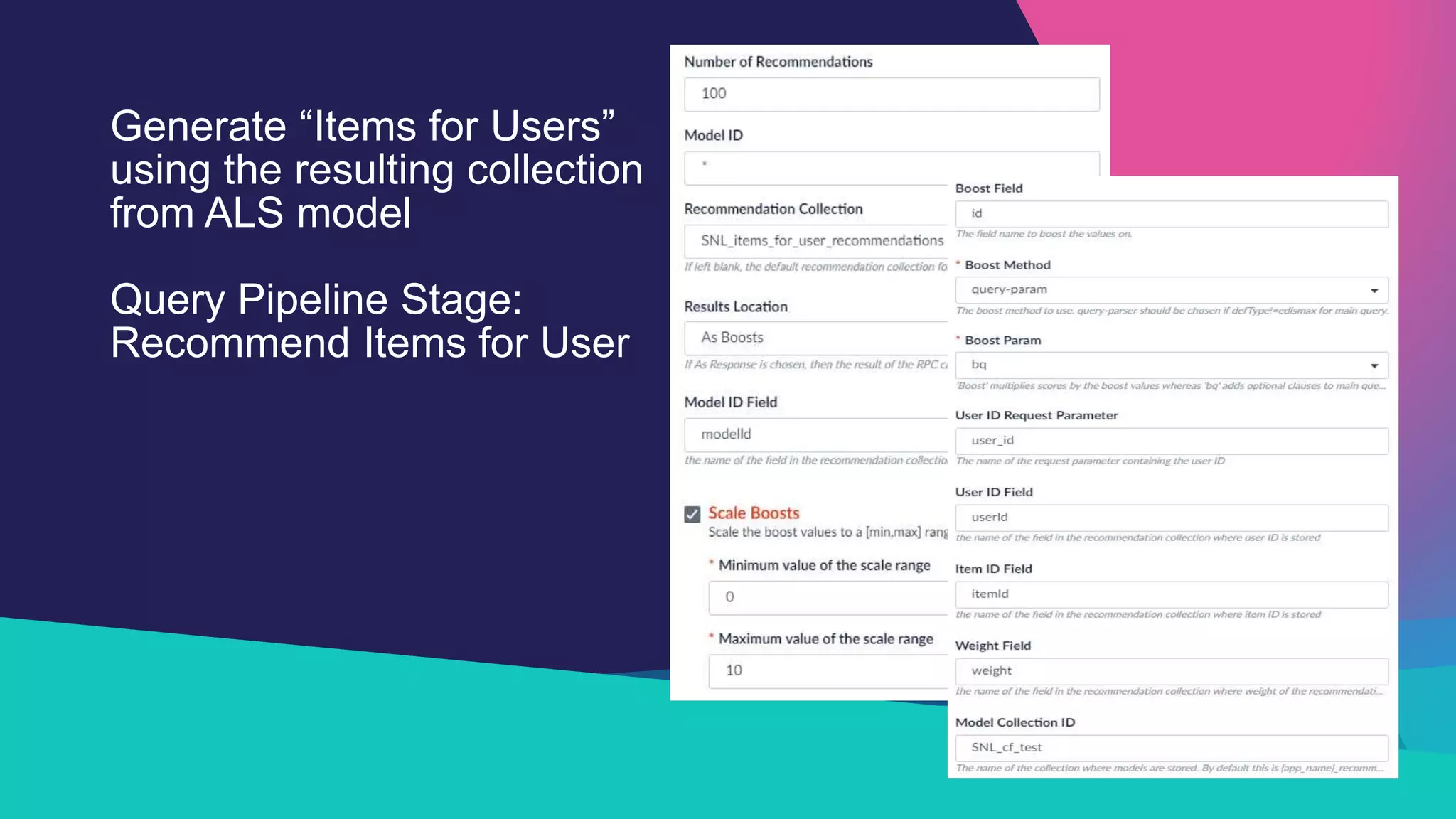
5. Generate “Items for Users” Recommendations
6. Incorporate Recommendations into Query Pipeline to
Influence Results
Configurations of a sample
personalized search pipeline
within Fusion
Create a user-weighted documents collection
Job: Signals Aggregation
Train ALS Recommender Model
Job: ALS Recommender
Generate “Items for Users”
using the resulting collection
from ALS model
Query Pipeline Stage:
Recommend Items for User
Examples
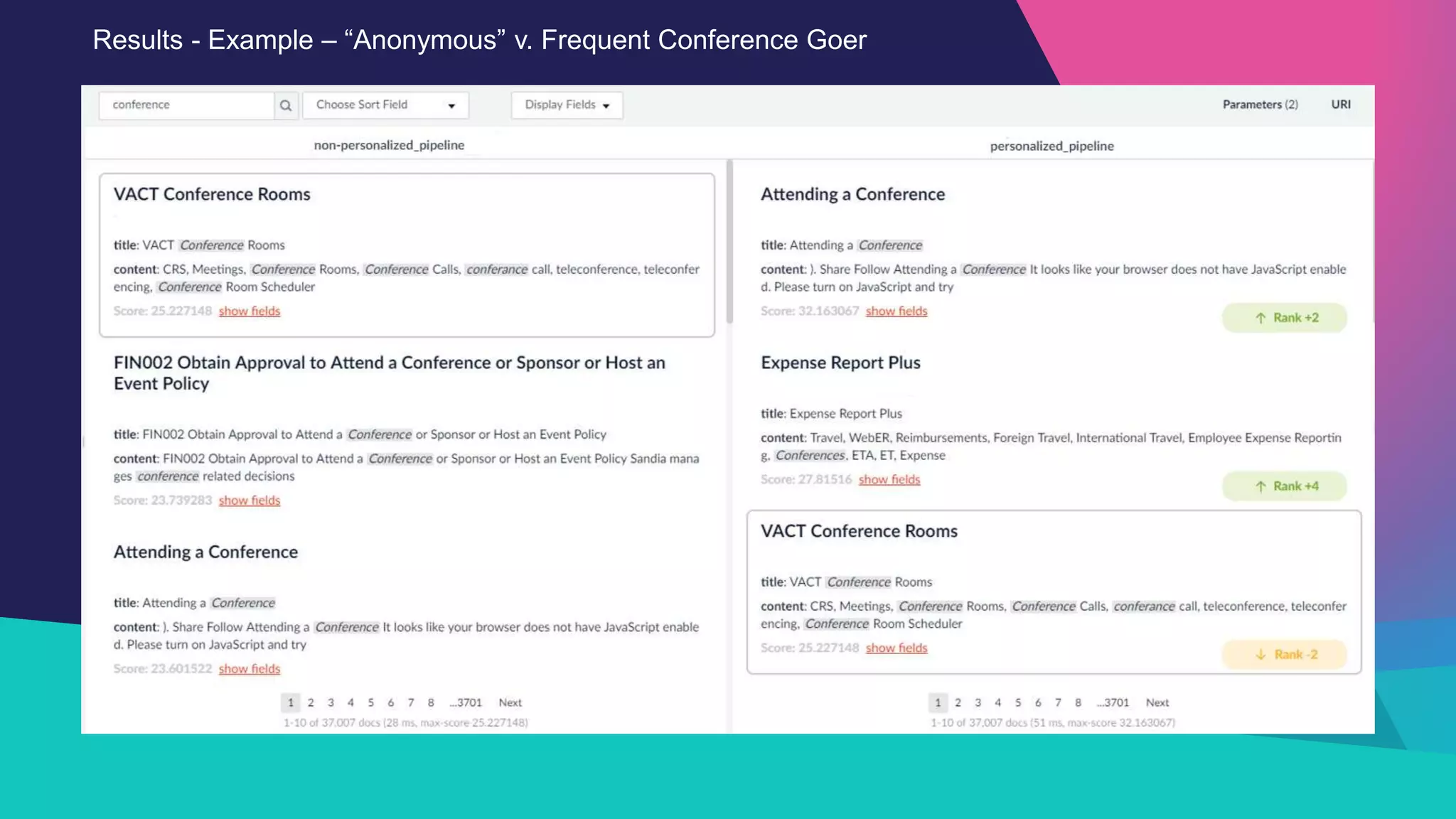
Results - Example – “Anonymous” v. Frequent Conference Goer
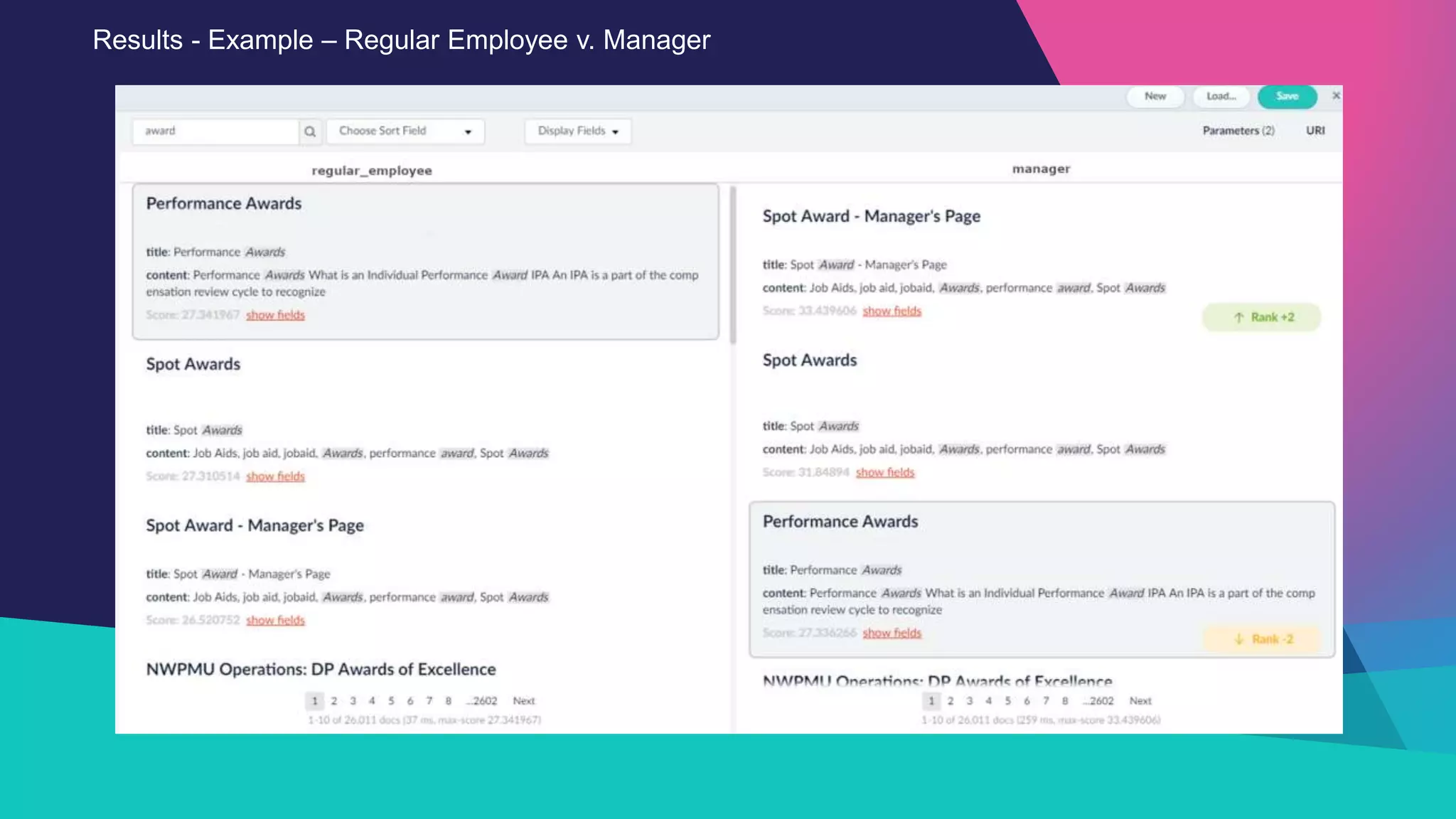
Results - Example – Regular Employee v. Manager
Observations
◦ It worked! The results change when personalization is enabled.
◦ This personalization is not based solely on the current user’s click history but what other
individuals with similar interests clicked on
◦ This approach enables produces “inferences” of what the current individual might be interested
in
◦ Similar types of users had similar recommendations
◦ Frequent Conference Goers
◦ Managers
◦ Level of personalized results is configurable
◦ A user with no click history is given standard search (no personalization).
Considerations
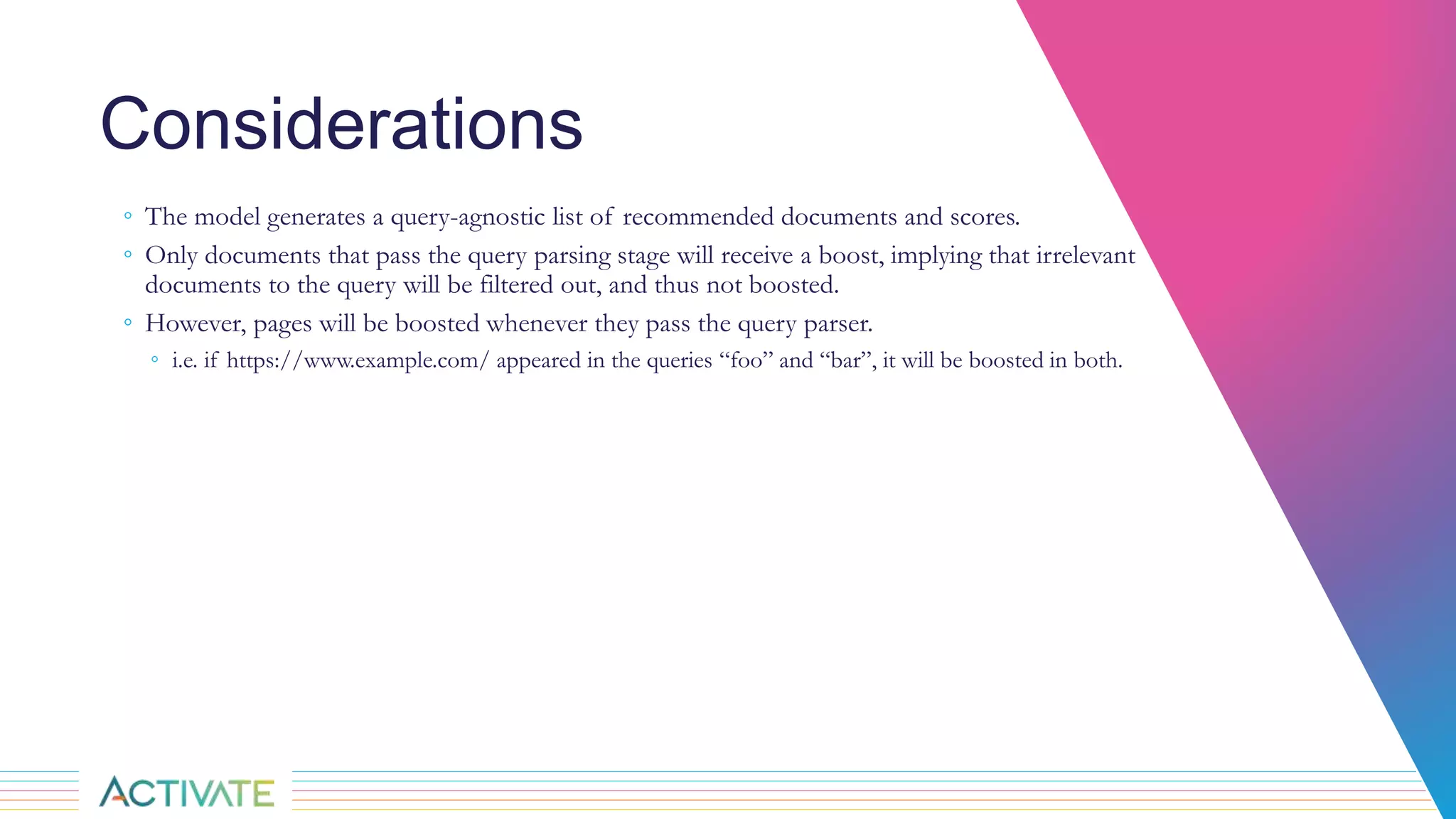
◦ The model generates a query-agnostic list of recommended documents and scores.
◦ Only documents that pass the query parsing stage will receive a boost, implying that irrelevant
documents to the query will be filtered out, and thus not boosted.
◦ However, pages will be boosted whenever they pass the query parser.
◦ i.e. if https://www.example.com/ appeared in the queries “foo” and “bar”, it will be boosted in both.
Next Steps
◦ We have a policy not to introduce changes into our search application until we evaluate them
◦ Changes must not hurt the search results and, hopefully, they should improve the search results
◦ Compare to Golden Standard - We have a tool that will evaluate changes in search results based
on how well they match what experts list as the most desirable results for selected queries.
◦ Golden Standard does not work when results change depending on who is currently using the
system!
◦ Must consider alternatives such as
◦ Focus Groups
◦ A/B Experiments
References
1. https://doc.lucidworks.com/fusion-ai/4.1/user-guide/boosting/index.html
2. https://en.wikipedia.org/wiki/Implicit_data_collection
3. https://en.wikipedia.org/wiki/Recommender_system
4. https://medium.com/radon-dev/als-implicit-collaborative-filtering-5ed653ba39fe
5. https://lucidworks.com/2017/08/24/machine-learning-model-training-and-prediction-using-lucidworks-fusion/
THANK YOU
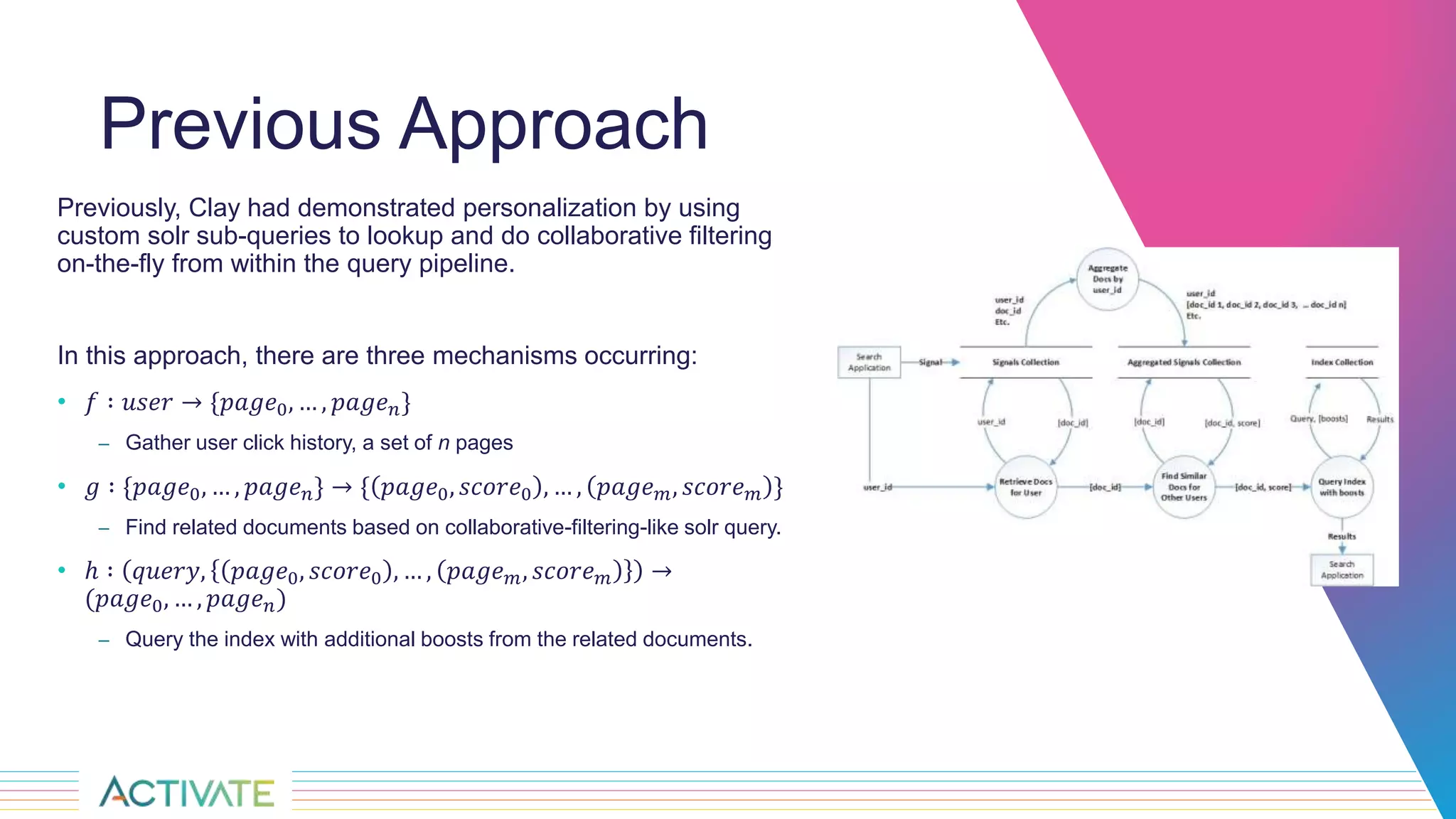
Previous Approach
Previously, Clay had demonstrated personalization by using
custom solr sub-queries to lookup and do collaborative filtering
on-the-fly from within the query pipeline.
In this approach, there are three mechanisms occurring:
• 𝑓 ∶ 𝑢𝑠𝑒𝑟 → {𝑝𝑎𝑔𝑒0, … , 𝑝𝑎𝑔𝑒 𝑛}
– Gather user click history, a set of n pages
• 𝑔 ∶ {𝑝𝑎𝑔𝑒0, … , 𝑝𝑎𝑔𝑒 𝑛} → { 𝑝𝑎𝑔𝑒0, 𝑠𝑐𝑜𝑟𝑒0 , … , 𝑝𝑎𝑔𝑒 𝑚, 𝑠𝑐𝑜𝑟𝑒 𝑚 }
– Find related documents based on collaborative-filtering-like solr query.
• ℎ ∶ 𝑞𝑢𝑒𝑟𝑦, 𝑝𝑎𝑔𝑒0, 𝑠𝑐𝑜𝑟𝑒0 , … , 𝑝𝑎𝑔𝑒 𝑚, 𝑠𝑐𝑜𝑟𝑒 𝑚 →
(𝑝𝑎𝑔𝑒0, … , 𝑝𝑎𝑔𝑒 𝑛)
– Query the index with additional boosts from the related documents.
Approach
Fusion provides an ALS (alternating least squares) collaborative filtering job that
trains a model to recommend pages for users.
By pretraining this model, it essentially accomplishes the functionality of both f and
g from the previous approach, while also eliminating the runtime computation.
It also simplifies the mechanism.
• 𝑎 ∶ 𝑢𝑠𝑒𝑟 → { 𝑝𝑎𝑔𝑒0, 𝑠𝑐𝑜𝑟𝑒0 , … , 𝑝𝑎𝑔𝑒 𝑚, 𝑠𝑐𝑜𝑟𝑒 𝑚 }
– Evaluate the model with the user to get a list of recommended pages and scores
– This is essentially a composition of f and g from the previous approach
• b ∶ 𝑞𝑢𝑒𝑟𝑦, 𝑝𝑎𝑔𝑒0, 𝑠𝑐𝑜𝑟𝑒0 , … , 𝑝𝑎𝑔𝑒 𝑚, 𝑠𝑐𝑜𝑟𝑒 𝑚 → (𝑝𝑎𝑔𝑒0, … , 𝑝𝑎𝑔𝑒 𝑛)
– Query the index with additional boosts from the recommended pages.

Personalized Search at Sandia National Labs

  • 1.
    P R ES E N T E D B Y Sandia National Laboratories is a multimission laboratory managed and operated by National Technology & Engineering Solutions of Sandia, LLC, a wholly owned subsidiary of Honeywell International Inc., for the U.S. Department of Energy’s National Nuclear Security Administration under contract DE-NA0003525. Configuring Recommendations for Personalized Search at Sandia National Laboratories Clay Pryor and Ryan Cooper SAND2019-10363 C
  • 3.
    Personalized Search at SandiaNational Laboratories C L AY T O N P R Y O R A B S T R A C T In the scope of enterprise search, the assumed preference of each user is the number of times that they have previously clicked on pages, an observed weight. This weight is then used to co-cluster (associate) with other users to make predictions about what pages they will be most likely to find useful based on their previous click history. This presentation will describe how we configured personalized search in days, not weeks, months, or even years. We will review the configuration process from data gathering and model building to the query configuration used to return personalized results to enterprise search customers. We will share results and interesting observations as well. R YA N C O O P E R
  • 4.
    Agenda • What isPersonalization? • What is Personalized Search? • Why does it matter in an Enterprise Search environment? • How we accomplished data-driven personalization natively within Fusion • Fusion configurations • Examples • Observations and Considerations • Next steps
  • 5.
  • 6.
    What is PersonalizedSearch? Personalized search refers to search experiences that are tailored specifically to an individual's interests by incorporating information about the individual beyond the specific query provided. Factors that could be used to influence personalized search include: • Query History • Click History • Location • Social Media • HR Data (if acceptable) • Organizational Data
  • 7.
    Why does itmatter in an Enterprise Search environment? Google does it – personally, I don’t like this answer  We can provide you with results that are more useful to you than the standard results We can predict what you might be interested in without you even asking Perhaps we can improve your safety and security
  • 8.
    How we accomplisheddata-driven personalization natively within Fusion 1. Capture Signals 2. Aggregate Signals 3. Create a user-weighted documents collection 4. Train ALS Recommender Model 5. Generate “Items for Users” Recommendations 6. Incorporate Recommendations into Query Pipeline to Influence Results
  • 9.
    Configurations of asample personalized search pipeline within Fusion
  • 10.
    Create a user-weighteddocuments collection Job: Signals Aggregation
  • 11.
    Train ALS RecommenderModel Job: ALS Recommender
  • 12.
    Generate “Items forUsers” using the resulting collection from ALS model Query Pipeline Stage: Recommend Items for User
  • 13.
  • 14.
    Results - Example– “Anonymous” v. Frequent Conference Goer
  • 15.
    Results - Example– Regular Employee v. Manager
  • 16.
    Observations ◦ It worked!The results change when personalization is enabled. ◦ This personalization is not based solely on the current user’s click history but what other individuals with similar interests clicked on ◦ This approach enables produces “inferences” of what the current individual might be interested in ◦ Similar types of users had similar recommendations ◦ Frequent Conference Goers ◦ Managers ◦ Level of personalized results is configurable ◦ A user with no click history is given standard search (no personalization).
  • 17.
    Considerations ◦ The modelgenerates a query-agnostic list of recommended documents and scores. ◦ Only documents that pass the query parsing stage will receive a boost, implying that irrelevant documents to the query will be filtered out, and thus not boosted. ◦ However, pages will be boosted whenever they pass the query parser. ◦ i.e. if https://www.example.com/ appeared in the queries “foo” and “bar”, it will be boosted in both.
  • 18.
    Next Steps ◦ Wehave a policy not to introduce changes into our search application until we evaluate them ◦ Changes must not hurt the search results and, hopefully, they should improve the search results ◦ Compare to Golden Standard - We have a tool that will evaluate changes in search results based on how well they match what experts list as the most desirable results for selected queries. ◦ Golden Standard does not work when results change depending on who is currently using the system! ◦ Must consider alternatives such as ◦ Focus Groups ◦ A/B Experiments
  • 19.
    References 1. https://doc.lucidworks.com/fusion-ai/4.1/user-guide/boosting/index.html 2. https://en.wikipedia.org/wiki/Implicit_data_collection 3.https://en.wikipedia.org/wiki/Recommender_system 4. https://medium.com/radon-dev/als-implicit-collaborative-filtering-5ed653ba39fe 5. https://lucidworks.com/2017/08/24/machine-learning-model-training-and-prediction-using-lucidworks-fusion/
  • 20.
  • 21.
    Previous Approach Previously, Clayhad demonstrated personalization by using custom solr sub-queries to lookup and do collaborative filtering on-the-fly from within the query pipeline. In this approach, there are three mechanisms occurring: • 𝑓 ∶ 𝑢𝑠𝑒𝑟 → {𝑝𝑎𝑔𝑒0, … , 𝑝𝑎𝑔𝑒 𝑛} – Gather user click history, a set of n pages • 𝑔 ∶ {𝑝𝑎𝑔𝑒0, … , 𝑝𝑎𝑔𝑒 𝑛} → { 𝑝𝑎𝑔𝑒0, 𝑠𝑐𝑜𝑟𝑒0 , … , 𝑝𝑎𝑔𝑒 𝑚, 𝑠𝑐𝑜𝑟𝑒 𝑚 } – Find related documents based on collaborative-filtering-like solr query. • ℎ ∶ 𝑞𝑢𝑒𝑟𝑦, 𝑝𝑎𝑔𝑒0, 𝑠𝑐𝑜𝑟𝑒0 , … , 𝑝𝑎𝑔𝑒 𝑚, 𝑠𝑐𝑜𝑟𝑒 𝑚 → (𝑝𝑎𝑔𝑒0, … , 𝑝𝑎𝑔𝑒 𝑛) – Query the index with additional boosts from the related documents.
  • 22.
    Approach Fusion provides anALS (alternating least squares) collaborative filtering job that trains a model to recommend pages for users. By pretraining this model, it essentially accomplishes the functionality of both f and g from the previous approach, while also eliminating the runtime computation. It also simplifies the mechanism. • 𝑎 ∶ 𝑢𝑠𝑒𝑟 → { 𝑝𝑎𝑔𝑒0, 𝑠𝑐𝑜𝑟𝑒0 , … , 𝑝𝑎𝑔𝑒 𝑚, 𝑠𝑐𝑜𝑟𝑒 𝑚 } – Evaluate the model with the user to get a list of recommended pages and scores – This is essentially a composition of f and g from the previous approach • b ∶ 𝑞𝑢𝑒𝑟𝑦, 𝑝𝑎𝑔𝑒0, 𝑠𝑐𝑜𝑟𝑒0 , … , 𝑝𝑎𝑔𝑒 𝑚, 𝑠𝑐𝑜𝑟𝑒 𝑚 → (𝑝𝑎𝑔𝑒0, … , 𝑝𝑎𝑔𝑒 𝑛) – Query the index with additional boosts from the recommended pages.

Editor's Notes

  • #2 Ryan and Clay
  • #6 Clay’s perspective: Provide customers with the information they need when they need it based on their history, profiles, demographics, and whatever other information we have or can gather about them (with permission and without getting too creepy!) We have access to a lot of information about employees but does it make sense to use it even with permission? Not just search results. Can push the information they need when they login or any time during the day (or night).