Wipro Technologies Performance Engineering Practice
Author: Suryakanth Kelmani
Standard Guidelines
&
Best Practices for
Performance Testing
Author: Suryakanth Kelmani
Performance Engineering Practice
Wipro Technologies
Wipro Technologies Performance Engineering Practice
Author: Suryakanth Kelmani
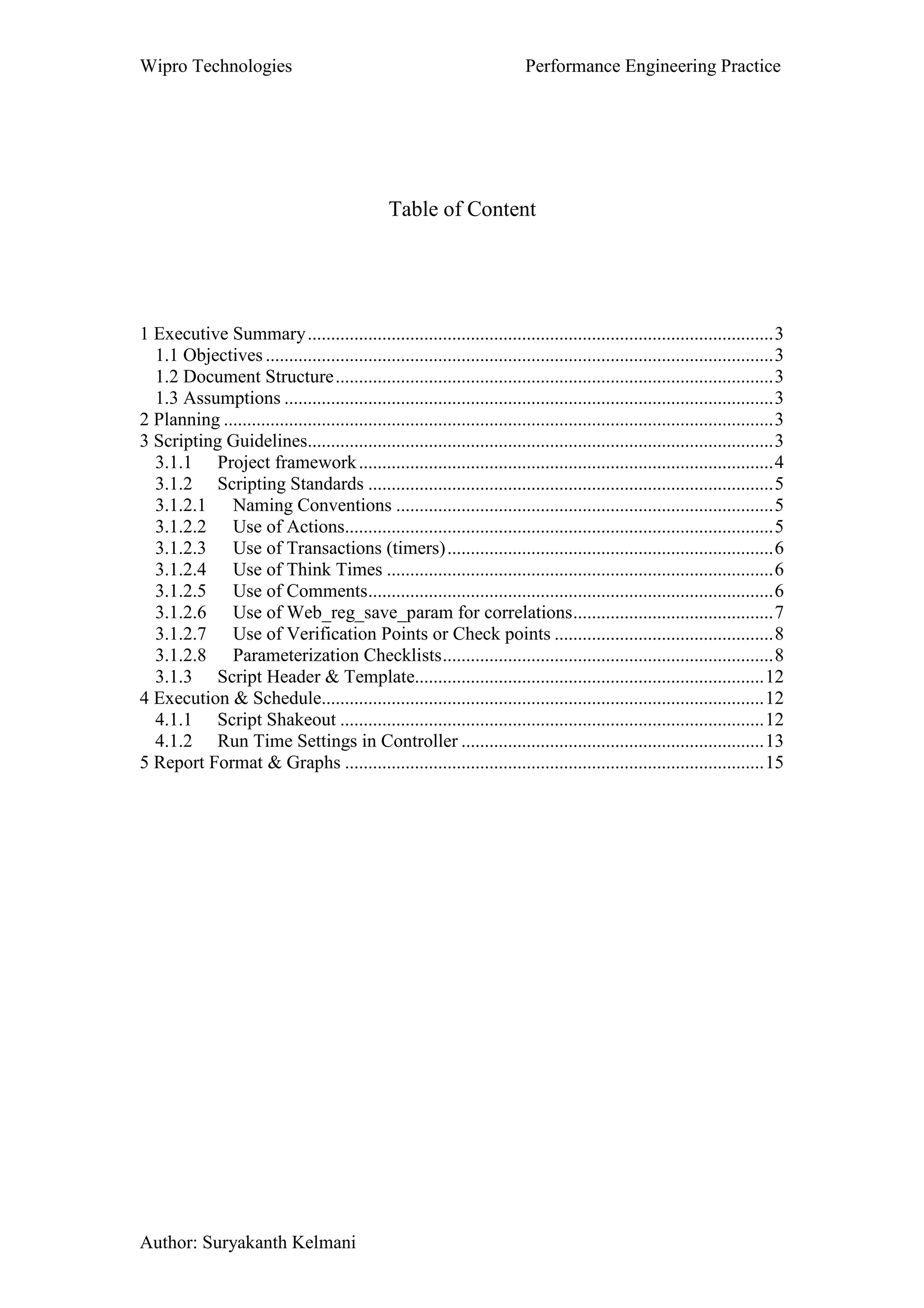
Table of Content
1 Executive Summary....................................................................................................3
1.1 Objectives .............................................................................................................3
1.2 Document Structure..............................................................................................3
1.3 Assumptions .........................................................................................................3
2 Planning ......................................................................................................................3
3 Scripting Guidelines....................................................................................................3
3.1.1 Project framework.........................................................................................4
3.1.2 Scripting Standards .......................................................................................5
3.1.2.1 Naming Conventions .................................................................................5
3.1.2.2 Use of Actions............................................................................................5
3.1.2.3 Use of Transactions (timers)......................................................................6
3.1.2.4 Use of Think Times ...................................................................................6
3.1.2.5 Use of Comments.......................................................................................6
3.1.2.6 Use of Web_reg_save_param for correlations...........................................7
3.1.2.7 Use of Verification Points or Check points ...............................................8
3.1.2.8 Parameterization Checklists.......................................................................8
3.1.3 Script Header & Template...........................................................................12
4 Execution & Schedule...............................................................................................12
4.1.1 Script Shakeout ...........................................................................................12
4.1.2 Run Time Settings in Controller .................................................................13
5 Report Format & Graphs ..........................................................................................15
Wipro Technologies Performance Engineering Practice
Author: Suryakanth Kelmani
1 Executive Summary
1.1 Objectives
The objective of this document is to set down in a well structured form, the lessons learned from
various project experiences and the best standards for Planning, LoadRunner scripting, Execution and
Result/Report deliverables.
This document will be a resource for the members of Performance Testing practices to use as a
reference or quick guide for experienced/new members; this helps the team in order to follow industry
standards for Planning, scripting, Execution and report for the performance testing projects to be
carried out at various clients.
1.2 Document Structure
This document is broken up into four sections, each section covers different aspect of performance
testing phases. Each section namely Planning, Scripting Standard, Execution and Report are explained
with the industry standard guidelines that are followed during entire performance test execution phases.
1.3 Assumptions
It is assumed that the determination of which part(s) of the application to script, and the identification
of scripts that need to be created has already been done. These activities are outside the scope of this
document.
2 Planning
In this phase the following activities needs to be carried out.
• Establish Communication with the PM of the project through meetings, telecons or mails.
• Gather performance test requirements and understand the importance of carrying out
Performance testing. Understand the application’s technical architecture and business process.
• Identify & document the performance test environment for the execution.
• Ensure that application under test is stable and there are no functionality errors.
• Document the effort estimation for the performance testing activities.
• Document critical business scenarios to be tested, expected response time and user peak load.
• Document the test data that is required for performance test execution.
• Deliver performance test plan & strategy document for the sign off.
• Analyze Loadrunner protocol and license required for performance test execution.
• Establish the communication with infrastructure team for monitoring the back end servers
3 Scripting Guidelines
This section contains the best practices followed for scripting using Loadrunner tool, of course this can
be applied to even other performance testing tool leaving some loadrunner functions, but the format
and other structure should be same for any other tools.
This section is divided into three parts as Project Framework, Scripting Standards and Script Header &
Template as shown below..
Wipro Technologies Performance Engineering Practice
Author: Suryakanth Kelmani
3.1.1 Project framework
This section details the steps to go through when creating a project folder structure. While following
this project framework structure, we should be able to save the required scripts, documents, data files,
scenarios, analysis and results of the particular project in a single location under one folder as shown in
the example below. This results in saving lot of time and effort, because the resulting outcome will be
well structured, robust, and maintainable.
The project specific frame work or project folder structure should be created for each projects under the
performance test folder that should be created either D drive or any of the available drive, but make
sure that the above folder structure is created which helps to maintain the scripts, results, scenarios etc
in a maintainable way for more robustness to move the entire project structure wherever required.
All the scripts which are recorded and enhanced must be stored under Scripts folder, Loadrunner scr
files must be saved under Scenarios folder, analysis and results files of each execution must be saved
under Analysis & Results folders as shown in the above frame work.
Script specific parameters should be stored in a separate data file. Parameters that are common to more
than one script should be stored in a common data file. The names of these data files must follow the
naming convention specified earlier in this document.
The locations of data files depend on their use. Script specific data files must be stored in the same
directory as the script. Also where scripts will not interfere with each other if they both use the same
parameter value at the same time, they should each have a copy of the common data file(s) stored in the
script directory.
The reason for storing data files with each script is script portability. When the script is copied the data
files will be copied with it. This makes the reuse of scripts, and the transfer of scripts between systems
much simpler.
Where multiple scripts must share the same data file to ensure uniqueness of the parameter then this
common file should be stored on the C: drive. Simply because every PC has a C: drive. In addition to
this each script should have a copy of the common file in its directory just to ensure that when that
script is copied, there is a copy of the data file that goes with it.
Wipro Technologies Performance Engineering Practice
Author: Suryakanth Kelmani
3.1.2 Scripting Standards
This section details the steps to go through when creating a script. When followed, these steps should
save a lot of time and effort, because the resulting scripts will be well structured, robust, and
maintainable.
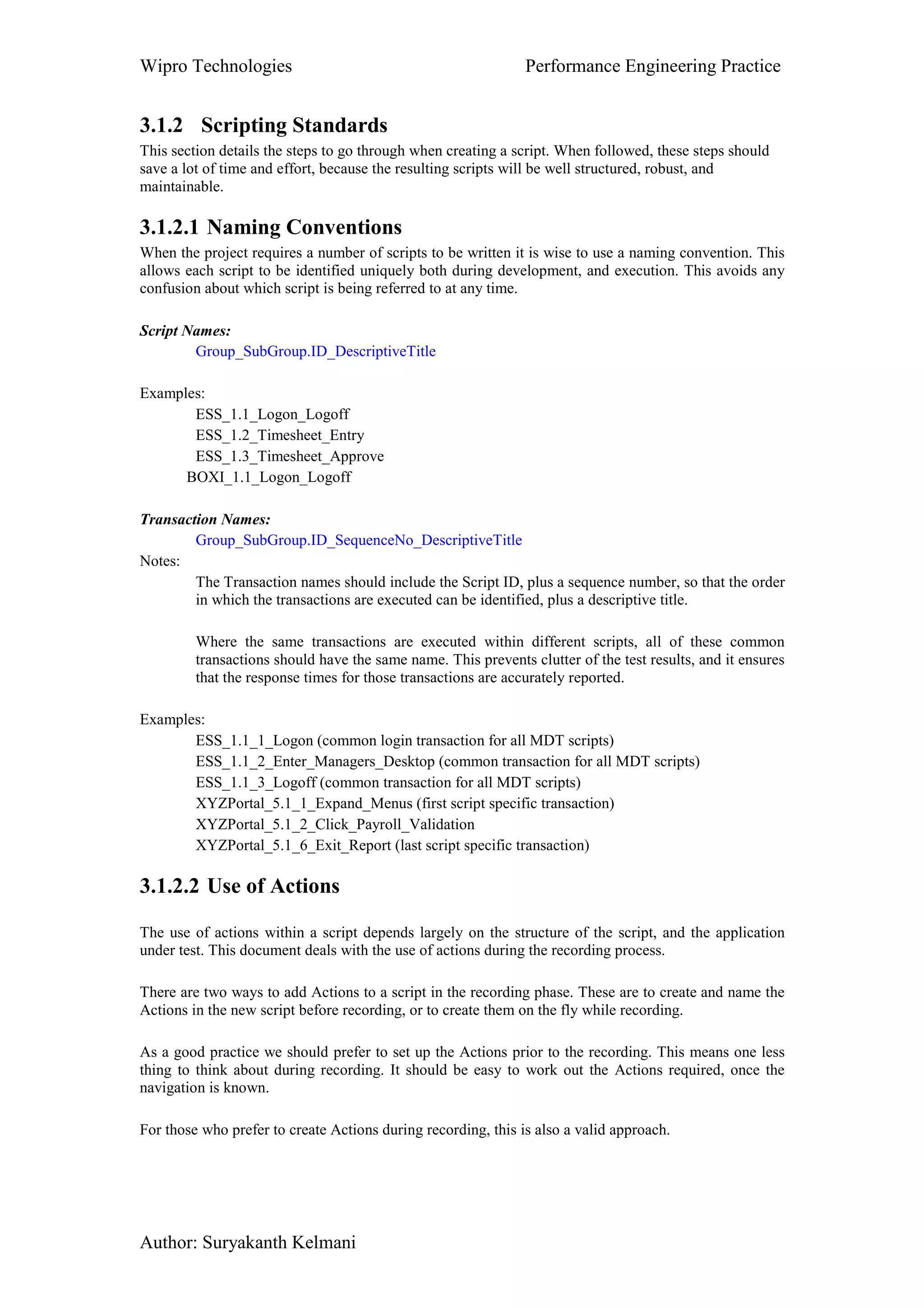
3.1.2.1 Naming Conventions
When the project requires a number of scripts to be written it is wise to use a naming convention. This
allows each script to be identified uniquely both during development, and execution. This avoids any
confusion about which script is being referred to at any time.
Script Names:
Group_SubGroup.ID_DescriptiveTitle
Examples:
ESS_1.1_Logon_Logoff
ESS_1.2_Timesheet_Entry
ESS_1.3_Timesheet_Approve
BOXI_1.1_Logon_Logoff
Transaction Names:
Group_SubGroup.ID_SequenceNo_DescriptiveTitle
Notes:
The Transaction names should include the Script ID, plus a sequence number, so that the order
in which the transactions are executed can be identified, plus a descriptive title.
Where the same transactions are executed within different scripts, all of these common
transactions should have the same name. This prevents clutter of the test results, and it ensures
that the response times for those transactions are accurately reported.
Examples:
ESS_1.1_1_Logon (common login transaction for all MDT scripts)
ESS_1.1_2_Enter_Managers_Desktop (common transaction for all MDT scripts)
ESS_1.1_3_Logoff (common transaction for all MDT scripts)
XYZPortal_5.1_1_Expand_Menus (first script specific transaction)
XYZPortal_5.1_2_Click_Payroll_Validation
XYZPortal_5.1_6_Exit_Report (last script specific transaction)
3.1.2.2 Use of Actions
The use of actions within a script depends largely on the structure of the script, and the application
under test. This document deals with the use of actions during the recording process.
There are two ways to add Actions to a script in the recording phase. These are to create and name the
Actions in the new script before recording, or to create them on the fly while recording.
As a good practice we should prefer to set up the Actions prior to the recording. This means one less
thing to think about during recording. It should be easy to work out the Actions required, once the
navigation is known.
For those who prefer to create Actions during recording, this is also a valid approach.
Wipro Technologies Performance Engineering Practice
Author: Suryakanth Kelmani
Once the Actions have been created, it is important to give them descriptive names that describe what
they do.
3.1.2.3 Use of Transactions (timers)
As with Actions, Transaction Start and End points can be added to a script in two ways. These are to
add them during recording or after the recording are completed.
I prefer to add Transactions to the script after the recording. This allows the placement of the
Transaction start and end points to be made correctly. It also allows the naming convention to be
applied to the transaction.
If transactions are added to the script during recording, their placement, naming, and think time
generated while they are being entered, will need to be checked, adjusted and/or removed afterwards.
In general ALL functionality must be covered by a Transaction. This way the full time taken for the
script to execute can be determined. Also ensure that there are no think times within transactions.
These would give consistently wrong response times if left in without filtering in the analysis report.
3.1.2.4 Use of Think Times
Think time statements need to be managed carefully. A missed or misplaced think time statement can
artificially increase a response time if you don’t filter in the report finally.
Think times are necessary to simulate user activity, but they need to be placed in the correct location
within the script. These locations are generally, between script steps, and sometimes at the start or end.
Think times should be placed outside a transaction timer. Otherwise this would artificially increase that
particular response time by the fixed amount of the think time, making the results invalid if the
performance testers forget to filter the think times in the analysis report.
Use the following code in the script to make the think times more robust for the use in different
locations wherever its necessary.
#define SHORT_THINK_TIME 4
#define MEDIUM_THINK_TIME 6
#define LONG_THINK_TIME 10
Declare the above three variables in globals.h file. If you don’t have globals.h then decalre it in top of
the Vuser_init section.
lr_thinktime(SHORT_THINK_TIME);
lr_thinktime (MEDIUM_THINK_TIME);
lr_thinktime (LONG_THINK_TIME);
NOTE: These think times are not static. You can use random option in runtime settings to modify the
thinktimes.
3.1.2.5 Use of Comments
Wipro Technologies Performance Engineering Practice
Author: Suryakanth Kelmani
Comments should be added wherever necessary to explain the operation of the script. Generally these
are at each step of the navigation, where parameters are captured, and wherever extra functionality is
added, or changes are made, including the date when the change occurred.
During recording it is important to add a comment at each step. This ensures that when working on the
recorded code later, it will always be possible to identify which part of the script applies to which step
in the navigation.
This means that when I insert the Transactions I generally get an lr_end_transaction followed by a
comment and a lr_start_transaction as follows:
lr_end_transaction("ESS_9.1_1_Open_Change_Address_Details", LR_AUTO);
/*
* Address Page Loaded
*/
lr_think_time(SHORT_THINK_TIME );
lr_start_transaction("ESS_9.1_2_Click_Change");
Note that the think time is between transactions and not within them.
3.1.2.6 Use of Web_reg_save_param for correlations
These functions like web_reg_save_param functions should be used for correlating dynamic values in
the script wherever hard coded value is present; this makes sure that the script replays for any number
of iterations with different types of data. For example when a user login to the portal application for
each login a dynamic session id is created and this session id will be hard coded in the script, but when
we replay the script, the same session id is submitted while login to the application for second time
which results in failing the script, in order to replay the scripts successfully, the above function should
be used wherever necessary as shown in the example below.
Comments should also be placed at the locations where web_reg_save_param statements are added, to
identify what the captured parameter is used for.
For example:
/* search for HR dept processing data message */
web_reg_save_param("HRProcessingData",
"LB=webguiMessageLine ="",
"RB=";",
"Ord=1",
"NotFound=EMPTY",
"Search=All",LAST);
/* Search for Sap Session id which is generated by SAP server dynamically, the below function save
the dynamic ID into a variable MySAPSessionID2 */
web_reg_save_param("MySapSessionID2",
"LB/IC=/scripts/wgate/",
Wipro Technologies Performance Engineering Practice
Author: Suryakanth Kelmani
"RB/IC="",
"Ord=3",
"Search=body",
"RelFrameId=1",LAST);
web_submit_data("~flN0YXRlPTI1ODI2LjAwMS4wMi4wMg==",
3.1.2.7 Use of Verification Points or Check points
It is most important that checks be placed into the script to verify that the scripted operation is
behaving correctly under load. Generally there are two checks that should be made in each script.
These are at login (if a login is required), and at the culmination step of the navigation (when
notification of the success of the operation is displayed).
Checks usually involve the capture of either a page title, or a text message that notifies that the
operation has been successful. Other checks are used to ensure that the required data is available before
the next step is taken.
Here is an example of a check to ensure that the correct page/or data is displayed while replaying the
scripts.
web_reg_find("Text=People Manager: Employee Administration",
"SaveCount=ManagersDesktopCount", LAST);
web_url("!_4",
"URL=http://{SAPServerDOMAIN2}:8100/scripts/wgate/webgui/!?~client=200&..DELETED",
"Resource=0",
"RecContentType=text/html",
"Referer=http://{SAPServerDOMAIN}:8100/scripts/wgate/sapwp66074791/..DELETED",
"Snapshot=t17.inf",
"Mode=HTTP", LAST);
3.1.2.8 Parameterization Checklists
1
Is URL and Port parameterized? This method will be used to port the scripts to
multiple environments
2 All Parameter Names should be in Lower CASE Ex: url, username, password
3 Paramter name should set to selected by Select Column-> By Name option
4
username parameter should be set to select next row->UNIQUE update value on->
ONCE
3.1.2.9 Recording settings
Oracle WebApplications 11i
Wipro Technologies Performance Engineering Practice
Author: Suryakanth Kelmani
Oracle WebApplciations 11i protocol and recroding settings should be used for both
oracle forms as well as web business flow.
Mainly to make sure that “Generate thinktime greater than threshold” option is
checked before recording any vuser script.
Wipro Technologies Performance Engineering Practice
Author: Suryakanth Kelmani
GUI based script radio button should be checked for all versions of Oracle
Applications (11i, 12 and 13).
Make sure that you checked Enable correlation and the settings shown in the above
figure.
Wipro Technologies Performance Engineering Practice
Author: Suryakanth Kelmani
RTE
Wipro Technologies Performance Engineering Practice
Author: Suryakanth Kelmani
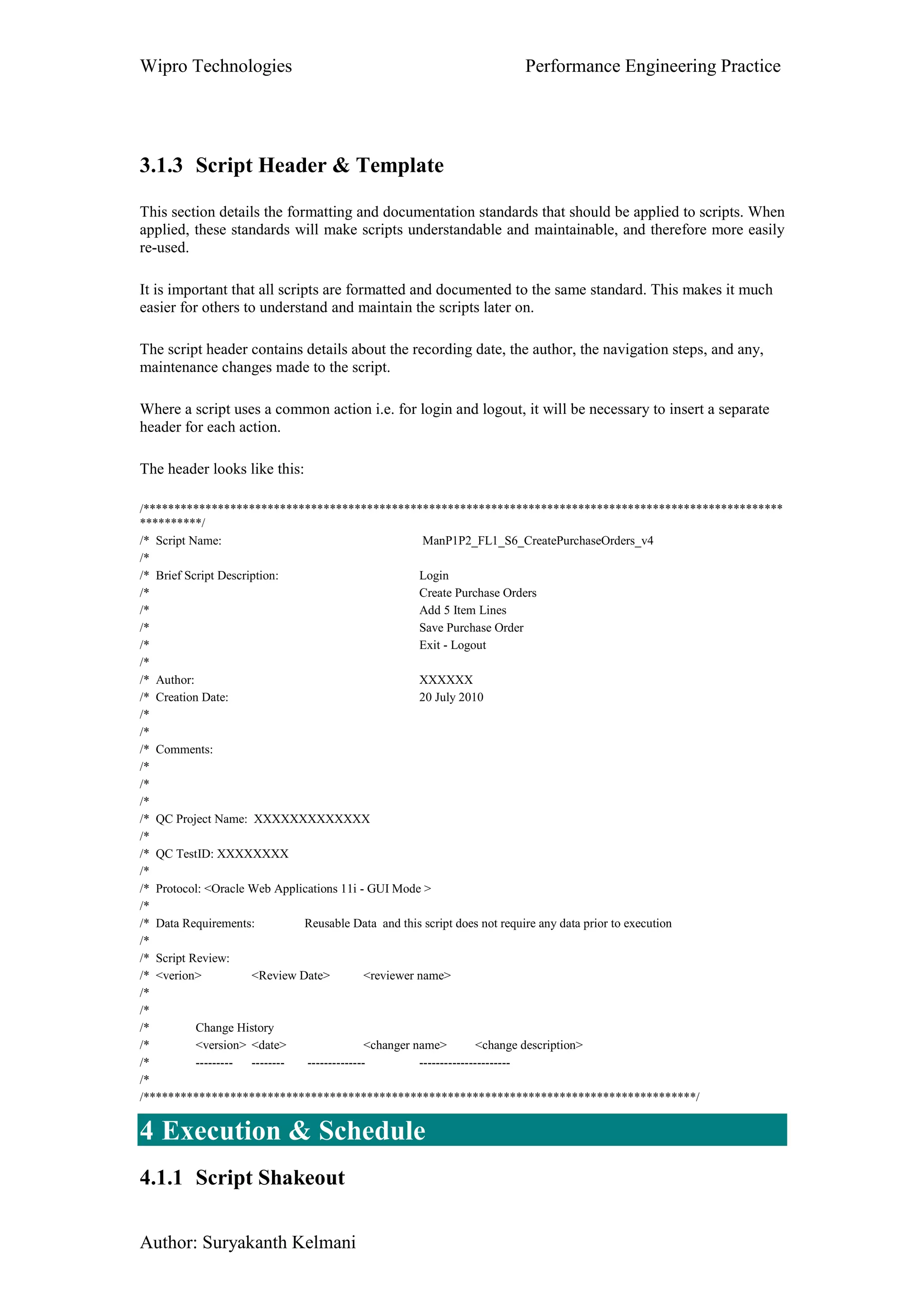
3.1.3 Script Header & Template
This section details the formatting and documentation standards that should be applied to scripts. When
applied, these standards will make scripts understandable and maintainable, and therefore more easily
re-used.
It is important that all scripts are formatted and documented to the same standard. This makes it much
easier for others to understand and maintain the scripts later on.
The script header contains details about the recording date, the author, the navigation steps, and any,
maintenance changes made to the script.
Where a script uses a common action i.e. for login and logout, it will be necessary to insert a separate
header for each action.
The header looks like this:
/*******************************************************************************************************
**********/
/* Script Name: ManP1P2_FL1_S6_CreatePurchaseOrders_v4
/*
/* Brief Script Description: Login
/* Create Purchase Orders
/* Add 5 Item Lines
/* Save Purchase Order
/* Exit - Logout
/*
/* Author: XXXXXX
/* Creation Date: 20 July 2010
/*
/*
/* Comments:
/*
/*
/*
/* QC Project Name: XXXXXXXXXXXXX
/*
/* QC TestID: XXXXXXXX
/*
/* Protocol: <Oracle Web Applications 11i - GUI Mode >
/*
/* Data Requirements: Reusable Data and this script does not require any data prior to execution
/*
/* Script Review:
/* <verion> <Review Date> <reviewer name>
/*
/*
/* Change History
/* <version> <date> <changer name> <change description>
/* --------- -------- -------------- ----------------------
/*
/*****************************************************************************************/
4 Execution & Schedule
4.1.1 Script Shakeout
Wipro Technologies Performance Engineering Practice
Author: Suryakanth Kelmani
There are three levels of script readiness.
Does it execute successfully once.
Does it execute successfully for multiple iterations.
Does it execute successfully multiple times with multiple Vusers.
1 Single Iteration:
The definition of success is that there were no errors or failed transactions, and the operation that the
script is simulating was successfully carried out without any errors generated in the application.
2 Multiple Iterations:
Once the script runs successfully for a single iteration, it must be tested for multiple iterations. A rule
of thumb is to test it over 10 iterations. Generally try it for 2 or 3 iterations first, and once that works
run it for 10 as a final test.
This of course assumes that it is valid to execute the script for this number of iterations and that there is
enough data to do so.
3 Multiple Iterations and Multiple VUsers:
Once the script runs successfully for multiple iterations it is not considered to be 100% ready until it
runs for both multiple iterations and multiple VUsers.
Create a test scenario in the controller, add the script and set it to run for 10 iterations with 10 Vusers.
Once the script executes successfully for 10x10 then it is 100% ready.
Again this assumes that 10 iterations and 10 VUsers are valid for this script. Lower numbers can be
used if necessary.
Script Sociability:
This point could equally be called Script Level 4 or Scenario Level 1. However where there are
multiple scripts within a test scenario, all of the scripts should be run together to ensure that they are
sociable. Issues that arise are usually data related such as User Ids and dates.
4.1.2 Run Time Settings in Controller
The run time settings like number of iterations, pacing between iterations, think time, log setting etc
needs to be applied to the load scenarios, these settings will differ based on the project requirements.
The following settings needs to taken care while executing the performance test scenario.
• Iterations,
• Pacing between each iterations
• Think times
• Browser emulations and preferences
• Build the schedule for the scenarios (Ramp up the load gradually till the peak load and ramp
down gradually)
• Check for relevant access privileges for the login from Controller m/c to access the back end
systems otherwise you can’t configure the monitors.
• Configure the required performance Monitors in Controller.
• Check for Load Generators connectivity from Controller
• Set the result files to Result folder in the project framework
Wipro Technologies Performance Engineering Practice
Author: Suryakanth Kelmani
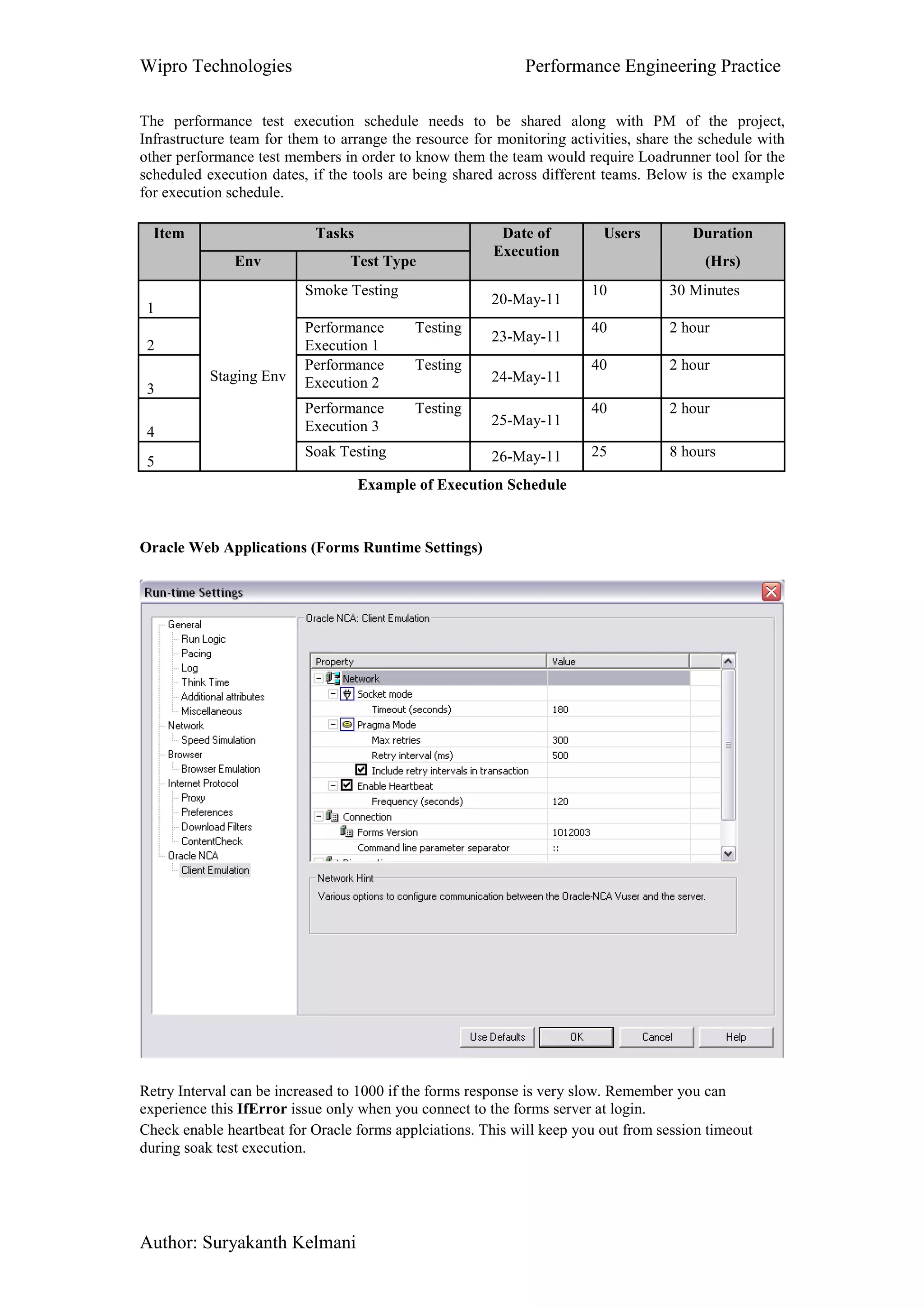
The performance test execution schedule needs to be shared along with PM of the project,
Infrastructure team for them to arrange the resource for monitoring activities, share the schedule with
other performance test members in order to know them the team would require Loadrunner tool for the
scheduled execution dates, if the tools are being shared across different teams. Below is the example
for execution schedule.
Item Tasks Date of
Execution
Users Duration
Env Test Type (Hrs)
1
Staging Env
Smoke Testing
20-May-11
10 30 Minutes
2
Performance Testing
Execution 1
23-May-11
40 2 hour
3
Performance Testing
Execution 2 24-May-11
40 2 hour
4
Performance Testing
Execution 3 25-May-11
40 2 hour
5
Soak Testing 26-May-11 25 8 hours
Example of Execution Schedule
Oracle Web Applications (Forms Runtime Settings)
Retry Interval can be increased to 1000 if the forms response is very slow. Remember you can
experience this IfError issue only when you connect to the forms server at login.
Check enable heartbeat for Oracle forms applciations. This will keep you out from session timeout
during soak test execution.
Wipro Technologies Performance Engineering Practice
Author: Suryakanth Kelmani
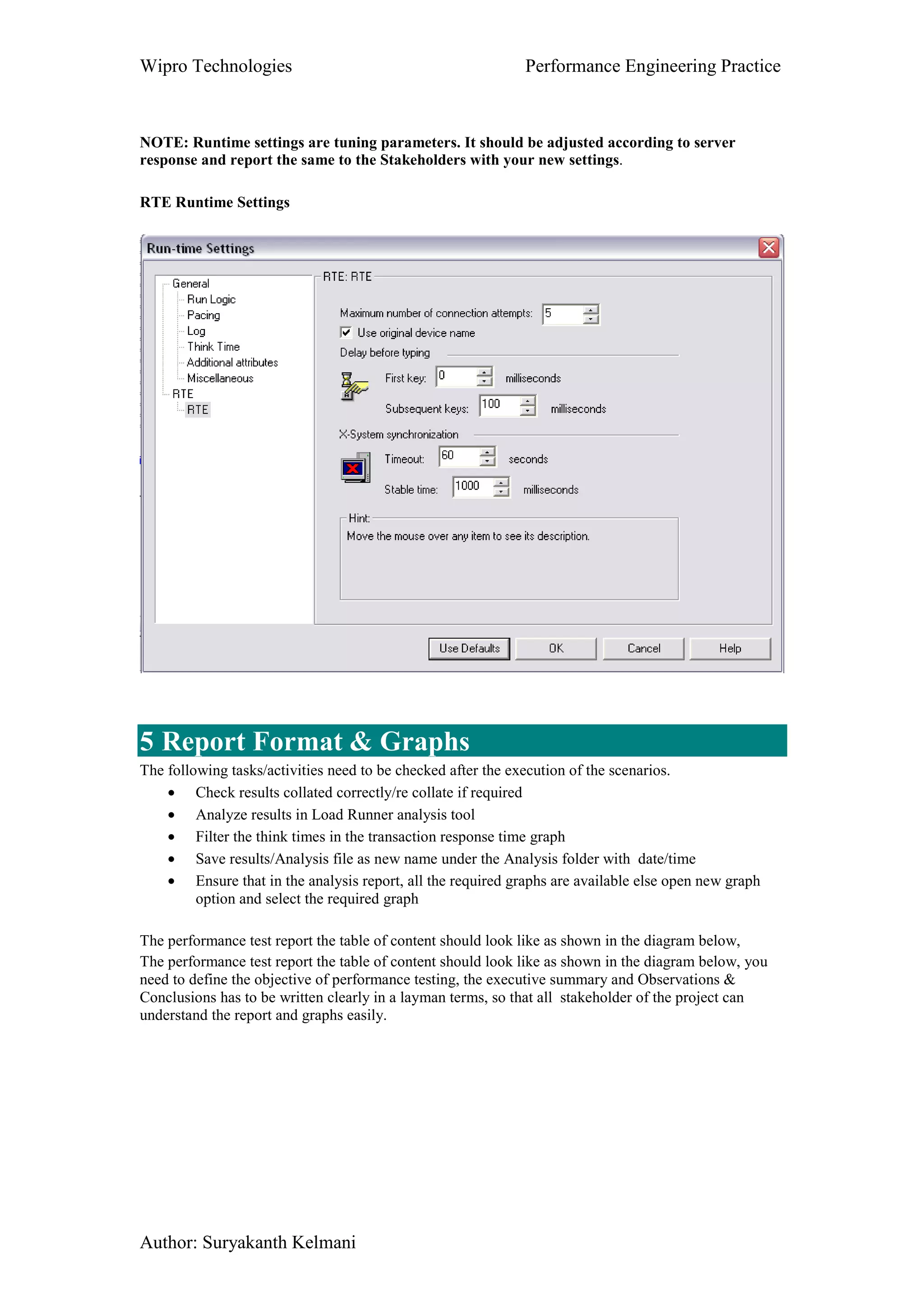
NOTE: Runtime settings are tuning parameters. It should be adjusted according to server
response and report the same to the Stakeholders with your new settings.
RTE Runtime Settings
5 Report Format & Graphs
The following tasks/activities need to be checked after the execution of the scenarios.
• Check results collated correctly/re collate if required
• Analyze results in Load Runner analysis tool
• Filter the think times in the transaction response time graph
• Save results/Analysis file as new name under the Analysis folder with date/time
• Ensure that in the analysis report, all the required graphs are available else open new graph
option and select the required graph
The performance test report the table of content should look like as shown in the diagram below,
The performance test report the table of content should look like as shown in the diagram below, you
need to define the objective of performance testing, the executive summary and Observations &
Conclusions has to be written clearly in a layman terms, so that all stakeholder of the project can
understand the report and graphs easily.
Wipro Technologies Performance Engineering Practice
Author: Suryakanth Kelmani

Performance tesing coding standards & best practice guidelines v1

  • 1.
    Wipro Technologies PerformanceEngineering Practice Author: Suryakanth Kelmani Standard Guidelines & Best Practices for Performance Testing Author: Suryakanth Kelmani Performance Engineering Practice Wipro Technologies
  • 2.
    Wipro Technologies PerformanceEngineering Practice Author: Suryakanth Kelmani Table of Content 1 Executive Summary....................................................................................................3 1.1 Objectives .............................................................................................................3 1.2 Document Structure..............................................................................................3 1.3 Assumptions .........................................................................................................3 2 Planning ......................................................................................................................3 3 Scripting Guidelines....................................................................................................3 3.1.1 Project framework.........................................................................................4 3.1.2 Scripting Standards .......................................................................................5 3.1.2.1 Naming Conventions .................................................................................5 3.1.2.2 Use of Actions............................................................................................5 3.1.2.3 Use of Transactions (timers)......................................................................6 3.1.2.4 Use of Think Times ...................................................................................6 3.1.2.5 Use of Comments.......................................................................................6 3.1.2.6 Use of Web_reg_save_param for correlations...........................................7 3.1.2.7 Use of Verification Points or Check points ...............................................8 3.1.2.8 Parameterization Checklists.......................................................................8 3.1.3 Script Header & Template...........................................................................12 4 Execution & Schedule...............................................................................................12 4.1.1 Script Shakeout ...........................................................................................12 4.1.2 Run Time Settings in Controller .................................................................13 5 Report Format & Graphs ..........................................................................................15
  • 3.
    Wipro Technologies PerformanceEngineering Practice Author: Suryakanth Kelmani 1 Executive Summary 1.1 Objectives The objective of this document is to set down in a well structured form, the lessons learned from various project experiences and the best standards for Planning, LoadRunner scripting, Execution and Result/Report deliverables. This document will be a resource for the members of Performance Testing practices to use as a reference or quick guide for experienced/new members; this helps the team in order to follow industry standards for Planning, scripting, Execution and report for the performance testing projects to be carried out at various clients. 1.2 Document Structure This document is broken up into four sections, each section covers different aspect of performance testing phases. Each section namely Planning, Scripting Standard, Execution and Report are explained with the industry standard guidelines that are followed during entire performance test execution phases. 1.3 Assumptions It is assumed that the determination of which part(s) of the application to script, and the identification of scripts that need to be created has already been done. These activities are outside the scope of this document. 2 Planning In this phase the following activities needs to be carried out. • Establish Communication with the PM of the project through meetings, telecons or mails. • Gather performance test requirements and understand the importance of carrying out Performance testing. Understand the application’s technical architecture and business process. • Identify & document the performance test environment for the execution. • Ensure that application under test is stable and there are no functionality errors. • Document the effort estimation for the performance testing activities. • Document critical business scenarios to be tested, expected response time and user peak load. • Document the test data that is required for performance test execution. • Deliver performance test plan & strategy document for the sign off. • Analyze Loadrunner protocol and license required for performance test execution. • Establish the communication with infrastructure team for monitoring the back end servers 3 Scripting Guidelines This section contains the best practices followed for scripting using Loadrunner tool, of course this can be applied to even other performance testing tool leaving some loadrunner functions, but the format and other structure should be same for any other tools. This section is divided into three parts as Project Framework, Scripting Standards and Script Header & Template as shown below..
  • 4.
    Wipro Technologies PerformanceEngineering Practice Author: Suryakanth Kelmani 3.1.1 Project framework This section details the steps to go through when creating a project folder structure. While following this project framework structure, we should be able to save the required scripts, documents, data files, scenarios, analysis and results of the particular project in a single location under one folder as shown in the example below. This results in saving lot of time and effort, because the resulting outcome will be well structured, robust, and maintainable. The project specific frame work or project folder structure should be created for each projects under the performance test folder that should be created either D drive or any of the available drive, but make sure that the above folder structure is created which helps to maintain the scripts, results, scenarios etc in a maintainable way for more robustness to move the entire project structure wherever required. All the scripts which are recorded and enhanced must be stored under Scripts folder, Loadrunner scr files must be saved under Scenarios folder, analysis and results files of each execution must be saved under Analysis & Results folders as shown in the above frame work. Script specific parameters should be stored in a separate data file. Parameters that are common to more than one script should be stored in a common data file. The names of these data files must follow the naming convention specified earlier in this document. The locations of data files depend on their use. Script specific data files must be stored in the same directory as the script. Also where scripts will not interfere with each other if they both use the same parameter value at the same time, they should each have a copy of the common data file(s) stored in the script directory. The reason for storing data files with each script is script portability. When the script is copied the data files will be copied with it. This makes the reuse of scripts, and the transfer of scripts between systems much simpler. Where multiple scripts must share the same data file to ensure uniqueness of the parameter then this common file should be stored on the C: drive. Simply because every PC has a C: drive. In addition to this each script should have a copy of the common file in its directory just to ensure that when that script is copied, there is a copy of the data file that goes with it.
  • 5.
    Wipro Technologies PerformanceEngineering Practice Author: Suryakanth Kelmani 3.1.2 Scripting Standards This section details the steps to go through when creating a script. When followed, these steps should save a lot of time and effort, because the resulting scripts will be well structured, robust, and maintainable. 3.1.2.1 Naming Conventions When the project requires a number of scripts to be written it is wise to use a naming convention. This allows each script to be identified uniquely both during development, and execution. This avoids any confusion about which script is being referred to at any time. Script Names: Group_SubGroup.ID_DescriptiveTitle Examples: ESS_1.1_Logon_Logoff ESS_1.2_Timesheet_Entry ESS_1.3_Timesheet_Approve BOXI_1.1_Logon_Logoff Transaction Names: Group_SubGroup.ID_SequenceNo_DescriptiveTitle Notes: The Transaction names should include the Script ID, plus a sequence number, so that the order in which the transactions are executed can be identified, plus a descriptive title. Where the same transactions are executed within different scripts, all of these common transactions should have the same name. This prevents clutter of the test results, and it ensures that the response times for those transactions are accurately reported. Examples: ESS_1.1_1_Logon (common login transaction for all MDT scripts) ESS_1.1_2_Enter_Managers_Desktop (common transaction for all MDT scripts) ESS_1.1_3_Logoff (common transaction for all MDT scripts) XYZPortal_5.1_1_Expand_Menus (first script specific transaction) XYZPortal_5.1_2_Click_Payroll_Validation XYZPortal_5.1_6_Exit_Report (last script specific transaction) 3.1.2.2 Use of Actions The use of actions within a script depends largely on the structure of the script, and the application under test. This document deals with the use of actions during the recording process. There are two ways to add Actions to a script in the recording phase. These are to create and name the Actions in the new script before recording, or to create them on the fly while recording. As a good practice we should prefer to set up the Actions prior to the recording. This means one less thing to think about during recording. It should be easy to work out the Actions required, once the navigation is known. For those who prefer to create Actions during recording, this is also a valid approach.
  • 6.
    Wipro Technologies PerformanceEngineering Practice Author: Suryakanth Kelmani Once the Actions have been created, it is important to give them descriptive names that describe what they do. 3.1.2.3 Use of Transactions (timers) As with Actions, Transaction Start and End points can be added to a script in two ways. These are to add them during recording or after the recording are completed. I prefer to add Transactions to the script after the recording. This allows the placement of the Transaction start and end points to be made correctly. It also allows the naming convention to be applied to the transaction. If transactions are added to the script during recording, their placement, naming, and think time generated while they are being entered, will need to be checked, adjusted and/or removed afterwards. In general ALL functionality must be covered by a Transaction. This way the full time taken for the script to execute can be determined. Also ensure that there are no think times within transactions. These would give consistently wrong response times if left in without filtering in the analysis report. 3.1.2.4 Use of Think Times Think time statements need to be managed carefully. A missed or misplaced think time statement can artificially increase a response time if you don’t filter in the report finally. Think times are necessary to simulate user activity, but they need to be placed in the correct location within the script. These locations are generally, between script steps, and sometimes at the start or end. Think times should be placed outside a transaction timer. Otherwise this would artificially increase that particular response time by the fixed amount of the think time, making the results invalid if the performance testers forget to filter the think times in the analysis report. Use the following code in the script to make the think times more robust for the use in different locations wherever its necessary. #define SHORT_THINK_TIME 4 #define MEDIUM_THINK_TIME 6 #define LONG_THINK_TIME 10 Declare the above three variables in globals.h file. If you don’t have globals.h then decalre it in top of the Vuser_init section. lr_thinktime(SHORT_THINK_TIME); lr_thinktime (MEDIUM_THINK_TIME); lr_thinktime (LONG_THINK_TIME); NOTE: These think times are not static. You can use random option in runtime settings to modify the thinktimes. 3.1.2.5 Use of Comments
  • 7.
    Wipro Technologies PerformanceEngineering Practice Author: Suryakanth Kelmani Comments should be added wherever necessary to explain the operation of the script. Generally these are at each step of the navigation, where parameters are captured, and wherever extra functionality is added, or changes are made, including the date when the change occurred. During recording it is important to add a comment at each step. This ensures that when working on the recorded code later, it will always be possible to identify which part of the script applies to which step in the navigation. This means that when I insert the Transactions I generally get an lr_end_transaction followed by a comment and a lr_start_transaction as follows: lr_end_transaction("ESS_9.1_1_Open_Change_Address_Details", LR_AUTO); /* * Address Page Loaded */ lr_think_time(SHORT_THINK_TIME ); lr_start_transaction("ESS_9.1_2_Click_Change"); Note that the think time is between transactions and not within them. 3.1.2.6 Use of Web_reg_save_param for correlations These functions like web_reg_save_param functions should be used for correlating dynamic values in the script wherever hard coded value is present; this makes sure that the script replays for any number of iterations with different types of data. For example when a user login to the portal application for each login a dynamic session id is created and this session id will be hard coded in the script, but when we replay the script, the same session id is submitted while login to the application for second time which results in failing the script, in order to replay the scripts successfully, the above function should be used wherever necessary as shown in the example below. Comments should also be placed at the locations where web_reg_save_param statements are added, to identify what the captured parameter is used for. For example: /* search for HR dept processing data message */ web_reg_save_param("HRProcessingData", "LB=webguiMessageLine ="", "RB=";", "Ord=1", "NotFound=EMPTY", "Search=All",LAST); /* Search for Sap Session id which is generated by SAP server dynamically, the below function save the dynamic ID into a variable MySAPSessionID2 */ web_reg_save_param("MySapSessionID2", "LB/IC=/scripts/wgate/",
  • 8.
    Wipro Technologies PerformanceEngineering Practice Author: Suryakanth Kelmani "RB/IC="", "Ord=3", "Search=body", "RelFrameId=1",LAST); web_submit_data("~flN0YXRlPTI1ODI2LjAwMS4wMi4wMg==", 3.1.2.7 Use of Verification Points or Check points It is most important that checks be placed into the script to verify that the scripted operation is behaving correctly under load. Generally there are two checks that should be made in each script. These are at login (if a login is required), and at the culmination step of the navigation (when notification of the success of the operation is displayed). Checks usually involve the capture of either a page title, or a text message that notifies that the operation has been successful. Other checks are used to ensure that the required data is available before the next step is taken. Here is an example of a check to ensure that the correct page/or data is displayed while replaying the scripts. web_reg_find("Text=People Manager: Employee Administration", "SaveCount=ManagersDesktopCount", LAST); web_url("!_4", "URL=http://{SAPServerDOMAIN2}:8100/scripts/wgate/webgui/!?~client=200&..DELETED", "Resource=0", "RecContentType=text/html", "Referer=http://{SAPServerDOMAIN}:8100/scripts/wgate/sapwp66074791/..DELETED", "Snapshot=t17.inf", "Mode=HTTP", LAST); 3.1.2.8 Parameterization Checklists 1 Is URL and Port parameterized? This method will be used to port the scripts to multiple environments 2 All Parameter Names should be in Lower CASE Ex: url, username, password 3 Paramter name should set to selected by Select Column-> By Name option 4 username parameter should be set to select next row->UNIQUE update value on-> ONCE 3.1.2.9 Recording settings Oracle WebApplications 11i
  • 9.
    Wipro Technologies PerformanceEngineering Practice Author: Suryakanth Kelmani Oracle WebApplciations 11i protocol and recroding settings should be used for both oracle forms as well as web business flow. Mainly to make sure that “Generate thinktime greater than threshold” option is checked before recording any vuser script.
  • 10.
    Wipro Technologies PerformanceEngineering Practice Author: Suryakanth Kelmani GUI based script radio button should be checked for all versions of Oracle Applications (11i, 12 and 13). Make sure that you checked Enable correlation and the settings shown in the above figure.
  • 11.
    Wipro Technologies PerformanceEngineering Practice Author: Suryakanth Kelmani RTE
  • 12.
    Wipro Technologies PerformanceEngineering Practice Author: Suryakanth Kelmani 3.1.3 Script Header & Template This section details the formatting and documentation standards that should be applied to scripts. When applied, these standards will make scripts understandable and maintainable, and therefore more easily re-used. It is important that all scripts are formatted and documented to the same standard. This makes it much easier for others to understand and maintain the scripts later on. The script header contains details about the recording date, the author, the navigation steps, and any, maintenance changes made to the script. Where a script uses a common action i.e. for login and logout, it will be necessary to insert a separate header for each action. The header looks like this: /******************************************************************************************************* **********/ /* Script Name: ManP1P2_FL1_S6_CreatePurchaseOrders_v4 /* /* Brief Script Description: Login /* Create Purchase Orders /* Add 5 Item Lines /* Save Purchase Order /* Exit - Logout /* /* Author: XXXXXX /* Creation Date: 20 July 2010 /* /* /* Comments: /* /* /* /* QC Project Name: XXXXXXXXXXXXX /* /* QC TestID: XXXXXXXX /* /* Protocol: <Oracle Web Applications 11i - GUI Mode > /* /* Data Requirements: Reusable Data and this script does not require any data prior to execution /* /* Script Review: /* <verion> <Review Date> <reviewer name> /* /* /* Change History /* <version> <date> <changer name> <change description> /* --------- -------- -------------- ---------------------- /* /*****************************************************************************************/ 4 Execution & Schedule 4.1.1 Script Shakeout
  • 13.
    Wipro Technologies PerformanceEngineering Practice Author: Suryakanth Kelmani There are three levels of script readiness. Does it execute successfully once. Does it execute successfully for multiple iterations. Does it execute successfully multiple times with multiple Vusers. 1 Single Iteration: The definition of success is that there were no errors or failed transactions, and the operation that the script is simulating was successfully carried out without any errors generated in the application. 2 Multiple Iterations: Once the script runs successfully for a single iteration, it must be tested for multiple iterations. A rule of thumb is to test it over 10 iterations. Generally try it for 2 or 3 iterations first, and once that works run it for 10 as a final test. This of course assumes that it is valid to execute the script for this number of iterations and that there is enough data to do so. 3 Multiple Iterations and Multiple VUsers: Once the script runs successfully for multiple iterations it is not considered to be 100% ready until it runs for both multiple iterations and multiple VUsers. Create a test scenario in the controller, add the script and set it to run for 10 iterations with 10 Vusers. Once the script executes successfully for 10x10 then it is 100% ready. Again this assumes that 10 iterations and 10 VUsers are valid for this script. Lower numbers can be used if necessary. Script Sociability: This point could equally be called Script Level 4 or Scenario Level 1. However where there are multiple scripts within a test scenario, all of the scripts should be run together to ensure that they are sociable. Issues that arise are usually data related such as User Ids and dates. 4.1.2 Run Time Settings in Controller The run time settings like number of iterations, pacing between iterations, think time, log setting etc needs to be applied to the load scenarios, these settings will differ based on the project requirements. The following settings needs to taken care while executing the performance test scenario. • Iterations, • Pacing between each iterations • Think times • Browser emulations and preferences • Build the schedule for the scenarios (Ramp up the load gradually till the peak load and ramp down gradually) • Check for relevant access privileges for the login from Controller m/c to access the back end systems otherwise you can’t configure the monitors. • Configure the required performance Monitors in Controller. • Check for Load Generators connectivity from Controller • Set the result files to Result folder in the project framework
  • 14.
    Wipro Technologies PerformanceEngineering Practice Author: Suryakanth Kelmani The performance test execution schedule needs to be shared along with PM of the project, Infrastructure team for them to arrange the resource for monitoring activities, share the schedule with other performance test members in order to know them the team would require Loadrunner tool for the scheduled execution dates, if the tools are being shared across different teams. Below is the example for execution schedule. Item Tasks Date of Execution Users Duration Env Test Type (Hrs) 1 Staging Env Smoke Testing 20-May-11 10 30 Minutes 2 Performance Testing Execution 1 23-May-11 40 2 hour 3 Performance Testing Execution 2 24-May-11 40 2 hour 4 Performance Testing Execution 3 25-May-11 40 2 hour 5 Soak Testing 26-May-11 25 8 hours Example of Execution Schedule Oracle Web Applications (Forms Runtime Settings) Retry Interval can be increased to 1000 if the forms response is very slow. Remember you can experience this IfError issue only when you connect to the forms server at login. Check enable heartbeat for Oracle forms applciations. This will keep you out from session timeout during soak test execution.
  • 15.
    Wipro Technologies PerformanceEngineering Practice Author: Suryakanth Kelmani NOTE: Runtime settings are tuning parameters. It should be adjusted according to server response and report the same to the Stakeholders with your new settings. RTE Runtime Settings 5 Report Format & Graphs The following tasks/activities need to be checked after the execution of the scenarios. • Check results collated correctly/re collate if required • Analyze results in Load Runner analysis tool • Filter the think times in the transaction response time graph • Save results/Analysis file as new name under the Analysis folder with date/time • Ensure that in the analysis report, all the required graphs are available else open new graph option and select the required graph The performance test report the table of content should look like as shown in the diagram below, The performance test report the table of content should look like as shown in the diagram below, you need to define the objective of performance testing, the executive summary and Observations & Conclusions has to be written clearly in a layman terms, so that all stakeholder of the project can understand the report and graphs easily.
  • 16.
    Wipro Technologies PerformanceEngineering Practice Author: Suryakanth Kelmani