How to Set Performance Test Requirements and Expectations Presented by Ragan Shearing of Avaya
Introduction Experience – Consulting and as employee of Avaya Automation and Performance Lead SQuAD Test Automation Panel – Twice Today’s Focus – Setting Performance Requirements and Expectations  Poorly understood  Inconsistently implemented
Personal Experience – First Load Test Project Mayo Clinic Four applications, all central to daily operations Problem – without requirements, how do we measure/identify failed performance? Lessons Learned: Any application can have some level of performance testing. Set performance expectations, have an opinion
Goal of the Presentation Identify a process for setting performance requirements and performance expectations  Present examples of Performance testing experiences Understand when Performance is Good Enough for the application at hand. Share How I measure and Set Performance average just isn’t good enough the 90th percentile
Present the problem – What is good performance? Personal experience Cognos Reporting Tool vs. Amazon.com “ Will we know it when we see it?” Is it good enough? No single golden rule! Performance is application specific All about – End User Experience
Broad Categories of Applications Consumer Facing (Amazon.com) Need near instantaneous response – Work with an order placing or requesting tool, typically a core business application Everything else – Work with a query or reporting tool, typically an application in a support role Internal usage Reporting Tools Both categories have unique user performance  NEEDS !
Start - Performance Testing Questionnaire Setting the requirements is an interactive process. Start with understanding of customer’s expectation, expect to hear I don’t know. Having a questionnaire is a great start, fill it out together with the customer.
Sample Questions for Performance Testing Who is their customer/audience?  Internal, consumer, business partner, etc Main Application Functionality: Ordering, reporting, query, admin, etc Application Technology: SAP, Web, Multi-Tiered Web, Non-GUI, Other__________ What is the current/future growth of the system?
Various Application Interfaces Navigation Doc download/upload Saving/Changes Information Download/Upload Create ______ (such as order) Large vs small downloads Hurry up and wait screens/status screens
First Step – Set and understand the system usage Understanding: Yours The Project’s Business Group Third party/vendor 20/80 rule Can’t test every piece of functionality or every permutation
Personal Experience - ITMS Give example of ITMS and expected usage Vendor’s expected usage Company’s expected usage My expected usage Application broke in production, information lost Document Usage!!!
The questionnaire is filled out, now what??? Begin filling out test plan. Not done talking with the customer. Typical division of application functionality: Navigation: Tends to occur the most often. Data Submission/Return Results: Tends to occur half as often as navigation. Login/Logoff: Some systems may have multiple occurrences.
After the Questionnaire cont… Times should be driven by project needs Discuss guidelines for functionality, my favorites are: Navigation responds within 5 – 8 seconds for the upper end Data Submission/Results Returned responds within 10 – 12 seconds on the upper end, 1 – 3 on fast end Login within 3 – 5 seconds
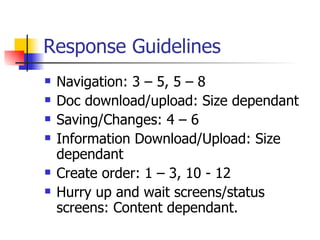
Response Guidelines Navigation: 3 – 5, 5 – 8 Doc download/upload: Size dependant Saving/Changes: 4 – 6 Information Download/Upload: Size dependant Create order: 1 – 3, 10 - 12 Hurry up and wait screens/status screens: Content dependant.
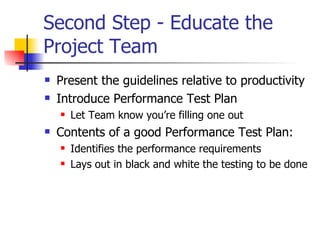
Second Step - Educate the Project Team  Present the guidelines relative to productivity Introduce Performance Test Plan Let Team know you’re filling one out Contents of a good Performance Test Plan: Identifies the performance requirements Lays out in black and white the testing to be done
Third Step – Setting Performance Expectations Ask them about business criticality of the application. Set expectation for response times separate from capacity of users on the system
Fourth Step - Review the Performance Test Plan to the Team/Group Everything should be documented Review Performance Test Plan with PM and Business Group Contains pass/fail  criteria and measurements Buy in and sign off: Business Group/Owner Project Manager
Run the Test!!
Fifth Step – Run the test
Performance testing is an iterative process. Test early, test often Don’t wait until the end of a project, you may run out of time Cannot “Test in better performance” Better performance comes from a group effort of db/system admins, developers, and managers Better performance costs $$$
Personal Experience – Iterative/Tuning/Don’t Wait MSQT Government Project Lesson Learned – Don’t wait to the end!!!
Sixth Step – the Test has Run, now what? Compare the results to the expectations/requirements How close is close enough? When to change or update expectations based on performance Present the results as they relate to user/customer productivity Faster response times = greater productivity Point of diminished returns
Poor performance, what to do Tuning Runs as time/budget allows Add status bars/screens Communicate to future users Future test efforts
Good Performance, what to do Save a baseline SHIP IT!!!
Summary of Steps Introduce Questionnaire Understand system, and usage Educate the project team Set and document expectations, part of the test plan Get sign off Run the test Possibly re-run the test Last – Review Test Results with Team
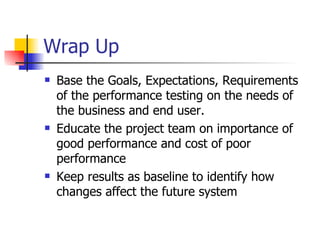
Wrap Up Base the Goals, Expectations, Requirements of the performance testing on the needs of the business and end user. Educate the project team on importance of good performance and cost of poor performance Keep results as baseline to identify how changes affect the future system
Questions Contact me via email: [email_address] Will send a copy of performance testing questionnaires for creating a performance test plan.

September_08 SQuAd Presentation

  • 1.
    How to SetPerformance Test Requirements and Expectations Presented by Ragan Shearing of Avaya
  • 2.
    Introduction Experience –Consulting and as employee of Avaya Automation and Performance Lead SQuAD Test Automation Panel – Twice Today’s Focus – Setting Performance Requirements and Expectations Poorly understood Inconsistently implemented
  • 3.
    Personal Experience –First Load Test Project Mayo Clinic Four applications, all central to daily operations Problem – without requirements, how do we measure/identify failed performance? Lessons Learned: Any application can have some level of performance testing. Set performance expectations, have an opinion
  • 4.
    Goal of thePresentation Identify a process for setting performance requirements and performance expectations Present examples of Performance testing experiences Understand when Performance is Good Enough for the application at hand. Share How I measure and Set Performance average just isn’t good enough the 90th percentile
  • 5.
    Present the problem– What is good performance? Personal experience Cognos Reporting Tool vs. Amazon.com “ Will we know it when we see it?” Is it good enough? No single golden rule! Performance is application specific All about – End User Experience
  • 6.
    Broad Categories ofApplications Consumer Facing (Amazon.com) Need near instantaneous response – Work with an order placing or requesting tool, typically a core business application Everything else – Work with a query or reporting tool, typically an application in a support role Internal usage Reporting Tools Both categories have unique user performance NEEDS !
  • 7.
    Start - PerformanceTesting Questionnaire Setting the requirements is an interactive process. Start with understanding of customer’s expectation, expect to hear I don’t know. Having a questionnaire is a great start, fill it out together with the customer.
  • 8.
    Sample Questions forPerformance Testing Who is their customer/audience? Internal, consumer, business partner, etc Main Application Functionality: Ordering, reporting, query, admin, etc Application Technology: SAP, Web, Multi-Tiered Web, Non-GUI, Other__________ What is the current/future growth of the system?
  • 9.
    Various Application InterfacesNavigation Doc download/upload Saving/Changes Information Download/Upload Create ______ (such as order) Large vs small downloads Hurry up and wait screens/status screens
  • 10.
    First Step –Set and understand the system usage Understanding: Yours The Project’s Business Group Third party/vendor 20/80 rule Can’t test every piece of functionality or every permutation
  • 11.
    Personal Experience -ITMS Give example of ITMS and expected usage Vendor’s expected usage Company’s expected usage My expected usage Application broke in production, information lost Document Usage!!!
  • 12.
    The questionnaire isfilled out, now what??? Begin filling out test plan. Not done talking with the customer. Typical division of application functionality: Navigation: Tends to occur the most often. Data Submission/Return Results: Tends to occur half as often as navigation. Login/Logoff: Some systems may have multiple occurrences.
  • 13.
    After the Questionnairecont… Times should be driven by project needs Discuss guidelines for functionality, my favorites are: Navigation responds within 5 – 8 seconds for the upper end Data Submission/Results Returned responds within 10 – 12 seconds on the upper end, 1 – 3 on fast end Login within 3 – 5 seconds
  • 14.
    Response Guidelines Navigation:3 – 5, 5 – 8 Doc download/upload: Size dependant Saving/Changes: 4 – 6 Information Download/Upload: Size dependant Create order: 1 – 3, 10 - 12 Hurry up and wait screens/status screens: Content dependant.
  • 15.
    Second Step -Educate the Project Team Present the guidelines relative to productivity Introduce Performance Test Plan Let Team know you’re filling one out Contents of a good Performance Test Plan: Identifies the performance requirements Lays out in black and white the testing to be done
  • 16.
    Third Step –Setting Performance Expectations Ask them about business criticality of the application. Set expectation for response times separate from capacity of users on the system
  • 17.
    Fourth Step -Review the Performance Test Plan to the Team/Group Everything should be documented Review Performance Test Plan with PM and Business Group Contains pass/fail criteria and measurements Buy in and sign off: Business Group/Owner Project Manager
  • 18.
  • 19.
    Fifth Step –Run the test
  • 20.
    Performance testing isan iterative process. Test early, test often Don’t wait until the end of a project, you may run out of time Cannot “Test in better performance” Better performance comes from a group effort of db/system admins, developers, and managers Better performance costs $$$
  • 21.
    Personal Experience –Iterative/Tuning/Don’t Wait MSQT Government Project Lesson Learned – Don’t wait to the end!!!
  • 22.
    Sixth Step –the Test has Run, now what? Compare the results to the expectations/requirements How close is close enough? When to change or update expectations based on performance Present the results as they relate to user/customer productivity Faster response times = greater productivity Point of diminished returns
  • 23.
    Poor performance, whatto do Tuning Runs as time/budget allows Add status bars/screens Communicate to future users Future test efforts
  • 24.
    Good Performance, whatto do Save a baseline SHIP IT!!!
  • 25.
    Summary of StepsIntroduce Questionnaire Understand system, and usage Educate the project team Set and document expectations, part of the test plan Get sign off Run the test Possibly re-run the test Last – Review Test Results with Team
  • 26.
    Wrap Up Basethe Goals, Expectations, Requirements of the performance testing on the needs of the business and end user. Educate the project team on importance of good performance and cost of poor performance Keep results as baseline to identify how changes affect the future system
  • 27.
    Questions Contact mevia email: [email_address] Will send a copy of performance testing questionnaires for creating a performance test plan.

Editor's Notes

  • #3 11 years of test experience, mostly with HP/Mercury tools with Automation and Performance Testing Worked with internal and external customers. I’ve worked directly with on site customers Worked as consultant and employee, in my experiences I’ve seen this as a consistent challenge across every Performance project I’ve worked on. Performed Performance tests on a variety of web, SAP, and client server applications over the past ten years. I want to present my experiences and thoughts on how I solve this problem for each project. Ice breaker – for those of you who don’t know me, I have a six month old daughter. If your ring tone sounds like a crying child, I will try not to burp your phone.
  • #4 What led to this presentation? First and subsequent performance tests Mayo Clinic, new hospital, loads of new software to run the hospital Learned any application can be perf tested. PM/Business Group didn’t know what they wanted, had to lead them by the nose. Learned to have an opinion Some of the poorest performance I’ve seen – can communicate poor perf, c/n communicate failure Began to understand – End user Experience Led me to the belief – c/n pass, c/n fail w/o requirements
  • #5 Growing Pains, share end lessons which make this a smoother process. Aimed at testers, sometimes more test leads Average doesn’t paint a complete enough picture
  • #6 Cognos is a configurable reporting tool with a wide spread implementation. In 98 or 99, the Gartner Group identified performance requirements of 1 – 5 = Good, 6 – 10 = Acceptable, 11 – 15 = Poor, > 15 = Unacceptable For some applications, this might work. However, for most applications/businesses, it is just too expensive!!! Overlaps but evaluate on own merits - Example – 2 gig doc download vs 2 meg
  • #7 Consumer facing – mostly web retailers Ask Audience if web retail used. Do companies own respond as fast?
  • #8 Begin with Questionnaire Goal of questionnaire, begin the dialog to understand the application, usage, audience Begins the dialogue, expect overlap in process End goal, Performance test plan for PM/Group sign off.
  • #9 These are only sample questions. The questionnaire is the basis for starting. Goal – to understand their expectation Growth – ask to understand future implications and possible upgrade paths/knowledge I have two examples of questionnaires I can email
  • #10 Each of these may have unique performance needs. These needs are based on company needs Part of the discussion process, interactive
  • #11 Need to make sure Project Team and Business Group are on same page Most of the time, only 20% or so of an application makes up 80% of the application usage Just a snapshot in time
  • #12 Show of hands, who has or should have an annual performance review Vendor – 1.5 hours Company – didn’t know Mine – 15 – 20 minutes Part of Questionnaire
  • #13 Must review questionnaire Review functionality Ask what if _____ takes too long
  • #14 No golden rule, only my guidelines It’s important to discuss this because each application/project is going to have it’s own unique needs. If during the conversation, the customer has stated performance is of the essence, be sure to treat the times as such. More important/consumer facing, identify faster times. Help the PM understand the impact to their business and the users. Give reporting example where 30 minutes response time was fine
  • #15 What is a consumer/user willing to live with. These are adjustable guidelines 2 gig doc vs 2 meg doc. End goal – have PM make a conscience decision and get project sign off.
  • #16 Steps 2 & 3 go together and kind of overlap Might do a partial walk through of the application and explain have performance of application would affect the end user experience at various points. Apply the guidelines, help the PM understand impact to the user/customer All along, filling out the Performance Test Plan
  • #17 If walk through of application hasn’t happened w/ discussion of guidelines, do so now.
  • #18 Performance test lead has been filling this out all along! By this time, the Performance test plan should be completed. End goal, their sign Review with PM and stakeholders!!!
  • #20 Snapshot of Performance Center By this point, magic has happened, scripts created, debugged, parameterized, etc Talk about what it is doing
  • #21 Typically Perf testing at end, when problems arise, it will be too late!!
  • #22 MSQT – originally poor performance. Had to re-code about a third of the application Government project – got on site, not much ready but started with login. Failed at 2 users! Took two weeks to troubleshoot poor db configuration
  • #25 Ship it, if it’s the last build…
  • #26 Remember all about end user experience
  • #27 This requires an active dialog.