Parquet
Columnar Storage for the People
Lars George
EMEA Chief Architect @ Cloudera
lars@cloudera.com
About Me
•
•

•

•

EMEA Chief Architect at Cloudera
Apache Committer
‣ HBase and Whirr
O’Reilly Author
‣ HBase – The Definitive Guide
- Now in Japanese!
Contact
‣ lars@cloudera.com
‣ @larsgeorge

日本語版も出ました!
Introduction
For analytical workloads it is often advantageous to
store the data in a layout that is more amenable to
the way it is accessed.
Parquet is an open-source file format that strives to
do exactly that, i.e. provide an efficient layout for
analytical queries.
We will be looking some context from various
companies, the results observed in production and
benchmarks, and finally do a bit of a format deepdive.
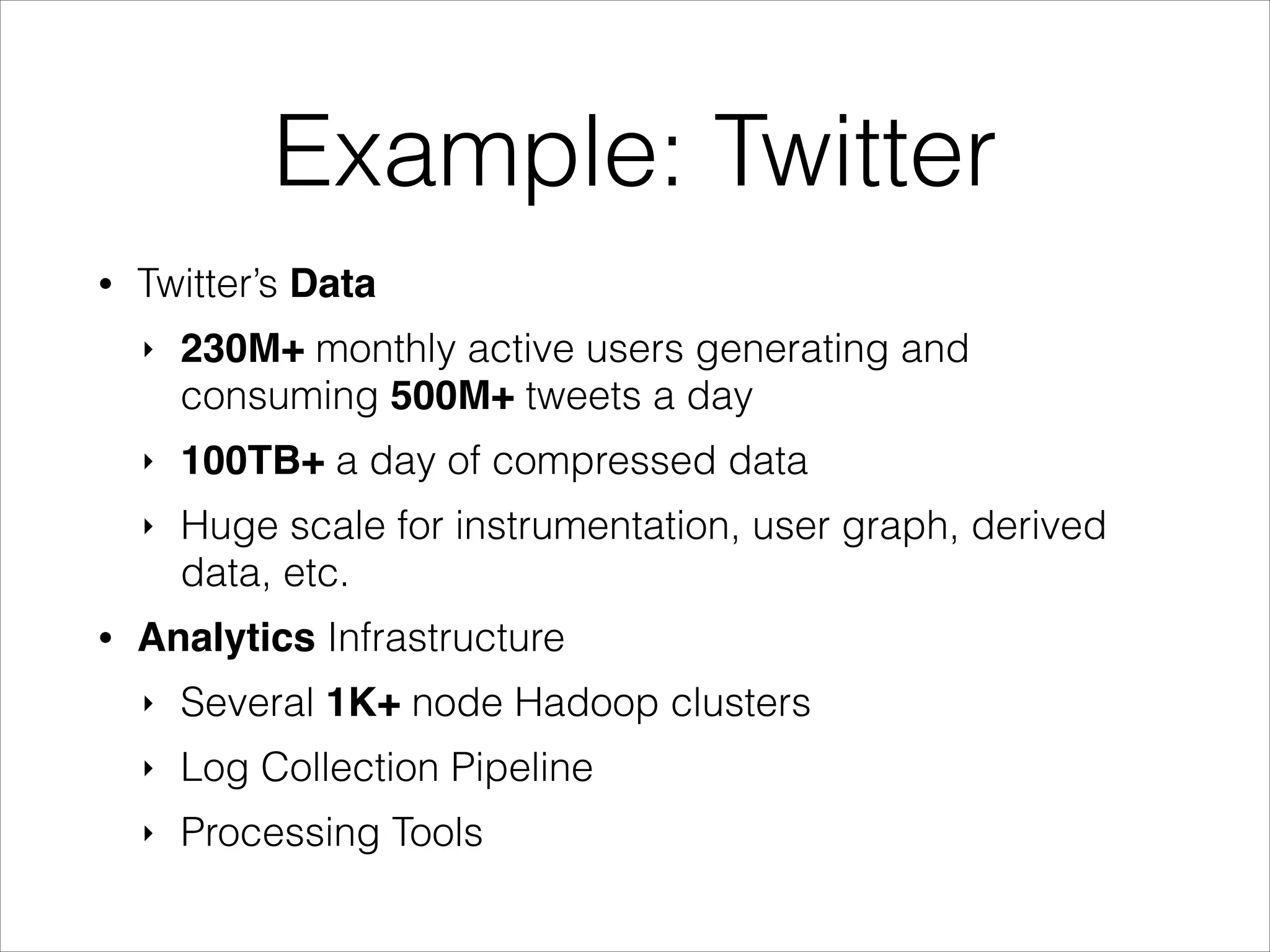
Example: Twitter
•

Twitter’s Data
‣

‣

100TB+ a day of compressed data

‣

•

230M+ monthly active users generating and
consuming 500M+ tweets a day
Huge scale for instrumentation, user graph, derived
data, etc.

Analytics Infrastructure
‣

Several 1K+ node Hadoop clusters

‣

Log Collection Pipeline

‣

Processing Tools
Example: Twitter
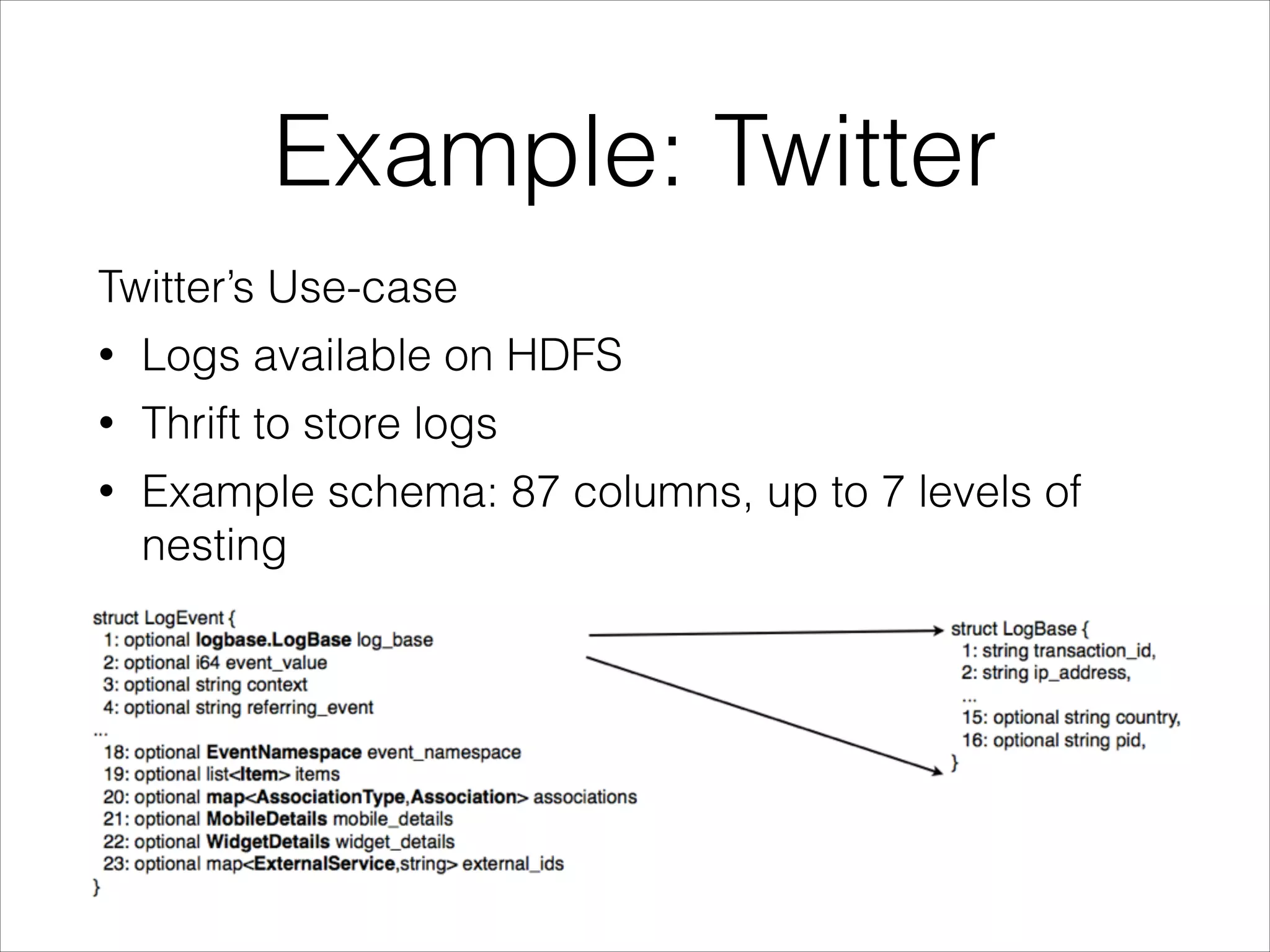
Twitter’s Use-case
•

Logs available on HDFS

•

Thrift to store logs

•

Example schema: 87 columns, up to 7 levels of
nesting
Example: Twitter
Goal:
!

“To have a state of the art columnar storage available
across the Hadoop platform”
!

•

Hadoop is very reliable for big long running
queries, but also I/O heavy

•

Incrementally take advantage of column based
storage in existing framework

•

Not tied to any framework in particular
Columnar Storage
•

Limits I/O to data actually needed
‣

•

Loads only the columns that need to be
accessed

Saves space
‣
‣

•

Columnar layout compresses better
Type specific encodings

Enables vectorized execution engines
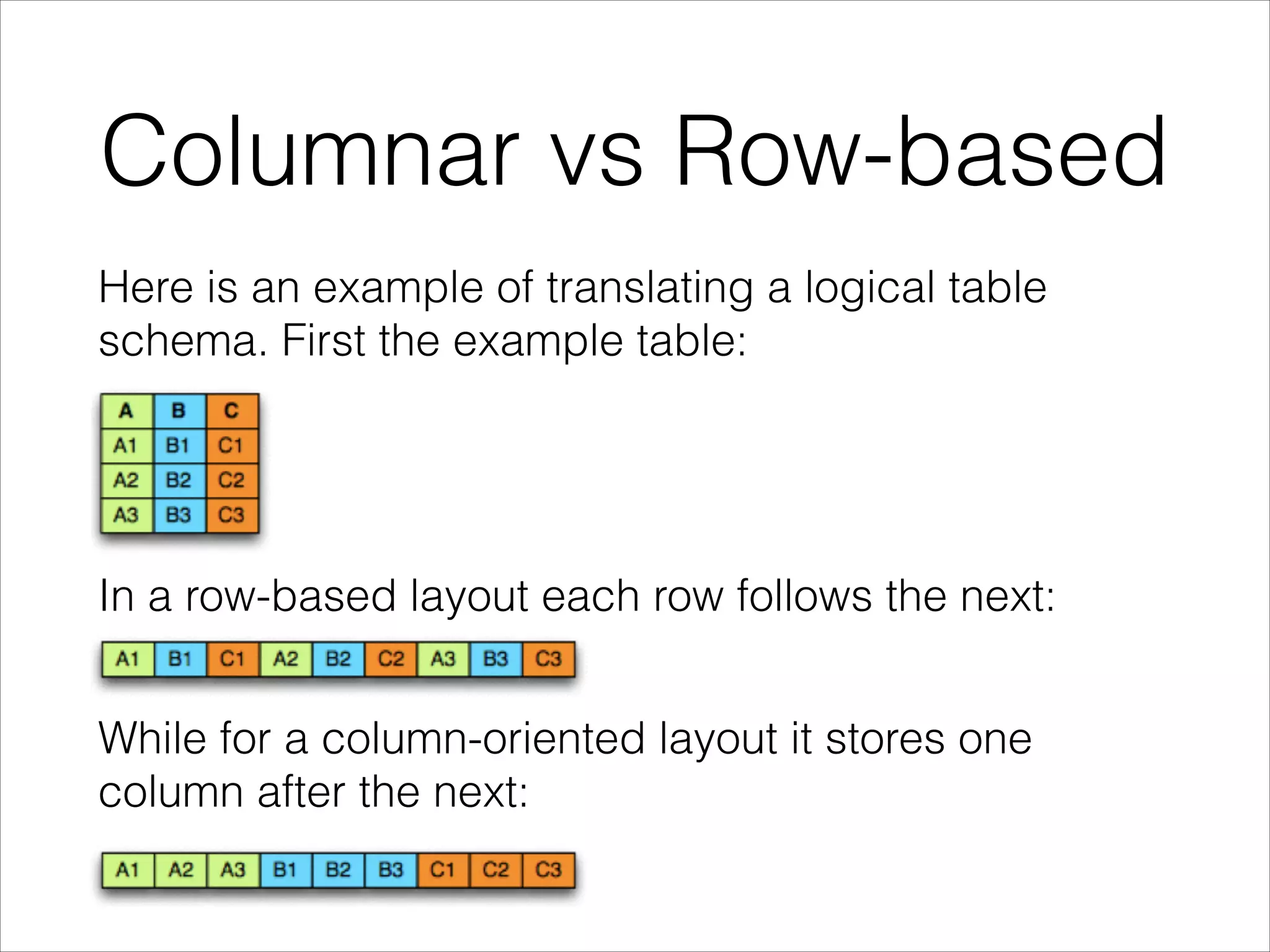
Columnar vs Row-based
Here is an example of translating a logical table
schema. First the example table:

In a row-based layout each row follows the next:
While for a column-oriented layout it stores one
column after the next:
Parquet Intro
Parquet defines a common file format, which is
language independent

and

formally specified.
Implementation exist in Java for MapReduce and 

C++, which is used by Impala.
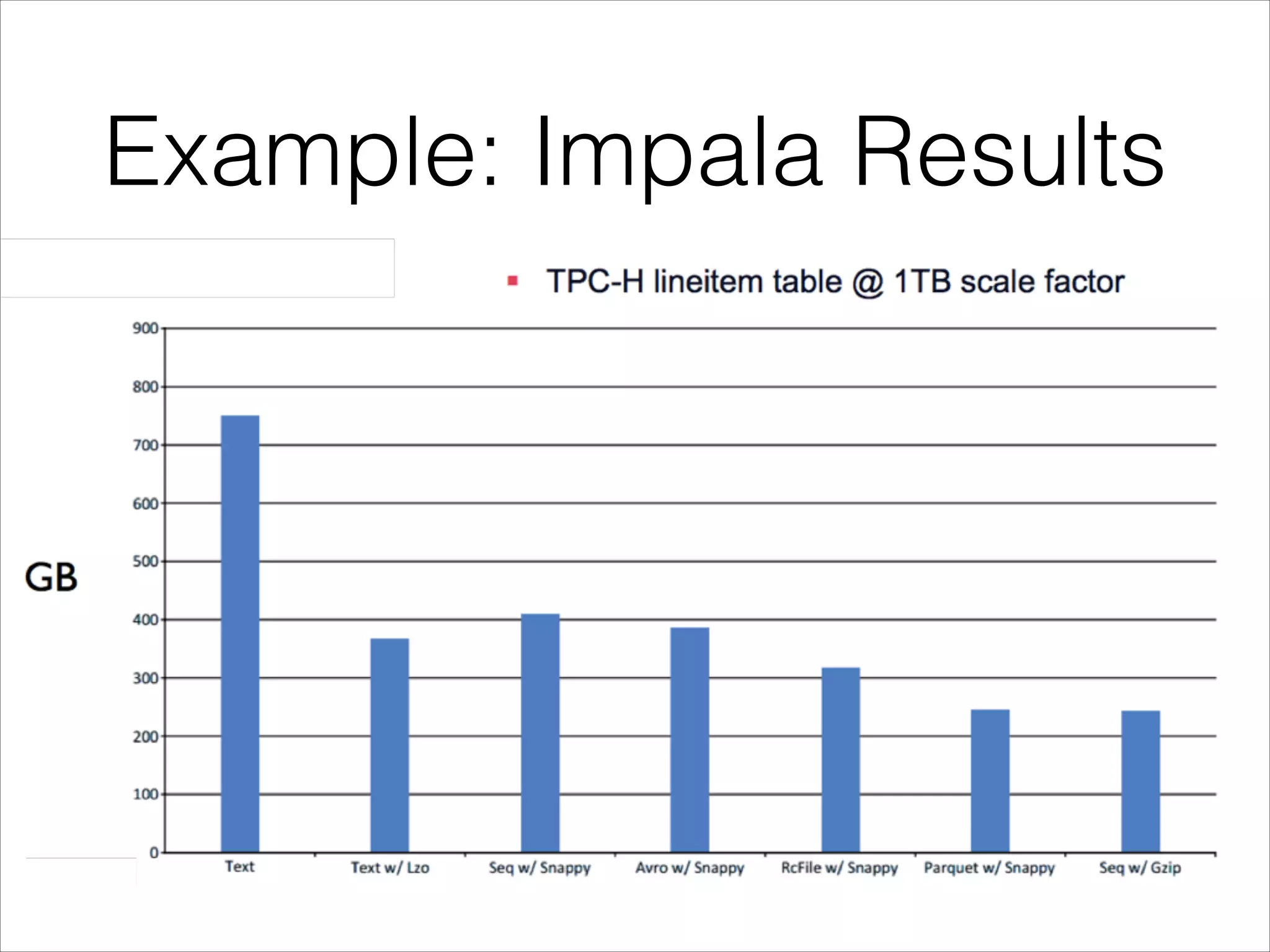
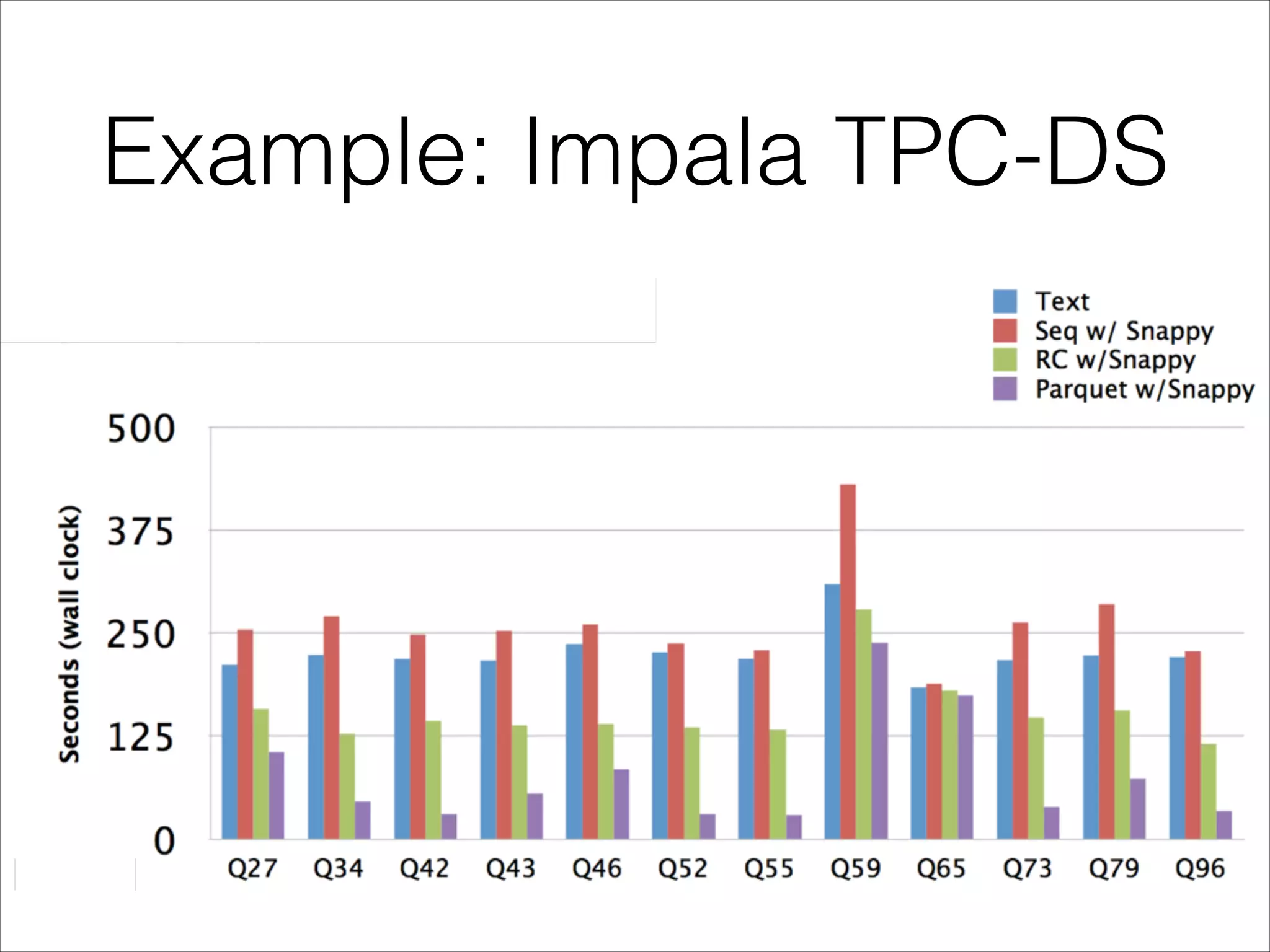
Example: Impala Results
Example: Impala TPC-DS
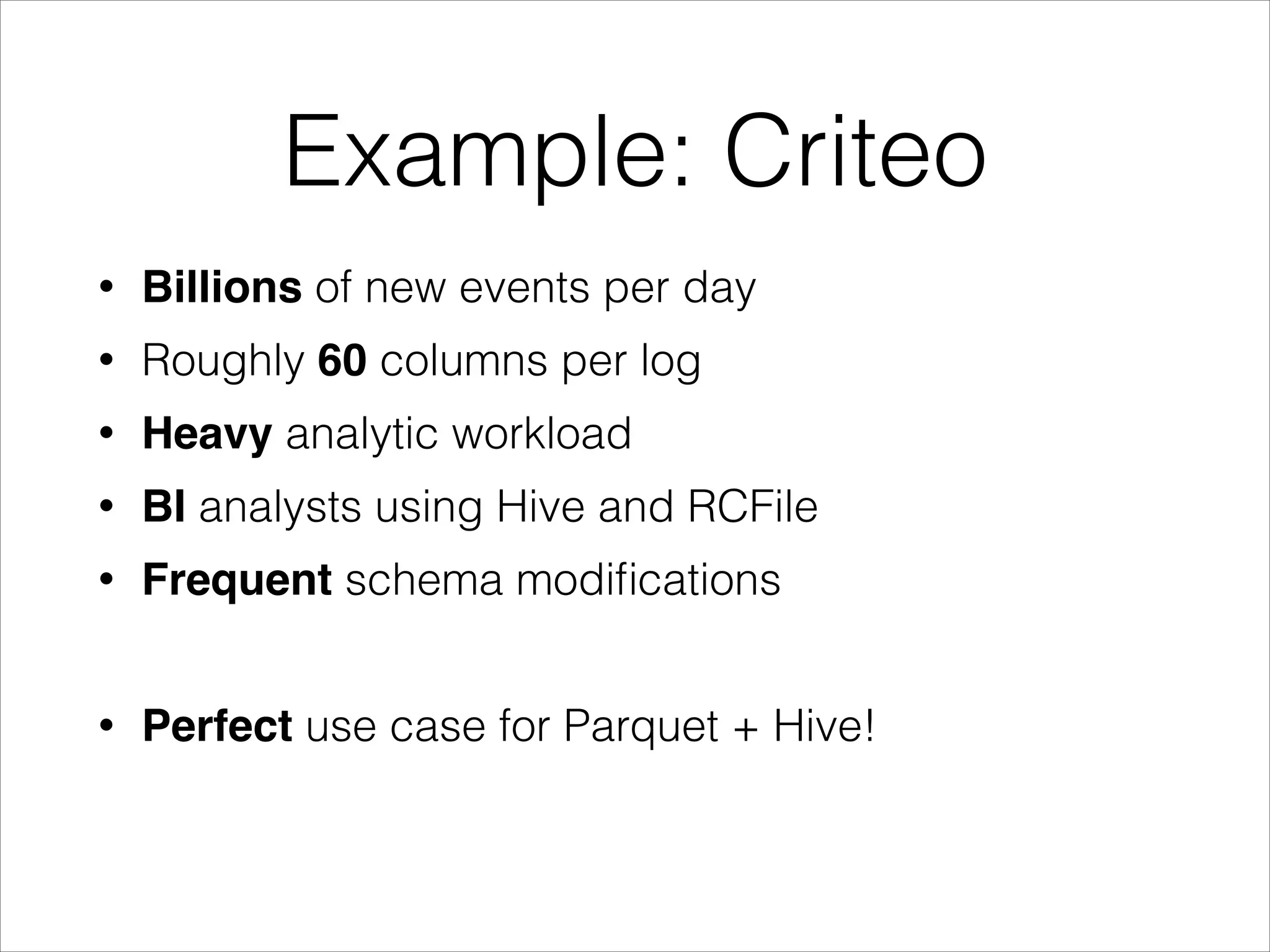
Example: Criteo
•

Billions of new events per day

•

Roughly 60 columns per log

•

Heavy analytic workload

•

BI analysts using Hive and RCFile

•

Frequent schema modifications
!

•

Perfect use case for Parquet + Hive!
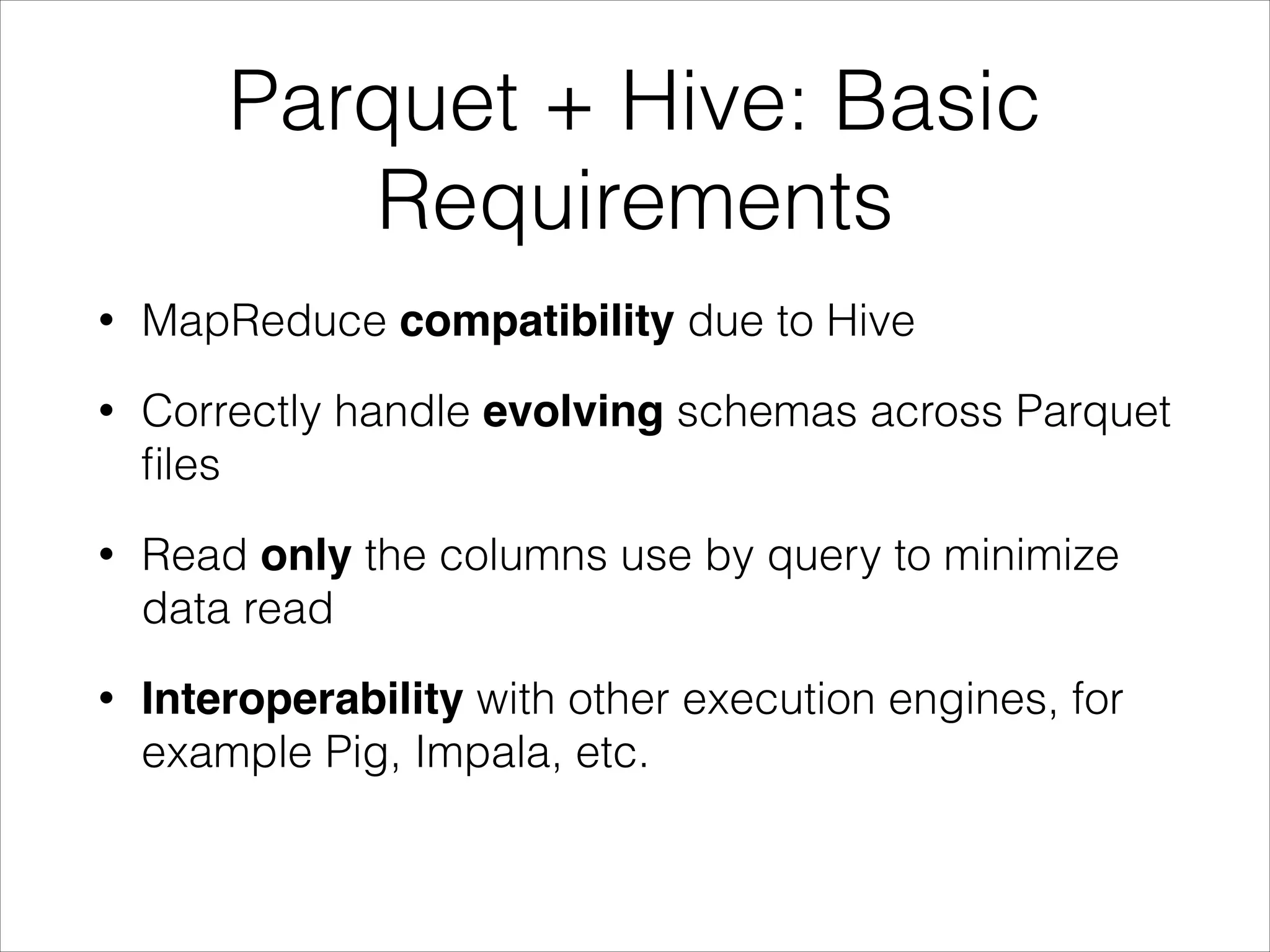
Parquet + Hive: Basic
Requirements
•

MapReduce compatibility due to Hive

•

Correctly handle evolving schemas across Parquet
files

•

Read only the columns use by query to minimize
data read

•

Interoperability with other execution engines, for
example Pig, Impala, etc.
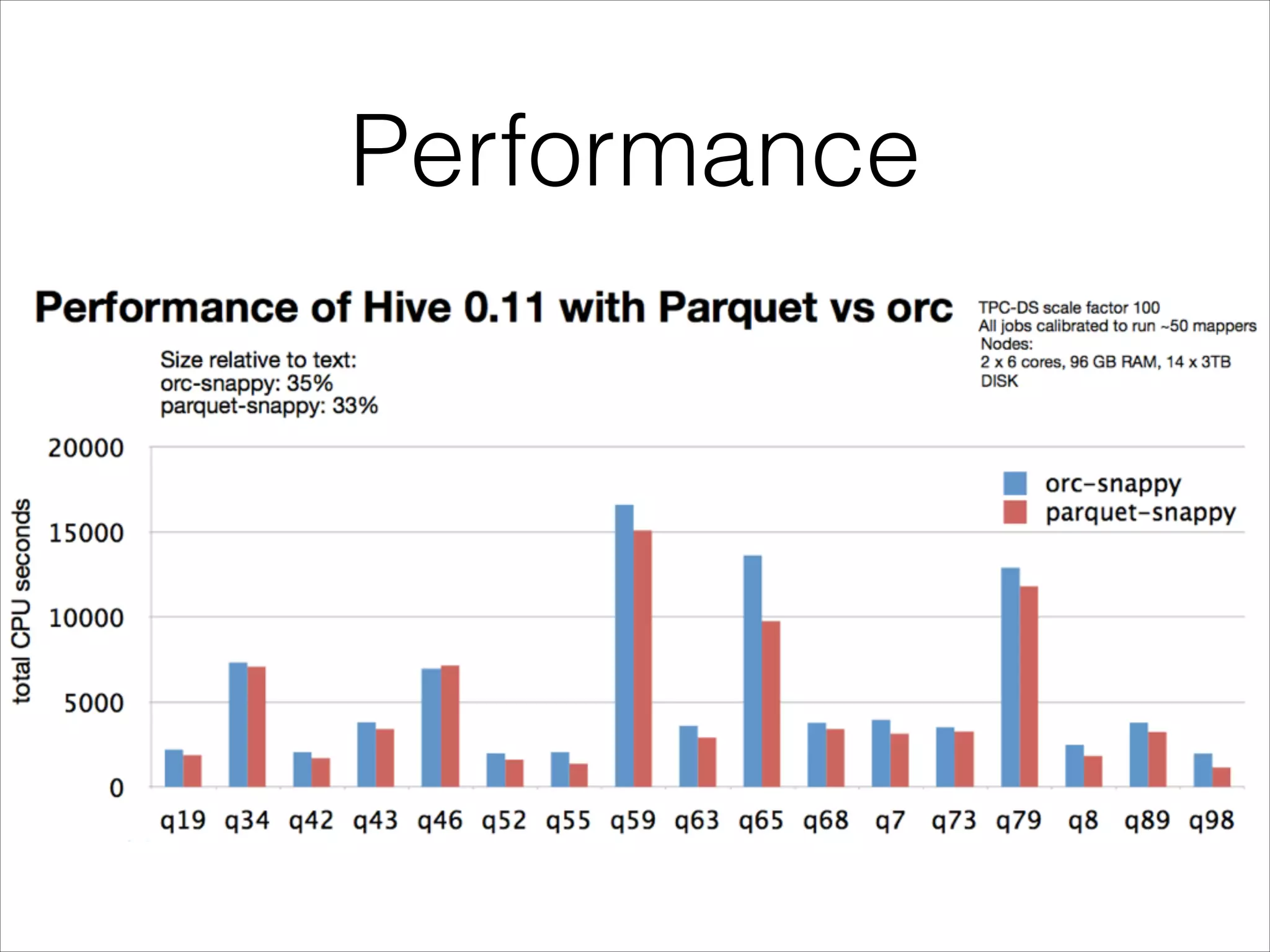
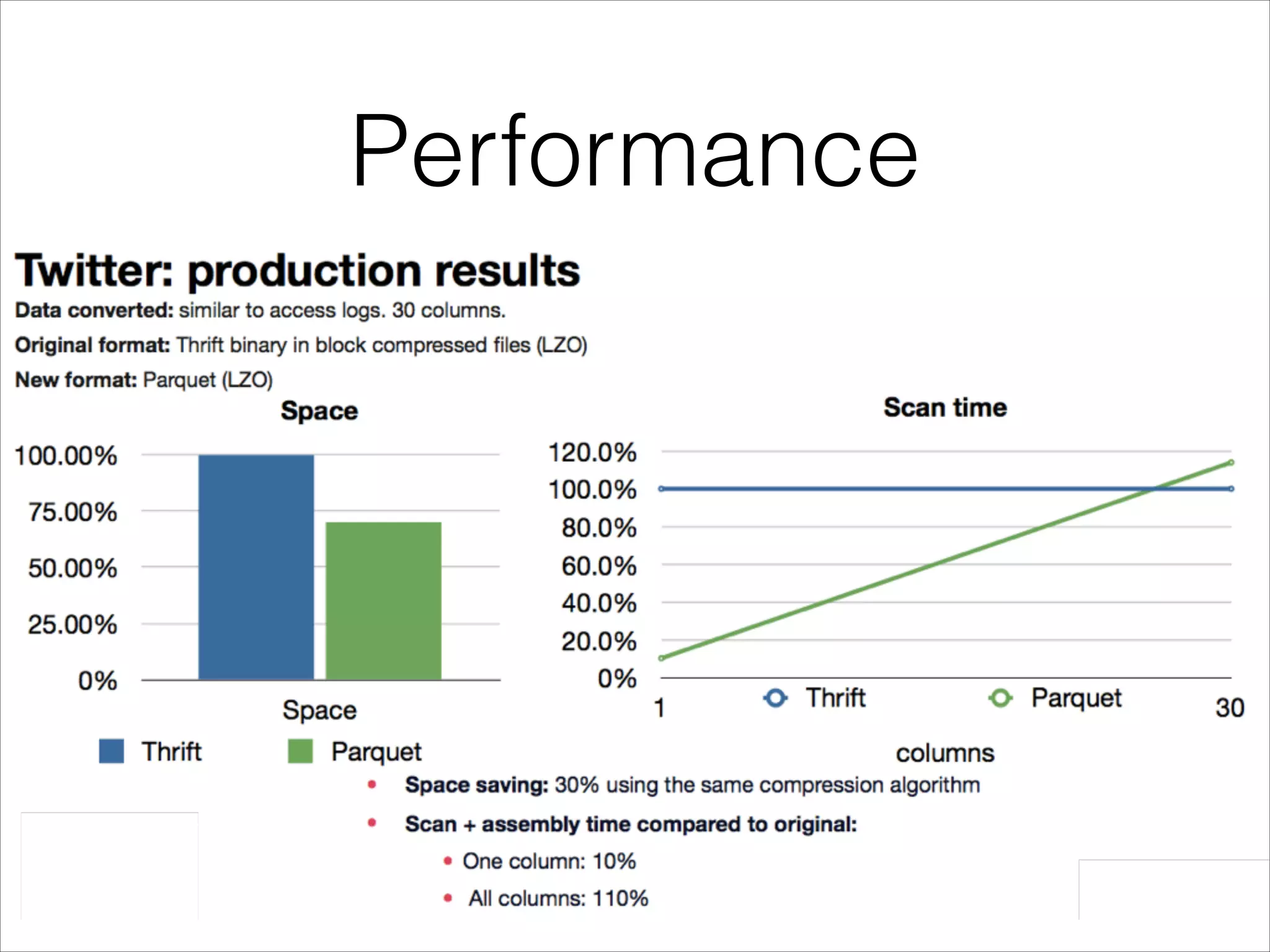
Performance
Performance
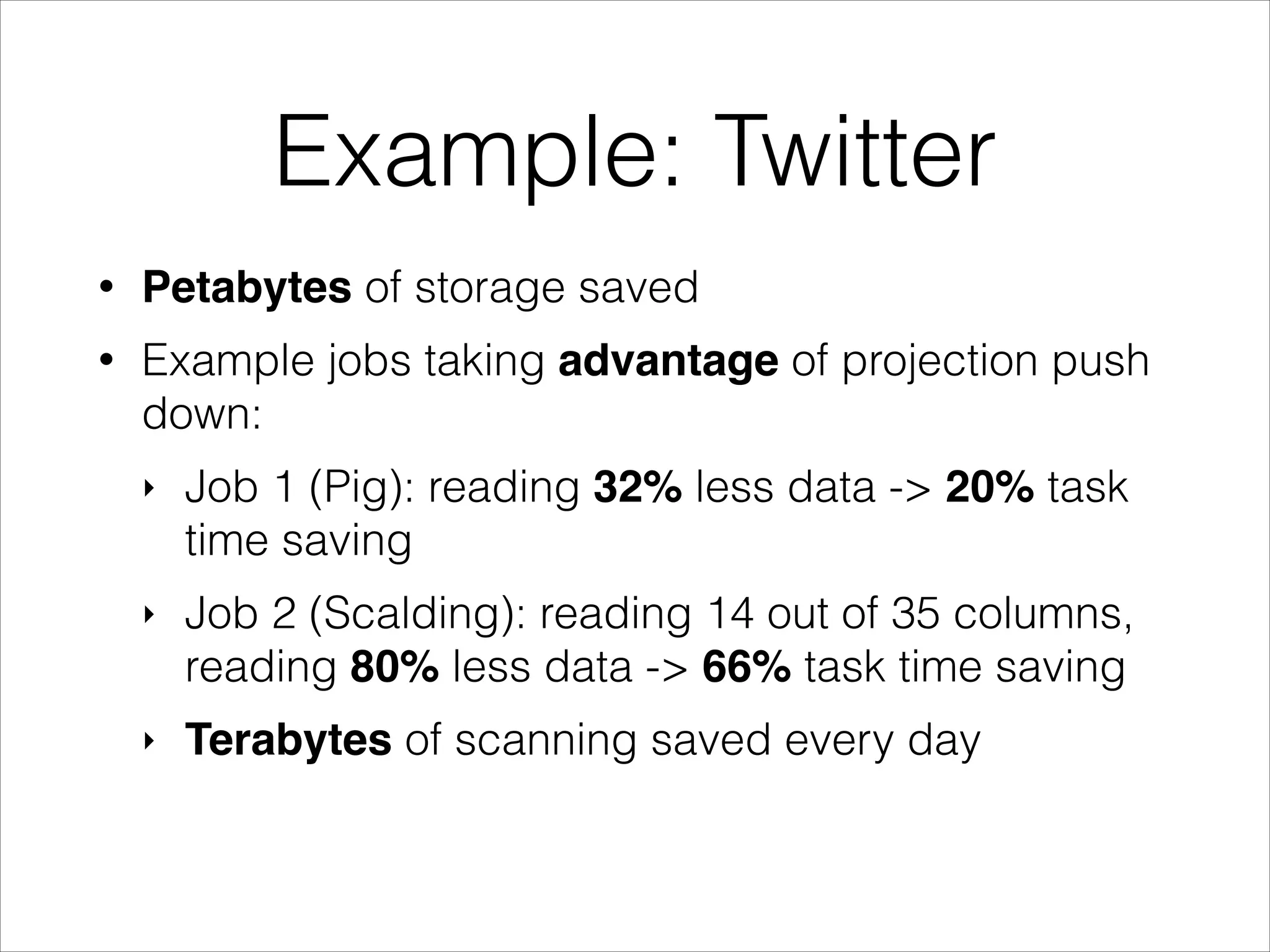
Example: Twitter
•

Petabytes of storage saved

•

Example jobs taking advantage of projection push
down:
‣

Job 1 (Pig): reading 32% less data -> 20% task
time saving

‣

Job 2 (Scalding): reading 14 out of 35 columns,
reading 80% less data -> 66% task time saving

‣

Terabytes of scanning saved every day
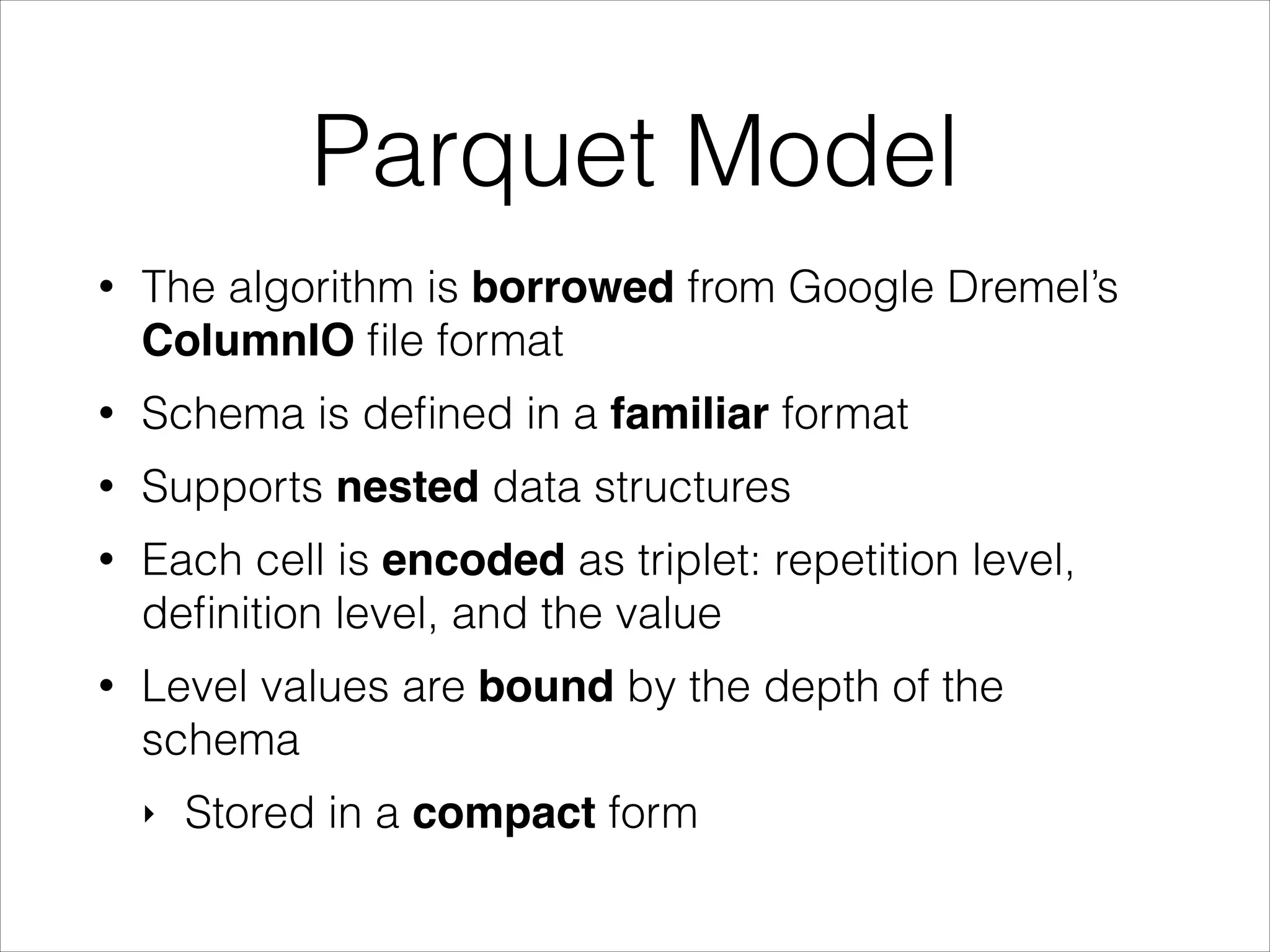
Parquet Model
•

The algorithm is borrowed from Google Dremel’s
ColumnIO file format

•

Schema is defined in a familiar format

•

Supports nested data structures

•

Each cell is encoded as triplet: repetition level,
definition level, and the value

•

Level values are bound by the depth of the
schema
‣

Stored in a compact form
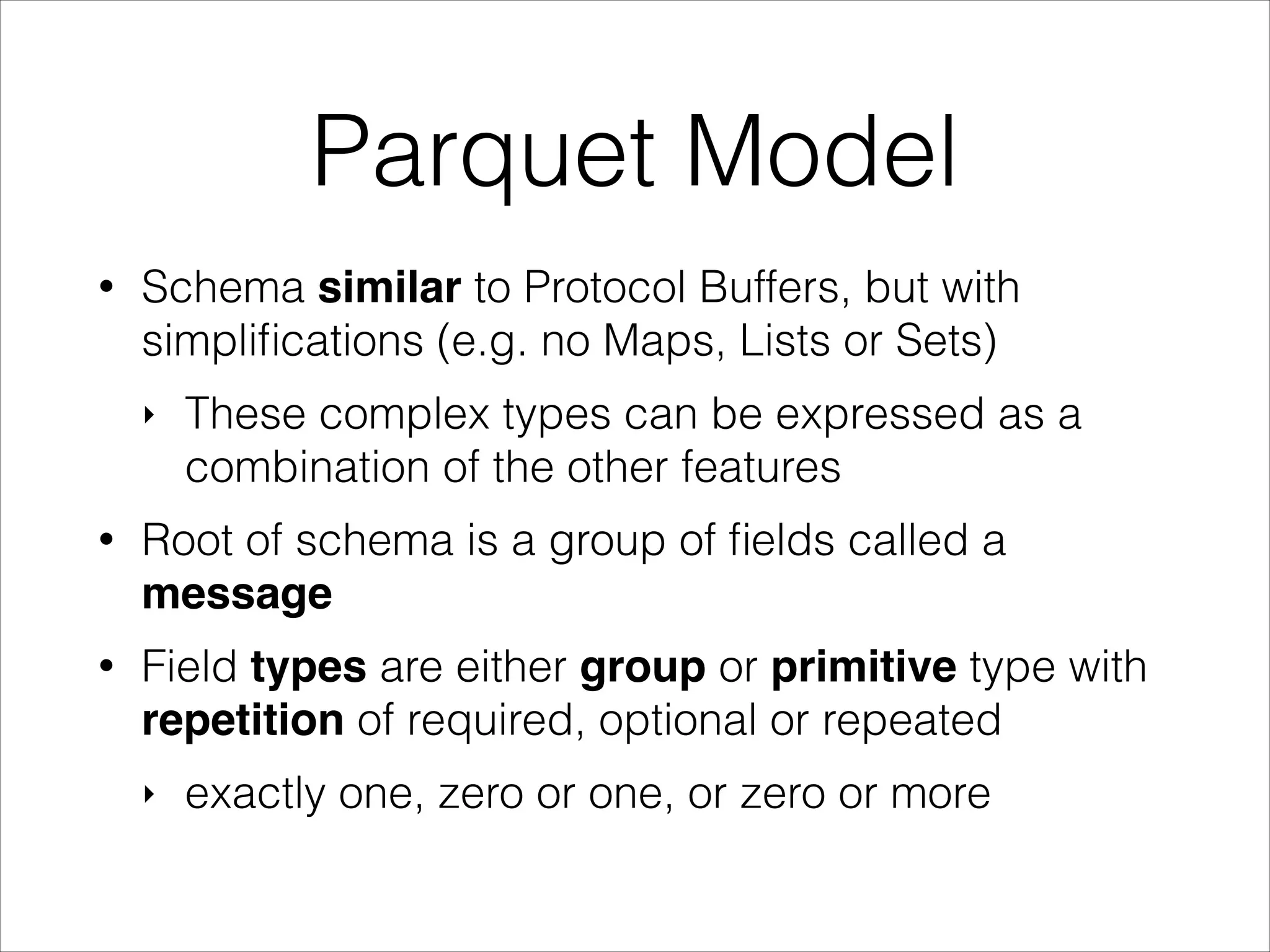
Parquet Model
•

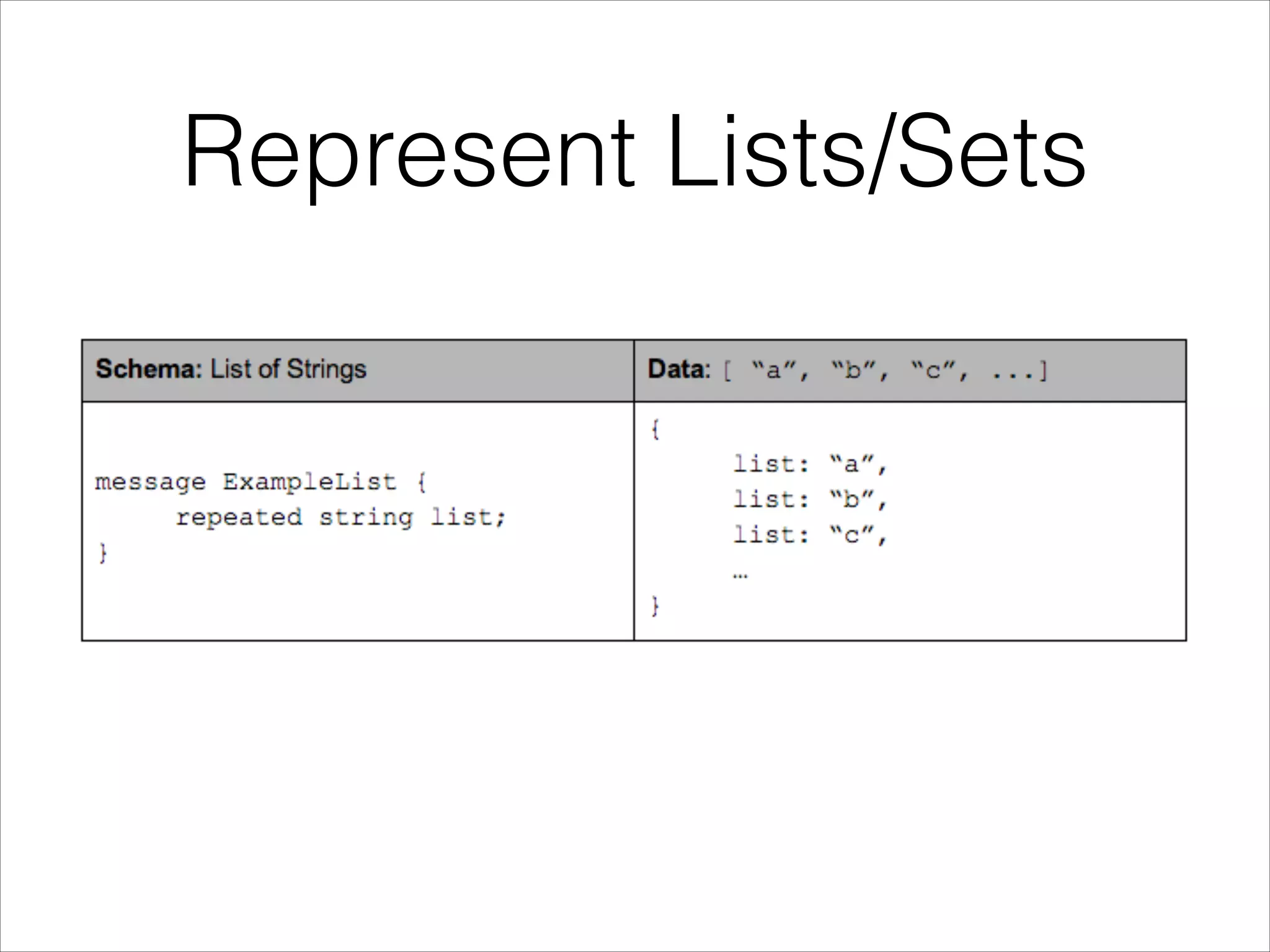
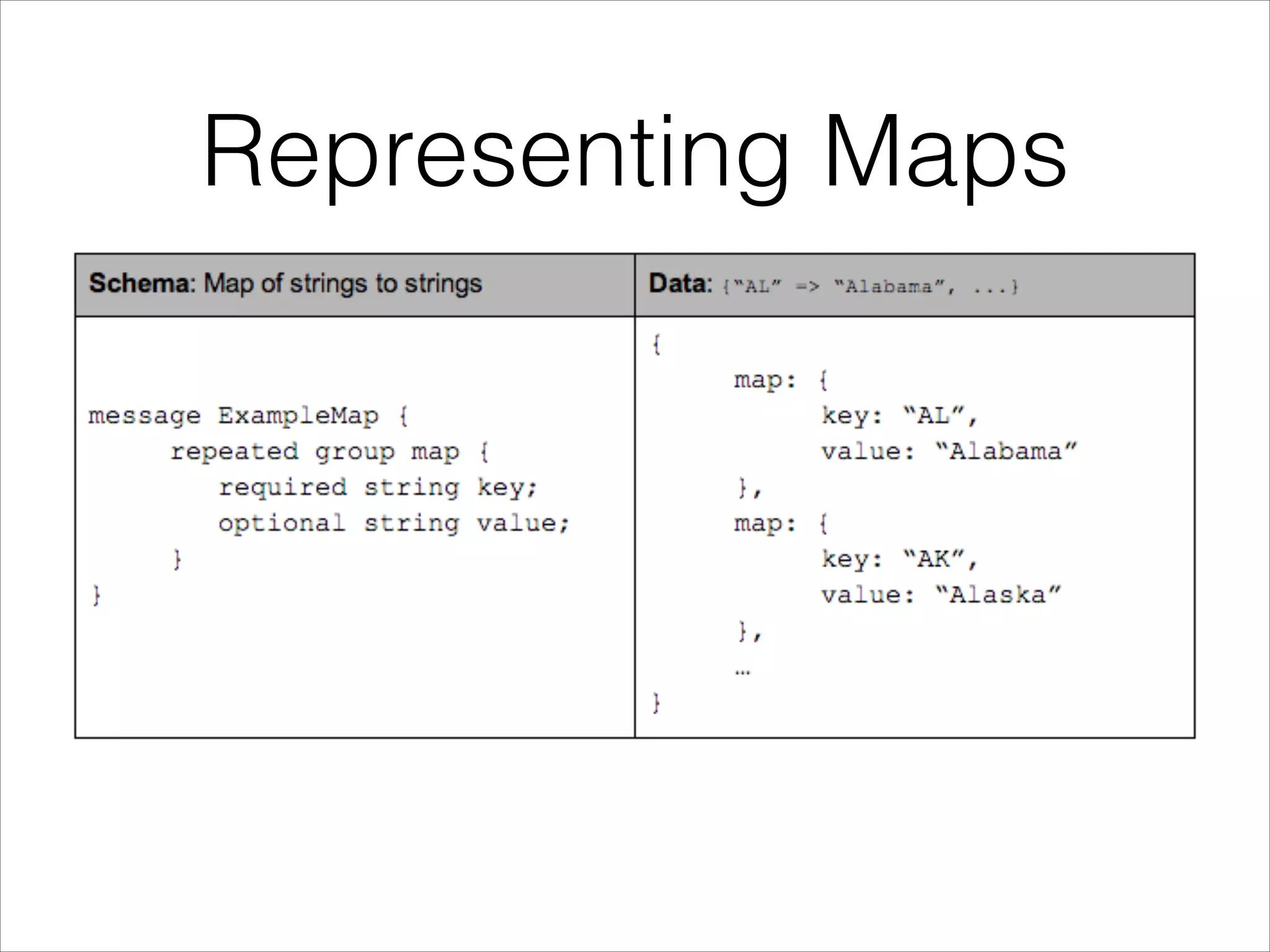
Schema similar to Protocol Buffers, but with
simplifications (e.g. no Maps, Lists or Sets)
‣

These complex types can be expressed as a
combination of the other features

•

Root of schema is a group of fields called a
message

•

Field types are either group or primitive type with
repetition of required, optional or repeated
‣

exactly one, zero or one, or zero or more
Example Schema
!

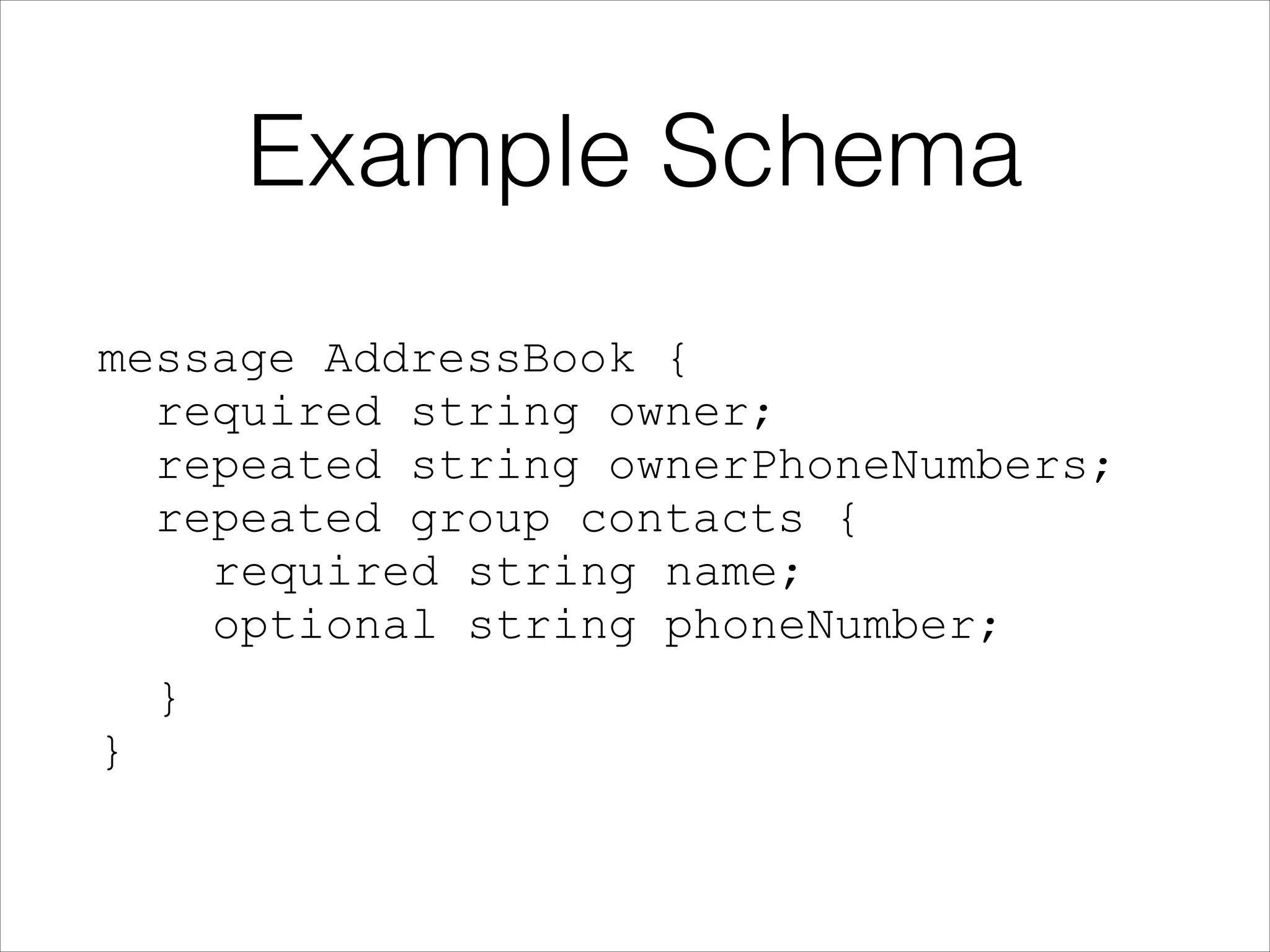
message AddressBook {

required string owner;

repeated string ownerPhoneNumbers;

repeated group contacts { 

required string name; 

optional string phoneNumber;
}

} 

Represent Lists/Sets
Representing Maps
Schema as a Tree
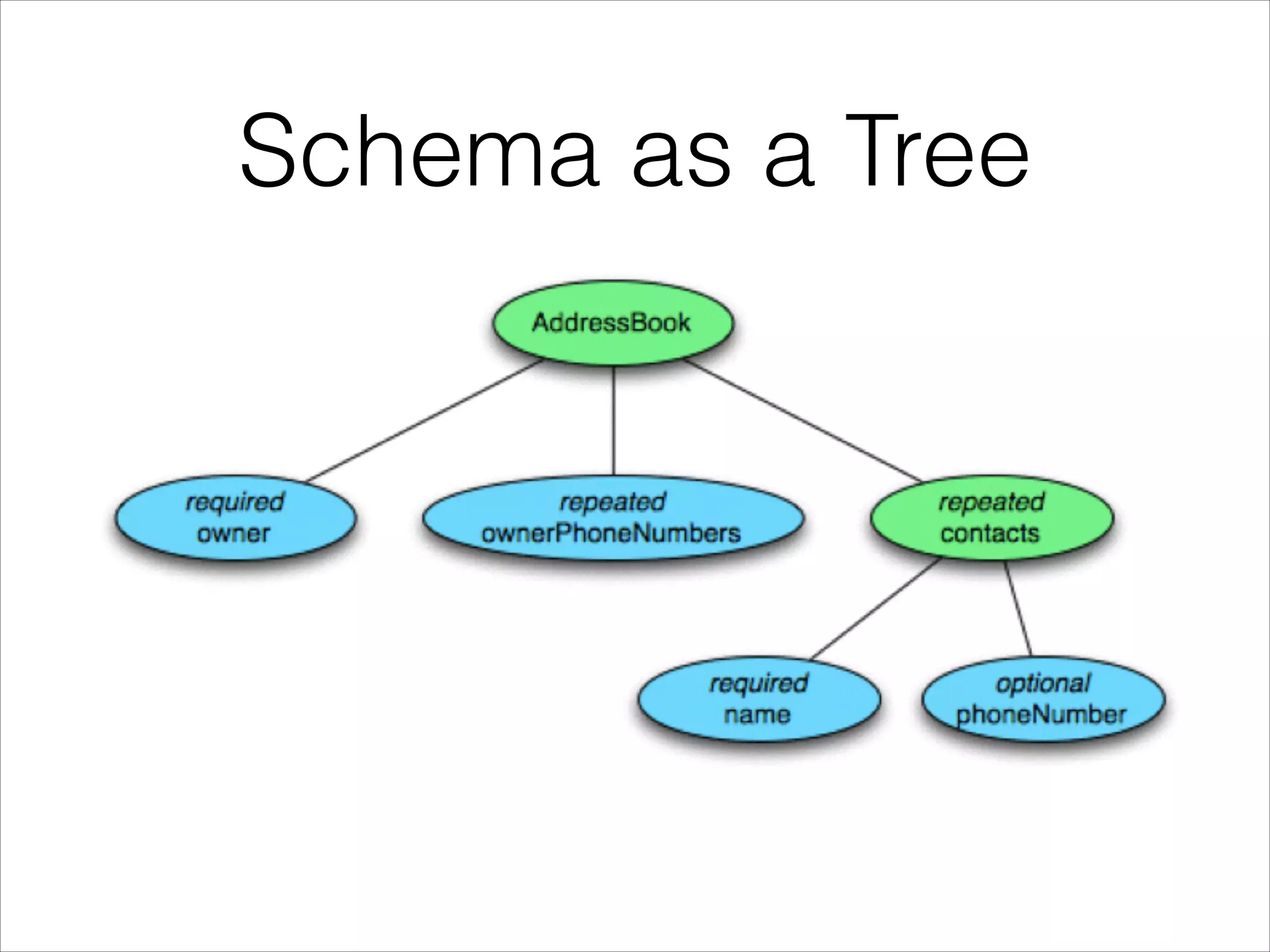
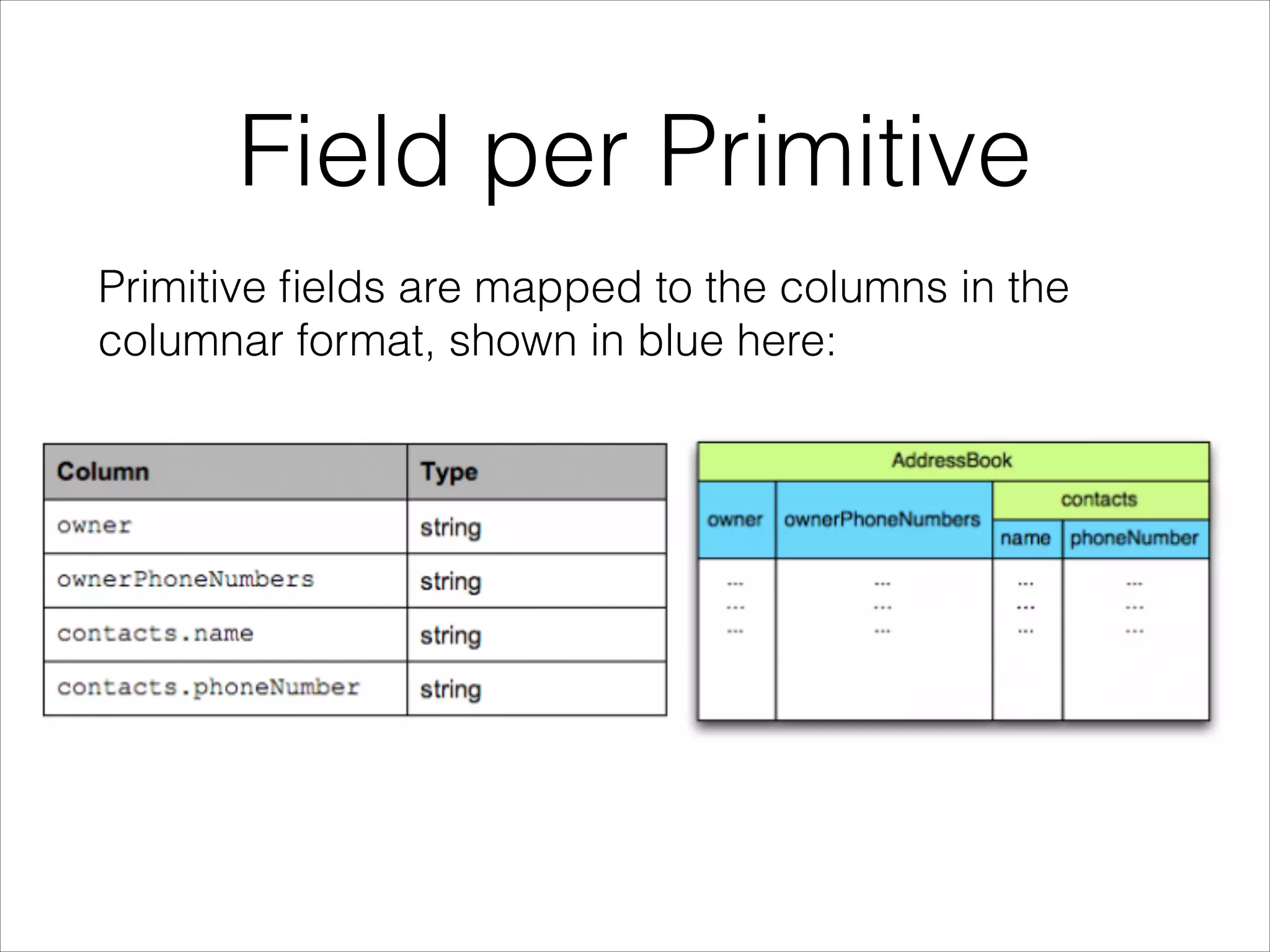
Field per Primitive
Primitive fields are mapped to the columns in the
columnar format, shown in blue here:
Levels
The structure of the record is captured for each
value by two integers called repetition level and
definition level.
Using these two levels we can fully reconstruct the
nested structures while still being able to store each
primitive separately.
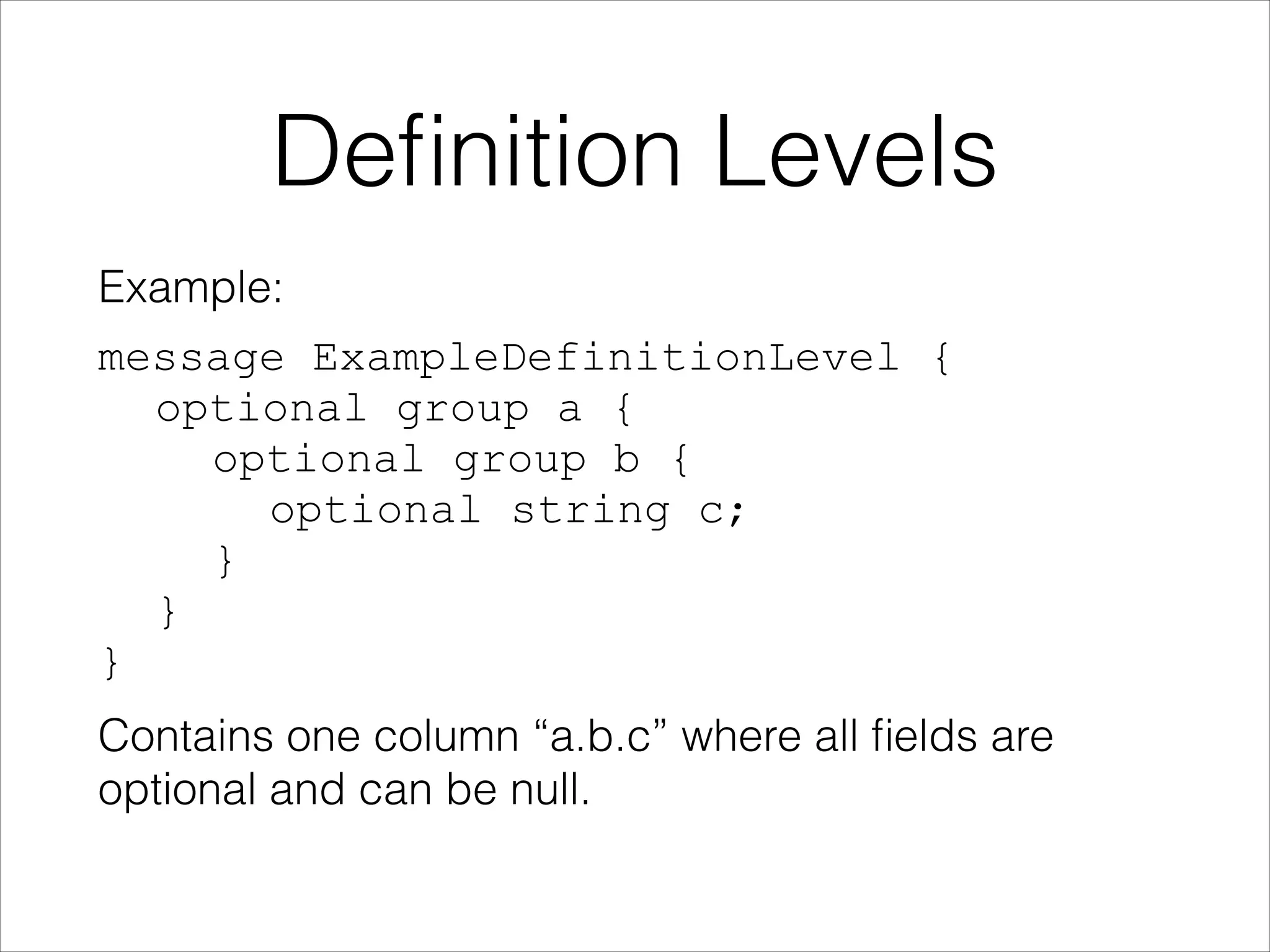
Definition Levels
Example:
message ExampleDefinitionLevel {

optional group a {

optional group b {

optional string c;

}

}

}
Contains one column “a.b.c” where all fields are
optional and can be null.
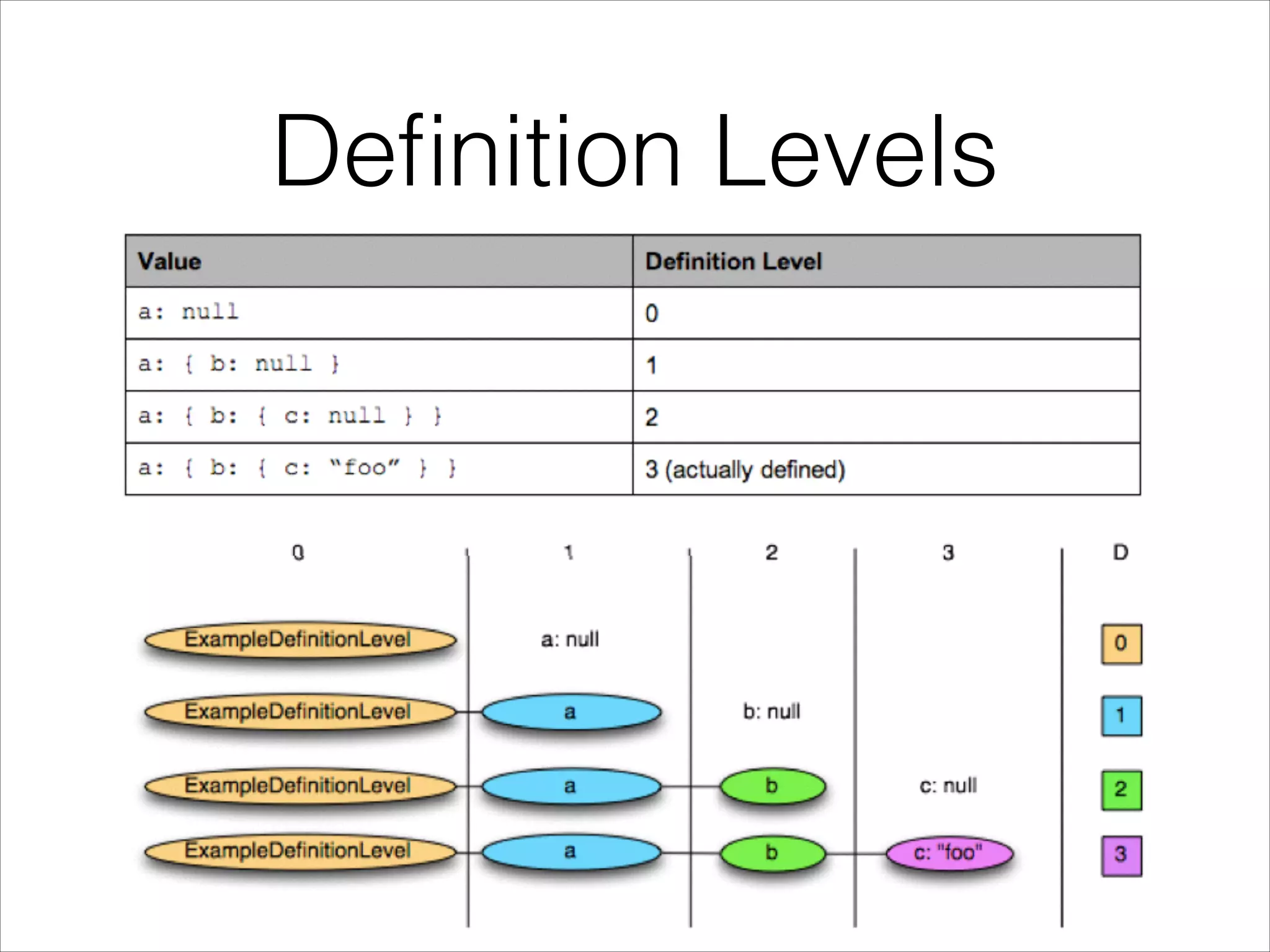
Definition Levels
Definition Levels
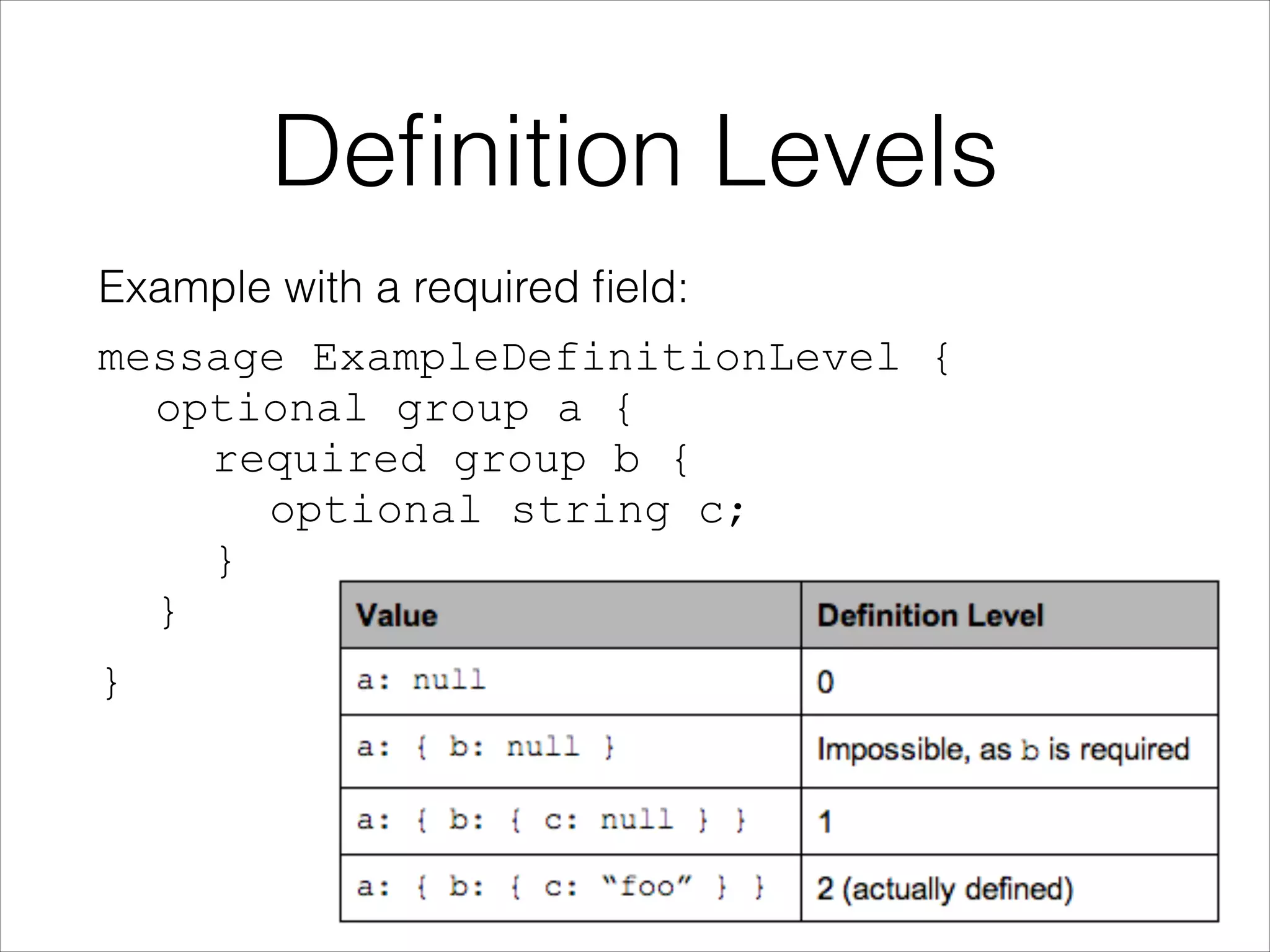
Example with a required field:
message ExampleDefinitionLevel { 

optional group a {

required group b {

optional string c;

}

}
}
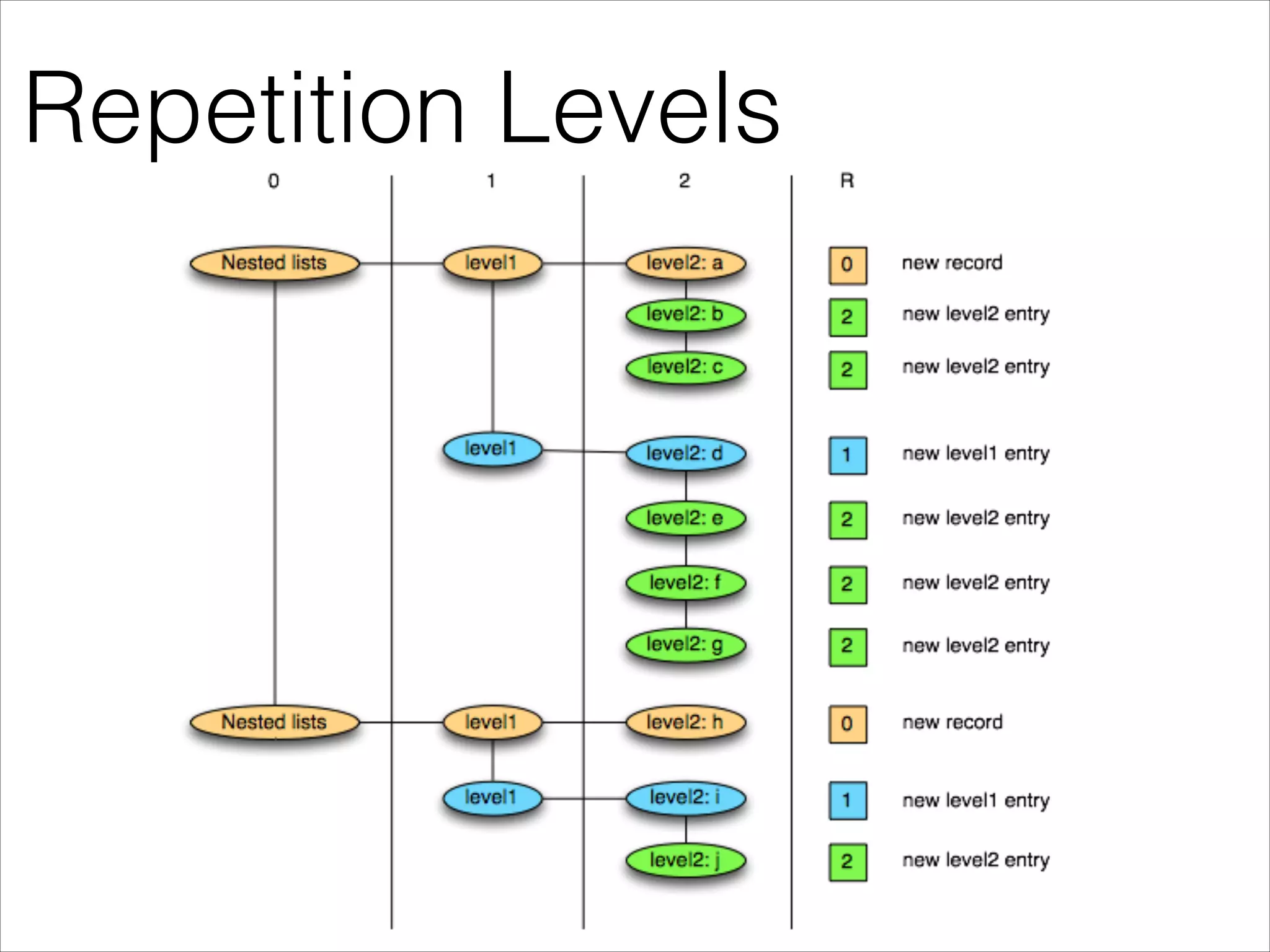
Repetition Levels
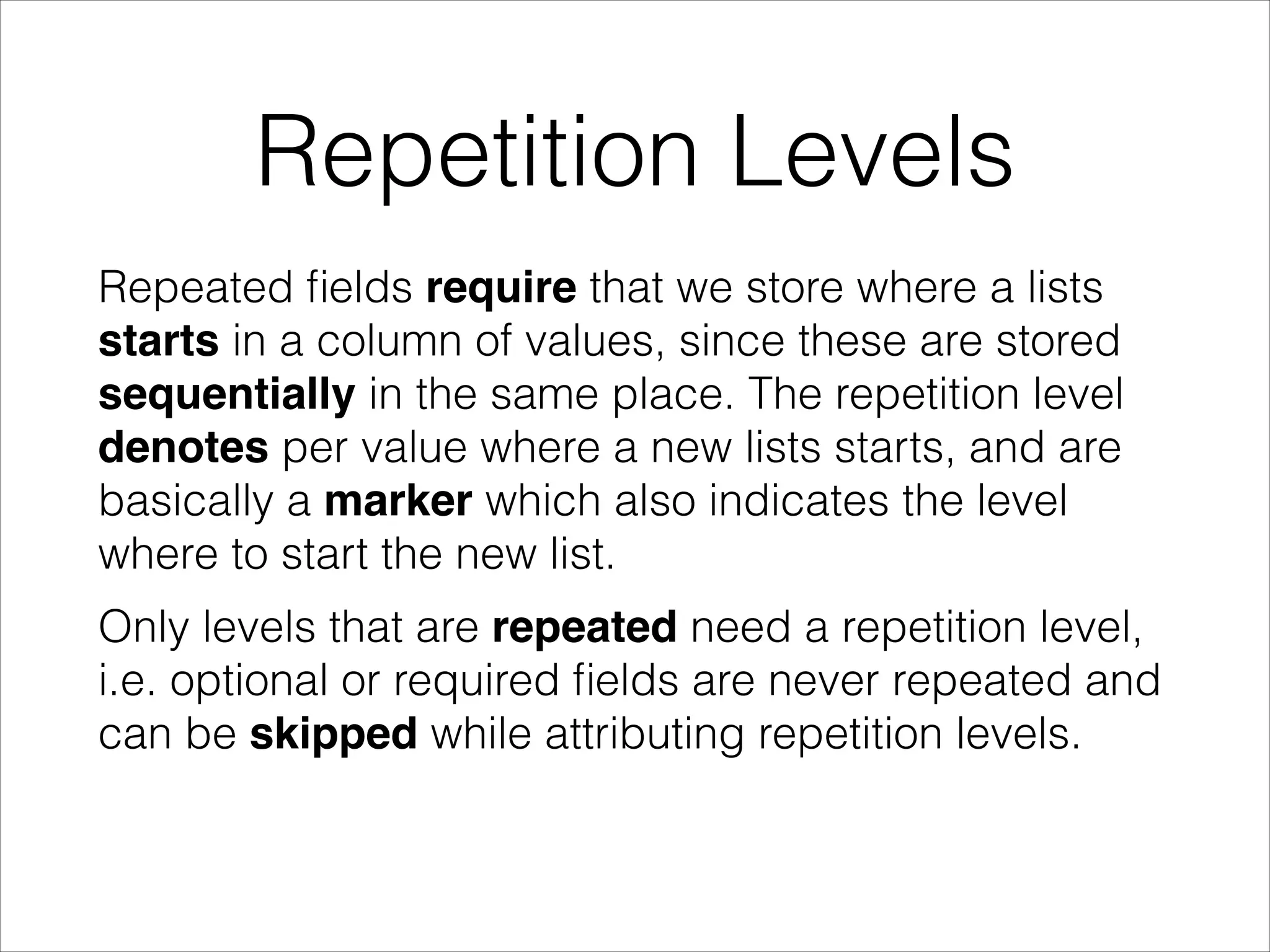
Repeated fields require that we store where a lists
starts in a column of values, since these are stored
sequentially in the same place. The repetition level
denotes per value where a new lists starts, and are
basically a marker which also indicates the level
where to start the new list.
Only levels that are repeated need a repetition level,
i.e. optional or required fields are never repeated and
can be skipped while attributing repetition levels.
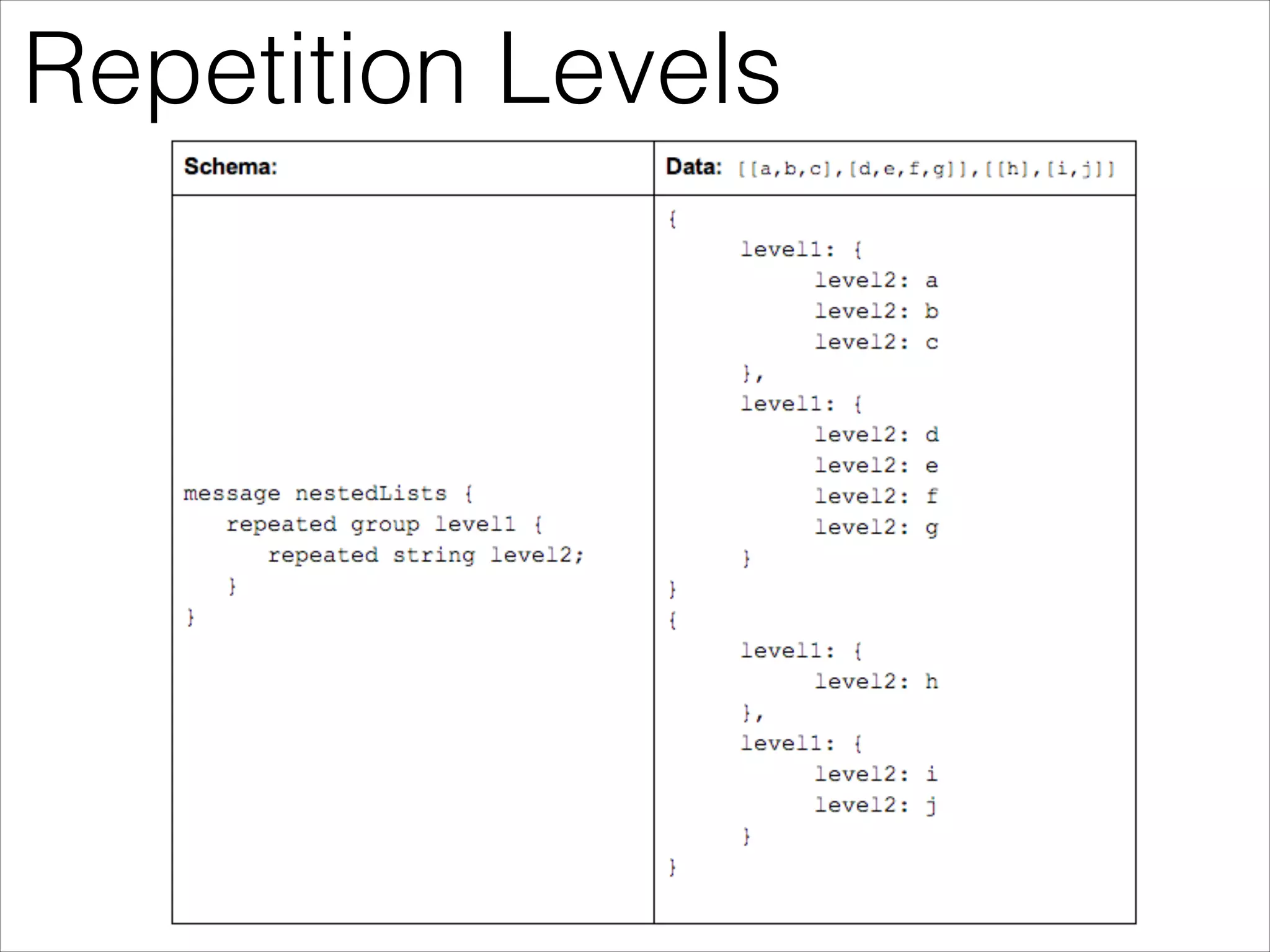
Repetition Levels
Repetition Levels
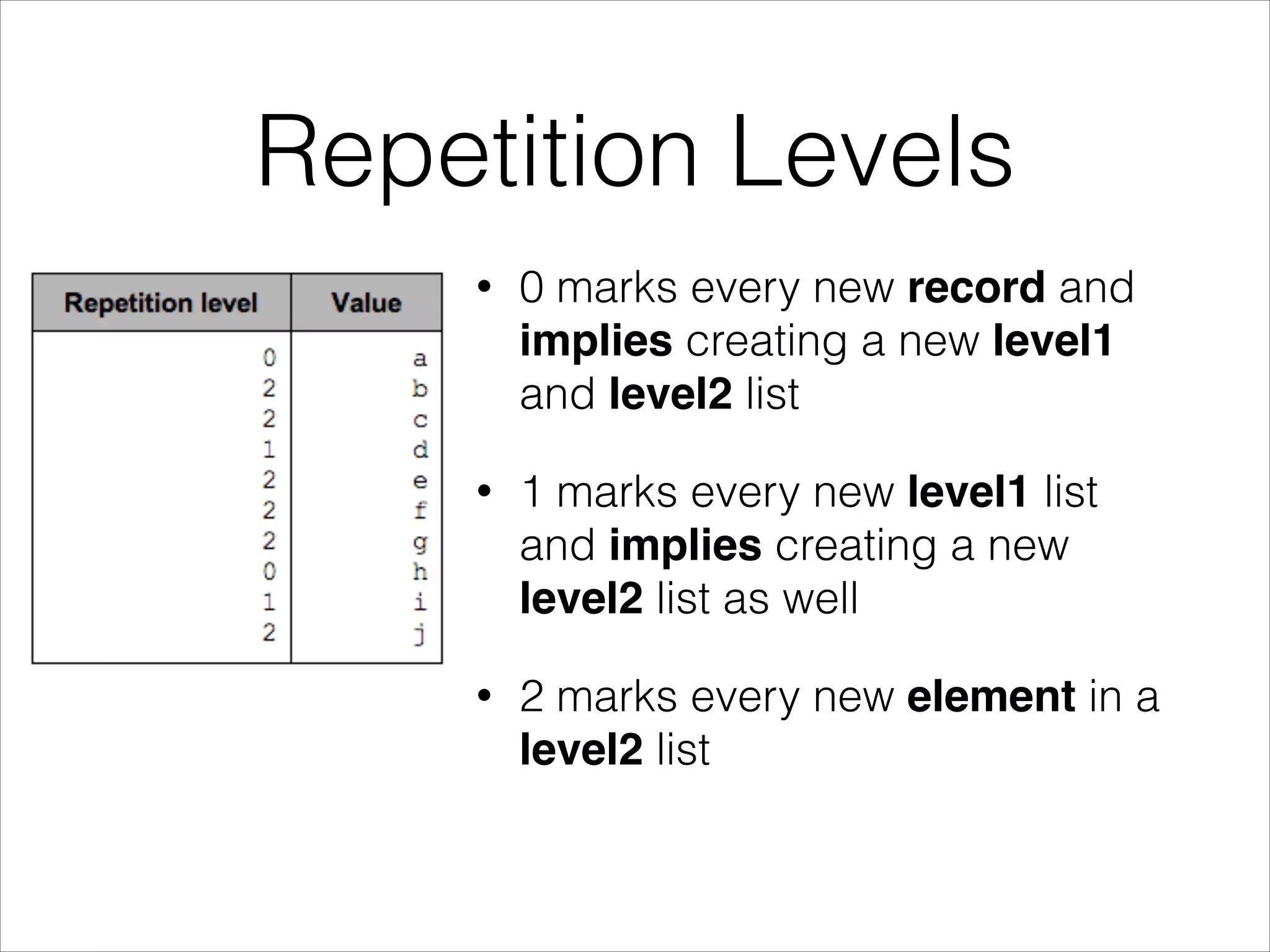
•

0 marks every new record and
implies creating a new level1
and level2 list

•

1 marks every new level1 list
and implies creating a new
level2 list as well

•

2 marks every new element in a
level2 list
Repetition Levels
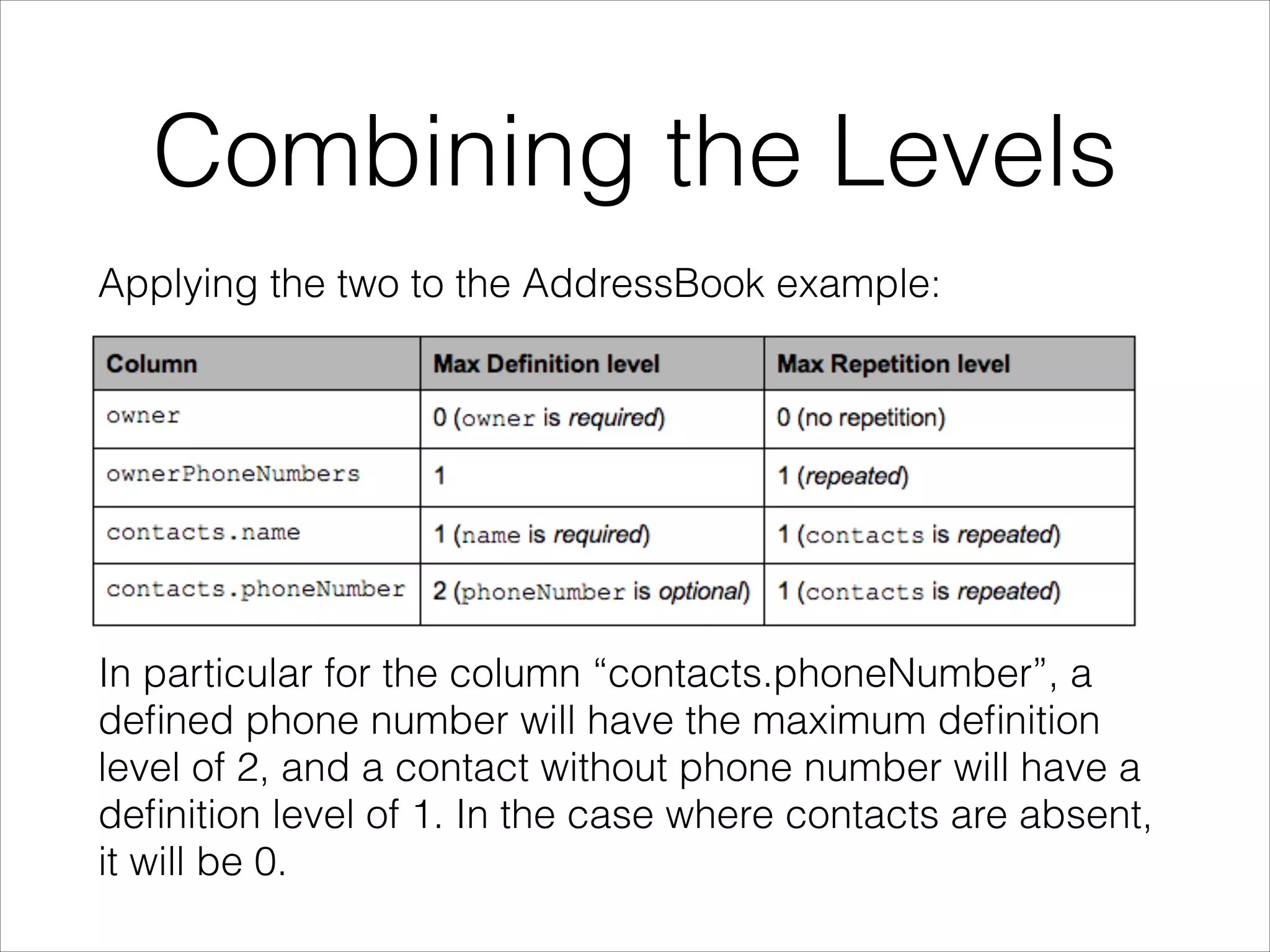
Combining the Levels
Applying the two to the AddressBook example:
!
!
!
!
!

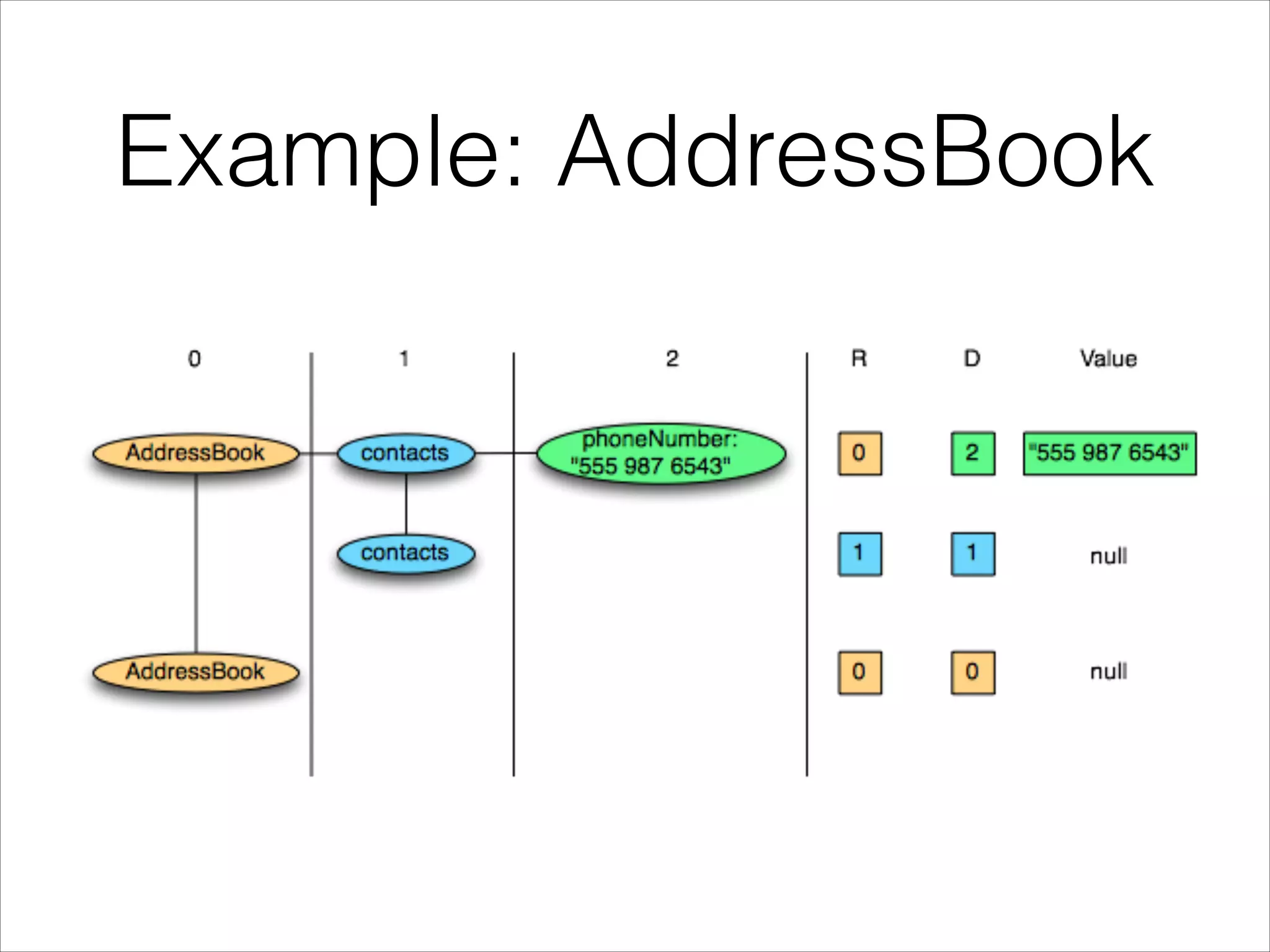
In particular for the column “contacts.phoneNumber”, a
defined phone number will have the maximum definition
level of 2, and a contact without phone number will have a
definition level of 1. In the case where contacts are absent,
it will be 0.
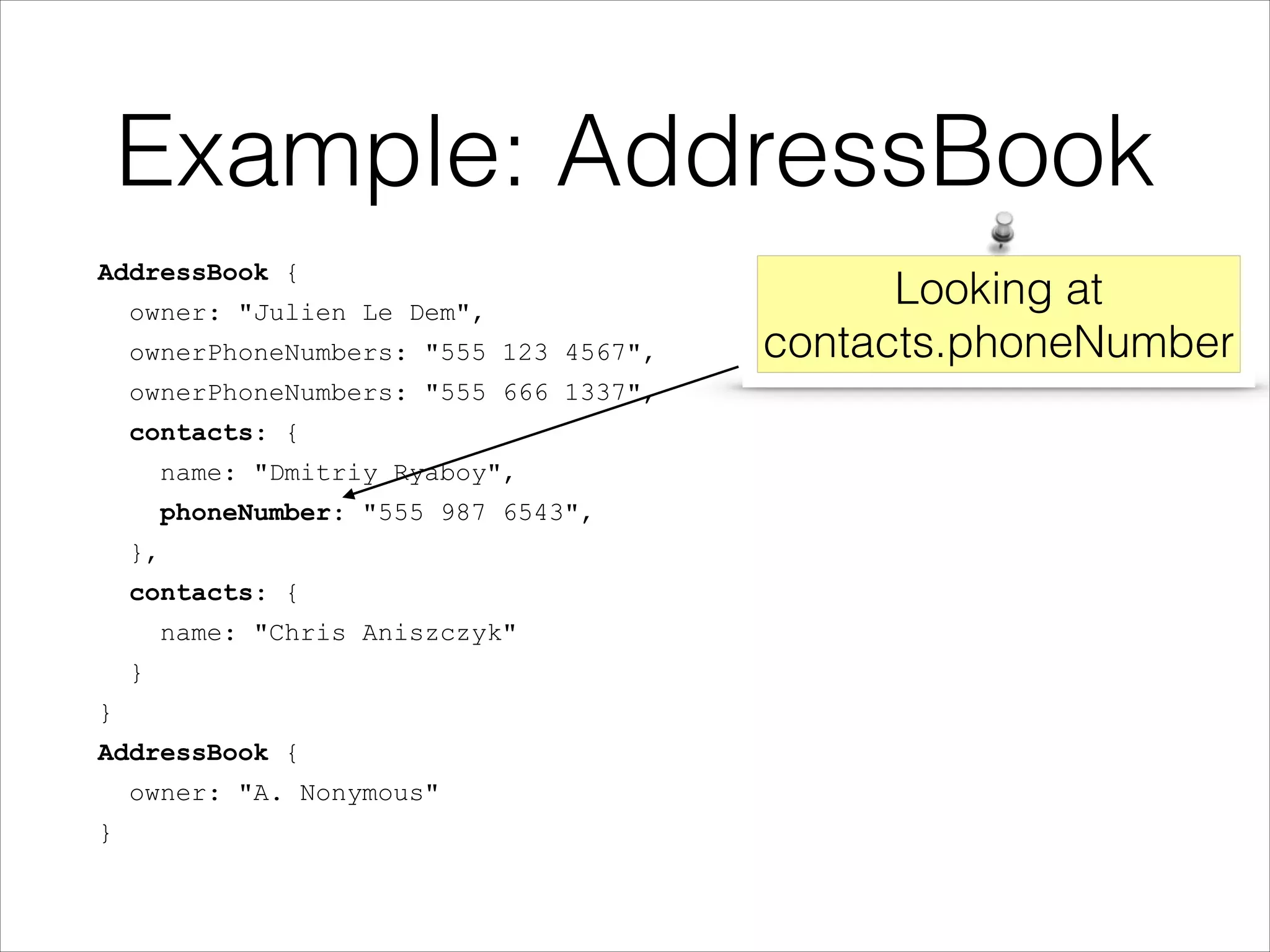
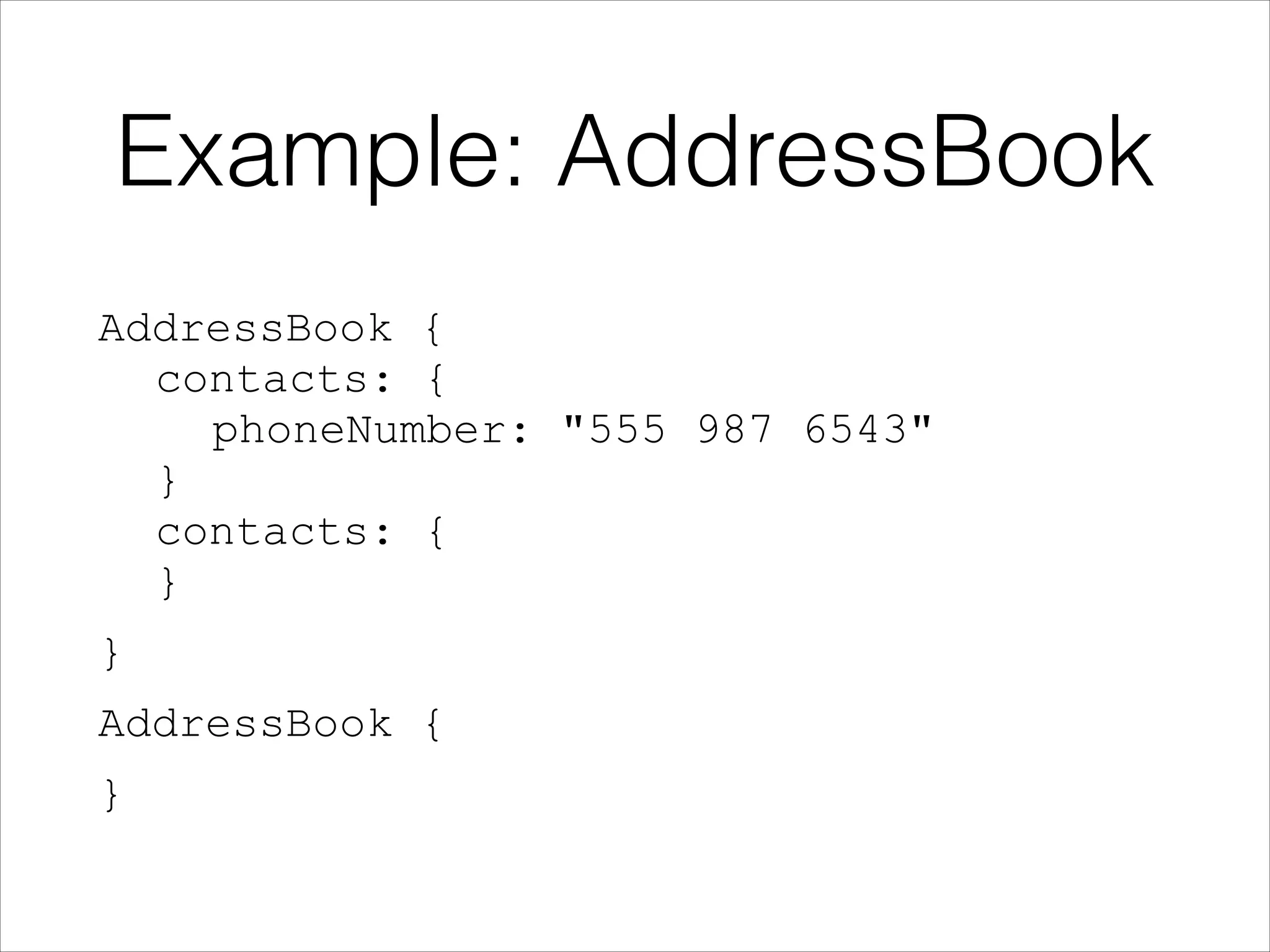
Example: AddressBook
AddressBook {
owner: "Julien Le Dem",
ownerPhoneNumbers: "555 123 4567",
ownerPhoneNumbers: "555 666 1337",
contacts: {
name: "Dmitriy Ryaboy",
phoneNumber: "555 987 6543",
},
contacts: {
name: "Chris Aniszczyk"
}
}
AddressBook {
owner: "A. Nonymous"
}

Looking at
contacts.phoneNumber
Example: AddressBook
AddressBook {

contacts: {

phoneNumber: "555 987 6543"

}

contacts: {

}
}
AddressBook {
}
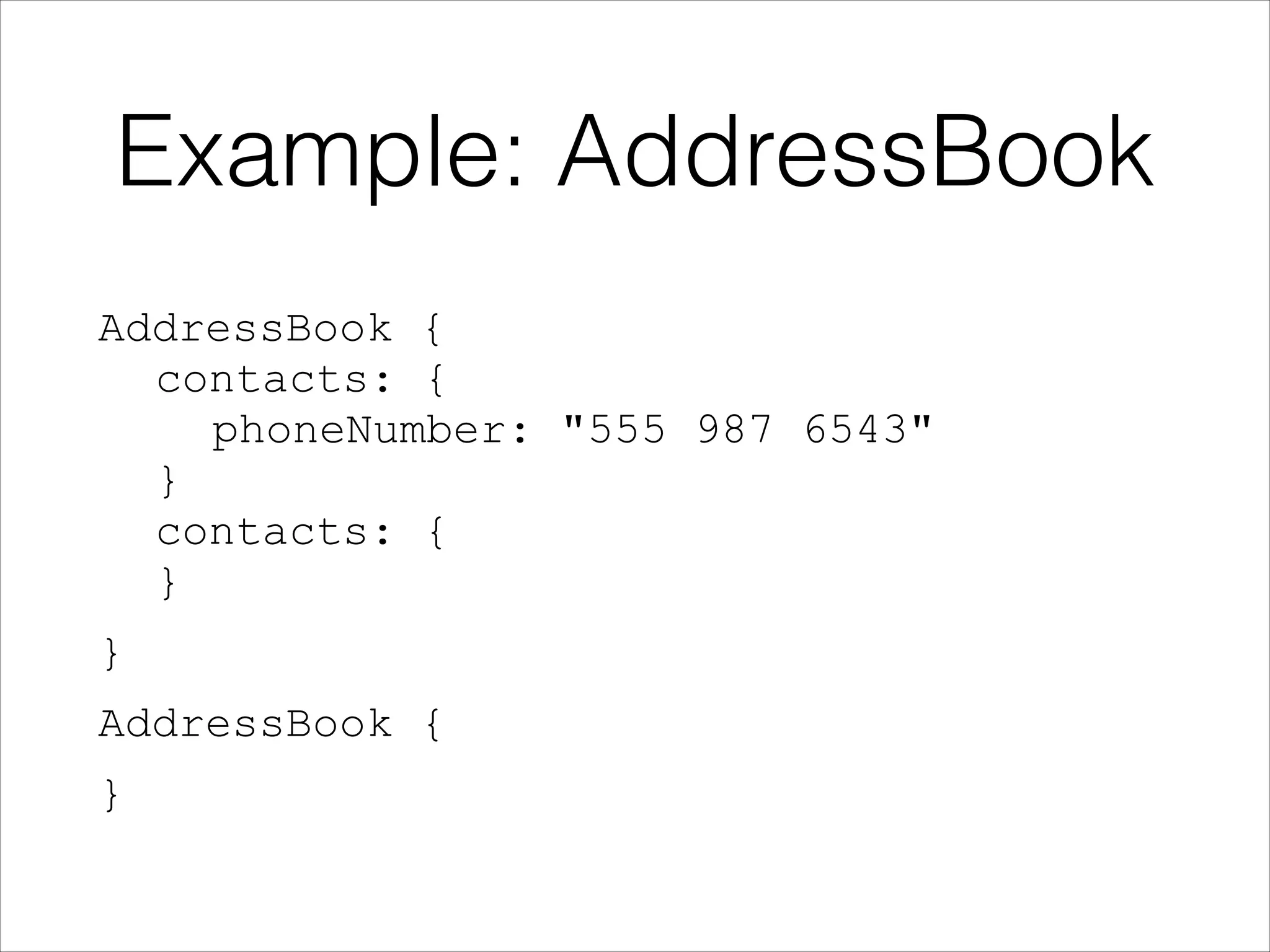
Example: AddressBook
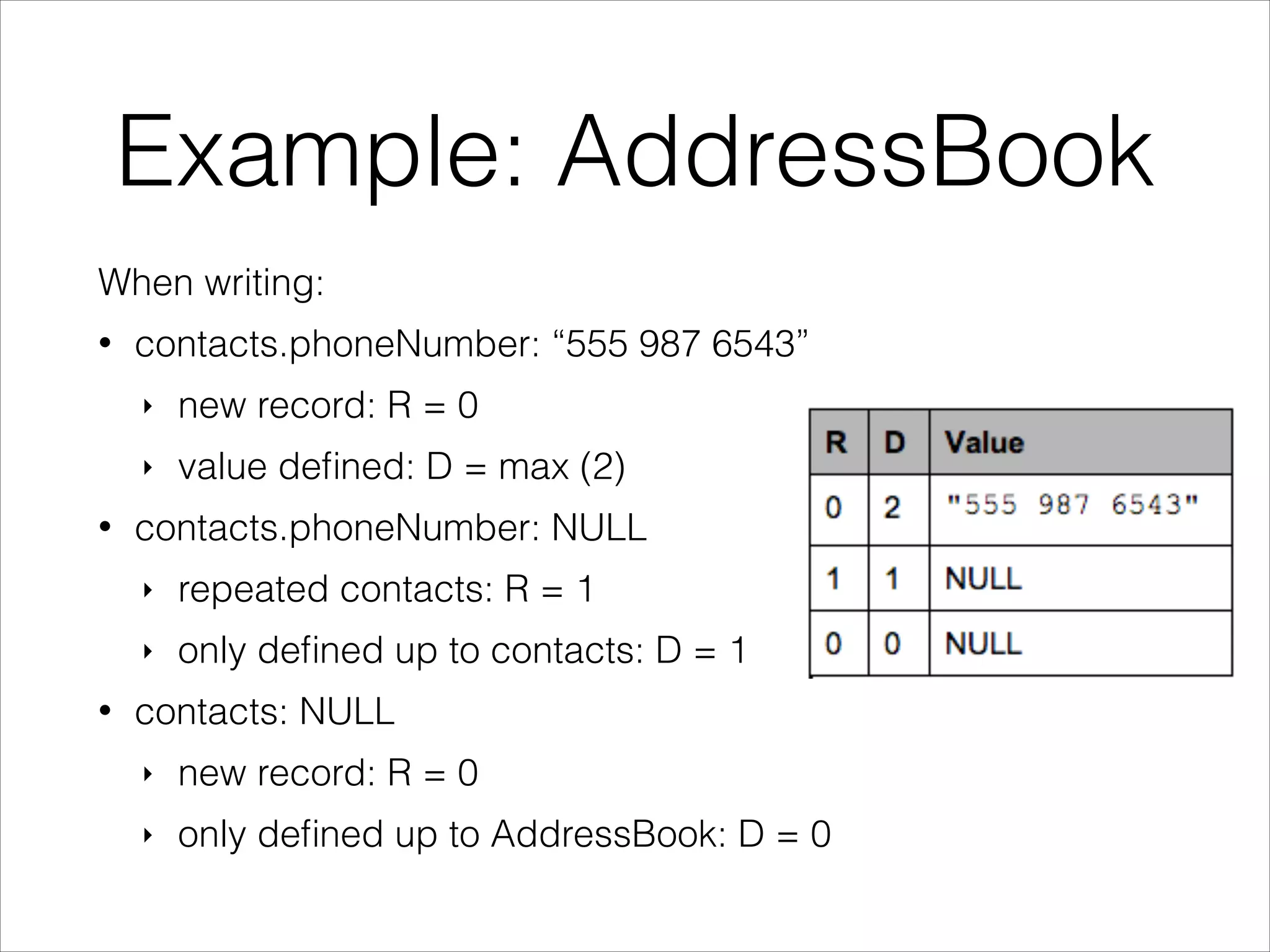
When writing:
•

contacts.phoneNumber: “555 987 6543”
‣
‣

•

new record: R = 0
value defined: D = max (2)

contacts.phoneNumber: NULL
‣
‣

•

repeated contacts: R = 1
only defined up to contacts: D = 1

contacts: NULL
‣

new record: R = 0

‣

only defined up to AddressBook: D = 0
Example: AddressBook
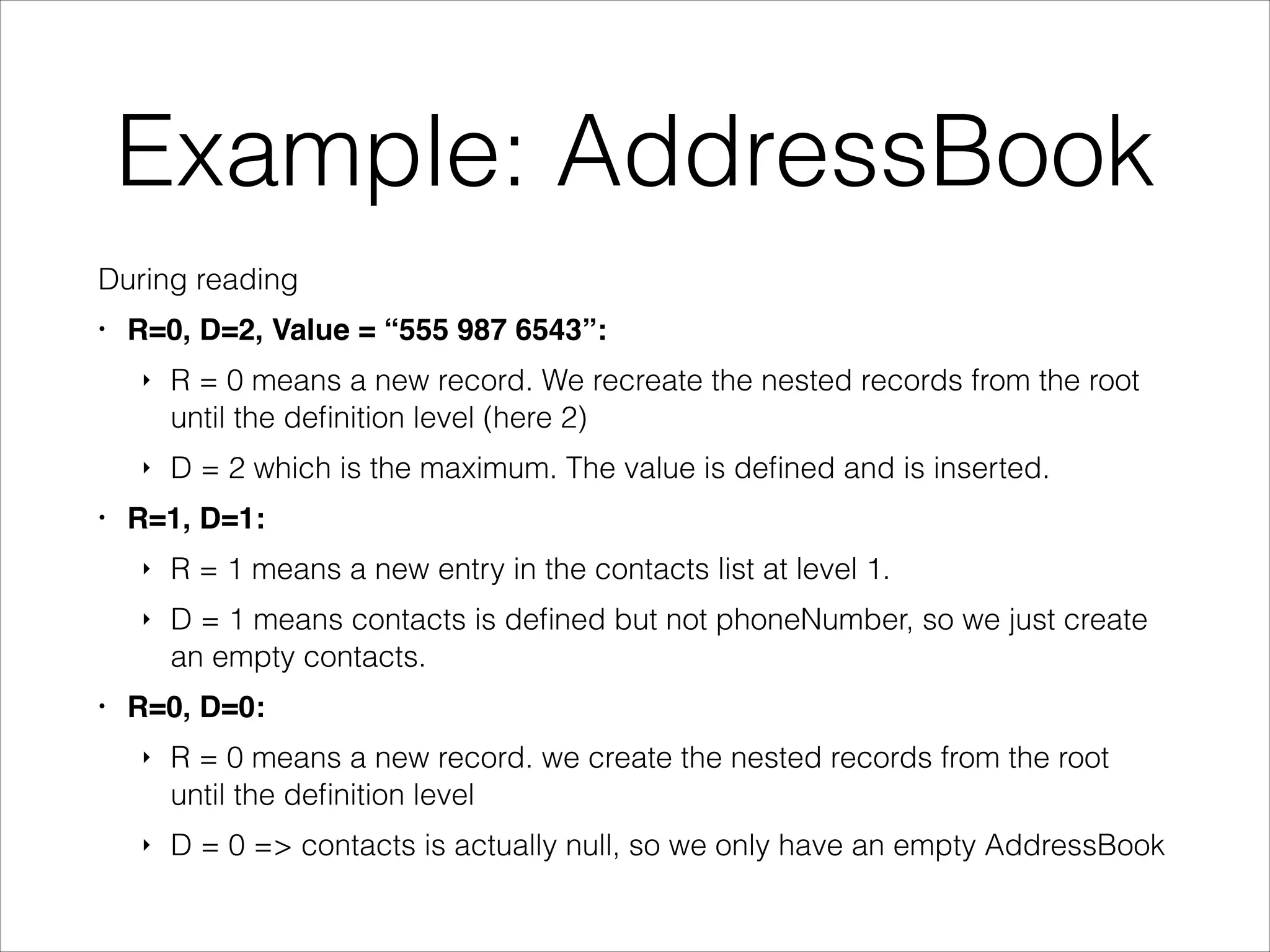
During reading
•

R=0, D=2, Value = “555 987 6543”:!
‣

‣
•

R = 0 means a new record. We recreate the nested records from the root
until the definition level (here 2)
D = 2 which is the maximum. The value is defined and is inserted.

R=1, D=1:!
‣
‣

•

R = 1 means a new entry in the contacts list at level 1.
D = 1 means contacts is defined but not phoneNumber, so we just create
an empty contacts.

R=0, D=0:!
‣

R = 0 means a new record. we create the nested records from the root
until the definition level

‣

D = 0 => contacts is actually null, so we only have an empty AddressBook
Example: AddressBook
AddressBook {

contacts: {

phoneNumber: "555 987 6543"

}

contacts: {

}
}
AddressBook {
}
Storing Levels
Each primitive type has three sub columns, though
the overhead is low thanks to the columnar
representation and the fact that values are bound by
the depth of the schema, resulting in only a few bits
used.
When all fields are required in a flat schema we can
omit the levels altogether since they are would
always be zero.
Otherwise compression, such as RLE, takes care of
condensing data efficiently.
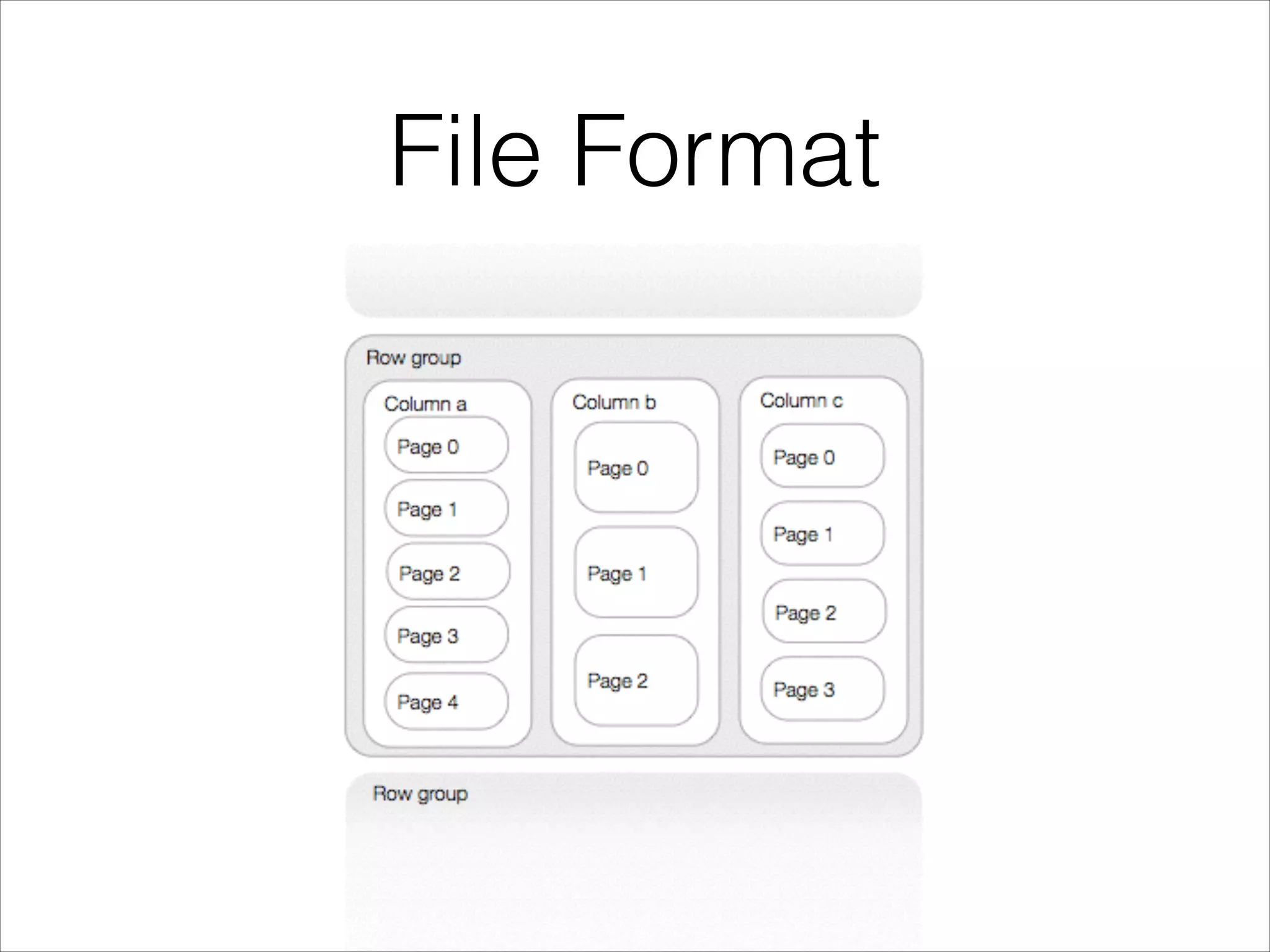
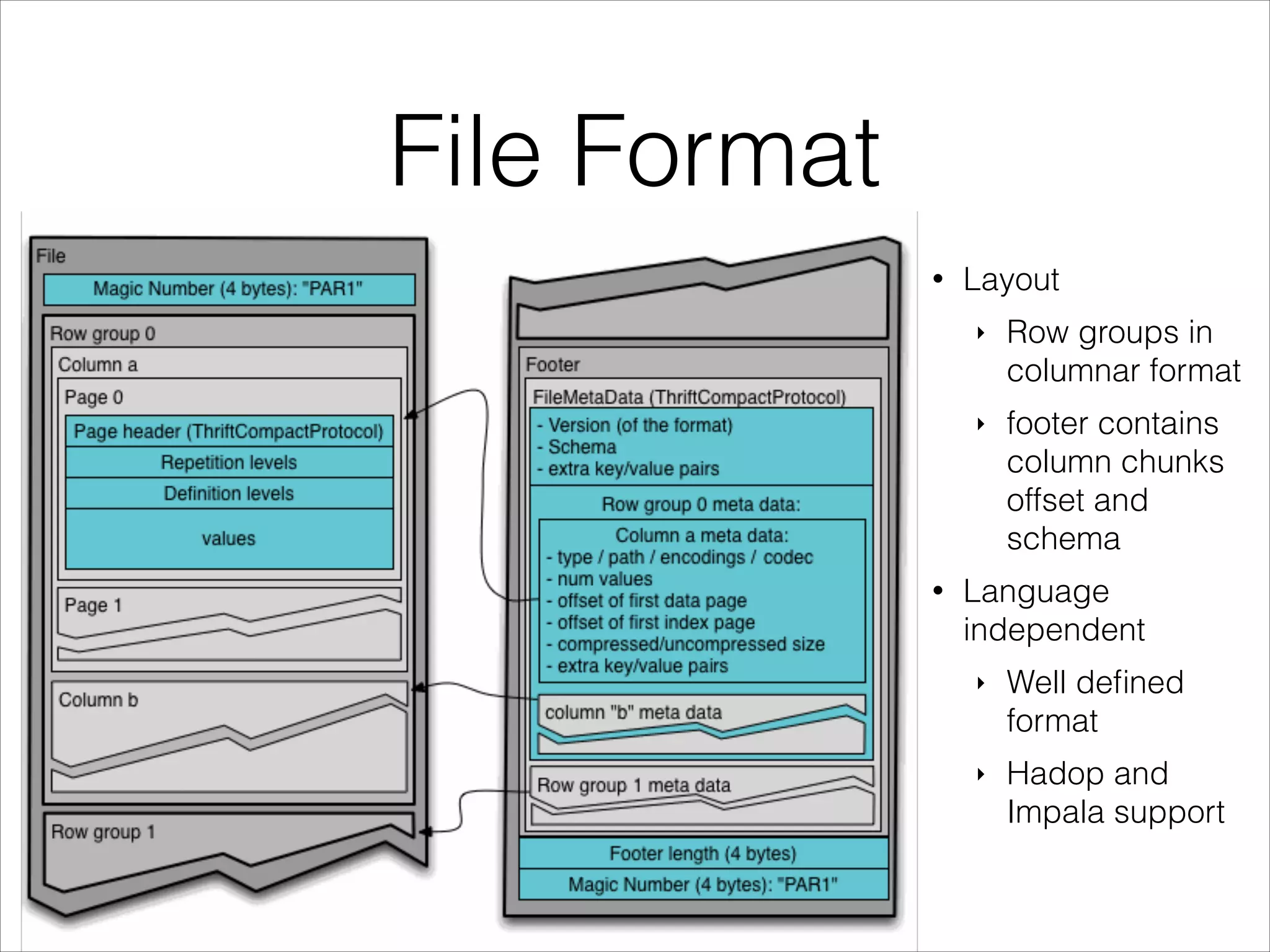
File Format
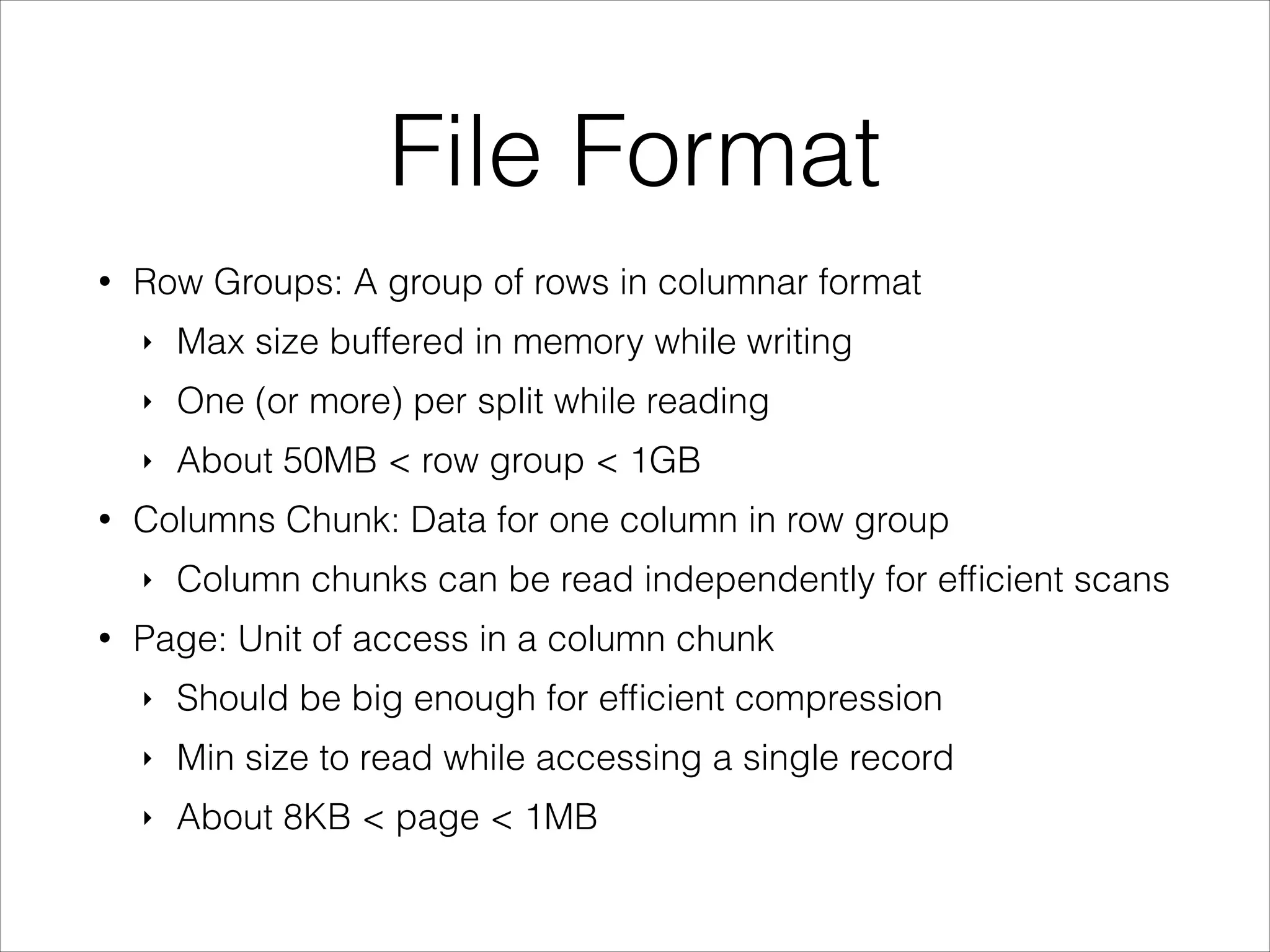
•

Row Groups: A group of rows in columnar format
‣
‣

One (or more) per split while reading

‣
•

Max size buffered in memory while writing
About 50MB < row group < 1GB

Columns Chunk: Data for one column in row group
‣

•

Column chunks can be read independently for efficient scans

Page: Unit of access in a column chunk
‣

Should be big enough for efficient compression

‣

Min size to read while accessing a single record

‣

About 8KB < page < 1MB
File Format
File Format
•

Layout
‣

‣

•

Row groups in
columnar format
footer contains
column chunks
offset and
schema

Language
independent
‣

Well defined
format

‣

Hadop and
Impala support
Integration
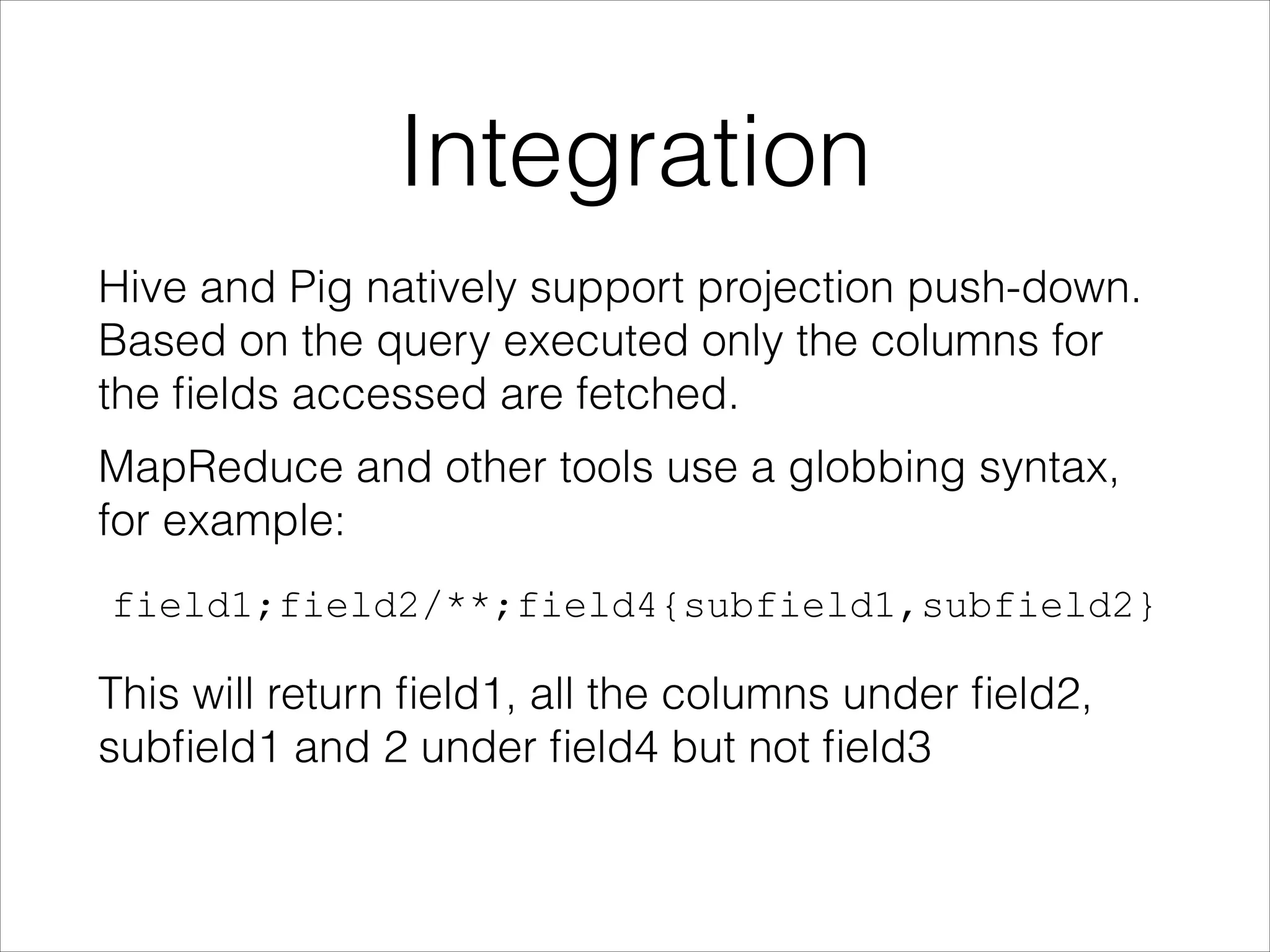
Hive and Pig natively support projection push-down.
Based on the query executed only the columns for
the fields accessed are fetched.
MapReduce and other tools use a globbing syntax,
for example:
field1;field2/**;field4{subfield1,subfield2}

This will return field1, all the columns under field2,
subfield1 and 2 under field4 but not field3
Encodings
•

Bit Packing
‣

‣

•

Small integers encoded in the minimum bits
required
Useful for repetition level, definition levels and
dictionary keys

Run Length Encoding (RLE)
‣

Used in combination with bit packing

‣

Cheap compression

‣

Works well for definition level of sparse columns
Encodings
…continued:
•

Dictionary Encoding
‣
‣

•

Useful for columns with few (<50k) distinct values
When applicable, compresses better and faster
than heavyweight algorithms (e.g. gzip, lzo,
snappy)

Extensible
‣

Defining new encodings is supported by the
format
Future
•

Parquet 2.0
‣

More encodings
-

‣

Statistics
-

‣

Delta encodings, improved encodings
For query planners and predicate pushdown

New page format
-

skip ahead better
Questions?
•

Contact: @larsgeorge, lars@cloudera.com

•

Sources
‣

Parquet Sources: https://github.com/parquet/
parquet-format

‣

Blog Post with Info: https://blog.twitter.com/2013/
dremel-made-simple-with-parquet

‣

Impala Source: https://github.com/cloudera/impala

‣

Impala: http://www.cloudera.com/content/
cloudera/en/campaign/introducing-impala.html

Parquet - Data I/O - Philadelphia 2013

  • 1.
    Parquet Columnar Storage forthe People Lars George EMEA Chief Architect @ Cloudera lars@cloudera.com
  • 2.
    About Me • • • • EMEA ChiefArchitect at Cloudera Apache Committer ‣ HBase and Whirr O’Reilly Author ‣ HBase – The Definitive Guide - Now in Japanese! Contact ‣ lars@cloudera.com ‣ @larsgeorge 日本語版も出ました!
  • 3.
    Introduction For analytical workloadsit is often advantageous to store the data in a layout that is more amenable to the way it is accessed. Parquet is an open-source file format that strives to do exactly that, i.e. provide an efficient layout for analytical queries. We will be looking some context from various companies, the results observed in production and benchmarks, and finally do a bit of a format deepdive.
  • 4.
    Example: Twitter • Twitter’s Data ‣ ‣ 100TB+a day of compressed data ‣ • 230M+ monthly active users generating and consuming 500M+ tweets a day Huge scale for instrumentation, user graph, derived data, etc. Analytics Infrastructure ‣ Several 1K+ node Hadoop clusters ‣ Log Collection Pipeline ‣ Processing Tools
  • 5.
    Example: Twitter Twitter’s Use-case • Logsavailable on HDFS • Thrift to store logs • Example schema: 87 columns, up to 7 levels of nesting
  • 6.
    Example: Twitter Goal: ! “To havea state of the art columnar storage available across the Hadoop platform” ! • Hadoop is very reliable for big long running queries, but also I/O heavy • Incrementally take advantage of column based storage in existing framework • Not tied to any framework in particular
  • 7.
    Columnar Storage • Limits I/Oto data actually needed ‣ • Loads only the columns that need to be accessed Saves space ‣ ‣ • Columnar layout compresses better Type specific encodings Enables vectorized execution engines
  • 8.
    Columnar vs Row-based Hereis an example of translating a logical table schema. First the example table: In a row-based layout each row follows the next: While for a column-oriented layout it stores one column after the next:
  • 9.
    Parquet Intro Parquet definesa common file format, which is language independent and formally specified. Implementation exist in Java for MapReduce and 
 C++, which is used by Impala.
  • 10.
  • 11.
  • 12.
    Example: Criteo • Billions ofnew events per day • Roughly 60 columns per log • Heavy analytic workload • BI analysts using Hive and RCFile • Frequent schema modifications ! • Perfect use case for Parquet + Hive!
  • 13.
    Parquet + Hive:Basic Requirements • MapReduce compatibility due to Hive • Correctly handle evolving schemas across Parquet files • Read only the columns use by query to minimize data read • Interoperability with other execution engines, for example Pig, Impala, etc.
  • 14.
  • 15.
  • 16.
    Example: Twitter • Petabytes ofstorage saved • Example jobs taking advantage of projection push down: ‣ Job 1 (Pig): reading 32% less data -> 20% task time saving ‣ Job 2 (Scalding): reading 14 out of 35 columns, reading 80% less data -> 66% task time saving ‣ Terabytes of scanning saved every day
  • 17.
    Parquet Model • The algorithmis borrowed from Google Dremel’s ColumnIO file format • Schema is defined in a familiar format • Supports nested data structures • Each cell is encoded as triplet: repetition level, definition level, and the value • Level values are bound by the depth of the schema ‣ Stored in a compact form
  • 18.
    Parquet Model • Schema similarto Protocol Buffers, but with simplifications (e.g. no Maps, Lists or Sets) ‣ These complex types can be expressed as a combination of the other features • Root of schema is a group of fields called a message • Field types are either group or primitive type with repetition of required, optional or repeated ‣ exactly one, zero or one, or zero or more
  • 19.
    Example Schema ! message AddressBook{
 required string owner;
 repeated string ownerPhoneNumbers;
 repeated group contacts { 
 required string name; 
 optional string phoneNumber; } } 

  • 20.
  • 21.
  • 22.
  • 23.
    Field per Primitive Primitivefields are mapped to the columns in the columnar format, shown in blue here:
  • 24.
    Levels The structure ofthe record is captured for each value by two integers called repetition level and definition level. Using these two levels we can fully reconstruct the nested structures while still being able to store each primitive separately.
  • 25.
    Definition Levels Example: message ExampleDefinitionLevel{
 optional group a {
 optional group b {
 optional string c;
 }
 }
 } Contains one column “a.b.c” where all fields are optional and can be null.
  • 26.
  • 27.
    Definition Levels Example witha required field: message ExampleDefinitionLevel { 
 optional group a {
 required group b {
 optional string c;
 }
 } }
  • 28.
    Repetition Levels Repeated fieldsrequire that we store where a lists starts in a column of values, since these are stored sequentially in the same place. The repetition level denotes per value where a new lists starts, and are basically a marker which also indicates the level where to start the new list. Only levels that are repeated need a repetition level, i.e. optional or required fields are never repeated and can be skipped while attributing repetition levels.
  • 29.
  • 30.
    Repetition Levels • 0 marksevery new record and implies creating a new level1 and level2 list • 1 marks every new level1 list and implies creating a new level2 list as well • 2 marks every new element in a level2 list
  • 31.
  • 32.
    Combining the Levels Applyingthe two to the AddressBook example: ! ! ! ! ! In particular for the column “contacts.phoneNumber”, a defined phone number will have the maximum definition level of 2, and a contact without phone number will have a definition level of 1. In the case where contacts are absent, it will be 0.
  • 33.
    Example: AddressBook AddressBook { owner:"Julien Le Dem", ownerPhoneNumbers: "555 123 4567", ownerPhoneNumbers: "555 666 1337", contacts: { name: "Dmitriy Ryaboy", phoneNumber: "555 987 6543", }, contacts: { name: "Chris Aniszczyk" } } AddressBook { owner: "A. Nonymous" } Looking at contacts.phoneNumber
  • 34.
    Example: AddressBook AddressBook {
 contacts:{
 phoneNumber: "555 987 6543"
 }
 contacts: {
 } } AddressBook { }
  • 35.
  • 36.
    Example: AddressBook When writing: • contacts.phoneNumber:“555 987 6543” ‣ ‣ • new record: R = 0 value defined: D = max (2) contacts.phoneNumber: NULL ‣ ‣ • repeated contacts: R = 1 only defined up to contacts: D = 1 contacts: NULL ‣ new record: R = 0 ‣ only defined up to AddressBook: D = 0
  • 37.
    Example: AddressBook During reading • R=0,D=2, Value = “555 987 6543”:! ‣ ‣ • R = 0 means a new record. We recreate the nested records from the root until the definition level (here 2) D = 2 which is the maximum. The value is defined and is inserted. R=1, D=1:! ‣ ‣ • R = 1 means a new entry in the contacts list at level 1. D = 1 means contacts is defined but not phoneNumber, so we just create an empty contacts. R=0, D=0:! ‣ R = 0 means a new record. we create the nested records from the root until the definition level ‣ D = 0 => contacts is actually null, so we only have an empty AddressBook
  • 38.
    Example: AddressBook AddressBook {
 contacts:{
 phoneNumber: "555 987 6543"
 }
 contacts: {
 } } AddressBook { }
  • 39.
    Storing Levels Each primitivetype has three sub columns, though the overhead is low thanks to the columnar representation and the fact that values are bound by the depth of the schema, resulting in only a few bits used. When all fields are required in a flat schema we can omit the levels altogether since they are would always be zero. Otherwise compression, such as RLE, takes care of condensing data efficiently.
  • 40.
    File Format • Row Groups:A group of rows in columnar format ‣ ‣ One (or more) per split while reading ‣ • Max size buffered in memory while writing About 50MB < row group < 1GB Columns Chunk: Data for one column in row group ‣ • Column chunks can be read independently for efficient scans Page: Unit of access in a column chunk ‣ Should be big enough for efficient compression ‣ Min size to read while accessing a single record ‣ About 8KB < page < 1MB
  • 41.
  • 42.
    File Format • Layout ‣ ‣ • Row groupsin columnar format footer contains column chunks offset and schema Language independent ‣ Well defined format ‣ Hadop and Impala support
  • 43.
    Integration Hive and Pignatively support projection push-down. Based on the query executed only the columns for the fields accessed are fetched. MapReduce and other tools use a globbing syntax, for example: field1;field2/**;field4{subfield1,subfield2} This will return field1, all the columns under field2, subfield1 and 2 under field4 but not field3
  • 44.
    Encodings • Bit Packing ‣ ‣ • Small integersencoded in the minimum bits required Useful for repetition level, definition levels and dictionary keys Run Length Encoding (RLE) ‣ Used in combination with bit packing ‣ Cheap compression ‣ Works well for definition level of sparse columns
  • 45.
    Encodings …continued: • Dictionary Encoding ‣ ‣ • Useful forcolumns with few (<50k) distinct values When applicable, compresses better and faster than heavyweight algorithms (e.g. gzip, lzo, snappy) Extensible ‣ Defining new encodings is supported by the format
  • 46.
    Future • Parquet 2.0 ‣ More encodings - ‣ Statistics - ‣ Deltaencodings, improved encodings For query planners and predicate pushdown New page format - skip ahead better
  • 47.
    Questions? • Contact: @larsgeorge, lars@cloudera.com • Sources ‣ ParquetSources: https://github.com/parquet/ parquet-format ‣ Blog Post with Info: https://blog.twitter.com/2013/ dremel-made-simple-with-parquet ‣ Impala Source: https://github.com/cloudera/impala ‣ Impala: http://www.cloudera.com/content/ cloudera/en/campaign/introducing-impala.html