Pardot Basics Bootcamp
Connections 2013
Nicole Hanks
Susan Spicknall
Welcome!
Name:
Company:
Alter Ego:
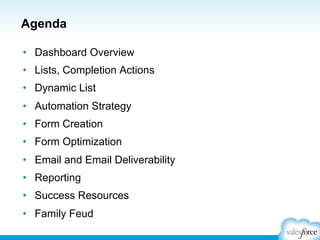
Agenda
•  Dashboard Overview
•  Lists, Completion Actions
•  Dynamic List
•  Automation Strategy
•  Form Creation
•  Form Optimization
•  Email and Email Deliverability
•  Reporting
•  Success Resources

•  Family Feud
By show of hands…
Prospects <3
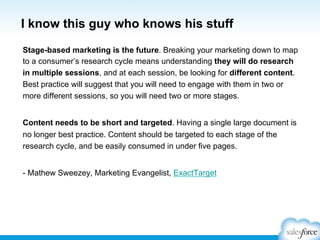
I know this guy who knows his stuff
Stage-based marketing is the future. Breaking your marketing down to map
to a consumer’s research cycle means understanding they will do research
in multiple sessions, and at each session, be looking for different content.
Best practice will suggest that you will need to engage with them in two or
more different sessions, so you will need two or more stages.
Content needs to be short and targeted. Having a single large document is
no longer best practice. Content should be targeted to each stage of the
research cycle, and be easily consumed in under five pages.
- Mathew Sweezey, Marketing Evangelist, ExactTarget
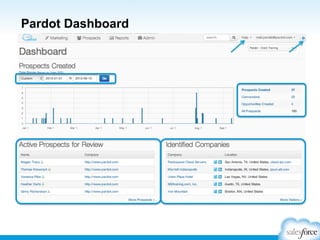
Pardot Dashboard
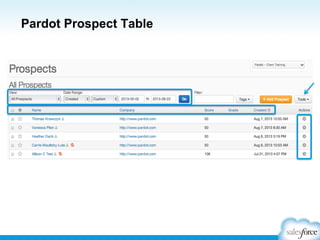
Pardot Prospect Table
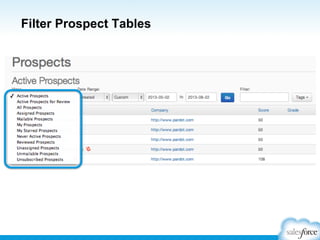
Filter Prospect Tables
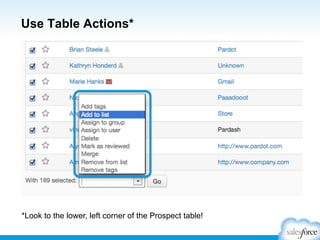
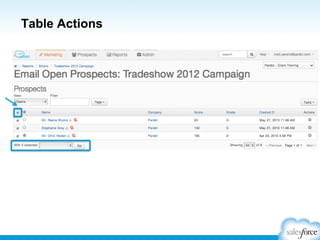
Use Table Actions*

*Look to the lower, left corner of the Prospect table!
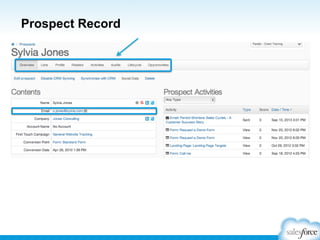
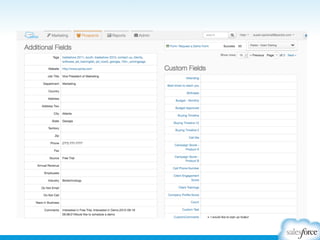
Prospect Record
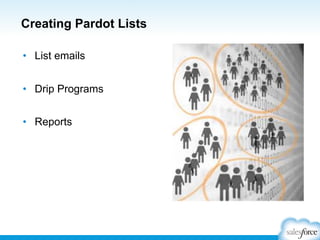
Creating Pardot Lists
•  List emails
•  Drip Programs
•  Reports
And avoiding…
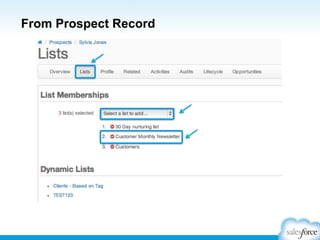
From Prospect Record
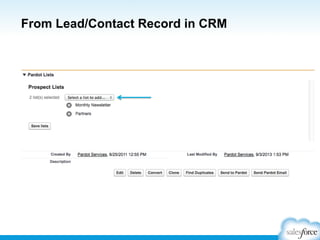
From Lead/Contact Record in CRM
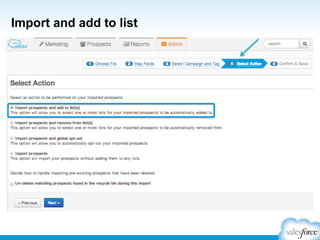
Import and add to list
Table Actions
Table Actions
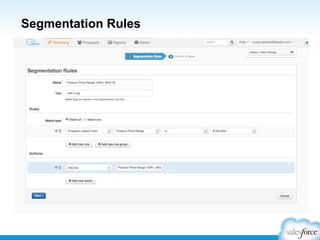
Segmentation Rules
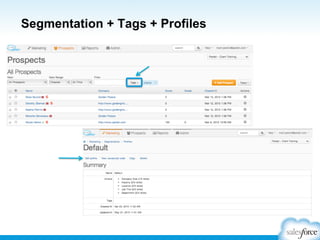
Segmentation + Tags + Profiles
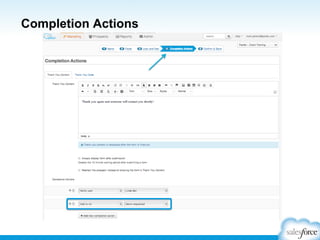
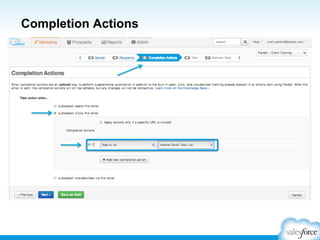
Completion Actions
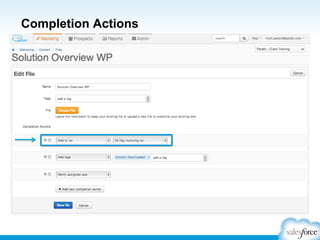
Completion Actions
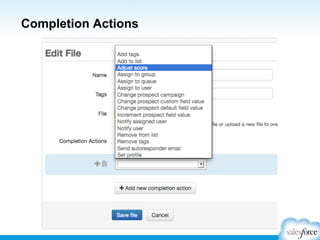
Completion Actions
Completion Actions
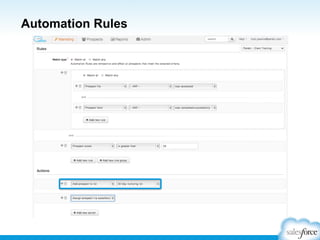
Automation Rules
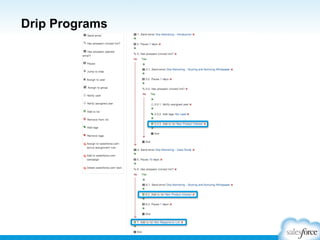
Drip Programs
Dynamic Lists are like…
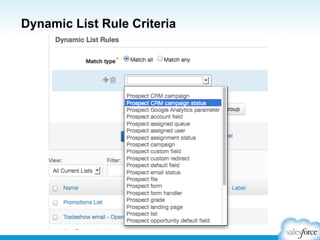
Dynamic List Rule Criteria
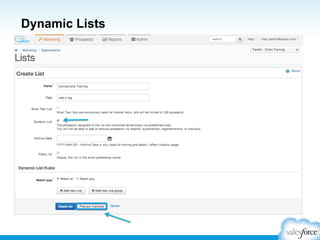
Dynamic Lists
Help us help you…

…because…
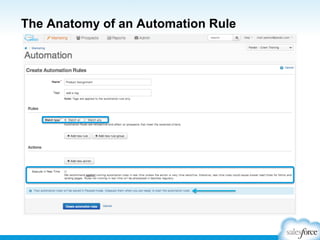
The Anatomy of an Automation Rule
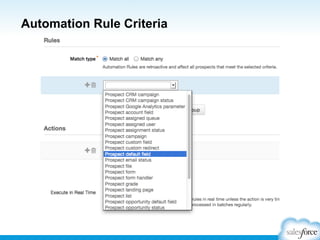
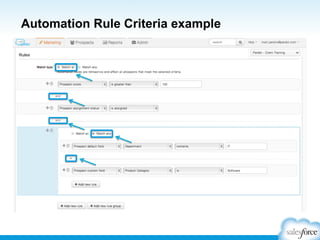
Automation Rule Criteria
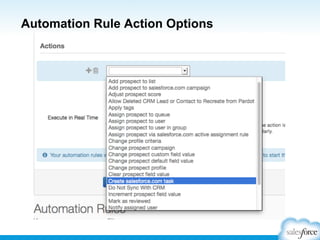
Automation Rule Action Options
Automation Rule Criteria example
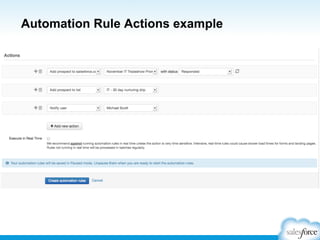
Automation Rule Actions example
BREAK TIME
Form Functionality
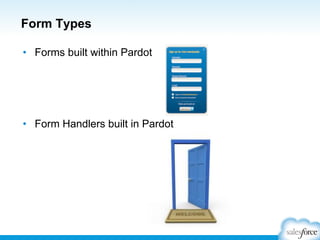
Form Types
•  Forms built within Pardot

•  Form Handlers built in Pardot
Form vs Form Handler
Forms

Form Handlers

•  Easy to use, drag and
drop functionality.

•  Development of the form
in the CMS or developer.

•  Progressive profiling
•  Prepopulated fields

•  Allows tracking of
complex forms.

•  Dependent fields - No
script needed

•  Pardot still cookies the
prospect.

•  No developer
involvement

•  Spam filtering will be on
server side.

•  Multi-layer spam filter
approach
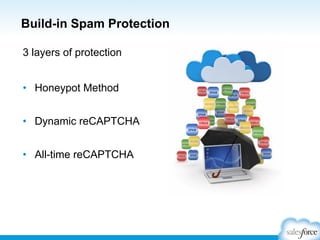
Build-in Spam Protection
3 layers of protection
•  Honeypot Method
•  Dynamic reCAPTCHA
•  All-time reCAPTCHA
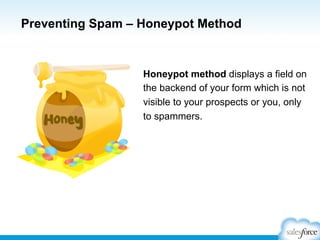
Preventing Spam – Honeypot Method

Honeypot method displays a field on
the backend of your form which is not
visible to your prospects or you, only
to spammers.
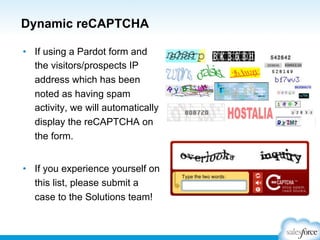
Dynamic reCAPTCHA
•  If using a Pardot form and
the visitors/prospects IP
address which has been
noted as having spam
activity, we will automatically
display the reCAPTCHA on
the form.
•  If you experience yourself on
this list, please submit a
case to the Solutions team!
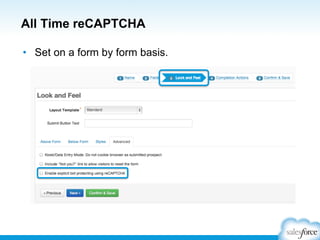
All Time reCAPTCHA
•  Set on a form by form basis.
Form Usage and
Optimization
Form Usage Poll
Leveraging Pardot at Tradeshows

•  Marketing tool?
•  What’s your tradeshow process like?
•  Post show follow-up?
Leveraging Pardot at Tradeshows
•  Great Tool for Marketers at
Trade Shows
•  Helps differentiate between
cold/warm/hot leads.
•  Utilize Kiosk mode for same
device forms.
•  Allows for engagement and
follow-up with the prospect
quicker.
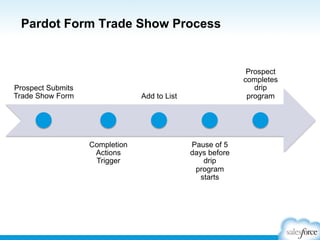
Pardot Form Trade Show Process

Prospect Submits
Trade Show Form

Prospect
completes
drip
program

Add to List

Completion
Actions
Trigger

Pause of 5
days before
drip
program
starts
Leveraging Pardot at Tradeshows
Form Poll
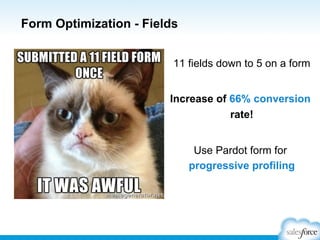
Form Optimization - Fields
11 fields down to 5 on a form
Increase of 66% conversion
rate!
Use Pardot form for
progressive profiling
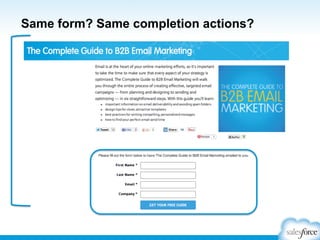
Same form? Same completion actions?
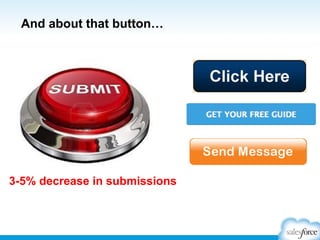
And about that button…

3-5% decrease in submissions
Emails
Create an
Email Template
Introduction to Email Templates
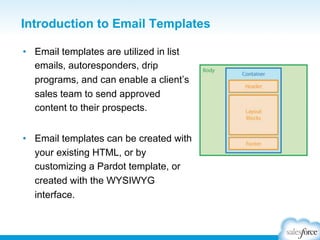
•  Email templates are utilized in list
emails, autoresponders, drip
programs, and can enable a client’s
sales team to send approved
content to their prospects.
•  Email templates can be created with
your existing HTML, or by
customizing a Pardot template, or
created with the WYSIWYG
interface.
See it Live!
Warming Up your IP
Address
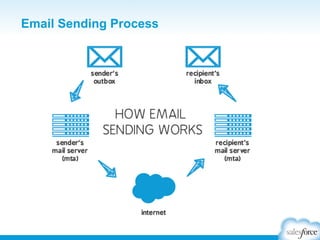
Email Sending Process
Warming Up an IP Address
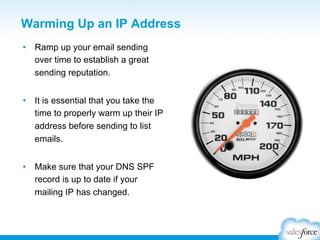
•  Ramp up your email sending
over time to establish a great
sending reputation.
•  It is essential that you take the
time to properly warm up their IP
address before sending to list
emails.
•  Make sure that your DNS SPF
record is up to date if your
mailing IP has changed.
Warming Up an IP Address
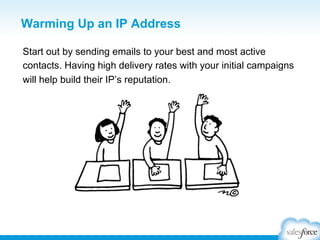
Start out by sending emails to your best and most active
contacts. Having high delivery rates with your initial campaigns
will help build their IP’s reputation.
Warming Up an IP Address
•  It’s a best practice to split your initial
mailing list up and spread it out over
several days. We recommended
splitting their lists into at least four
sublists with limits of no more than
10,000 recipients in each sublist.
•  Mail only one sublist per day over
the first few days. If you have more
than 40,000 recipients, you can
spread out the mailing over more
than four days.
Warming Up an IP Address
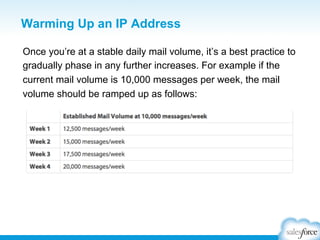
Once you’re at a stable daily mail volume, it’s a best practice to
gradually phase in any further increases. For example if the
current mail volume is 10,000 messages per week, the mail
volume should be ramped up as follows:
Email Preference Center
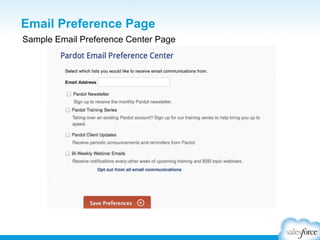
•  The email preference center allows
prospects to manage the types of
emails they receive and opt into lists
they find interesting or relevant.
•  All accounts automatically include a
default email preference page
(represented by
%%email_preference_center%% in
emails and email templates).
•  An account can have multiple custom
email preference center pages.
Email Preference Page
Sample Email Preference Center Page
Email Preference Page
To access the default Email Preference Page, navigate to
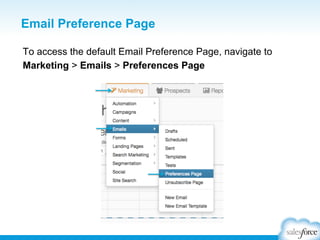
Marketing > Emails > Preferences Page
Email Preference Page
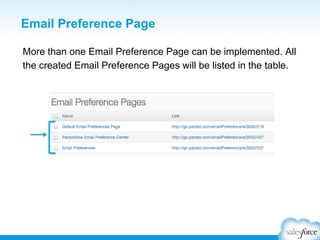
More than one Email Preference Page can be implemented. All
the created Email Preference Pages will be listed in the table.
Email Preference Page: Public Lists
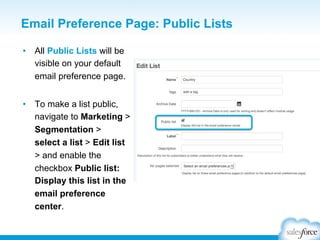
•  All Public Lists will be
visible on your default
email preference page.
•  To make a list public,
navigate to Marketing >
Segmentation >
select a list > Edit list
> and enable the
checkbox Public list:
Display this list in the
email preference
center.
Email Preference Page: Public Lists
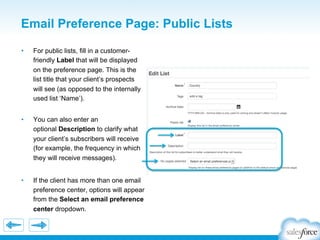
• 

For public lists, fill in a customerfriendly Label that will be displayed
on the preference page. This is the
list title that your client’s prospects
will see (as opposed to the internally
used list ‘Name’).

• 

You can also enter an
optional Description to clarify what
your client’s subscribers will receive
(for example, the frequency in which
they will receive messages).

• 

If the client has more than one email
preference center, options will appear
from the Select an email preference
center dropdown.
Email Test List
See it Live!
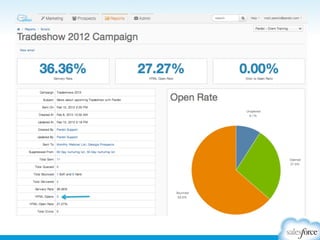
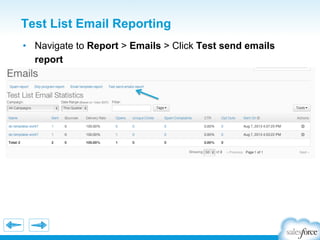
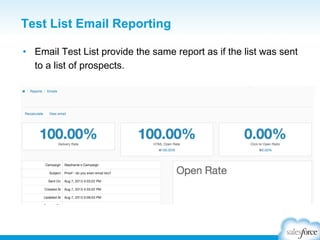
Test List Email Reporting
•  Navigate to Report > Emails > Click Test send emails
report
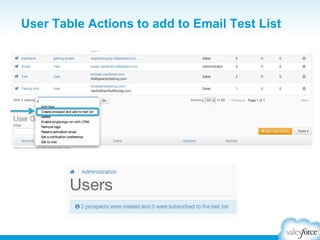
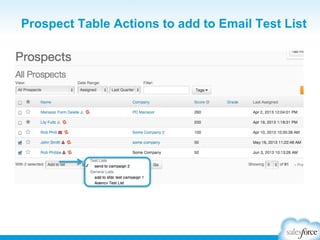
User Table Actions to add to Email Test List
Prospect Table Actions to add to Email Test List
Test List Email Reporting
•  Email Test List provide the same report as if the list was sent
to a list of prospects.
Reports
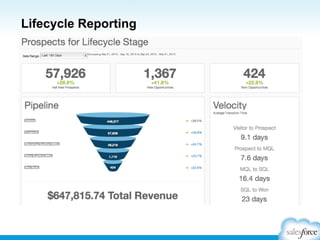
Lifecycle Reporting
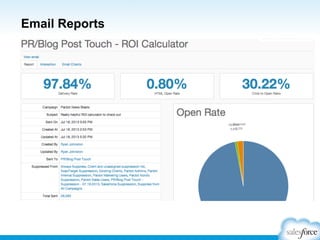
Email Reports
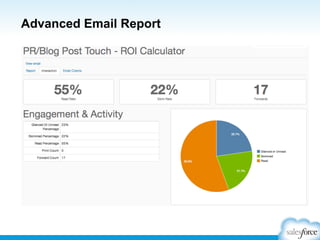
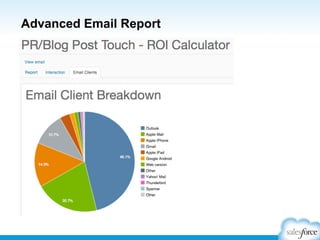
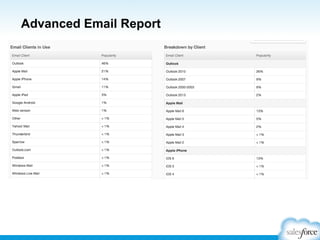
Advanced Email Report
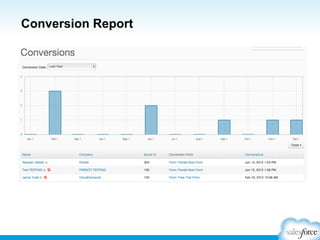
Conversion Report
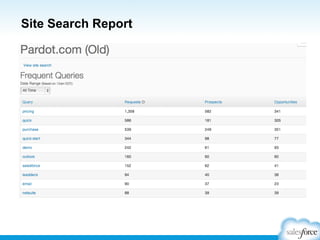
Site Search Report
Success Resources
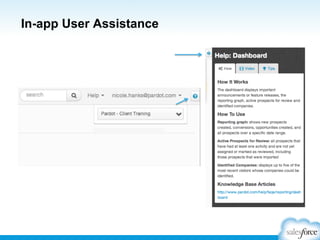
In-app User Assistance
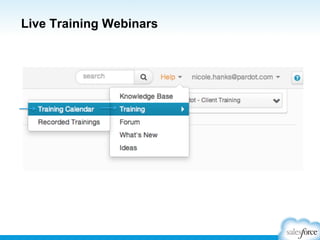
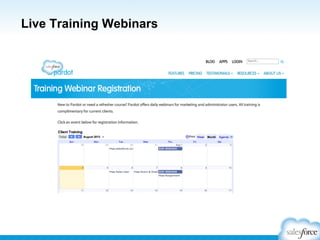
Live Training Webinars
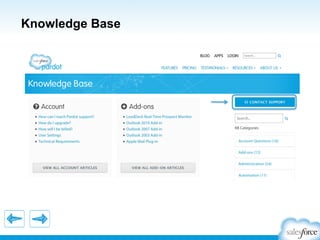
Knowledge Base
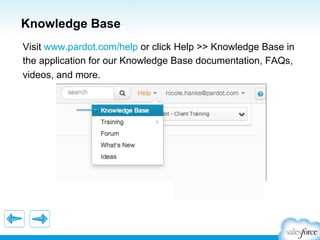
Visit www.pardot.com/help or click Help >> Knowledge Base in
the application for our Knowledge Base documentation, FAQs,
videos, and more.
Knowledge Base
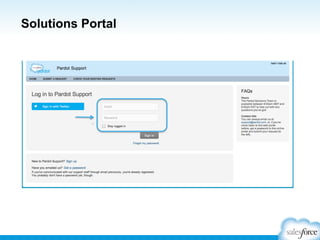
Solutions Portal
Idea Exchange
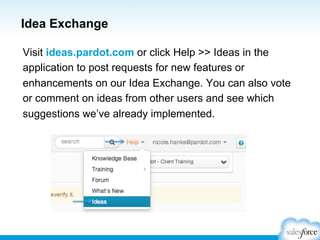
Visit ideas.pardot.com or click Help >> Ideas in the
application to post requests for new features or
enhancements on our Idea Exchange. You can also vote
or comment on ideas from other users and see which
suggestions we’ve already implemented.
Idea Exchange
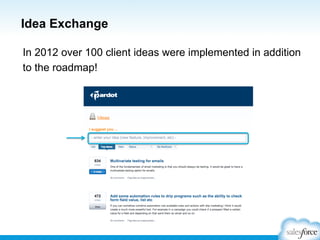
In 2012 over 100 client ideas were implemented in addition
to the roadmap!
Idea Exchange
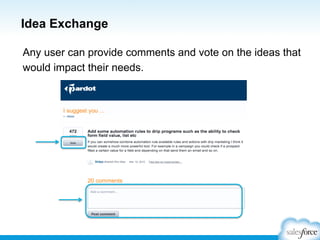
Any user can provide comments and vote on the ideas that
would impact their needs.
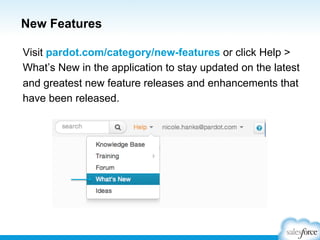
New Features
Visit pardot.com/category/new-features or click Help >
What’s New in the application to stay updated on the latest
and greatest new feature releases and enhancements that
have been released.
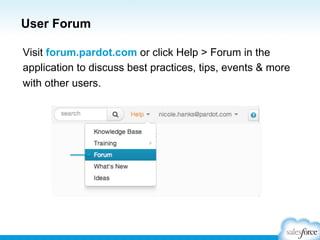
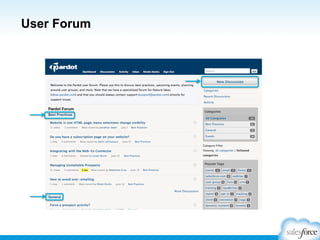
User Forum
Visit forum.pardot.com or click Help > Forum in the
application to discuss best practices, tips, events & more
with other users.
User Forum
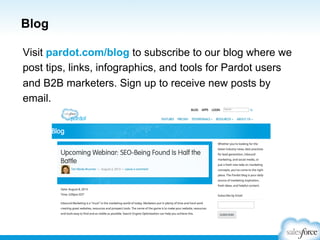
Blog
Visit pardot.com/blog to subscribe to our blog where we
post tips, links, infographics, and tools for Pardot users
and B2B marketers. Sign up to receive new posts by
email.
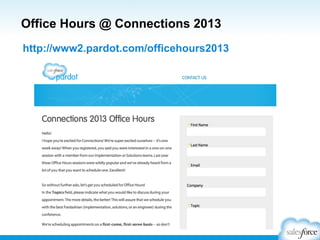
Office Hours @ Connections 2013
http://www2.pardot.com/officehours2013
Thank You!
You have now successfully completed this
course. Please take a minute to fill out an
evaluation of your course experience. You
can find it on the Connections app!

Don’t have the app? Ask your instructor for a paper evaluation.

Pardot Basics Bootcamp