‫أكاديمية الحكومة اإللكترونية الفلسطينية‬
             The Palestinian eGovernment Academy
                          www.egovacademy.ps


Tutorial II: Data Integration and Open Information Systems
                         Session3
                XML Schemas

                      Dr. Ismail M. Romi
                   Palestine Polytechnic University


                             PalGov © 2011               1
About

This tutorial is part of the PalGov project, funded by the TEMPUS IV program of the
Commission of the European Communities, grant agreement 511159-TEMPUS-1-
2010-1-PS-TEMPUS-JPHES. The project website: www.egovacademy.ps
Project Consortium:

             Birzeit University, Palestine
                                                           University of Trento, Italy
             (Coordinator )


             Palestine Polytechnic University, Palestine   Vrije Universiteit Brussel, Belgium


             Palestine Technical University, Palestine
                                                           Université de Savoie, France

             Ministry of Telecom and IT, Palestine
                                                           University of Namur, Belgium
             Ministry of Interior, Palestine
                                                           TrueTrust, UK
             Ministry of Local Government, Palestine


Coordinator:
Dr. Mustafa Jarrar
Birzeit University, P.O.Box 14- Birzeit, Palestine
Telfax:+972 2 2982935 mjarrar@birzeit.eduPalGov © 2011
                                                                                                 2
© Copyright Notes
Everyone is encouraged to use this material, or part of it, but should
properly cite the project (logo and website), and the author of that part.


No part of this tutorial may be reproduced or modified in any form or by
any means, without prior written permission from the project, who have
the full copyrights on the material.


                 Attribution-NonCommercial-ShareAlike
                              CC-BY-NC-SA

This license lets others remix, tweak, and build upon your work non-
commercially, as long as they credit you and license their new creations
under the identical terms.

                                 PalGov © 2011                               3
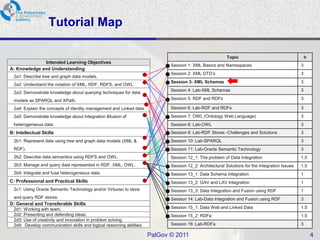
Tutorial Map

                                                                                                           Topic                                     h
              Intended Learning Objectives
                                                                              Session 1: XML Basics and Namespaces                               3
A: Knowledge and Understanding
                                                                              Session 2: XML DTD’s                                               3
  2a1: Describe tree and graph data models.
                                                                              Session 3: XML Schemas                                             3
  2a2: Understand the notation of XML, RDF, RDFS, and OWL.
                                                                              Session 4: Lab-XML Schemas                                         3
  2a3: Demonstrate knowledge about querying techniques for data
  models as SPARQL and XPath.                                                 Session 5: RDF and RDFs                                            3

  2a4: Explain the concepts of identity management and Linked data.           Session 6: Lab-RDF and RDFs                                        3
  2a5: Demonstrate knowledge about Integration &fusion of                     Session 7: OWL (Ontology Web Language)                             3
  heterogeneous data.                                                         Session 8: Lab-OWL                                                 3
B: Intellectual Skills                                                        Session 9: Lab-RDF Stores -Challenges and Solutions                3
  2b1: Represent data using tree and graph data models (XML &                 Session 10: Lab-SPARQL                                             3
  RDF).                                                                       Session 11: Lab-Oracle Semantic Technology                         3
  2b2: Describe data semantics using RDFS and OWL.                            Session 12_1: The problem of Data Integration                      1.5
  2b3: Manage and query data represented in RDF, XML, OWL.                    Session 12_2: Architectural Solutions for the Integration Issues   1.5
  2b4: Integrate and fuse heterogeneous data.                                 Session 13_1: Data Schema Integration                              1
C: Professional and Practical Skills                                          Session 13_2: GAV and LAV Integration                              1
  2c1: Using Oracle Semantic Technology and/or Virtuoso to store              Session 13_3: Data Integration and Fusion using RDF                1
  and query RDF stores.                                                       Session 14: Lab-Data Integration and Fusion using RDF              3
D: General and Transferable Skills
  2d1: Working with team.                                                     Session 15_1: Data Web and Linked Data                             1.5
  2d2: Presenting and defending ideas.                                        Session 15_2: RDFa                                                 1.5
  2d3: Use of creativity and innovation in problem solving.
  2d4: Develop communication skills and logical reasoning abilities.          Session 16: Lab-RDFa                                               3

                                                                       PalGov © 2011                                                                     4
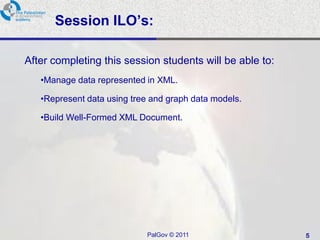
Session ILO’s:

After completing this session students will be able to:
   •Manage data represented in XML.

   •Represent data using tree and graph data models.

   •Build Well-Formed XML Document.


                            PalGov © 2011                 5
Session4: XML Schemas

Session Overview:
<Benefits of XML Schemas />
<How to create and use XML Schemas/>
<How to document your XML Schemas/>


                PalGov © 2011          6
XML Schema

• The term XML Schema is used to refer to the specific
  W3C XML Schema technology.
• W3C XML Schemas, much like DTDs, enable you to
  describe the structure of an XML document.
• XML Schema definitions are also commonly referred
  to as XSDs.


                        PalGov © 2011                    7
Benefits of XML Schemas

 XML Schemas are created using basic XML, while DTDs
  utilize a separate syntax.
 XML Schemas fully support the Namespace
  Recommendation.
 XML Schemas enable you to validate text element content
  based on built-in and user-defined data types.
 XML Schemas enable you to more easily create complex
  and reusable content models.
 XML Schemas enable the modeling of programming
  concepts such as object inheritance and type substitution.


                           PalGov © 2011                       8
Do We Still Need DTDs?

• XML Schemas provide better features for describing
  documents—as well as a more common syntax—they
  provide no ENTITY functionality.
• In many XML documents and applications, the ENTITY
  declaration is important.
• DTD can be embedded in the xml document.
• DTD supported by the SGML.


                         PalGov © 2011                 9
XML Schemas

XML Schema divided into three parts:
 An introduction to XML Schema concepts at:
   www.w3.org/TR/xmlschema-0/

 A document that defines all of the structures used in XML
  Schemas at: ww.w3.org/TR/xmlschema-1/
 A document that describes XML Schema data types at
  www.w3.org/TR/xmlschema-2/


                           PalGov © 2011                      10
The XML Schema Document

• Most XML Schemas are stored within a separate XML
  document.
• XML Schemas function very similarly to external DTDs
• XML document contains a reference to the XML Schema
  that defines its vocabulary.
• An XML document that adheres to a particular XML
  Schema vocabulary is called an XML Schema instance
  document.


                         PalGov © 2011                   11
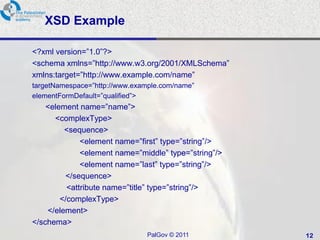
XSD Example

<?xml version=‖1.0‖?>
<schema xmlns=‖http://www.w3.org/2001/XMLSchema‖
xmlns:target=‖http://www.example.com/name‖
targetNamespace=‖http://www.example.com/name‖
elementFormDefault=‖qualified‖>
    <element name=‖name‖>
      <complexType>
         <sequence>
              <element name=‖first‖ type=‖string‖/>
              <element name=‖middle‖ type=‖string‖/>
              <element name=‖last‖ type=‖string‖/>
         </sequence>
          <attribute name=‖title‖ type=‖string‖/>
        </complexType>
    </element>
</schema>
                               PalGov © 2011           12
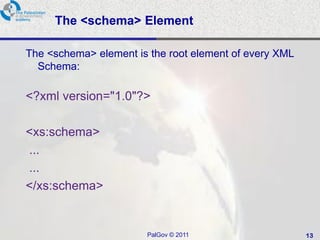
The <schema> Element

The <schema> element is the root element of every XML
  Schema:

<?xml version="1.0"?>

<xs:schema>
...
...
</xs:schema>


                       PalGov © 2011                    13
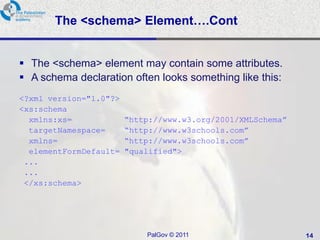
The <schema> Element….Cont


 The <schema> element may contain some attributes.
 A schema declaration often looks something like this:
<?xml version="1.0"?>
<xs:schema
  xmlns:xs=             “http://www.w3.org/2001/XMLSchema”
  targetNamespace=      “http://www.w3schools.com”
  xmlns=                “http://www.w3schools.com”
  elementFormDefault=   "qualified">
 ...
 ...
 </xs:schema>


                            PalGov © 2011                    14
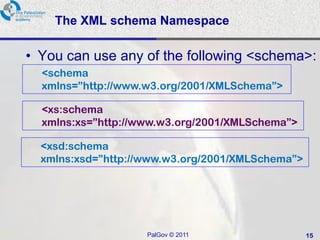
The XML schema Namespace

• You can use any of the following <schema>:
  <schema
  xmlns=”http://www.w3.org/2001/XMLSchema”>

  <xs:schema
  xmlns:xs=”http://www.w3.org/2001/XMLSchema”>

  <xsd:schema
  xmlns:xsd=”http://www.w3.org/2001/XMLSchema”>


                    PalGov © 2011                 15
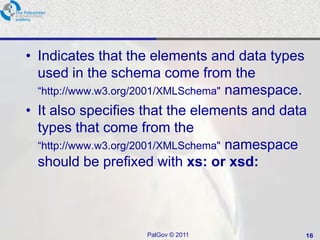
• Indicates that the elements and data types
  used in the schema come from the
  ―http://www.w3.org/2001/XMLSchema" namespace.
• It also specifies that the elements and data
  types that come from the
  ―http://www.w3.org/2001/XMLSchema" namespace
  should be prefixed with xs: or xsd:


                    PalGov © 2011             16
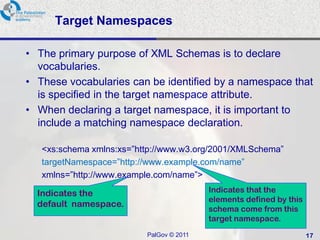
Target Namespaces

• The primary purpose of XML Schemas is to declare
  vocabularies.
• These vocabularies can be identified by a namespace that
  is specified in the target namespace attribute.
• When declaring a target namespace, it is important to
  include a matching namespace declaration.

   <xs:schema xmlns:xs=‖http://www.w3.org/2001/XMLSchema‖
   targetNamespace=‖http://www.example.com/name‖
   xmlns=‖http://www.example.com/name‖>

  Indicates the                           Indicates that the
                                          elements defined by this
  default namespace.
                                          schema come from this
                                          target namespace.
                          PalGov © 2011                              17
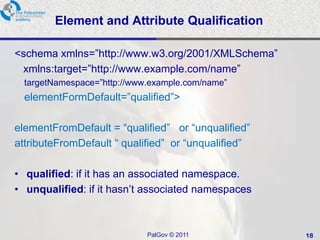
Element and Attribute Qualification

<schema xmlns=‖http://www.w3.org/2001/XMLSchema‖
 xmlns:target=‖http://www.example.com/name‖
  targetNamespace=‖http://www.example.com/name‖
  elementFormDefault=‖qualified‖>

elementFromDefault = ―qualified‖ or ―unqualified‖
attributeFromDefault ― qualified‖ or ―unqualified‖

• qualified: if it has an associated namespace.
• unqualified: if it hasn’t associated namespaces


                             PalGov © 2011           18
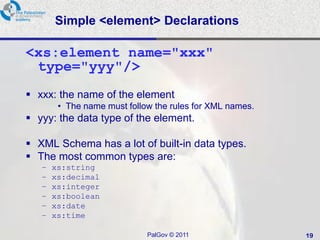
Simple <element> Declarations

<xs:element name="xxx"
 type="yyy"/>
 xxx: the name of the element
        • The name must follow the rules for XML names.
 yyy: the data type of the element.

 XML Schema has a lot of built-in data types.
 The most common types are:
   –   xs:string
   –   xs:decimal
   –   xs:integer
   –   xs:boolean
   –   xs:date
   –   xs:time

                             PalGov © 2011                19
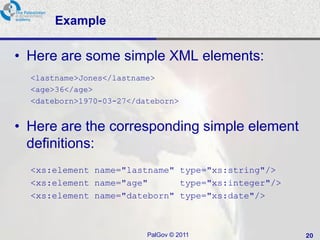
Example

• Here are some simple XML elements:
  <lastname>Jones</lastname>
  <age>36</age>
  <dateborn>1970-03-27</dateborn>


• Here are the corresponding simple element
  definitions:
  <xs:element name="lastname" type="xs:string"/>
  <xs:element name="age"      type="xs:integer"/>
  <xs:element name="dateborn" type="xs:date"/>


                          PalGov © 2011             20
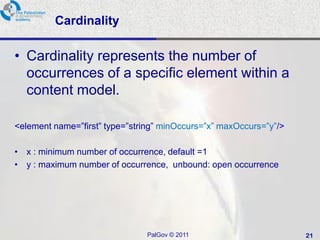
Cardinality

• Cardinality represents the number of
  occurrences of a specific element within a
  content model.

<element name=‖first‖ type=‖string‖ minOccurs=‖x‖ maxOccurs=‖y‖/>

• x : minimum number of occurrence, default =1
• y : maximum number of occurrence, unbound: open occurrence


                               PalGov © 2011                        21
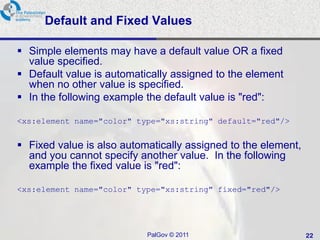
Default and Fixed Values

 Simple elements may have a default value OR a fixed
  value specified.
 Default value is automatically assigned to the element
  when no other value is specified.
 In the following example the default value is "red":

<xs:element name="color" type="xs:string" default="red"/>


 Fixed value is also automatically assigned to the element,
  and you cannot specify another value. In the following
  example the fixed value is "red":

<xs:element name="color" type="xs:string" fixed="red"/>


                           PalGov © 2011                       22
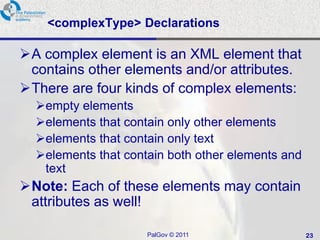
<complexType> Declarations

A complex element is an XML element that
 contains other elements and/or attributes.
There are four kinds of complex elements:
  empty elements
  elements that contain only other elements
  elements that contain only text
  elements that contain both other elements and
   text
Note: Each of these elements may contain
 attributes as well!

                     PalGov © 2011                 23
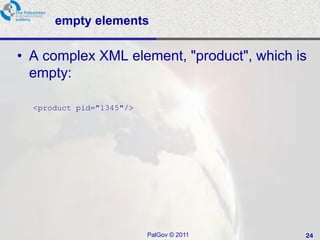
empty elements

• A complex XML element, "product", which is
  empty:

  <product pid="1345"/>


                          PalGov © 2011    24
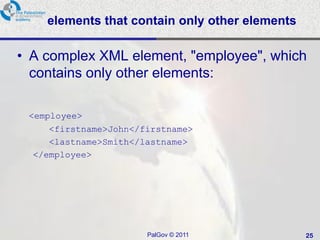
elements that contain only other elements

• A complex XML element, "employee", which
  contains only other elements:

 <employee>
     <firstname>John</firstname>
     <lastname>Smith</lastname>
  </employee>


                       PalGov © 2011            25
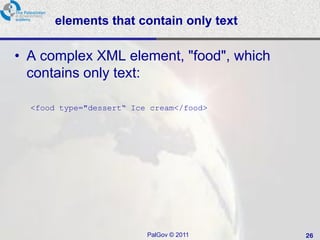
elements that contain only text

• A complex XML element, "food", which
  contains only text:

  <food type="dessert“ Ice cream</food>


                          PalGov © 2011   26
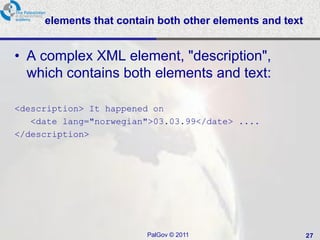
elements that contain both other elements and text


• A complex XML element, "description",
  which contains both elements and text:

<description> It happened on
   <date lang="norwegian">03.03.99</date> ....
</description>


                        PalGov © 2011                     27
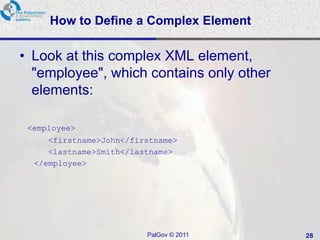
How to Define a Complex Element

• Look at this complex XML element,
  "employee", which contains only other
  elements:

 <employee>
     <firstname>John</firstname>
     <lastname>Smith</lastname>
  </employee>


                         PalGov © 2011    28
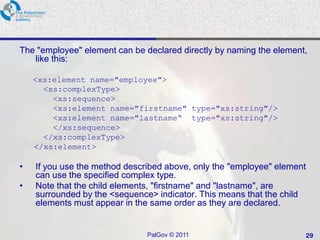
The "employee" element can be declared directly by naming the element,
   like this:

    <xs:element name="employee">
      <xs:complexType>
        <xs:sequence>
        <xs:element name="firstname" type="xs:string"/>
        <xs:element name="lastname“ type="xs:string"/>
        </xs:sequence>
      </xs:complexType>
    </xs:element>

•   If you use the method described above, only the "employee" element
    can use the specified complex type.
•   Note that the child elements, "firstname" and "lastname", are
    surrounded by the <sequence> indicator. This means that the child
    elements must appear in the same order as they are declared.


                               PalGov © 2011                         29
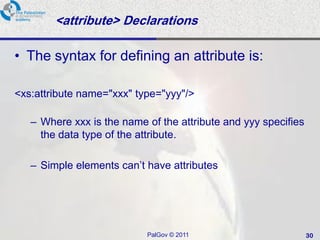
<attribute> Declarations

• The syntax for defining an attribute is:

<xs:attribute name="xxx" type="yyy"/>

   – Where xxx is the name of the attribute and yyy specifies
     the data type of the attribute.

   – Simple elements can’t have attributes


                           PalGov © 2011                        30
Summary

• XML Schema is used to refer to the specific W3C
  XML Schema technology.
• W3C XML Schemas, much like DTDs, enable you
  to describe the structure of an XML document.


                    PalGov © 2011              31
Refrences

• Hunter, H, Rafter, J., Fawcett, J., Vlist, E., Ayers, D., Duckett, J., Watt,
  A., McKinnon,L., (2007), "Beginning XML", 4th Ed.,Wiley Publishing
   Inc: Indiana, USA.
• Ray, E., (2003), "Learning XML", 2nd Ed., O’Rreilly Media Inc.: USA.
• Amiano, M., D'Cruz, C., Ethier, K., Thomas, M., (2006), XML:
  Problem - Design – Solution", Wiley Publishing Inc: Indiana, USA.
• http://www.w3.org
• http://www.w3schools.com
• http://www.xml.com
• http://www.xml.org


                                    PalGov © 2011                                32
<e-Gov> Thank you </e-Gov>


           PalGov © 2011   33

Pal gov.tutorial2.session3.xml schemas

  • 1.
    ‫أكاديمية الحكومة اإللكترونيةالفلسطينية‬ The Palestinian eGovernment Academy www.egovacademy.ps Tutorial II: Data Integration and Open Information Systems Session3 XML Schemas Dr. Ismail M. Romi Palestine Polytechnic University PalGov © 2011 1
  • 2.
    About This tutorial ispart of the PalGov project, funded by the TEMPUS IV program of the Commission of the European Communities, grant agreement 511159-TEMPUS-1- 2010-1-PS-TEMPUS-JPHES. The project website: www.egovacademy.ps Project Consortium: Birzeit University, Palestine University of Trento, Italy (Coordinator ) Palestine Polytechnic University, Palestine Vrije Universiteit Brussel, Belgium Palestine Technical University, Palestine Université de Savoie, France Ministry of Telecom and IT, Palestine University of Namur, Belgium Ministry of Interior, Palestine TrueTrust, UK Ministry of Local Government, Palestine Coordinator: Dr. Mustafa Jarrar Birzeit University, P.O.Box 14- Birzeit, Palestine Telfax:+972 2 2982935 mjarrar@birzeit.eduPalGov © 2011 2
  • 3.
    © Copyright Notes Everyoneis encouraged to use this material, or part of it, but should properly cite the project (logo and website), and the author of that part. No part of this tutorial may be reproduced or modified in any form or by any means, without prior written permission from the project, who have the full copyrights on the material. Attribution-NonCommercial-ShareAlike CC-BY-NC-SA This license lets others remix, tweak, and build upon your work non- commercially, as long as they credit you and license their new creations under the identical terms. PalGov © 2011 3
  • 4.
    Tutorial Map Topic h Intended Learning Objectives Session 1: XML Basics and Namespaces 3 A: Knowledge and Understanding Session 2: XML DTD’s 3 2a1: Describe tree and graph data models. Session 3: XML Schemas 3 2a2: Understand the notation of XML, RDF, RDFS, and OWL. Session 4: Lab-XML Schemas 3 2a3: Demonstrate knowledge about querying techniques for data models as SPARQL and XPath. Session 5: RDF and RDFs 3 2a4: Explain the concepts of identity management and Linked data. Session 6: Lab-RDF and RDFs 3 2a5: Demonstrate knowledge about Integration &fusion of Session 7: OWL (Ontology Web Language) 3 heterogeneous data. Session 8: Lab-OWL 3 B: Intellectual Skills Session 9: Lab-RDF Stores -Challenges and Solutions 3 2b1: Represent data using tree and graph data models (XML & Session 10: Lab-SPARQL 3 RDF). Session 11: Lab-Oracle Semantic Technology 3 2b2: Describe data semantics using RDFS and OWL. Session 12_1: The problem of Data Integration 1.5 2b3: Manage and query data represented in RDF, XML, OWL. Session 12_2: Architectural Solutions for the Integration Issues 1.5 2b4: Integrate and fuse heterogeneous data. Session 13_1: Data Schema Integration 1 C: Professional and Practical Skills Session 13_2: GAV and LAV Integration 1 2c1: Using Oracle Semantic Technology and/or Virtuoso to store Session 13_3: Data Integration and Fusion using RDF 1 and query RDF stores. Session 14: Lab-Data Integration and Fusion using RDF 3 D: General and Transferable Skills 2d1: Working with team. Session 15_1: Data Web and Linked Data 1.5 2d2: Presenting and defending ideas. Session 15_2: RDFa 1.5 2d3: Use of creativity and innovation in problem solving. 2d4: Develop communication skills and logical reasoning abilities. Session 16: Lab-RDFa 3 PalGov © 2011 4
  • 5.
    Session ILO’s: After completingthis session students will be able to: •Manage data represented in XML. •Represent data using tree and graph data models. •Build Well-Formed XML Document. PalGov © 2011 5
  • 6.
    Session4: XML Schemas SessionOverview: <Benefits of XML Schemas /> <How to create and use XML Schemas/> <How to document your XML Schemas/> PalGov © 2011 6
  • 7.
    XML Schema • Theterm XML Schema is used to refer to the specific W3C XML Schema technology. • W3C XML Schemas, much like DTDs, enable you to describe the structure of an XML document. • XML Schema definitions are also commonly referred to as XSDs. PalGov © 2011 7
  • 8.
    Benefits of XMLSchemas  XML Schemas are created using basic XML, while DTDs utilize a separate syntax.  XML Schemas fully support the Namespace Recommendation.  XML Schemas enable you to validate text element content based on built-in and user-defined data types.  XML Schemas enable you to more easily create complex and reusable content models.  XML Schemas enable the modeling of programming concepts such as object inheritance and type substitution. PalGov © 2011 8
  • 9.
    Do We StillNeed DTDs? • XML Schemas provide better features for describing documents—as well as a more common syntax—they provide no ENTITY functionality. • In many XML documents and applications, the ENTITY declaration is important. • DTD can be embedded in the xml document. • DTD supported by the SGML. PalGov © 2011 9
  • 10.
    XML Schemas XML Schemadivided into three parts:  An introduction to XML Schema concepts at: www.w3.org/TR/xmlschema-0/  A document that defines all of the structures used in XML Schemas at: ww.w3.org/TR/xmlschema-1/  A document that describes XML Schema data types at www.w3.org/TR/xmlschema-2/ PalGov © 2011 10
  • 11.
    The XML SchemaDocument • Most XML Schemas are stored within a separate XML document. • XML Schemas function very similarly to external DTDs • XML document contains a reference to the XML Schema that defines its vocabulary. • An XML document that adheres to a particular XML Schema vocabulary is called an XML Schema instance document. PalGov © 2011 11
  • 12.
    XSD Example <?xml version=‖1.0‖?> <schemaxmlns=‖http://www.w3.org/2001/XMLSchema‖ xmlns:target=‖http://www.example.com/name‖ targetNamespace=‖http://www.example.com/name‖ elementFormDefault=‖qualified‖> <element name=‖name‖> <complexType> <sequence> <element name=‖first‖ type=‖string‖/> <element name=‖middle‖ type=‖string‖/> <element name=‖last‖ type=‖string‖/> </sequence> <attribute name=‖title‖ type=‖string‖/> </complexType> </element> </schema> PalGov © 2011 12
  • 13.
    The <schema> Element The<schema> element is the root element of every XML Schema: <?xml version="1.0"?> <xs:schema> ... ... </xs:schema> PalGov © 2011 13
  • 14.
    The <schema> Element….Cont The <schema> element may contain some attributes.  A schema declaration often looks something like this: <?xml version="1.0"?> <xs:schema xmlns:xs= “http://www.w3.org/2001/XMLSchema” targetNamespace= “http://www.w3schools.com” xmlns= “http://www.w3schools.com” elementFormDefault= "qualified"> ... ... </xs:schema> PalGov © 2011 14
  • 15.
    The XML schemaNamespace • You can use any of the following <schema>: <schema xmlns=”http://www.w3.org/2001/XMLSchema”> <xs:schema xmlns:xs=”http://www.w3.org/2001/XMLSchema”> <xsd:schema xmlns:xsd=”http://www.w3.org/2001/XMLSchema”> PalGov © 2011 15
  • 16.
    • Indicates thatthe elements and data types used in the schema come from the ―http://www.w3.org/2001/XMLSchema" namespace. • It also specifies that the elements and data types that come from the ―http://www.w3.org/2001/XMLSchema" namespace should be prefixed with xs: or xsd: PalGov © 2011 16
  • 17.
    Target Namespaces • Theprimary purpose of XML Schemas is to declare vocabularies. • These vocabularies can be identified by a namespace that is specified in the target namespace attribute. • When declaring a target namespace, it is important to include a matching namespace declaration. <xs:schema xmlns:xs=‖http://www.w3.org/2001/XMLSchema‖ targetNamespace=‖http://www.example.com/name‖ xmlns=‖http://www.example.com/name‖> Indicates the Indicates that the elements defined by this default namespace. schema come from this target namespace. PalGov © 2011 17
  • 18.
    Element and AttributeQualification <schema xmlns=‖http://www.w3.org/2001/XMLSchema‖ xmlns:target=‖http://www.example.com/name‖ targetNamespace=‖http://www.example.com/name‖ elementFormDefault=‖qualified‖> elementFromDefault = ―qualified‖ or ―unqualified‖ attributeFromDefault ― qualified‖ or ―unqualified‖ • qualified: if it has an associated namespace. • unqualified: if it hasn’t associated namespaces PalGov © 2011 18
  • 19.
    Simple <element> Declarations <xs:elementname="xxx" type="yyy"/>  xxx: the name of the element • The name must follow the rules for XML names.  yyy: the data type of the element.  XML Schema has a lot of built-in data types.  The most common types are: – xs:string – xs:decimal – xs:integer – xs:boolean – xs:date – xs:time PalGov © 2011 19
  • 20.
    Example • Here aresome simple XML elements: <lastname>Jones</lastname> <age>36</age> <dateborn>1970-03-27</dateborn> • Here are the corresponding simple element definitions: <xs:element name="lastname" type="xs:string"/> <xs:element name="age" type="xs:integer"/> <xs:element name="dateborn" type="xs:date"/> PalGov © 2011 20
  • 21.
    Cardinality • Cardinality representsthe number of occurrences of a specific element within a content model. <element name=‖first‖ type=‖string‖ minOccurs=‖x‖ maxOccurs=‖y‖/> • x : minimum number of occurrence, default =1 • y : maximum number of occurrence, unbound: open occurrence PalGov © 2011 21
  • 22.
    Default and FixedValues  Simple elements may have a default value OR a fixed value specified.  Default value is automatically assigned to the element when no other value is specified.  In the following example the default value is "red": <xs:element name="color" type="xs:string" default="red"/>  Fixed value is also automatically assigned to the element, and you cannot specify another value. In the following example the fixed value is "red": <xs:element name="color" type="xs:string" fixed="red"/> PalGov © 2011 22
  • 23.
    <complexType> Declarations A complexelement is an XML element that contains other elements and/or attributes. There are four kinds of complex elements: empty elements elements that contain only other elements elements that contain only text elements that contain both other elements and text Note: Each of these elements may contain attributes as well! PalGov © 2011 23
  • 24.
    empty elements • Acomplex XML element, "product", which is empty: <product pid="1345"/> PalGov © 2011 24
  • 25.
    elements that containonly other elements • A complex XML element, "employee", which contains only other elements: <employee> <firstname>John</firstname> <lastname>Smith</lastname> </employee> PalGov © 2011 25
  • 26.
    elements that containonly text • A complex XML element, "food", which contains only text: <food type="dessert“ Ice cream</food> PalGov © 2011 26
  • 27.
    elements that containboth other elements and text • A complex XML element, "description", which contains both elements and text: <description> It happened on <date lang="norwegian">03.03.99</date> .... </description> PalGov © 2011 27
  • 28.
    How to Definea Complex Element • Look at this complex XML element, "employee", which contains only other elements: <employee> <firstname>John</firstname> <lastname>Smith</lastname> </employee> PalGov © 2011 28
  • 29.
    The "employee" elementcan be declared directly by naming the element, like this: <xs:element name="employee"> <xs:complexType> <xs:sequence> <xs:element name="firstname" type="xs:string"/> <xs:element name="lastname“ type="xs:string"/> </xs:sequence> </xs:complexType> </xs:element> • If you use the method described above, only the "employee" element can use the specified complex type. • Note that the child elements, "firstname" and "lastname", are surrounded by the <sequence> indicator. This means that the child elements must appear in the same order as they are declared. PalGov © 2011 29
  • 30.
    <attribute> Declarations • Thesyntax for defining an attribute is: <xs:attribute name="xxx" type="yyy"/> – Where xxx is the name of the attribute and yyy specifies the data type of the attribute. – Simple elements can’t have attributes PalGov © 2011 30
  • 31.
    Summary • XML Schemais used to refer to the specific W3C XML Schema technology. • W3C XML Schemas, much like DTDs, enable you to describe the structure of an XML document. PalGov © 2011 31
  • 32.
    Refrences • Hunter, H,Rafter, J., Fawcett, J., Vlist, E., Ayers, D., Duckett, J., Watt, A., McKinnon,L., (2007), "Beginning XML", 4th Ed.,Wiley Publishing Inc: Indiana, USA. • Ray, E., (2003), "Learning XML", 2nd Ed., O’Rreilly Media Inc.: USA. • Amiano, M., D'Cruz, C., Ethier, K., Thomas, M., (2006), XML: Problem - Design – Solution", Wiley Publishing Inc: Indiana, USA. • http://www.w3.org • http://www.w3schools.com • http://www.xml.com • http://www.xml.org PalGov © 2011 32
  • 33.
    <e-Gov> Thank you</e-Gov> PalGov © 2011 33