OWASP Top 10 Vulnerabilities
2017 Edition
Researched and Developed by Indusface
Website vulnerabilities and getting hacked due to them have become a
security nightmare for businesses. Whether you're an entrepreneur, an
IT manager, an established business owner, a CIO, a CISO, a director of
security, or a CTO, understanding and evaluating your online risks is
critical. Our new playbook will serve as a practical guide to
understanding OWASP Top 10 vulnerabilities and preparing a response
plan to counter these vulnerabilities.
Venkatesh Sundar, Founder & CMO, Indusface
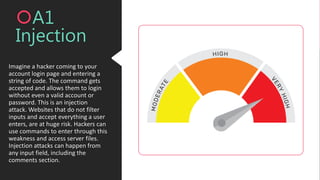
Imagine a hacker coming to your
account login page and entering a
string of code. The command gets
accepted and allows them to login
without even a valid account or
password. This is an injection
attack. Websites that do not filter
inputs and accept everything a user
enters, are at huge risk. Hackers can
use commands to enter through this
weakness and access server files.
Injection attacks can happen from
any input field, including the
comments section.
A1
Injection
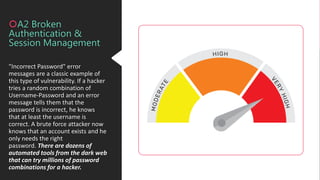
"Incorrect Password" error
messages are a classic example of
this type of vulnerability. If a hacker
tries a random combination of
Username-Password and an error
message tells them that the
password is incorrect, he knows
that at least the username is
correct. A brute force attacker now
knows that an account exists and he
only needs the right
password. There are dozens of
automated tools from the dark web
that can try millions of password
combinations for a hacker.
A2 Broken
Authentication &
Session Management
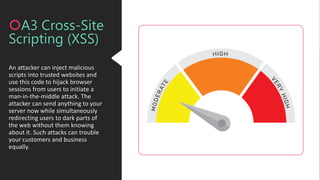
An attacker can inject malicious
scripts into trusted websites and
use this code to hijack browser
sessions from users to initiate a
man-in-the-middle attack. The
attacker can send anything to your
server now while simultaneously
redirecting users to dark parts of
the web without them knowing
about it. Such attacks can trouble
your customers and business
equally.
A3 Cross-Site
Scripting (XSS)
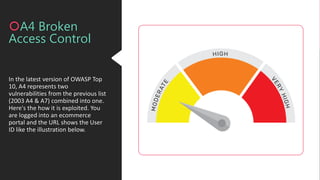
In the latest version of OWASP Top
10, A4 represents two
vulnerabilities from the previous list
(2003 A4 & A7) combined into one.
Here's the how it is exploited. You
are logged into an ecommerce
portal and the URL shows the User
ID like the illustration below.
A4 Broken
Access Control
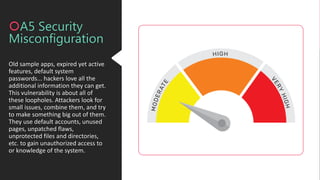
Old sample apps, expired yet active
features, default system
passwords... hackers love all the
additional information they can get.
This vulnerability is about all of
these loopholes. Attackers look for
small issues, combine them, and try
to make something big out of them.
They use default accounts, unused
pages, unpatched flaws,
unprotected files and directories,
etc. to gain unauthorized access to
or knowledge of the system.
A5 Security
Misconfiguration
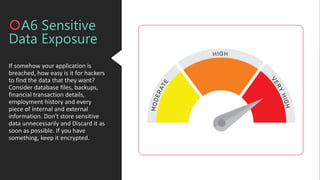
If somehow your application is
breached, how easy is it for hackers
to find the data that they want?
Consider database files, backups,
financial transaction details,
employment history and every
piece of internal and external
information. Don't store sensitive
data unnecessarily and Discard it as
soon as possible. If you have
something, keep it encrypted.
A6 Sensitive
Data Exposure
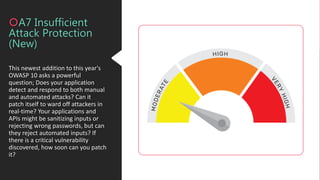
This newest addition to this year's
OWASP 10 asks a powerful
question; Does your application
detect and respond to both manual
and automated attacks? Can it
patch itself to ward off attackers in
real-time? Your applications and
APIs might be sanitizing inputs or
rejecting wrong passwords, but can
they reject automated inputs? If
there is a critical vulnerability
discovered, how soon can you patch
it?
A7 Insufficient
Attack Protection
(New)
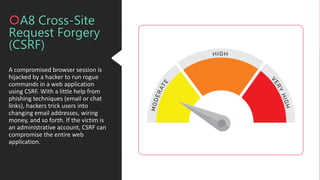
A compromised browser session is
hijacked by a hacker to run rogue
commands in a web application
using CSRF. With a little help from
phishing techniques (email or chat
links), hackers trick users into
changing email addresses, wiring
money, and so forth. If the victim is
an administrative account, CSRF can
compromise the entire web
application.
A8 Cross-Site
Request Forgery
(CSRF)
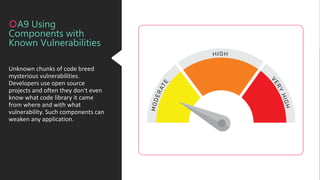
Unknown chunks of code breed
mysterious vulnerabilities.
Developers use open source
projects and often they don't even
know what code library it came
from where and with what
vulnerability. Such components can
weaken any application.
A9 Using
Components with
Known Vulnerabilities
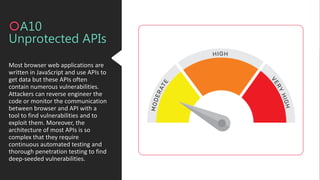
Most browser web applications are
written in JavaScript and use APIs to
get data but these APIs often
contain numerous vulnerabilities.
Attackers can reverse engineer the
code or monitor the communication
between browser and API with a
tool to find vulnerabilities and to
exploit them. Moreover, the
architecture of most APIs is so
complex that they require
continuous automated testing and
thorough penetration testing to find
deep-seeded vulnerabilities.
A10
Unprotected APIs
Checklist 1
Find Vulnerabilities
 Get an automated vulnerability detection tool.
 Perform thorough penetration testing on all critical apps.
 Look at vulnerabilities based on their impact severity.
Patch Vulnerabilities
 Can you patch application code quickly? If not, deploy protection like Web Application
Firewall (WAF) that offers custom rule creation.
 Use WAF to gather analytics on attack techniques and patterns.
 Use analytics frequently to define stronger protection policies.
Stop Hackers from Exploiting OWASP Vulnerabilities
Checklist 2
Find the Right Security Vendor
 Does the scanning solution include penetration testing without additional
cost?
 Is the WAF more than a closed box?
 Does it offer custom policies for advanced threats?
 Am I getting botnet and DDoS protection?
 Do I get visibility into what the vendor is doing? Are there any infrastructure
limitations?
86 percent of websites contain at
least one 'serious' vulnerability. We
are helping you identify risks with a
‘free forever vulnerability scan'.
Start here> AppTrana Website Security Scan
AppTrana.com
Continuous Hack
Prevention
Thank
You

OWASP Top 10 Vulnerabilities 2017- AppTrana

  • 1.
    OWASP Top 10Vulnerabilities 2017 Edition Researched and Developed by Indusface
  • 2.
    Website vulnerabilities andgetting hacked due to them have become a security nightmare for businesses. Whether you're an entrepreneur, an IT manager, an established business owner, a CIO, a CISO, a director of security, or a CTO, understanding and evaluating your online risks is critical. Our new playbook will serve as a practical guide to understanding OWASP Top 10 vulnerabilities and preparing a response plan to counter these vulnerabilities. Venkatesh Sundar, Founder & CMO, Indusface
  • 3.
    Imagine a hackercoming to your account login page and entering a string of code. The command gets accepted and allows them to login without even a valid account or password. This is an injection attack. Websites that do not filter inputs and accept everything a user enters, are at huge risk. Hackers can use commands to enter through this weakness and access server files. Injection attacks can happen from any input field, including the comments section. A1 Injection
  • 4.
    "Incorrect Password" error messagesare a classic example of this type of vulnerability. If a hacker tries a random combination of Username-Password and an error message tells them that the password is incorrect, he knows that at least the username is correct. A brute force attacker now knows that an account exists and he only needs the right password. There are dozens of automated tools from the dark web that can try millions of password combinations for a hacker. A2 Broken Authentication & Session Management
  • 5.
    An attacker caninject malicious scripts into trusted websites and use this code to hijack browser sessions from users to initiate a man-in-the-middle attack. The attacker can send anything to your server now while simultaneously redirecting users to dark parts of the web without them knowing about it. Such attacks can trouble your customers and business equally. A3 Cross-Site Scripting (XSS)
  • 6.
    In the latestversion of OWASP Top 10, A4 represents two vulnerabilities from the previous list (2003 A4 & A7) combined into one. Here's the how it is exploited. You are logged into an ecommerce portal and the URL shows the User ID like the illustration below. A4 Broken Access Control
  • 7.
    Old sample apps,expired yet active features, default system passwords... hackers love all the additional information they can get. This vulnerability is about all of these loopholes. Attackers look for small issues, combine them, and try to make something big out of them. They use default accounts, unused pages, unpatched flaws, unprotected files and directories, etc. to gain unauthorized access to or knowledge of the system. A5 Security Misconfiguration
  • 8.
    If somehow yourapplication is breached, how easy is it for hackers to find the data that they want? Consider database files, backups, financial transaction details, employment history and every piece of internal and external information. Don't store sensitive data unnecessarily and Discard it as soon as possible. If you have something, keep it encrypted. A6 Sensitive Data Exposure
  • 9.
    This newest additionto this year's OWASP 10 asks a powerful question; Does your application detect and respond to both manual and automated attacks? Can it patch itself to ward off attackers in real-time? Your applications and APIs might be sanitizing inputs or rejecting wrong passwords, but can they reject automated inputs? If there is a critical vulnerability discovered, how soon can you patch it? A7 Insufficient Attack Protection (New)
  • 10.
    A compromised browsersession is hijacked by a hacker to run rogue commands in a web application using CSRF. With a little help from phishing techniques (email or chat links), hackers trick users into changing email addresses, wiring money, and so forth. If the victim is an administrative account, CSRF can compromise the entire web application. A8 Cross-Site Request Forgery (CSRF)
  • 11.
    Unknown chunks ofcode breed mysterious vulnerabilities. Developers use open source projects and often they don't even know what code library it came from where and with what vulnerability. Such components can weaken any application. A9 Using Components with Known Vulnerabilities
  • 12.
    Most browser webapplications are written in JavaScript and use APIs to get data but these APIs often contain numerous vulnerabilities. Attackers can reverse engineer the code or monitor the communication between browser and API with a tool to find vulnerabilities and to exploit them. Moreover, the architecture of most APIs is so complex that they require continuous automated testing and thorough penetration testing to find deep-seeded vulnerabilities. A10 Unprotected APIs
  • 13.
    Checklist 1 Find Vulnerabilities Get an automated vulnerability detection tool.  Perform thorough penetration testing on all critical apps.  Look at vulnerabilities based on their impact severity. Patch Vulnerabilities  Can you patch application code quickly? If not, deploy protection like Web Application Firewall (WAF) that offers custom rule creation.  Use WAF to gather analytics on attack techniques and patterns.  Use analytics frequently to define stronger protection policies. Stop Hackers from Exploiting OWASP Vulnerabilities
  • 14.
    Checklist 2 Find theRight Security Vendor  Does the scanning solution include penetration testing without additional cost?  Is the WAF more than a closed box?  Does it offer custom policies for advanced threats?  Am I getting botnet and DDoS protection?  Do I get visibility into what the vendor is doing? Are there any infrastructure limitations?
  • 15.
    86 percent ofwebsites contain at least one 'serious' vulnerability. We are helping you identify risks with a ‘free forever vulnerability scan'. Start here> AppTrana Website Security Scan
  • 16.