Overcoming CMake
Configuration Issues
Live Webinar
1
November 9, 2023
About ICS
2
Established in 1987, Integrated Computer
Solutions, Inc. (ICS) delivers innovative
software solutions with a full suite of
services to accelerate development of
successful next-gen products.
ICS is headquartered outside Boston in
Waltham, Mass. with offices in California,
Canada and Europe. Currently 160 people.
Boston UX is ICS’ design studio,
specializing in intuitive touchscreen and
multimodal interfaces for high-impact
embedded and connected devices.
Overcoming CM
Issues
Chris Rizzitello
Software Engineer
3
[Optional] Source Path. Contains the CMakeLists.txt. If not provided it will use the current working
directory
1. You want to run some application or library
2. The program is only available as source or not pre-built for your platform
3. Using it will require building it first
4. A CMakeLists.txt file is in the projects root directory
5. Start by running the command below
Let’s Build a CMake Project
4
cmake -S coolproject/ -B build
[Optional] Build Path, if not
provided it will use the current
working directory
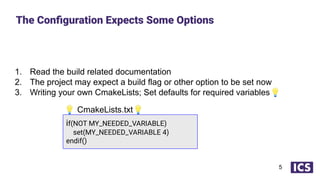
1. Read the build related documentation
2. The project may expect a build flag or other option to be set now
3. Writing your own CmakeLists; Set defaults for required variables💡
The Configuration Expects Some Options
5
💡 CmakeLists.txt💡
if(NOT MY_NEEDED_VARIABLE)
set(MY_NEEDED_VARIABLE 4)
endif()
THE
PROBLEM
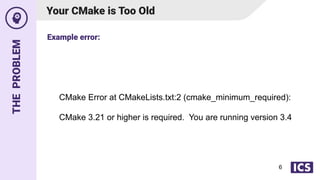
CMake Error at CMakeLists.txt:2 (cmake_minimum_required):
CMake 3.21 or higher is required. You are running version 3.4
6
Your CMake is Too Old
Example error:
THE
SOLUTION
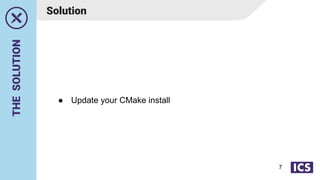
● Update your CMake install
7
Solution
LET´S
TRY
AGAIN
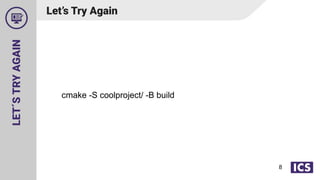
cmake -S coolproject/ -B build
8
Let’s Try Again
THE
PROBLEM
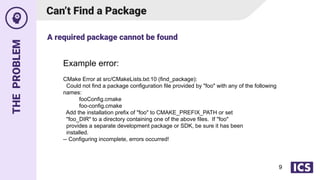
Can’t Find a Package
Example error:
CMake Error at src/CMakeLists.txt:10 (find_package):
Could not find a package configuration file provided by "foo" with any of the following
names:
fooConfig.cmake
foo-config.cmake
Add the installation prefix of "foo" to CMAKE_PREFIX_PATH or set
"foo_DIR" to a directory containing one of the above files. If "foo"
provides a separate development package or SDK, be sure it has been
installed.
-- Configuring incomplete, errors occurred!
A required package cannot be found
9
THE
SOLUTION
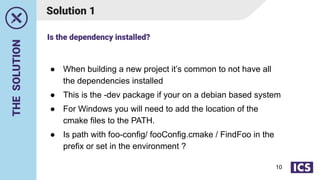
Solution 1
● When building a new project it’s common to not have all
the dependencies installed
● This is the -dev package if your on a debian based system
● For Windows you will need to add the location of the
cmake files to the PATH.
● Is path with foo-config/ fooConfig.cmake / FindFoo in the
prefix or set in the environment ?
Is the dependency installed?
10
THE
SOLUTION
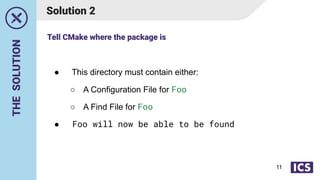
Solution 2
● This directory must contain either:
○ A Configuration File for Foo
○ A Find File for Foo
● Foo will now be able to be found
Tell CMake where the package is
11
TIPS
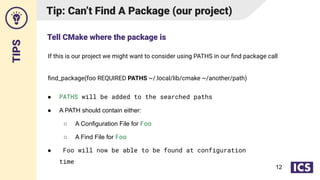
If this is our project we might want to consider using PATHS in our find package call
find_package(foo REQUIRED PATHS ~/.local/lib/cmake ~/another/path)
Tip: Can’t Find A Package (our project)
● PATHS will be added to the searched paths
● A PATH should contain either:
○ A Configuration File for Foo
○ A Find File for Foo
● Foo will now be able to be found at configuration
time
Tell CMake where the package is
12
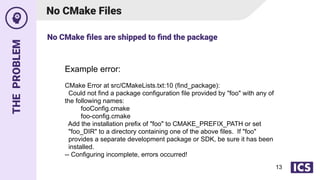
THE
PROBLEM
No CMake Files
Example error:
CMake Error at src/CMakeLists.txt:10 (find_package):
Could not find a package configuration file provided by "foo" with any of
the following names:
fooConfig.cmake
foo-config.cmake
Add the installation prefix of "foo" to CMAKE_PREFIX_PATH or set
"foo_DIR" to a directory containing one of the above files. If "foo"
provides a separate development package or SDK, be sure it has been
installed.
-- Configuring incomplete, errors occurred!
No CMake files are shipped to find the package
13
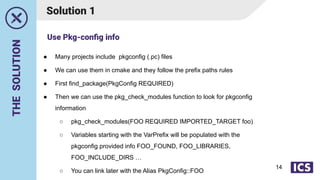
THE
SOLUTION
Solution 1
● Many projects include pkgconfig (.pc) files
● We can use them in cmake and they follow the prefix paths rules
● First find_package(PkgConfig REQUIRED)
● Then we can use the pkg_check_modules function to look for pkgconfig
information
○ pkg_check_modules(FOO REQUIRED IMPORTED_TARGET foo)
○ Variables starting with the VarPrefix will be populated with the
pkgconfig provided info FOO_FOUND, FOO_LIBRARIES,
FOO_INCLUDE_DIRS …
○ You can link later with the Alias PkgConfig::FOO
Use Pkg-config info
14
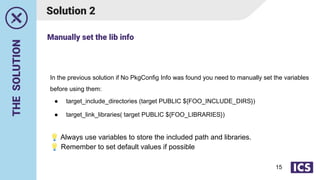
THE
SOLUTION
Solution 2
In the previous solution if No PkgConfig Info was found you need to manually set the variables
before using them:
● target_include_directories (target PUBLIC ${FOO_INCLUDE_DIRS})
● target_link_libraries( target PUBLIC ${FOO_LIBRARIES})
💡 Always use variables to store the included path and libraries.
💡 Remember to set default values if possible
Manually set the lib info
15
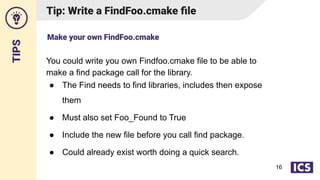
TIPS
Tip: Write a FindFoo.cmake file
You could write you own Findfoo.cmake file to be able to
make a find package call for the library.
● The Find needs to find libraries, includes then expose
them
● Must also set Foo_Found to True
● Include the new file before you call find package.
● Could already exist worth doing a quick search.
Make your own FindFoo.cmake
16
LET´S
TRY
AGAIN
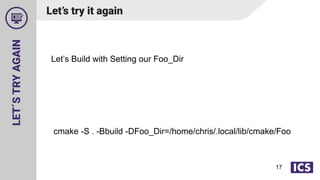
Let’s Build with Setting our Foo_Dir
cmake -S . -Bbuild -DFoo_Dir=/home/chris/.local/lib/cmake/Foo
17
Let’s try it again
THE
PROBLEM
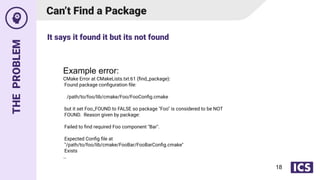
Can’t Find a Package
Example error:
CMake Error at CMakeLists.txt:61 (find_package):
Found package configuration file:
/path/to/foo/lib/cmake/Foo/FooConfig.cmake
but it set Foo_FOUND to FALSE so package "Foo" is considered to be NOT
FOUND. Reason given by package:
Failed to find required Foo component "Bar".
Expected Config file at
"/path/to/foo/lib/cmake/FooBar/FooBarConfig.cmake"
Exists
…
It says it found it but its not found
18
THE
SOLUTION
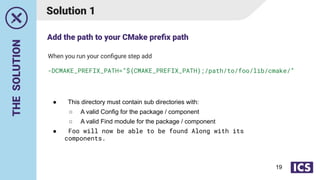
Solution 1
● This directory must contain sub directories with:
○ A valid Config for the package / component
○ A valid Find module for the package / component
● Foo will now be able to be found Along with its
components.
When you run your configure step add
-DCMAKE_PREFIX_PATH=”${CMAKE_PREFIX_PATH};/path/to/foo/lib/cmake/”
Add the path to your CMake prefix path
19
THE
SOLUTION
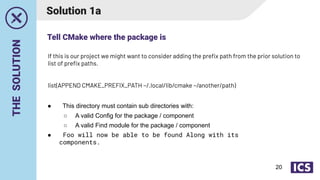
Solution 1a
● This directory must contain sub directories with:
○ A valid Config for the package / component
○ A valid Find module for the package / component
● Foo will now be able to be found Along with its
components.
If this is our project we might want to consider adding the prefix path from the prior solution to
list of prefix paths.
list(APPEND CMAKE_PREFIX_PATH ~/.local/lib/cmake ~/another/path)
Tell CMake where the package is
20
LET´S
TRY
AGAIN
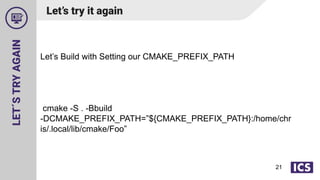
Let’s Build with Setting our CMAKE_PREFIX_PATH
cmake -S . -Bbuild
-DCMAKE_PREFIX_PATH=”${CMAKE_PREFIX_PATH}:/home/chr
is/.local/lib/cmake/Foo”
21
Let’s try it again
THE
PROBLEM
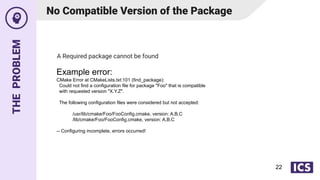
No Compatible Version of the Package
Example error:
CMake Error at CMakeLists.txt:101 (find_package):
Could not find a configuration file for package "Foo" that is compatible
with requested version "X.Y.Z".
The following configuration files were considered but not accepted:
/usr/lib/cmake/Foo/FooConfig.cmake, version: A.B.C
/lib/cmake/Foo/FooConfig.cmake, version: A.B.C
-- Configuring incomplete, errors occurred!
A Required package cannot be found
22
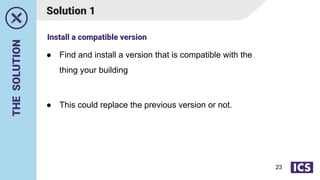
THE
SOLUTION
● Find and install a version that is compatible with the
thing your building
● This could replace the previous version or not.
Solution 1
Install a compatible version
23
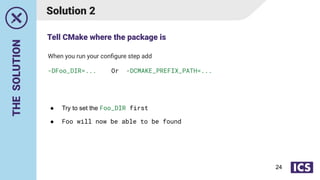
THE
SOLUTION
Solution 2
● Try to set the Foo_DIR first
● Foo will now be able to be found
When you run your configure step add
-DFoo_DIR=... Or -DCMAKE_PREFIX_PATH=...
Tell CMake where the package is
24
LET´S
TRY
AGAIN
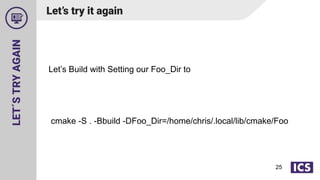
Let’s Build with Setting our Foo_Dir to
cmake -S . -Bbuild -DFoo_Dir=/home/chris/.local/lib/cmake/Foo
25
Let’s try it again
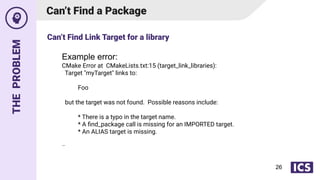
THE
PROBLEM
Can’t Find a Package
Example error:
CMake Error at CMakeLists.txt:15 (target_link_libraries):
Target "myTarget" links to:
Foo
but the target was not found. Possible reasons include:
* There is a typo in the target name.
* A find_package call is missing for an IMPORTED target.
* An ALIAS target is missing.
…
Can’t Find Link Target for a library
26
THE
SOLUTION
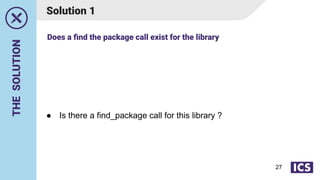
Solution 1
● Is there a find_package call for this library ?
Does a find the package call exist for the library
27
THE
SOLUTION
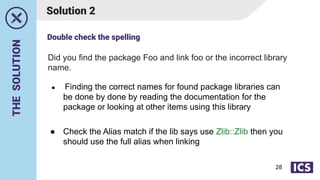
Solution 2
● Finding the correct names for found package libraries can
be done by done by reading the documentation for the
package or looking at other items using this library
● Check the Alias match if the lib says use Zlib::Zlib then you
should use the full alias when linking
Did you find the package Foo and link foo or the incorrect library
name.
Double check the spelling
28
LET´S
TRY
AGAIN
We added a find package call for “foo”
Let’s build it again.
29
Let’s try it again
THE
PROBLEM
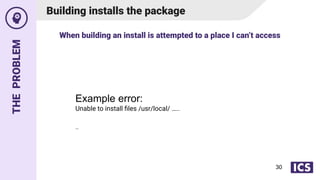
Building installs the package
Example error:
Unable to install files /usr/local/ …..
…
When building an install is attempted to a place I can’t access
30
THE
SOLUTION
Solution 1
● Accidentally enabled ?
Did you intend to run install?
31
THE
SOLUTION
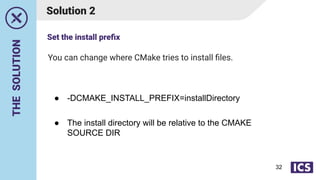
You can change where CMake tries to install files.
Solution 2
● -DCMAKE_INSTALL_PREFIX=installDirectory
● The install directory will be relative to the CMAKE
SOURCE DIR
Set the install prefix
32
THE
SOLUTION
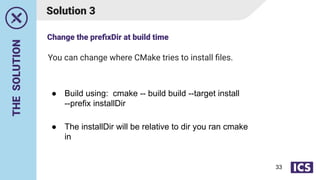
You can change where CMake tries to install files.
Solution 3
● Build using: cmake -- build build --target install
--prefix installDir
● The installDir will be relative to dir you ran cmake
in
Change the prefixDir at build time
33
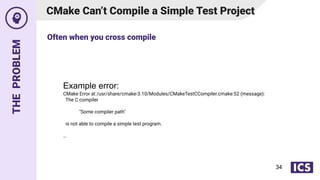
THE
PROBLEM
CMake Can’t Compile a Simple Test Project
Example error:
CMake Error at /usr/share/cmake-3.10/Modules/CMakeTestCCompiler.cmake:52 (message):
The C compiler
"Some compiler path"
is not able to compile a simple test program.
…
Often when you cross compile
34
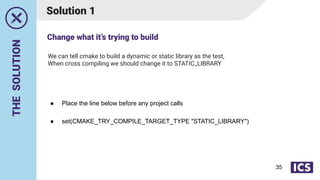
THE
SOLUTION
We can tell cmake to build a dynamic or static library as the test,
When cross compiling we should change it to STATIC_LIBRARY
Solution 1
● Place the line below before any project calls
● set(CMAKE_TRY_COMPILE_TARGET_TYPE "STATIC_LIBRARY")
Change what it’s trying to build
35
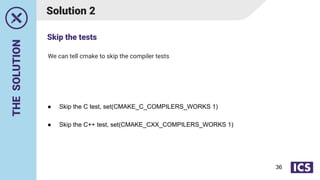
THE
SOLUTION
We can tell cmake to skip the compiler tests
Solution 2
● Skip the C test, set(CMAKE_C_COMPILERS_WORKS 1)
● Skip the C++ test, set(CMAKE_CXX_COMPILERS_WORKS 1)
Skip the tests
36
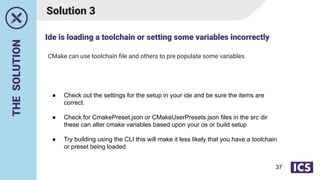
THE
SOLUTION
CMake can use toolchain file and others to pre populate some variables
Solution 3
● Check out the settings for the setup in your ide and be sure the items are
correct.
● Check for CmakePreset.json or CMakeUserPresets.json files in the src dir
these can alter cmake variables based upon your os or build setup
● Try building using the CLI this will make it less likely that you have a toolchain
or preset being loaded
Ide is loading a toolchain or setting some variables incorrectly
37
Any questions?
Page #
Thanks for attending.
Slides and recording will be sent via
email tomorrow.

Overcoming CMake Configuration Issues Webinar

  • 1.
  • 2.
    About ICS 2 Established in1987, Integrated Computer Solutions, Inc. (ICS) delivers innovative software solutions with a full suite of services to accelerate development of successful next-gen products. ICS is headquartered outside Boston in Waltham, Mass. with offices in California, Canada and Europe. Currently 160 people. Boston UX is ICS’ design studio, specializing in intuitive touchscreen and multimodal interfaces for high-impact embedded and connected devices.
  • 3.
  • 4.
    [Optional] Source Path.Contains the CMakeLists.txt. If not provided it will use the current working directory 1. You want to run some application or library 2. The program is only available as source or not pre-built for your platform 3. Using it will require building it first 4. A CMakeLists.txt file is in the projects root directory 5. Start by running the command below Let’s Build a CMake Project 4 cmake -S coolproject/ -B build [Optional] Build Path, if not provided it will use the current working directory
  • 5.
    1. Read thebuild related documentation 2. The project may expect a build flag or other option to be set now 3. Writing your own CmakeLists; Set defaults for required variables💡 The Configuration Expects Some Options 5 💡 CmakeLists.txt💡 if(NOT MY_NEEDED_VARIABLE) set(MY_NEEDED_VARIABLE 4) endif()
  • 6.
    THE PROBLEM CMake Error atCMakeLists.txt:2 (cmake_minimum_required): CMake 3.21 or higher is required. You are running version 3.4 6 Your CMake is Too Old Example error:
  • 7.
    THE SOLUTION ● Update yourCMake install 7 Solution
  • 8.
    LET´S TRY AGAIN cmake -S coolproject/-B build 8 Let’s Try Again
  • 9.
    THE PROBLEM Can’t Find aPackage Example error: CMake Error at src/CMakeLists.txt:10 (find_package): Could not find a package configuration file provided by "foo" with any of the following names: fooConfig.cmake foo-config.cmake Add the installation prefix of "foo" to CMAKE_PREFIX_PATH or set "foo_DIR" to a directory containing one of the above files. If "foo" provides a separate development package or SDK, be sure it has been installed. -- Configuring incomplete, errors occurred! A required package cannot be found 9
  • 10.
    THE SOLUTION Solution 1 ● Whenbuilding a new project it’s common to not have all the dependencies installed ● This is the -dev package if your on a debian based system ● For Windows you will need to add the location of the cmake files to the PATH. ● Is path with foo-config/ fooConfig.cmake / FindFoo in the prefix or set in the environment ? Is the dependency installed? 10
  • 11.
    THE SOLUTION Solution 2 ● Thisdirectory must contain either: ○ A Configuration File for Foo ○ A Find File for Foo ● Foo will now be able to be found Tell CMake where the package is 11
  • 12.
    TIPS If this isour project we might want to consider using PATHS in our find package call find_package(foo REQUIRED PATHS ~/.local/lib/cmake ~/another/path) Tip: Can’t Find A Package (our project) ● PATHS will be added to the searched paths ● A PATH should contain either: ○ A Configuration File for Foo ○ A Find File for Foo ● Foo will now be able to be found at configuration time Tell CMake where the package is 12
  • 13.
    THE PROBLEM No CMake Files Exampleerror: CMake Error at src/CMakeLists.txt:10 (find_package): Could not find a package configuration file provided by "foo" with any of the following names: fooConfig.cmake foo-config.cmake Add the installation prefix of "foo" to CMAKE_PREFIX_PATH or set "foo_DIR" to a directory containing one of the above files. If "foo" provides a separate development package or SDK, be sure it has been installed. -- Configuring incomplete, errors occurred! No CMake files are shipped to find the package 13
  • 14.
    THE SOLUTION Solution 1 ● Manyprojects include pkgconfig (.pc) files ● We can use them in cmake and they follow the prefix paths rules ● First find_package(PkgConfig REQUIRED) ● Then we can use the pkg_check_modules function to look for pkgconfig information ○ pkg_check_modules(FOO REQUIRED IMPORTED_TARGET foo) ○ Variables starting with the VarPrefix will be populated with the pkgconfig provided info FOO_FOUND, FOO_LIBRARIES, FOO_INCLUDE_DIRS … ○ You can link later with the Alias PkgConfig::FOO Use Pkg-config info 14
  • 15.
    THE SOLUTION Solution 2 In theprevious solution if No PkgConfig Info was found you need to manually set the variables before using them: ● target_include_directories (target PUBLIC ${FOO_INCLUDE_DIRS}) ● target_link_libraries( target PUBLIC ${FOO_LIBRARIES}) 💡 Always use variables to store the included path and libraries. 💡 Remember to set default values if possible Manually set the lib info 15
  • 16.
    TIPS Tip: Write aFindFoo.cmake file You could write you own Findfoo.cmake file to be able to make a find package call for the library. ● The Find needs to find libraries, includes then expose them ● Must also set Foo_Found to True ● Include the new file before you call find package. ● Could already exist worth doing a quick search. Make your own FindFoo.cmake 16
  • 17.
    LET´S TRY AGAIN Let’s Build withSetting our Foo_Dir cmake -S . -Bbuild -DFoo_Dir=/home/chris/.local/lib/cmake/Foo 17 Let’s try it again
  • 18.
    THE PROBLEM Can’t Find aPackage Example error: CMake Error at CMakeLists.txt:61 (find_package): Found package configuration file: /path/to/foo/lib/cmake/Foo/FooConfig.cmake but it set Foo_FOUND to FALSE so package "Foo" is considered to be NOT FOUND. Reason given by package: Failed to find required Foo component "Bar". Expected Config file at "/path/to/foo/lib/cmake/FooBar/FooBarConfig.cmake" Exists … It says it found it but its not found 18
  • 19.
    THE SOLUTION Solution 1 ● Thisdirectory must contain sub directories with: ○ A valid Config for the package / component ○ A valid Find module for the package / component ● Foo will now be able to be found Along with its components. When you run your configure step add -DCMAKE_PREFIX_PATH=”${CMAKE_PREFIX_PATH};/path/to/foo/lib/cmake/” Add the path to your CMake prefix path 19
  • 20.
    THE SOLUTION Solution 1a ● Thisdirectory must contain sub directories with: ○ A valid Config for the package / component ○ A valid Find module for the package / component ● Foo will now be able to be found Along with its components. If this is our project we might want to consider adding the prefix path from the prior solution to list of prefix paths. list(APPEND CMAKE_PREFIX_PATH ~/.local/lib/cmake ~/another/path) Tell CMake where the package is 20
  • 21.
    LET´S TRY AGAIN Let’s Build withSetting our CMAKE_PREFIX_PATH cmake -S . -Bbuild -DCMAKE_PREFIX_PATH=”${CMAKE_PREFIX_PATH}:/home/chr is/.local/lib/cmake/Foo” 21 Let’s try it again
  • 22.
    THE PROBLEM No Compatible Versionof the Package Example error: CMake Error at CMakeLists.txt:101 (find_package): Could not find a configuration file for package "Foo" that is compatible with requested version "X.Y.Z". The following configuration files were considered but not accepted: /usr/lib/cmake/Foo/FooConfig.cmake, version: A.B.C /lib/cmake/Foo/FooConfig.cmake, version: A.B.C -- Configuring incomplete, errors occurred! A Required package cannot be found 22
  • 23.
    THE SOLUTION ● Find andinstall a version that is compatible with the thing your building ● This could replace the previous version or not. Solution 1 Install a compatible version 23
  • 24.
    THE SOLUTION Solution 2 ● Tryto set the Foo_DIR first ● Foo will now be able to be found When you run your configure step add -DFoo_DIR=... Or -DCMAKE_PREFIX_PATH=... Tell CMake where the package is 24
  • 25.
    LET´S TRY AGAIN Let’s Build withSetting our Foo_Dir to cmake -S . -Bbuild -DFoo_Dir=/home/chris/.local/lib/cmake/Foo 25 Let’s try it again
  • 26.
    THE PROBLEM Can’t Find aPackage Example error: CMake Error at CMakeLists.txt:15 (target_link_libraries): Target "myTarget" links to: Foo but the target was not found. Possible reasons include: * There is a typo in the target name. * A find_package call is missing for an IMPORTED target. * An ALIAS target is missing. … Can’t Find Link Target for a library 26
  • 27.
    THE SOLUTION Solution 1 ● Isthere a find_package call for this library ? Does a find the package call exist for the library 27
  • 28.
    THE SOLUTION Solution 2 ● Findingthe correct names for found package libraries can be done by done by reading the documentation for the package or looking at other items using this library ● Check the Alias match if the lib says use Zlib::Zlib then you should use the full alias when linking Did you find the package Foo and link foo or the incorrect library name. Double check the spelling 28
  • 29.
    LET´S TRY AGAIN We added afind package call for “foo” Let’s build it again. 29 Let’s try it again
  • 30.
    THE PROBLEM Building installs thepackage Example error: Unable to install files /usr/local/ ….. … When building an install is attempted to a place I can’t access 30
  • 31.
    THE SOLUTION Solution 1 ● Accidentallyenabled ? Did you intend to run install? 31
  • 32.
    THE SOLUTION You can changewhere CMake tries to install files. Solution 2 ● -DCMAKE_INSTALL_PREFIX=installDirectory ● The install directory will be relative to the CMAKE SOURCE DIR Set the install prefix 32
  • 33.
    THE SOLUTION You can changewhere CMake tries to install files. Solution 3 ● Build using: cmake -- build build --target install --prefix installDir ● The installDir will be relative to dir you ran cmake in Change the prefixDir at build time 33
  • 34.
    THE PROBLEM CMake Can’t Compilea Simple Test Project Example error: CMake Error at /usr/share/cmake-3.10/Modules/CMakeTestCCompiler.cmake:52 (message): The C compiler "Some compiler path" is not able to compile a simple test program. … Often when you cross compile 34
  • 35.
    THE SOLUTION We can tellcmake to build a dynamic or static library as the test, When cross compiling we should change it to STATIC_LIBRARY Solution 1 ● Place the line below before any project calls ● set(CMAKE_TRY_COMPILE_TARGET_TYPE "STATIC_LIBRARY") Change what it’s trying to build 35
  • 36.
    THE SOLUTION We can tellcmake to skip the compiler tests Solution 2 ● Skip the C test, set(CMAKE_C_COMPILERS_WORKS 1) ● Skip the C++ test, set(CMAKE_CXX_COMPILERS_WORKS 1) Skip the tests 36
  • 37.
    THE SOLUTION CMake can usetoolchain file and others to pre populate some variables Solution 3 ● Check out the settings for the setup in your ide and be sure the items are correct. ● Check for CmakePreset.json or CMakeUserPresets.json files in the src dir these can alter cmake variables based upon your os or build setup ● Try building using the CLI this will make it less likely that you have a toolchain or preset being loaded Ide is loading a toolchain or setting some variables incorrectly 37
  • 38.
    Any questions? Page # Thanksfor attending. Slides and recording will be sent via email tomorrow.