Richard Thomson
Senior Software Engineer, NVIDIA
@LegalizeAdulthd
http://LegalizeAdulthood.wordpress.com
legalize@xmission.com
Outline
 Review of C++ Libraries
 find_package
 pkg-config
 Custom Find Module
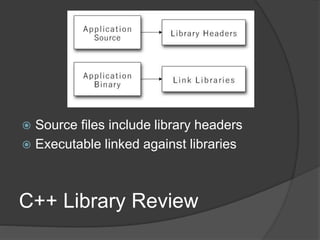
C++ Library Review
 Source files include library headers
 Executable linked against libraries
Library Header Complications
 May include headers from other libraries
 May require specific preprocessor
definitions
 May have different names on different
platforms
 May have different names based on build
configuration
Library Link Complications
 May depend on other libraries
 May require specific runtime constraints, e.g.
Windows C/C++ runtime library variants
 May have different names on different platforms
 May have different names based on build
configuration
 Library location may depend on build configuration
CMake Requirements
 Build Requirements
 What is needed to build this target?
 Usage Requirements
 What is needed to use a target?
 Requirement examples:
○ Compilation flags
○ Preprocessor definitions
○ Include directories
○ Link directories
○ Link dependencies
 Requirements are propagated transitively by
CMake between targets
CMake Target Requirements
 PRIVATE
 Build requirements for the target
 Imposes no usage requirement
 INTERFACE
 Usage requirements for the target
 Imposes no build requirements
 PUBLIC
 Combination of PRIVATE and INTERFACE
 Imposes build and usage requirements
CMake Properties
 A property is a name/value pair
 CMake properties:
 Global properties
 Project properties
 Directory properties
 Target properties
 Source file properties
 Build requirements are properties
 Usage requirements are properties
CMake Modules
 A module is just a text file containing CMake
commands
 Typically a module defines functions and macros
 Usually named XXX.cmake
 include(XXX) loads the module XXX.cmake
 CMake has a module search path used to locate
module files
Imported Targets
 Imported targets supply usage
requirements
 A find module may create imported targets
for the found library
 Usage requirements are associated with the
imported target via target properties
 Prefer imported targets for found libraries
Library Flavors
 Header Only Library
 Static Library
 Dynamic Library
 Plug-In Library
Header Only Library
 Implementation exists only as headers
 Library dependencies are linked into the
executable
 Executable and library must use compatible
compilation flags
 Unused code may be detected by the linker
Header Only Library by Hand
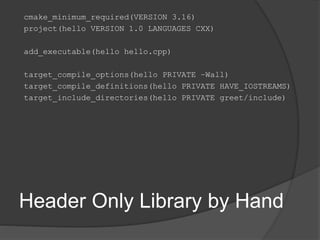
cmake_minimum_required(VERSION 3.16)
project(hello VERSION 1.0 LANGUAGES CXX)
add_executable(hello hello.cpp)
target_compile_options(hello PRIVATE –Wall)
target_compile_definitions(hello PRIVATE HAVE_IOSTREAMS)
target_include_directories(hello PRIVATE greet/include)
Static Library
 Binds object code into the executable
 Library dependencies are linked into the
executable
 Executable and library must use compatible
compilation flags
 Unused code may be detected by the linker
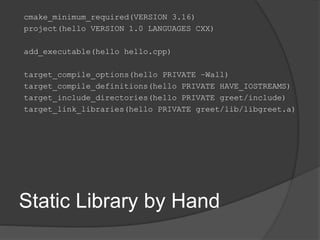
Static Library by Hand
cmake_minimum_required(VERSION 3.16)
project(hello VERSION 1.0 LANGUAGES CXX)
add_executable(hello hello.cpp)
target_compile_options(hello PRIVATE –Wall)
target_compile_definitions(hello PRIVATE HAVE_IOSTREAMS)
target_include_directories(hello PRIVATE greet/include)
target_link_libraries(hello PRIVATE greet/lib/libgreet.a)
Dynamic Library
 Binds references into the executable
 Must be deployed with the executable
 Library may be versioned
 Executable and library must use compatible
compilation flags
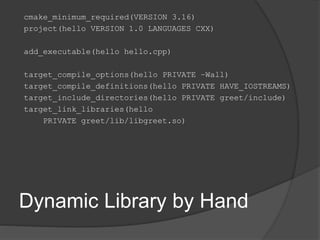
Dynamic Library by Hand
cmake_minimum_required(VERSION 3.16)
project(hello VERSION 1.0 LANGUAGES CXX)
add_executable(hello hello.cpp)
target_compile_options(hello PRIVATE –Wall)
target_compile_definitions(hello PRIVATE HAVE_IOSTREAMS)
target_include_directories(hello PRIVATE greet/include)
target_link_libraries(hello
PRIVATE greet/lib/libgreet.so)
Plug-In Library
 Dynamic library that is accessed at runtime
 Executable does not directly bind to the
library
 Executable queries plug-in for function entry
points
 Executable and library must use compatible
compilation flags
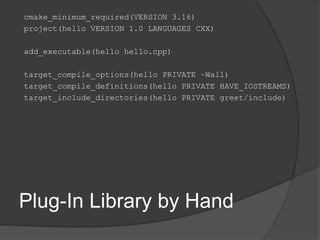
Plug-In Library by Hand
cmake_minimum_required(VERSION 3.16)
project(hello VERSION 1.0 LANGUAGES CXX)
add_executable(hello hello.cpp)
target_compile_options(hello PRIVATE –Wall)
target_compile_definitions(hello PRIVATE HAVE_IOSTREAMS)
target_include_directories(hello PRIVATE greet/include)
Library by Hand Shortcomings
 Consuming executable littered with library
implementation details
 Compilation options are compiler specific
 Location of headers is assumed
 Location of library is assumed
 Doesn’t select debug or release library
 Name of library is assumed
find_package
find_package(<PackageName> [version]
[EXACT] [QUIET] [MODULE] [REQUIRED]
[[COMPONENTS] [components...]]
[OPTIONAL_COMPONENTS components...]
[NO_POLICY_SCOPE])
 Finds and loads settings from an external
project
 Sets <PackageName>_FOUND if found
 Sucess results in variables and imported
targets describing the found package
 Unifies header only, static and dynamic
libraries
Find Modules
 find_package looks for a Find Module for
the requested package
 The CMake module search path is used to
located the Find Module
 A Find Module is named FindXXX.cmake
 CMake ships with many find modules
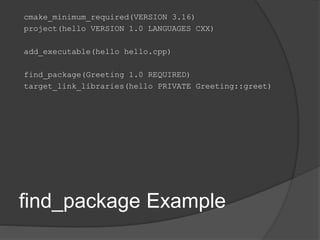
find_package Example
cmake_minimum_required(VERSION 3.16)
project(hello VERSION 1.0 LANGUAGES CXX)
add_executable(hello hello.cpp)
find_package(Greeting 1.0 REQUIRED)
target_link_libraries(hello PRIVATE Greeting::greet)
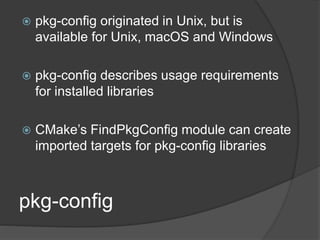
pkg-config
 pkg-config originated in Unix, but is
available for Unix, macOS and Windows
 pkg-config describes usage requirements
for installed libraries
 CMake’s FindPkgConfig module can create
imported targets for pkg-config libraries
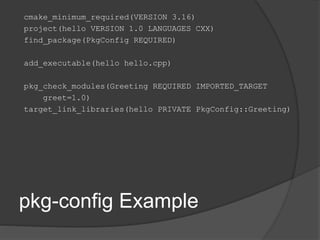
pkg-config Example
cmake_minimum_required(VERSION 3.16)
project(hello VERSION 1.0 LANGUAGES CXX)
find_package(PkgConfig REQUIRED)
add_executable(hello hello.cpp)
pkg_check_modules(Greeting REQUIRED IMPORTED_TARGET
greet=1.0)
target_link_libraries(hello PRIVATE PkgConfig::Greeting)
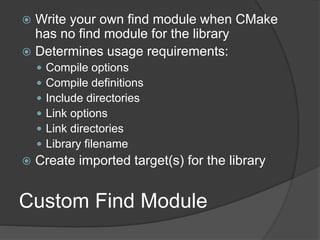
Custom Find Module
 Write your own find module when CMake
has no find module for the library
 Determines usage requirements:
 Compile options
 Compile definitions
 Include directories
 Link options
 Link directories
 Library filename
 Create imported target(s) for the library
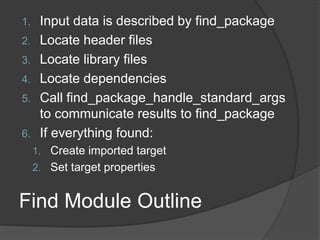
Find Module Outline
1. Input data is described by find_package
2. Locate header files
3. Locate library files
4. Locate dependencies
5. Call find_package_handle_standard_args
to communicate results to find_package
6. If everything found:
1. Create imported target
2. Set target properties
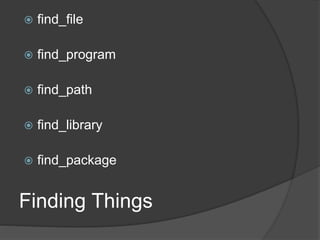
Finding Things
 find_file
 find_program
 find_path
 find_library
 find_package
find_file
find_file(<var>
name | NAMES name1 [name2...]
[HINTS path1 [path2...ENV var]]
[PATHS path1 [path2...ENV var]]
[PATH_SUFFIXES suffix1 [suffix2 ...]]
[DOC "cache documentation string"]
[NO_DEFAULT_PATH])
 Locates a file according to name, location, suffix
 Stores the result in <var>
 Consult documentation for more options and
details on search behavior
find_program
find_program(<var>
name | NAMES name1 [name2...]
[HINTS path1 [path2...ENV var]]
[PATHS path1 [path2...ENV var]]
[PATH_SUFFIXES suffix1 [suffix2 ...]]
[DOC "cache documentation string"]
[NO_DEFAULT_PATH])
 Similar to find_file
 Locates an executable program
 Handles platform specific conventions, e.g.
foo.exe on Windows
find_path
find_path(<var>
name | NAMES name1 [name2...]
[HINTS path1 [path2...ENV var]]
[PATHS path1 [path2...ENV var]]
[PATH_SUFFIXES suffix1 [suffix2 ...]]
[DOC "cache documentation string"]
[NO_DEFAULT_PATH])
 Similar to find_file
 Locates a directory containing a file
find_library
find_library(<var>
name | NAMES name1 [name2...]
[HINTS path1 [path2...ENV var]]
[PATHS path1 [path2...ENV var]]
[PATH_SUFFIXES suffix1 [suffix2 ...]]
[DOC "cache documentation string"]
[NO_DEFAULT_PATH])
 Similar to find_file
 Handles platform specific library forms, e.g.
libfoo.a, foo.dll, foo.lib
 Use find_package to locate your
dependencies
find_package
find_package_handle_standard_ar
gs
find_package_handle_standard_args(<PackageName>
[FOUND_VAR <result-var>]
[REQUIRED_VARS <required-var>...]
[VERSION_VAR <version-var>]
[HANDLE_COMPONENTS]
[CONFIG_MODE]
[REASON_FAILURE_MESSAGE <message>]
[FAIL_MESSAGE <message>]
)
 find_package(PackageHandleStandardArgs)
 Use REQUIRED_VARS to list requirements:
found files, directories, libraries, etc.
 Combined result is in <result-var>
Creating Imported Targets
add_library(<name>
<SHARED|STATIC|MODULE|OBJECT|INTERFACE|UNKNOWN>
IMPORTED [GLOBAL])
 Typically specify the library type as
UNKNOWN
 Set target properties to specify usage
requirements
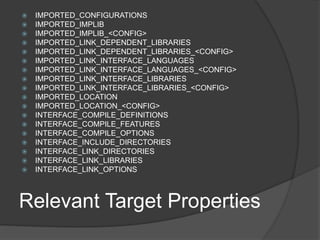
 IMPORTED_CONFIGURATIONS
 IMPORTED_IMPLIB
 IMPORTED_IMPLIB_<CONFIG>
 IMPORTED_LINK_DEPENDENT_LIBRARIES
 IMPORTED_LINK_DEPENDENT_LIBRARIES_<CONFIG>
 IMPORTED_LINK_INTERFACE_LANGUAGES
 IMPORTED_LINK_INTERFACE_LANGUAGES_<CONFIG>
 IMPORTED_LINK_INTERFACE_LIBRARIES
 IMPORTED_LINK_INTERFACE_LIBRARIES_<CONFIG>
 IMPORTED_LOCATION
 IMPORTED_LOCATION_<CONFIG>
 INTERFACE_COMPILE_DEFINITIONS
 INTERFACE_COMPILE_FEATURES
 INTERFACE_COMPILE_OPTIONS
 INTERFACE_INCLUDE_DIRECTORIES
 INTERFACE_LINK_DIRECTORIES
 INTERFACE_LINK_LIBRARIES
 INTERFACE_LINK_OPTIONS
Relevant Target Properties
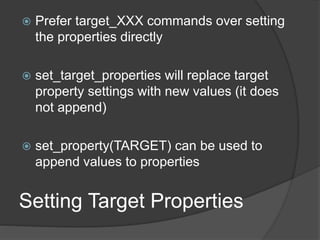
 Prefer target_XXX commands over setting
the properties directly
 set_target_properties will replace target
property settings with new values (it does
not append)
 set_property(TARGET) can be used to
append values to properties
Setting Target Properties
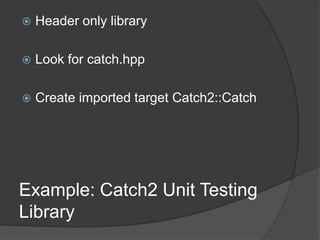
 Header only library
 Look for catch.hpp
 Create imported target Catch2::Catch
Example: Catch2 Unit Testing
Library
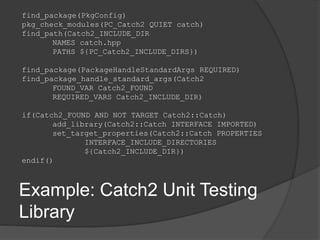
find_package(PkgConfig)
pkg_check_modules(PC_Catch2 QUIET catch)
find_path(Catch2_INCLUDE_DIR
NAMES catch.hpp
PATHS ${PC_Catch2_INCLUDE_DIRS})
find_package(PackageHandleStandardArgs REQUIRED)
find_package_handle_standard_args(Catch2
FOUND_VAR Catch2_FOUND
REQUIRED_VARS Catch2_INCLUDE_DIR)
if(Catch2_FOUND AND NOT TARGET Catch2::Catch)
add_library(Catch2::Catch INTERFACE IMPORTED)
set_target_properties(Catch2::Catch PROPERTIES
INTERFACE_INCLUDE_DIRECTORIES
${Catch2_INCLUDE_DIR})
endif()
Example: Catch2 Unit Testing
Library
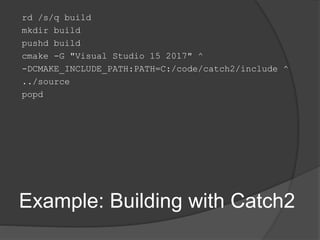
rd /s/q build
mkdir build
pushd build
cmake -G "Visual Studio 15 2017" ^
-DCMAKE_INCLUDE_PATH:PATH=C:/code/catch2/include ^
../source
popd
Example: Building with Catch2

Consuming Libraries with CMake

  • 1.
    Richard Thomson Senior SoftwareEngineer, NVIDIA @LegalizeAdulthd http://LegalizeAdulthood.wordpress.com legalize@xmission.com
  • 2.
    Outline  Review ofC++ Libraries  find_package  pkg-config  Custom Find Module
  • 3.
    C++ Library Review Source files include library headers  Executable linked against libraries
  • 4.
    Library Header Complications May include headers from other libraries  May require specific preprocessor definitions  May have different names on different platforms  May have different names based on build configuration
  • 5.
    Library Link Complications May depend on other libraries  May require specific runtime constraints, e.g. Windows C/C++ runtime library variants  May have different names on different platforms  May have different names based on build configuration  Library location may depend on build configuration
  • 6.
    CMake Requirements  BuildRequirements  What is needed to build this target?  Usage Requirements  What is needed to use a target?  Requirement examples: ○ Compilation flags ○ Preprocessor definitions ○ Include directories ○ Link directories ○ Link dependencies  Requirements are propagated transitively by CMake between targets
  • 7.
    CMake Target Requirements PRIVATE  Build requirements for the target  Imposes no usage requirement  INTERFACE  Usage requirements for the target  Imposes no build requirements  PUBLIC  Combination of PRIVATE and INTERFACE  Imposes build and usage requirements
  • 8.
    CMake Properties  Aproperty is a name/value pair  CMake properties:  Global properties  Project properties  Directory properties  Target properties  Source file properties  Build requirements are properties  Usage requirements are properties
  • 9.
    CMake Modules  Amodule is just a text file containing CMake commands  Typically a module defines functions and macros  Usually named XXX.cmake  include(XXX) loads the module XXX.cmake  CMake has a module search path used to locate module files
  • 10.
    Imported Targets  Importedtargets supply usage requirements  A find module may create imported targets for the found library  Usage requirements are associated with the imported target via target properties  Prefer imported targets for found libraries
  • 11.
    Library Flavors  HeaderOnly Library  Static Library  Dynamic Library  Plug-In Library
  • 12.
    Header Only Library Implementation exists only as headers  Library dependencies are linked into the executable  Executable and library must use compatible compilation flags  Unused code may be detected by the linker
  • 13.
    Header Only Libraryby Hand cmake_minimum_required(VERSION 3.16) project(hello VERSION 1.0 LANGUAGES CXX) add_executable(hello hello.cpp) target_compile_options(hello PRIVATE –Wall) target_compile_definitions(hello PRIVATE HAVE_IOSTREAMS) target_include_directories(hello PRIVATE greet/include)
  • 14.
    Static Library  Bindsobject code into the executable  Library dependencies are linked into the executable  Executable and library must use compatible compilation flags  Unused code may be detected by the linker
  • 15.
    Static Library byHand cmake_minimum_required(VERSION 3.16) project(hello VERSION 1.0 LANGUAGES CXX) add_executable(hello hello.cpp) target_compile_options(hello PRIVATE –Wall) target_compile_definitions(hello PRIVATE HAVE_IOSTREAMS) target_include_directories(hello PRIVATE greet/include) target_link_libraries(hello PRIVATE greet/lib/libgreet.a)
  • 16.
    Dynamic Library  Bindsreferences into the executable  Must be deployed with the executable  Library may be versioned  Executable and library must use compatible compilation flags
  • 17.
    Dynamic Library byHand cmake_minimum_required(VERSION 3.16) project(hello VERSION 1.0 LANGUAGES CXX) add_executable(hello hello.cpp) target_compile_options(hello PRIVATE –Wall) target_compile_definitions(hello PRIVATE HAVE_IOSTREAMS) target_include_directories(hello PRIVATE greet/include) target_link_libraries(hello PRIVATE greet/lib/libgreet.so)
  • 18.
    Plug-In Library  Dynamiclibrary that is accessed at runtime  Executable does not directly bind to the library  Executable queries plug-in for function entry points  Executable and library must use compatible compilation flags
  • 19.
    Plug-In Library byHand cmake_minimum_required(VERSION 3.16) project(hello VERSION 1.0 LANGUAGES CXX) add_executable(hello hello.cpp) target_compile_options(hello PRIVATE –Wall) target_compile_definitions(hello PRIVATE HAVE_IOSTREAMS) target_include_directories(hello PRIVATE greet/include)
  • 20.
    Library by HandShortcomings  Consuming executable littered with library implementation details  Compilation options are compiler specific  Location of headers is assumed  Location of library is assumed  Doesn’t select debug or release library  Name of library is assumed
  • 21.
    find_package find_package(<PackageName> [version] [EXACT] [QUIET][MODULE] [REQUIRED] [[COMPONENTS] [components...]] [OPTIONAL_COMPONENTS components...] [NO_POLICY_SCOPE])  Finds and loads settings from an external project  Sets <PackageName>_FOUND if found  Sucess results in variables and imported targets describing the found package  Unifies header only, static and dynamic libraries
  • 22.
    Find Modules  find_packagelooks for a Find Module for the requested package  The CMake module search path is used to located the Find Module  A Find Module is named FindXXX.cmake  CMake ships with many find modules
  • 23.
    find_package Example cmake_minimum_required(VERSION 3.16) project(helloVERSION 1.0 LANGUAGES CXX) add_executable(hello hello.cpp) find_package(Greeting 1.0 REQUIRED) target_link_libraries(hello PRIVATE Greeting::greet)
  • 24.
    pkg-config  pkg-config originatedin Unix, but is available for Unix, macOS and Windows  pkg-config describes usage requirements for installed libraries  CMake’s FindPkgConfig module can create imported targets for pkg-config libraries
  • 25.
    pkg-config Example cmake_minimum_required(VERSION 3.16) project(helloVERSION 1.0 LANGUAGES CXX) find_package(PkgConfig REQUIRED) add_executable(hello hello.cpp) pkg_check_modules(Greeting REQUIRED IMPORTED_TARGET greet=1.0) target_link_libraries(hello PRIVATE PkgConfig::Greeting)
  • 26.
    Custom Find Module Write your own find module when CMake has no find module for the library  Determines usage requirements:  Compile options  Compile definitions  Include directories  Link options  Link directories  Library filename  Create imported target(s) for the library
  • 27.
    Find Module Outline 1.Input data is described by find_package 2. Locate header files 3. Locate library files 4. Locate dependencies 5. Call find_package_handle_standard_args to communicate results to find_package 6. If everything found: 1. Create imported target 2. Set target properties
  • 28.
    Finding Things  find_file find_program  find_path  find_library  find_package
  • 29.
    find_file find_file(<var> name | NAMESname1 [name2...] [HINTS path1 [path2...ENV var]] [PATHS path1 [path2...ENV var]] [PATH_SUFFIXES suffix1 [suffix2 ...]] [DOC "cache documentation string"] [NO_DEFAULT_PATH])  Locates a file according to name, location, suffix  Stores the result in <var>  Consult documentation for more options and details on search behavior
  • 30.
    find_program find_program(<var> name | NAMESname1 [name2...] [HINTS path1 [path2...ENV var]] [PATHS path1 [path2...ENV var]] [PATH_SUFFIXES suffix1 [suffix2 ...]] [DOC "cache documentation string"] [NO_DEFAULT_PATH])  Similar to find_file  Locates an executable program  Handles platform specific conventions, e.g. foo.exe on Windows
  • 31.
    find_path find_path(<var> name | NAMESname1 [name2...] [HINTS path1 [path2...ENV var]] [PATHS path1 [path2...ENV var]] [PATH_SUFFIXES suffix1 [suffix2 ...]] [DOC "cache documentation string"] [NO_DEFAULT_PATH])  Similar to find_file  Locates a directory containing a file
  • 32.
    find_library find_library(<var> name | NAMESname1 [name2...] [HINTS path1 [path2...ENV var]] [PATHS path1 [path2...ENV var]] [PATH_SUFFIXES suffix1 [suffix2 ...]] [DOC "cache documentation string"] [NO_DEFAULT_PATH])  Similar to find_file  Handles platform specific library forms, e.g. libfoo.a, foo.dll, foo.lib
  • 33.
     Use find_packageto locate your dependencies find_package
  • 34.
    find_package_handle_standard_ar gs find_package_handle_standard_args(<PackageName> [FOUND_VAR <result-var>] [REQUIRED_VARS <required-var>...] [VERSION_VAR<version-var>] [HANDLE_COMPONENTS] [CONFIG_MODE] [REASON_FAILURE_MESSAGE <message>] [FAIL_MESSAGE <message>] )  find_package(PackageHandleStandardArgs)  Use REQUIRED_VARS to list requirements: found files, directories, libraries, etc.  Combined result is in <result-var>
  • 35.
    Creating Imported Targets add_library(<name> <SHARED|STATIC|MODULE|OBJECT|INTERFACE|UNKNOWN> IMPORTED[GLOBAL])  Typically specify the library type as UNKNOWN  Set target properties to specify usage requirements
  • 36.
     IMPORTED_CONFIGURATIONS  IMPORTED_IMPLIB IMPORTED_IMPLIB_<CONFIG>  IMPORTED_LINK_DEPENDENT_LIBRARIES  IMPORTED_LINK_DEPENDENT_LIBRARIES_<CONFIG>  IMPORTED_LINK_INTERFACE_LANGUAGES  IMPORTED_LINK_INTERFACE_LANGUAGES_<CONFIG>  IMPORTED_LINK_INTERFACE_LIBRARIES  IMPORTED_LINK_INTERFACE_LIBRARIES_<CONFIG>  IMPORTED_LOCATION  IMPORTED_LOCATION_<CONFIG>  INTERFACE_COMPILE_DEFINITIONS  INTERFACE_COMPILE_FEATURES  INTERFACE_COMPILE_OPTIONS  INTERFACE_INCLUDE_DIRECTORIES  INTERFACE_LINK_DIRECTORIES  INTERFACE_LINK_LIBRARIES  INTERFACE_LINK_OPTIONS Relevant Target Properties
  • 37.
     Prefer target_XXXcommands over setting the properties directly  set_target_properties will replace target property settings with new values (it does not append)  set_property(TARGET) can be used to append values to properties Setting Target Properties
  • 38.
     Header onlylibrary  Look for catch.hpp  Create imported target Catch2::Catch Example: Catch2 Unit Testing Library
  • 39.
    find_package(PkgConfig) pkg_check_modules(PC_Catch2 QUIET catch) find_path(Catch2_INCLUDE_DIR NAMEScatch.hpp PATHS ${PC_Catch2_INCLUDE_DIRS}) find_package(PackageHandleStandardArgs REQUIRED) find_package_handle_standard_args(Catch2 FOUND_VAR Catch2_FOUND REQUIRED_VARS Catch2_INCLUDE_DIR) if(Catch2_FOUND AND NOT TARGET Catch2::Catch) add_library(Catch2::Catch INTERFACE IMPORTED) set_target_properties(Catch2::Catch PROPERTIES INTERFACE_INCLUDE_DIRECTORIES ${Catch2_INCLUDE_DIR}) endif() Example: Catch2 Unit Testing Library
  • 40.
    rd /s/q build mkdirbuild pushd build cmake -G "Visual Studio 15 2017" ^ -DCMAKE_INCLUDE_PATH:PATH=C:/code/catch2/include ^ ../source popd Example: Building with Catch2