Oracle Migrations and
Upgrades
Approaches, Challenges and Solutions
About me
 Technology leader and evangelist with deep dive expertise in
databases, data warehousing, data integration using tools like
Oracle, Goldengate, Informatica, Hadoop eco system, HBase,
Cassandra, MongoDB etc.
 Executed zero downtime cross platform migration and upgrade of
10 Terabyte MDM database for Citigroup using Goldengate and
custom code.
 Executed minimum downtime cross data center, cross platform
migration and upgrade of 150 Terabyte Data Warehouse
databases from Mexico to US using custom tool built using
PL/SQL
Overview
 Oracle is synonym for relational database and is extensively used
for mission critical online and transactional systems. It is leading
and most advanced relational database and Oracle consistently
releases minor as well as major releases with new features.
Enterprises needs to upgrade their Oracle databases to leverage
these new features. Lately most of the enterprises are
consolidating the hardware to cut down the operational costs.
Upgrades and consolidation effort requires migration of the
databases.
Upgrade and
Migration
requirements
 Upgrades
In place upgrade
Out of place upgrade
 Migrations
Zero downtime migration
Minimal downtime migration
Cross platform migration (might include non ASM to ASM)
Cross datacenter migration
Tools and
Techniques
 Backup, Restore and Recover
 Export and Import using Datapump
 ETL tools – is not very good approach and hence out of scope for
discussion
 Custom Tools
* Goldengate needs to be used for zero down time migration
In Place
Upgrade
 Steps
Bring down the applications and shutdown the database
Perform in place upgrade
Start the database and bring up the applications
 Advantages
It is most straight forward way of upgrading Oracle databases
It works very well for smaller to medium databases which can
entertain few hours of down time
 Challenges
Not practical to upgrade multi terabyte large databases
Out of place
Upgrade
 Steps
Build the target database with desired version
Migrate data from source database to target database
Redirect applications to the target database
 Considerations
Reliable testing framework
Solid fall back plan for any unforeseen issues
Pre migrate as much data as possible
Performance testing
Migrations
 Migrations as part of upgrade
 Zero downtime migration
 Minimal downtime migration
 Cross platform migration (might include non ASM to ASM)
 Cross datacenter migration
* At times we need to do multiple things as part of migration
Migrations –
Zero
Downtime
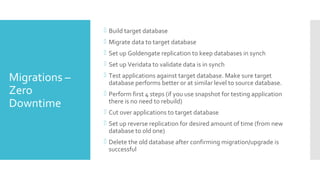
 Build target database
 Migrate data to target database
 Set up Goldengate replication to keep databases in synch
 Set up Veridata to validate data is in synch
 Test applications against target database. Make sure target
database performs better or at similar level to source database.
 Perform first 4 steps (if you use snapshot for testing application
there is no need to rebuild)
 Cut over applications to target database
 Set up reverse replication for desired amount of time (from new
database to old one)
 Delete the old database after confirming migration/upgrade is
successful
Migrations –
Non Zero
Downtime
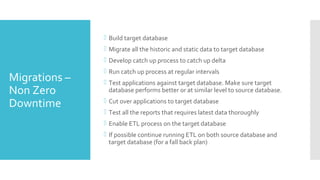
 Build target database
 Migrate all the historic and static data to target database
 Develop catch up process to catch up delta
 Run catch up process at regular intervals
 Test applications against target database. Make sure target
database performs better or at similar level to source database.
 Cut over applications to target database
 Test all the reports that requires latest data thoroughly
 Enable ETL process on the target database
 If possible continue running ETL on both source database and
target database (for a fall back plan)
Migrations –
Challenges
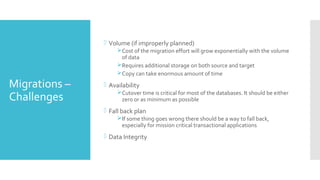
 Volume (if improperly planned)
Cost of the migration effort will grow exponentially with the volume
of data
Requires additional storage on both source and target
Copy can take enormous amount of time
 Availability
Cutover time is critical for most of the databases. It should be either
zero or as minimum as possible
 Fall back plan
If some thing goes wrong there should be a way to fall back,
especially for mission critical transactional applications
 Data Integrity
Migrations –
Challenges
(RMAN)
 Backup, Restore and Recovery can take enormous amount of
storage and copy time over the network for very large databases.
 With out Goldengate there is no feasible way to run catch ups
 There is no easy fall back plan
Migrations –
Challenges
(Data Pump)
 Export, copy and import can take enormous amount of time
 Using export and import to catch up for final cut over is not
straight forward
 Import is always serial at a given table (both for partitioned as well
as non partitioned)
 Even if one uses parallel export and import, overall data migration
time is greater than or equal to export and import of the largest
table, build indexes.
Do Yourself
Parallelism
 Given the challenges with migration of large databases that run
into tens of terabytes, it requires custom tools
 Over time I have developed a tool which does that (DYPO – Do
Yourself Parallel Oracle)
 Idea is to get true degree of parallelism while migrating the data
DYPO
(Architecture)
 Uses PL/SQL code
 Runs on the target database
 Computes row id ranges for the tables or partitions (if required)
 Selects data over database link
 Inserts using append or plain insert (depending up on the size of
table)
 Ability to run multiple jobs to load into multiple tables or multiple
partitions or multiple row id chunks
 Ability to control number of jobs that can be run at a given point in
time
 Keeps track of successful or failed inserts including counts
 Ability to catch up by dropping dropped partitions, adding new
partitions and load data from only new partitions
 Extension of the tool have the ability to get counts from source
table in parallel (which is key for validation)
DYPO
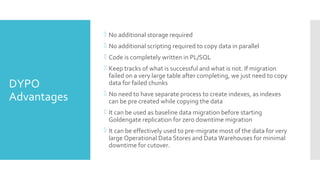
Advantages
 No additional storage required
 No additional scripting required to copy data in parallel
 Code is completely written in PL/SQL
 Keep tracks of what is successful and what is not. If migration
failed on a very large table after completing, we just need to copy
data for failed chunks
 No need to have separate process to create indexes, as indexes
can be pre created while copying the data
 It can be used as baseline data migration before starting
Goldengate replication for zero downtime migration
 It can be effectively used to pre-migrate most of the data for very
large Operational Data Stores and Data Warehouses for minimal
downtime for cutover.
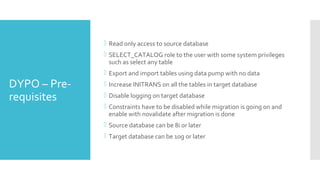
DYPO – Pre-
requisites
 Read only access to source database
 SELECT_CATALOG role to the user with some system privileges
such as select any table
 Export and import tables using data pump with no data
 Increase INITRANS on all the tables in target database
 Disable logging on target database
 Constraints have to be disabled while migration is going on and
enable with novalidate after migration is done
 Source database can be 8i or later
 Target database can be 10g or later
DYPO –
Known Issues
 Not tested for special datatypes (such as clob, blob, xml etc)
 Not tested for clustered tables

Oracle migrations and upgrades

  • 1.
  • 2.
    About me  Technologyleader and evangelist with deep dive expertise in databases, data warehousing, data integration using tools like Oracle, Goldengate, Informatica, Hadoop eco system, HBase, Cassandra, MongoDB etc.  Executed zero downtime cross platform migration and upgrade of 10 Terabyte MDM database for Citigroup using Goldengate and custom code.  Executed minimum downtime cross data center, cross platform migration and upgrade of 150 Terabyte Data Warehouse databases from Mexico to US using custom tool built using PL/SQL
  • 3.
    Overview  Oracle issynonym for relational database and is extensively used for mission critical online and transactional systems. It is leading and most advanced relational database and Oracle consistently releases minor as well as major releases with new features. Enterprises needs to upgrade their Oracle databases to leverage these new features. Lately most of the enterprises are consolidating the hardware to cut down the operational costs. Upgrades and consolidation effort requires migration of the databases.
  • 4.
    Upgrade and Migration requirements  Upgrades Inplace upgrade Out of place upgrade  Migrations Zero downtime migration Minimal downtime migration Cross platform migration (might include non ASM to ASM) Cross datacenter migration
  • 5.
    Tools and Techniques  Backup,Restore and Recover  Export and Import using Datapump  ETL tools – is not very good approach and hence out of scope for discussion  Custom Tools * Goldengate needs to be used for zero down time migration
  • 6.
    In Place Upgrade  Steps Bringdown the applications and shutdown the database Perform in place upgrade Start the database and bring up the applications  Advantages It is most straight forward way of upgrading Oracle databases It works very well for smaller to medium databases which can entertain few hours of down time  Challenges Not practical to upgrade multi terabyte large databases
  • 7.
    Out of place Upgrade Steps Build the target database with desired version Migrate data from source database to target database Redirect applications to the target database  Considerations Reliable testing framework Solid fall back plan for any unforeseen issues Pre migrate as much data as possible Performance testing
  • 8.
    Migrations  Migrations aspart of upgrade  Zero downtime migration  Minimal downtime migration  Cross platform migration (might include non ASM to ASM)  Cross datacenter migration * At times we need to do multiple things as part of migration
  • 9.
    Migrations – Zero Downtime  Buildtarget database  Migrate data to target database  Set up Goldengate replication to keep databases in synch  Set up Veridata to validate data is in synch  Test applications against target database. Make sure target database performs better or at similar level to source database.  Perform first 4 steps (if you use snapshot for testing application there is no need to rebuild)  Cut over applications to target database  Set up reverse replication for desired amount of time (from new database to old one)  Delete the old database after confirming migration/upgrade is successful
  • 10.
    Migrations – Non Zero Downtime Build target database  Migrate all the historic and static data to target database  Develop catch up process to catch up delta  Run catch up process at regular intervals  Test applications against target database. Make sure target database performs better or at similar level to source database.  Cut over applications to target database  Test all the reports that requires latest data thoroughly  Enable ETL process on the target database  If possible continue running ETL on both source database and target database (for a fall back plan)
  • 11.
    Migrations – Challenges  Volume(if improperly planned) Cost of the migration effort will grow exponentially with the volume of data Requires additional storage on both source and target Copy can take enormous amount of time  Availability Cutover time is critical for most of the databases. It should be either zero or as minimum as possible  Fall back plan If some thing goes wrong there should be a way to fall back, especially for mission critical transactional applications  Data Integrity
  • 12.
    Migrations – Challenges (RMAN)  Backup,Restore and Recovery can take enormous amount of storage and copy time over the network for very large databases.  With out Goldengate there is no feasible way to run catch ups  There is no easy fall back plan
  • 13.
    Migrations – Challenges (Data Pump) Export, copy and import can take enormous amount of time  Using export and import to catch up for final cut over is not straight forward  Import is always serial at a given table (both for partitioned as well as non partitioned)  Even if one uses parallel export and import, overall data migration time is greater than or equal to export and import of the largest table, build indexes.
  • 14.
    Do Yourself Parallelism  Giventhe challenges with migration of large databases that run into tens of terabytes, it requires custom tools  Over time I have developed a tool which does that (DYPO – Do Yourself Parallel Oracle)  Idea is to get true degree of parallelism while migrating the data
  • 15.
    DYPO (Architecture)  Uses PL/SQLcode  Runs on the target database  Computes row id ranges for the tables or partitions (if required)  Selects data over database link  Inserts using append or plain insert (depending up on the size of table)  Ability to run multiple jobs to load into multiple tables or multiple partitions or multiple row id chunks  Ability to control number of jobs that can be run at a given point in time  Keeps track of successful or failed inserts including counts  Ability to catch up by dropping dropped partitions, adding new partitions and load data from only new partitions  Extension of the tool have the ability to get counts from source table in parallel (which is key for validation)
  • 16.
    DYPO Advantages  No additionalstorage required  No additional scripting required to copy data in parallel  Code is completely written in PL/SQL  Keep tracks of what is successful and what is not. If migration failed on a very large table after completing, we just need to copy data for failed chunks  No need to have separate process to create indexes, as indexes can be pre created while copying the data  It can be used as baseline data migration before starting Goldengate replication for zero downtime migration  It can be effectively used to pre-migrate most of the data for very large Operational Data Stores and Data Warehouses for minimal downtime for cutover.
  • 17.
    DYPO – Pre- requisites Read only access to source database  SELECT_CATALOG role to the user with some system privileges such as select any table  Export and import tables using data pump with no data  Increase INITRANS on all the tables in target database  Disable logging on target database  Constraints have to be disabled while migration is going on and enable with novalidate after migration is done  Source database can be 8i or later  Target database can be 10g or later
  • 18.
    DYPO – Known Issues Not tested for special datatypes (such as clob, blob, xml etc)  Not tested for clustered tables