Oracle Applications 11i 
Reports
2 
Topics 
 Reporting Tools 
 Reporting Tools for Oracle Applications 
 Oracle application with Reports 6i 
 Character/Bitmapped Reports 
 Building a Report 
 Report Registration Process in OA 
 Usage of User Exits
3 
Reporting Tools 
Many organizations struggle with the 
question – What is the best 
applications reporting solution for its 
requirements?
4 
Reporting Tools 
Decision Making 
Type of Reporting tool, Which satisfies the 
Reporting Needs of organization.
5 
Reporting Tools 
Following Points influence in Decision Making: 
 Different User communities with potentially Different 
Information accessing the same Information Source. 
 The version of Oracle Applications. 
 Expertise in User Community. 
 Level of Technical Support.
6 
Reporting Tools 
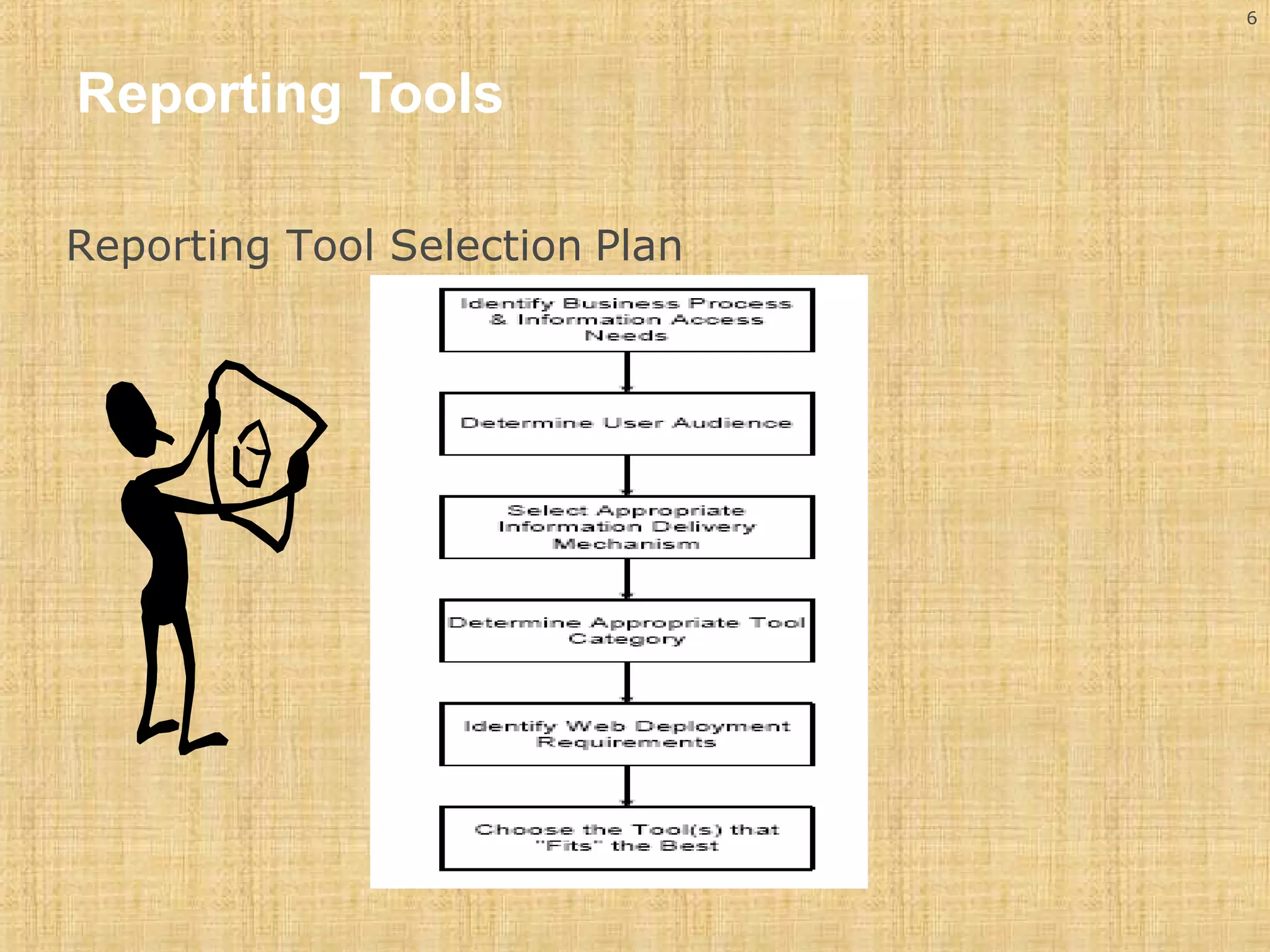
Reporting Tool Selection Plan
7 
Reporting Tools 
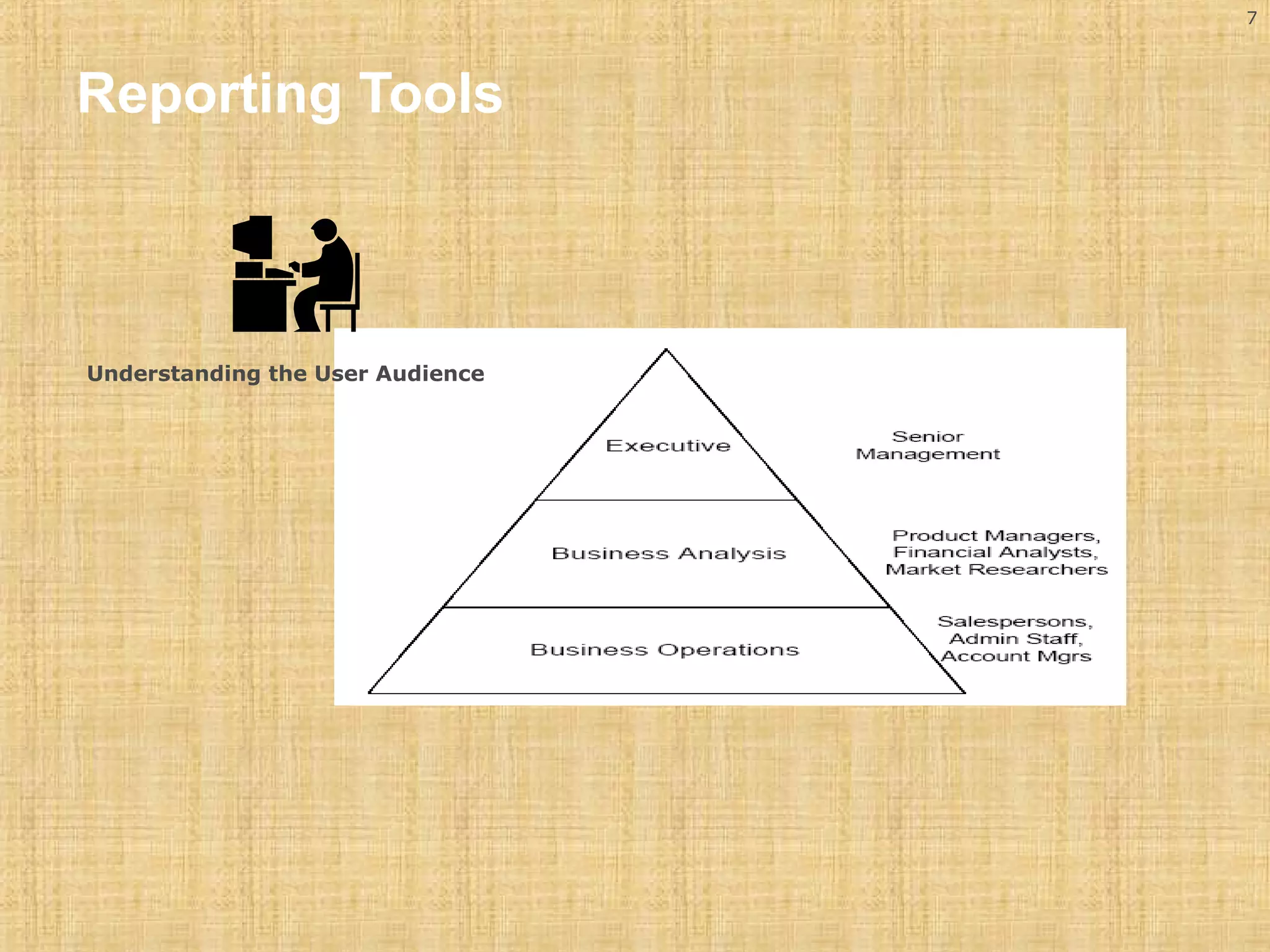
Understanding the User Audience
8 
Reporting Tools 
Determine Appropriate Tool Category. 
Ensure that the selection process (mentioned in the previous slides) 
does not overlook business requirements that are not met by reports 
6i, XML Publisher, BIS and discoverer. 
Oracle Reporting Tools (Major). 
 Oracle Reports. 
 Oracle XML Publisher 
 Oracle Discoverer. 
 Oracle’s business intelligence suite (BIS).
9 
Scope 
The Scope of this presentation is 
Oracle Reports 6i
10 
Reporting Tools for 11i 
 Oracle Reports6i 
 Oracle reports is an enterprise reporting tool that allows 
organizations to build and publish high quality, dynamically 
generated reports. 
 Most often reporting consists of multiple queries within a single 
report that may span across several functional areas. 
 Oracle reports fits into this reporting category where reporting 
tends to answer questions like daily sales, current available 
inventory against today’s sales reservations etc. 
 These are real-time reports accessing the production database 
directly.
11 
Reports 6i 
Character Mode Reports 
Character mode reports run faster. 
Following are the Pre requisites for designing a report in 
character mode 
Set the Reports Design in Character Units property to 
‘yes’ 
Set the report width and report height 
For Landscape 132 or 180 as width and 66 as 
height 
For Portrait 102 as width and 85 or 116 as height
12 
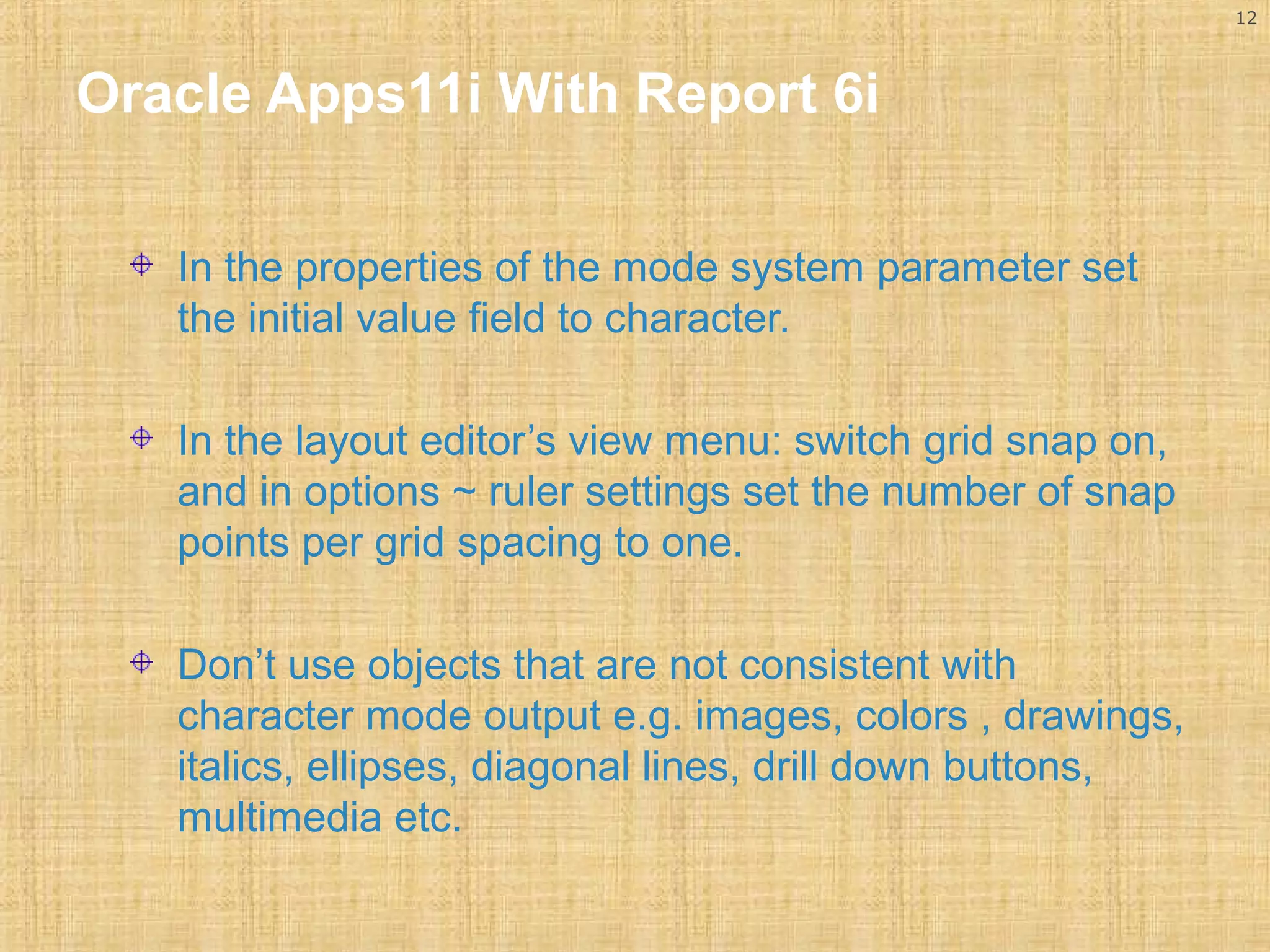
Oracle Apps11i With Report 6i 
In the properties of the mode system parameter set 
the initial value field to character. 
In the layout editor’s view menu: switch grid snap on, 
and in options ~ ruler settings set the number of snap 
points per grid spacing to one. 
Don’t use objects that are not consistent with 
character mode output e.g. images, colors , drawings, 
italics, ellipses, diagonal lines, drill down buttons, 
multimedia etc.
13 
Oracle Apps11i With Report 6i 
Bitmap Reports 
 Bitmap reports are used for generating either PCL or 
Postscript type Reports. 
 These reports use different fonts or incorporate 
graphics images into a report. 
 We can also build reports of type PDF, but these are 
set up differently and are not bitmap reports.
14 
Oracle Apps11i With Report 6i 
Following are the Pre requisites for designing a report in 
Bitmap mode 
Go to reports designer, under data model, open up 
the system parameters, right click on DESTYPE and 
select properties, enter printer as the initial value and 
click OK. 
Right click on MODE and select properties enter 
BITMAP as the initial value and click OK.
15 
Oracle Apps11i With Report 6i 
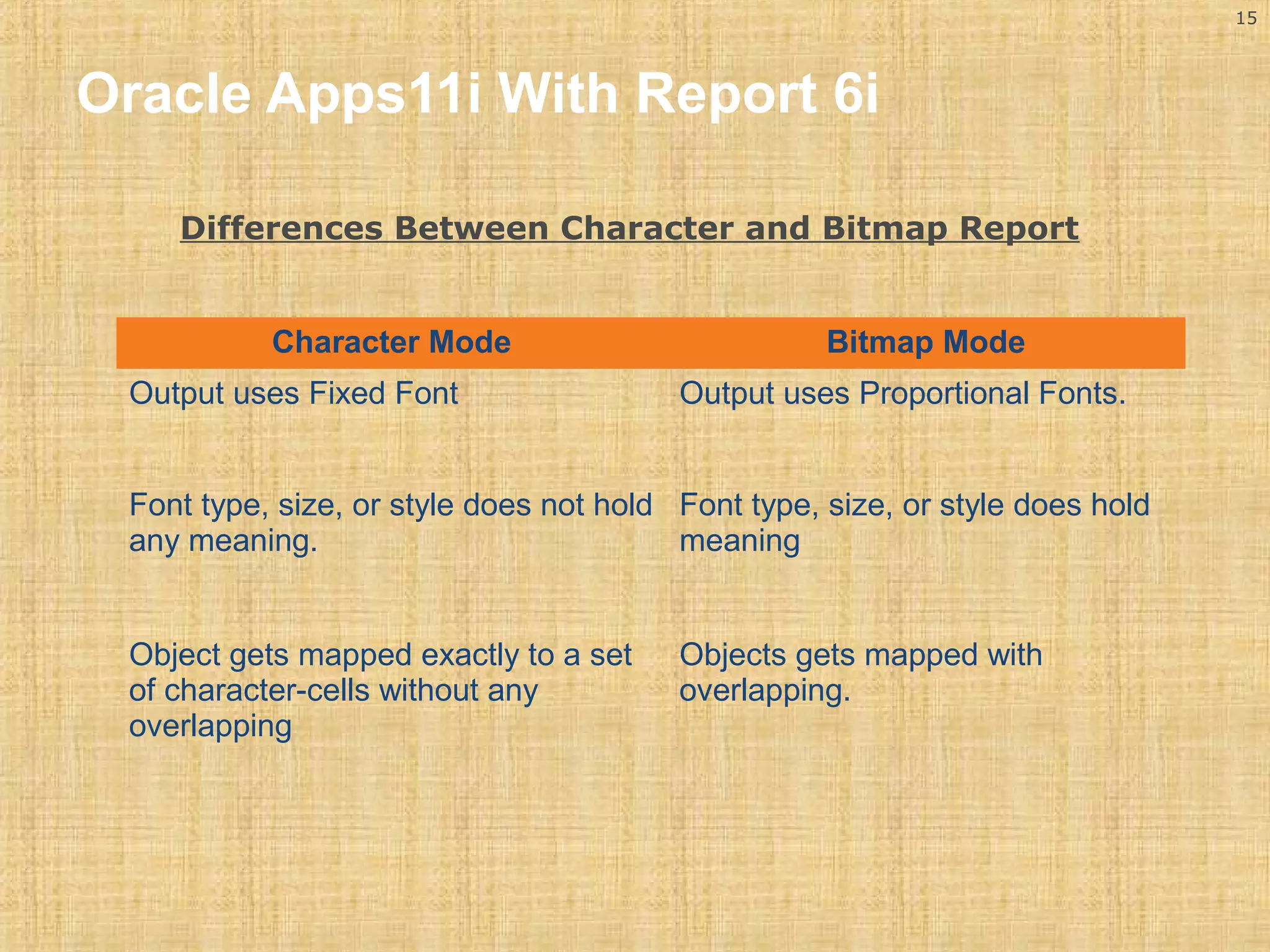
Differences Between Character and Bitmap Report 
Character Mode Bitmap Mode 
Output uses Fixed Font Output uses Proportional Fonts. 
Font type, size, or style does not hold 
any meaning. 
Font type, size, or style does hold 
meaning 
Object gets mapped exactly to a set 
of character-cells without any 
overlapping 
Objects gets mapped with 
overlapping.
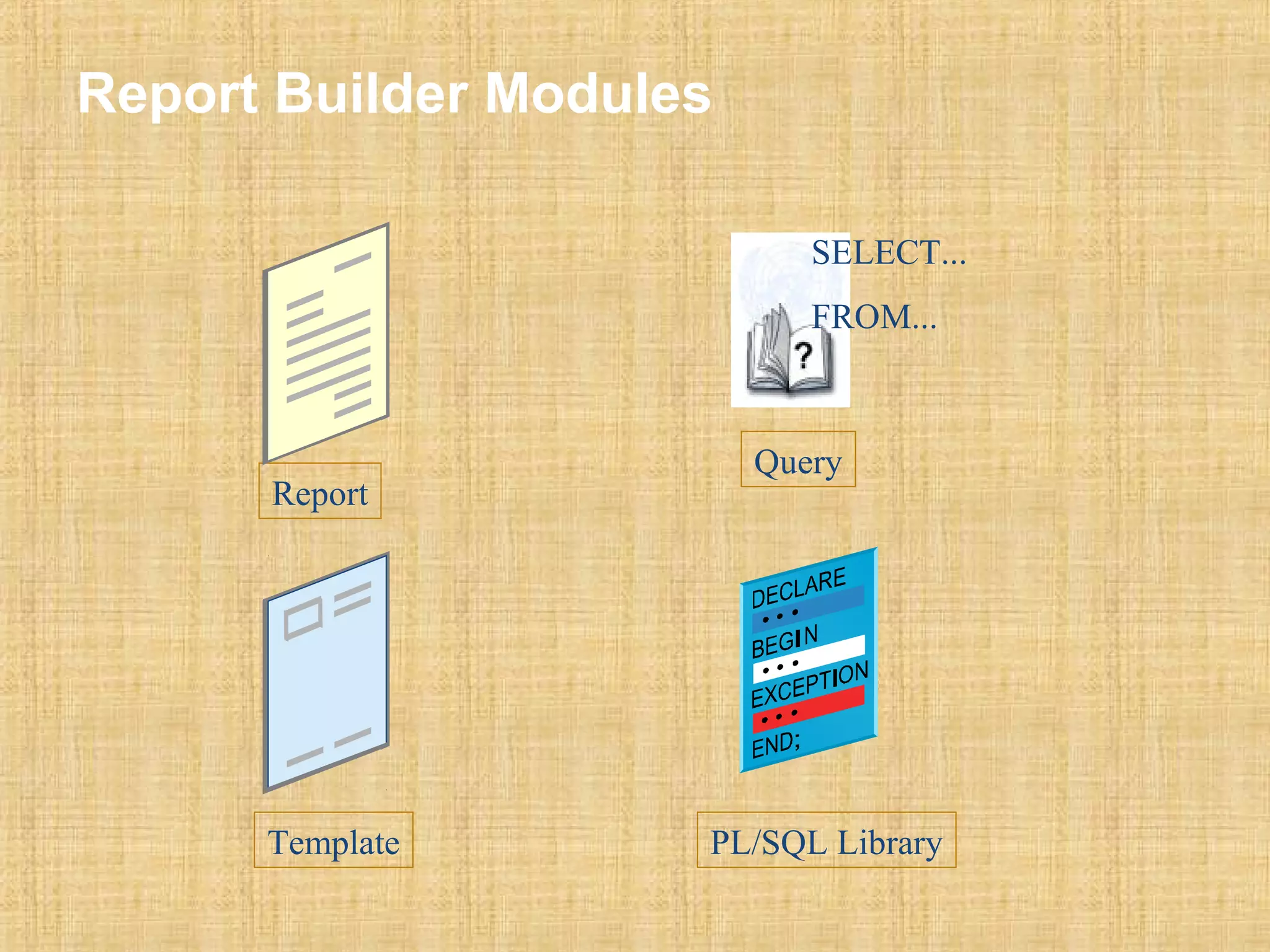
Report Builder Modules 
Report 
SELECT... 
FROM... 
Query 
Template PL/SQL Library
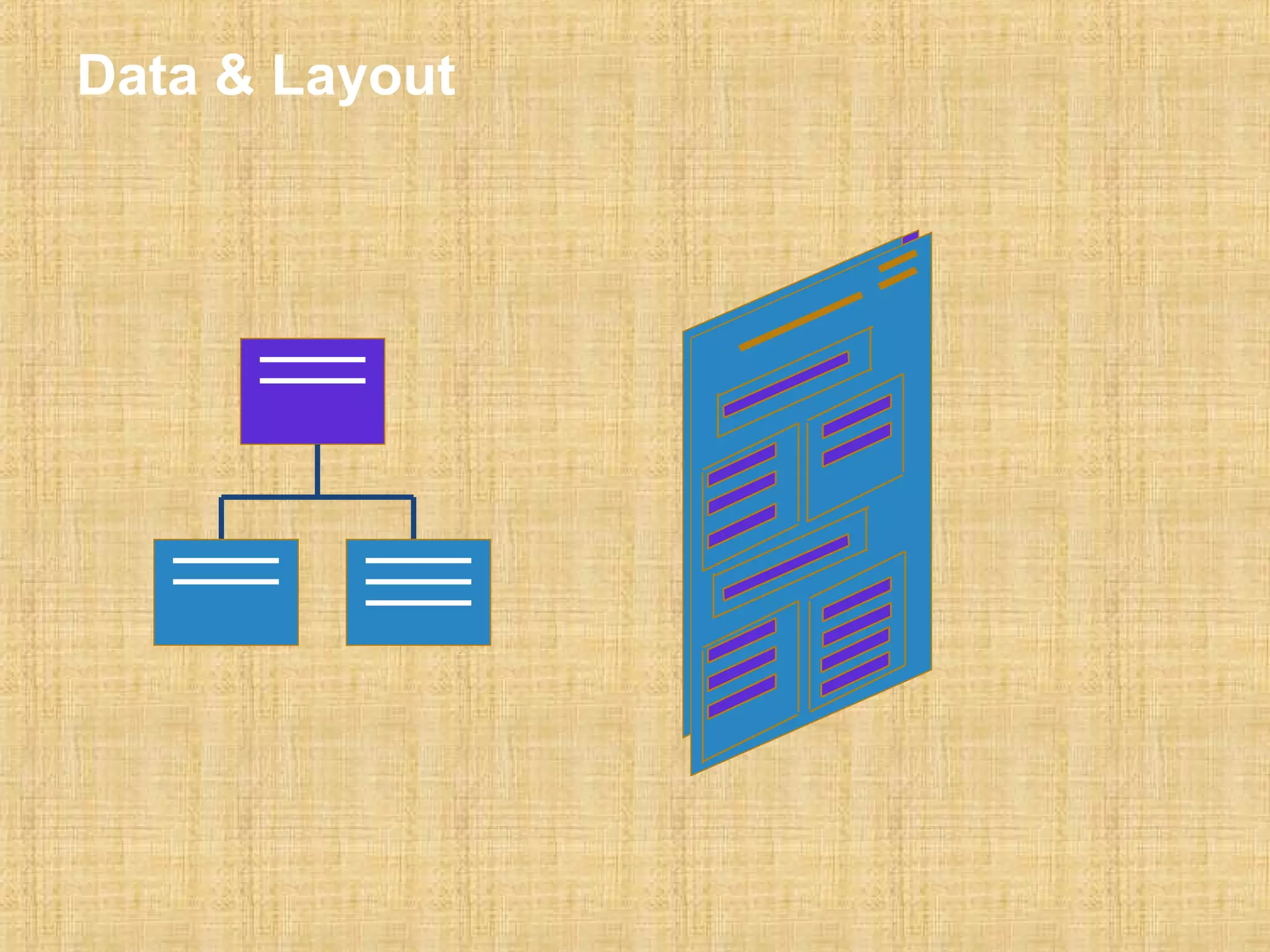
Data & Layout
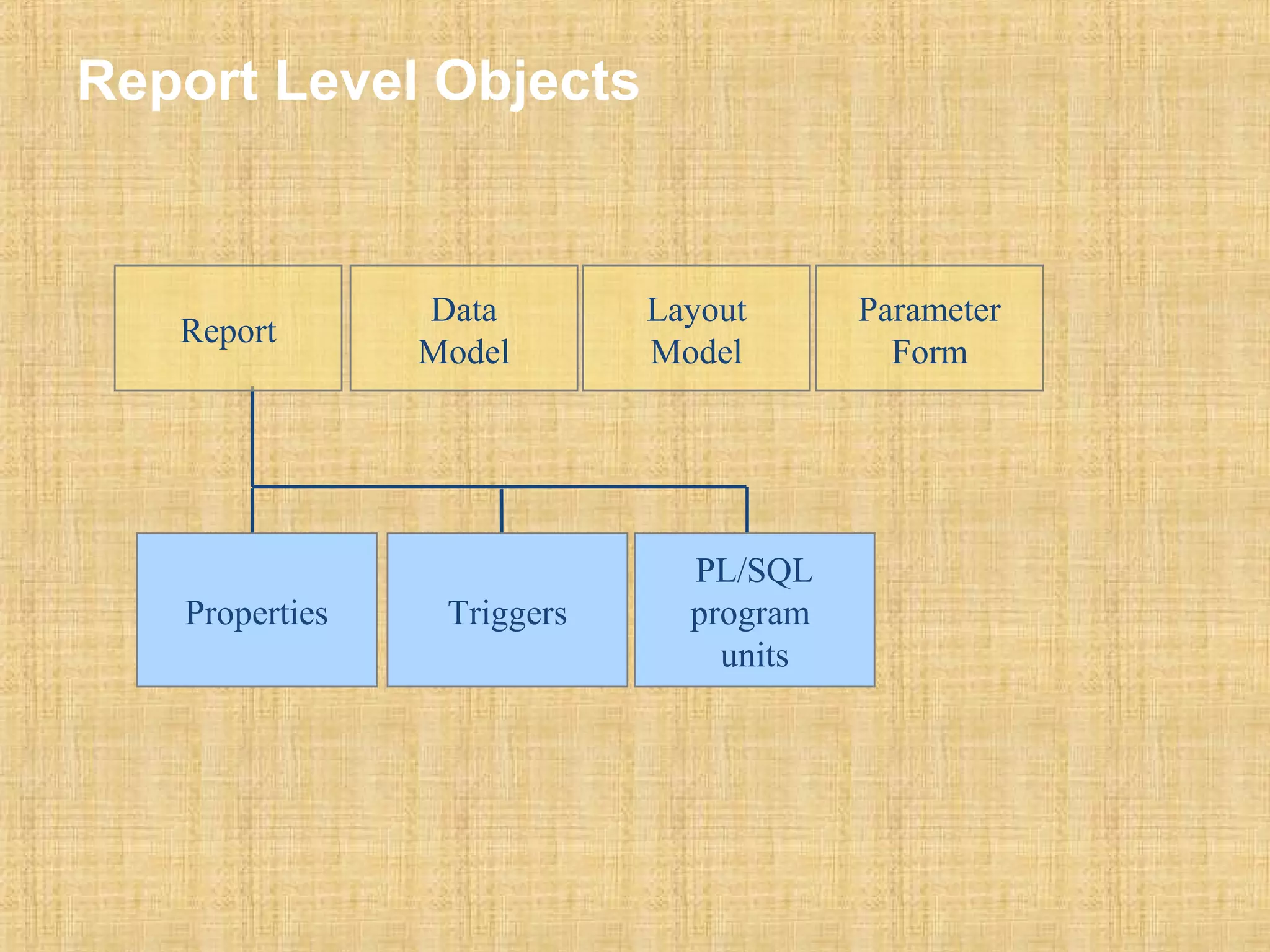
Report Level Objects 
Parameter 
Form 
Data 
Model 
Layout 
Model 
Properties Triggers 
PL/SQL 
program 
units 
Report
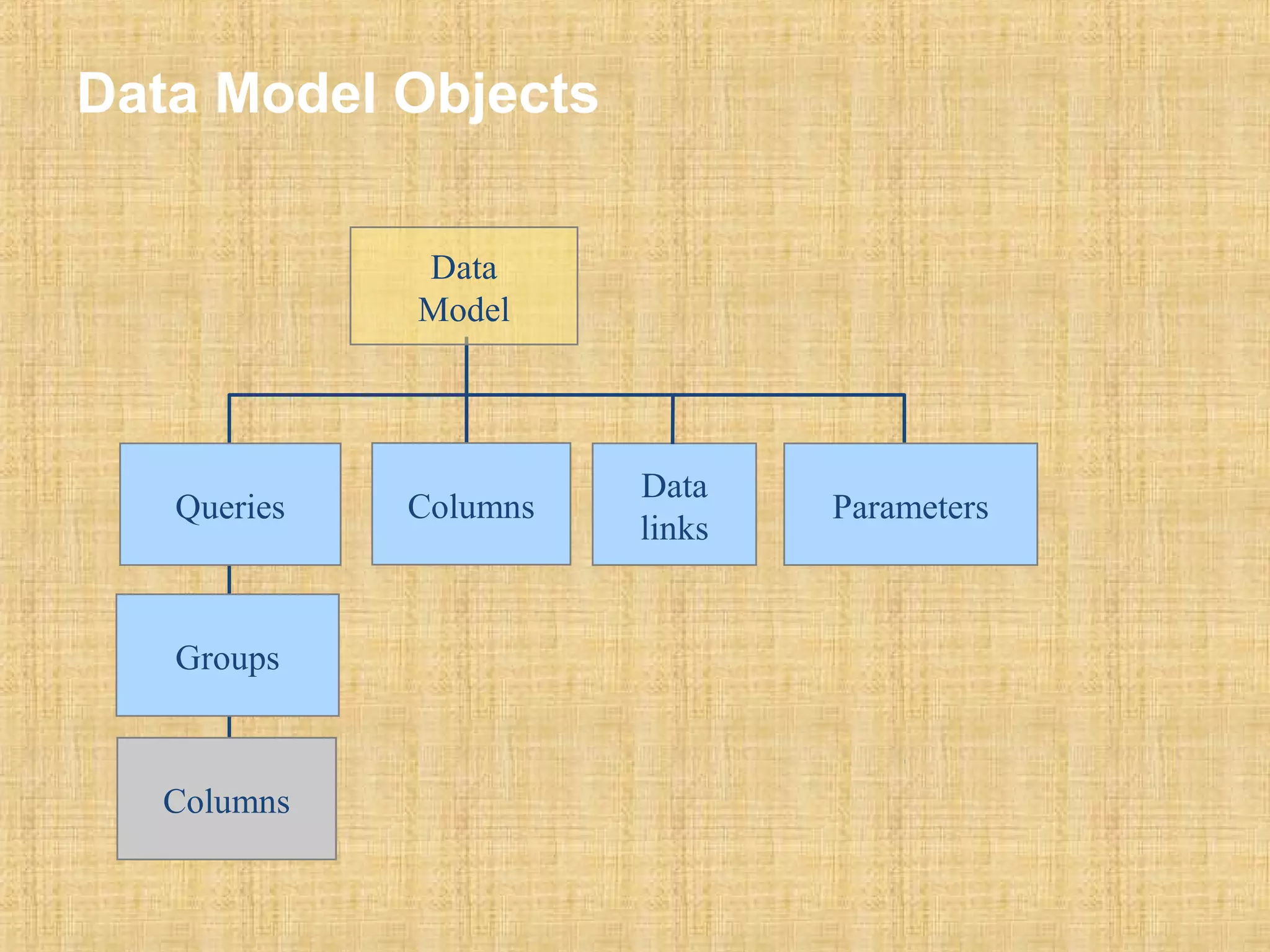
Data Model Objects 
Data 
Model 
Queries Data 
links 
Groups 
Columns Parameters 
Columns
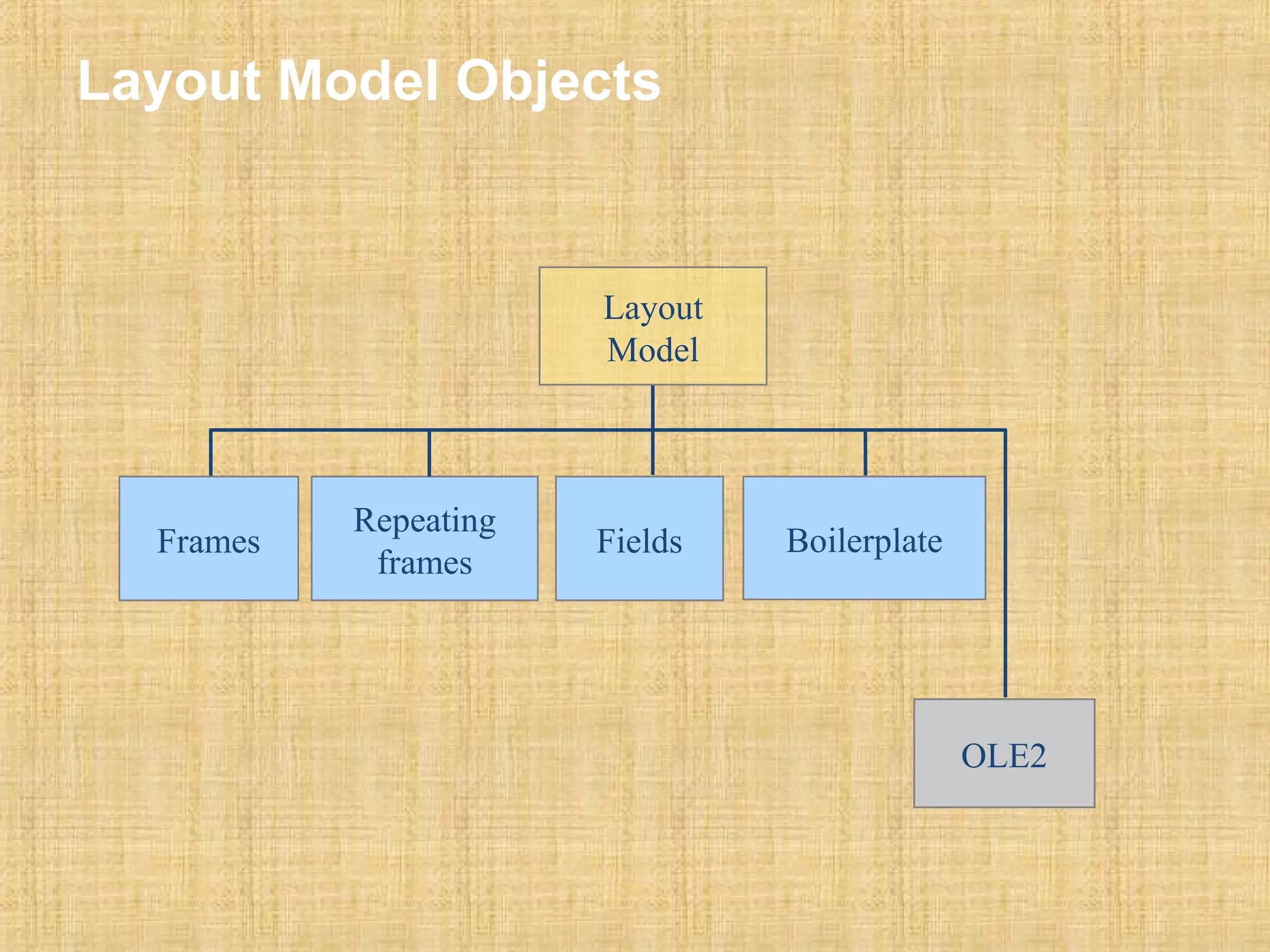
Layout Model Objects 
Frames Repeating Boilerplate 
frames Fields 
OLE2 
Layout 
Model
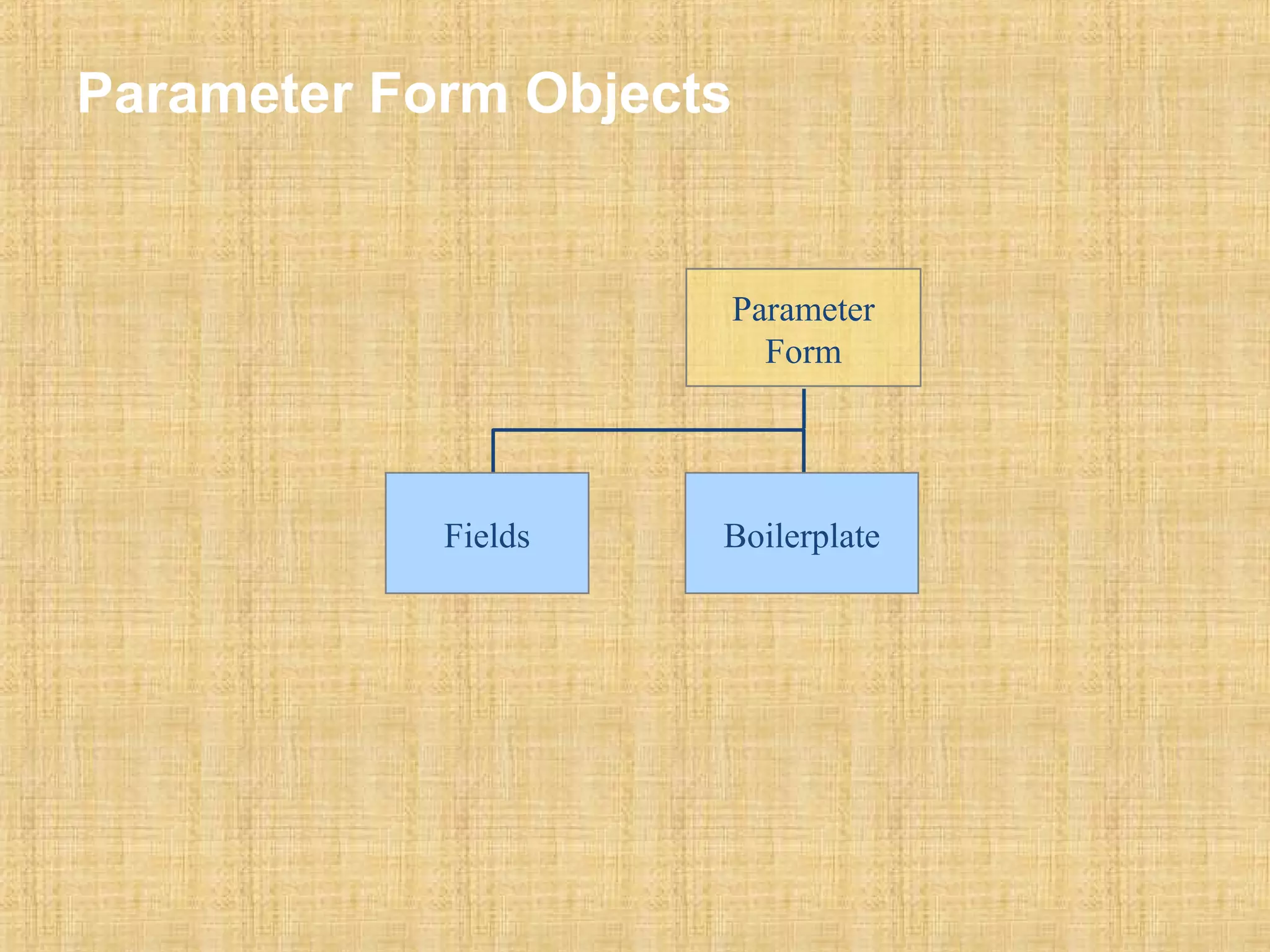
Parameter Form Objects 
Parameter 
Form 
Fields Boilerplate
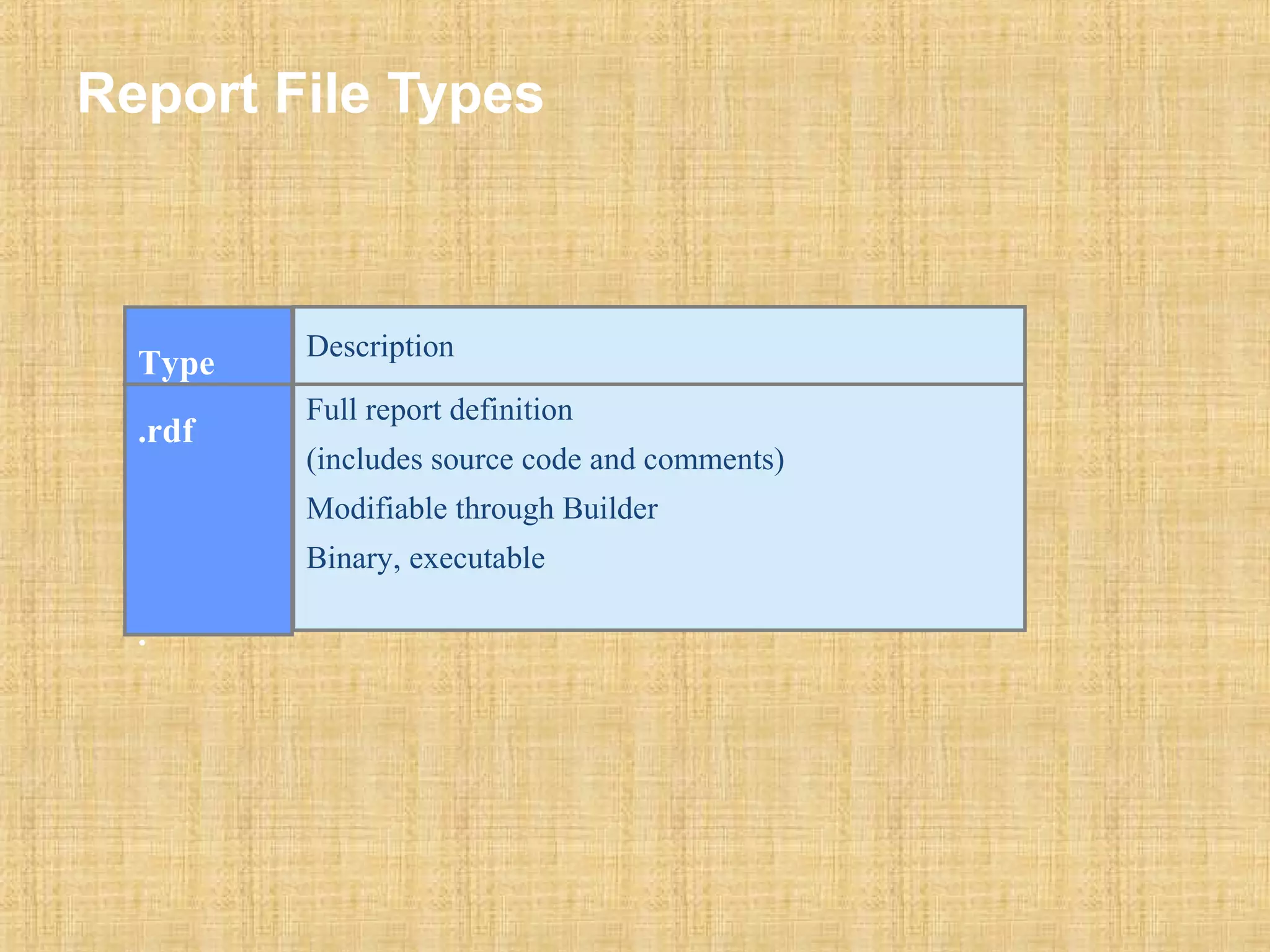
Report File Types 
Type 
.rdf 
. 
Description 
Full report definition 
(includes source code and comments) 
Modifiable through Builder 
Binary, executable
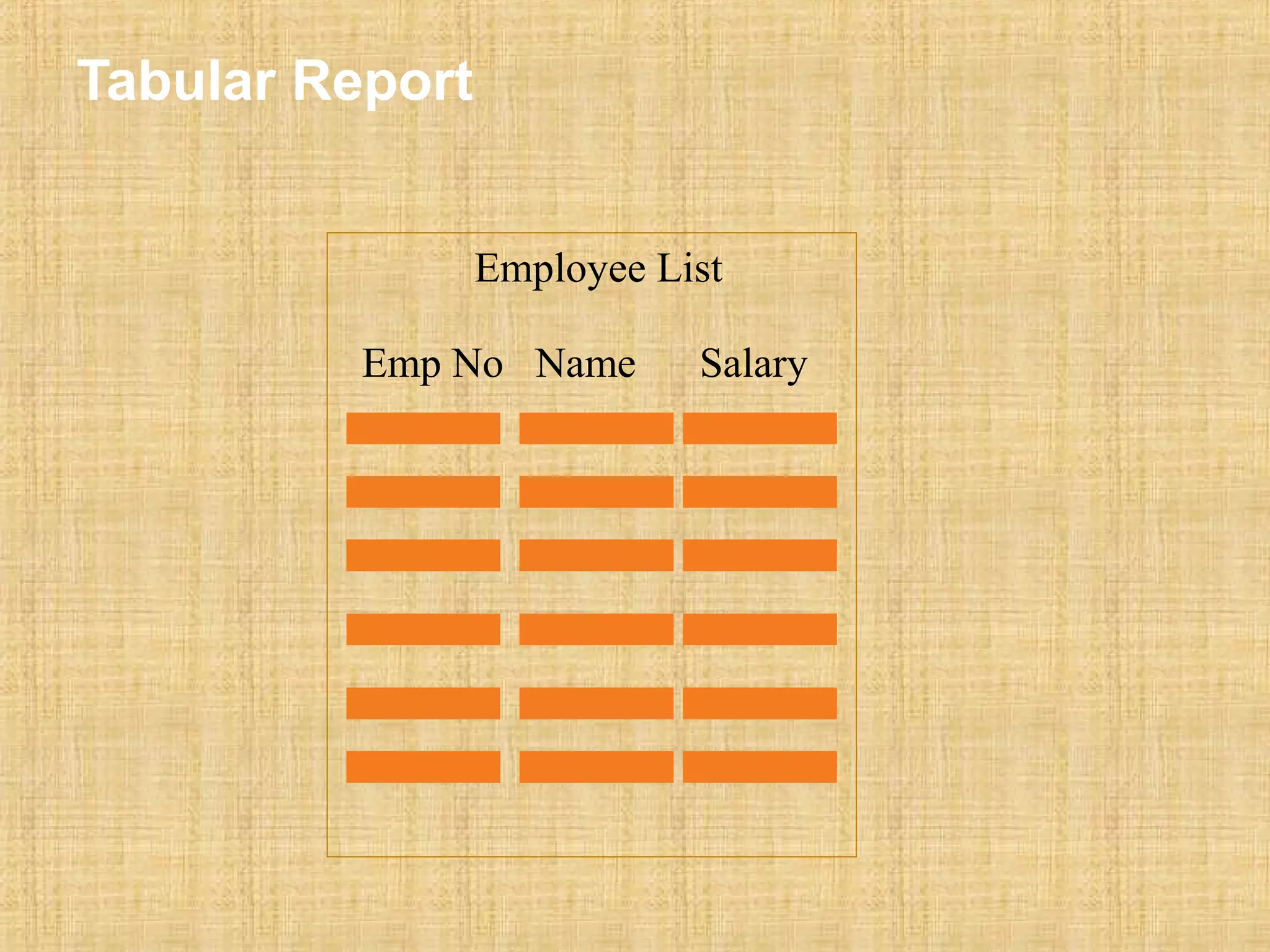
Tabular Report 
Employee List 
Emp No Name Salary
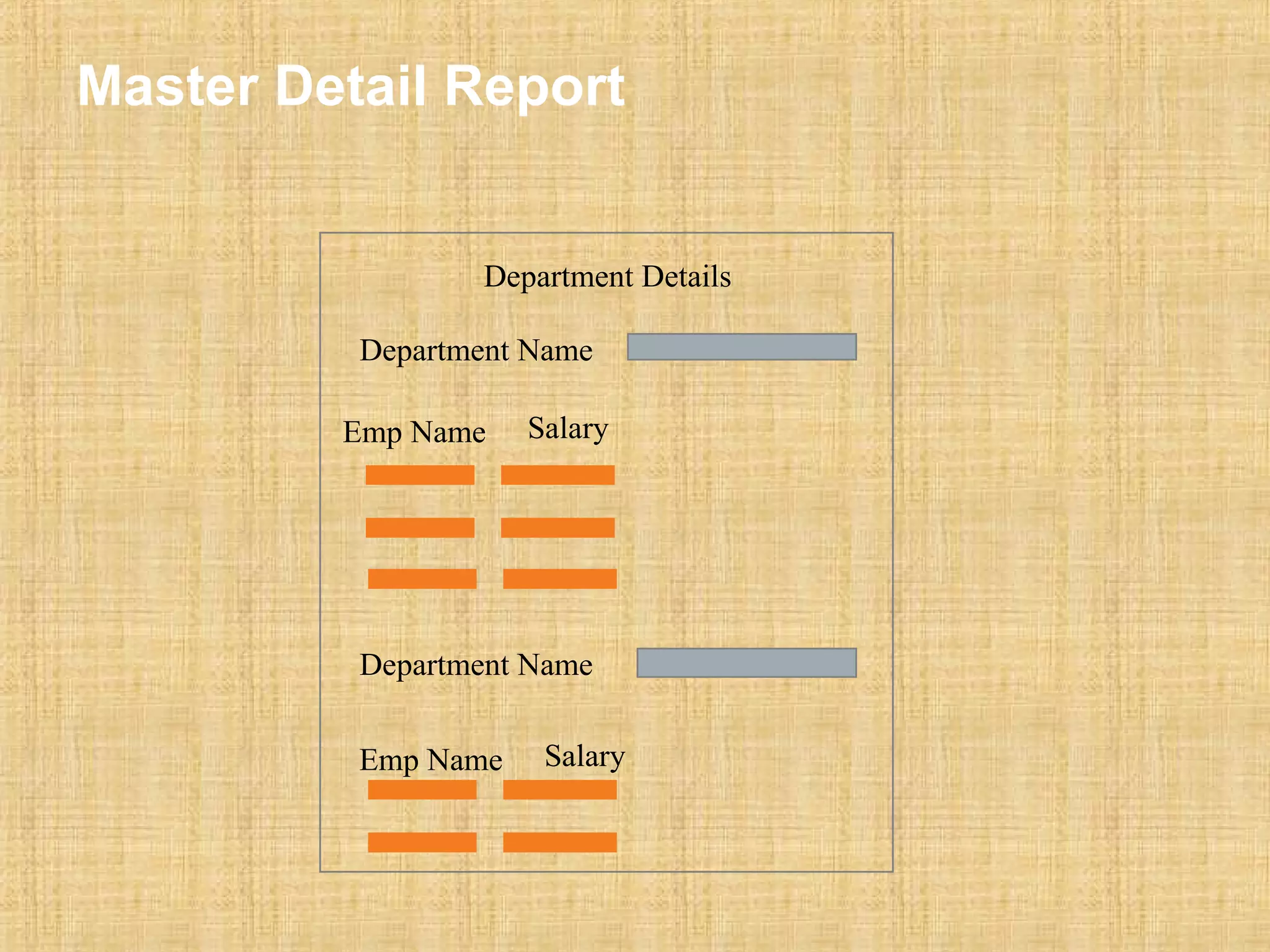
Master Detail Report 
Department Details 
Department Name 
Emp Name Salary 
Department Name 
Emp Name Salary
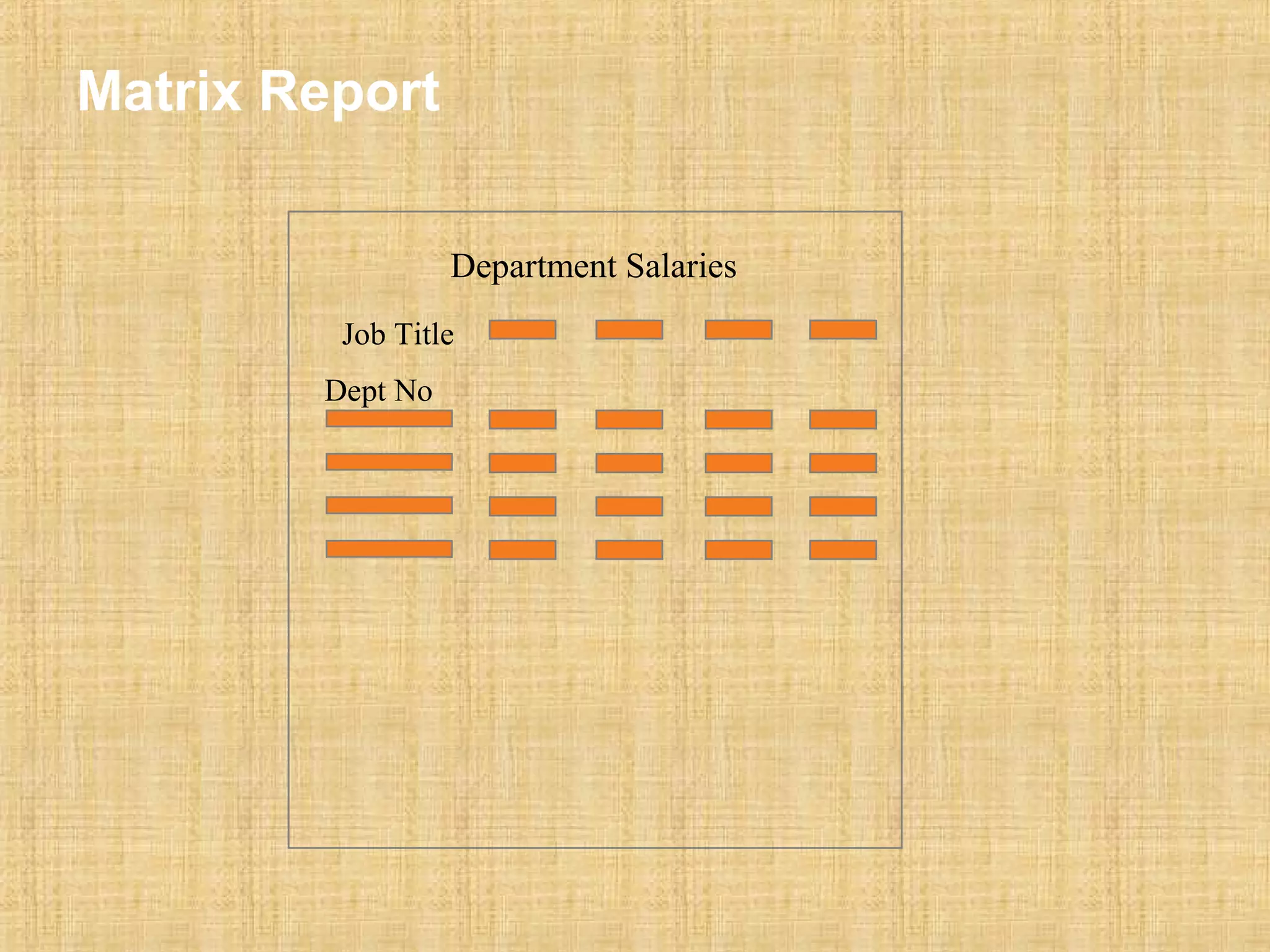
Matrix Report 
Department Salaries 
Job Title 
Dept No
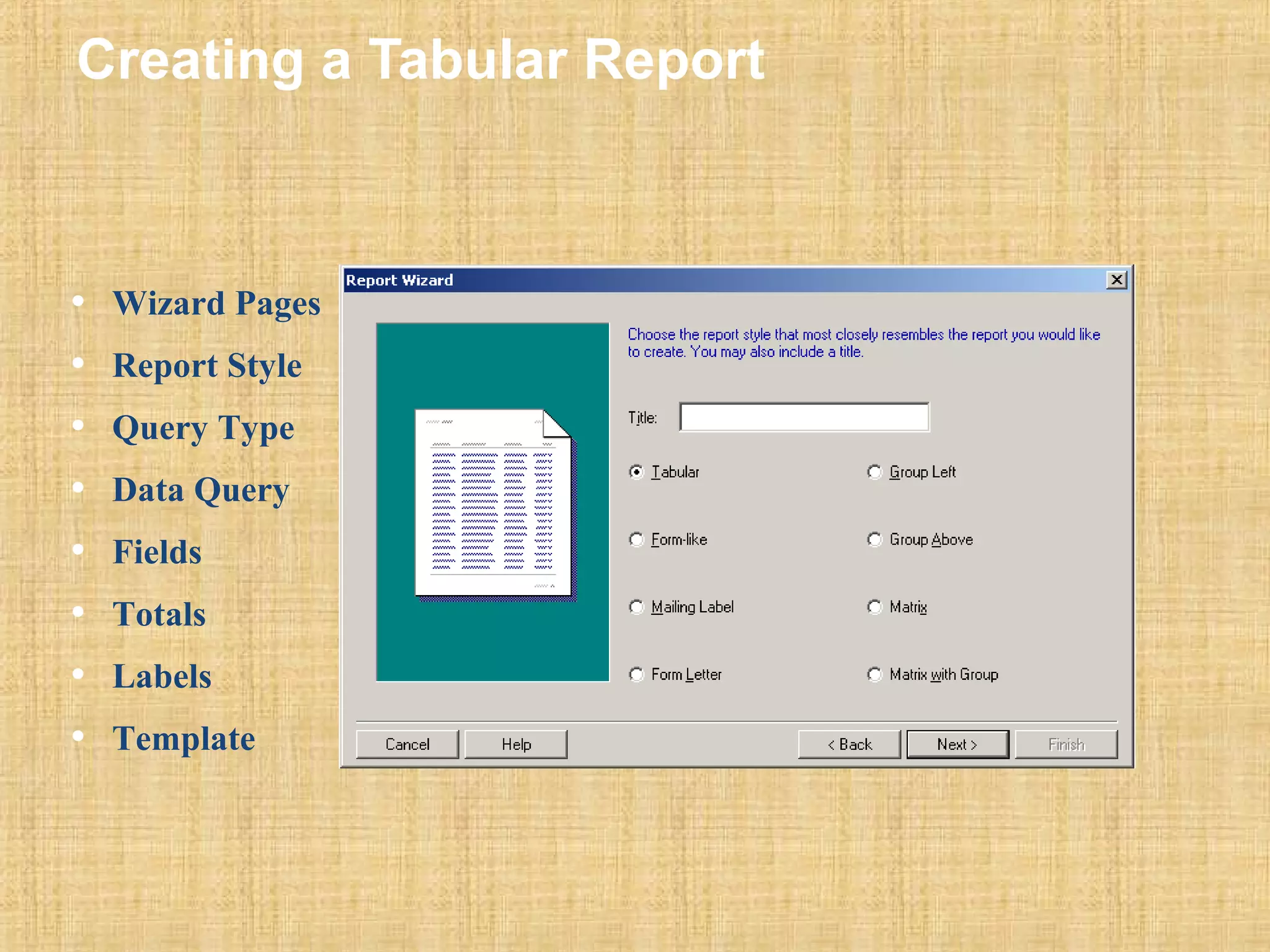
Creating a Tabular Report 
• Wizard Pages 
• Report Style 
• Query Type 
• Data Query 
• Fields 
• Totals 
• Labels 
• Template
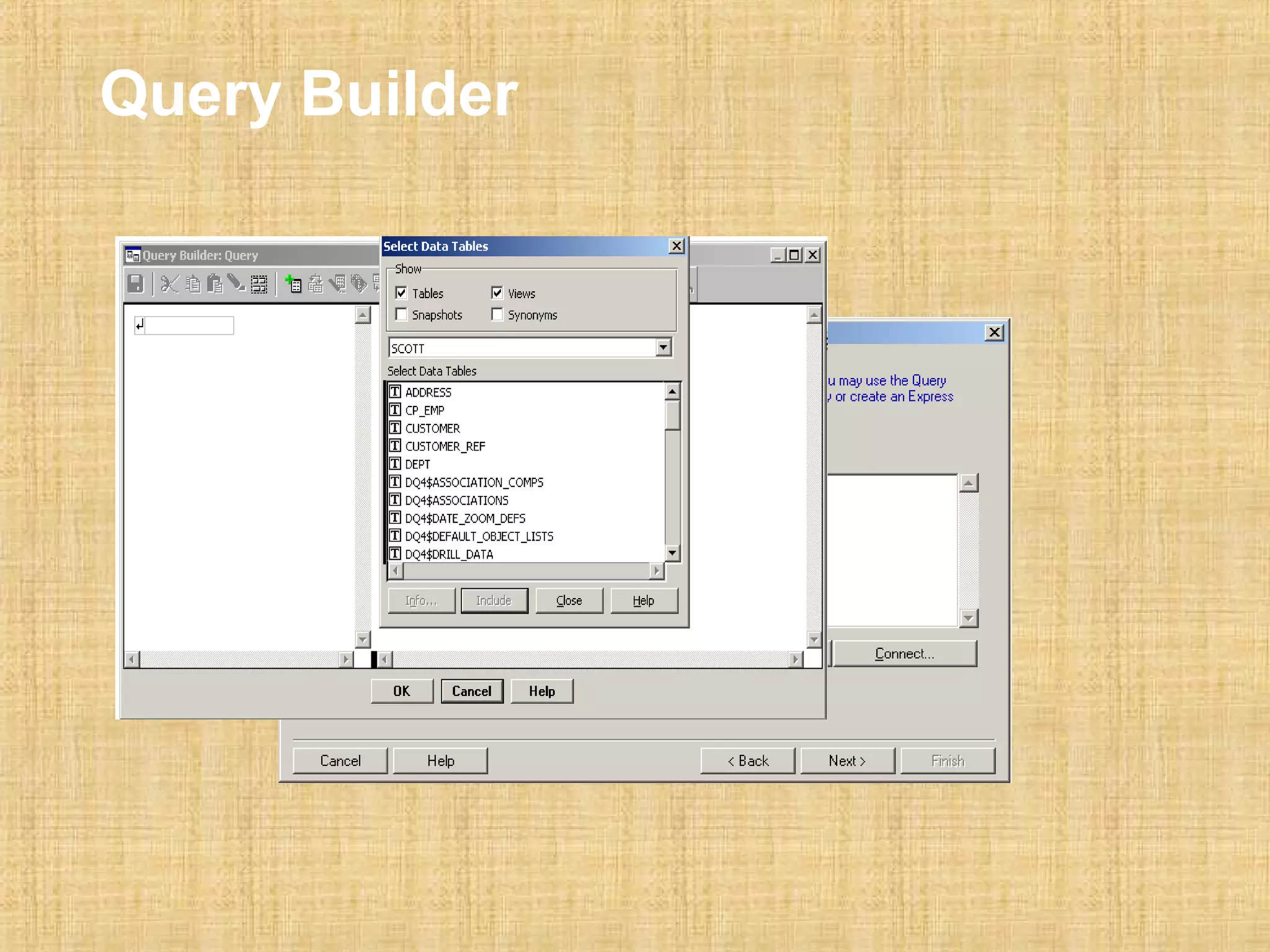
Query Builder
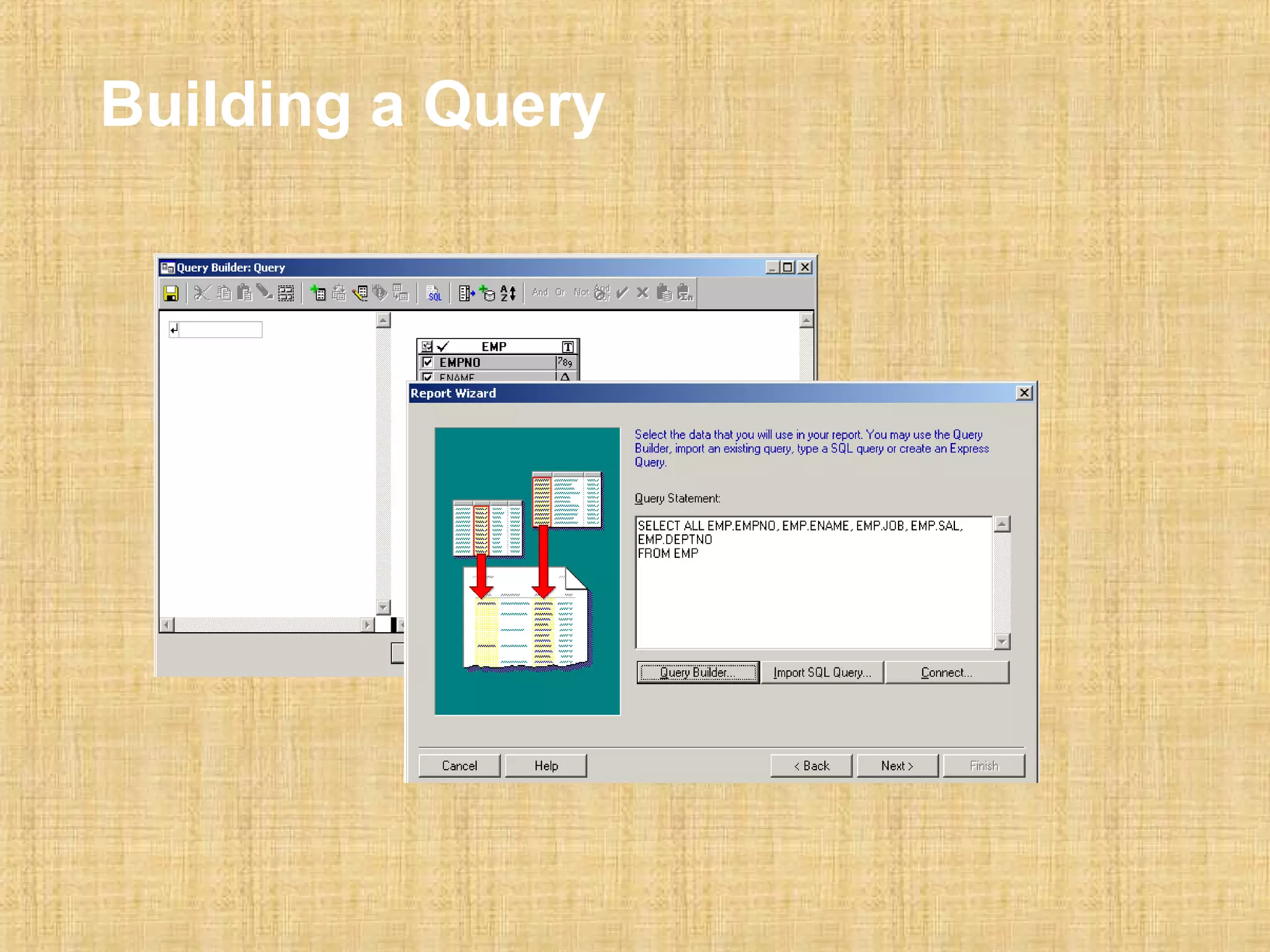
Building a Query
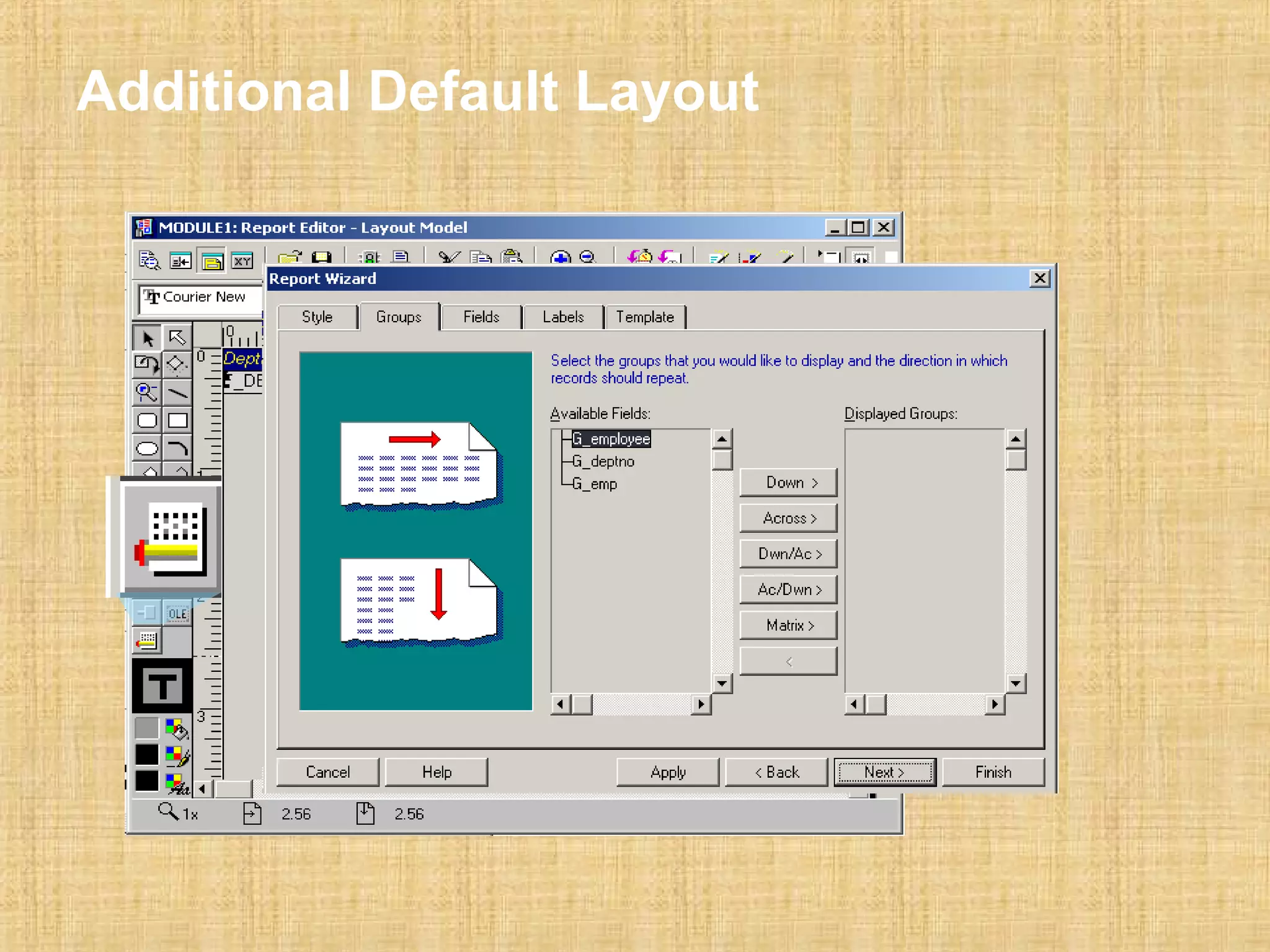
Additional Default Layout
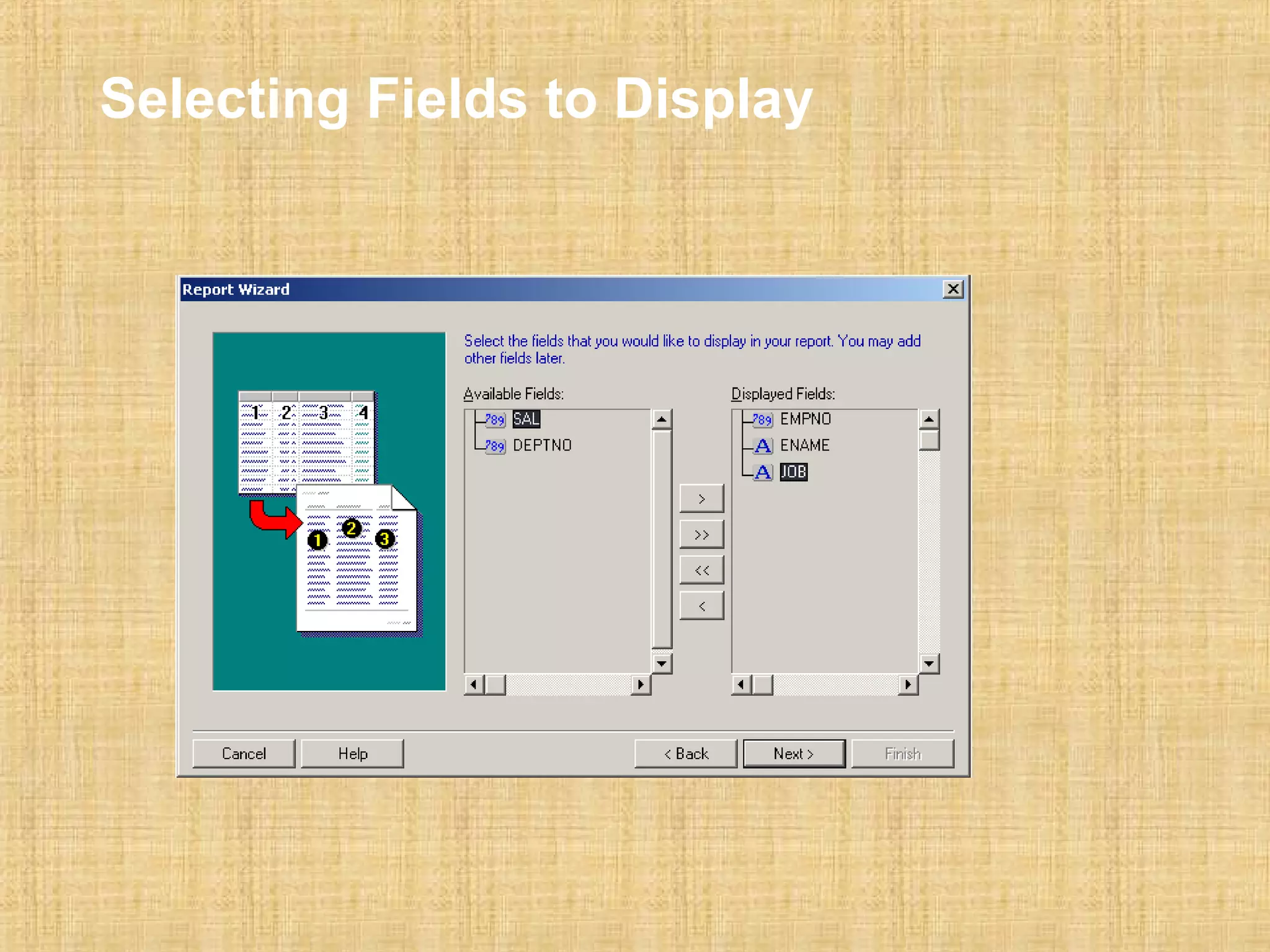
Selecting Fields to Display
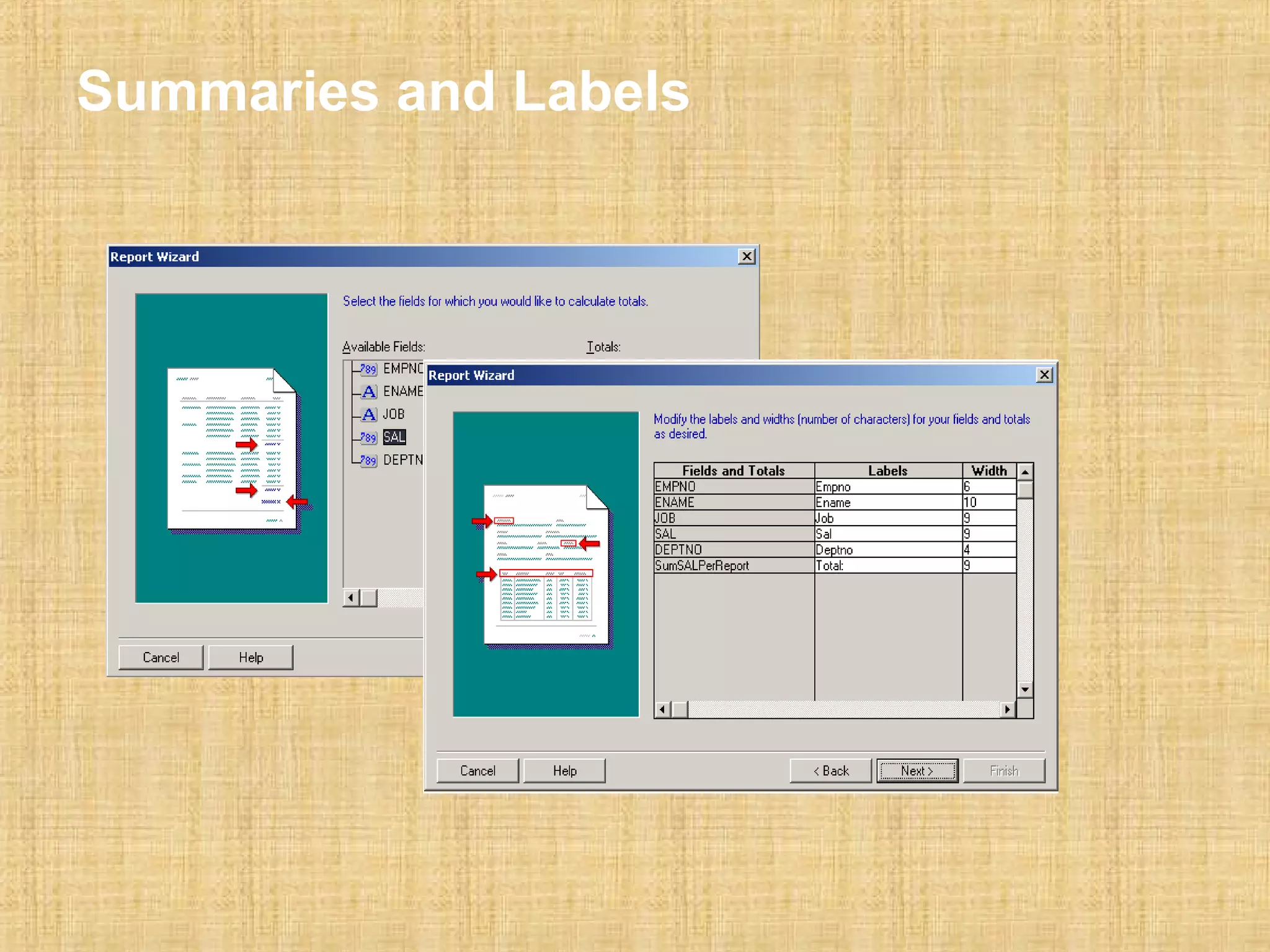
Summaries and Labels
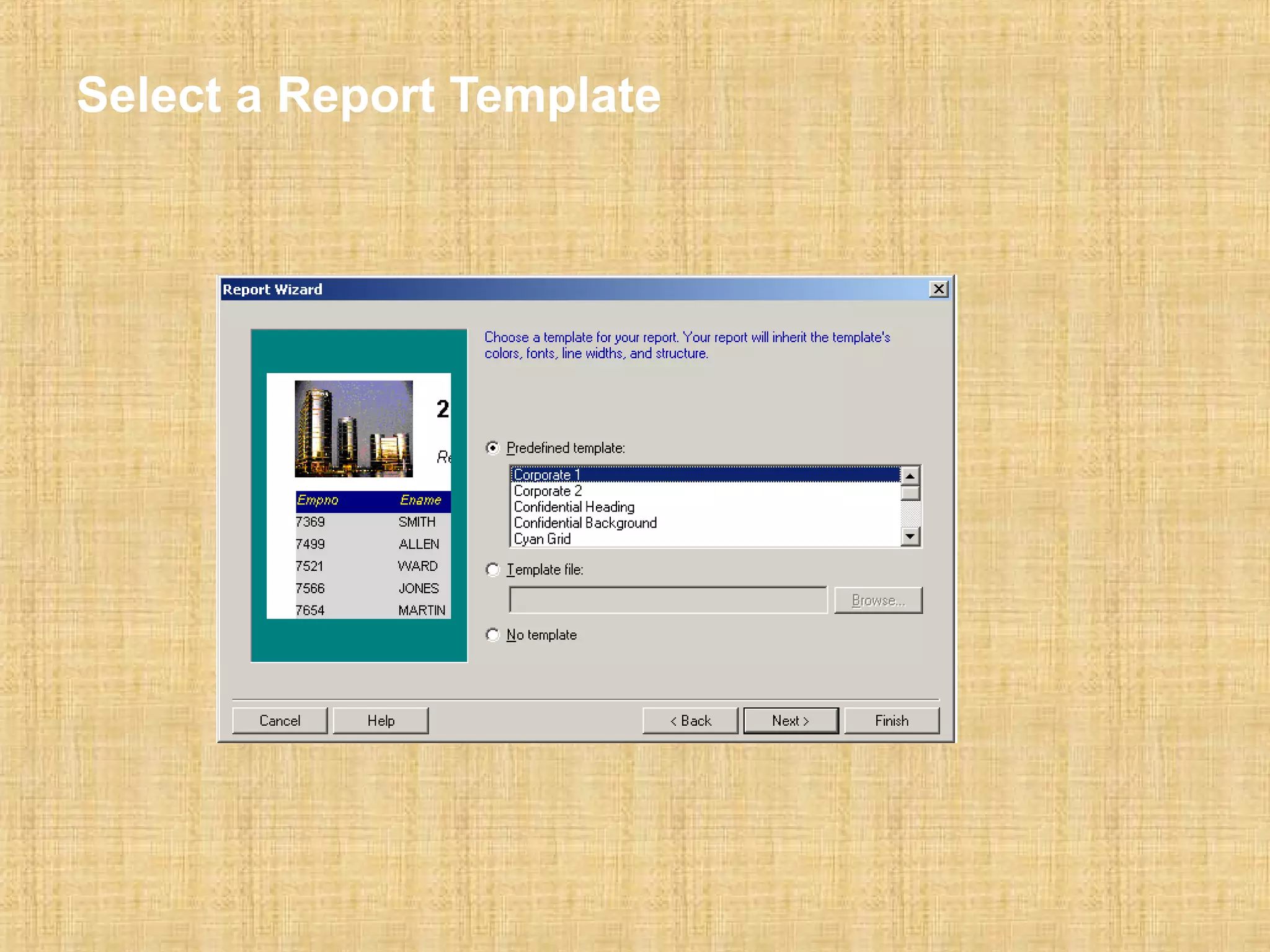
Select a Report Template
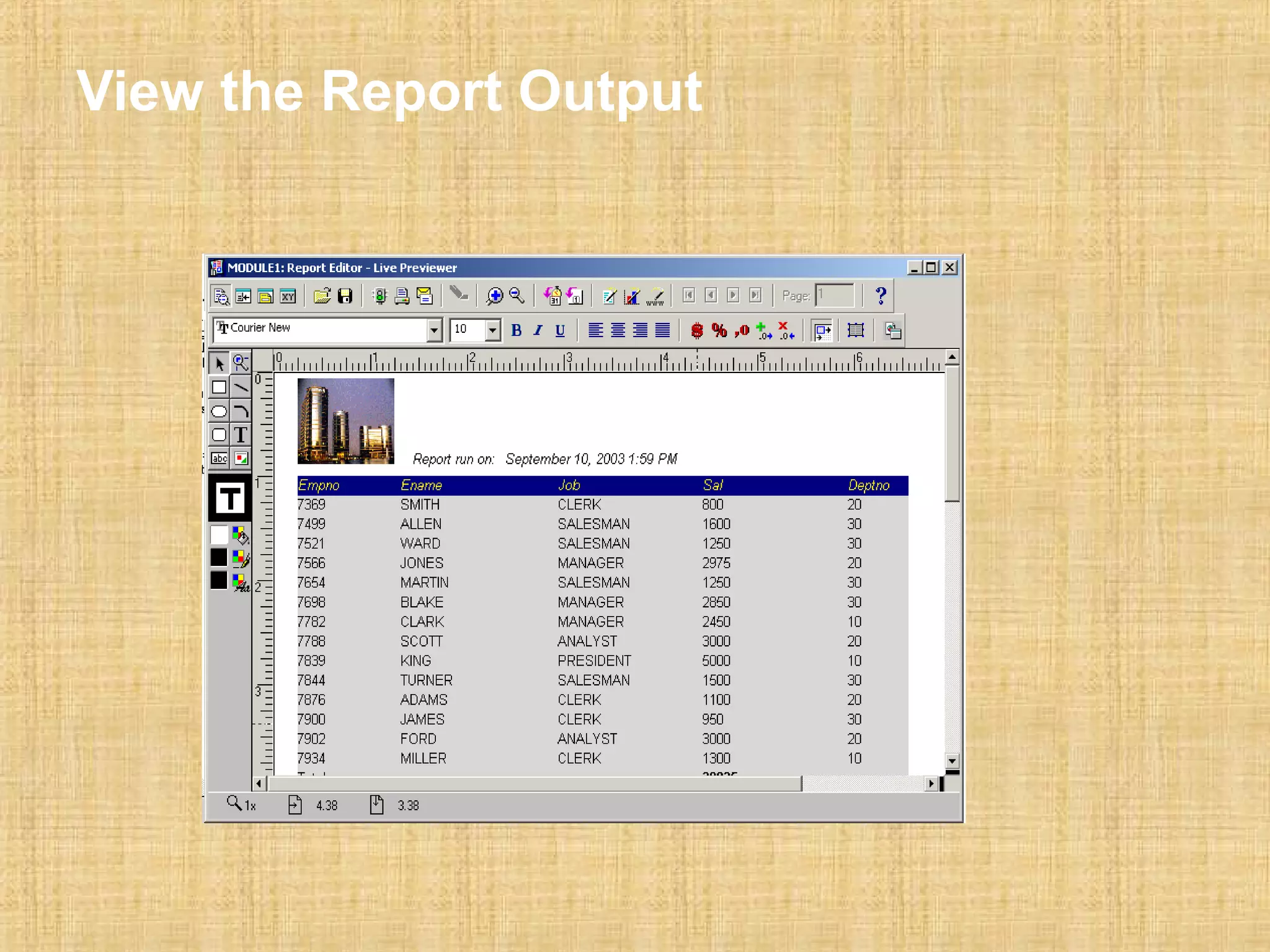
View the Report Output
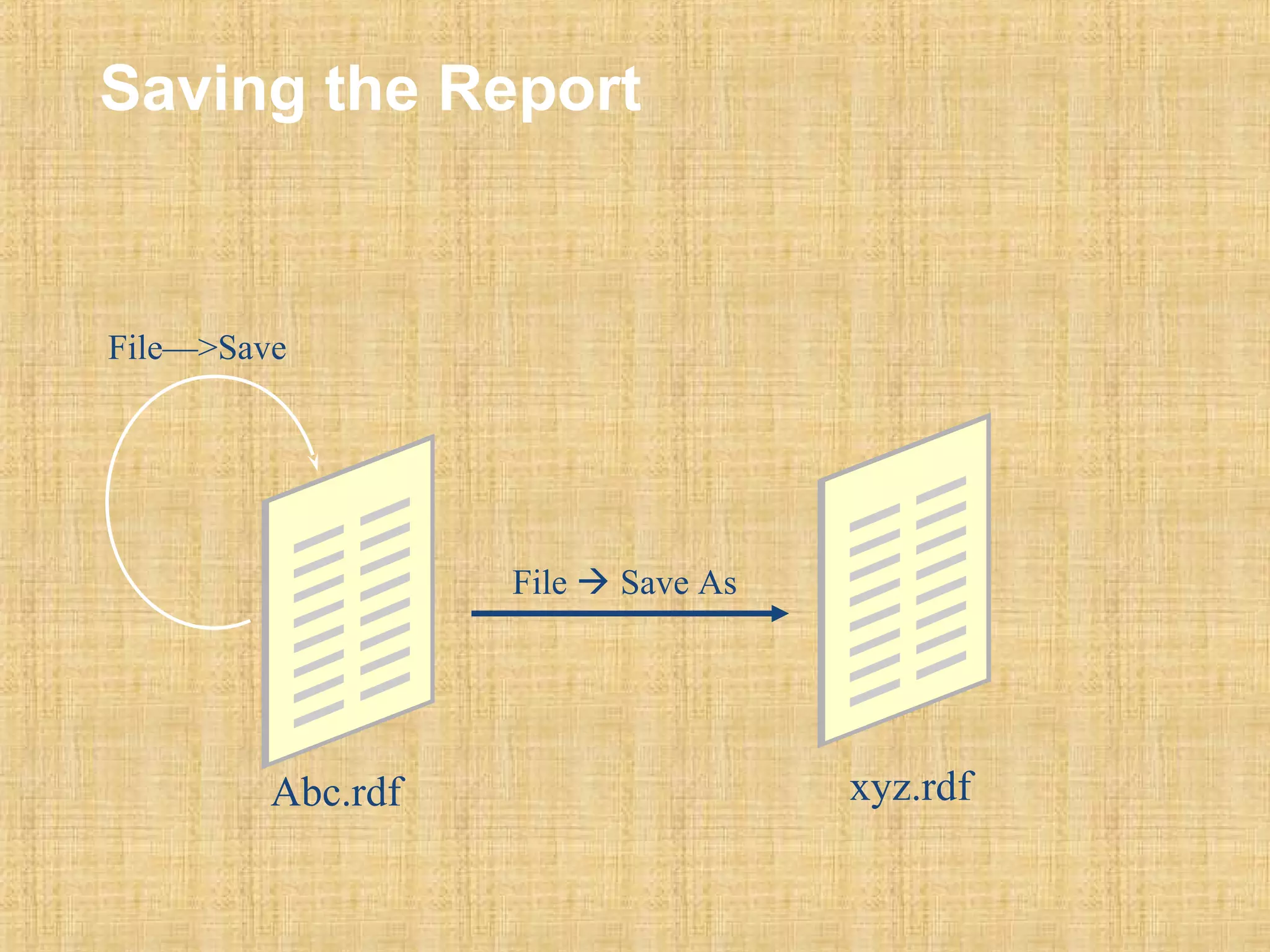
Saving the Report 
File  Save As 
File—>Save 
Abc.rdf xyz.rdf
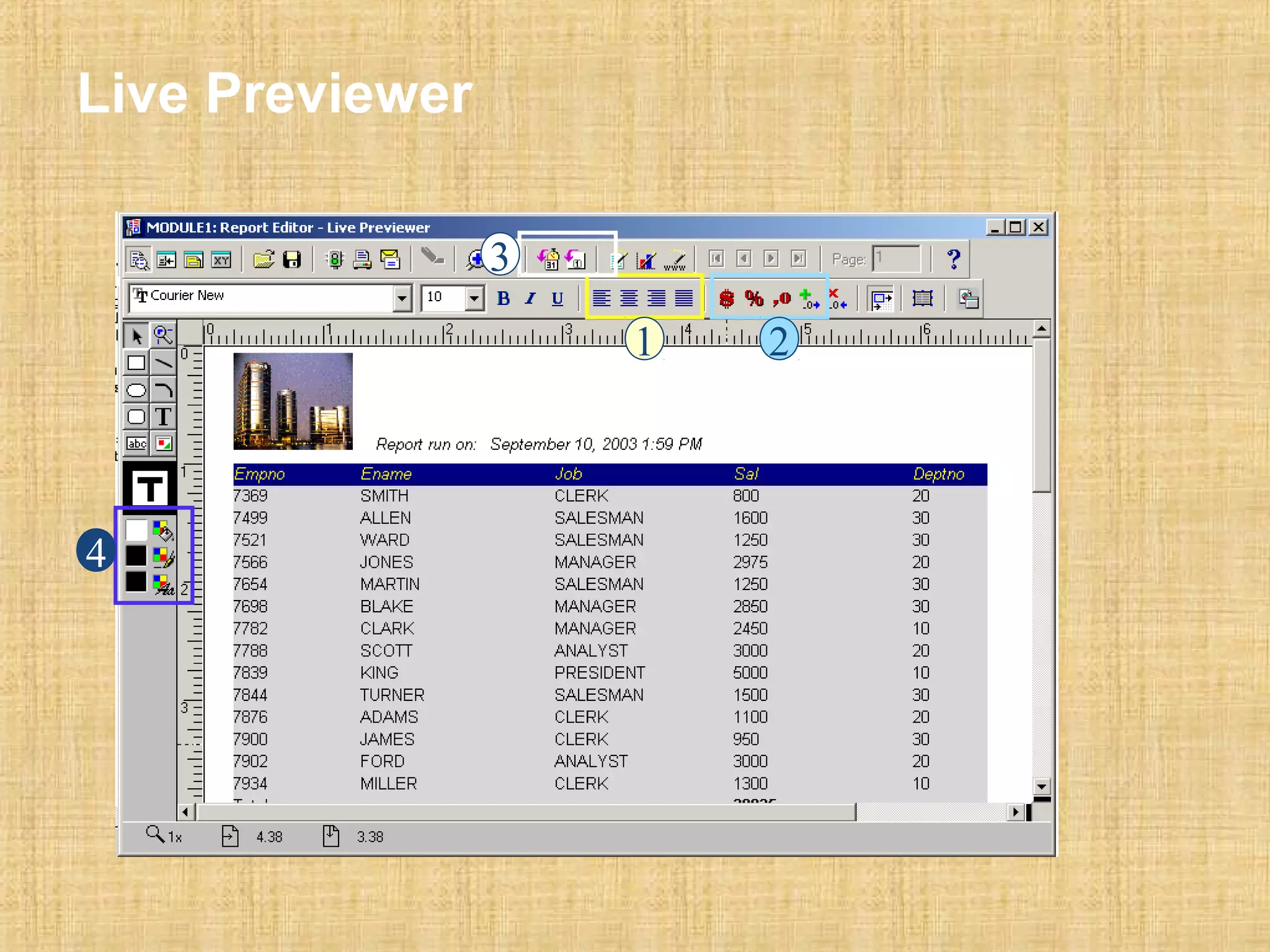
Live Previewer 
1 2 
3 
4
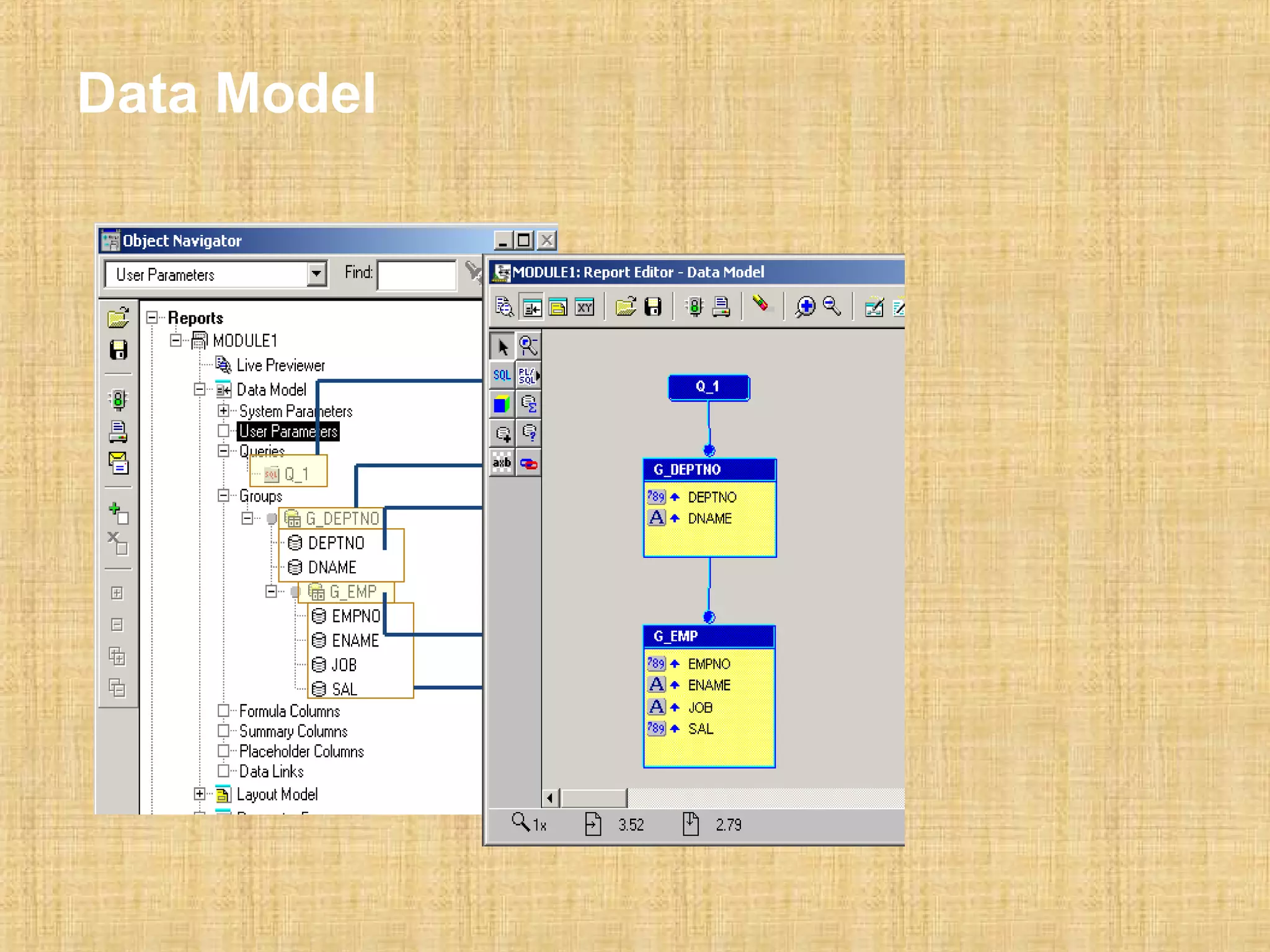
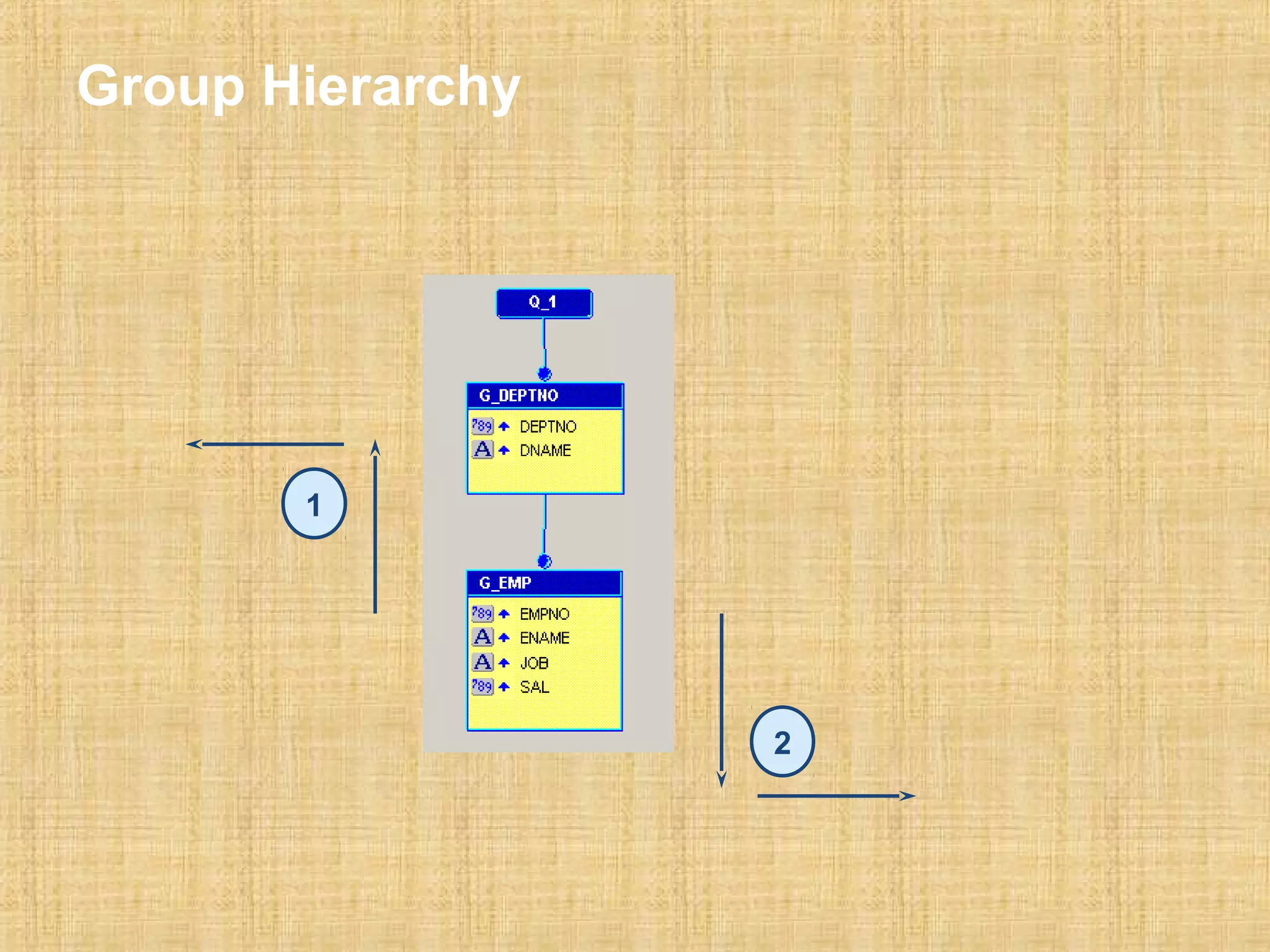
Data Model
Group Hierarchy 
1 
2
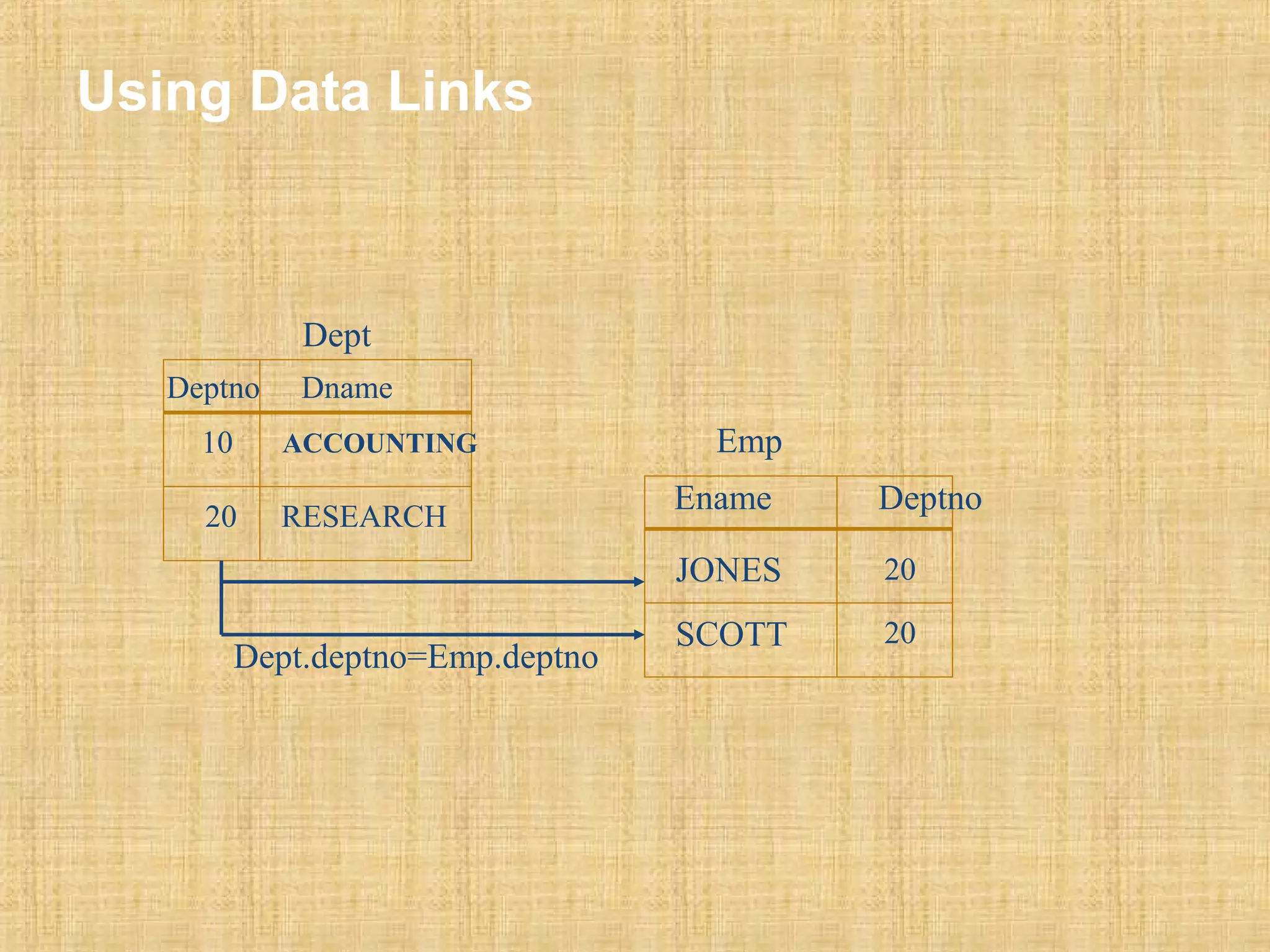
Using Data Links 
Dept 
Deptno Dname 
10 ACCOUNTING 
20 RESEARCH 
Ename Deptno 
JONES 
SCOTT 
20 
20 
Dept.deptno=Emp.deptno 
Emp
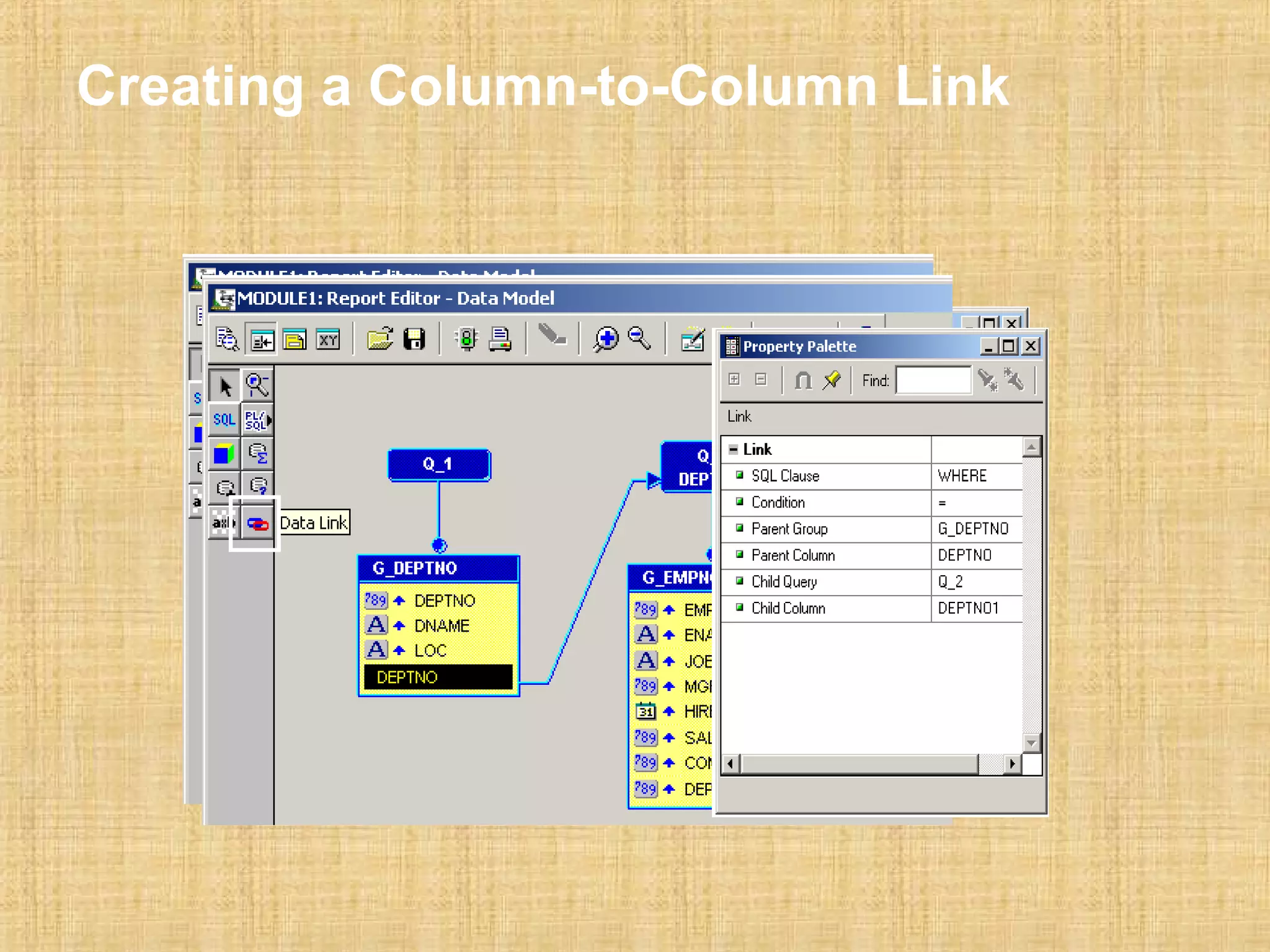
Creating a Column-to-Column Link
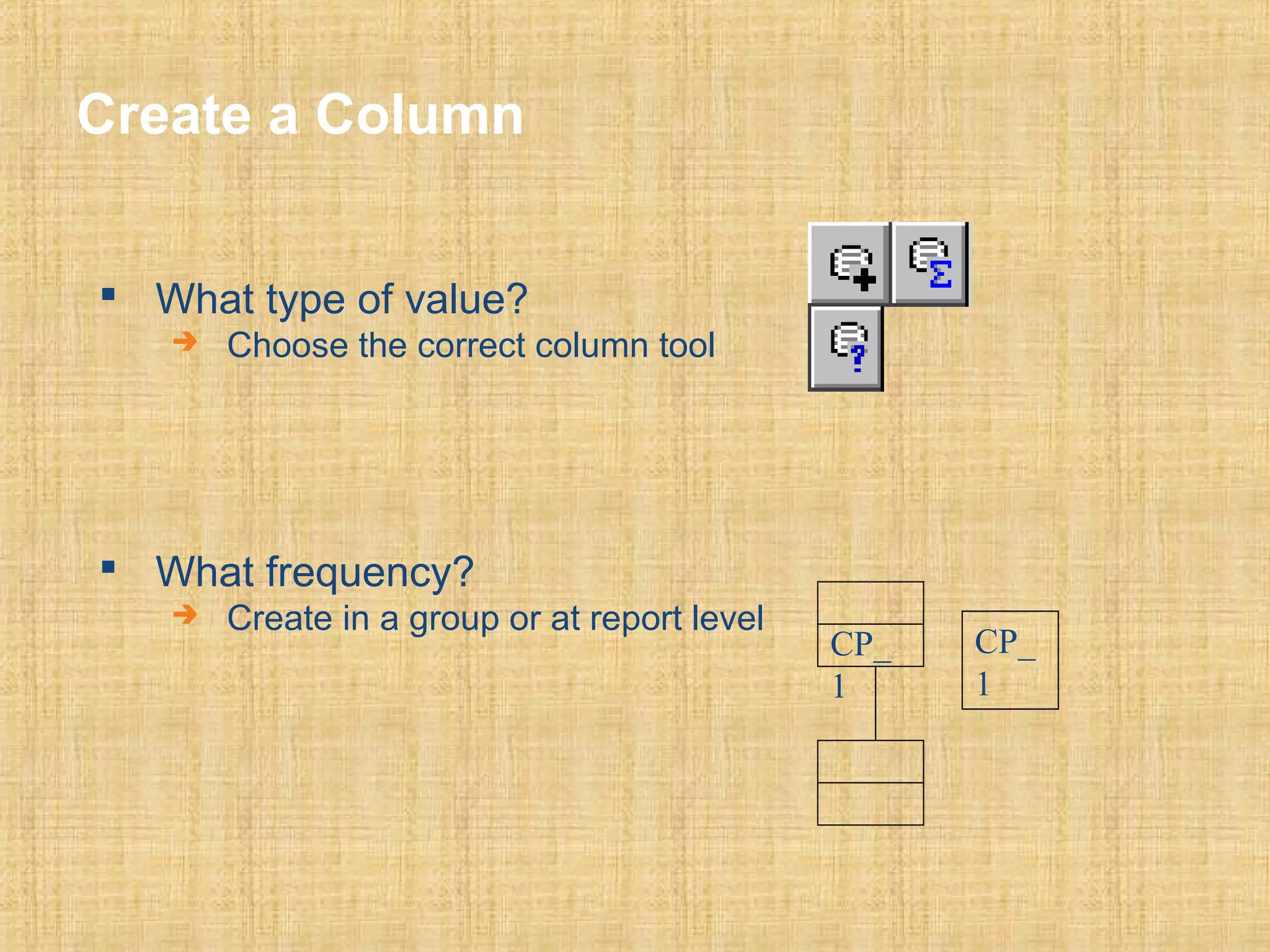
Create a Column 
 What type of value? 
 Choose the correct column tool 
 What frequency? 
 Create in a group or at report level 
CP_ 
1 
CP_ 
1
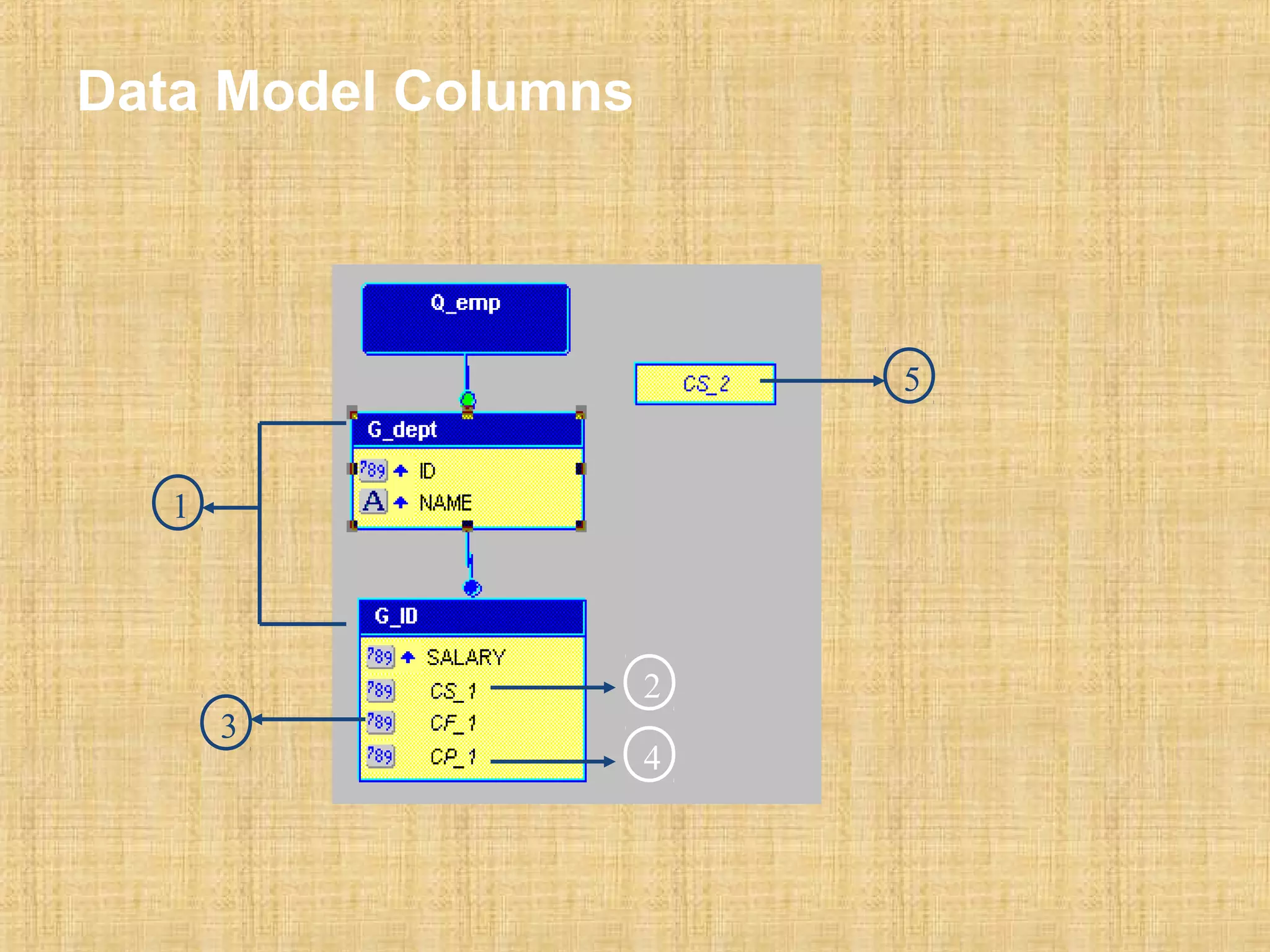
Data Model Columns 
1 
2 
4 
3 
5
Summary Column 
 Specific properties: 
 Function 
 Source 
 Reset At 
 Datatype depends on Source Datatype
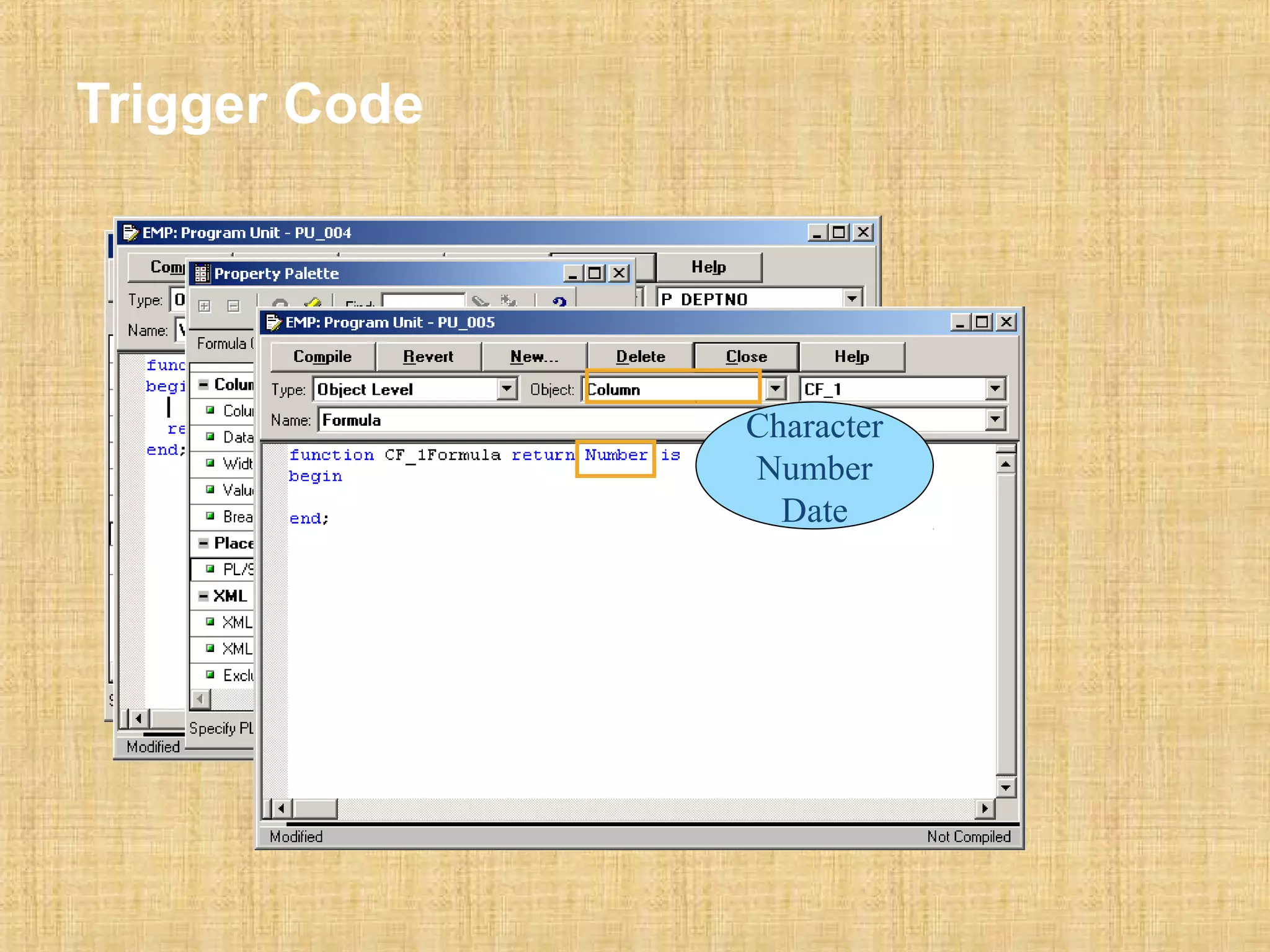
Formula Column 
 Performs a user-defined computation 
 Executes a PL/SQL function 
 Must return a value 
 Can be Character, Number, or Date 
 Returned value must match datatype 
function CF_Total_salFormula return Number is 
begin 
return(:sal+nvl(:comm,0)); 
end;
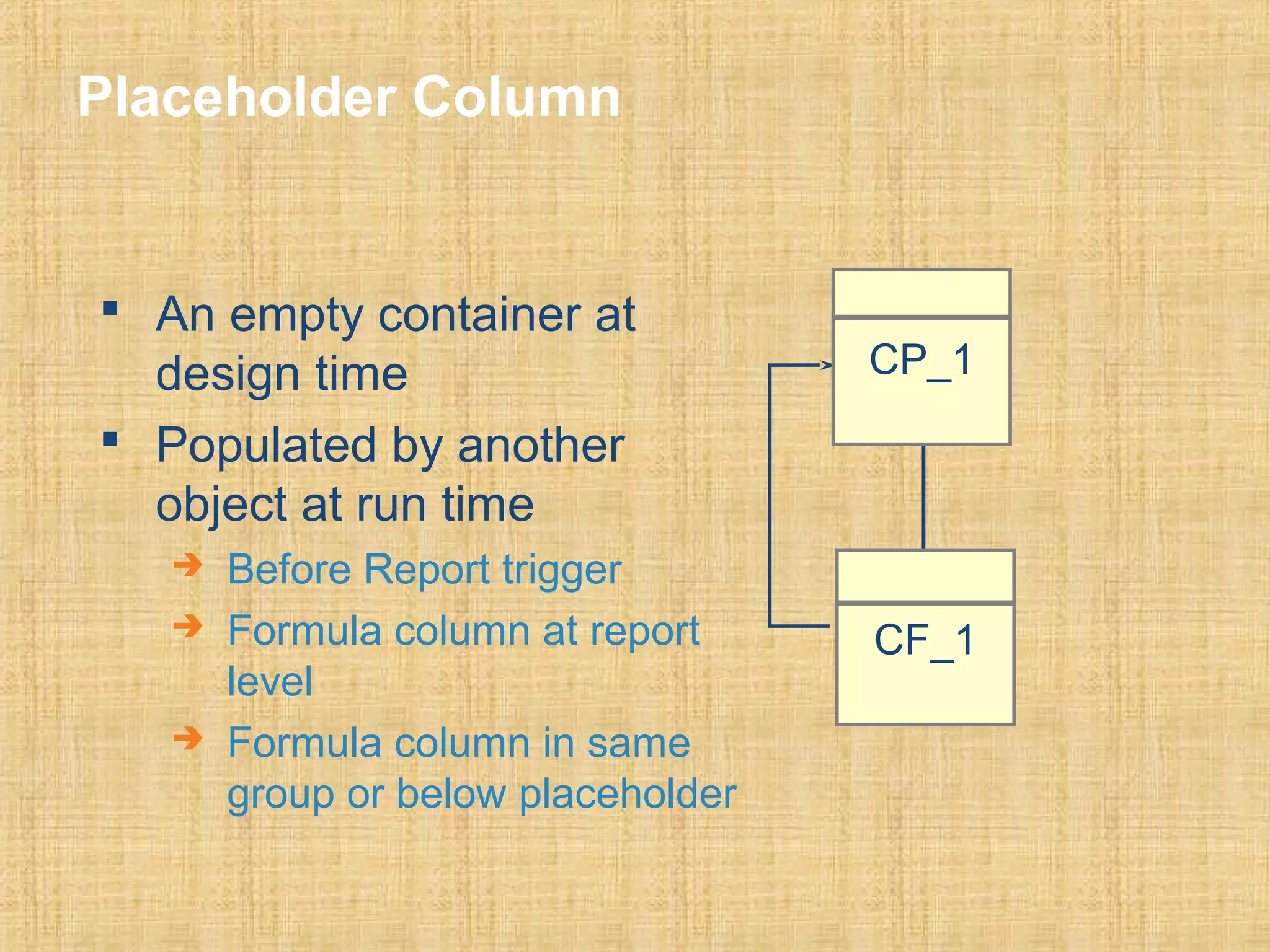
Placeholder Column 
 An empty container at 
design time 
 Populated by another 
object at run time 
 Before Report trigger 
 Formula column at report 
level 
 Formula column in same 
group or below placeholder 
CP_1 
CF_1
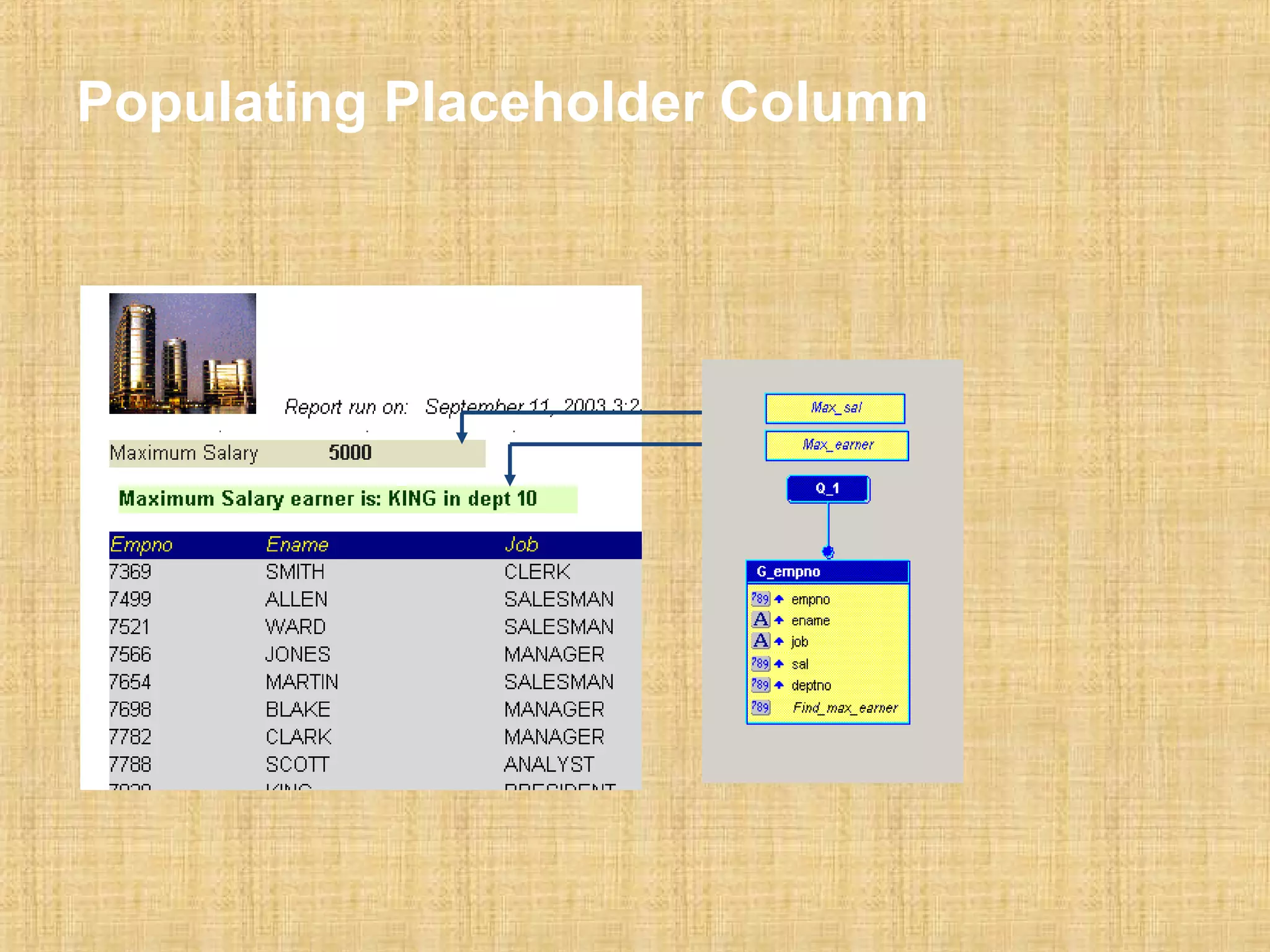
Populating Placeholder Column
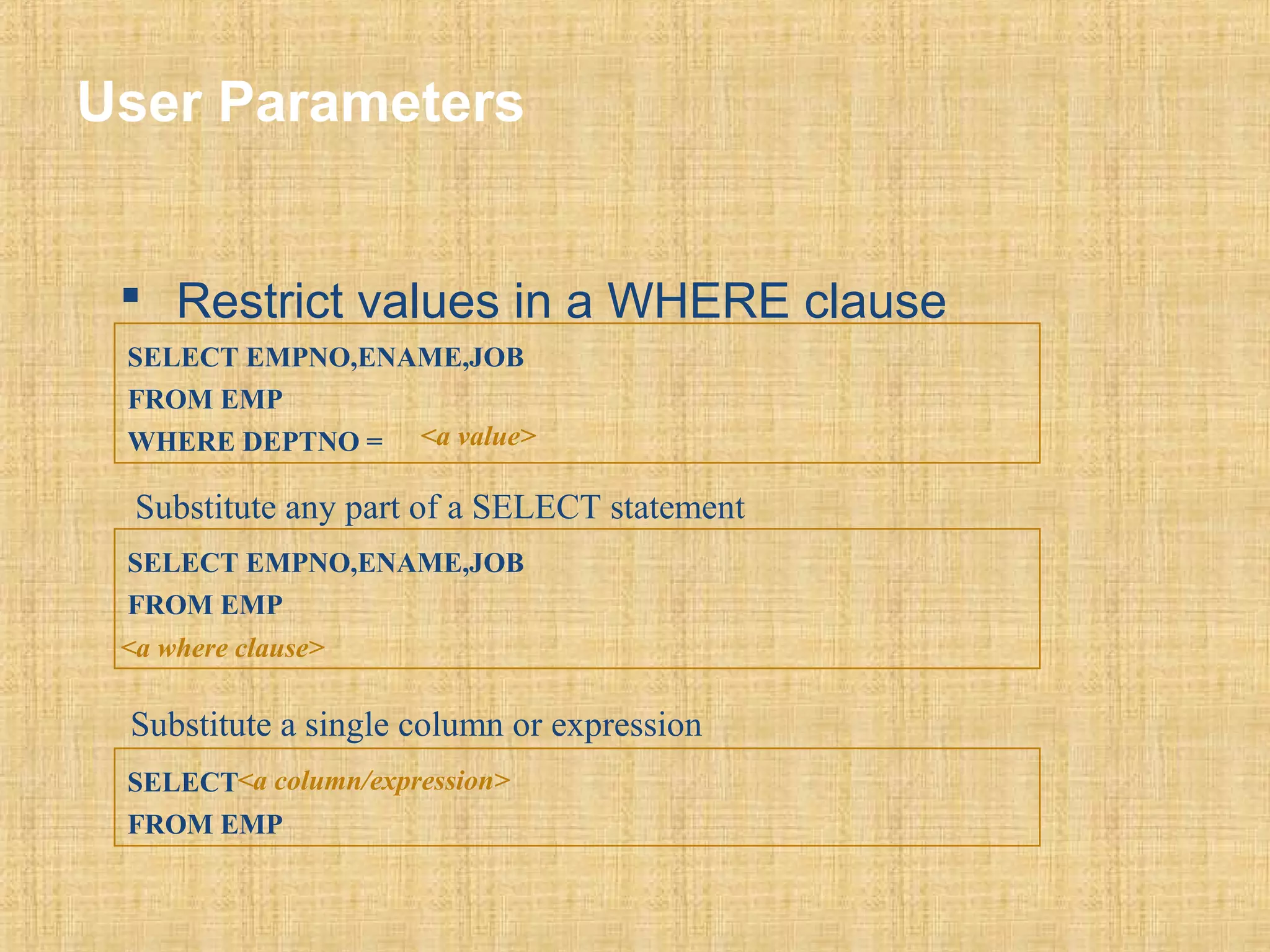
User Parameters 
 Restrict values in a WHERE clause 
SELECT EMPNO,ENAME,JOB 
FROM EMP 
WHERE DEPTNO = <a value> 
Substitute any part of a SELECT statement 
SELECT EMPNO,ENAME,JOB 
FROM EMP 
<a where clause> 
Substitute a single column or expression 
SELECT 
<a column/expression> 
FROM EMP
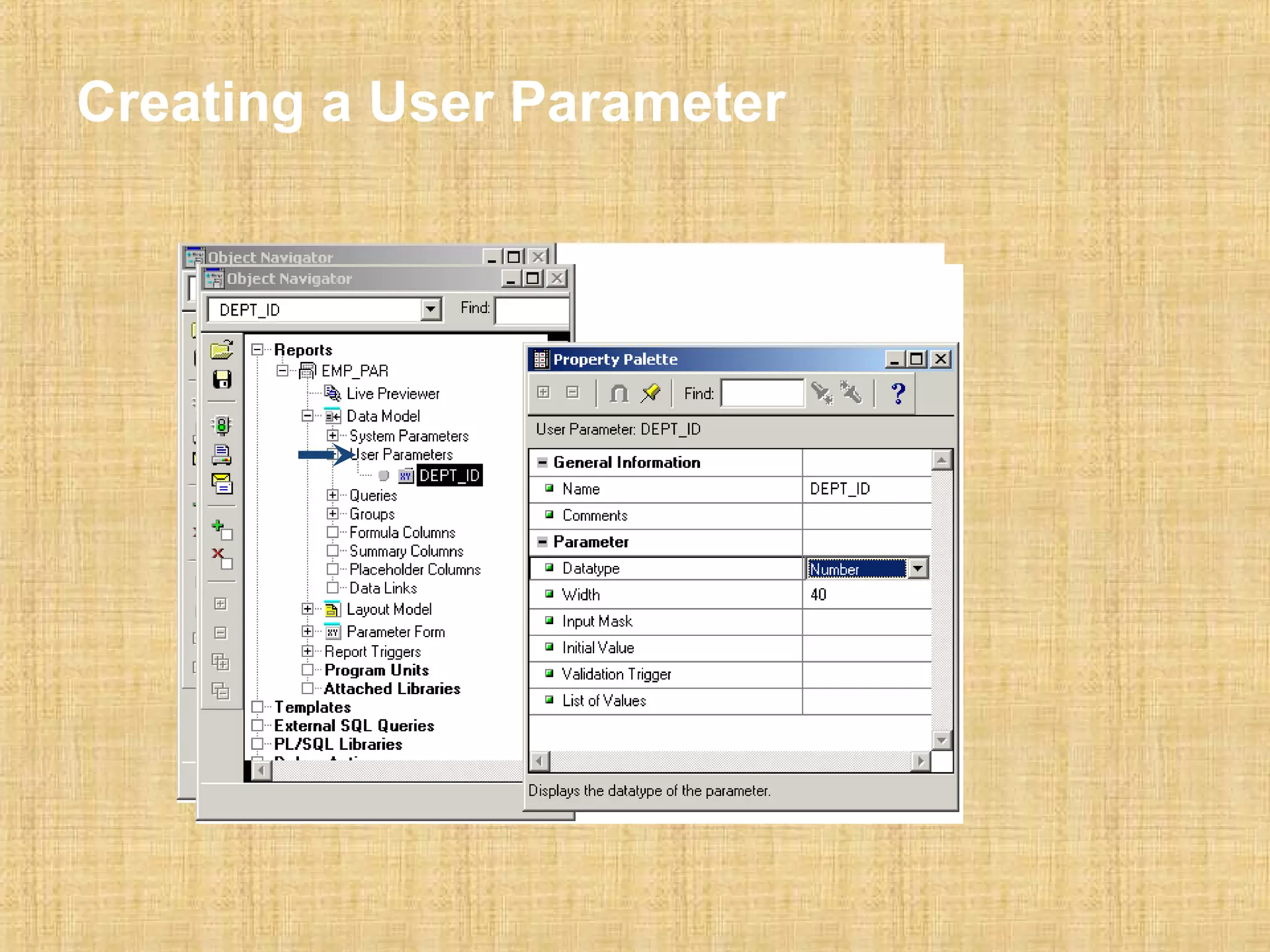
Creating a User Parameter
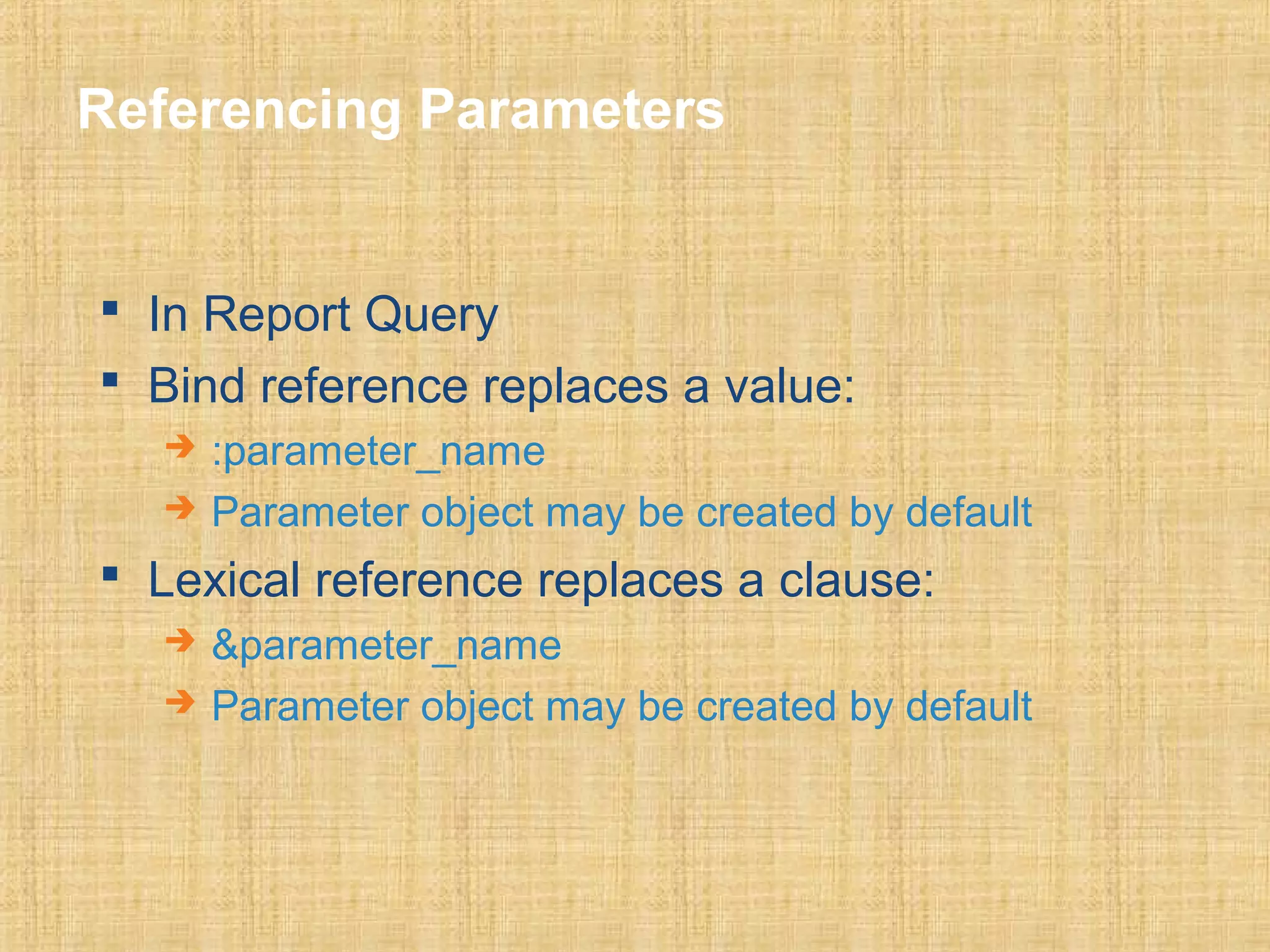
Referencing Parameters 
 In Report Query 
 Bind reference replaces a value: 
 :parameter_name 
 Parameter object may be created by default 
 Lexical reference replaces a clause: 
 &parameter_name 
 Parameter object may be created by default
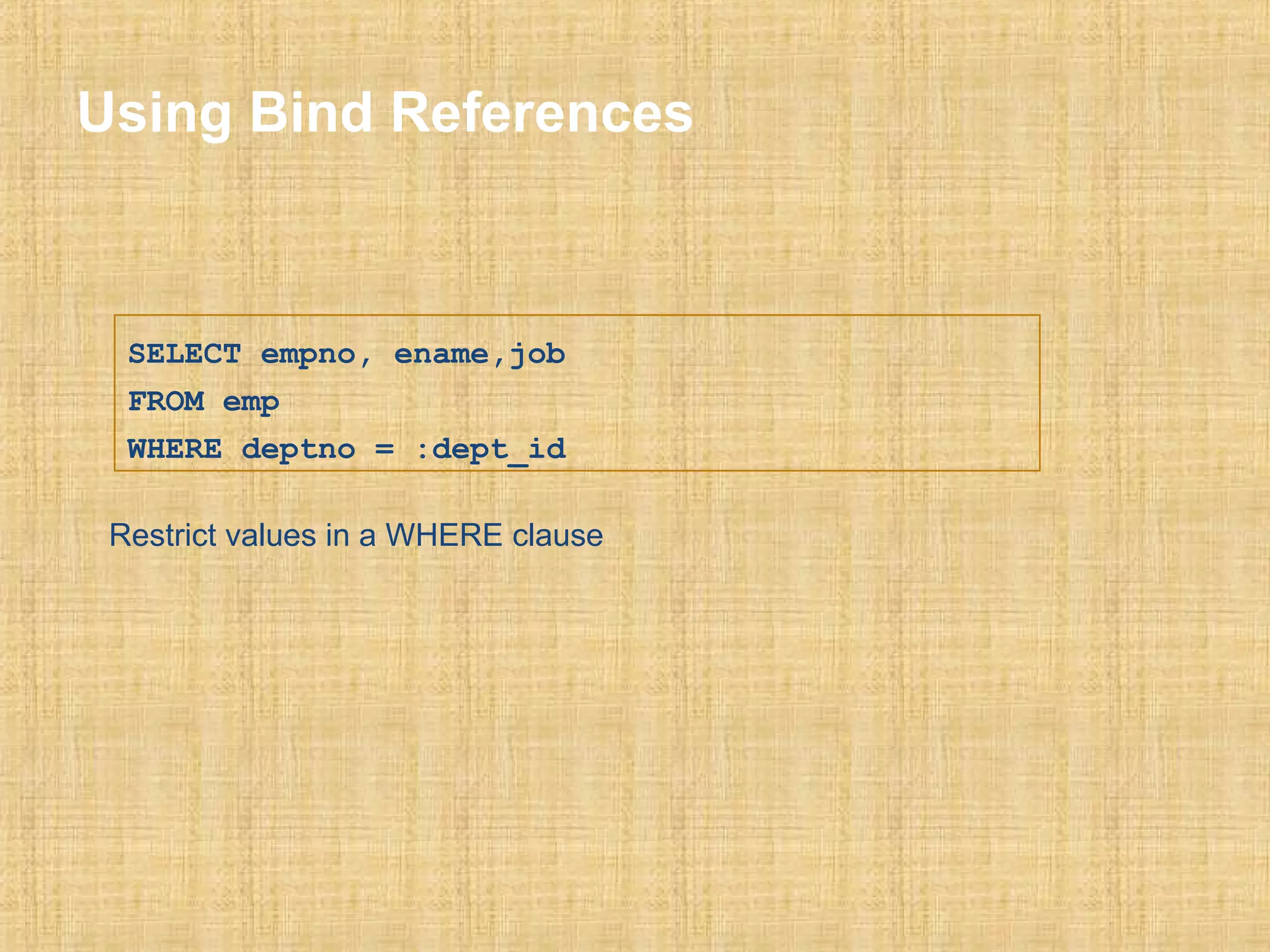
Using Bind References 
SELECT empno, ename,job 
FROM emp 
WHERE deptno = :dept_id 
Restrict values in a WHERE clause
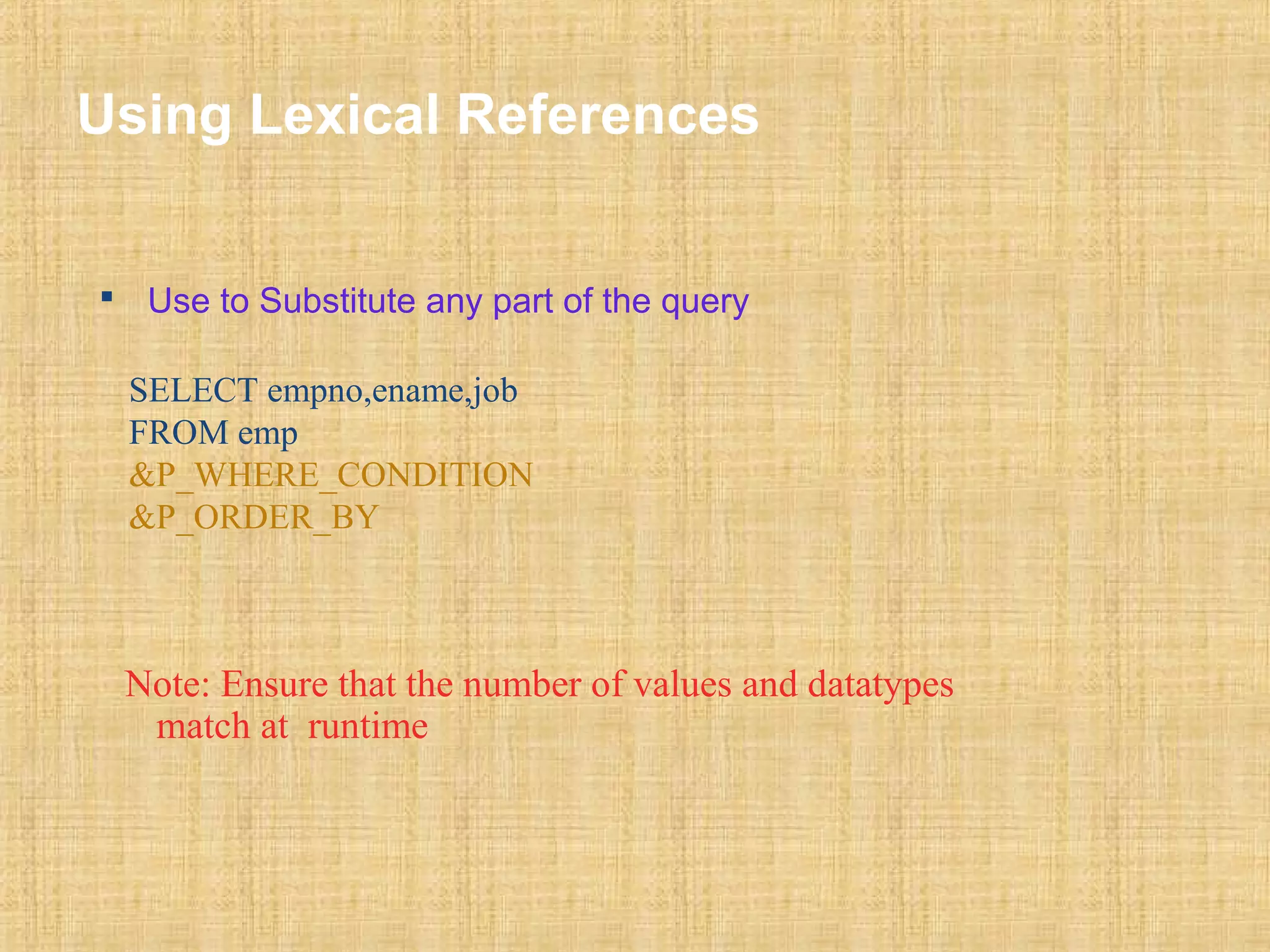
Using Lexical References 
 Use to Substitute any part of the query 
SELECT empno,ename,job 
FROM emp 
&P_WHERE_CONDITION 
&P_ORDER_BY 
Note: Ensure that the number of values and datatypes 
match at runtime
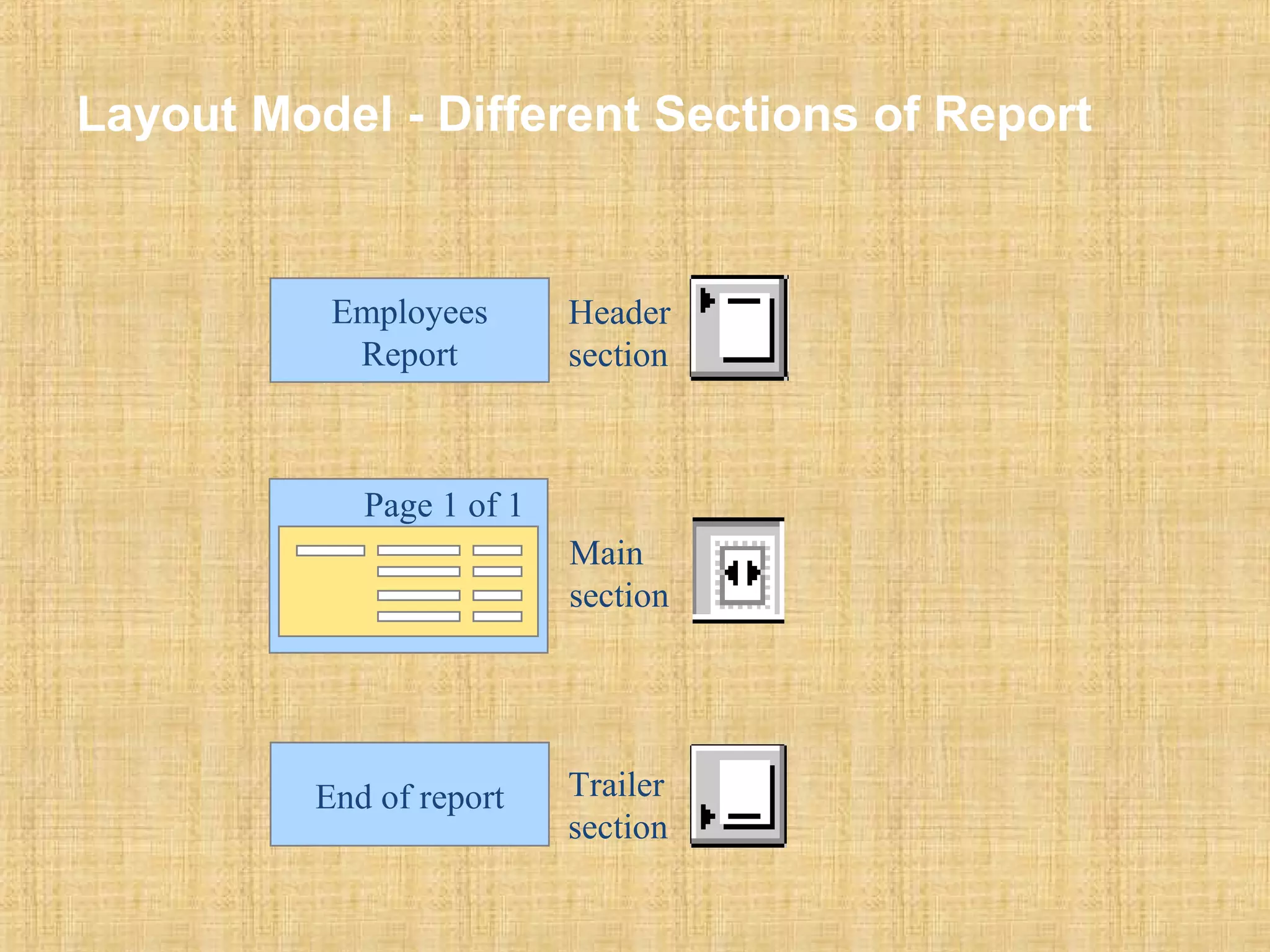
Layout Model - Different Sections of Report 
Main 
section 
Employees 
Report 
Page 1 of 1 
Header 
section 
End of report Trailer 
section
Layout Objects 
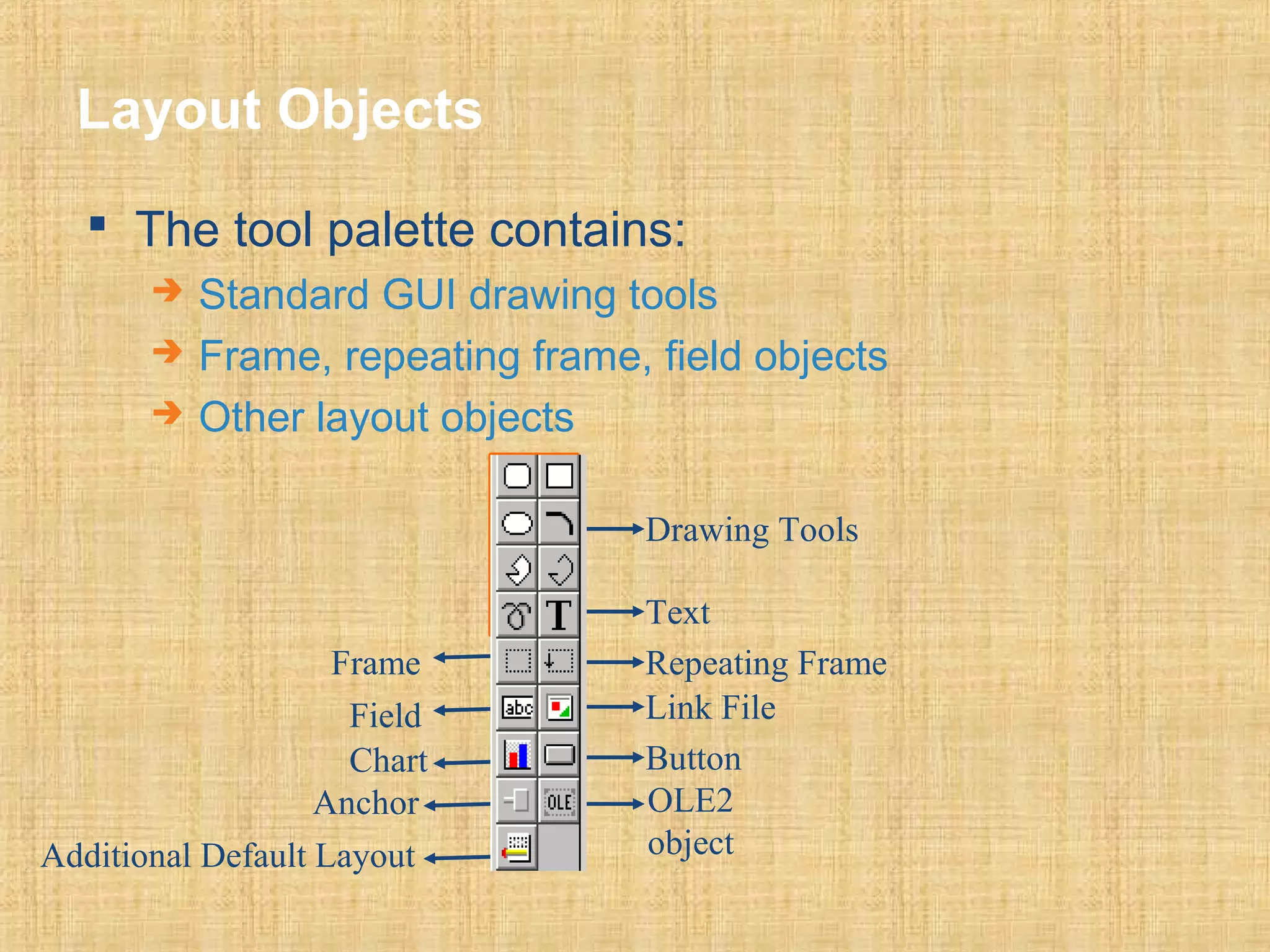
 The tool palette contains: 
 Standard GUI drawing tools 
 Frame, repeating frame, field objects 
 Other layout objects 
Drawing Tools 
Text 
Repeating Frame 
Link File 
Button 
OLE2 
object 
Frame 
Field 
Chart 
Anchor 
Additional Default Layout
Layout Object Properties 
Objects with common properties: 
 Frames 
 Repeating Frames 
 Fields 
 Boilerplate Objects 
Some common properties affect: 
 Sizing 
 Pagination 
 Frequency of display
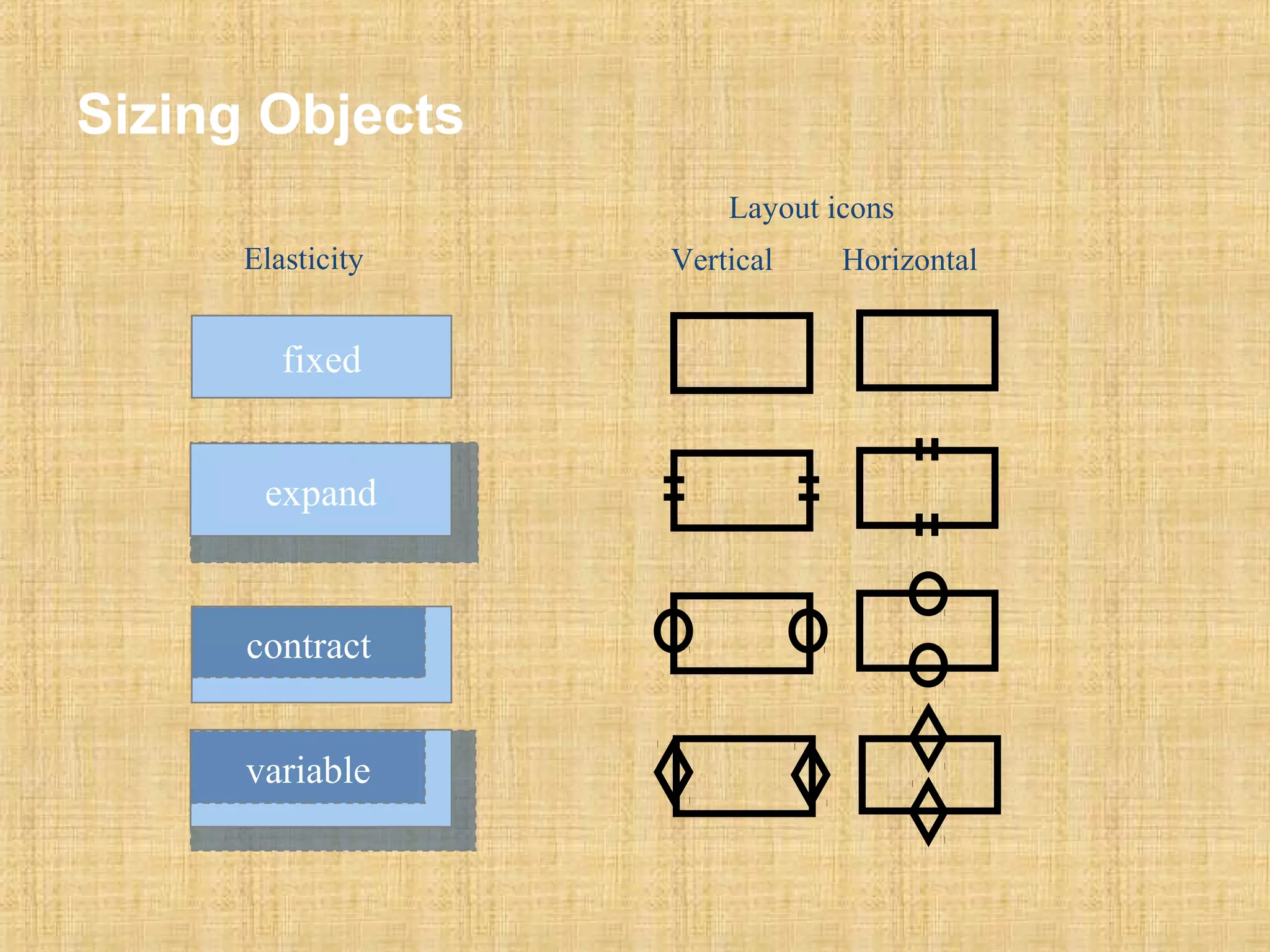
Sizing Objects 
Elasticity 
Layout icons 
Vertical Horizontal 
fixed 
expand 
contract 
variable
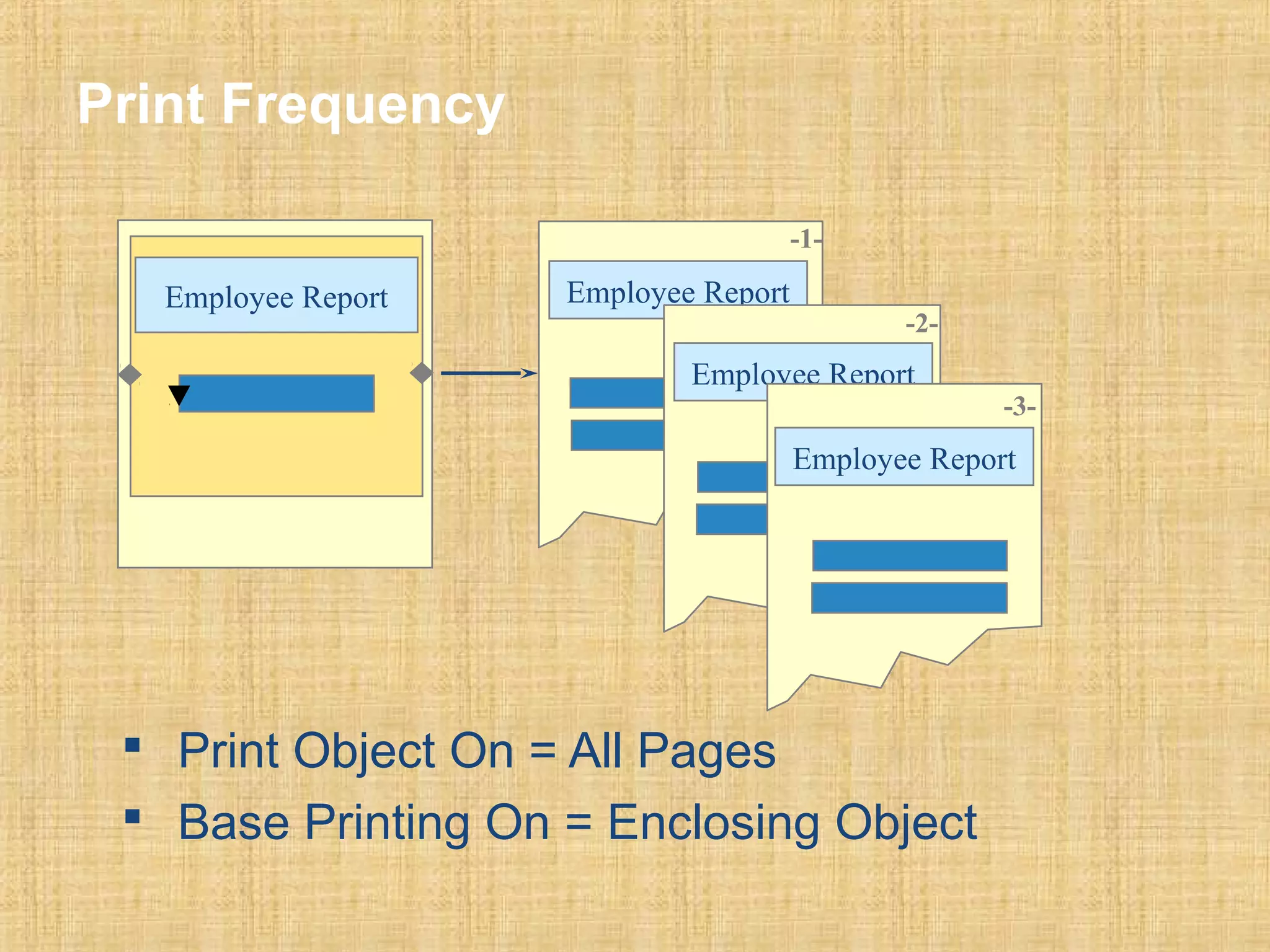
Print Frequency 
Employee Report Employee Report 
-1- 
-2- 
Employee Report 
Employee Report 
 Print Object On = All Pages 
 Base Printing On = Enclosing Object 
-3-
PL/SQL Triggers in Reports 
• Describe the different types of triggers 
• Describe sample uses of triggers 
• Write and reference common code 
• Create a PL/SQL library
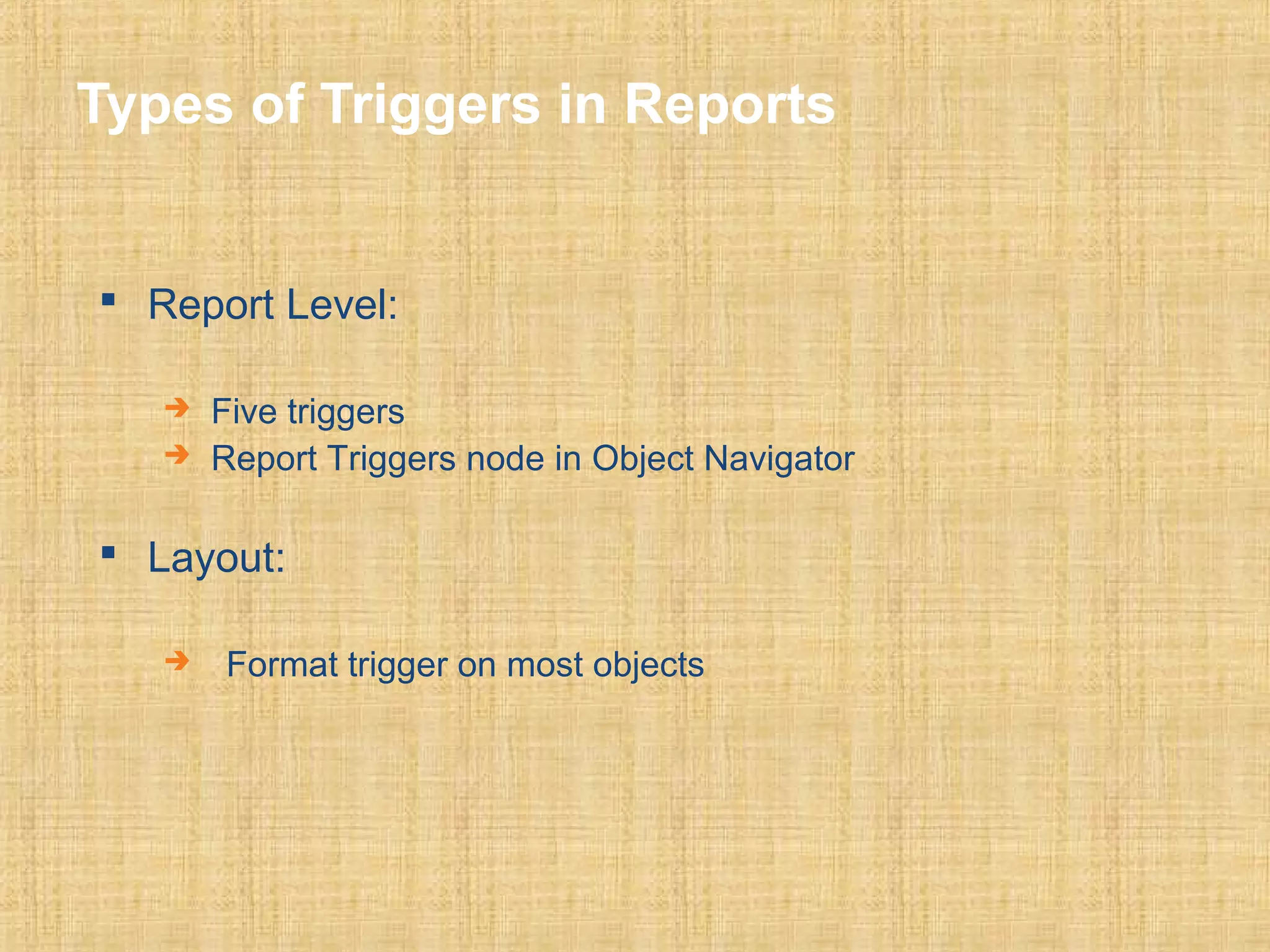
Types of Triggers in Reports 
 Report Level: 
 Five triggers 
 Report Triggers node in Object Navigator 
 Layout: 
 Format trigger on most objects
Trigger Code 
True 
False 
Character 
Number 
Date
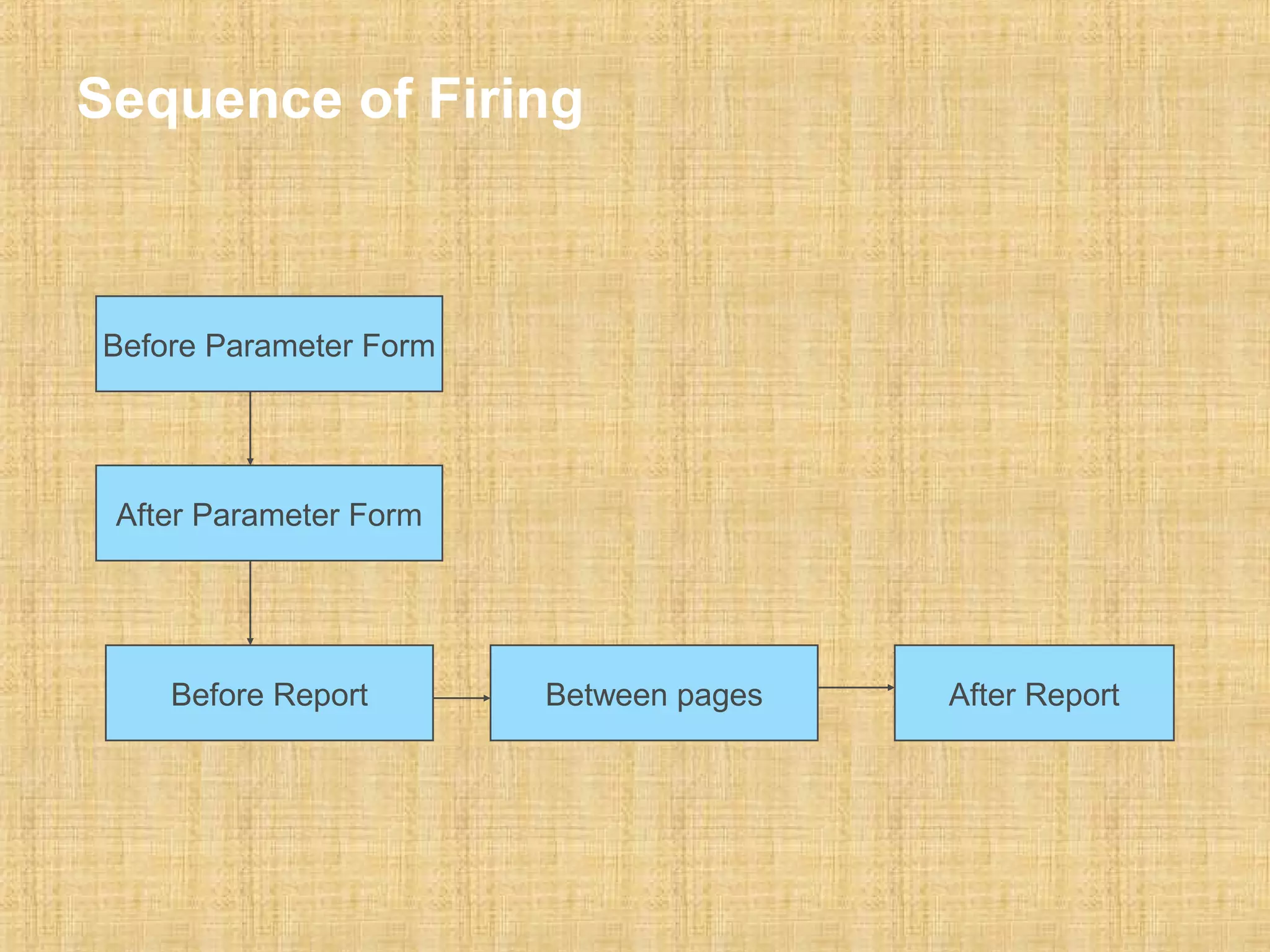
Sequence of Firing 
Before Parameter Form 
After Parameter Form 
Before Report Between pages After Report
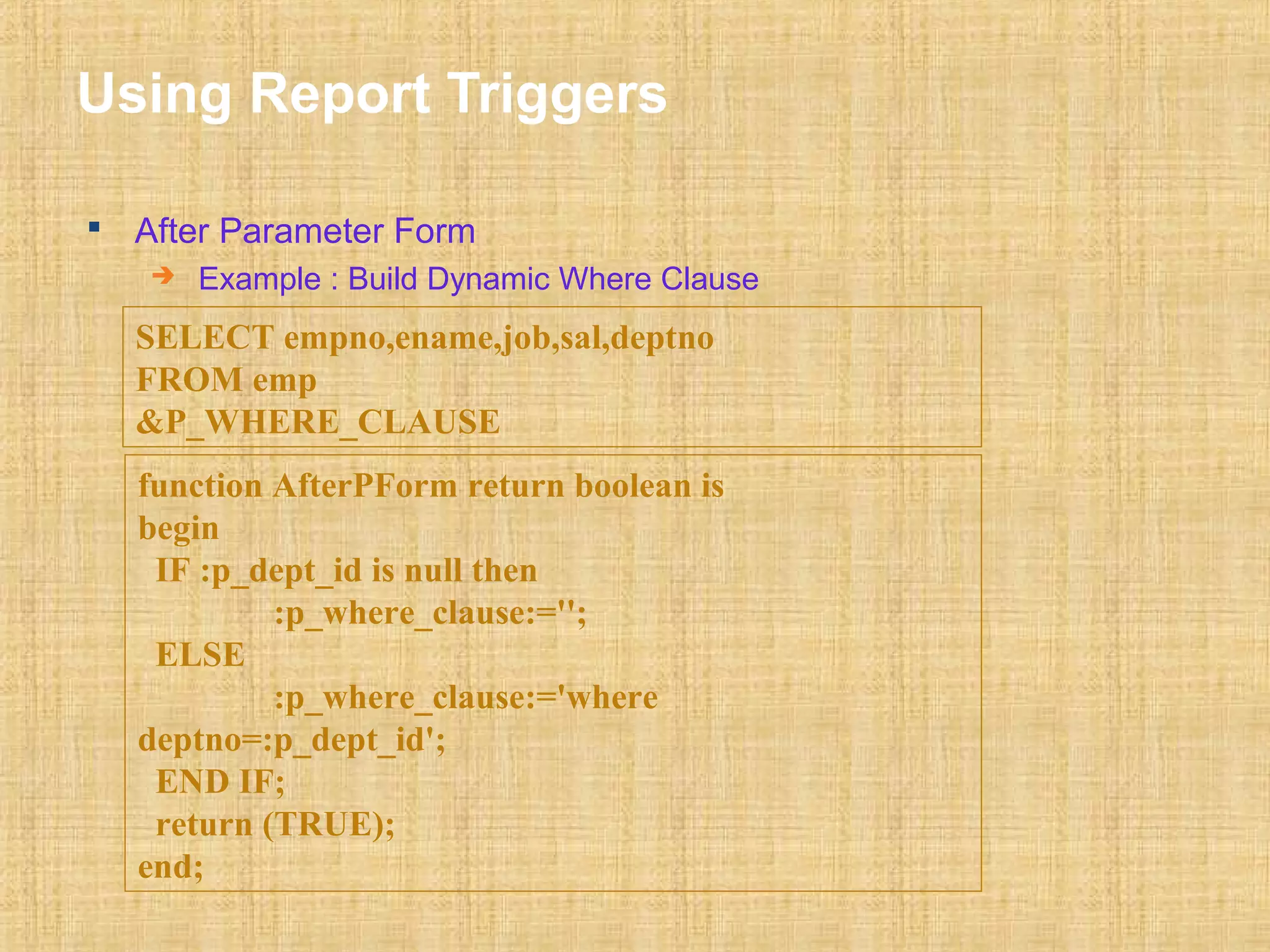
Using Report Triggers 
 After Parameter Form 
 Example : Build Dynamic Where Clause 
SELECT empno,ename,job,sal,deptno 
FROM emp 
&P_WHERE_CLAUSE 
function AfterPForm return boolean is 
begin 
IF :p_dept_id is null then 
:p_where_clause:=''; 
ELSE 
:p_where_clause:='where 
deptno=:p_dept_id'; 
END IF; 
return (TRUE); 
end;
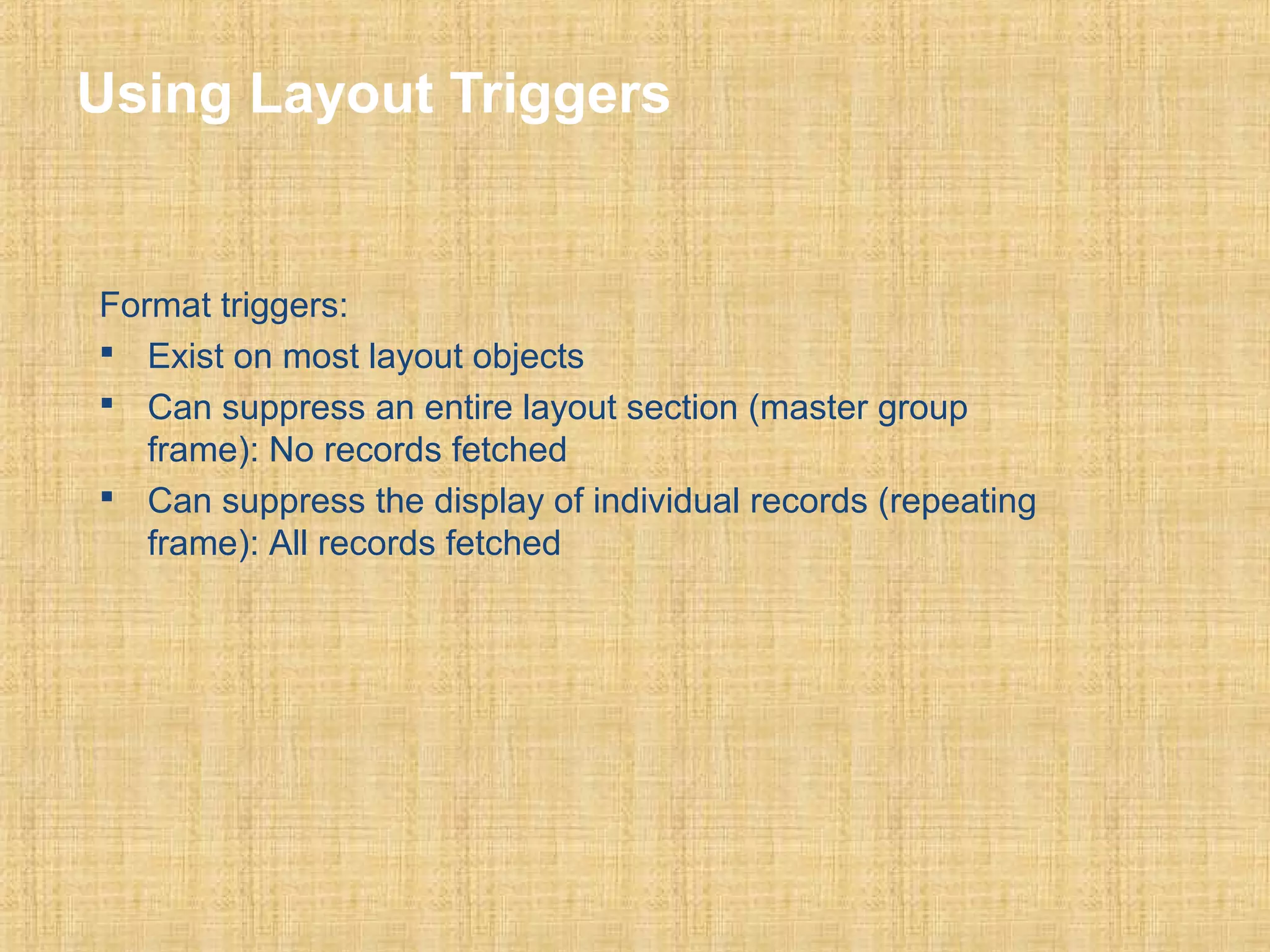
Using Layout Triggers 
Format triggers: 
 Exist on most layout objects 
 Can suppress an entire layout section (master group 
frame): No records fetched 
 Can suppress the display of individual records (repeating 
frame): All records fetched
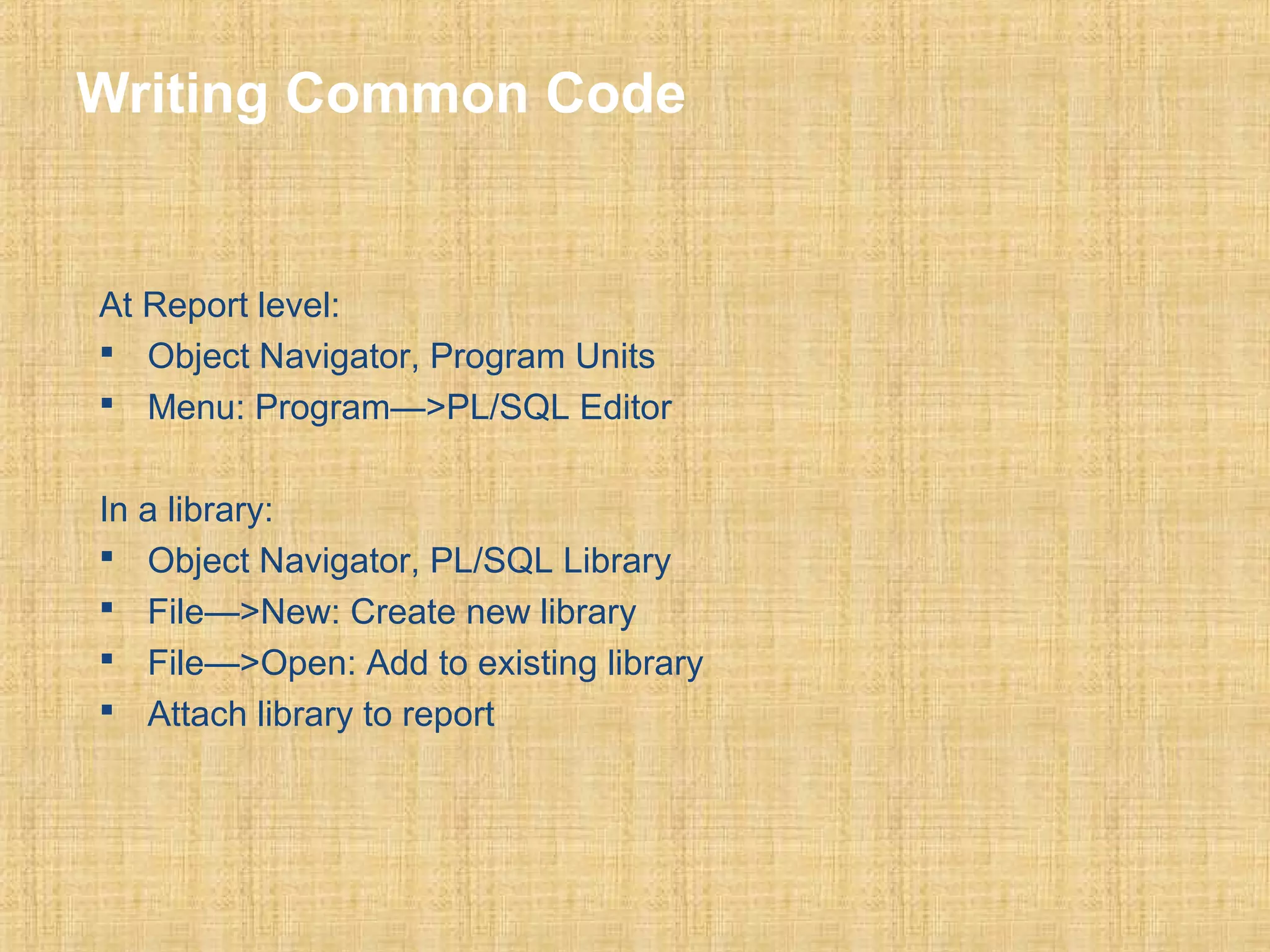
Writing Common Code 
At Report level: 
 Object Navigator, Program Units 
 Menu: Program—>PL/SQL Editor 
In a library: 
 Object Navigator, PL/SQL Library 
 File—>New: Create new library 
 File—>Open: Add to existing library 
 Attach library to report
Report Builder Built-in Package 
• Describe the package contents 
• Output messages at run time 
• Execute a drill-down report 
• Create and populate temporary tables 
• Modify visual attributes dynamically
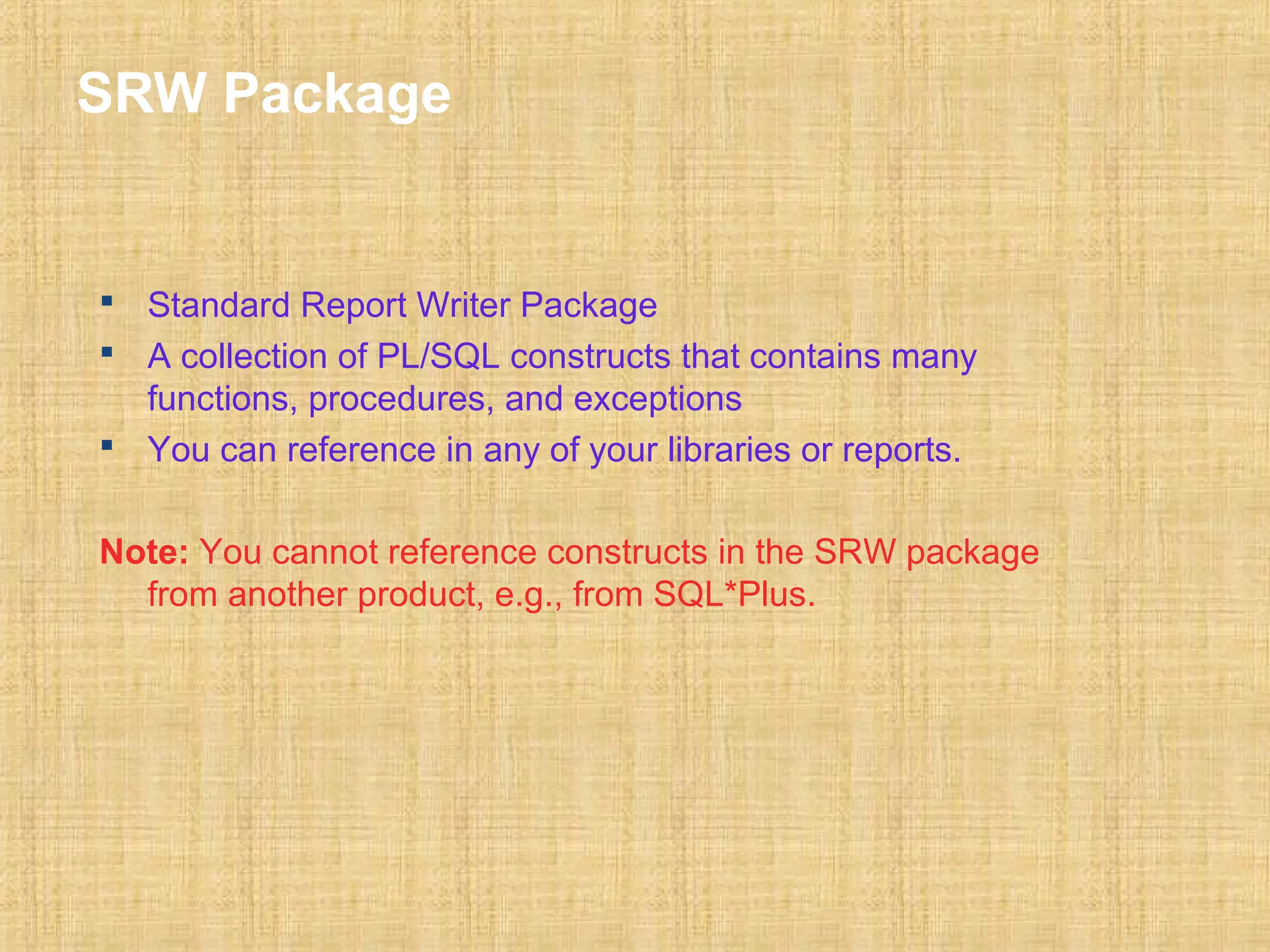
SRW Package 
 Standard Report Writer Package 
 A collection of PL/SQL constructs that contains many 
functions, procedures, and exceptions 
 You can reference in any of your libraries or reports. 
Note: You cannot reference constructs in the SRW package 
from another product, e.g., from SQL*Plus.
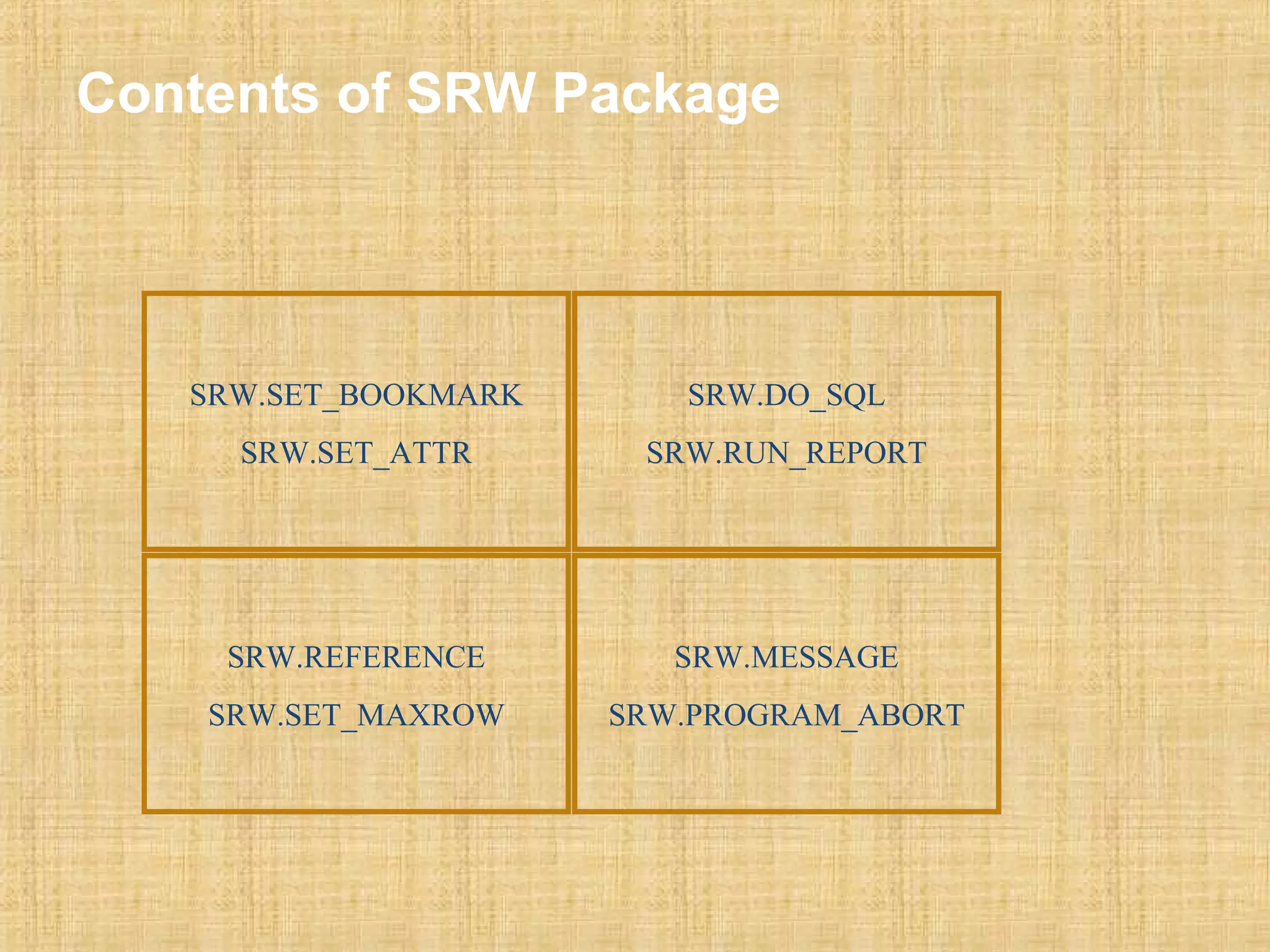
Contents of SRW Package 
SRW.SET_BOOKMARK 
SRW.SET_ATTR 
SRW.DO_SQL 
SRW.RUN_REPORT 
SRW.REFERENCE 
SRW.SET_MAXROW 
SRW.MESSAGE 
SRW.PROGRAM_ABORT
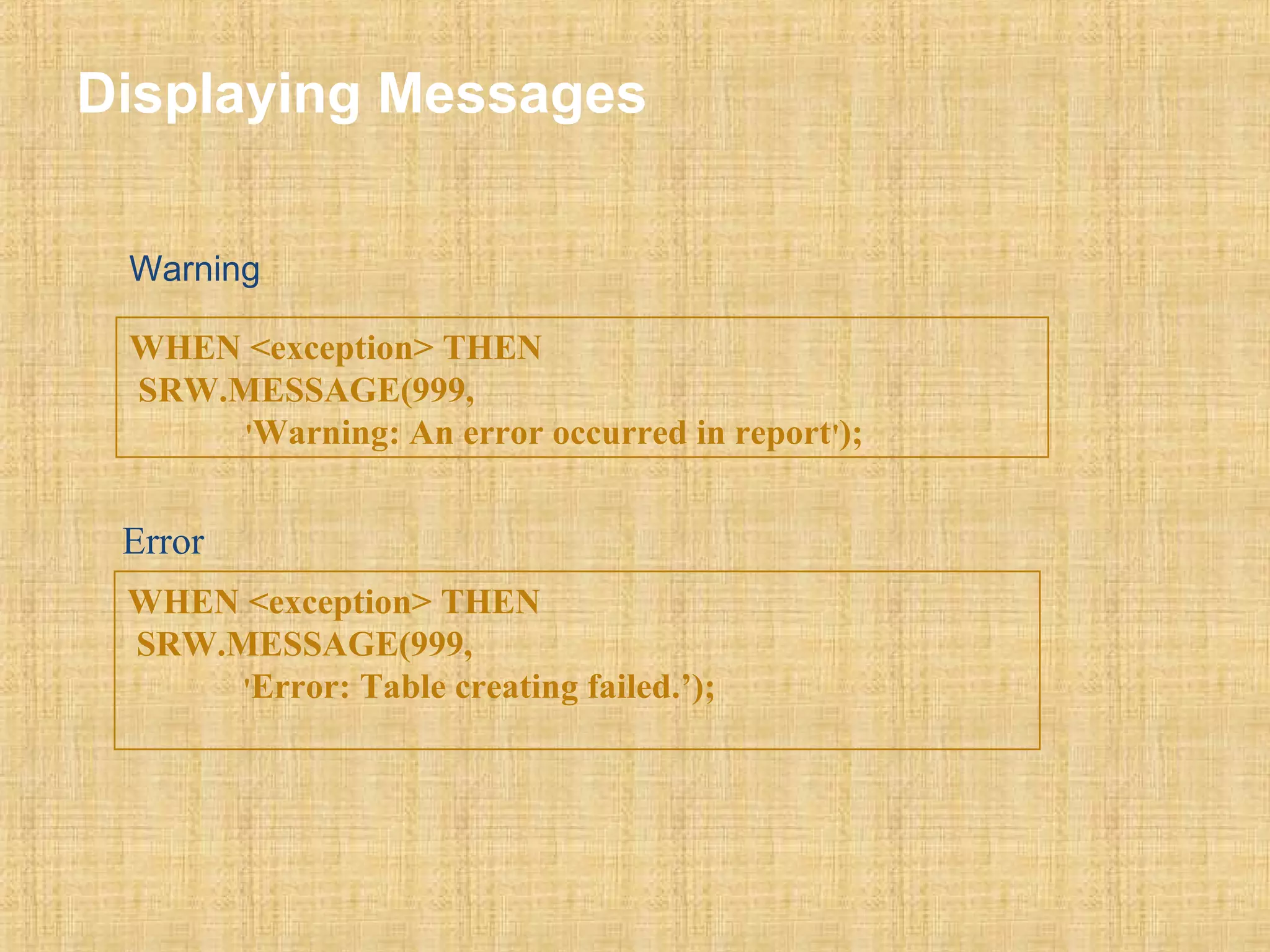
Displaying Messages 
Warning 
WHEN <exception> THEN 
SRW.MESSAGE(999, 
'Warning: An error occurred in report'); 
Error 
WHEN <exception> THEN 
SRW.MESSAGE(999, 
'Error: Table creating failed.’);
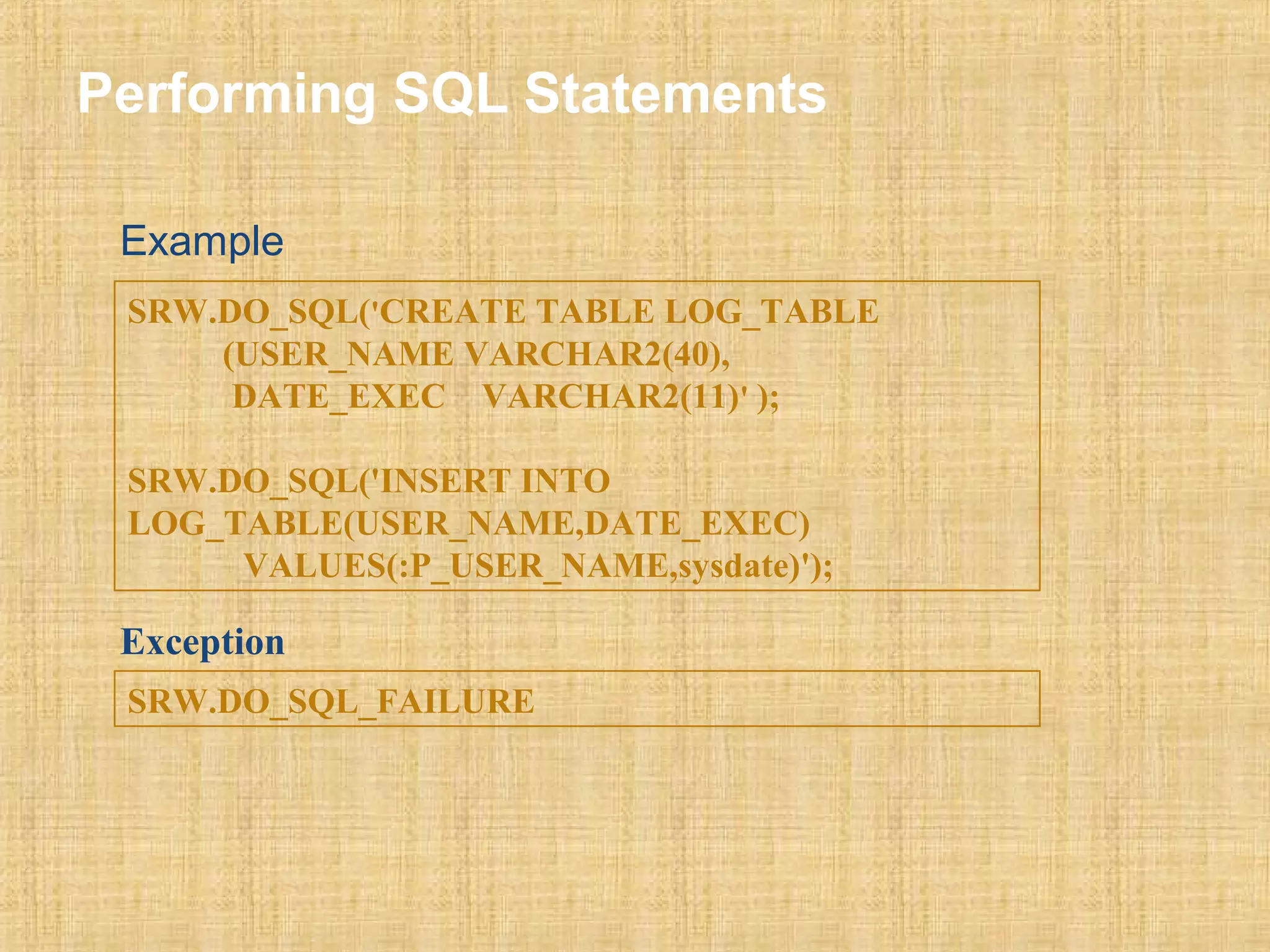
Performing SQL Statements 
Example 
SRW.DO_SQL('CREATE TABLE LOG_TABLE 
(USER_NAME VARCHAR2(40), 
DATE_EXEC VARCHAR2(11)' ); 
SRW.DO_SQL('INSERT INTO 
LOG_TABLE(USER_NAME,DATE_EXEC) 
VALUES(:P_USER_NAME,sysdate)'); 
Exception 
SRW.DO_SQL_FAILURE
68 
Usage of User Exits 
 Oracle reports provides a suite of PL/SQL procedures in the SRW 
package. The user_exit procedure in this package allows you to call 
user exits (pro C routines) and oracle apps reports use quite a lot of 
these calls. The user exits available in oracle reports are: 
—FND SRWINIT 
—FND SRWEXIT 
—FND FLEXIDVAL 
—FND GETPROFILE & FND PUTPROFILE. 
—FND calculate. 
—FND FORMAT_CURRENCY
69 
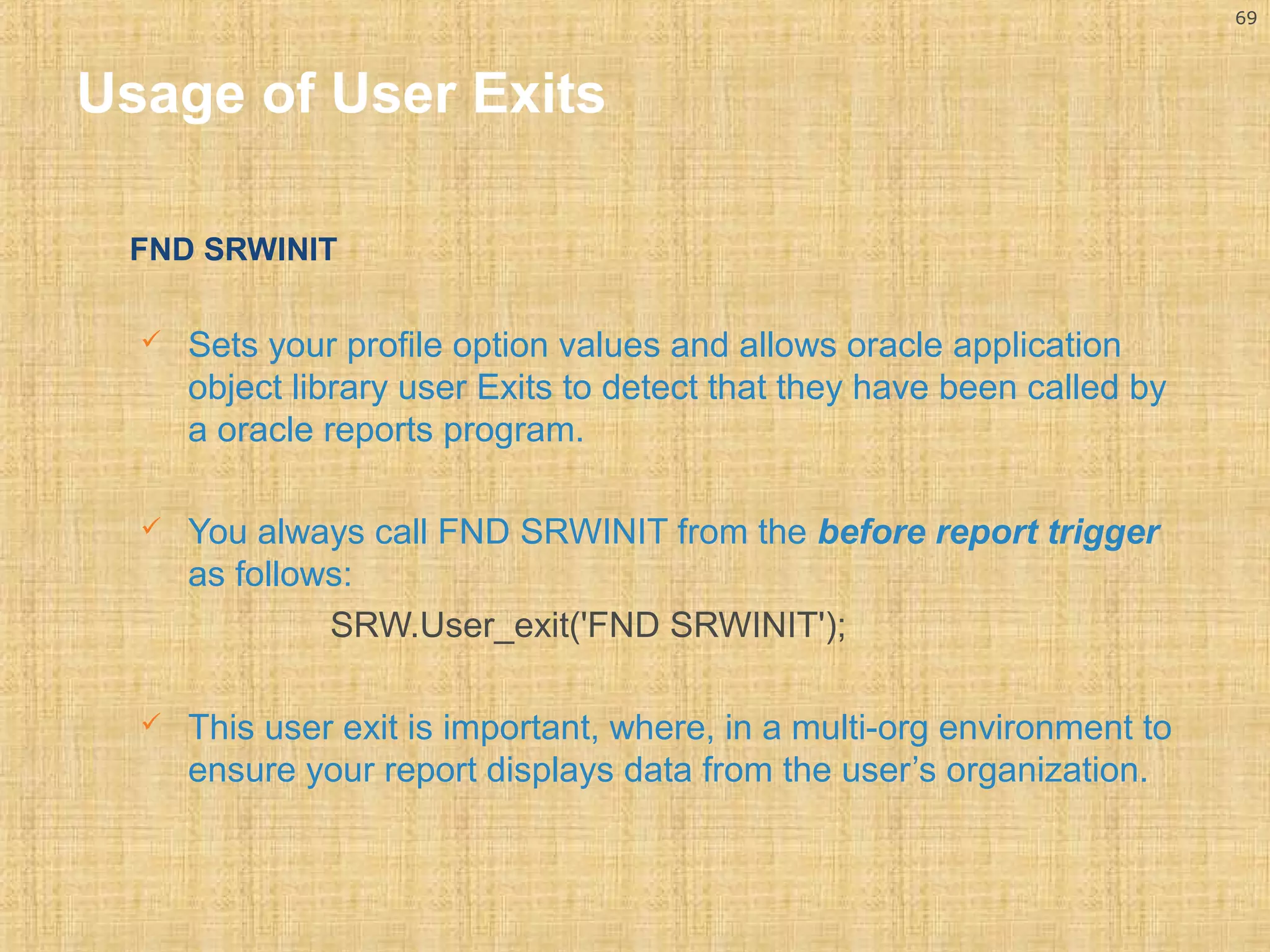
Usage of User Exits 
FND SRWINIT 
 Sets your profile option values and allows oracle application 
object library user Exits to detect that they have been called by 
a oracle reports program. 
 You always call FND SRWINIT from the before report trigger 
as follows: 
SRW.User_exit('FND SRWINIT'); 
 This user exit is important, where, in a multi-org environment to 
ensure your report displays data from the user’s organization.
70 
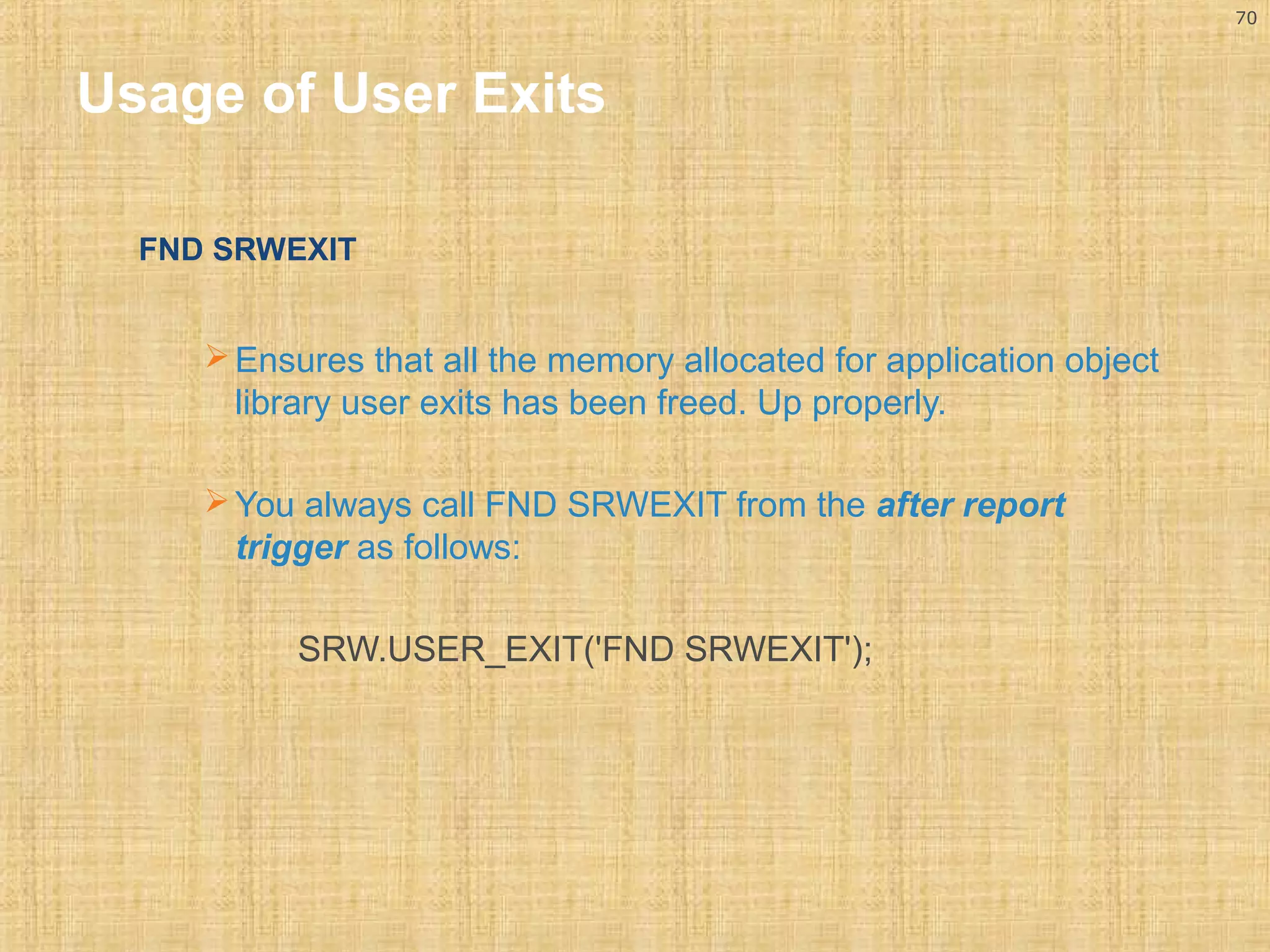
Usage of User Exits 
FND SRWEXIT 
Ensures that all the memory allocated for application object 
library user exits has been freed. Up properly. 
You always call FND SRWEXIT from the after report 
trigger as follows: 
SRW.USER_EXIT('FND SRWEXIT');
71 
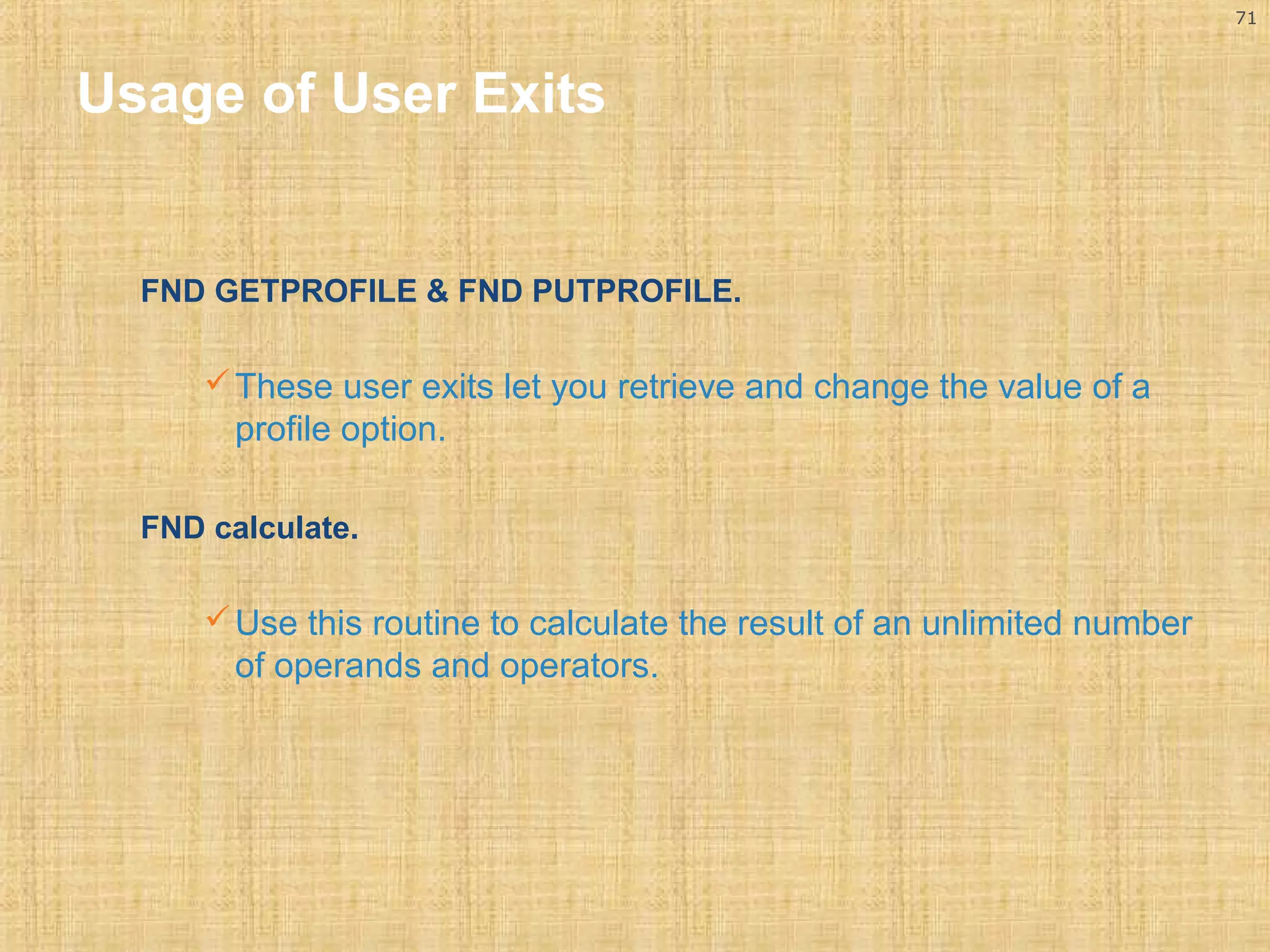
Usage of User Exits 
FND GETPROFILE & FND PUTPROFILE. 
These user exits let you retrieve and change the value of a 
profile option. 
FND calculate. 
Use this routine to calculate the result of an unlimited number 
of operands and operators.
72 
Usage of User Exits 
FND FLEXSQL 
 This user exit can be called to create a SQL fragment. 
 Used by the report to tailor the SELECT statement that retrieves 
flexfield values. 
 This fragment allows you to SELECT flexfield values or to 
create a WHERE, ORDER BY, GROUP BY or HAVING clause 
to limit or sort the flexfield values returned by your SELECT 
statement. 
 The flexfield columns defined in the report should be of data 
type CHARACTER even though the table may use NUMBER / 
DATE.
73 
Usage of User Exits 
FND FLEXIDVAL 
This user exit is called to populate fields for display. Pass the 
key flexfield data retrieved by the query into this user exit 
from the formula column and the display values and 
descriptions and prompts by passing appropriate token. 
FND format_currency 
This user exit formats the currency amount dynamically depending 
upon: 
The precision of the actual currency value. 
The user's positive and negative format profile options 
The location (country) of the site : The location of the site 
determines the thousands separator and radix to use when 
displaying currency values.
74 
Usage of User Exits 
 Ensure you have required parameters. 
Ensure that the following parameters are defined using the oracle 
reports parameter screen, these will be used in the user exit calls and 
SQL statements. 
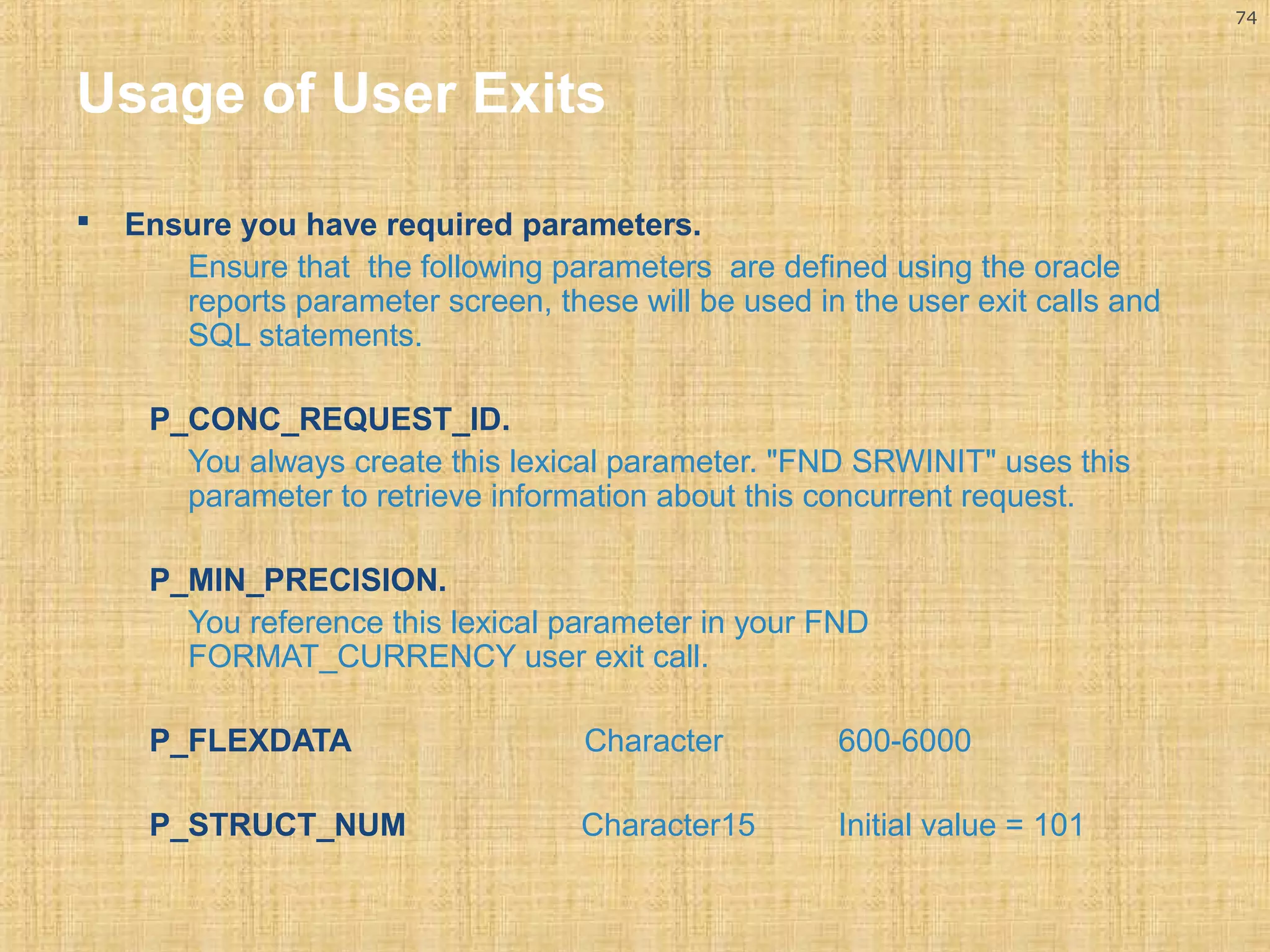
P_CONC_REQUEST_ID. 
You always create this lexical parameter. "FND SRWINIT" uses this 
parameter to retrieve information about this concurrent request. 
P_MIN_PRECISION. 
You reference this lexical parameter in your FND 
FORMAT_CURRENCY user exit call. 
P_FLEXDATA Character 600-6000 
P_STRUCT_NUM Character15 Initial value = 101
75 
Report Registration Process in OA 
Report Deployment. 
Typically the report will be developed on a PC, so when it is ready to test 
in the oracle applications environment, you must: 
Upload your .rdf file to the server box, ensure file is uploaded 
properly. If the .rdf is not properly not uploaded the report will fail 
with a signal 10 error. 
Place the .rdf file it in the correct directory. 
Each product (eg. GL, AP etc) will have a directory structure and you 
will need to place the report in the report sub-directory of the 
appropriate product. Typically the directory structures will have 
names like ONT_TOP and are relatively easy to identify. You should 
always place your custom reports in “mod” directories. 
Ensure your report has the appropriate file permission’s which allow 
the oracle concurrent manager to execute it (using chmod etc).
76 
Report Registration Process in OA 
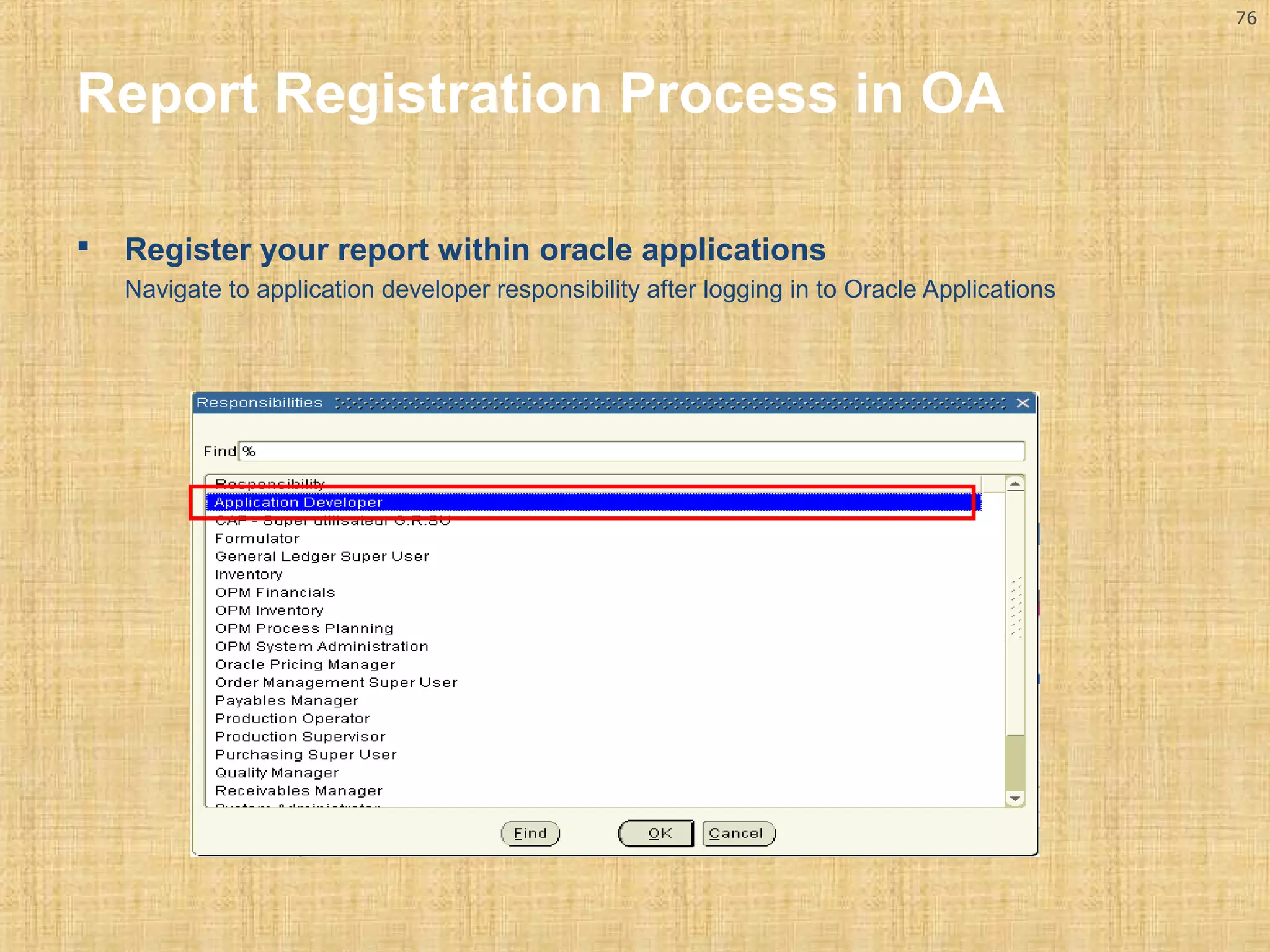
 Register your report within oracle applications 
Navigate to application developer responsibility after logging in to Oracle Applications
77 
Report Registration Process in OA 
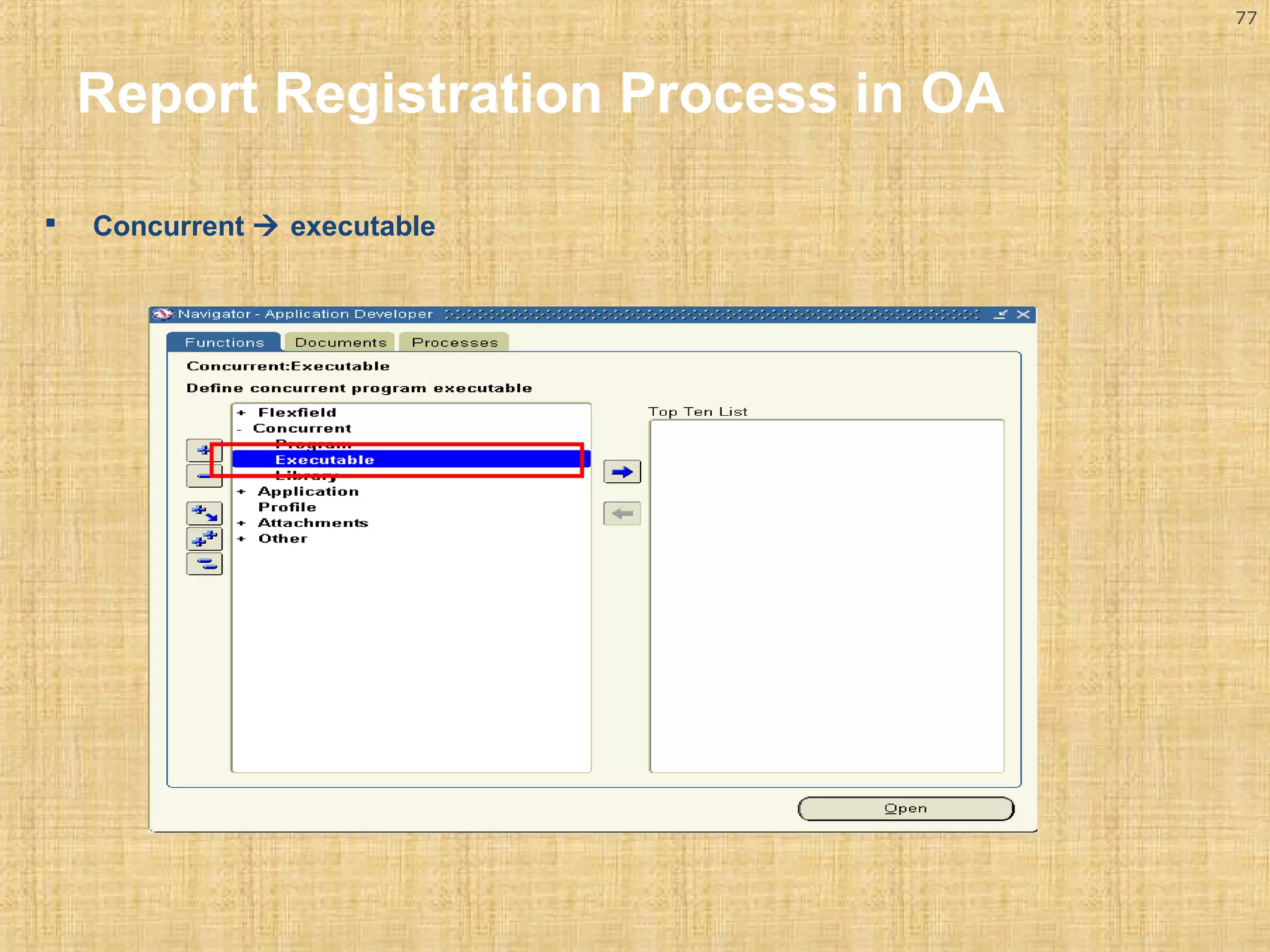
 Concurrent  executable
78 
Report Registration Process in OA 
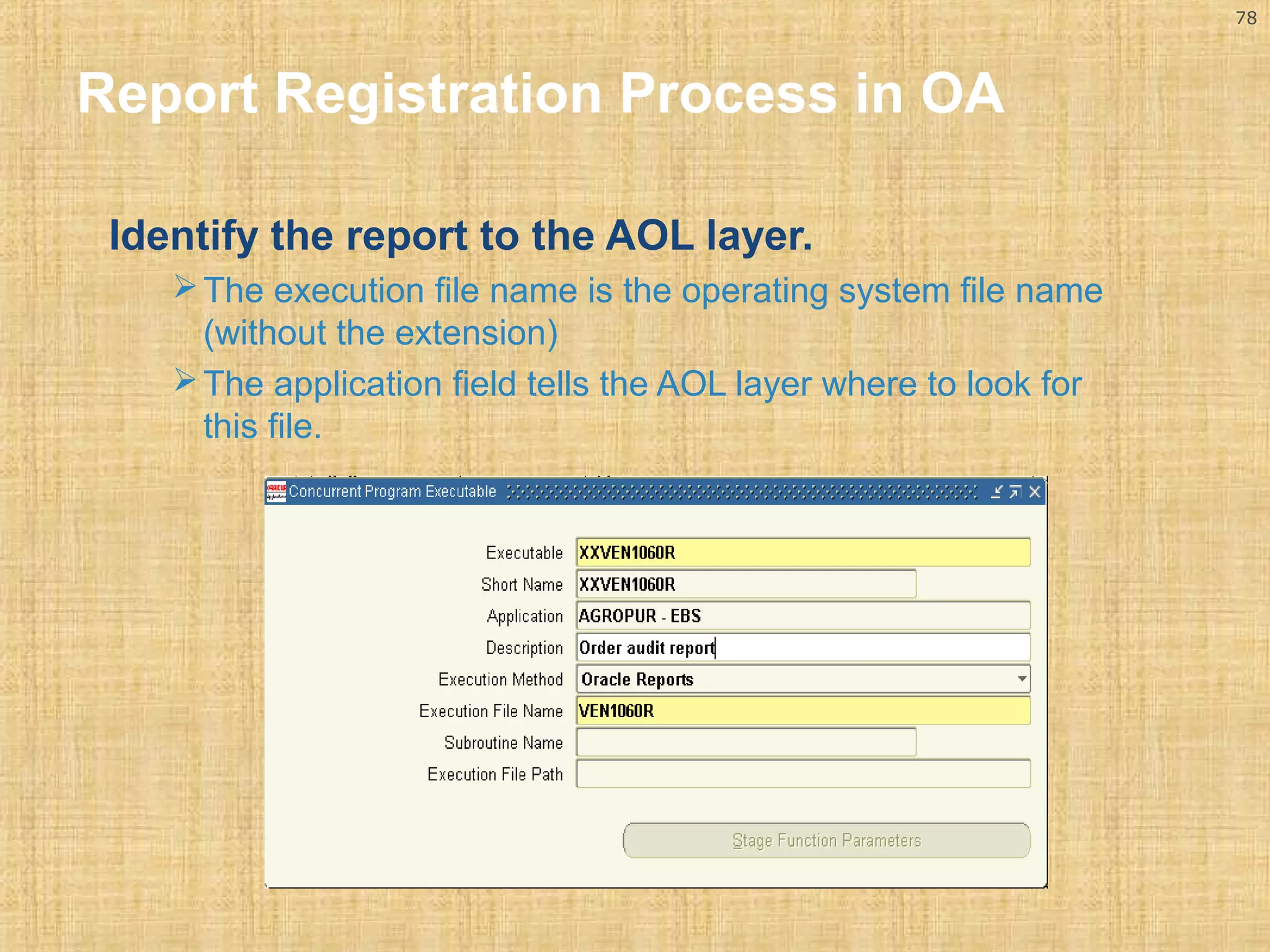
Identify the report to the AOL layer. 
The execution file name is the operating system file name 
(without the extension) 
The application field tells the AOL layer where to look for 
this file.
79 
Report Registration Process in OA 
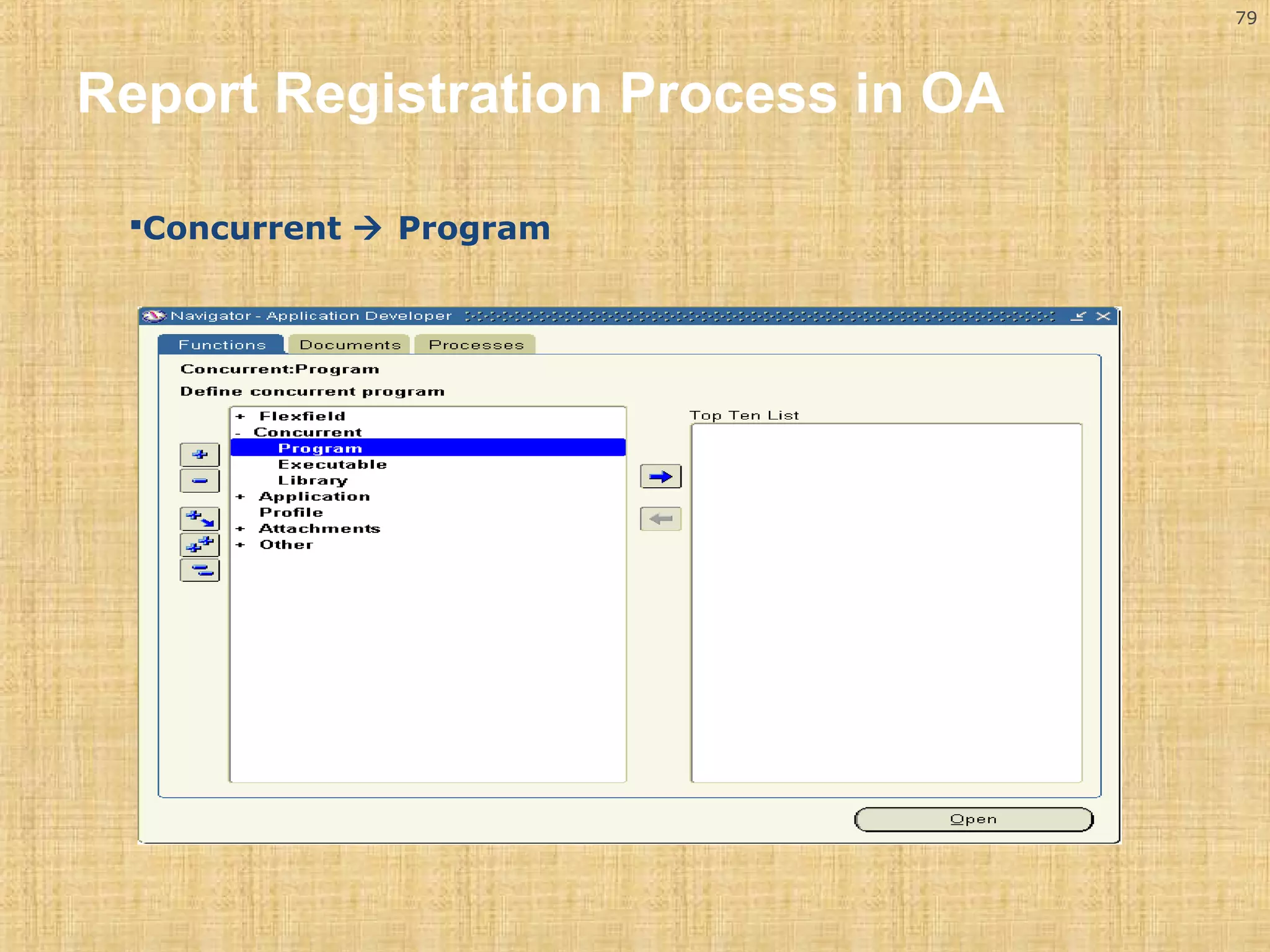
Concurrent  Program
80 
Report Registration Process in OA 
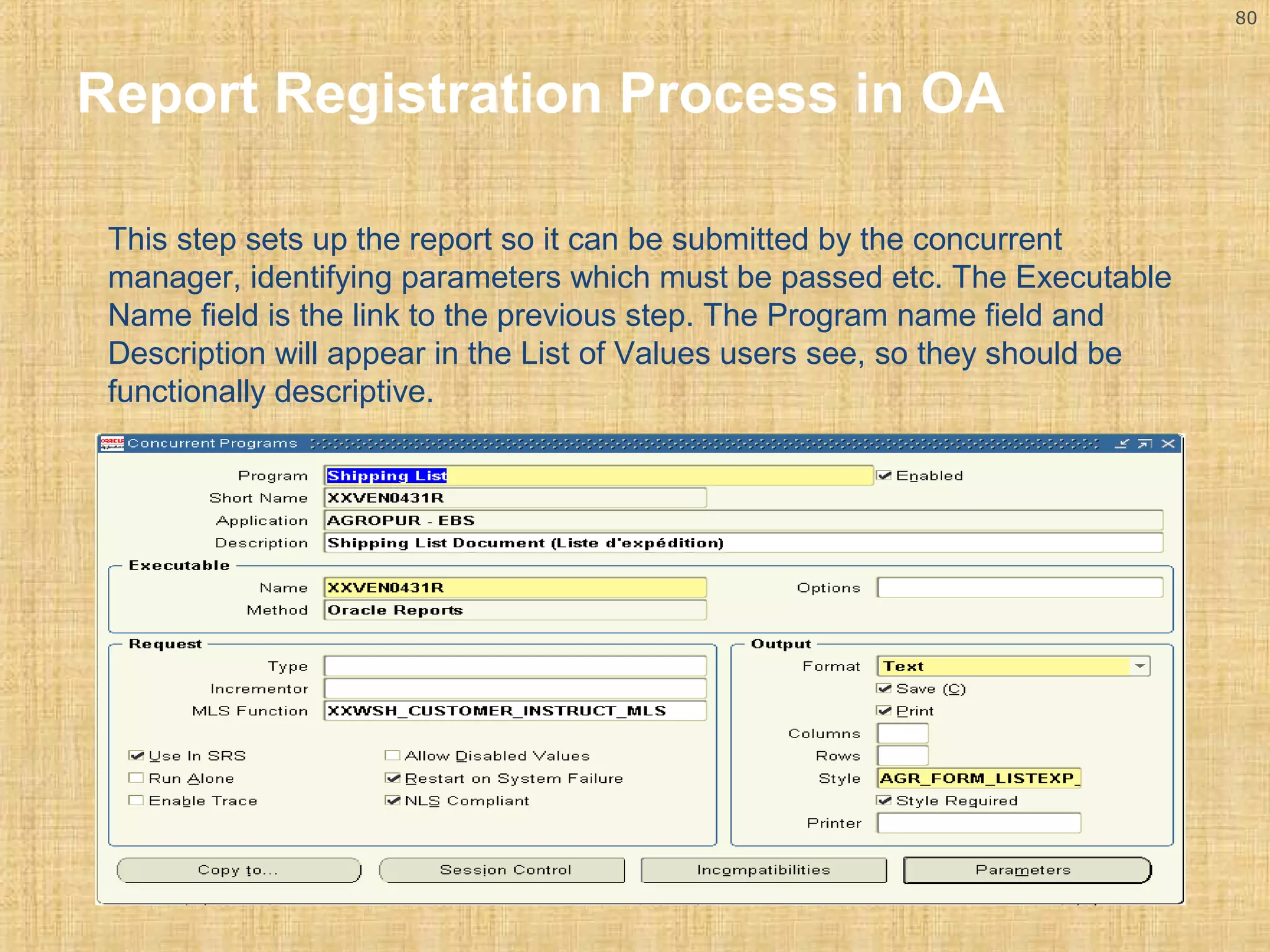
This step sets up the report so it can be submitted by the concurrent 
manager, identifying parameters which must be passed etc. The Executable 
Name field is the link to the previous step. The Program name field and 
Description will appear in the List of Values users see, so they should be 
functionally descriptive.
81 
Report Registration Process in OA 
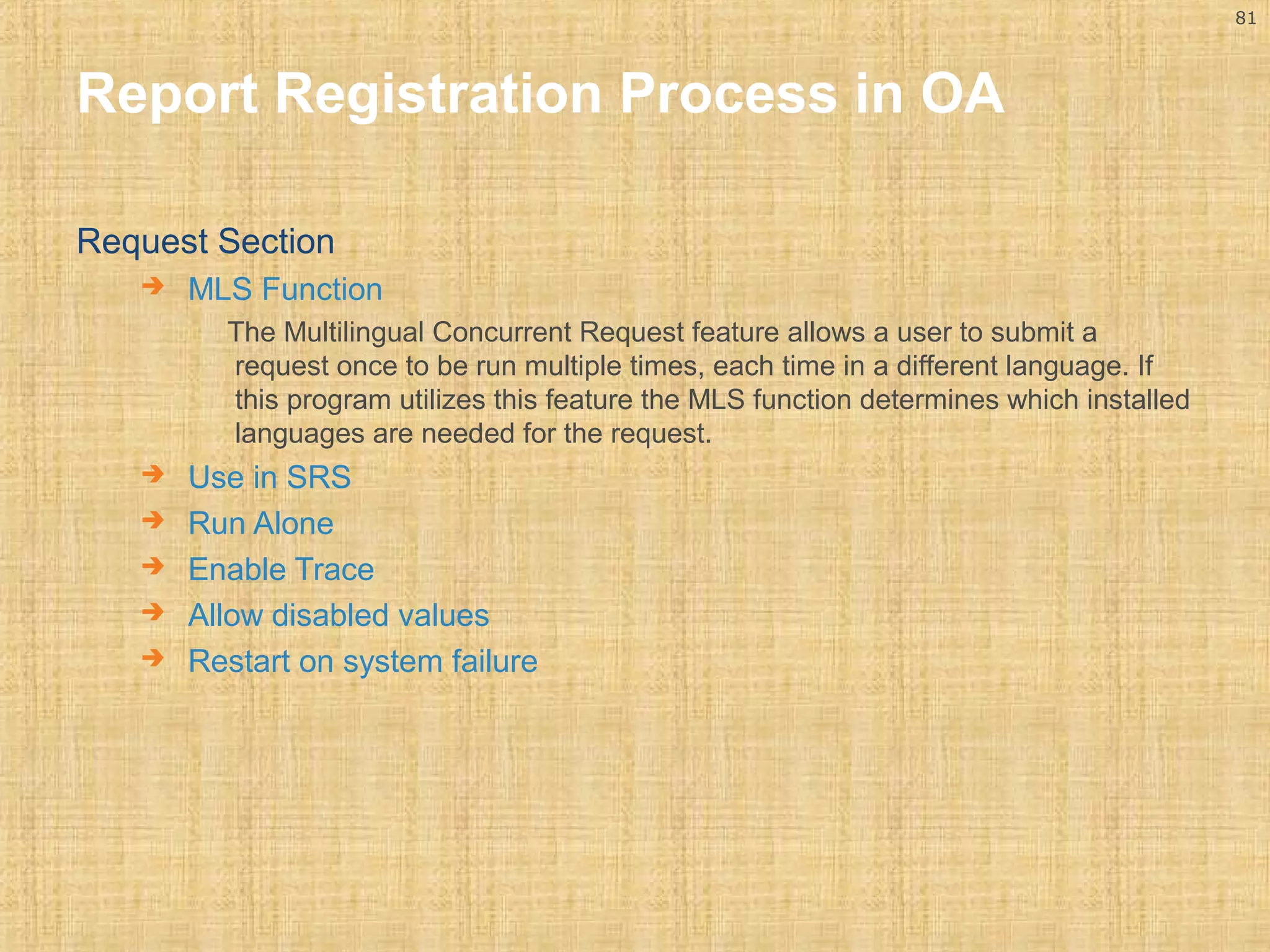
Request Section 
 MLS Function 
The Multilingual Concurrent Request feature allows a user to submit a 
request once to be run multiple times, each time in a different language. If 
this program utilizes this feature the MLS function determines which installed 
languages are needed for the request. 
 Use in SRS 
 Run Alone 
 Enable Trace 
 Allow disabled values 
 Restart on system failure
82 
Report Registration Process in OA 
 Output Section 
 Format 
 Save 
 Print 
 Columns 
 Rows 
 Style 
 Style Required 
 Printer
83 
Report Registration Process in OA 
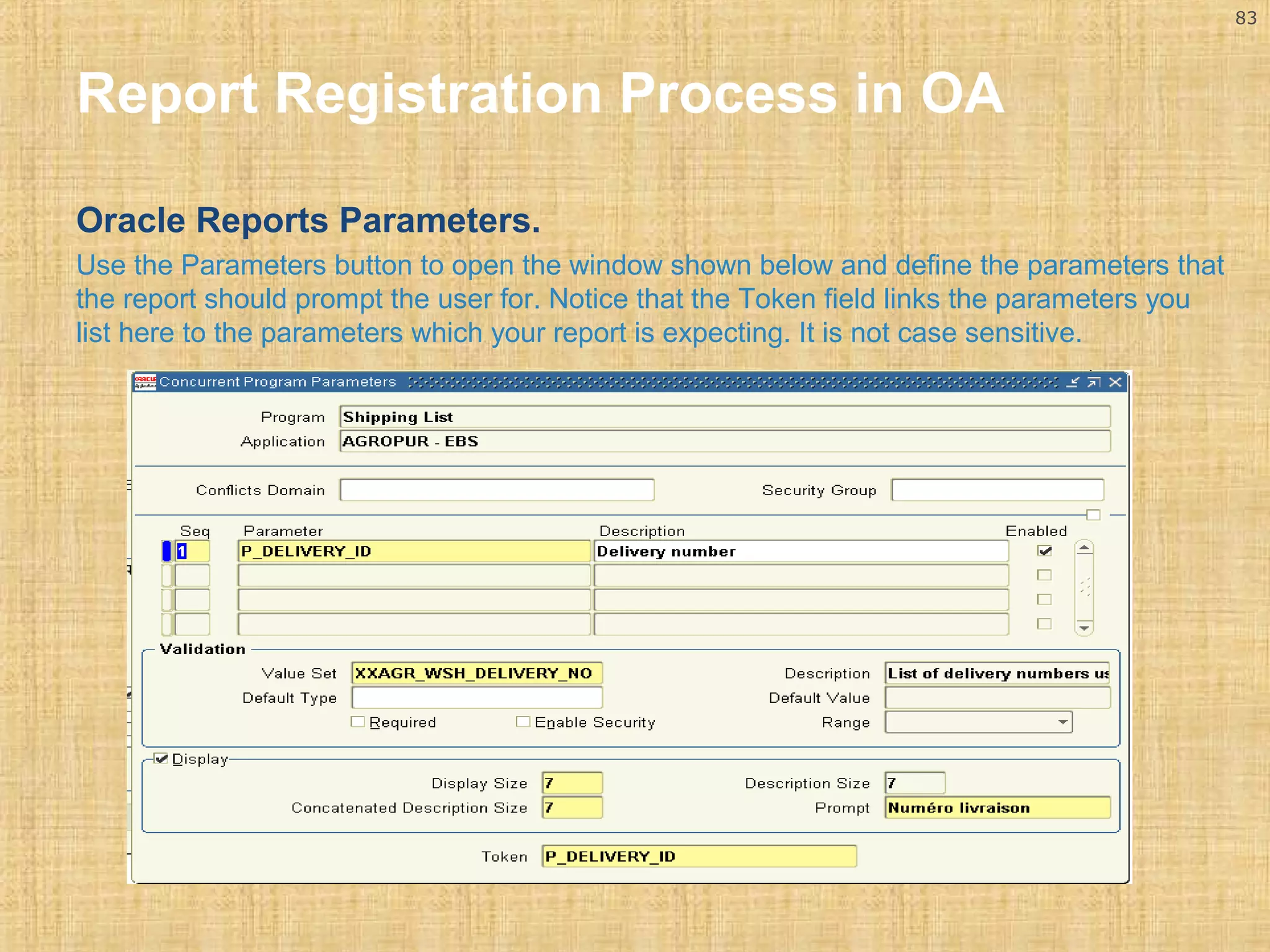
Oracle Reports Parameters. 
Use the Parameters button to open the window shown below and define the parameters that 
the report should prompt the user for. Notice that the Token field links the parameters you 
list here to the parameters which your report is expecting. It is not case sensitive.
84 
Report Registration Process in OA 
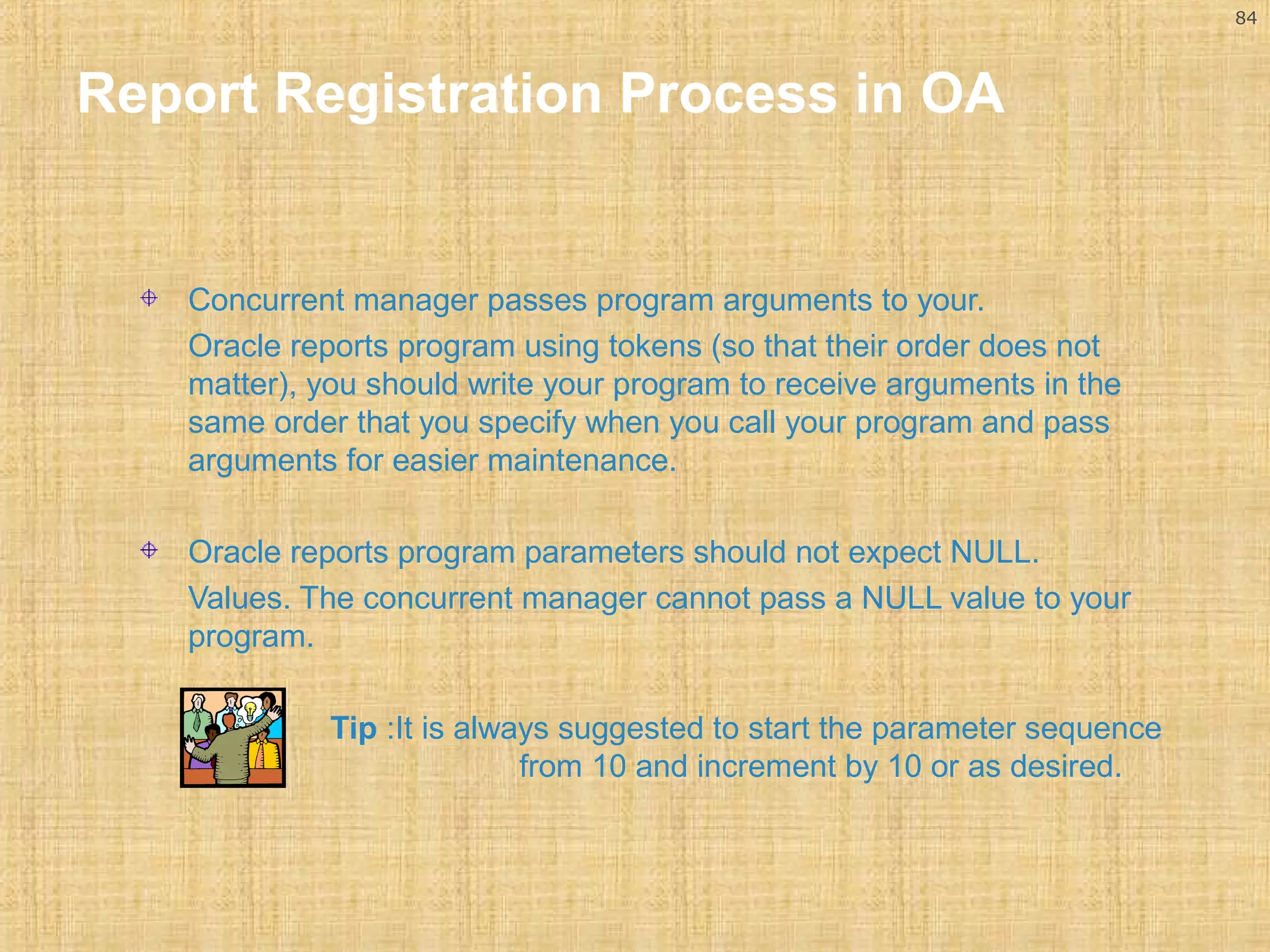
Concurrent manager passes program arguments to your. 
Oracle reports program using tokens (so that their order does not 
matter), you should write your program to receive arguments in the 
same order that you specify when you call your program and pass 
arguments for easier maintenance. 
Oracle reports program parameters should not expect NULL. 
Values. The concurrent manager cannot pass a NULL value to your 
program. 
Tip :It is always suggested to start the parameter sequence 
from 10 and increment by 10 or as desired.
85 
Report Registration Process in OA 
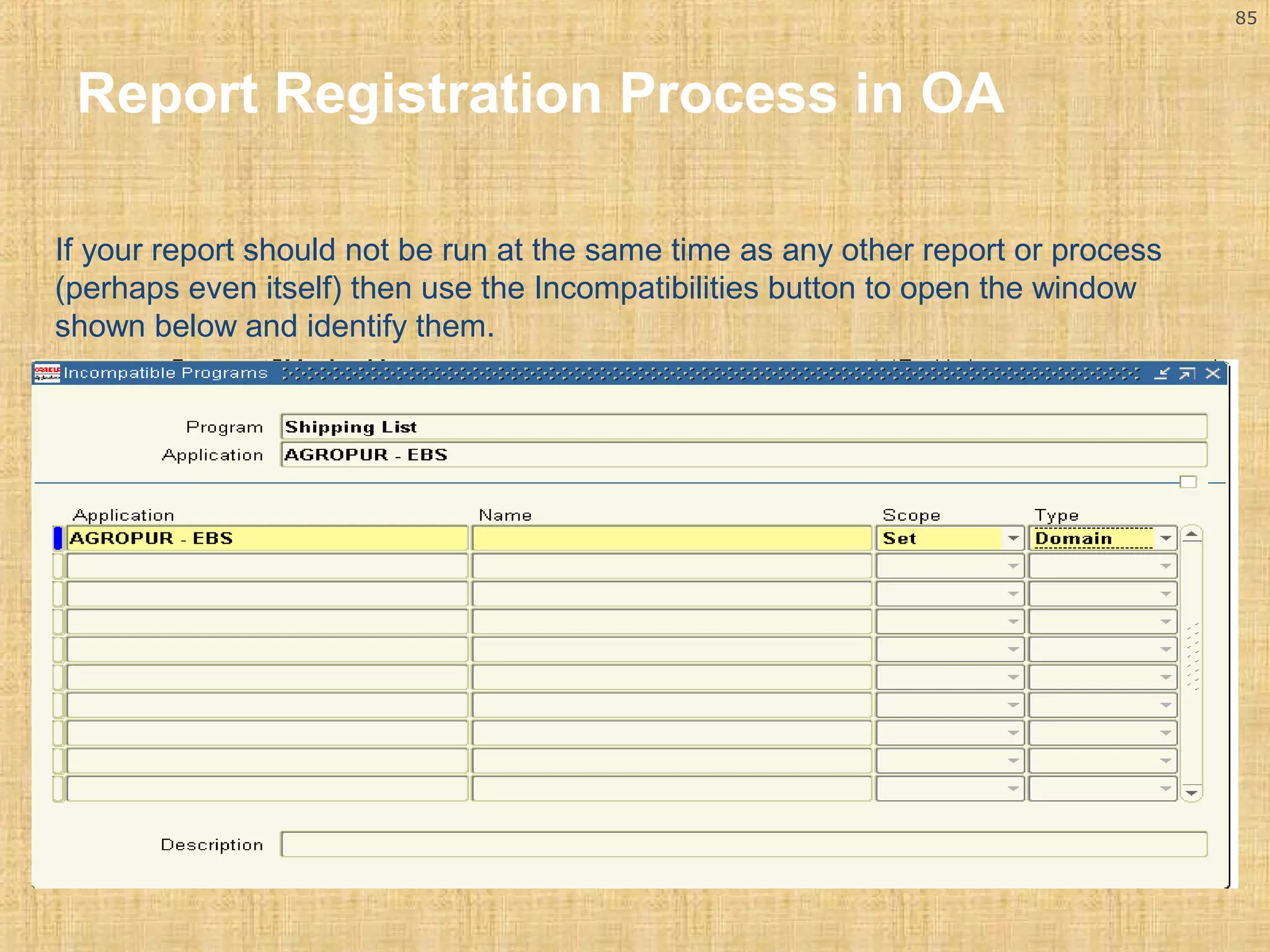
If your report should not be run at the same time as any other report or process 
(perhaps even itself) then use the Incompatibilities button to open the window 
shown below and identify them.
86 
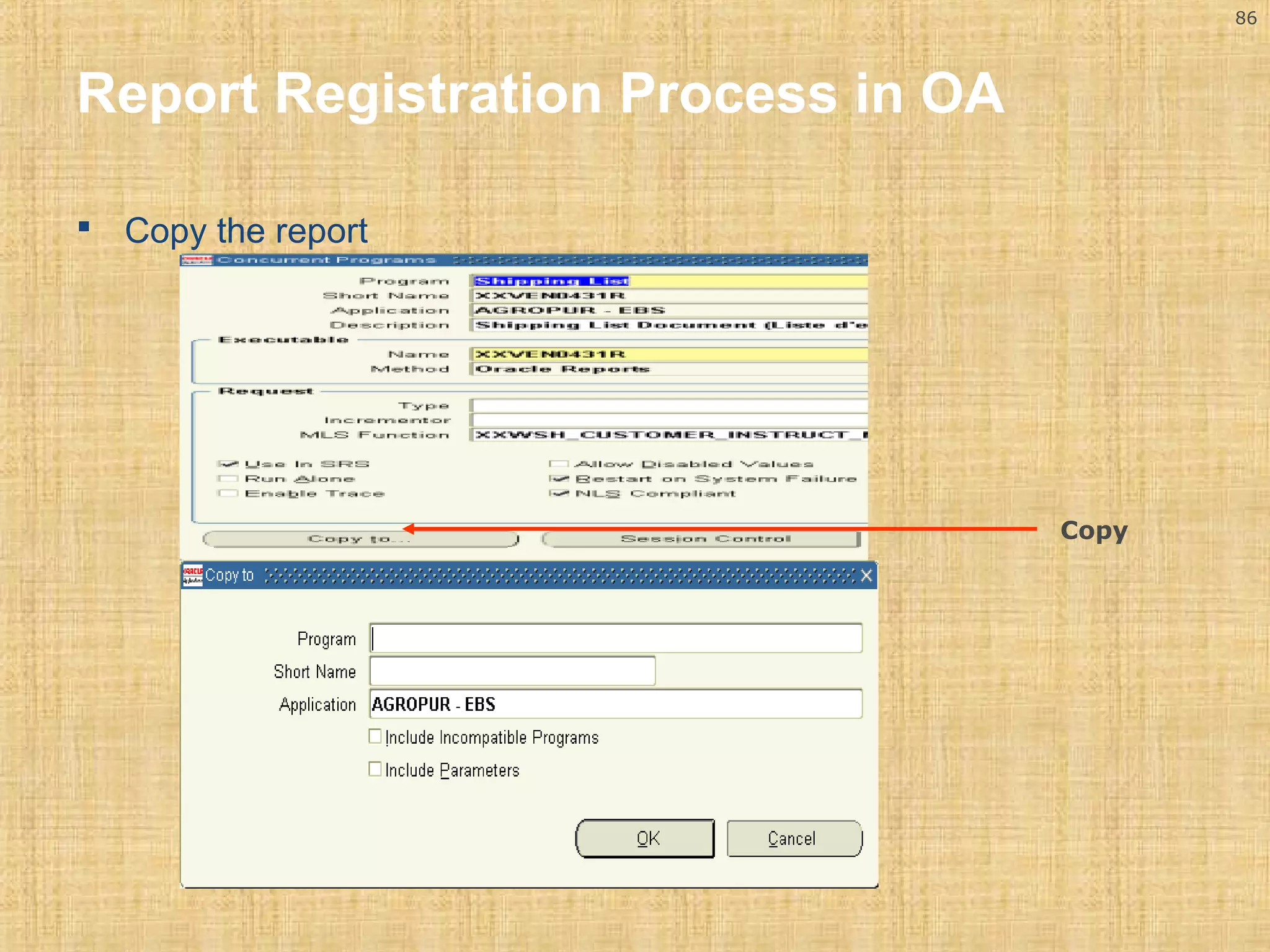
 Copy the report 
Copy 
Report Registration Process in OA
87 
Report Registration Process in OA 
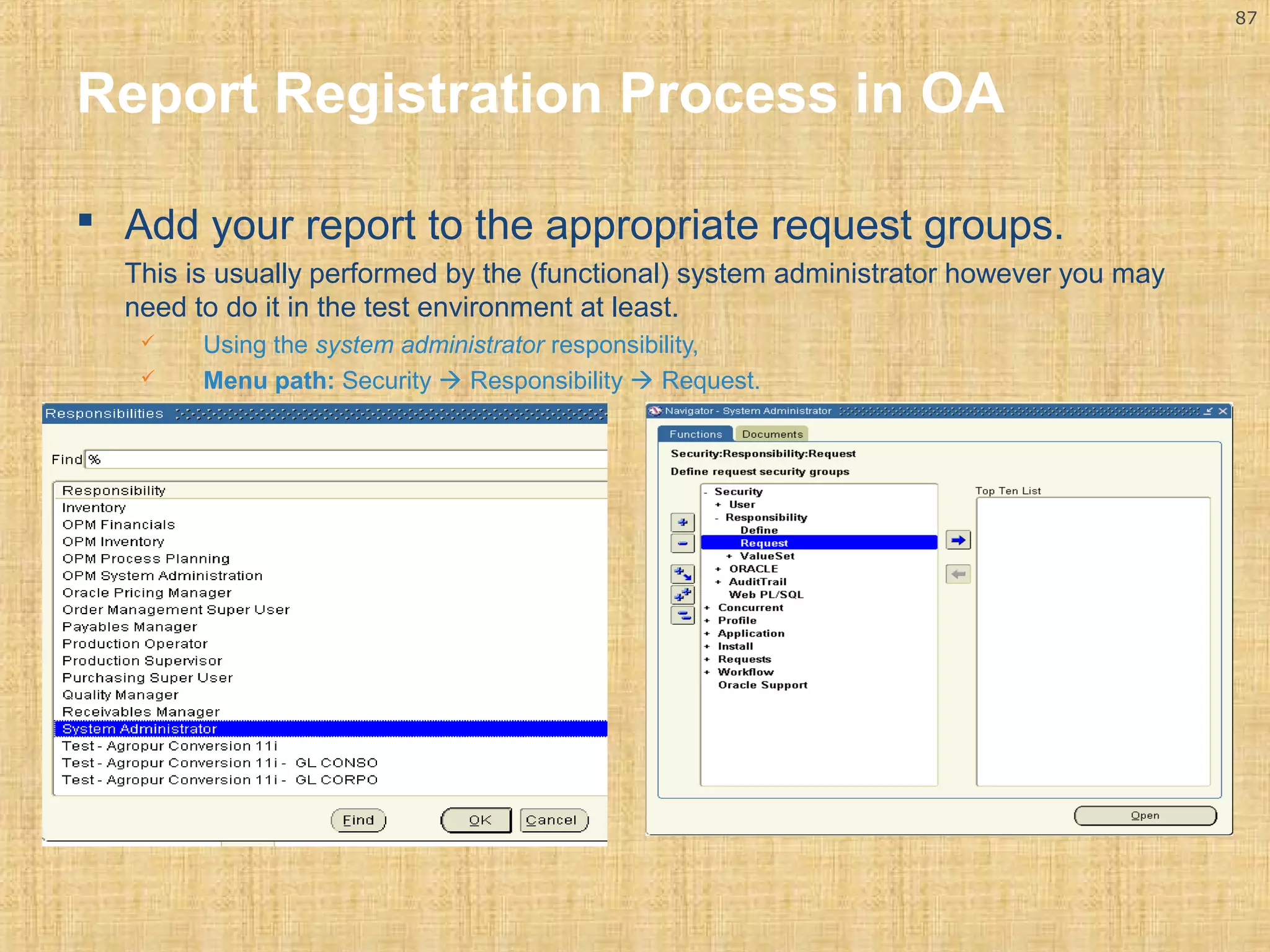
 Add your report to the appropriate request groups. 
This is usually performed by the (functional) system administrator however you may 
need to do it in the test environment at least. 
 Using the system administrator responsibility, 
 Menu path: Security  Responsibility  Request.
88 
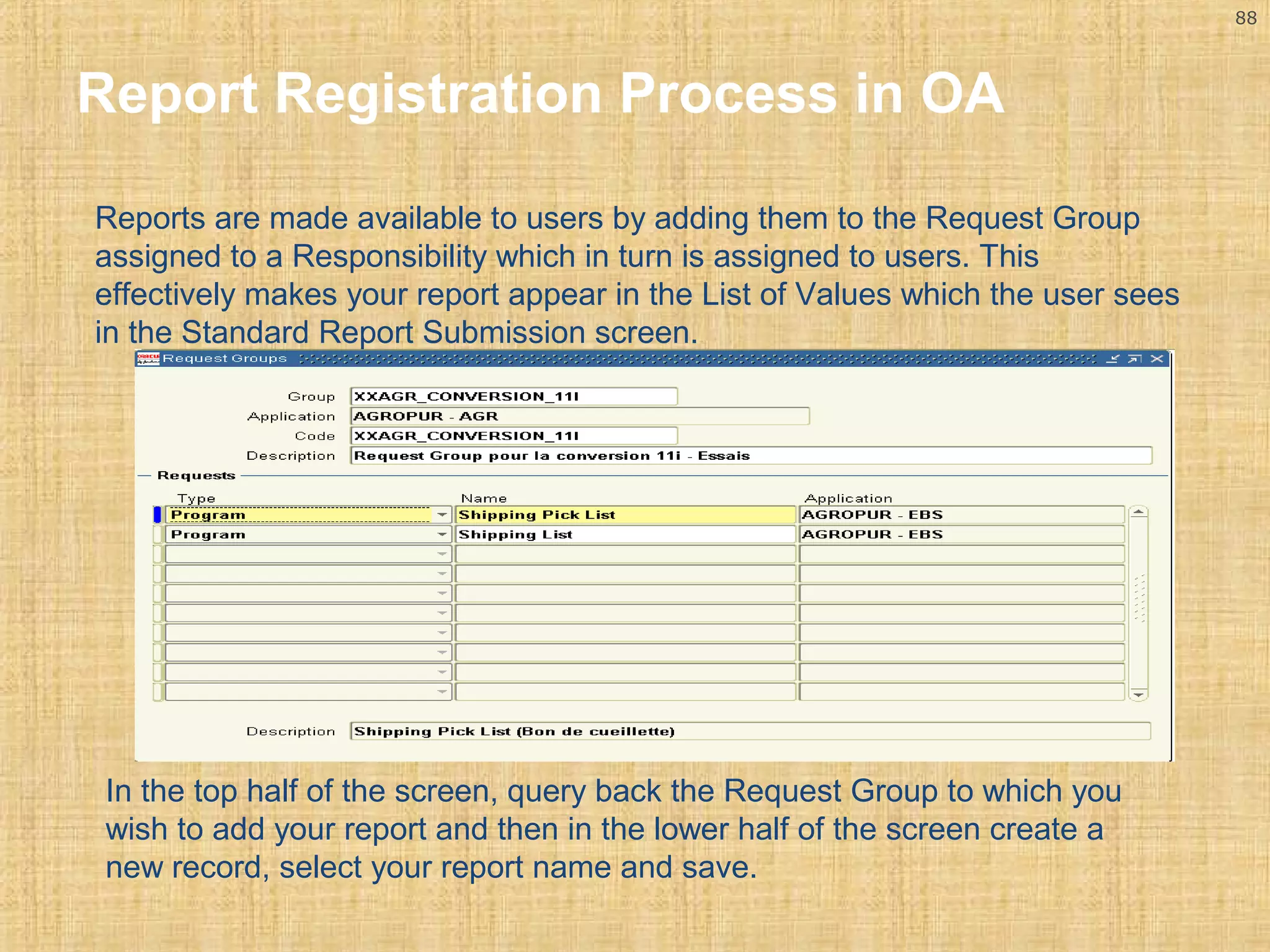
Report Registration Process in OA 
Reports are made available to users by adding them to the Request Group 
assigned to a Responsibility which in turn is assigned to users. This 
effectively makes your report appear in the List of Values which the user sees 
in the Standard Report Submission screen. 
In the top half of the screen, query back the Request Group to which you 
wish to add your report and then in the lower half of the screen create a 
new record, select your report name and save.
89 
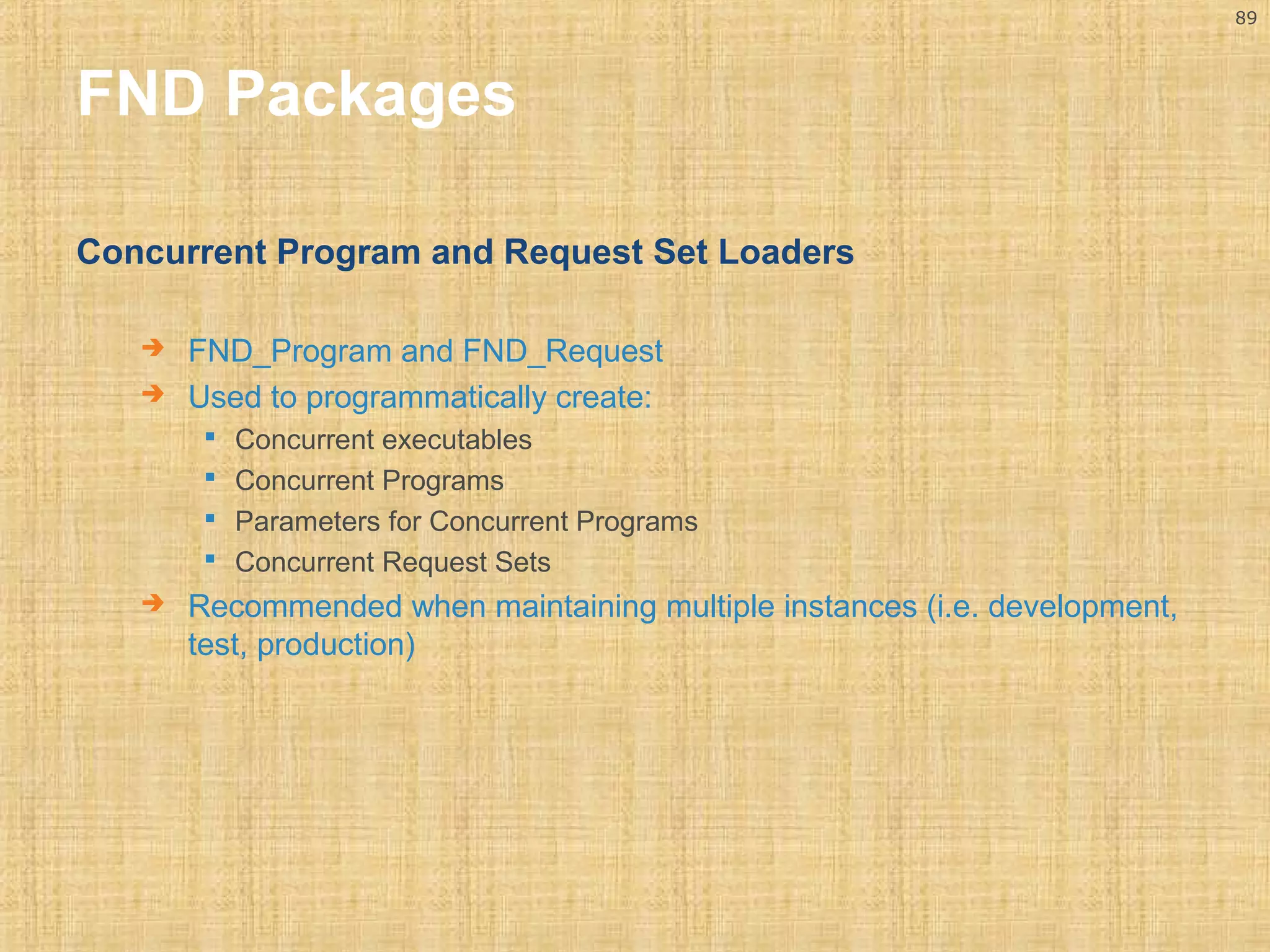
FND Packages 
Concurrent Program and Request Set Loaders 
 FND_Program and FND_Request 
 Used to programmatically create: 
 Concurrent executables 
 Concurrent Programs 
 Parameters for Concurrent Programs 
 Concurrent Request Sets 
 Recommended when maintaining multiple instances (i.e. development, 
test, production)
90 
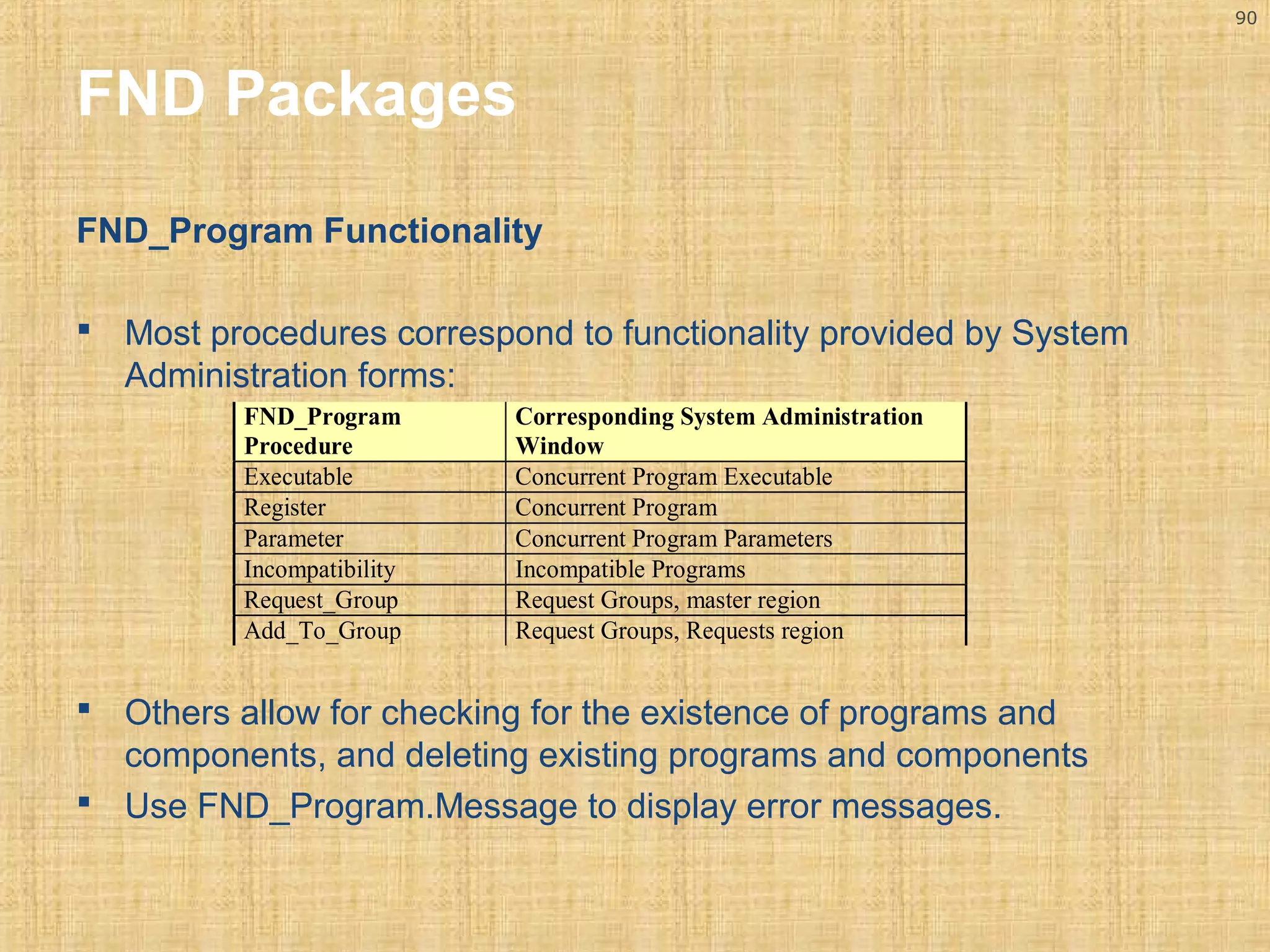
FND Packages 
FND_Program Functionality 
 Most procedures correspond to functionality provided by System 
Administration forms: 
FND_Program 
Procedure 
Corresponding System Administration 
Window 
Executable Concurrent Program Executable 
Register Concurrent Program 
Parameter Concurrent Program Parameters 
Incompatibility Incompatible Programs 
Request_Group Request Groups, master region 
Add_To_Group Request Groups, Requests region 
 Others allow for checking for the existence of programs and 
components, and deleting existing programs and components 
 Use FND_Program.Message to display error messages.
91 
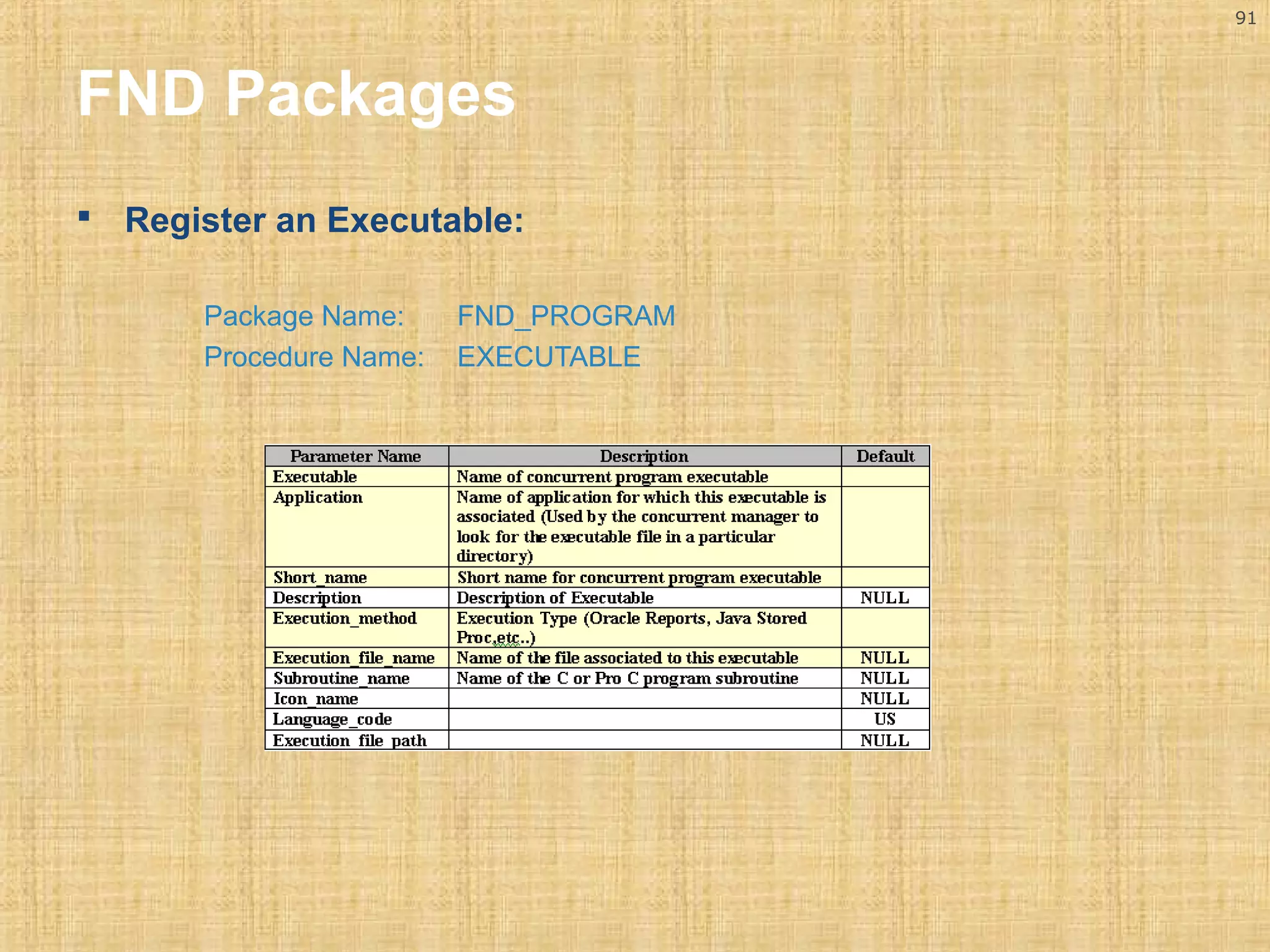
FND Packages 
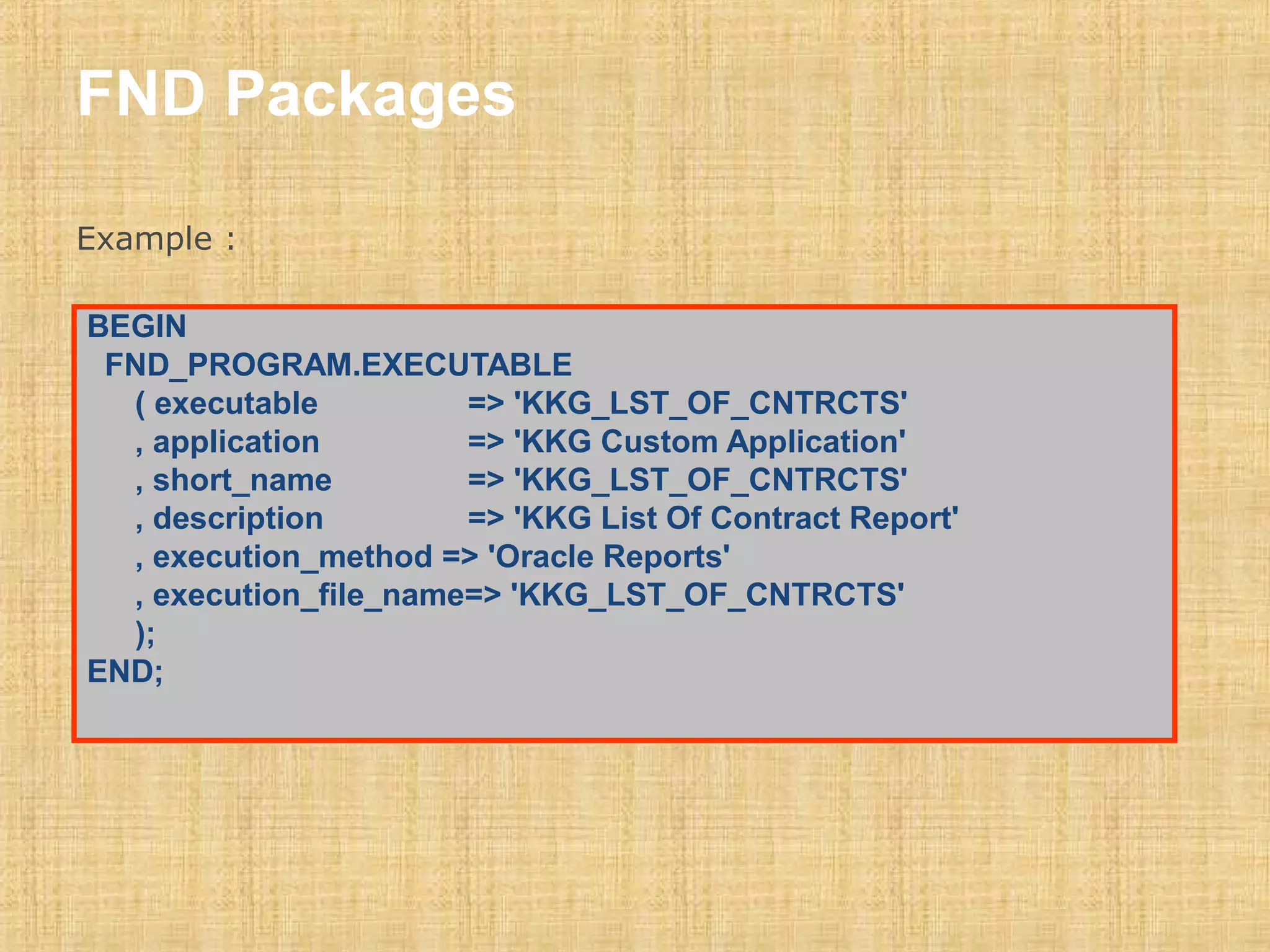
 Register an Executable: 
Package Name: FND_PROGRAM 
Procedure Name: EXECUTABLE
FND Packages 
Example : 
BEGIN 
FND_PROGRAM.EXECUTABLE 
( executable => 'KKG_LST_OF_CNTRCTS' 
, application => 'KKG Custom Application' 
, short_name => 'KKG_LST_OF_CNTRCTS' 
, description => 'KKG List Of Contract Report' 
, execution_method => 'Oracle Reports' 
, execution_file_name=> 'KKG_LST_OF_CNTRCTS' 
); 
END;
93 
FND Packages 
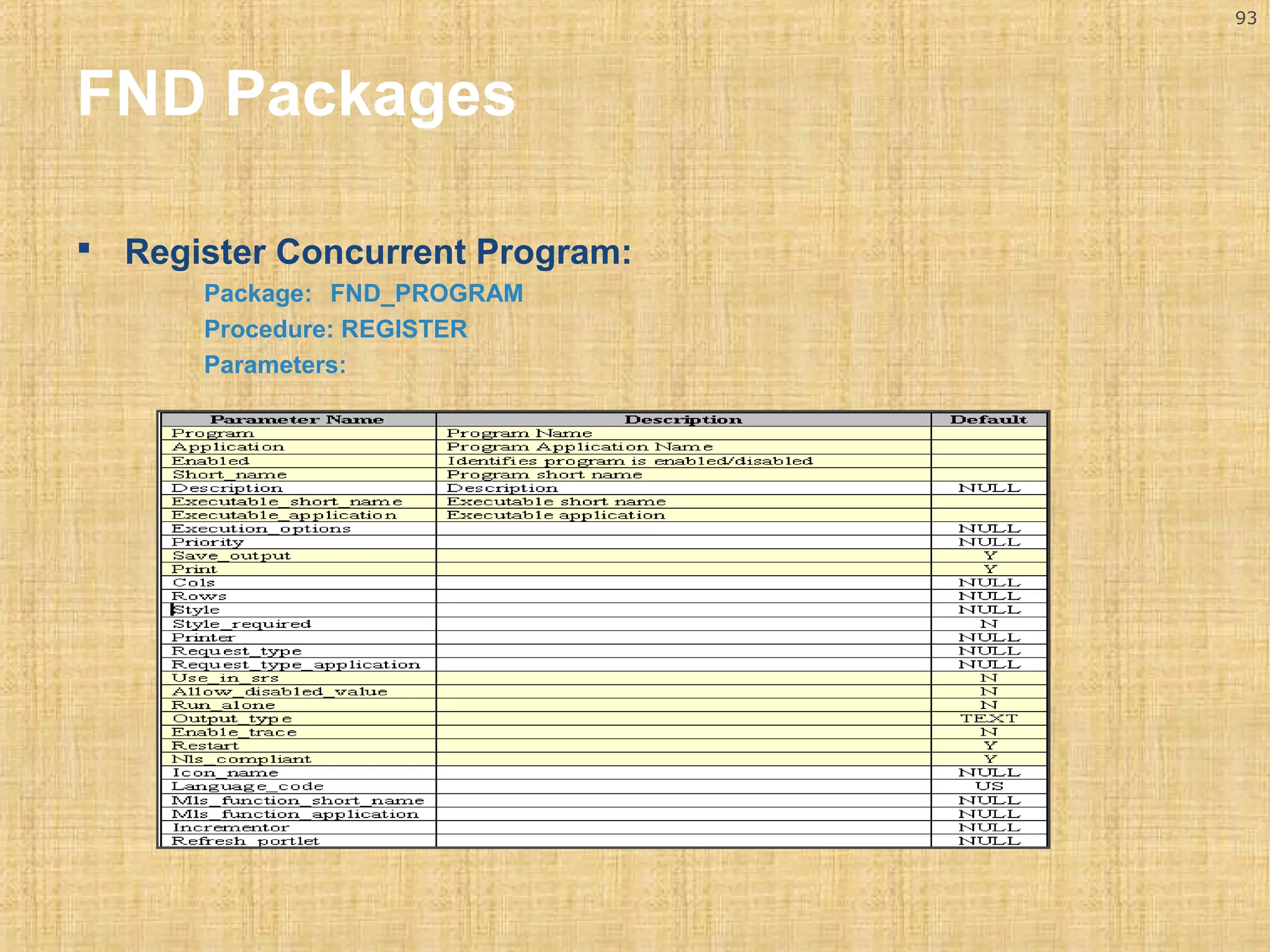
 Register Concurrent Program: 
Package: FND_PROGRAM 
Procedure: REGISTER 
Parameters:
94 
FND Packages 
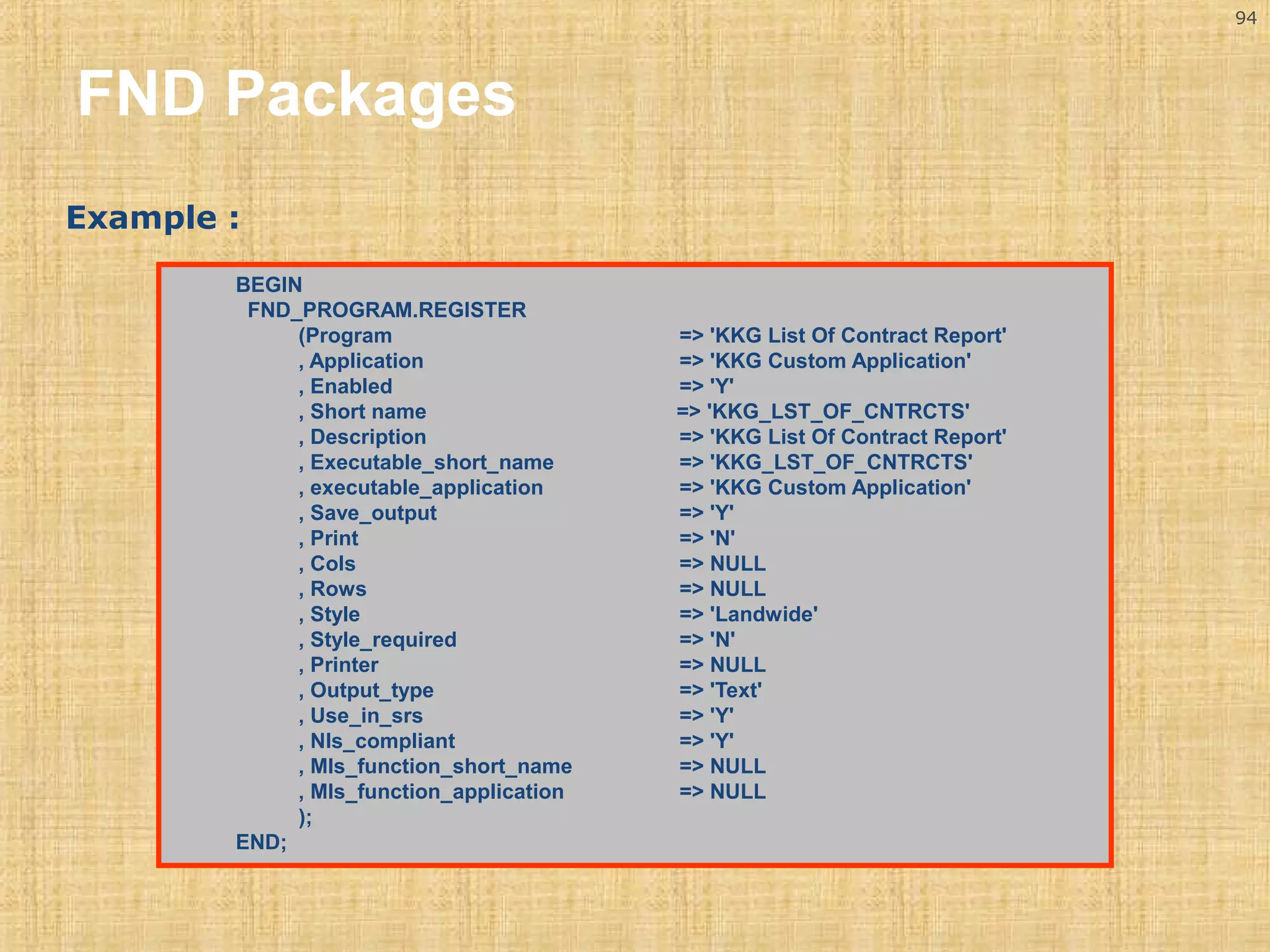
Example : 
BEGIN 
FND_PROGRAM.REGISTER 
(Program => 'KKG List Of Contract Report' 
, Application => 'KKG Custom Application' 
, Enabled => 'Y' 
, Short name => 'KKG_LST_OF_CNTRCTS' 
, Description => 'KKG List Of Contract Report' 
, Executable_short_name => 'KKG_LST_OF_CNTRCTS' 
, executable_application => 'KKG Custom Application' 
, Save_output => 'Y' 
, Print => 'N' 
, Cols => NULL 
, Rows => NULL 
, Style => 'Landwide' 
, Style_required => 'N' 
, Printer => NULL 
, Output_type => 'Text' 
, Use_in_srs => 'Y' 
, Nls_compliant => 'Y' 
, Mls_function_short_name => NULL 
, Mls_function_application => NULL 
); 
END;
95 
FND Packages 
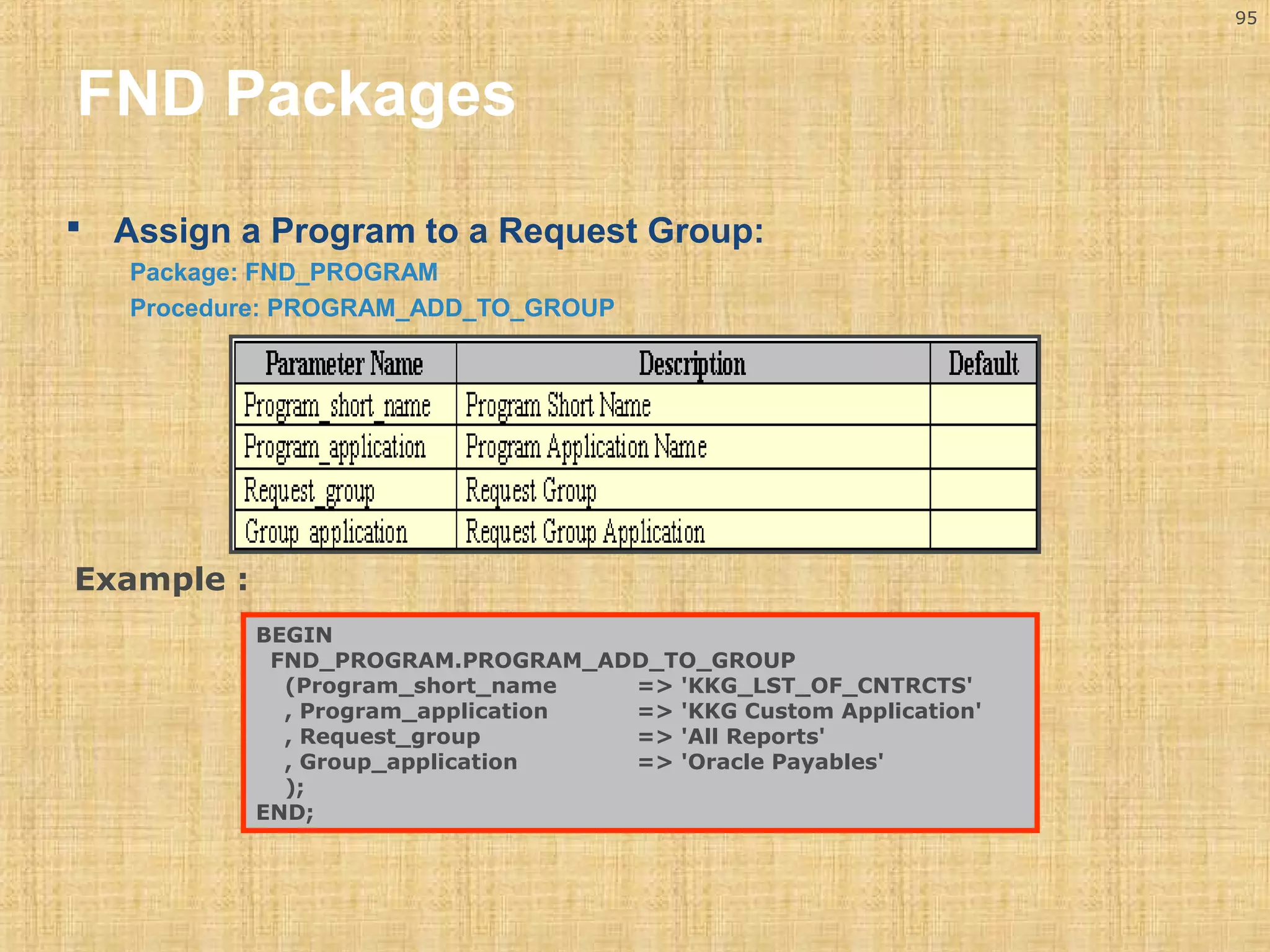
 Assign a Program to a Request Group: 
Package: FND_PROGRAM 
Procedure: PROGRAM_ADD_TO_GROUP 
BEGIN 
FND_PROGRAM.PROGRAM_ADD_TO_GROUP 
(Program_short_name => 'KKG_LST_OF_CNTRCTS' 
, Program_application => 'KKG Custom Application' 
, Request_group => 'All Reports' 
, Group_application => 'Oracle Payables' 
); 
END; 
Example :
96 
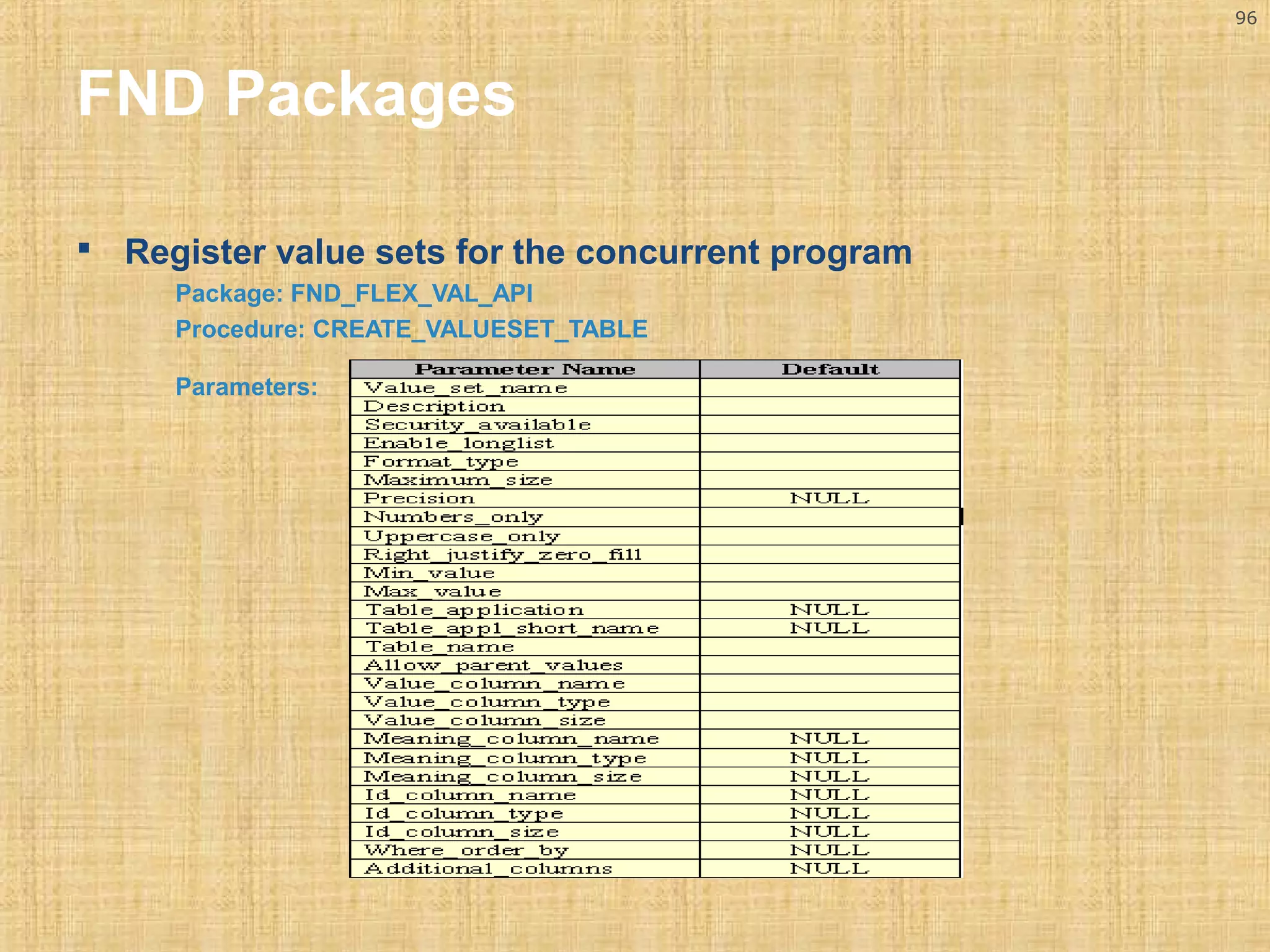
FND Packages 
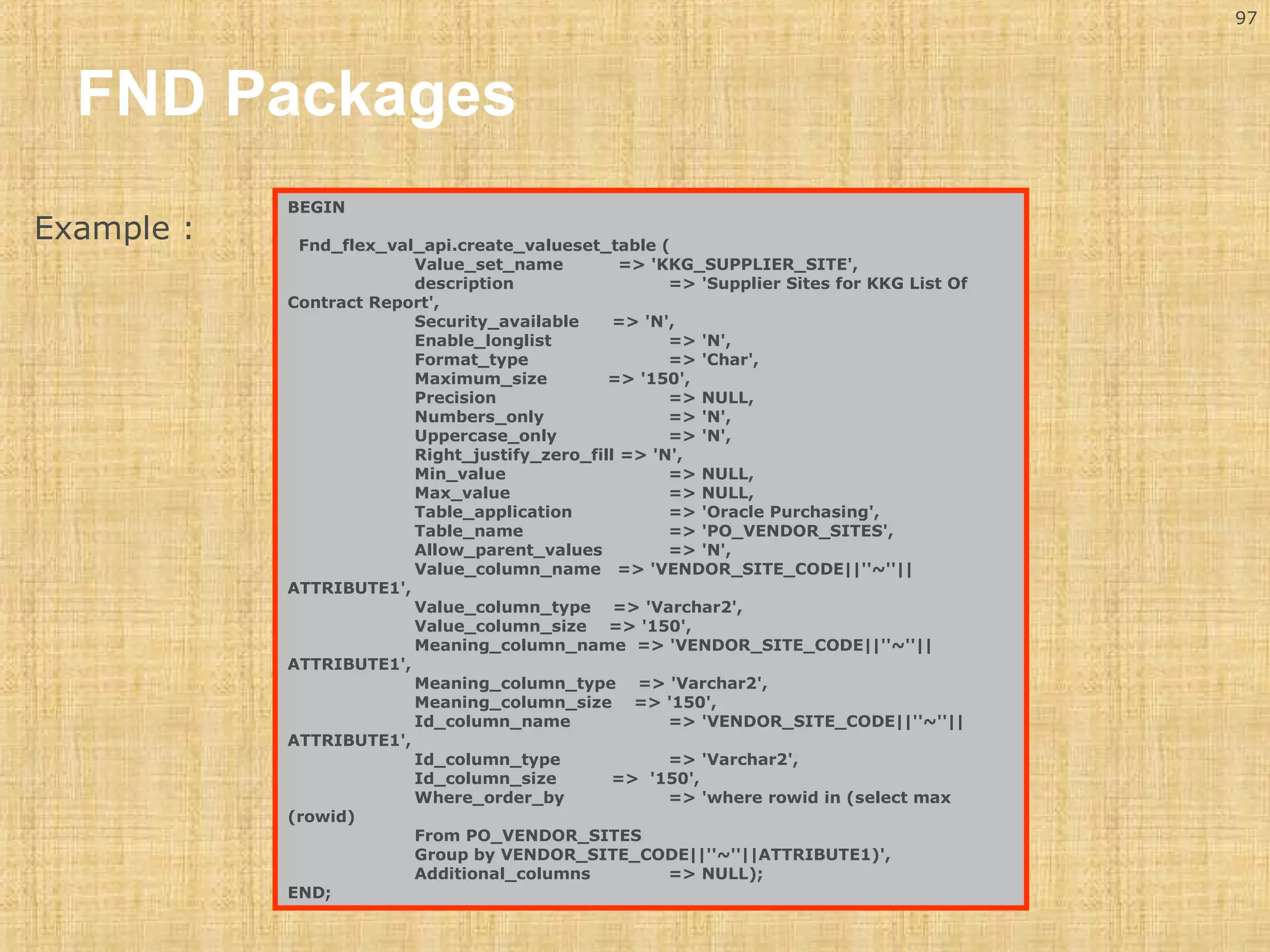
 Register value sets for the concurrent program 
Package: FND_FLEX_VAL_API 
Procedure: CREATE_VALUESET_TABLE 
Parameters:
97 
FND Packages 
BEGIN 
Fnd_flex_val_api.create_valueset_table ( 
Value_set_name => 'KKG_SUPPLIER_SITE', 
description => 'Supplier Sites for KKG List Of 
Contract Report', 
Security_available => 'N', 
Enable_longlist => 'N', 
Format_type => 'Char', 
Maximum_size => '150', 
Precision => NULL, 
Numbers_only => 'N', 
Uppercase_only => 'N', 
Right_justify_zero_fill => 'N', 
Min_value => NULL, 
Max_value => NULL, 
Table_application => 'Oracle Purchasing', 
Table_name => 'PO_VENDOR_SITES', 
Allow_parent_values => 'N', 
Value_column_name => 'VENDOR_SITE_CODE||''~''|| 
ATTRIBUTE1', 
Value_column_type => 'Varchar2', 
Value_column_size => '150', 
Meaning_column_name => 'VENDOR_SITE_CODE||''~''|| 
ATTRIBUTE1', 
Meaning_column_type => 'Varchar2', 
Meaning_column_size => '150', 
Id_column_name => 'VENDOR_SITE_CODE||''~''|| 
ATTRIBUTE1', 
Id_column_type => 'Varchar2', 
Id_column_size => '150', 
Where_order_by => 'where rowid in (select max 
(rowid) 
From PO_VENDOR_SITES 
Group by VENDOR_SITE_CODE||''~''||ATTRIBUTE1)', 
Additional_columns => NULL); 
END; 
Example :
98 
Tips 
 Report in Microsoft excel. 
A character mode report that saves its output to a file with an extension of .Csv, will 
automatically be recognizable by MS excel. 
 Beware of traps when modifying existing reports! 
If you are modifying an existing report, you begin by FTP’ing it up to your PC and 
opening it in the reports designer there. Very often the report will give you error 
messages about missing packages. The messages should give you the name of the 
packages and you will be able to find them in the plsql subdirectory of the application 
to which the report belongs on the server side.
99 
Definitions 
 APPS schema. 
An ORACLE schema that has access to the complete oracle applications data model. 
 Standard report submission (SRS). 
The procedure to submit a background report to the concurrent manager using SRS is the same 
regardless of the product that owns the report. SRS takes advantage of shared flexfield value sets. 
Custom reports can be integrated into standard report submission so that they can be submitted and 
monitored using the same procedures as other oracle applications reports. Developers can set up 
certain menus and responsibilities to access custom reports or standard objects. 
 Repeating frames 
Repeating frames are used to display the rows of data that are retrieved for a group. Thus, they 
"repeat" until all the data is retrieved. 
 Frames 
Frames are used to keep layout objects together and can be used to protect layout objects from being 
overwritten by repeating frames at runtime. 
 Fields 
Fields define how columns appear in a report, such as the format of currency amounts and dates 
 Anchors 
Anchors are used to determine the relative positioning of one object to another in a report. The anchor 
attaches the anchored object, or child, to an anchoring object, or parent.
Questions??
Thank You

Oracle D2K reports

  • 1.
  • 2.
    2 Topics Reporting Tools  Reporting Tools for Oracle Applications  Oracle application with Reports 6i  Character/Bitmapped Reports  Building a Report  Report Registration Process in OA  Usage of User Exits
  • 3.
    3 Reporting Tools Many organizations struggle with the question – What is the best applications reporting solution for its requirements?
  • 4.
    4 Reporting Tools Decision Making Type of Reporting tool, Which satisfies the Reporting Needs of organization.
  • 5.
    5 Reporting Tools Following Points influence in Decision Making:  Different User communities with potentially Different Information accessing the same Information Source.  The version of Oracle Applications.  Expertise in User Community.  Level of Technical Support.
  • 6.
    6 Reporting Tools Reporting Tool Selection Plan
  • 7.
    7 Reporting Tools Understanding the User Audience
  • 8.
    8 Reporting Tools Determine Appropriate Tool Category. Ensure that the selection process (mentioned in the previous slides) does not overlook business requirements that are not met by reports 6i, XML Publisher, BIS and discoverer. Oracle Reporting Tools (Major).  Oracle Reports.  Oracle XML Publisher  Oracle Discoverer.  Oracle’s business intelligence suite (BIS).
  • 9.
    9 Scope TheScope of this presentation is Oracle Reports 6i
  • 10.
    10 Reporting Toolsfor 11i  Oracle Reports6i  Oracle reports is an enterprise reporting tool that allows organizations to build and publish high quality, dynamically generated reports.  Most often reporting consists of multiple queries within a single report that may span across several functional areas.  Oracle reports fits into this reporting category where reporting tends to answer questions like daily sales, current available inventory against today’s sales reservations etc.  These are real-time reports accessing the production database directly.
  • 11.
    11 Reports 6i Character Mode Reports Character mode reports run faster. Following are the Pre requisites for designing a report in character mode Set the Reports Design in Character Units property to ‘yes’ Set the report width and report height For Landscape 132 or 180 as width and 66 as height For Portrait 102 as width and 85 or 116 as height
  • 12.
    12 Oracle Apps11iWith Report 6i In the properties of the mode system parameter set the initial value field to character. In the layout editor’s view menu: switch grid snap on, and in options ~ ruler settings set the number of snap points per grid spacing to one. Don’t use objects that are not consistent with character mode output e.g. images, colors , drawings, italics, ellipses, diagonal lines, drill down buttons, multimedia etc.
  • 13.
    13 Oracle Apps11iWith Report 6i Bitmap Reports  Bitmap reports are used for generating either PCL or Postscript type Reports.  These reports use different fonts or incorporate graphics images into a report.  We can also build reports of type PDF, but these are set up differently and are not bitmap reports.
  • 14.
    14 Oracle Apps11iWith Report 6i Following are the Pre requisites for designing a report in Bitmap mode Go to reports designer, under data model, open up the system parameters, right click on DESTYPE and select properties, enter printer as the initial value and click OK. Right click on MODE and select properties enter BITMAP as the initial value and click OK.
  • 15.
    15 Oracle Apps11iWith Report 6i Differences Between Character and Bitmap Report Character Mode Bitmap Mode Output uses Fixed Font Output uses Proportional Fonts. Font type, size, or style does not hold any meaning. Font type, size, or style does hold meaning Object gets mapped exactly to a set of character-cells without any overlapping Objects gets mapped with overlapping.
  • 16.
    Report Builder Modules Report SELECT... FROM... Query Template PL/SQL Library
  • 17.
  • 18.
    Report Level Objects Parameter Form Data Model Layout Model Properties Triggers PL/SQL program units Report
  • 19.
    Data Model Objects Data Model Queries Data links Groups Columns Parameters Columns
  • 20.
    Layout Model Objects Frames Repeating Boilerplate frames Fields OLE2 Layout Model
  • 21.
    Parameter Form Objects Parameter Form Fields Boilerplate
  • 22.
    Report File Types Type .rdf . Description Full report definition (includes source code and comments) Modifiable through Builder Binary, executable
  • 23.
    Tabular Report EmployeeList Emp No Name Salary
  • 24.
    Master Detail Report Department Details Department Name Emp Name Salary Department Name Emp Name Salary
  • 25.
    Matrix Report DepartmentSalaries Job Title Dept No
  • 26.
    Creating a TabularReport • Wizard Pages • Report Style • Query Type • Data Query • Fields • Totals • Labels • Template
  • 27.
  • 28.
  • 29.
  • 30.
  • 31.
  • 32.
  • 33.
  • 34.
    Saving the Report File  Save As File—>Save Abc.rdf xyz.rdf
  • 35.
  • 36.
  • 37.
  • 38.
    Using Data Links Dept Deptno Dname 10 ACCOUNTING 20 RESEARCH Ename Deptno JONES SCOTT 20 20 Dept.deptno=Emp.deptno Emp
  • 39.
  • 40.
    Create a Column  What type of value?  Choose the correct column tool  What frequency?  Create in a group or at report level CP_ 1 CP_ 1
  • 41.
  • 42.
    Summary Column Specific properties:  Function  Source  Reset At  Datatype depends on Source Datatype
  • 43.
    Formula Column Performs a user-defined computation  Executes a PL/SQL function  Must return a value  Can be Character, Number, or Date  Returned value must match datatype function CF_Total_salFormula return Number is begin return(:sal+nvl(:comm,0)); end;
  • 44.
    Placeholder Column An empty container at design time  Populated by another object at run time  Before Report trigger  Formula column at report level  Formula column in same group or below placeholder CP_1 CF_1
  • 45.
  • 46.
    User Parameters Restrict values in a WHERE clause SELECT EMPNO,ENAME,JOB FROM EMP WHERE DEPTNO = <a value> Substitute any part of a SELECT statement SELECT EMPNO,ENAME,JOB FROM EMP <a where clause> Substitute a single column or expression SELECT <a column/expression> FROM EMP
  • 47.
    Creating a UserParameter
  • 48.
    Referencing Parameters In Report Query  Bind reference replaces a value:  :parameter_name  Parameter object may be created by default  Lexical reference replaces a clause:  &parameter_name  Parameter object may be created by default
  • 49.
    Using Bind References SELECT empno, ename,job FROM emp WHERE deptno = :dept_id Restrict values in a WHERE clause
  • 50.
    Using Lexical References  Use to Substitute any part of the query SELECT empno,ename,job FROM emp &P_WHERE_CONDITION &P_ORDER_BY Note: Ensure that the number of values and datatypes match at runtime
  • 51.
    Layout Model -Different Sections of Report Main section Employees Report Page 1 of 1 Header section End of report Trailer section
  • 52.
    Layout Objects The tool palette contains:  Standard GUI drawing tools  Frame, repeating frame, field objects  Other layout objects Drawing Tools Text Repeating Frame Link File Button OLE2 object Frame Field Chart Anchor Additional Default Layout
  • 53.
    Layout Object Properties Objects with common properties:  Frames  Repeating Frames  Fields  Boilerplate Objects Some common properties affect:  Sizing  Pagination  Frequency of display
  • 54.
    Sizing Objects Elasticity Layout icons Vertical Horizontal fixed expand contract variable
  • 55.
    Print Frequency EmployeeReport Employee Report -1- -2- Employee Report Employee Report  Print Object On = All Pages  Base Printing On = Enclosing Object -3-
  • 56.
    PL/SQL Triggers inReports • Describe the different types of triggers • Describe sample uses of triggers • Write and reference common code • Create a PL/SQL library
  • 57.
    Types of Triggersin Reports  Report Level:  Five triggers  Report Triggers node in Object Navigator  Layout:  Format trigger on most objects
  • 58.
    Trigger Code True False Character Number Date
  • 59.
    Sequence of Firing Before Parameter Form After Parameter Form Before Report Between pages After Report
  • 60.
    Using Report Triggers  After Parameter Form  Example : Build Dynamic Where Clause SELECT empno,ename,job,sal,deptno FROM emp &P_WHERE_CLAUSE function AfterPForm return boolean is begin IF :p_dept_id is null then :p_where_clause:=''; ELSE :p_where_clause:='where deptno=:p_dept_id'; END IF; return (TRUE); end;
  • 61.
    Using Layout Triggers Format triggers:  Exist on most layout objects  Can suppress an entire layout section (master group frame): No records fetched  Can suppress the display of individual records (repeating frame): All records fetched
  • 62.
    Writing Common Code At Report level:  Object Navigator, Program Units  Menu: Program—>PL/SQL Editor In a library:  Object Navigator, PL/SQL Library  File—>New: Create new library  File—>Open: Add to existing library  Attach library to report
  • 63.
    Report Builder Built-inPackage • Describe the package contents • Output messages at run time • Execute a drill-down report • Create and populate temporary tables • Modify visual attributes dynamically
  • 64.
    SRW Package Standard Report Writer Package  A collection of PL/SQL constructs that contains many functions, procedures, and exceptions  You can reference in any of your libraries or reports. Note: You cannot reference constructs in the SRW package from another product, e.g., from SQL*Plus.
  • 65.
    Contents of SRWPackage SRW.SET_BOOKMARK SRW.SET_ATTR SRW.DO_SQL SRW.RUN_REPORT SRW.REFERENCE SRW.SET_MAXROW SRW.MESSAGE SRW.PROGRAM_ABORT
  • 66.
    Displaying Messages Warning WHEN <exception> THEN SRW.MESSAGE(999, 'Warning: An error occurred in report'); Error WHEN <exception> THEN SRW.MESSAGE(999, 'Error: Table creating failed.’);
  • 67.
    Performing SQL Statements Example SRW.DO_SQL('CREATE TABLE LOG_TABLE (USER_NAME VARCHAR2(40), DATE_EXEC VARCHAR2(11)' ); SRW.DO_SQL('INSERT INTO LOG_TABLE(USER_NAME,DATE_EXEC) VALUES(:P_USER_NAME,sysdate)'); Exception SRW.DO_SQL_FAILURE
  • 68.
    68 Usage ofUser Exits  Oracle reports provides a suite of PL/SQL procedures in the SRW package. The user_exit procedure in this package allows you to call user exits (pro C routines) and oracle apps reports use quite a lot of these calls. The user exits available in oracle reports are: —FND SRWINIT —FND SRWEXIT —FND FLEXIDVAL —FND GETPROFILE & FND PUTPROFILE. —FND calculate. —FND FORMAT_CURRENCY
  • 69.
    69 Usage ofUser Exits FND SRWINIT  Sets your profile option values and allows oracle application object library user Exits to detect that they have been called by a oracle reports program.  You always call FND SRWINIT from the before report trigger as follows: SRW.User_exit('FND SRWINIT');  This user exit is important, where, in a multi-org environment to ensure your report displays data from the user’s organization.
  • 70.
    70 Usage ofUser Exits FND SRWEXIT Ensures that all the memory allocated for application object library user exits has been freed. Up properly. You always call FND SRWEXIT from the after report trigger as follows: SRW.USER_EXIT('FND SRWEXIT');
  • 71.
    71 Usage ofUser Exits FND GETPROFILE & FND PUTPROFILE. These user exits let you retrieve and change the value of a profile option. FND calculate. Use this routine to calculate the result of an unlimited number of operands and operators.
  • 72.
    72 Usage ofUser Exits FND FLEXSQL  This user exit can be called to create a SQL fragment.  Used by the report to tailor the SELECT statement that retrieves flexfield values.  This fragment allows you to SELECT flexfield values or to create a WHERE, ORDER BY, GROUP BY or HAVING clause to limit or sort the flexfield values returned by your SELECT statement.  The flexfield columns defined in the report should be of data type CHARACTER even though the table may use NUMBER / DATE.
  • 73.
    73 Usage ofUser Exits FND FLEXIDVAL This user exit is called to populate fields for display. Pass the key flexfield data retrieved by the query into this user exit from the formula column and the display values and descriptions and prompts by passing appropriate token. FND format_currency This user exit formats the currency amount dynamically depending upon: The precision of the actual currency value. The user's positive and negative format profile options The location (country) of the site : The location of the site determines the thousands separator and radix to use when displaying currency values.
  • 74.
    74 Usage ofUser Exits  Ensure you have required parameters. Ensure that the following parameters are defined using the oracle reports parameter screen, these will be used in the user exit calls and SQL statements. P_CONC_REQUEST_ID. You always create this lexical parameter. "FND SRWINIT" uses this parameter to retrieve information about this concurrent request. P_MIN_PRECISION. You reference this lexical parameter in your FND FORMAT_CURRENCY user exit call. P_FLEXDATA Character 600-6000 P_STRUCT_NUM Character15 Initial value = 101
  • 75.
    75 Report RegistrationProcess in OA Report Deployment. Typically the report will be developed on a PC, so when it is ready to test in the oracle applications environment, you must: Upload your .rdf file to the server box, ensure file is uploaded properly. If the .rdf is not properly not uploaded the report will fail with a signal 10 error. Place the .rdf file it in the correct directory. Each product (eg. GL, AP etc) will have a directory structure and you will need to place the report in the report sub-directory of the appropriate product. Typically the directory structures will have names like ONT_TOP and are relatively easy to identify. You should always place your custom reports in “mod” directories. Ensure your report has the appropriate file permission’s which allow the oracle concurrent manager to execute it (using chmod etc).
  • 76.
    76 Report RegistrationProcess in OA  Register your report within oracle applications Navigate to application developer responsibility after logging in to Oracle Applications
  • 77.
    77 Report RegistrationProcess in OA  Concurrent  executable
  • 78.
    78 Report RegistrationProcess in OA Identify the report to the AOL layer. The execution file name is the operating system file name (without the extension) The application field tells the AOL layer where to look for this file.
  • 79.
    79 Report RegistrationProcess in OA Concurrent  Program
  • 80.
    80 Report RegistrationProcess in OA This step sets up the report so it can be submitted by the concurrent manager, identifying parameters which must be passed etc. The Executable Name field is the link to the previous step. The Program name field and Description will appear in the List of Values users see, so they should be functionally descriptive.
  • 81.
    81 Report RegistrationProcess in OA Request Section  MLS Function The Multilingual Concurrent Request feature allows a user to submit a request once to be run multiple times, each time in a different language. If this program utilizes this feature the MLS function determines which installed languages are needed for the request.  Use in SRS  Run Alone  Enable Trace  Allow disabled values  Restart on system failure
  • 82.
    82 Report RegistrationProcess in OA  Output Section  Format  Save  Print  Columns  Rows  Style  Style Required  Printer
  • 83.
    83 Report RegistrationProcess in OA Oracle Reports Parameters. Use the Parameters button to open the window shown below and define the parameters that the report should prompt the user for. Notice that the Token field links the parameters you list here to the parameters which your report is expecting. It is not case sensitive.
  • 84.
    84 Report RegistrationProcess in OA Concurrent manager passes program arguments to your. Oracle reports program using tokens (so that their order does not matter), you should write your program to receive arguments in the same order that you specify when you call your program and pass arguments for easier maintenance. Oracle reports program parameters should not expect NULL. Values. The concurrent manager cannot pass a NULL value to your program. Tip :It is always suggested to start the parameter sequence from 10 and increment by 10 or as desired.
  • 85.
    85 Report RegistrationProcess in OA If your report should not be run at the same time as any other report or process (perhaps even itself) then use the Incompatibilities button to open the window shown below and identify them.
  • 86.
    86  Copythe report Copy Report Registration Process in OA
  • 87.
    87 Report RegistrationProcess in OA  Add your report to the appropriate request groups. This is usually performed by the (functional) system administrator however you may need to do it in the test environment at least.  Using the system administrator responsibility,  Menu path: Security  Responsibility  Request.
  • 88.
    88 Report RegistrationProcess in OA Reports are made available to users by adding them to the Request Group assigned to a Responsibility which in turn is assigned to users. This effectively makes your report appear in the List of Values which the user sees in the Standard Report Submission screen. In the top half of the screen, query back the Request Group to which you wish to add your report and then in the lower half of the screen create a new record, select your report name and save.
  • 89.
    89 FND Packages Concurrent Program and Request Set Loaders  FND_Program and FND_Request  Used to programmatically create:  Concurrent executables  Concurrent Programs  Parameters for Concurrent Programs  Concurrent Request Sets  Recommended when maintaining multiple instances (i.e. development, test, production)
  • 90.
    90 FND Packages FND_Program Functionality  Most procedures correspond to functionality provided by System Administration forms: FND_Program Procedure Corresponding System Administration Window Executable Concurrent Program Executable Register Concurrent Program Parameter Concurrent Program Parameters Incompatibility Incompatible Programs Request_Group Request Groups, master region Add_To_Group Request Groups, Requests region  Others allow for checking for the existence of programs and components, and deleting existing programs and components  Use FND_Program.Message to display error messages.
  • 91.
    91 FND Packages  Register an Executable: Package Name: FND_PROGRAM Procedure Name: EXECUTABLE
  • 92.
    FND Packages Example: BEGIN FND_PROGRAM.EXECUTABLE ( executable => 'KKG_LST_OF_CNTRCTS' , application => 'KKG Custom Application' , short_name => 'KKG_LST_OF_CNTRCTS' , description => 'KKG List Of Contract Report' , execution_method => 'Oracle Reports' , execution_file_name=> 'KKG_LST_OF_CNTRCTS' ); END;
  • 93.
    93 FND Packages  Register Concurrent Program: Package: FND_PROGRAM Procedure: REGISTER Parameters:
  • 94.
    94 FND Packages Example : BEGIN FND_PROGRAM.REGISTER (Program => 'KKG List Of Contract Report' , Application => 'KKG Custom Application' , Enabled => 'Y' , Short name => 'KKG_LST_OF_CNTRCTS' , Description => 'KKG List Of Contract Report' , Executable_short_name => 'KKG_LST_OF_CNTRCTS' , executable_application => 'KKG Custom Application' , Save_output => 'Y' , Print => 'N' , Cols => NULL , Rows => NULL , Style => 'Landwide' , Style_required => 'N' , Printer => NULL , Output_type => 'Text' , Use_in_srs => 'Y' , Nls_compliant => 'Y' , Mls_function_short_name => NULL , Mls_function_application => NULL ); END;
  • 95.
    95 FND Packages  Assign a Program to a Request Group: Package: FND_PROGRAM Procedure: PROGRAM_ADD_TO_GROUP BEGIN FND_PROGRAM.PROGRAM_ADD_TO_GROUP (Program_short_name => 'KKG_LST_OF_CNTRCTS' , Program_application => 'KKG Custom Application' , Request_group => 'All Reports' , Group_application => 'Oracle Payables' ); END; Example :
  • 96.
    96 FND Packages  Register value sets for the concurrent program Package: FND_FLEX_VAL_API Procedure: CREATE_VALUESET_TABLE Parameters:
  • 97.
    97 FND Packages BEGIN Fnd_flex_val_api.create_valueset_table ( Value_set_name => 'KKG_SUPPLIER_SITE', description => 'Supplier Sites for KKG List Of Contract Report', Security_available => 'N', Enable_longlist => 'N', Format_type => 'Char', Maximum_size => '150', Precision => NULL, Numbers_only => 'N', Uppercase_only => 'N', Right_justify_zero_fill => 'N', Min_value => NULL, Max_value => NULL, Table_application => 'Oracle Purchasing', Table_name => 'PO_VENDOR_SITES', Allow_parent_values => 'N', Value_column_name => 'VENDOR_SITE_CODE||''~''|| ATTRIBUTE1', Value_column_type => 'Varchar2', Value_column_size => '150', Meaning_column_name => 'VENDOR_SITE_CODE||''~''|| ATTRIBUTE1', Meaning_column_type => 'Varchar2', Meaning_column_size => '150', Id_column_name => 'VENDOR_SITE_CODE||''~''|| ATTRIBUTE1', Id_column_type => 'Varchar2', Id_column_size => '150', Where_order_by => 'where rowid in (select max (rowid) From PO_VENDOR_SITES Group by VENDOR_SITE_CODE||''~''||ATTRIBUTE1)', Additional_columns => NULL); END; Example :
  • 98.
    98 Tips Report in Microsoft excel. A character mode report that saves its output to a file with an extension of .Csv, will automatically be recognizable by MS excel.  Beware of traps when modifying existing reports! If you are modifying an existing report, you begin by FTP’ing it up to your PC and opening it in the reports designer there. Very often the report will give you error messages about missing packages. The messages should give you the name of the packages and you will be able to find them in the plsql subdirectory of the application to which the report belongs on the server side.
  • 99.
    99 Definitions APPS schema. An ORACLE schema that has access to the complete oracle applications data model.  Standard report submission (SRS). The procedure to submit a background report to the concurrent manager using SRS is the same regardless of the product that owns the report. SRS takes advantage of shared flexfield value sets. Custom reports can be integrated into standard report submission so that they can be submitted and monitored using the same procedures as other oracle applications reports. Developers can set up certain menus and responsibilities to access custom reports or standard objects.  Repeating frames Repeating frames are used to display the rows of data that are retrieved for a group. Thus, they "repeat" until all the data is retrieved.  Frames Frames are used to keep layout objects together and can be used to protect layout objects from being overwritten by repeating frames at runtime.  Fields Fields define how columns appear in a report, such as the format of currency amounts and dates  Anchors Anchors are used to determine the relative positioning of one object to another in a report. The anchor attaches the anchored object, or child, to an anchoring object, or parent.
  • 100.
  • 101.

Editor's Notes

  • #79 1.you must type this accurately including the correct case!. 2.Applications are also “registered” which links the descriptive name seen here to an OS environment variable which in turn identifies the specific OS path to use to find your report. 3.It is therefore important that when you place your report in a mod directory, you also select the appropriate application name here. Otherwise oracle will not be able to “find” your report.
  • #89 If you are relatively new to Oracle Financials, it may be helpful to think of a Responsibility as the equivalent of a database role and Request Groups as “grants” on reports to that role.