
Open Source Tools for the Future 
Sysadmin 
Mandi Walls 
FOSSETCON 
September 12, 2014
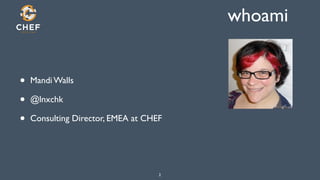
whoami 
• Mandi Walls 
• @lnxchk 
• Consulting Director, EMEA at CHEF 
2
What is this madness 
Operating complex systems is hard enough. 
! 
We should be intentional about making it better 
when we can. 
3
Future of Operations 
http://www.4 flickr.com/photos/x-ray_delta_one/5871906878/
Evolution of a Practice 
• Craft Stage 
• Commercial Stage 
• Engineering Stage 
5 http://www.flickr.com/photos/thaisfraga182/5285413020/sizes/z/in/photostream/
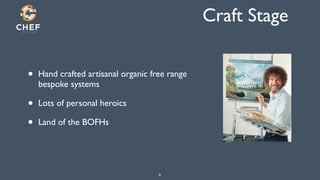
Craft Stage 
• Hand crafted artisanal organic free range 
bespoke systems 
• Lots of personal heroics 
• Land of the BOFHs 
6
Commercial Stage 
• Folklore written down 
• Standard procedures emerge 
• Training begins to occur 
7
Engineering Stage 
• Application of scientific principles 
• Measurement 
• Experimentation towards greater efficiency 
8
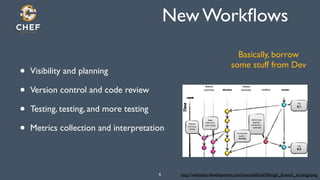
New Workflows 
• Visibility and planning 
• Version control and code review 
• Testing, testing, and more testing 
• Metrics collection and interpretation 
Basically, borrow 
some stuff from Dev 
9 http://websites-development.com/sites/default/files/git_branch_strategy.png
New Goals 
• Transparency - are we working on the right things 
• Reliability - can we keep it running 
• Resiliency - can we rebuild it? Do we have the technology? 
• Correctness - are we sure it’s doing what we want it to do 
Building Trust 
10
More than keeping the lights on. 
11
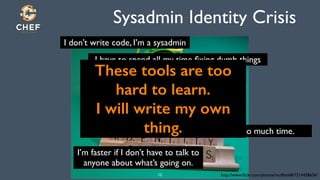
Sysadmin Identity Crisis 
These tools are too 
I will write my own 
http://www.flickr.com/photos/muffett68/7214428636/ 
I don’t write code, I’m a sysadmin 
I have to spend all my time fixing dumb things 
hard to learn. 
This takes too much time. 
thing. 
I’m faster if I don’t have to talk to 
anyone about what’s going on. 
12
So, some things to work on 
• Some tools for mitigating risk 
• Some processes and tips for making the right thing the easy thing 
• Increase efficiency, learn some stuff, reevaluate your own work 
• Don’t be afraid of borrowing from other disciplines 
13
14 http://www.packriveryaks.com/
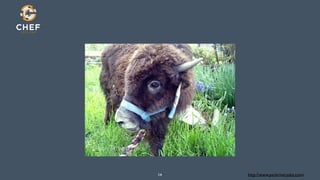
Opportunity Cost 
The value of the things you could be 
doing while you were shaving that yak 
15
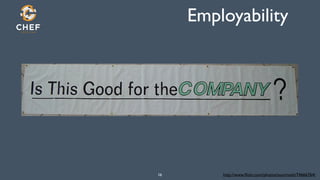
Employability 
16 http://www.flickr.com/photos/sourmash/74666764/
Risk Vectors 
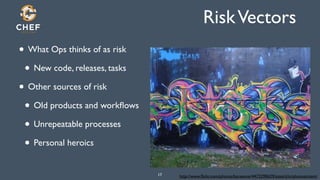
• What Ops thinks of as risk 
• New code, releases, tasks 
• Other sources of risk 
• Old products and workflows 
• Unrepeatable processes 
• Personal heroics 
http://www.flickr.com/photos/17 baresone/4473290629/sizes/z/in/photostream/
Assessment of Risk 
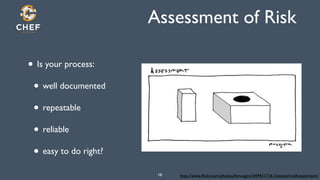
• Is your process: 
• well documented 
• repeatable 
• reliable 
• easy to do right? 
http://www.flickr.com/photos/lemusgro/18 5494317161/sizes/z/in/photostream/
EASY TO DO RIGHT 
Seriously. I’m not kidding. 
19
Updating Your Toolkit 
• Git and hooks for Ops 
• Packaging your stuff 
• Borrowing sanity checks from other places 
• Basic testing without doing a lot of zomgcoding 
• Going further - ServerSpec 
• Configuration Management 
20
Tool 1 - Working with git 
http://mattbanks.me/wp-21 content/uploads/2012/07/Git-Logo.png
Why git 
• Distributed version control 
• Everyone gets a copy 
• Hub/spoke model for sharing 
• Simple set up 
• Easy to run a local git server 
• Other offerings, like github, are pretty 
awesome too 
22
.git/config 
[core]! 
! repositoryformatversion = 0! 
! filemode = true! 
! bare = false! 
! logallrefupdates = true! 
[remote "origin"]! 
! fetch = +refs/heads/*:refs/remotes/origin/*! 
! url = ssh://localhost/srv/git/bindfiles.git! 
[branch "master"]! 
! remote = origin! 
! merge = refs/heads/master! 
Remote origin! 
23
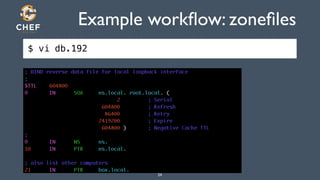
Example workflow: zonefiles 
$ vi db.192 
24
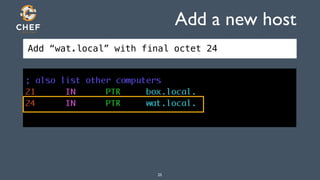
Add a new host 
Add “wat.local” with final octet 24 
25
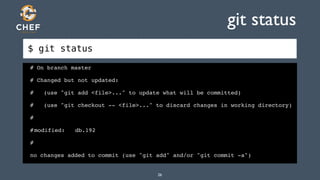
$ git status 
git status 
# On branch master! 
# Changed but not updated:! 
# (use "git add <file>..." to update what will be committed)! 
# (use "git checkout -- <file>..." to discard changes in working directory)! 
#! 
#!modified: db.192! 
#! 
no changes added to commit (use "git add" and/or "git commit -a") 
26
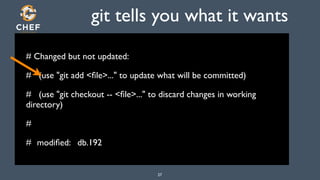
git tells you what it wants 
# Changed but not updated: 
# (use "git add <file>..." to update what will be committed) 
# (use "git checkout -- <file>..." to discard changes in working 
directory) 
# 
# 
modified: db.192 
27
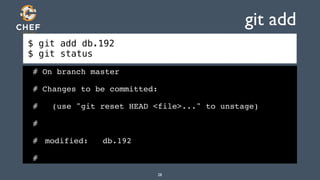
$ git add db.192 
$ git status 
git add 
# On branch master! 
# Changes to be committed:! 
# (use "git reset HEAD <file>..." to unstage)! 
#! 
#! modified: db.192! 
# 
28
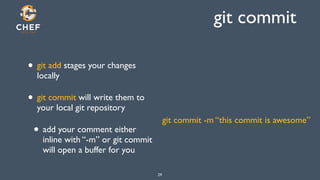
git commit 
• git add stages your changes 
locally 
• git commit will write them to 
your local git repository 
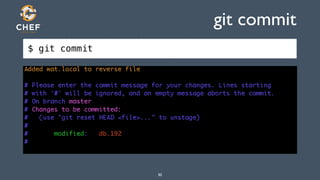
• add your comment either 
inline with “-m” or git commit 
will open a buffer for you 
29 
git commit -m “this commit is awesome”
$ git commit 
git commit 
30
[master 22371ab] Added wat.local to reverse file! 
1 files changed, 4 insertions(+), 0 deletions(-) 
$ git status 
# On branch master! 
# Your branch is ahead of 'origin/master' by 1 commit.! 
#! 
nothing to commit (working directory clean) 
31
Making Good Comments 
• At least explain what you did, Lucy 
• If there is a ticket somewhere, add that in the comment 
• If you made multiple changes, call them all out 
32
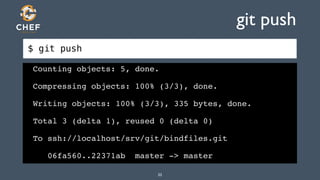
$ git push 
git push 
Counting objects: 5, done.! 
Compressing objects: 100% (3/3), done.! 
Writing objects: 100% (3/3), 335 bytes, done.! 
Total 3 (delta 1), reused 0 (delta 0)! 
To ssh://localhost/srv/git/bindfiles.git! 
06fa560..22371ab master -> master 
33
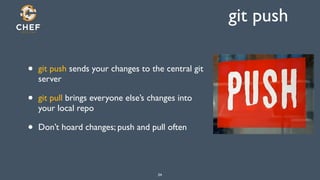
git push 
• git push sends your changes to the central git 
server 
• git pull brings everyone else’s changes into 
your local repo 
• Don’t hoard changes; push and pull often 
34
Ok? 
• What did we forget to do? 
35
Update the Serial! 
• Lots of administration tasks have tribal knowledge you need 
• Zonefiles have a Serial that needs to be incremented when you make a 
change 
• They are potentially outage-causing or hair-pulling problems that can 
be avoided 
• Let’s let git remember to do that for us 
36
commit hooks 
• You can put hooks into your git repos 
• Little tasks that happen at various steps in the process 
• We can add a pre-commit hook to our bindfiles repo 
• So you don’t have to remember! Saves time later! Helps junior staff! 
37
pre-commit 
$ cp /srv/myrepo/pre-commit .git/hooks 
$ cat .git/hooks/pre-commit 
#!/bin/bash! 
num=`git diff master db.192 | grep ^+ | wc | awk '{print $1}'`! 
if [ $num -gt 1 ] ; then! 
serial=`git diff master db.192 | grep -i serial`! 
if [ $? -ne 0 ] ; then ! 
echo "You made a change to the zone file but didn't update the Serial value"! 
exit 1;! 
fi! 
fi 
38
pre-commit 
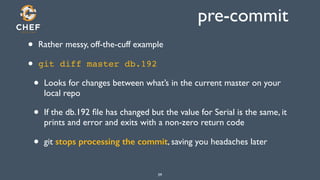
• Rather messy, off-the-cuff example 
• git diff master db.192! 
• Looks for changes between what’s in the current master on your 
local repo 
• If the db.192 file has changed but the value for Serial is the same, it 
prints and error and exits with a non-zero return code 
• git stops processing the commit, saving you headaches later 
39
What else to hook? 
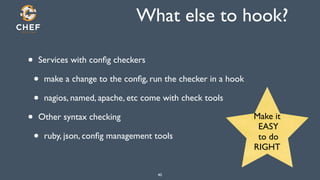
• Services with config checkers 
• make a change to the config, run the checker in a hook 
• nagios, named, apache, etc come with check tools 
• Other syntax checking 
• ruby, json, config management tools 
Make it 
EASY 
to do 
RIGHT 
40
Tool 2: fpm 
• How do you get files, apps, stuff deployed on your hosts? 
• scp -r? 
• tarballs? 
• build everything on every host, you gentoo fans? 
• crash cart? (omg) 
41
Packaging 
• Reap the benefits of what’s built in to your package manager 
• Versioning 
• Dependencies 
• Metadata 
• Build-once, install-many 
• File transfer built right into stuff like yum and apt repos! 
42
Package. All. The. Things. 
43 http://cdn.meme.li/instances/300x300/38833426.jpg
Make it easy: fpm 
• Creating packages from scratch is tedious 
• There’s some esoteric stuff in the package managers 
• You really only need a few things 
44
fpm 
• fpm, “f’ing package managers”! 
• Jordan Sissell 
• Creates multiple kinds of packages from various resources 
• https://github.com/jordansissel/fpm 
45
$ fpm -h 
fpm 
Intro:! 
This is fpm version 0.4.37! 
If you think something is wrong, it's probably a bug! :)! 
Please file these here: https://github.com/jordansissel/fpm/issues! 
You can find support on irc (#fpm on freenode irc) or via email with! 
fpm-users@googlegroups.com! 
Usage:! 
fpm [OPTIONS] [ARGS] ...! 
! 
Parameters:! 
d i r e[cAtRoGrSi]e s ..y.o u w a n t t o i n c l u d e i n Inthpeu tps actko agteh.e Fsooru rcoet heparcs,k aglei ket y'peg.e m'F,o r itt hes p'ecdiifr'i est ypteh,e ptahciks agies s thteo dfiolwenls oaadn d and use as the gem input! 
! 
Options:! 
-t OUTPUT_TYPE the type of package you want to create (deb, rpm, solaris, etc)! 
-s INPUT_TYPE the package type to use as input (gem, rpm, python, etc)! 
-C CHDIR Change directory to here before searching for files 
omg it just keeps going.... 46
Create a package 
• rpm-ify our zonefiles 
• They’re in our git repo right now 
• Live in /var/named for reals 
• If we package them, we get versioning and other data 
47
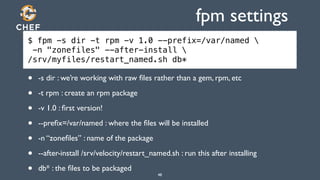
fpm settings 
$ fpm -s dir -t rpm -v 1.0 --prefix=/var/named  
-n "zonefiles" --after-install  
/srv/myfiles/restart_named.sh db* 
• -s dir : we’re working with raw files rather than a gem, rpm, etc 
• -t rpm : create an rpm package 
• -v 1.0 : first version! 
• --prefix=/var/named : where the files will be installed 
• -n “zonefiles” : name of the package 
• --after-install /srv/velocity/restart_named.sh : run this after installing 
• db* : the files to be packaged 
48
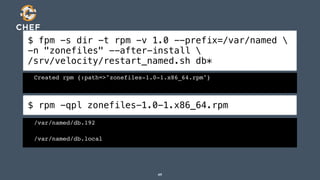
$ fpm -s dir -t rpm -v 1.0 --prefix=/var/named  
-n "zonefiles" --after-install  
/srv/velocity/restart_named.sh db* 
Created rpm {:path=>"zonefiles-1.0-1.x86_64.rpm"} 
$ rpm -qpl zonefiles-1.0-1.x86_64.rpm 
/var/named/db.192! 
/var/named/db.local 
49
• Nice! 
• Now we can install it 
50
Results! 
$ sudo rpm -ihv zonefiles-1.0-1.x86_64.rpm 
Preparing... ########################################### [100%]! 
1:zonefiles ########################################### [100%]! 
Stopping named: .[ OK ]! 
Starting named: [ OK ] 
$ dig @localhost -x 192.168.1.22 
;; QUESTION SECTION:! 
;22.1.168.192.in-addr.arpa.!IN! PTR! 
;; ANSWER SECTION:! 
22.1.168.192.in-addr.arpa. 604800 IN! PTR!wat.local. 
51
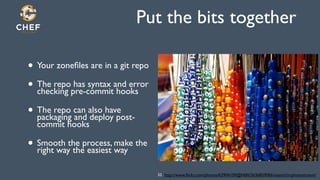
Put the bits together 
• Your zonefiles are in a git repo 
• The repo has syntax and error 
checking pre-commit hooks 
• The repo can also have 
packaging and deploy post-commit 
hooks 
• Smooth the process, make the 
right way the easiest way 
http://www.flickr.com/photos/52 62904109@N00/2636859006/sizes/z/in/photostream/
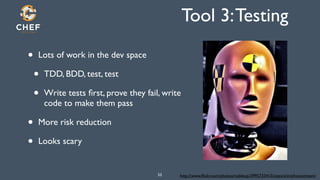
Tool 3: Testing 
• Lots of work in the dev space 
• TDD, BDD, test, test 
• Write tests first, prove they fail, write 
code to make them pass 
• More risk reduction 
• Looks scary 
http://www.flickr.com/photos/53 nobleup/3995733415/sizes/z/in/photostream/
basic tests 
• So, you’re running DNS 
• What else is do you have? 
• Monitoring server! 
http://www.flickr.com/photos/richardmoross/54 490988453/sizes/z/in/photostream/
What can we borrow? 
• Nagios plugins! 
• Extensive set of checks for all sorts of services 
• Usable from the command line 
55
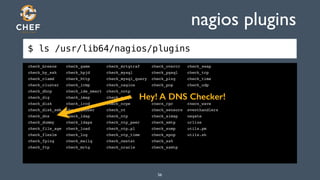
$ ls /usr/lib64/nagios/plugins 
nagios plugins 
check_breeze check_game check_mrtgtraf check_overcr check_swap! 
check_by_ssh check_hpjd check_mysql check_pgsql check_tcp! 
check_clamd check_http check_mysql_query check_ping check_time! 
check_cluster check_icmp check_nagios check_pop check_udp! 
check_dhcp check_ide_smart check_nntp check_procs check_ups! 
check_dig check_imap check_nntps check_real check_users! 
check_disk check_ircd check_nrpe check_rpc check_wave! 
check_disk_smb check_jabber check_nt check_sensors eventhandlers! 
check_dns check_ldap check_ntp check_simap negate! 
check_dummy check_ldaps check_ntp_peer check_smtp urlize! 
check_file_age check_load check_ntp.pl check_snmp utils.pm! 
check_flexlm check_log check_ntp_time check_spop utils.sh! 
check_fping check_mailq check_nwstat check_ssh! 
check_ftp check_mrtg check_oracle check_ssmtp! 
! 
Hey! A DNS Checker! 
56
check_dns 
• We can use these plugins to test out what we’re doing 
• Don’t require any additional frameworks or scary things 
• Many of them work just fine over the network, too 
57
Check DNS 
$ /usr/lib64/nagios/plugins/check_dns -h 
check_dns v1.4.16 (nagios-plugins 1.4.16)! 
Copyright (c) 1999 Ethan Galstad <nagios@nagios.org>! 
Copyright (c) 2000-2008 Nagios Plugin Development Team! 
! <nagiosplug-devel@lists.sourceforge.net>! 
! 
This plugin uses the nslookup program to obtain the IP address for the given host/domain query.! 
An optional DNS server to use may be specified.! 
If no DNS server is specified, the default server(s) specified in /etc/resolv.conf will be used.! 
! 
Usage:! 
check_dns -H host [-s server] [-a expected-address] [-A] [-t timeout] [-w warn] [-c crit]! 
! 
58
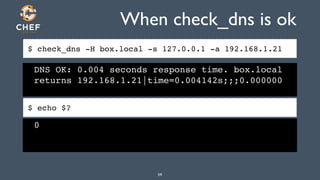
When check_dns is ok 
$ check_dns -H box.local -s 127.0.0.1 -a 192.168.1.21 
DNS OK: 0.004 seconds response time. box.local 
returns 192.168.1.21|time=0.004142s;;;0.000000 
$ echo $? 
0 
59
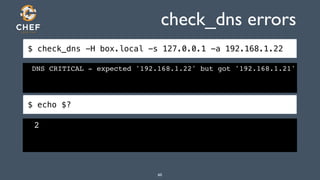
check_dns errors 
$ check_dns -H box.local -s 127.0.0.1 -a 192.168.1.22 
DNS CRITICAL - expected '192.168.1.22' but got '192.168.1.21'! 
$ echo $? 
2 
60
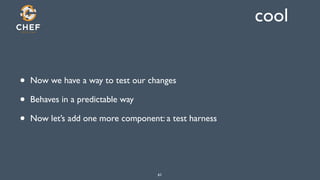
cool 
• Now we have a way to test our changes 
• Behaves in a predictable way 
• Now let’s add one more component: a test harness 
61
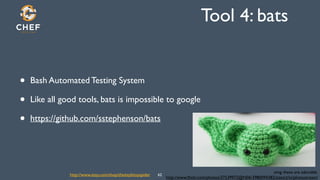
Tool 4: bats 
• Bash Automated Testing System 
• Like all good tools, bats is impossible to google 
• https://github.com/sstephenson/bats 
omg these are adorable. 
http://www.flickr.com/photos/37539972@N06/3980094382/sizes/z/in/photostream/ http://www.etsy.com/shop/theitsybitsyspider 62
What the bats 
• Allows you to test that UNIX programs do what you expect 
• Write stuff in bash to test other system commands 
• Easy to get hold of return codes, output 
• Let’s see an example: checking the nagios configs 
63
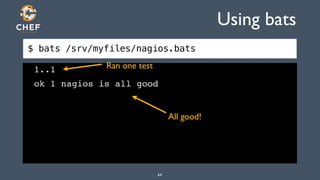
$ bats /srv/myfiles/nagios.bats 
Using bats 
Ran one test 
1..1! 
ok 1 nagios is all good 
All good! 
64
$ cat /srv/myfiles/nagios.bats 
#!/usr/bin/env bats! 
@test "nagios is all good" {! 
result="$(sudo service nagios checkconfig)"! 
[ "$?" -eq 0 ]! 
} 
Run a system command! 
Check the return code! 
Also grabs output, but 
we don’t need that here 
65
We can do this! 
http://www.flickr.com/photos/usnationalarchives/3678696585/ 
66
Tool 5: ServerSpec 
67 
Totally hardcore.
Serverspec 
• Cross-platform tool for testing system state 
• Make sure a service is running 
• Determine if a package is installed 
• Ruby-based, is built on rspec 
• http://serverspec.org/ 
68 
Integrates with other tools, 
like CHEF and Puppet. Can 
also be used alone!
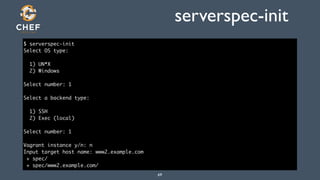
serverspec-init 
$ serverspec-init 
Select OS type: 
! 
1) UN*X 
2) Windows 
! 
Select number: 1 
! 
Select a backend type: 
! 
1) SSH 
2) Exec (local) 
! 
Select number: 1 
! 
Vagrant instance y/n: n 
Input target host name: www2.example.com 
+ spec/ 
+ spec/www2.example.com/ 
69
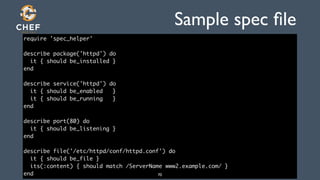
Sample spec file 
require 'spec_helper' 
! 
describe package('httpd') do 
it { should be_installed } 
end 
! 
describe service('httpd') do 
it { should be_enabled } 
it { should be_running } 
end 
! 
describe port(80) do 
it { should be_listening } 
end 
! 
describe file('/etc/httpd/conf/httpd.conf') do 
it { should be_file } 
its(:content) { should match /ServerName www2.example.com/ } 
end 70
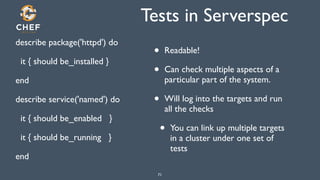
Tests in Serverspec 
describe package('httpd') do 
it { should be_installed } 
end 
describe service('named') do 
it { should be_enabled } 
it { should be_running } 
end 
• Readable! 
• Can check multiple aspects of a 
particular part of the system. 
• Will log into the targets and run 
all the checks 
• You can link up multiple targets 
71 
in a cluster under one set of 
tests
Tool 6: Config Management 
Automate yourself out of a job. 
72 
! 
lol.
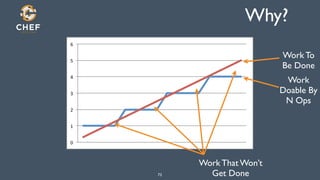
Why? 
73 
6" 
5" 
4" 
3" 
2" 
1" 
0" 
Work To 
Be Done 
Work 
Doable By 
N Ops 
Work That Won’t 
Get Done
Features of Config Management 
• Repeatability - configure services the same way, every time 
• Reliability - ensure that the services are always configured correctly 
• Documentation - record of what actions were taken on the system 
• Idempotent - only take action if necessary 
74
A Chef Recipe 
package “named” do! 
action :install! 
end! 
service “named” do! 
action [:start, :enable]! 
end! 
package “zonefiles” do! 
action :install! 
notifies :restart, “service[named]”! 
end! 
75
CM Tools 
• Record your configuration into version control 
• Build hosts in your datacenter, in the cloud, build reals, build virtuals 
• Support heterogeneous environments 
• Install packages, write configurations, manage services, users, groups, 
files, registry settings, etc 
76
Windows? 
• Learn. PowerShell. 
• Then get into DSC 
• DSC support is coming for CM tools, and will be a powerful way to 
manage Windows environments 
77
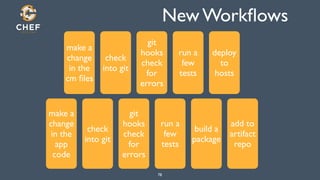
New Workflows 
78 
make a 
change 
in the 
cm files 
check 
into git 
git 
hooks 
check 
for 
errors 
run a 
few 
tests 
deploy 
to 
hosts 
make a 
change 
in the 
app 
code 
check 
into git 
git 
hooks 
check 
for 
errors 
run a 
few 
tests 
build a 
package 
add to 
artifact 
repo
Our Goals: Transparency 
• Are we working on something that adds value? 
79
Our Goals: Reliability 
• Does our new process keep things running? 
80
Our Goals: Resiliency 
• Does our new process make it easy to rebuild, recover, scale? 
81
Our Goals: Correctness 
• Does our new process ensure that the work we’re doing is correct? 
82
Building from here 
83 http://www.flickr.com/photos/kalmyket/691478431/sizes/z/in/photostream/
Cheaper Resources 
• Do more real-world testing 
• Local virtuals - vagrant, cloud providers 
• Linux containers - docker 
• Make Dev and QA really look like prod 
84
Build Server 
• Jenkins, Travis, Team City, etc 
• Build and test configs and app code together 
• Never forget a step in your new workflow! 
85 http://www.flickr.com/photos/hubmedia/2141860216/sizes/z/in/photostream/
Make Your Job Better 
• When your job is better, so is your life 
• Fewer emergencies, less opaqueness of systems and processes 
encourages collaboration and shared duty 
• Be intentional about the things that we do and our goals 
• Know that what you do day to day is improving 
86
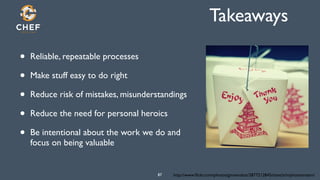
Takeaways 
• Reliable, repeatable processes 
• Make stuff easy to do right 
• Reduce risk of mistakes, misunderstandings 
• Reduce the need for personal heroics 
• Be intentional about the work we do and 
focus on being valuable 
http://www.flickr.com/photos/87 ginnerobot/2877212845/sizes/z/in/photostream/
Thanks! 
• Thanks for your kind attention 
• Please keep the conversation going with your teams 
88

Open Source Tools for Leveling Up Operations FOSSET 2014

  • 1.
    Open Source Toolsfor the Future Sysadmin Mandi Walls FOSSETCON September 12, 2014
  • 2.
    whoami • MandiWalls • @lnxchk • Consulting Director, EMEA at CHEF 2
  • 3.
    What is thismadness Operating complex systems is hard enough. ! We should be intentional about making it better when we can. 3
  • 4.
    Future of Operations http://www.4 flickr.com/photos/x-ray_delta_one/5871906878/
  • 5.
    Evolution of aPractice • Craft Stage • Commercial Stage • Engineering Stage 5 http://www.flickr.com/photos/thaisfraga182/5285413020/sizes/z/in/photostream/
  • 6.
    Craft Stage •Hand crafted artisanal organic free range bespoke systems • Lots of personal heroics • Land of the BOFHs 6
  • 7.
    Commercial Stage •Folklore written down • Standard procedures emerge • Training begins to occur 7
  • 8.
    Engineering Stage •Application of scientific principles • Measurement • Experimentation towards greater efficiency 8
  • 9.
    New Workflows •Visibility and planning • Version control and code review • Testing, testing, and more testing • Metrics collection and interpretation Basically, borrow some stuff from Dev 9 http://websites-development.com/sites/default/files/git_branch_strategy.png
  • 10.
    New Goals •Transparency - are we working on the right things • Reliability - can we keep it running • Resiliency - can we rebuild it? Do we have the technology? • Correctness - are we sure it’s doing what we want it to do Building Trust 10
  • 11.
    More than keepingthe lights on. 11
  • 12.
    Sysadmin Identity Crisis These tools are too I will write my own http://www.flickr.com/photos/muffett68/7214428636/ I don’t write code, I’m a sysadmin I have to spend all my time fixing dumb things hard to learn. This takes too much time. thing. I’m faster if I don’t have to talk to anyone about what’s going on. 12
  • 13.
    So, some thingsto work on • Some tools for mitigating risk • Some processes and tips for making the right thing the easy thing • Increase efficiency, learn some stuff, reevaluate your own work • Don’t be afraid of borrowing from other disciplines 13
  • 14.
  • 15.
    Opportunity Cost Thevalue of the things you could be doing while you were shaving that yak 15
  • 16.
  • 17.
    Risk Vectors •What Ops thinks of as risk • New code, releases, tasks • Other sources of risk • Old products and workflows • Unrepeatable processes • Personal heroics http://www.flickr.com/photos/17 baresone/4473290629/sizes/z/in/photostream/
  • 18.
    Assessment of Risk • Is your process: • well documented • repeatable • reliable • easy to do right? http://www.flickr.com/photos/lemusgro/18 5494317161/sizes/z/in/photostream/
  • 19.
    EASY TO DORIGHT Seriously. I’m not kidding. 19
  • 20.
    Updating Your Toolkit • Git and hooks for Ops • Packaging your stuff • Borrowing sanity checks from other places • Basic testing without doing a lot of zomgcoding • Going further - ServerSpec • Configuration Management 20
  • 21.
    Tool 1 -Working with git http://mattbanks.me/wp-21 content/uploads/2012/07/Git-Logo.png
  • 22.
    Why git •Distributed version control • Everyone gets a copy • Hub/spoke model for sharing • Simple set up • Easy to run a local git server • Other offerings, like github, are pretty awesome too 22
  • 23.
    .git/config [core]! !repositoryformatversion = 0! ! filemode = true! ! bare = false! ! logallrefupdates = true! [remote "origin"]! ! fetch = +refs/heads/*:refs/remotes/origin/*! ! url = ssh://localhost/srv/git/bindfiles.git! [branch "master"]! ! remote = origin! ! merge = refs/heads/master! Remote origin! 23
  • 24.
  • 25.
    Add a newhost Add “wat.local” with final octet 24 25
  • 26.
    $ git status git status # On branch master! # Changed but not updated:! # (use "git add <file>..." to update what will be committed)! # (use "git checkout -- <file>..." to discard changes in working directory)! #! #!modified: db.192! #! no changes added to commit (use "git add" and/or "git commit -a") 26
  • 27.
    git tells youwhat it wants # Changed but not updated: # (use "git add <file>..." to update what will be committed) # (use "git checkout -- <file>..." to discard changes in working directory) # # modified: db.192 27
  • 28.
    $ git adddb.192 $ git status git add # On branch master! # Changes to be committed:! # (use "git reset HEAD <file>..." to unstage)! #! #! modified: db.192! # 28
  • 29.
    git commit •git add stages your changes locally • git commit will write them to your local git repository • add your comment either inline with “-m” or git commit will open a buffer for you 29 git commit -m “this commit is awesome”
  • 30.
    $ git commit git commit 30
  • 31.
    [master 22371ab] Addedwat.local to reverse file! 1 files changed, 4 insertions(+), 0 deletions(-) $ git status # On branch master! # Your branch is ahead of 'origin/master' by 1 commit.! #! nothing to commit (working directory clean) 31
  • 32.
    Making Good Comments • At least explain what you did, Lucy • If there is a ticket somewhere, add that in the comment • If you made multiple changes, call them all out 32
  • 33.
    $ git push git push Counting objects: 5, done.! Compressing objects: 100% (3/3), done.! Writing objects: 100% (3/3), 335 bytes, done.! Total 3 (delta 1), reused 0 (delta 0)! To ssh://localhost/srv/git/bindfiles.git! 06fa560..22371ab master -> master 33
  • 34.
    git push •git push sends your changes to the central git server • git pull brings everyone else’s changes into your local repo • Don’t hoard changes; push and pull often 34
  • 35.
    Ok? • Whatdid we forget to do? 35
  • 36.
    Update the Serial! • Lots of administration tasks have tribal knowledge you need • Zonefiles have a Serial that needs to be incremented when you make a change • They are potentially outage-causing or hair-pulling problems that can be avoided • Let’s let git remember to do that for us 36
  • 37.
    commit hooks •You can put hooks into your git repos • Little tasks that happen at various steps in the process • We can add a pre-commit hook to our bindfiles repo • So you don’t have to remember! Saves time later! Helps junior staff! 37
  • 38.
    pre-commit $ cp/srv/myrepo/pre-commit .git/hooks $ cat .git/hooks/pre-commit #!/bin/bash! num=`git diff master db.192 | grep ^+ | wc | awk '{print $1}'`! if [ $num -gt 1 ] ; then! serial=`git diff master db.192 | grep -i serial`! if [ $? -ne 0 ] ; then ! echo "You made a change to the zone file but didn't update the Serial value"! exit 1;! fi! fi 38
  • 39.
    pre-commit • Rathermessy, off-the-cuff example • git diff master db.192! • Looks for changes between what’s in the current master on your local repo • If the db.192 file has changed but the value for Serial is the same, it prints and error and exits with a non-zero return code • git stops processing the commit, saving you headaches later 39
  • 40.
    What else tohook? • Services with config checkers • make a change to the config, run the checker in a hook • nagios, named, apache, etc come with check tools • Other syntax checking • ruby, json, config management tools Make it EASY to do RIGHT 40
  • 41.
    Tool 2: fpm • How do you get files, apps, stuff deployed on your hosts? • scp -r? • tarballs? • build everything on every host, you gentoo fans? • crash cart? (omg) 41
  • 42.
    Packaging • Reapthe benefits of what’s built in to your package manager • Versioning • Dependencies • Metadata • Build-once, install-many • File transfer built right into stuff like yum and apt repos! 42
  • 43.
    Package. All. The.Things. 43 http://cdn.meme.li/instances/300x300/38833426.jpg
  • 44.
    Make it easy:fpm • Creating packages from scratch is tedious • There’s some esoteric stuff in the package managers • You really only need a few things 44
  • 45.
    fpm • fpm,“f’ing package managers”! • Jordan Sissell • Creates multiple kinds of packages from various resources • https://github.com/jordansissel/fpm 45
  • 46.
    $ fpm -h fpm Intro:! This is fpm version 0.4.37! If you think something is wrong, it's probably a bug! :)! Please file these here: https://github.com/jordansissel/fpm/issues! You can find support on irc (#fpm on freenode irc) or via email with! fpm-users@googlegroups.com! Usage:! fpm [OPTIONS] [ARGS] ...! ! Parameters:! d i r e[cAtRoGrSi]e s ..y.o u w a n t t o i n c l u d e i n Inthpeu tps actko agteh.e Fsooru rcoet heparcs,k aglei ket y'peg.e m'F,o r itt hes p'ecdiifr'i est ypteh,e ptahciks agies s thteo dfiolwenls oaadn d and use as the gem input! ! Options:! -t OUTPUT_TYPE the type of package you want to create (deb, rpm, solaris, etc)! -s INPUT_TYPE the package type to use as input (gem, rpm, python, etc)! -C CHDIR Change directory to here before searching for files omg it just keeps going.... 46
  • 47.
    Create a package • rpm-ify our zonefiles • They’re in our git repo right now • Live in /var/named for reals • If we package them, we get versioning and other data 47
  • 48.
    fpm settings $fpm -s dir -t rpm -v 1.0 --prefix=/var/named -n "zonefiles" --after-install /srv/myfiles/restart_named.sh db* • -s dir : we’re working with raw files rather than a gem, rpm, etc • -t rpm : create an rpm package • -v 1.0 : first version! • --prefix=/var/named : where the files will be installed • -n “zonefiles” : name of the package • --after-install /srv/velocity/restart_named.sh : run this after installing • db* : the files to be packaged 48
  • 49.
    $ fpm -sdir -t rpm -v 1.0 --prefix=/var/named -n "zonefiles" --after-install /srv/velocity/restart_named.sh db* Created rpm {:path=>"zonefiles-1.0-1.x86_64.rpm"} $ rpm -qpl zonefiles-1.0-1.x86_64.rpm /var/named/db.192! /var/named/db.local 49
  • 50.
    • Nice! •Now we can install it 50
  • 51.
    Results! $ sudorpm -ihv zonefiles-1.0-1.x86_64.rpm Preparing... ########################################### [100%]! 1:zonefiles ########################################### [100%]! Stopping named: .[ OK ]! Starting named: [ OK ] $ dig @localhost -x 192.168.1.22 ;; QUESTION SECTION:! ;22.1.168.192.in-addr.arpa.!IN! PTR! ;; ANSWER SECTION:! 22.1.168.192.in-addr.arpa. 604800 IN! PTR!wat.local. 51
  • 52.
    Put the bitstogether • Your zonefiles are in a git repo • The repo has syntax and error checking pre-commit hooks • The repo can also have packaging and deploy post-commit hooks • Smooth the process, make the right way the easiest way http://www.flickr.com/photos/52 62904109@N00/2636859006/sizes/z/in/photostream/
  • 53.
    Tool 3: Testing • Lots of work in the dev space • TDD, BDD, test, test • Write tests first, prove they fail, write code to make them pass • More risk reduction • Looks scary http://www.flickr.com/photos/53 nobleup/3995733415/sizes/z/in/photostream/
  • 54.
    basic tests •So, you’re running DNS • What else is do you have? • Monitoring server! http://www.flickr.com/photos/richardmoross/54 490988453/sizes/z/in/photostream/
  • 55.
    What can weborrow? • Nagios plugins! • Extensive set of checks for all sorts of services • Usable from the command line 55
  • 56.
    $ ls /usr/lib64/nagios/plugins nagios plugins check_breeze check_game check_mrtgtraf check_overcr check_swap! check_by_ssh check_hpjd check_mysql check_pgsql check_tcp! check_clamd check_http check_mysql_query check_ping check_time! check_cluster check_icmp check_nagios check_pop check_udp! check_dhcp check_ide_smart check_nntp check_procs check_ups! check_dig check_imap check_nntps check_real check_users! check_disk check_ircd check_nrpe check_rpc check_wave! check_disk_smb check_jabber check_nt check_sensors eventhandlers! check_dns check_ldap check_ntp check_simap negate! check_dummy check_ldaps check_ntp_peer check_smtp urlize! check_file_age check_load check_ntp.pl check_snmp utils.pm! check_flexlm check_log check_ntp_time check_spop utils.sh! check_fping check_mailq check_nwstat check_ssh! check_ftp check_mrtg check_oracle check_ssmtp! ! Hey! A DNS Checker! 56
  • 57.
    check_dns • Wecan use these plugins to test out what we’re doing • Don’t require any additional frameworks or scary things • Many of them work just fine over the network, too 57
  • 58.
    Check DNS $/usr/lib64/nagios/plugins/check_dns -h check_dns v1.4.16 (nagios-plugins 1.4.16)! Copyright (c) 1999 Ethan Galstad <nagios@nagios.org>! Copyright (c) 2000-2008 Nagios Plugin Development Team! ! <nagiosplug-devel@lists.sourceforge.net>! ! This plugin uses the nslookup program to obtain the IP address for the given host/domain query.! An optional DNS server to use may be specified.! If no DNS server is specified, the default server(s) specified in /etc/resolv.conf will be used.! ! Usage:! check_dns -H host [-s server] [-a expected-address] [-A] [-t timeout] [-w warn] [-c crit]! ! 58
  • 59.
    When check_dns isok $ check_dns -H box.local -s 127.0.0.1 -a 192.168.1.21 DNS OK: 0.004 seconds response time. box.local returns 192.168.1.21|time=0.004142s;;;0.000000 $ echo $? 0 59
  • 60.
    check_dns errors $check_dns -H box.local -s 127.0.0.1 -a 192.168.1.22 DNS CRITICAL - expected '192.168.1.22' but got '192.168.1.21'! $ echo $? 2 60
  • 61.
    cool • Nowwe have a way to test our changes • Behaves in a predictable way • Now let’s add one more component: a test harness 61
  • 62.
    Tool 4: bats • Bash Automated Testing System • Like all good tools, bats is impossible to google • https://github.com/sstephenson/bats omg these are adorable. http://www.flickr.com/photos/37539972@N06/3980094382/sizes/z/in/photostream/ http://www.etsy.com/shop/theitsybitsyspider 62
  • 63.
    What the bats • Allows you to test that UNIX programs do what you expect • Write stuff in bash to test other system commands • Easy to get hold of return codes, output • Let’s see an example: checking the nagios configs 63
  • 64.
    $ bats /srv/myfiles/nagios.bats Using bats Ran one test 1..1! ok 1 nagios is all good All good! 64
  • 65.
    $ cat /srv/myfiles/nagios.bats #!/usr/bin/env bats! @test "nagios is all good" {! result="$(sudo service nagios checkconfig)"! [ "$?" -eq 0 ]! } Run a system command! Check the return code! Also grabs output, but we don’t need that here 65
  • 66.
    We can dothis! http://www.flickr.com/photos/usnationalarchives/3678696585/ 66
  • 67.
    Tool 5: ServerSpec 67 Totally hardcore.
  • 68.
    Serverspec • Cross-platformtool for testing system state • Make sure a service is running • Determine if a package is installed • Ruby-based, is built on rspec • http://serverspec.org/ 68 Integrates with other tools, like CHEF and Puppet. Can also be used alone!
  • 69.
    serverspec-init $ serverspec-init Select OS type: ! 1) UN*X 2) Windows ! Select number: 1 ! Select a backend type: ! 1) SSH 2) Exec (local) ! Select number: 1 ! Vagrant instance y/n: n Input target host name: www2.example.com + spec/ + spec/www2.example.com/ 69
  • 70.
    Sample spec file require 'spec_helper' ! describe package('httpd') do it { should be_installed } end ! describe service('httpd') do it { should be_enabled } it { should be_running } end ! describe port(80) do it { should be_listening } end ! describe file('/etc/httpd/conf/httpd.conf') do it { should be_file } its(:content) { should match /ServerName www2.example.com/ } end 70
  • 71.
    Tests in Serverspec describe package('httpd') do it { should be_installed } end describe service('named') do it { should be_enabled } it { should be_running } end • Readable! • Can check multiple aspects of a particular part of the system. • Will log into the targets and run all the checks • You can link up multiple targets 71 in a cluster under one set of tests
  • 72.
    Tool 6: ConfigManagement Automate yourself out of a job. 72 ! lol.
  • 73.
    Why? 73 6" 5" 4" 3" 2" 1" 0" Work To Be Done Work Doable By N Ops Work That Won’t Get Done
  • 74.
    Features of ConfigManagement • Repeatability - configure services the same way, every time • Reliability - ensure that the services are always configured correctly • Documentation - record of what actions were taken on the system • Idempotent - only take action if necessary 74
  • 75.
    A Chef Recipe package “named” do! action :install! end! service “named” do! action [:start, :enable]! end! package “zonefiles” do! action :install! notifies :restart, “service[named]”! end! 75
  • 76.
    CM Tools •Record your configuration into version control • Build hosts in your datacenter, in the cloud, build reals, build virtuals • Support heterogeneous environments • Install packages, write configurations, manage services, users, groups, files, registry settings, etc 76
  • 77.
    Windows? • Learn.PowerShell. • Then get into DSC • DSC support is coming for CM tools, and will be a powerful way to manage Windows environments 77
  • 78.
    New Workflows 78 make a change in the cm files check into git git hooks check for errors run a few tests deploy to hosts make a change in the app code check into git git hooks check for errors run a few tests build a package add to artifact repo
  • 79.
    Our Goals: Transparency • Are we working on something that adds value? 79
  • 80.
    Our Goals: Reliability • Does our new process keep things running? 80
  • 81.
    Our Goals: Resiliency • Does our new process make it easy to rebuild, recover, scale? 81
  • 82.
    Our Goals: Correctness • Does our new process ensure that the work we’re doing is correct? 82
  • 83.
    Building from here 83 http://www.flickr.com/photos/kalmyket/691478431/sizes/z/in/photostream/
  • 84.
    Cheaper Resources •Do more real-world testing • Local virtuals - vagrant, cloud providers • Linux containers - docker • Make Dev and QA really look like prod 84
  • 85.
    Build Server •Jenkins, Travis, Team City, etc • Build and test configs and app code together • Never forget a step in your new workflow! 85 http://www.flickr.com/photos/hubmedia/2141860216/sizes/z/in/photostream/
  • 86.
    Make Your JobBetter • When your job is better, so is your life • Fewer emergencies, less opaqueness of systems and processes encourages collaboration and shared duty • Be intentional about the things that we do and our goals • Know that what you do day to day is improving 86
  • 87.
    Takeaways • Reliable,repeatable processes • Make stuff easy to do right • Reduce risk of mistakes, misunderstandings • Reduce the need for personal heroics • Be intentional about the work we do and focus on being valuable http://www.flickr.com/photos/87 ginnerobot/2877212845/sizes/z/in/photostream/
  • 88.
    Thanks! • Thanksfor your kind attention • Please keep the conversation going with your teams 88