




Online Safety Strategy
Non technical guide for parents

» Indika Rathninda

University of Peradeniya
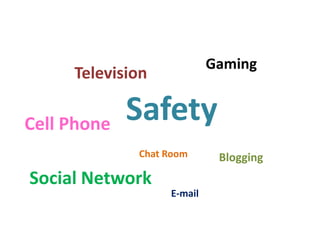
Gaming

Television

Cell Phone

Safety
Chat Room

Social Network

E-mail

Blogging
parents and caregivers—have
had very little experience.

Today, any computer-literate child can view
anything, free of charge.
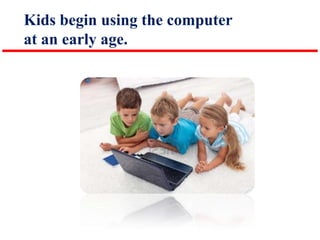
Kids begin using the computer
at an early age.
Set family media guidelines

Just as you would explain appropriate behavior
in the offline world, the same should be done
for online activities.
Here are some non-technical guidelines
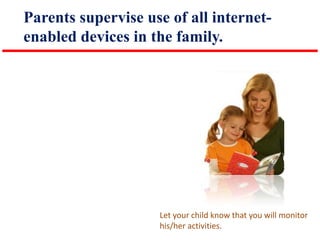
Parents supervise use of all internetenabled devices in the family.

Let your child know that you will monitor
his/her activities.
Use safe search engines.

Set up a safe search engine as the default
first page on your browser.
Find some websites that are
wholesome to share with your child.

Bookmark them and share them with your
child.
Teach family members to use the
internet for a specific purpose only.

Aimless surfing makes it easier to happen
to come across inappropriate sites
Teach children the difference between
private and public information.

Private information should not be shared
on the internet without parental
permission.
Teach children to tell you if they encounter
anything that makes them feel uncomfortable.

Be sure they know they can tell you this
without fear of losing computer privileges.
This will help reduce the fear or shame of
accidental exposure.
Disallow public and private chat rooms,
Talk about what friendship is and isn't.

Never interact online with people they
don't know,
Limit instant messaging (IM) to a
parent-approved buddy list.
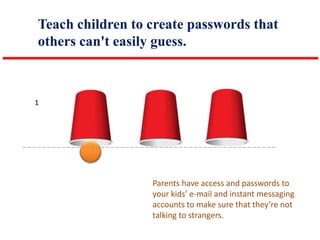
Teach children to create passwords that
others can't easily guess.

1

Parents have access and passwords to
your kids’ e-mail and instant messaging
accounts to make sure that they’re not
talking to strangers.
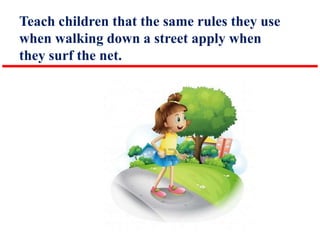
Teach children that the same rules they use
when walking down a street apply when
they surf the net.
Teach your child to never have face-to-face
meetings with anyone they only know online.

Teach that people sometimes pretend to
be older or younger than they actually
are.
Teach family members never to open
email from anyone they don’t know.
Teach your family to be ready to turn
away from offensive images.

exposure to media is a good way to
reduce the desensitizing process that
occurs in our hyper-sexualized culture.
Regularly check the internet browser history.

Many families have a “No Browser
History Erase” rule on phones and
internet connections. An erased browser
history breaks the family rule and has
specific consequences.
Cyber-bullying Talk to your kids about
ethical online behavior.

Tell a trusted adult.
Ask you for help and advice.
Your child may have access to other
computers.

Confirm that your local schools and
libraries have filters in place.
Additional info for Public Libraries.
Online safety strategy - non technical guide for parents

Online safety strategy - non technical guide for parents

  • 1.
    Online Safety Strategy Nontechnical guide for parents » Indika Rathninda University of Peradeniya
  • 2.
  • 3.
    parents and caregivers—have hadvery little experience. Today, any computer-literate child can view anything, free of charge.
  • 4.
    Kids begin usingthe computer at an early age.
  • 5.
    Set family mediaguidelines Just as you would explain appropriate behavior in the offline world, the same should be done for online activities.
  • 6.
    Here are somenon-technical guidelines
  • 7.
    Parents supervise useof all internetenabled devices in the family. Let your child know that you will monitor his/her activities.
  • 8.
    Use safe searchengines. Set up a safe search engine as the default first page on your browser.
  • 9.
    Find some websitesthat are wholesome to share with your child. Bookmark them and share them with your child.
  • 10.
    Teach family membersto use the internet for a specific purpose only. Aimless surfing makes it easier to happen to come across inappropriate sites
  • 11.
    Teach children thedifference between private and public information. Private information should not be shared on the internet without parental permission.
  • 12.
    Teach children totell you if they encounter anything that makes them feel uncomfortable. Be sure they know they can tell you this without fear of losing computer privileges. This will help reduce the fear or shame of accidental exposure.
  • 13.
    Disallow public andprivate chat rooms, Talk about what friendship is and isn't. Never interact online with people they don't know,
  • 14.
    Limit instant messaging(IM) to a parent-approved buddy list.
  • 15.
    Teach children tocreate passwords that others can't easily guess. 1 Parents have access and passwords to your kids’ e-mail and instant messaging accounts to make sure that they’re not talking to strangers.
  • 16.
    Teach children thatthe same rules they use when walking down a street apply when they surf the net.
  • 17.
    Teach your childto never have face-to-face meetings with anyone they only know online. Teach that people sometimes pretend to be older or younger than they actually are.
  • 18.
    Teach family membersnever to open email from anyone they don’t know.
  • 19.
    Teach your familyto be ready to turn away from offensive images. exposure to media is a good way to reduce the desensitizing process that occurs in our hyper-sexualized culture.
  • 20.
    Regularly check theinternet browser history. Many families have a “No Browser History Erase” rule on phones and internet connections. An erased browser history breaks the family rule and has specific consequences.
  • 21.
    Cyber-bullying Talk toyour kids about ethical online behavior. Tell a trusted adult. Ask you for help and advice.
  • 22.
    Your child mayhave access to other computers. Confirm that your local schools and libraries have filters in place. Additional info for Public Libraries.