CYBER SAFETY
CYBER SAFETY TIPS FOR PARENTS
 1. Make sure your child does not spend all of his/her
time on the computer. People, not computers, should be
their best friends and companions.
 2. Keep the computer in an area where it can be
monitored, like the family room, kitchen or living
room, not in your child’s bedroom.
 3. Watch your children when they’re online and see
where they go.
CYBER SAFETY TIPS FOR PARENTS
 4. Encourage discussions between you and your
child about what they enjoy online.
 5. Make sure that your children feel comfortable
coming to you with questions and don’t over react if
things go wrong.
***Discuss these rules, get your children to agree
to adhere to them, and post them near the
computer as a reminder.***
SAFE CYBERSPACE SURFING
 Don't communicate with strangers online
and never agree to meet in person.
 Tell a parent or another adult if a stranger
contacts you in a chat room or through
email or text messaging.
SAFE CYBERSPACE SURFING
 Don't enter contests, join clubs, or share
your personal information for any
reason, unless your mom or dad says it's
OK. Personal information includes your
name, address, age, phone
number, birthday, email address, where you
go to school, and other facts about you.
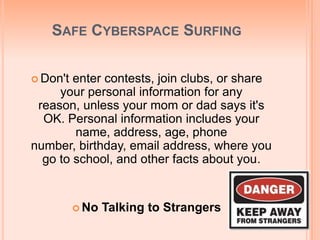
 No Talking to Strangers
FUN CYBER SAFETY GAMES
FOR CHILDREN
 http://www.cybersmart.gov.au/kids.aspx
 http://www.att.com/Common/images/safety/game.ht
ml
 http://www.kidscomjr.com/games/safety/safety.html
REMEMBER TO
ALWAYS BE CYBER SAFE

Cyber safety

  • 1.
  • 2.
    CYBER SAFETY TIPSFOR PARENTS  1. Make sure your child does not spend all of his/her time on the computer. People, not computers, should be their best friends and companions.  2. Keep the computer in an area where it can be monitored, like the family room, kitchen or living room, not in your child’s bedroom.  3. Watch your children when they’re online and see where they go.
  • 3.
    CYBER SAFETY TIPSFOR PARENTS  4. Encourage discussions between you and your child about what they enjoy online.  5. Make sure that your children feel comfortable coming to you with questions and don’t over react if things go wrong. ***Discuss these rules, get your children to agree to adhere to them, and post them near the computer as a reminder.***
  • 4.
    SAFE CYBERSPACE SURFING Don't communicate with strangers online and never agree to meet in person.  Tell a parent or another adult if a stranger contacts you in a chat room or through email or text messaging.
  • 5.
    SAFE CYBERSPACE SURFING Don't enter contests, join clubs, or share your personal information for any reason, unless your mom or dad says it's OK. Personal information includes your name, address, age, phone number, birthday, email address, where you go to school, and other facts about you.  No Talking to Strangers
  • 6.
    FUN CYBER SAFETYGAMES FOR CHILDREN  http://www.cybersmart.gov.au/kids.aspx  http://www.att.com/Common/images/safety/game.ht ml  http://www.kidscomjr.com/games/safety/safety.html
  • 7.