What To Expect in the First Year with Office 365
Your post migration plan
Your Office 365 migration has been delivered,
But You Still Aren’t Sleeping at Night
Your Office 365 migration has been delivered,
What’s Keeping You Up?
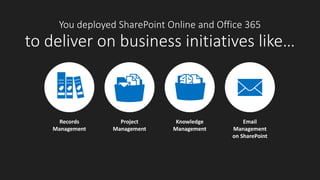
You deployed SharePoint Online and Office 365
to deliver on business initiatives like…
Project
Management
Records
Management
Knowledge
Management
Email
Management
on SharePoint
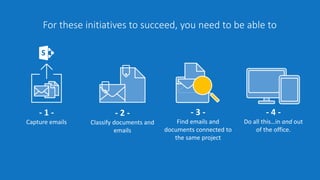
For these initiatives to succeed, you need to be able to
- 1 -
Capture emails
- 2 -
Classify documents and
emails
- 3 -
Find emails and
documents connected to
the same project
- 4 -
Do all this…in and out
of the office.
Office 365 and
SharePoint Online
Don’t Deliver This
‘Out of the Box’
So What’s the
Problem?
What’s
Missing?
- 1 -
It’s virtually impossible to
upload email messages to
SharePoint from Outlook…
What’s
Missing?
…and you can’t find what
you don’t capture
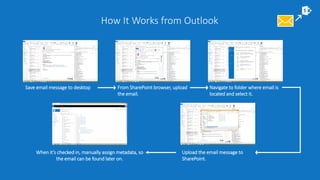
How It Works from Outlook
Save email message to desktop From SharePoint browser, upload
the email.
Upload the email message to
SharePoint.
When it’s checked in, manually assign metadata, so
the email can be found later on.
Navigate to folder where email is
located and select it.
- 2 -
It’s hard to classify
documents and email
messages
What’s
Missing?
so workers don’t do it …
which means you can’t
find information later on.
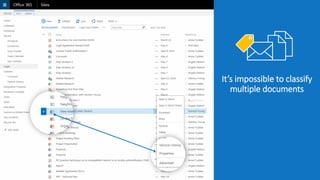
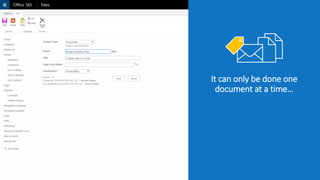
It’s impossible to classify
multiple documents
It can only be done one
document at a time…
- 3 -
email messages and
documents are stored in
separate repositories
What’s
Missing?
…so it’s really hard to find
information later on
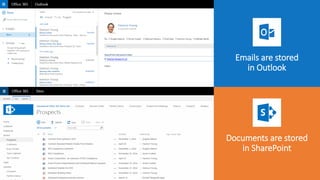
Emails are stored
in Outlook
Documents are stored
in SharePoint
- 4 -
Disconnected user
experience and lack of
mobile access
What’s
Missing?
…so it’s really hard to use
the tools
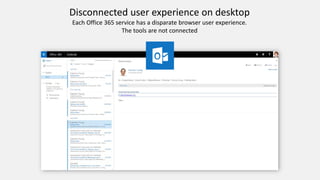
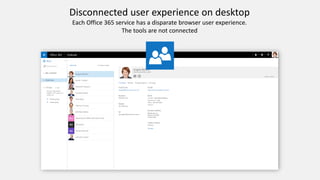
Disconnected user experience on desktop
Each Office 365 service has a disparate browser user experience.
The tools are not connected
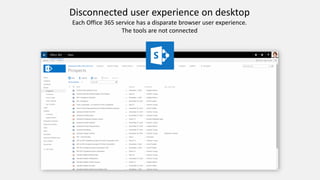
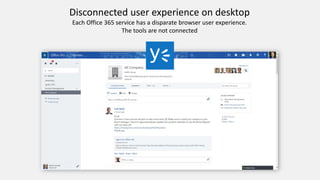
Disconnected user experience on desktop
Each Office 365 service has a disparate browser user experience.
The tools are not connected
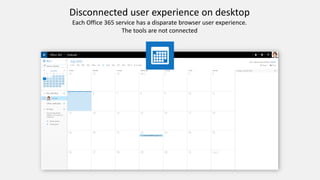
Disconnected user experience on desktop
Each Office 365 service has a disparate browser user experience.
The tools are not connected
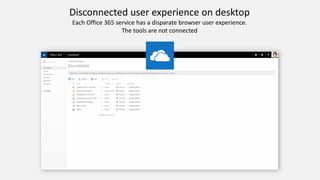
Disconnected user experience on desktop
Each Office 365 service has a disparate browser user experience.
The tools are not connected
Disconnected user experience on desktop
Each Office 365 service has a disparate browser user experience.
The tools are not connected
Disconnected user experience on desktop
Each Office 365 service has a disparate browser user experience.
The tools are not connected
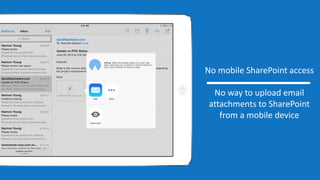
No mobile SharePoint access
No way to upload email
attachments to SharePoint
from a mobile device
“I’m dizzy”
Because it’s so hard to use…
workers don’t use Office 365
tools
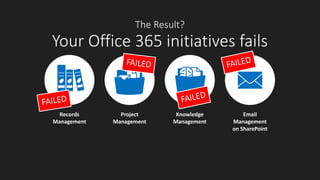
The Result?
Your Office 365 initiatives fails
Project
Management
Records
Management
Knowledge
Management
Email
Management
on SharePoint
And…
No sleep for you
What Can You Do?
Use harmon.ie!
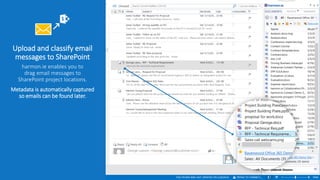
Upload and classify email
messages to SharePoint
harmon.ie enables you to
drag email messages to
SharePoint project locations.
Metadata is automatically captured
so emails can be found later.
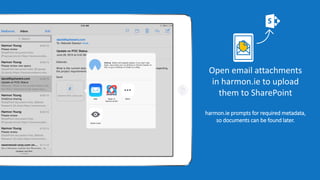
Open email attachments
in harmon.ie to upload
them to SharePoint
harmon.ie prompts for required metadata,
so documents can be found later.
harmon.ie provides same single-screen experience in
Outlook and on mobile devices
harmon.ie provides a powerful suite of products that empower the digital
workplace. An established global company serving thousands of enterprise
customers, harmon.ie products create a contextual, single-screen, personal
experience for Office 365 across mobile devices and desktop computers.
Learn more

Office365 and SharePoint Online: What to Expect the First Year

  • 1.
    What To Expectin the First Year with Office 365 Your post migration plan
  • 2.
    Your Office 365migration has been delivered, But You Still Aren’t Sleeping at Night
  • 3.
    Your Office 365migration has been delivered, What’s Keeping You Up?
  • 4.
    You deployed SharePointOnline and Office 365 to deliver on business initiatives like… Project Management Records Management Knowledge Management Email Management on SharePoint
  • 5.
    For these initiativesto succeed, you need to be able to - 1 - Capture emails - 2 - Classify documents and emails - 3 - Find emails and documents connected to the same project - 4 - Do all this…in and out of the office.
  • 6.
    Office 365 and SharePointOnline Don’t Deliver This ‘Out of the Box’ So What’s the Problem?
  • 7.
  • 8.
    - 1 - It’svirtually impossible to upload email messages to SharePoint from Outlook… What’s Missing? …and you can’t find what you don’t capture
  • 9.
    How It Worksfrom Outlook Save email message to desktop From SharePoint browser, upload the email. Upload the email message to SharePoint. When it’s checked in, manually assign metadata, so the email can be found later on. Navigate to folder where email is located and select it.
  • 10.
    - 2 - It’shard to classify documents and email messages What’s Missing? so workers don’t do it … which means you can’t find information later on.
  • 11.
    It’s impossible toclassify multiple documents
  • 12.
    It can onlybe done one document at a time…
  • 13.
    - 3 - emailmessages and documents are stored in separate repositories What’s Missing? …so it’s really hard to find information later on
  • 14.
    Emails are stored inOutlook Documents are stored in SharePoint
  • 15.
    - 4 - Disconnecteduser experience and lack of mobile access What’s Missing? …so it’s really hard to use the tools
  • 16.
    Disconnected user experienceon desktop Each Office 365 service has a disparate browser user experience. The tools are not connected
  • 17.
    Disconnected user experienceon desktop Each Office 365 service has a disparate browser user experience. The tools are not connected
  • 18.
    Disconnected user experienceon desktop Each Office 365 service has a disparate browser user experience. The tools are not connected
  • 19.
    Disconnected user experienceon desktop Each Office 365 service has a disparate browser user experience. The tools are not connected
  • 20.
    Disconnected user experienceon desktop Each Office 365 service has a disparate browser user experience. The tools are not connected
  • 21.
    Disconnected user experienceon desktop Each Office 365 service has a disparate browser user experience. The tools are not connected
  • 22.
    No mobile SharePointaccess No way to upload email attachments to SharePoint from a mobile device
  • 23.
  • 24.
    Because it’s sohard to use… workers don’t use Office 365 tools
  • 25.
    The Result? Your Office365 initiatives fails Project Management Records Management Knowledge Management Email Management on SharePoint
  • 26.
  • 27.
  • 28.
  • 29.
    Upload and classifyemail messages to SharePoint harmon.ie enables you to drag email messages to SharePoint project locations. Metadata is automatically captured so emails can be found later.
  • 30.
    Open email attachments inharmon.ie to upload them to SharePoint harmon.ie prompts for required metadata, so documents can be found later.
  • 31.
    harmon.ie provides samesingle-screen experience in Outlook and on mobile devices
  • 32.
    harmon.ie provides apowerful suite of products that empower the digital workplace. An established global company serving thousands of enterprise customers, harmon.ie products create a contextual, single-screen, personal experience for Office 365 across mobile devices and desktop computers. Learn more