#ISSlearn
#ISSlearn
VOICE COMPUTING
THE NEXT DIGITAL DISRUPTION
11 Aug 2017 / Prasanna Veerapandi & Cjin Pheow Lee
© 2017 National University of Singapore. All Rights Reserved
#ISSlearn 2
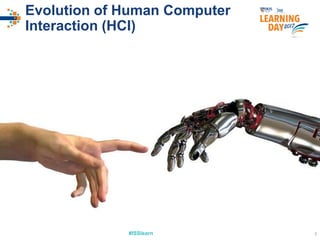
Evolution of Human Computer
Interaction (HCI)
#ISSlearn 3
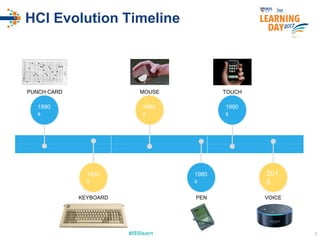
HCI Evolution Timeline
1890
s
1930
s
1960
s
1980
s
1990
s
201
5
PUNCH CARD
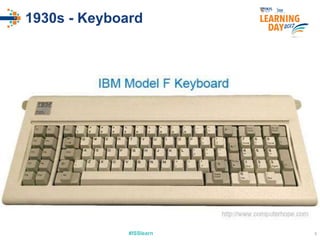
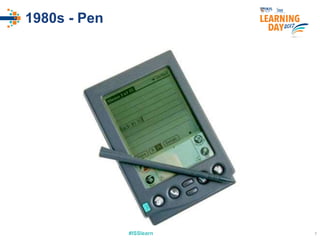
KEYBOARD PEN
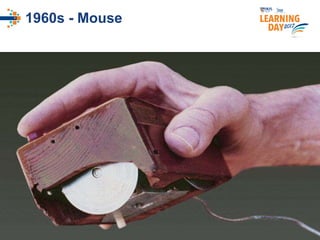
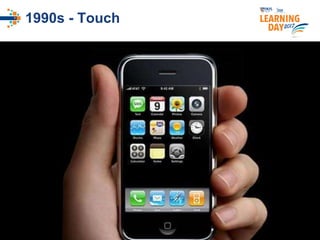
TOUCHMOUSE
VOICE
#ISSlearn 4
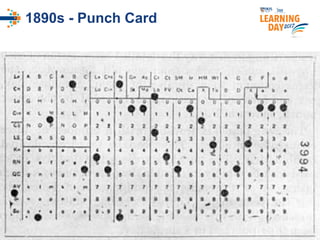
1890s - Punch Card
#ISSlearn 5
1930s - Keyboard
#ISSlearn 6
1960s - Mouse
#ISSlearn 7
1980s - Pen
#ISSlearn 8
1990s - Touch
#ISSlearn 9
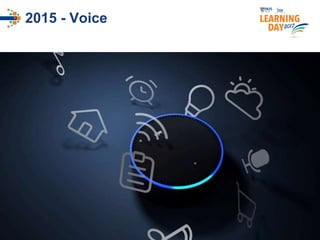
2015 - Voice
#ISSlearn 10
2017 and beyond
#ISSlearn#ISSlearn
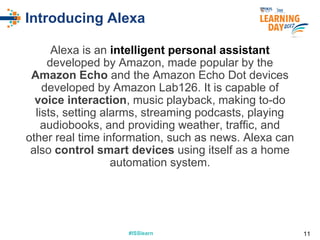
Introducing Alexa
Alexa is an intelligent personal assistant
developed by Amazon, made popular by the
Amazon Echo and the Amazon Echo Dot devices
developed by Amazon Lab126. It is capable of
voice interaction, music playback, making to-do
lists, setting alarms, streaming podcasts, playing
audiobooks, and providing weather, traffic, and
other real time information, such as news. Alexa can
also control smart devices using itself as a home
automation system.
11
#ISSlearn 12
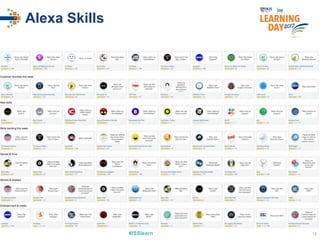
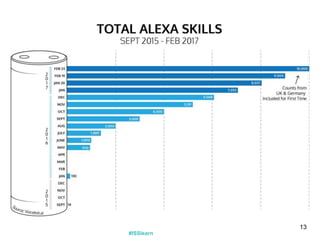
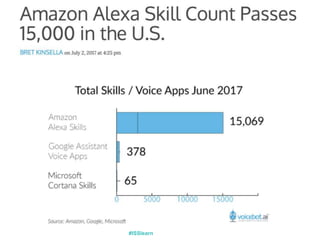
Alexa Skills
#ISSlearn
13
#ISSlearn
#ISSlearn
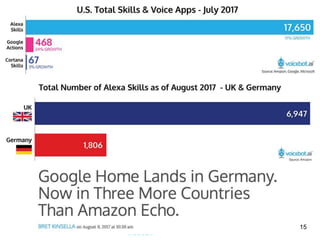
15
#ISSlearn 16
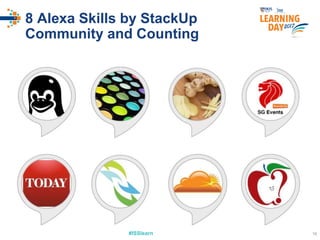
8 Alexa Skills by StackUp
Community and Counting
#ISSlearn
#ISSlearn
Amazon Alexa Skill Promo
https://developer.amazon.com/alexa-skills-kit/alexa-developer-skill-promotion
Terms and Conditions apply.
Publish a Skill by 31st August 2017
Get an Echo Dot & Dev Swag
17
#ISSlearn
Building Blocks of an
Alexa Custom Skill
18
#ISSlearn#ISSlearn
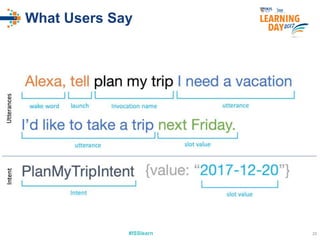
Intents
Intents represent what users can ask your skill to do.
Your skill might help plan a trip, get a status, tell a
joke, or attack a monster — these are intents.
A skill for planning a trip might have five intents, such
as PlanATripIntent, BookTheTripIntent,
StopIntent, CancelIntent, and HelpIntent.
19
#ISSlearn#ISSlearn
Sample Utterances
An utterance is what a person says to Alexa
that invokes an intent. Utterances are made
up of keyword commands, natural speech
sounds like filler words, and slots for
information that varies. One of the most
important aspects of designing a voice
experience is defining the range of what
people might say.
20
#ISSlearn 21
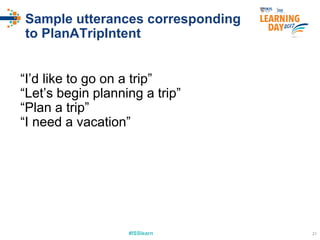
Sample utterances corresponding
to PlanATripIntent
“I’d like to go on a trip”
“Let’s begin planning a trip”
“Plan a trip”
“I need a vacation”
#ISSlearn#ISSlearn
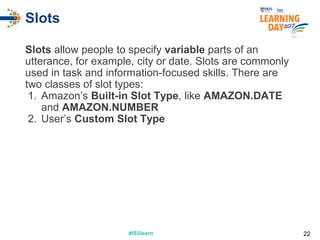
Slots
Slots allow people to specify variable parts of an
utterance, for example, city or date. Slots are commonly
used in task and information-focused skills. There are
two classes of slot types:
1. Amazon’s Built-in Slot Type, like AMAZON.DATE
and AMAZON.NUMBER
2. User’s Custom Slot Type
22
#ISSlearn#ISSlearn
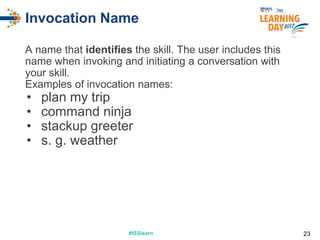
Invocation Name
A name that identifies the skill. The user includes this
name when invoking and initiating a conversation with
your skill.
Examples of invocation names:
• plan my trip
• command ninja
• stackup greeter
• s. g. weather
23
#ISSlearn#ISSlearn
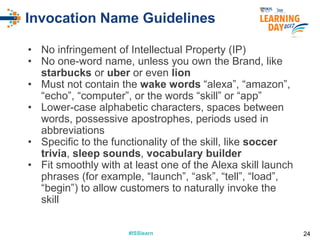
Invocation Name Guidelines
• No infringement of Intellectual Property (IP)
• No one-word name, unless you own the Brand, like
starbucks or uber or even lion
• Must not contain the wake words “alexa”, “amazon”,
“echo”, “computer”, or the words “skill” or “app”
• Lower-case alphabetic characters, spaces between
words, possessive apostrophes, periods used in
abbreviations
• Specific to the functionality of the skill, like soccer
trivia, sleep sounds, vocabulary builder
• Fit smoothly with at least one of the Alexa skill launch
phrases (for example, “launch”, “ask”, “tell”, “load”,
“begin”) to allow customers to naturally invoke the
skill
24
#ISSlearn 25
What Users Say
#ISSlearn
#ISSlearn#ISSlearn
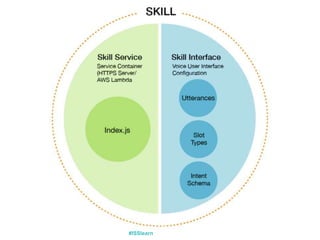
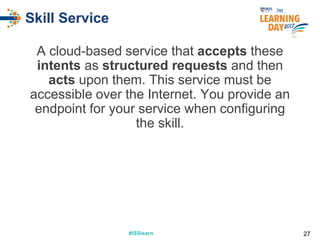
Skill Service
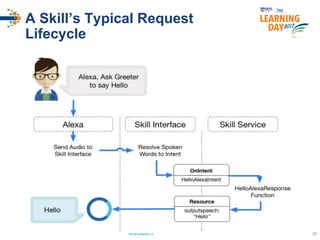
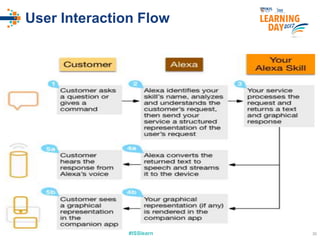
A cloud-based service that accepts these
intents as structured requests and then
acts upon them. This service must be
accessible over the Internet. You provide an
endpoint for your service when configuring
the skill.
27
#ISSlearn#ISSlearn
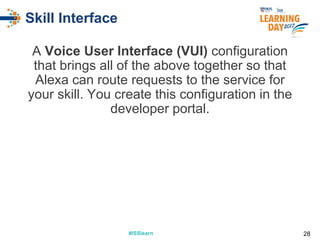
Skill Interface
A Voice User Interface (VUI) configuration
that brings all of the above together so that
Alexa can route requests to the service for
your skill. You create this configuration in the
developer portal.
28
#ISSlearn 29
A Skill’s Typical Request
Lifecycle
#ISSlearn 30
User Interaction Flow
#ISSlearn
How to Create a Custom
Skill
31
Using the Alexa Skills Kit (ASK)
#ISSlearn#ISSlearn
Requirements
1.Computer ready for Node.js development
2.Knowledge of JavaScript or Python
programming
3.Developer’s account at
https://developer.amazon.com
4.An account with Amazon Web Services
5.An idea for a skill
32
#ISSlearn
Alexa Skills Kit
ASK is a collection of self-service APIs,
tools, documentation, and code samples
that makes it fast and easy for you to add
skills to Alexa.
33
#ISSlearn
Alexa Voice Service
The Alexa Voice Service (AVS) allows you
to integrate Alexa’s built-in voice
capabilities into your connected products.
34
#ISSlearn 3535
CODING EXERCISE
#ISSlearn#ISSlearn
Creating Custom Skill
● Get started with Alexa:
https://developer.amazon.com/edw/home.html
● Choose “Alexa Skills Kit”
● Skill Information
○Skill Type: Choose Custom Interaction Model
○Name: Learning Day Greeter
○Invocation Name: learning day greeter
○Answer “No” to all other fields for now
36
#ISSlearn#ISSlearn
Creating Custom Skill
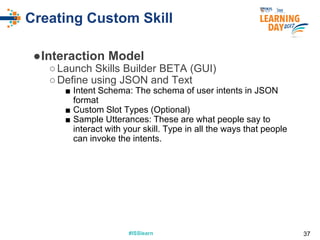
●Interaction Model
○Launch Skills Builder BETA (GUI)
○Define using JSON and Text
■ Intent Schema: The schema of user intents in JSON
format
■ Custom Slot Types (Optional)
■ Sample Utterances: These are what people say to
interact with your skill. Type in all the ways that people
can invoke the intents.
37
#ISSlearn#ISSlearn
Intent Schema
{
"intents": [
{
"intent": "WelcomeGreetingIntent"
},
{
"intent": "FarewellIntent",
"slots": [
{
"name": "Guest",
"type": "AMAZON.US_FIRST_NAME"
}
]
}
]
}
Also to include Help, Cancel, Stop and Unhandled intents.
38
#ISSlearn#ISSlearn
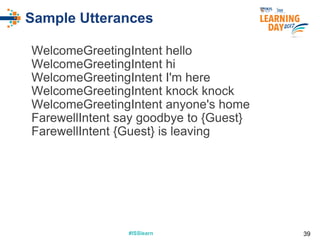
Sample Utterances
WelcomeGreetingIntent hello
WelcomeGreetingIntent hi
WelcomeGreetingIntent I'm here
WelcomeGreetingIntent knock knock
WelcomeGreetingIntent anyone's home
FarewellIntent say goodbye to {Guest}
FarewellIntent {Guest} is leaving
39
#ISSlearn#ISSlearn
Creating Custom Skill
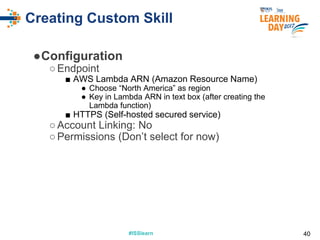
●Configuration
○Endpoint
■ AWS Lambda ARN (Amazon Resource Name)
● Choose “North America” as region
● Key in Lambda ARN in text box (after creating the
Lambda function)
■ HTTPS (Self-hosted secured service)
○Account Linking: No
○Permissions (Don’t select for now)
40
#ISSlearn#ISSlearn
Creating Custom Skill
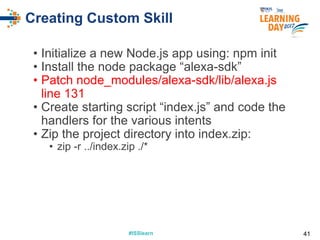
• Initialize a new Node.js app using: npm init
• Install the node package “alexa-sdk”
• Patch node_modules/alexa-sdk/lib/alexa.js
line 131
• Create starting script “index.js” and code the
handlers for the various intents
• Zip the project directory into index.zip:
• zip -r ../index.zip ./*
41
#ISSlearn#ISSlearn
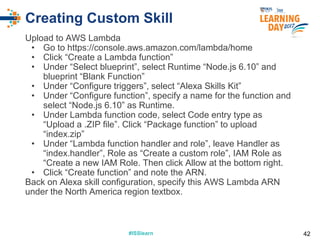
Creating Custom Skill
Upload to AWS Lambda
• Go to https://console.aws.amazon.com/lambda/home
• Click “Create a Lambda function”
• Under “Select blueprint”, select Runtime “Node.js 6.10” and
blueprint “Blank Function”
• Under “Configure triggers”, select “Alexa Skills Kit”
• Under “Configure function”, specify a name for the function and
select “Node.js 6.10” as Runtime.
• Under Lambda function code, select Code entry type as
“Upload a .ZIP file”. Click “Package function” to upload
“index.zip”
• Under “Lambda function handler and role”, leave Handler as
“index.handler”, Role as “Create a custom role”, IAM Role as
“Create a new IAM Role. Then click Allow at the bottom right.
• Click “Create function” and note the ARN.
Back on Alexa skill configuration, specify this AWS Lambda ARN
under the North America region textbox.
42
#ISSlearn#ISSlearn
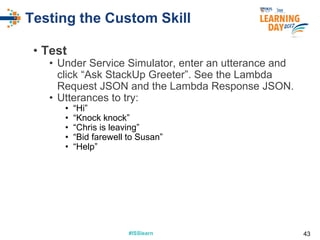
Testing the Custom Skill
• Test
• Under Service Simulator, enter an utterance and
click “Ask StackUp Greeter”. See the Lambda
Request JSON and the Lambda Response JSON.
• Utterances to try:
• “Hi”
• “Knock knock”
• “Chris is leaving”
• “Bid farewell to Susan”
• “Help”
43
#ISSlearn 44
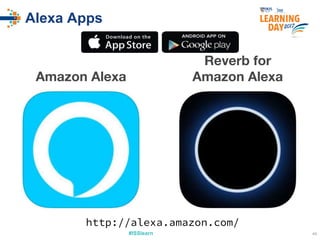
Alexa Apps
Amazon Alexa
Reverb for
Amazon Alexa
http://alexa.amazon.com/
#ISSlearn 45
ADVANCED TOPICS
45
#ISSlearn 46
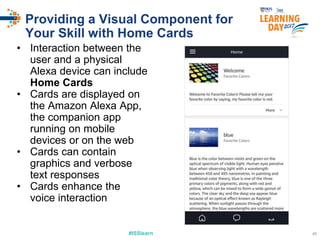
Providing a Visual Component for
Your Skill with Home Cards
• Interaction between the
user and a physical
Alexa device can include
Home Cards
• Cards are displayed on
the Amazon Alexa App,
the companion app
running on mobile
devices or on the web
• Cards can contain
graphics and verbose
text responses
• Cards enhance the
voice interaction
#ISSlearn#ISSlearn
Including a Card in Your
Skill’s Response
Instead of:
this.emit(':ask',…) or this.emit(':tell',…)
Use:
this.emit(':askWithCard',…) or
this.emit(':tellWithCard',…)
47
#ISSlearn#ISSlearn
Responding with a Card
example
var cardTitle = 'Welcome';
var cardContent = 'Welcome to the Learning
Day 2017!';
var cardImages = {
smallImageUrl: 'https://pic_720x480.png',
largeImageUrl: 'https://pic1200x800.jpg'
};
this.emit(':tellWithCard', speechOutput,
cardTitle, cardContent, cardImages);
48
#ISSlearn#ISSlearn
Advanced Features
• Custom Slots - define your own slot type and
sample values
• Account Linking - connect the identity of the end
user with a user in another system via the Alexa
App
• Dialog model - multi-turn conversation between
your skill and the user to collect all the
information needed to fulfill each intent
• State-machine based intent handling - define
different event handlers based on the current
state of the skill
• Persisting Skill Attributes through DynamoDB -
remembering the user across different interaction
sessions
49
#ISSlearn#ISSlearn
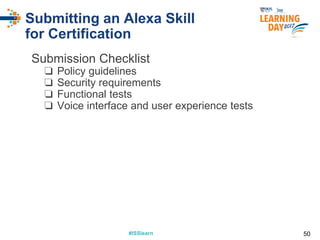
Submitting an Alexa Skill
for Certification
Submission Checklist
❏ Policy guidelines
❏ Security requirements
❏ Functional tests
❏ Voice interface and user experience tests
50
#ISSlearn#ISSlearn
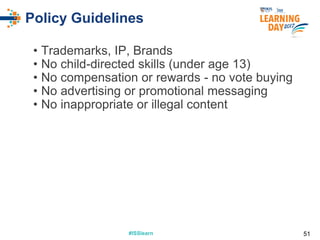
Policy Guidelines
• Trademarks, IP, Brands
• No child-directed skills (under age 13)
• No compensation or rewards - no vote buying
• No advertising or promotional messaging
• No inappropriate or illegal content
51
#ISSlearn#ISSlearn
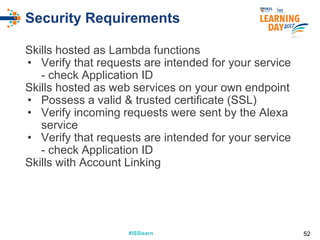
Security Requirements
Skills hosted as Lambda functions
• Verify that requests are intended for your service
- check Application ID
Skills hosted as web services on your own endpoint
• Possess a valid & trusted certificate (SSL)
• Verify incoming requests were sent by the Alexa
service
• Verify that requests are intended for your service
- check Application ID
Skills with Account Linking
52
#ISSlearn#ISSlearn
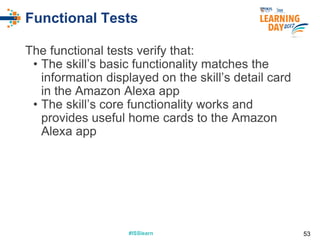
Functional Tests
The functional tests verify that:
• The skill’s basic functionality matches the
information displayed on the skill’s detail card
in the Amazon Alexa app
• The skill’s core functionality works and
provides useful home cards to the Amazon
Alexa app
53
#ISSlearn#ISSlearn
Voice Interface and User
Experience Tests
Voice interface and user experience testing
focuses on:
• Testing the user experience to ensure that
the skill is aligned with several key features of
Alexa that help create a great experience for
customers.
• Reviewing the intent schema, the set of
sample utterances, and the list of values for
any custom slot types you have defined to
ensure that they are correct, complete, and
adhere to voice design best practices.
54
#ISSlearn#ISSlearn
Tips & Avoid Common
Certification Pitfalls
Tips
• Short and concise utterances and prompts
• Use of reprompt texts (after a moment of 8s silence)
• Implement the Amazon.HelpIntent to assist user
• Implement the Amazon.StopIntent/CancelIntent to allow user to
stop session anytime
• Use Cards that are sent to the Alexa App as a record of the
user’s session with the skill with text and images
Avoid Common Certification Pitfalls
• Verify skill’s Invocation Name meets the requirements
• Implement all required intents
• Properly close the session
• Trusted SSL Cert if self hosting skill service
• Tests using service emulator and on Reverb app
55
#ISSlearn
#ISSlearn
Amazon Alexa Skill Promo
https://developer.amazon.com/alexa-skills-kit/alexa-developer-skill-promotion
Terms and Conditions apply.
Publish a Skill by 31st August 2017
Get an Echo Dot & Dev Swag
56
#ISSlearn 57
THANK YOU ☺
bala@nus.edu.sg - cjinpheow@gmail.com
57© 2017 National University of Singapore. All Rights Reserved
#ISSlearn 58
RESOURCES
58
#ISSlearn
#ISSlearn#ISSlearn
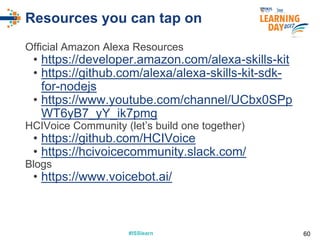
Resources you can tap on
Official Amazon Alexa Resources
• https://developer.amazon.com/alexa-skills-kit
• https://github.com/alexa/alexa-skills-kit-sdk-
for-nodejs
• https://www.youtube.com/channel/UCbx0SPp
WT6yB7_yY_ik7pmg
HCIVoice Community (let’s build one together)
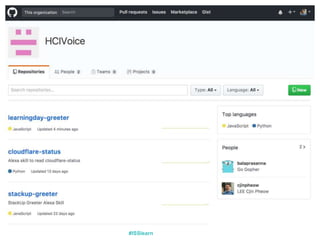
• https://github.com/HCIVoice
• https://hcivoicecommunity.slack.com/
Blogs
• https://www.voicebot.ai/
60

NUS-ISS Learning Day 2017 - Voice Computing - The Next Digital Disruption!

  • 1.
    #ISSlearn #ISSlearn VOICE COMPUTING THE NEXTDIGITAL DISRUPTION 11 Aug 2017 / Prasanna Veerapandi & Cjin Pheow Lee © 2017 National University of Singapore. All Rights Reserved
  • 2.
    #ISSlearn 2 Evolution ofHuman Computer Interaction (HCI)
  • 3.
    #ISSlearn 3 HCI EvolutionTimeline 1890 s 1930 s 1960 s 1980 s 1990 s 201 5 PUNCH CARD KEYBOARD PEN TOUCHMOUSE VOICE
  • 4.
  • 5.
  • 6.
  • 7.
  • 8.
  • 9.
  • 10.
  • 11.
    #ISSlearn#ISSlearn Introducing Alexa Alexa isan intelligent personal assistant developed by Amazon, made popular by the Amazon Echo and the Amazon Echo Dot devices developed by Amazon Lab126. It is capable of voice interaction, music playback, making to-do lists, setting alarms, streaming podcasts, playing audiobooks, and providing weather, traffic, and other real time information, such as news. Alexa can also control smart devices using itself as a home automation system. 11
  • 12.
  • 13.
  • 14.
  • 15.
  • 16.
    #ISSlearn 16 8 AlexaSkills by StackUp Community and Counting
  • 17.
    #ISSlearn #ISSlearn Amazon Alexa SkillPromo https://developer.amazon.com/alexa-skills-kit/alexa-developer-skill-promotion Terms and Conditions apply. Publish a Skill by 31st August 2017 Get an Echo Dot & Dev Swag 17
  • 18.
    #ISSlearn Building Blocks ofan Alexa Custom Skill 18
  • 19.
    #ISSlearn#ISSlearn Intents Intents represent whatusers can ask your skill to do. Your skill might help plan a trip, get a status, tell a joke, or attack a monster — these are intents. A skill for planning a trip might have five intents, such as PlanATripIntent, BookTheTripIntent, StopIntent, CancelIntent, and HelpIntent. 19
  • 20.
    #ISSlearn#ISSlearn Sample Utterances An utteranceis what a person says to Alexa that invokes an intent. Utterances are made up of keyword commands, natural speech sounds like filler words, and slots for information that varies. One of the most important aspects of designing a voice experience is defining the range of what people might say. 20
  • 21.
    #ISSlearn 21 Sample utterancescorresponding to PlanATripIntent “I’d like to go on a trip” “Let’s begin planning a trip” “Plan a trip” “I need a vacation”
  • 22.
    #ISSlearn#ISSlearn Slots Slots allow peopleto specify variable parts of an utterance, for example, city or date. Slots are commonly used in task and information-focused skills. There are two classes of slot types: 1. Amazon’s Built-in Slot Type, like AMAZON.DATE and AMAZON.NUMBER 2. User’s Custom Slot Type 22
  • 23.
    #ISSlearn#ISSlearn Invocation Name A namethat identifies the skill. The user includes this name when invoking and initiating a conversation with your skill. Examples of invocation names: • plan my trip • command ninja • stackup greeter • s. g. weather 23
  • 24.
    #ISSlearn#ISSlearn Invocation Name Guidelines •No infringement of Intellectual Property (IP) • No one-word name, unless you own the Brand, like starbucks or uber or even lion • Must not contain the wake words “alexa”, “amazon”, “echo”, “computer”, or the words “skill” or “app” • Lower-case alphabetic characters, spaces between words, possessive apostrophes, periods used in abbreviations • Specific to the functionality of the skill, like soccer trivia, sleep sounds, vocabulary builder • Fit smoothly with at least one of the Alexa skill launch phrases (for example, “launch”, “ask”, “tell”, “load”, “begin”) to allow customers to naturally invoke the skill 24
  • 25.
  • 26.
  • 27.
    #ISSlearn#ISSlearn Skill Service A cloud-basedservice that accepts these intents as structured requests and then acts upon them. This service must be accessible over the Internet. You provide an endpoint for your service when configuring the skill. 27
  • 28.
    #ISSlearn#ISSlearn Skill Interface A VoiceUser Interface (VUI) configuration that brings all of the above together so that Alexa can route requests to the service for your skill. You create this configuration in the developer portal. 28
  • 29.
    #ISSlearn 29 A Skill’sTypical Request Lifecycle
  • 30.
  • 31.
    #ISSlearn How to Createa Custom Skill 31 Using the Alexa Skills Kit (ASK)
  • 32.
    #ISSlearn#ISSlearn Requirements 1.Computer ready forNode.js development 2.Knowledge of JavaScript or Python programming 3.Developer’s account at https://developer.amazon.com 4.An account with Amazon Web Services 5.An idea for a skill 32
  • 33.
    #ISSlearn Alexa Skills Kit ASKis a collection of self-service APIs, tools, documentation, and code samples that makes it fast and easy for you to add skills to Alexa. 33
  • 34.
    #ISSlearn Alexa Voice Service TheAlexa Voice Service (AVS) allows you to integrate Alexa’s built-in voice capabilities into your connected products. 34
  • 35.
  • 36.
    #ISSlearn#ISSlearn Creating Custom Skill ●Get started with Alexa: https://developer.amazon.com/edw/home.html ● Choose “Alexa Skills Kit” ● Skill Information ○Skill Type: Choose Custom Interaction Model ○Name: Learning Day Greeter ○Invocation Name: learning day greeter ○Answer “No” to all other fields for now 36
  • 37.
    #ISSlearn#ISSlearn Creating Custom Skill ●InteractionModel ○Launch Skills Builder BETA (GUI) ○Define using JSON and Text ■ Intent Schema: The schema of user intents in JSON format ■ Custom Slot Types (Optional) ■ Sample Utterances: These are what people say to interact with your skill. Type in all the ways that people can invoke the intents. 37
  • 38.
    #ISSlearn#ISSlearn Intent Schema { "intents": [ { "intent":"WelcomeGreetingIntent" }, { "intent": "FarewellIntent", "slots": [ { "name": "Guest", "type": "AMAZON.US_FIRST_NAME" } ] } ] } Also to include Help, Cancel, Stop and Unhandled intents. 38
  • 39.
    #ISSlearn#ISSlearn Sample Utterances WelcomeGreetingIntent hello WelcomeGreetingIntenthi WelcomeGreetingIntent I'm here WelcomeGreetingIntent knock knock WelcomeGreetingIntent anyone's home FarewellIntent say goodbye to {Guest} FarewellIntent {Guest} is leaving 39
  • 40.
    #ISSlearn#ISSlearn Creating Custom Skill ●Configuration ○Endpoint ■AWS Lambda ARN (Amazon Resource Name) ● Choose “North America” as region ● Key in Lambda ARN in text box (after creating the Lambda function) ■ HTTPS (Self-hosted secured service) ○Account Linking: No ○Permissions (Don’t select for now) 40
  • 41.
    #ISSlearn#ISSlearn Creating Custom Skill •Initialize a new Node.js app using: npm init • Install the node package “alexa-sdk” • Patch node_modules/alexa-sdk/lib/alexa.js line 131 • Create starting script “index.js” and code the handlers for the various intents • Zip the project directory into index.zip: • zip -r ../index.zip ./* 41
  • 42.
    #ISSlearn#ISSlearn Creating Custom Skill Uploadto AWS Lambda • Go to https://console.aws.amazon.com/lambda/home • Click “Create a Lambda function” • Under “Select blueprint”, select Runtime “Node.js 6.10” and blueprint “Blank Function” • Under “Configure triggers”, select “Alexa Skills Kit” • Under “Configure function”, specify a name for the function and select “Node.js 6.10” as Runtime. • Under Lambda function code, select Code entry type as “Upload a .ZIP file”. Click “Package function” to upload “index.zip” • Under “Lambda function handler and role”, leave Handler as “index.handler”, Role as “Create a custom role”, IAM Role as “Create a new IAM Role. Then click Allow at the bottom right. • Click “Create function” and note the ARN. Back on Alexa skill configuration, specify this AWS Lambda ARN under the North America region textbox. 42
  • 43.
    #ISSlearn#ISSlearn Testing the CustomSkill • Test • Under Service Simulator, enter an utterance and click “Ask StackUp Greeter”. See the Lambda Request JSON and the Lambda Response JSON. • Utterances to try: • “Hi” • “Knock knock” • “Chris is leaving” • “Bid farewell to Susan” • “Help” 43
  • 44.
    #ISSlearn 44 Alexa Apps AmazonAlexa Reverb for Amazon Alexa http://alexa.amazon.com/
  • 45.
  • 46.
    #ISSlearn 46 Providing aVisual Component for Your Skill with Home Cards • Interaction between the user and a physical Alexa device can include Home Cards • Cards are displayed on the Amazon Alexa App, the companion app running on mobile devices or on the web • Cards can contain graphics and verbose text responses • Cards enhance the voice interaction
  • 47.
    #ISSlearn#ISSlearn Including a Cardin Your Skill’s Response Instead of: this.emit(':ask',…) or this.emit(':tell',…) Use: this.emit(':askWithCard',…) or this.emit(':tellWithCard',…) 47
  • 48.
    #ISSlearn#ISSlearn Responding with aCard example var cardTitle = 'Welcome'; var cardContent = 'Welcome to the Learning Day 2017!'; var cardImages = { smallImageUrl: 'https://pic_720x480.png', largeImageUrl: 'https://pic1200x800.jpg' }; this.emit(':tellWithCard', speechOutput, cardTitle, cardContent, cardImages); 48
  • 49.
    #ISSlearn#ISSlearn Advanced Features • CustomSlots - define your own slot type and sample values • Account Linking - connect the identity of the end user with a user in another system via the Alexa App • Dialog model - multi-turn conversation between your skill and the user to collect all the information needed to fulfill each intent • State-machine based intent handling - define different event handlers based on the current state of the skill • Persisting Skill Attributes through DynamoDB - remembering the user across different interaction sessions 49
  • 50.
    #ISSlearn#ISSlearn Submitting an AlexaSkill for Certification Submission Checklist ❏ Policy guidelines ❏ Security requirements ❏ Functional tests ❏ Voice interface and user experience tests 50
  • 51.
    #ISSlearn#ISSlearn Policy Guidelines • Trademarks,IP, Brands • No child-directed skills (under age 13) • No compensation or rewards - no vote buying • No advertising or promotional messaging • No inappropriate or illegal content 51
  • 52.
    #ISSlearn#ISSlearn Security Requirements Skills hostedas Lambda functions • Verify that requests are intended for your service - check Application ID Skills hosted as web services on your own endpoint • Possess a valid & trusted certificate (SSL) • Verify incoming requests were sent by the Alexa service • Verify that requests are intended for your service - check Application ID Skills with Account Linking 52
  • 53.
    #ISSlearn#ISSlearn Functional Tests The functionaltests verify that: • The skill’s basic functionality matches the information displayed on the skill’s detail card in the Amazon Alexa app • The skill’s core functionality works and provides useful home cards to the Amazon Alexa app 53
  • 54.
    #ISSlearn#ISSlearn Voice Interface andUser Experience Tests Voice interface and user experience testing focuses on: • Testing the user experience to ensure that the skill is aligned with several key features of Alexa that help create a great experience for customers. • Reviewing the intent schema, the set of sample utterances, and the list of values for any custom slot types you have defined to ensure that they are correct, complete, and adhere to voice design best practices. 54
  • 55.
    #ISSlearn#ISSlearn Tips & AvoidCommon Certification Pitfalls Tips • Short and concise utterances and prompts • Use of reprompt texts (after a moment of 8s silence) • Implement the Amazon.HelpIntent to assist user • Implement the Amazon.StopIntent/CancelIntent to allow user to stop session anytime • Use Cards that are sent to the Alexa App as a record of the user’s session with the skill with text and images Avoid Common Certification Pitfalls • Verify skill’s Invocation Name meets the requirements • Implement all required intents • Properly close the session • Trusted SSL Cert if self hosting skill service • Tests using service emulator and on Reverb app 55
  • 56.
    #ISSlearn #ISSlearn Amazon Alexa SkillPromo https://developer.amazon.com/alexa-skills-kit/alexa-developer-skill-promotion Terms and Conditions apply. Publish a Skill by 31st August 2017 Get an Echo Dot & Dev Swag 56
  • 57.
    #ISSlearn 57 THANK YOU☺ bala@nus.edu.sg - cjinpheow@gmail.com 57© 2017 National University of Singapore. All Rights Reserved
  • 58.
  • 59.
  • 60.
    #ISSlearn#ISSlearn Resources you cantap on Official Amazon Alexa Resources • https://developer.amazon.com/alexa-skills-kit • https://github.com/alexa/alexa-skills-kit-sdk- for-nodejs • https://www.youtube.com/channel/UCbx0SPp WT6yB7_yY_ik7pmg HCIVoice Community (let’s build one together) • https://github.com/HCIVoice • https://hcivoicecommunity.slack.com/ Blogs • https://www.voicebot.ai/ 60