Nursing Research
101
Daytona State College Library
 Peer-reviewed journal articles are those written by
experts and researchers in the field you are studying.
 They are the gold standard for quality, and your
instructors require you to use them.
 You will find them most easily through the library
website.
 They are also known as scholarly articles, academic
journal articles, professional journal articles, and
refereed articles.
What are peer-reviewed journal
articles?
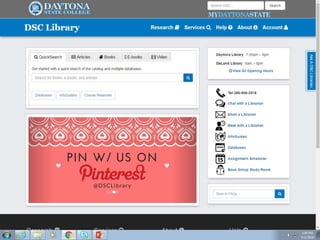
 http://library.daytonastate.edu/
The Library Website
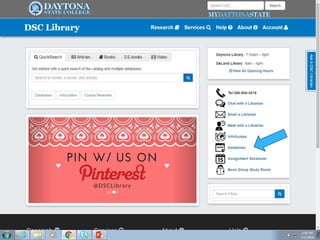
 Use the “Databases” link in the menu
on the right to find the list of databases.
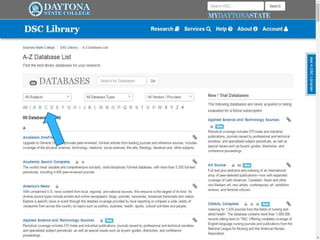
 Using the letters near the top, choose
“C”
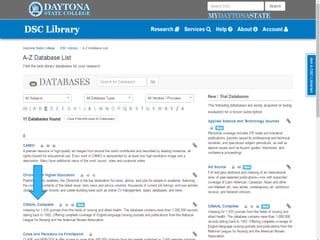
 Choose “CINAHL Complete”
 Log in using your student ID and PIN
(the last four digits of your SSN)
Choosing a Database
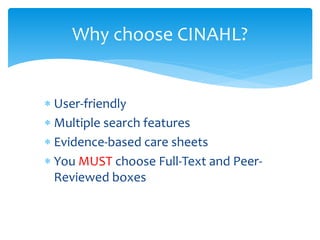
 User-friendly
 Multiple search features
 Evidence-based care sheets
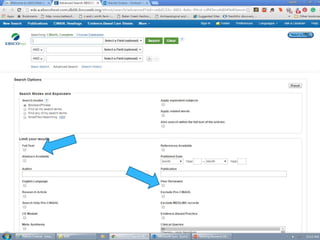
 You MUST choose Full-Text and Peer-
Reviewed boxes
Why choose CINAHL?
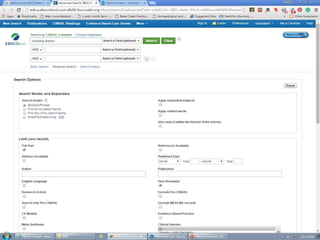
 Choose your terms carefully
 Not too many words
 It’s easier to begin broadly and narrow
your results than it is to begin narrowly
and have to broaden.
Ready to search!
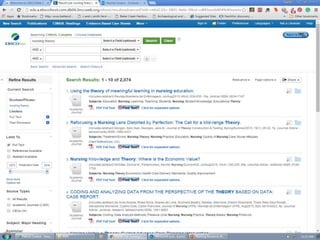
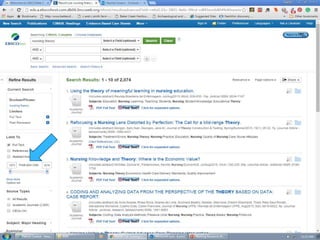
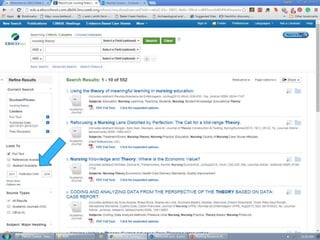
 It is best to use the newest research
possible.
 Generally, the nursing research you use
should be five years old or less.
 Use the slider to the right of the results
list to change your date range.
Choose your date range
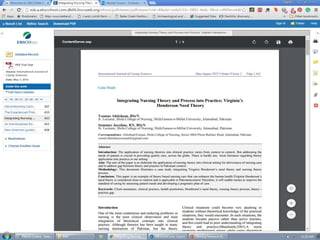
 Click on “PDF Full Text” to the left of the
article description
 If you have a choice between PDF and HTML
Full Text, choose PDF.
 PDF articles come with page numbers. If you
use a quote from your article in your paper,
you will need the page number. HTML does
not have page numbers.
Read the article
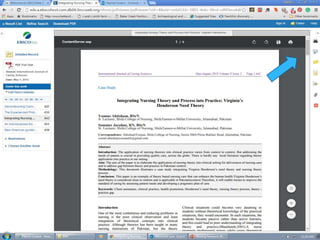
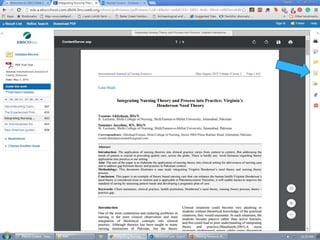
 Look at the “Tools” menu at the right of
the page
 From here, you can print the article, or
email it to yourself
 You can also print or save the article by
using the icons that appear at the
bottom of the article when you mouse
over the area.
Using article tools
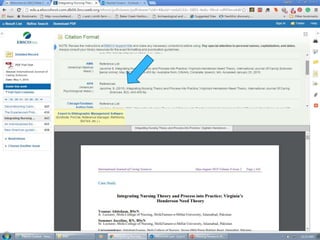
 Under the Tools menu, find the icon that looks like a yellow
sheet of paper.
 When you mouse over it, it will say “Cite.”
 Click on that, then choose your citation style (APA) from
the list.
 You can copy and paste the citation into your works cited
or references page.
 Note: the citation is likely to be partially incorrect. Check
with an APA style guide for the correct format. (For
instance, the citation in the example has several mistakes.)
 This does not give you the in-text citation.
Citing the Article
Need more help? Call 386-506-3518 or 386-785-2017
(Research Assistance Desks)
Email: owensr@daytonastate.edu

Nursing Research 101

  • 1.
  • 2.
     Peer-reviewed journalarticles are those written by experts and researchers in the field you are studying.  They are the gold standard for quality, and your instructors require you to use them.  You will find them most easily through the library website.  They are also known as scholarly articles, academic journal articles, professional journal articles, and refereed articles. What are peer-reviewed journal articles?
  • 3.
  • 5.
     Use the“Databases” link in the menu on the right to find the list of databases.  Using the letters near the top, choose “C”  Choose “CINAHL Complete”  Log in using your student ID and PIN (the last four digits of your SSN) Choosing a Database
  • 10.
     User-friendly  Multiplesearch features  Evidence-based care sheets  You MUST choose Full-Text and Peer- Reviewed boxes Why choose CINAHL?
  • 12.
     Choose yourterms carefully  Not too many words  It’s easier to begin broadly and narrow your results than it is to begin narrowly and have to broaden. Ready to search!
  • 15.
     It isbest to use the newest research possible.  Generally, the nursing research you use should be five years old or less.  Use the slider to the right of the results list to change your date range. Choose your date range
  • 18.
     Click on“PDF Full Text” to the left of the article description  If you have a choice between PDF and HTML Full Text, choose PDF.  PDF articles come with page numbers. If you use a quote from your article in your paper, you will need the page number. HTML does not have page numbers. Read the article
  • 20.
     Look atthe “Tools” menu at the right of the page  From here, you can print the article, or email it to yourself  You can also print or save the article by using the icons that appear at the bottom of the article when you mouse over the area. Using article tools
  • 22.
     Under theTools menu, find the icon that looks like a yellow sheet of paper.  When you mouse over it, it will say “Cite.”  Click on that, then choose your citation style (APA) from the list.  You can copy and paste the citation into your works cited or references page.  Note: the citation is likely to be partially incorrect. Check with an APA style guide for the correct format. (For instance, the citation in the example has several mistakes.)  This does not give you the in-text citation. Citing the Article
  • 25.
    Need more help?Call 386-506-3518 or 386-785-2017 (Research Assistance Desks) Email: owensr@daytonastate.edu