
1
Git on the front line
Nicola Iarocci
2
Who Am INicola Iarocci, a weirdo
Python by Night
I am the author and
maintainer of a few
Python open source
projects: python-eve.org,
python-cerberus.organd
more.
Microsoft MVP
MongoDB Master
I also happen to be a
Microsoft MVP for Visual
Studio and Development
Technologies and a
MongoDB Master.
Communities
I run DevRomagna, a
developers community, and
CoderDojo Ravenna, a
coding club for kids.
http://devromagna.org
C# by Day
I am the author of Sofware
Gestionali Amica, a line of
accounting and invoicing
applications for Italian small
businesses. Check it out at
http://gestionaleamica.com
3
one size does not fit all
git workflows
4
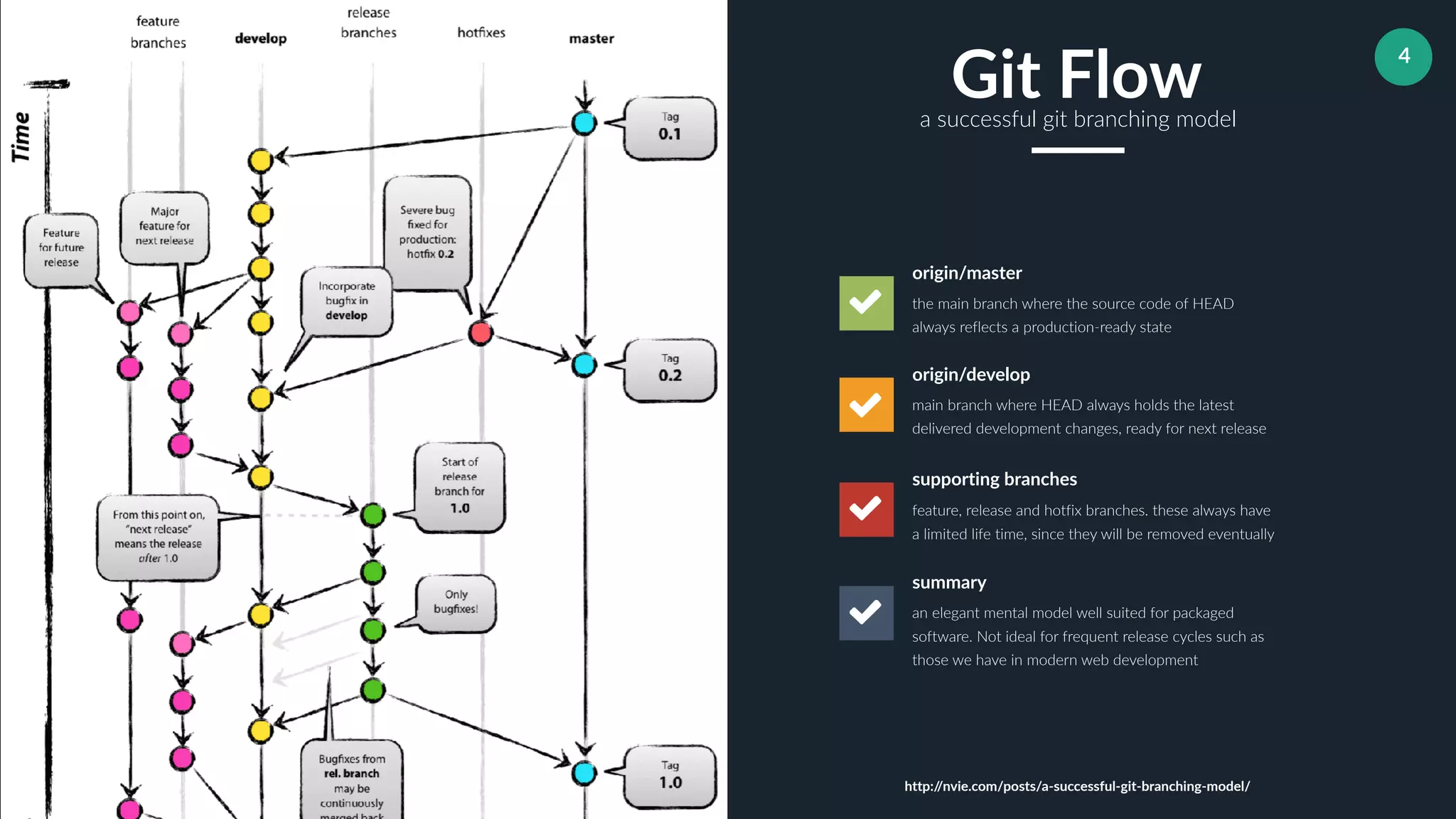
the main branch where the source code of HEAD
always reflects a production-ready state
origin/master
main branch where HEAD always holds the latest
delivered development changes, ready for next release
origin/develop
feature, release and hotfix branches. these always have
a limited life time, since they will be removed eventually
supporting branches
an elegant mental model well suited for packaged
software. Not ideal for frequent release cycles such as
those we have in modern web development
summary
Git Flowa successful git branching model
http://nvie.com/posts/a-successful-git-branching-model/
5
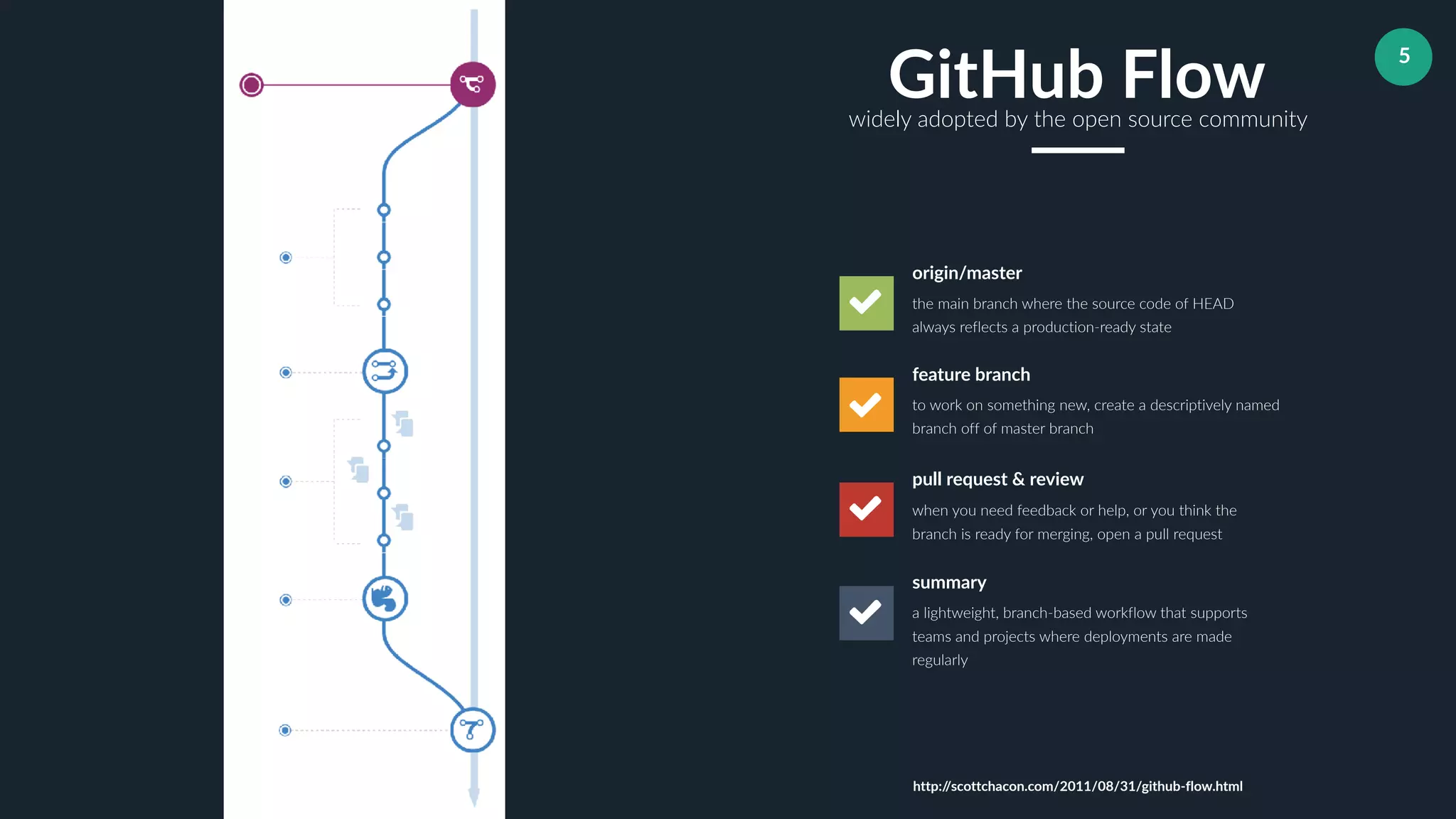
the main branch where the source code of HEAD
always reflects a production-ready state
origin/master
to work on something new, create a descriptively named
branch off of master branch
feature branch
when you need feedback or help, or you think the
branch is ready for merging, open a pull request
pull request & review
a lightweight, branch-based workflow that supports
teams and projects where deployments are made
regularly
summary
GitHub Flowwidely adopted by the open source community
http://scottchacon.com/2011/08/31/github-flow.html
6
Streamline your git experience
aliases
7
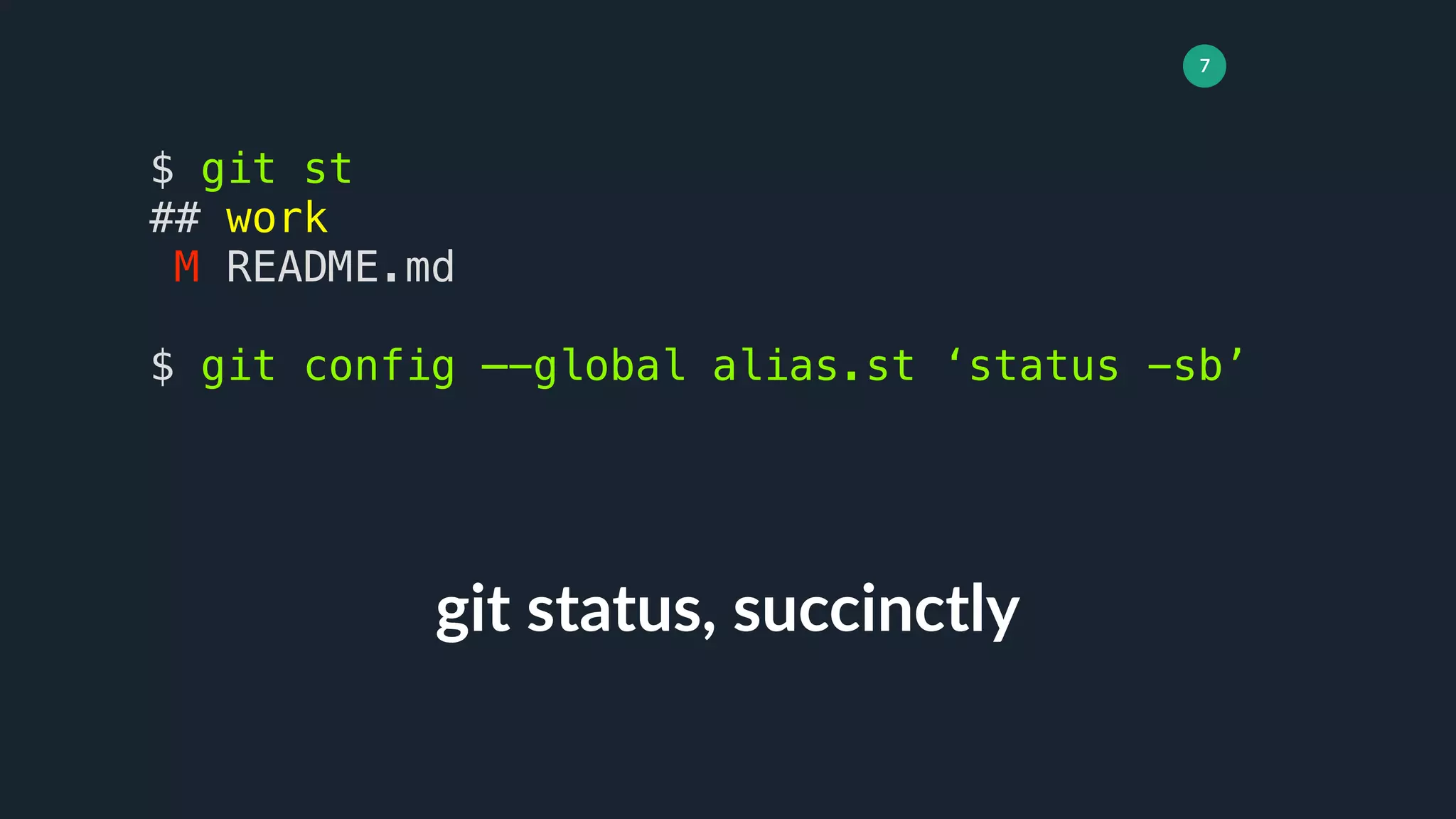
git status, succinctly
$ git st
## work
M README.md
$ git config —-global alias.st ‘status -sb’
8
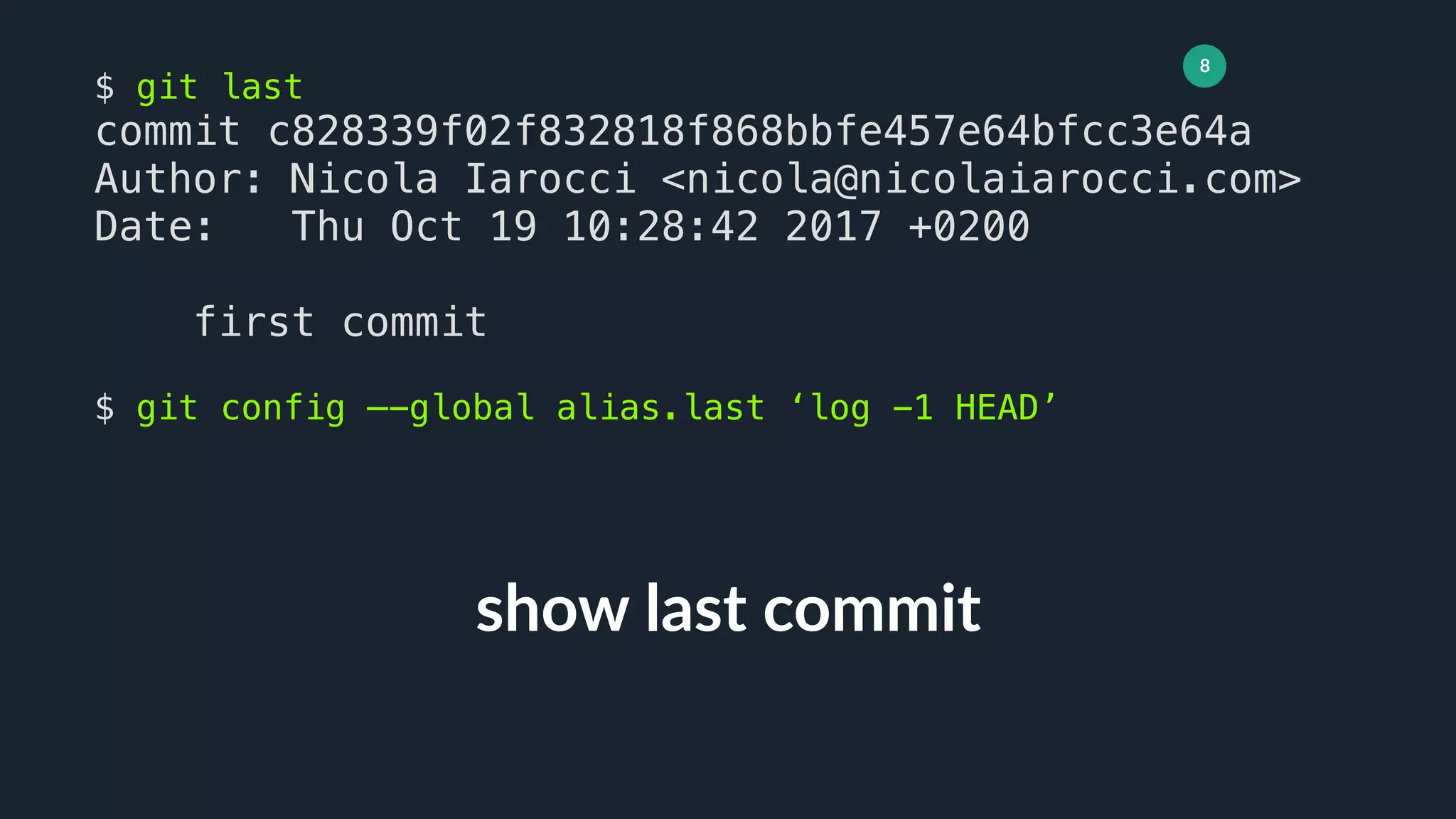
show last commit
$ git last
commit c828339f02f832818f868bbfe457e64bfcc3e64a
Author: Nicola Iarocci <nicola@nicolaiarocci.com>
Date: Thu Oct 19 10:28:42 2017 +0200
first commit
$ git config —-global alias.last ‘log -1 HEAD’
9
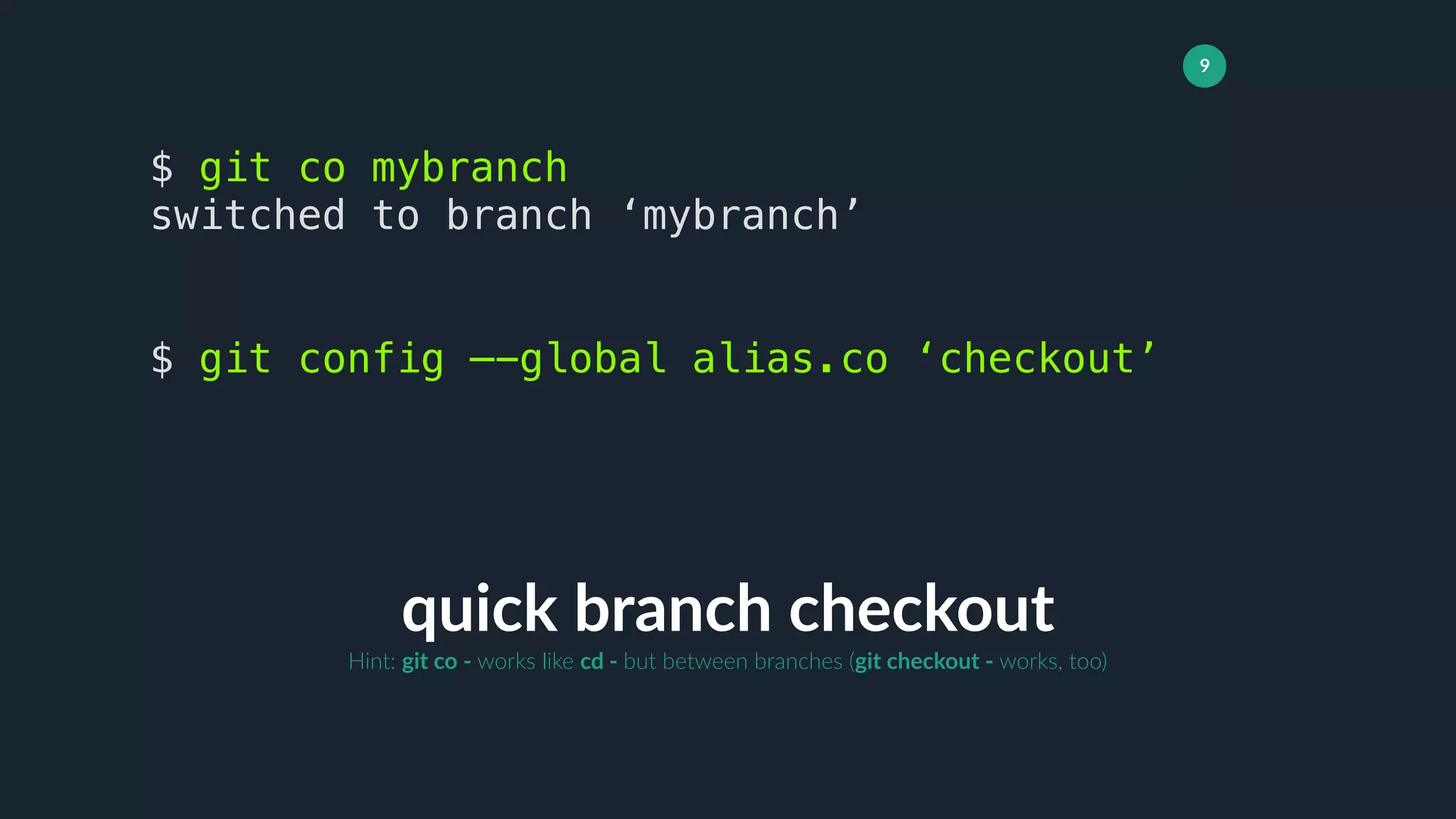
quick branch checkout
$ git co mybranch
switched to branch ‘mybranch’
$ git config —-global alias.co ‘checkout’
Hint: git co - works like cd - but between branches (git checkout - works, too)
10
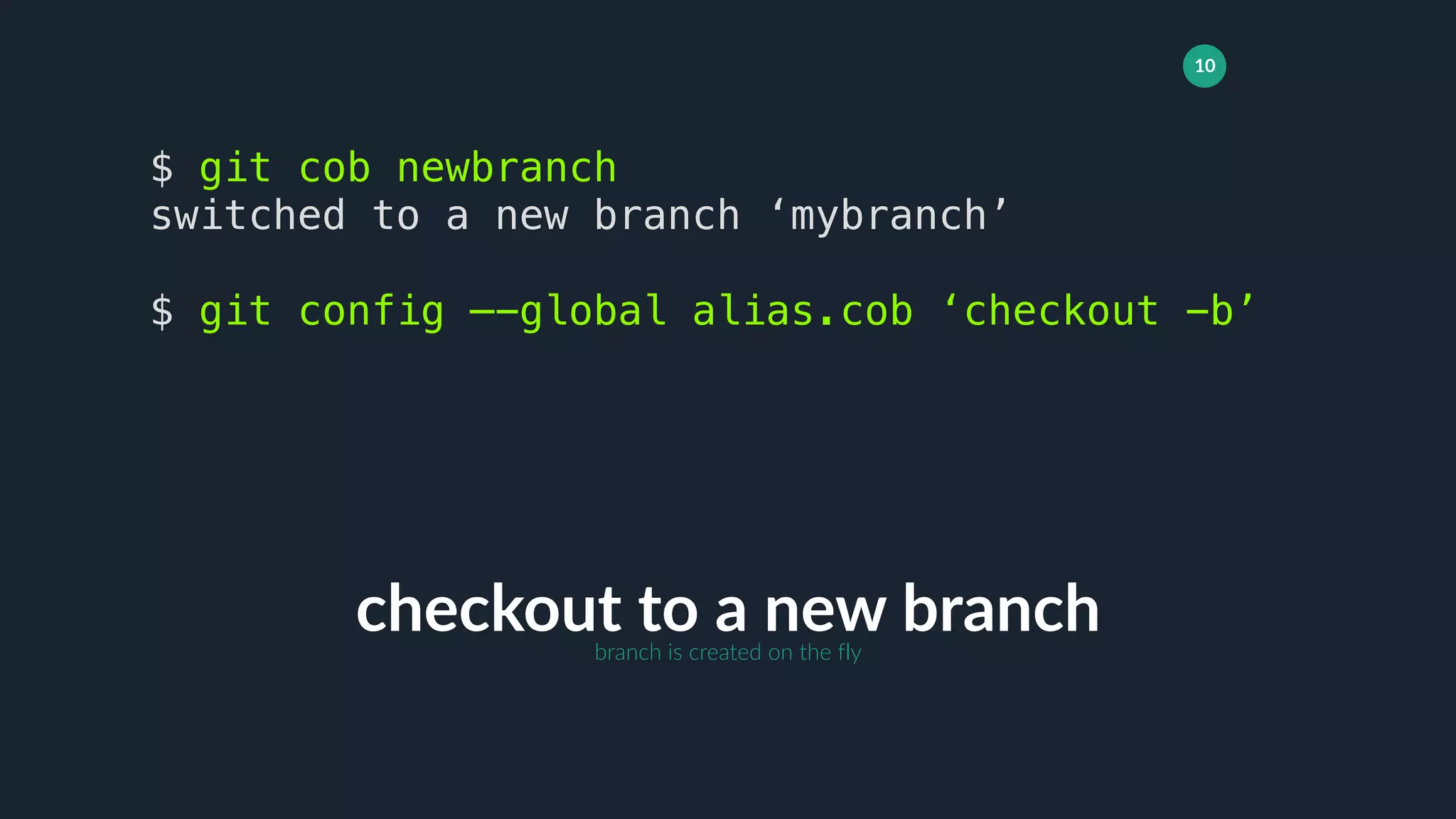
checkout to a new branch
$ git cob newbranch
switched to a new branch ‘mybranch’
$ git config —-global alias.cob ‘checkout -b’
branch is created on the fly
11
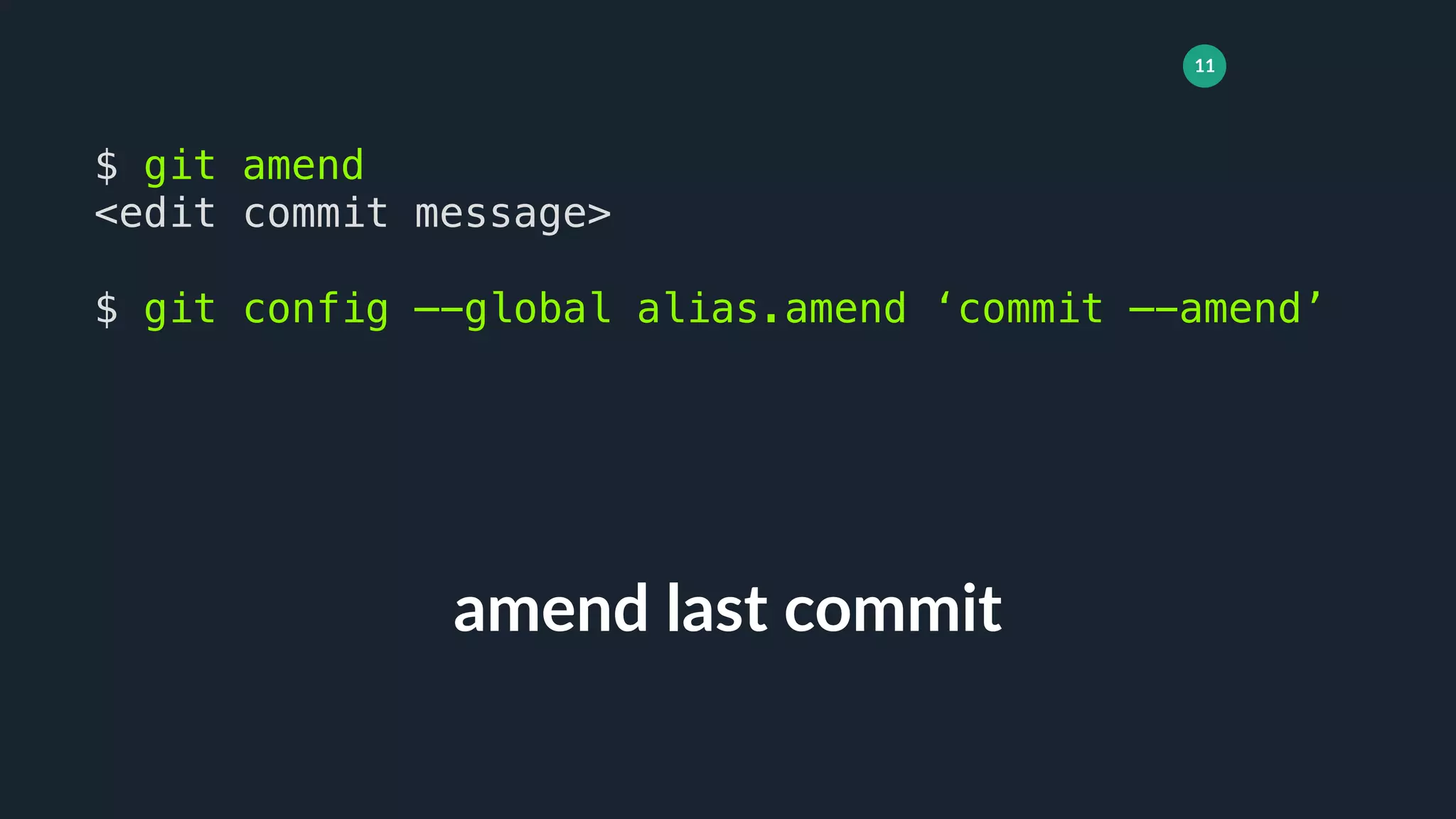
amend last commit
$ git amend
<edit commit message>
$ git config —-global alias.amend ‘commit —-amend’
12
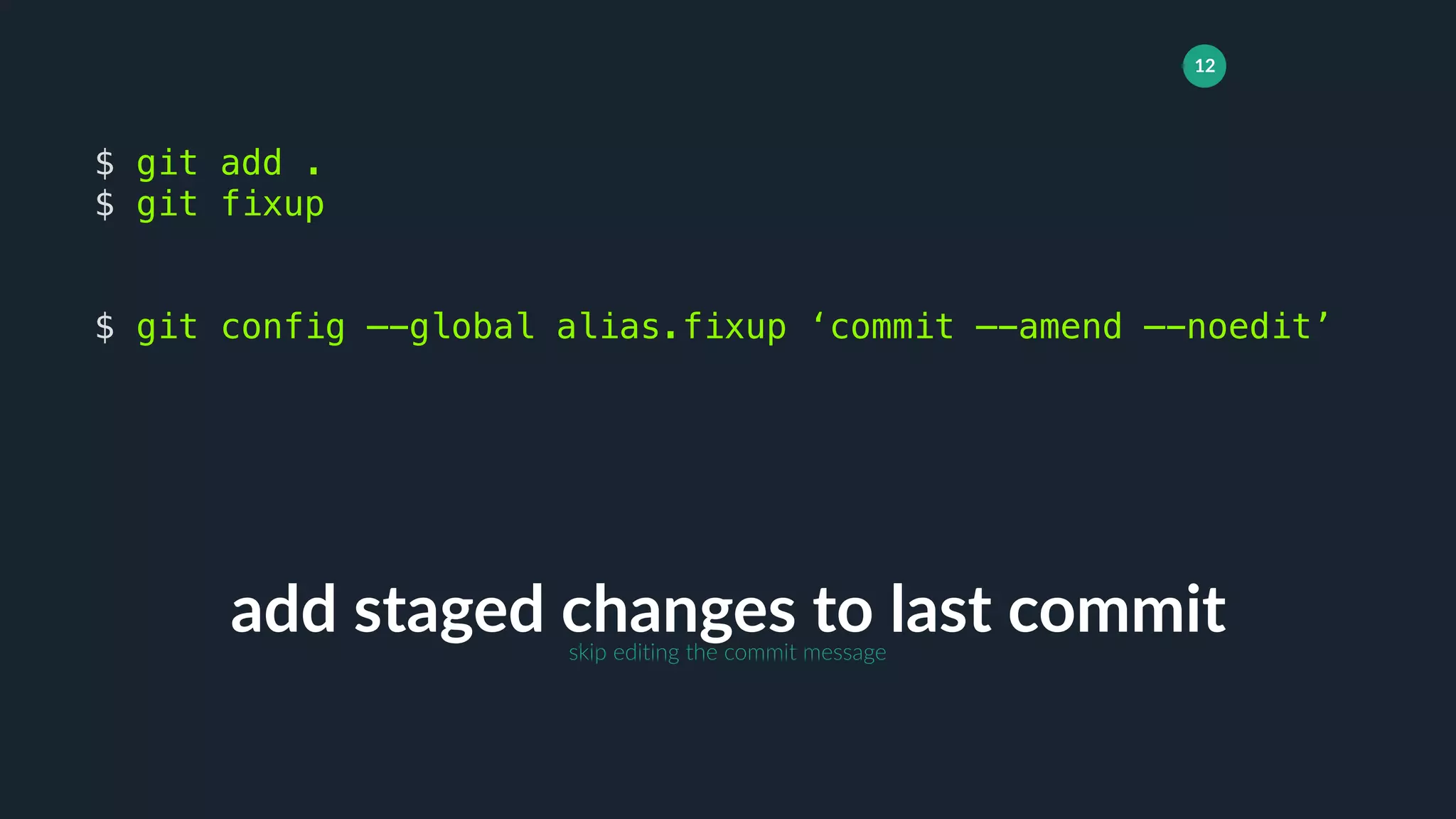
add staged changes to last commit
$ git add .
$ git fixup
$ git config —-global alias.fixup ‘commit —-amend —-noedit’
skip editing the commit message
13
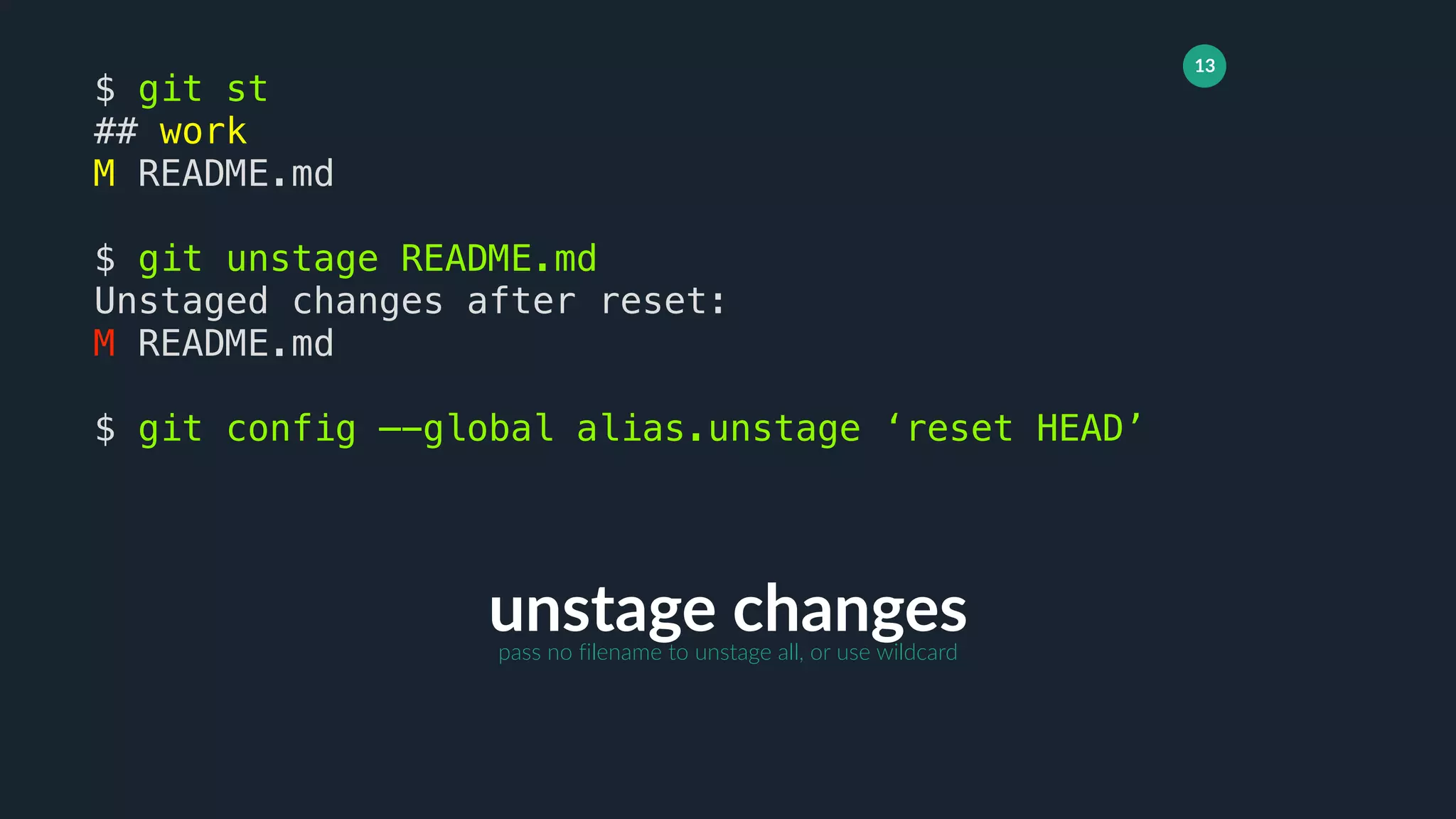
unstage changes
$ git st
## work
M README.md
$ git unstage README.md
Unstaged changes after reset:
M README.md
$ git config —-global alias.unstage ‘reset HEAD’
pass no filename to unstage all, or use wildcard
14
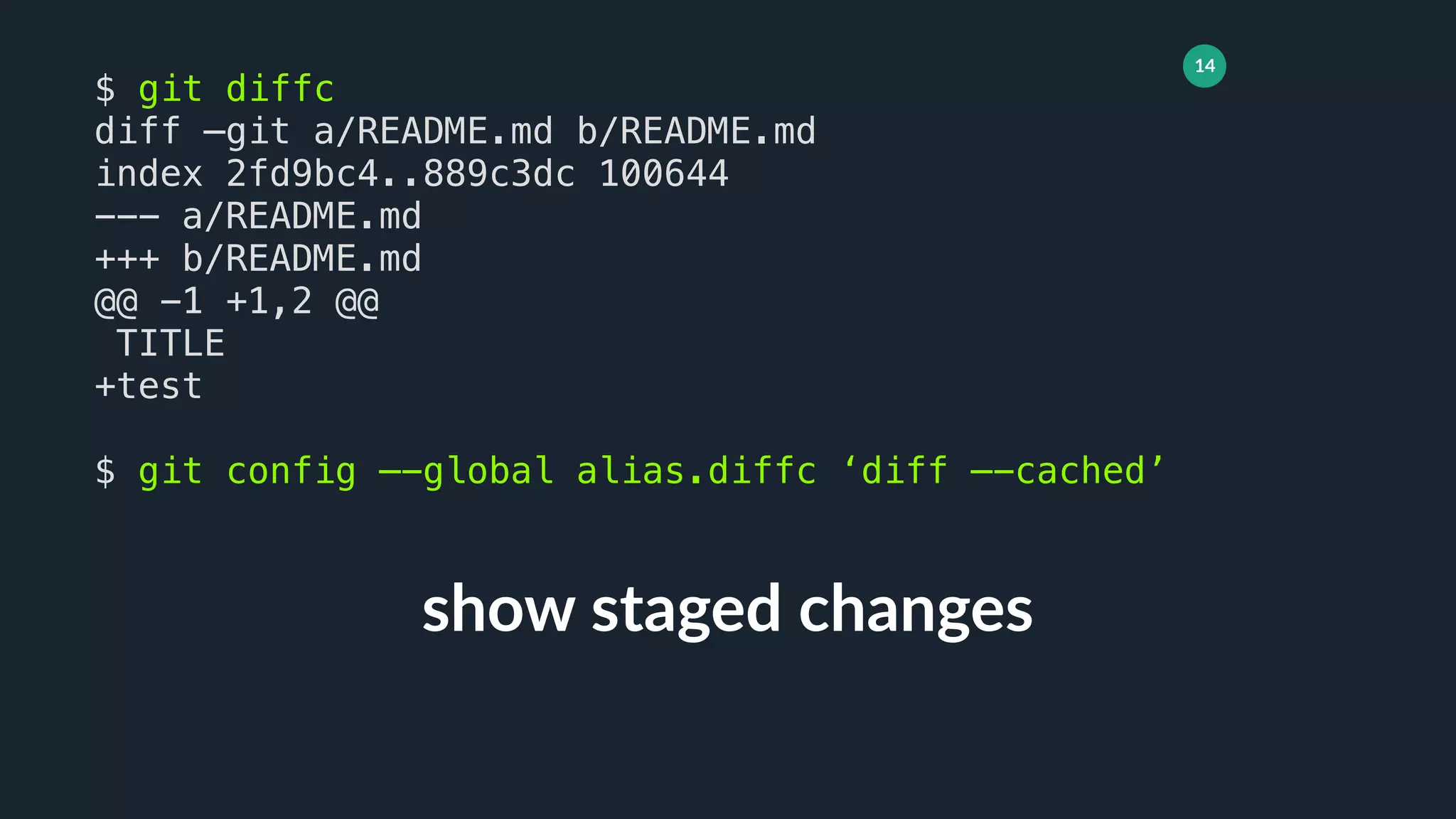
show staged changes
$ git diffc
diff —git a/README.md b/README.md
index 2fd9bc4..889c3dc 100644
--- a/README.md
+++ b/README.md
@@ -1 +1,2 @@
TITLE
+test
$ git config —-global alias.diffc ‘diff —-cached’
15
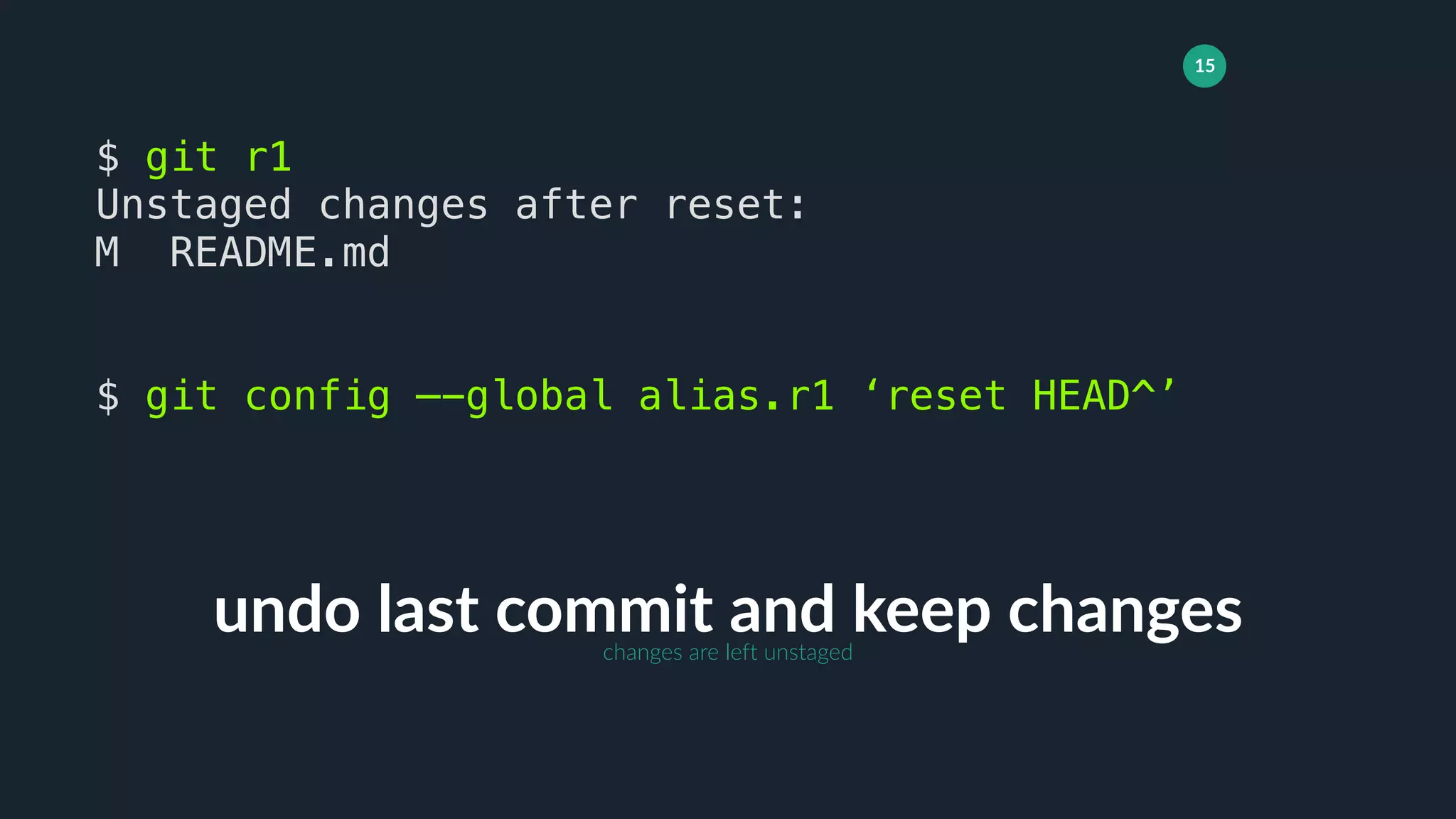
undo last commit and keep changes
$ git r1
Unstaged changes after reset:
M README.md
$ git config —-global alias.r1 ‘reset HEAD^’
changes are left unstaged
16
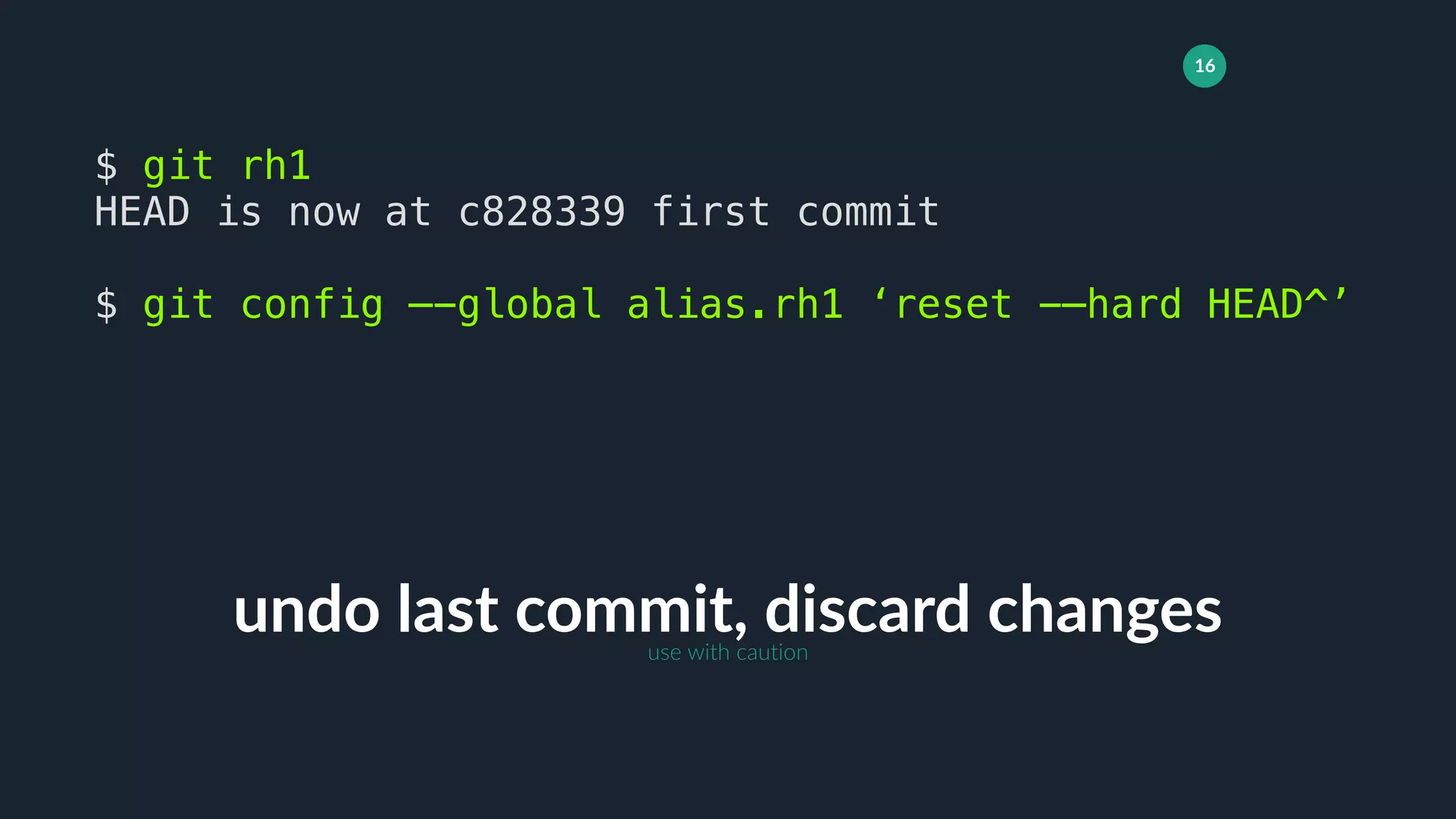
undo last commit, discard changes
$ git rh1
HEAD is now at c828339 first commit
$ git config —-global alias.rh1 ‘reset -—hard HEAD^’
use with caution
17
add all changes including untracked,
and commit with message
$ git cm “my commit message”
[mybranch ea88184] my commit message
1 file changed, 1 insertion(+), 1 deletion(-)
!git add -A && git commit -m
18
add all changes excluding untracked,
then commit as WIP
$ git wip
[mybranch ea88184] WIP
1 file changed, 1 insertion(+), 1 deletion(-)
!git add -u && git commit -m WIP
19
add all changes including untracked,
then commit as SAVEPOINT
$ git save
[mybranch ea88184] SAVEPOINT
1 file changed, 1 insertion(+), 1 deletion(-)
!git add -A && git commit -m SAVEPOINT
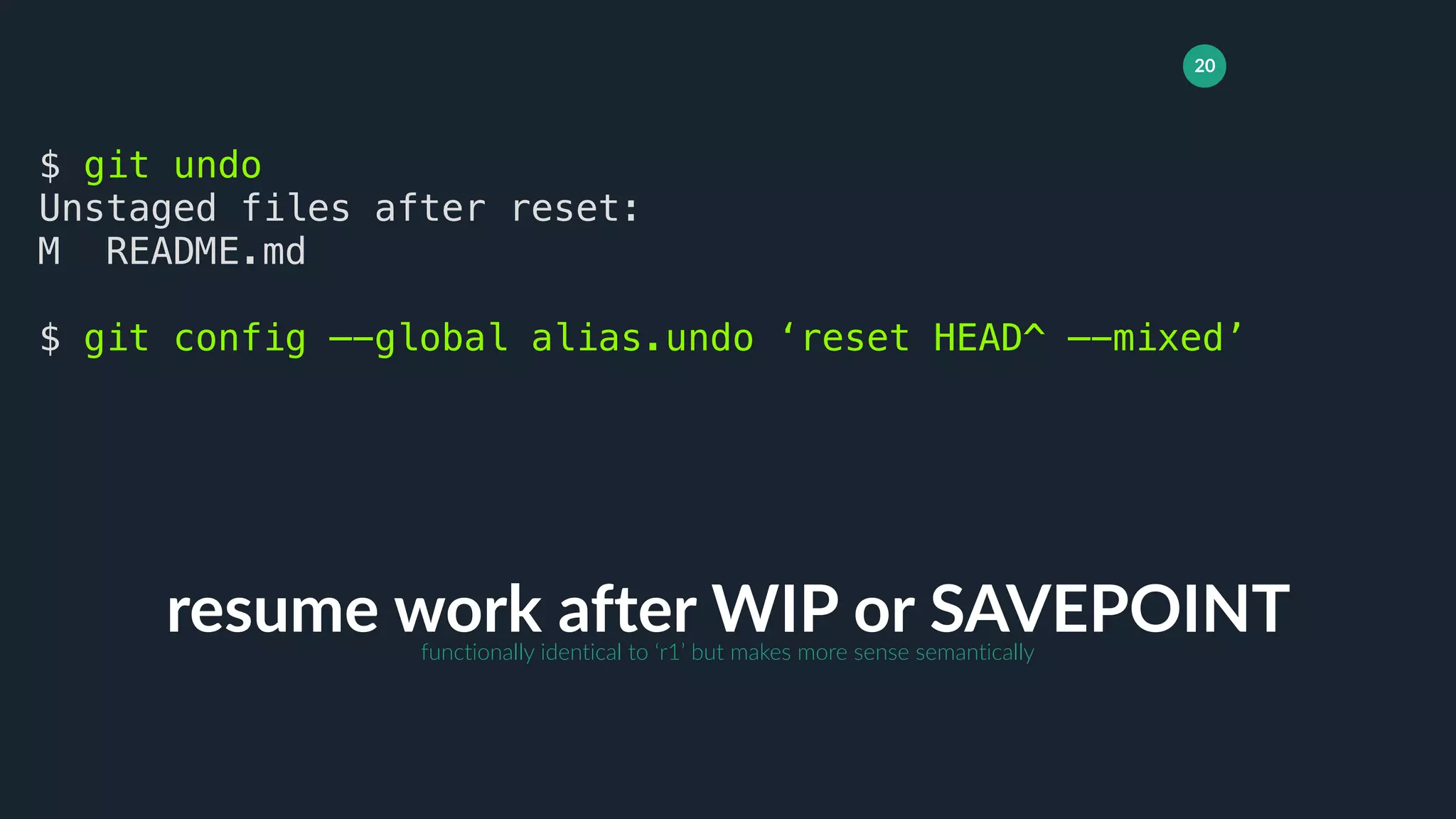
20
resume work after WIP or SAVEPOINT
$ git undo
Unstaged files after reset:
M README.md
$ git config —-global alias.undo ‘reset HEAD^ —-mixed’
functionally identical to ‘r1’ but makes more sense semantically
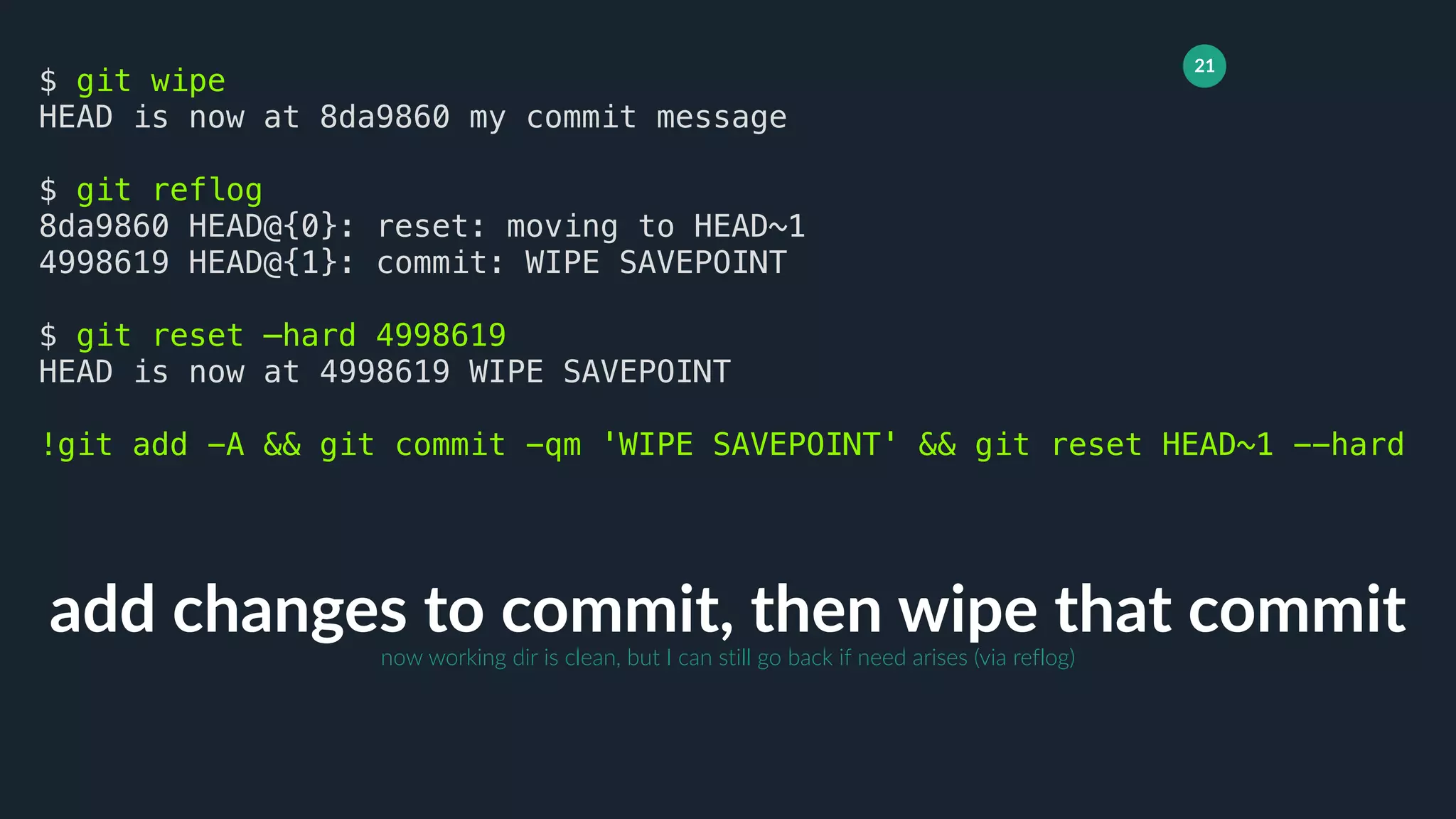
21
add changes to commit, then wipe that commit
$ git wipe
HEAD is now at 8da9860 my commit message
$ git reflog
8da9860 HEAD@{0}: reset: moving to HEAD~1
4998619 HEAD@{1}: commit: WIPE SAVEPOINT
$ git reset —hard 4998619
HEAD is now at 4998619 WIPE SAVEPOINT
!git add -A && git commit -qm 'WIPE SAVEPOINT' && git reset HEAD~1 --hard
now working dir is clean, but I can still go back if need arises (via reflog)
22
hierarchical, git-powered grep
$ git g “event hooks”
CHANGES
1077:- [new] pre_<method> and ``pre_<method>_<resource>`` event hooks are
now
docs/features.rst
1216:Database event hooks
1219:Database event hooks work like request event hooks
$ git config —-global alias.g ‘grep --break --heading --line-number’
faster than standard grep
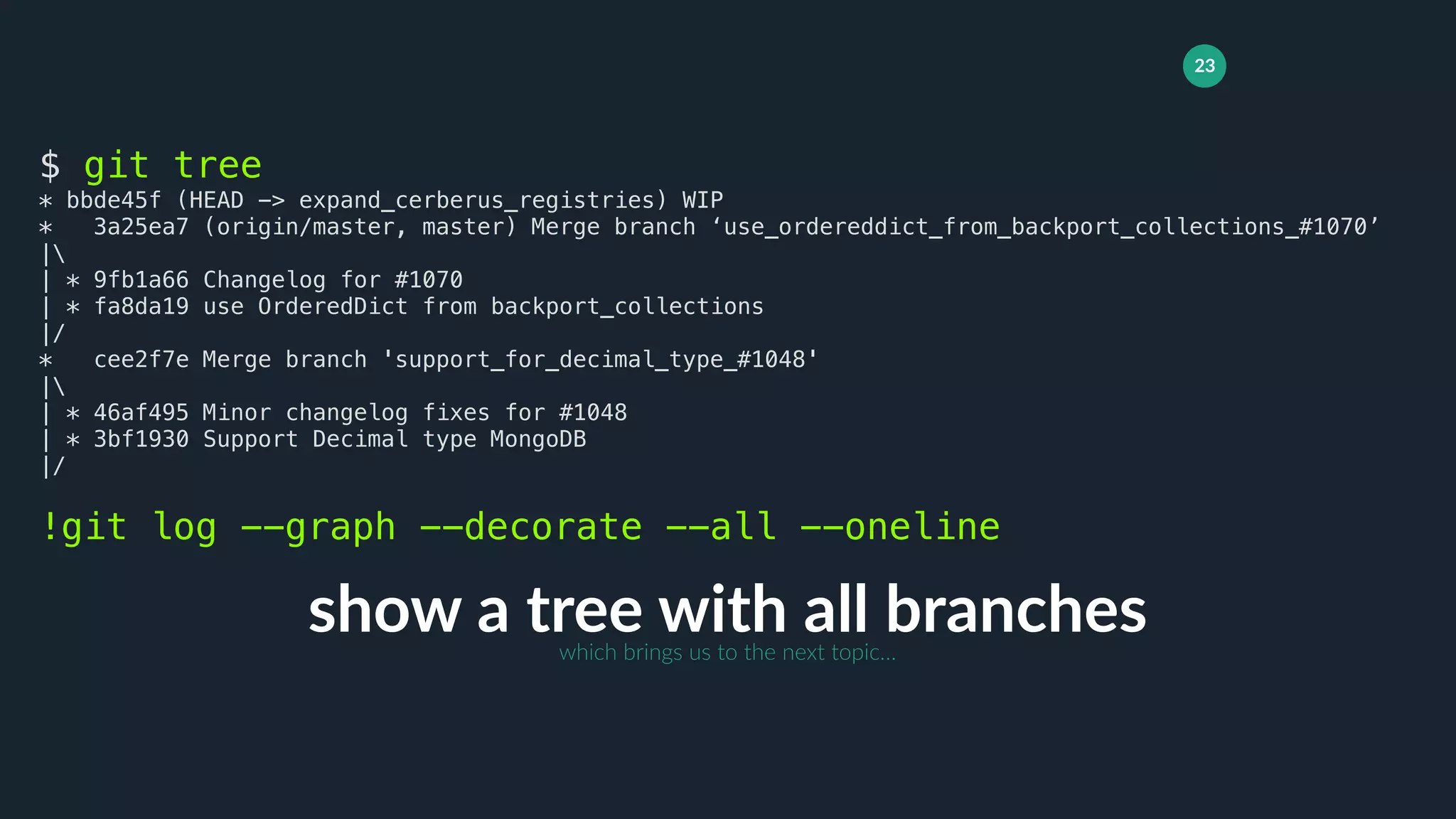
23
show a tree with all branches
$ git tree
* bbde45f (HEAD -> expand_cerberus_registries) WIP
* 3a25ea7 (origin/master, master) Merge branch ‘use_ordereddict_from_backport_collections_#1070’
|
| * 9fb1a66 Changelog for #1070
| * fa8da19 use OrderedDict from backport_collections
|/
* cee2f7e Merge branch 'support_for_decimal_type_#1048'
|
| * 46af495 Minor changelog fixes for #1048
| * 3bf1930 Support Decimal type MongoDB
|/
!git log --graph --decorate --all --oneline
which brings us to the next topic…
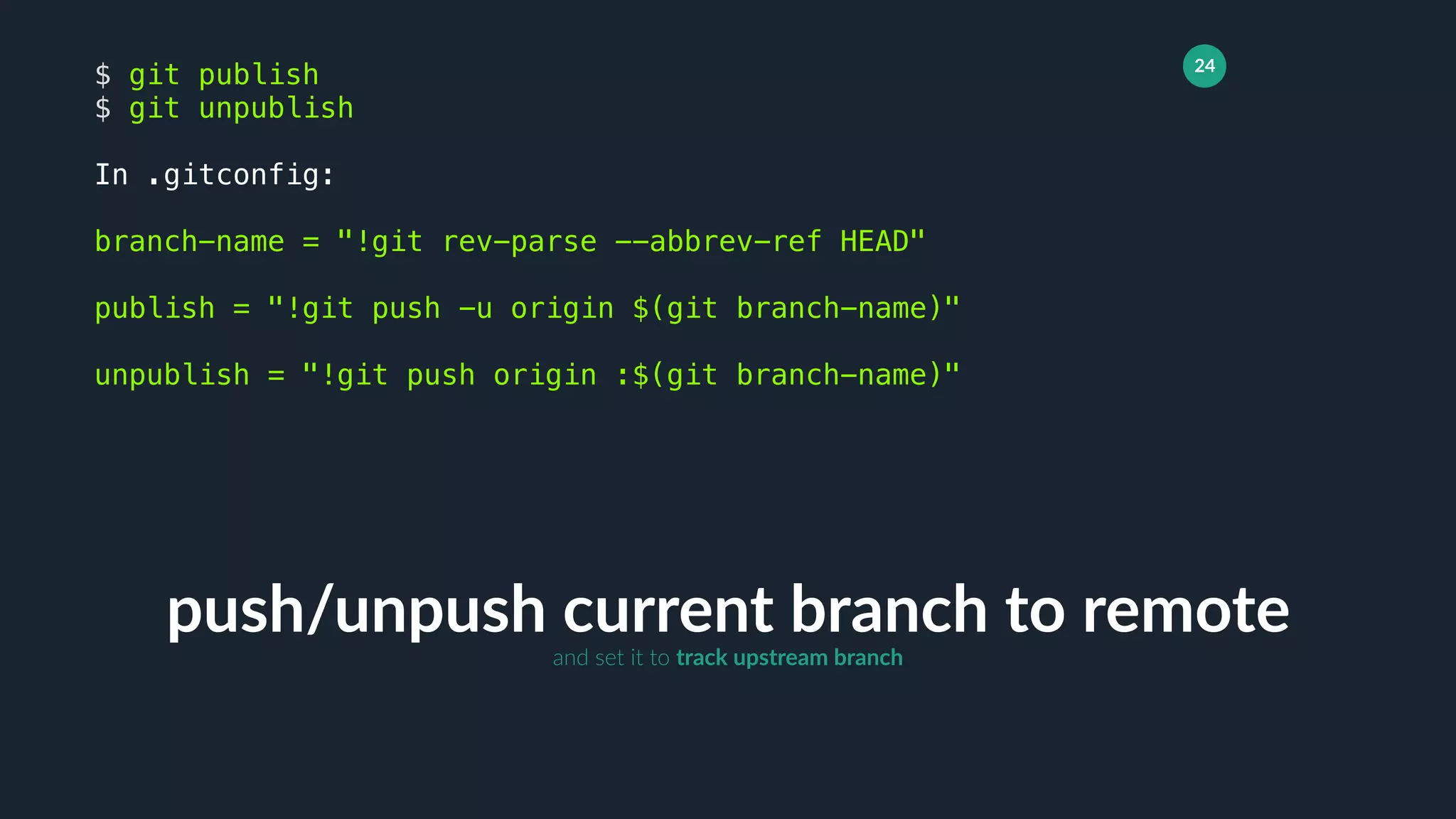
24
push/unpush current branch to remote
$ git publish
$ git unpublish
In .gitconfig:
branch-name = "!git rev-parse --abbrev-ref HEAD"
publish = "!git push -u origin $(git branch-name)"
unpublish = "!git push origin :$(git branch-name)"
and set it to track upstream branch
25
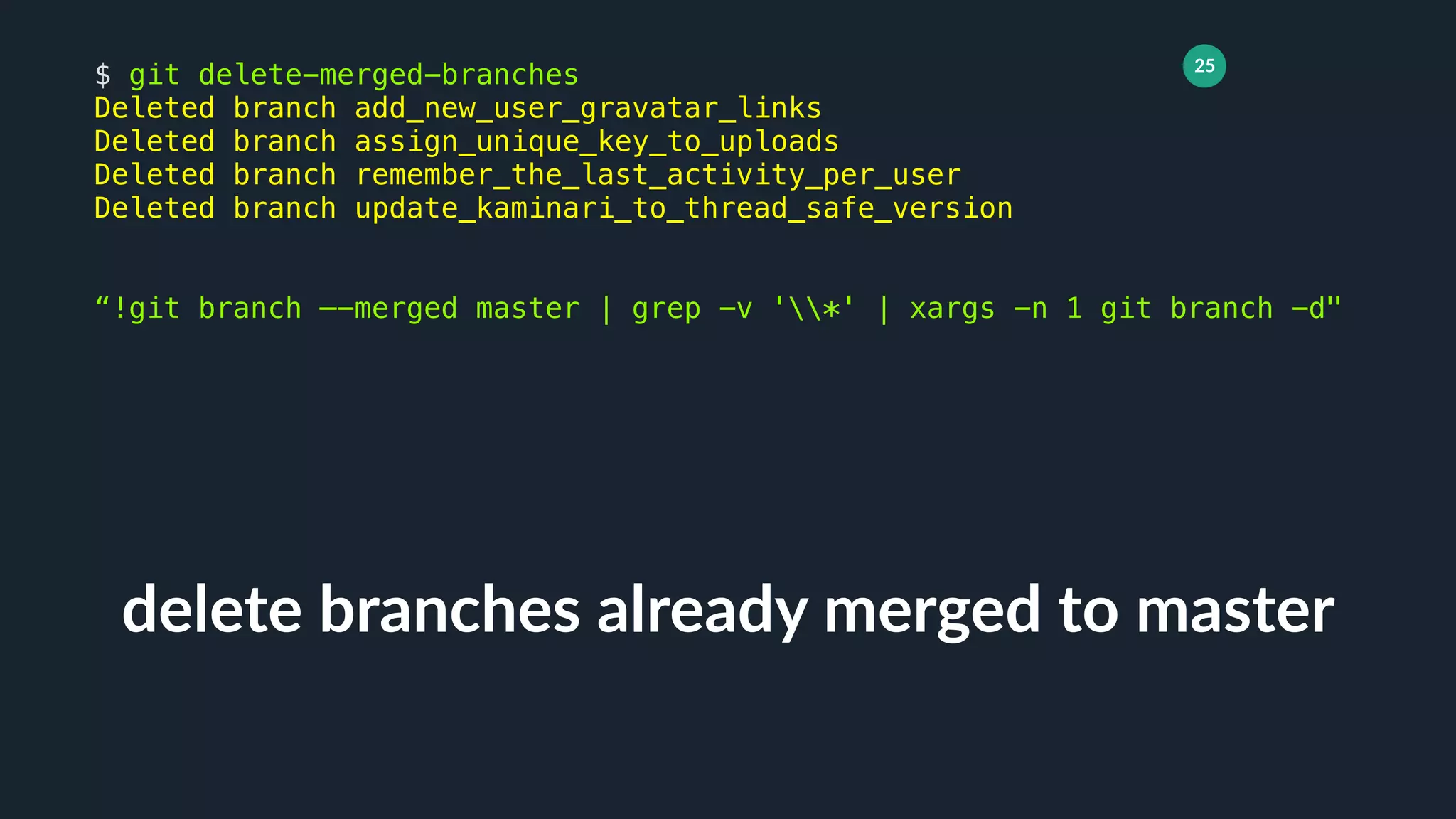
delete branches already merged to master
$ git delete-merged-branches
Deleted branch add_new_user_gravatar_links
Deleted branch assign_unique_key_to_uploads
Deleted branch remember_the_last_activity_per_user
Deleted branch update_kaminari_to_thread_safe_version
“!git branch —-merged master | grep -v '*' | xargs -n 1 git branch -d"
26
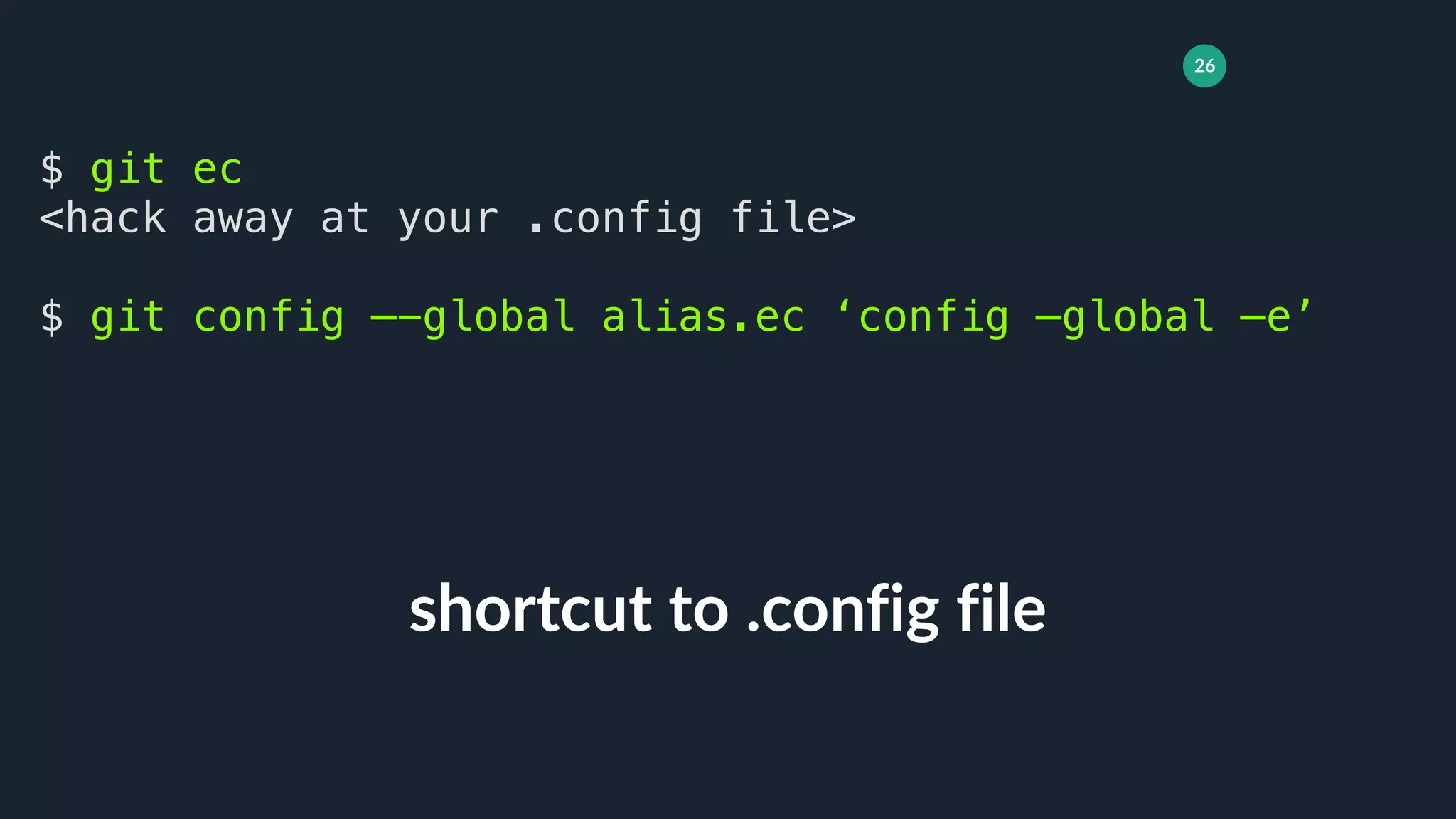
shortcut to .config file
$ git ec
<hack away at your .config file>
$ git config —-global alias.ec ‘config —global —e’
27
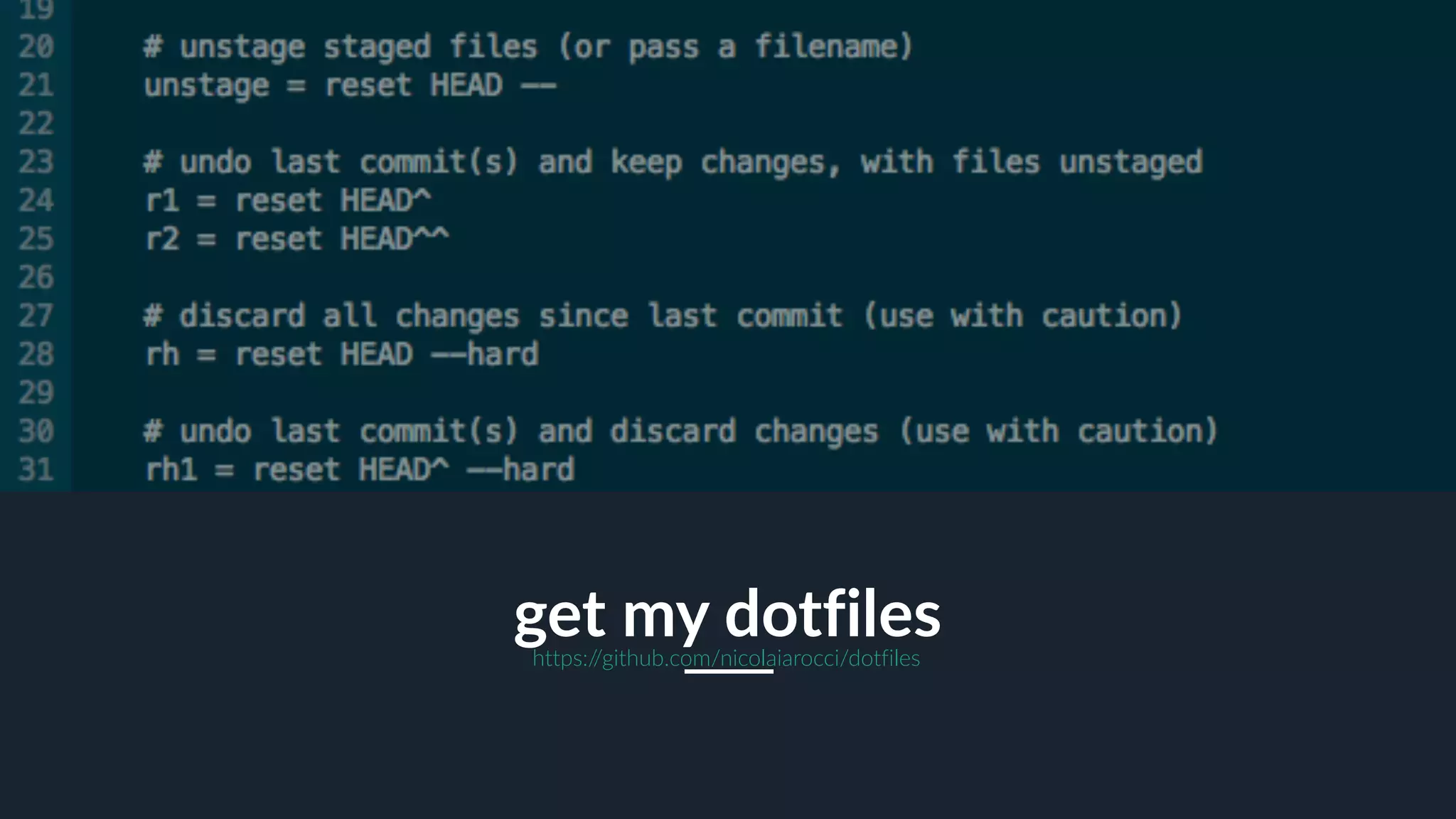
get my dotfileshttps://github.com/nicolaiarocci/dotfiles
28
keep your history clean and consistent
rebase
Demo
a documentation project
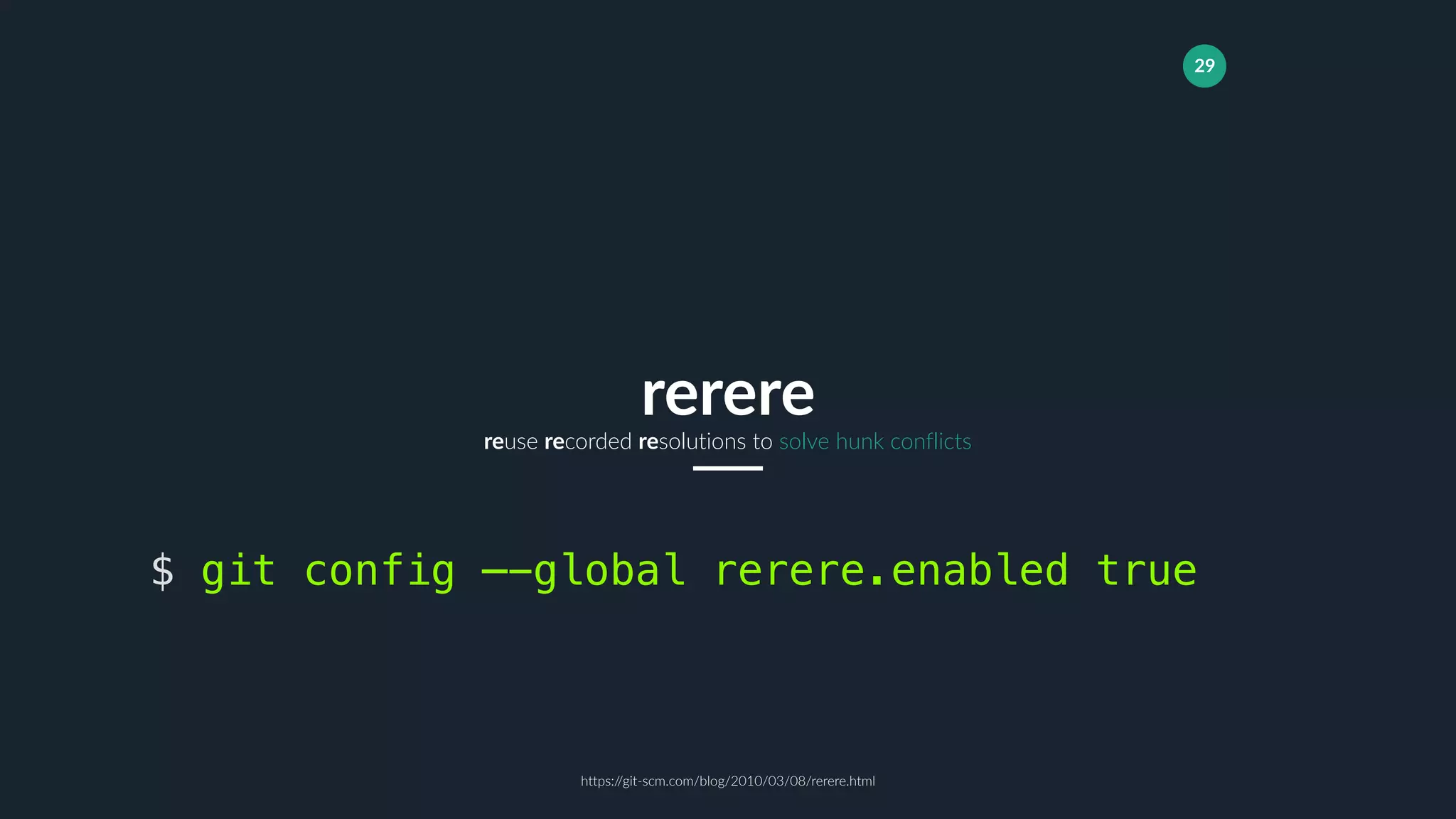
29
reuse recorded resolutions to solve hunk conflicts
rerere
$ git config —-global rerere.enabled true
https://git-scm.com/blog/2010/03/08/rerere.html
30
shows all non-common commits in two branches (@antirez)
rx script
31
Aliases
Streamline your workflow.
Don’t Repeat Yourself.
Consider sharing with team.
Rebase
Keep project history clean,
compact and consistent. Not
as hard as you thought.
Keep Learning
Study more advanced git
features. Consider building
your own scripts.
Pick a Workflow
Don’t be afraid to customize
it just to suit your use case,
project, and team.
You Are a Craftsmansharpen your tools
32
nicolaiarocci.com nicola@nicolaiarocci.com@nicolaiarocci
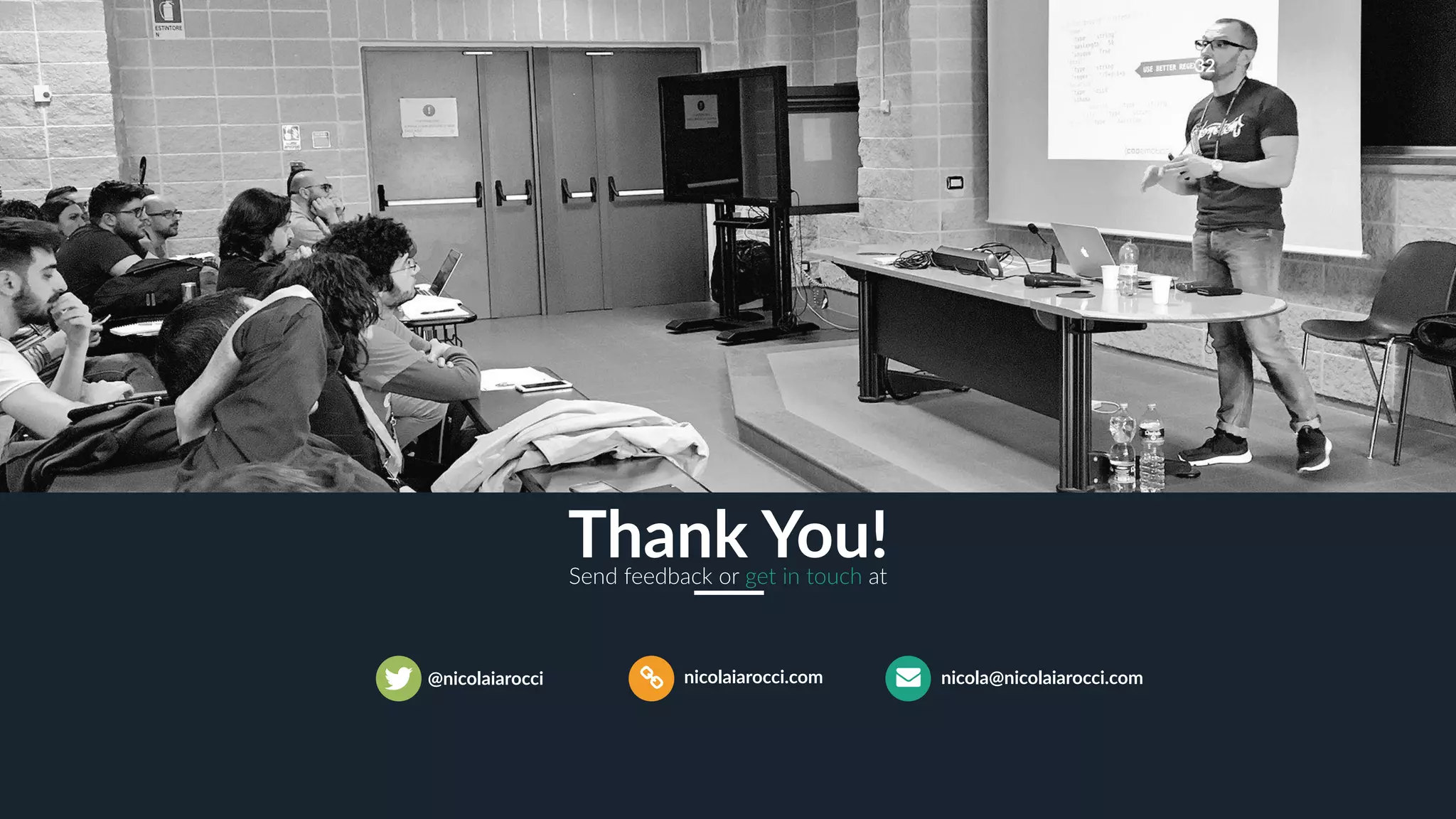
Thank You!Send feedback or get in touch at

Nicola Iarocci - Git stories from the front line - Codemotion Milan 2017

  • 1.
    1 Git on thefront line Nicola Iarocci
  • 2.
    2 Who Am INicolaIarocci, a weirdo Python by Night I am the author and maintainer of a few Python open source projects: python-eve.org, python-cerberus.organd more. Microsoft MVP MongoDB Master I also happen to be a Microsoft MVP for Visual Studio and Development Technologies and a MongoDB Master. Communities I run DevRomagna, a developers community, and CoderDojo Ravenna, a coding club for kids. http://devromagna.org C# by Day I am the author of Sofware Gestionali Amica, a line of accounting and invoicing applications for Italian small businesses. Check it out at http://gestionaleamica.com
  • 3.
    3 one size doesnot fit all git workflows
  • 4.
    4 the main branchwhere the source code of HEAD always reflects a production-ready state origin/master main branch where HEAD always holds the latest delivered development changes, ready for next release origin/develop feature, release and hotfix branches. these always have a limited life time, since they will be removed eventually supporting branches an elegant mental model well suited for packaged software. Not ideal for frequent release cycles such as those we have in modern web development summary Git Flowa successful git branching model http://nvie.com/posts/a-successful-git-branching-model/
  • 5.
    5 the main branchwhere the source code of HEAD always reflects a production-ready state origin/master to work on something new, create a descriptively named branch off of master branch feature branch when you need feedback or help, or you think the branch is ready for merging, open a pull request pull request & review a lightweight, branch-based workflow that supports teams and projects where deployments are made regularly summary GitHub Flowwidely adopted by the open source community http://scottchacon.com/2011/08/31/github-flow.html
  • 6.
    6 Streamline your gitexperience aliases
  • 7.
    7 git status, succinctly $git st ## work M README.md $ git config —-global alias.st ‘status -sb’
  • 8.
    8 show last commit $git last commit c828339f02f832818f868bbfe457e64bfcc3e64a Author: Nicola Iarocci <nicola@nicolaiarocci.com> Date: Thu Oct 19 10:28:42 2017 +0200 first commit $ git config —-global alias.last ‘log -1 HEAD’
  • 9.
    9 quick branch checkout $git co mybranch switched to branch ‘mybranch’ $ git config —-global alias.co ‘checkout’ Hint: git co - works like cd - but between branches (git checkout - works, too)
  • 10.
    10 checkout to anew branch $ git cob newbranch switched to a new branch ‘mybranch’ $ git config —-global alias.cob ‘checkout -b’ branch is created on the fly
  • 11.
    11 amend last commit $git amend <edit commit message> $ git config —-global alias.amend ‘commit —-amend’
  • 12.
    12 add staged changesto last commit $ git add . $ git fixup $ git config —-global alias.fixup ‘commit —-amend —-noedit’ skip editing the commit message
  • 13.
    13 unstage changes $ gitst ## work M README.md $ git unstage README.md Unstaged changes after reset: M README.md $ git config —-global alias.unstage ‘reset HEAD’ pass no filename to unstage all, or use wildcard
  • 14.
    14 show staged changes $git diffc diff —git a/README.md b/README.md index 2fd9bc4..889c3dc 100644 --- a/README.md +++ b/README.md @@ -1 +1,2 @@ TITLE +test $ git config —-global alias.diffc ‘diff —-cached’
  • 15.
    15 undo last commitand keep changes $ git r1 Unstaged changes after reset: M README.md $ git config —-global alias.r1 ‘reset HEAD^’ changes are left unstaged
  • 16.
    16 undo last commit,discard changes $ git rh1 HEAD is now at c828339 first commit $ git config —-global alias.rh1 ‘reset -—hard HEAD^’ use with caution
  • 17.
    17 add all changesincluding untracked, and commit with message $ git cm “my commit message” [mybranch ea88184] my commit message 1 file changed, 1 insertion(+), 1 deletion(-) !git add -A && git commit -m
  • 18.
    18 add all changesexcluding untracked, then commit as WIP $ git wip [mybranch ea88184] WIP 1 file changed, 1 insertion(+), 1 deletion(-) !git add -u && git commit -m WIP
  • 19.
    19 add all changesincluding untracked, then commit as SAVEPOINT $ git save [mybranch ea88184] SAVEPOINT 1 file changed, 1 insertion(+), 1 deletion(-) !git add -A && git commit -m SAVEPOINT
  • 20.
    20 resume work afterWIP or SAVEPOINT $ git undo Unstaged files after reset: M README.md $ git config —-global alias.undo ‘reset HEAD^ —-mixed’ functionally identical to ‘r1’ but makes more sense semantically
  • 21.
    21 add changes tocommit, then wipe that commit $ git wipe HEAD is now at 8da9860 my commit message $ git reflog 8da9860 HEAD@{0}: reset: moving to HEAD~1 4998619 HEAD@{1}: commit: WIPE SAVEPOINT $ git reset —hard 4998619 HEAD is now at 4998619 WIPE SAVEPOINT !git add -A && git commit -qm 'WIPE SAVEPOINT' && git reset HEAD~1 --hard now working dir is clean, but I can still go back if need arises (via reflog)
  • 22.
    22 hierarchical, git-powered grep $git g “event hooks” CHANGES 1077:- [new] pre_<method> and ``pre_<method>_<resource>`` event hooks are now docs/features.rst 1216:Database event hooks 1219:Database event hooks work like request event hooks $ git config —-global alias.g ‘grep --break --heading --line-number’ faster than standard grep
  • 23.
    23 show a treewith all branches $ git tree * bbde45f (HEAD -> expand_cerberus_registries) WIP * 3a25ea7 (origin/master, master) Merge branch ‘use_ordereddict_from_backport_collections_#1070’ | | * 9fb1a66 Changelog for #1070 | * fa8da19 use OrderedDict from backport_collections |/ * cee2f7e Merge branch 'support_for_decimal_type_#1048' | | * 46af495 Minor changelog fixes for #1048 | * 3bf1930 Support Decimal type MongoDB |/ !git log --graph --decorate --all --oneline which brings us to the next topic…
  • 24.
    24 push/unpush current branchto remote $ git publish $ git unpublish In .gitconfig: branch-name = "!git rev-parse --abbrev-ref HEAD" publish = "!git push -u origin $(git branch-name)" unpublish = "!git push origin :$(git branch-name)" and set it to track upstream branch
  • 25.
    25 delete branches alreadymerged to master $ git delete-merged-branches Deleted branch add_new_user_gravatar_links Deleted branch assign_unique_key_to_uploads Deleted branch remember_the_last_activity_per_user Deleted branch update_kaminari_to_thread_safe_version “!git branch —-merged master | grep -v '*' | xargs -n 1 git branch -d"
  • 26.
    26 shortcut to .configfile $ git ec <hack away at your .config file> $ git config —-global alias.ec ‘config —global —e’
  • 27.
  • 28.
    28 keep your historyclean and consistent rebase Demo a documentation project
  • 29.
    29 reuse recorded resolutionsto solve hunk conflicts rerere $ git config —-global rerere.enabled true https://git-scm.com/blog/2010/03/08/rerere.html
  • 30.
    30 shows all non-commoncommits in two branches (@antirez) rx script
  • 31.
    31 Aliases Streamline your workflow. Don’tRepeat Yourself. Consider sharing with team. Rebase Keep project history clean, compact and consistent. Not as hard as you thought. Keep Learning Study more advanced git features. Consider building your own scripts. Pick a Workflow Don’t be afraid to customize it just to suit your use case, project, and team. You Are a Craftsmansharpen your tools
  • 32.