ORGANO
Inventory & Order Management system
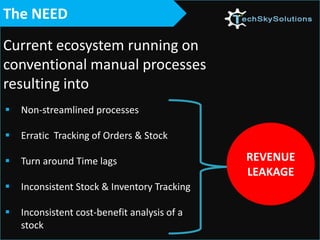
 Non-streamlined processes
 Erratic Tracking of Orders & Stock
 Turn around Time lags
 Inconsistent Stock & Inventory Tracking
 Inconsistent cost-benefit analysis of a
stock
The NEED
Current ecosystem running on
conventional manual processes
resulting into
REVENUE
LEAKAGE
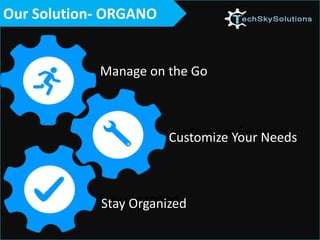
Manage on the Go
Stay Organized
Customize Your Needs
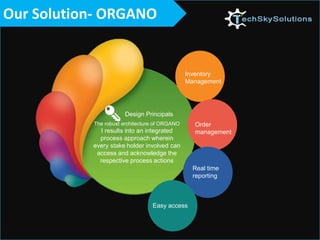
Our Solution- ORGANO
Design Principals
The robust architecture of ORGANO
I results into an integrated
process approach wherein
every stake holder involved can
access and acknowledge the
respective process actions
Inventory
Management
Order
management
Real time
reporting
Easy access
Inventory Management
• Real time online inventory
tracking
• Mapping of the inventory shelf
period
• Inventory Consumption tracking
• Online approvals/remarks
• Notification alerts
Order Management
• Online tracking from purchase
day
• Shipment and movement
tracking
• Cost Approvals/remarks
• Online documentation of PO
• Notification alerts
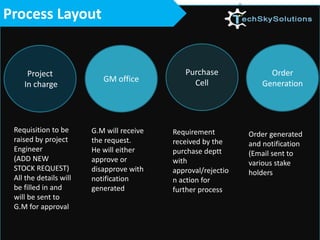
Process Layout
Project
In charge
GM office
Purchase
Cell
Order
Generation
Requisition to be
raised by project
Engineer
(ADD NEW
STOCK REQUEST)
All the details will
be filled in and
will be sent to
G.M for approval
G.M will receive
the request.
He will either
approve or
disapprove with
notification
generated
Requirement
received by the
purchase deptt
with
approval/rejectio
n action for
further process
Order generated
and notification
(Email sent to
various stake
holders
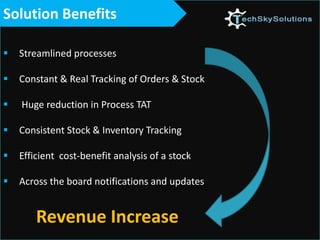
Solution Benefits
 Streamlined processes
 Constant & Real Tracking of Orders & Stock
 Huge reduction in Process TAT
 Consistent Stock & Inventory Tracking
 Efficient cost-benefit analysis of a stock
 Across the board notifications and updates
Revenue Increase
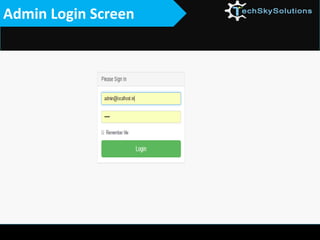
Admin Login Screen
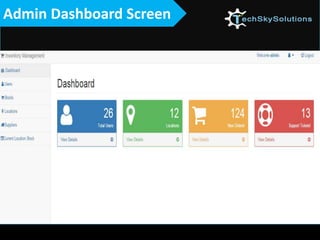
Admin Dashboard Screen
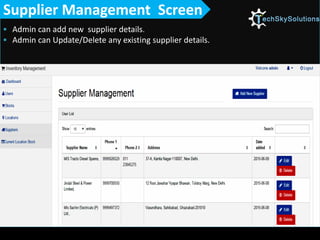
 Admin can add new supplier details.
 Admin can Update/Delete any existing supplier details.
Supplier Management Screen
 Admin can add new supplier details.
 Admin can Update/Delete any existing supplier details Admin can add new supplier details.
 Admin can Update/Delete any existing supplier details
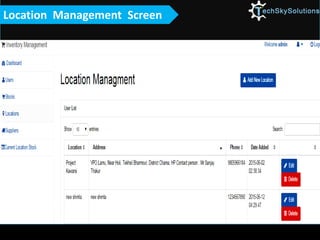
Location Management Screen
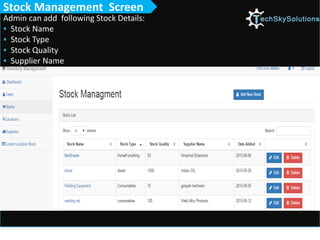
Admin can add following Stock Details:
 Stock Name
 Stock Type
 Stock Quality
 Supplier Name
Stock Management Screen
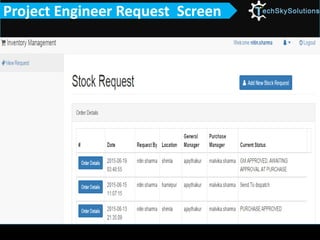
Project Engineer Request Screen
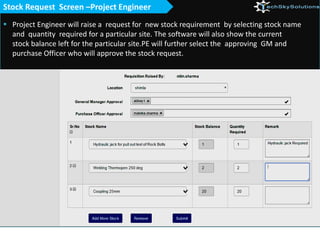
 Project Engineer will raise a request for new stock requirement by selecting stock name
and quantity required for a particular site. The software will also show the current
stock balance left for the particular site.PE will further select the approving GM and
purchase Officer who will approve the stock request.
Stock Request Screen –Project Engineer
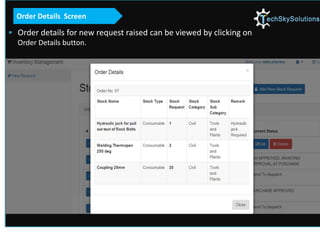
 Order details for new request raised can be viewed by clicking on
Order Details button.
Order Details Screen
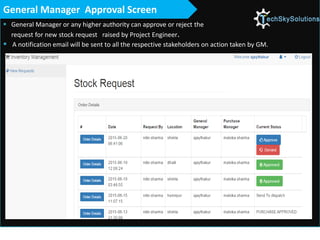
 General Manager or any higher authority can approve or reject the
request for new stock request raised by Project Engineer.
 A notification email will be sent to all the respective stakeholders on action taken by GM.
General Manager Approval Screen
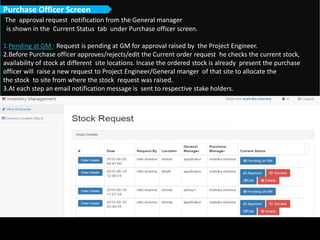
The approval request notification from the General manager
is shown in the Current Status tab under Purchase officer screen.
1.Pending at GM : Request is pending at GM for approval raised by the Project Engineer.
2.Before Purchase officer approves/rejects/edit the Current order request he checks the current stock,
availability of stock at different site locations. Incase the ordered stock is already present the purchase
officer will raise a new request to Project Engineer/General manger of that site to allocate the
the stock to site from where the stock request was raised.
3.At each step an email notification message is sent to respective stake holders.
Purchase Officer Screen
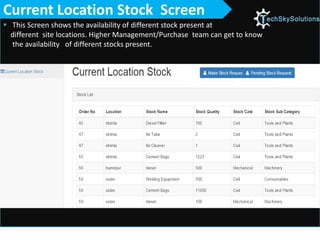
 This Screen shows the availability of different stock present at
different site locations. Higher Management/Purchase team can get to know
the availability of different stocks present.
Current Location Stock Screen
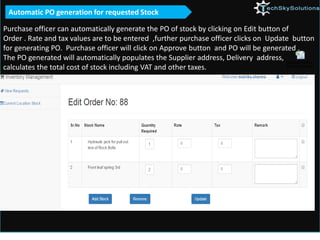
Purchase officer can automatically generate the PO of stock by clicking on Edit button of
Order . Rate and tax values are to be entered ,further purchase officer clicks on Update button
for generating PO. Purchase officer will click on Approve button and PO will be generated .
The PO generated will automatically populates the Supplier address, Delivery address,
calculates the total cost of stock including VAT and other taxes.
Automatic PO generation for requested Stock
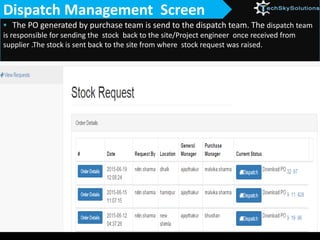
 The PO generated by purchase team is send to the dispatch team. The dispatch team
is responsible for sending the stock back to the site/Project engineer once received from
supplier .The stock is sent back to the site from where stock request was raised.
Dispatch Management Screen
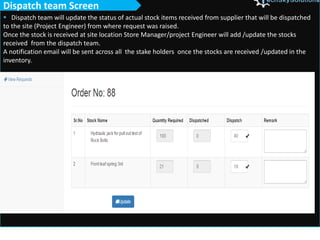
 Dispatch team will update the status of actual stock items received from supplier that will be dispatched
to the site (Project Engineer) from where request was raised.
Once the stock is received at site location Store Manager/project Engineer will add /update the stocks
received from the dispatch team.
A notification email will be sent across all the stake holders once the stocks are received /updated in the
inventory.
Dispatch team Screen
Thank You

NEW ORGANO_ Inventory & Order Mangement console (1)

  • 1.
    ORGANO Inventory & OrderManagement system
  • 2.
     Non-streamlined processes Erratic Tracking of Orders & Stock  Turn around Time lags  Inconsistent Stock & Inventory Tracking  Inconsistent cost-benefit analysis of a stock The NEED Current ecosystem running on conventional manual processes resulting into REVENUE LEAKAGE
  • 3.
    Manage on theGo Stay Organized Customize Your Needs Our Solution- ORGANO
  • 4.
    Our Solution- ORGANO DesignPrincipals The robust architecture of ORGANO I results into an integrated process approach wherein every stake holder involved can access and acknowledge the respective process actions Inventory Management Order management Real time reporting Easy access
  • 5.
    Inventory Management • Realtime online inventory tracking • Mapping of the inventory shelf period • Inventory Consumption tracking • Online approvals/remarks • Notification alerts
  • 6.
    Order Management • Onlinetracking from purchase day • Shipment and movement tracking • Cost Approvals/remarks • Online documentation of PO • Notification alerts
  • 7.
    Process Layout Project In charge GMoffice Purchase Cell Order Generation Requisition to be raised by project Engineer (ADD NEW STOCK REQUEST) All the details will be filled in and will be sent to G.M for approval G.M will receive the request. He will either approve or disapprove with notification generated Requirement received by the purchase deptt with approval/rejectio n action for further process Order generated and notification (Email sent to various stake holders
  • 8.
    Solution Benefits  Streamlinedprocesses  Constant & Real Tracking of Orders & Stock  Huge reduction in Process TAT  Consistent Stock & Inventory Tracking  Efficient cost-benefit analysis of a stock  Across the board notifications and updates Revenue Increase
  • 9.
  • 10.
  • 11.
     Admin canadd new supplier details.  Admin can Update/Delete any existing supplier details. Supplier Management Screen
  • 12.
     Admin canadd new supplier details.  Admin can Update/Delete any existing supplier details Admin can add new supplier details.  Admin can Update/Delete any existing supplier details Location Management Screen
  • 13.
    Admin can addfollowing Stock Details:  Stock Name  Stock Type  Stock Quality  Supplier Name Stock Management Screen
  • 14.
  • 15.
     Project Engineerwill raise a request for new stock requirement by selecting stock name and quantity required for a particular site. The software will also show the current stock balance left for the particular site.PE will further select the approving GM and purchase Officer who will approve the stock request. Stock Request Screen –Project Engineer
  • 16.
     Order detailsfor new request raised can be viewed by clicking on Order Details button. Order Details Screen
  • 17.
     General Manageror any higher authority can approve or reject the request for new stock request raised by Project Engineer.  A notification email will be sent to all the respective stakeholders on action taken by GM. General Manager Approval Screen
  • 18.
    The approval requestnotification from the General manager is shown in the Current Status tab under Purchase officer screen. 1.Pending at GM : Request is pending at GM for approval raised by the Project Engineer. 2.Before Purchase officer approves/rejects/edit the Current order request he checks the current stock, availability of stock at different site locations. Incase the ordered stock is already present the purchase officer will raise a new request to Project Engineer/General manger of that site to allocate the the stock to site from where the stock request was raised. 3.At each step an email notification message is sent to respective stake holders. Purchase Officer Screen
  • 19.
     This Screenshows the availability of different stock present at different site locations. Higher Management/Purchase team can get to know the availability of different stocks present. Current Location Stock Screen
  • 20.
    Purchase officer canautomatically generate the PO of stock by clicking on Edit button of Order . Rate and tax values are to be entered ,further purchase officer clicks on Update button for generating PO. Purchase officer will click on Approve button and PO will be generated . The PO generated will automatically populates the Supplier address, Delivery address, calculates the total cost of stock including VAT and other taxes. Automatic PO generation for requested Stock
  • 21.
     The POgenerated by purchase team is send to the dispatch team. The dispatch team is responsible for sending the stock back to the site/Project engineer once received from supplier .The stock is sent back to the site from where stock request was raised. Dispatch Management Screen
  • 22.
     Dispatch teamwill update the status of actual stock items received from supplier that will be dispatched to the site (Project Engineer) from where request was raised. Once the stock is received at site location Store Manager/project Engineer will add /update the stocks received from the dispatch team. A notification email will be sent across all the stake holders once the stocks are received /updated in the inventory. Dispatch team Screen
  • 23.