Ryan Kay
Gathering the criteria for your Output requirements will always drive better input
Most are accomplishable by the user Some require partnership with Support
Facility Management  Joined us in 2006 with 10 locations worldwide Previously used home-grown program
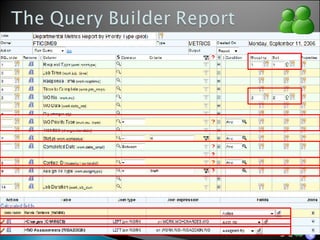
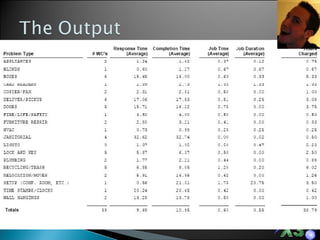
“ Metrics Report” – Gives the ability to track time spent on Facility requests in the following ways: Time it took to complete the work assigned Time it took to respond to the requests Time it took from the point of entry to the last minute someone worked on the issue Total hours spent on the job
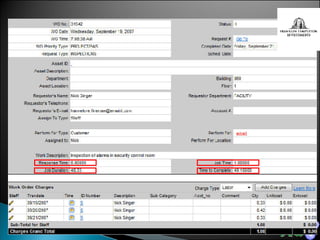
Addition of fields to Work Order Response Time Job Time Job Duration Time to Complete
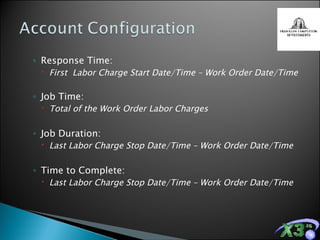
Response Time: First  Labor Charge Start Date/Time – Work Order Date/Time Job Time: Total of the Work Order Labor Charges Job Duration: Last Labor Charge Stop Date/Time – Work Order Date/Time Time to Complete: Last Labor Charge Stop Date/Time – Work Order Date/Time
 
 
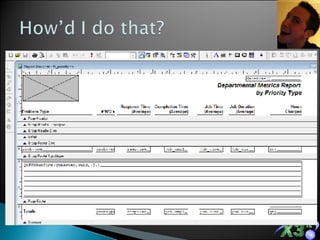
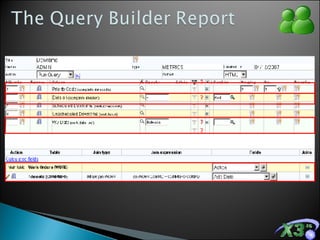
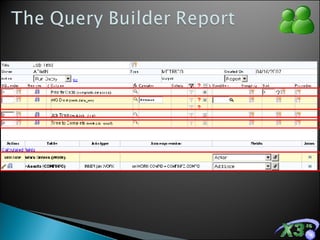
The FoxPro Report Builder Helps us develop complex report forms to compliment the Query Builder
A data input process that supports the desired & required output An easy to use report that displays up-to-the-minute Metrics on their work orders
Manufacturing Facility Joined us with one location in 2006 as an Enterprise client Previously used home-grown system designed in 1975
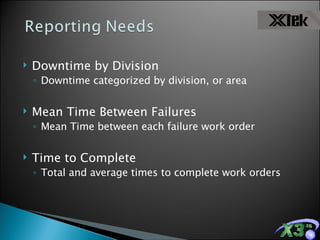
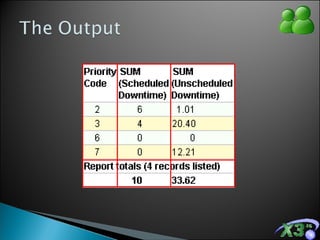
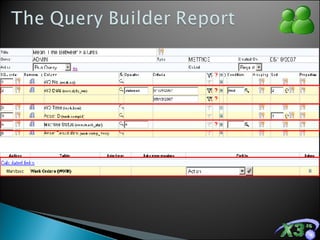
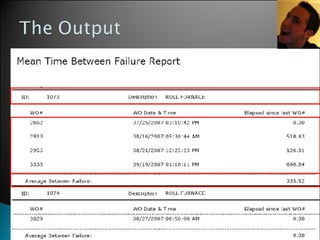
Downtime by Division  Downtime categorized by division, or area Mean Time Between Failures Mean Time between each failure work order Time to Complete Total and average times to complete work orders
 
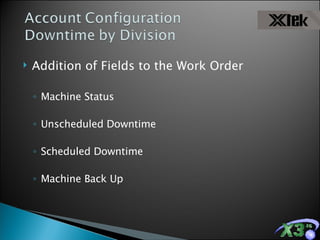
Addition of Fields to the Work Order Machine Status Unscheduled Downtime Scheduled Downtime Machine Back Up
Addition of Fields to the Work Order Unscheduled Downtime Scheduled Downtime Machine Back Up
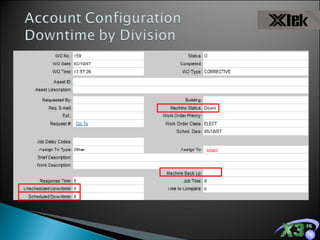
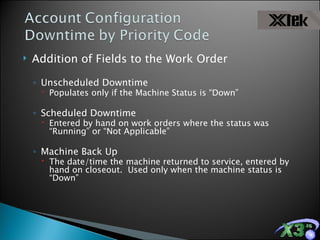
Addition of Fields to the Work Order Unscheduled Downtime Populates only if the Machine Status is “Down” Scheduled Downtime Entered by hand on work orders where the status was “Running” or “Not Applicable” Machine Back Up The date/time the machine returned to service, entered by hand on closeout.  Used only when the machine status is “Down”


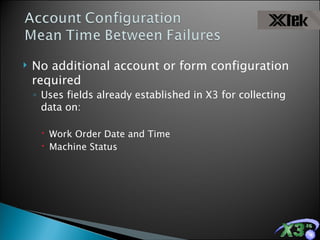
No additional account or form configuration required Uses fields already established in X3 for collecting data on: Work Order Date and Time Machine Status


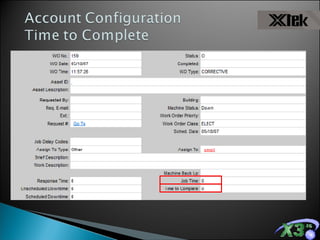
Addition of Fields to the Work Order Job Time Time to Complete
 
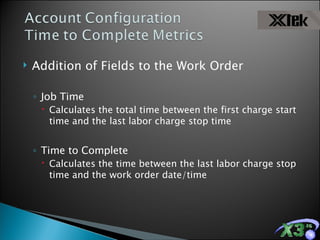
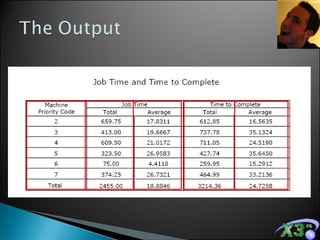
Addition of Fields to the Work Order Job Time Calculates the total time between the first charge start time and the last labor charge stop time Time to Complete  Calculates the time between the last labor charge stop time and the work order date/time
 
 
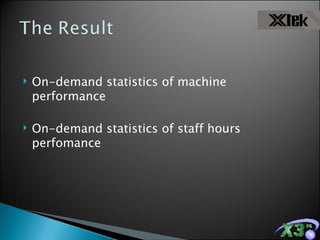
On-demand statistics of machine performance On-demand statistics of staff hours perfomance
Chevron and eMaint partnered to deliver “Computex MMS,” a branded and configured version of X3 specific to lubrication management for Chevron’s industrial clients
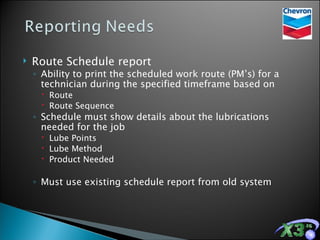
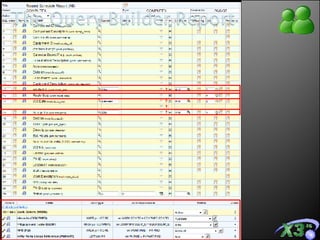
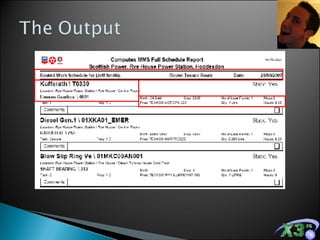
Route Schedule report Ability to print the scheduled work route (PM’s) for a technician during the specified timeframe based on Route Route Sequence Schedule must show details about the lubrications needed for the job Lube Points Lube Method Product Needed Must use existing schedule report from old system
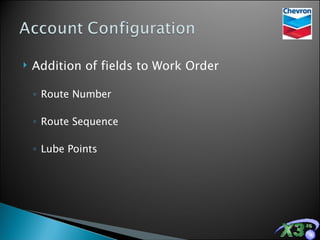
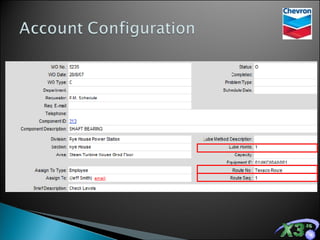
Addition of fields to Work Order Route Number Route Sequence Lube Points


An easy to read schedule sheet for technicians to use with no need to re-learn a new form A great compliment to the PM process
Facility Management, outdoor performing arts center  Joined us in 2007 No previous maintenance program
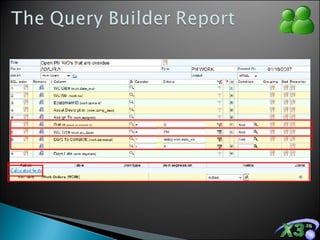
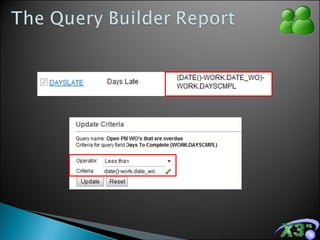
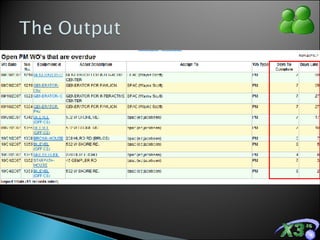
Preventive Work Orders performance Needed to see the open PM work orders that are late based on allowed completion time
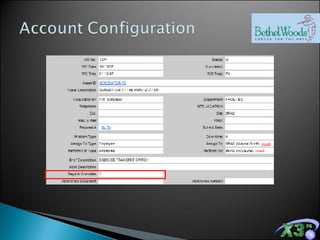
Addition of fields to PM Schedule Number of Days to Complete Addition of fields to the Work Order Number of Days to Complete
 
Addition of fields to PM Schedule & Work Order Values from the PM populate the work order automatically


A performance report that allows Bethel Woods to monitor outstanding PMs A report that is now publishable to the Dashboard
 

Reporting Case Studies

  • 1.
  • 2.
    Gathering the criteriafor your Output requirements will always drive better input
  • 3.
    Most are accomplishableby the user Some require partnership with Support
  • 4.
    Facility Management Joined us in 2006 with 10 locations worldwide Previously used home-grown program
  • 5.
    “ Metrics Report”– Gives the ability to track time spent on Facility requests in the following ways: Time it took to complete the work assigned Time it took to respond to the requests Time it took from the point of entry to the last minute someone worked on the issue Total hours spent on the job
  • 6.
    Addition of fieldsto Work Order Response Time Job Time Job Duration Time to Complete
  • 7.
    Addition of fieldsto Work Order Response Time Job Time Job Duration Time to Complete
  • 8.
    Response Time: First Labor Charge Start Date/Time – Work Order Date/Time Job Time: Total of the Work Order Labor Charges Job Duration: Last Labor Charge Stop Date/Time – Work Order Date/Time Time to Complete: Last Labor Charge Stop Date/Time – Work Order Date/Time
  • 9.
  • 10.
  • 11.
    The FoxPro ReportBuilder Helps us develop complex report forms to compliment the Query Builder
  • 12.
    A data inputprocess that supports the desired & required output An easy to use report that displays up-to-the-minute Metrics on their work orders
  • 13.
    Manufacturing Facility Joinedus with one location in 2006 as an Enterprise client Previously used home-grown system designed in 1975
  • 14.
    Downtime by Division Downtime categorized by division, or area Mean Time Between Failures Mean Time between each failure work order Time to Complete Total and average times to complete work orders
  • 15.
  • 16.
    Addition of Fieldsto the Work Order Machine Status Unscheduled Downtime Scheduled Downtime Machine Back Up
  • 17.
    Addition of Fieldsto the Work Order Unscheduled Downtime Scheduled Downtime Machine Back Up
  • 18.
    Addition of Fieldsto the Work Order Unscheduled Downtime Populates only if the Machine Status is “Down” Scheduled Downtime Entered by hand on work orders where the status was “Running” or “Not Applicable” Machine Back Up The date/time the machine returned to service, entered by hand on closeout. Used only when the machine status is “Down”
  • 19.
  • 20.
  • 21.
  • 22.
    No additional accountor form configuration required Uses fields already established in X3 for collecting data on: Work Order Date and Time Machine Status
  • 23.
  • 24.
  • 25.
  • 26.
    Addition of Fieldsto the Work Order Job Time Time to Complete
  • 27.
  • 28.
    Addition of Fieldsto the Work Order Job Time Calculates the total time between the first charge start time and the last labor charge stop time Time to Complete Calculates the time between the last labor charge stop time and the work order date/time
  • 29.
  • 30.
  • 31.
    On-demand statistics ofmachine performance On-demand statistics of staff hours perfomance
  • 32.
    Chevron and eMaintpartnered to deliver “Computex MMS,” a branded and configured version of X3 specific to lubrication management for Chevron’s industrial clients
  • 33.
    Route Schedule reportAbility to print the scheduled work route (PM’s) for a technician during the specified timeframe based on Route Route Sequence Schedule must show details about the lubrications needed for the job Lube Points Lube Method Product Needed Must use existing schedule report from old system
  • 34.
    Addition of fieldsto Work Order Route Number Route Sequence Lube Points
  • 35.
  • 36.
  • 37.
  • 38.
    An easy toread schedule sheet for technicians to use with no need to re-learn a new form A great compliment to the PM process
  • 39.
    Facility Management, outdoorperforming arts center Joined us in 2007 No previous maintenance program
  • 40.
    Preventive Work Ordersperformance Needed to see the open PM work orders that are late based on allowed completion time
  • 41.
    Addition of fieldsto PM Schedule Number of Days to Complete Addition of fields to the Work Order Number of Days to Complete
  • 42.
  • 43.
    Addition of fieldsto PM Schedule & Work Order Values from the PM populate the work order automatically
  • 44.
  • 45.
  • 46.
  • 47.
    A performance reportthat allows Bethel Woods to monitor outstanding PMs A report that is now publishable to the Dashboard
  • 48.

Editor's Notes