Integrating New Media in
the Composition
Classroom
Fostering Collaboration and Student-Centered Critical
Thinking
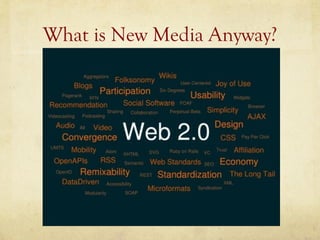
What is New Media Anyway?
Collaboration and New Media
Possibilities of New Media        Effective Collaboration

   “Teachers create social        “Technological literacy
   structures in which            reinforces the value of
   students learn to take over    teaching students to think
   the authority for learning     of themselves not just as
   as they gain the ability and   critics but as designers of
   confidence to do so.”          knowledge.” --- Cynthia
   ---Kenneth Bruffee             Selfe
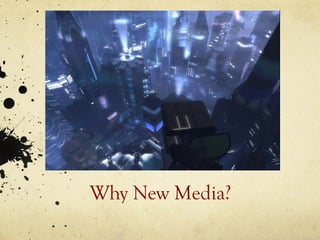
Why New Media?
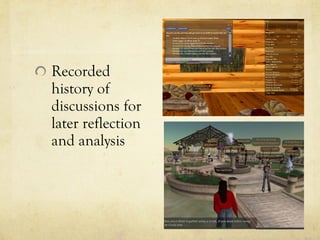
Recorded
history of
discussions for
later reflection
and analysis
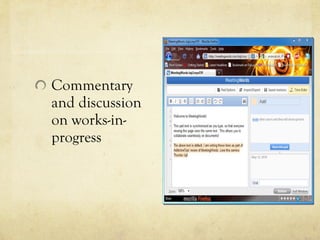
Commentary
and discussion
on works-in-
progress
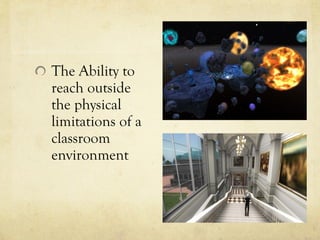
The Ability to
reach outside
the physical
limitations of a
classroom
environment
A Few Other Rewards
Power dynamics have the ability to shift
Real time (and public) interaction may encourage for thoughtful
interactions
Instructors are able to interact with students in a de-centered way.
Students are able to interact outside of their classroom identity.
Possibility of empowering students who may be “experts” regarding
certain platforms (or delegating such roles to students)
Time to reflect before responding
Because of our current technological culture, students may feel more
comfortable interacting with their peers and with an instructor via
electronic means.
New Media Platforms

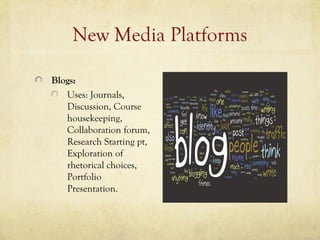
Blogs:
   Uses: Journals,
   Discussion, Course
   housekeeping,
   Collaboration forum,
   Research Starting pt,
   Exploration of
   rhetorical choices,
   Portfolio
   Presentation.
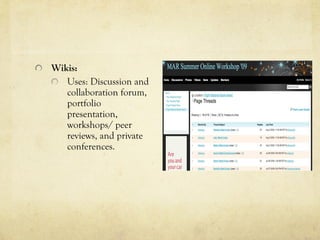
Wikis:
   Uses: Discussion and
   collaboration forum,
   portfolio
   presentation,
   workshops/ peer
   reviews, and private
   conferences.
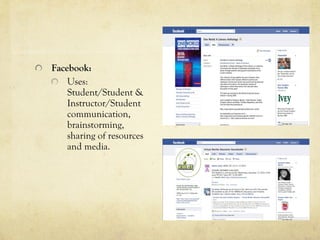
Facebook:
    Uses:
    Student/Student &
    Instructor/Student
    communication,
    brainstorming,
    sharing of resources
    and media.
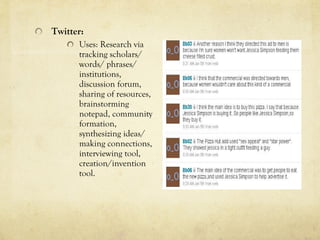
Twitter:
      Uses: Research via
      tracking scholars/
      words/ phrases/
      institutions,
      discussion forum,
      sharing of resources,
      brainstorming
      notepad, community
      formation,
      synthesizing ideas/
      making connections,
      interviewing tool,
      creation/invention
      tool.
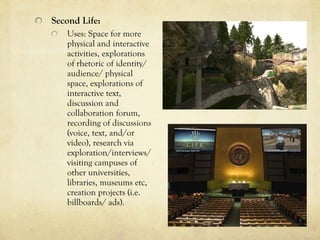
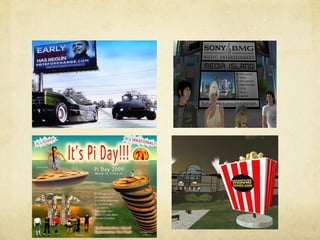
Second Life:
   Uses: Space for more
   physical and interactive
   activities, explorations
   of rhetoric of identity/
   audience/ physical
   space, explorations of
   interactive text,
   discussion and
   collaboration forum,
   recording of discussions
   (voice, text, and/or
   video), research via
   exploration/interviews/
   visiting campuses of
   other universities,
   libraries, museums etc,
   creation projects (i.e.
   billboards/ ads).
“There’s something about spatial connection and a sense of
being somewhere that seems to build personal connection
that doesn’t take place as easily with 2D tools such as Skype.
Second Life simulates face-to-face interaction while
incorporating new levels of interactivity” – Profdan Netizen

“Someone said to me that when you visit a build that isn’t
in use when you visit, you can’t fully see the intentions of its
creators” – Logos Sohl

“I think one of the powerful aspects of reading and creating
literature in this medium is the way you can remove the
purely linear nature of written text and allow students to
explore in any direction.” --- Csteph Submariner

“Have a basic project for first-timers. That way they can have
a positive experience right away.” – LoCE99CH8
Considerations
Ask yourself why you want to integrate new media with
a lesson or course.

Consider Institutional capabilities, limitations, and
policies. [Note: Always be prepared to make a case to
peers, students, and your superiors.]

Consider the background of your students.

Do research and be well-prepared.

Moderate and guide activities.

Be sure to reflect on the new media activity (Create
obvious links to the lesson/course).
Sample Activity
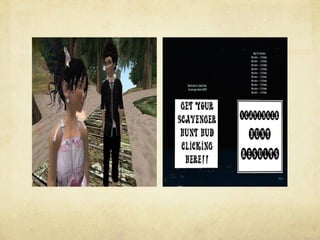
Assignment: Second Life Scavenger Hunt


Course Goal: Understanding “Literacy” as it applies to

gaining knowledge/language in accessing a community/

institution. Secondary goals: Team building/
    collaboration,

creating a foundation for using new media in the course,

and general ice breaking.
Description: After students complete an orientation of Second Life,
they will increase their literacy of this immersive environment by
searching the virtual world in small groups for “note cards” containing
paragraphs of a literacy narrative. Each “note card” also contains
“landmark” coordinates to another location in addition to clues as to
the specific location of the next note card. Once students have
gathered the complete essay/story, they then must work together at a
class rendezvous location to compile the story in some kind of
coherent order. There may be more than one way to organize the
essay and some additional writing may be needed to link together
sections. After all groups have compiled their pieces, the instructor
should moderate a discussion regarding the definition of literacy as it
pertains to the Unit 1 assignment and how becoming acquainted with
Second Life is an applicable example of gaining literacy. In addition,
the discussion should address the construction of the literacy narrative
from note cards and the logic behind the order each of the groups
chose. This exercise will help students understand literacy in the
context of English 101 as well as the flexibility of narratives (esp. open
form prose).
Sample Activity
   Assignment: Billboard Creation and SL Presentation
   Course Goal: Understanding visual and verbal/textual
rhetoric, the role of audience, and the rhetoric of spaces.
Secondary goals: team building/collaboration, practice
with SL and other online media as well as additional
software (optional).
Description: Having already been introduced to Second Life
during the literacy narrative unit, your students should have a
basic understanding of how to navigate virtual environments.
This assignment will focus on acquiring creation skills within
Second Life for the purposes of understanding rhetorical
strategies in advertisements. Working in groups, students will
create an original billboard advertisement for either an
established product/service or one for one of their own creation.
In addition to creating an ad, students must choose a location in
Second Life in which to place the ad (if only temporarily).
Groups must then present the rational behind the rhetorical
strategies of their ad and their choice of location. This exercise is
designed to help students recognize angle of vision, rhetorical
strategies, and how audience, venue/market, and physical space
play a role in determining perception.
New Media in the Classroom Presentation

New Media in the Classroom Presentation

  • 1.
    Integrating New Mediain the Composition Classroom Fostering Collaboration and Student-Centered Critical Thinking
  • 2.
    What is NewMedia Anyway?
  • 3.
    Collaboration and NewMedia Possibilities of New Media Effective Collaboration “Teachers create social “Technological literacy structures in which reinforces the value of students learn to take over teaching students to think the authority for learning of themselves not just as as they gain the ability and critics but as designers of confidence to do so.” knowledge.” --- Cynthia ---Kenneth Bruffee Selfe
  • 4.
  • 5.
  • 7.
  • 8.
    The Ability to reachoutside the physical limitations of a classroom environment
  • 9.
    A Few OtherRewards Power dynamics have the ability to shift Real time (and public) interaction may encourage for thoughtful interactions Instructors are able to interact with students in a de-centered way. Students are able to interact outside of their classroom identity. Possibility of empowering students who may be “experts” regarding certain platforms (or delegating such roles to students) Time to reflect before responding Because of our current technological culture, students may feel more comfortable interacting with their peers and with an instructor via electronic means.
  • 10.
    New Media Platforms Blogs: Uses: Journals, Discussion, Course housekeeping, Collaboration forum, Research Starting pt, Exploration of rhetorical choices, Portfolio Presentation.
  • 11.
    Wikis: Uses: Discussion and collaboration forum, portfolio presentation, workshops/ peer reviews, and private conferences.
  • 12.
    Facebook: Uses: Student/Student & Instructor/Student communication, brainstorming, sharing of resources and media.
  • 13.
    Twitter: Uses: Research via tracking scholars/ words/ phrases/ institutions, discussion forum, sharing of resources, brainstorming notepad, community formation, synthesizing ideas/ making connections, interviewing tool, creation/invention tool.
  • 14.
    Second Life: Uses: Space for more physical and interactive activities, explorations of rhetoric of identity/ audience/ physical space, explorations of interactive text, discussion and collaboration forum, recording of discussions (voice, text, and/or video), research via exploration/interviews/ visiting campuses of other universities, libraries, museums etc, creation projects (i.e. billboards/ ads).
  • 15.
    “There’s something aboutspatial connection and a sense of being somewhere that seems to build personal connection that doesn’t take place as easily with 2D tools such as Skype. Second Life simulates face-to-face interaction while incorporating new levels of interactivity” – Profdan Netizen “Someone said to me that when you visit a build that isn’t in use when you visit, you can’t fully see the intentions of its creators” – Logos Sohl “I think one of the powerful aspects of reading and creating literature in this medium is the way you can remove the purely linear nature of written text and allow students to explore in any direction.” --- Csteph Submariner “Have a basic project for first-timers. That way they can have a positive experience right away.” – LoCE99CH8
  • 16.
    Considerations Ask yourself whyyou want to integrate new media with a lesson or course. Consider Institutional capabilities, limitations, and policies. [Note: Always be prepared to make a case to peers, students, and your superiors.] Consider the background of your students. Do research and be well-prepared. Moderate and guide activities. Be sure to reflect on the new media activity (Create obvious links to the lesson/course).
  • 17.
    Sample Activity Assignment: SecondLife Scavenger Hunt Course Goal: Understanding “Literacy” as it applies to gaining knowledge/language in accessing a community/ institution. Secondary goals: Team building/ collaboration, creating a foundation for using new media in the course, and general ice breaking.
  • 19.
    Description: After studentscomplete an orientation of Second Life, they will increase their literacy of this immersive environment by searching the virtual world in small groups for “note cards” containing paragraphs of a literacy narrative. Each “note card” also contains “landmark” coordinates to another location in addition to clues as to the specific location of the next note card. Once students have gathered the complete essay/story, they then must work together at a class rendezvous location to compile the story in some kind of coherent order. There may be more than one way to organize the essay and some additional writing may be needed to link together sections. After all groups have compiled their pieces, the instructor should moderate a discussion regarding the definition of literacy as it pertains to the Unit 1 assignment and how becoming acquainted with Second Life is an applicable example of gaining literacy. In addition, the discussion should address the construction of the literacy narrative from note cards and the logic behind the order each of the groups chose. This exercise will help students understand literacy in the context of English 101 as well as the flexibility of narratives (esp. open form prose).
  • 20.
    Sample Activity Assignment: Billboard Creation and SL Presentation Course Goal: Understanding visual and verbal/textual rhetoric, the role of audience, and the rhetoric of spaces. Secondary goals: team building/collaboration, practice with SL and other online media as well as additional software (optional).
  • 21.
    Description: Having alreadybeen introduced to Second Life during the literacy narrative unit, your students should have a basic understanding of how to navigate virtual environments. This assignment will focus on acquiring creation skills within Second Life for the purposes of understanding rhetorical strategies in advertisements. Working in groups, students will create an original billboard advertisement for either an established product/service or one for one of their own creation. In addition to creating an ad, students must choose a location in Second Life in which to place the ad (if only temporarily). Groups must then present the rational behind the rhetorical strategies of their ad and their choice of location. This exercise is designed to help students recognize angle of vision, rhetorical strategies, and how audience, venue/market, and physical space play a role in determining perception.