1
VMware End User
Computing
STEPHEN HORNE
DESKTOP BUSINESS SPECIALIST
END USER COMPUTING UK&I
2
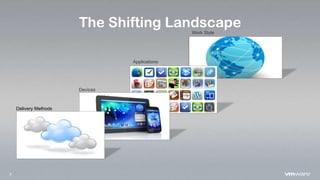
The Shifting Landscape
Delivery Methods
Devices
Applications
Work Style
3
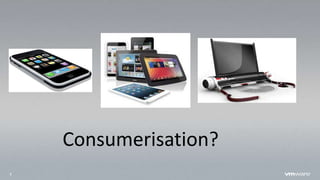
Consumerisation?
4
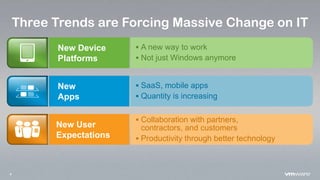
Three Trends are Forcing Massive Change on IT
New Device
Platforms
 A new way to work
 Not just Windows anymore
New User
Expectations
 Collaboration with partners,
contractors, and customers
 Productivity through better technology
New
Apps
 SaaS, mobile apps
 Quantity is increasing
5
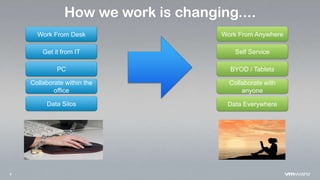
How we work is changing....
Work From Desk
Get it from IT
PC
Collaborate within the
office
Data Silos Data Everywhere
Collaborate with
anyone
BYOD / Tablets
Self Service
Work From Anywhere
6
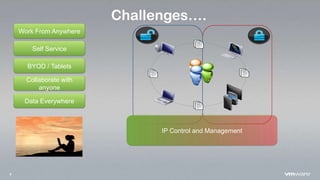
Challenges….
Data Everywhere
Collaborate with
anyone
BYOD / Tablets
Self Service
Work From Anywhere
IP Control and Management
7
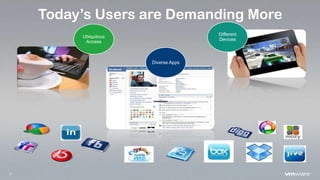
Today’s Users are Demanding More
Diverse Apps
Different
Devices
Ubiquitous
Access
8
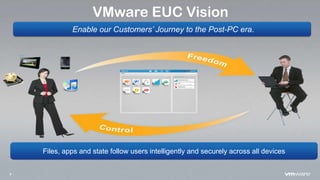
VMware EUC Vision
Enable our Customers’ Journey to the Post-PC era.
Files, apps and state follow users intelligently and securely across all devices
9
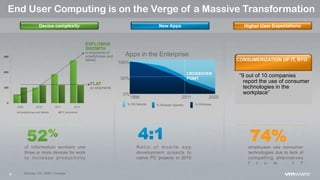
End User Computing is on the Verge of a Massive Transformation
of information workers use
three or more devices for work
to increase productivity
Sources: IDC, BGR, Forrester
0
300
600
900
2009 2010 2011 2012
Smartphones and tablets PC shipments
EXPLOSIVE
GROWTH
in shipments of
smartphones and
tablets
FLAT
pc shipments
Device complexity
% OS Neutral % Browser Specific % Windows
Apps in the Enterprise
1996
CROSSOVER
POINT
2011 2020
0%
100%
50%
R a t i o o f m o b i l e a p p
development projects to
native PC projects in 2015
New Apps
“9 out of 10 companies
report the use of consumer
technologies in the
workplace”
CONSUMERIZATION OF IT, BYO
74%employees use consumer
technologies due to lack of
compelling alternatives
f r o m I T
Higher User Expectations
10
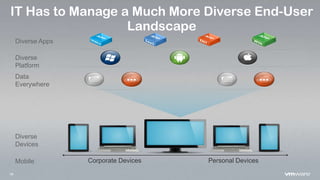
IT Has to Manage a Much More Diverse End-User
Landscape
Personal DevicesCorporate Devices
Diverse Apps
Diverse
Platform
Data
Everywhere
Diverse
Devices
Mobile
11
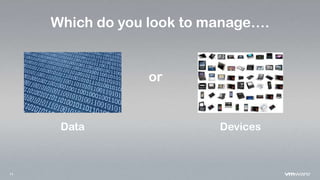
Which do you look to manage….
or
Data Devices
12
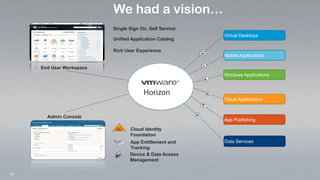
Virtual Desktops
Windows Applications
Cloud Applications
App Publishing
Data Services
End User Workspace
Cloud Identity
Foundation
AD
App Entitlement and
Tracking
Device & Data Access
Management
Admin Console
We had a vision…
Single Sign On, Self Service
Unified Application Catalog
Rich User Experience
Mobile Applications
13
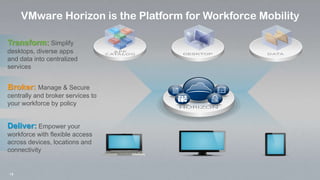
VMware Horizon is the Platform for Workforce Mobility
Transform: Simplify
desktops, diverse apps
and data into centralized
services
Deliver: Empower your
workforce with flexible access
across devices, locations and
connectivity
Broker: Manage & Secure
centrally and broker services to
your workforce by policy
14
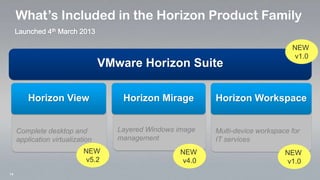
What’s Included in the Horizon Product Family
VMware Horizon Suite
Complete desktop and
application virtualization
Layered Windows image
management
Multi-device workspace for
IT services
Horizon WorkspaceHorizon MirageHorizon View
NEW
v5.2
NEW
v4.0
NEW
v1.0
NEW
v1.0
15
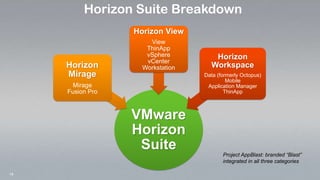
VMware
Horizon
Suite
Horizon
Mirage
Mirage
Fusion Pro
Horizon View
View
ThinApp
vSphere
vCenter
Workstation
Horizon
Workspace
Data (formerly Octopus)
Mobile
Application Manager
ThinApp
Horizon Suite Breakdown
Project AppBlast: branded “Blast”
integrated in all three categories
16
Legacy into a Service
TRANSFORM
17
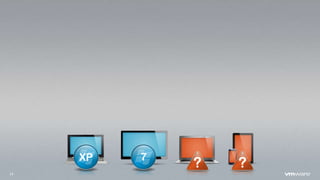
7XP
18
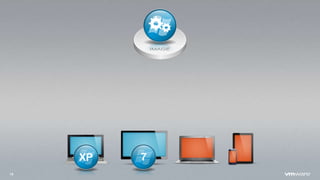
7XP
19
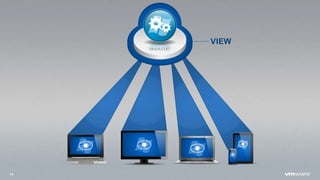
VIEW
20
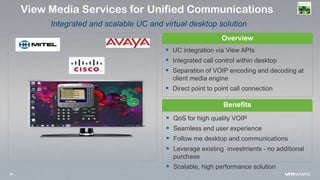
Overview
Benefits
 QoS for high quality VOIP
 Seamless end user experience
 Follow me desktop and communications
 Leverage existing investments - no additional
purchase
 Scalable, high performance solution
View Media Services for Unified Communications
Integrated and scalable UC and virtual desktop solution
 UC integration via View APIs
 Integrated call control within desktop
 Separation of VOIP encoding and decoding at
client media engine
 Direct point to point call connection
21
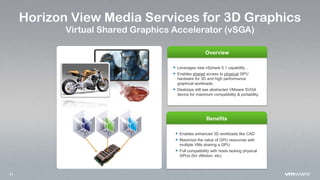
Horizon View Media Services for 3D Graphics
Virtual Shared Graphics Accelerator (vSGA)
Overview
Benefits
 Enables enhanced 3D workloads like CAD
 Maximize the value of GPU resources with
multiple VMs sharing a GPU
 Full compatibility with hosts lacking physical
GPUs (for vMotion, etc).
 Leverages new vSphere 5.1 capability…
 Enables shared access to physical GPU
hardware for 3D and high performance
graphical workloads.
 Desktops still see abstracted VMware SVGA
device for maximum compatibility & portability.
22
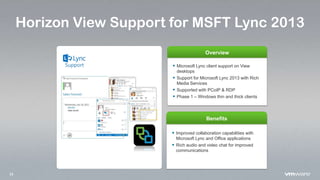
Horizon View Support for MSFT Lync 2013
Overview
Benefits
 Microsoft Lync client support on View
desktops
 Support for Microsoft Lync 2013 with Rich
Media Services
 Supported with PCoIP & RDP
 Phase 1 – Windows thin and thick clients
 Improved collaboration capabilities with
Microsoft Lync and Office applications
 Rich audio and video chat for improved
communications
23
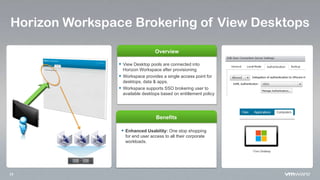
Horizon Workspace Brokering of View Desktops
Overview
Benefits
 Enhanced Usability: One stop shopping
for end user access to all their corporate
workloads.
 View Desktop pools are connected into
Horizon Workspace after provisioning
 Workspace provides a single access point for
desktops, data & apps.
 Workspace supports SSO brokering user to
available desktops based on entitlement policy
24
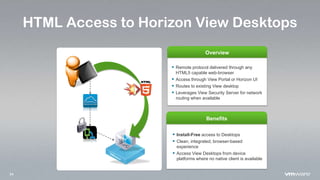
HTML Access to Horizon View Desktops
Overview
Benefits
 Install-Free access to Desktops
 Clean, integrated, browser-based
experience
 Access View Desktops from device
platforms where no native client is available
 Remote protocol delivered through any
HTML5 capable web-browser
 Access through View Portal or Horizon UI
 Routes to existing View desktop
 Leverages View Security Server for network
routing when available
25
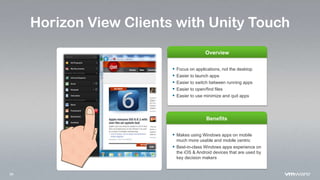
Horizon View Clients with Unity Touch
Overview
Benefits
 Makes using Windows apps on mobile
much more usable and mobile centric
 Best-in-class Windows apps experience on
the iOS & Android devices that are used by
key decision makers
 Focus on applications, not the desktop
 Easier to launch apps
 Easier to switch between running apps
 Easier to open/find files
 Easier to use minimize and quit apps
26
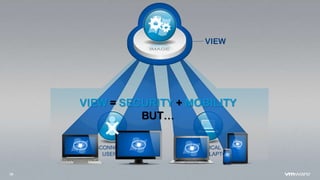
PHYSICAL
DESKTOP/LAPTOPS
DISCONNECTED
USERS
VIEW
VIEW = SECURITY + MOBILITY
BUT…
27
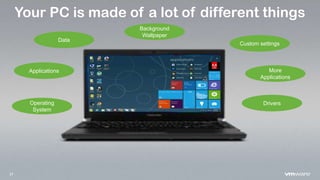
Your PC is made of a lot of different things
Background
Wallpaper
Operating
System
Applications More
Applications
Custom settings
Data
Drivers
28
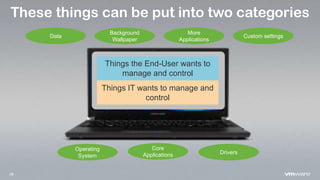
These things can be put into two categories
Background
Wallpaper
Operating
System
Core
Applications
More
Applications
Custom settingsData
Drivers
Things the End-User wants to
manage and control
Things IT wants to manage and
control
29
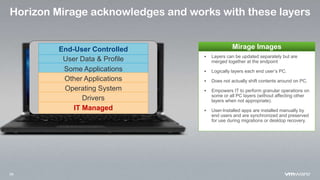
Horizon Mirage acknowledges and works with these layers
User Data & Profile
Some Applications
Other Applications
Operating System
Drivers
End-User Controlled
IT Managed
 Layers can be updated separately but are
merged together at the endpoint
 Logically layers each end user’s PC.
 Does not actually shift contents around on PC.
 Empowers IT to perform granular operations on
some or all PC layers (without affecting other
layers when not appropriate).
 User-Installed apps are installed manually by
end users and are synchronized and preserved
for use during migrations or desktop recovery.
Mirage Images
30
MIRAGE
31
MIRAGE
Central
Management
Local
Execution
32
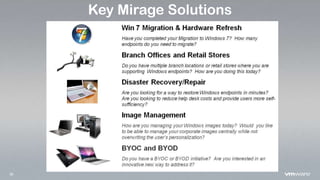
Key Mirage Solutions
33
The Multi-device
Workspace
DELIVERBROKER
Services from
the Middle
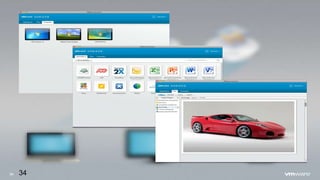
34 34
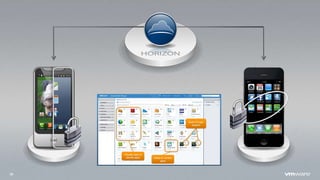
35
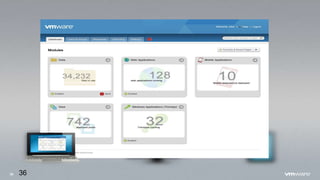
36 36
37
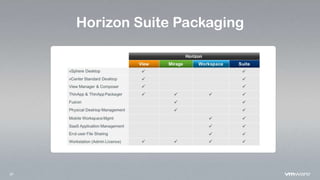
Horizon Suite Packaging
38
39
Thank You
QUESTIONS?

New Horizons for End-User Computing Event - VMware

  • 1.
    1 VMware End User Computing STEPHENHORNE DESKTOP BUSINESS SPECIALIST END USER COMPUTING UK&I
  • 2.
    2 The Shifting Landscape DeliveryMethods Devices Applications Work Style
  • 3.
  • 4.
    4 Three Trends areForcing Massive Change on IT New Device Platforms  A new way to work  Not just Windows anymore New User Expectations  Collaboration with partners, contractors, and customers  Productivity through better technology New Apps  SaaS, mobile apps  Quantity is increasing
  • 5.
    5 How we workis changing.... Work From Desk Get it from IT PC Collaborate within the office Data Silos Data Everywhere Collaborate with anyone BYOD / Tablets Self Service Work From Anywhere
  • 6.
    6 Challenges…. Data Everywhere Collaborate with anyone BYOD/ Tablets Self Service Work From Anywhere IP Control and Management
  • 7.
    7 Today’s Users areDemanding More Diverse Apps Different Devices Ubiquitous Access
  • 8.
    8 VMware EUC Vision Enableour Customers’ Journey to the Post-PC era. Files, apps and state follow users intelligently and securely across all devices
  • 9.
    9 End User Computingis on the Verge of a Massive Transformation of information workers use three or more devices for work to increase productivity Sources: IDC, BGR, Forrester 0 300 600 900 2009 2010 2011 2012 Smartphones and tablets PC shipments EXPLOSIVE GROWTH in shipments of smartphones and tablets FLAT pc shipments Device complexity % OS Neutral % Browser Specific % Windows Apps in the Enterprise 1996 CROSSOVER POINT 2011 2020 0% 100% 50% R a t i o o f m o b i l e a p p development projects to native PC projects in 2015 New Apps “9 out of 10 companies report the use of consumer technologies in the workplace” CONSUMERIZATION OF IT, BYO 74%employees use consumer technologies due to lack of compelling alternatives f r o m I T Higher User Expectations
  • 10.
    10 IT Has toManage a Much More Diverse End-User Landscape Personal DevicesCorporate Devices Diverse Apps Diverse Platform Data Everywhere Diverse Devices Mobile
  • 11.
    11 Which do youlook to manage…. or Data Devices
  • 12.
    12 Virtual Desktops Windows Applications CloudApplications App Publishing Data Services End User Workspace Cloud Identity Foundation AD App Entitlement and Tracking Device & Data Access Management Admin Console We had a vision… Single Sign On, Self Service Unified Application Catalog Rich User Experience Mobile Applications
  • 13.
    13 VMware Horizon isthe Platform for Workforce Mobility Transform: Simplify desktops, diverse apps and data into centralized services Deliver: Empower your workforce with flexible access across devices, locations and connectivity Broker: Manage & Secure centrally and broker services to your workforce by policy
  • 14.
    14 What’s Included inthe Horizon Product Family VMware Horizon Suite Complete desktop and application virtualization Layered Windows image management Multi-device workspace for IT services Horizon WorkspaceHorizon MirageHorizon View NEW v5.2 NEW v4.0 NEW v1.0 NEW v1.0
  • 15.
    15 VMware Horizon Suite Horizon Mirage Mirage Fusion Pro Horizon View View ThinApp vSphere vCenter Workstation Horizon Workspace Data(formerly Octopus) Mobile Application Manager ThinApp Horizon Suite Breakdown Project AppBlast: branded “Blast” integrated in all three categories
  • 16.
    16 Legacy into aService TRANSFORM
  • 17.
  • 18.
  • 19.
  • 20.
    20 Overview Benefits  QoS forhigh quality VOIP  Seamless end user experience  Follow me desktop and communications  Leverage existing investments - no additional purchase  Scalable, high performance solution View Media Services for Unified Communications Integrated and scalable UC and virtual desktop solution  UC integration via View APIs  Integrated call control within desktop  Separation of VOIP encoding and decoding at client media engine  Direct point to point call connection
  • 21.
    21 Horizon View MediaServices for 3D Graphics Virtual Shared Graphics Accelerator (vSGA) Overview Benefits  Enables enhanced 3D workloads like CAD  Maximize the value of GPU resources with multiple VMs sharing a GPU  Full compatibility with hosts lacking physical GPUs (for vMotion, etc).  Leverages new vSphere 5.1 capability…  Enables shared access to physical GPU hardware for 3D and high performance graphical workloads.  Desktops still see abstracted VMware SVGA device for maximum compatibility & portability.
  • 22.
    22 Horizon View Supportfor MSFT Lync 2013 Overview Benefits  Microsoft Lync client support on View desktops  Support for Microsoft Lync 2013 with Rich Media Services  Supported with PCoIP & RDP  Phase 1 – Windows thin and thick clients  Improved collaboration capabilities with Microsoft Lync and Office applications  Rich audio and video chat for improved communications
  • 23.
    23 Horizon Workspace Brokeringof View Desktops Overview Benefits  Enhanced Usability: One stop shopping for end user access to all their corporate workloads.  View Desktop pools are connected into Horizon Workspace after provisioning  Workspace provides a single access point for desktops, data & apps.  Workspace supports SSO brokering user to available desktops based on entitlement policy
  • 24.
    24 HTML Access toHorizon View Desktops Overview Benefits  Install-Free access to Desktops  Clean, integrated, browser-based experience  Access View Desktops from device platforms where no native client is available  Remote protocol delivered through any HTML5 capable web-browser  Access through View Portal or Horizon UI  Routes to existing View desktop  Leverages View Security Server for network routing when available
  • 25.
    25 Horizon View Clientswith Unity Touch Overview Benefits  Makes using Windows apps on mobile much more usable and mobile centric  Best-in-class Windows apps experience on the iOS & Android devices that are used by key decision makers  Focus on applications, not the desktop  Easier to launch apps  Easier to switch between running apps  Easier to open/find files  Easier to use minimize and quit apps
  • 26.
  • 27.
    27 Your PC ismade of a lot of different things Background Wallpaper Operating System Applications More Applications Custom settings Data Drivers
  • 28.
    28 These things canbe put into two categories Background Wallpaper Operating System Core Applications More Applications Custom settingsData Drivers Things the End-User wants to manage and control Things IT wants to manage and control
  • 29.
    29 Horizon Mirage acknowledgesand works with these layers User Data & Profile Some Applications Other Applications Operating System Drivers End-User Controlled IT Managed  Layers can be updated separately but are merged together at the endpoint  Logically layers each end user’s PC.  Does not actually shift contents around on PC.  Empowers IT to perform granular operations on some or all PC layers (without affecting other layers when not appropriate).  User-Installed apps are installed manually by end users and are synchronized and preserved for use during migrations or desktop recovery. Mirage Images
  • 30.
  • 31.
  • 32.
  • 33.
  • 34.
  • 35.
  • 36.
  • 37.
  • 38.
  • 39.

Editor's Notes

  • #9 Change the text in the arrows----- Meeting Notes (4/3/12 14:43) -----ramsey updated mock
  • #10 When we talk about the growth of new devices, we’re talking about a shockingly dramatic growth. Nearly 1B shipments of smartphones and tablets last year, while PC shipments remain flat over the last few years.  -click- And a surprising number of users are taking these devices into the workplace expecting those devices to boost productivity. Users aren’t just playing angry birds with these devices. According to Forrester, 52% of Information workers have three or more devices at work – perhaps an iPhone, an iPad and a PC.http://www.idc.com/about/viewpressrelease.jsp?containerId=prUS22689111&sectionId=null&elementId=null&pageType=SYNOPSIS#.UNTK4LagS2Jhttp://www.idc.com/getdoc.jsp?containerId=prUS23818212#.UNTJW7agS2Ihttp://bgr.com/2012/10/10/worldwide-pc-shipments-2012-decline/Tablets:http://www.idc.com/about/viewpressrelease.jsp?containerId=prUS22653511&sectionId=null&elementId=null&pageType=SYNOPSIS#.UNTNKLagS2Jhttps://www.idc.com/getdoc.jsp?containerId=prUS23696912#.UOHnDragS2IOperating systems:Synopsis of Gartner and IDC research here:http://en.wikipedia.org/wiki/Mobile_operating_system#Market_shareSmartphone usage:http://www.zdnet.com/mobile-workers-increasingly-dare-it-to-rein-them-in-survey-7000005133/Other data:http://www.netmarketshare.com/http://blog.nielsen.com/nielsenwire/?p=31688http://en.wikipedia.org/wiki/Timeline_of_operating_systemsNew device platforms often brings opportunities to make people more productive (increase user productivity and satisfaction)Officers spend X hours behind a desk; goal is to reduce by X%Reports completed through mobile devices rather than at a deskMobile devices replacing the traditional notebooks of old; eliminates data errors and duplicationMobility Vision: “More Boots on the Ground through Mobility”Mike Ledgon mentioned that one the police chief’s main vision would be to “put more boots onto the ground”, or in other words have more officers on patrol, than being constrained to their offices / desks. Currently, South Yorkshire police officers are equipped with blackberries (due to security of the Blackberry platform), and they use custom blackberry apps to run queries and information checks when the police stop a person. They use devices to pull up details, and run queries. Blackberry devices have slowly replaced (or become a substitute) for police officer’s notebooks of old. (Mail / Calendar/ To-Do). Stop & Check / Police Lookup Apps. However, these devices are (obviously) quite limited in functionality to what they can do, and the police department is currently running experiments with government approved iPads to see how officers could access more police department IT internal applications (with full-functioning tablets) that they would otherwise need to spend time at their desks in the police department, writing reports. (They are also experimenting with Windows Phone and Android). In essence, the police chief’s mobility vision is to have police officers spend more time in communities, with better tools so that they can better protect the public.From interview with Mike Legdon, 11/11/12
  • #13 Remote Desktop AccessWindows App Access – app pub / app virt Cloud Services – data / backup Existing and Custom Web Applications Cloud Apps
  • #14 Over the last year,dlivering many componentsHorizon app manager w/thinappProject octopus betaGreat customer feedback on eachVery clear that we should pull them together though
  • #15 VIEW & REFLECT – Available standalone for 6-9 months months post SUITE GA Name Ideas: Workspace edition, mobility edition, anywhere edition
  • #17 Let’s start here, what is this all about and what are we
  • #18 We like to talk about new apps and new devices Post-PC era INCLUDES PCs as critical part.Biz will always rely on Windows for some of appsGartner: only 30% of enterprises have completed their migration to Windows 7. Migration a major focus in 2013. Must make more manageble, secure, accessible
  • #19 That’s what VDI has been aboutMove desktop to the datacenter and access
  • #20 And View is the best soln for VDIIn May, we released View 5.1- Easiest solution to manage- Great improvements to acquisition cost- Great UI– especially over WANCHECK OUT 3D GAMING EXPERIENCE IN LABStrong solution for numerous use cases
  • #21 View Media Services for Unified Communications delivers an integrated UC + virtual desktop experience. Delivered via partner integrations to View API’s, this integration enables the UC solutions to detect when they are running in a View session. The user will seamlessly interact with the softphone or UC application within the virtual desktop session but the actual encoding and decoding will happen on the client device and not within the VM session. By integrating the softphone control within the VM session, end users now have a desktop and phone that follows them This enables their media engine to do the media processing and maintain a direct point to point call connection to avoid hair-pinning and increasing load in the datacenter. By separating out the VOIP from the desktop, you are able to maintain the QoS for VOIP separately from the desktop. Additionally the desktop doesn’t become the bottleneck for the VOIP. Finally once calls are initiated, they are delivered point to point versus cycling through the virtual desktop and the datacenter to preserve call quality and performance. This solution delivers ultimate scalability and performance while delivering a seamless end user experience. Strategic objectives for Unified Communications with VDIBusiness continuity for desktop and Unified Communications (UC) servicesInvestment protection – leverage existing UC infrastructureGreener IT solution with flexible working modelsImproved employee productivityChallenges TodayServer scalability issuesHairpinning of Real Time Protocol (RTP) mediaBandwidth intensive sessionsLack of Quality-of-Service (QoS) supportPartner will be delivering solutions in this area starting in 2011. Announcements and partner trainings coming soon.
  • #27 View Great solution for many cases But…- Not on the network- Leverage great hardware innovations
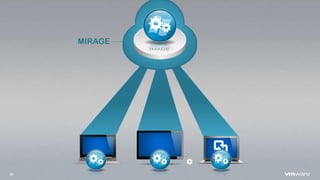
  • #31 Looked at many solns in past… client hypervisor.Wanova Mirage – image-focused approach to secure & managed windows[Click]Image layers – hw, apps, data, windowsDeployment to different targets – laptops, VDI, even mac via fusion proOnline synchronization (clever, dedup)[Click]
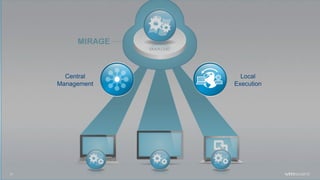
  • #32 End result – central mgmt of full image- ability to use multiple devices w/local executionMany solutions follow1. Constantly backed up - disaster recovery 2. In-place xp-win7 migration
  • #34 That was a look at how we’re transforming the existing windows world. Now let’s talk about a real challenge for enterprises… Empowering the Mobile Workforce
  • #36 Apps pushed to mobile, where we mix personal and businessMust be secure in shared environmentShown Horizon Mobile – VM container for android – alive and wellWhat about iOS?Today announcing new type of container for Wrapping at application layer, which fits their model better.Both containers have place in the world isolation and security, unmodified appsWe expect both vm and app level containers to thrive. Horizon handles both.