New ArcSDE – MS SQL GeodatabasesandArcGIS Image ServerJune 2008Data Services
ArcGIS Image ServerAllows image files to be viewed in mosaic directly from the file folders.Utilizes service overviews (similar to pyramids) to allow for fast image navigation and processing.Available to all ArcGIS 9.2 Desktop clients at H-GAC.Option to expand availability to ArcGIS Explorer clients in the future.
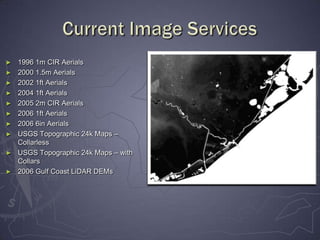
Current Image Services1996 1m CIR Aerials
2000 1.5m Aerials
2002 1ft Aerials
2004 1ft Aerials
2005 2m CIR Aerials
2006 1ft Aerials
2006 6in Aerials
USGS Topographic 24k Maps – Collarless

New Arc Sde – Ms Sql Geodatabases

Editor's Notes

  • #2 As most of you know, new SQL SDE databases are now up and running, as well as ArcGIS Image Server, which was rolled out in late May. We wanted to take this opportunity to demo both of these new products, and answer any questions that you may have about them.
  • #4 Just click through pictures – don’t have to state each year/service.
  • #5 Open ArcMap.Show how to bring in the Add Image Service button.Show how to view properties before adding image service.Add 2006 Aerial Imagery and show.Add Collared Topographic Maps and show how closest to center mosaicking works.
  • #6 After collaborating with other departments, we came up with a 3 database setup – and I really want to thank CE and Transportation for all of their help on this project.
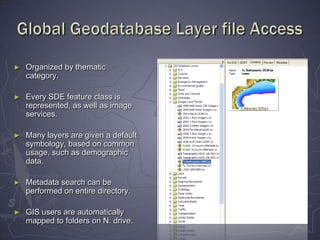
  • #7 If you have not been automatically mapped to N:, please let me know and I’ll walk you through making a manual connection.
  • #8 Open ArcCatalog.Show adding Database Connection.Show layer folders. Do a metadata search on layer folders – use TCEQ.
  • #9 There is a lot of information shown here, but the main idea is to show how the various hardware is utilized and structured.
  • #11 Please note one correction on the handouts. The path to the Global database layers has been changed from Z: to N:.