Computer Networks (A2) ( PSC as an example) Charles Parish [email_address]
Topics we’ll cover Network protocol stack Copper, fibre and wireless  Bus and star topologies Hubs, bridges, switches and routers Baseband v broadband Ethernet Addresses – MAC and IP (inc. network and host) Packets and packet switching TCP/IP Subnets, subnet masks and gateways Connecting to a WAN
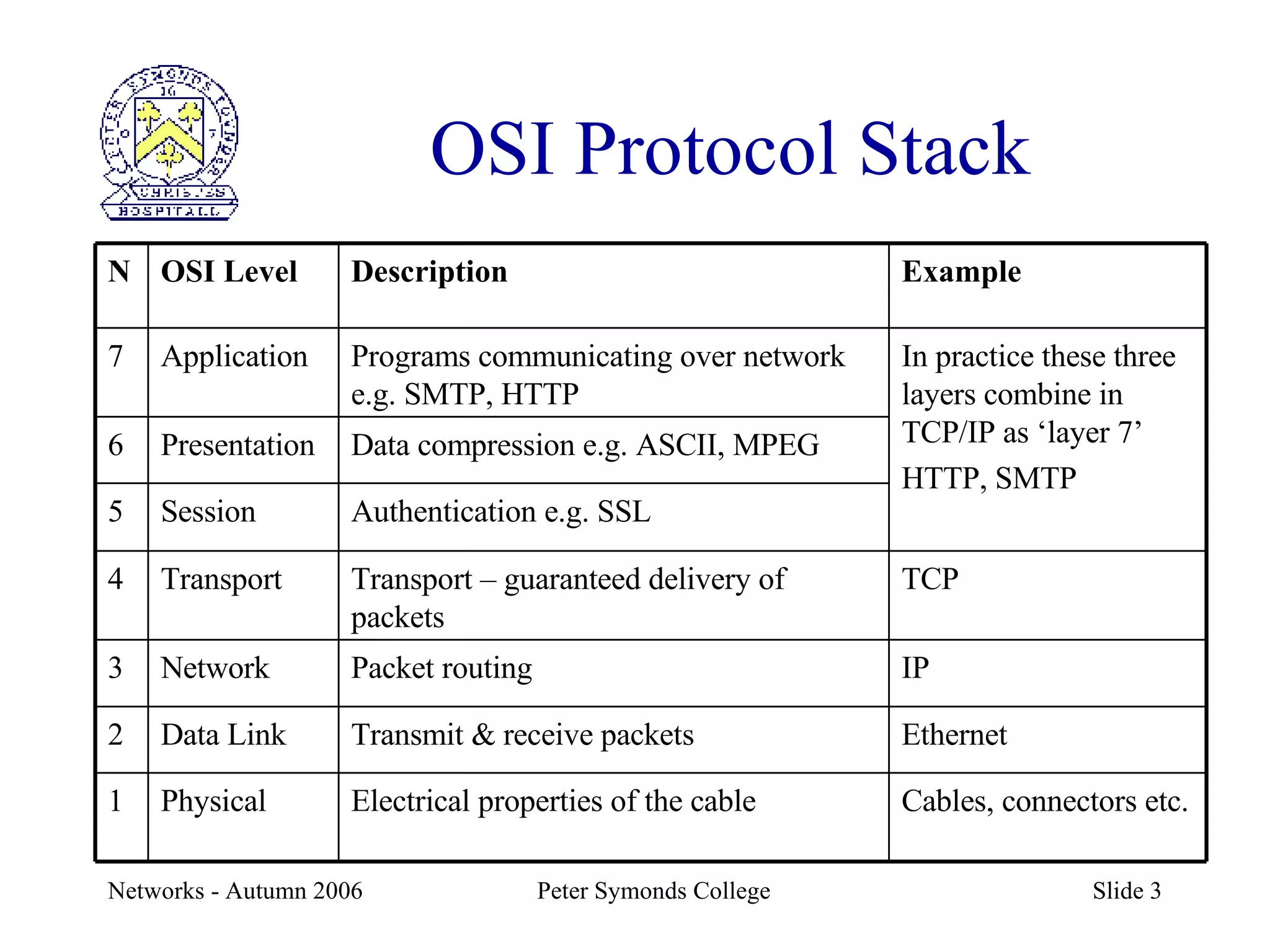
OSI Protocol Stack Example Description OSI Level N Cables, connectors etc. Electrical properties of the cable Physical 1 Ethernet Transmit & receive packets Data Link 2 IP Packet routing Network 3 TCP Transport – guaranteed delivery of packets Transport 4 Authentication e.g. SSL Session 5 Data compression e.g. ASCII, MPEG Presentation 6 In practice these three layers combine in TCP/IP as ‘layer 7’ HTTP, SMTP Programs communicating over network e.g. SMTP, HTTP Application 7
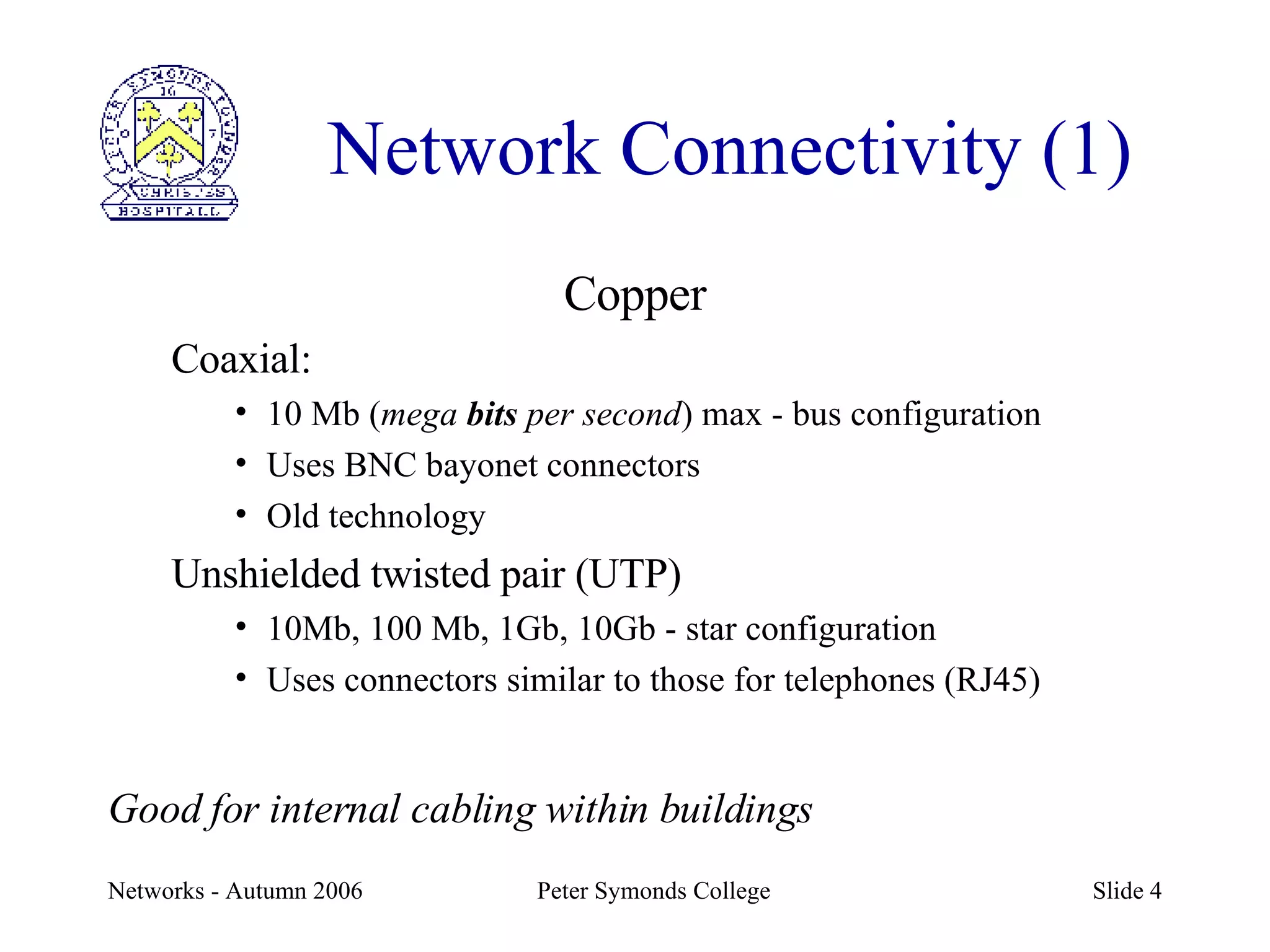
Network Connectivity (1) Copper Coaxial: 10 Mb ( mega  bits  per second ) max - bus configuration Uses BNC bayonet connectors Old technology Unshielded twisted pair (UTP) 10Mb, 100 Mb, 1Gb, 10Gb - star configuration Uses connectors similar to those for telephones (RJ45) Good for internal cabling within buildings
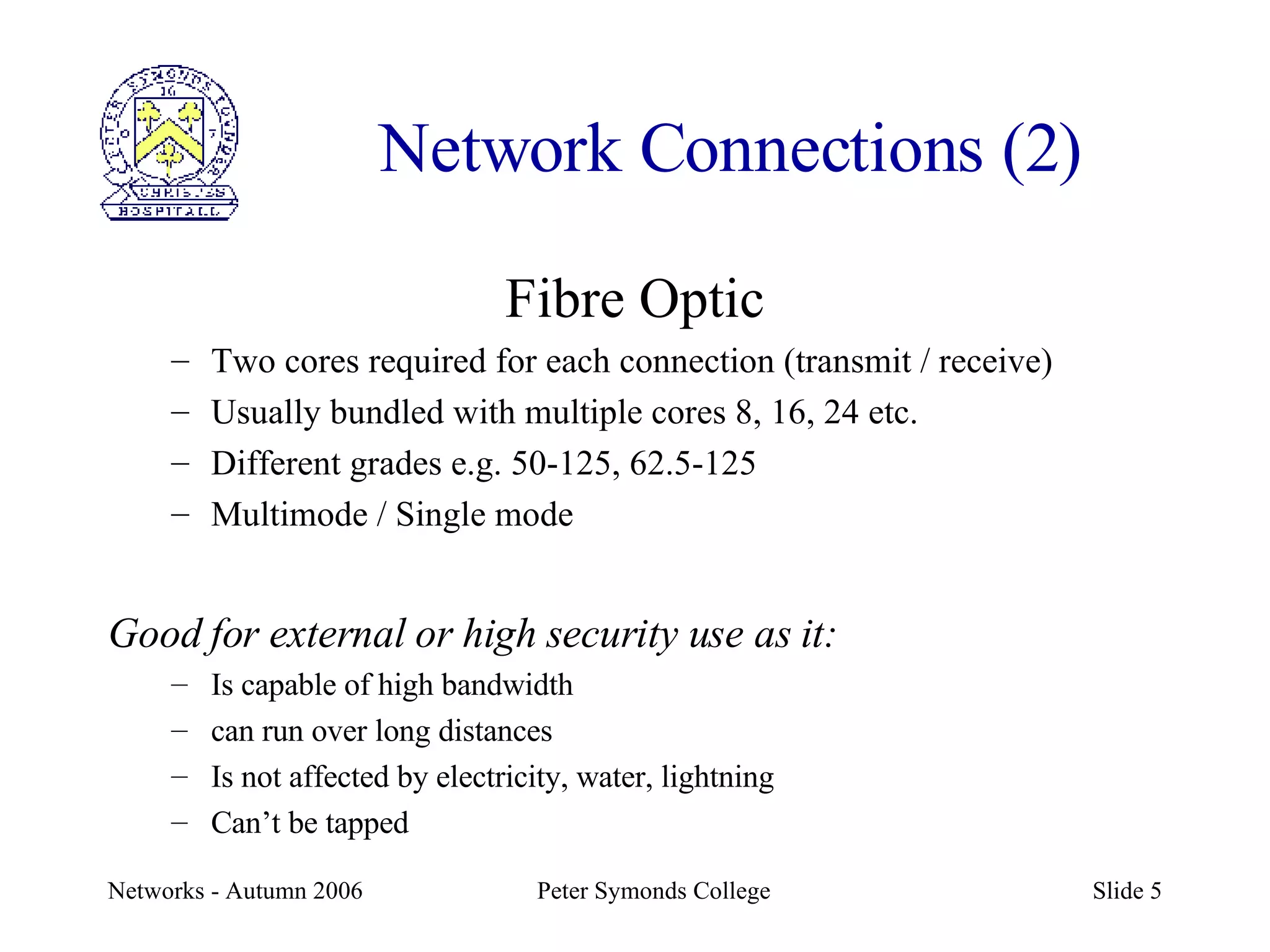
Network Connections (2) Fibre Optic Two cores required for each connection (transmit / receive) Usually bundled with multiple cores 8, 16, 24 etc. Different grades e.g. 50-125, 62.5-125 Multimode / Single mode Good for external or high security use as it: Is capable of high bandwidth can run over long distances Is not affected by electricity, water, lightning Can’t be tapped
Network Connections (3) Wireless Up to 54 Mb 802.11g – faster coming  Flexible layout and no cabling but Security problems Slow compared with cable and it’s a shared medium (hubs not switches) Useful for laptops & PDAs
Network Devices (1) Hub Computer A sends data to computer D Data are broadcast to all computers
Network Devices (2) Bridge Two ports Divides the traffic between two segments of a network
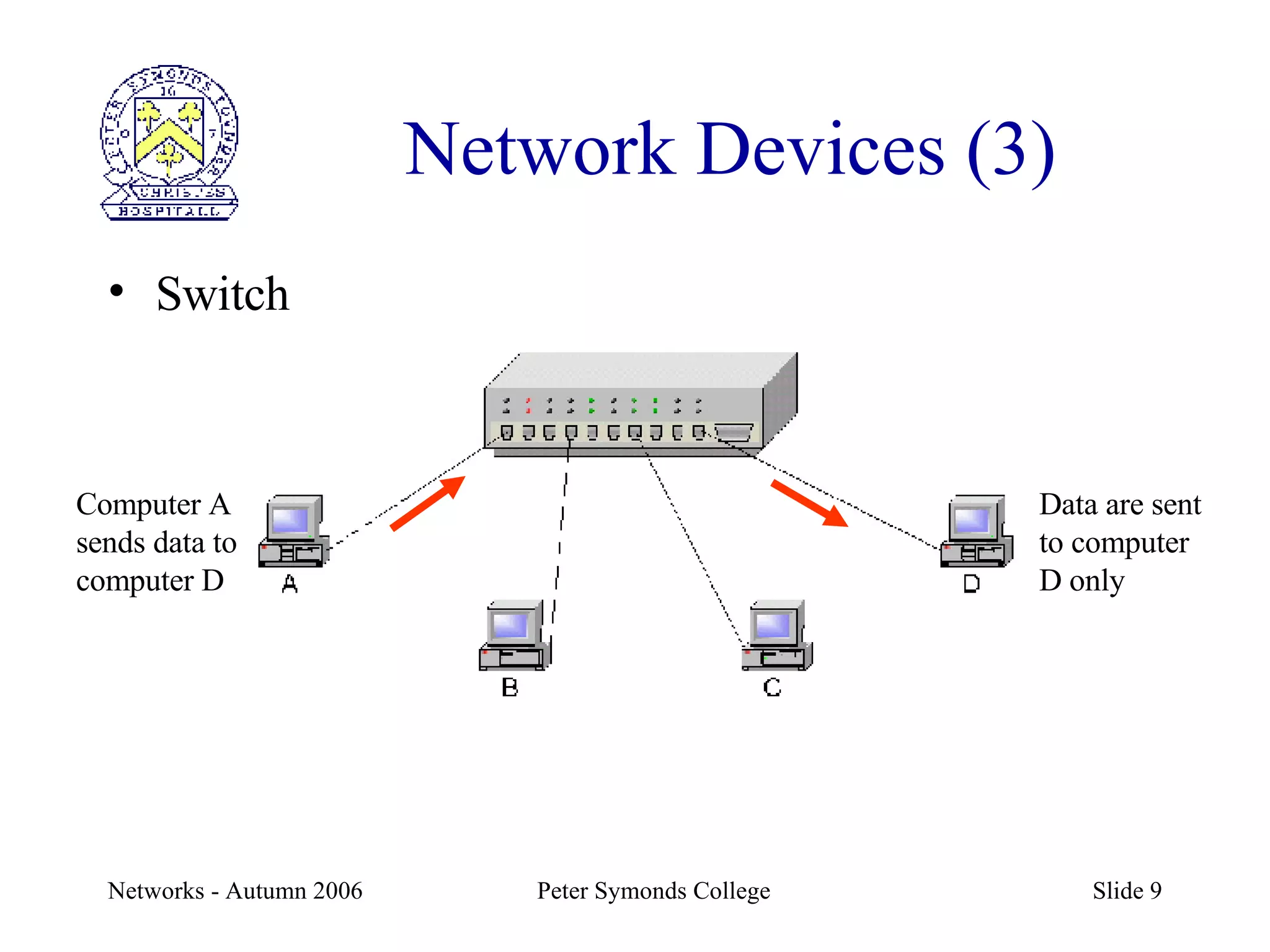
Network Devices (3) Switch Computer A sends data to computer D Data are sent to computer D only
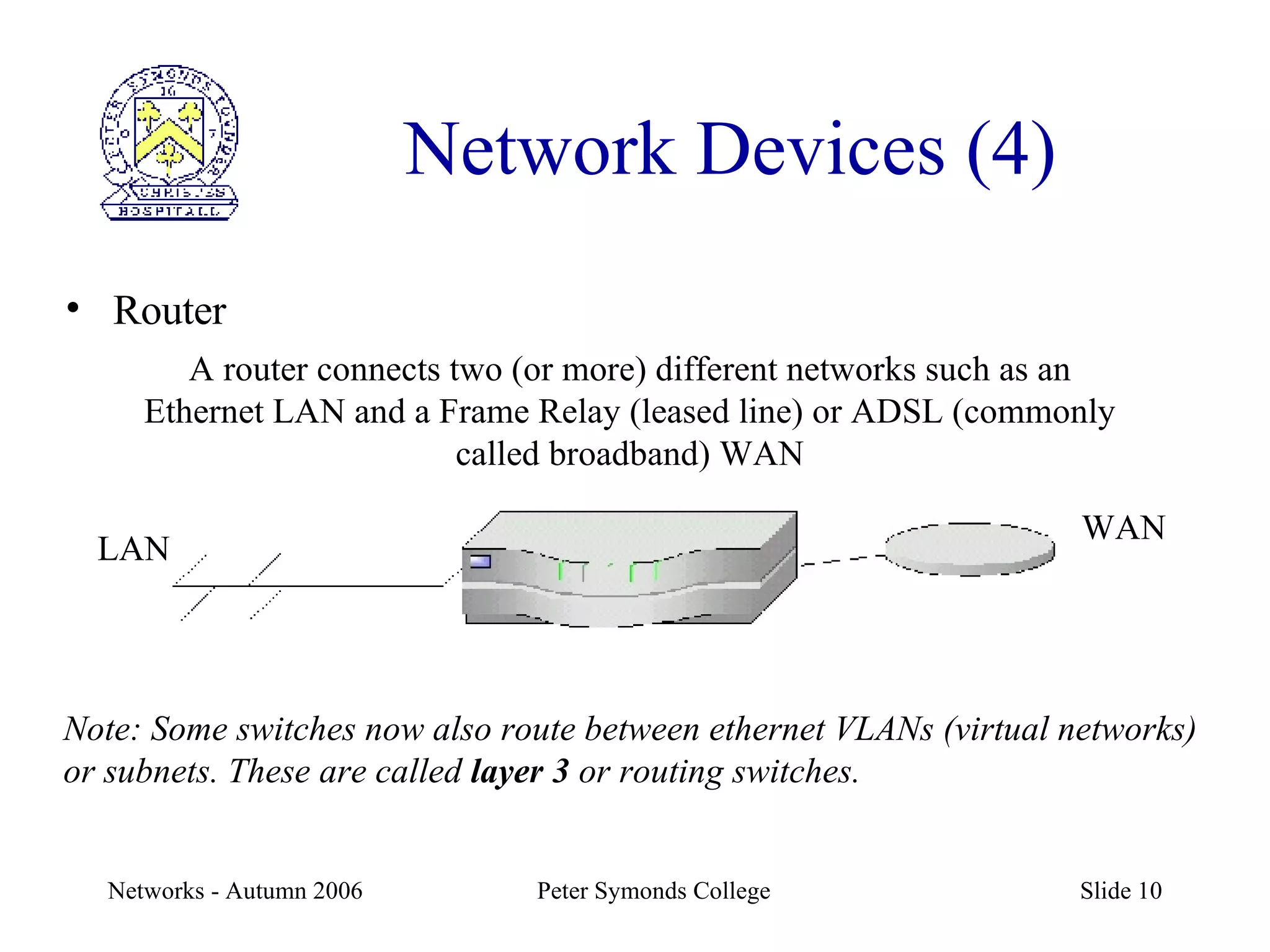
Network Devices (4) Router A router connects two (or more) different networks such as an Ethernet LAN and a Frame Relay (leased line) or ADSL (commonly called broadband) WAN Note: Some switches now also route between ethernet VLANs (virtual networks) or subnets. These are called  layer 3  or routing switches. LAN WAN
Baseband v Broadband Long distances 1km max before repeater E.g. cable TV E.g. Ethernet Can have multiple channels One channel Transmission in one direction Transmission in both directions Analogue signalling Digital signalling Broadband Baseband
Network Technology Ethernet is most common LAN network technology Developed in early 1970s by Xerox at PARC Specified in IEEE 802.3 series of standards Hardware and software layers Data sent in packets Uses a Carrier Sense Multiple Access with Collision Detection ( CSMA/CD ) protocol Other common examples would be Appletalk, Bluetooth, X25
Packet Encapsulation We have said that the network is a stack Each layer is encapsulated (wrapped) in the layer below So the application data is the data part of the TCP (socket –addressed) packet; the TCP packet is the data of the IP (IP addressed) packet, and the IP packet is finally the data part of the ethernet (MAC addressed) packet.
Ethernet Address (Layer 2) Every object on a network must have an address In an ethernet network there is the MAC address: Media Access Control. This is hardware specific and  6 bytes (48 bits) long. It is usually written as 12 hexadecimal numbers. E.g. 00C36F1975BD
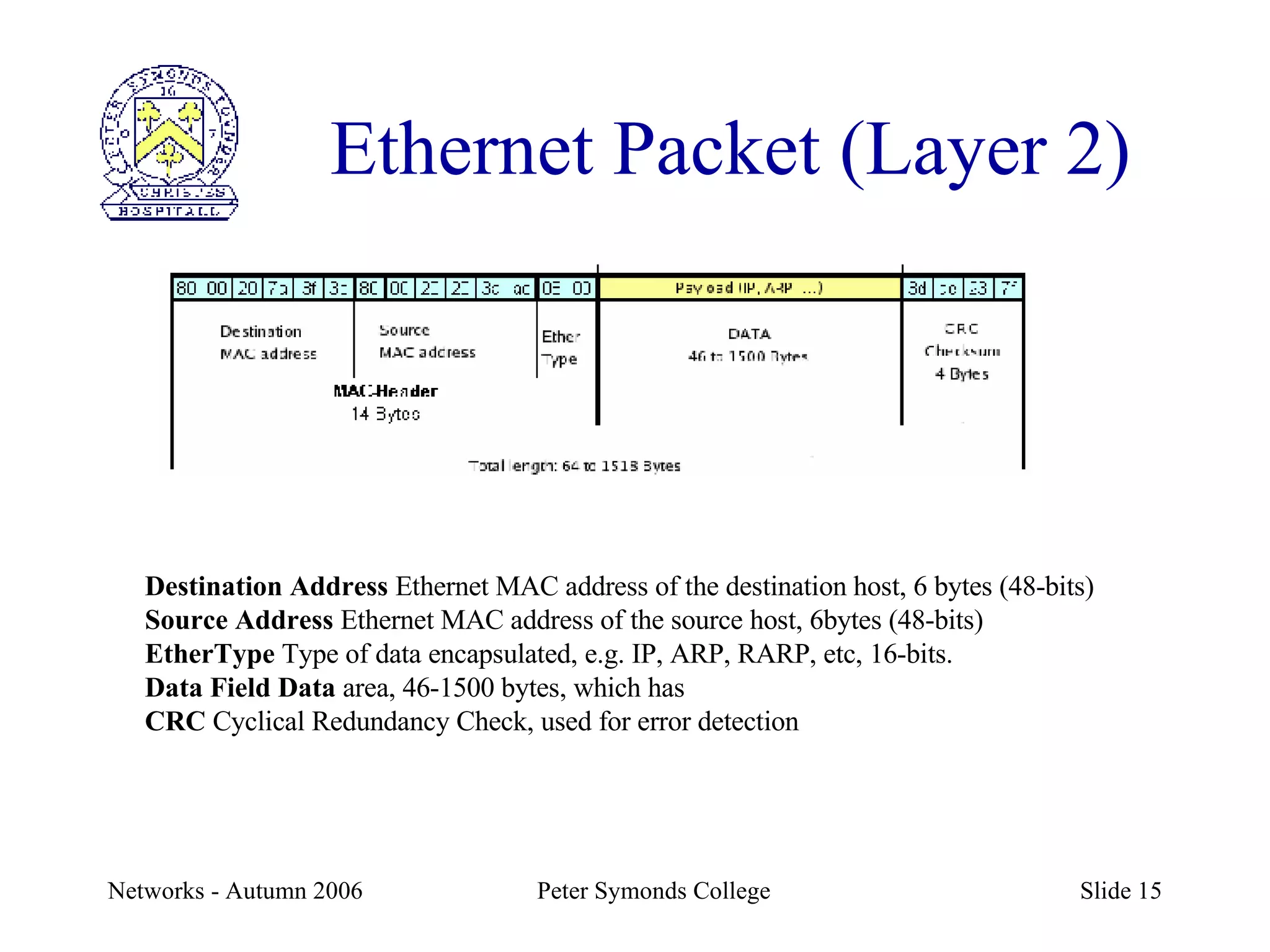
Ethernet Packet (Layer 2) Destination Address  Ethernet MAC address of the destination host, 6 bytes (48-bits) Source Address  Ethernet MAC address of the source host, 6bytes (48-bits) EtherType  Type of data encapsulated, e.g. IP, ARP, RARP, etc, 16-bits. Data Field Data  area, 46-1500 bytes, which has CRC  Cyclical Redundancy Check, used for error detection
Internet Protocol - Layer 3  Runs on top of various network technologies such as ethernet IP address – Internet Protocol address. This is constant for a session but may vary each time you connect to the network. It is 4 bytes (32 bits) long and is written as 4 numbers, each between 0 and 255 and separated by dots e.g. 192.168.30.187
IP Packet
Transport Protocol – Layer 4 Each application that runs uses a TCP  port . Each application has a standard port. E.g. FTP (file transfer) port 21 SMTP (email) port 25 HTTP (web) port 80 A  socket  is a combination of the address and the port e.g. 192.168.30.187:80
TCP Packet
TCP/IP subnets Address is made up of  network  and  host  addresses E.g. an address 192.168.130.156 with a subnet mask of 255.255.255.0 has: Network address 192.168.130 (this is the  subnet ) Host address 156 If it is to access another subnet it must also point to a gateway in that subnet (e.g. 192.168.130.1) The owner of such a subnet has 254 effective host addresses (1 to 254) as 0 is the subnet address and 255 the broadcast address
Routers and VLANs
Some Network Operating Systems Unix Various ‘flavours’: Solaris, Linux, AIX Microsoft NT, Windows 2003 Server Microsoft Active Directory Novell Netware 6.5 Uses Novell Directory Services (NDS) to store objects
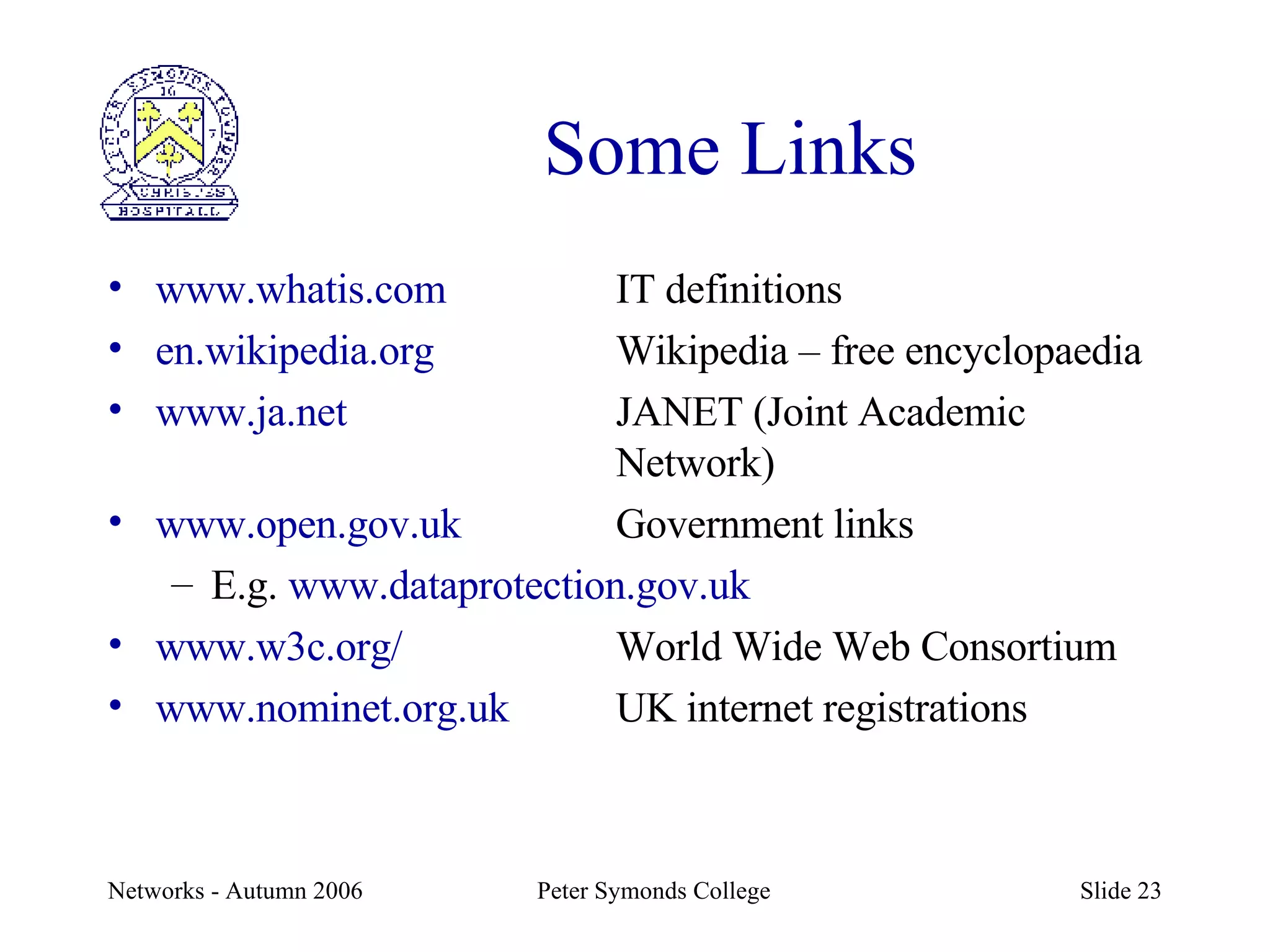
Some Links www.whatis.com IT definitions en.wikipedia.org Wikipedia – free encyclopaedia www.ja.net JANET (Joint Academic  Network) www.open.gov.uk Government links E.g.  www.dataprotection.gov.uk www.w3c.org/ World Wide Web Consortium www.nominet.org.uk UK internet registrations
A view of PSC Network

Networks A2

  • 1.
    Computer Networks (A2)( PSC as an example) Charles Parish [email_address]
  • 2.
    Topics we’ll coverNetwork protocol stack Copper, fibre and wireless Bus and star topologies Hubs, bridges, switches and routers Baseband v broadband Ethernet Addresses – MAC and IP (inc. network and host) Packets and packet switching TCP/IP Subnets, subnet masks and gateways Connecting to a WAN
  • 3.
    OSI Protocol StackExample Description OSI Level N Cables, connectors etc. Electrical properties of the cable Physical 1 Ethernet Transmit & receive packets Data Link 2 IP Packet routing Network 3 TCP Transport – guaranteed delivery of packets Transport 4 Authentication e.g. SSL Session 5 Data compression e.g. ASCII, MPEG Presentation 6 In practice these three layers combine in TCP/IP as ‘layer 7’ HTTP, SMTP Programs communicating over network e.g. SMTP, HTTP Application 7
  • 4.
    Network Connectivity (1)Copper Coaxial: 10 Mb ( mega bits per second ) max - bus configuration Uses BNC bayonet connectors Old technology Unshielded twisted pair (UTP) 10Mb, 100 Mb, 1Gb, 10Gb - star configuration Uses connectors similar to those for telephones (RJ45) Good for internal cabling within buildings
  • 5.
    Network Connections (2)Fibre Optic Two cores required for each connection (transmit / receive) Usually bundled with multiple cores 8, 16, 24 etc. Different grades e.g. 50-125, 62.5-125 Multimode / Single mode Good for external or high security use as it: Is capable of high bandwidth can run over long distances Is not affected by electricity, water, lightning Can’t be tapped
  • 6.
    Network Connections (3)Wireless Up to 54 Mb 802.11g – faster coming Flexible layout and no cabling but Security problems Slow compared with cable and it’s a shared medium (hubs not switches) Useful for laptops & PDAs
  • 7.
    Network Devices (1)Hub Computer A sends data to computer D Data are broadcast to all computers
  • 8.
    Network Devices (2)Bridge Two ports Divides the traffic between two segments of a network
  • 9.
    Network Devices (3)Switch Computer A sends data to computer D Data are sent to computer D only
  • 10.
    Network Devices (4)Router A router connects two (or more) different networks such as an Ethernet LAN and a Frame Relay (leased line) or ADSL (commonly called broadband) WAN Note: Some switches now also route between ethernet VLANs (virtual networks) or subnets. These are called layer 3 or routing switches. LAN WAN
  • 11.
    Baseband v BroadbandLong distances 1km max before repeater E.g. cable TV E.g. Ethernet Can have multiple channels One channel Transmission in one direction Transmission in both directions Analogue signalling Digital signalling Broadband Baseband
  • 12.
    Network Technology Ethernetis most common LAN network technology Developed in early 1970s by Xerox at PARC Specified in IEEE 802.3 series of standards Hardware and software layers Data sent in packets Uses a Carrier Sense Multiple Access with Collision Detection ( CSMA/CD ) protocol Other common examples would be Appletalk, Bluetooth, X25
  • 13.
    Packet Encapsulation Wehave said that the network is a stack Each layer is encapsulated (wrapped) in the layer below So the application data is the data part of the TCP (socket –addressed) packet; the TCP packet is the data of the IP (IP addressed) packet, and the IP packet is finally the data part of the ethernet (MAC addressed) packet.
  • 14.
    Ethernet Address (Layer2) Every object on a network must have an address In an ethernet network there is the MAC address: Media Access Control. This is hardware specific and 6 bytes (48 bits) long. It is usually written as 12 hexadecimal numbers. E.g. 00C36F1975BD
  • 15.
    Ethernet Packet (Layer2) Destination Address Ethernet MAC address of the destination host, 6 bytes (48-bits) Source Address Ethernet MAC address of the source host, 6bytes (48-bits) EtherType Type of data encapsulated, e.g. IP, ARP, RARP, etc, 16-bits. Data Field Data area, 46-1500 bytes, which has CRC Cyclical Redundancy Check, used for error detection
  • 16.
    Internet Protocol -Layer 3 Runs on top of various network technologies such as ethernet IP address – Internet Protocol address. This is constant for a session but may vary each time you connect to the network. It is 4 bytes (32 bits) long and is written as 4 numbers, each between 0 and 255 and separated by dots e.g. 192.168.30.187
  • 17.
  • 18.
    Transport Protocol –Layer 4 Each application that runs uses a TCP port . Each application has a standard port. E.g. FTP (file transfer) port 21 SMTP (email) port 25 HTTP (web) port 80 A socket is a combination of the address and the port e.g. 192.168.30.187:80
  • 19.
  • 20.
    TCP/IP subnets Addressis made up of network and host addresses E.g. an address 192.168.130.156 with a subnet mask of 255.255.255.0 has: Network address 192.168.130 (this is the subnet ) Host address 156 If it is to access another subnet it must also point to a gateway in that subnet (e.g. 192.168.130.1) The owner of such a subnet has 254 effective host addresses (1 to 254) as 0 is the subnet address and 255 the broadcast address
  • 21.
  • 22.
    Some Network OperatingSystems Unix Various ‘flavours’: Solaris, Linux, AIX Microsoft NT, Windows 2003 Server Microsoft Active Directory Novell Netware 6.5 Uses Novell Directory Services (NDS) to store objects
  • 23.
    Some Links www.whatis.comIT definitions en.wikipedia.org Wikipedia – free encyclopaedia www.ja.net JANET (Joint Academic Network) www.open.gov.uk Government links E.g. www.dataprotection.gov.uk www.w3c.org/ World Wide Web Consortium www.nominet.org.uk UK internet registrations
  • 24.
    A view ofPSC Network