Local Area Network
Warriors of Net
Objective
To achieve the competency
in creating and managing
Local Area Network.
Scope
 Creation of Local Area Network with
MS desktop operating systems.
 Creation of Local Area Network with
MS Server & MS desktop operating
systems.
 Sharing Files, Peripherals & Internet.
 Over View of IIS, Terminal services,
Remote Network.
 Resource & Network Management.
What is Networking?
Principles of Networking
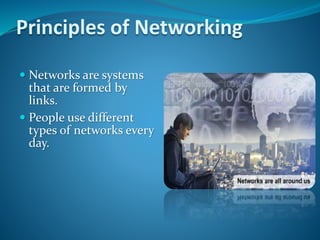
 Networks are systems
that are formed by
links.
 People use different
types of networks every
day.
Computer Networks
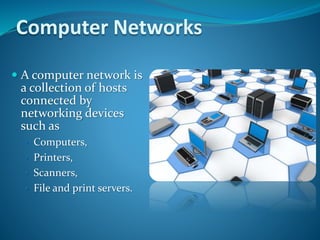
 A computer network is
a collection of hosts
connected by
networking devices
such as
• Computers,
• Printers,
• Scanners,
• File and print servers.
Benefits of Computer Networking
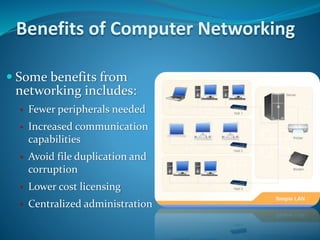
 Some benefits from
networking includes:
• Fewer peripherals needed
• Increased communication
capabilities
• Avoid file duplication and
corruption
• Lower cost licensing
• Centralized administration
Types of Computer Networking
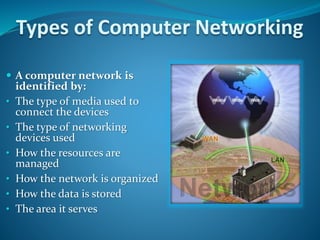
 A computer network is
identified by:
• The type of media used to
connect the devices
• The type of networking
devices used
• How the resources are
managed
• How the network is organized
• How the data is stored
• The area it serves
Types of Computer Network
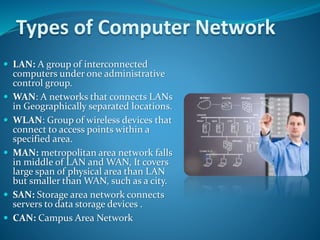
 LAN: A group of interconnected
computers under one administrative
control group.
 WAN: A networks that connects LANs
in Geographically separated locations.
 WLAN: Group of wireless devices that
connect to access points within a
specified area.
 MAN: metropolitan area network falls
in middle of LAN and WAN, It covers
large span of physical area than LAN
but smaller than WAN, such as a city.
 SAN: Storage area network connects
servers to data storage devices .
 CAN: Campus Area Network
Types of Computer Network Link
Network devices link together using
mainly following connections:
Copper cabling
Fiber-optic cabling
Wireless connection
Physical Types of Networks
(Peer-to-Peer)
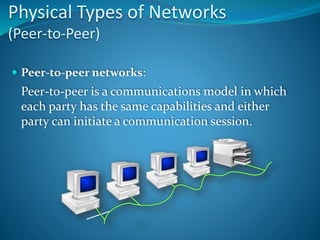
 Peer-to-peer networks:
Peer-to-peer is a communications model in which
each party has the same capabilities and either
party can initiate a communication session.
Physical Types of Networks
(Client -Server)
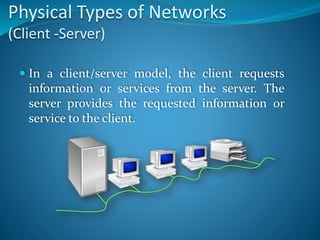
 In a client/server model, the client requests
information or services from the server. The
server provides the requested information or
service to the client.
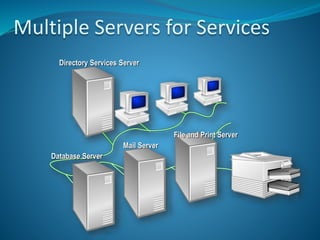
Multiple Servers for Services
Directory Services Server
Database Server
Mail Server
File and Print Server
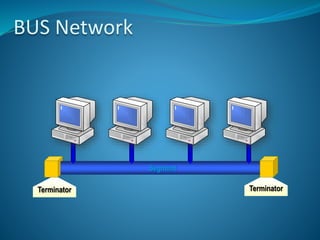
BUS Network
Terminator
Segment
Terminator
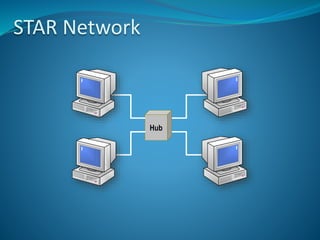
STAR Network
Hub
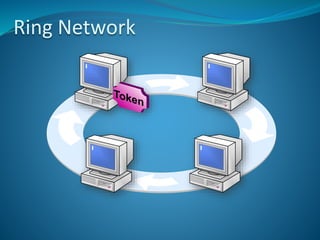
Ring Network
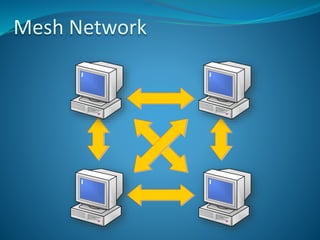
Mesh Network
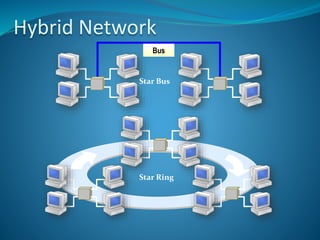
Hybrid Network
Bus
Star Bus
Star Ring
Network Hardware
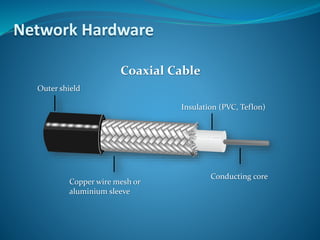
Outer shield
Insulation (PVC, Teflon)
Conducting core
Copper wire mesh or
aluminium sleeve
Coaxial Cable
Network Hardware
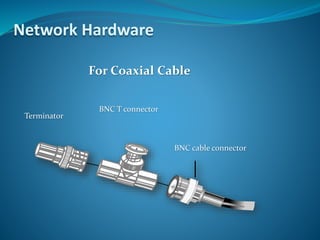
For Coaxial Cable
BNC cable connector
BNC T connector
Terminator
Network Hardware
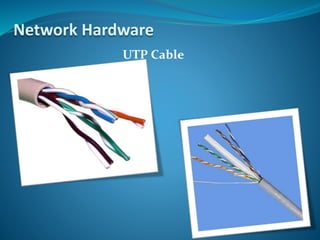
UTP Cable
Network Hardware
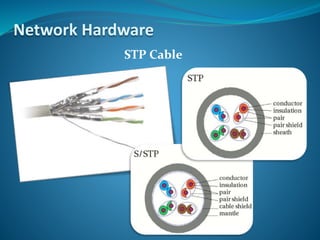
STP Cable
Network Hardware
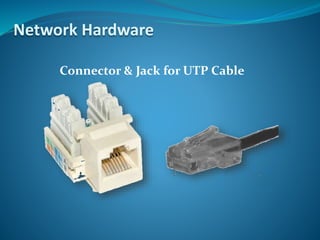
Connector & Jack for UTP Cable
Network Hardware
Network Hardware
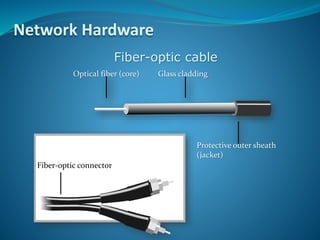
Fiber-optic cable
Fiber-optic connector
Optical fiber (core) Glass cladding
Protective outer sheath
(jacket)
Network Hardware
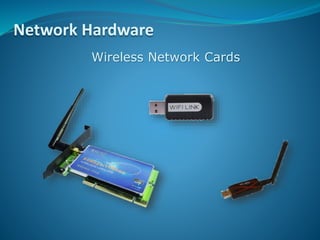
Wireless Network Cards
Network Hardware
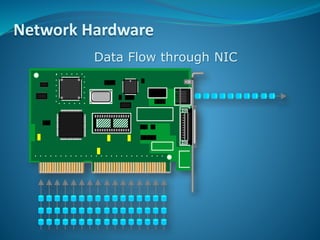
Data Flow through NIC
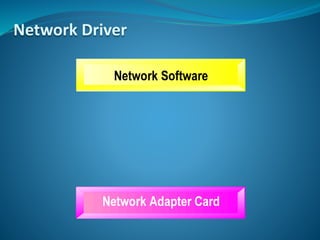
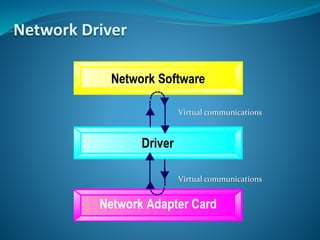
Network Driver
Network Driver
Virtual communications
Bandwidth
 Bandwidth is the amount of data that can
be transmitted within a fixed time period.
 Bandwidth is measured in bits per second
and is usually denoted by the following:
•bps - bits per second
•Kbps - kilobits per second
•Mbps - megabits per second
Latency
 Latency is the amount of time it takes data to travel from
source to destination.
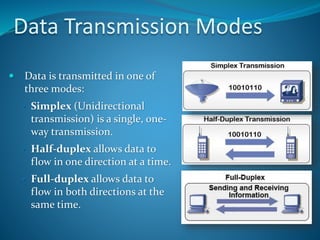
Data Transmission Modes
 Data is transmitted in one of
three modes:
• Simplex (Unidirectional
transmission) is a single, one-
way transmission.
• Half-duplex allows data to
flow in one direction at a time.
• Full-duplex allows data to
flow in both directions at the
same time.
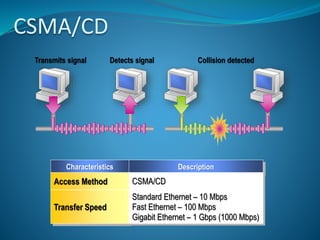
CSMA/CD
Characteristics Description
Access Method CSMA/CD
Transfer Speed
Standard Ethernet – 10 Mbps
Fast Ethernet – 100 Mbps
Gigabit Ethernet – 1 Gbps (1000 Mbps)
Detects signalTransmits signal Collision detected
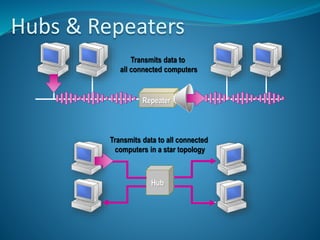
Hubs & Repeaters
Transmits data to
all connected computers
Transmits data to all connected
computers in a star topology
Repeater
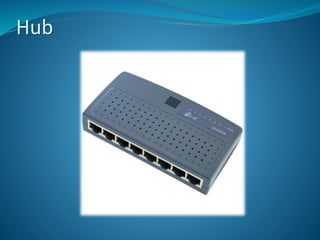
Hub
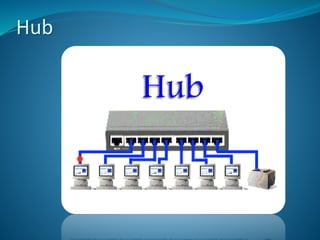
Hub
Hub
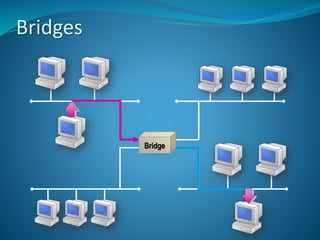
Bridges
Bridge
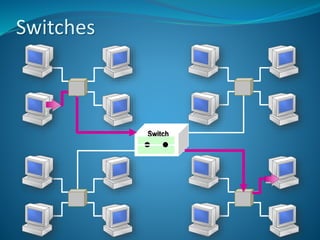
Switches
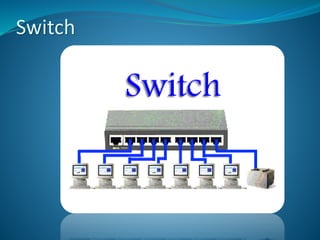
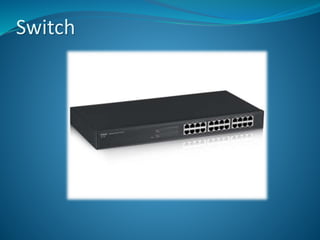
Switch
Switch
Switch
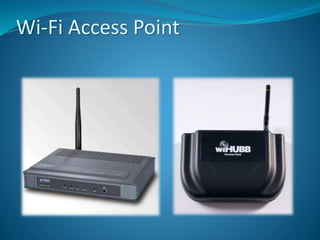
Wi-Fi Access Point
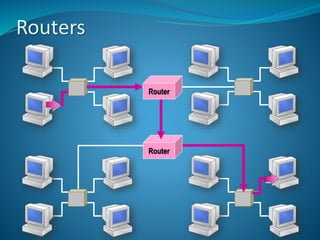
Routers
RouterRouter
RouterRouter
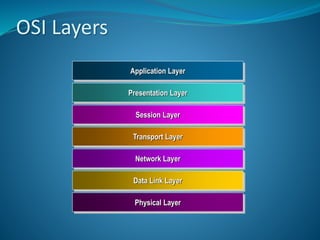
OSI Layers
Application Layer
Presentation Layer
Session Layer
Transport Layer
Network Layer
Data Link Layer
Physical Layer
OSI Layers –
Responsibilities:
anything not provided by any of the other layers
Issues:
application level protocols
appropriate selection of “type of service”
Application Layer
OSI Layers –
Responsibilities:
data encryption
data compression
data conversion
Many protocol suites do not include a Presentation Layer.
Presentation Layer
OSI Layers – Responsibilities
Responsibilities:
establishes, manages, and terminates sessions between
applications.
Many protocol suites do not include a session layer.
Session Layer
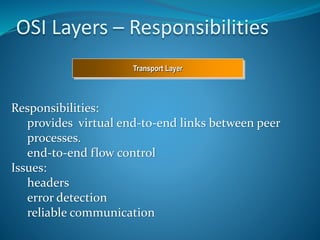
OSI Layers – Responsibilities
Responsibilities:
provides virtual end-to-end links between peer
processes.
end-to-end flow control
Issues:
headers
error detection
reliable communication
Transport Layer
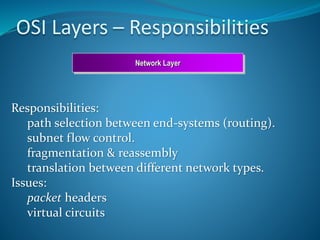
OSI Layers – Responsibilities
Responsibilities:
path selection between end-systems (routing).
subnet flow control.
fragmentation & reassembly
translation between different network types.
Issues:
packet headers
virtual circuits
Network Layer
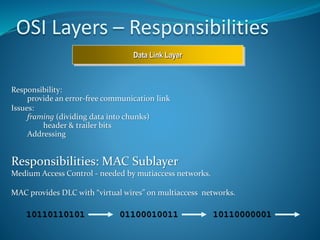
OSI Layers – Responsibilities
Responsibility:
provide an error-free communication link
Issues:
framing (dividing data into chunks)
header & trailer bits
Addressing
Responsibilities: MAC Sublayer
Medium Access Control - needed by mutiaccess networks.
MAC provides DLC with “virtual wires” on multiaccess networks.
10110110101 01100010011 10110000001
Data Link Layer
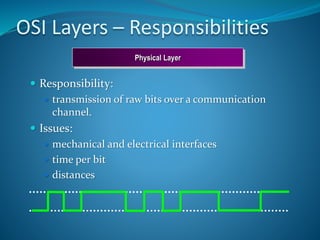
OSI Layers – Responsibilities
 Responsibility:
 transmission of raw bits over a communication
channel.
 Issues:
 mechanical and electrical interfaces
 time per bit
 distances
Physical Layer
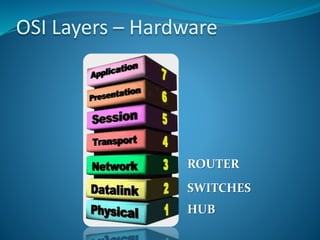
OSI Layers – Hardware
HUB
SWITCHES
ROUTER
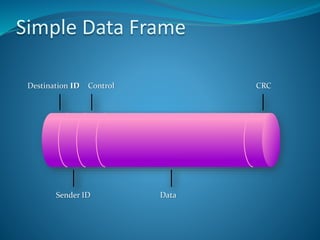
Simple Data Frame
Destination ID Control CRC
Sender ID Data
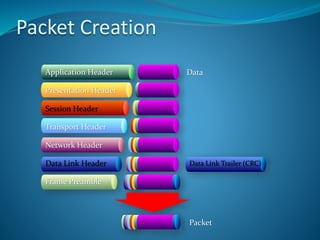
Packet Creation
Application Header
Presentation Header
Session Header
Transport Header
Network Header
Data Link Header
Frame Preamble
Data Link Trailer (CRC)
Data
Packet
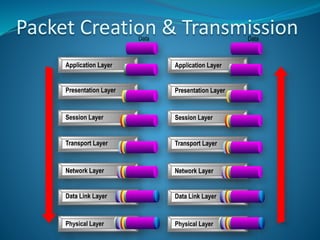
Packet Creation & Transmission
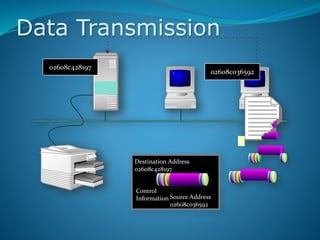
Data Transmission
02608c428197
02608c036592
Destination Address
02608c428197
Control
Information Source Address
02608c036592
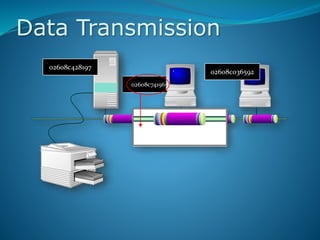
02608c741965
Data Transmission
02608c428197
02608c036592
Destination Address
02608c428197
Source Address
02608c036592
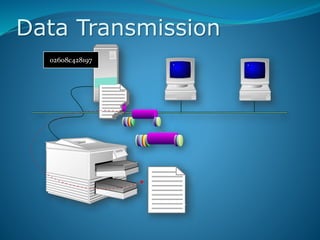
Data Transmission
02608c428197
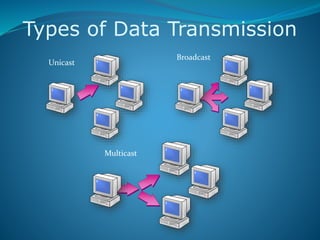
Types of Data Transmission
Unicast
Broadcast
Multicast
Internetworking Protocols
 Network Protocols are the
formal description of a set of
rules and conventions that
govern how devices on the
network layer (layer 3 of the
OSI model) exchange
information.
 Protocols provide the link by
which systems connected to
a network may talk to each
other
 For two end systems to talk
to each other, they must
effectively “speak the same
language”
Key Concerns Addressed by Protocols
 Syntax: data format, voltage levels and
bit encoding
 Controls: control information for
controlling network functions
 Timing: synchronization and flow control
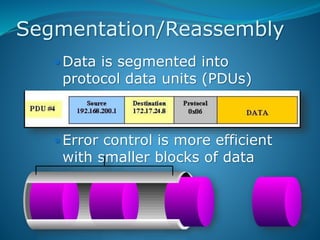
Segmentation/Reassembly
 Data is segmented into
protocol data units (PDUs)
 Error control is more efficient
with smaller blocks of data
Encapsulation
 PDUs contain control
information as well
as the data handed
to it
 Attaching of control
information to the
head of a PDU is
known as
encapsulation
IP Address
Logical Addressing to identify
Computers and Network devices in
a Network.
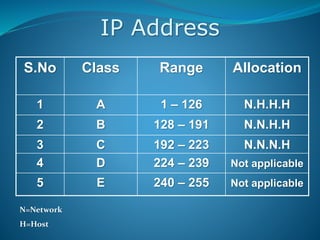
IP Address
S.No Class Range Allocation
1 A 1 – 126 N.H.H.H
2 B 128 – 191 N.N.H.H
3 C 192 – 223 N.N.N.H
4 D 224 – 239 Not applicable
5 E 240 – 255 Not applicable
N=Network
H=Host
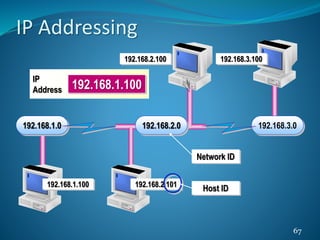
67
192.168.1.0 192.168.3.0
192.168.1.100 192.168.2.101
192.168.2.100 192.168.3.100
192.168.2.0
192.168.1.100
IP
Address
Host ID
Network ID
IP Addressing
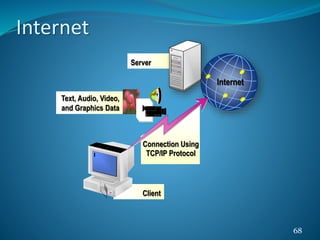
68
Client
Connection Using
TCP/IP Protocol
Internet
Server
Text, Audio, Video,
and Graphics Data
Internet
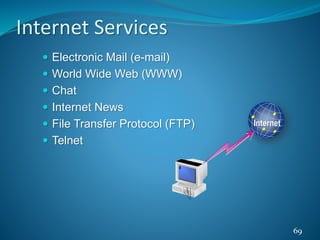
 Electronic Mail (e-mail)
 World Wide Web (WWW)
 Chat
 Internet News
 File Transfer Protocol (FTP)
 Telnet
69
Internet
Internet Services
70
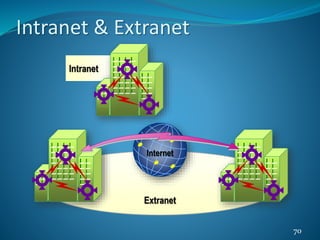
Intranet
Extranet
Internet
Intranet & Extranet
71
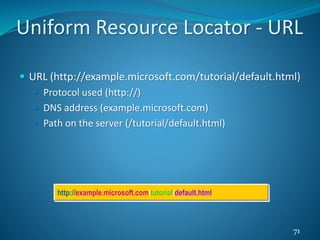
http://example.microsoft.com/tutorial/default.html
 URL (http://example.microsoft.com/tutorial/default.html)
 Protocol used (http://)
 DNS address (example.microsoft.com)
 Path on the server (/tutorial/default.html)
Uniform Resource Locator - URL
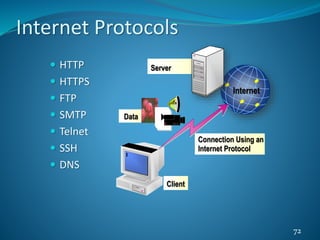
 HTTP
 HTTPS
 FTP
 SMTP
 Telnet
 SSH
 DNS
72
Internet
Server
Data
Client
Connection Using an
Internet Protocol
Internet Protocols
73
Internet
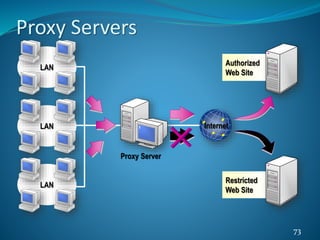
Proxy Server
Authorized
Web Site
Restricted
Web Site
LAN
LAN
LAN
Proxy Servers
74
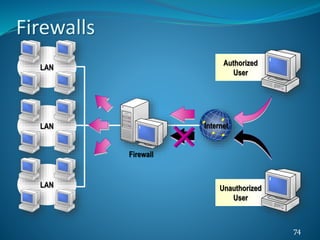
LAN
LAN
LAN
Internet
Firewall
Authorized
User
Unauthorized
User
Firewalls
Any
Fundamental Of Computer Network.

Fundamental Of Computer Network.