Network Topologies


                     Gujral
                      B.Ed
Topology
It refers to the arrangement or physical
layout of computer cables and other
components on the network. It can also
be called the physical layout, design,
diagram, or map of the network.
Choosing a type is a very important for it
will draw a great impact in the type of
equipment to be used in the network, in
the capabilities of the equipment, in
network growth and management.
Topology
 Basic geometric layout of the
 network
 The way computers on the
  network interconnected
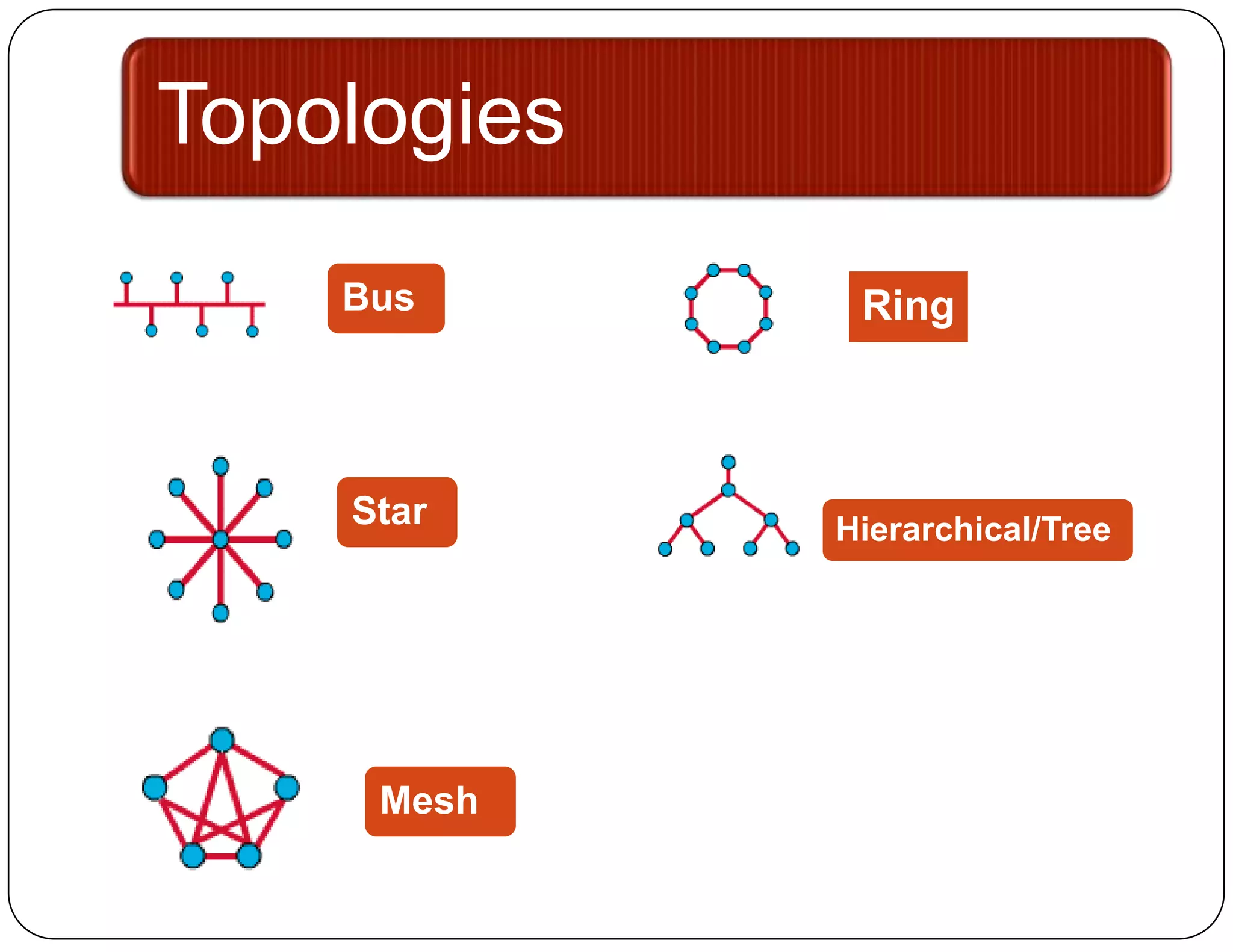
Topologies
    Bus       Ring


    Star     Hierarchical/Tree


     Mesh
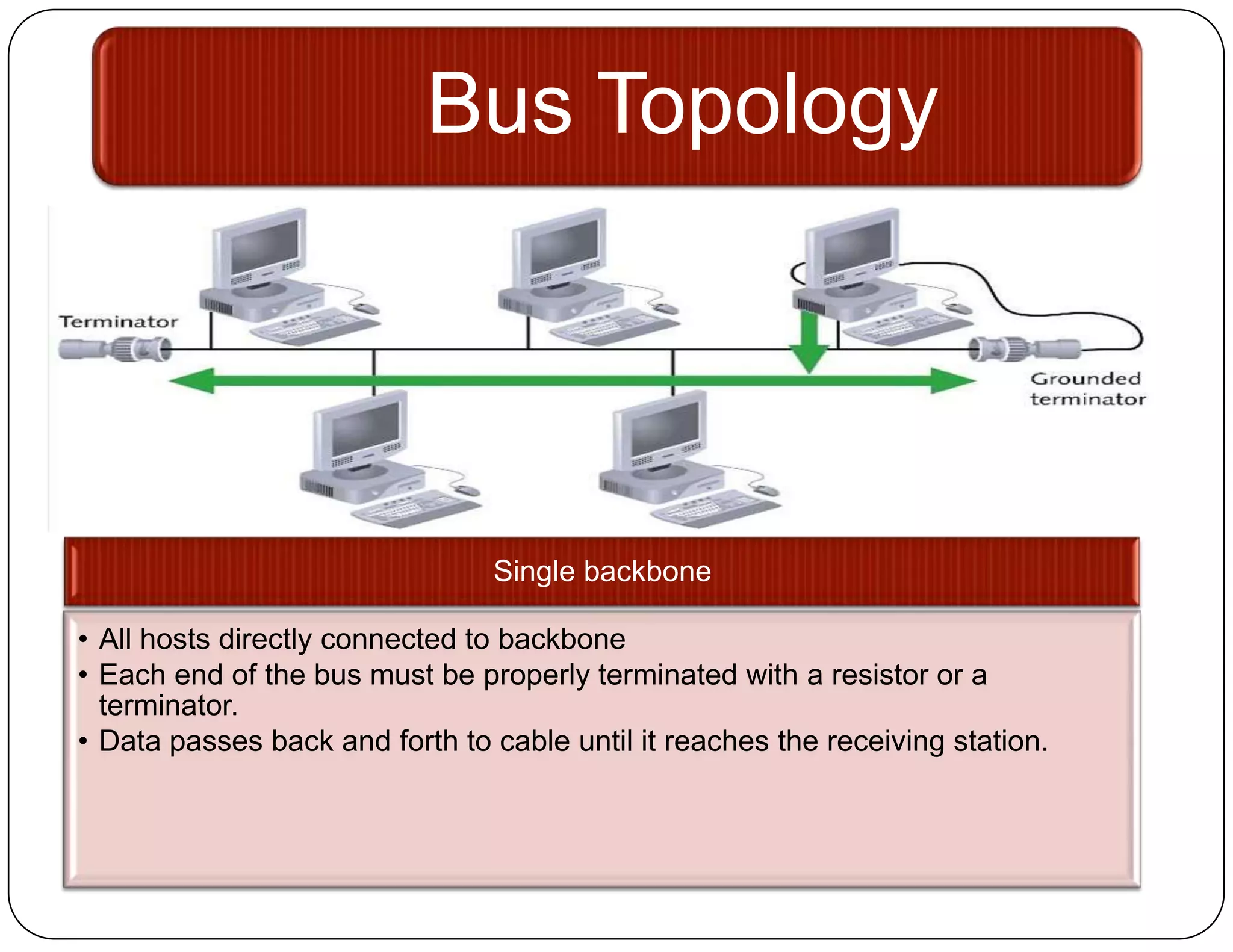
Bus Topology


                                Single backbone

• All hosts directly connected to backbone
• Each end of the bus must be properly terminated with a resistor or a
  terminator.
• Data passes back and forth to cable until it reaches the receiving station.
Pros and Cons
 Advantages:            Disadvantages:
  Less Cable.            Heavy Traffic can
  Inexpensive            slow down the
  media and easy          network, difficult
  to install, simple,     to isolate
  reliable, easy to       problems, break
  extend, less            in cable will
  component               affect many
  requirement.            users.
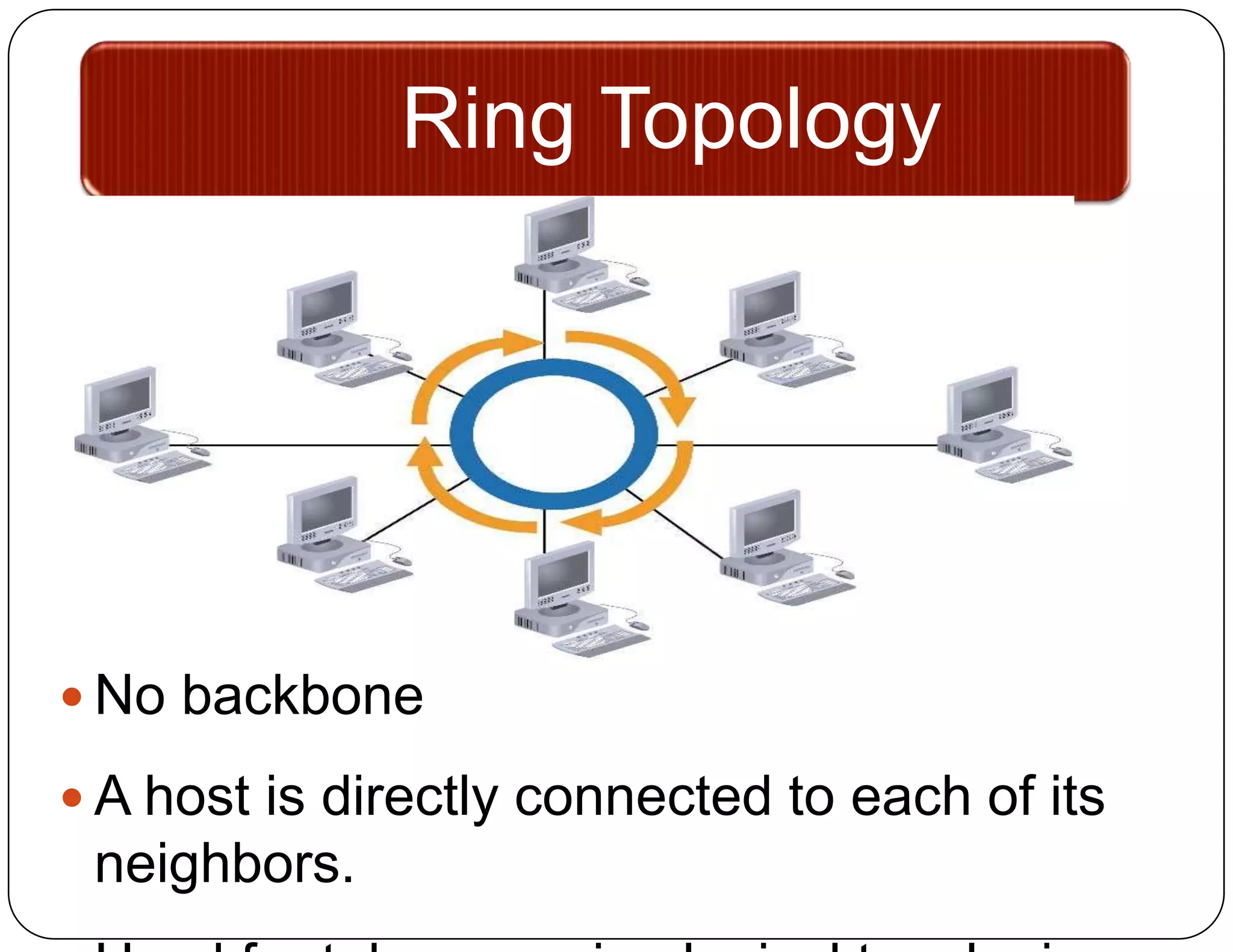
Ring Topology


 No backbone

 A host is directly connected to each of its
 neighbors.
Pros and Cons
 Advantages:           Disadvantages:
  Even computer         Breakdown of a
  access as well as      computer will affect
  performance even       the rest of the user
  in the presence of     in the network,
  many users.            difficult to isolate
                         problems, changes
                         in the network
                         configurations will
                         disrupt user
                         operation.
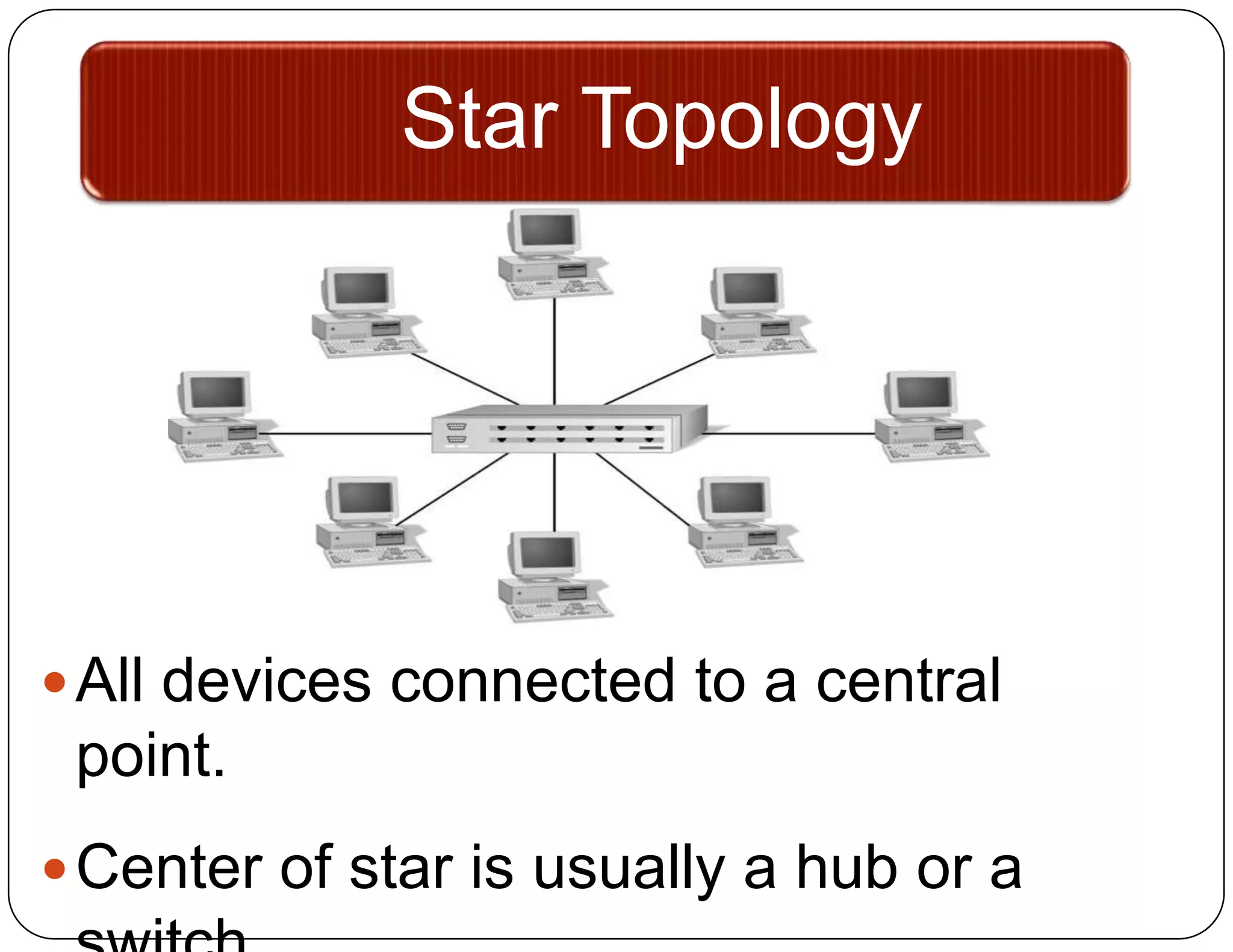
Star Topology


 All devices connected to a central
 point.
 Center of star is usually a hub or a
Pros and Cons
 Advantages:           Disadvantages:
  Centralized           When hub fails,
  management and         the rest of the
  monitoring of
                         network
  network, easy
  addition and           connection fails.
  modification of
  computer,
  independence of
  each other in case
  of breakdown.
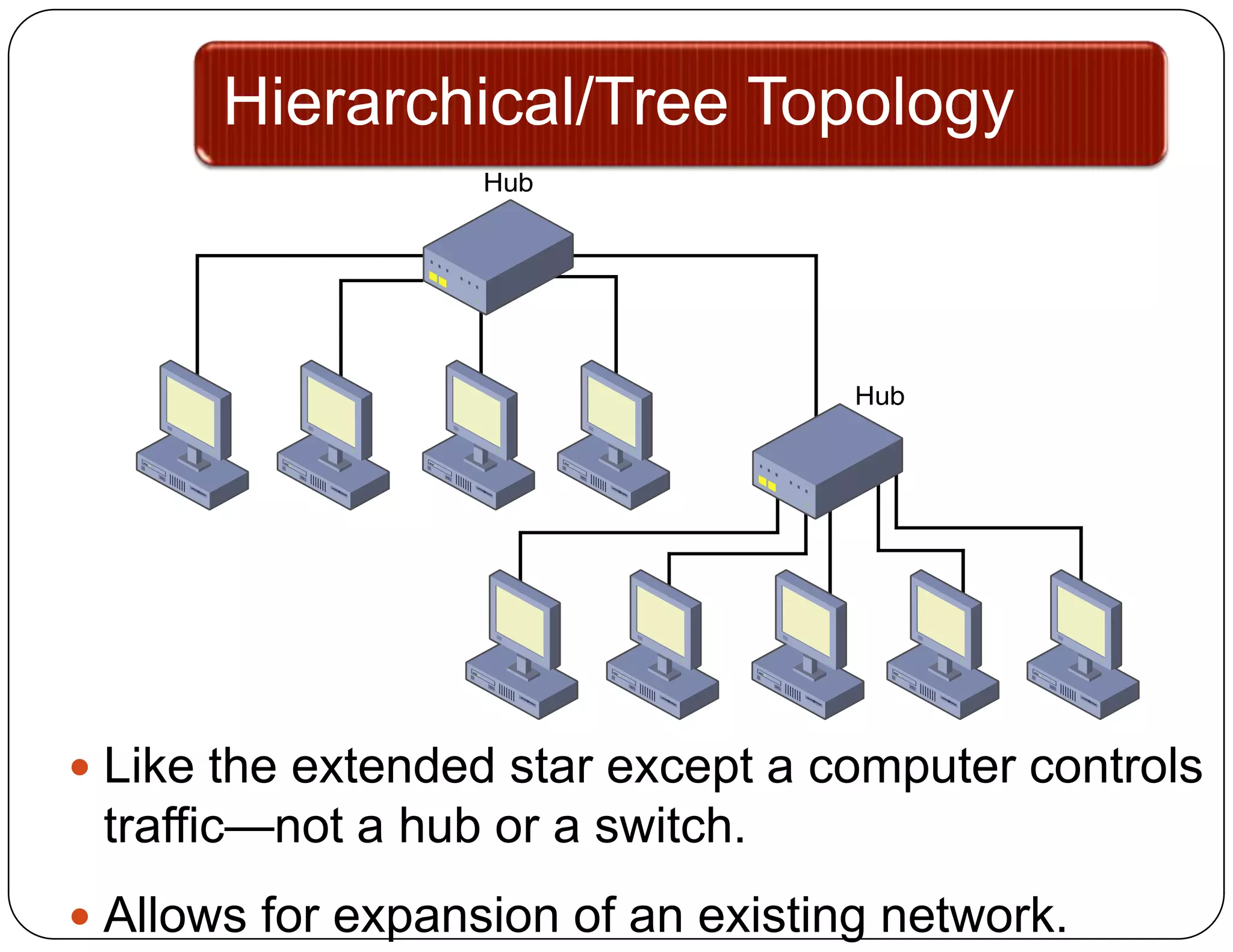
Hierarchical/Tree Topology


 Like the extended star except a computer controls
 traffic—not a hub or a switch.
 Allows for expansion of an existing network.
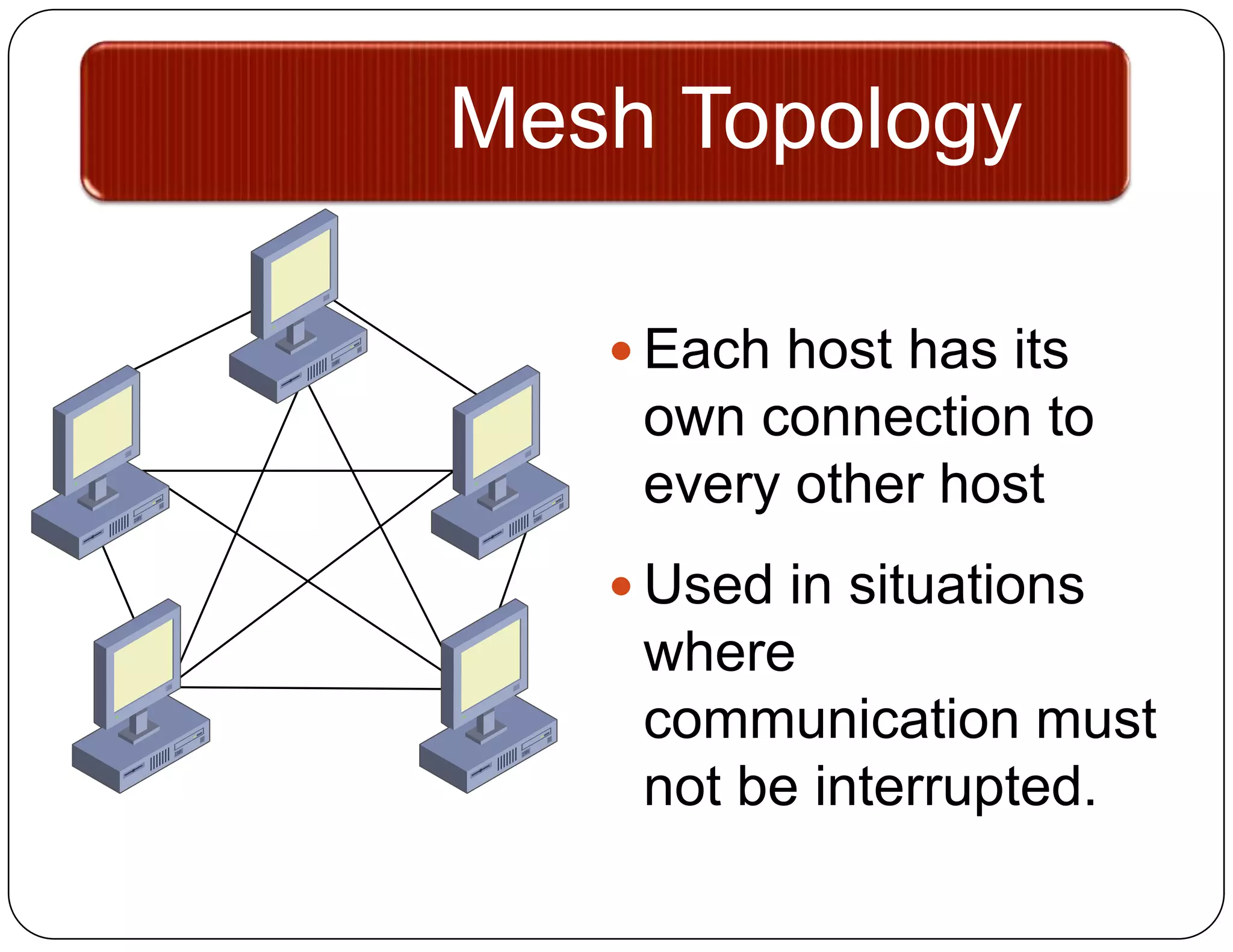
Mesh Topology

    Each host has its
    own connection to
    every other host
    Used in situations
    where
    communication must
    not be interrupted.

Network topologies 7

  • 1.
  • 2.
    Topology It refers tothe arrangement or physical layout of computer cables and other components on the network. It can also be called the physical layout, design, diagram, or map of the network. Choosing a type is a very important for it will draw a great impact in the type of equipment to be used in the network, in the capabilities of the equipment, in network growth and management.
  • 3.
    Topology  Basic geometriclayout of the network The way computers on the network interconnected
  • 4.
    Topologies Bus Ring Star Hierarchical/Tree Mesh
  • 5.
    Bus Topology Single backbone • All hosts directly connected to backbone • Each end of the bus must be properly terminated with a resistor or a terminator. • Data passes back and forth to cable until it reaches the receiving station.
  • 6.
    Pros and Cons Advantages:  Disadvantages:  Less Cable.  Heavy Traffic can  Inexpensive slow down the media and easy network, difficult to install, simple, to isolate reliable, easy to problems, break extend, less in cable will component affect many requirement. users.
  • 7.
    Ring Topology  Nobackbone  A host is directly connected to each of its neighbors.
  • 8.
    Pros and Cons Advantages:  Disadvantages:  Even computer  Breakdown of a access as well as computer will affect performance even the rest of the user in the presence of in the network, many users. difficult to isolate problems, changes in the network configurations will disrupt user operation.
  • 9.
    Star Topology  Alldevices connected to a central point.  Center of star is usually a hub or a
  • 10.
    Pros and Cons Advantages:  Disadvantages:  Centralized  When hub fails, management and the rest of the monitoring of network network, easy addition and connection fails. modification of computer, independence of each other in case of breakdown.
  • 11.
    Hierarchical/Tree Topology  Likethe extended star except a computer controls traffic—not a hub or a switch.  Allows for expansion of an existing network.
  • 12.
    Mesh Topology  Each host has its own connection to every other host  Used in situations where communication must not be interrupted.