ETET223
Chapter 4
Internet applications
What Is the Internet?
 The Internet is a vast collection of computer
networks which form and act as a single huge
network for transport of data and messages across
distances which can be anywhere from the same
office to anywhere in the world.
 The Internet links are computer networks all over
the world so that users can share resources and
communicate with each other.
Internet Access
 To gain access to the internet, the user has to register to any
Internet Service Provider (ISP).
 Types of Internet connection:
– Dail-up
– Integrated services digital network
– Asymmetric Digital Subscriber Line
– Wireless Internet Connections
– Internet over Satellite
INTERNET APPLICATION
 An Internet application is an interactive, compiled
application that can be accessed through a corporate or
through the Internet.
 Internet applications can perform complex business
processes on either the client or the server.
 The application uses the Internet protocol to receive
requests from a client, typically a Web browser, process
associated code, and return data to the browser.
INTERNET APPLICATIONS
 The World-Wide Web (WWW)
 Electronic Mail (E-Mail)
 File Transfer Protocol (FTP)
 Search Engine
 Chatting
 Video Conferencing
 E-Commerce
World Wide Web (WWW)
 The World Wide Web is a system of interlinked hypertext
documents accessed via the Internet.
 With a web browser, one can view web pages that may contain
text, images, videos, and other multimedia and navigate
between them via hyperlinks.
 It use a protocol called HTTP – (Hypertext Transfer Protocol )
World Wide Web (WWW)
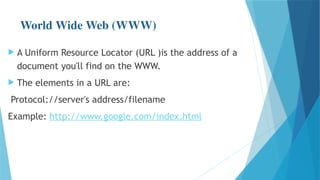
 A Uniform Resource Locator (URL )is the address of a
document you'll find on the WWW.
 The elements in a URL are:
Protocol://server's address/filename
Example: http://www.google.com/index.html
World Wide Web (WWW)
Types of website:
 Static : A static website is one that has web pages
stored on the server in the format that is sent to a
client web browser
 Dynamic : A dynamic website is one that changes or
customizes itself frequently and automatically, based
on certain criteria.
Electronic Mail (Email)
 Email :represents the transmission of messages over
communications networks.
 It is a fast and efficient way to communicate with
friends or colleagues.
 You can communicate with one person at a time or
thousands.
 you can receive and send files and other information.
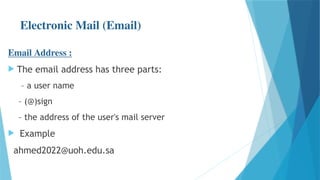
Electronic Mail (Email)
Email Address :
 The email address has three parts:
– a user name
– (@)sign
– the address of the user's mail server
 Example
ahmed2022@uoh.edu.sa
Electronic Mail (Email)
Basic email functions :
 send and receive mail messages
 save your messages in a file
 print mail messages
 reply to mail messages
 attach a file to a mail message
File Transfer Protocol (FTP
 The protocol for exchanging files over the Internet.
 Used for moving files between two hosts on a TCP/IP
network.
 FTP is most commonly used to download a file from a
server using the Internet or to upload a file to a server.
 To do FTP a user invokes one of two commands:
– get : the command for transferring a file from another server to
your own computer.
– put : the command for moving a file from your computer to
another one.
Search Engine
 A search engine is designed to search for information
on the internet.
 Search engine presents the search results in the form of
a search results list.
 The search results can be web pages, images, videos,
and other type of files.
 Example:
 – Google
 – Bing
Chatting
 Chatting is the other method for Internet conversation.
 It enables people connected anywhere on the Internet
to join in live discussions .
 Chat sessions allow many users to join in the same free
-form conversation, usually centered around a
discussion topic .
 Example:
– MSN Messenger
– Yahoo Messenger
Video Conferencing
 A video conference or video conference is a set of
interactive telecommunication technologies which
allow two or more locations to interact via two-way
video and audio transmissions simultaneously.
 The other components required for a video
conferencing system include:
• Video input and output
• Audio input and output
• Data transfer
• Computer
E-Commerce
 Electronic commerce or ECommerce consists of the
buying and selling of products or services over
electronic systems such as the Internet and other
computer networks.
 It includes the entire online process of developing,
marketing, selling, delivering, servicing and paying for
products and services.
E-Commerce
 Some common applications related to electronic
commerce are the following:
• Domestic and international payment systems
• Group buying
• Automated online assistants
• Online shopping and order tracking
• Online banking
• Shopping cart software
• Electronic tickets.

network switching like multilayer switch

  • 1.
  • 2.
    What Is theInternet?  The Internet is a vast collection of computer networks which form and act as a single huge network for transport of data and messages across distances which can be anywhere from the same office to anywhere in the world.  The Internet links are computer networks all over the world so that users can share resources and communicate with each other.
  • 3.
    Internet Access  Togain access to the internet, the user has to register to any Internet Service Provider (ISP).  Types of Internet connection: – Dail-up – Integrated services digital network – Asymmetric Digital Subscriber Line – Wireless Internet Connections – Internet over Satellite
  • 4.
    INTERNET APPLICATION  AnInternet application is an interactive, compiled application that can be accessed through a corporate or through the Internet.  Internet applications can perform complex business processes on either the client or the server.  The application uses the Internet protocol to receive requests from a client, typically a Web browser, process associated code, and return data to the browser.
  • 5.
    INTERNET APPLICATIONS  TheWorld-Wide Web (WWW)  Electronic Mail (E-Mail)  File Transfer Protocol (FTP)  Search Engine  Chatting  Video Conferencing  E-Commerce
  • 6.
    World Wide Web(WWW)  The World Wide Web is a system of interlinked hypertext documents accessed via the Internet.  With a web browser, one can view web pages that may contain text, images, videos, and other multimedia and navigate between them via hyperlinks.  It use a protocol called HTTP – (Hypertext Transfer Protocol )
  • 7.
    World Wide Web(WWW)  A Uniform Resource Locator (URL )is the address of a document you'll find on the WWW.  The elements in a URL are: Protocol://server's address/filename Example: http://www.google.com/index.html
  • 8.
    World Wide Web(WWW) Types of website:  Static : A static website is one that has web pages stored on the server in the format that is sent to a client web browser  Dynamic : A dynamic website is one that changes or customizes itself frequently and automatically, based on certain criteria.
  • 9.
    Electronic Mail (Email) Email :represents the transmission of messages over communications networks.  It is a fast and efficient way to communicate with friends or colleagues.  You can communicate with one person at a time or thousands.  you can receive and send files and other information.
  • 10.
    Electronic Mail (Email) EmailAddress :  The email address has three parts: – a user name – (@)sign – the address of the user's mail server  Example ahmed2022@uoh.edu.sa
  • 11.
    Electronic Mail (Email) Basicemail functions :  send and receive mail messages  save your messages in a file  print mail messages  reply to mail messages  attach a file to a mail message
  • 12.
    File Transfer Protocol(FTP  The protocol for exchanging files over the Internet.  Used for moving files between two hosts on a TCP/IP network.  FTP is most commonly used to download a file from a server using the Internet or to upload a file to a server.  To do FTP a user invokes one of two commands: – get : the command for transferring a file from another server to your own computer. – put : the command for moving a file from your computer to another one.
  • 13.
    Search Engine  Asearch engine is designed to search for information on the internet.  Search engine presents the search results in the form of a search results list.  The search results can be web pages, images, videos, and other type of files.  Example:  – Google  – Bing
  • 14.
    Chatting  Chatting isthe other method for Internet conversation.  It enables people connected anywhere on the Internet to join in live discussions .  Chat sessions allow many users to join in the same free -form conversation, usually centered around a discussion topic .  Example: – MSN Messenger – Yahoo Messenger
  • 15.
    Video Conferencing  Avideo conference or video conference is a set of interactive telecommunication technologies which allow two or more locations to interact via two-way video and audio transmissions simultaneously.  The other components required for a video conferencing system include: • Video input and output • Audio input and output • Data transfer • Computer
  • 16.
    E-Commerce  Electronic commerceor ECommerce consists of the buying and selling of products or services over electronic systems such as the Internet and other computer networks.  It includes the entire online process of developing, marketing, selling, delivering, servicing and paying for products and services.
  • 17.
    E-Commerce  Some commonapplications related to electronic commerce are the following: • Domestic and international payment systems • Group buying • Automated online assistants • Online shopping and order tracking • Online banking • Shopping cart software • Electronic tickets.