Networking Essentials 
Class Intro & 
Chapter 1 
Intro to Networking
Your Professor 
 Masters Degree 
 Many Certifications: 
MCT, MCSE, MCDBA, MCSA, MCDST, 
CWSP, CWNA, CCNA, CNST, CWST, CST, 
CIW, A+, Network+, iNet+, Security+, Project 
Management (2000), Systems Analysis 
 Lead professor in the CNT department 
 Author 
 Your teacher ;-)
Class Content 
 Network+ preparation 
 Class meets at the following times: 
 AM class: 9:00-2:00 
 PM class: 6:00-11:00 
 Each class gets two 10 min breaks and one 
30 min lunch. (breaks may be aggregated 
for a longer lunch on some occasions) 
 Field trips are desired but not guaranteed.
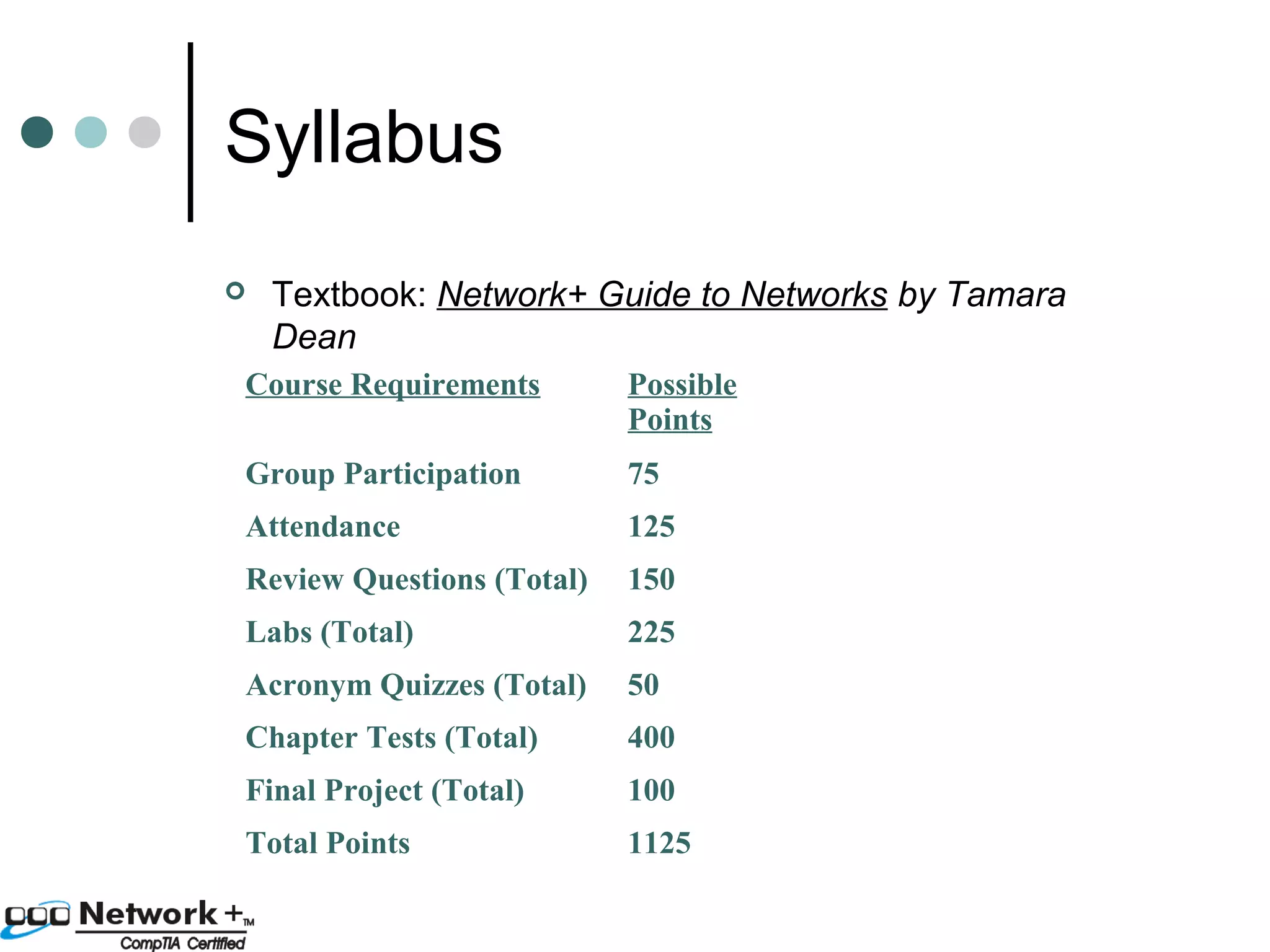
Syllabus 
 Textbook: Network+ Guide to Networks by Tamara 
Dean 
Course Requirements Possible 
Points 
Group Participation 75 
Attendance 125 
Review Questions (Total) 150 
Labs (Total) 225 
Acronym Quizzes (Total) 50 
Chapter Tests (Total) 400 
Final Project (Total) 100 
Total Points 1125
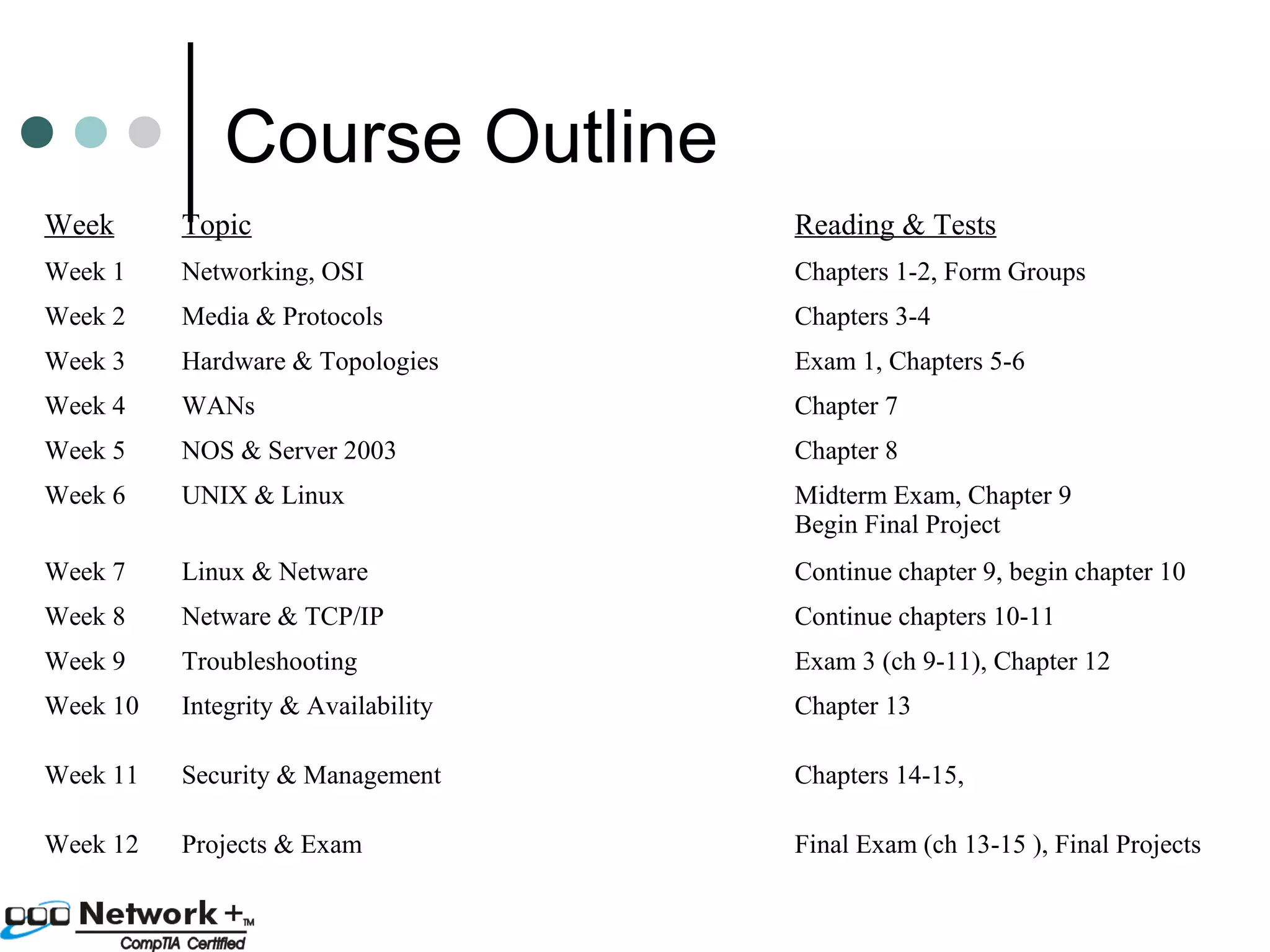
Course Outline 
Week Topic Reading & Tests 
Week 1 Networking, OSI Chapters 1-2, Form Groups 
Week 2 Media & Protocols Chapters 3-4 
Week 3 Hardware & Topologies Exam 1, Chapters 5-6 
Week 4 WANs Chapter 7 
Week 5 NOS & Server 2003 Chapter 8 
Week 6 UNIX & Linux Midterm Exam, Chapter 9 
Begin Final Project 
Week 7 Linux & Netware Continue chapter 9, begin chapter 10 
Week 8 Netware & TCP/IP Continue chapters 10-11 
Week 9 Troubleshooting Exam 3 (ch 9-11), Chapter 12 
Week 10 Integrity & Availability Chapter 13 
Week 11 Security & Management Chapters 14-15, 
Week 12 Projects & Exam Final Exam (ch 13-15 ), Final Projects
Chapter 1 Intro to 
Networking 
 Beginnings of networking 
 Stand alone computers 
 Sneakernet 
 Why network? 
 Reduce Redundancy 
 Enhance Capabilities 
 Share Resources 
• Data 
• Devices 
• Internet 
 Communicate
Types of networks 
 P2P (Peer-to-Peer) 
 Client-Server 
Client – a computer that requests 
resources from another computer 
Server – a computer that provides 
resources to other computers and 
manages those resources.
Peer to Peer 
 Advantages 
 Easy to install 
 No server needed 
 Each user has control 
 No administrators 
needed 
 Less expensive 
 Disadvantages 
 Security & backups 
must be applied 
individually 
 Many passwords 
needed 
 Reduced password 
security 
 Reduced machine 
performance 
 No central control 
 Not flexible (hard to 
change things)
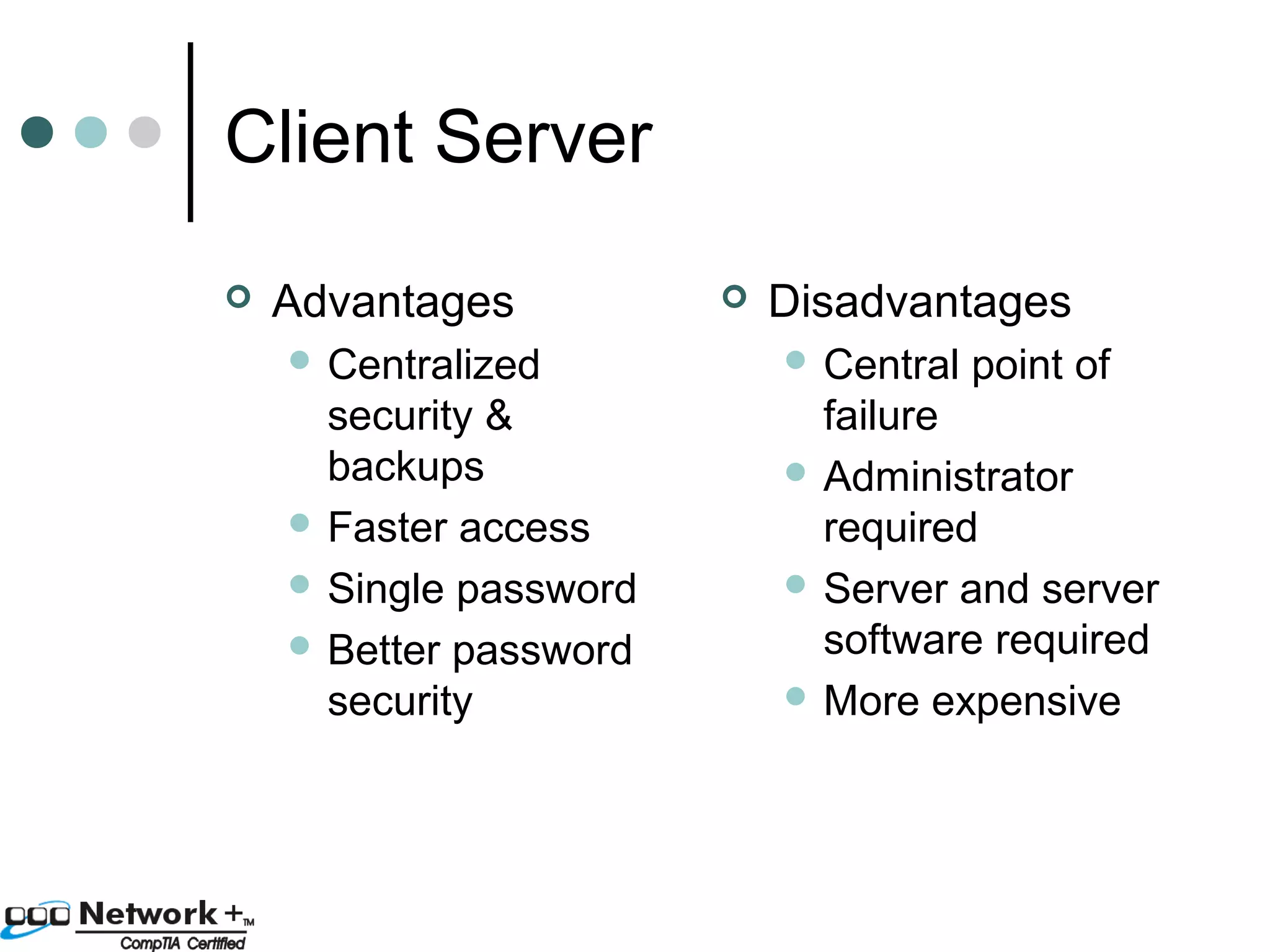
Client Server 
 Advantages 
 Centralized 
security & 
backups 
 Faster access 
 Single password 
 Better password 
security 
 Disadvantages 
 Central point of 
failure 
 Administrator 
required 
 Server and server 
software required 
More expensive
NOS (Network Operating 
System) 
 Controls user and application access 
to resources 
 Restricts user access times and 
locations 
 Controls communication between 
networked computers 
 Lets name a few…
NOS (Network Operating 
System) 
 Microsoft Windows 
 Novell Netware 
 UNIX 
 Linux 
 BSD (Berkley Software Distribution) 
 Sun Solaris 
 IBM OS/2 
 Mac OS
Network Scope 
 LAN (Local Area Network) – group of 
machines in one or many closely 
located buildings that are all 
connected together with high speed 
links. 
 MAN (Metropolitan Area Network) 
 WAN (Wide Area Network)
Terms 
 NIC (Network Interface Card) 
 Node – A device that can communicate with 
a network. Identified by a unique number. 
 Segment – part of a network consisting of a 
number of nodes that all use the same 
communication type 
 Backbone – connects segments together. 
 Protocol – the standard for communications 
 Topology – the layout of the network
Types of Servers 
 DC (Domain Controller) 
 File & Print Server 
 Communication Server 
 Mail Server 
 Web Server 
 Network Management Server 
 Name server (DNS, WINS) 
 Addressing server (DHCP) 
 Licensing server 
 Software distribution server (SMS) 
 Backup server 
 Patch Management server (SUS)
Skills of the Network 
Professional 
 Basic Technical skills 
 Software & hardware installation & 
configuration 
 Network design 
 Protocols, topologies, media types 
 Other Technical skills 
 Security 
 Voice & Data integration 
 NOS’s indepth 
 Network device configuration (Routers…) 
 Data warehousing
Skills of the network 
professional 
 Soft skills 
 Patience 
 Empathy 
 Listening 
 Critical thinking 
 Communication (oral & written) 
 Dependability 
 Teamwork 
 Leadership (especially change mgmt)
Certification 
 Vendor Neutral Certifications 
CompTIA (Computing Technology 
Industry Association) 
ETA (Electronics Technicians 
Association) 
CWNP (Certified Wireless Network 
Professional) program 
 Vendor Certifications 
Microsoft, Novell, Oracle, Sun, Cisco
Acronyms 
 DC, Domain Controller 
 CompTIA, Computing Technology Industry Association 
 LAN, Local Area Network 
 MAN, Metropolitan Area Network 
 WAN, Wide Area Network 
 MCSE, Microsoft Certified Systems Engineer 
 NIC, Network Interface Card 
 NOS, Network Operating System 
 P2P, Peer to Peer

Networking Essentials Lesson 01 - Eric Vanderburg

  • 1.
    Networking Essentials ClassIntro & Chapter 1 Intro to Networking
  • 2.
    Your Professor Masters Degree  Many Certifications: MCT, MCSE, MCDBA, MCSA, MCDST, CWSP, CWNA, CCNA, CNST, CWST, CST, CIW, A+, Network+, iNet+, Security+, Project Management (2000), Systems Analysis  Lead professor in the CNT department  Author  Your teacher ;-)
  • 3.
    Class Content Network+ preparation  Class meets at the following times:  AM class: 9:00-2:00  PM class: 6:00-11:00  Each class gets two 10 min breaks and one 30 min lunch. (breaks may be aggregated for a longer lunch on some occasions)  Field trips are desired but not guaranteed.
  • 4.
    Syllabus  Textbook:Network+ Guide to Networks by Tamara Dean Course Requirements Possible Points Group Participation 75 Attendance 125 Review Questions (Total) 150 Labs (Total) 225 Acronym Quizzes (Total) 50 Chapter Tests (Total) 400 Final Project (Total) 100 Total Points 1125
  • 5.
    Course Outline WeekTopic Reading & Tests Week 1 Networking, OSI Chapters 1-2, Form Groups Week 2 Media & Protocols Chapters 3-4 Week 3 Hardware & Topologies Exam 1, Chapters 5-6 Week 4 WANs Chapter 7 Week 5 NOS & Server 2003 Chapter 8 Week 6 UNIX & Linux Midterm Exam, Chapter 9 Begin Final Project Week 7 Linux & Netware Continue chapter 9, begin chapter 10 Week 8 Netware & TCP/IP Continue chapters 10-11 Week 9 Troubleshooting Exam 3 (ch 9-11), Chapter 12 Week 10 Integrity & Availability Chapter 13 Week 11 Security & Management Chapters 14-15, Week 12 Projects & Exam Final Exam (ch 13-15 ), Final Projects
  • 6.
    Chapter 1 Introto Networking  Beginnings of networking  Stand alone computers  Sneakernet  Why network?  Reduce Redundancy  Enhance Capabilities  Share Resources • Data • Devices • Internet  Communicate
  • 7.
    Types of networks  P2P (Peer-to-Peer)  Client-Server Client – a computer that requests resources from another computer Server – a computer that provides resources to other computers and manages those resources.
  • 8.
    Peer to Peer  Advantages  Easy to install  No server needed  Each user has control  No administrators needed  Less expensive  Disadvantages  Security & backups must be applied individually  Many passwords needed  Reduced password security  Reduced machine performance  No central control  Not flexible (hard to change things)
  • 9.
    Client Server Advantages  Centralized security & backups  Faster access  Single password  Better password security  Disadvantages  Central point of failure  Administrator required  Server and server software required More expensive
  • 10.
    NOS (Network Operating System)  Controls user and application access to resources  Restricts user access times and locations  Controls communication between networked computers  Lets name a few…
  • 11.
    NOS (Network Operating System)  Microsoft Windows  Novell Netware  UNIX  Linux  BSD (Berkley Software Distribution)  Sun Solaris  IBM OS/2  Mac OS
  • 12.
    Network Scope LAN (Local Area Network) – group of machines in one or many closely located buildings that are all connected together with high speed links.  MAN (Metropolitan Area Network)  WAN (Wide Area Network)
  • 13.
    Terms  NIC(Network Interface Card)  Node – A device that can communicate with a network. Identified by a unique number.  Segment – part of a network consisting of a number of nodes that all use the same communication type  Backbone – connects segments together.  Protocol – the standard for communications  Topology – the layout of the network
  • 14.
    Types of Servers  DC (Domain Controller)  File & Print Server  Communication Server  Mail Server  Web Server  Network Management Server  Name server (DNS, WINS)  Addressing server (DHCP)  Licensing server  Software distribution server (SMS)  Backup server  Patch Management server (SUS)
  • 15.
    Skills of theNetwork Professional  Basic Technical skills  Software & hardware installation & configuration  Network design  Protocols, topologies, media types  Other Technical skills  Security  Voice & Data integration  NOS’s indepth  Network device configuration (Routers…)  Data warehousing
  • 16.
    Skills of thenetwork professional  Soft skills  Patience  Empathy  Listening  Critical thinking  Communication (oral & written)  Dependability  Teamwork  Leadership (especially change mgmt)
  • 17.
    Certification  VendorNeutral Certifications CompTIA (Computing Technology Industry Association) ETA (Electronics Technicians Association) CWNP (Certified Wireless Network Professional) program  Vendor Certifications Microsoft, Novell, Oracle, Sun, Cisco
  • 18.
    Acronyms  DC,Domain Controller  CompTIA, Computing Technology Industry Association  LAN, Local Area Network  MAN, Metropolitan Area Network  WAN, Wide Area Network  MCSE, Microsoft Certified Systems Engineer  NIC, Network Interface Card  NOS, Network Operating System  P2P, Peer to Peer