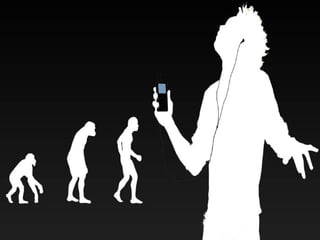
Tough being a parent at any time
Every parent generation had it’s own issues Don’t walk on the track, the horse and carts will run over you Don’t watch too much TV you’ll get square eyes Don’t talk to strangers Don’t get in a stranger’s car Don’t do drugs
Now we have... Screenagers Millennial Generation Next Gen Net Generation Generation Y Nexters Nintendo Generation Digital Generation Digital Natives Echo Boomers Never just plain “School Kids” 12-18 year old:  Preference for communicating and community building / networking electronically via screens (computers, mobile phones)
 
Web 2.0 as Community W E B 2.0 C O M M U N I T Y
How to be  sensible  on-line
What is Cyber Crime Cyber crime is the use of computers and other electronic communication systems, such as mobile phones, to commit traditional crimes.
Stalking generally involves  following a person about, making harassing contact and leaving written messages.  Cyber stalking involves  following a person's movements across the internet, visiting the same chat rooms, leaving messages on message boards and sometimes encouraging third party harassment of the  victim.
What is intimidation?   Intimidation is conduct amounting to harassment, including repeatedly troubling or disturbing someone.  Cyber harassment includes: sending viruses or high volumes of electronic junk mail (spam) making annoying phone calls sending obscene or threatening mail or text  messages
Intimidation (Continued) sending defamatory information to the victim's acquaintances placing messages on message boards or in chat rooms, which contain defamatory, embarrassing or personal information about the victim setting up, or hacking into, websites to post information or photos without the victim's permission. Sometimes with the intent to cause hatred.
It is a crime to give out false and misleading information about a person.
Cyber Stalking/Harassment How does someone harass another person using the Internet, email or phone?  By: sending unwanted messages to torment, upset, threaten or incite hatred posting a picture or information that is offensive, defamatory or embarrassing hacking into websites Setting up a website that’s not your own – making it with someone else’s name
Cyber Stalking (continued) spreading rumours logging onto an online forum as someone else and causing mischief following someone from chat room to chat room excluding them from chatting twisting what the person writes in chat rooms sending text messages
Cyber Laws Parts of the Commonwealth Crimes Act 1914 have been updated to include crimes that use modern technologies. It is now a criminal offence to cyber bully. The relevant sections are quoted below. Section 474.14: Using a telecommunications network with intent to commit a serious offence.  It is an offence to connect to a network with the intent or to actually use the equipment with the intent to commit a serious offence. Section 474.17: Using a carriage service to menace, harass or cause offence. It  is an offence to use a carriage service in a way that a reasonable person would regard as being menacing, harassing or offensive. For example a person who continually rings and hangs up would be covered in this section.
Review Cyber crimes are real crimes with real consequences.  We all have the right to be safe on the internet but we need to take precautions such as not giving out information about ourselves. Harassing a person does not solve the issue you have with them. If someone harasses you or approaches you on the internet to meet them, tell an adult  that you trust .
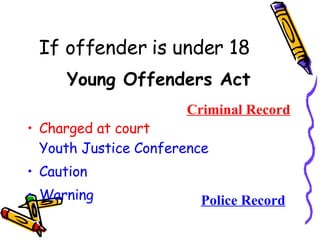
If offender is under 18 Young Offenders Act Charged at court Youth Justice Conference Caution Warning Police Record Criminal Record
NEVER Open up emails, files, or web pages that you get from people you don’t really know or trust.  Ever give out your password, except to responsible adults in your family. Use a handle or nickname that may attract the wrong attention    e.g. ‘sweet_teen’ and ‘sexy_girl’
Somebody online says something to you that makes you feel uncomfortable  Somebody online sends you something that makes you feel uncomfortable You see something online that makes you feel uncomfortable TELL your parents, older brother/sister  or trusted adult if...
Follow your family’s rules for the internet.  They are there to make sure you have fun and stay safe online.  ALWAYS
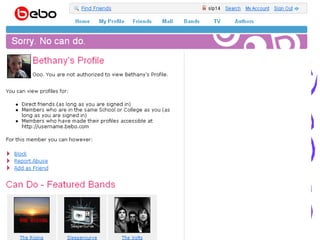
Look at this girl’s display name. Look at the picture she has on display. This is going to give her unwanted attention. She is only 16 years of age. It looks like she is selling sex. Her profile has been viewed 20699 times.
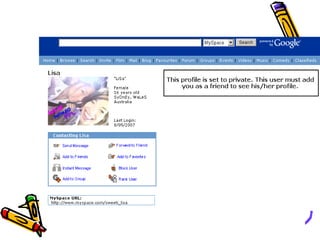
This Profile has displayed the young persons full name, date of birth and suburb where he lives. This site has been viewed 3712 times .
 
 
NEVER Email a picture of yourself to strangers or put a picture of yourself on your chat profile. Activate your webcam to anyone you do not know in person or have just met on the internet. NEVER show yourself undressed on webcam or photos
Don’t ever give out the following information Your last name Your phone number (home or mobile) Your private email address Your home address What school you go to Sporting locations you attend Your parent’s work location
Fun thing to do with Mum and Dad www.idthecreep.com
I think we promised tips…
A few observations This is about life, not technology. Problem-solving needs to be as interactive as the problem. Managing  instead of controlling. Banning works less than ever . We have begun the ongoing education The 4 th  R = responsibility
Social Networking  Tips for Teens Post only information that you are comfortable with others seeing and knowing about you. Be as anonymous as possible Protect your information Avoid in-person meetings Consider not posting your picture.  Think before posting Be honest about your age
Social Networking  Tips for Parents Set reasonable expectations Be open with your teens and encourage them to come to you if they have a problem online Talk with your kids All online activity takes place in a central home location Have your kids share their blogs or online profiles with you
Top Safety Tips First educate yourself, then your child. Teach children the obvious identity rules. Know the dangers associated with sites your children frequent. Teach children what to do if they encounter pornography on a home or public computer, such as at a school or a library.
Top Safety Tips  (cont)… Manage your children’s time on the Internet. Set specific Internet guidelines for your children to live by and consistently enforce consequences. Keep computers out of children’s bedrooms and in open areas. Create a relationship with your children that is conducive to open communication. Understand Internet Privacy Policies as they apply to your child.
Questions Q?
Text and Instant Messaging Abbreviations PPL  JK NP  BTW TMW WAM WOMBAT L8R  LYLAS ASL GF IDK  RME TTYL BC or B/C ATM
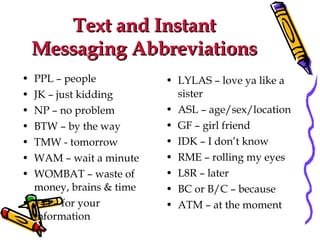
Text and Instant Messaging Abbreviations PPL – people JK – just kidding NP – no problem BTW – by the way TMW - tomorrow WAM – wait a minute WOMBAT – waste of money, brains & time FYI – for your information LYLAS – love ya like a sister ASL – age/sex/location GF – girl friend IDK – I don’t know RME – rolling my eyes L8R – later BC or B/C – because ATM – at the moment
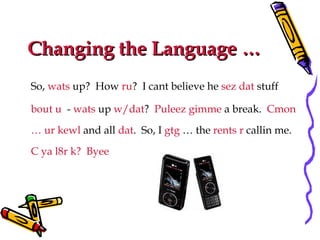
Changing the Language … So,  wats  up?  How  ru ?  I cant believe he  sez   dat  stuff  bout u   -  wats  up  w/dat ?  Puleez gimme  a break.  Cmon … ur kewl  and all  dat .  So, I  gtg  … the  rents r  callin me.  C ya l8r k?  Byee
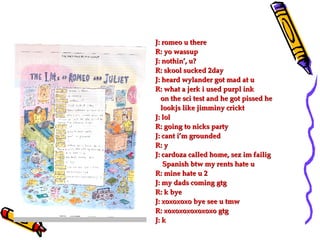
J: romeo u there R: yo wassup J: nothin’, u? R: skool sucked 2day J: heard wylander got mad at u R: what a jerk i used purpl ink on the sci test and he got pissed he  lookjs like jimminy crickt J: lol R: going to nicks party J: cant i’m grounded R: y J: cardoza called home, sez im failig  Spanish btw my rents hate u R: mine hate u 2 J: my dads coming gtg R: k bye J: xoxoxoxo bye see u tmw R: xoxoxoxoxoxoxo gtg J: k

Presentation to parents

  • 1.
    Tough being aparent at any time
  • 2.
    Every parent generationhad it’s own issues Don’t walk on the track, the horse and carts will run over you Don’t watch too much TV you’ll get square eyes Don’t talk to strangers Don’t get in a stranger’s car Don’t do drugs
  • 3.
    Now we have...Screenagers Millennial Generation Next Gen Net Generation Generation Y Nexters Nintendo Generation Digital Generation Digital Natives Echo Boomers Never just plain “School Kids” 12-18 year old: Preference for communicating and community building / networking electronically via screens (computers, mobile phones)
  • 4.
  • 5.
    Web 2.0 asCommunity W E B 2.0 C O M M U N I T Y
  • 6.
    How to be sensible on-line
  • 7.
    What is CyberCrime Cyber crime is the use of computers and other electronic communication systems, such as mobile phones, to commit traditional crimes.
  • 8.
    Stalking generally involves following a person about, making harassing contact and leaving written messages. Cyber stalking involves following a person's movements across the internet, visiting the same chat rooms, leaving messages on message boards and sometimes encouraging third party harassment of the victim.
  • 9.
    What is intimidation? Intimidation is conduct amounting to harassment, including repeatedly troubling or disturbing someone. Cyber harassment includes: sending viruses or high volumes of electronic junk mail (spam) making annoying phone calls sending obscene or threatening mail or text messages
  • 10.
    Intimidation (Continued) sendingdefamatory information to the victim's acquaintances placing messages on message boards or in chat rooms, which contain defamatory, embarrassing or personal information about the victim setting up, or hacking into, websites to post information or photos without the victim's permission. Sometimes with the intent to cause hatred.
  • 11.
    It is acrime to give out false and misleading information about a person.
  • 12.
    Cyber Stalking/Harassment Howdoes someone harass another person using the Internet, email or phone? By: sending unwanted messages to torment, upset, threaten or incite hatred posting a picture or information that is offensive, defamatory or embarrassing hacking into websites Setting up a website that’s not your own – making it with someone else’s name
  • 13.
    Cyber Stalking (continued)spreading rumours logging onto an online forum as someone else and causing mischief following someone from chat room to chat room excluding them from chatting twisting what the person writes in chat rooms sending text messages
  • 14.
    Cyber Laws Partsof the Commonwealth Crimes Act 1914 have been updated to include crimes that use modern technologies. It is now a criminal offence to cyber bully. The relevant sections are quoted below. Section 474.14: Using a telecommunications network with intent to commit a serious offence. It is an offence to connect to a network with the intent or to actually use the equipment with the intent to commit a serious offence. Section 474.17: Using a carriage service to menace, harass or cause offence. It is an offence to use a carriage service in a way that a reasonable person would regard as being menacing, harassing or offensive. For example a person who continually rings and hangs up would be covered in this section.
  • 15.
    Review Cyber crimesare real crimes with real consequences. We all have the right to be safe on the internet but we need to take precautions such as not giving out information about ourselves. Harassing a person does not solve the issue you have with them. If someone harasses you or approaches you on the internet to meet them, tell an adult that you trust .
  • 16.
    If offender isunder 18 Young Offenders Act Charged at court Youth Justice Conference Caution Warning Police Record Criminal Record
  • 17.
    NEVER Open upemails, files, or web pages that you get from people you don’t really know or trust. Ever give out your password, except to responsible adults in your family. Use a handle or nickname that may attract the wrong attention e.g. ‘sweet_teen’ and ‘sexy_girl’
  • 18.
    Somebody online sayssomething to you that makes you feel uncomfortable Somebody online sends you something that makes you feel uncomfortable You see something online that makes you feel uncomfortable TELL your parents, older brother/sister or trusted adult if...
  • 19.
    Follow your family’srules for the internet. They are there to make sure you have fun and stay safe online. ALWAYS
  • 20.
    Look at thisgirl’s display name. Look at the picture she has on display. This is going to give her unwanted attention. She is only 16 years of age. It looks like she is selling sex. Her profile has been viewed 20699 times.
  • 21.
    This Profile hasdisplayed the young persons full name, date of birth and suburb where he lives. This site has been viewed 3712 times .
  • 22.
  • 23.
  • 24.
    NEVER Email apicture of yourself to strangers or put a picture of yourself on your chat profile. Activate your webcam to anyone you do not know in person or have just met on the internet. NEVER show yourself undressed on webcam or photos
  • 25.
    Don’t ever giveout the following information Your last name Your phone number (home or mobile) Your private email address Your home address What school you go to Sporting locations you attend Your parent’s work location
  • 26.
    Fun thing todo with Mum and Dad www.idthecreep.com
  • 27.
    I think wepromised tips…
  • 28.
    A few observationsThis is about life, not technology. Problem-solving needs to be as interactive as the problem. Managing instead of controlling. Banning works less than ever . We have begun the ongoing education The 4 th R = responsibility
  • 29.
    Social Networking Tips for Teens Post only information that you are comfortable with others seeing and knowing about you. Be as anonymous as possible Protect your information Avoid in-person meetings Consider not posting your picture. Think before posting Be honest about your age
  • 30.
    Social Networking Tips for Parents Set reasonable expectations Be open with your teens and encourage them to come to you if they have a problem online Talk with your kids All online activity takes place in a central home location Have your kids share their blogs or online profiles with you
  • 31.
    Top Safety TipsFirst educate yourself, then your child. Teach children the obvious identity rules. Know the dangers associated with sites your children frequent. Teach children what to do if they encounter pornography on a home or public computer, such as at a school or a library.
  • 32.
    Top Safety Tips (cont)… Manage your children’s time on the Internet. Set specific Internet guidelines for your children to live by and consistently enforce consequences. Keep computers out of children’s bedrooms and in open areas. Create a relationship with your children that is conducive to open communication. Understand Internet Privacy Policies as they apply to your child.
  • 33.
  • 34.
    Text and InstantMessaging Abbreviations PPL JK NP BTW TMW WAM WOMBAT L8R LYLAS ASL GF IDK RME TTYL BC or B/C ATM
  • 35.
    Text and InstantMessaging Abbreviations PPL – people JK – just kidding NP – no problem BTW – by the way TMW - tomorrow WAM – wait a minute WOMBAT – waste of money, brains & time FYI – for your information LYLAS – love ya like a sister ASL – age/sex/location GF – girl friend IDK – I don’t know RME – rolling my eyes L8R – later BC or B/C – because ATM – at the moment
  • 36.
    Changing the Language… So, wats up? How ru ? I cant believe he sez dat stuff bout u - wats up w/dat ? Puleez gimme a break. Cmon … ur kewl and all dat . So, I gtg … the rents r callin me. C ya l8r k? Byee
  • 37.
    J: romeo uthere R: yo wassup J: nothin’, u? R: skool sucked 2day J: heard wylander got mad at u R: what a jerk i used purpl ink on the sci test and he got pissed he lookjs like jimminy crickt J: lol R: going to nicks party J: cant i’m grounded R: y J: cardoza called home, sez im failig Spanish btw my rents hate u R: mine hate u 2 J: my dads coming gtg R: k bye J: xoxoxoxo bye see u tmw R: xoxoxoxoxoxoxo gtg J: k